Slide 1Chuck Crafton © 1998Chuck Crafton © 1998
Software Professional Services
Project Management
or
Why is Software Professional
Services Different?
Chuck Crafton © 1998
Revision 4 – January 5, 2016
Slide 2Chuck Crafton © 1998
Primary Goal
Quality Deliverables,
On Time, On Budget,
No Surprises, and
Value Delivered &
Realized
=
A Satisfied Client!
Slide 3Chuck Crafton © 1998
Who are our Clients?
• The Consultants
• The ‘Client’
• The Software Sale Team
• Our Management
Slide 4Chuck Crafton © 1998
The Project Manager
- Key Attributes
• The Ideal Project Manager must be:
• Diplomatic
• Firm
• Cynical
• Pessimistic
• Hard to Convince
• Well Organized
• Delegator
• Determined
• Goal/Objective Oriented
• A Leader
• Excellent Communicator
• Inspiring
• Enthusiastic
• Competent
• Problem Solver
• Detail Oriented
• Big Picture Focused
• Questioner
Slide 5Chuck Crafton © 1998
SI vs. Professional Services
• Software is King, there can be only one King!
• Drive/Lead Value – Every Moment of Every Day
• Doing it With the Client vs. For the Client
• Eyes and Ears for Sales (License & Services)
• Never Blame the Software, we don’t have that Luxury!
• Everyone Sells
• We ALL wear one Badge
• Methodology, Tools, Best Practices, Templates
• Project Governance & Stakeholder Accountability
• Change is Reality, be THE Change Agent
• Frame the Engagement & Be Prescriptive
• We Sell Solutions: Software, Services, and Education
Slide 6Chuck Crafton © 1998
Software Professional Services
• Has a unique:
• Pace,
• Rhythm,
and
• Cadence
• Understand it,
• Embrace it, and
• Live it!
› We Finish what we Start!
› We’re like Ducks on Water
› Calm, Cool, Collected & Confident,
› but ……
› The Answer is Always Yes
› We’ll get to define what Yes is!
› If we say no, then we’re done!
› We Don’t have the Luxury……
› We have lots of Clients
› There are 3 Variables; $, Time, Requirements
› Estimating is Art & Science
› Every Client is Unique
› ROMs vs. SOWs
› Unfortunately, we make Sausage…..
› When everyone just wants Breakfast!
Slide 7Chuck Crafton © 1998
If you were going to be accused
of being a Project Manager,
would there be enough
evidence to convict you?
Slide 8Chuck Crafton © 1998
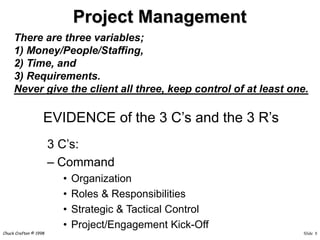
• EVIDENCE of the 3 C’s and the 3 R’s
3 C’s:
– Command
• Organization
• Roles & Responsibilities
• Strategic & Tactical Control
• Project/Engagement Kick-Off
Project Management
There are three variables;
1) Money/People/Staffing,
2) Time, and
3) Requirements.
Never give the client all three, keep control of at least one.
Slide 9Chuck Crafton © 1998
Customer
Executive
Sponsor
Company
Executive
Sponsor
Customer
PM
BMC
PM
Project Steering Committee
Customer
Tech
Resources
Managers
Customer
End Users
and/or
Business
Managers
Solutions
Architect
SME
Customer
Project Admin
Partner(s)
Managers
Governance Structure
Company
Project Admin
BMC Professional Services Engagement
Best Practices Project Governance
Slide 10Chuck Crafton © 1998
Status Reports
BMC will provide periodic status reports to the Customer Project
Sponsor and Project Manager to describe ongoing activities, progress,
accomplishments, and issues. The report may include the following as
appropriate for each reporting period:
 General Comments
 Significant Issues
 Recommended Actions/Changes
 Detailed Budget Performance
 Detailed Schedule Performance
 Activities performed during the period
 Planned activities for the next reporting period
Project Plan Document
As a result of the Plan and Prepare phase, BMC will provide a Project
Plan Document that will define how the project will be executed,
monitored and controlled, and closed. This document may contain any
or all of the following items:
 Project mission statement and scope
 Project management methodology
 Stakeholder Chart
 Communications Plan
 Resource Plan (Team definitions and their responsibilities)
 Risk Plan
 Preliminary project schedule (Work Breakdown Structure
System Architecture Document
As a result of the Plan and Prepare phase, BMC will provide a System
Architecture Document that will define architecture requirements and
recommendations for the solution. This document may contain any or
all of the following items:
 Server Environments
 Access Locations
 Expected User Loads
 Performance Expectations
 Ticket Counts
 Integrations
 Hardware
 Database Review
 Network Review
Configuration Requirements Document
As a result of the Analyze phase, a Configuration Requirements
Document will be provided that documents the configuration settings
for the solution. This document may contain any or all of the following
items:
 Technical analysis
 Configuration requirements
Solution Requirements Document
As a result of the Analyze phase, a Solution Requirements Document will
be provided that documents the compilation of the processes,
requirements and the identified gaps in the application(s). This
document may contain any or all of the following items:
 Process analysis
 Integration configuration requirements
 Data conversion/migration requirements
 Reporting configuration requirements
Solution Design Document
As a result of the Design activities, BMC will provide a detailed Solution
Design Document that will summarize the discussions and decisions
made concerning the customer-specific installation and configurations of
the solution. This document will also define how the requirements and
gaps will be addressed. This document may contain any or all of the
following items:
 Installation information
 Application configuration information
 Data configuration/migration information
 Integration configuration information
 Reporting information
Test Plan
As a result of the Design phase, BMC will provide a Test Plan document
used to define the testing that will take place. This may include:
 Definition of the tests that will occur
 When the test session(s) will occur
 Who will attend
 Where they will take place
 The testing methods
 The success criteria
Training Plan
As a result of the Design phase, BMC will provide a Training Plan
document used to define the training that will take place. This may
include:
 Definition of the training that will occur
 When the training session(s) will occur
 Who will attend
 Where it will take place
 The training methods
 The success criteria
Deployment Plan
As a result of the Design phase, BMC will provide a Deployment Plan
document used to define the steps for deployment that will take place.
This may include:
 The deployment activities
 Who is responsible for what
 Where the deployment will take place
 When the deployment will occur
 Back-out strategy
 The success criteria
Construction Document
As a result of the Build phase, BMC will provide a Construction
Document that will summarize the customer specific configurations,
integration configurations and data migration activities of the
components of the solution. This document will define how the
requirements and gaps have been addressed. This document may
contain any or all of the following items:
 Configurations
 Data conversion/migration details
 Integration configuration details
 Reporting configuration details
Slide 11Chuck Crafton © 1998
– Control
• Plan (tasks, durations, dependencies,
resources, …)
• The “40 hour” Rule
• Risk Management
• Requirements Management
• Change Management
• Configuration Management
• Final Acceptance Definition
• Testing Strategy
• Define the Success Criteria Up Front, with
the Client!
Project Management
Slide 12Chuck Crafton © 1998
– Communication
• Status Reports (internal, external, consultant)
• Reviews and Approvals (signoffs)
• Formal Deliveries
• Action Items/Issues Tracking
• Avoid/Eliminate verbal direction without
documentation backup
• Address problems/issues immediately; if you
need help, ask, don’t wait!
• Early & Often
• Bad news does not get better with age!
• If it’s not documented, it didn’t happen!
Project Management
Slide 13Chuck Crafton © 1998
3 R’s:
– Requirements
• Contract
• Specifications
• Standards & Constraints
• Assumptions – Document Them!
• Agreed to definitions, designs, deliverables
• Documentation, Documentation, Documentation!
Project Management
Slide 14Chuck Crafton © 1998
– Resources
• Time (schedule)
• Talent (Team, client, and subs)
• Tangibles (equipment, travel, training, …)
• The Right People and Things at the Right Time!
– Revenue
• Budget vs Actual
• Timely Reporting and Invoicing
• Profitability; Margin & Contribution
• This is a Business!
Project Management
Slide 15Chuck Crafton © 1998
Importance of Project Managers
• Deficiencies of the Project Management
function is a fundamental root cause of
software implementation disasters.
• Excellence in Project Management can
do more to raise the probability of
success than almost any other factor.
• This factor is common across all
domains of the software industry.
Slide 16Chuck Crafton © 1998
Malpractice
• Unaided manual (estimating) methods in
the context of large software systems can
be viewed as “malpractice”.
• Manual planning and estimating of
really large projects is “irresponsible”.
• If software project managers faced the
kind of malpractice litigation that
physicians face, keeping measurements
would be standard practice.
Slide 17Chuck Crafton © 1998
The Challenges (1 of 4)
• Technology
• Methodologies
• Hardware
• Software
• Networks
• Data
• Applications
• Support
• People
• Personalities
• Biases / Opinions
• Cultures
• Past Experiences
• Personal Concerns
• Professional
Pressures
• Personal Values
Slide 18Chuck Crafton © 1998
The Challenges (2 of 4)
• Budget
• Fixed
• Shrinking
• Downsizing
• Outsourcing
• ROI
• Cost/Benefit
• Usually
underfunded
• Unable to fund the
“buy back of time”
• Schedule
• Crisis Situation
• Lost Opportunities
• Hard to determine
• Harder to track
• Hardest to manage
• Impossible to
guarantee
• Willing to spend to
“buy back time”
Slide 19Chuck Crafton © 1998
The Challenges (3 of 4)
• Requirements
• Should be business
driven
• Hard to define
• Must be tangible
• Managed Change
• Interdependence
must be clearly
defined
• Versionable
• BINDING
• Expectations
• May be business
driven
• Hardest to define
• Intangible, a feeling
• Changeable
• Interdependence
often unclear
• Easily Influenced
• NOT BINDING
Slide 20Chuck Crafton © 1998
The Challenges (4 of 4)
• Client’s Business
• Crisis!
• Changing Strategies
• Changing Agendas
• Changing Personnel
• Urgent!
• Resource Issues
• Organizational
Issues
• Practice Business
• Quarterly Revenue!
• Product Issues
• Support Issues
• QOL Issues
• Urgent!
• Resource Issues
• Organizational
Issues
Slide 21Chuck Crafton © 1998
The Problem with Projects
• Almost 45% of “large” software
projects will be abandoned prior to
completion
• Risks are proportional to size - the
larger the projects the more hazardous
the probable outcome
• There are many ways to fail and only a
very few ways to succeed
Slide 22Chuck Crafton © 1998
Twelve “Success” Attributes
• Effective project
planning
• Effective project
cost estimating
• Effective project
measurements
• Effective project
milestone tracking
• Effective project
quality control
• Effective project
change
management
• Effective
development
processes
• Effective
communications
Slide 23Chuck Crafton © 1998
Twelve “Success” Attributes
• Capable project
managers
• Capable technical
personnel
• Significant use of
specialists
• Substantial
volumes of
reusable material
Slide 24Chuck Crafton © 1998
Successful Project Technologies
• Accurate software
measurement
• Early use of
estimating tools
• Continuous use of
planning tools
• Formal progress
reporting
• Formal architecture
planning
• Formal
development
methods
• Formal design
reviews
• Formal code
inspections
• Formal risk
management
Slide 25Chuck Crafton © 1998
Successful Project Technologies
• Formal testing
methods
• Automated design
and specifications
• Automated
configuration
control
• Less than 10% creep
in requirements
• Use of suitable
languages
• Controlled and
measured
complexity
• Significant reuse of
certified materials
• Formal database
planning
Slide 26Chuck Crafton © 1998
Unsuccessful Projects Factors
• Excessive schedule
pressure
• Executive rejection of
estimates
• Severe friction with
Clients
• Divisive corp. politics
• Poor team
communications
• No Project Governance
• No Client Executive
Sponsor
• Naïve senior execs
• PM malpractice
• Unqualified/Junior
technical staff
• Generalists used
for critical tasks:
• Quality Assurance
• Testing
• Planning
• Estimating
Slide 27Chuck Crafton © 1998Chuck Crafton © 1998
The 7 Deadly Sins of Project
Management
Slide 28Chuck Crafton © 1998
Sin #1. Ignoring difficult issues
• Problems will not go away
• Make sure issues and their impact are understood
• Drive issues to conclusion - daily
• Use a formal process
• Communicate issues to the team, to management &
to the client (down, up, across)
• Don’t leave issues to the end of the project
• I'm glad we made that difficult decision - now we
can move on!
• Re-evaluate earlier decisions when circumstances
change
Slide 29Chuck Crafton © 1998
Sin #2. Fear of Conflict
• Use conflict as a tool
• Don't be afraid to withdraw the team
to force an issue
• You can not be liked and be a good
Project Manager
• True or False?
Slide 30Chuck Crafton © 1998
Sin #3. The contract is the AE's
problem
• The contract is the Project Manager’s
problem, too
• Be aware of cash flow
• Keep it positive
• Who remembers to send the invoices to
the client?
• The Project Manager can control costs
Slide 31Chuck Crafton © 1998
Sin #4. We have agreed the
specification
• Get a signature on the Functional Specification
• Define the acceptance criteria from it
• Where the client does not recognise scope creep,
take the lead
• Up sell opportunities
• Look out for analysis paralysis
• Is the client delivery focussed?
• Find the person responsible for delivery
• Don't try to do everything in one go
• Bite off one piece of the elephant at a time
Slide 32Chuck Crafton © 1998
Sin #5. The customer is always right
• True or False?
• Is the client agenda the same as our
agenda?
• When the client makes seemingly
illogical decisions, think carefully
what the reasoning might be.
Slide 33Chuck Crafton © 1998
Sin #6. The customer wants informal
reporting
• Weekly written status reporting is mandatory
• Never verbal
• Insist on regular review meetings (at a regular time)
• Minute all meetings and track and follow up all
actions
• It was only an internal meeting so I won't write
minutes
• Always write things down
• Create an audit trail
• Project Management needs to be clever
• You can’t lie, but some truths must be withheld
Slide 34Chuck Crafton © 1998
Sin #7. We're getting near the delivery
deadline …… so let’s focus
• Why is this a sin?
• Focus the team all the time
• Don’t only cut out useless meetings when the
pressure is on - do it all the time
• Every day ask yourself the question “what can I do
to bring activities forward?”
• Manage the milestones and the project will manage
itself
• Manage the project - delegate the details
Slide 35Chuck Crafton © 1998
Language to listen for...
• When you hear phrases like:
• “…it should be OK…”
• “…I believe we will…”
• “….we hope to be able….”
• “..probably…”
• “…around the end of the week…”
• “…nearly…”
• “….I assume that this will…”
• “…it will never be a problem…”
Slide 36Chuck Crafton © 1998
The Risk Management Process
• Brainstorm (with client)
• Categorise/group
• Assess/Evaluate (cost of impact)
• Prioritise
• Identify Initial Strategy/Actions
• Cost/Benefit Analysis
• Assign Ownership
• Monitor/Manage
• Re-plan if necessary...
Slide 37Chuck Crafton © 1998
If You Do Nothing Else...
• Identify key players
• Identify Scope
• Identify Risks
• Identify Deliverables
• Identify Acceptance
Procedures
• Identify Acceptance
Criteria
• Document all of the
above
• Review/manage progress
• Minute actions/agreements
• Monitor/manage issues
• Agree/cost any changes
• Monitor/manage risks
• Communicate
• Escalate
• Keep a Project Diary
•You really should do this...
Slide 38Chuck Crafton © 1998
Surprises!?!
• Never Surprise the Client
• Never Let Yourself be Surprised
• Never Surprise Your Manager!
Slide 39Chuck Crafton © 1998
Keep Your Eye on Expenses
• Spend the Money Like it’s Your Own
• Control What You Can
• Watch What You Can’t
• Do The Right Thing for Your Folks!
• Consultants Should Think This Way
Also
• Reimbursable Expenses
• It’s the Client’s Money!
Slide 40Chuck Crafton © 1998
Things!?!
• Do Things Right!
• Do The Right Things!
Slide 41Chuck Crafton © 1998Chuck Crafton © 1998
Know Your Client
Or
MBWA
(Management by Walking Around)
Thank you Tom Peters!
Slide 42Chuck Crafton © 1998
Best Practices
• PM Handbook
• Policies & Procedures
• ‘Rules of Engagement’
• Project Checklists
• Identification
• Planning
• Startup
• Execution
• Close-out
• Post Review
Slide 43Chuck Crafton © 1998
Best Practices
• Consistent Delivery of Quality
Services/Solutions
• Project Definitions
• Status/Engagement Reports
• Client Satisfaction Policy
• Client Survey
• Change Control
• Project Quality Review
• Risk Assessment
• Proposal Template & Library
• Training Procedures
Slide 44Chuck Crafton © 1998
It’s a Business …
• Signings
• Revenue
• Margin
• Contribution
• Renewal Rate
• Pipeline Metrics
• Alignment
• Quality
• Volume & Velocity
• Close Rate
• Backlog Management
• Retention Rate
• Consultant Training &
Proficiency
• Client Satisfaction
• New S/W License
Identification
• A/R & DSR
• Partner Business
Management
• New Client Capture Rate
… Drive it like a Business!
Slide 45Chuck Crafton © 1998
Software Professional Services
• Has a unique:
• Pace,
• Rhythm, and
• Cadence
• Understand it,
• Embrace it, and
• Live it!
Slide 46Chuck Crafton © 1998
Excellence
• persevering when others think the task
is too difficult,
• risking more than others think is
healthy,
• caring more than many think is
prudent, and
• expecting more than others think is
possible.
Excellence is ultimately....
© By Clark Staten

Software Professional Services Project Management

  • 1.
    Slide 1Chuck Crafton© 1998Chuck Crafton © 1998 Software Professional Services Project Management or Why is Software Professional Services Different? Chuck Crafton © 1998 Revision 4 – January 5, 2016
  • 2.
    Slide 2Chuck Crafton© 1998 Primary Goal Quality Deliverables, On Time, On Budget, No Surprises, and Value Delivered & Realized = A Satisfied Client!
  • 3.
    Slide 3Chuck Crafton© 1998 Who are our Clients? • The Consultants • The ‘Client’ • The Software Sale Team • Our Management
  • 4.
    Slide 4Chuck Crafton© 1998 The Project Manager - Key Attributes • The Ideal Project Manager must be: • Diplomatic • Firm • Cynical • Pessimistic • Hard to Convince • Well Organized • Delegator • Determined • Goal/Objective Oriented • A Leader • Excellent Communicator • Inspiring • Enthusiastic • Competent • Problem Solver • Detail Oriented • Big Picture Focused • Questioner
  • 5.
    Slide 5Chuck Crafton© 1998 SI vs. Professional Services • Software is King, there can be only one King! • Drive/Lead Value – Every Moment of Every Day • Doing it With the Client vs. For the Client • Eyes and Ears for Sales (License & Services) • Never Blame the Software, we don’t have that Luxury! • Everyone Sells • We ALL wear one Badge • Methodology, Tools, Best Practices, Templates • Project Governance & Stakeholder Accountability • Change is Reality, be THE Change Agent • Frame the Engagement & Be Prescriptive • We Sell Solutions: Software, Services, and Education
  • 6.
    Slide 6Chuck Crafton© 1998 Software Professional Services • Has a unique: • Pace, • Rhythm, and • Cadence • Understand it, • Embrace it, and • Live it! › We Finish what we Start! › We’re like Ducks on Water › Calm, Cool, Collected & Confident, › but …… › The Answer is Always Yes › We’ll get to define what Yes is! › If we say no, then we’re done! › We Don’t have the Luxury…… › We have lots of Clients › There are 3 Variables; $, Time, Requirements › Estimating is Art & Science › Every Client is Unique › ROMs vs. SOWs › Unfortunately, we make Sausage….. › When everyone just wants Breakfast!
  • 7.
    Slide 7Chuck Crafton© 1998 If you were going to be accused of being a Project Manager, would there be enough evidence to convict you?
  • 8.
    Slide 8Chuck Crafton© 1998 • EVIDENCE of the 3 C’s and the 3 R’s 3 C’s: – Command • Organization • Roles & Responsibilities • Strategic & Tactical Control • Project/Engagement Kick-Off Project Management There are three variables; 1) Money/People/Staffing, 2) Time, and 3) Requirements. Never give the client all three, keep control of at least one.
  • 9.
    Slide 9Chuck Crafton© 1998 Customer Executive Sponsor Company Executive Sponsor Customer PM BMC PM Project Steering Committee Customer Tech Resources Managers Customer End Users and/or Business Managers Solutions Architect SME Customer Project Admin Partner(s) Managers Governance Structure Company Project Admin BMC Professional Services Engagement Best Practices Project Governance
  • 10.
    Slide 10Chuck Crafton© 1998 Status Reports BMC will provide periodic status reports to the Customer Project Sponsor and Project Manager to describe ongoing activities, progress, accomplishments, and issues. The report may include the following as appropriate for each reporting period:  General Comments  Significant Issues  Recommended Actions/Changes  Detailed Budget Performance  Detailed Schedule Performance  Activities performed during the period  Planned activities for the next reporting period Project Plan Document As a result of the Plan and Prepare phase, BMC will provide a Project Plan Document that will define how the project will be executed, monitored and controlled, and closed. This document may contain any or all of the following items:  Project mission statement and scope  Project management methodology  Stakeholder Chart  Communications Plan  Resource Plan (Team definitions and their responsibilities)  Risk Plan  Preliminary project schedule (Work Breakdown Structure System Architecture Document As a result of the Plan and Prepare phase, BMC will provide a System Architecture Document that will define architecture requirements and recommendations for the solution. This document may contain any or all of the following items:  Server Environments  Access Locations  Expected User Loads  Performance Expectations  Ticket Counts  Integrations  Hardware  Database Review  Network Review Configuration Requirements Document As a result of the Analyze phase, a Configuration Requirements Document will be provided that documents the configuration settings for the solution. This document may contain any or all of the following items:  Technical analysis  Configuration requirements Solution Requirements Document As a result of the Analyze phase, a Solution Requirements Document will be provided that documents the compilation of the processes, requirements and the identified gaps in the application(s). This document may contain any or all of the following items:  Process analysis  Integration configuration requirements  Data conversion/migration requirements  Reporting configuration requirements Solution Design Document As a result of the Design activities, BMC will provide a detailed Solution Design Document that will summarize the discussions and decisions made concerning the customer-specific installation and configurations of the solution. This document will also define how the requirements and gaps will be addressed. This document may contain any or all of the following items:  Installation information  Application configuration information  Data configuration/migration information  Integration configuration information  Reporting information Test Plan As a result of the Design phase, BMC will provide a Test Plan document used to define the testing that will take place. This may include:  Definition of the tests that will occur  When the test session(s) will occur  Who will attend  Where they will take place  The testing methods  The success criteria Training Plan As a result of the Design phase, BMC will provide a Training Plan document used to define the training that will take place. This may include:  Definition of the training that will occur  When the training session(s) will occur  Who will attend  Where it will take place  The training methods  The success criteria Deployment Plan As a result of the Design phase, BMC will provide a Deployment Plan document used to define the steps for deployment that will take place. This may include:  The deployment activities  Who is responsible for what  Where the deployment will take place  When the deployment will occur  Back-out strategy  The success criteria Construction Document As a result of the Build phase, BMC will provide a Construction Document that will summarize the customer specific configurations, integration configurations and data migration activities of the components of the solution. This document will define how the requirements and gaps have been addressed. This document may contain any or all of the following items:  Configurations  Data conversion/migration details  Integration configuration details  Reporting configuration details
  • 11.
    Slide 11Chuck Crafton© 1998 – Control • Plan (tasks, durations, dependencies, resources, …) • The “40 hour” Rule • Risk Management • Requirements Management • Change Management • Configuration Management • Final Acceptance Definition • Testing Strategy • Define the Success Criteria Up Front, with the Client! Project Management
  • 12.
    Slide 12Chuck Crafton© 1998 – Communication • Status Reports (internal, external, consultant) • Reviews and Approvals (signoffs) • Formal Deliveries • Action Items/Issues Tracking • Avoid/Eliminate verbal direction without documentation backup • Address problems/issues immediately; if you need help, ask, don’t wait! • Early & Often • Bad news does not get better with age! • If it’s not documented, it didn’t happen! Project Management
  • 13.
    Slide 13Chuck Crafton© 1998 3 R’s: – Requirements • Contract • Specifications • Standards & Constraints • Assumptions – Document Them! • Agreed to definitions, designs, deliverables • Documentation, Documentation, Documentation! Project Management
  • 14.
    Slide 14Chuck Crafton© 1998 – Resources • Time (schedule) • Talent (Team, client, and subs) • Tangibles (equipment, travel, training, …) • The Right People and Things at the Right Time! – Revenue • Budget vs Actual • Timely Reporting and Invoicing • Profitability; Margin & Contribution • This is a Business! Project Management
  • 15.
    Slide 15Chuck Crafton© 1998 Importance of Project Managers • Deficiencies of the Project Management function is a fundamental root cause of software implementation disasters. • Excellence in Project Management can do more to raise the probability of success than almost any other factor. • This factor is common across all domains of the software industry.
  • 16.
    Slide 16Chuck Crafton© 1998 Malpractice • Unaided manual (estimating) methods in the context of large software systems can be viewed as “malpractice”. • Manual planning and estimating of really large projects is “irresponsible”. • If software project managers faced the kind of malpractice litigation that physicians face, keeping measurements would be standard practice.
  • 17.
    Slide 17Chuck Crafton© 1998 The Challenges (1 of 4) • Technology • Methodologies • Hardware • Software • Networks • Data • Applications • Support • People • Personalities • Biases / Opinions • Cultures • Past Experiences • Personal Concerns • Professional Pressures • Personal Values
  • 18.
    Slide 18Chuck Crafton© 1998 The Challenges (2 of 4) • Budget • Fixed • Shrinking • Downsizing • Outsourcing • ROI • Cost/Benefit • Usually underfunded • Unable to fund the “buy back of time” • Schedule • Crisis Situation • Lost Opportunities • Hard to determine • Harder to track • Hardest to manage • Impossible to guarantee • Willing to spend to “buy back time”
  • 19.
    Slide 19Chuck Crafton© 1998 The Challenges (3 of 4) • Requirements • Should be business driven • Hard to define • Must be tangible • Managed Change • Interdependence must be clearly defined • Versionable • BINDING • Expectations • May be business driven • Hardest to define • Intangible, a feeling • Changeable • Interdependence often unclear • Easily Influenced • NOT BINDING
  • 20.
    Slide 20Chuck Crafton© 1998 The Challenges (4 of 4) • Client’s Business • Crisis! • Changing Strategies • Changing Agendas • Changing Personnel • Urgent! • Resource Issues • Organizational Issues • Practice Business • Quarterly Revenue! • Product Issues • Support Issues • QOL Issues • Urgent! • Resource Issues • Organizational Issues
  • 21.
    Slide 21Chuck Crafton© 1998 The Problem with Projects • Almost 45% of “large” software projects will be abandoned prior to completion • Risks are proportional to size - the larger the projects the more hazardous the probable outcome • There are many ways to fail and only a very few ways to succeed
  • 22.
    Slide 22Chuck Crafton© 1998 Twelve “Success” Attributes • Effective project planning • Effective project cost estimating • Effective project measurements • Effective project milestone tracking • Effective project quality control • Effective project change management • Effective development processes • Effective communications
  • 23.
    Slide 23Chuck Crafton© 1998 Twelve “Success” Attributes • Capable project managers • Capable technical personnel • Significant use of specialists • Substantial volumes of reusable material
  • 24.
    Slide 24Chuck Crafton© 1998 Successful Project Technologies • Accurate software measurement • Early use of estimating tools • Continuous use of planning tools • Formal progress reporting • Formal architecture planning • Formal development methods • Formal design reviews • Formal code inspections • Formal risk management
  • 25.
    Slide 25Chuck Crafton© 1998 Successful Project Technologies • Formal testing methods • Automated design and specifications • Automated configuration control • Less than 10% creep in requirements • Use of suitable languages • Controlled and measured complexity • Significant reuse of certified materials • Formal database planning
  • 26.
    Slide 26Chuck Crafton© 1998 Unsuccessful Projects Factors • Excessive schedule pressure • Executive rejection of estimates • Severe friction with Clients • Divisive corp. politics • Poor team communications • No Project Governance • No Client Executive Sponsor • Naïve senior execs • PM malpractice • Unqualified/Junior technical staff • Generalists used for critical tasks: • Quality Assurance • Testing • Planning • Estimating
  • 27.
    Slide 27Chuck Crafton© 1998Chuck Crafton © 1998 The 7 Deadly Sins of Project Management
  • 28.
    Slide 28Chuck Crafton© 1998 Sin #1. Ignoring difficult issues • Problems will not go away • Make sure issues and their impact are understood • Drive issues to conclusion - daily • Use a formal process • Communicate issues to the team, to management & to the client (down, up, across) • Don’t leave issues to the end of the project • I'm glad we made that difficult decision - now we can move on! • Re-evaluate earlier decisions when circumstances change
  • 29.
    Slide 29Chuck Crafton© 1998 Sin #2. Fear of Conflict • Use conflict as a tool • Don't be afraid to withdraw the team to force an issue • You can not be liked and be a good Project Manager • True or False?
  • 30.
    Slide 30Chuck Crafton© 1998 Sin #3. The contract is the AE's problem • The contract is the Project Manager’s problem, too • Be aware of cash flow • Keep it positive • Who remembers to send the invoices to the client? • The Project Manager can control costs
  • 31.
    Slide 31Chuck Crafton© 1998 Sin #4. We have agreed the specification • Get a signature on the Functional Specification • Define the acceptance criteria from it • Where the client does not recognise scope creep, take the lead • Up sell opportunities • Look out for analysis paralysis • Is the client delivery focussed? • Find the person responsible for delivery • Don't try to do everything in one go • Bite off one piece of the elephant at a time
  • 32.
    Slide 32Chuck Crafton© 1998 Sin #5. The customer is always right • True or False? • Is the client agenda the same as our agenda? • When the client makes seemingly illogical decisions, think carefully what the reasoning might be.
  • 33.
    Slide 33Chuck Crafton© 1998 Sin #6. The customer wants informal reporting • Weekly written status reporting is mandatory • Never verbal • Insist on regular review meetings (at a regular time) • Minute all meetings and track and follow up all actions • It was only an internal meeting so I won't write minutes • Always write things down • Create an audit trail • Project Management needs to be clever • You can’t lie, but some truths must be withheld
  • 34.
    Slide 34Chuck Crafton© 1998 Sin #7. We're getting near the delivery deadline …… so let’s focus • Why is this a sin? • Focus the team all the time • Don’t only cut out useless meetings when the pressure is on - do it all the time • Every day ask yourself the question “what can I do to bring activities forward?” • Manage the milestones and the project will manage itself • Manage the project - delegate the details
  • 35.
    Slide 35Chuck Crafton© 1998 Language to listen for... • When you hear phrases like: • “…it should be OK…” • “…I believe we will…” • “….we hope to be able….” • “..probably…” • “…around the end of the week…” • “…nearly…” • “….I assume that this will…” • “…it will never be a problem…”
  • 36.
    Slide 36Chuck Crafton© 1998 The Risk Management Process • Brainstorm (with client) • Categorise/group • Assess/Evaluate (cost of impact) • Prioritise • Identify Initial Strategy/Actions • Cost/Benefit Analysis • Assign Ownership • Monitor/Manage • Re-plan if necessary...
  • 37.
    Slide 37Chuck Crafton© 1998 If You Do Nothing Else... • Identify key players • Identify Scope • Identify Risks • Identify Deliverables • Identify Acceptance Procedures • Identify Acceptance Criteria • Document all of the above • Review/manage progress • Minute actions/agreements • Monitor/manage issues • Agree/cost any changes • Monitor/manage risks • Communicate • Escalate • Keep a Project Diary •You really should do this...
  • 38.
    Slide 38Chuck Crafton© 1998 Surprises!?! • Never Surprise the Client • Never Let Yourself be Surprised • Never Surprise Your Manager!
  • 39.
    Slide 39Chuck Crafton© 1998 Keep Your Eye on Expenses • Spend the Money Like it’s Your Own • Control What You Can • Watch What You Can’t • Do The Right Thing for Your Folks! • Consultants Should Think This Way Also • Reimbursable Expenses • It’s the Client’s Money!
  • 40.
    Slide 40Chuck Crafton© 1998 Things!?! • Do Things Right! • Do The Right Things!
  • 41.
    Slide 41Chuck Crafton© 1998Chuck Crafton © 1998 Know Your Client Or MBWA (Management by Walking Around) Thank you Tom Peters!
  • 42.
    Slide 42Chuck Crafton© 1998 Best Practices • PM Handbook • Policies & Procedures • ‘Rules of Engagement’ • Project Checklists • Identification • Planning • Startup • Execution • Close-out • Post Review
  • 43.
    Slide 43Chuck Crafton© 1998 Best Practices • Consistent Delivery of Quality Services/Solutions • Project Definitions • Status/Engagement Reports • Client Satisfaction Policy • Client Survey • Change Control • Project Quality Review • Risk Assessment • Proposal Template & Library • Training Procedures
  • 44.
    Slide 44Chuck Crafton© 1998 It’s a Business … • Signings • Revenue • Margin • Contribution • Renewal Rate • Pipeline Metrics • Alignment • Quality • Volume & Velocity • Close Rate • Backlog Management • Retention Rate • Consultant Training & Proficiency • Client Satisfaction • New S/W License Identification • A/R & DSR • Partner Business Management • New Client Capture Rate … Drive it like a Business!
  • 45.
    Slide 45Chuck Crafton© 1998 Software Professional Services • Has a unique: • Pace, • Rhythm, and • Cadence • Understand it, • Embrace it, and • Live it!
  • 46.
    Slide 46Chuck Crafton© 1998 Excellence • persevering when others think the task is too difficult, • risking more than others think is healthy, • caring more than many think is prudent, and • expecting more than others think is possible. Excellence is ultimately.... © By Clark Staten