1
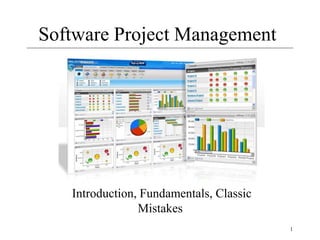
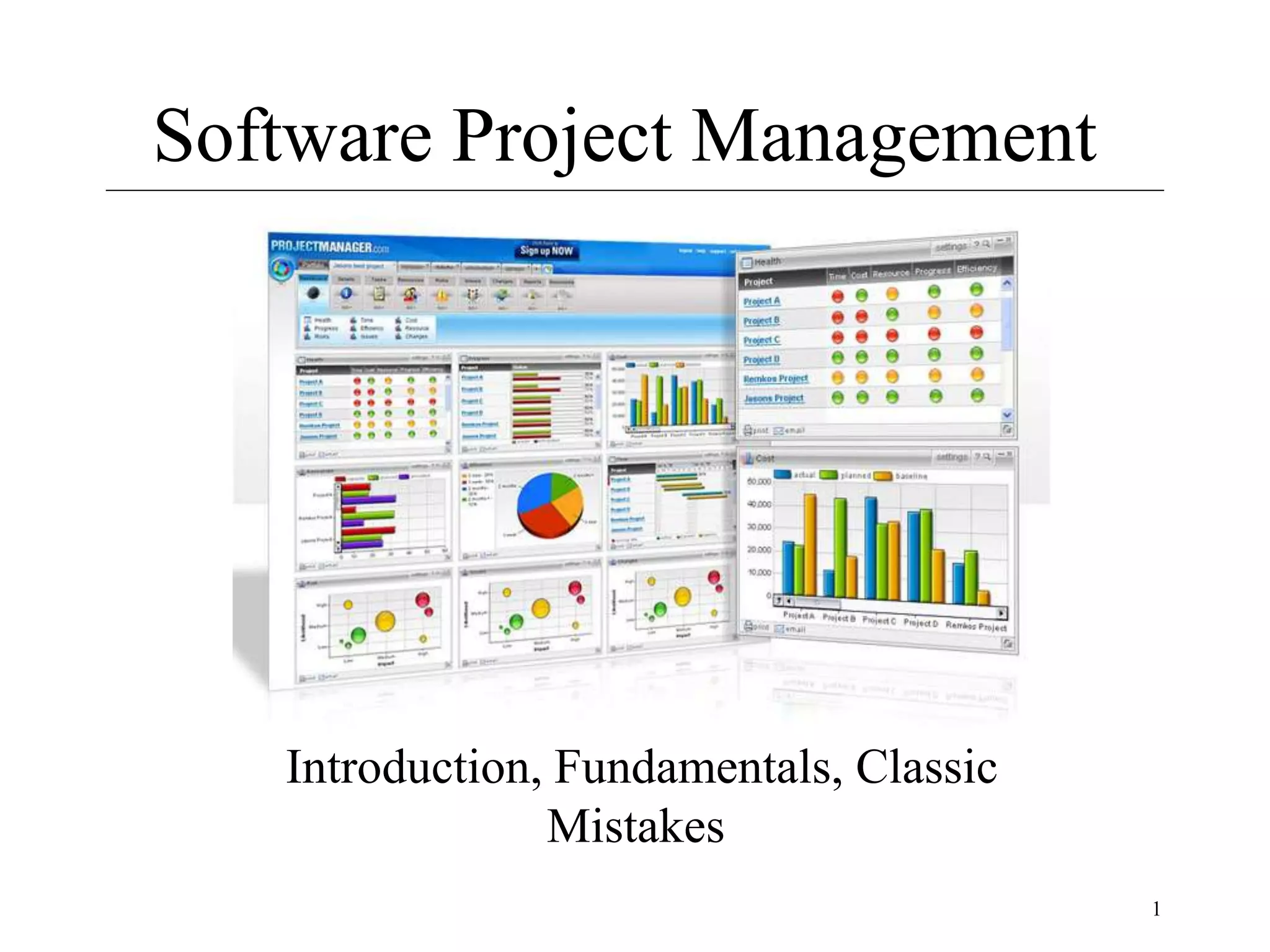
Software Project Management
Introduction, Fundamentals, Classic
Mistakes
2
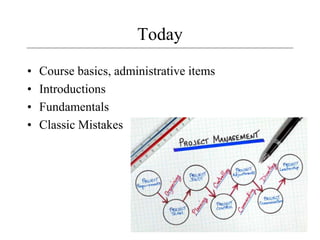
Today
• Course basics, administrative items
• Introductions
• Fundamentals
• Classic Mistakes
3
The Field
• Jobs: where are they?
• Professional Organizations
– Project Management Institute (PMI) (pmi.org)
– Software Engineering Institute (SEI)
– IEEE Software Engineering Group
• Certifications
– PMI PMP
• The “PMBOK” – PMI Body of Knowledge
• Tools
– MS Project
4
PM History in a Nutshell
• Birth of modern PM: Manhattan Project (the
bomb)
• 1970’s: military, defense, construction industry
were using PM software
• 1990’s: large shift to PM-based models
– 1985: TQM
– 1990-93: Re-engineering, self-directed teams
– 1996-99: Risk mgmt, project offices
– 2000: global projects
5
Job Fundamentals
• Skills required
• PM Positions and roles
• The process
6
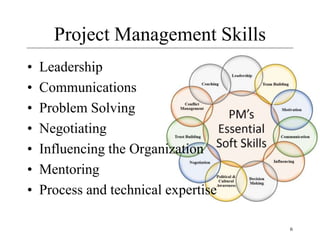
Project Management Skills
• Leadership
• Communications
• Problem Solving
• Negotiating
• Influencing the Organization
• Mentoring
• Process and technical expertise
7
Project Manager Positions
• Project Administrator / Coordinator
• Assistant Project Manager
• Project Manager / Program Manager
• Executive Program Manager
• V.P. Program Development
8
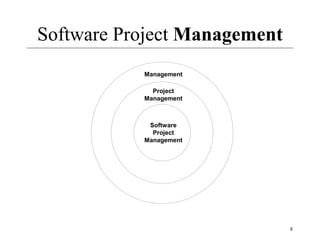
Software Project Management
Management
Project
Management
Software
Project
Management
Software + Project + Management
• Software Computer software, or just
software, is the collection of computer
programs and related data that provide the
instructions telling a computer what to do
9
10
Software + Project + Management
• What’s a project?
• PMI definition
– A project is a temporary attempt undertaken to
create a unique product or service
• Progressively elaborated
– With repetitive elements
• A project manager
– Analogy: conductor, coach, captain
Software + Project + Management
• A project in business and science is a
collaborative enterprise, frequently involving
research or design, that is carefully planned to
achieve a particular aim
• Project Management
Project management is the application of
knowledge, skills, tools, and techniques to project
activities in order to meet or exceed stakeholder
needs and expectations from a project.
11
Dimensions of a Software Project
• A software project has two main activity
dimensions:
– engineering and Project Management.
– The engineering dimension deals with building the
system and focuses on issues such as how to design,
test, code, and so on.
– The project management dimension deals with
properly planning and controlling the engineering
activities to meet project goals for cost, schedule,
and quality.
Dimensions of a Software Project
• For small projects an email may be
fine, but for large commercial projects
you need:
– Defined Processes, a degree of formality
– Tested and Documented processes
– To Secure the Quality of outcome
Significance of Processes
 What is a Process?
Technically, a process for a task comprises a sequence of
steps that should be followed to execute the task.
 So, why we require Processes?
– Processes represent collective knowledge. Using them
increases your chances of success.
– A process may have some extra steps, but you will not
always know beforehand which ones are not needed, and
hence you will increase your risks by taking shortcuts.
Significance of Processes
 Without processes, you cannot predict much about the
outcome of your project.
 You and the organization cannot learn effectively without
having defined processes. Learning and improvement are
imperative in today's knowledge-based world
 Processes lower your anxiety level. The checklists
inevitably cover 80 % of what needs to be done. Hence,
your task reduces to working out the remaining 20 percent.
16
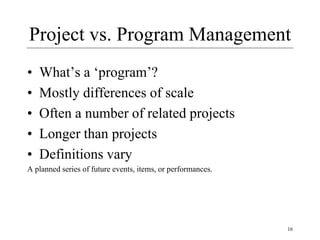
Project vs. Program Management
• What’s a ‘program’?
• Mostly differences of scale
• Often a number of related projects
• Longer than projects
• Definitions vary
A planned series of future events, items, or performances.
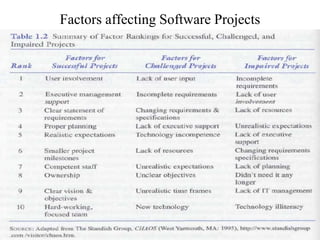
Factors affecting Software Projects
18
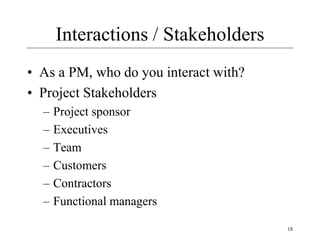
Interactions / Stakeholders
• As a PM, who do you interact with?
• Project Stakeholders
– Project sponsor
– Executives
– Team
– Customers
– Contractors
– Functional managers
19
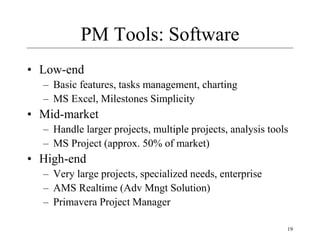
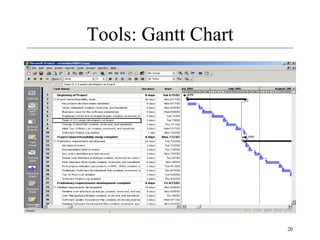
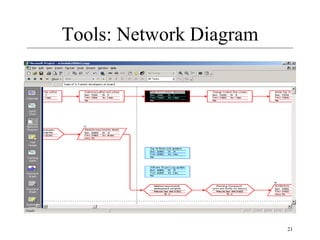
PM Tools: Software
• Low-end
– Basic features, tasks management, charting
– MS Excel, Milestones Simplicity
• Mid-market
– Handle larger projects, multiple projects, analysis tools
– MS Project (approx. 50% of market)
• High-end
– Very large projects, specialized needs, enterprise
– AMS Realtime (Adv Mngt Solution)
– Primavera Project Manager
20
Tools: Gantt Chart
21
Tools: Network Diagram
22
PMI’s 9 Knowledge Areas
• Project integration management
• Scope
• Time
• Cost
• Quality
• Human resource
• Communications
• Risk
• Procurement
23
First Principles
• One project size does not fit all
• Patterns and Anti-Patterns
• Spectrums
– Project types
– Sizes
– Formality and rigor (severity)
24
Why Rapid Development
• Faster delivery
• Reduced risk
• Increased visibility to customer
• Don’t forsake quality
25
Strategy
• Classic Mistake Avoidance
• Development Fundamentals
• Risk Management
• Schedule-Oriented Practices
26
Four Project Dimensions
• People
• Process
• Product
• Technology
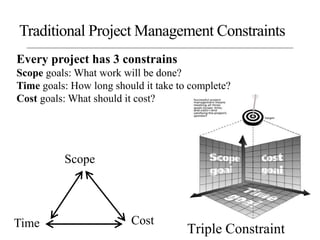
Triple Constraint
Scope
Time Cost
Traditional Project Management Constraints
Every project has 3 constrains
Scope goals: What work will be done?
Time goals: How long should it take to complete?
Cost goals: What should it cost?
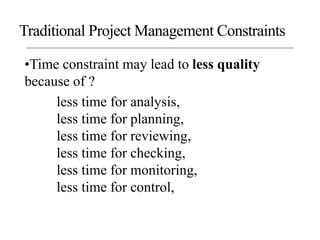
•Time constraint may lead to less quality
because of ?
less time for analysis,
less time for planning,
less time for reviewing,
less time for checking,
less time for monitoring,
less time for control,
Traditional Project Management Constraints
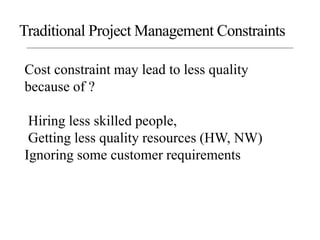
Cost constraint may lead to less quality
because of ?
Hiring less skilled people,
Getting less quality resources (HW, NW)
Ignoring some customer requirements
Traditional Project Management Constraints
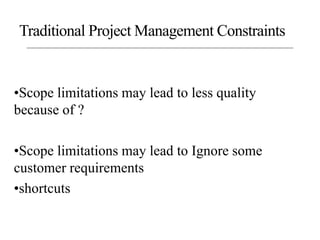
•Scope limitations may lead to less quality
because of ?
•Scope limitations may lead to Ignore some
customer requirements
•shortcuts
Traditional Project Management Constraints
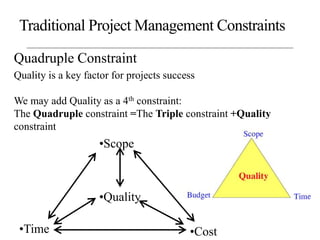
Quadruple Constraint
•Scope
•Time •Cost
•Quality
Traditional Project Management Constraints
Quality is a key factor for projects success
We may add Quality as a 4th constraint:
The Quadruple constraint =The Triple constraint +Quality
constraint
32
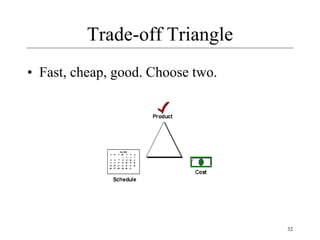
Trade-off Triangle
• Fast, cheap, good. Choose two.
33
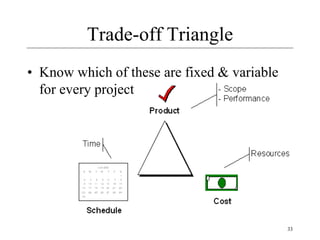
Trade-off Triangle
• Know which of these are fixed & variable
for every project
34
People
• “It’s always a people problem” Gerald Weinberg,
“The Secrets of Consulting”
• Developer productivity: 10-to-1 range
- Improvements:
- Team selection
- Team organization
– Motivation
35
People 2
• Other success factors
– Matching people to tasks
– Career development
– Balance: individual and team
– Clear communication
36
Process
• Is process stifling?
• 2 Types: Management & Technical
• Development fundamentals
• Quality assurance
• Risk management
• Lifecycle planning
• Avoid abuse by neglect
37
Process 2
• Customer orientation
• Process maturity improvement
• Rework avoidance
38
Product
• The “tangible” dimension
• Product size management
• Product characteristics and requirements
• Feature creep management
39
Technology
• Often the least important dimension
• Language and tool selection
• Value and cost of reuse
40
Planning
• Determine requirements
• Determine resources
• Select lifecycle model
• Determine product features strategy
41
Tracking
• Cost, effort, schedule
• Planned vs. Actual
• How to handle when things go off plan?
42
Measurements
• To date and projected
– Cost
– Schedule
– Effort
– Product features
• Alternatives
– Earned value analysis
– Defect rates
– Productivity (ex: SLOC)
– Complexity (ex: function points)
43
Technical Fundamentals
• Requirements
• Analysis
• Design
• Construction
• Quality Assurance
• Deployment
44
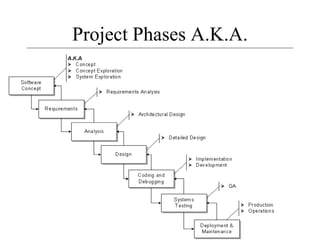
Project Phases
• All projects are divided into phases
• All phases together are known as the Project
Life Cycle
• Each phase is marked by completion of
Deliverables
• Identify the primary software project phases
45
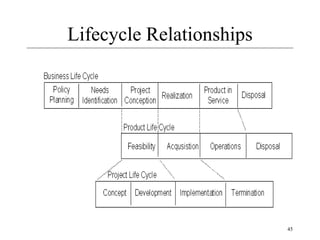
Lifecycle Relationships
46
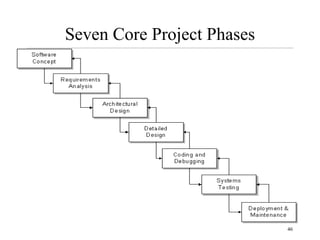
Seven Core Project Phases
47
Project Phases A.K.A.
48
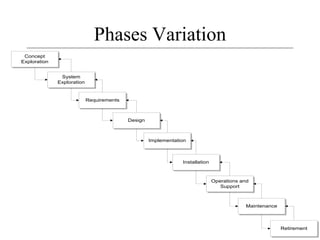
Phases Variation
Concept
Exploration
System
Exploration
Requirements
Design
Implementation
Installation
Operations and
Support
Maintenance
Retirement
49
36 Classic Mistakes
• Types
– People-Related
– Process-Related
– Product-Related
– Technology-Related
• Gilligan’s Island
50
People-Related Mistakes Part 1
• Undermined motivation
• Weak personnel
– Weak vs. Junior
• Uncontrolled problem employees
• Heroics
• Adding people to a late project
51
People-Related Mistakes Part 2
• Noisy, crowded offices
• Customer-Developer friction
• Unrealistic expectations
• Politics over substance
• Wishful thinking
52
People-Related Mistakes Part 3
• Lack of effective project sponsorship
• Lack of stakeholder buy-in
• Lack of user input
53
Process-Related Mistakes Part 1
• Optimistic schedules
• Insufficient risk management
• Contractor failure
• Insufficient planning
• Abandonment of plan under pressure
54
Process-Related Mistakes Part 2
• Wasted time during fuzzy front end
• Shortchanged upstream activities
• Inadequate design
• Shortchanged quality assurance
55
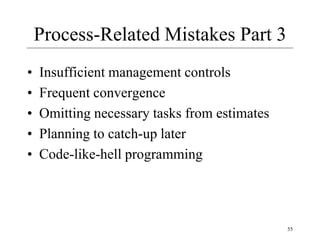
Process-Related Mistakes Part 3
• Insufficient management controls
• Frequent convergence
• Omitting necessary tasks from estimates
• Planning to catch-up later
• Code-like-hell programming
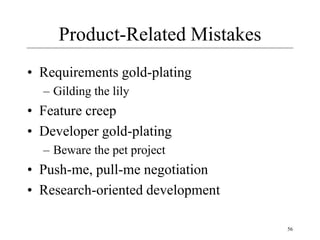
56
Product-Related Mistakes
• Requirements gold-plating
– Gilding the lily
• Feature creep
• Developer gold-plating
– Beware the pet project
• Push-me, pull-me negotiation
• Research-oriented development
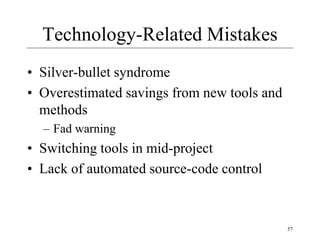
57
Technology-Related Mistakes
• Silver-bullet syndrome
• Overestimated savings from new tools and
methods
– Fad warning
• Switching tools in mid-project
• Lack of automated source-code control
58
Reading
• McConnell: Chapters 1-4
– We covered most of Ch 3 today
• Schwalbe: chapters 1-2, 11 (344-345)
59
Textbooks
• Required texts
– “Rapid Development”, Steve McConnell
– “Information Technology Project Management”, Kathy
Schwalbe
• These provide two very different viewpoints
• In-the-trenches vs. PMI textbook perspective
• Recommended reading
– “Quality Software Project Management”, D. Shafer
– “Software Project Survival Guide”, Steve McConnell
– “Peopleware”, T. DeMarco and T. Lister

1.ppt

  • 1.
    1 Software Project Management Introduction,Fundamentals, Classic Mistakes
  • 2.
    2 Today • Course basics,administrative items • Introductions • Fundamentals • Classic Mistakes
  • 3.
    3 The Field • Jobs:where are they? • Professional Organizations – Project Management Institute (PMI) (pmi.org) – Software Engineering Institute (SEI) – IEEE Software Engineering Group • Certifications – PMI PMP • The “PMBOK” – PMI Body of Knowledge • Tools – MS Project
  • 4.
    4 PM History ina Nutshell • Birth of modern PM: Manhattan Project (the bomb) • 1970’s: military, defense, construction industry were using PM software • 1990’s: large shift to PM-based models – 1985: TQM – 1990-93: Re-engineering, self-directed teams – 1996-99: Risk mgmt, project offices – 2000: global projects
  • 5.
    5 Job Fundamentals • Skillsrequired • PM Positions and roles • The process
  • 6.
    6 Project Management Skills •Leadership • Communications • Problem Solving • Negotiating • Influencing the Organization • Mentoring • Process and technical expertise
  • 7.
    7 Project Manager Positions •Project Administrator / Coordinator • Assistant Project Manager • Project Manager / Program Manager • Executive Program Manager • V.P. Program Development
  • 8.
  • 9.
    Software + Project+ Management • Software Computer software, or just software, is the collection of computer programs and related data that provide the instructions telling a computer what to do 9
  • 10.
    10 Software + Project+ Management • What’s a project? • PMI definition – A project is a temporary attempt undertaken to create a unique product or service • Progressively elaborated – With repetitive elements • A project manager – Analogy: conductor, coach, captain
  • 11.
    Software + Project+ Management • A project in business and science is a collaborative enterprise, frequently involving research or design, that is carefully planned to achieve a particular aim • Project Management Project management is the application of knowledge, skills, tools, and techniques to project activities in order to meet or exceed stakeholder needs and expectations from a project. 11
  • 12.
    Dimensions of aSoftware Project • A software project has two main activity dimensions: – engineering and Project Management. – The engineering dimension deals with building the system and focuses on issues such as how to design, test, code, and so on. – The project management dimension deals with properly planning and controlling the engineering activities to meet project goals for cost, schedule, and quality.
  • 13.
    Dimensions of aSoftware Project • For small projects an email may be fine, but for large commercial projects you need: – Defined Processes, a degree of formality – Tested and Documented processes – To Secure the Quality of outcome
  • 14.
    Significance of Processes What is a Process? Technically, a process for a task comprises a sequence of steps that should be followed to execute the task.  So, why we require Processes? – Processes represent collective knowledge. Using them increases your chances of success. – A process may have some extra steps, but you will not always know beforehand which ones are not needed, and hence you will increase your risks by taking shortcuts.
  • 15.
    Significance of Processes Without processes, you cannot predict much about the outcome of your project.  You and the organization cannot learn effectively without having defined processes. Learning and improvement are imperative in today's knowledge-based world  Processes lower your anxiety level. The checklists inevitably cover 80 % of what needs to be done. Hence, your task reduces to working out the remaining 20 percent.
  • 16.
    16 Project vs. ProgramManagement • What’s a ‘program’? • Mostly differences of scale • Often a number of related projects • Longer than projects • Definitions vary A planned series of future events, items, or performances.
  • 17.
  • 18.
    18 Interactions / Stakeholders •As a PM, who do you interact with? • Project Stakeholders – Project sponsor – Executives – Team – Customers – Contractors – Functional managers
  • 19.
    19 PM Tools: Software •Low-end – Basic features, tasks management, charting – MS Excel, Milestones Simplicity • Mid-market – Handle larger projects, multiple projects, analysis tools – MS Project (approx. 50% of market) • High-end – Very large projects, specialized needs, enterprise – AMS Realtime (Adv Mngt Solution) – Primavera Project Manager
  • 20.
  • 21.
  • 22.
    22 PMI’s 9 KnowledgeAreas • Project integration management • Scope • Time • Cost • Quality • Human resource • Communications • Risk • Procurement
  • 23.
    23 First Principles • Oneproject size does not fit all • Patterns and Anti-Patterns • Spectrums – Project types – Sizes – Formality and rigor (severity)
  • 24.
    24 Why Rapid Development •Faster delivery • Reduced risk • Increased visibility to customer • Don’t forsake quality
  • 25.
    25 Strategy • Classic MistakeAvoidance • Development Fundamentals • Risk Management • Schedule-Oriented Practices
  • 26.
    26 Four Project Dimensions •People • Process • Product • Technology
  • 27.
    Triple Constraint Scope Time Cost TraditionalProject Management Constraints Every project has 3 constrains Scope goals: What work will be done? Time goals: How long should it take to complete? Cost goals: What should it cost?
  • 28.
    •Time constraint maylead to less quality because of ? less time for analysis, less time for planning, less time for reviewing, less time for checking, less time for monitoring, less time for control, Traditional Project Management Constraints
  • 29.
    Cost constraint maylead to less quality because of ? Hiring less skilled people, Getting less quality resources (HW, NW) Ignoring some customer requirements Traditional Project Management Constraints
  • 30.
    •Scope limitations maylead to less quality because of ? •Scope limitations may lead to Ignore some customer requirements •shortcuts Traditional Project Management Constraints
  • 31.
    Quadruple Constraint •Scope •Time •Cost •Quality TraditionalProject Management Constraints Quality is a key factor for projects success We may add Quality as a 4th constraint: The Quadruple constraint =The Triple constraint +Quality constraint
  • 32.
    32 Trade-off Triangle • Fast,cheap, good. Choose two.
  • 33.
    33 Trade-off Triangle • Knowwhich of these are fixed & variable for every project
  • 34.
    34 People • “It’s alwaysa people problem” Gerald Weinberg, “The Secrets of Consulting” • Developer productivity: 10-to-1 range - Improvements: - Team selection - Team organization – Motivation
  • 35.
    35 People 2 • Othersuccess factors – Matching people to tasks – Career development – Balance: individual and team – Clear communication
  • 36.
    36 Process • Is processstifling? • 2 Types: Management & Technical • Development fundamentals • Quality assurance • Risk management • Lifecycle planning • Avoid abuse by neglect
  • 37.
    37 Process 2 • Customerorientation • Process maturity improvement • Rework avoidance
  • 38.
    38 Product • The “tangible”dimension • Product size management • Product characteristics and requirements • Feature creep management
  • 39.
    39 Technology • Often theleast important dimension • Language and tool selection • Value and cost of reuse
  • 40.
    40 Planning • Determine requirements •Determine resources • Select lifecycle model • Determine product features strategy
  • 41.
    41 Tracking • Cost, effort,schedule • Planned vs. Actual • How to handle when things go off plan?
  • 42.
    42 Measurements • To dateand projected – Cost – Schedule – Effort – Product features • Alternatives – Earned value analysis – Defect rates – Productivity (ex: SLOC) – Complexity (ex: function points)
  • 43.
    43 Technical Fundamentals • Requirements •Analysis • Design • Construction • Quality Assurance • Deployment
  • 44.
    44 Project Phases • Allprojects are divided into phases • All phases together are known as the Project Life Cycle • Each phase is marked by completion of Deliverables • Identify the primary software project phases
  • 45.
  • 46.
  • 47.
  • 48.
  • 49.
    49 36 Classic Mistakes •Types – People-Related – Process-Related – Product-Related – Technology-Related • Gilligan’s Island
  • 50.
    50 People-Related Mistakes Part1 • Undermined motivation • Weak personnel – Weak vs. Junior • Uncontrolled problem employees • Heroics • Adding people to a late project
  • 51.
    51 People-Related Mistakes Part2 • Noisy, crowded offices • Customer-Developer friction • Unrealistic expectations • Politics over substance • Wishful thinking
  • 52.
    52 People-Related Mistakes Part3 • Lack of effective project sponsorship • Lack of stakeholder buy-in • Lack of user input
  • 53.
    53 Process-Related Mistakes Part1 • Optimistic schedules • Insufficient risk management • Contractor failure • Insufficient planning • Abandonment of plan under pressure
  • 54.
    54 Process-Related Mistakes Part2 • Wasted time during fuzzy front end • Shortchanged upstream activities • Inadequate design • Shortchanged quality assurance
  • 55.
    55 Process-Related Mistakes Part3 • Insufficient management controls • Frequent convergence • Omitting necessary tasks from estimates • Planning to catch-up later • Code-like-hell programming
  • 56.
    56 Product-Related Mistakes • Requirementsgold-plating – Gilding the lily • Feature creep • Developer gold-plating – Beware the pet project • Push-me, pull-me negotiation • Research-oriented development
  • 57.
    57 Technology-Related Mistakes • Silver-bulletsyndrome • Overestimated savings from new tools and methods – Fad warning • Switching tools in mid-project • Lack of automated source-code control
  • 58.
    58 Reading • McConnell: Chapters1-4 – We covered most of Ch 3 today • Schwalbe: chapters 1-2, 11 (344-345)
  • 59.
    59 Textbooks • Required texts –“Rapid Development”, Steve McConnell – “Information Technology Project Management”, Kathy Schwalbe • These provide two very different viewpoints • In-the-trenches vs. PMI textbook perspective • Recommended reading – “Quality Software Project Management”, D. Shafer – “Software Project Survival Guide”, Steve McConnell – “Peopleware”, T. DeMarco and T. Lister