Introducing  Software Configuration Management  into a CMMI Level 1 Project Presented at the KWSQA March 2006 by Pat Cross, London St. Consulting
What I want you to go away with  Remembering how important Software Configuration Management (SCM) is. Remembering how hard it is for new people to understand SCM - or care about it. Having some guidelines to implementing SCM in projects that have started with no clear processes.
What I want to cover today How do you recognize a CMMI Level 1 project, and how does it feel?  Quick tour of SCM Some guidelines to beginning the implementation of SCM Questions, stories and ideas from the floor
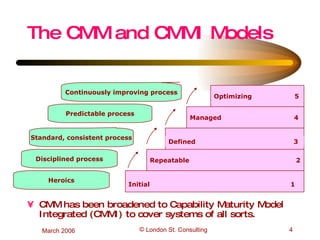
CMM has been broadened to Capability Maturity Model Integrated (CMMI) to cover systems of all sorts. The CMM and CMMI Models Repeatable  2 Managed  4 Optimizing  5 Initial  1 Defined  3 Predictable process Continuously improving process Standard, consistent process Disciplined process Heroics
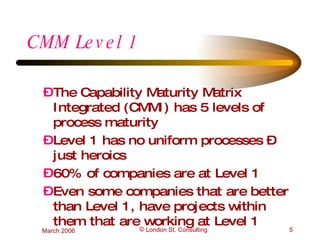
CMM Level 1 The Capability Maturity Matrix Integrated (CMMI) has 5 levels of process maturity Level 1 has no uniform processes – just heroics 60% of companies are at Level 1 Even some companies that are better than Level 1, have projects within them that are working at Level 1
How does Level 1 development feel? At the beginning of a project - exciting, free. Perhaps some schedule pressure. In the middle - uncomfortable, sense of injustice, some fear. At the end of development - panic, forced heroism, anger.
How does Level 1 maintenance feel? Baffling - lack of documentation means hard to trouble shoot, hard to fix. Confusing - hard to keep track of  changes planned to go in  changes tried but unsuccessful  changes actually made to system Increasing disengagement
What is Software CM? SCM is the art of managing the information about the product itself, including the source and executable code. SCM keeps you up to date on what you have, and protects your information and code from loss and unauthorized changes. SCM keeps you sane.
Quick Tour of SCM  Classic CM has four parts: configuration identification (what shall we manage?) configuration change control (who authorizes what and how?) configuration status accounting (snapshots) configuration audits (inventory checking) Software also needs extra specific tools and documents
Configuration Identification Early in the project, decide what pieces of software you want to treat as ‘an item’. Each item needs its own requirements, design and test documents. If the code piece is too big, the effect of a change on other parts of the software is hard to determine. If the pieces are too small, the administrative costs go up. Requirement and design documents are also Configuration Items (CIs)
Configuration Change Control Changes are the most dangerous events in a software’s life. Deep technical insights are needed to judge all the effects of a change. It’s helpful to have a group of guru’s to make these decisions - the Configuration Control Board (CCB). The CCB also authorizes extra work.
Configuration Status Accounting During development many people need to be clear about what version of requirements are current, what is the present version of design and the development versions of code. Sometimes you need to know all this information about some point in time in the past - or about a set of slightly different clients The system  of retrieving this related information needs to be simple.
Configuration Audits From time to time, someone needs to check that all the information related to every Configuration Item exists and is where it ought to be. If anything is missing, it should be re-constituated, maintenance will need it later.
Software Additions for SCM Software CM also includes: a repository for code Version Description Documents for each version, describing the details of the components and the extent of testing. This is useful for developers. Release Notes for each version explaining new features and known problems. This is for users. a database showing the relationship between all versions. This is particularly needed when there is a lot of branching.
Repositories and Databases It is virtually impossible to manage code versions without a tool while you can make one in-house, you are better off buying a commercial one Features should include: identification of every change and who signs it in ability to recreate any version relationship between versions of requirements and design documents and versions of code
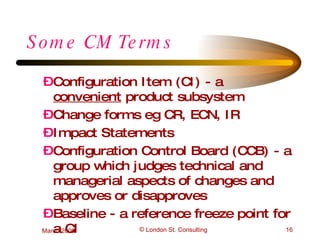
Some CM Terms Configuration Item (CI) - a  convenient  product subsystem Change forms eg CR, ECN, IR Impact Statements Configuration Control Board (CCB) - a group which judges technical and managerial aspects of changes and approves or disapproves Baseline - a reference freeze point for a CI
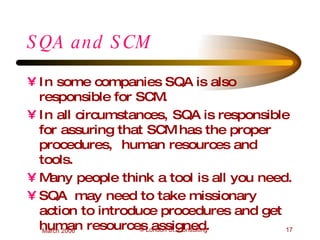
SQA and SCM In some companies SQA is also responsible for SCM. In all circumstances, SQA is responsible for assuring that SCM has the proper procedures,  human resources and tools. Many people think a tool is all you need. SQA  may need to take missionary action to introduce procedures and get human resources assigned.
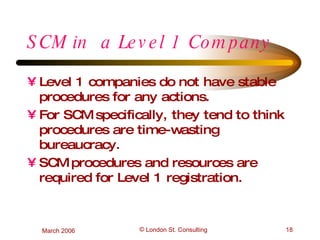
SCM in  a Level 1 Company Level 1 companies do not have stable procedures for any actions. For SCM specifically, they tend to think procedures are time-wasting bureaucracy. SCM procedures and resources are required for Level 1 registration.
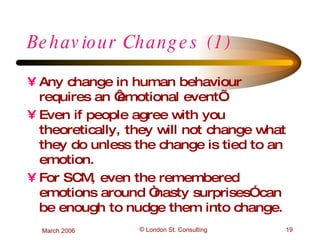
Behaviour Changes (1) Any change in human behaviour requires an ‘emotional event’. Even if people agree with you theoretically, they will not change what they do unless the change is tied to an emotion. For SCM, even the remembered emotions around “nasty surprises” can be enough to nudge them into change.
Behaviour Changes (2) Once they are willing to change, they need to learn and practice the change, until it becomes normal it is easy to backslide when the project pressure mounts. Once it becomes ‘just how we do things here’, you can relax. For SCM this can take about a year.
Guidelines - In the Beginning You have to have an ALLY (preferably the Project Leader) Even if you are the Project Leader, you still have to have an ally If you don’t have an ally, spend your time selling to find one. Use present problems and future projections, stress outcomes.  When you find an ally, teach them as much CM as possible.
Guidelines - Start with a Vulnerability Find the situation which is giving most grief now, propose a simple fix Discuss it in detail with your ally and a little bit with the others. Get the Project Leader on board in any case. Alter the fix to meet their needs and write a one page description using project vocabulary.
Example of a Fix (1) Vulnerability :  The project is suffering because different people are changing the product and no-one knows what is today’s product. Fix: Appoint one person to be the the point of contact for all changes. Everyone has to bring their changes to her.
Example of a Fix (2) Vulnerability :  One group makes changes and other groups’ work is affected badly. Anger is in the air. Fix: Set up a ‘vetting’ committee of all the groups to review changes by email. Default is ‘accept’ after one day. (This is a proto-CCB.)
Example of a Fix (3) Vulnerability :  Maintenance is required at night-time, when normal authorization is not available. Fix: Set up 3 lists of actions No authorization required (eg refresh certain data) Retroactive authorization required (alter certain scripts) Forbidden without prior authorization (core code)
Guidelines - Implement the process Project Leader should explain the new process and its benefits and move  decisively  to use them. Let it settle a few weeks before SQA checks how it is working out, Project Leader should back SQA publicly. Take the feedback to SQA seriously, make sure actions are taken and followed up.
Guidelines - The Uses of a Roadmap Deciding on how to implement CM completely is a necessary job for you and your ally Showing the group the vision and the map increases speed of implementation. Showing the vision and map to other interacting groups helps them to adapt to your changes.
Questions and Discussion

Software Configuration Management into a CMMI Level 1 Project

  • 1.
    Introducing SoftwareConfiguration Management into a CMMI Level 1 Project Presented at the KWSQA March 2006 by Pat Cross, London St. Consulting
  • 2.
    What I wantyou to go away with Remembering how important Software Configuration Management (SCM) is. Remembering how hard it is for new people to understand SCM - or care about it. Having some guidelines to implementing SCM in projects that have started with no clear processes.
  • 3.
    What I wantto cover today How do you recognize a CMMI Level 1 project, and how does it feel? Quick tour of SCM Some guidelines to beginning the implementation of SCM Questions, stories and ideas from the floor
  • 4.
    CMM has beenbroadened to Capability Maturity Model Integrated (CMMI) to cover systems of all sorts. The CMM and CMMI Models Repeatable 2 Managed 4 Optimizing 5 Initial 1 Defined 3 Predictable process Continuously improving process Standard, consistent process Disciplined process Heroics
  • 5.
    CMM Level 1The Capability Maturity Matrix Integrated (CMMI) has 5 levels of process maturity Level 1 has no uniform processes – just heroics 60% of companies are at Level 1 Even some companies that are better than Level 1, have projects within them that are working at Level 1
  • 6.
    How does Level1 development feel? At the beginning of a project - exciting, free. Perhaps some schedule pressure. In the middle - uncomfortable, sense of injustice, some fear. At the end of development - panic, forced heroism, anger.
  • 7.
    How does Level1 maintenance feel? Baffling - lack of documentation means hard to trouble shoot, hard to fix. Confusing - hard to keep track of changes planned to go in changes tried but unsuccessful changes actually made to system Increasing disengagement
  • 8.
    What is SoftwareCM? SCM is the art of managing the information about the product itself, including the source and executable code. SCM keeps you up to date on what you have, and protects your information and code from loss and unauthorized changes. SCM keeps you sane.
  • 9.
    Quick Tour ofSCM Classic CM has four parts: configuration identification (what shall we manage?) configuration change control (who authorizes what and how?) configuration status accounting (snapshots) configuration audits (inventory checking) Software also needs extra specific tools and documents
  • 10.
    Configuration Identification Earlyin the project, decide what pieces of software you want to treat as ‘an item’. Each item needs its own requirements, design and test documents. If the code piece is too big, the effect of a change on other parts of the software is hard to determine. If the pieces are too small, the administrative costs go up. Requirement and design documents are also Configuration Items (CIs)
  • 11.
    Configuration Change ControlChanges are the most dangerous events in a software’s life. Deep technical insights are needed to judge all the effects of a change. It’s helpful to have a group of guru’s to make these decisions - the Configuration Control Board (CCB). The CCB also authorizes extra work.
  • 12.
    Configuration Status AccountingDuring development many people need to be clear about what version of requirements are current, what is the present version of design and the development versions of code. Sometimes you need to know all this information about some point in time in the past - or about a set of slightly different clients The system of retrieving this related information needs to be simple.
  • 13.
    Configuration Audits Fromtime to time, someone needs to check that all the information related to every Configuration Item exists and is where it ought to be. If anything is missing, it should be re-constituated, maintenance will need it later.
  • 14.
    Software Additions forSCM Software CM also includes: a repository for code Version Description Documents for each version, describing the details of the components and the extent of testing. This is useful for developers. Release Notes for each version explaining new features and known problems. This is for users. a database showing the relationship between all versions. This is particularly needed when there is a lot of branching.
  • 15.
    Repositories and DatabasesIt is virtually impossible to manage code versions without a tool while you can make one in-house, you are better off buying a commercial one Features should include: identification of every change and who signs it in ability to recreate any version relationship between versions of requirements and design documents and versions of code
  • 16.
    Some CM TermsConfiguration Item (CI) - a convenient product subsystem Change forms eg CR, ECN, IR Impact Statements Configuration Control Board (CCB) - a group which judges technical and managerial aspects of changes and approves or disapproves Baseline - a reference freeze point for a CI
  • 17.
    SQA and SCMIn some companies SQA is also responsible for SCM. In all circumstances, SQA is responsible for assuring that SCM has the proper procedures, human resources and tools. Many people think a tool is all you need. SQA may need to take missionary action to introduce procedures and get human resources assigned.
  • 18.
    SCM in a Level 1 Company Level 1 companies do not have stable procedures for any actions. For SCM specifically, they tend to think procedures are time-wasting bureaucracy. SCM procedures and resources are required for Level 1 registration.
  • 19.
    Behaviour Changes (1)Any change in human behaviour requires an ‘emotional event’. Even if people agree with you theoretically, they will not change what they do unless the change is tied to an emotion. For SCM, even the remembered emotions around “nasty surprises” can be enough to nudge them into change.
  • 20.
    Behaviour Changes (2)Once they are willing to change, they need to learn and practice the change, until it becomes normal it is easy to backslide when the project pressure mounts. Once it becomes ‘just how we do things here’, you can relax. For SCM this can take about a year.
  • 21.
    Guidelines - Inthe Beginning You have to have an ALLY (preferably the Project Leader) Even if you are the Project Leader, you still have to have an ally If you don’t have an ally, spend your time selling to find one. Use present problems and future projections, stress outcomes. When you find an ally, teach them as much CM as possible.
  • 22.
    Guidelines - Startwith a Vulnerability Find the situation which is giving most grief now, propose a simple fix Discuss it in detail with your ally and a little bit with the others. Get the Project Leader on board in any case. Alter the fix to meet their needs and write a one page description using project vocabulary.
  • 23.
    Example of aFix (1) Vulnerability : The project is suffering because different people are changing the product and no-one knows what is today’s product. Fix: Appoint one person to be the the point of contact for all changes. Everyone has to bring their changes to her.
  • 24.
    Example of aFix (2) Vulnerability : One group makes changes and other groups’ work is affected badly. Anger is in the air. Fix: Set up a ‘vetting’ committee of all the groups to review changes by email. Default is ‘accept’ after one day. (This is a proto-CCB.)
  • 25.
    Example of aFix (3) Vulnerability : Maintenance is required at night-time, when normal authorization is not available. Fix: Set up 3 lists of actions No authorization required (eg refresh certain data) Retroactive authorization required (alter certain scripts) Forbidden without prior authorization (core code)
  • 26.
    Guidelines - Implementthe process Project Leader should explain the new process and its benefits and move decisively to use them. Let it settle a few weeks before SQA checks how it is working out, Project Leader should back SQA publicly. Take the feedback to SQA seriously, make sure actions are taken and followed up.
  • 27.
    Guidelines - TheUses of a Roadmap Deciding on how to implement CM completely is a necessary job for you and your ally Showing the group the vision and the map increases speed of implementation. Showing the vision and map to other interacting groups helps them to adapt to your changes.
  • 28.