Social Networking Sites & Libraries Sharon Clapp Web Resources Librarian Connecticut State Library
What are “Social Networking Sites”? social   networking   site  ( plural   social networking sites ) ( Internet ) Websites that provide a virtual community in which people with a shared interest may communicate  [from Wiktionary - http:// en.wiktionary.org/wiki/social_networking_site ] Most popular = MySpace
Why do libraries care about social networking sites?  “ If there’s a consensus in technology, it’s that the next big thing after Google (Charts, Fortune 500) is social networking.” [from “As Facebook takes off, MySpace strikes back.” Kirkpatrick, David.  Fortune : Sept. 19, 2007.]
Stats on Social Networking Sites September 2007 – Unique Visitors Facebook visitors, 24.2 million MySpace visitors, 67 million Google visitors, 124.5 million Page Views:  MySpace Gets More than Google!
Stats on Library Sites September 2007 – Unique Visitors Library of Congress visitors, 1.6 million Worldcat, 912,180 Cslib.org, 28,538 [from Compete.com]
Social Networking Sites MySpace Facebook Orkut Friendster Bebo Xanga Plaxo Yahoo Mash - BETA LinkedIn Ning Manage them all via ProfileFly
Social Networking @ the Trustees’ Boot Camp Audience participation time…
Why Social Networking Sites? Free Easy to Use Popular – where your community is at! Continuously being developed
How Libraries Use Social Networking Sites Youth outreach Creation of online groups to support library (e.g., Friends, teen advisory) Lead into catalog, highlight collections, provide online reference through messaging Promote events Staff development & communication / professional networking [instead of intranet?] Create Facebook applications for searching library resources, keeping up with library news…
Good or Evil? Dark side of sites like MySpace Awareness of tools allows programming for youth, parents/caregivers – how to use social networking sites safely Importance of social networking site literacy for future employability
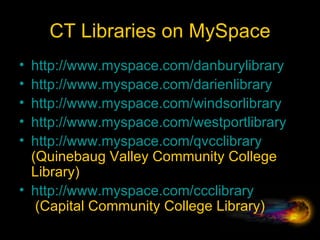
CT Libraries on MySpace http://www.myspace.com/danburylibrary http://www.myspace.com/darienlibrary   http://www.myspace.com/windsorlibrary http://www.myspace.com/westportlibrary http://www.myspace.com/qvcclibrary  (Quinebaug Valley Community College Library) http:// www.myspace.com/ccclibrary  (Capital Community College Library)
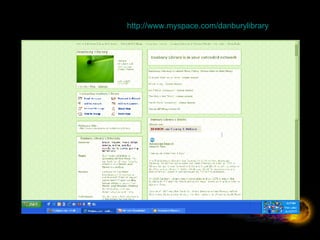
Danbury Public Library -  http:// www.myspace.com/danburylibrary
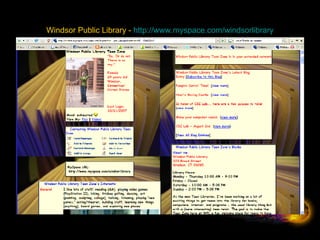
Windsor Public Library -  http:// www.myspace.com/windsorlibrary
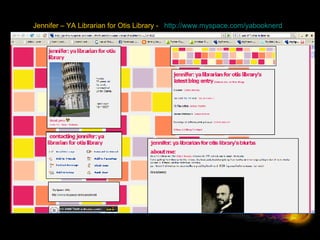
Jennifer – YA Librarian for Otis Library -    http:// www.myspace.com/yabooknerd
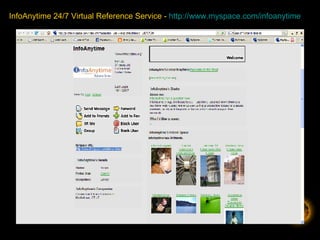
InfoAnytime 24/7 Virtual Reference Service -  http:// www.myspace.com/infoanytime
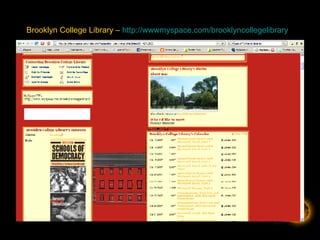
Brooklyn College Library –  http://wwwmyspace.com/brooklyncollegelibrary
Facebook Ways it’s different than MySpace MySpace still tops, but Facebook is gaining significantly in popularity Facebook’s advantage is its applications feature [little programs that you can browse through, add to your Facebook, and/or create yourself] In August 2007, 14 million people interacted with their applications Opened to developers on May 29 th , by September, 5,000 applications created Facebook activity grew 32% from May to August, while MySpace activity decreased.
Facebook http://www.facebook.com Friends groups (e.g., Westport Library Pals) Library staff development groups Creation of Facebook Applications Login and demo
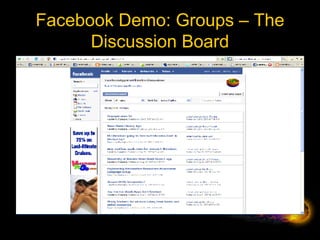
Facebook Demo: Groups – The Discussion Board
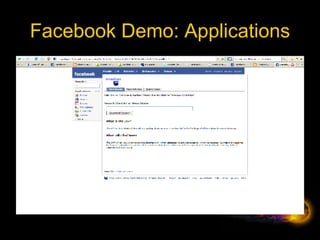
Facebook Demo: Applications
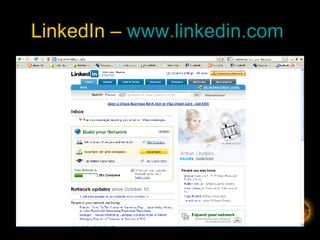
LinkedIn –  www.linkedin.com
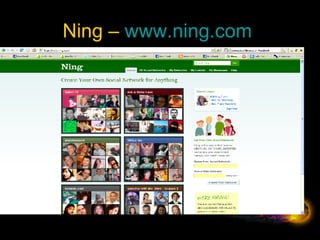
Ning –  www.ning.com
 
Microblogging – What are you doing now (in 140 characters or less) Twitter Jaiku Pownce
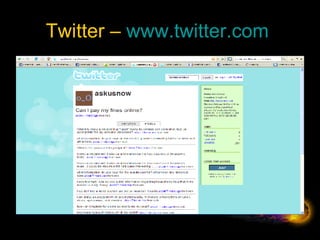
Twitter –  www.twitter.com
What would a library use Twitter for? Virtual reference – quick ?s Keeping up with the latest in professional development by following library leaders Fun way to market library activities or events
Neat Twitter features Mobility & flexibility – use from cell phones via text messaging or from web (or Facebook) Creation of instant short web addresses for articles you find online (tinyurls)
What next? Things for libraries to consider… What if search begins at social networking spaces – not at Google? Q. Where should our librarians be? [A. Online]  …  How?
Thank you! If you’d like a copy of this presentation, or would like to discuss any of these topics further – contact Sharon Clapp, Connecticut State Library: [email_address] 860-424-3617 Twitter –  http://twitter.com/sclapp

Social Networking & Libraries

  • 1.
    Social Networking Sites& Libraries Sharon Clapp Web Resources Librarian Connecticut State Library
  • 2.
    What are “SocialNetworking Sites”? social networking site ( plural social networking sites ) ( Internet ) Websites that provide a virtual community in which people with a shared interest may communicate [from Wiktionary - http:// en.wiktionary.org/wiki/social_networking_site ] Most popular = MySpace
  • 3.
    Why do librariescare about social networking sites? “ If there’s a consensus in technology, it’s that the next big thing after Google (Charts, Fortune 500) is social networking.” [from “As Facebook takes off, MySpace strikes back.” Kirkpatrick, David. Fortune : Sept. 19, 2007.]
  • 4.
    Stats on SocialNetworking Sites September 2007 – Unique Visitors Facebook visitors, 24.2 million MySpace visitors, 67 million Google visitors, 124.5 million Page Views: MySpace Gets More than Google!
  • 5.
    Stats on LibrarySites September 2007 – Unique Visitors Library of Congress visitors, 1.6 million Worldcat, 912,180 Cslib.org, 28,538 [from Compete.com]
  • 6.
    Social Networking SitesMySpace Facebook Orkut Friendster Bebo Xanga Plaxo Yahoo Mash - BETA LinkedIn Ning Manage them all via ProfileFly
  • 7.
    Social Networking @the Trustees’ Boot Camp Audience participation time…
  • 8.
    Why Social NetworkingSites? Free Easy to Use Popular – where your community is at! Continuously being developed
  • 9.
    How Libraries UseSocial Networking Sites Youth outreach Creation of online groups to support library (e.g., Friends, teen advisory) Lead into catalog, highlight collections, provide online reference through messaging Promote events Staff development & communication / professional networking [instead of intranet?] Create Facebook applications for searching library resources, keeping up with library news…
  • 10.
    Good or Evil?Dark side of sites like MySpace Awareness of tools allows programming for youth, parents/caregivers – how to use social networking sites safely Importance of social networking site literacy for future employability
  • 11.
    CT Libraries onMySpace http://www.myspace.com/danburylibrary http://www.myspace.com/darienlibrary http://www.myspace.com/windsorlibrary http://www.myspace.com/westportlibrary http://www.myspace.com/qvcclibrary (Quinebaug Valley Community College Library) http:// www.myspace.com/ccclibrary  (Capital Community College Library)
  • 12.
    Danbury Public Library- http:// www.myspace.com/danburylibrary
  • 13.
    Windsor Public Library- http:// www.myspace.com/windsorlibrary
  • 14.
    Jennifer – YALibrarian for Otis Library -    http:// www.myspace.com/yabooknerd
  • 15.
    InfoAnytime 24/7 VirtualReference Service - http:// www.myspace.com/infoanytime
  • 16.
    Brooklyn College Library– http://wwwmyspace.com/brooklyncollegelibrary
  • 17.
    Facebook Ways it’sdifferent than MySpace MySpace still tops, but Facebook is gaining significantly in popularity Facebook’s advantage is its applications feature [little programs that you can browse through, add to your Facebook, and/or create yourself] In August 2007, 14 million people interacted with their applications Opened to developers on May 29 th , by September, 5,000 applications created Facebook activity grew 32% from May to August, while MySpace activity decreased.
  • 18.
    Facebook http://www.facebook.com Friendsgroups (e.g., Westport Library Pals) Library staff development groups Creation of Facebook Applications Login and demo
  • 19.
    Facebook Demo: Groups– The Discussion Board
  • 20.
  • 21.
    LinkedIn – www.linkedin.com
  • 22.
    Ning – www.ning.com
  • 23.
  • 24.
    Microblogging – Whatare you doing now (in 140 characters or less) Twitter Jaiku Pownce
  • 25.
    Twitter – www.twitter.com
  • 26.
    What would alibrary use Twitter for? Virtual reference – quick ?s Keeping up with the latest in professional development by following library leaders Fun way to market library activities or events
  • 27.
    Neat Twitter featuresMobility & flexibility – use from cell phones via text messaging or from web (or Facebook) Creation of instant short web addresses for articles you find online (tinyurls)
  • 28.
    What next? Thingsfor libraries to consider… What if search begins at social networking spaces – not at Google? Q. Where should our librarians be? [A. Online] … How?
  • 29.
    Thank you! Ifyou’d like a copy of this presentation, or would like to discuss any of these topics further – contact Sharon Clapp, Connecticut State Library: [email_address] 860-424-3617 Twitter – http://twitter.com/sclapp