CiviCRM CMS Integration
Agenda
 What is a Content Management System (CMS)?
 CiviCRM CMS’s
 What is a CMS Integration?
 CiviCRM Dashboard
 Recognition of Logged in Users
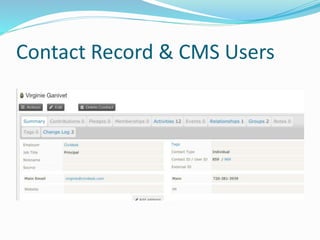
 Contact Records & CMS Users
 Integrating With Joomla!
 Integrating With WordPress
 Integrating with Drupal
 Determine the Right CMS
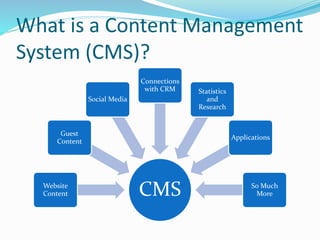
What is a Content Management
System (CMS)?
CMSWebsite
Content
Guest
Content
Social Media
Connections
with CRM Statistics
and
Research
Applications
So Much
More
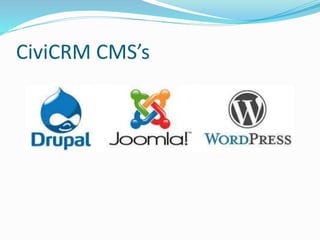
CiviCRM CMS’s
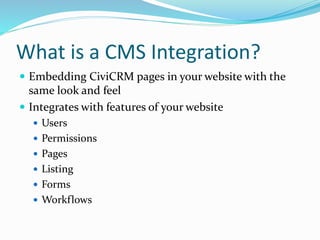
What is a CMS Integration?
 Embedding CiviCRM pages in your website with the
same look and feel
 Integrates with features of your website
 Users
 Permissions
 Pages
 Listing
 Forms
 Workflows
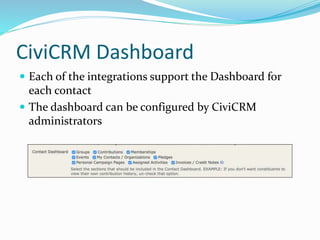
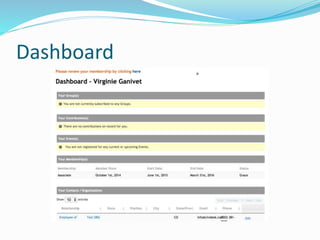
CiviCRM Dashboard
 Each of the integrations support the Dashboard for
each contact
 The dashboard can be configured by CiviCRM
administrators
Dashboard
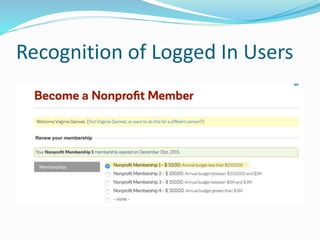
Recognition of Logged In Users
Contact Record & CMS Users
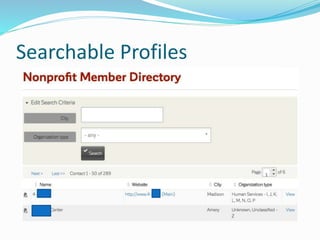
Searchable Profiles
Joomla!
 Very basic integration
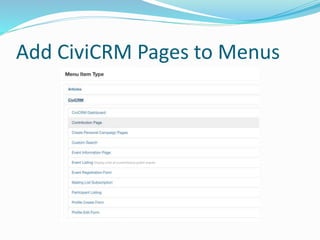
 Easily add CiviCRM pages to menus
 Limited ability to do access control
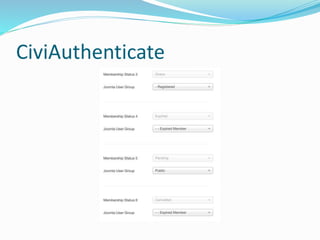
 The CiviAuthenticate extension allows for users to be
linked to memberships
 There are additional extensions
Add CiviCRM Pages to Menus
CiviAuthenticate
WordPress
 Tighter integration than Joomla!
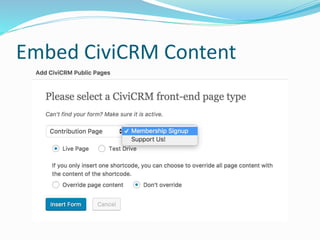
 Embed CiviCRM Content on WordPress Pages and
Posts
 WordPress Access Control
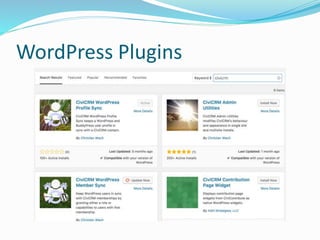
 Lots of WordPress Plugins to extend CiviCRM
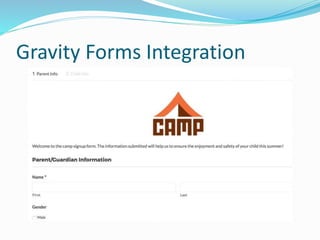
 Integration with Gravity Forms
Embed CiviCRM Content
WordPress Plugins
Gravity Forms Integration
Drupal
 Strongest of the integrations
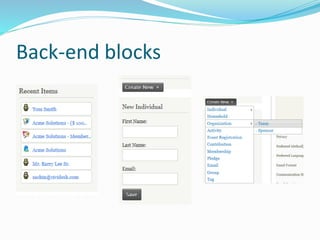
 Built in blocks
 Access control integration with Drupal roles and
permissions
 Synchronization based on memberships and groups
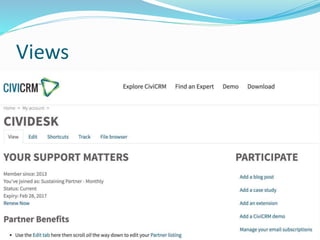
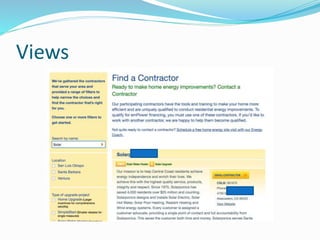
 Views
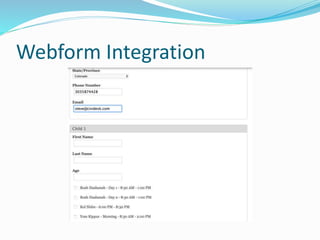
 Webforms
 Drupal Rules
 Many additional extensions
Back-end blocks
Views
Views
Webform Integration
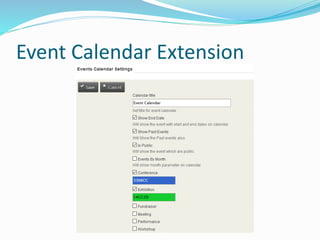
Event Calendar Extension
Determining The Right CMS
 Questions to ask your team?
 What are we trying to accomplish?
 What kind of content will we have?
 Do we need commerce?
 What advanced functions do we need?
 Who will be administering the system?
 How many users will use the site?
 What is our workflow?
 What is our budget?
 What vendor do we want to use?
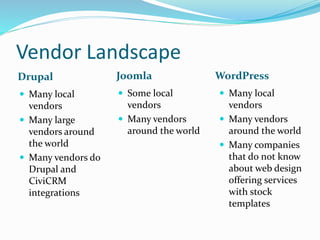
Vendor Landscape
Drupal
 Many local
vendors
 Many large
vendors around
the world
 Many vendors do
Drupal and
CiviCRM
integrations
Joomla WordPress
 Some local
vendors
 Many vendors
around the world
 Many local
vendors
 Many vendors
around the world
 Many companies
that do not know
about web design
offering services
with stock
templates
@cividesk
Steve Kessler
Technical Support Manager
steve@cividesk.com
(866) 670-7165 Ext. 105

CiviCRM and CMS Integration

  • 1.
  • 2.
    Agenda  What isa Content Management System (CMS)?  CiviCRM CMS’s  What is a CMS Integration?  CiviCRM Dashboard  Recognition of Logged in Users  Contact Records & CMS Users  Integrating With Joomla!  Integrating With WordPress  Integrating with Drupal  Determine the Right CMS
  • 3.
    What is aContent Management System (CMS)? CMSWebsite Content Guest Content Social Media Connections with CRM Statistics and Research Applications So Much More
  • 4.
  • 5.
    What is aCMS Integration?  Embedding CiviCRM pages in your website with the same look and feel  Integrates with features of your website  Users  Permissions  Pages  Listing  Forms  Workflows
  • 6.
    CiviCRM Dashboard  Eachof the integrations support the Dashboard for each contact  The dashboard can be configured by CiviCRM administrators
  • 7.
  • 8.
  • 9.
  • 10.
  • 11.
    Joomla!  Very basicintegration  Easily add CiviCRM pages to menus  Limited ability to do access control  The CiviAuthenticate extension allows for users to be linked to memberships  There are additional extensions
  • 12.
  • 13.
  • 14.
    WordPress  Tighter integrationthan Joomla!  Embed CiviCRM Content on WordPress Pages and Posts  WordPress Access Control  Lots of WordPress Plugins to extend CiviCRM  Integration with Gravity Forms
  • 15.
  • 16.
  • 17.
  • 18.
    Drupal  Strongest ofthe integrations  Built in blocks  Access control integration with Drupal roles and permissions  Synchronization based on memberships and groups  Views  Webforms  Drupal Rules  Many additional extensions
  • 19.
  • 20.
  • 21.
  • 22.
  • 23.
  • 24.
    Determining The RightCMS  Questions to ask your team?  What are we trying to accomplish?  What kind of content will we have?  Do we need commerce?  What advanced functions do we need?  Who will be administering the system?  How many users will use the site?  What is our workflow?  What is our budget?  What vendor do we want to use?
  • 25.
    Vendor Landscape Drupal  Manylocal vendors  Many large vendors around the world  Many vendors do Drupal and CiviCRM integrations Joomla WordPress  Some local vendors  Many vendors around the world  Many local vendors  Many vendors around the world  Many companies that do not know about web design offering services with stock templates
  • 26.
  • 27.
    Steve Kessler Technical SupportManager steve@cividesk.com (866) 670-7165 Ext. 105

Editor's Notes

  • #24 Collect information on multiple contacts Multiple event registration Events
  • #25 Collect information on multiple contacts Multiple event registration Events