Presented by Steve Kessler, Your Denver DataMan
What Is A Content
Management System (CMS)?
CMSWebsite
Content
Outside
Content
Social Media
Connections
with CRM
Programs
Statistics
and
Research
So Much
More
CMS Landscape
 There are hundreds of CMS’s to choose from
 They are written in different programing languages
and do different things well
 There are three that stand out in the Denver nonprofit
community
Our Contenders
The Similarities
 All are free and open source
 All are written in PHP
 All run well on LAMP stack
 Large communities for support
 Many vendors offering support
 All work with CiviCRM
Installation
Drupal
 Must have access
to the file system
and setup a
database
 Simple step-by-
step process
Joomla
 Must have access
to the file system
and setup a
database
 Simple step-by-
step process
WordPress
 Must have access
to the file system
and setup a
database
 Simple step-by-
step process
 A lot of hosting
companies have
1-click installs to
make it easier
Design
Drupal
 Calls the design a
theme
 Hundreds of free
themes
 Many low cost
themes available
 Nearly unlimited
potential for
themeing
Joomla
 Calls the design a
template
 Some free
templates
 Many low cost
themes available
 Nearly unlimited
potential for
themeing
WordPress
 Calls the design a
theme
 Many free
themes
 Many low cost
themes available
 Nearly unlimited
potential for
themeing
Mobile
Drupal
 Current version
does not have out
of the box mobile
support
 New version (8)
will have out of
the box mobile
support
 Many mobile
friendly/adaptive
themes available
Joomla
 No mobile
support out of
the box
 Mobile
friendly/adaptive
themes available
WordPress
 Mobile support
out of the box
 Mobile apps for
site management
 Mobile
friendly/adaptive
themes available
Content Editing Features
Drupal
 Current version
does not have out
of the box
WYSIWYG editing
 New version (8)
will have out of the
box WYSIWYG
editing
 Pluggable
WYSIWYG editing
able to be installed
Joomla
 Ships with
WYSIWYG
editing out of the
box
WordPress
 Ships with
WYSIWYG
editing out of the
box
Editorial Workflows
Drupal
 Published/
Unpublished out
of the box
 Modules provide
versatile
workflows
Joomla
 Provides several
content states out
of the box
 Modules are
available to
expand
workflows
WordPress
 Workflow for
content review
comes out of the
box
 Modules are
available to
expand
workflows
Version Control
Drupal
 Out of the box
versioning of
content
 Many modules
expand on
version control
Joomla
 Out of the box
versioning of
content
 Plugins available
to expand on
version control
WordPress
 Does not ship
with versioning
of content
 Paid plugin
available for
version control
Content Flexibility
Drupal
 Simple display out
of the box
 Views module
allows for display
of content in many
different ways
 Views will ship
with Drupal 8 out
of the box
 Many modules for
creating versatile
displays of content
Joomla
 Simple display
out of the box
 Limited plugins
for changing
content display
WordPress
 Very blog centric
out of the box
 Ability to create
pages
 Views style
plugin available
for sale
Media Management
Drupal
 Powerful media
module available
for installation
 Excellent
flexibility for
media
management
 No one solution
for managing
media especially
in older versions
Joomla
 Built in image
management
solution
 Plugins available
to expand on
media
management
WordPress
 Wonderful drag
and drop media
manager ships with
WordPress
 A highlight of the
WordPress out of
the box experience
 Modules available
to extend media
management
features
Comments
Drupal
 Good comment
support out of
the box
 Many modules
available for
adding functions
like comment
notifications
 Connects with
common
comment
services
Joomla
 No comments
support out of
the box
 Plugins available
for comment
support
WordPress
 Comment
support out of
the box
 Many modules
available for
adding functions
like comment
notifications
 Connects with
common
comment
services
SEO
Drupal
 Somewhat SEO
friendly out of
the box
 Many modules
available for
making Drupal
play well with
SEO
Joomla
 Not very SEO
friendly out of
the box
WordPress
 Build to be very
SEO friendly out
of the box
 Lots of plugins to
help with even
more SEO
Social Media
Drupal
 Many modules
available for
adding social
sharing and
connections with
social media sites
Joomla
 Plugins available
for adding social
sharing and
connections with
social media sites
WordPress
 Many plugins
available for
adding social
sharing and
connections with
social media sites
Community Building
Drupal
 Powerful
modules for
providing
community
building
functionality
Joomla
 Some plugins for
providing
community
building
functionality
WordPress
 Many plugins for
providing
community
building
functionality
Search
Drupal
 Drupal default
search is good
 Many modules to
enhance search
 Replacements for
Drupal search
like Apache
SOLR for large
sites
Joomla
 Joomla default
search is good
 Plugins available
to enhance
search
 Replacements for
Joomla search
like Apache
SOLR for large
sites
WordPress
 WordPress
default search is
good
 Plugins available
to enhance
search
 Replacements for
Joomla search
like Apache
SOLR for large
sites
Multilingual Functionality
Drupal
 Many translations
of core and
contributed
modules
 Limited
multilingual
support in core
 To do multilingual
well you need
several contributed
modules
Joomla
 Out of the box
ability to work in
multiple
languages
WordPress
 Many
translations
(localizations) of
WordPress
 No out of the box
multilingual
support
 Paid plugins
available
Module/Plugin Availability
Drupal
 Thousands of
free modules of
various quality
 If modules do not
come from
Drupal.org use
caution
Joomla
 Many plug-ins
are sold rather
than available as
open source
WordPress
 Many free
plugins of various
quality
 Many plugins
have paid
versions
eCommerce
Drupal
 Powerful eCommrce
suite called Drupal
Commerce
 Hundreds of
modules that add
onto to Drupal
Commerce
 Used for non-
standard commerce
applications
 Less popular options
also available in the
ecosystem
Joomla
 Paid modules
available for
adding
commerce
functionality
WordPress
 Modules
available for
commerce
 Many modules
work together for
a strong
environment
 Commerce
options focused
around standard
products
User Management
Drupal
 Easy to create users
 Granular
permissions makes
managing
permissions
somewhat of a
challenge
 Many modules to
change and
enhance user
management and
experience
Joomla
 Easy to create
users
 Limited
permissions out
of the box
 Plugins available
change and
enhance user
management
and experience
WordPress
 Easy to create
users
 Several levels of
users available
out of the box
 Plugins available
change and
enhance user
management and
experience
Administration
Drupal
 Steep initial
learning curve
 End users do not
need to
administer
settings
Joomla
 Middle of the
road learning
curve
 End users do not
need to
administer
settings
WordPress
 Less to
administer out of
the box
 Some would
argue this is
because it is less
flexible
 End users do not
need to
administer
settings
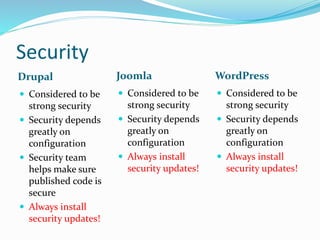
Security
Drupal
 Considered to be
strong security
 Security depends
greatly on
configuration
 Security team
helps make sure
published code is
secure
 Always install
security updates!
Joomla
 Considered to be
strong security
 Security depends
greatly on
configuration
 Always install
security updates!
WordPress
 Considered to be
strong security
 Security depends
greatly on
configuration
 Always install
security updates!
Community
Drupal
 Drupal has a very
strong global
community
 Community
sometimes known for
favoring developers
but this is being
actively worked on
 Boulder/Central &
Southern Meetups
 Drupal Camp
Colorado in June
Joomla
 Global
community
 Joomla! Users
Colorado
WordPress
 Very open
community
 Access for all
levels of users
 Denver
WordPress
Meetup
 Word Camp
Denver in June
Vendor Landscape
Drupal
 Many local
vendors
 Many large
vendors outside
of
Denver/Boulder
area
Joomla WordPress
 Donna Galassi
 donna@bluezenith.com
 720-248-8431
 Some local
vendors
 Many vendors
around the world
 Many local vendors
 Many vendors
around the world
 Many companies that
do not know about
web design offering
services with stock
templates
Determining The Right CMS
 What are we trying to accomplish?
 What kind of content will we have?
 Do we need commerce?
 What advanced functions do we need?
 Who will be administering the system?
 How many users will use the site?
 What is our workflow?
 What is our budget?
 What vendor do we want to use?
More Resources
 A Consumers Guide To Content Management Systems
For Nonprofits - Idealware
 Many articles on the Internet
 Notes from today’s session will be posted at
denverdataman.com/showdown
Creative Commons
 This work is licensed under a Creative Commons
Attribution-ShareAlike 3.0 Unported License.

CMS Showdown

  • 1.
    Presented by SteveKessler, Your Denver DataMan
  • 3.
    What Is AContent Management System (CMS)? CMSWebsite Content Outside Content Social Media Connections with CRM Programs Statistics and Research So Much More
  • 4.
    CMS Landscape  Thereare hundreds of CMS’s to choose from  They are written in different programing languages and do different things well  There are three that stand out in the Denver nonprofit community
  • 5.
  • 6.
    The Similarities  Allare free and open source  All are written in PHP  All run well on LAMP stack  Large communities for support  Many vendors offering support  All work with CiviCRM
  • 7.
    Installation Drupal  Must haveaccess to the file system and setup a database  Simple step-by- step process Joomla  Must have access to the file system and setup a database  Simple step-by- step process WordPress  Must have access to the file system and setup a database  Simple step-by- step process  A lot of hosting companies have 1-click installs to make it easier
  • 8.
    Design Drupal  Calls thedesign a theme  Hundreds of free themes  Many low cost themes available  Nearly unlimited potential for themeing Joomla  Calls the design a template  Some free templates  Many low cost themes available  Nearly unlimited potential for themeing WordPress  Calls the design a theme  Many free themes  Many low cost themes available  Nearly unlimited potential for themeing
  • 9.
    Mobile Drupal  Current version doesnot have out of the box mobile support  New version (8) will have out of the box mobile support  Many mobile friendly/adaptive themes available Joomla  No mobile support out of the box  Mobile friendly/adaptive themes available WordPress  Mobile support out of the box  Mobile apps for site management  Mobile friendly/adaptive themes available
  • 10.
    Content Editing Features Drupal Current version does not have out of the box WYSIWYG editing  New version (8) will have out of the box WYSIWYG editing  Pluggable WYSIWYG editing able to be installed Joomla  Ships with WYSIWYG editing out of the box WordPress  Ships with WYSIWYG editing out of the box
  • 11.
    Editorial Workflows Drupal  Published/ Unpublishedout of the box  Modules provide versatile workflows Joomla  Provides several content states out of the box  Modules are available to expand workflows WordPress  Workflow for content review comes out of the box  Modules are available to expand workflows
  • 12.
    Version Control Drupal  Outof the box versioning of content  Many modules expand on version control Joomla  Out of the box versioning of content  Plugins available to expand on version control WordPress  Does not ship with versioning of content  Paid plugin available for version control
  • 13.
    Content Flexibility Drupal  Simpledisplay out of the box  Views module allows for display of content in many different ways  Views will ship with Drupal 8 out of the box  Many modules for creating versatile displays of content Joomla  Simple display out of the box  Limited plugins for changing content display WordPress  Very blog centric out of the box  Ability to create pages  Views style plugin available for sale
  • 14.
    Media Management Drupal  Powerfulmedia module available for installation  Excellent flexibility for media management  No one solution for managing media especially in older versions Joomla  Built in image management solution  Plugins available to expand on media management WordPress  Wonderful drag and drop media manager ships with WordPress  A highlight of the WordPress out of the box experience  Modules available to extend media management features
  • 15.
    Comments Drupal  Good comment supportout of the box  Many modules available for adding functions like comment notifications  Connects with common comment services Joomla  No comments support out of the box  Plugins available for comment support WordPress  Comment support out of the box  Many modules available for adding functions like comment notifications  Connects with common comment services
  • 16.
    SEO Drupal  Somewhat SEO friendlyout of the box  Many modules available for making Drupal play well with SEO Joomla  Not very SEO friendly out of the box WordPress  Build to be very SEO friendly out of the box  Lots of plugins to help with even more SEO
  • 17.
    Social Media Drupal  Manymodules available for adding social sharing and connections with social media sites Joomla  Plugins available for adding social sharing and connections with social media sites WordPress  Many plugins available for adding social sharing and connections with social media sites
  • 18.
    Community Building Drupal  Powerful modulesfor providing community building functionality Joomla  Some plugins for providing community building functionality WordPress  Many plugins for providing community building functionality
  • 19.
    Search Drupal  Drupal default searchis good  Many modules to enhance search  Replacements for Drupal search like Apache SOLR for large sites Joomla  Joomla default search is good  Plugins available to enhance search  Replacements for Joomla search like Apache SOLR for large sites WordPress  WordPress default search is good  Plugins available to enhance search  Replacements for Joomla search like Apache SOLR for large sites
  • 20.
    Multilingual Functionality Drupal  Manytranslations of core and contributed modules  Limited multilingual support in core  To do multilingual well you need several contributed modules Joomla  Out of the box ability to work in multiple languages WordPress  Many translations (localizations) of WordPress  No out of the box multilingual support  Paid plugins available
  • 21.
    Module/Plugin Availability Drupal  Thousandsof free modules of various quality  If modules do not come from Drupal.org use caution Joomla  Many plug-ins are sold rather than available as open source WordPress  Many free plugins of various quality  Many plugins have paid versions
  • 22.
    eCommerce Drupal  Powerful eCommrce suitecalled Drupal Commerce  Hundreds of modules that add onto to Drupal Commerce  Used for non- standard commerce applications  Less popular options also available in the ecosystem Joomla  Paid modules available for adding commerce functionality WordPress  Modules available for commerce  Many modules work together for a strong environment  Commerce options focused around standard products
  • 23.
    User Management Drupal  Easyto create users  Granular permissions makes managing permissions somewhat of a challenge  Many modules to change and enhance user management and experience Joomla  Easy to create users  Limited permissions out of the box  Plugins available change and enhance user management and experience WordPress  Easy to create users  Several levels of users available out of the box  Plugins available change and enhance user management and experience
  • 24.
    Administration Drupal  Steep initial learningcurve  End users do not need to administer settings Joomla  Middle of the road learning curve  End users do not need to administer settings WordPress  Less to administer out of the box  Some would argue this is because it is less flexible  End users do not need to administer settings
  • 25.
    Security Drupal  Considered tobe strong security  Security depends greatly on configuration  Security team helps make sure published code is secure  Always install security updates! Joomla  Considered to be strong security  Security depends greatly on configuration  Always install security updates! WordPress  Considered to be strong security  Security depends greatly on configuration  Always install security updates!
  • 26.
    Community Drupal  Drupal hasa very strong global community  Community sometimes known for favoring developers but this is being actively worked on  Boulder/Central & Southern Meetups  Drupal Camp Colorado in June Joomla  Global community  Joomla! Users Colorado WordPress  Very open community  Access for all levels of users  Denver WordPress Meetup  Word Camp Denver in June
  • 27.
    Vendor Landscape Drupal  Manylocal vendors  Many large vendors outside of Denver/Boulder area Joomla WordPress  Donna Galassi  donna@bluezenith.com  720-248-8431  Some local vendors  Many vendors around the world  Many local vendors  Many vendors around the world  Many companies that do not know about web design offering services with stock templates
  • 28.
    Determining The RightCMS  What are we trying to accomplish?  What kind of content will we have?  Do we need commerce?  What advanced functions do we need?  Who will be administering the system?  How many users will use the site?  What is our workflow?  What is our budget?  What vendor do we want to use?
  • 29.
    More Resources  AConsumers Guide To Content Management Systems For Nonprofits - Idealware  Many articles on the Internet  Notes from today’s session will be posted at denverdataman.com/showdown
  • 31.
    Creative Commons  Thiswork is licensed under a Creative Commons Attribution-ShareAlike 3.0 Unported License.

Editor's Notes

  • #2 © Denver DataMan, 2009 – Do not distribute