Manisha Anand
Btech(cs)-5th sem
BTBTC11295
5607
1
.2
 WHAT ARE SMART THINGS?
 SMART THINGS HUB
Protocols
Placement of hub
 WORKING
 MEET SMART GADGETS
 SMART APPS
 FEATURES
 REFERENCES
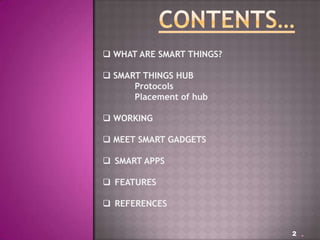
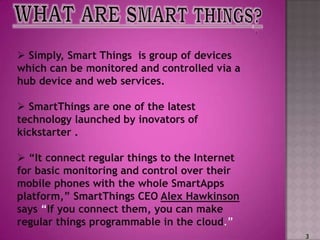
 Simply, Smart Things is group of devices
which can be monitored and controlled via a
hub device and web services.
 SmartThings are one of the latest
technology launched by inovators of
kickstarter .
 “It connect regular things to the Internet
for basic monitoring and control over their
mobile phones with the whole SmartApps
platform,” SmartThings CEO Alex Hawkinson
says “If you connect them, you can make
regular things programmable in the cloud.”
3
4
LOGO
Smart Things is the 1st solution for
Home Automation that is Easy, Open,
and Intelligent enough for broad
consumer adoption. That means that
you can Do It Yourself (DIY) using
the Smart Things platform without
the need for electricians or expert IT
support. To do that it provide three
different SmartThings “Kits” that
include our SmartThings Hub, Smart
Devices, and are bundled with free
SmartApps to make your life better.
Home security
Home watch
Family life
5
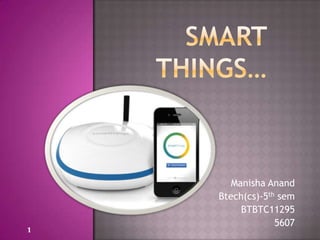
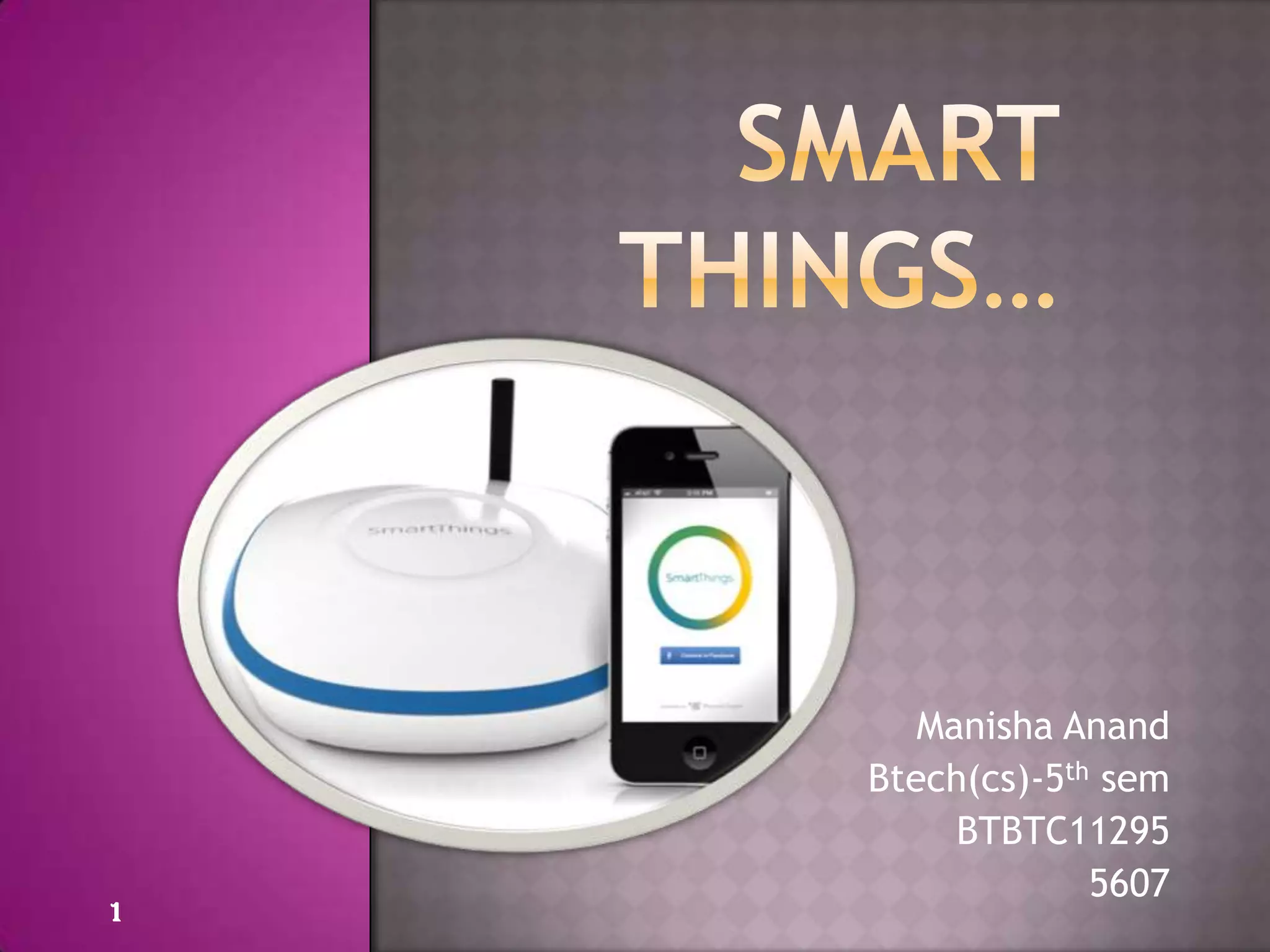
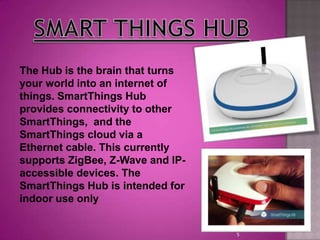
The Hub is the brain that turns
your world into an internet of
things. SmartThings Hub
provides connectivity to other
SmartThings, and the
SmartThings cloud via a
Ethernet cable. This currently
supports ZigBee, Z-Wave and IP-
accessible devices. The
SmartThings Hub is intended for
indoor use only
6
 Zigbee - A Personal Area Mesh Networking
standard for connecting and controlling devices.
Zigbee is an open standard supported by the
Zigbee Alliance.
 Z-Wave -Z-Wave is a wireless
communications protocol designed for home
automation,
specifically to remotely control applications in
residential and light commercial environ.
7
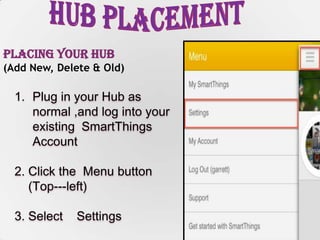
Placing Your Hub
(Add New, Delete & Old)
1. Plug in your Hub as
normal ,and log into your
existing SmartThings
Account
2. Click the Menu button
(Top--‐left)
3. Select Settings
8
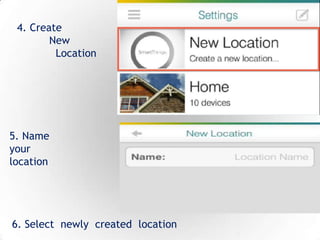
4. Create
New
Location
6. Select newly created location
5. Name
your
location
9
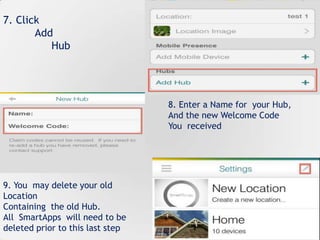
7. Click
Add
Hub
8. Enter a Name for your Hub,
And the new Welcome Code
You received
9. You may delete your old
Location
Containing the old Hub.
All SmartApps will need to be
deleted prior to this last step
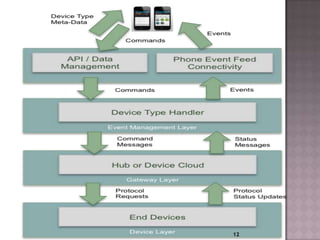
The overall SmartThings solution has 4 logical architectural layers:-
- Which connect to the SmartThings Hub, or in some
cases directly to the Cloud
- Which acts as a gateway for getting events
& messages to/from the Cloud
- Which provides the abstraction and
intelligence layers described above, as well as the Web Services
that support the presentation layer.
- Which provides the presentation layer for
SmartThings in the form of mobile applications and our Web IDE
10
Within the SmartThings Cloud however there are also four logical
“layers” of the architecture as well:
Which is responsible for maintaining persistent
connectivity to SmartThings Hubs and the SmartThings Mobile
application
This layer routes events from
hubs/devices to SmartApps that are subscribed to specific
devices/events.
This layer provides the Data Access Layer for data
about accounts, users, and devices and is responsible for the
execution of SmartApps.
This layer provides the web services or
Application Programmatic Interface (API) layer that supports both
the mobile applications as well as developers who want to integrate
from an external system using the SmartThings APIs
11
12
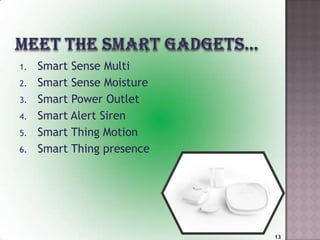
1. Smart Sense Multi
2. Smart Sense Moisture
3. Smart Power Outlet
4. Smart Alert Siren
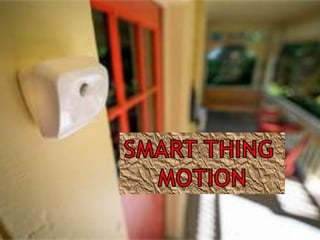
5. Smart Thing Motion
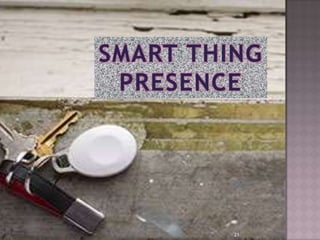
6. Smart Thing presence
13
14
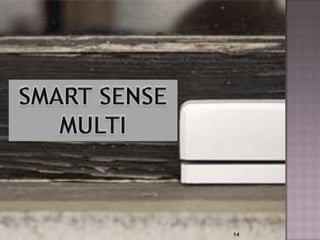
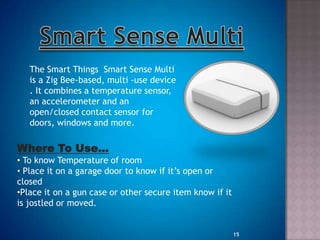
The Smart Things Smart Sense Multi
is a Zig Bee-based, multi -use device
. It combines a temperature sensor,
an accelerometer and an
open/closed contact sensor for
doors, windows and more.
Where To Use…
• To know Temperature of room
• Place it on a garage door to know if it‟s open or
closed
•Place it on a gun case or other secure item know if it
is jostled or moved.
15
To add Smart Sense Multi to hub
It include two steps:-
1. On the “My Smart Things” screen, scroll to the bottom
of your device list, and hit the "(+)" icon.
2. Remove the battery blocker from your Smart Sense
Multi.
Top Apps for the Smart Things Smart
Sense Multi
"Notify Me When It Opens" - Get a push message sent to
your phone when an open/close sensor is opened.
"Let There Be Light!" - Turn your lights on when an
open/close sensor opens and off when the sensor closes.
"The Flasher" - Flashes a set of lights in response to
motion, an open/close event, or a switch.
16
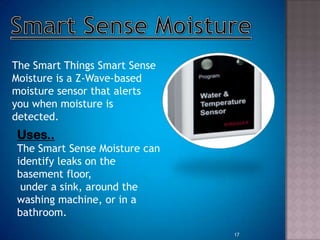
The Smart Things Smart Sense
Moisture is a Z-Wave-based
moisture sensor that alerts
you when moisture is
detected.
Uses..
The Smart Sense Moisture can
identify leaks on the
basement floor,
under a sink, around the
washing machine, or in a
bathroom.
17
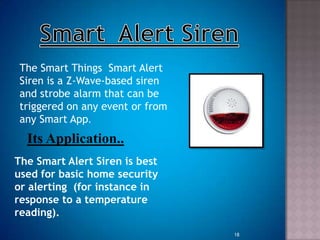
The Smart Things Smart Alert
Siren is a Z-Wave-based siren
and strobe alarm that can be
triggered on any event or from
any Smart App.
Its Application..
The Smart Alert Siren is best
used for basic home security
or alerting (for instance in
response to a temperature
reading).
18
19
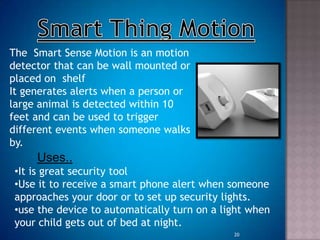
The Smart Sense Motion is an motion
detector that can be wall mounted or
placed on shelf
It generates alerts when a person or
large animal is detected within 10
feet and can be used to trigger
different events when someone walks
by.
Uses..
•It is great security tool
•Use it to receive a smart phone alert when someone
approaches your door or to set up security lights.
•use the device to automatically turn on a light when
your child gets out of bed at night.
20
SMART THING
PRESENCE
21
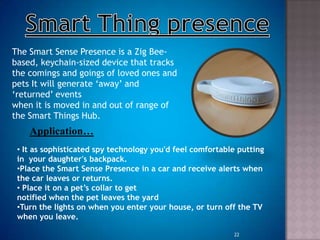
The Smart Sense Presence is a Zig Bee-
based, keychain-sized device that tracks
the comings and goings of loved ones and
pets It will generate „away‟ and
„returned‟ events
when it is moved in and out of range of
the Smart Things Hub.
Application…
• It as sophisticated spy technology you'd feel comfortable putting
in your daughter's backpack.
•Place the Smart Sense Presence in a car and receive alerts when
the car leaves or returns.
• Place it on a pet’s collar to get
notified when the pet leaves the yard
•Turn the lights on when you enter your house, or turn off the TV
when you leave.
22
23
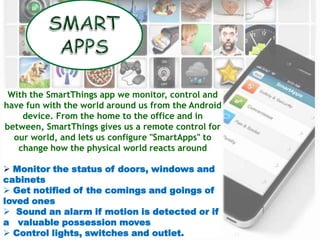
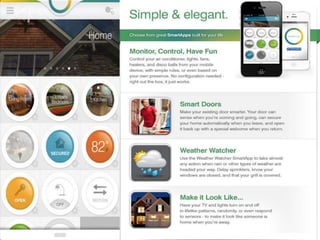
With the SmartThings app we monitor, control and
have fun with the world around us from the Android
device. From the home to the office and in
between, SmartThings gives us a remote control for
our world, and lets us configure "SmartApps" to
change how the physical world reacts around
 Monitor the status of doors, windows and
cabinets
 Get notified of the comings and goings of
loved ones
 Sound an alarm if motion is detected or if
a valuable possession moves
 Control lights, switches and outlet.
24
1
2
25
3
4
26
5
6
27
One of the applications of the Smart Things
technology are focused on revolutionizing the
Home Automation industry! Home Automation has
been a dream for decades with the idea of smart
homes that would do lots of things
automatically, predict your needs, and even talk to
you!
28
Smart Things is that WHICH connects OUR
house hold objects to the Internet .we can apply
intelligence and apps to ordinary items with smart
things packages. It comes with easily connective
hub, sensors and other.
Smart Things places the world of connected things at your fingertips.
Easily control the everyday world and make it more
intelligent, convenient, secure, safe, efficient, and fun..
29
www.smartthings.com/
www.kickstarter.com/.../smartthings/s
martthings-
 www.google/wikipedia.org/wiki/ZigBee.
www.google/wikipedia.org/wiki/Z-Wave
www.hongkiat.com/blog/revolutionary-products/top10
technology…/smartthings
/www.kickstarter.com/projects/smartthings/
smartthings-make-your-world-smarter/posts/313424
^Ashton,kelvin(22 June 2009).”that internet of things ,in real world
thing matter more than ideas”.RFID journal.
30

Smart things

  • 1.
  • 2.
    .2  WHAT ARESMART THINGS?  SMART THINGS HUB Protocols Placement of hub  WORKING  MEET SMART GADGETS  SMART APPS  FEATURES  REFERENCES
  • 3.
     Simply, SmartThings is group of devices which can be monitored and controlled via a hub device and web services.  SmartThings are one of the latest technology launched by inovators of kickstarter .  “It connect regular things to the Internet for basic monitoring and control over their mobile phones with the whole SmartApps platform,” SmartThings CEO Alex Hawkinson says “If you connect them, you can make regular things programmable in the cloud.” 3
  • 4.
    4 LOGO Smart Things isthe 1st solution for Home Automation that is Easy, Open, and Intelligent enough for broad consumer adoption. That means that you can Do It Yourself (DIY) using the Smart Things platform without the need for electricians or expert IT support. To do that it provide three different SmartThings “Kits” that include our SmartThings Hub, Smart Devices, and are bundled with free SmartApps to make your life better. Home security Home watch Family life
  • 5.
    5 The Hub isthe brain that turns your world into an internet of things. SmartThings Hub provides connectivity to other SmartThings, and the SmartThings cloud via a Ethernet cable. This currently supports ZigBee, Z-Wave and IP- accessible devices. The SmartThings Hub is intended for indoor use only
  • 6.
    6  Zigbee -A Personal Area Mesh Networking standard for connecting and controlling devices. Zigbee is an open standard supported by the Zigbee Alliance.  Z-Wave -Z-Wave is a wireless communications protocol designed for home automation, specifically to remotely control applications in residential and light commercial environ.
  • 7.
    7 Placing Your Hub (AddNew, Delete & Old) 1. Plug in your Hub as normal ,and log into your existing SmartThings Account 2. Click the Menu button (Top--‐left) 3. Select Settings
  • 8.
    8 4. Create New Location 6. Selectnewly created location 5. Name your location
  • 9.
    9 7. Click Add Hub 8. Entera Name for your Hub, And the new Welcome Code You received 9. You may delete your old Location Containing the old Hub. All SmartApps will need to be deleted prior to this last step
  • 10.
    The overall SmartThingssolution has 4 logical architectural layers:- - Which connect to the SmartThings Hub, or in some cases directly to the Cloud - Which acts as a gateway for getting events & messages to/from the Cloud - Which provides the abstraction and intelligence layers described above, as well as the Web Services that support the presentation layer. - Which provides the presentation layer for SmartThings in the form of mobile applications and our Web IDE 10
  • 11.
    Within the SmartThingsCloud however there are also four logical “layers” of the architecture as well: Which is responsible for maintaining persistent connectivity to SmartThings Hubs and the SmartThings Mobile application This layer routes events from hubs/devices to SmartApps that are subscribed to specific devices/events. This layer provides the Data Access Layer for data about accounts, users, and devices and is responsible for the execution of SmartApps. This layer provides the web services or Application Programmatic Interface (API) layer that supports both the mobile applications as well as developers who want to integrate from an external system using the SmartThings APIs 11
  • 12.
  • 13.
    1. Smart SenseMulti 2. Smart Sense Moisture 3. Smart Power Outlet 4. Smart Alert Siren 5. Smart Thing Motion 6. Smart Thing presence 13
  • 14.
  • 15.
    The Smart ThingsSmart Sense Multi is a Zig Bee-based, multi -use device . It combines a temperature sensor, an accelerometer and an open/closed contact sensor for doors, windows and more. Where To Use… • To know Temperature of room • Place it on a garage door to know if it‟s open or closed •Place it on a gun case or other secure item know if it is jostled or moved. 15
  • 16.
    To add SmartSense Multi to hub It include two steps:- 1. On the “My Smart Things” screen, scroll to the bottom of your device list, and hit the "(+)" icon. 2. Remove the battery blocker from your Smart Sense Multi. Top Apps for the Smart Things Smart Sense Multi "Notify Me When It Opens" - Get a push message sent to your phone when an open/close sensor is opened. "Let There Be Light!" - Turn your lights on when an open/close sensor opens and off when the sensor closes. "The Flasher" - Flashes a set of lights in response to motion, an open/close event, or a switch. 16
  • 17.
    The Smart ThingsSmart Sense Moisture is a Z-Wave-based moisture sensor that alerts you when moisture is detected. Uses.. The Smart Sense Moisture can identify leaks on the basement floor, under a sink, around the washing machine, or in a bathroom. 17
  • 18.
    The Smart ThingsSmart Alert Siren is a Z-Wave-based siren and strobe alarm that can be triggered on any event or from any Smart App. Its Application.. The Smart Alert Siren is best used for basic home security or alerting (for instance in response to a temperature reading). 18
  • 19.
  • 20.
    The Smart SenseMotion is an motion detector that can be wall mounted or placed on shelf It generates alerts when a person or large animal is detected within 10 feet and can be used to trigger different events when someone walks by. Uses.. •It is great security tool •Use it to receive a smart phone alert when someone approaches your door or to set up security lights. •use the device to automatically turn on a light when your child gets out of bed at night. 20
  • 21.
  • 22.
    The Smart SensePresence is a Zig Bee- based, keychain-sized device that tracks the comings and goings of loved ones and pets It will generate „away‟ and „returned‟ events when it is moved in and out of range of the Smart Things Hub. Application… • It as sophisticated spy technology you'd feel comfortable putting in your daughter's backpack. •Place the Smart Sense Presence in a car and receive alerts when the car leaves or returns. • Place it on a pet’s collar to get notified when the pet leaves the yard •Turn the lights on when you enter your house, or turn off the TV when you leave. 22
  • 23.
    23 With the SmartThingsapp we monitor, control and have fun with the world around us from the Android device. From the home to the office and in between, SmartThings gives us a remote control for our world, and lets us configure "SmartApps" to change how the physical world reacts around  Monitor the status of doors, windows and cabinets  Get notified of the comings and goings of loved ones  Sound an alarm if motion is detected or if a valuable possession moves  Control lights, switches and outlet.
  • 24.
  • 25.
  • 26.
  • 27.
  • 28.
    One of theapplications of the Smart Things technology are focused on revolutionizing the Home Automation industry! Home Automation has been a dream for decades with the idea of smart homes that would do lots of things automatically, predict your needs, and even talk to you! 28 Smart Things is that WHICH connects OUR house hold objects to the Internet .we can apply intelligence and apps to ordinary items with smart things packages. It comes with easily connective hub, sensors and other. Smart Things places the world of connected things at your fingertips. Easily control the everyday world and make it more intelligent, convenient, secure, safe, efficient, and fun..
  • 29.
  • 30.