NISO Webinar:
Taking Your Website Wherever You Go:
Delivering Great User Experience across Multiple Form Factors
Wednesday, June 10, 2015
Speakers:
Marty Picco, Vice President of Product Management, Atypon
Hathy Simpson, MPH, Public Health Information Specialist, Project Coordinator, Public
Health Partners Website Project, National Network of Libraries of Medicine, New England
Region (NN/LM NER), University of Massachusetts Medical School
Lisa Sedlar, Librarian, National Information Center for Health Services Research and
Health Care Technology (NICHSR), National Library of Medicine
Bobby Foster, Director of User Experience & Design, Health Learning, Research &
Practice, Wolters Kluwer
http://www.niso.org/news/events/2015/webinars/responsive/
‹#›
Road to RESS and Beyond
Marty Picco
VP Product Management
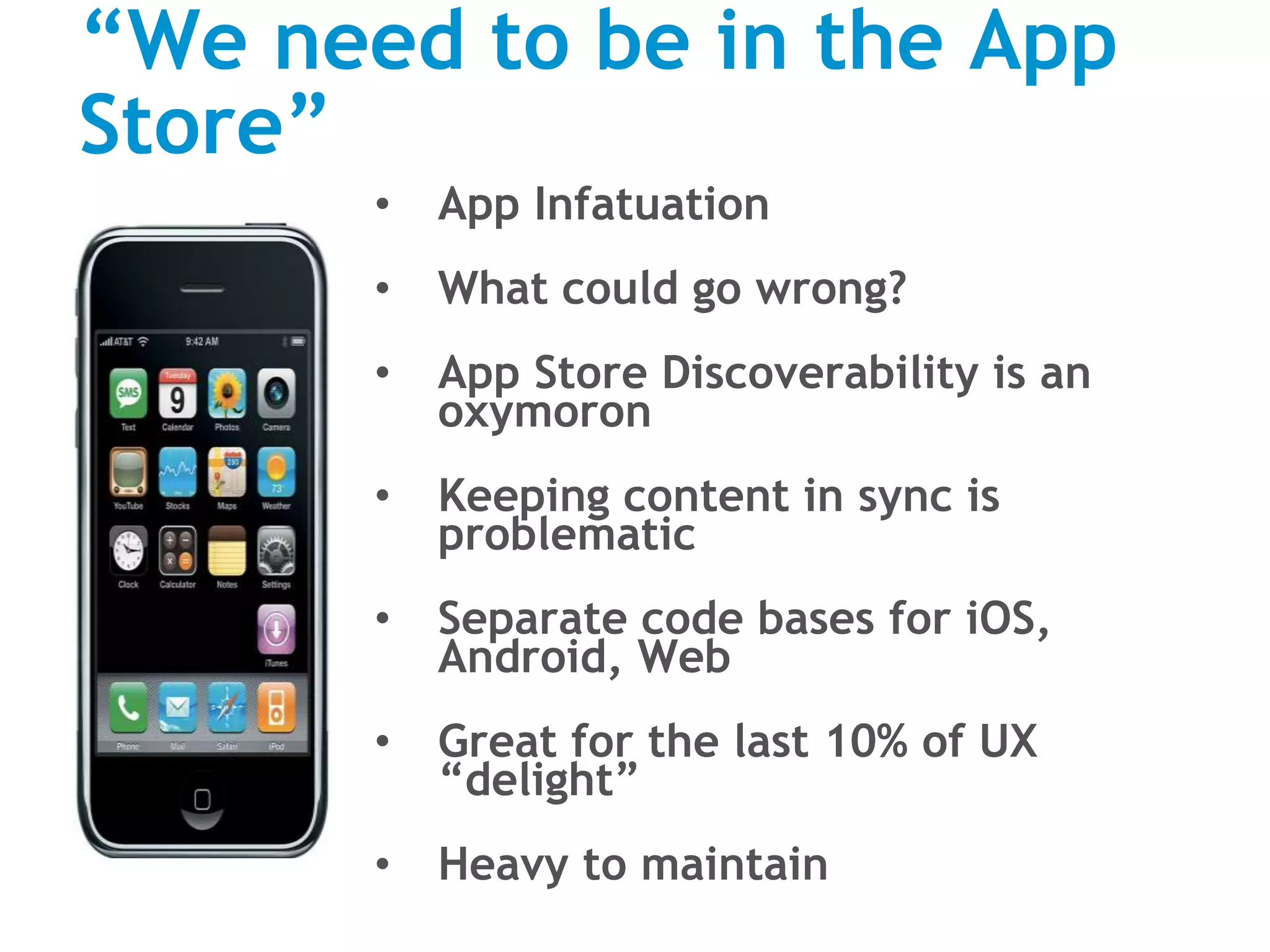
“We need to be in the App
Store”
• App Infatuation
• What could go wrong?
• App Store Discoverability is an
oxymoron
• Keeping content in sync is
problematic
• Separate code bases for iOS,
Android, Web
• Great for the last 10% of UX
“delight”
• Heavy to maintain
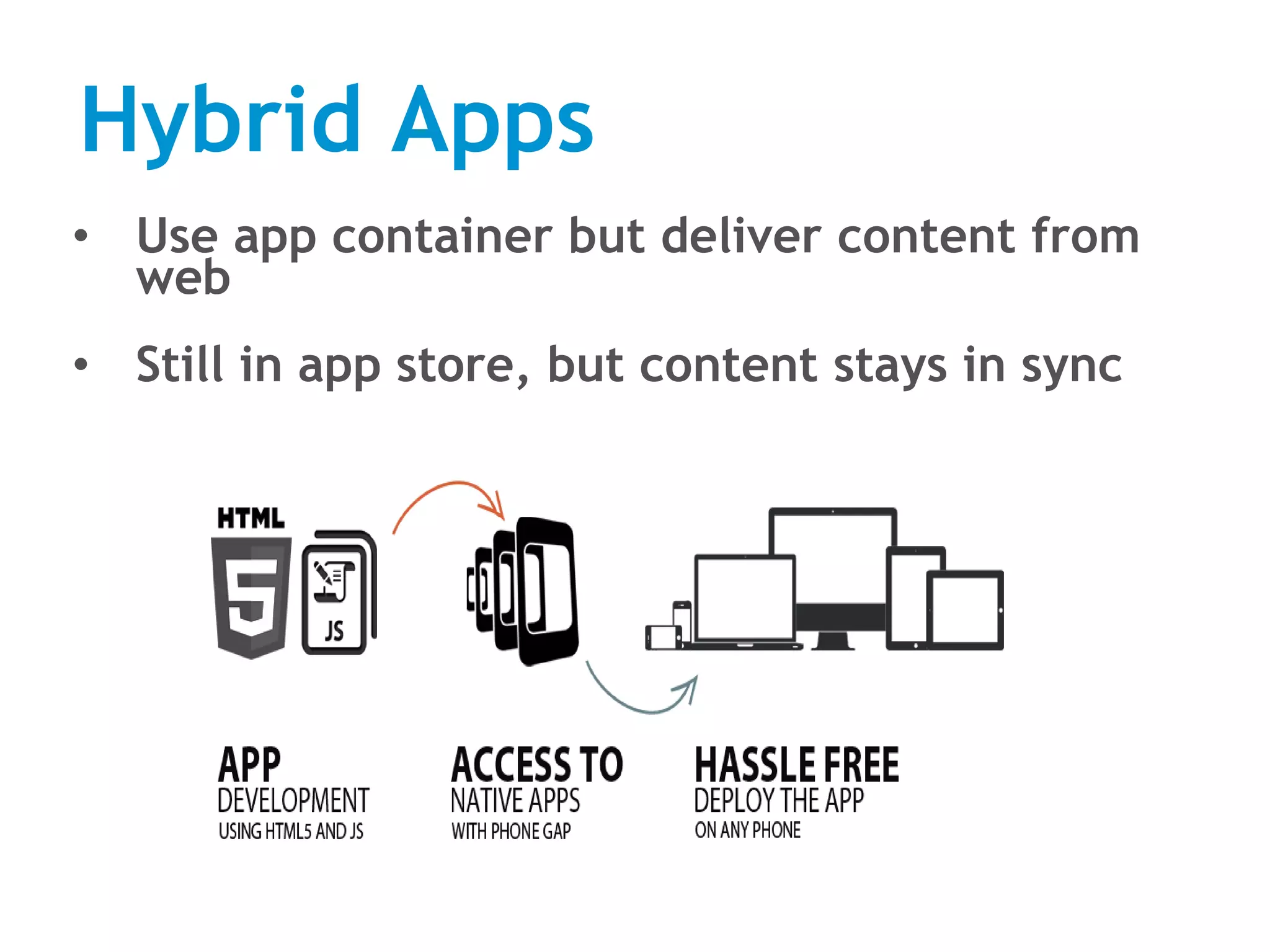
Hybrid Apps
• Use app container but deliver content from
web
• Still in app store, but content stays in sync
Web Apps
• Ditch the app container, go
full web
• No longer in app store, but
this matters only for a small
subset of publishers & use
cases
• Single code base across
platforms (well almost…)
• UX Delight is more difficult
but doable
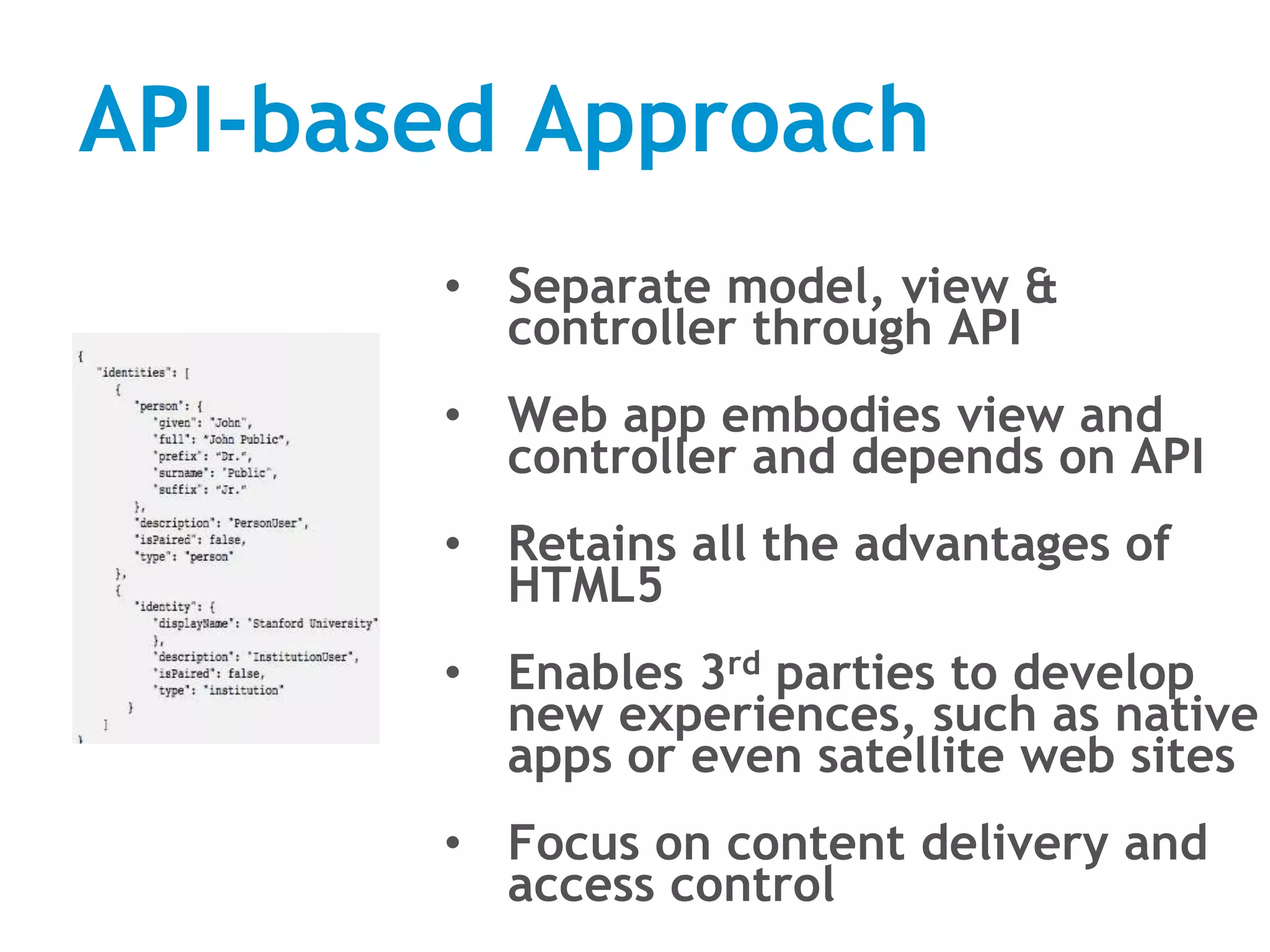
API-based Approach
• Separate model, view &
controller through API
• Web app embodies view and
controller and depends on API
• Retains all the advantages of
HTML5
• Enables 3rd parties to develop
new experiences, such as native
apps or even satellite web sites
• Focus on content delivery and
access control
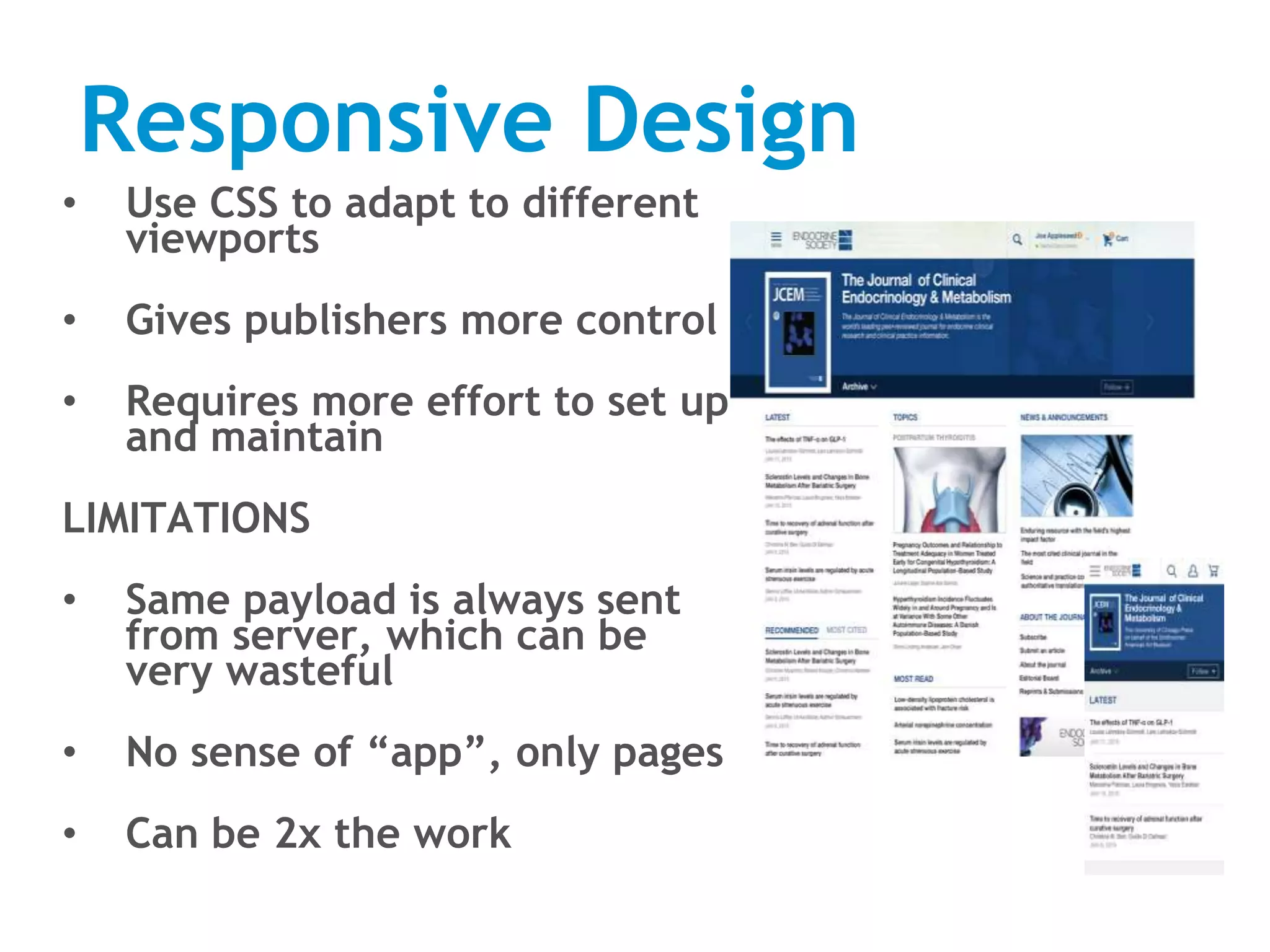
Responsive Design
• Use CSS to adapt to different
viewports
• Gives publishers more control
• Requires more effort to set up
and maintain
LIMITATIONS
• Same payload is always sent
from server, which can be
very wasteful
• No sense of “app”, only pages
• Can be 2x the work
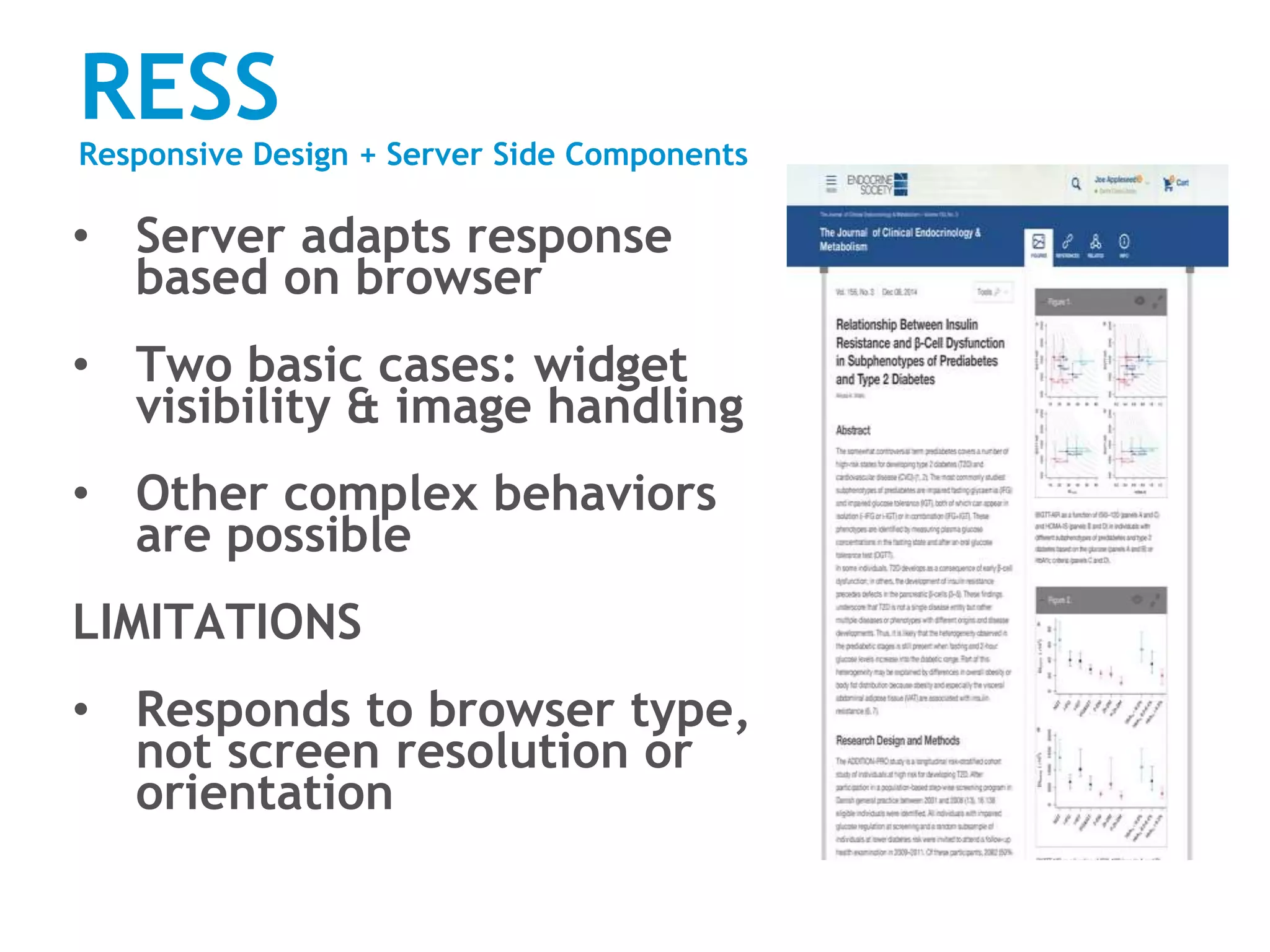
RESS
Responsive Design + Server Side Components
• Server adapts response
based on browser
• Two basic cases: widget
visibility & image handling
• Other complex behaviors
are possible
LIMITATIONS
• Responds to browser type,
not screen resolution or
orientation
Blended Approach
Literatum for Mobile (LFM)
• HTML5 app functionality
• Seamless integration with RESS components
PageBuilder
• Self-service RESS for highly customized sites
APIs
• Extensibility & third party experiences
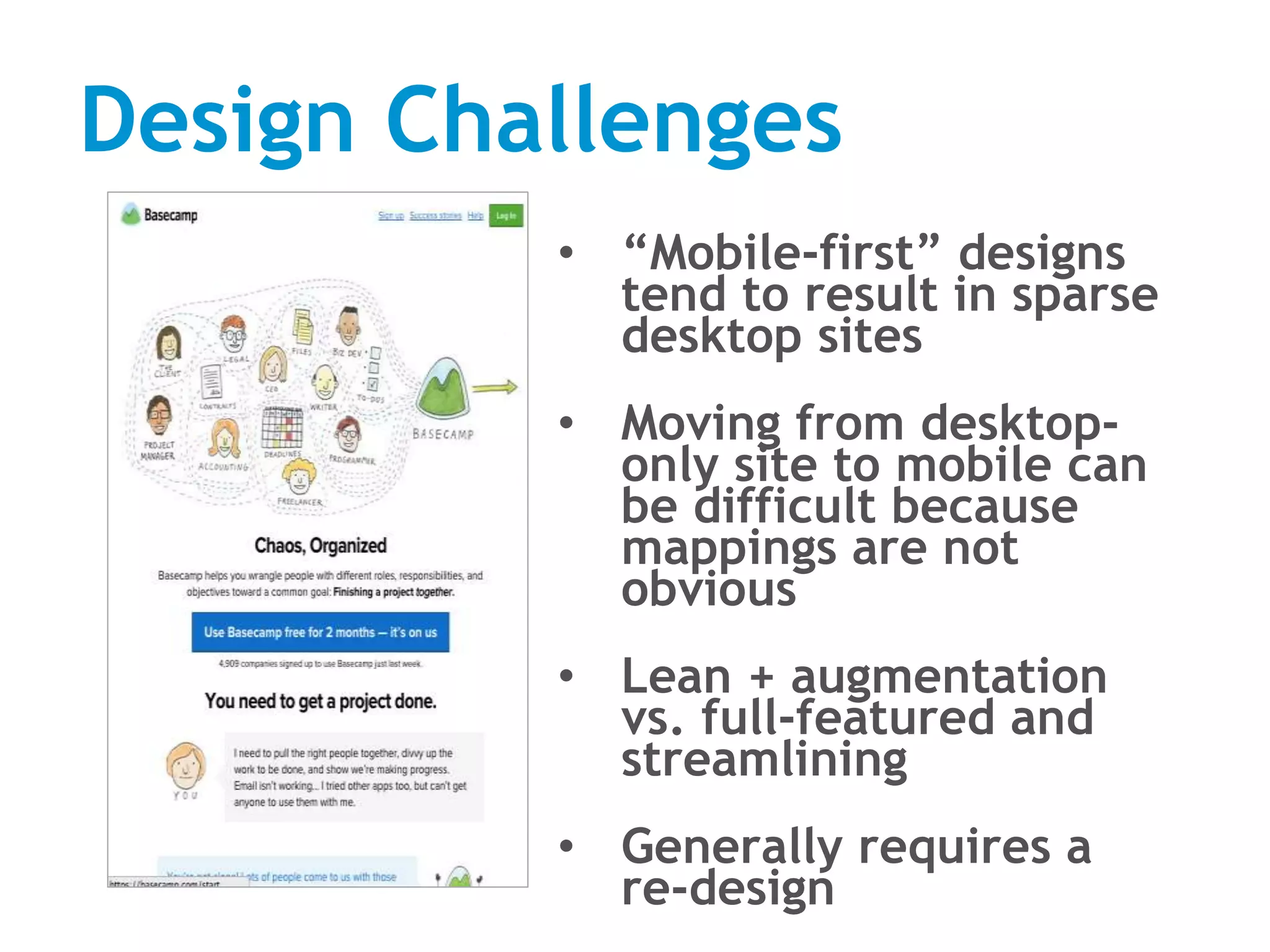
Design Challenges
• “Mobile-first” designs
tend to result in sparse
desktop sites
• Moving from desktop-
only site to mobile can
be difficult because
mappings are not
obvious
• Lean + augmentation
vs. full-featured and
streamlining
• Generally requires a
re-design
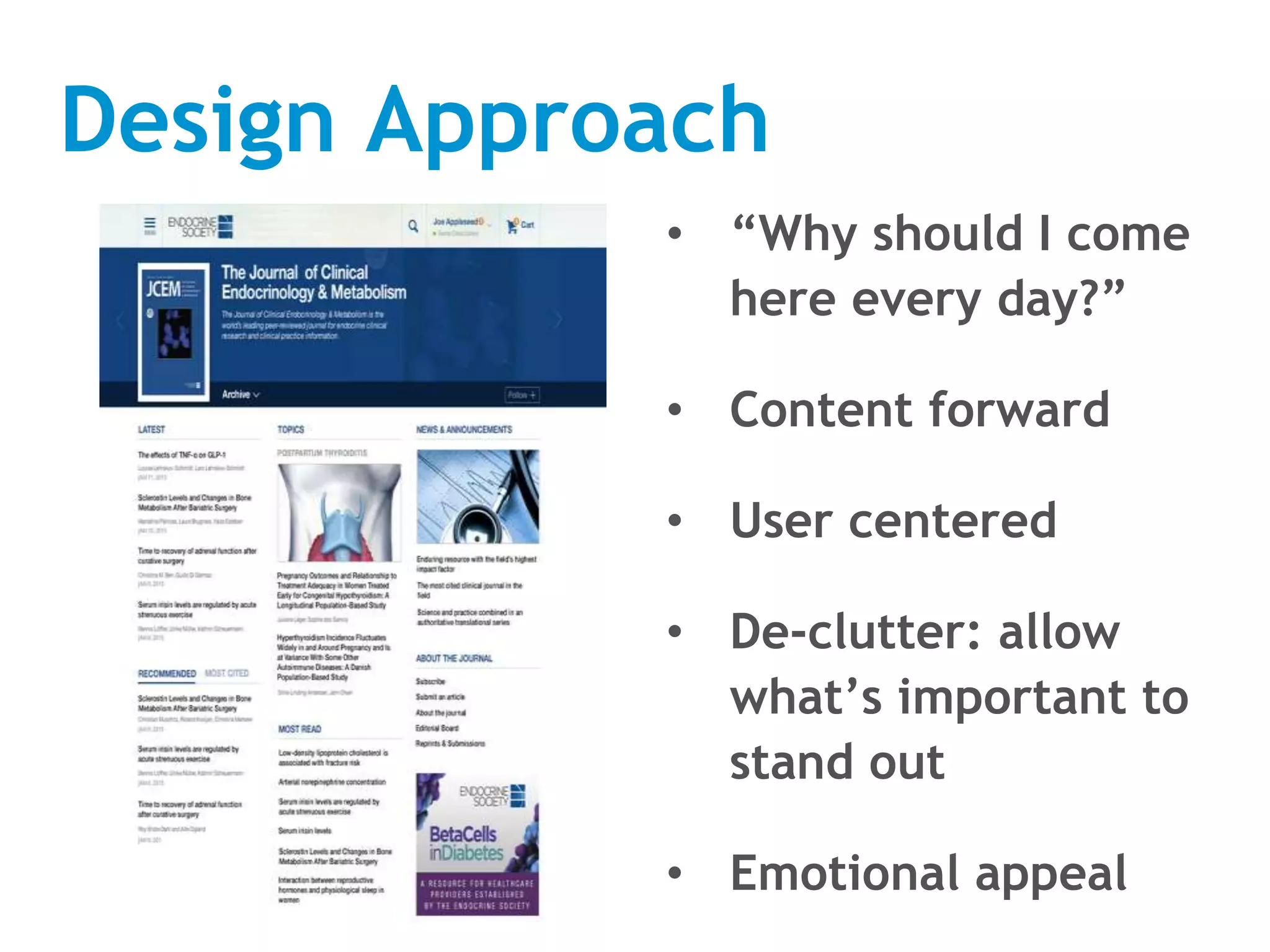
Design Approach
• “Why should I come
here every day?”
• Content forward
• User centered
• De-clutter: allow
what’s important to
stand out
• Emotional appeal
‹#›
Thank You
Providing Information across
Multiple Devices to the
Public Health Workforce:
Challenges and Opportunities
Hathy Simpson, MPH
University of Massachusetts Medical School
Lisa Sedlar, MLIS, MT (ASCP)
National Library of Medicine
June 10, 2015
13
Public Health Partners
• Partners in Information Access for the Public
Health Workforce (PHPartners)
– Public Health Organizations
– Federal Government Agencies
– Health Science Libraries
• Founded in 1997
• Mission: To help the public health workforce
find and use information effectively to
improve and protect the public’s health.
• Website: http://PHPartners.org
14
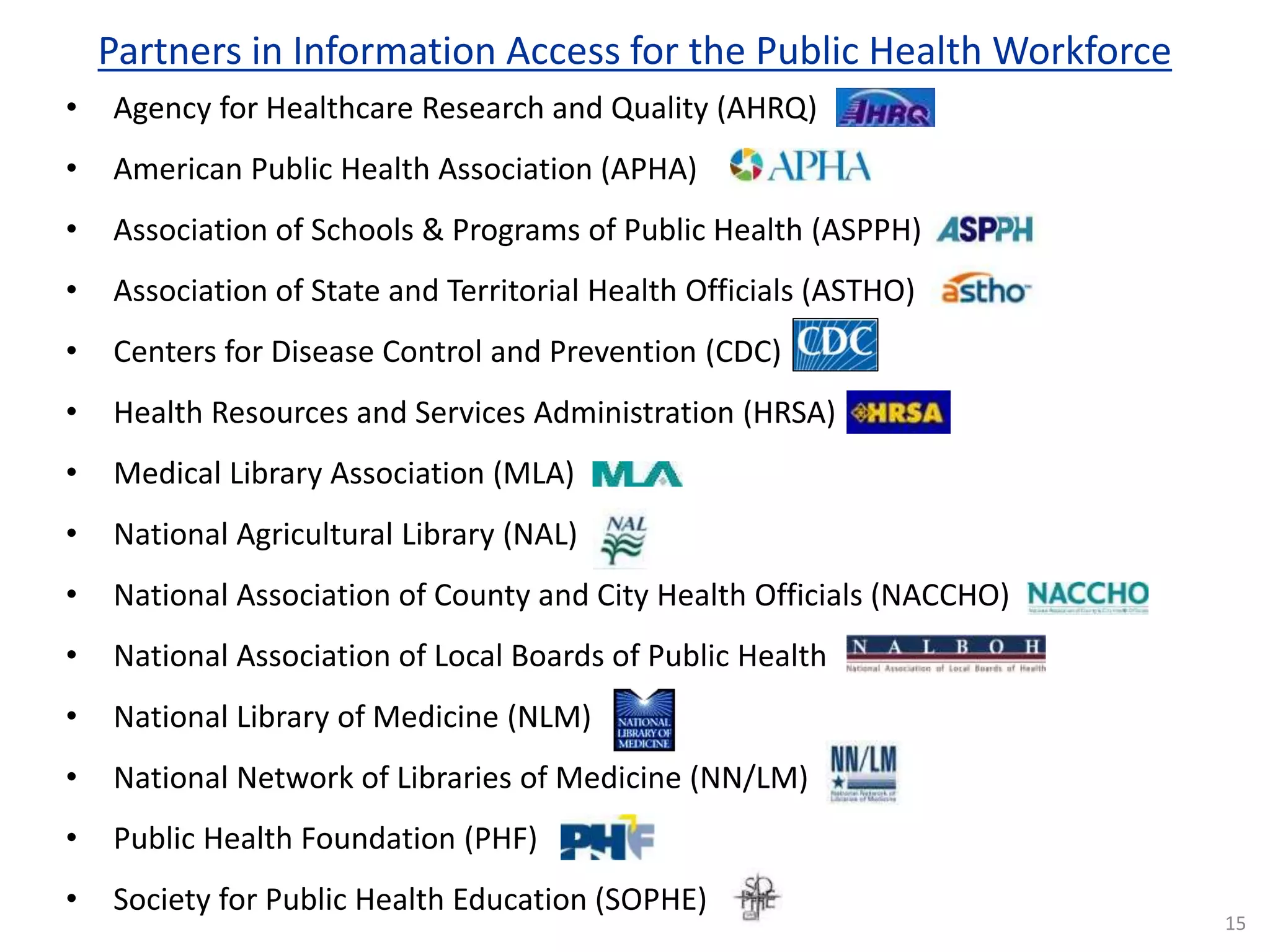
Partners in Information Access for the Public Health Workforce
• Agency for Healthcare Research and Quality (AHRQ)
• American Public Health Association (APHA)
• Association of Schools & Programs of Public Health (ASPPH)
• Association of State and Territorial Health Officials (ASTHO)
• Centers for Disease Control and Prevention (CDC)
• Health Resources and Services Administration (HRSA)
• Medical Library Association (MLA)
• National Agricultural Library (NAL)
• National Association of County and City Health Officials (NACCHO)
• National Association of Local Boards of Public Health
• National Library of Medicine (NLM)
• National Network of Libraries of Medicine (NN/LM)
• Public Health Foundation (PHF)
• Society for Public Health Education (SOPHE)
15
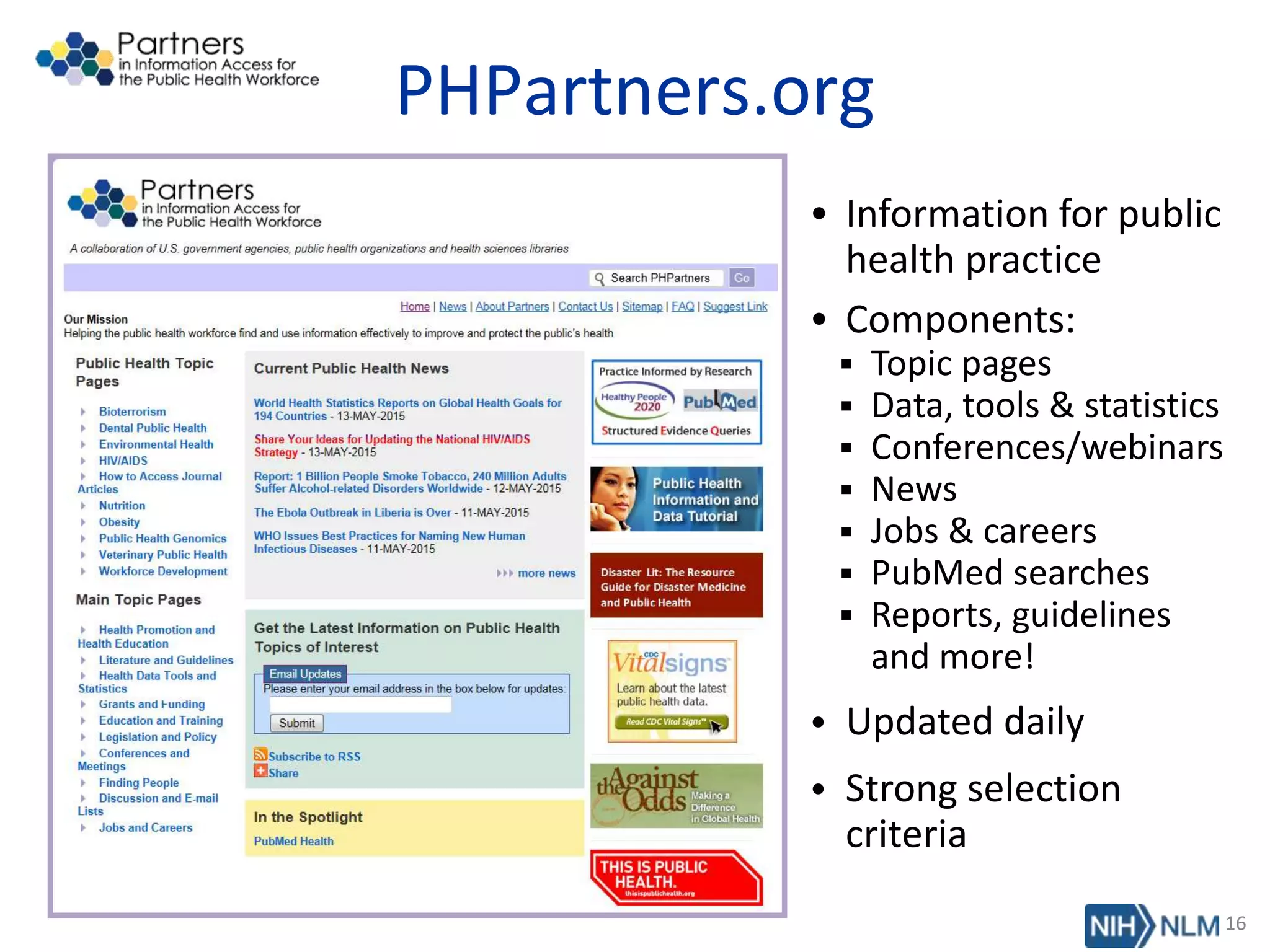
PHPartners.org
• Information for public
health practice
• Components:
 Topic pages
 Data, tools & statistics
 Conferences/webinars
 News
 Jobs & careers
 PubMed searches
 Reports, guidelines
and more!
• Updated daily
• Strong selection
criteria
16
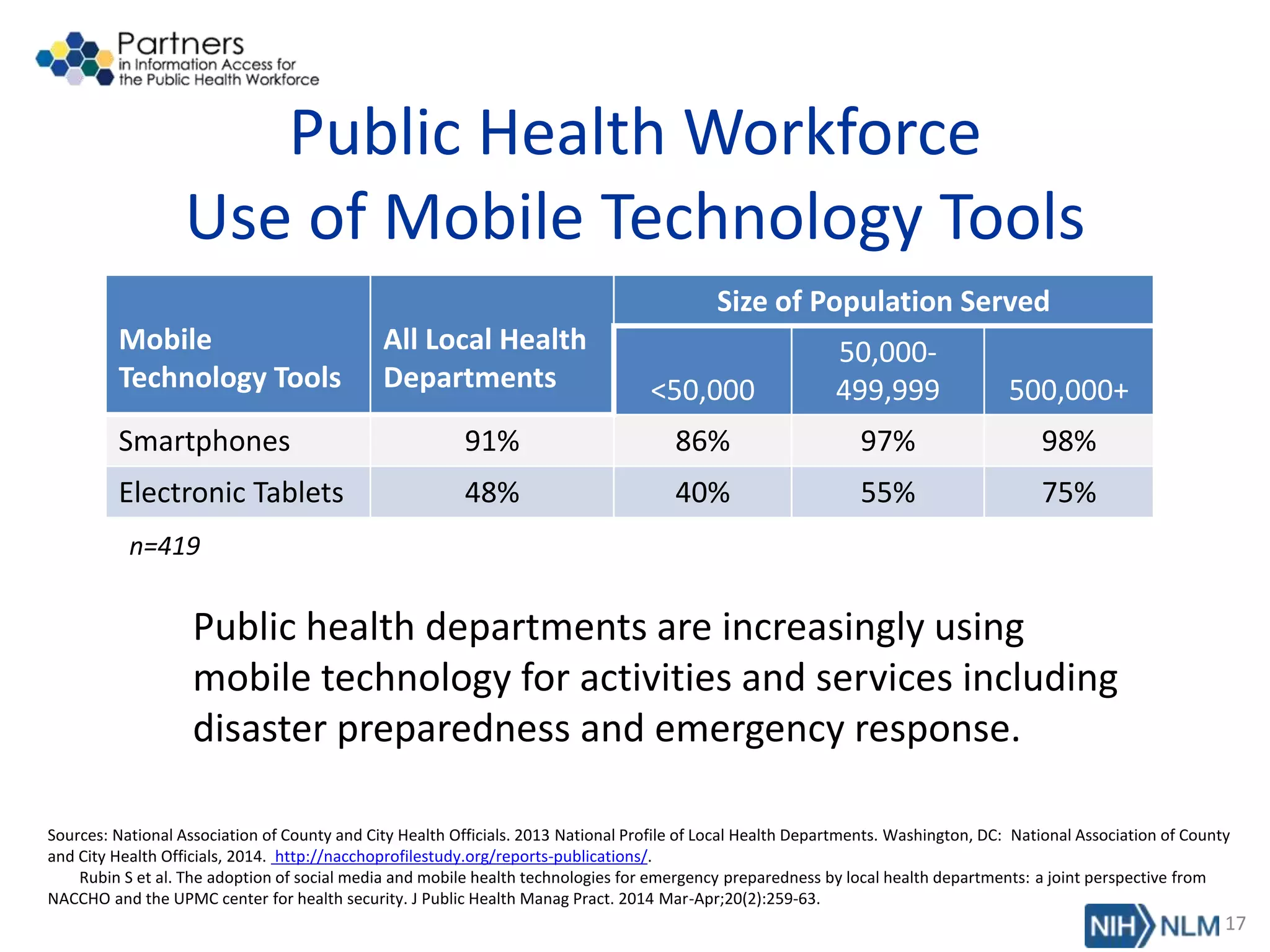
Public Health Workforce
Use of Mobile Technology Tools
Mobile
Technology Tools
All Local Health
Departments
Size of Population Served
<50,000
50,000-
499,999 500,000+
Smartphones 91% 86% 97% 98%
Electronic Tablets 48% 40% 55% 75%
n=419
Public health departments are increasingly using
mobile technology for activities and services including
disaster preparedness and emergency response.
17
Sources: National Association of County and City Health Officials. 2013 National Profile of Local Health Departments. Washington, DC: National Association of County
and City Health Officials, 2014. http://nacchoprofilestudy.org/reports-publications/.
Rubin S et al. The adoption of social media and mobile health technologies for emergency preparedness by local health departments: a joint perspective from
NACCHO and the UPMC center for health security. J Public Health Manag Pract. 2014 Mar-Apr;20(2):259-63.
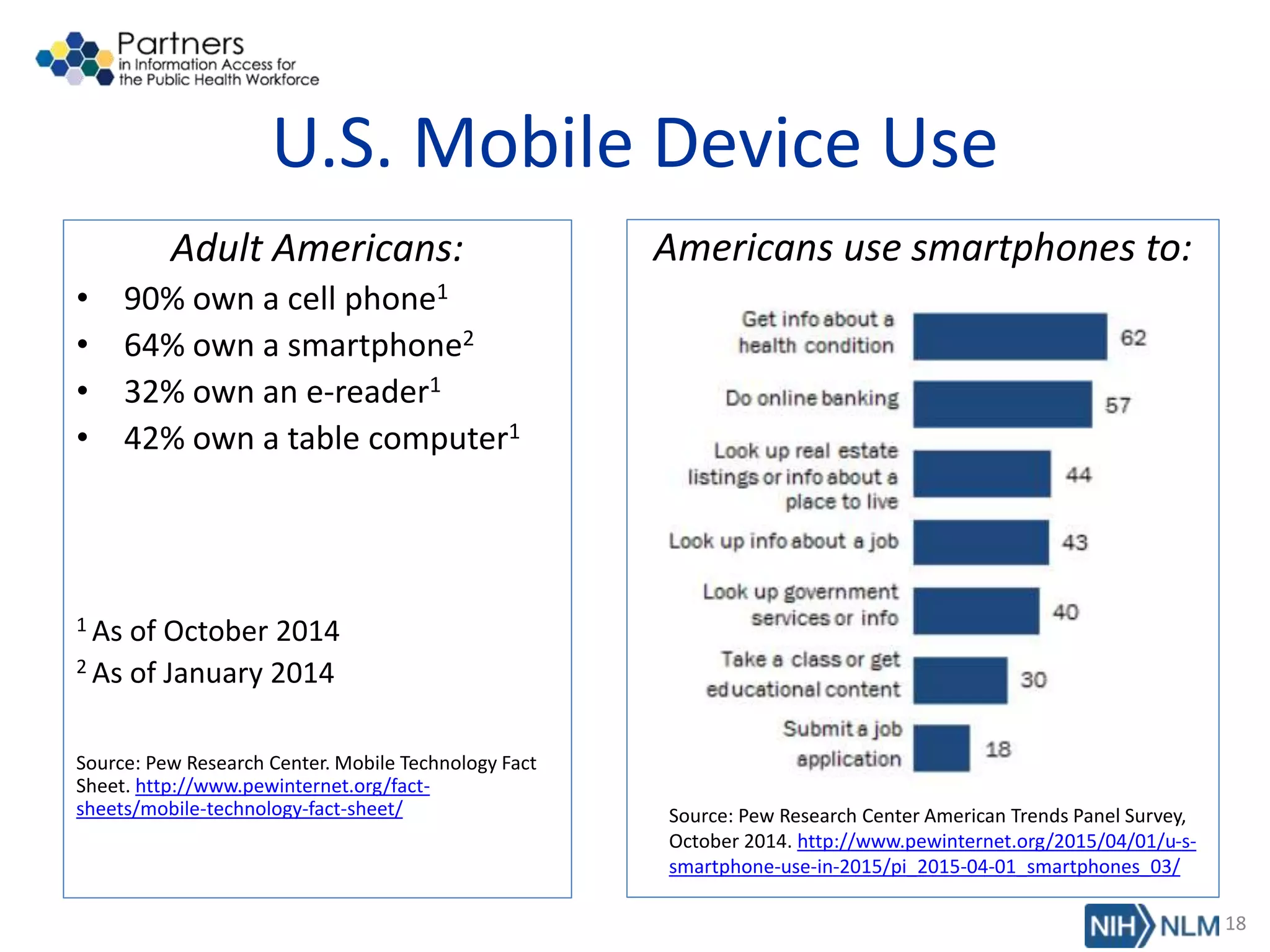
U.S. Mobile Device Use
Adult Americans:
• 90% own a cell phone1
• 64% own a smartphone2
• 32% own an e-reader1
• 42% own a table computer1
1 As of October 2014
2 As of January 2014
Source: Pew Research Center. Mobile Technology Fact
Sheet. http://www.pewinternet.org/fact-
sheets/mobile-technology-fact-sheet/
Americans use smartphones to:
Source: Pew Research Center American Trends Panel Survey,
October 2014. http://www.pewinternet.org/2015/04/01/u-s-
smartphone-use-in-2015/pi_2015-04-01_smartphones_03/
18
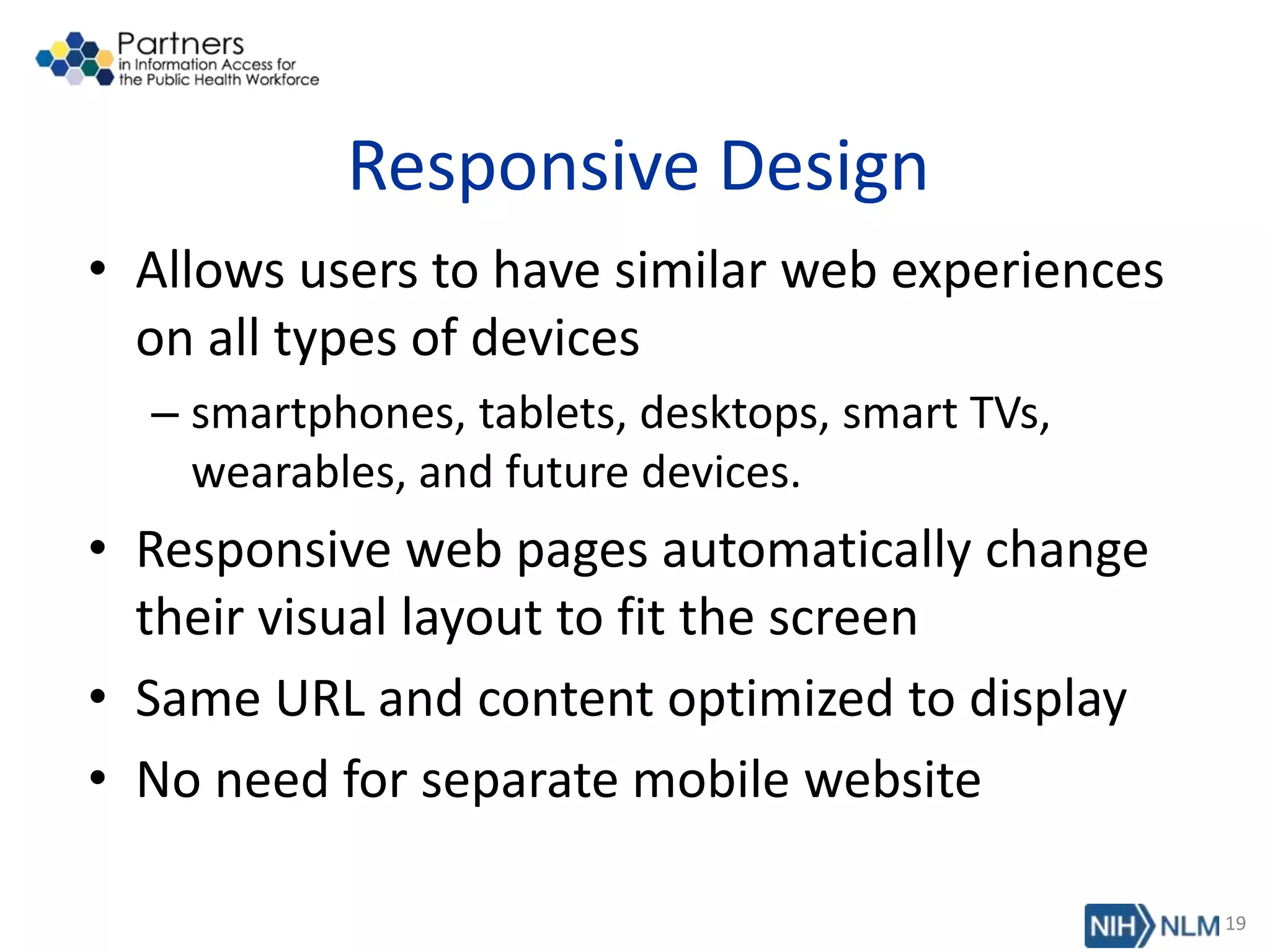
Responsive Design
• Allows users to have similar web experiences
on all types of devices
– smartphones, tablets, desktops, smart TVs,
wearables, and future devices.
• Responsive web pages automatically change
their visual layout to fit the screen
• Same URL and content optimized to display
• No need for separate mobile website
19
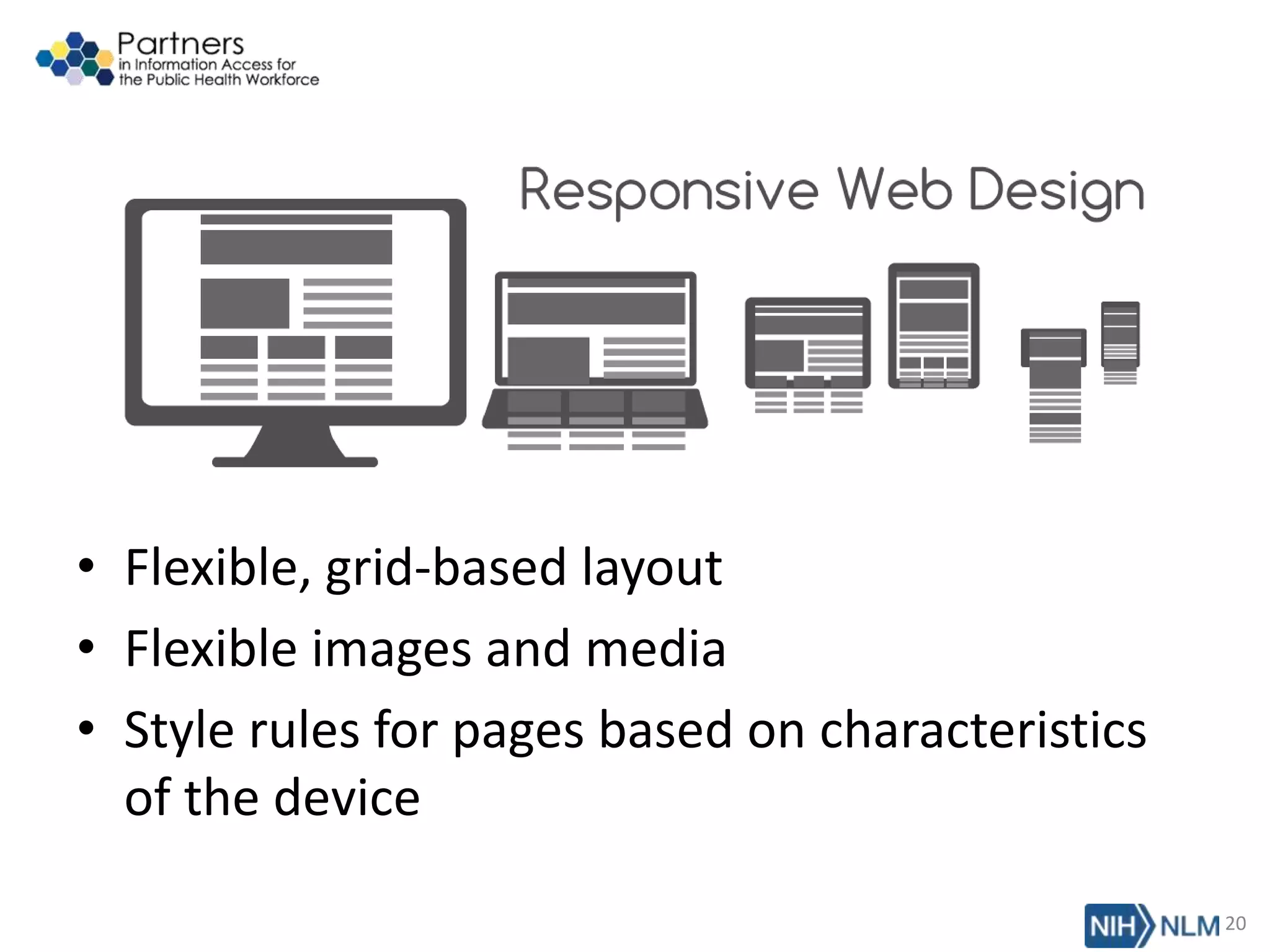
• Flexible, grid-based layout
• Flexible images and media
• Style rules for pages based on characteristics
of the device
20
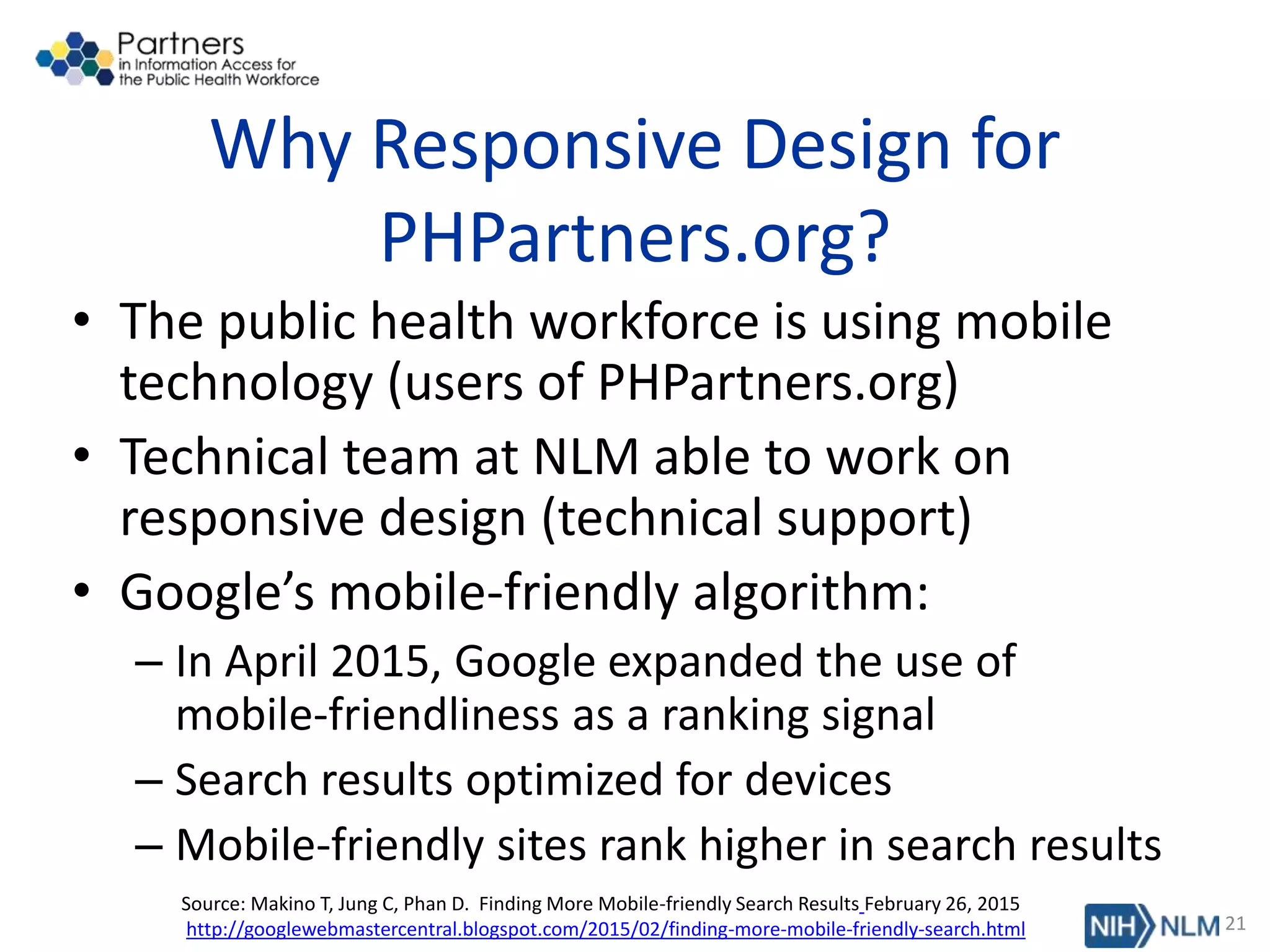
Why Responsive Design for
PHPartners.org?
• The public health workforce is using mobile
technology (users of PHPartners.org)
• Technical team at NLM able to work on
responsive design (technical support)
• Google’s mobile-friendly algorithm:
– In April 2015, Google expanded the use of
mobile-friendliness as a ranking signal
– Search results optimized for devices
– Mobile-friendly sites rank higher in search results
21
Source: Makino T, Jung C, Phan D. Finding More Mobile-friendly Search Results February 26, 2015
http://googlewebmastercentral.blogspot.com/2015/02/finding-more-mobile-friendly-search.html
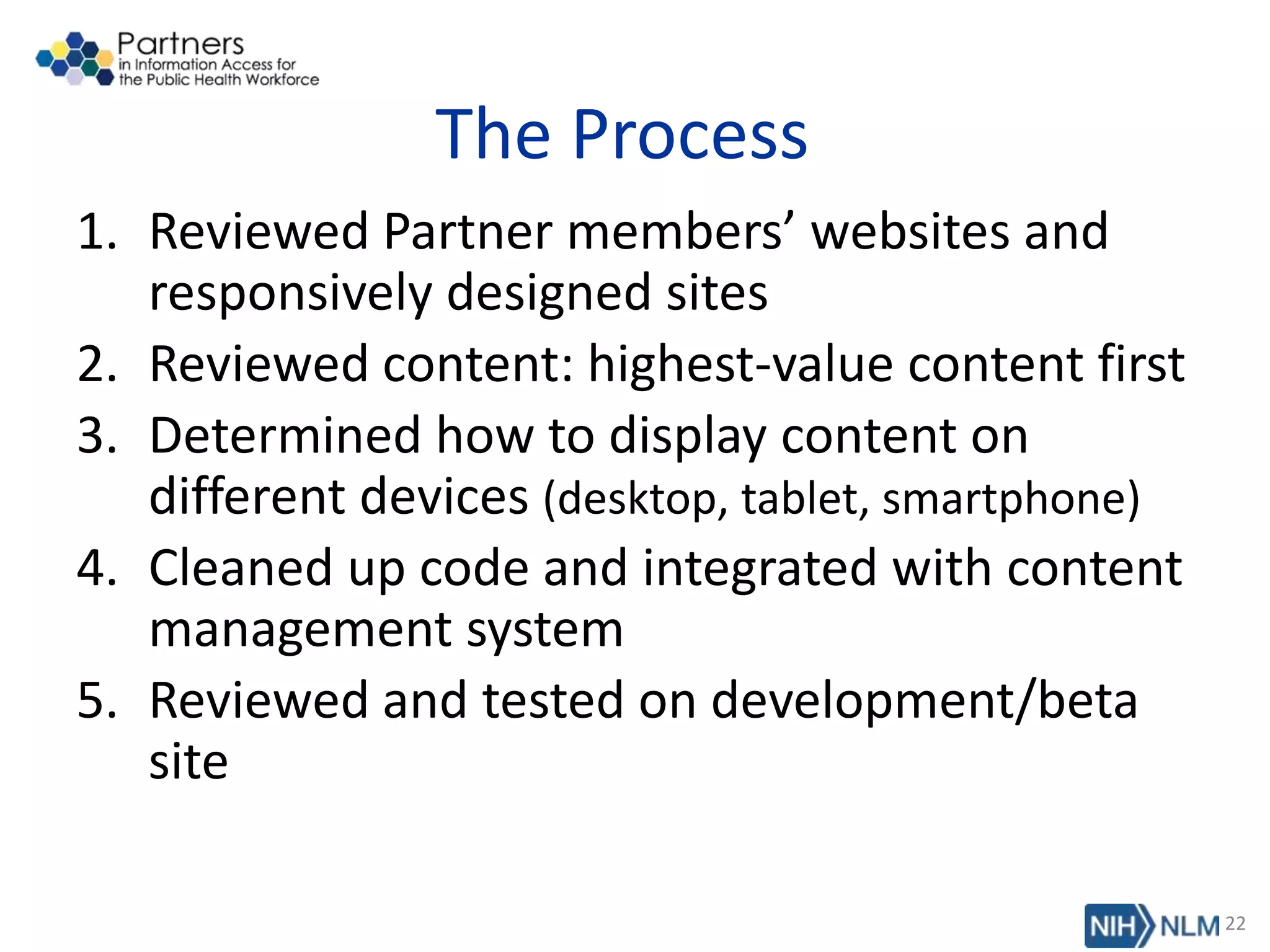
The Process
1. Reviewed Partner members’ websites and
responsively designed sites
2. Reviewed content: highest-value content first
3. Determined how to display content on
different devices (desktop, tablet, smartphone)
4. Cleaned up code and integrated with content
management system
5. Reviewed and tested on development/beta
site
22
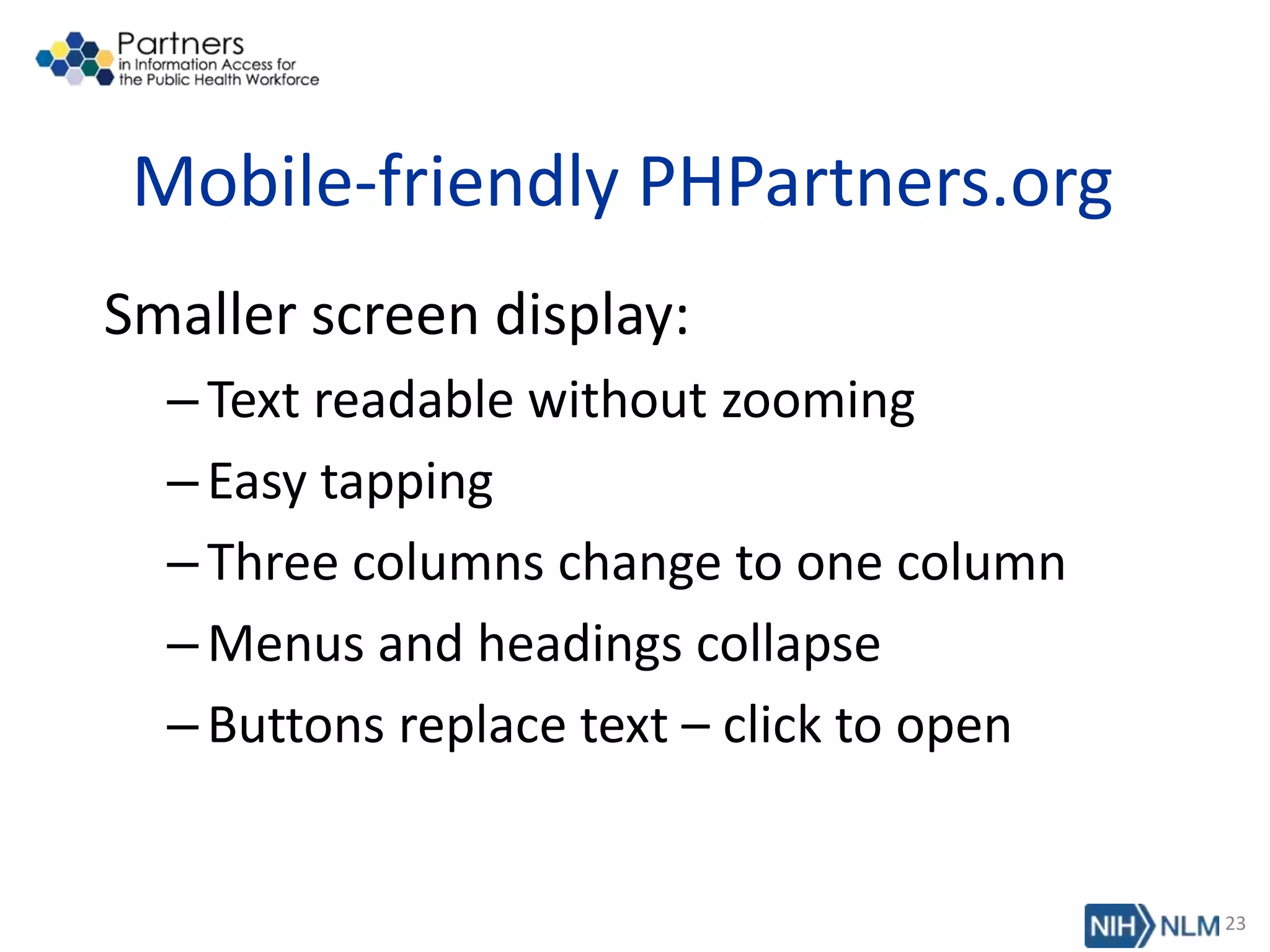
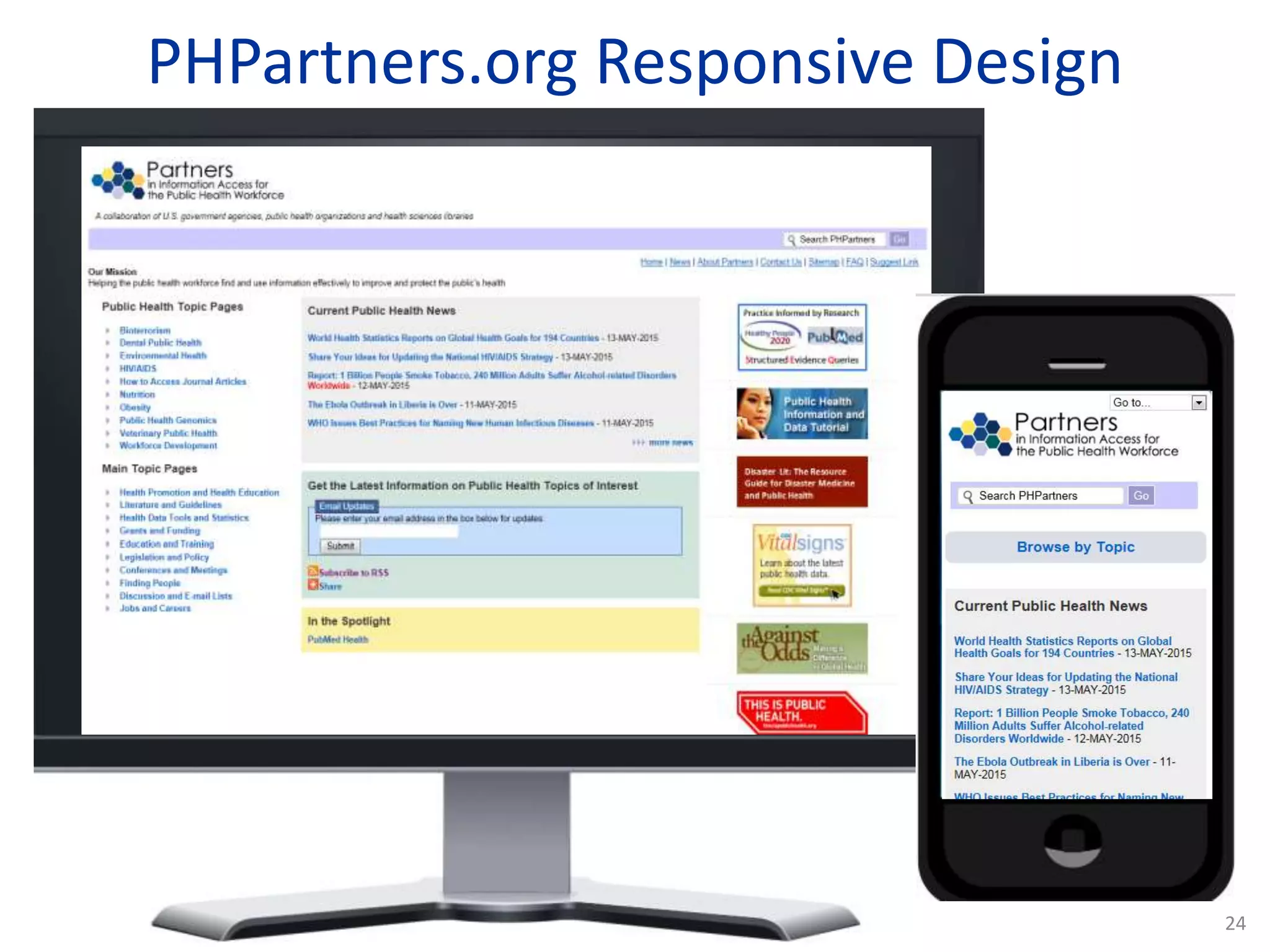
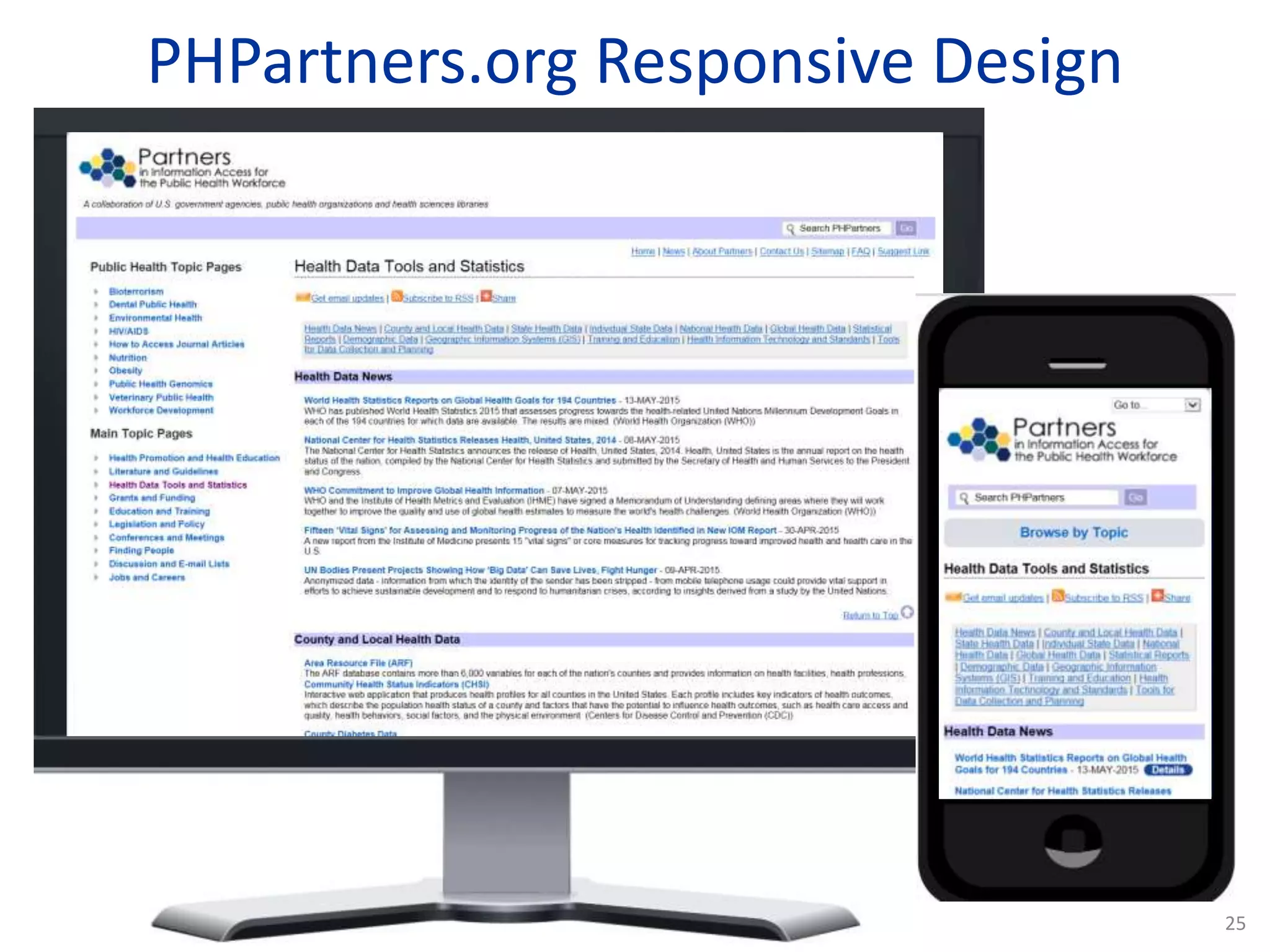
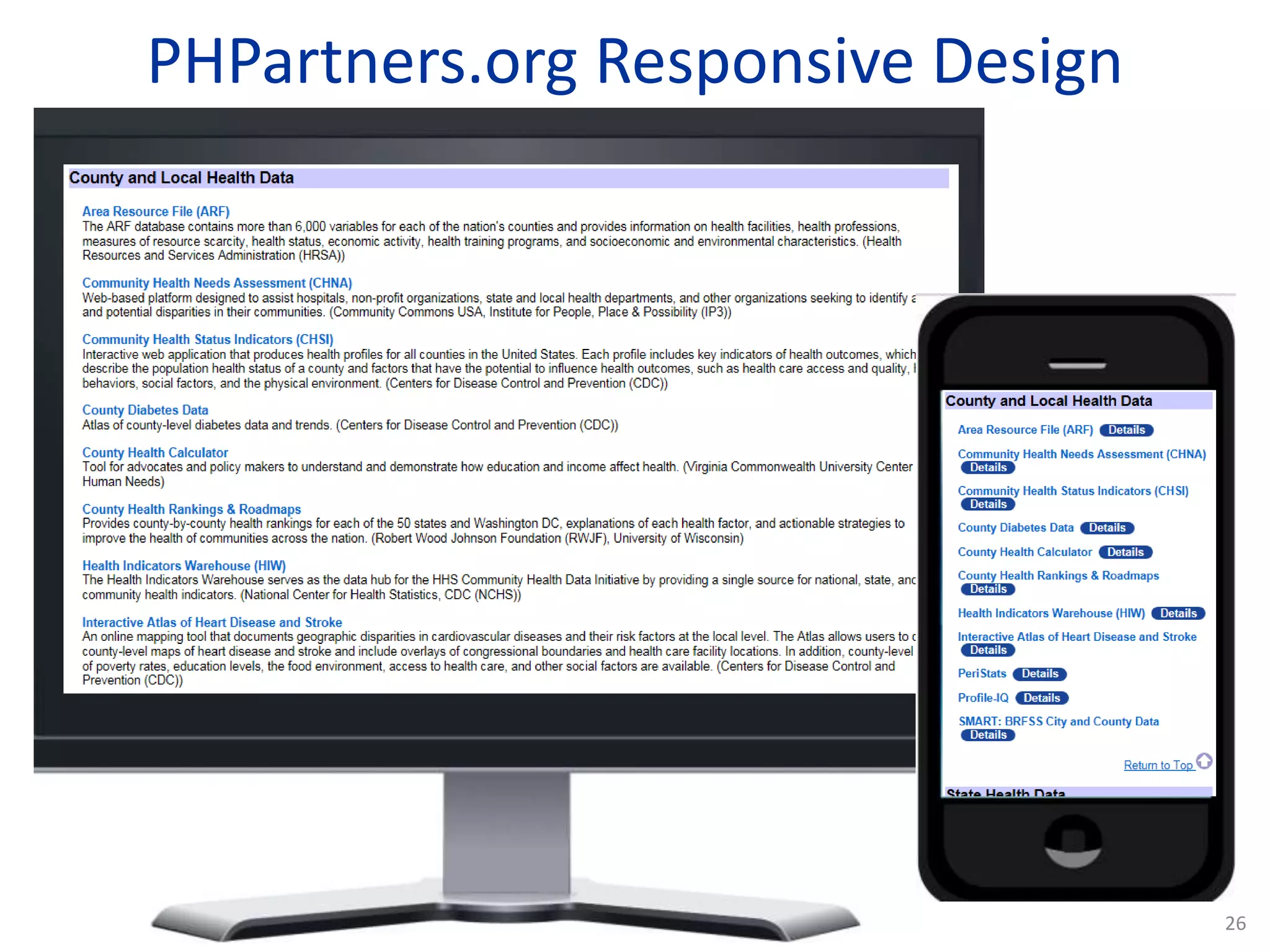
Mobile-friendly PHPartners.org
Smaller screen display:
–Text readable without zooming
–Easy tapping
–Three columns change to one column
–Menus and headings collapse
–Buttons replace text – click to open
23
PHPartners.org Responsive Design
24
PHPartners.org Responsive Design
25
PHPartners.org Responsive Design
26
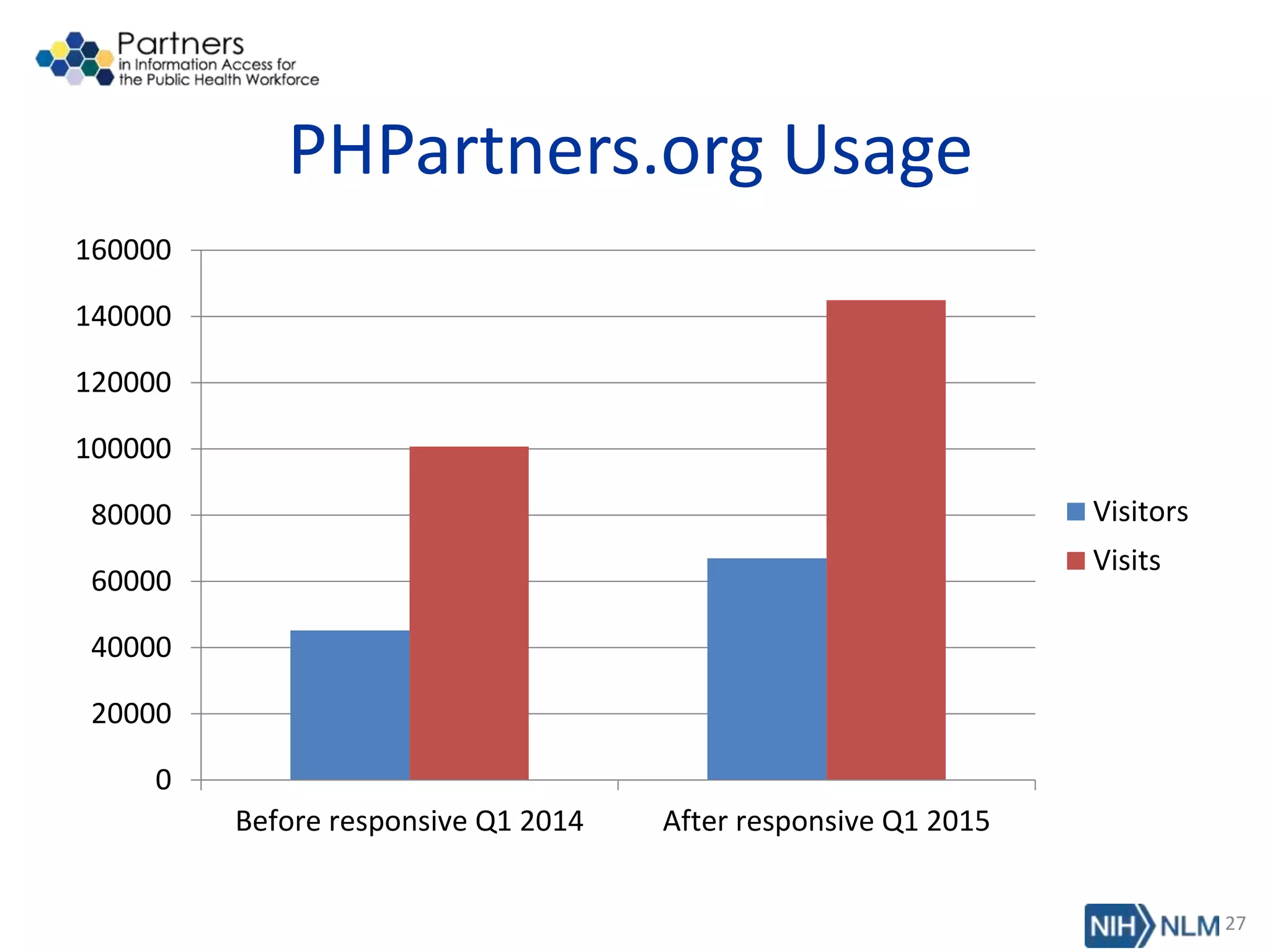
PHPartners.org Usage
0
20000
40000
60000
80000
100000
120000
140000
160000
Before responsive Q1 2014 After responsive Q1 2015
Visitors
Visits
27
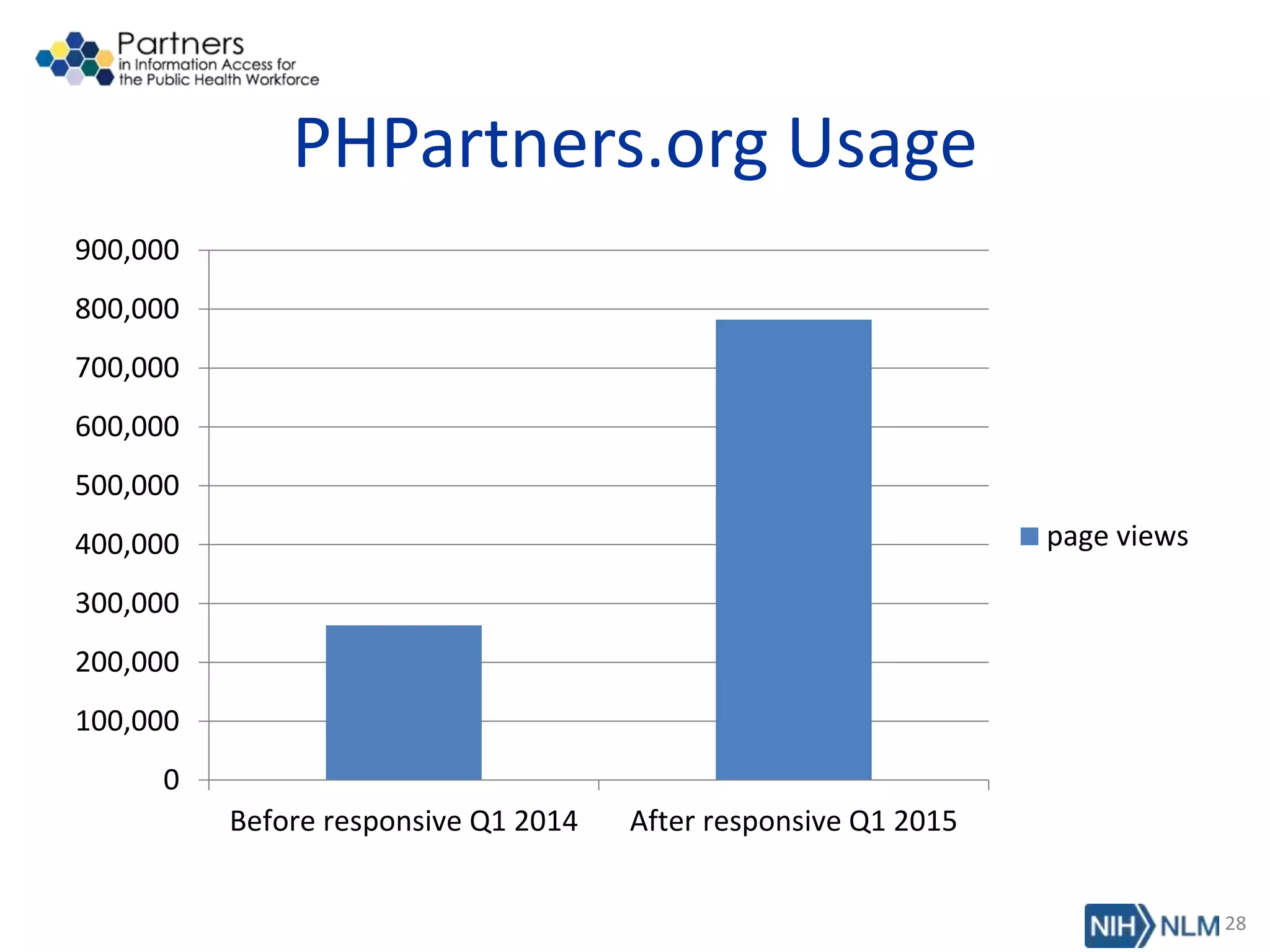
PHPartners.org Usage
0
100,000
200,000
300,000
400,000
500,000
600,000
700,000
800,000
900,000
Before responsive Q1 2014 After responsive Q1 2015
page views
28
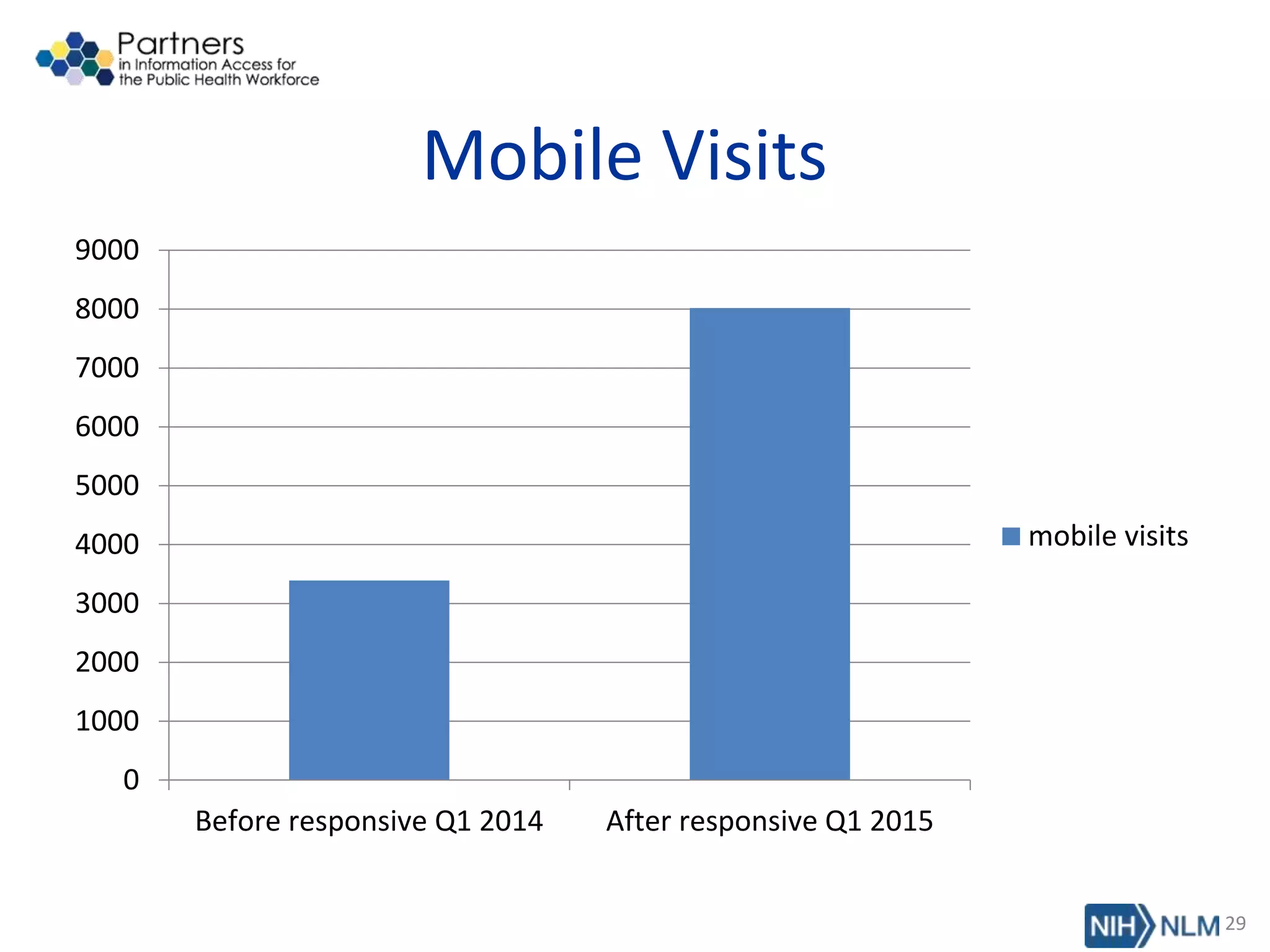
Mobile Visits
0
1000
2000
3000
4000
5000
6000
7000
8000
9000
Before responsive Q1 2014 After responsive Q1 2015
mobile visits
29
PHPartners.org
Post Responsive Design
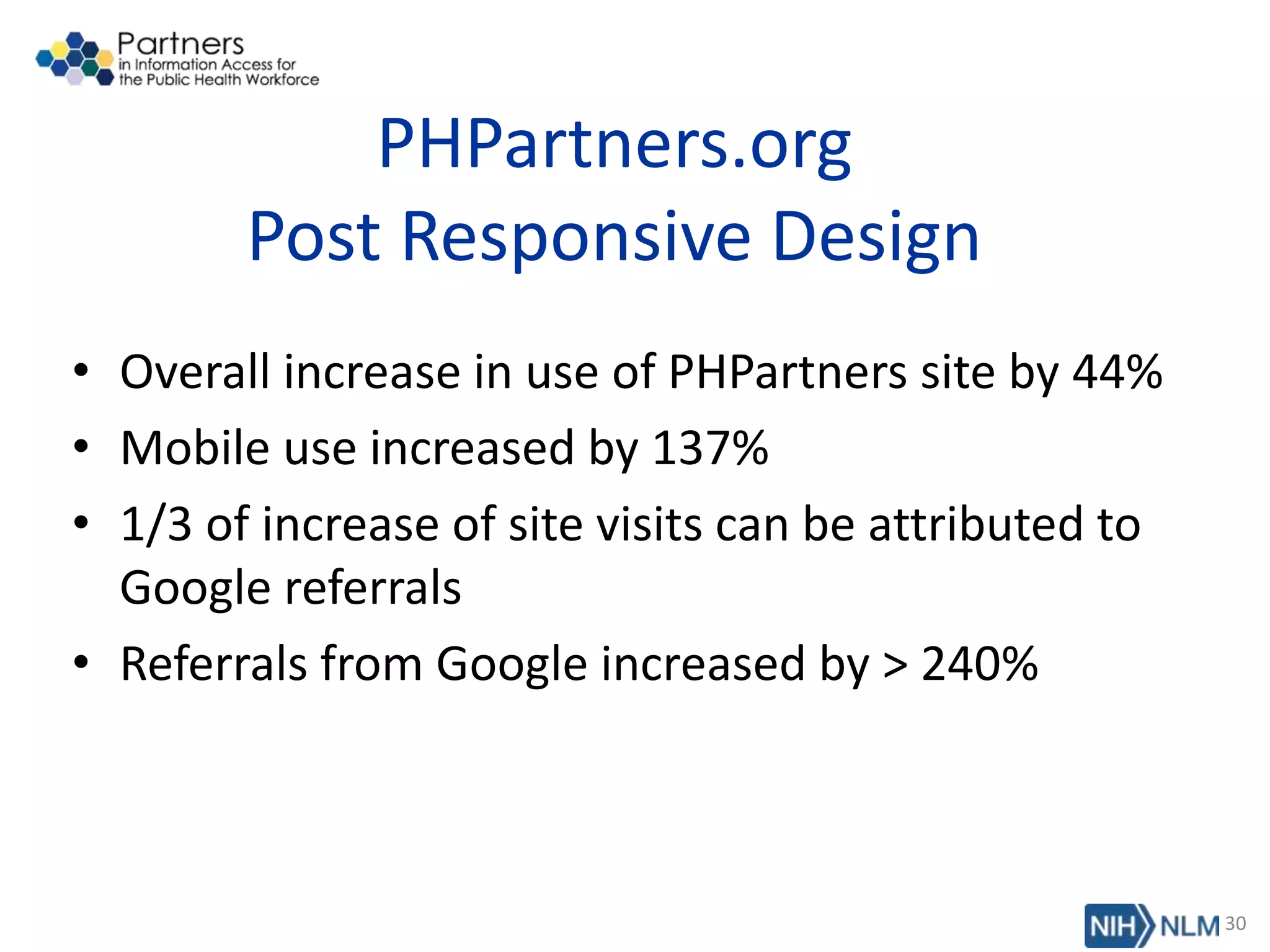
• Overall increase in use of PHPartners site by 44%
• Mobile use increased by 137%
• 1/3 of increase of site visits can be attributed to
Google referrals
• Referrals from Google increased by > 240%
30
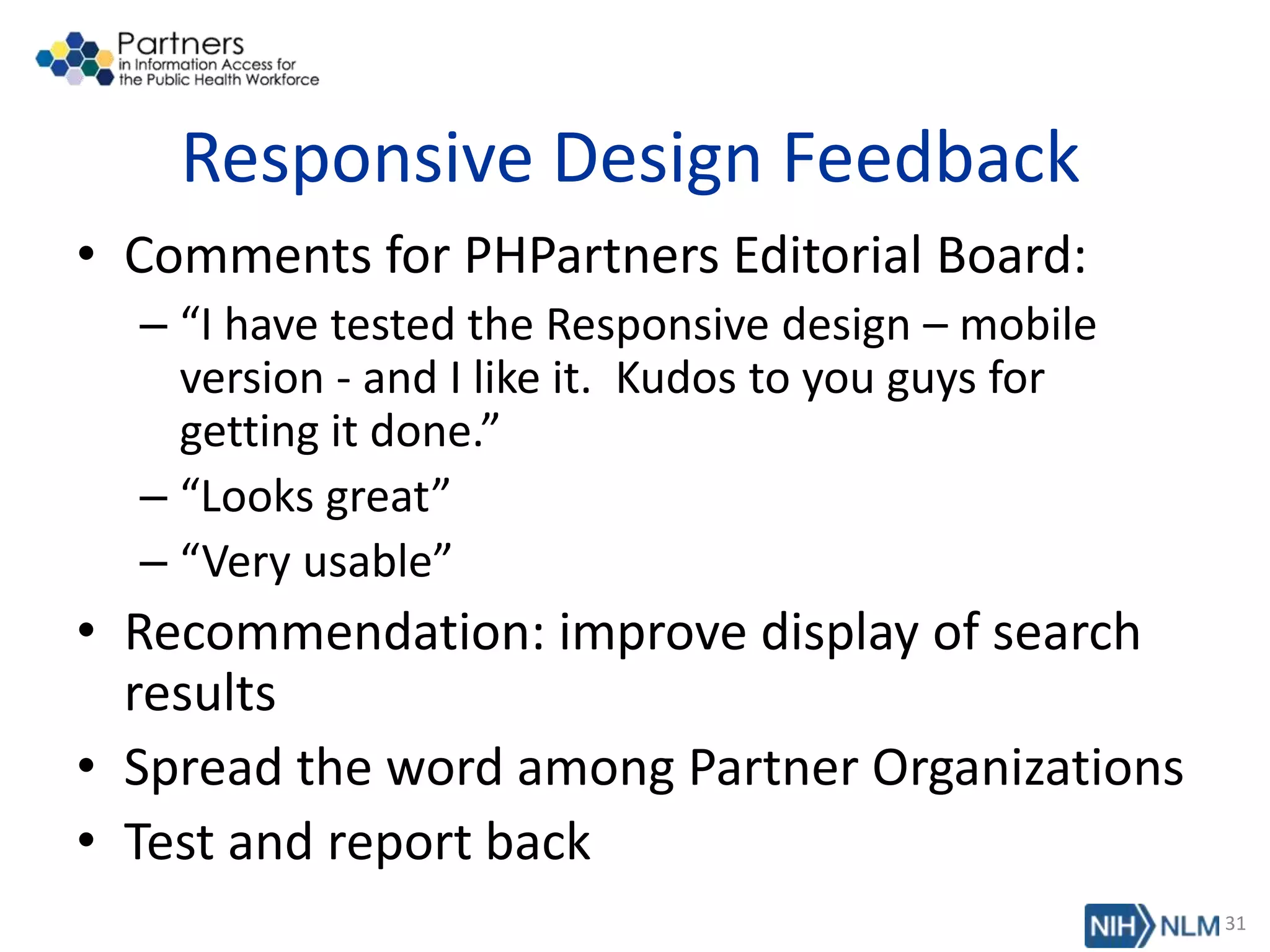
Responsive Design Feedback
• Comments for PHPartners Editorial Board:
– “I have tested the Responsive design – mobile
version - and I like it. Kudos to you guys for
getting it done.”
– “Looks great”
– “Very usable”
• Recommendation: improve display of search
results
• Spread the word among Partner Organizations
• Test and report back
31
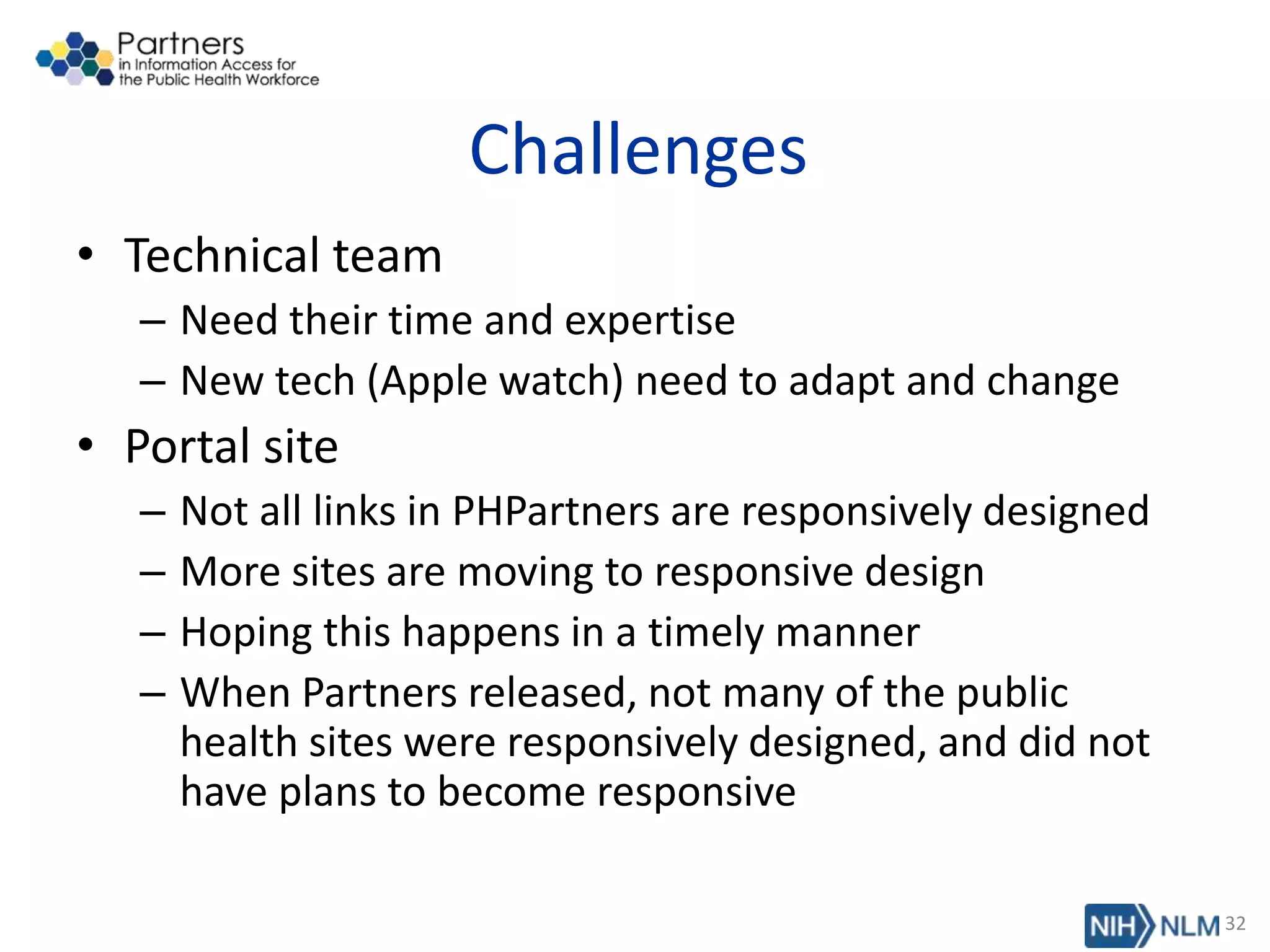
Challenges
• Technical team
– Need their time and expertise
– New tech (Apple watch) need to adapt and change
• Portal site
– Not all links in PHPartners are responsively designed
– More sites are moving to responsive design
– Hoping this happens in a timely manner
– When Partners released, not many of the public
health sites were responsively designed, and did not
have plans to become responsive
32
Addressing Issues
• Size and spacing of font and headings
• Headings and home page content
• Images in responsive design
• PubMed searches in site:
• PubMed has a mobile site, limited functions
• Will be responsively designed, but no date set
• Other mobile only sites
33
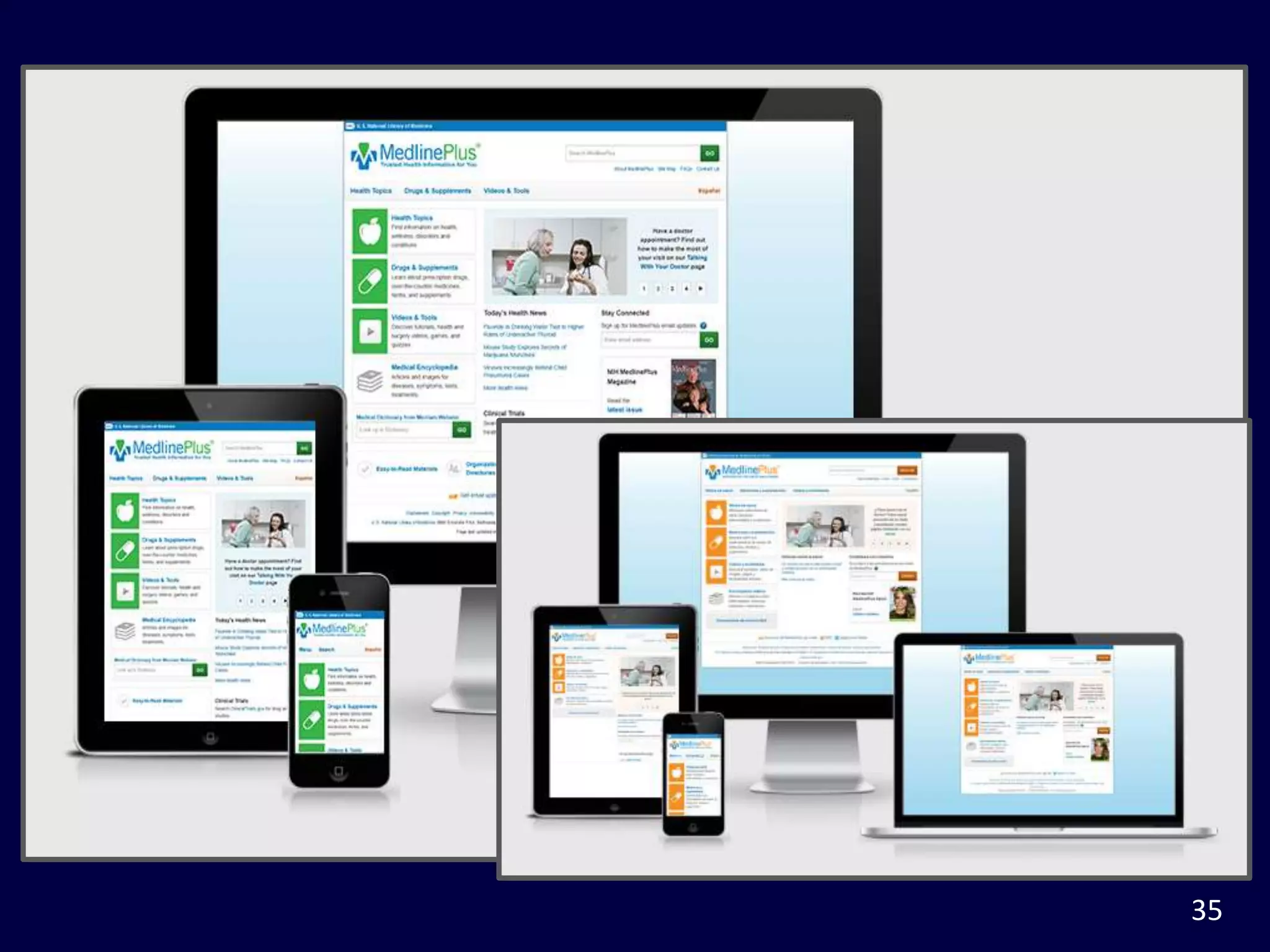
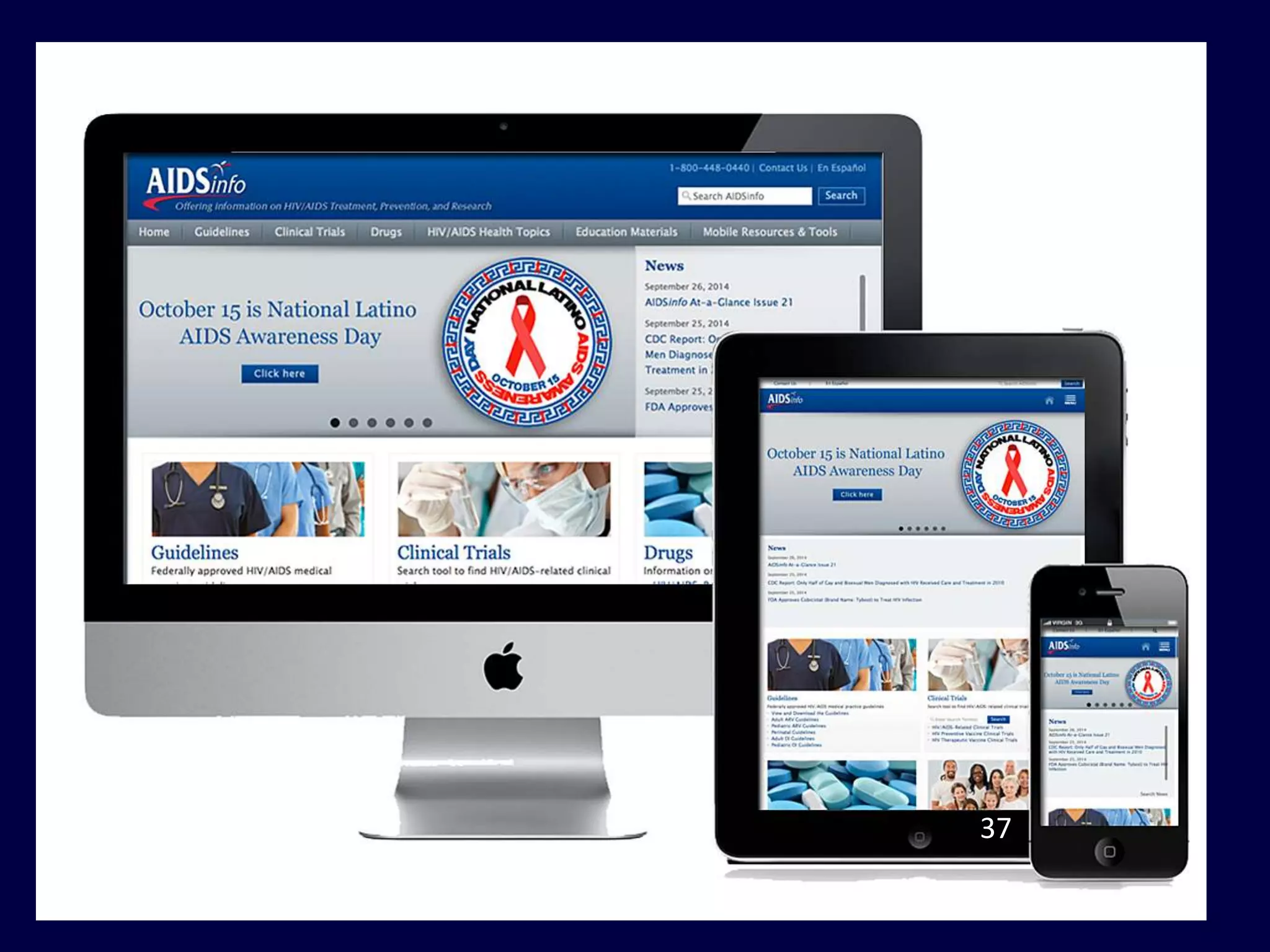
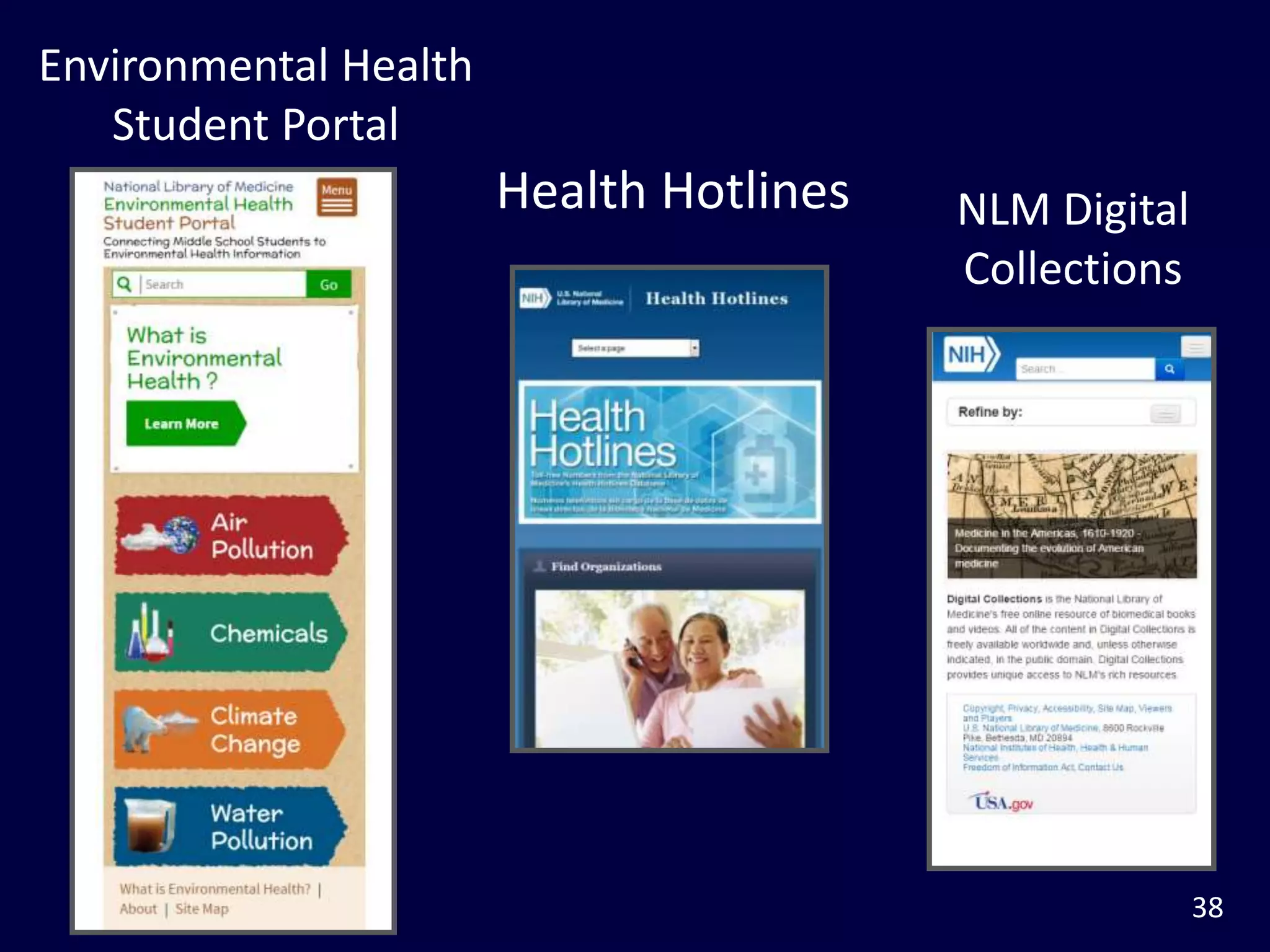
Other NLM Responsive Design Sites
• M+ Medline plus
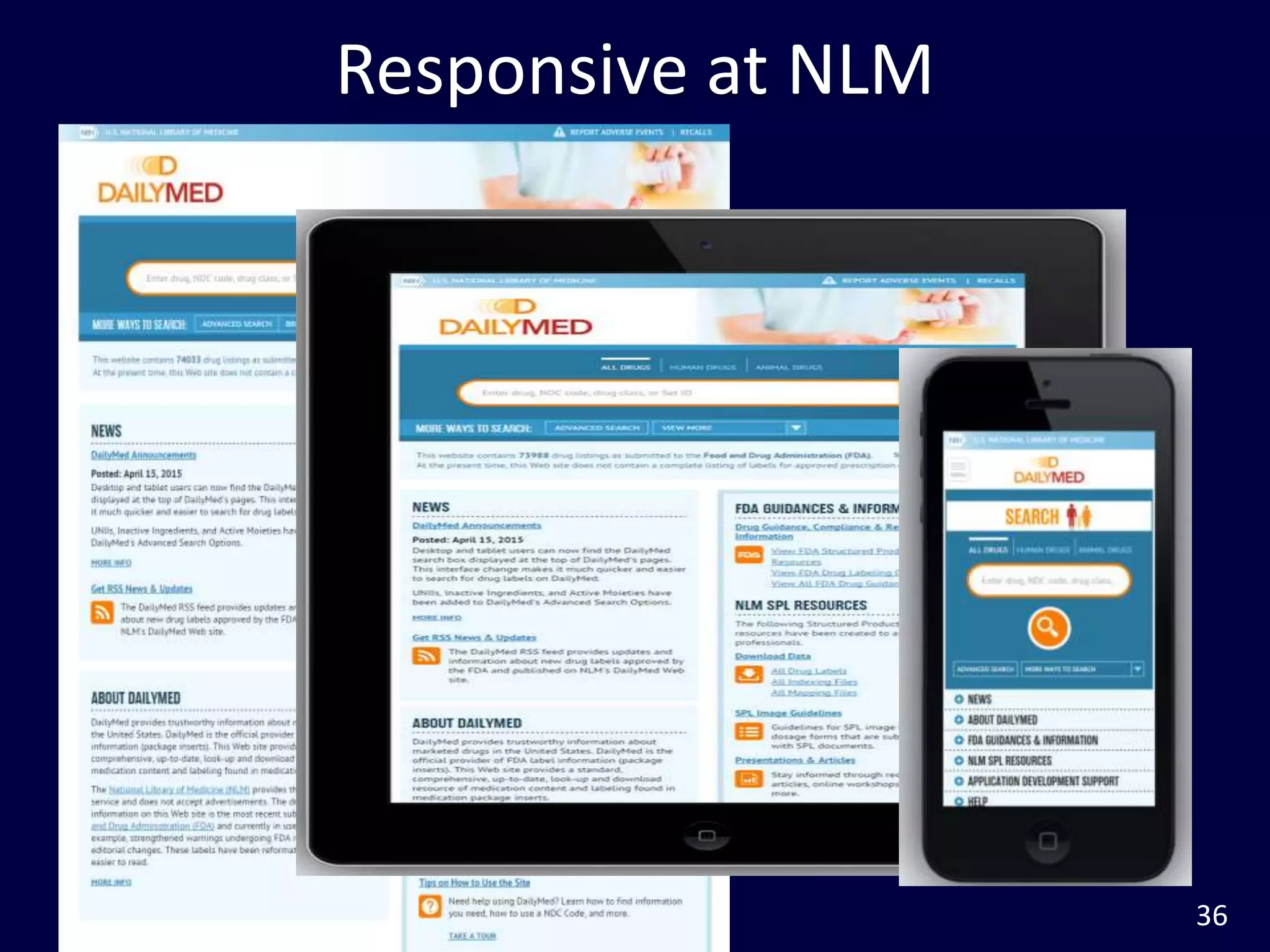
– Consumer health information
• Daily Med
– provides trustworthy information about marketed drugs in
the United States. DailyMed is the official provider of FDA
label information (package inserts)
• AIDSInfo
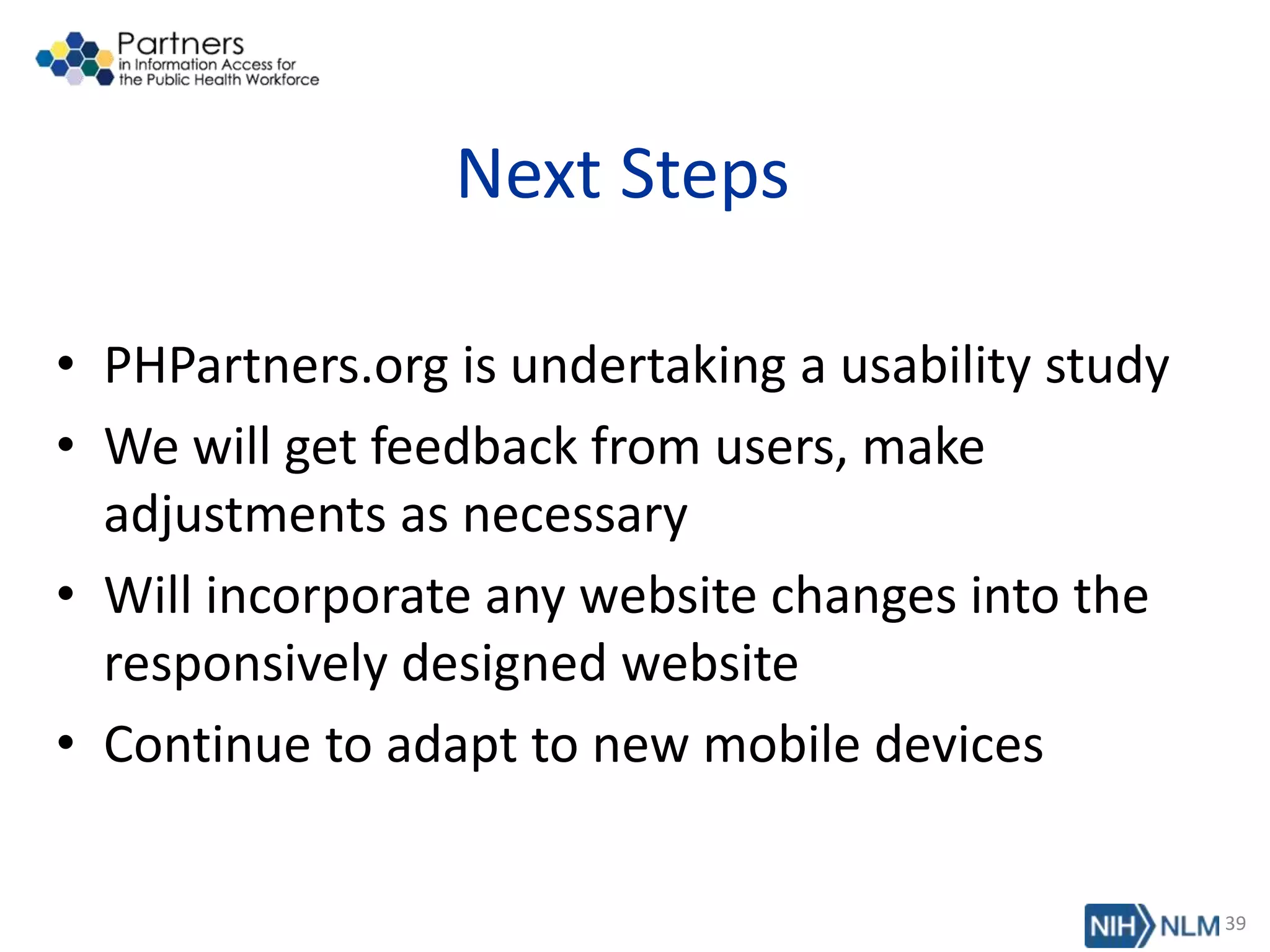
• Other NLM sites in process of responsive
design
34
35
Responsive at NLM
36
Responsive at NLM
37
38
Health Hotlines
Environmental Health
Student Portal
NLM Digital
Collections
Next Steps
• PHPartners.org is undertaking a usability study
• We will get feedback from users, make
adjustments as necessary
• Will incorporate any website changes into the
responsively designed website
• Continue to adapt to new mobile devices
39
Thank you!
Hathy Simpson, MPH
University of Massachusetts Medical School
Hathy.Simpson@umassmed.edu
Lisa Sedlar, MLIS, MT (ASCP)
National Library of Medicine
Lisa.Sedlar@nih.gov
NISO Webinar
June 10, 2015
40
Responsive Design:
Meeting Your Customers
Where They Are
What is Responsive Design?
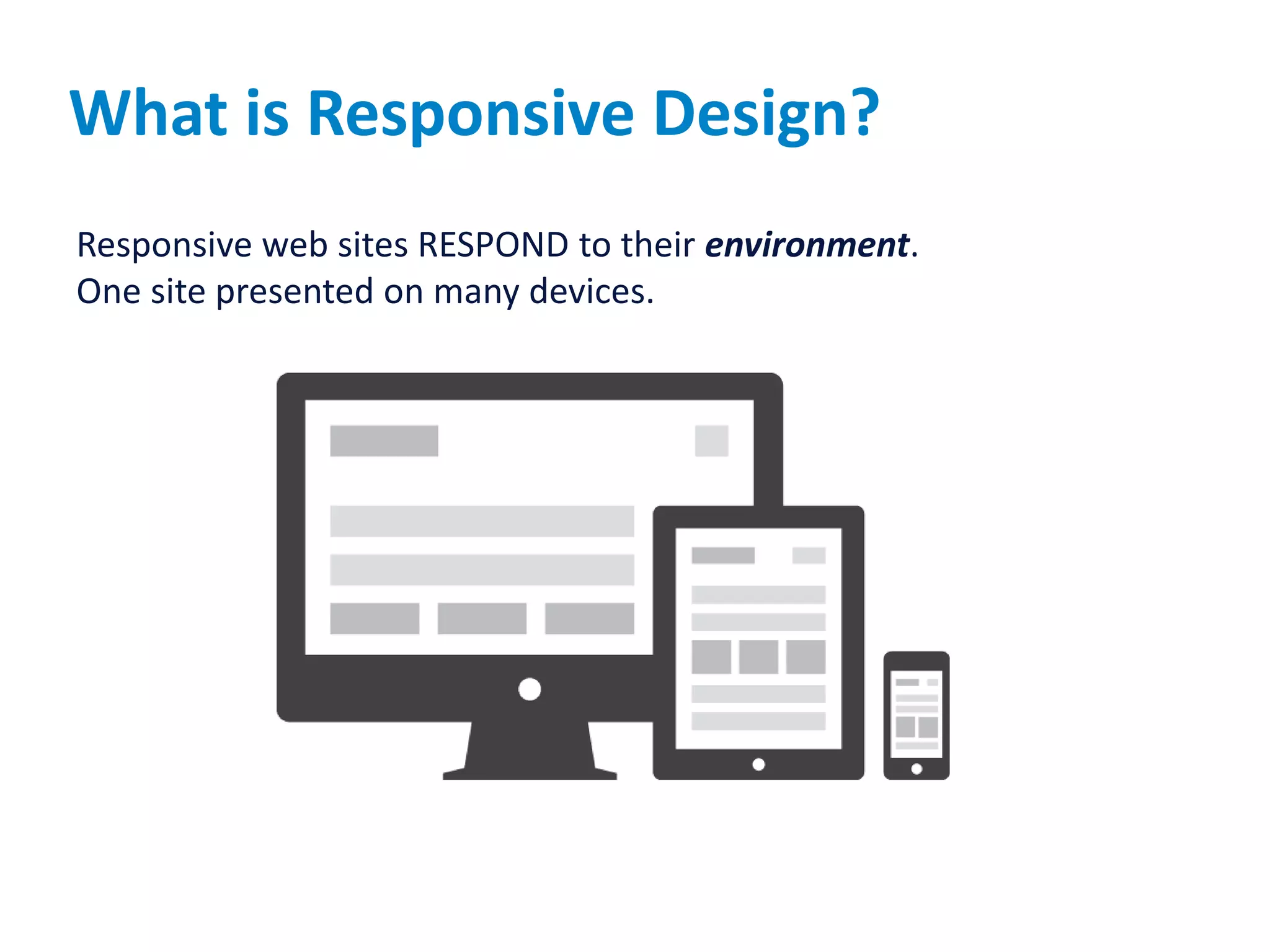
Responsive web sites RESPOND to their environment.
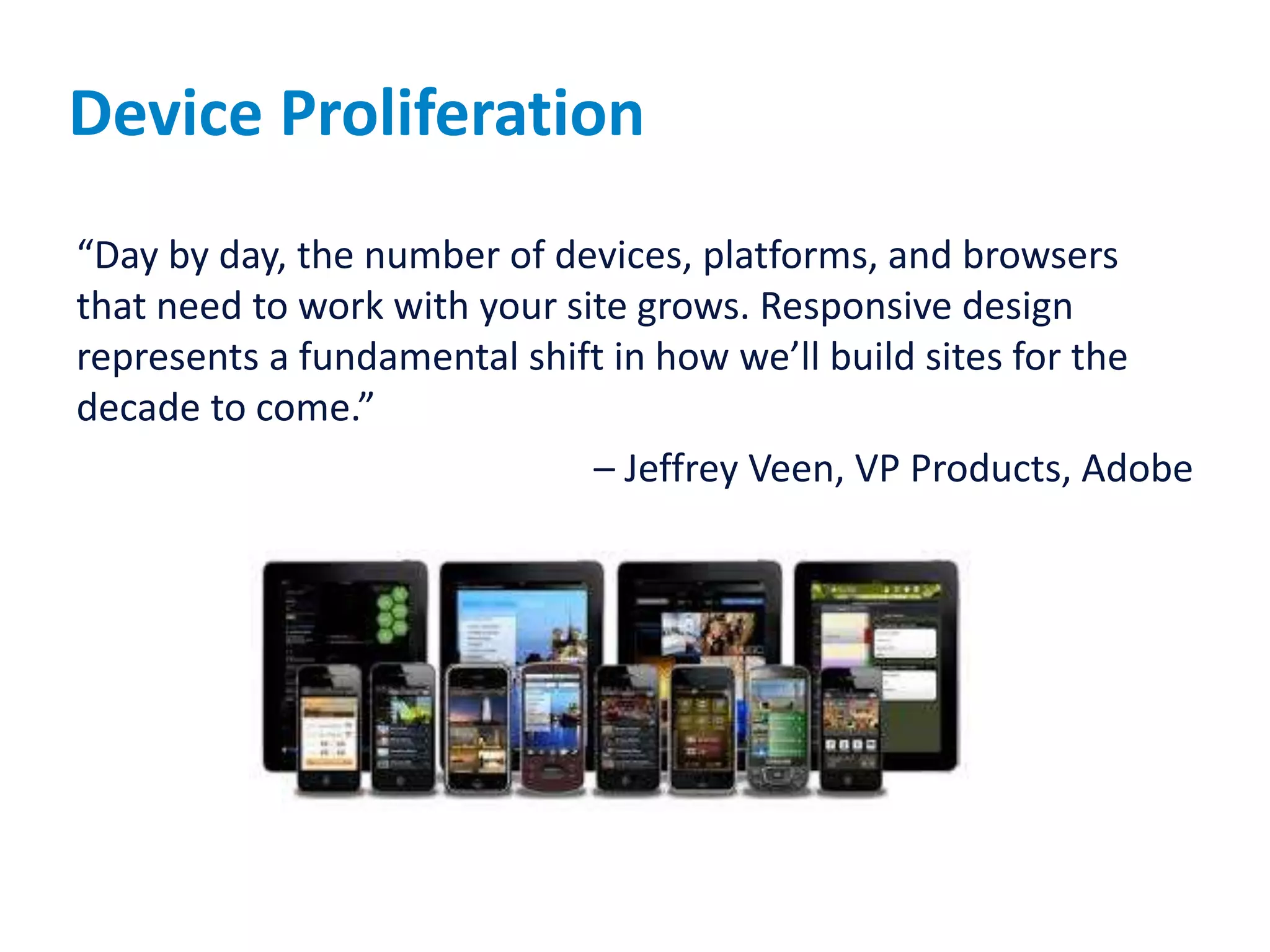
One site presented on many devices.
Should We Do Responsive Design?
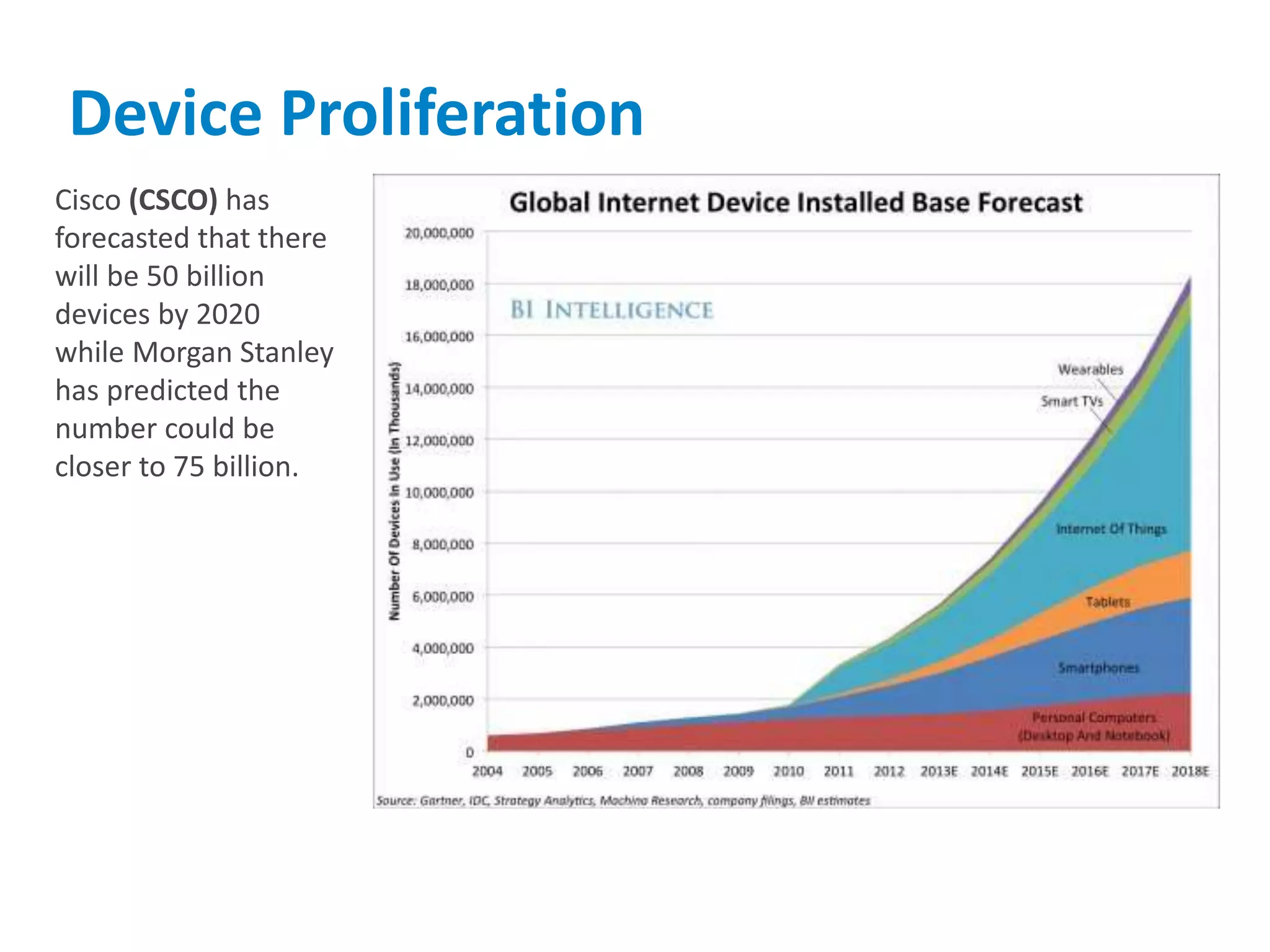
Cisco (CSCO) has
forecasted that there
will be 50 billion
devices by 2020
while Morgan Stanley
has predicted the
number could be
closer to 75 billion.
Device Proliferation
Where will it go?
?
Device Proliferation
“Day by day, the number of devices, platforms, and browsers
that need to work with your site grows. Responsive design
represents a fundamental shift in how we’ll build sites for the
decade to come.”
– Jeffrey Veen, VP Products, Adobe
Why do Responsive Design
 Cost and development time savings
 Design and Develop once for use on multiple platforms
 Lower cost of maintenance by maintaining single site
 Better user experience
 Target features appropriate for device
 Better SEO
 Single URL for web bots to crawl
 Scalability and Adaptation to future devices
47
Know Thy Customer
Questions to be answered…
49
 Who are my customers today?
 What do they want to accomplish?
 Who will be my customers tomorrow?
 What will they want to accomplish?
 Where do I start?
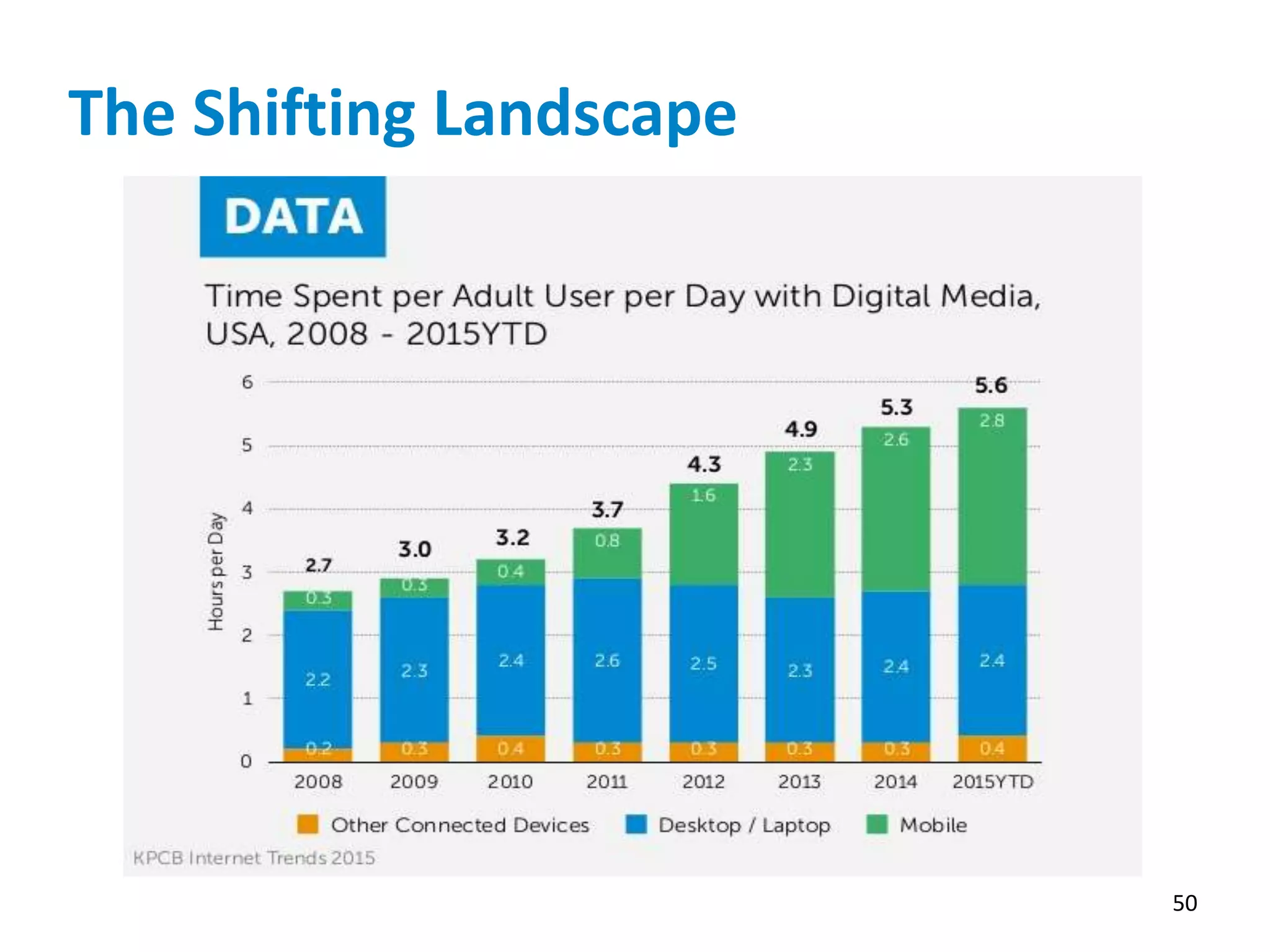
The Shifting Landscape
50
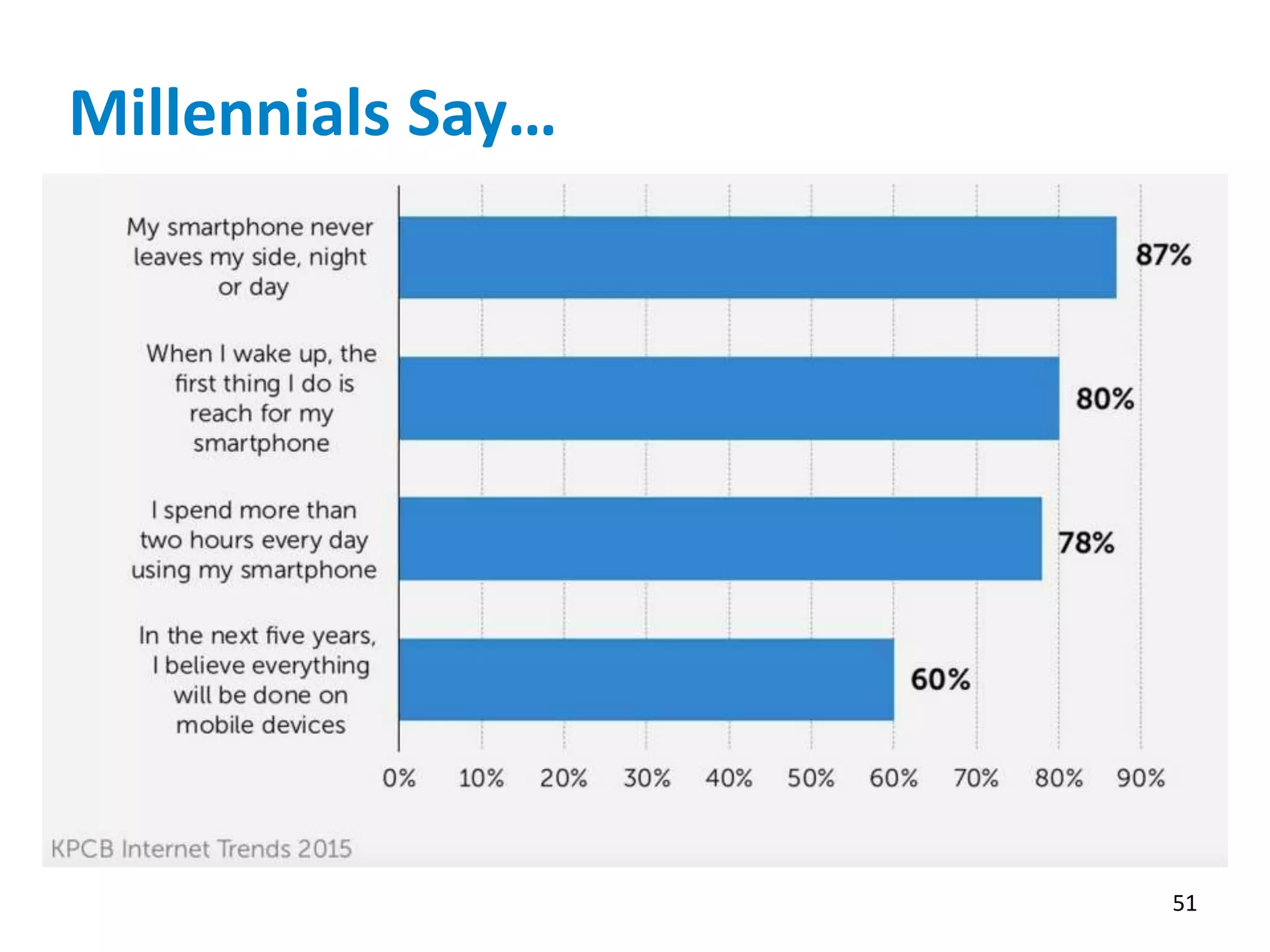
Millennials Say…
51
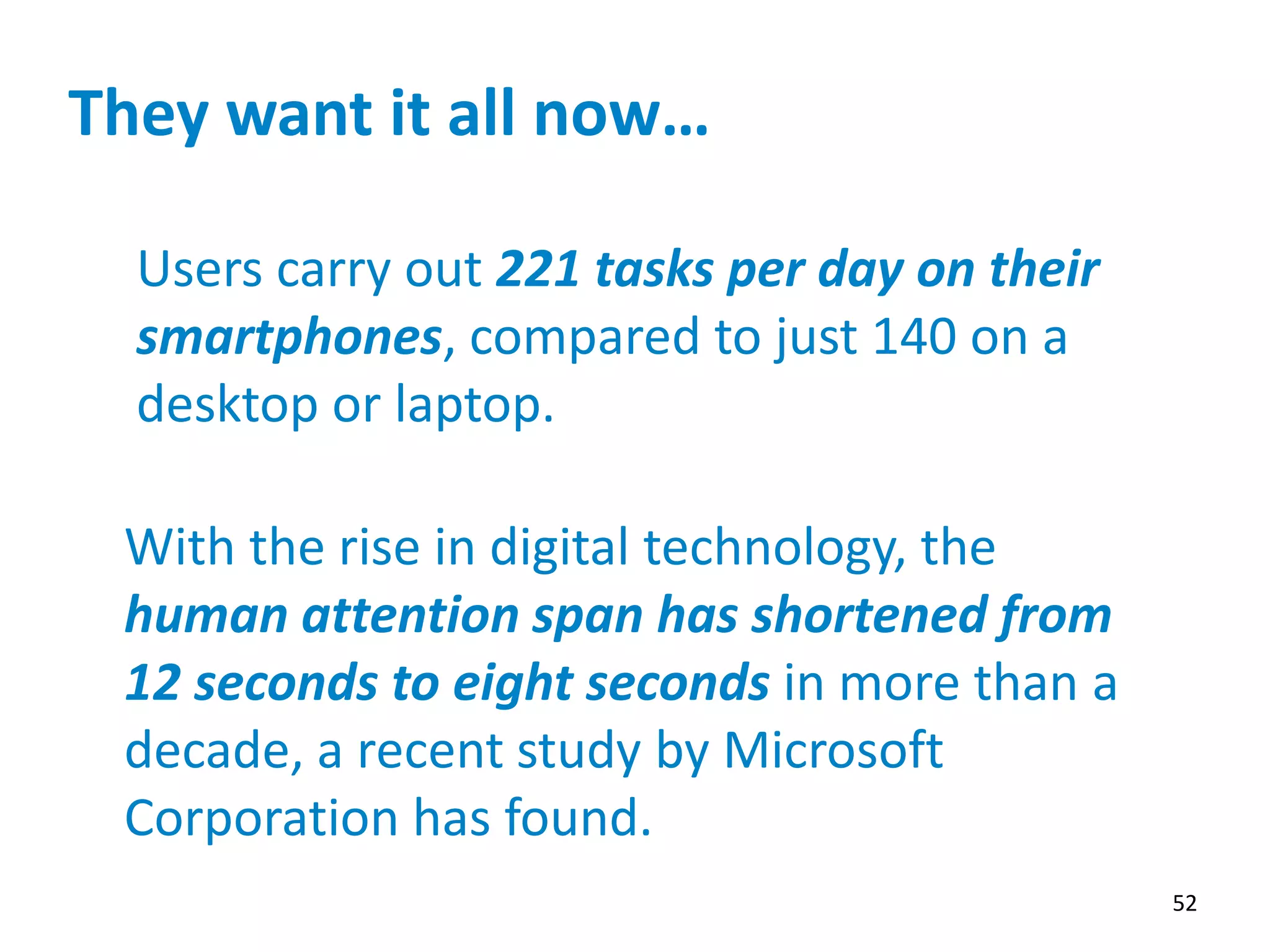
They want it all now…
52
Users carry out 221 tasks per day on their
smartphones, compared to just 140 on a
desktop or laptop.
With the rise in digital technology, the
human attention span has shortened from
12 seconds to eight seconds in more than a
decade, a recent study by Microsoft
Corporation has found.
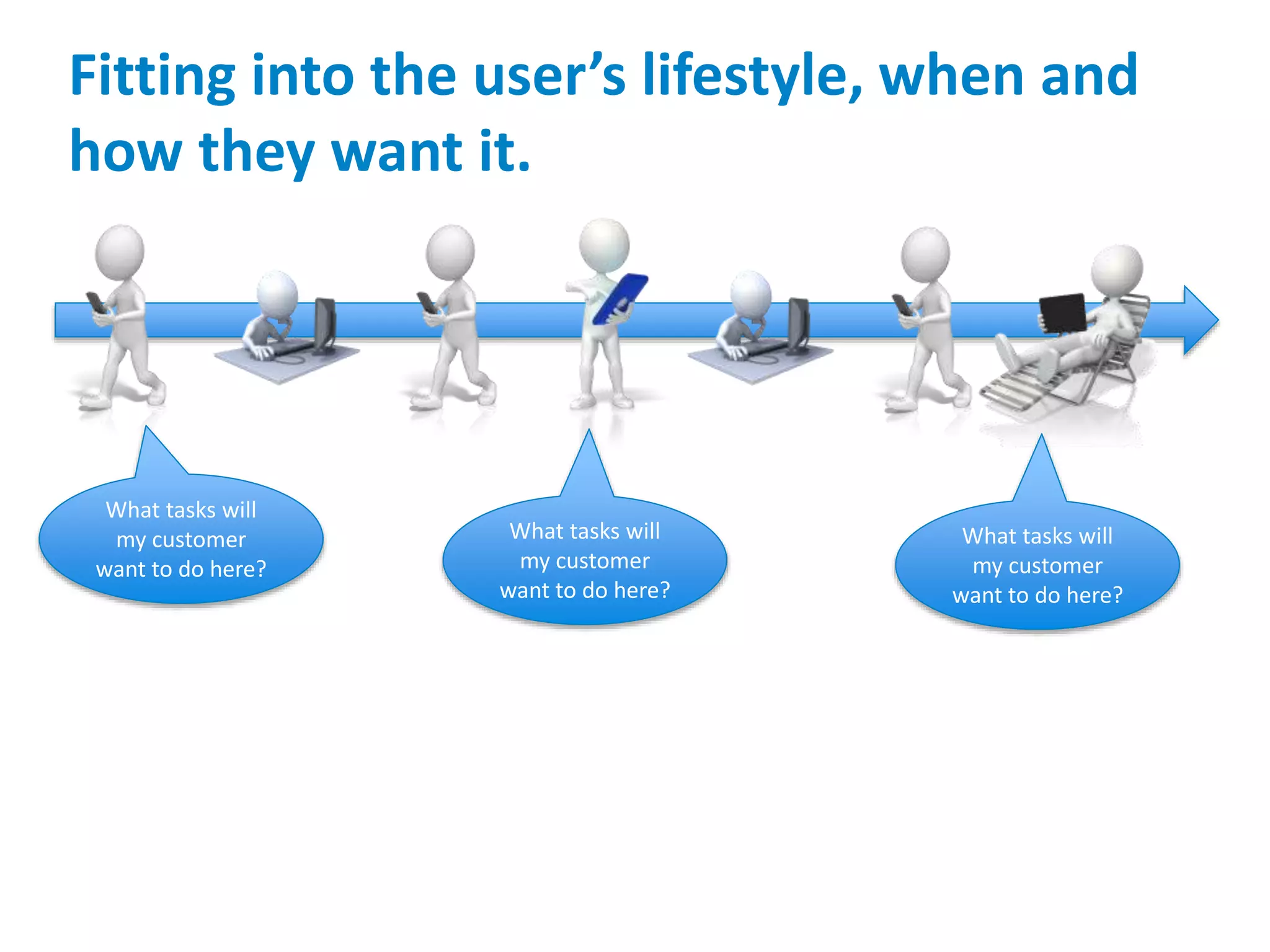
Fitting into the user’s lifestyle, when and
how they want it.
What tasks will
my customer
want to do here?
What tasks will
my customer
want to do here?
What tasks will
my customer
want to do here?
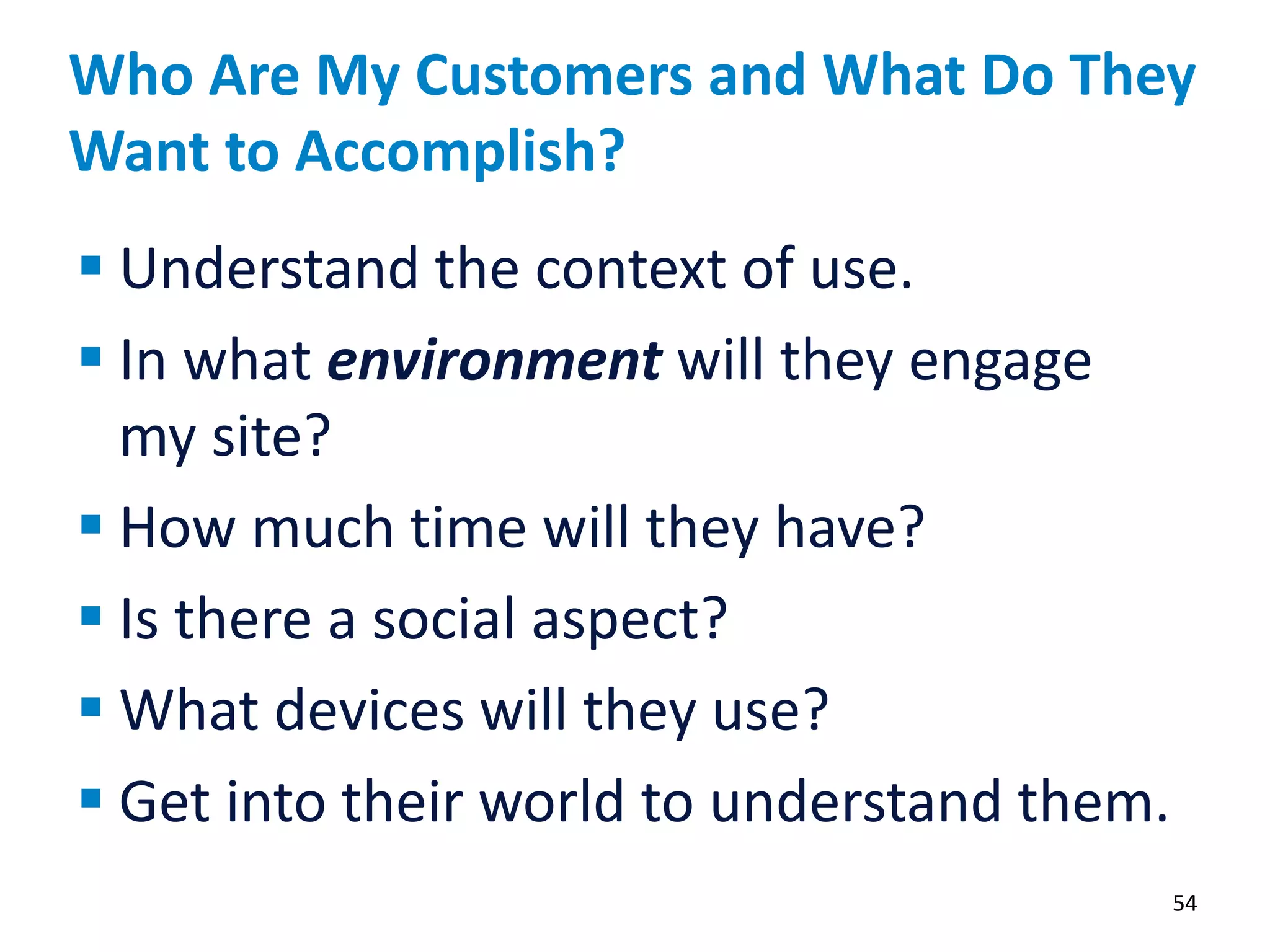
Who Are My Customers and What Do They
Want to Accomplish?
54
 Understand the context of use.
 In what environment will they engage
my site?
 How much time will they have?
 Is there a social aspect?
 What devices will they use?
 Get into their world to understand them.
Know Your Customer’s Priorities and
Give Them the ONE THING that
Matters Most to Them.
55
Thoughts about mobile/responsive design:
Responsive design should not be about real estate management.
Stop thinking, “How do I get my site to fit on a mobile device.”
Responsive design should help the user focus on device-
appropriate tasks.
Start thinking, “What do my users want to do on their device.”
Responsive works because, unlike a single task app, it can allow
users to access the entire site.
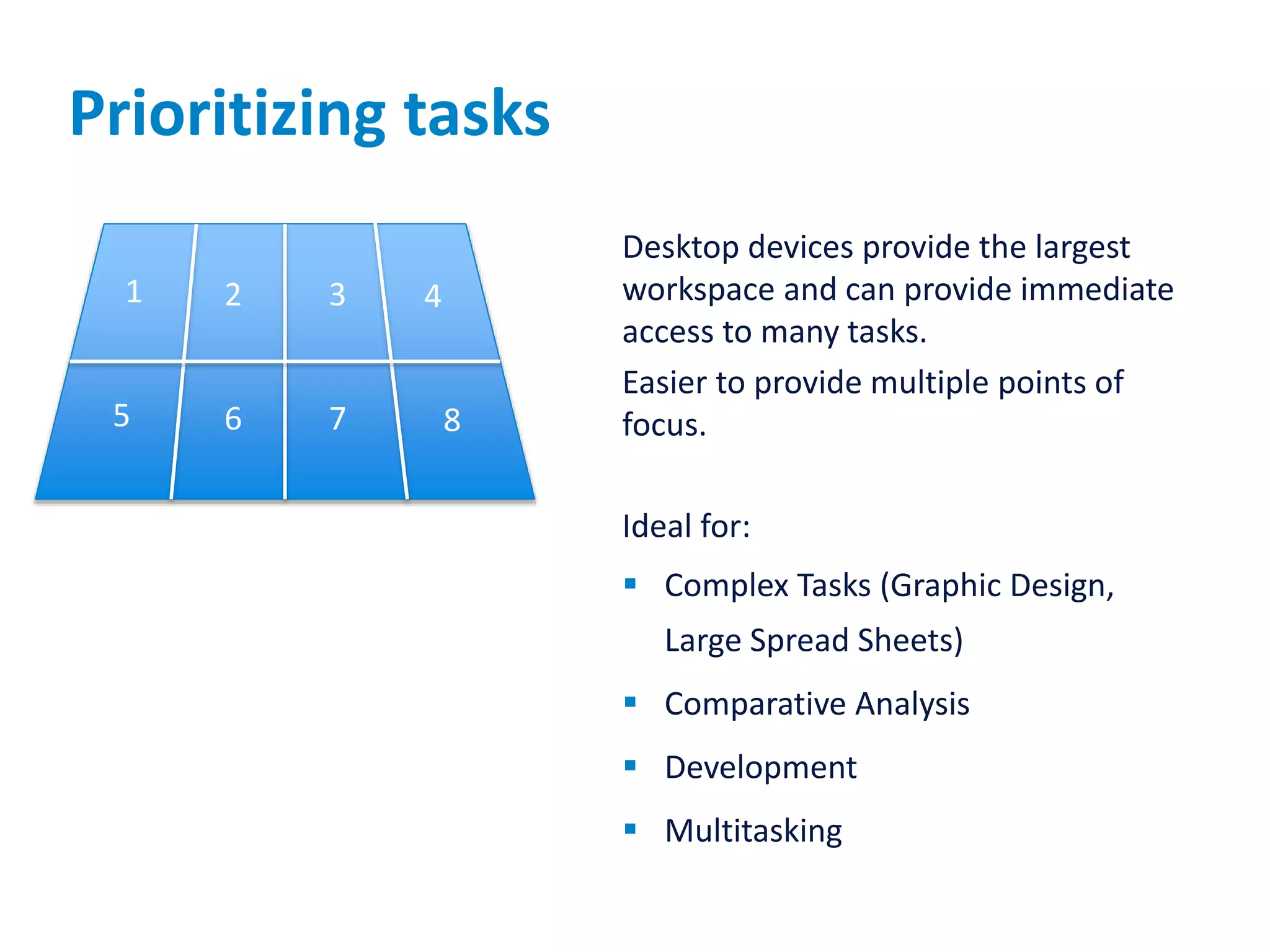
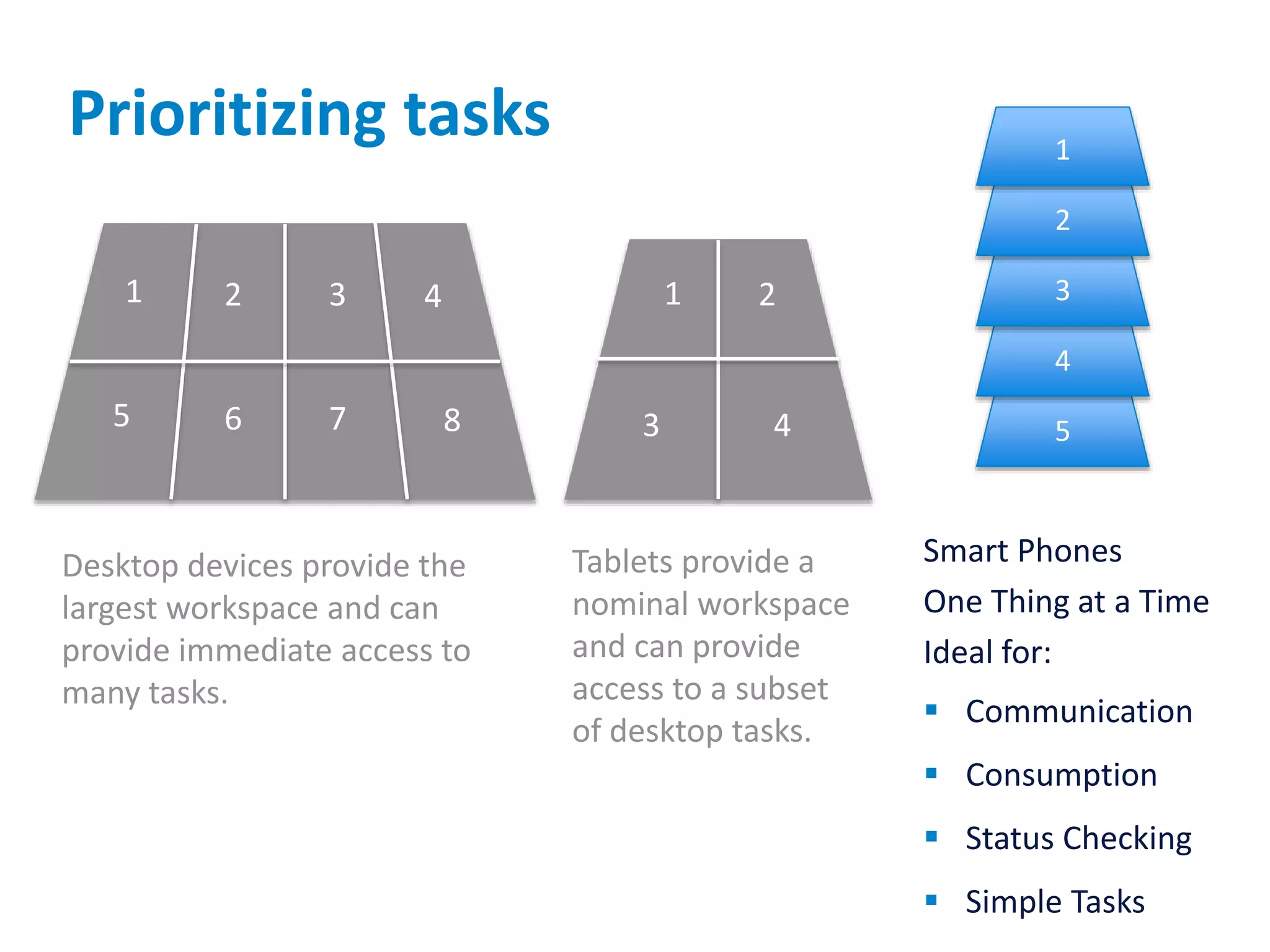
Prioritizing tasks
Desktop devices provide the largest
workspace and can provide immediate
access to many tasks.
Easier to provide multiple points of
focus.
Ideal for:
 Complex Tasks (Graphic Design,
Large Spread Sheets)
 Comparative Analysis
 Development
 Multitasking
1 2 3 4
5 6 7 8
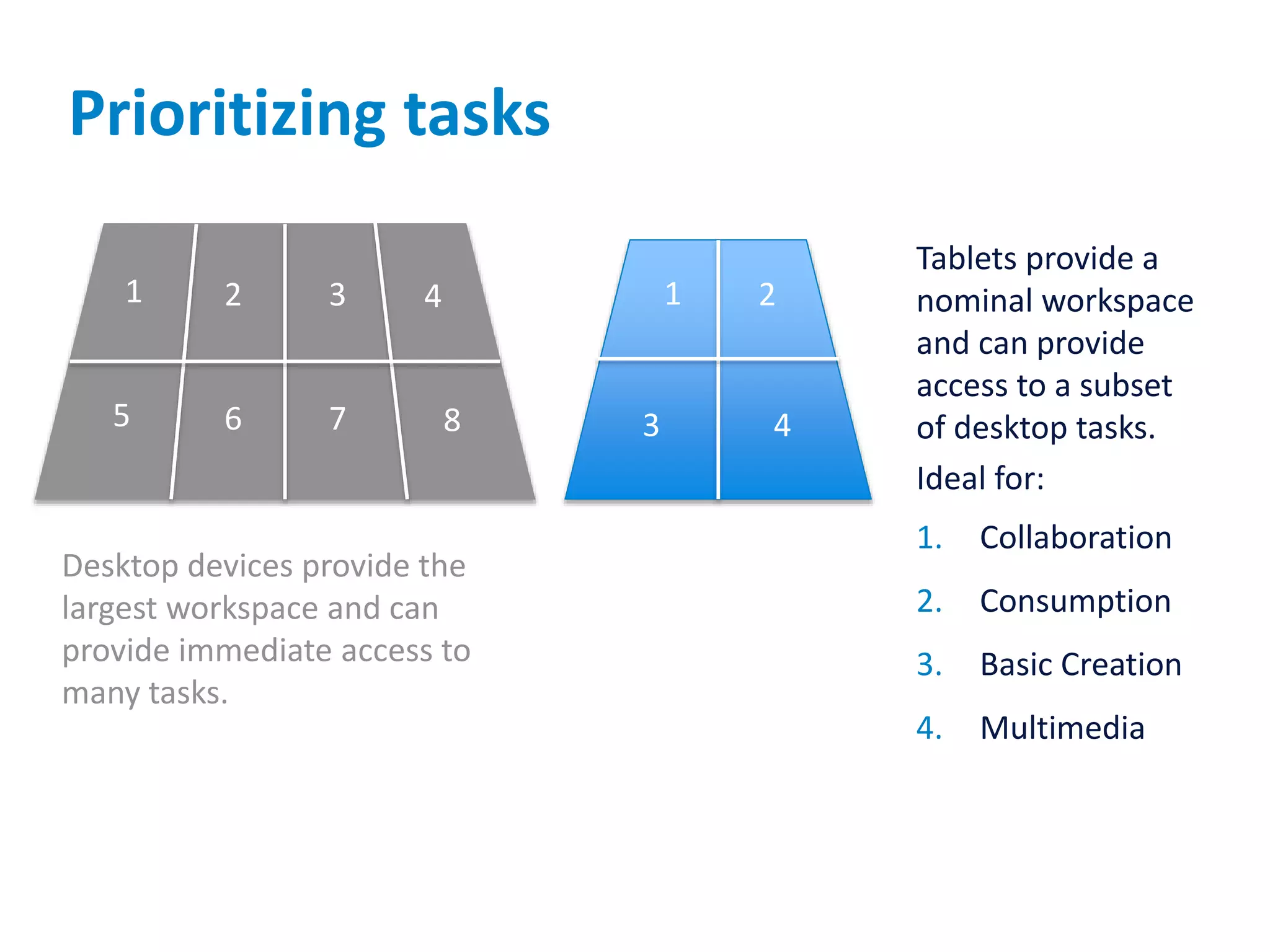
Prioritizing tasks
Desktop devices provide the
largest workspace and can
provide immediate access to
many tasks.
1 2 3 4
5 6 7 8
Tablets provide a
nominal workspace
and can provide
access to a subset
of desktop tasks.
Ideal for:
1. Collaboration
2. Consumption
3. Basic Creation
4. Multimedia
1 2
3 4
Prioritizing tasks
Desktop devices provide the
largest workspace and can
provide immediate access to
many tasks.
1 2 3 4
5 6 7 8
Tablets provide a
nominal workspace
and can provide
access to a subset
of desktop tasks.
1 2
3 4
Smart Phones
One Thing at a Time
Ideal for:
 Communication
 Consumption
 Status Checking
 Simple Tasks
5
4
3
2
1
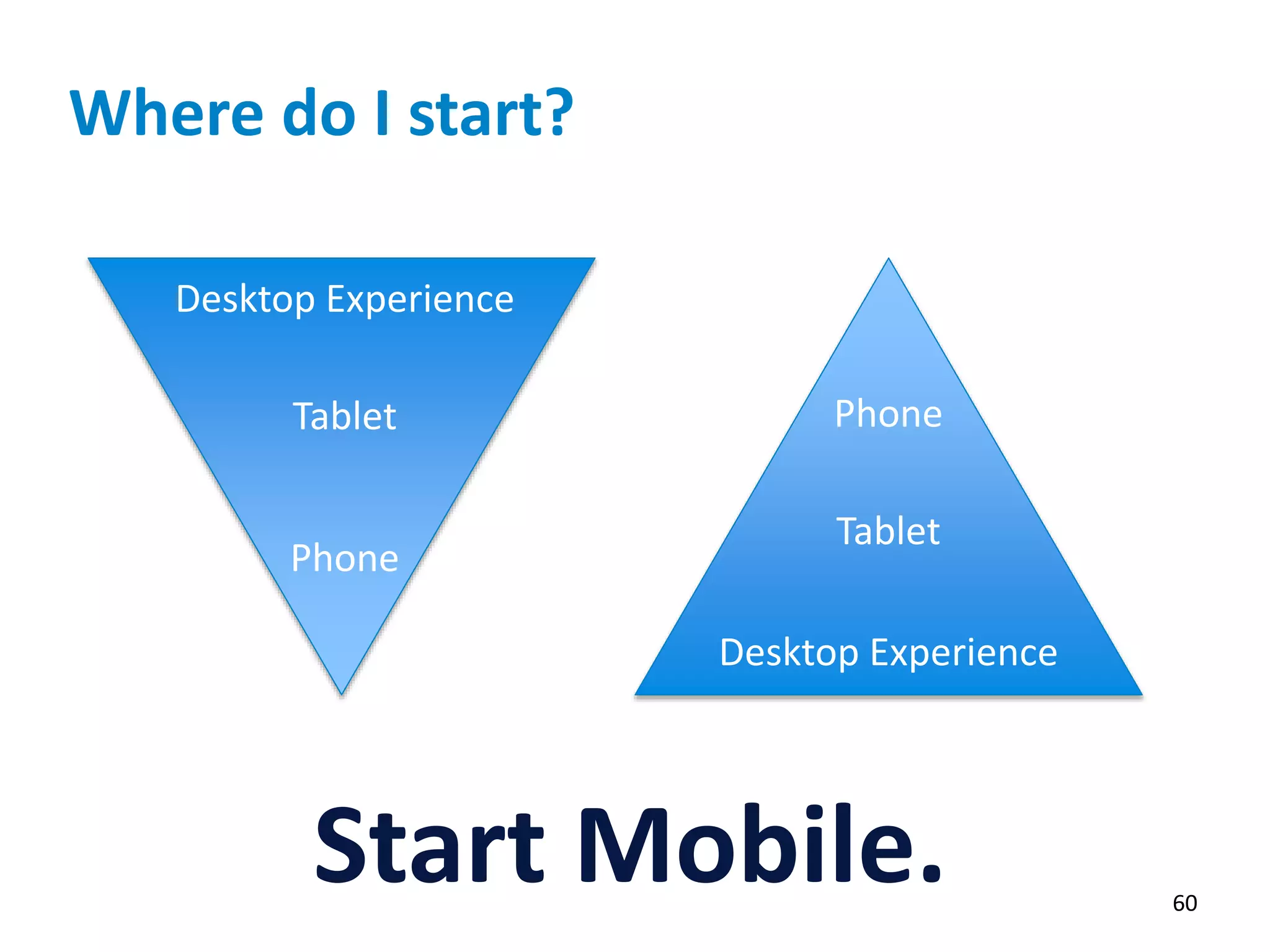
Where do I start?
60
Start Mobile.
Desktop Experience
Tablet
Phone
Phone
Tablet
Desktop Experience
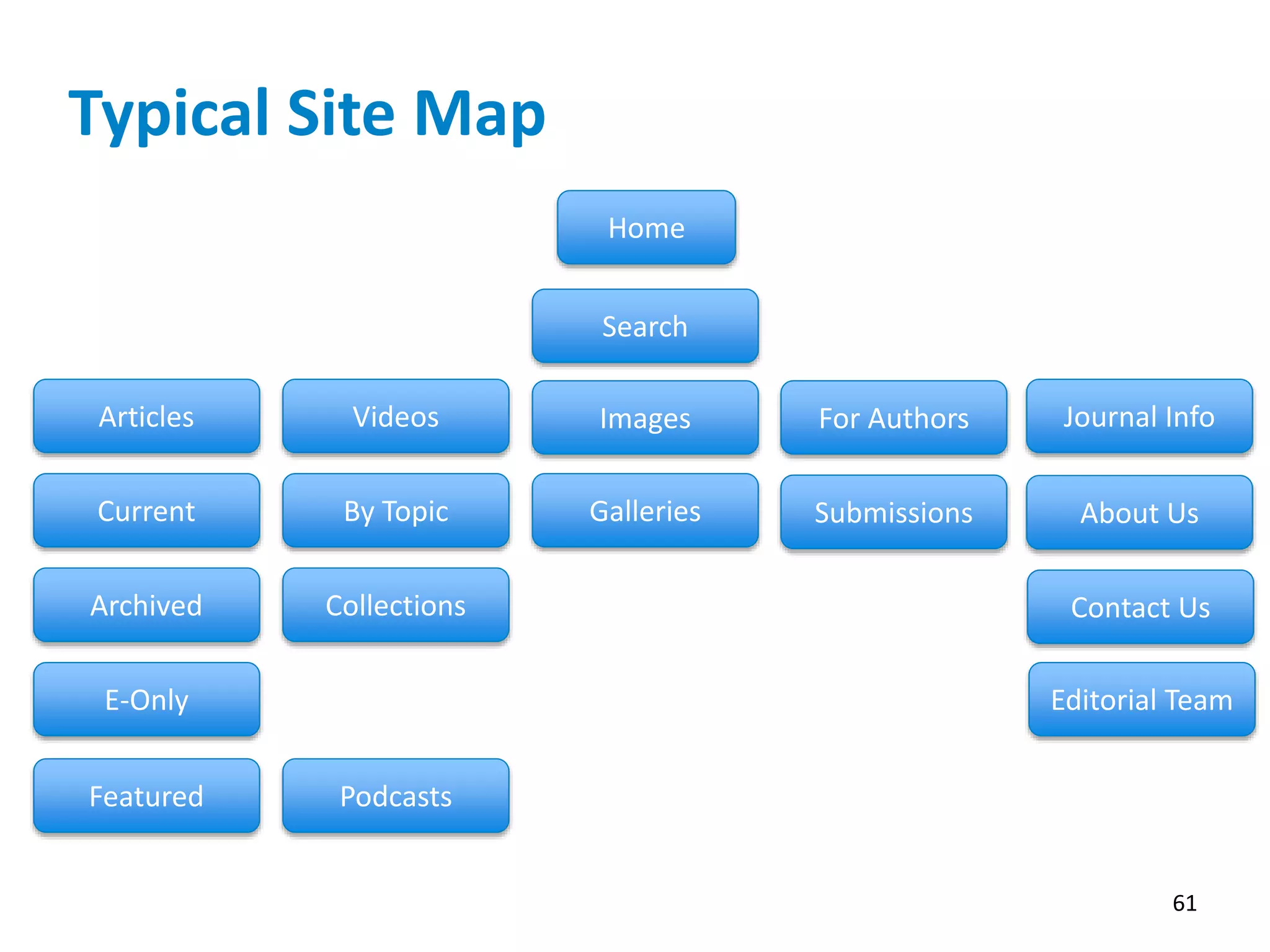
Typical Site Map
61
Home
Articles
Current
Archived
E-Only
Featured
Videos
By Topic
Podcasts
Images
Collections
Galleries
For Authors
Submissions
Journal Info
Search
About Us
Contact Us
Editorial Team
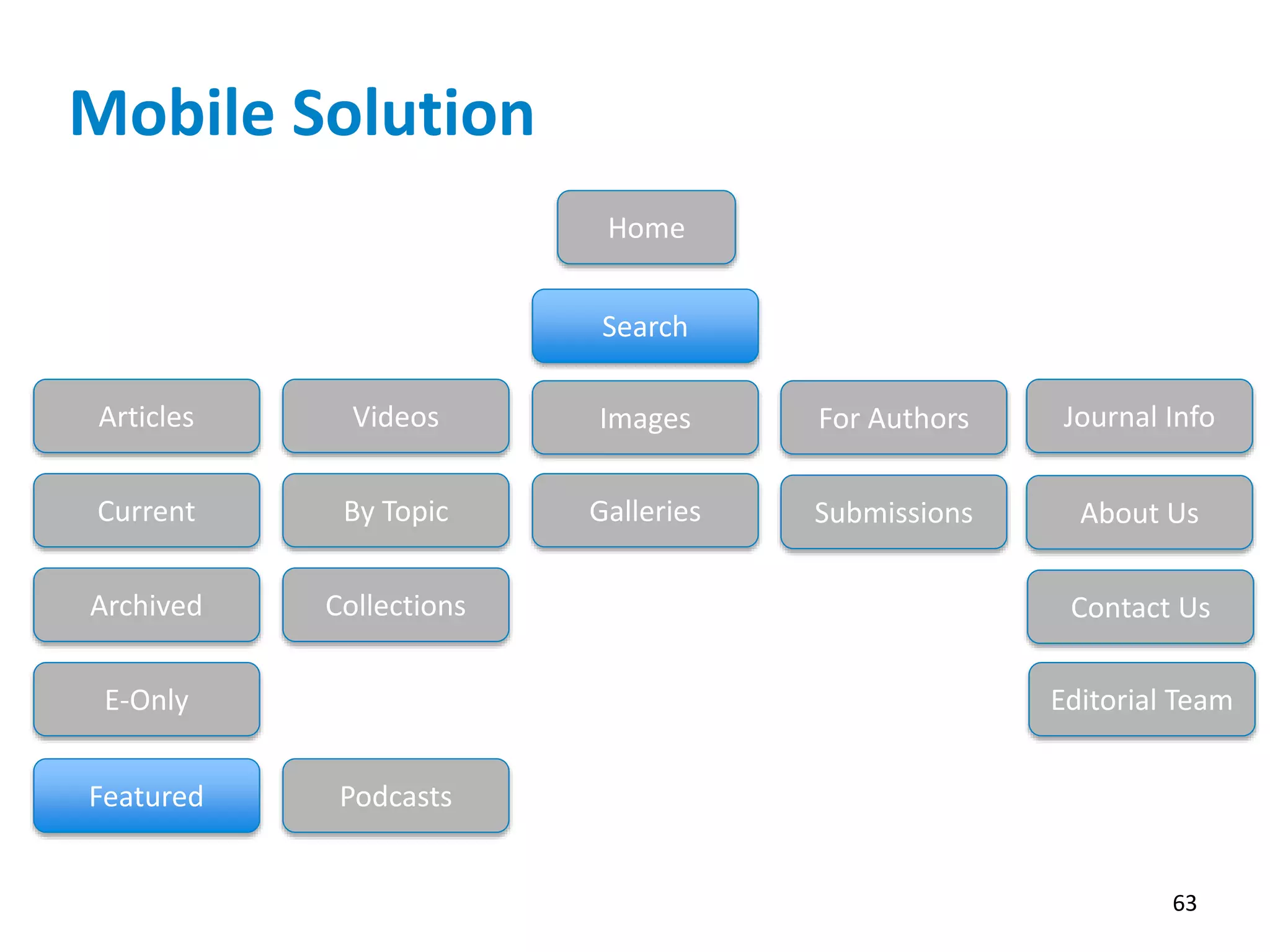
Don’t Make Your Customers Dig.
They Don’t Have the Time.
62
Mobile Solution
63
Home
Articles
Current
Archived
E-Only
Featured
Videos
By Topic
Podcasts
Images
Collections
Galleries
For Authors
Submissions
Journal Info
Search
About Us
Contact Us
Editorial Team
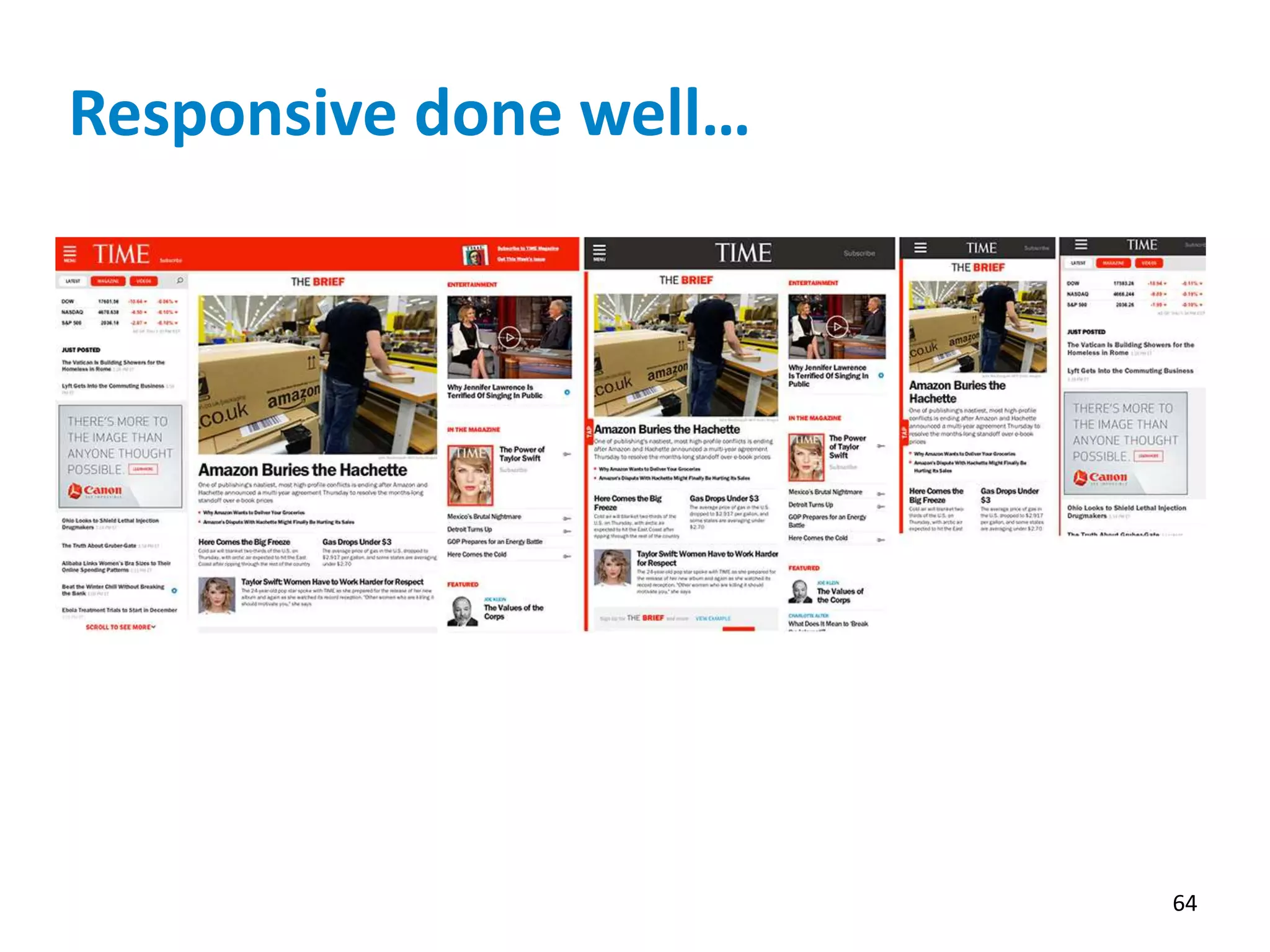
Responsive done well…
64
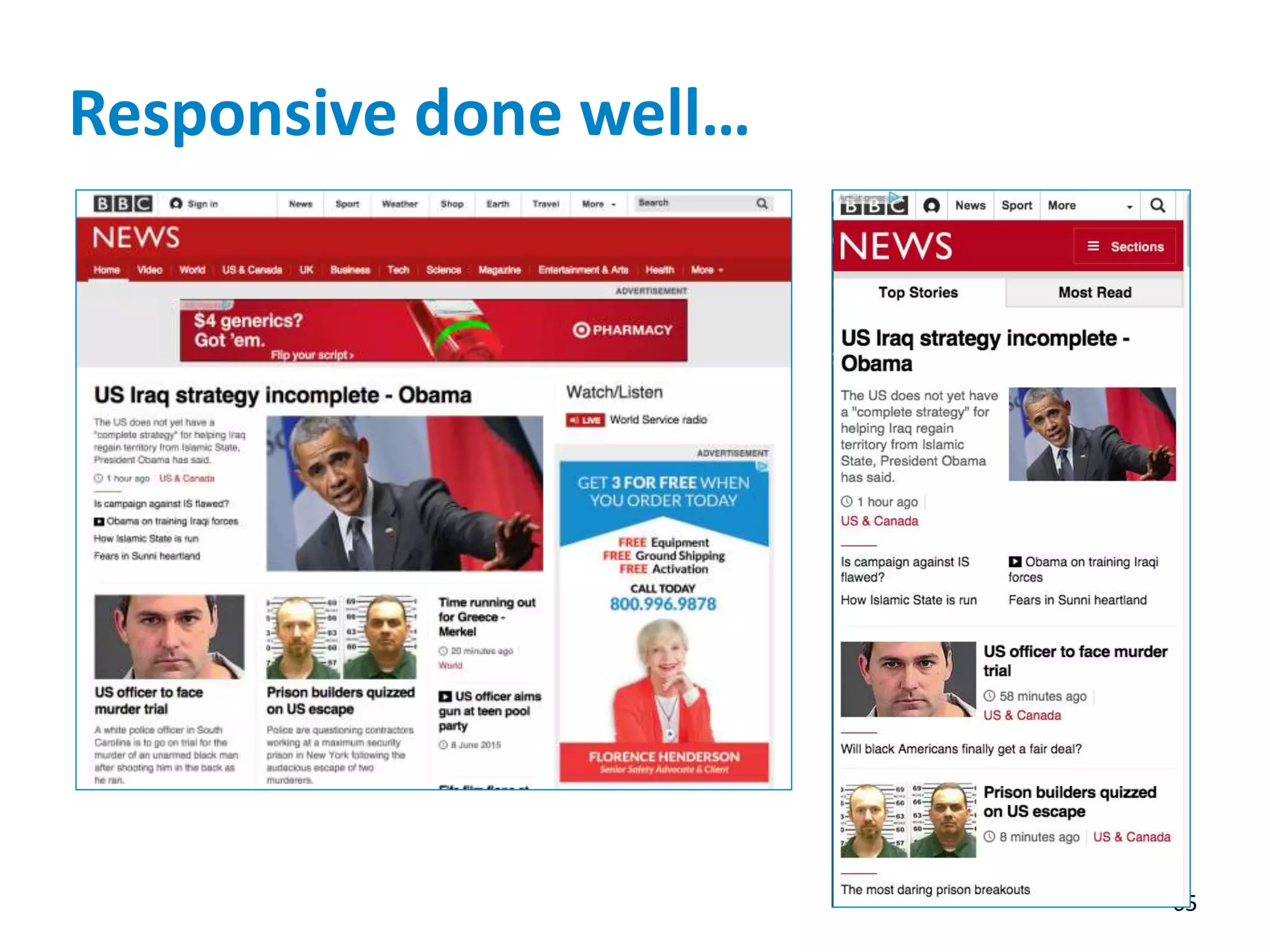
Responsive done well…
65
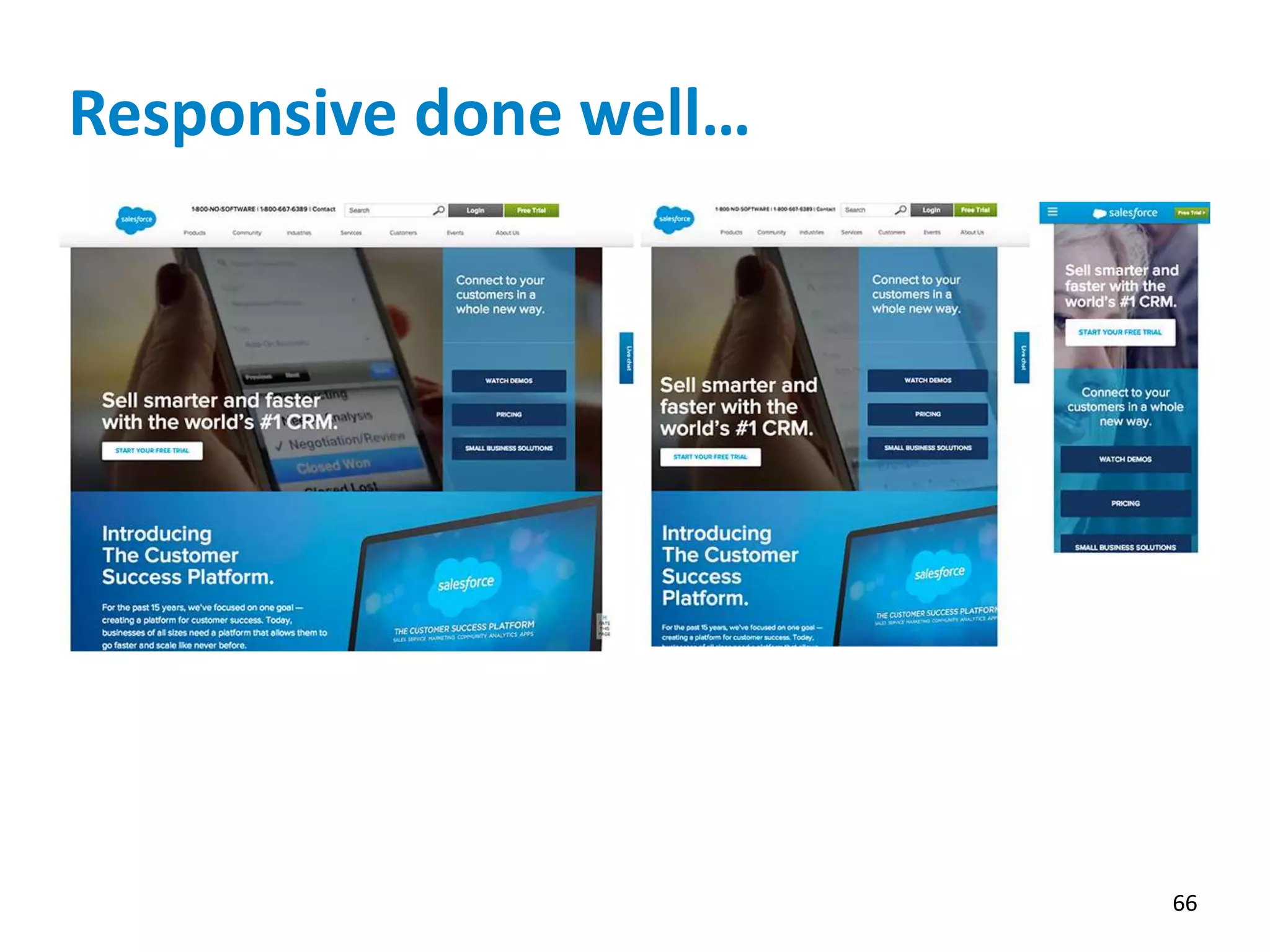
Responsive done well…
66
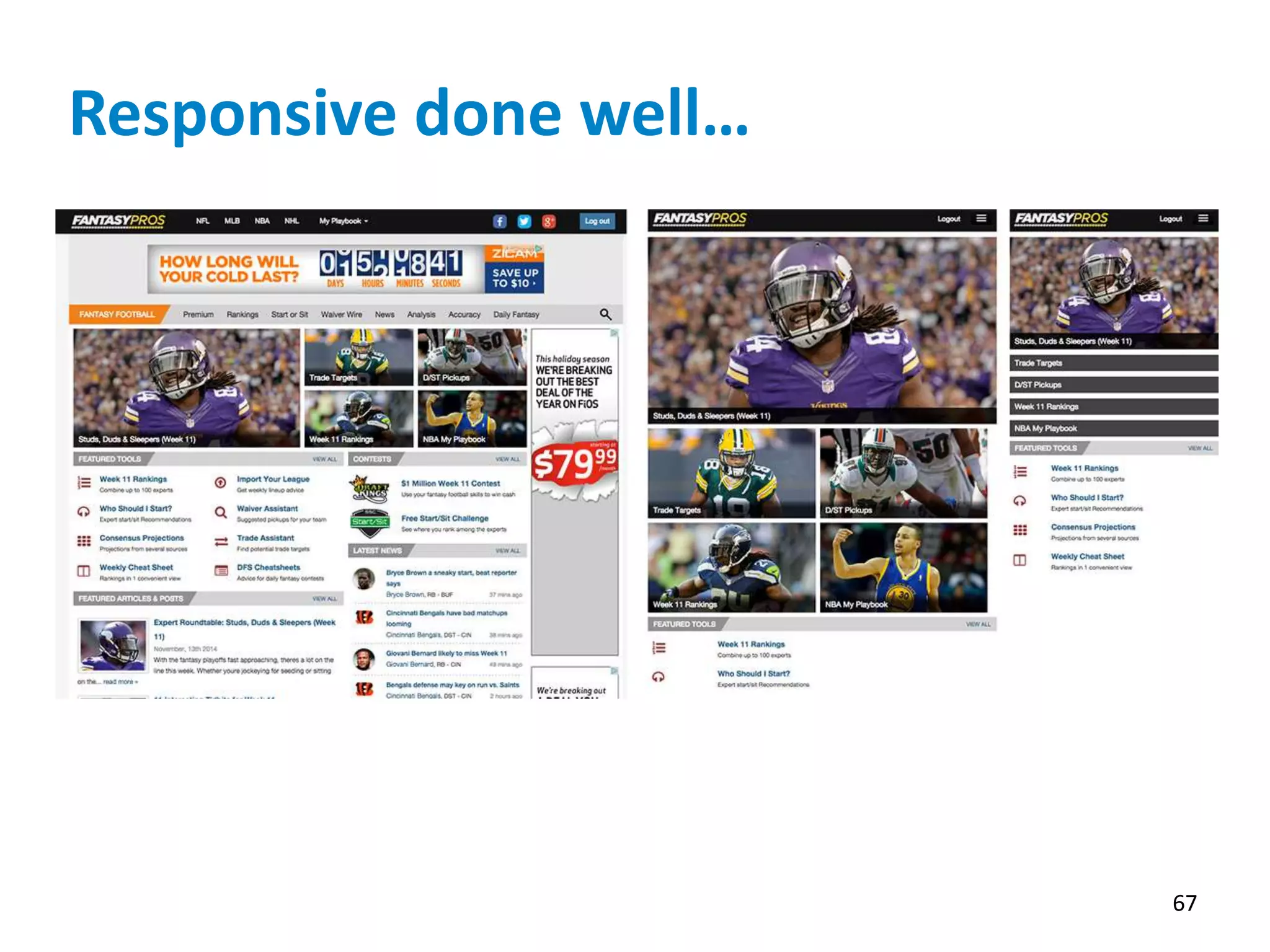
Responsive done well…
67
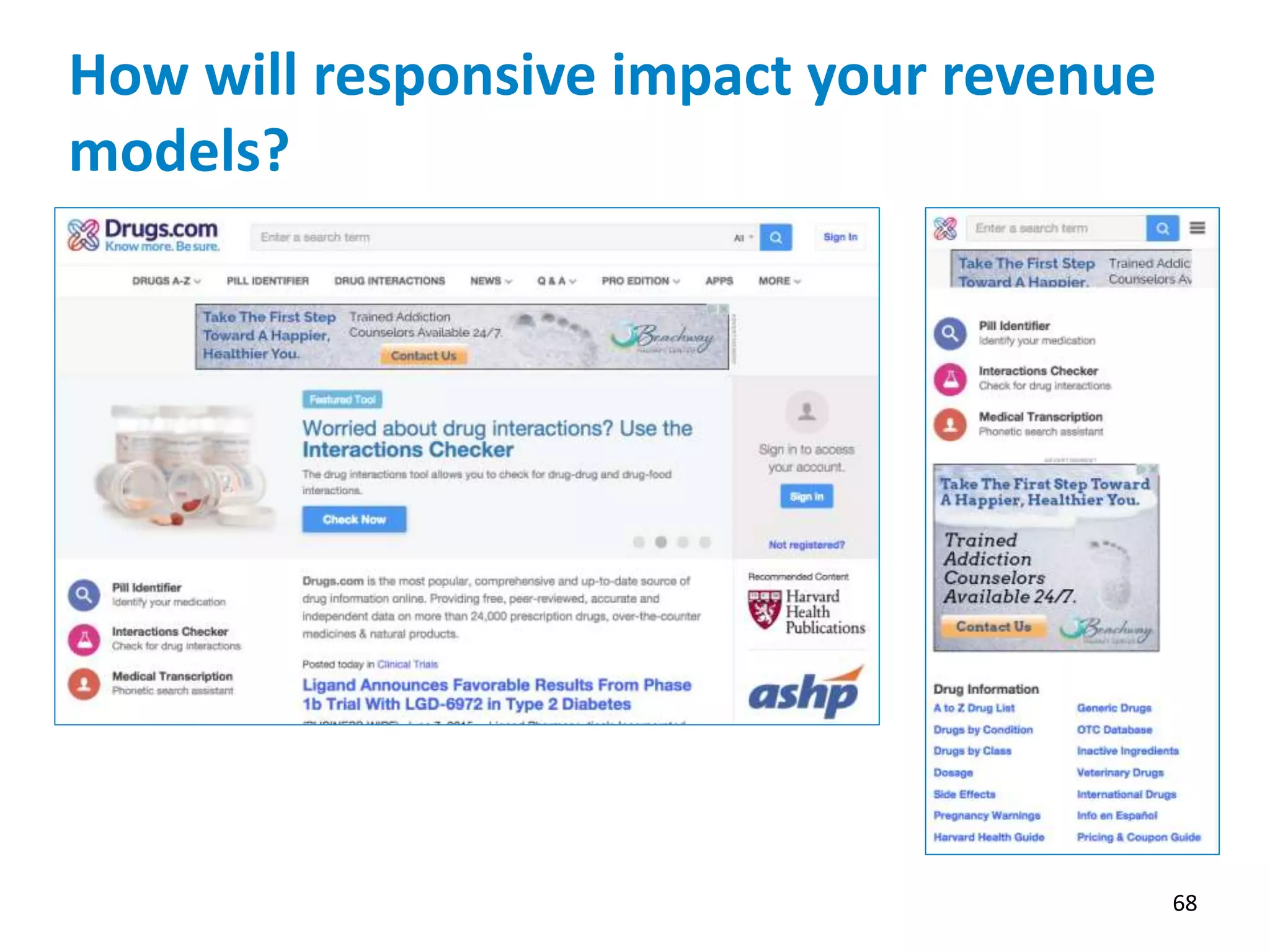
How will responsive impact your revenue
models?
68
Questions?
69
NISO Webinar • June 10, 2015
Questions?
All questions will be posted with presenter answers on
the NISO website following the webinar:
http://www.niso.org/news/events/2015/webinars/responsive/
NISO Webinar
Taking Your Website Wherever You Go: Delivering
Great User Experience across Multiple Form
Factors
Thank you for joining us today.
Please take a moment to fill out the brief online survey.
We look forward to hearing from you!
THANK YOU

NISO Webinar: Taking Your Website Wherever You Go: Delivering Great User Experience across Multiple Form Factors

  • 1.
    NISO Webinar: Taking YourWebsite Wherever You Go: Delivering Great User Experience across Multiple Form Factors Wednesday, June 10, 2015 Speakers: Marty Picco, Vice President of Product Management, Atypon Hathy Simpson, MPH, Public Health Information Specialist, Project Coordinator, Public Health Partners Website Project, National Network of Libraries of Medicine, New England Region (NN/LM NER), University of Massachusetts Medical School Lisa Sedlar, Librarian, National Information Center for Health Services Research and Health Care Technology (NICHSR), National Library of Medicine Bobby Foster, Director of User Experience & Design, Health Learning, Research & Practice, Wolters Kluwer http://www.niso.org/news/events/2015/webinars/responsive/
  • 2.
    ‹#› Road to RESSand Beyond Marty Picco VP Product Management
  • 3.
    “We need tobe in the App Store” • App Infatuation • What could go wrong? • App Store Discoverability is an oxymoron • Keeping content in sync is problematic • Separate code bases for iOS, Android, Web • Great for the last 10% of UX “delight” • Heavy to maintain
  • 4.
    Hybrid Apps • Useapp container but deliver content from web • Still in app store, but content stays in sync
  • 5.
    Web Apps • Ditchthe app container, go full web • No longer in app store, but this matters only for a small subset of publishers & use cases • Single code base across platforms (well almost…) • UX Delight is more difficult but doable
  • 6.
    API-based Approach • Separatemodel, view & controller through API • Web app embodies view and controller and depends on API • Retains all the advantages of HTML5 • Enables 3rd parties to develop new experiences, such as native apps or even satellite web sites • Focus on content delivery and access control
  • 7.
    Responsive Design • UseCSS to adapt to different viewports • Gives publishers more control • Requires more effort to set up and maintain LIMITATIONS • Same payload is always sent from server, which can be very wasteful • No sense of “app”, only pages • Can be 2x the work
  • 8.
    RESS Responsive Design +Server Side Components • Server adapts response based on browser • Two basic cases: widget visibility & image handling • Other complex behaviors are possible LIMITATIONS • Responds to browser type, not screen resolution or orientation
  • 9.
    Blended Approach Literatum forMobile (LFM) • HTML5 app functionality • Seamless integration with RESS components PageBuilder • Self-service RESS for highly customized sites APIs • Extensibility & third party experiences
  • 10.
    Design Challenges • “Mobile-first”designs tend to result in sparse desktop sites • Moving from desktop- only site to mobile can be difficult because mappings are not obvious • Lean + augmentation vs. full-featured and streamlining • Generally requires a re-design
  • 11.
    Design Approach • “Whyshould I come here every day?” • Content forward • User centered • De-clutter: allow what’s important to stand out • Emotional appeal
  • 12.
  • 13.
    Providing Information across MultipleDevices to the Public Health Workforce: Challenges and Opportunities Hathy Simpson, MPH University of Massachusetts Medical School Lisa Sedlar, MLIS, MT (ASCP) National Library of Medicine June 10, 2015 13
  • 14.
    Public Health Partners •Partners in Information Access for the Public Health Workforce (PHPartners) – Public Health Organizations – Federal Government Agencies – Health Science Libraries • Founded in 1997 • Mission: To help the public health workforce find and use information effectively to improve and protect the public’s health. • Website: http://PHPartners.org 14
  • 15.
    Partners in InformationAccess for the Public Health Workforce • Agency for Healthcare Research and Quality (AHRQ) • American Public Health Association (APHA) • Association of Schools & Programs of Public Health (ASPPH) • Association of State and Territorial Health Officials (ASTHO) • Centers for Disease Control and Prevention (CDC) • Health Resources and Services Administration (HRSA) • Medical Library Association (MLA) • National Agricultural Library (NAL) • National Association of County and City Health Officials (NACCHO) • National Association of Local Boards of Public Health • National Library of Medicine (NLM) • National Network of Libraries of Medicine (NN/LM) • Public Health Foundation (PHF) • Society for Public Health Education (SOPHE) 15
  • 16.
    PHPartners.org • Information forpublic health practice • Components:  Topic pages  Data, tools & statistics  Conferences/webinars  News  Jobs & careers  PubMed searches  Reports, guidelines and more! • Updated daily • Strong selection criteria 16
  • 17.
    Public Health Workforce Useof Mobile Technology Tools Mobile Technology Tools All Local Health Departments Size of Population Served <50,000 50,000- 499,999 500,000+ Smartphones 91% 86% 97% 98% Electronic Tablets 48% 40% 55% 75% n=419 Public health departments are increasingly using mobile technology for activities and services including disaster preparedness and emergency response. 17 Sources: National Association of County and City Health Officials. 2013 National Profile of Local Health Departments. Washington, DC: National Association of County and City Health Officials, 2014. http://nacchoprofilestudy.org/reports-publications/. Rubin S et al. The adoption of social media and mobile health technologies for emergency preparedness by local health departments: a joint perspective from NACCHO and the UPMC center for health security. J Public Health Manag Pract. 2014 Mar-Apr;20(2):259-63.
  • 18.
    U.S. Mobile DeviceUse Adult Americans: • 90% own a cell phone1 • 64% own a smartphone2 • 32% own an e-reader1 • 42% own a table computer1 1 As of October 2014 2 As of January 2014 Source: Pew Research Center. Mobile Technology Fact Sheet. http://www.pewinternet.org/fact- sheets/mobile-technology-fact-sheet/ Americans use smartphones to: Source: Pew Research Center American Trends Panel Survey, October 2014. http://www.pewinternet.org/2015/04/01/u-s- smartphone-use-in-2015/pi_2015-04-01_smartphones_03/ 18
  • 19.
    Responsive Design • Allowsusers to have similar web experiences on all types of devices – smartphones, tablets, desktops, smart TVs, wearables, and future devices. • Responsive web pages automatically change their visual layout to fit the screen • Same URL and content optimized to display • No need for separate mobile website 19
  • 20.
    • Flexible, grid-basedlayout • Flexible images and media • Style rules for pages based on characteristics of the device 20
  • 21.
    Why Responsive Designfor PHPartners.org? • The public health workforce is using mobile technology (users of PHPartners.org) • Technical team at NLM able to work on responsive design (technical support) • Google’s mobile-friendly algorithm: – In April 2015, Google expanded the use of mobile-friendliness as a ranking signal – Search results optimized for devices – Mobile-friendly sites rank higher in search results 21 Source: Makino T, Jung C, Phan D. Finding More Mobile-friendly Search Results February 26, 2015 http://googlewebmastercentral.blogspot.com/2015/02/finding-more-mobile-friendly-search.html
  • 22.
    The Process 1. ReviewedPartner members’ websites and responsively designed sites 2. Reviewed content: highest-value content first 3. Determined how to display content on different devices (desktop, tablet, smartphone) 4. Cleaned up code and integrated with content management system 5. Reviewed and tested on development/beta site 22
  • 23.
    Mobile-friendly PHPartners.org Smaller screendisplay: –Text readable without zooming –Easy tapping –Three columns change to one column –Menus and headings collapse –Buttons replace text – click to open 23
  • 24.
  • 25.
  • 26.
  • 27.
  • 28.
  • 29.
  • 30.
    PHPartners.org Post Responsive Design •Overall increase in use of PHPartners site by 44% • Mobile use increased by 137% • 1/3 of increase of site visits can be attributed to Google referrals • Referrals from Google increased by > 240% 30
  • 31.
    Responsive Design Feedback •Comments for PHPartners Editorial Board: – “I have tested the Responsive design – mobile version - and I like it. Kudos to you guys for getting it done.” – “Looks great” – “Very usable” • Recommendation: improve display of search results • Spread the word among Partner Organizations • Test and report back 31
  • 32.
    Challenges • Technical team –Need their time and expertise – New tech (Apple watch) need to adapt and change • Portal site – Not all links in PHPartners are responsively designed – More sites are moving to responsive design – Hoping this happens in a timely manner – When Partners released, not many of the public health sites were responsively designed, and did not have plans to become responsive 32
  • 33.
    Addressing Issues • Sizeand spacing of font and headings • Headings and home page content • Images in responsive design • PubMed searches in site: • PubMed has a mobile site, limited functions • Will be responsively designed, but no date set • Other mobile only sites 33
  • 34.
    Other NLM ResponsiveDesign Sites • M+ Medline plus – Consumer health information • Daily Med – provides trustworthy information about marketed drugs in the United States. DailyMed is the official provider of FDA label information (package inserts) • AIDSInfo • Other NLM sites in process of responsive design 34
  • 35.
  • 36.
  • 37.
  • 38.
  • 39.
    Next Steps • PHPartners.orgis undertaking a usability study • We will get feedback from users, make adjustments as necessary • Will incorporate any website changes into the responsively designed website • Continue to adapt to new mobile devices 39
  • 40.
    Thank you! Hathy Simpson,MPH University of Massachusetts Medical School Hathy.Simpson@umassmed.edu Lisa Sedlar, MLIS, MT (ASCP) National Library of Medicine Lisa.Sedlar@nih.gov NISO Webinar June 10, 2015 40
  • 41.
    Responsive Design: Meeting YourCustomers Where They Are
  • 42.
    What is ResponsiveDesign? Responsive web sites RESPOND to their environment. One site presented on many devices.
  • 43.
    Should We DoResponsive Design?
  • 44.
    Cisco (CSCO) has forecastedthat there will be 50 billion devices by 2020 while Morgan Stanley has predicted the number could be closer to 75 billion. Device Proliferation
  • 45.
  • 46.
    Device Proliferation “Day byday, the number of devices, platforms, and browsers that need to work with your site grows. Responsive design represents a fundamental shift in how we’ll build sites for the decade to come.” – Jeffrey Veen, VP Products, Adobe
  • 47.
    Why do ResponsiveDesign  Cost and development time savings  Design and Develop once for use on multiple platforms  Lower cost of maintenance by maintaining single site  Better user experience  Target features appropriate for device  Better SEO  Single URL for web bots to crawl  Scalability and Adaptation to future devices 47
  • 48.
  • 49.
    Questions to beanswered… 49  Who are my customers today?  What do they want to accomplish?  Who will be my customers tomorrow?  What will they want to accomplish?  Where do I start?
  • 50.
  • 51.
  • 52.
    They want itall now… 52 Users carry out 221 tasks per day on their smartphones, compared to just 140 on a desktop or laptop. With the rise in digital technology, the human attention span has shortened from 12 seconds to eight seconds in more than a decade, a recent study by Microsoft Corporation has found.
  • 53.
    Fitting into theuser’s lifestyle, when and how they want it. What tasks will my customer want to do here? What tasks will my customer want to do here? What tasks will my customer want to do here?
  • 54.
    Who Are MyCustomers and What Do They Want to Accomplish? 54  Understand the context of use.  In what environment will they engage my site?  How much time will they have?  Is there a social aspect?  What devices will they use?  Get into their world to understand them.
  • 55.
    Know Your Customer’sPriorities and Give Them the ONE THING that Matters Most to Them. 55
  • 56.
    Thoughts about mobile/responsivedesign: Responsive design should not be about real estate management. Stop thinking, “How do I get my site to fit on a mobile device.” Responsive design should help the user focus on device- appropriate tasks. Start thinking, “What do my users want to do on their device.” Responsive works because, unlike a single task app, it can allow users to access the entire site.
  • 57.
    Prioritizing tasks Desktop devicesprovide the largest workspace and can provide immediate access to many tasks. Easier to provide multiple points of focus. Ideal for:  Complex Tasks (Graphic Design, Large Spread Sheets)  Comparative Analysis  Development  Multitasking 1 2 3 4 5 6 7 8
  • 58.
    Prioritizing tasks Desktop devicesprovide the largest workspace and can provide immediate access to many tasks. 1 2 3 4 5 6 7 8 Tablets provide a nominal workspace and can provide access to a subset of desktop tasks. Ideal for: 1. Collaboration 2. Consumption 3. Basic Creation 4. Multimedia 1 2 3 4
  • 59.
    Prioritizing tasks Desktop devicesprovide the largest workspace and can provide immediate access to many tasks. 1 2 3 4 5 6 7 8 Tablets provide a nominal workspace and can provide access to a subset of desktop tasks. 1 2 3 4 Smart Phones One Thing at a Time Ideal for:  Communication  Consumption  Status Checking  Simple Tasks 5 4 3 2 1
  • 60.
    Where do Istart? 60 Start Mobile. Desktop Experience Tablet Phone Phone Tablet Desktop Experience
  • 61.
    Typical Site Map 61 Home Articles Current Archived E-Only Featured Videos ByTopic Podcasts Images Collections Galleries For Authors Submissions Journal Info Search About Us Contact Us Editorial Team
  • 62.
    Don’t Make YourCustomers Dig. They Don’t Have the Time. 62
  • 63.
  • 64.
  • 65.
  • 66.
  • 67.
  • 68.
    How will responsiveimpact your revenue models? 68
  • 69.
  • 70.
    NISO Webinar •June 10, 2015 Questions? All questions will be posted with presenter answers on the NISO website following the webinar: http://www.niso.org/news/events/2015/webinars/responsive/ NISO Webinar Taking Your Website Wherever You Go: Delivering Great User Experience across Multiple Form Factors
  • 71.
    Thank you forjoining us today. Please take a moment to fill out the brief online survey. We look forward to hearing from you! THANK YOU