
Shortcodes vs Widgets:
Which one and how?
Amanda Giles
@AmandaGilesNH
http://www.amandagiles.com/blog/shortcodes-vs-widgets/
WordCamp Boston – Aug 23, 2014 - #wcbos
Who am I?
• Independent IT Consultant
• WordPress Developer (Themes and Plugins, but mostly themes)
• Run the Seacoast NH WordPress Meetup
• Lover
• Fighter
• Apparently I like playing with PowerPoint…
• Teacher / Trainer
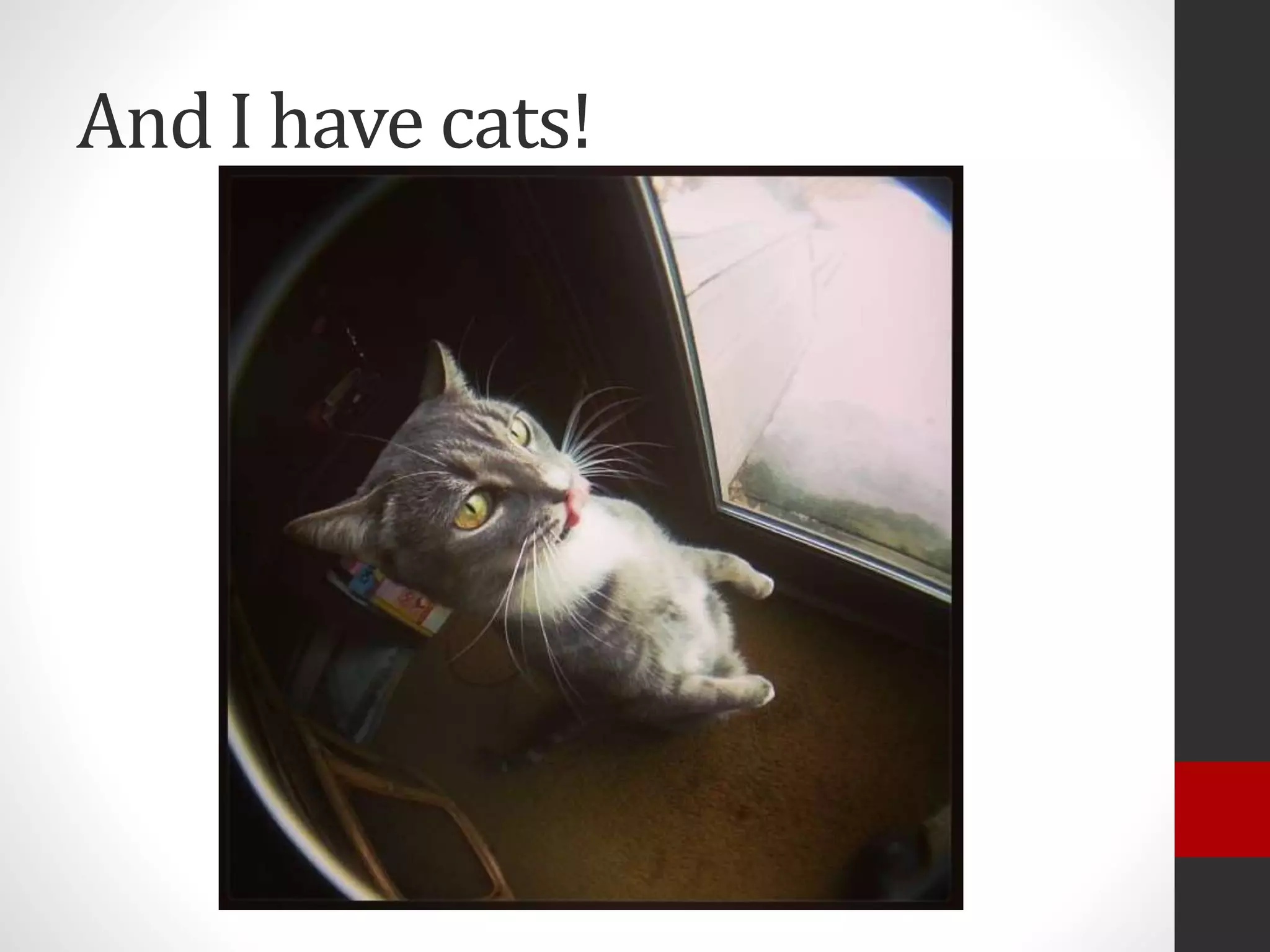
And I have cats!
Information Gathering…
• Who here has used a widget?
• Who here has created a widget?
• Who has lost hours trying plugin after plugin to
find the “right” widget or shortcode?
• Who here has used a shortcode?
• Who here has created a shortcode?
Who is this talk geared towards?
Developers
But what if I’m not a
developer?
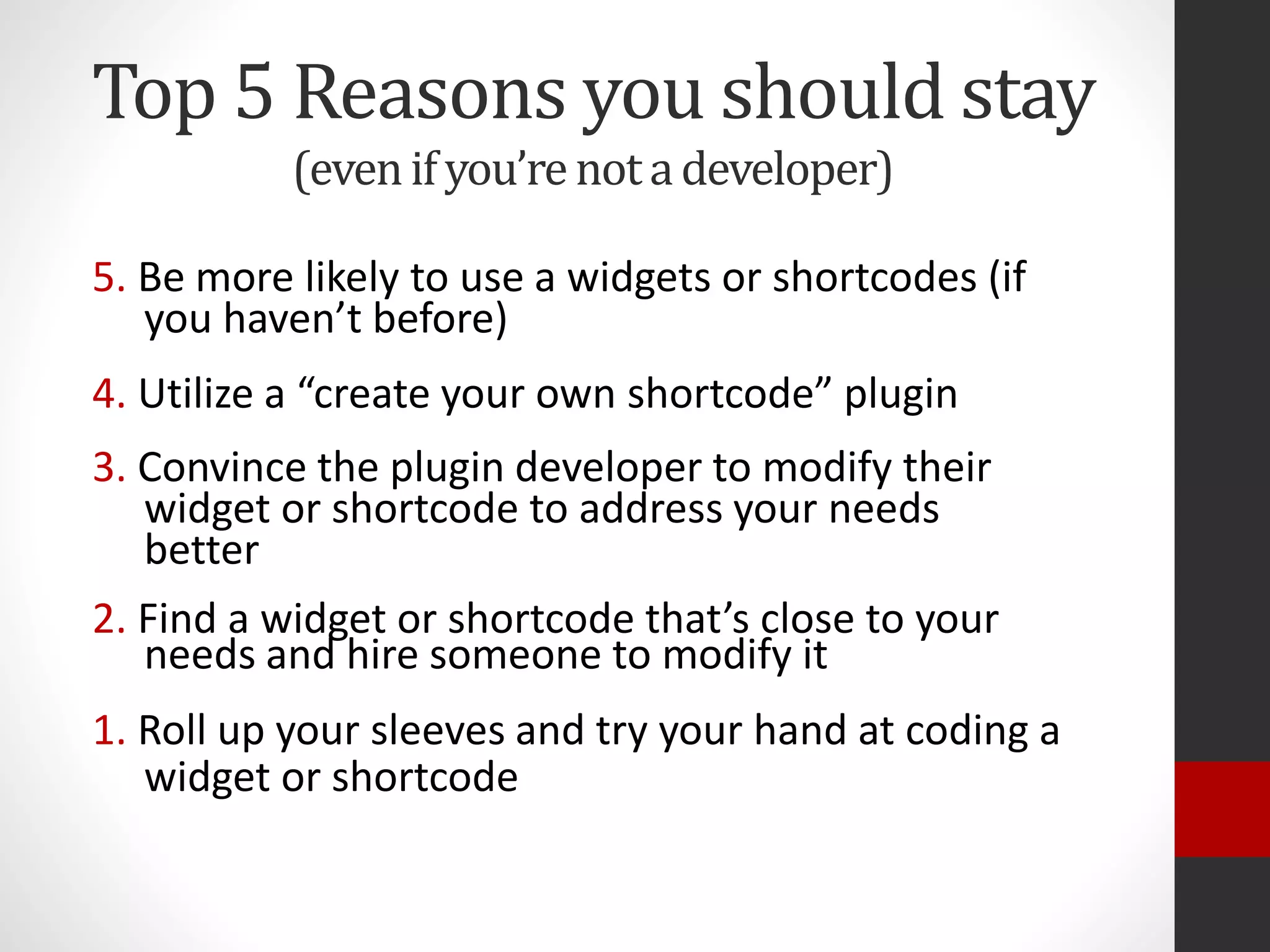
Top 5 Reasons you should stay
(evenifyou’renotadeveloper)
5. Be more likely to use a widgets or shortcodes (if
you haven’t before)
4. Utilize a “create your own shortcode” plugin
3. Convince the plugin developer to modify their
widget or shortcode to address your needs
better
2. Find a widget or shortcode that’s close to your
needs and hire someone to modify it
1. Roll up your sleeves and try your hand at coding a
widget or shortcode
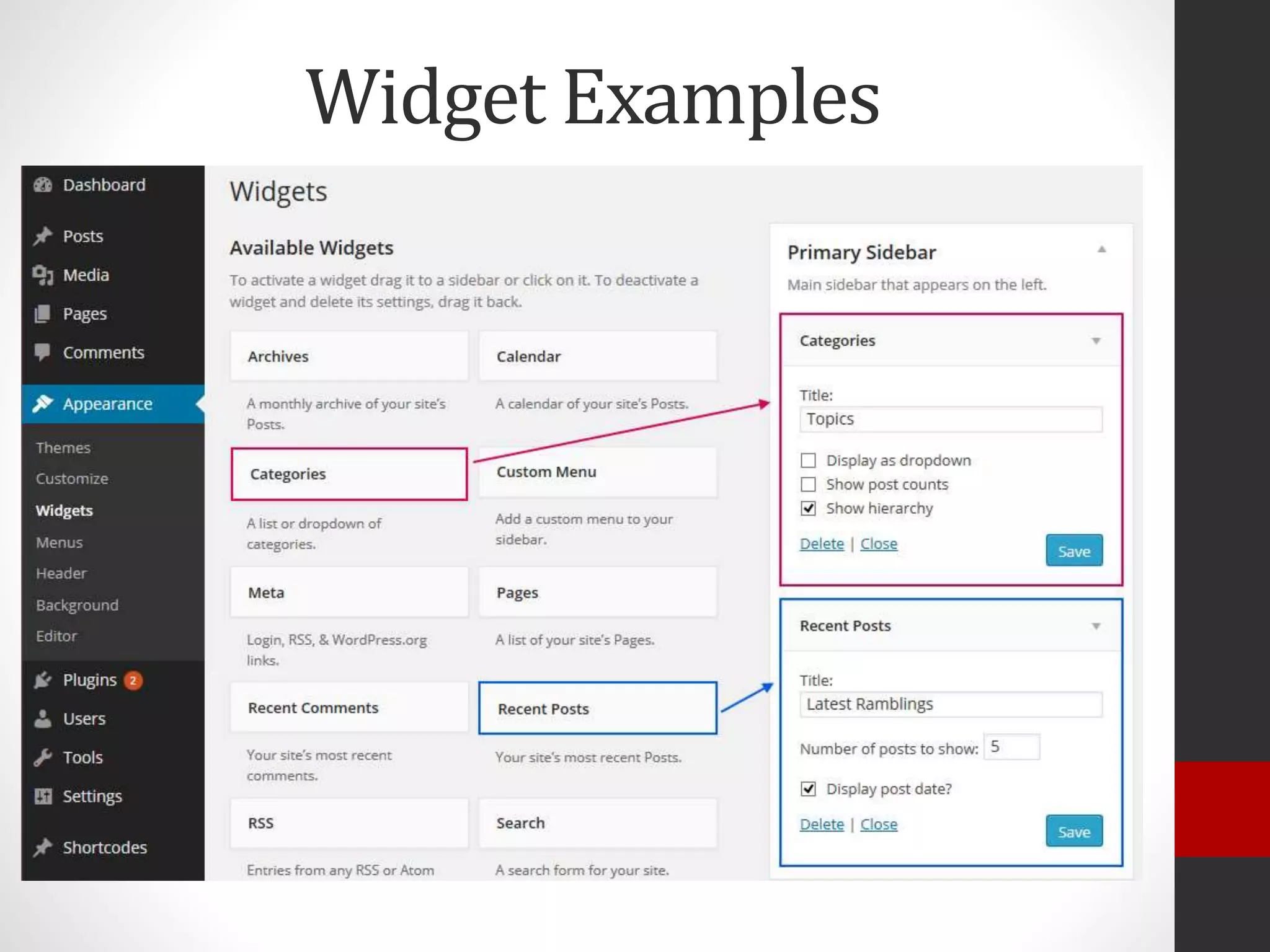
What is a widget?
• A way to take inputted criteria from a WordPress user
and convert that to into output for a website visitor.
• Drag and Drop widgets into widget areas under
Appearance > Widgets
• Collect input [criteria] from user via a form
• When website is viewed, content is displayed to a
website visitor
Widget Examples
What is a shortcode?
• A way to take inputted criteria from a WordPress user
and convert that to into output for a website visitor.
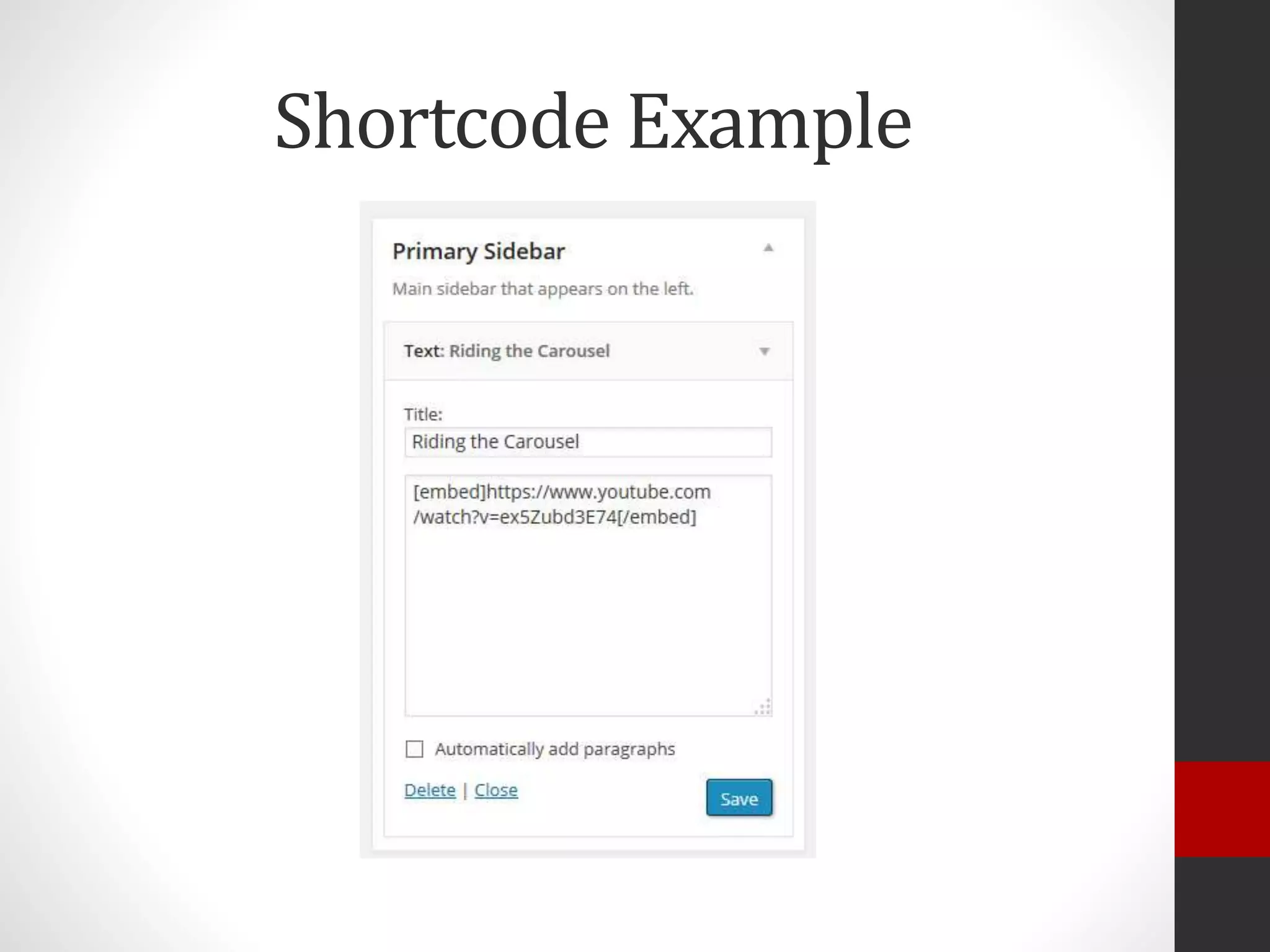
• Typed manually into the post’s TinyMCE editor, typed
into a widget*, or sometimes created via a button in the
TinyMCE Editor.
• Collect input from user via attributes within the
shortcode
• When website is viewed, content is displayed to a
website visitor
• A way to take inputted criteria from a WordPress user
and convert that to into output for a website visitor.
• Typed manually into the post’s TinyMCE editor, typed
into a widget*, or sometimes created via a button in the
TinyMCE Editor.
• Collect input from user via attributes within the
shortcode
• When website is viewed, content is displayed to a
website visitor
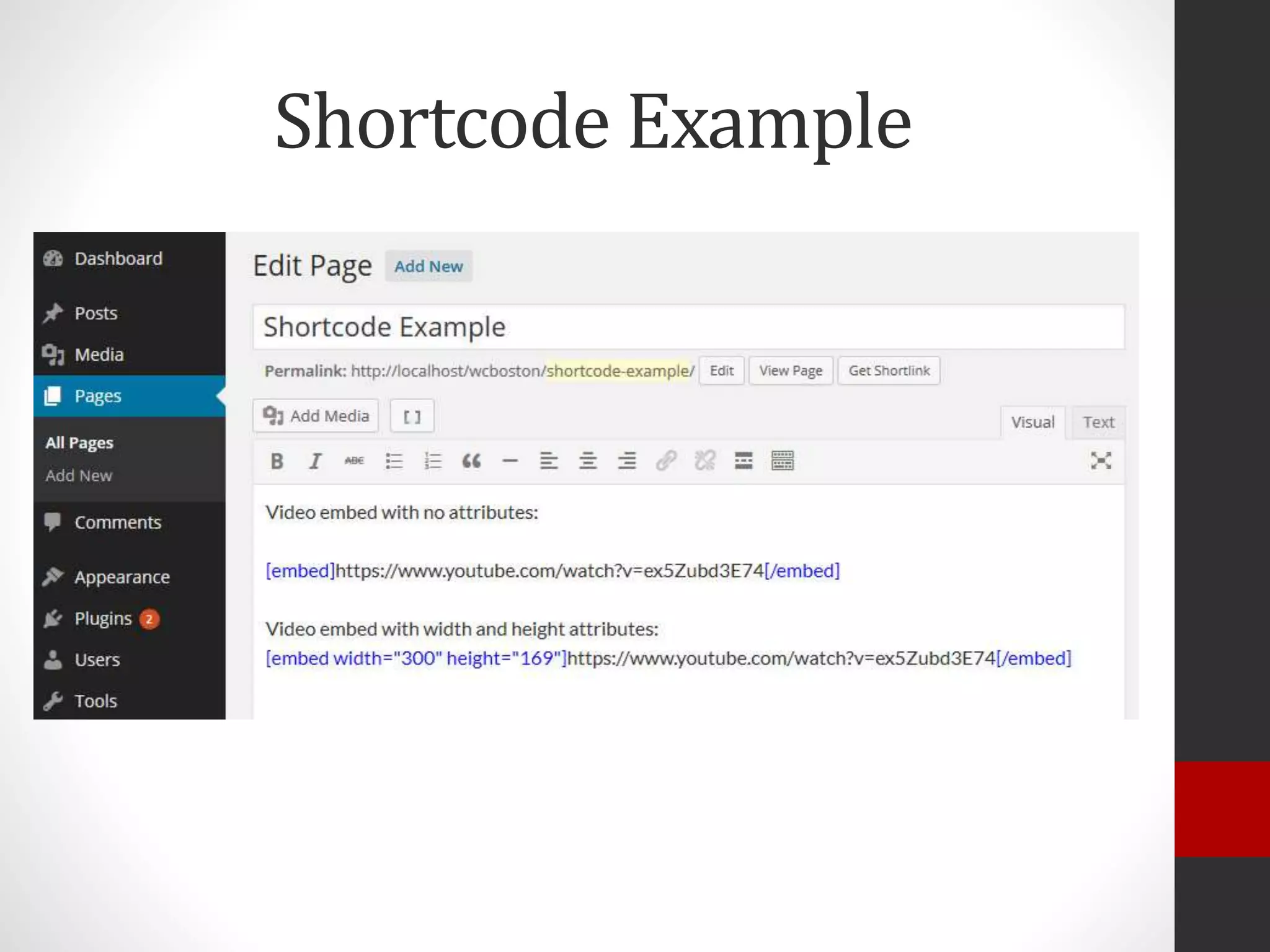
Shortcode Example
Shortcode Example
Shortcode Structure
Shortcode structure depends on how the shortcode is written.
Syntax: [shortcode]content[/shortcode]
Example: [email]john@doe.com[/email]
Syntax: [shortcode attribute=“value”]
Example: [email address=“john@doe.com”]
Syntax: [shortcode attribute=“value”]content[/shortcode]
Example: [email class=“contactme”]john@doe.com[/shortcode]
Why create your own
shortcodes and widgets?
But seriously…
Widgets and shortcodes are ways to
control the content and/or presentation
while giving the user choices about that
content, location, and even presentation.
A good widget or shortcode should…
For Users:
Anticipate what choices or variations
the user might want
For Developers:
Offer ways to adjust the
output where feasible
What does that mean?
• Offer choices to filter what content shows
• Offer choices about what parts of that content
are shown
• Offer style choices
• Provide basic clean styling or no styling
• Be sure to tag elements with id/class so styles
can be addressed to specific elements
• Use hooks to allow filtering/altering of output
(for developers)
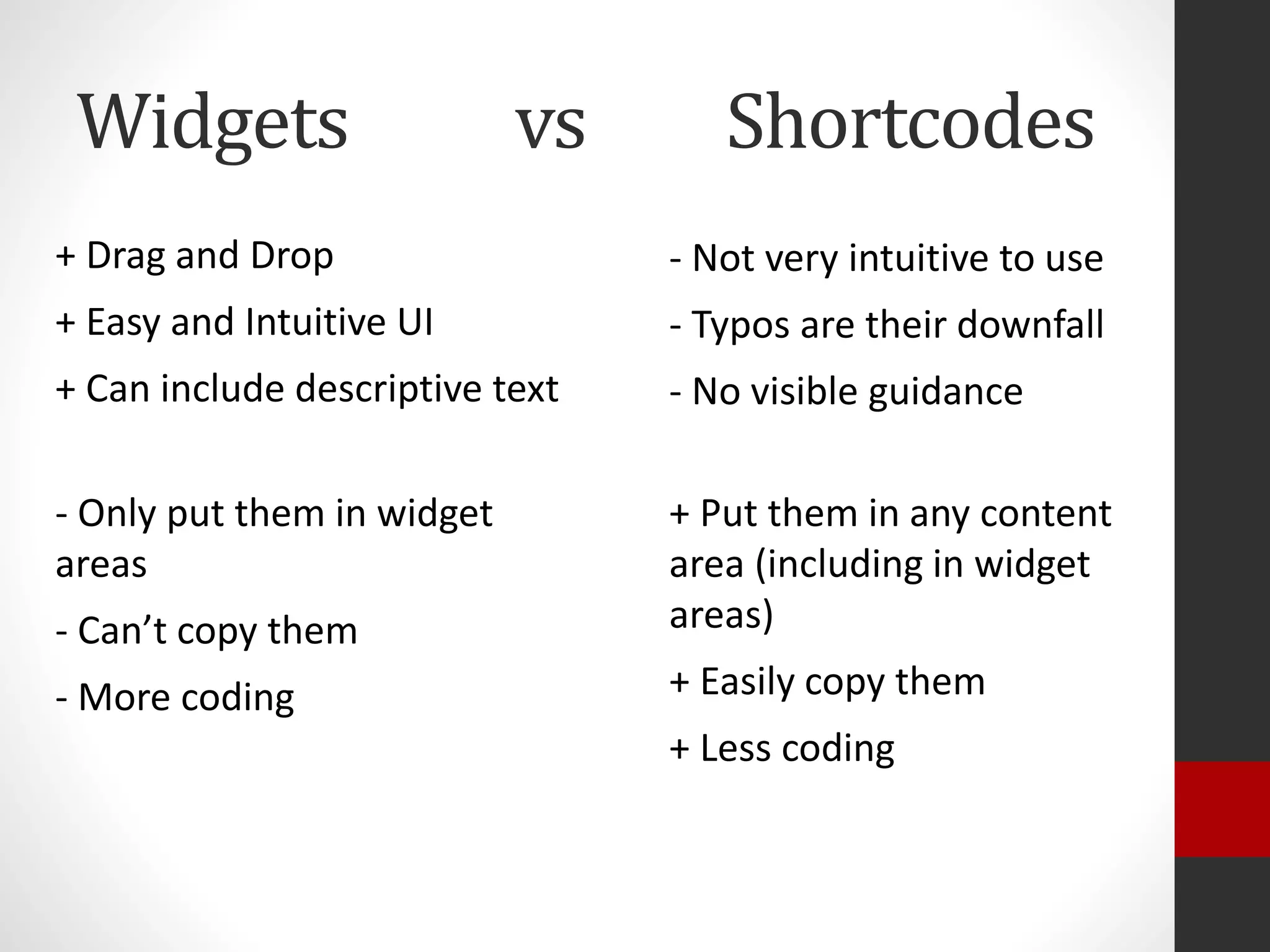
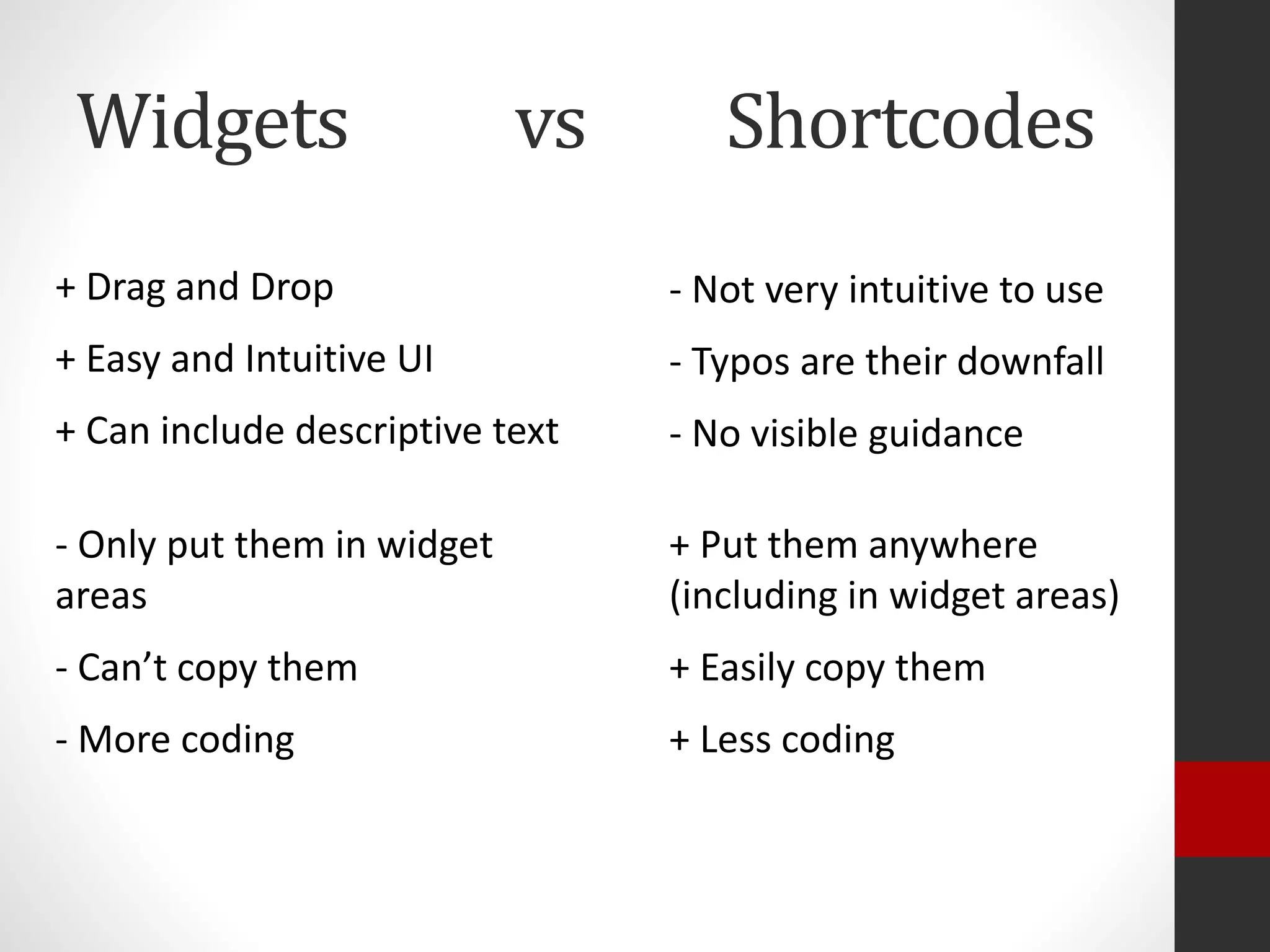
Widgets vs Shortcodes
+ Drag and Drop
+ Easy and Intuitive UI
+ Can include descriptive text
- Not very intuitive to use
- Typos are their downfall
- No visible guidance
- Only put them in widget
areas
- Can’t copy them
- More coding
+ Put them in any content
area (including in widget
areas)
+ Easily copy them
+ Less coding
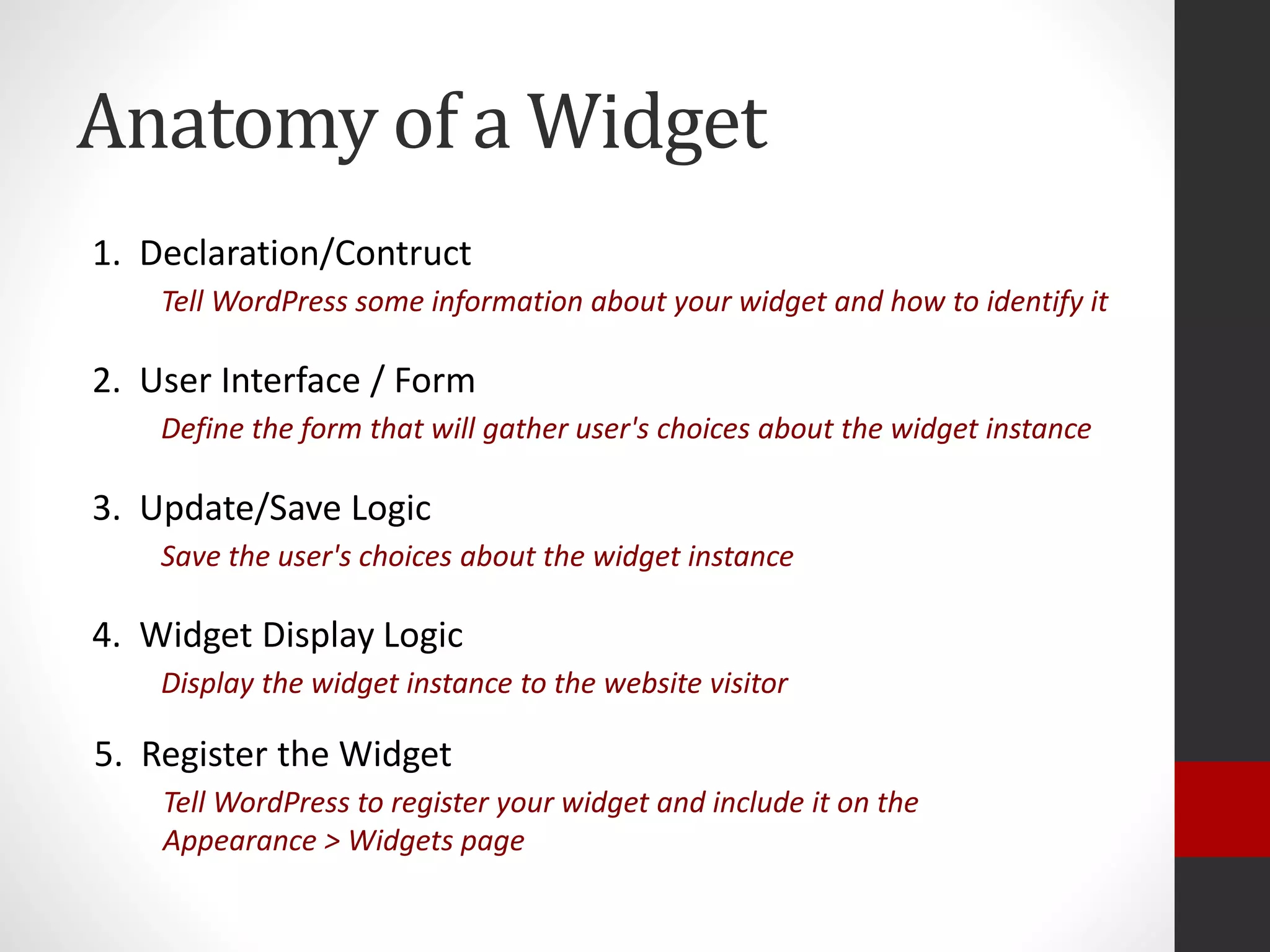
Anatomy of a Widget
1. Declaration/Contruct
Tell WordPress some information about your widget and how to identify it
2. User Interface / Form
Define the form that will gather user's choices about the widget instance
3. Update/Save Logic
Save the user's choices about the widget instance
4. Widget Display Logic
Display the widget instance to the website visitor
5. Register the Widget
Tell WordPress to register your widget and include it on the
Appearance > Widgets page
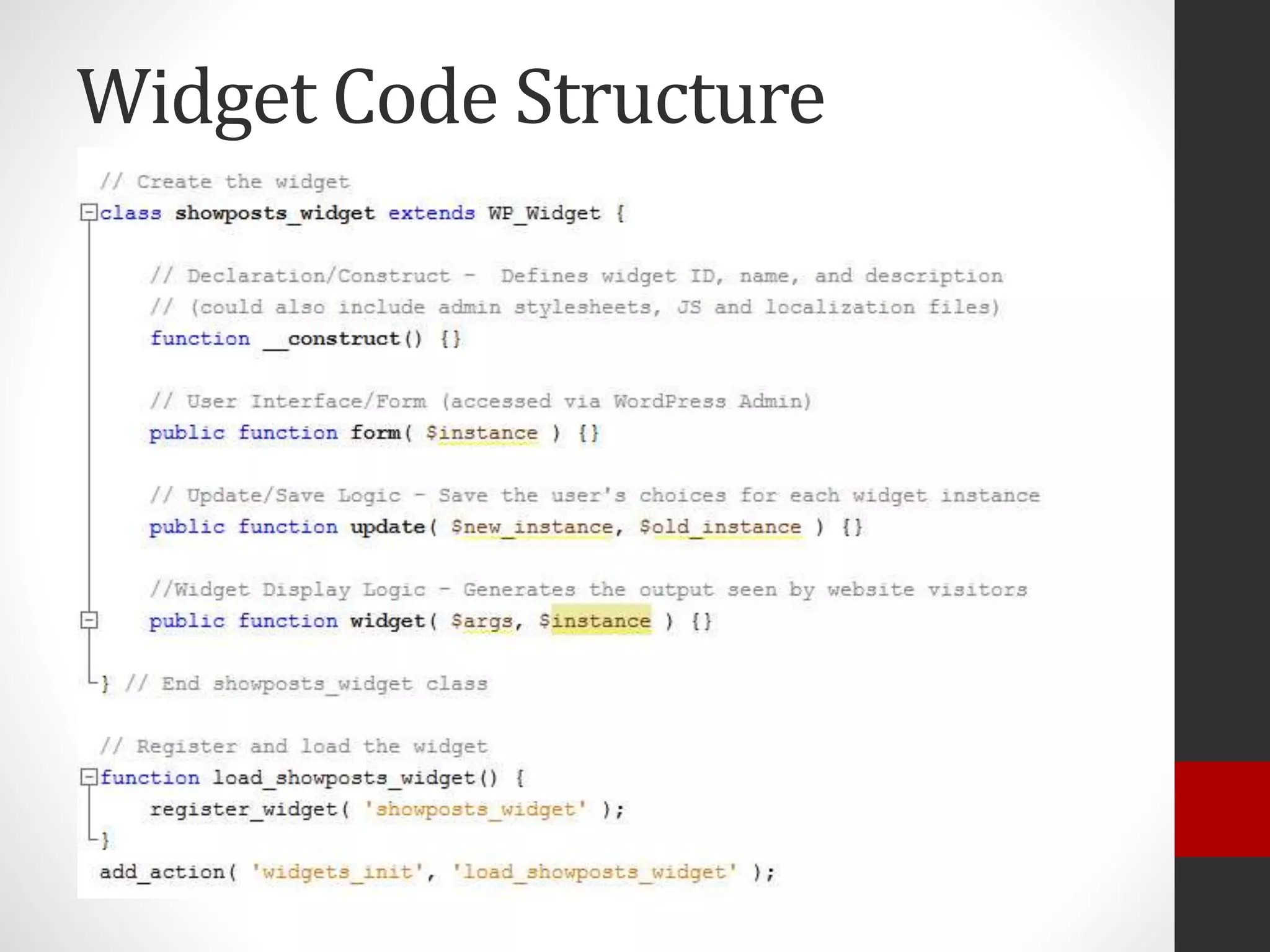
Widget Code Structure
On to the code!
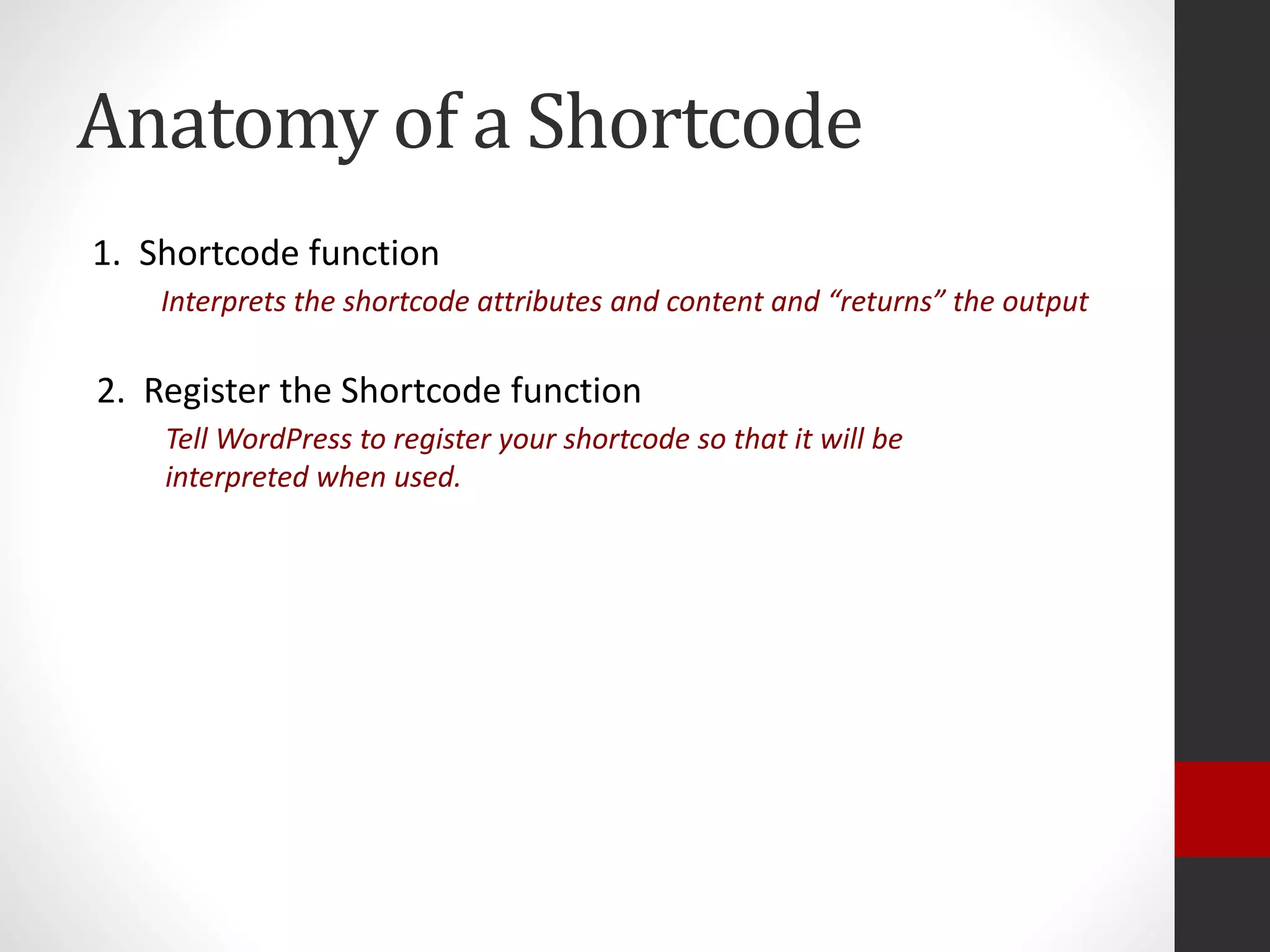
Anatomy of a Shortcode
1. Shortcode function
Interprets the shortcode attributes and content and “returns” the output
2. Register the Shortcode function
Tell WordPress to register your shortcode so that it will be
interpreted when used.
Widgets vs Shortcodes
+ Drag and Drop
+ Easy and Intuitive UI
+ Can include descriptive text
- Not very intuitive to use
- Typos are their downfall
- No visible guidance
- Only put them in widget
areas
- Can’t copy them
- More coding
+ Put them anywhere
(including in widget areas)
+ Easily copy them
+ Less coding
Questions?
Thank You!
Find these slides and all related files at:
http://www.amandagiles.com/blog/shortcodes-vs-widgets/
www.AmandaGiles.com
@AmandaGilesNH on Twitter
amanda@amandagiles.com – Please feel free to send me
feedback or questions

Shortcodes vs Widgets: Which one and how?

  • 1.
    Shortcodes vs Widgets: Whichone and how? Amanda Giles @AmandaGilesNH http://www.amandagiles.com/blog/shortcodes-vs-widgets/ WordCamp Boston – Aug 23, 2014 - #wcbos
  • 2.
    Who am I? •Independent IT Consultant • WordPress Developer (Themes and Plugins, but mostly themes) • Run the Seacoast NH WordPress Meetup • Lover • Fighter • Apparently I like playing with PowerPoint… • Teacher / Trainer
  • 3.
  • 4.
    Information Gathering… • Whohere has used a widget? • Who here has created a widget? • Who has lost hours trying plugin after plugin to find the “right” widget or shortcode? • Who here has used a shortcode? • Who here has created a shortcode?
  • 5.
    Who is thistalk geared towards? Developers
  • 6.
    But what ifI’m not a developer?
  • 8.
    Top 5 Reasonsyou should stay (evenifyou’renotadeveloper) 5. Be more likely to use a widgets or shortcodes (if you haven’t before) 4. Utilize a “create your own shortcode” plugin 3. Convince the plugin developer to modify their widget or shortcode to address your needs better 2. Find a widget or shortcode that’s close to your needs and hire someone to modify it 1. Roll up your sleeves and try your hand at coding a widget or shortcode
  • 9.
    What is awidget? • A way to take inputted criteria from a WordPress user and convert that to into output for a website visitor. • Drag and Drop widgets into widget areas under Appearance > Widgets • Collect input [criteria] from user via a form • When website is viewed, content is displayed to a website visitor
  • 10.
  • 11.
    What is ashortcode? • A way to take inputted criteria from a WordPress user and convert that to into output for a website visitor. • Typed manually into the post’s TinyMCE editor, typed into a widget*, or sometimes created via a button in the TinyMCE Editor. • Collect input from user via attributes within the shortcode • When website is viewed, content is displayed to a website visitor • A way to take inputted criteria from a WordPress user and convert that to into output for a website visitor. • Typed manually into the post’s TinyMCE editor, typed into a widget*, or sometimes created via a button in the TinyMCE Editor. • Collect input from user via attributes within the shortcode • When website is viewed, content is displayed to a website visitor
  • 12.
  • 13.
  • 14.
    Shortcode Structure Shortcode structuredepends on how the shortcode is written. Syntax: [shortcode]content[/shortcode] Example: [email]john@doe.com[/email] Syntax: [shortcode attribute=“value”] Example: [email address=“john@doe.com”] Syntax: [shortcode attribute=“value”]content[/shortcode] Example: [email class=“contactme”]john@doe.com[/shortcode]
  • 15.
    Why create yourown shortcodes and widgets?
  • 16.
    But seriously… Widgets andshortcodes are ways to control the content and/or presentation while giving the user choices about that content, location, and even presentation.
  • 17.
    A good widgetor shortcode should… For Users: Anticipate what choices or variations the user might want For Developers: Offer ways to adjust the output where feasible
  • 18.
    What does thatmean? • Offer choices to filter what content shows • Offer choices about what parts of that content are shown • Offer style choices • Provide basic clean styling or no styling • Be sure to tag elements with id/class so styles can be addressed to specific elements • Use hooks to allow filtering/altering of output (for developers)
  • 19.
    Widgets vs Shortcodes +Drag and Drop + Easy and Intuitive UI + Can include descriptive text - Not very intuitive to use - Typos are their downfall - No visible guidance - Only put them in widget areas - Can’t copy them - More coding + Put them in any content area (including in widget areas) + Easily copy them + Less coding
  • 20.
    Anatomy of aWidget 1. Declaration/Contruct Tell WordPress some information about your widget and how to identify it 2. User Interface / Form Define the form that will gather user's choices about the widget instance 3. Update/Save Logic Save the user's choices about the widget instance 4. Widget Display Logic Display the widget instance to the website visitor 5. Register the Widget Tell WordPress to register your widget and include it on the Appearance > Widgets page
  • 21.
  • 22.
    On to thecode!
  • 23.
    Anatomy of aShortcode 1. Shortcode function Interprets the shortcode attributes and content and “returns” the output 2. Register the Shortcode function Tell WordPress to register your shortcode so that it will be interpreted when used.
  • 25.
    Widgets vs Shortcodes +Drag and Drop + Easy and Intuitive UI + Can include descriptive text - Not very intuitive to use - Typos are their downfall - No visible guidance - Only put them in widget areas - Can’t copy them - More coding + Put them anywhere (including in widget areas) + Easily copy them + Less coding
  • 26.
  • 27.
    Thank You! Find theseslides and all related files at: http://www.amandagiles.com/blog/shortcodes-vs-widgets/ www.AmandaGiles.com @AmandaGilesNH on Twitter amanda@amandagiles.com – Please feel free to send me feedback or questions