



Jan 30th, 2013 – online marketing session for Shopify business owners – webinar #3

How to get traffic and
increase sales for your
Shopify store
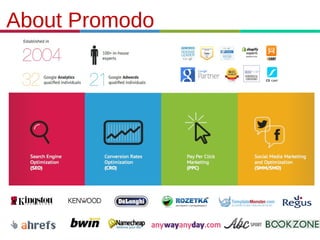
About Promodo
Speaker
Marketing manager and, in past, an SEO
consultant at Promodo. Anna started her
career in online marketing in 2007 from
content-writing, later she was employed for
the UK company Bullseyemedia as a linkbuilding specialist and finally came to
Promodo in 2011. As an SEO consultant
Anna has worked with large sites of the
following niche: gambling, dating, travel,
ecommerce. Anna is a certified Google
Analytics individual and a regular contributor
to Promodo and external blogs, also a regular
speaker at the webinars. Currently Anna
manages and oversees all marketing
activities of Promodo in the English-speaking
markets: SEM, SEO, social media, content
marketing, email marketing, events.

Anna Korolekh
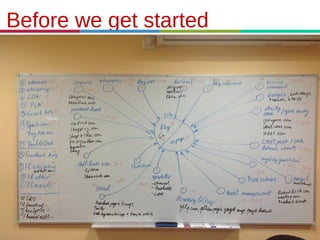
Before we get started
Keywords:
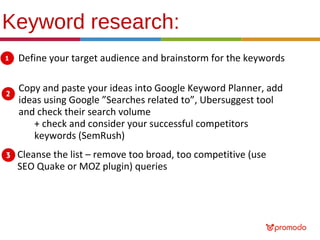
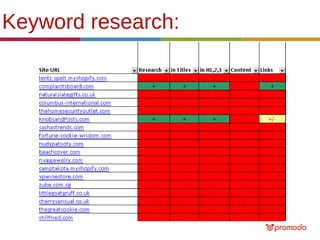
Keyword research:
Define your target audience and brainstorm for the keywords
Copy and paste your ideas into Google Keyword Planner, add
ideas using Google ”Searches related to”, Ubersuggest tool
and check their search volume
+ check and consider your successful competitors
keywords (SemRush)
Cleanse the list – remove too broad, too competitive (use
SEO Quake or MOZ plugin) queries
Keyword research:
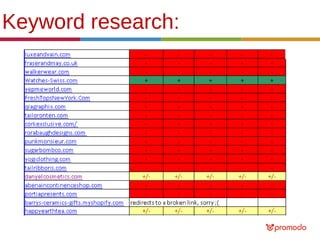
Keyword research:
Site structure & Indexation:
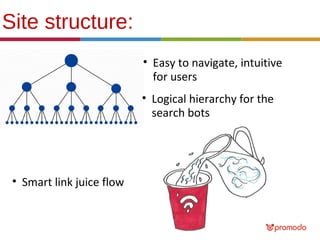
Site structure:
• Easy to navigate, intuitive
for users
• Logical hierarchy for the
search bots

• Smart link juice flow
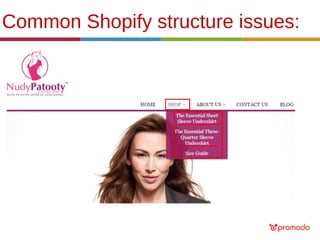
Common Shopify structure issues:
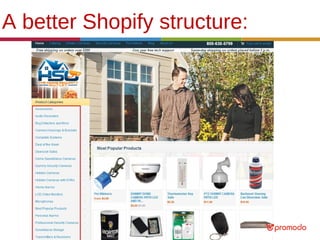
A better Shopify structure:
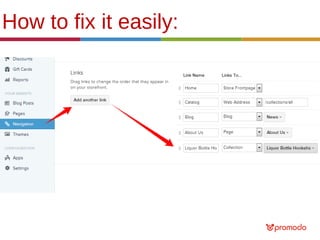
How to fix it easily:
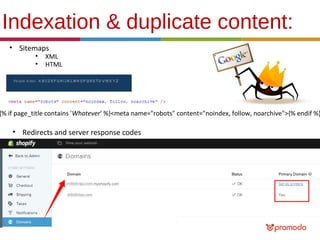
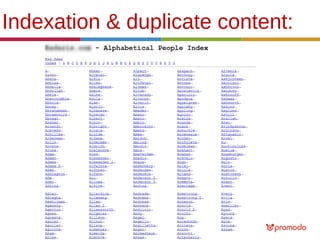
Indexation & duplicate content:
• Sitemaps
•
•

XML
HTML

{% if page_title contains 'Whatever' %}<meta name="robots" content="noindex, follow, noarchive">{% endif %}

• Redirects and server response codes
Indexation & duplicate content:
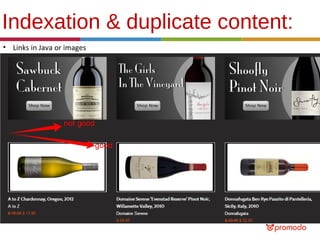
• Links in Java or images
Indexation & duplicate content:
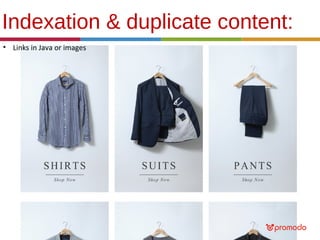
• Links in Java or images
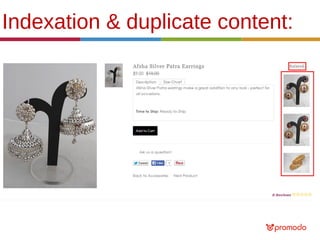
Indexation & duplicate content:
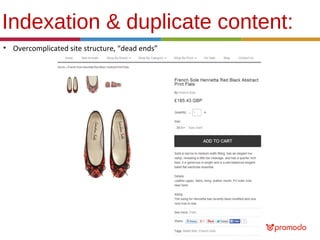
• Overcomplicated site structure, “dead ends”
Indexation & duplicate content:
•

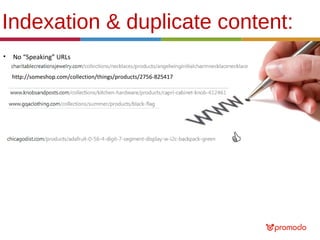
No “Speaking” URLs
http://someshop.com/collection/things/products/2756-825417
Indexation & duplicate content:
•

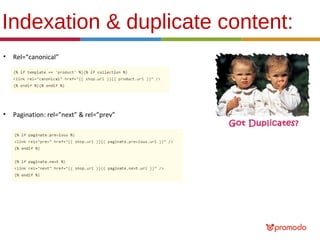
Rel=“canonical”

•

Pagination: rel=”next” & rel=”prev”
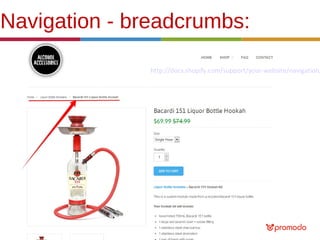
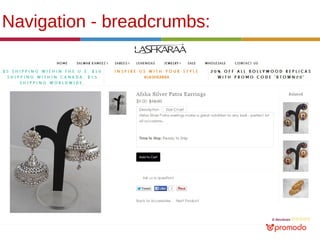
Navigation - breadcrumbs:

http://docs.shopify.com/support/your-website/navigation/
Navigation - breadcrumbs:
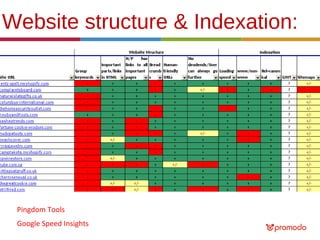
Website structure & Indexation:

Pingdom Tools
Google Speed Insights
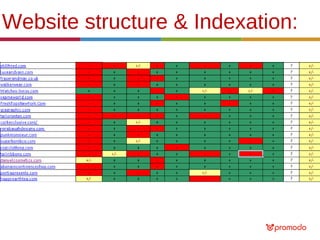
Website structure & Indexation:
Content:
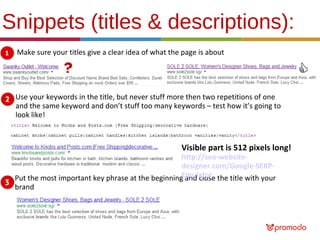
Snippets (titles & descriptions):
Make sure your titles give a clear idea of what the page is about

Use your keywords in the title, but never stuff more then two repetitions of one
and the same keyword and don’t stuff too many keywords – test how it’s going to
look like!

Visible part is 512 pixels long!

http://seo-websitedesigner.com/Google-SERPPut the most important key phrase at the beginningEmulator the title with your
and close
brand
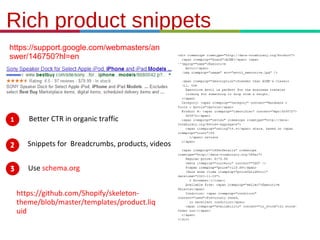
Rich product snippets
https://support.google.com/webmasters/an
swer/146750?hl=en

Better CTR in organic traffic
Snippets for Breadcrumbs, products, videos
Use schema.org
https://github.com/Shopify/skeletontheme/blob/master/templates/product.liq
uid
21.3.11
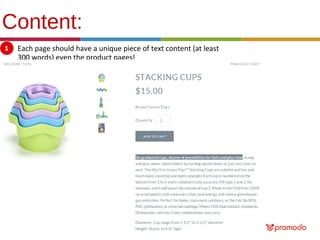
Content:
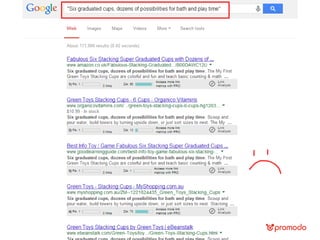
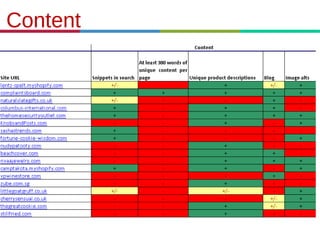
Each page should have a unique piece of text content (at least
300 words) even the product pages!
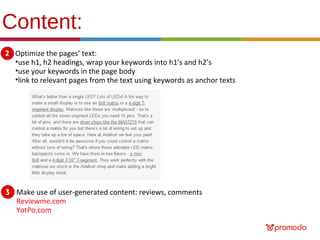
Content:
Optimize the pages’ text:
•use h1, h2 headings, wrap your keywords into h1’s and h2’s
•use your keywords in the page body
•link to relevant pages from the text using keywords as anchor texts

Make use of user-generated content: reviews, comments
Reviewme.com
YotPo.com
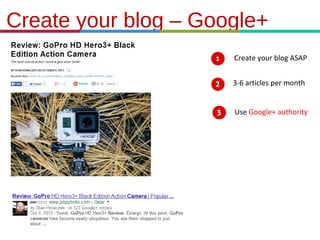
Create your blog – Google+
Create your blog ASAP
3-6 articles per month
Use Google+ authority

21.3.11
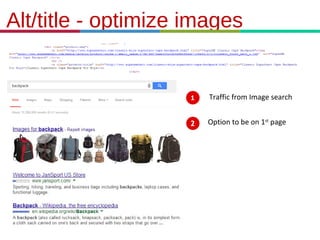
Alt/title - optimize images

Traffic from Image search
Option to be on 1st page

21.3.11
Content

21.3.11
Content

21.3.11
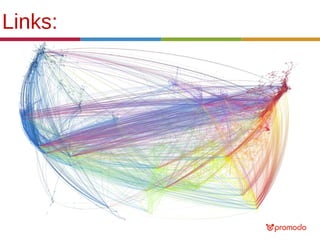
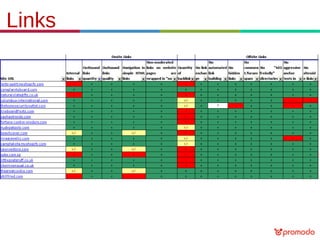
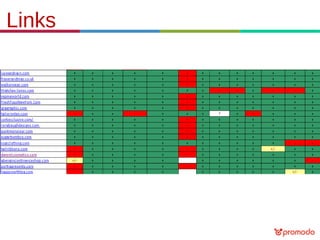
Links:
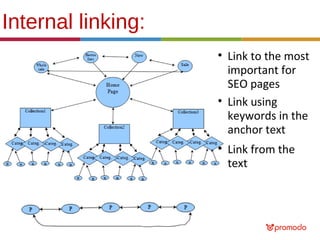
Internal linking:
• Link to the most
important for
SEO pages
• Link using
keywords in the
anchor text
• Link from the
text
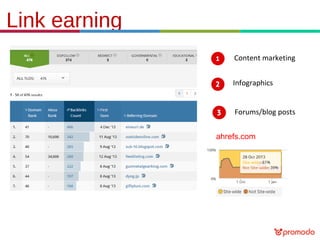
Link earning
Content marketing
Infographics
Forums/blog posts
ahrefs.com

21.3.11
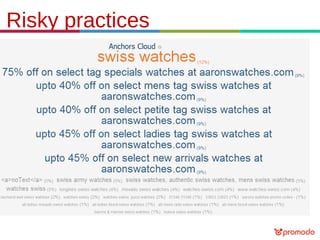
Risky practices

21.3.11
Risky practices

21.3.11
Risky practices

21.3.11
Risky practices

21.3.11
Risky practices

21.3.11
Links

21.3.11
Links

21.3.11
Analytics:
Analytics:
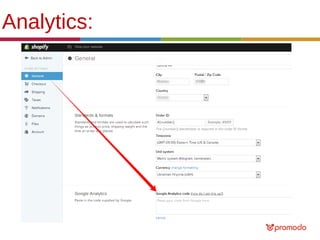
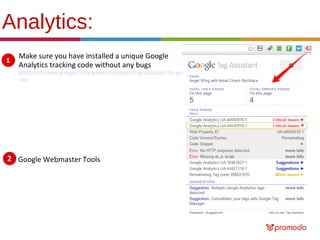
Make sure you have installed a unique Google
Analytics tracking code without any bugs

https://chrome.google.com/webstore/detail/tag-assistant-by-google/kejbdjndbnbjgmefkgdddjlbokphdefk?hl
=en

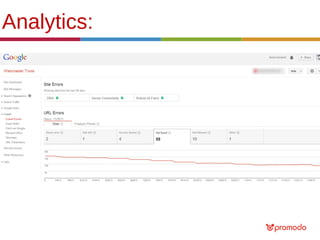
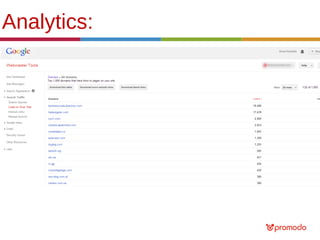
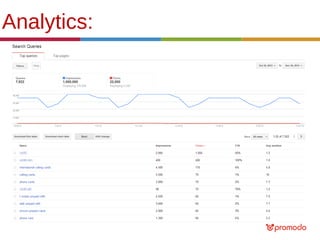
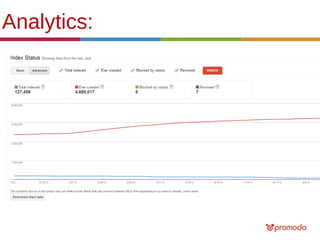
Google Webmaster Tools
Analytics:
Analytics:
Analytics:
Analytics:
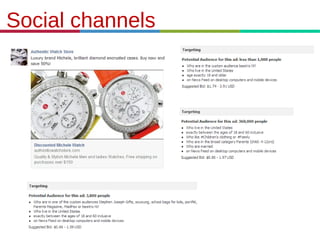
Social channels

21.3.11
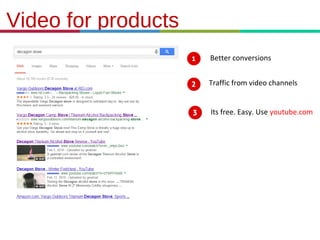
Video for products
Better conversions
Traffic from video channels
Its free. Easy. Use youtube.com

21.3.11
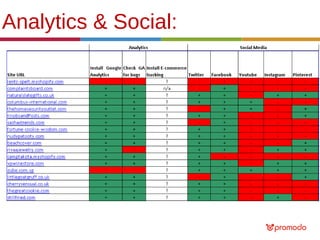
Analytics & Social:
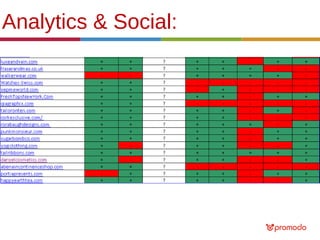
Analytics & Social:
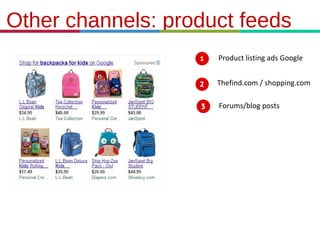
Other channels: product feeds
Product listing ads Google
Thefind.com / shopping.com
Forums/blog posts

21.3.11
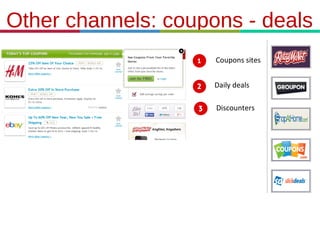
Other channels: coupons - deals
Coupons sites
Daily deals
Discounters

21.3.11
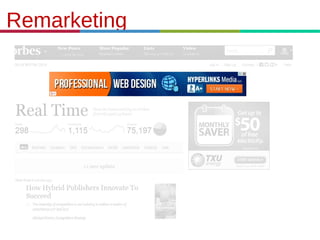
Remarketing

21.3.11
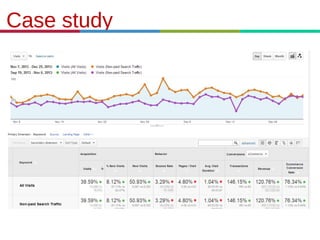
Case study

21.3.11
Let’s sum it up:
• Think of SEO before you build your website (and in the
process and after :)
• Create sitemaps, mind internal linking patterns
• Don’t be lazy – create unique titles and descriptions for
your products, optimize your site’s content
• Pay attention to analytics, set up correct tracking and
monitor it
• Don’t put all the eggs in one basket – don’t rely solely on
Google organic traffic
• Do content marketing
• Try to be everywhere your target audience is
Free online marketing audit
We would like to invite all you to take a free 10-15 minutes
personalised webinar for a quick audit of your website and
marketing campaigns by Google certified experts.
-

Quick usability audit of the existing site;
Quick SEO audit and review of existing analytics;
Audit of PPC campaigns;
Technical audit;
Best practices of conversion rate optimization;
General online marketing strategy insights.

Free online marketing audit
Thank you for your attention!
Anna Korolekh
Marketing manager
at Promodo

e-mail: a.moseva@promodo.com
Skype: ann.moseva
Please follow
Promodo.com/blog
Twitter.com/promodo_en
Facebook.com/promodo

Shopify online marketing expert session #3

Editor's Notes

  • #12 Zappos product page example here http://www.zappos.com/the-north-face-base-camp-flip-flop~1
  • #16 you&apos;d need to wrap the metatag in a theme.liquid if statement making sure it ONLY appears when you want to disable indexing. Depending on your theme design it may need to go inside the theme.liquid itself. Don&apos;t add anything until you know the if statement is (you don&apos;t want to make an error!). www and non-www both online at http://www.knobsandposts.com/
  • #20 Lashkaraa.com website
  • #21 Sole2sole.sg and the same with maisondesacs.com, purest-green.com
  • #22 It’s better then such a URL with lots of digits as a product name, but….
  • #23 Typical issue with Shopify when adding
  • #24 Пользователю всегда понятно, в каком разделе сайта он находится в текущий момент времени (пункт меню должен быть явно выделен + например хлебные крошки) По заголовку категории, страницы, блока можно понять их содержимое Ссылки и кнопки содержат призыв к действию
  • #25 Same to forevermidnightclothing
  • #29 Google know reserves the right to modify your title tag… Avoid vertical lines in titles – they may associate with spam (I’ve seen it at a number of sites)
  • #31 (no manufacturer’s descriptions on product pages) – Panda (first released in 2011) http://www.purest-green.com/collections/toys-and-accessories/products/stacking-cups
  • #32 (no manufacturer’s descriptions on product pages) – Panda (first released in 2011) http://www.purest-green.com/collections/toys-and-accessories/products/stacking-cups
  • #33 http://chicagodist.com/products/adafruit-0-56-4-digit-7-segment-display-w-i2c-backpack-green Google local - Pay attention for description of your business. Your description limited with 200 symbols and should contain local-oriented key words (example: « Hamburg Dermatologe Clinic »).
  • #47 Mention a pattern for heppyearthtea
  • #48 http://www.alcoholaccessories.com – add analytics
  • #49 Verify your GWT with GA (the code should be placed in the head section)
  • #50 Sitemaps, Messages,
  • #51 Sitemaps, Messages, Links to your site as Google sees them,
  • #52 Sitemaps, Messages, Links to your site as Google sees them, Search queries, their click through rates in search
  • #53 Sitemaps, Messages, Links to your site as Google sees them, Search queries, their click through rates in search
  • #56 Sitemaps, Messages, Links to your site as Google sees them, Search queries, their click through rates in search
  • #57 Sitemaps, Messages, Links to your site as Google sees them, Search queries, their click through rates in search