WordPress Basics
An Introduction to WordPress
What is WordPress?
WordPress is an Open Source blogging platform and
content management system (CMS).
• Founded in 2003
• As of 2013, nearly 19% of websites run on
WordPress – over 69 million WordPress
websites worldwide.
• Notable users include Best Buy, ESPN, The Wall
Street Journal, the country of Sweden, and Justin
Bieber.
Source: http://visual.ly/wordpress-statistics-and-numbers-2013
Benefits of WordPress
• Free
• User-Friendly
• Accessible
• Large Community
• Extendable
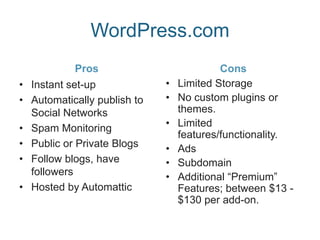
WordPress.com
Pros
• Instant set-up
• Automatically publish to
Social Networks
• Spam Monitoring
• Public or Private Blogs
• Follow blogs, have
followers
• Hosted by Automattic
Cons
• Limited Storage
• No custom plugins or
themes.
• Limited
features/functionality.
• Ads
• Subdomain
• Additional “Premium”
Features; between $13 -
$130 per add-on.
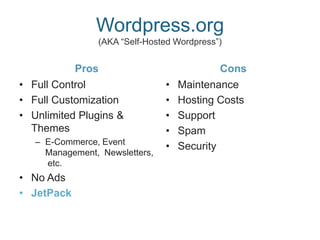
Wordpress.org
(AKA “Self-Hosted Wordpress”)
Pros
• Full Control
• Full Customization
• Unlimited Plugins &
Themes
– E-Commerce, Event
Management, Newsletters,
etc.
• No Ads
• JetPack
Cons
• Maintenance
• Hosting Costs
• Support
• Spam
• Security
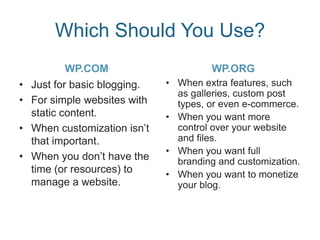
Which Should You Use?
WP.COM
• Just for basic blogging.
• For simple websites with
static content.
• When customization isn’t
that important.
• When you don’t have the
time (or resources) to
manage a website.
WP.ORG
• When extra features, such
as galleries, custom post
types, or even e-commerce.
• When you want more
control over your website
and files.
• When you want full
branding and customization.
• When you want to monetize
your blog.
Setting Up
Standard WP Practices & Extras
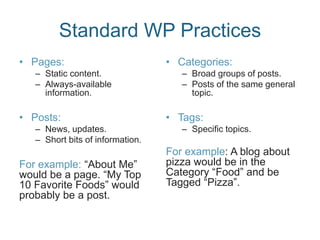
Standard WP Practices
• Pages:
– Static content.
– Always-available
information.
• Posts:
– News, updates.
– Short bits of information.
For example: “About Me”
would be a page. “My Top
10 Favorite Foods” would
probably be a post.
• Categories:
– Broad groups of posts.
– Posts of the same general
topic.
• Tags:
– Specific topics.
For example: A blog about
pizza would be in the
Category “Food” and be
Tagged “Pizza”.
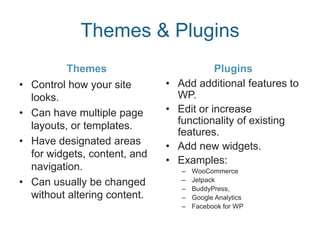
Themes & Plugins
Themes
• Control how your site
looks.
• Can have multiple page
layouts, or templates.
• Have designated areas
for widgets, content, and
navigation.
• Can usually be changed
without altering content.
Plugins
• Add additional features to
WP.
• Edit or increase
functionality of existing
features.
• Add new widgets.
• Examples:
– WooCommerce
– Jetpack
– BuddyPress,
– Google Analytics
– Facebook for WP
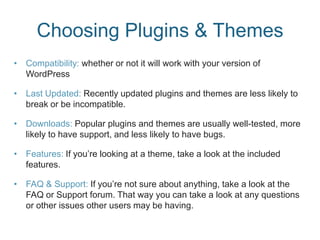
Choosing Plugins & Themes
• Compatibility: whether or not it will work with your version of
WordPress
• Last Updated: Recently updated plugins and themes are less likely to
break or be incompatible.
• Downloads: Popular plugins and themes are usually well-tested, more
likely to have support, and less likely to have bugs.
• Features: If you’re looking at a theme, take a look at the included
features.
• FAQ & Support: If you’re not sure about anything, take a look at the
FAQ or Support forum. That way you can take a look at any questions
or other issues other users may be having.

WordPress Basics

  • 1.
  • 2.
    What is WordPress? WordPressis an Open Source blogging platform and content management system (CMS). • Founded in 2003 • As of 2013, nearly 19% of websites run on WordPress – over 69 million WordPress websites worldwide. • Notable users include Best Buy, ESPN, The Wall Street Journal, the country of Sweden, and Justin Bieber. Source: http://visual.ly/wordpress-statistics-and-numbers-2013
  • 3.
    Benefits of WordPress •Free • User-Friendly • Accessible • Large Community • Extendable
  • 4.
    WordPress.com Pros • Instant set-up •Automatically publish to Social Networks • Spam Monitoring • Public or Private Blogs • Follow blogs, have followers • Hosted by Automattic Cons • Limited Storage • No custom plugins or themes. • Limited features/functionality. • Ads • Subdomain • Additional “Premium” Features; between $13 - $130 per add-on.
  • 5.
    Wordpress.org (AKA “Self-Hosted Wordpress”) Pros •Full Control • Full Customization • Unlimited Plugins & Themes – E-Commerce, Event Management, Newsletters, etc. • No Ads • JetPack Cons • Maintenance • Hosting Costs • Support • Spam • Security
  • 6.
    Which Should YouUse? WP.COM • Just for basic blogging. • For simple websites with static content. • When customization isn’t that important. • When you don’t have the time (or resources) to manage a website. WP.ORG • When extra features, such as galleries, custom post types, or even e-commerce. • When you want more control over your website and files. • When you want full branding and customization. • When you want to monetize your blog.
  • 7.
    Setting Up Standard WPPractices & Extras
  • 8.
    Standard WP Practices •Pages: – Static content. – Always-available information. • Posts: – News, updates. – Short bits of information. For example: “About Me” would be a page. “My Top 10 Favorite Foods” would probably be a post. • Categories: – Broad groups of posts. – Posts of the same general topic. • Tags: – Specific topics. For example: A blog about pizza would be in the Category “Food” and be Tagged “Pizza”.
  • 9.
    Themes & Plugins Themes •Control how your site looks. • Can have multiple page layouts, or templates. • Have designated areas for widgets, content, and navigation. • Can usually be changed without altering content. Plugins • Add additional features to WP. • Edit or increase functionality of existing features. • Add new widgets. • Examples: – WooCommerce – Jetpack – BuddyPress, – Google Analytics – Facebook for WP
  • 10.
    Choosing Plugins &Themes • Compatibility: whether or not it will work with your version of WordPress • Last Updated: Recently updated plugins and themes are less likely to break or be incompatible. • Downloads: Popular plugins and themes are usually well-tested, more likely to have support, and less likely to have bugs. • Features: If you’re looking at a theme, take a look at the included features. • FAQ & Support: If you’re not sure about anything, take a look at the FAQ or Support forum. That way you can take a look at any questions or other issues other users may be having.