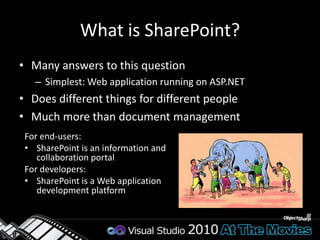
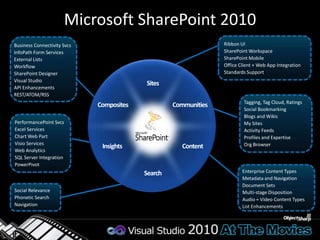
What is SharePoint?Many answers to this questionSimplest: Web application running on ASP.NETDoes different things for different peopleMuch more than document managementFor end-users:SharePoint is an information and collaboration portalFor developers:SharePoint is a Web application development platformMicrosoft SharePoint 2010Ribbon UISharePoint WorkspaceSharePoint MobileOffice Client + Web App IntegrationStandards SupportBusiness Connectivity SvcsInfoPath Form ServicesExternal ListsWorkflowSharePoint DesignerVisual StudioAPI EnhancementsREST/ATOM/RSSSitesTagging, Tag Cloud, RatingsSocial BookmarkingBlogs and WikisMy SitesActivity FeedsProfiles and ExpertiseOrg BrowserCommunitiesCompositesPerformancePointSvcsExcel ServicesChart Web PartVisio ServicesWeb AnalyticsSQL Server IntegrationPowerPivotContentInsightsEnterprise Content TypesMetadata and NavigationDocument SetsMulti-stage DispositionAudio + Video Content TypesList EnhancementsSearchSocial RelevancePhonetic SearchNavigation
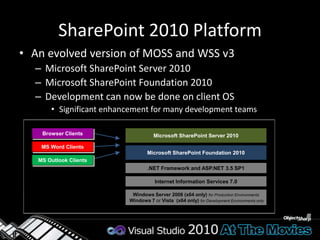
SharePoint 2010 PlatformAn evolved version of MOSS and WSS v3Microsoft SharePoint Server 2010Microsoft SharePoint Foundation 2010 Development can now be done on client OSSignificant enhancement for many development teamsBrowser ClientsMicrosoft SharePoint Server 2010MS Word ClientsMicrosoft SharePoint Foundation 2010MS Outlook Clients.NET Framework and ASP.NET 3.5 SP1Internet Information Services 7.0Windows Server 2008 (x64 only)for Production EnvironmentsWindows 7 or Vista  (x64 only) for Development Environments only
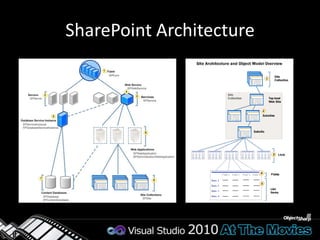
SharePoint Architecture
SharePoint 2010 Dev EnviromentDevelopment must be done against isolated deployment of SharePoint(Virtual) Machine has: Visual Studio 2010SharePoint Designer 2010SQL Server 2008Office 2010 / 2007
SharePoint 2010 Developer ToolsVisual Studio has robust tools for SP 2010 developmentProject and item templatesTemplates for many SharePoint elementsVisual Designers and ExplorersFeature and SolutionsSite contentsF5 deployment and debuggingDeployment is configurable
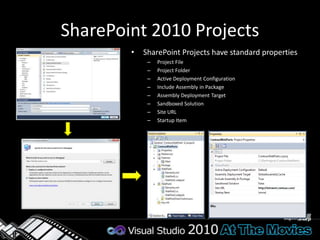
SharePoint 2010 ProjectsSharePoint Projects have standard propertiesProject FileProject FolderActive Deployment ConfigurationInclude Assembly in PackageAssembly Deployment TargetSandboxed SolutionSite URLStartup Item
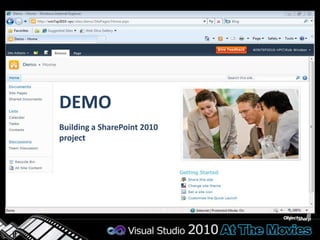
DEMOBuilding a SharePoint 2010 project
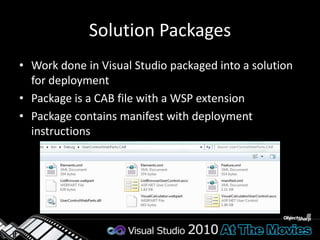
Solution PackagesWork done in Visual Studio packaged into a solution for deploymentPackage is a CAB file with a WSP extensionPackage contains manifest with deployment instructions
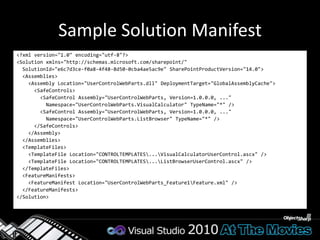
Sample Solution Manifest<?xml version="1.0" encoding="utf-8"?><Solution xmlns="http://schemas.microsoft.com/sharepoint/" SolutionId="e6c7d3ce-f0a8-4f48-8d50-0cba4ae5ac9e" SharePointProductVersion="14.0">  <Assemblies>    <Assembly Location="UserControlWebParts.dll" DeploymentTarget="GlobalAssemblyCache">      <SafeControls>        <SafeControl Assembly="UserControlWebParts, Version=1.0.0.0, ..."           Namespace="UserControlWebParts.VisualCalculator" TypeName="*" />        <SafeControl Assembly="UserControlWebParts, Version=1.0.0.0, ..."           Namespace="UserControlWebParts.ListBrowser" TypeName="*" />      </SafeControls>    </Assembly>  </Assemblies>  <TemplateFiles>    <TemplateFile Location="CONTROLTEMPLATES\...\VisualCalculatorUserControl.ascx" />    <TemplateFile Location="CONTROLTEMPLATES\...\ListBrowserUserControl.ascx" />  </TemplateFiles>  <FeatureManifests>    <FeatureManifest Location="UserControlWebParts_Feature1\Feature.xml" />  </FeatureManifests></Solution>
Farm and Sandboxed SolutionsFarm SolutionsDeployed at farm scopeRequires administrator rights to deploySandboxed solutionsDeployed at site collection scopeRequires site collection owner rightsRestricted to subset of SharePoint server APIRestricted resource usage
FeaturesBuilding blocks for creating SharePoint solutionsA unit of design, implementation and deploymentContain elementse.g. menu items, links, list types and list instancesMany other element types possibleCan contain event handlersYou can add any code which used WSS object model
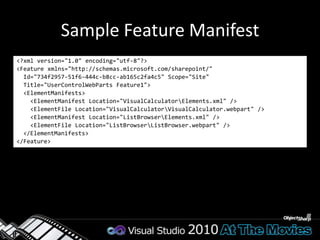
Sample Feature Manifest<?xml version="1.0" encoding="utf-8"?><Feature xmlns="http://schemas.microsoft.com/sharepoint/"   Id="734f2957-51f6-444c-b8cc-ab165c2fa4c5" Scope="Site"   Title="UserControlWebParts Feature1">  <ElementManifests>    <ElementManifest Location="VisualCalculator\Elements.xml" />    <ElementFile Location="VisualCalculator\VisualCalculator.webpart" />    <ElementManifest Location="ListBrowser\Elements.xml" />    <ElementFile Location="ListBrowser\ListBrowser.webpart" />  </ElementManifests></Feature>
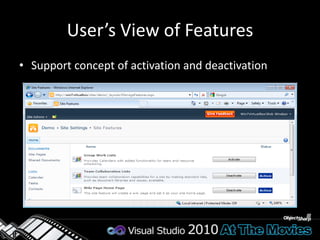
User’s View of FeaturesSupport concept of activation and deactivation
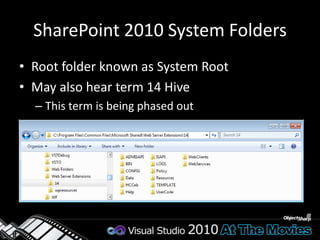
SharePoint 2010 System FoldersRoot folder known as System RootMay also hear term 14 HiveThis term is being phased out
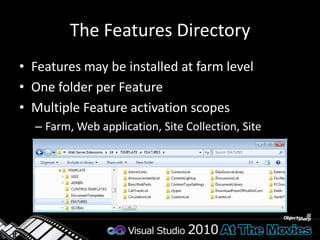
The Features DirectoryFeatures may be installed at farm levelOne folder per FeatureMultiple Feature activation scopesFarm, Web application, Site Collection, Site
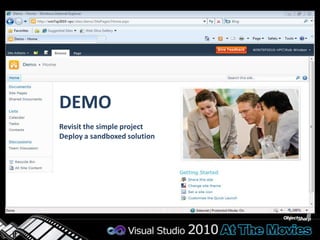
DEMORevisit the simple projectDeploy a sandboxed solution
Content Storage in SharePointStorage is based on the concept of listsEverything is modeled in terms of rows and columnsThe Document Library is really just a hybrid listSharePoint adds value on top of the generic listTransparent content storage in SQL ServerAutomatic generation of the user interface
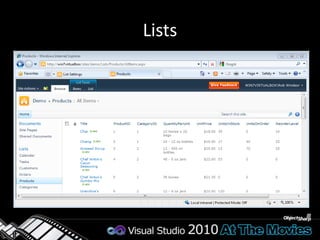
Lists
List LookupsLookups form relationships between listsReferential integrity can be enforcedLookupLookup11mmProjectsTimecardsClients
Column ValidationValidation Formula can be specified on List and ColumnsSimilar to Excel formulasExample: =[Discount] < [Cost]Column uniqueness constraint
Large List SupportCheck query before executionIf Index is not used and number of scanned rows is greater than a limit then block queryIf number of Joins is greater than limit then block queryIf enabled on the Web Application, the developer can turn off throttling using:SPQuery.RequestThrottleOverride and SPSiteDataQuery.RequestThrottleOverride
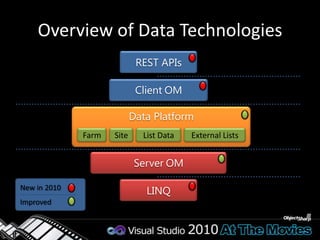
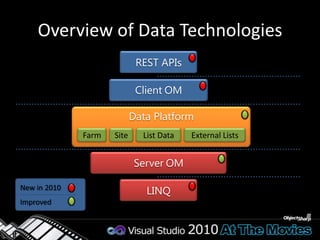
Overview of Data TechnologiesREST APIsStrongly-typedClientOMWeakly-typedClient-sideData PlatformFarmSiteList DataExternal ListsServerOMServer-sideWeakly-typedNew in 2010ImprovedLINQStrongly-typed
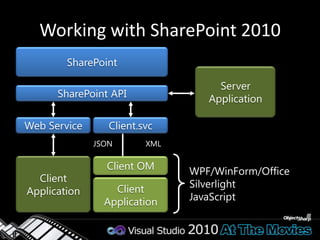
Working with SharePoint 2010SharePointServerApplicationSharePoint APIWeb ServiceClient.svcJSONXMLClient ApplicationClient OMWPF/WinForm/OfficeSilverlightJavaScriptClient Application
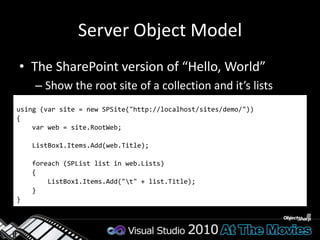
Server Object ModelThe SharePoint version of “Hello, World”Show the root site of a collection and it’s listsusing (var site = new SPSite("http://localhost/sites/demo/")){var web = site.RootWeb;    ListBox1.Items.Add(web.Title);foreach (SPList list in web.Lists)    {        ListBox1.Items.Add("\t" + list.Title);    }}
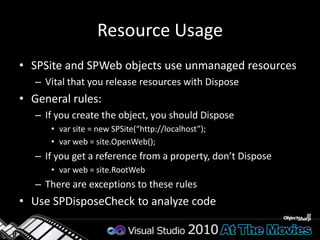
Resource UsageSPSite and SPWeb objects use unmanaged resourcesVital that you release resources with DisposeGeneral rules:If you create the object, you should Disposevar site = new SPSite(“http://localhost”);var web = site.OpenWeb();If you get a reference from a property, don’t Disposevar web = site.RootWebThere are exceptions to these rulesUse SPDisposeCheck to analyze code
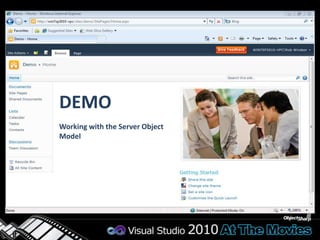
DEMOWorking with the Server Object Model
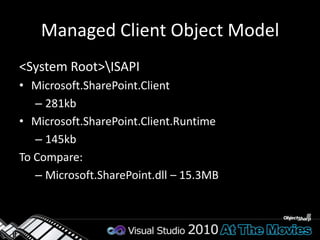
Managed Client Object Model<System Root>\ISAPI Microsoft.SharePoint.Client281kbMicrosoft.SharePoint.Client.Runtime145kbTo Compare:Microsoft.SharePoint.dll – 15.3MB
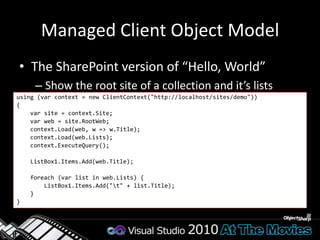
Managed Client Object ModelThe SharePoint version of “Hello, World”Show the root site of a collection and it’s listsusing (var context = new ClientContext("http://localhost/sites/demo")){var site = context.Site;var web = site.RootWeb;context.Load(web, w => w.Title);context.Load(web.Lists); context.ExecuteQuery();    ListBox1.Items.Add(web.Title);foreach (var list in web.Lists) {        ListBox1.Items.Add("\t" + list.Title);    }}
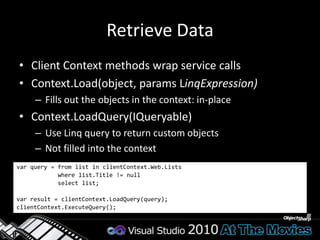
Retrieve DataClient Context methods wrap service callsContext.Load(object, paramsLinqExpression)Fills out the objects in the context: in-placeContext.LoadQuery(IQueryable)Use Linq query to return custom objectsNot filled into the contextvar query = from list in clientContext.Web.Lists            where list.Title != null            select list; var result = clientContext.LoadQuery(query);clientContext.ExecuteQuery();
Silverlight Client Object Model<System Root>\TEMPLATE\LAYOUTS\ClientBinMicrosoft.SharePoint.Client.Silverlight262KBMicrosoft.SharePoint.Client.Silverlight.Runtime138KB
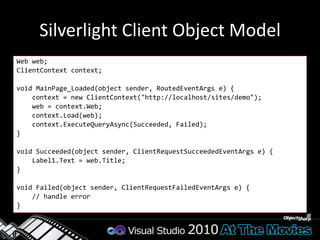
Silverlight Client Object ModelWeb web; ClientContext context;void MainPage_Loaded(object sender, RoutedEventArgs e) {    context = new ClientContext("http://localhost/sites/demo");    web = context.Web;context.Load(web);context.ExecuteQueryAsync(Succeeded, Failed);}void Succeeded(object sender, ClientRequestSucceededEventArgs e) {    Label1.Text = web.Title;}void Failed(object sender, ClientRequestFailedEventArgs e) {    // handle error}
JavaScript Client Object Model<System Root>\TEMPLATE\LAYOUTS SP.js (SP.debug.js)380KB (559KB)SP.Core.js (SP.Core.debug.js)13KB (20KB)SP.Runtime.js (SP.Runtime.debug.js)68KB (108KB)Add using <SharePoint:ScriptLink>
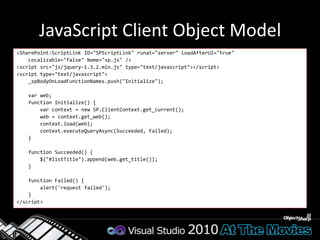
JavaScript Client Object Model<SharePoint:ScriptLink ID="SPScriptLink" runat="server" LoadAfterUI="true"         Localizable="false" Name="sp.js" /><script src="js/jquery-1.3.2.min.js" type="text/javascript"></script><script type="text/javascript">    _spBodyOnLoadFunctionNames.push("Initialize");var web;    function Initialize() {var context = new SP.ClientContext.get_current();        web = context.get_web();context.load(web);context.executeQueryAsync(Succeeded, Failed);    }    function Succeeded() {        $("#listTitle").append(web.get_title());    }    function Failed() {        alert('request failed');    }</script>
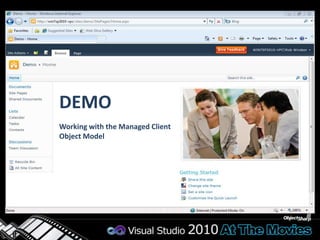
DEMOWorking with the Managed Client Object Model
Event HandlersOverride methods on known receiver typesSPFeatureReceiverSPListEventReceiverSPItemEventReceiverRegister receiver as handler for entityUse CAML or codeSynchronous and asynchronous eventsItemAddingItemAdded
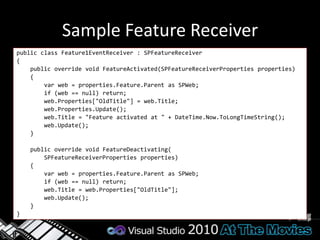
Sample Feature Receiverpublic class Feature1EventReceiver : SPFeatureReceiver{    public override void FeatureActivated(SPFeatureReceiverProperties properties)    {var web = properties.Feature.Parent as SPWeb;        if (web == null) return;web.Properties["OldTitle"] = web.Title;web.Properties.Update();web.Title = "Feature activated at " + DateTime.Now.ToLongTimeString();web.Update();    }    public override void FeatureDeactivating(SPFeatureReceiverProperties properties)    {var web = properties.Feature.Parent as SPWeb;        if (web == null) return;web.Title = web.Properties["OldTitle"];web.Update();    }}
DEMOWorking with Event Handlers
Overview of Data TechnologiesREST APIsStrongly-typedClientOMWeakly-typedClient-sideData PlatformFarmSiteList DataExternal ListsServerOMServer-sideWeakly-typedNew in 2010ImprovedLINQStrongly-typed
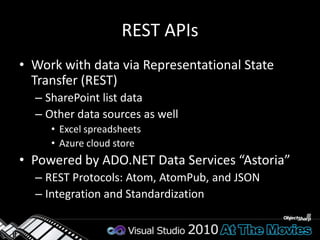
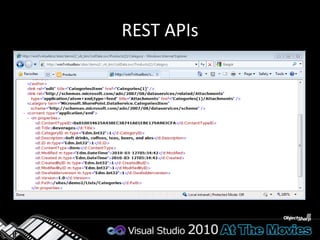
REST APIsWork with data via Representational State Transfer (REST)SharePoint list dataOther data sources as wellExcel spreadsheetsAzure cloud storePowered by ADO.NET Data Services “Astoria”REST Protocols: Atom, AtomPub, and JSONIntegration and Standardization
REST APIs
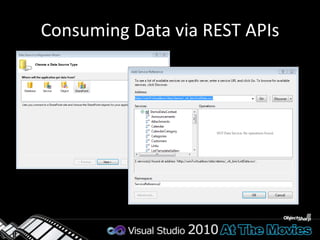
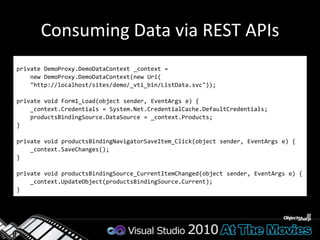
Consuming Data via REST APIs
Consuming Data via REST APIsprivate DemoProxy.DemoDataContext _context =    new DemoProxy.DemoDataContext(new Uri(    "http://localhost/sites/demo/_vti_bin/ListData.svc"));private void Form1_Load(object sender, EventArgs e) {    _context.Credentials = System.Net.CredentialCache.DefaultCredentials;productsBindingSource.DataSource = _context.Products;}private void productsBindingNavigatorSaveItem_Click(object sender, EventArgs e) {    _context.SaveChanges();}private void productsBindingSource_CurrentItemChanged(object sender, EventArgs e) {    _context.UpdateObject(productsBindingSource.Current); }
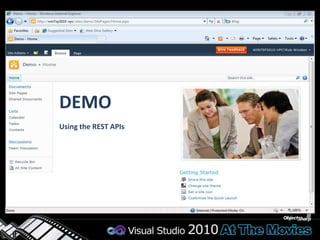
DEMOUsing the REST APIs
LINQ to SharePointNo CAML RequiredEntity classes form Business LayerStrongly-typed queries, compile-time checkIntelligence helps query constructionMicrosoft.SharePoint.Linq.dll
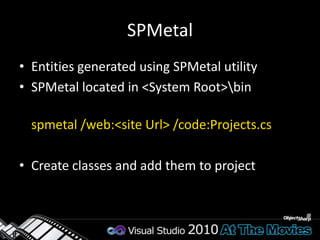
SPMetalEntities generated using SPMetal utilitySPMetal located in <System Root>\binspmetal /web:<site Url> /code:Projects.csCreate classes and add them to project
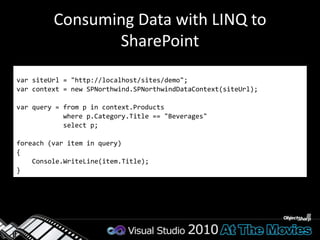
Consuming Data with LINQ to SharePointvarsiteUrl = "http://localhost/sites/demo";var context = new SPNorthwind.SPNorthwindDataContext(siteUrl);var query = from p in context.Products            where p.Category.Title == "Beverages"            select p;foreach (var item in query){Console.WriteLine(item.Title);}
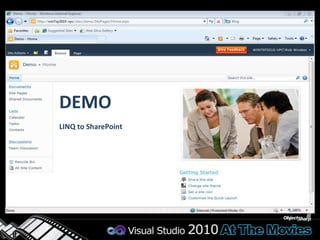
DEMOLINQ to SharePoint
Web PartsModular and reusable building blocks typically used in portal style applicationsSupport for customization and personalizationWeb Part infrastructure requiredNot specific to SharePointNot specific to ASP.NET
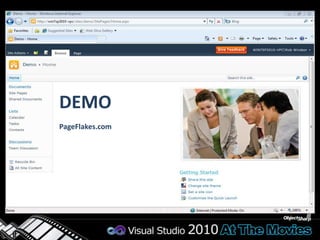
DEMOPageFlakes.com
Web Part HistoryWindows SharePoint Services 2.0 Designed with its own Web Part infrastructureWSS serializes/stores/retrieves personalization dataASP.NET 2.0Includes Web Part infrastructureSerializes/stores/retrieves personalization dataMore flexible and more extensible than WSSASP.NET 2.0 does not support WSS v2 Web PartsSharePoint Services 3.0 / SharePoint Foundation 2010Supports WSS V2 style Web PartsSupports ASP.NET 2.0 style Web Parts (preferred)
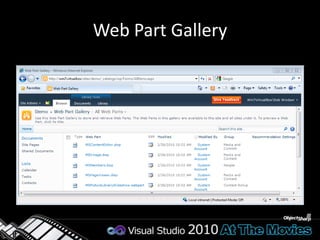
Web Part GallerySite collection scopedBoth .DWP and .WEBPART files as itemsSharePoint can discover new candidates from Web.configMaintain metadataAvailable out-of-the-box parts determined by edition and site template
Web Part Gallery
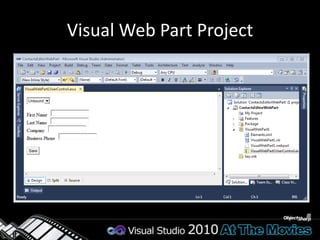
Visual Web Part ProjectUser interface described with markup in User ControlWeb Part loads User Control dynamicallyPage.LoadControlNot natively compatible with Sandboxed SolutionsThere are workarounds
Visual Web Part Project
Web Part DeploymentDeploy assembly to:\bin folder of IIS Web ApplicationExecutes in a sandboxGlobal Assembly CacheRegister Web Part as Safe Control in Web.configAdd Web Part to GalleryProcess automated by Visual Studio 2010
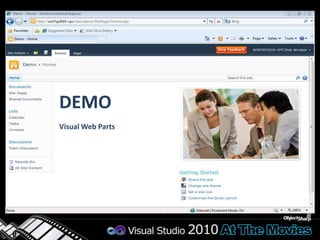
DEMOVisual Web Parts
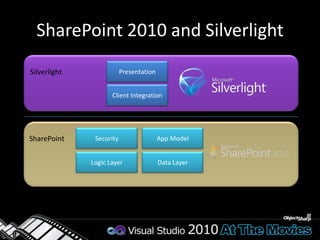
SharePoint 2010 and SilverlightPresentationSilverlightClient IntegrationSecurityApp ModelSharePointData LayerLogic Layer
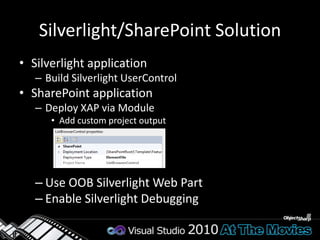
Silverlight/SharePoint SolutionSilverlight applicationBuild SilverlightUserControlSharePoint applicationDeploy XAP via ModuleAdd custom project outputUse OOB Silverlight Web PartEnable Silverlight Debugging
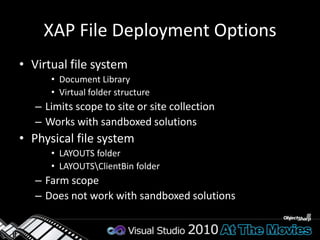
XAP File Deployment OptionsVirtual file systemDocument LibraryVirtual folder structure Limits scope to site or site collectionWorks with sandboxed solutionsPhysical file systemLAYOUTS folderLAYOUTS\ClientBin folderFarm scopeDoes not work with sandboxed solutions
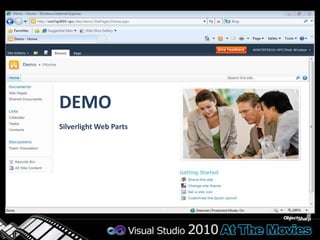
DEMOSilverlight Web Parts
SharePoint 2010 Application Development Overview

SharePoint 2010 Application Development Overview

  • 2.
    What is SharePoint?Manyanswers to this questionSimplest: Web application running on ASP.NETDoes different things for different peopleMuch more than document managementFor end-users:SharePoint is an information and collaboration portalFor developers:SharePoint is a Web application development platformMicrosoft SharePoint 2010Ribbon UISharePoint WorkspaceSharePoint MobileOffice Client + Web App IntegrationStandards SupportBusiness Connectivity SvcsInfoPath Form ServicesExternal ListsWorkflowSharePoint DesignerVisual StudioAPI EnhancementsREST/ATOM/RSSSitesTagging, Tag Cloud, RatingsSocial BookmarkingBlogs and WikisMy SitesActivity FeedsProfiles and ExpertiseOrg BrowserCommunitiesCompositesPerformancePointSvcsExcel ServicesChart Web PartVisio ServicesWeb AnalyticsSQL Server IntegrationPowerPivotContentInsightsEnterprise Content TypesMetadata and NavigationDocument SetsMulti-stage DispositionAudio + Video Content TypesList EnhancementsSearchSocial RelevancePhonetic SearchNavigation
  • 3.
    SharePoint 2010 PlatformAnevolved version of MOSS and WSS v3Microsoft SharePoint Server 2010Microsoft SharePoint Foundation 2010 Development can now be done on client OSSignificant enhancement for many development teamsBrowser ClientsMicrosoft SharePoint Server 2010MS Word ClientsMicrosoft SharePoint Foundation 2010MS Outlook Clients.NET Framework and ASP.NET 3.5 SP1Internet Information Services 7.0Windows Server 2008 (x64 only)for Production EnvironmentsWindows 7 or Vista (x64 only) for Development Environments only
  • 4.
  • 5.
    SharePoint 2010 DevEnviromentDevelopment must be done against isolated deployment of SharePoint(Virtual) Machine has: Visual Studio 2010SharePoint Designer 2010SQL Server 2008Office 2010 / 2007
  • 6.
    SharePoint 2010 DeveloperToolsVisual Studio has robust tools for SP 2010 developmentProject and item templatesTemplates for many SharePoint elementsVisual Designers and ExplorersFeature and SolutionsSite contentsF5 deployment and debuggingDeployment is configurable
  • 7.
    SharePoint 2010 ProjectsSharePointProjects have standard propertiesProject FileProject FolderActive Deployment ConfigurationInclude Assembly in PackageAssembly Deployment TargetSandboxed SolutionSite URLStartup Item
  • 8.
  • 9.
    Solution PackagesWork donein Visual Studio packaged into a solution for deploymentPackage is a CAB file with a WSP extensionPackage contains manifest with deployment instructions
  • 10.
    Sample Solution Manifest<?xmlversion="1.0" encoding="utf-8"?><Solution xmlns="http://schemas.microsoft.com/sharepoint/" SolutionId="e6c7d3ce-f0a8-4f48-8d50-0cba4ae5ac9e" SharePointProductVersion="14.0"> <Assemblies> <Assembly Location="UserControlWebParts.dll" DeploymentTarget="GlobalAssemblyCache"> <SafeControls> <SafeControl Assembly="UserControlWebParts, Version=1.0.0.0, ..." Namespace="UserControlWebParts.VisualCalculator" TypeName="*" /> <SafeControl Assembly="UserControlWebParts, Version=1.0.0.0, ..." Namespace="UserControlWebParts.ListBrowser" TypeName="*" /> </SafeControls> </Assembly> </Assemblies> <TemplateFiles> <TemplateFile Location="CONTROLTEMPLATES\...\VisualCalculatorUserControl.ascx" /> <TemplateFile Location="CONTROLTEMPLATES\...\ListBrowserUserControl.ascx" /> </TemplateFiles> <FeatureManifests> <FeatureManifest Location="UserControlWebParts_Feature1\Feature.xml" /> </FeatureManifests></Solution>
  • 11.
    Farm and SandboxedSolutionsFarm SolutionsDeployed at farm scopeRequires administrator rights to deploySandboxed solutionsDeployed at site collection scopeRequires site collection owner rightsRestricted to subset of SharePoint server APIRestricted resource usage
  • 12.
    FeaturesBuilding blocks forcreating SharePoint solutionsA unit of design, implementation and deploymentContain elementse.g. menu items, links, list types and list instancesMany other element types possibleCan contain event handlersYou can add any code which used WSS object model
  • 13.
    Sample Feature Manifest<?xmlversion="1.0" encoding="utf-8"?><Feature xmlns="http://schemas.microsoft.com/sharepoint/" Id="734f2957-51f6-444c-b8cc-ab165c2fa4c5" Scope="Site" Title="UserControlWebParts Feature1"> <ElementManifests> <ElementManifest Location="VisualCalculator\Elements.xml" /> <ElementFile Location="VisualCalculator\VisualCalculator.webpart" /> <ElementManifest Location="ListBrowser\Elements.xml" /> <ElementFile Location="ListBrowser\ListBrowser.webpart" /> </ElementManifests></Feature>
  • 14.
    User’s View ofFeaturesSupport concept of activation and deactivation
  • 15.
    SharePoint 2010 SystemFoldersRoot folder known as System RootMay also hear term 14 HiveThis term is being phased out
  • 16.
    The Features DirectoryFeaturesmay be installed at farm levelOne folder per FeatureMultiple Feature activation scopesFarm, Web application, Site Collection, Site
  • 17.
    DEMORevisit the simpleprojectDeploy a sandboxed solution
  • 18.
    Content Storage inSharePointStorage is based on the concept of listsEverything is modeled in terms of rows and columnsThe Document Library is really just a hybrid listSharePoint adds value on top of the generic listTransparent content storage in SQL ServerAutomatic generation of the user interface
  • 19.
  • 20.
    List LookupsLookups formrelationships between listsReferential integrity can be enforcedLookupLookup11mmProjectsTimecardsClients
  • 21.
    Column ValidationValidation Formulacan be specified on List and ColumnsSimilar to Excel formulasExample: =[Discount] < [Cost]Column uniqueness constraint
  • 22.
    Large List SupportCheckquery before executionIf Index is not used and number of scanned rows is greater than a limit then block queryIf number of Joins is greater than limit then block queryIf enabled on the Web Application, the developer can turn off throttling using:SPQuery.RequestThrottleOverride and SPSiteDataQuery.RequestThrottleOverride
  • 23.
    Overview of DataTechnologiesREST APIsStrongly-typedClientOMWeakly-typedClient-sideData PlatformFarmSiteList DataExternal ListsServerOMServer-sideWeakly-typedNew in 2010ImprovedLINQStrongly-typed
  • 24.
    Working with SharePoint2010SharePointServerApplicationSharePoint APIWeb ServiceClient.svcJSONXMLClient ApplicationClient OMWPF/WinForm/OfficeSilverlightJavaScriptClient Application
  • 25.
    Server Object ModelTheSharePoint version of “Hello, World”Show the root site of a collection and it’s listsusing (var site = new SPSite("http://localhost/sites/demo/")){var web = site.RootWeb; ListBox1.Items.Add(web.Title);foreach (SPList list in web.Lists) { ListBox1.Items.Add("\t" + list.Title); }}
  • 26.
    Resource UsageSPSite andSPWeb objects use unmanaged resourcesVital that you release resources with DisposeGeneral rules:If you create the object, you should Disposevar site = new SPSite(“http://localhost”);var web = site.OpenWeb();If you get a reference from a property, don’t Disposevar web = site.RootWebThere are exceptions to these rulesUse SPDisposeCheck to analyze code
  • 27.
    DEMOWorking with theServer Object Model
  • 28.
    Managed Client ObjectModel<System Root>\ISAPI Microsoft.SharePoint.Client281kbMicrosoft.SharePoint.Client.Runtime145kbTo Compare:Microsoft.SharePoint.dll – 15.3MB
  • 29.
    Managed Client ObjectModelThe SharePoint version of “Hello, World”Show the root site of a collection and it’s listsusing (var context = new ClientContext("http://localhost/sites/demo")){var site = context.Site;var web = site.RootWeb;context.Load(web, w => w.Title);context.Load(web.Lists); context.ExecuteQuery(); ListBox1.Items.Add(web.Title);foreach (var list in web.Lists) { ListBox1.Items.Add("\t" + list.Title); }}
  • 30.
    Retrieve DataClient Contextmethods wrap service callsContext.Load(object, paramsLinqExpression)Fills out the objects in the context: in-placeContext.LoadQuery(IQueryable)Use Linq query to return custom objectsNot filled into the contextvar query = from list in clientContext.Web.Lists         where list.Title != null         select list; var result = clientContext.LoadQuery(query);clientContext.ExecuteQuery();
  • 31.
    Silverlight Client ObjectModel<System Root>\TEMPLATE\LAYOUTS\ClientBinMicrosoft.SharePoint.Client.Silverlight262KBMicrosoft.SharePoint.Client.Silverlight.Runtime138KB
  • 32.
    Silverlight Client ObjectModelWeb web; ClientContext context;void MainPage_Loaded(object sender, RoutedEventArgs e) { context = new ClientContext("http://localhost/sites/demo"); web = context.Web;context.Load(web);context.ExecuteQueryAsync(Succeeded, Failed);}void Succeeded(object sender, ClientRequestSucceededEventArgs e) { Label1.Text = web.Title;}void Failed(object sender, ClientRequestFailedEventArgs e) { // handle error}
  • 33.
    JavaScript Client ObjectModel<System Root>\TEMPLATE\LAYOUTS SP.js (SP.debug.js)380KB (559KB)SP.Core.js (SP.Core.debug.js)13KB (20KB)SP.Runtime.js (SP.Runtime.debug.js)68KB (108KB)Add using <SharePoint:ScriptLink>
  • 34.
    JavaScript Client ObjectModel<SharePoint:ScriptLink ID="SPScriptLink" runat="server" LoadAfterUI="true" Localizable="false" Name="sp.js" /><script src="js/jquery-1.3.2.min.js" type="text/javascript"></script><script type="text/javascript"> _spBodyOnLoadFunctionNames.push("Initialize");var web; function Initialize() {var context = new SP.ClientContext.get_current(); web = context.get_web();context.load(web);context.executeQueryAsync(Succeeded, Failed); } function Succeeded() { $("#listTitle").append(web.get_title()); } function Failed() { alert('request failed'); }</script>
  • 35.
    DEMOWorking with theManaged Client Object Model
  • 36.
    Event HandlersOverride methodson known receiver typesSPFeatureReceiverSPListEventReceiverSPItemEventReceiverRegister receiver as handler for entityUse CAML or codeSynchronous and asynchronous eventsItemAddingItemAdded
  • 37.
    Sample Feature Receiverpublicclass Feature1EventReceiver : SPFeatureReceiver{ public override void FeatureActivated(SPFeatureReceiverProperties properties) {var web = properties.Feature.Parent as SPWeb; if (web == null) return;web.Properties["OldTitle"] = web.Title;web.Properties.Update();web.Title = "Feature activated at " + DateTime.Now.ToLongTimeString();web.Update(); } public override void FeatureDeactivating(SPFeatureReceiverProperties properties) {var web = properties.Feature.Parent as SPWeb; if (web == null) return;web.Title = web.Properties["OldTitle"];web.Update(); }}
  • 38.
  • 39.
    Overview of DataTechnologiesREST APIsStrongly-typedClientOMWeakly-typedClient-sideData PlatformFarmSiteList DataExternal ListsServerOMServer-sideWeakly-typedNew in 2010ImprovedLINQStrongly-typed
  • 40.
    REST APIsWork withdata via Representational State Transfer (REST)SharePoint list dataOther data sources as wellExcel spreadsheetsAzure cloud storePowered by ADO.NET Data Services “Astoria”REST Protocols: Atom, AtomPub, and JSONIntegration and Standardization
  • 41.
  • 42.
  • 43.
    Consuming Data viaREST APIsprivate DemoProxy.DemoDataContext _context = new DemoProxy.DemoDataContext(new Uri( "http://localhost/sites/demo/_vti_bin/ListData.svc"));private void Form1_Load(object sender, EventArgs e) { _context.Credentials = System.Net.CredentialCache.DefaultCredentials;productsBindingSource.DataSource = _context.Products;}private void productsBindingNavigatorSaveItem_Click(object sender, EventArgs e) { _context.SaveChanges();}private void productsBindingSource_CurrentItemChanged(object sender, EventArgs e) { _context.UpdateObject(productsBindingSource.Current); }
  • 44.
  • 45.
    LINQ to SharePointNoCAML RequiredEntity classes form Business LayerStrongly-typed queries, compile-time checkIntelligence helps query constructionMicrosoft.SharePoint.Linq.dll
  • 46.
    SPMetalEntities generated usingSPMetal utilitySPMetal located in <System Root>\binspmetal /web:<site Url> /code:Projects.csCreate classes and add them to project
  • 47.
    Consuming Data withLINQ to SharePointvarsiteUrl = "http://localhost/sites/demo";var context = new SPNorthwind.SPNorthwindDataContext(siteUrl);var query = from p in context.Products where p.Category.Title == "Beverages" select p;foreach (var item in query){Console.WriteLine(item.Title);}
  • 48.
  • 49.
    Web PartsModular andreusable building blocks typically used in portal style applicationsSupport for customization and personalizationWeb Part infrastructure requiredNot specific to SharePointNot specific to ASP.NET
  • 50.
  • 51.
    Web Part HistoryWindowsSharePoint Services 2.0 Designed with its own Web Part infrastructureWSS serializes/stores/retrieves personalization dataASP.NET 2.0Includes Web Part infrastructureSerializes/stores/retrieves personalization dataMore flexible and more extensible than WSSASP.NET 2.0 does not support WSS v2 Web PartsSharePoint Services 3.0 / SharePoint Foundation 2010Supports WSS V2 style Web PartsSupports ASP.NET 2.0 style Web Parts (preferred)
  • 52.
    Web Part GallerySitecollection scopedBoth .DWP and .WEBPART files as itemsSharePoint can discover new candidates from Web.configMaintain metadataAvailable out-of-the-box parts determined by edition and site template
  • 53.
  • 54.
    Visual Web PartProjectUser interface described with markup in User ControlWeb Part loads User Control dynamicallyPage.LoadControlNot natively compatible with Sandboxed SolutionsThere are workarounds
  • 55.
  • 56.
    Web Part DeploymentDeployassembly to:\bin folder of IIS Web ApplicationExecutes in a sandboxGlobal Assembly CacheRegister Web Part as Safe Control in Web.configAdd Web Part to GalleryProcess automated by Visual Studio 2010
  • 57.
  • 58.
    SharePoint 2010 andSilverlightPresentationSilverlightClient IntegrationSecurityApp ModelSharePointData LayerLogic Layer
  • 59.
    Silverlight/SharePoint SolutionSilverlight applicationBuildSilverlightUserControlSharePoint applicationDeploy XAP via ModuleAdd custom project outputUse OOB Silverlight Web PartEnable Silverlight Debugging
  • 60.
    XAP File DeploymentOptionsVirtual file systemDocument LibraryVirtual folder structure Limits scope to site or site collectionWorks with sandboxed solutionsPhysical file systemLAYOUTS folderLAYOUTS\ClientBin folderFarm scopeDoes not work with sandboxed solutions
  • 61.

Editor's Notes

  • #3  Introduce SharePoint 2010 Many things to many people Use tale of blind men and the elephant as an analogyhttp://en.wikipedia.org/wiki/Blind_men_and_an_elephantEach person describes SharePoint differently because of their experience with the product
  • #4 This slide gives you an opportunity go explain the features of SharePoint Foundation and ServerLess depth required at UG meetings, more at breakfast sessions
  • #5  Go over the technology stack Highlight that 64-bit operating systems are required Highlight that SharePoint 2010 is built on .NET 3.5, not .NET 4
  • #7  Talk about configuration optionsNative hardware, boot to VHD, virtualizationMention that Microsoft Virtual PC does not support 64-bit client OS
  • #8  Setup for tools you’ll be showing in the upcoming demo
  • #9  Setup for tools you’ll be showing in the upcoming demo
  • #10  Focus here is the tools Highlight:Project templatesItem templatesF5 deploymentServer Explorer Build a simple SharePoint projectAdd a list instanceF5 to deploy and see site with list added In the next section we explain what went on behind the scenes
  • #11  Be sure to mention the solution manifest and discuss its role The package shown in the image is from a demo used in the Web Part section
  • #12 The solution manifest shown is from a demo used in the Web Part section
  • #14  Equate Features to components Logical units of functionality
  • #15 The feature manifest shown is from a demo used in the Web Part section
  • #16  Discuss activation and deactivation
  • #17  Give a very quick tour of the system folders
  • #18  Highlight the Features folder
  • #19  First part – review the demo shown earlierShow what’s behind the curtain HighlightAuto-created FeatureFeature designerFeature manifestSolution designerSolution manifestDeployment optionsGenerated solution package Second partDeploy the WSP as a sandboxed solutionMake sure old solution is retracted firstMake sure elements created by old solution are deletedOr recreate the site before doing the demo
  • #26  Good visual aide for previous slide
  • #28 It’s difficult to cover this topic briefly but it’s too important to omit
  • #29  Build Hello, World (shows list and list items for a given site)If you feel comfortable build some of the code liveThen walkthrough the pre-created demo highlightingThe commonly used types (SPSite, SPWeb, SPList, SPListItem)The use of LINQ (LINQ to Objects this time)The use of the CAML query
  • #32 Additional detail about the ways resources can be requested
  • #37  Build Hello, World (shows list and list items for a given site)If you feel comfortable build some of the code liveThen walkthrough the pre-created demo highlightingThe commonly used types (Site, Web, List, ListItem)Use of batchingThe use of LINQ (LINQ to Objects this time)The use of the CAML query
  • #38  Mention that event handlers are one place you would commonly use server object model Discuss how event handlers are attached to events of entities