SharePoint User Group: London 31st March 2011Alex Pearce
Alex PearceMicrosoft SharePoint MVPBlog: www.bfcnetworks.comEmail: apearce@bfcnetworks.com Twitter: @alex_pearce
Alex PearcePersonal Interest in SharePoint…EducationLearning Gateways/Learning PlatformsUser AdoptionIntegrationFounder of the Learning Gateway User Group and co-founder of the Learning Gateway Conference
AgendaWhat is Office 365?The SharePoint Story in Office 365The Developer StoryDemosSharePointExchangeLync
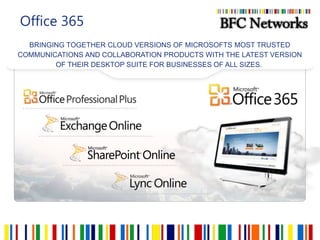
Office 365BRINGING TOGETHER CLOUD VERSIONS OF MICROSOFTS MOST TRUSTED COMMUNICATIONS AND COLLABORATION PRODUCTS WITH THE LATEST VERSION OF THEIR DESKTOP SUITE FOR BUSINESSES OF ALL SIZES. 
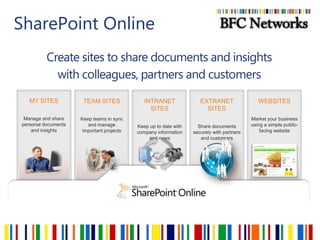
SharePoint OnlineCreate sites to share documents and insights with colleagues, partners and customersMY SITESManage and share personal documents and insightsINTRANET SITESKeep up to date with company information and newsTEAM SITESKeep teams in sync and manage important projectsWEBSITESMarket your business using a simple public-facing websiteEXTRANET SITESShare documents securely with partners and customers
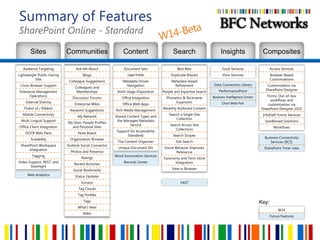
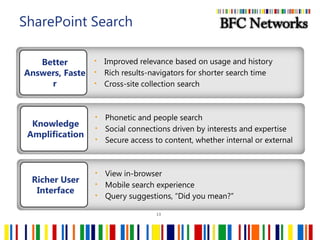
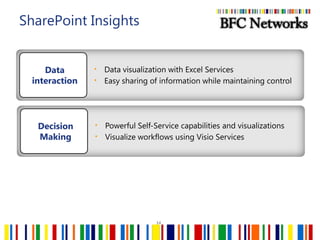
Summary of FeaturesSharePoint Online - StandardW14-BetaSitesCommunitiesContentSearchCompositesInsightsKey:
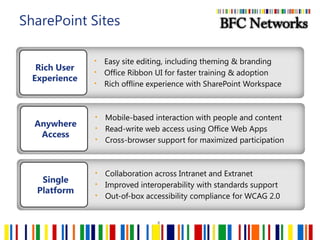
SharePoint Sites8Easy site editing, including theming & branding
Office Ribbon UI for faster training & adoption
Rich offline experience with SharePoint WorkspaceRich User ExperienceMobile-based interaction with people and content
Read-write web access using Office Web Apps
Cross-browser support for maximized participationAnywhere AccessCollaboration across Intranet and Extranet
Improved interoperability with standards support
Out-of-box accessibility compliance for WCAG 2.0 Single Platform
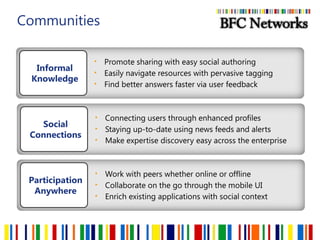
CommunitiesPromote sharing with easy social authoring
Easily navigate resources with pervasive tagging
Find better answers faster via user feedbackInformal KnowledgeConnecting users through enhanced profiles
Staying up-to-date using news feeds and alerts
Make expertise discovery easy across the enterpriseSocial ConnectionsWork with peers whether online or offline
Collaborate on the go through the mobile UI
Enrich existing applications with social contextParticipation Anywhere
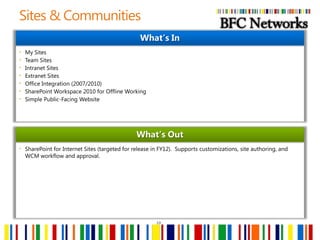
Sites & Communities10My Sites
Team Sites
Intranet Sites
Extranet Sites
Office Integration (2007/2010)
SharePoint Workspace 2010 for Offline Working
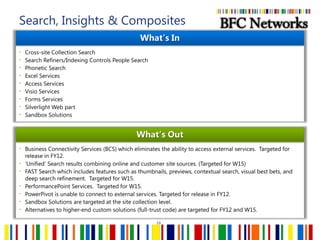
Simple Public-Facing WebsiteWhat’s InSharePoint for Internet Sites (targeted for release in FY12).  Supports customizations, site authoring, and WCM workflow and approval.What’s Out
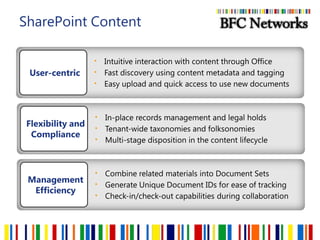
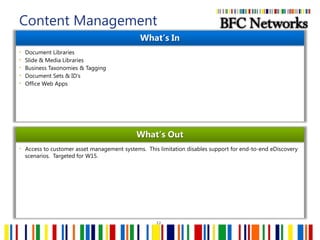
SharePoint ContentIntuitive interaction with content through Office
Fast discovery using content metadata and tagging
Easy upload and quick access to use new documentsUser-centricIn-place records management and legal holds
Tenant-wide taxonomies and folksonomies
Multi-stage disposition in the content lifecycleFlexibility and ComplianceCombine related materials into Document Sets

Office 365 SUGUK march 2011

Editor's Notes

  • #6 Microsoft® Office 365delivers the power of cloud productivity to businesses of all sizes, helping to save time, money and free up valued resources. Office 365 combines the familiar Office desktop suite with cloud-based versions of Microsoft’s next-generation communications and collaboration services: Exchange Online, SharePoint Online and Lync Online. Office 365 is simple to use and easy to administer – all backed by the robust security and guaranteed reliability you expect from a world-class service provider.Microsoft Office 365 Includes:Microsoft® Office Professional PlusThe world’s leading productivity tool now seamlessly connected and delivered with cloud services – for the best productivity experience across the PC, Phone and Browser.Exchange OnlineCloud-based email, calendar and contacts with always-up-to-date protection from viruses and spam.SharePoint OnlineCloud-based service for creating sites to connect colleagues, partners and customers.Lync OnlineCloud-based instant messaging, presence, and online meeting experiences with PC-audio, video conferencing and screen sharing. Key Microsoft Office 365 Benefits:Anywhere-access to email, documents, contacts, and calendars on nearly any device Work seamlessly with Microsoft Office and the other programs your users already count on everydayBusiness-class features including IT-level phone support,  guaranteed 99.9% uptime, geo-redundancy, and disaster recoveryPay-as-you-go pricing options which give you predictability and flexibility for all or part of your organizationLatest version of Business Productivity Online Suite (BPOS), which has millions of business users today Microsoft® Office 365 for small businesses offers an easy-to-use set of web-enabled tools for small businesses, independent consultants and professionals looking for business-class productivity services. Working with the tools people know and use today, Office 365 provides anywhere access to email, important documents, contacts, and calendars on nearly any device. It’s free for the first 30 days and then just $6 per user per month. Microsoft® Office 365 for enterprises brings together cloud versions of our trusted communications and collaboration software with our familiar Office Professional Plus desktop suite. It is designed to help meet your IT needs for robust security, 24/7 reliability, and user productivity.We have a variety of plans to meet the needs of businesses of all sizes and varying IT needs. Priced from $2 - $28 per month per user, each plan has the same 99.9% uptime guarantee and includes the security and support you expect from Microsoft. Office 365 offers great flexibility by allowing businesses to provide users access to only the services they need and pay-as-you-go pricing options. Microsoft® Office 365 for education provides your institution with the same great communication and collaboration experiences used in enterprises around the world while saving time and money. Microsoft Office 365 for education delivers all of this and more while training students on familiar software which employers depend upon.
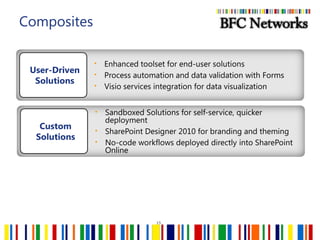
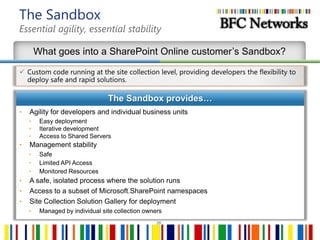
  • #17 Custom Site templates, Custom Web parts, Custom Event Receivers, Silverlight, but no external service calls
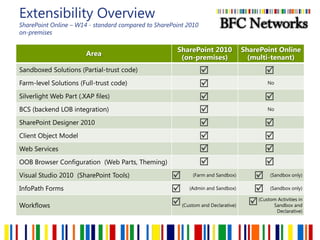
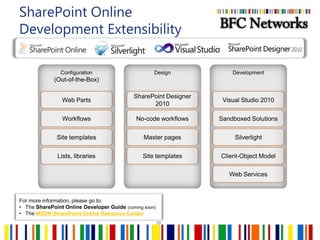
  • #20 In SharePoint Online (W14), it is possible to customize the look and feel of a SharePoint Online sites by using the standard out-of-box capabilities (use of OOTB web parts, templates, lists, libraries, page icons, etc.) that can be configured via the browser.  It is important to note that SharePoint Online supports use of SharePoint Designer 2010. The capability does not include all SPD’10 capabilities, but rather the focus is building no-code workflows, theming and branding, and configuring page layouts/mash-ups for no-code approach to building out new site experiences.It is possible to further extend the SharePoint Online experience, beyond look and feel, by implementing custom solutions. Companies can leverage Visual Studio 2010 to build Sandboxed Solutions such as custom Web Parts. And by leveraging Silverlight (deployed as .XAP files) can enable portions of the solution to run in the client browser, i.e. to make calls out to Internet-facing web services, and then make use of the client-object model to push incoming data down into the SharePoint Online database (per tenancy). The data is then accessible to Sandboxed Solutions and the SharePoint Online sites, lists and libraries. SharePoint Online does not support ‘Farm Solutions.’
  • #21 Main MSDN site for Sandboxed Solutions:http://msdn.microsoft.com/en-us/library/ee536577(office.14).aspx Link to the online SharePoint 2010 SDK:http://msdn.microsoft.com/en-us/library/ee557253(office.14).aspxNamespaces and Types in Sandboxed Solutions:http://msdn.microsoft.com/en-us/library/ee537860(office.14).aspxCommon code components that could be built for the SharePoint Online Sandbox:Event & Feature receiversNavigationWeb partsInfoPath forms logicSharePoint Designer Workflow activitiesDeclarative components that could be built:Declarative workflowsContent types, site columnsLists and list definitionsNon-visual Web PartsCustom actions, ribbon extensionsClient-side technologiesWeb templates, Site pages, page layouts, and master pagesWhat’s not supported from the SandboxNo access to Internet to make Web service callsNo access to a hard drive to read/write files; you can read/write to lists/librariesNo Web Application-scoped features, no Farm-scoped FeaturesCannot add assemblies to the GACCannot run security-related functionality (RunWithElevatedPriviledges, SPSecurity methods, etc..)
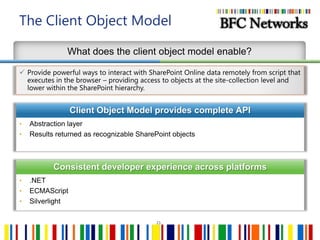
  • #22 Throughout each SharePoint release, Microsoft receives more and more requests for new Web ServicesInstead of continuously building new Web services (and replacing existing ASMX services with WCF services), they now provide a client object modelThe client object model provides an abstraction layer so process off the SharePoint server can interact with SharePoint using a consistent API that is very closely matched to the familiar server APIAnd to read about Silverlight and the Client Object Model here: http://msdn.microsoft.com/en-us/library/ee538971%28office.14%29.aspx
  • #25 s