Say-it-right!
Session 7
Presentation Skills 2
Delivering a presentation
In this session, you should be
able to:
1 Identify different types of visual aids.
2 Identify the difference between non-
verbal language.
3 Identify different types of organisation
of content.
4 Conduct facial exercises.
5 Able to handle group presentations.
Warm up
Activity 1
Types of visual aids
Visual aids – types of visual
1. Powerpoint – bullets kill, use numbering.
Powerpoint rule – 6 words per line, 6 lines
per page
Font size – titles & content
Font style – sans Serif (Arial, Calibri, Century
Gothic)
Cognitive dissonance – flash the
information
Types of visual aids
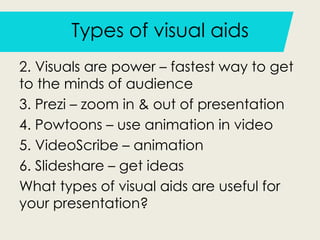
2. Visuals are power – fastest way to get
to the minds of audience
3. Prezi – zoom in & out of presentation
4. Powtoons – use animation in video
5. VideoScribe – animation
6. Slideshare – get ideas
What types of visual aids are useful for
your presentation?
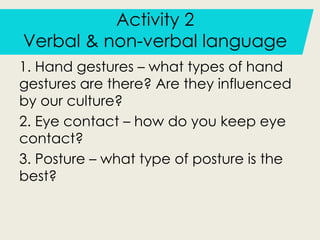
Activity 2
Verbal & non-verbal language
1. Hand gestures – what types of hand
gestures are there? Are they influenced
by our culture?
2. Eye contact – how do you keep eye
contact?
3. Posture – what type of posture is the
best?
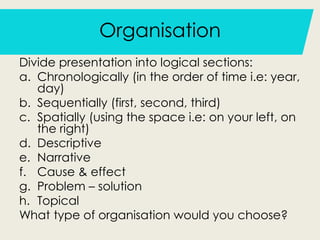
Organisation
Divide presentation into logical sections:
a. Chronologically (in the order of time i.e: year,
day)
b. Sequentially (first, second, third)
c. Spatially (using the space i.e: on your left, on
the right)
d. Descriptive
e. Narrative
f. Cause & effect
g. Problem – solution
h. Topical
What type of organisation would you choose?

Session 7

  • 1.
  • 2.
    In this session,you should be able to: 1 Identify different types of visual aids. 2 Identify the difference between non- verbal language. 3 Identify different types of organisation of content. 4 Conduct facial exercises. 5 Able to handle group presentations.
  • 3.
  • 4.
    Activity 1 Types ofvisual aids Visual aids – types of visual 1. Powerpoint – bullets kill, use numbering. Powerpoint rule – 6 words per line, 6 lines per page Font size – titles & content Font style – sans Serif (Arial, Calibri, Century Gothic) Cognitive dissonance – flash the information
  • 5.
    Types of visualaids 2. Visuals are power – fastest way to get to the minds of audience 3. Prezi – zoom in & out of presentation 4. Powtoons – use animation in video 5. VideoScribe – animation 6. Slideshare – get ideas What types of visual aids are useful for your presentation?
  • 6.
    Activity 2 Verbal &non-verbal language 1. Hand gestures – what types of hand gestures are there? Are they influenced by our culture? 2. Eye contact – how do you keep eye contact? 3. Posture – what type of posture is the best?
  • 7.
    Organisation Divide presentation intological sections: a. Chronologically (in the order of time i.e: year, day) b. Sequentially (first, second, third) c. Spatially (using the space i.e: on your left, on the right) d. Descriptive e. Narrative f. Cause & effect g. Problem – solution h. Topical What type of organisation would you choose?