




SENSORS
CPE 490/590 – Smartphone Development
by: Michael T. Shrove
IOS
CMMOTIONMANAGER
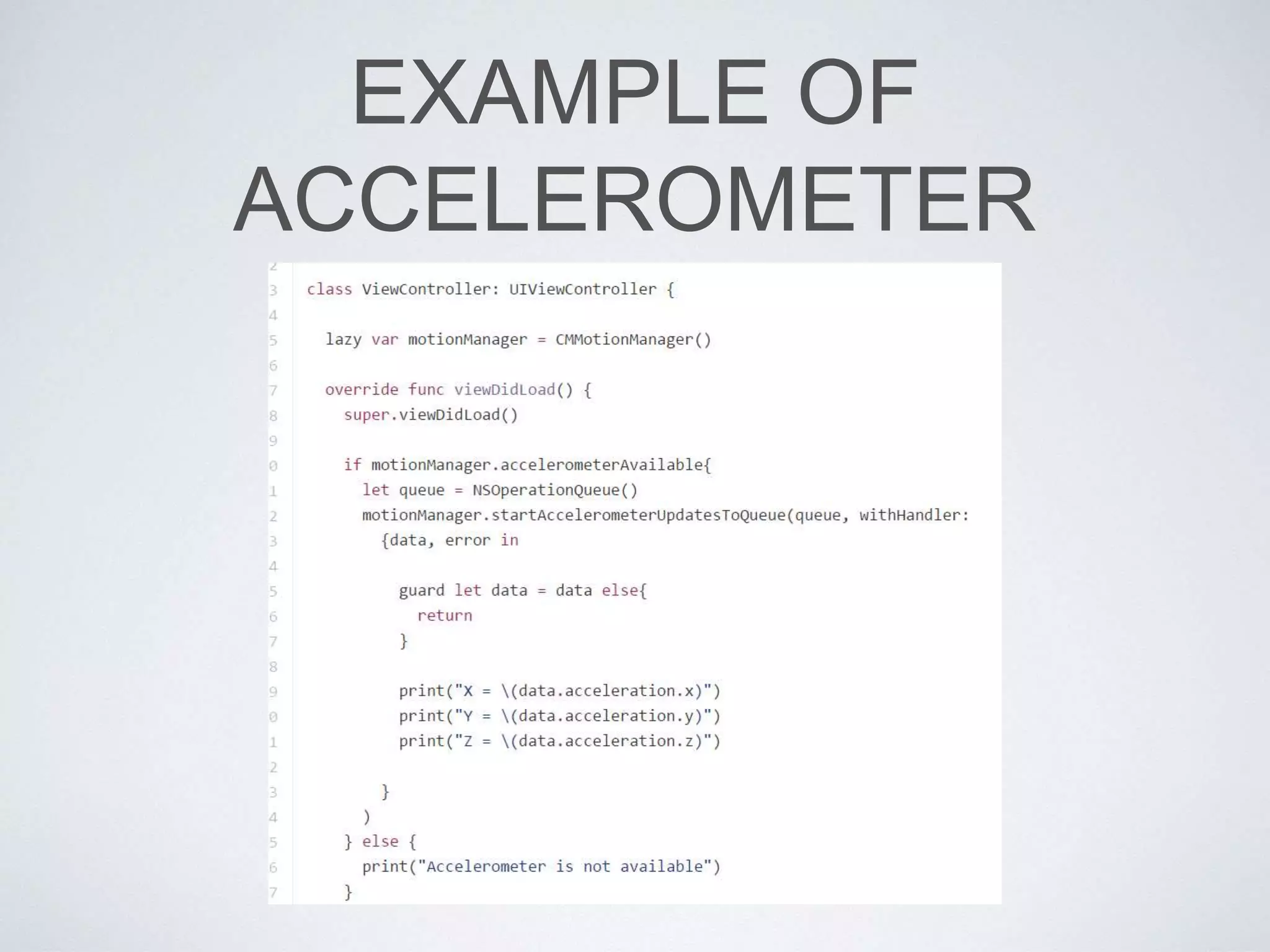
• A CMMotionManager object is the gateway to the
motion services provided by iOS.
• These services provide an app with accelerometer data,
rotation-rate data, magnetometer data, and other
device-motion data such as attitude.
• These types of data originate with a device’s
accelerometers and (on some models) its
magnetometer and gyroscope.
TYPES OF MOTION
SENSORS
• Accelerometer
• Gyroscope
• Magnetometer
• Device Motion (Combines all three)
EXAMPLE OF
ACCELEROMETER
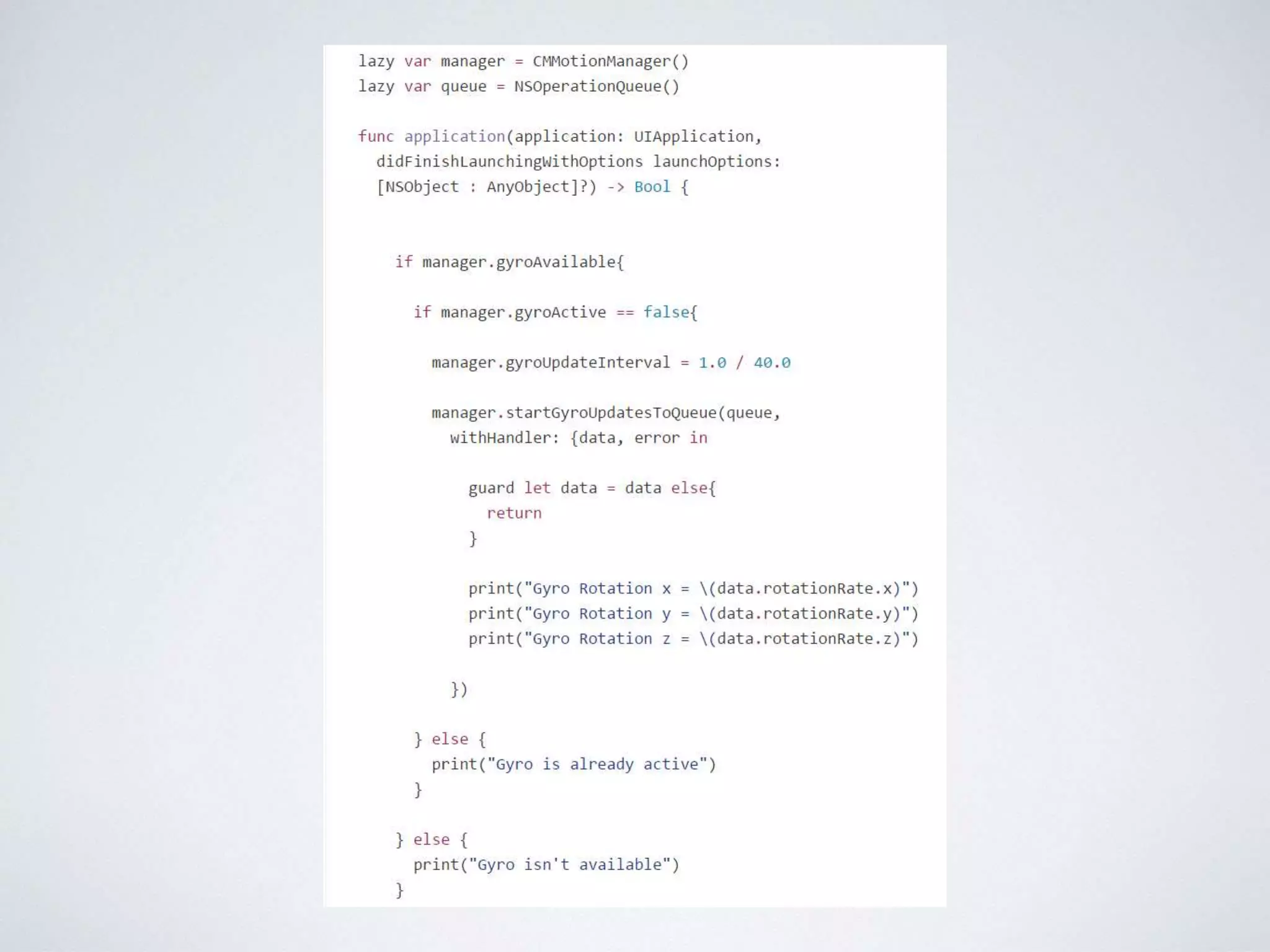
EXAMPLE OF GYROSCOPE
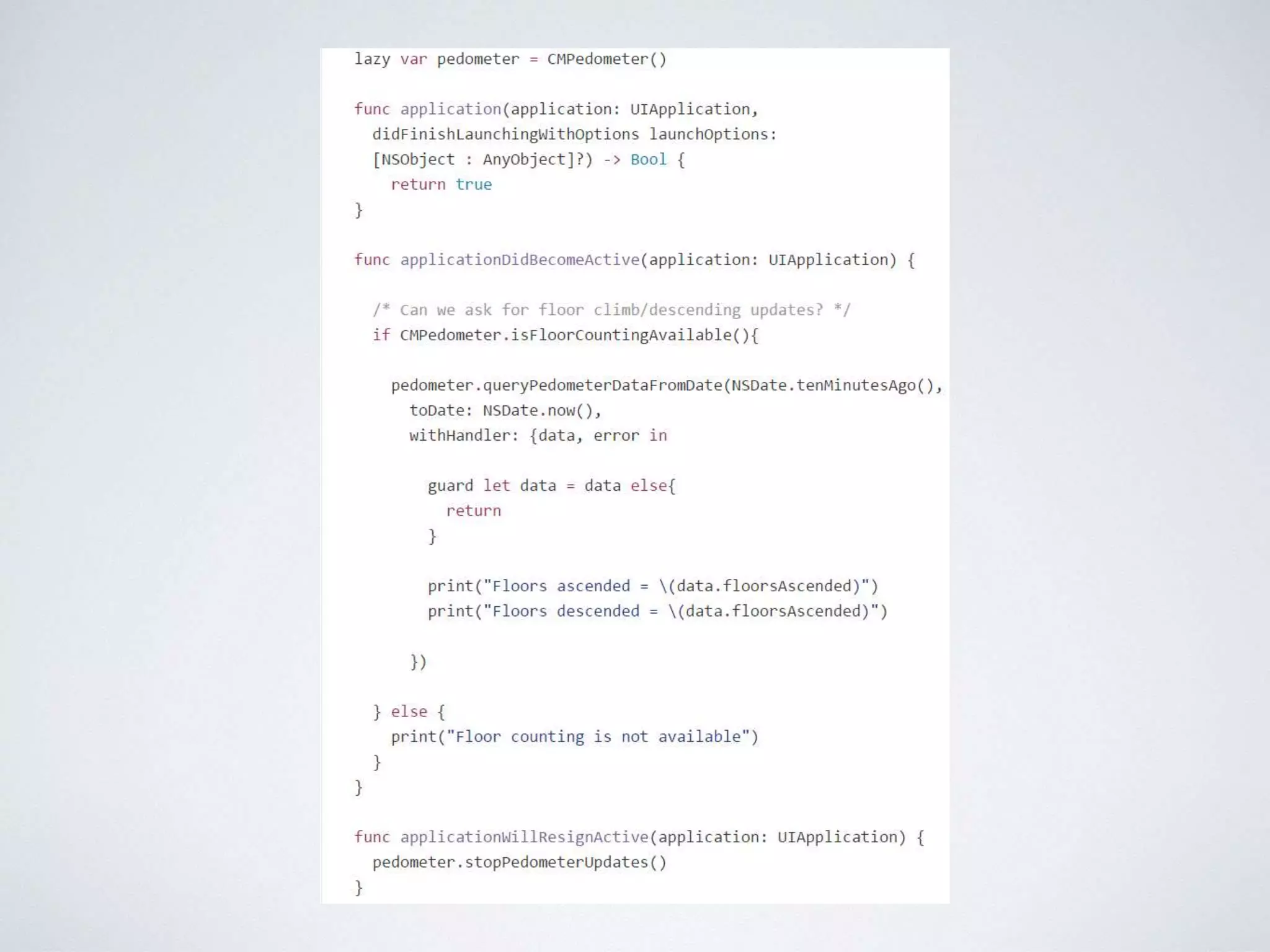
EXAMPLE OF PEDOMETER
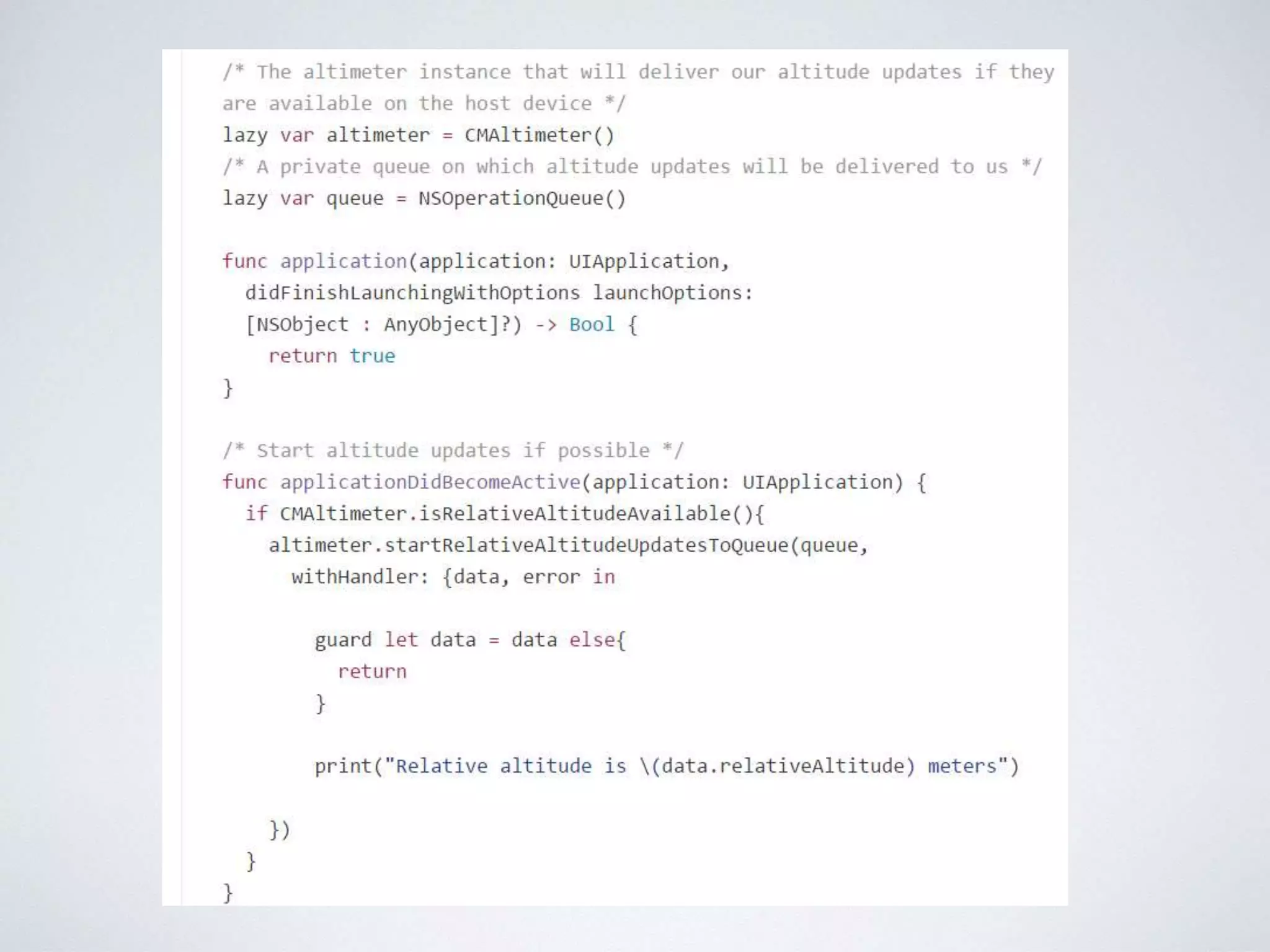
EXAMPLE OF ALTITUDE
HTTPS://GITHUB.COM/VANDADNP/IOS-8-SWIFT-
PROGRAMMING-COOKBOOK
ANDROID
OVERVIEW
• Android Sensors Overview
• Types of Sensors
• Motion Sensors
• Environmental Sensors
• Position Sensors
• Introduction to Sensor Framework
SENSORS OVERVIEW
• Most Android-powered devices have built-in sensors
that measure motion, orientation, and various
environmental conditions.
• These sensors are capable of providing raw data with
high precision and accuracy, and are useful if you
want to monitor three-dimensional device movement
or positioning, or you want to monitor changes in the
ambient environment near a device.
SENSOR EXAMPLES
• For example, a game might track readings from a
device's gravity sensor to infer complex user gestures
and motions, such as tilt, shake, rotation, or swing.
• Likewise, a weather application might use a device's
temperature sensor and humidity sensor to calculate
and report the dewpoint, or a travel application might
use the geomagnetic field sensor and accelerometer
to report a compass bearing.
TYPES OF SENSORS
• Motion Sensors
• Environmental Sensors
• Position Sensors
MOTION SENSORS
• These sensors measure acceleration forces and
rotational forces along three axes.
• This category includes accelerometers, gravity
sensors, gyroscopes, and rotational vector sensors.
ENVIRONMENT SENSORS
• These sensors measure various environmental
parameters, such as ambient air temperature and
pressure, illumination, and humidity.
• This category includes barometers, photometers, and
thermometers.
POSITION SENSORS
• These sensors measure the physical position of a
device.
• This category includes orientation sensors and
magnetometers.
SENSORS
• You can access sensors available on the device and acquire raw
sensor data by using the Android sensor framework.
• For example, you can use the sensor framework to do the following:
• Determine which sensors are available on a device.
• Determine an individual sensor's capabilities, such as its maximum
range, manufacturer, power requirements, and resolution.
• Acquire raw sensor data and define the minimum rate at which you
acquire sensor data.
• Register and unregister sensor event listeners that monitor sensor
changes.
INTRODUCTION TO
SENSOR FRAMEWORK
• The Android sensor framework lets you access many types of sensors. Some
of these sensors are hardware-based and some are software-based.
• Hardware-based sensors are physical components built into a handset or
tablet device. They derive their data by directly measuring specific
environmental properties, such as acceleration, geomagnetic field strength,
or angular change.
• Software-based sensors are not physical devices, although they mimic
hardware-based sensors. Software-based sensors derive their data from one
or more of the hardware-based sensors and are sometimes called virtual
sensors or synthetic sensors.
• The linear acceleration sensor and the gravity sensor are examples of
software-based sensors.
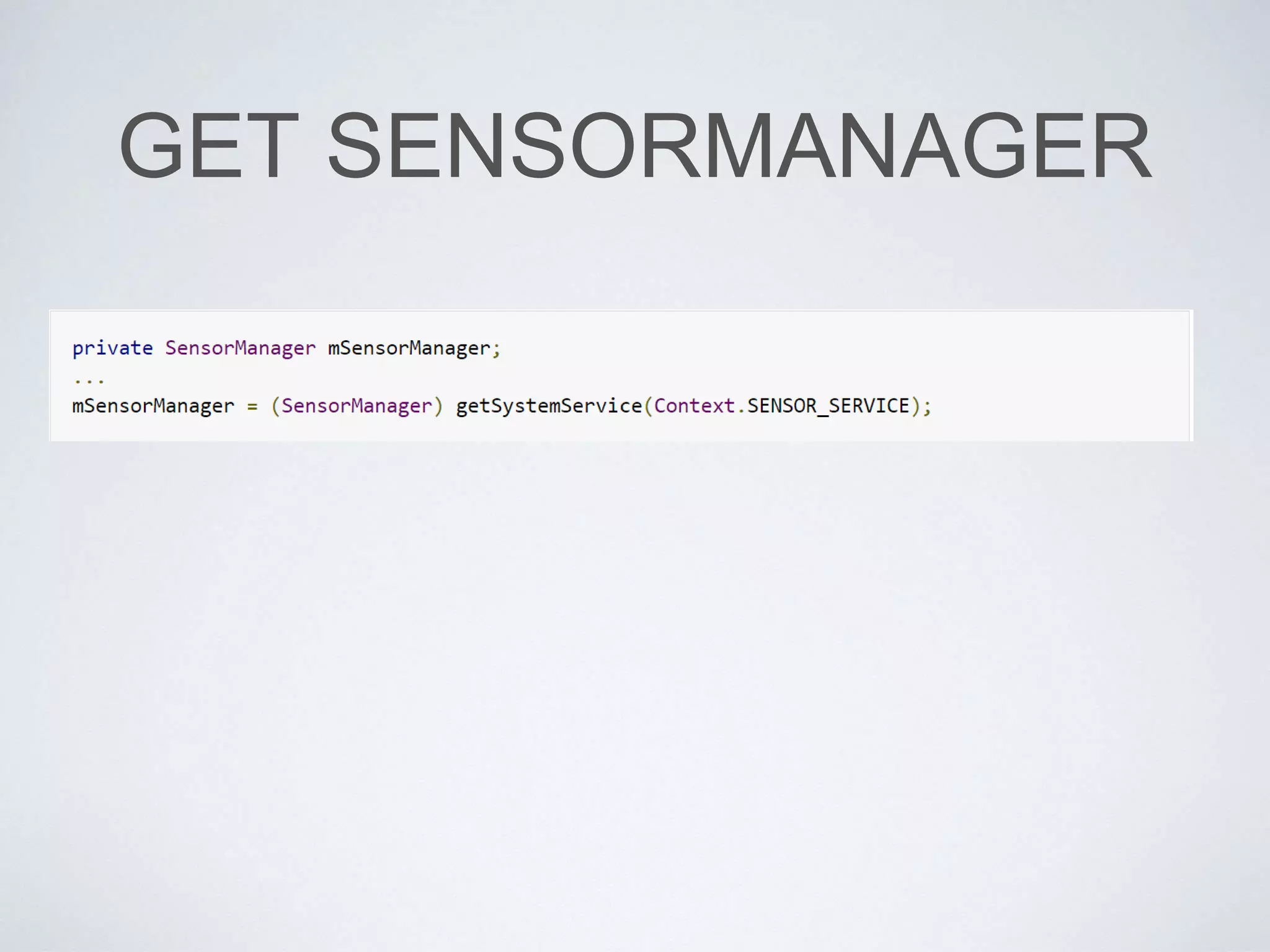
SENSOR MANAGER
• You can use this class to create an instance of the sensor
service.
• This class provides various methods for accessing and
listing sensors, registering and unregistering sensor event
listeners, and acquiring orientation information.
• This class also provides several sensor constants that are
used to report sensor accuracy, set data acquisition rates,
and calibrate sensors.
SENSOR
• You can use this class to create an instance of a
specific sensor.
• This class provides various methods that let you
determine a sensor's capabilities.
SENSOR EVENT
• The system uses this class to create a sensor event object,
which provides information about a sensor event.
• A sensor event object includes the following information:
• the raw sensor data
• the type of sensor that generated the event
• the accuracy of the data
• the timestamp for the event.
SENSOR EVENTLISTENER
• You can use this interface to create two callback
methods that receive notifications (sensor events)z;
• sensor values change
• sensor accuracy changes.
DEVICES
• Few Android-powered devices have every type of sensor.
• For example, most handset devices and tablets have an
accelerometer and a magnetometer, but fewer devices have
barometers or thermometers.
• Also, a device can have more than one sensor of a given
type.
• For example, a device can have two gravity sensors, each
one having a different range.
MOTION SENSORS
• The Android platform provides several sensors that let
you monitor the motion of a device.
• Two of these sensors are always hardware-based (the
accelerometer and gyroscope), and three of these
sensors can be either hardware-based or software-
based (the gravity, linear acceleration, and rotation
vector sensors).
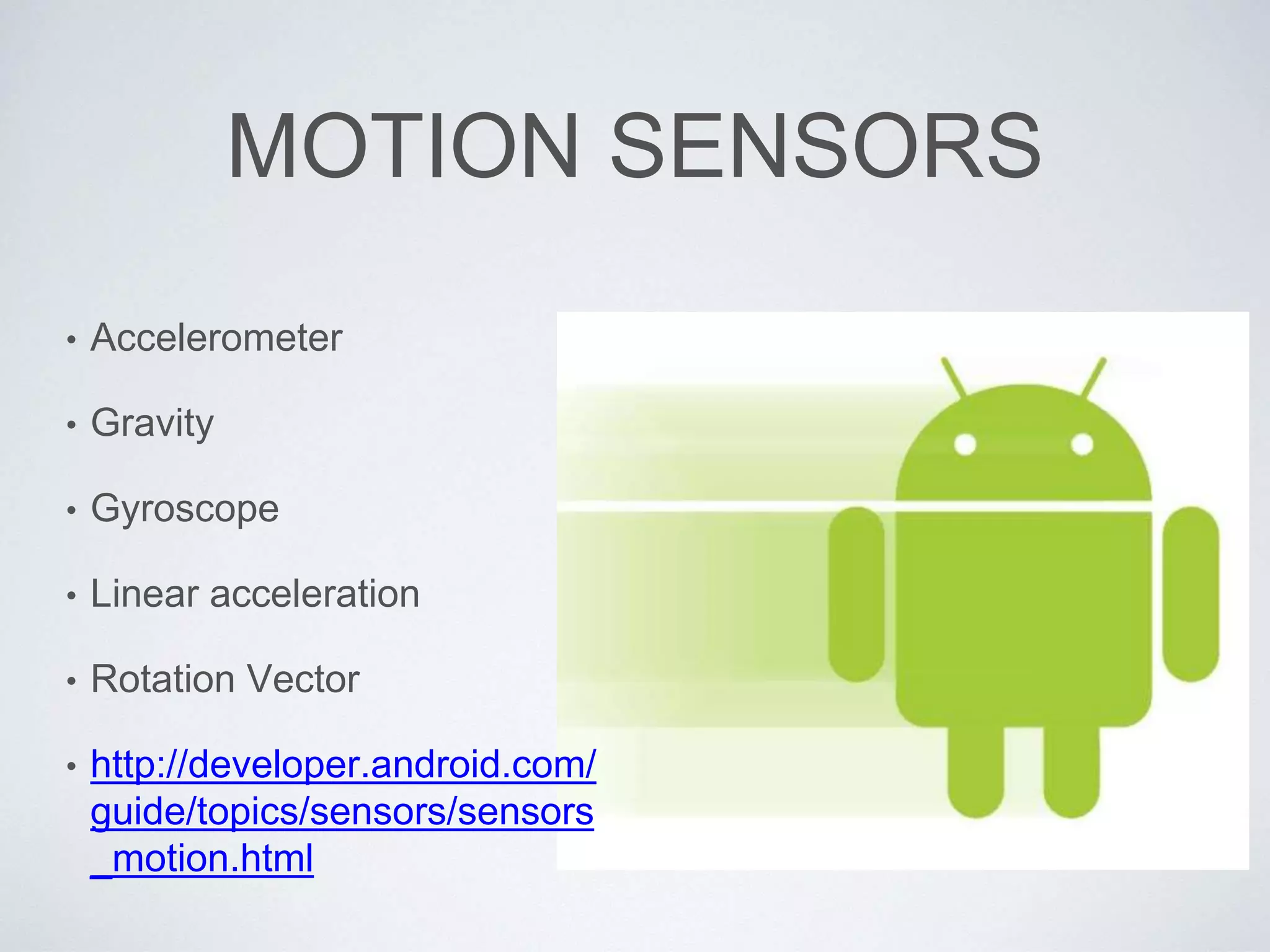
MOTION SENSORS
• Accelerometer
• Gravity
• Gyroscope
• Linear acceleration
• Rotation Vector
• http://developer.android.com/
guide/topics/sensors/sensors
_motion.html
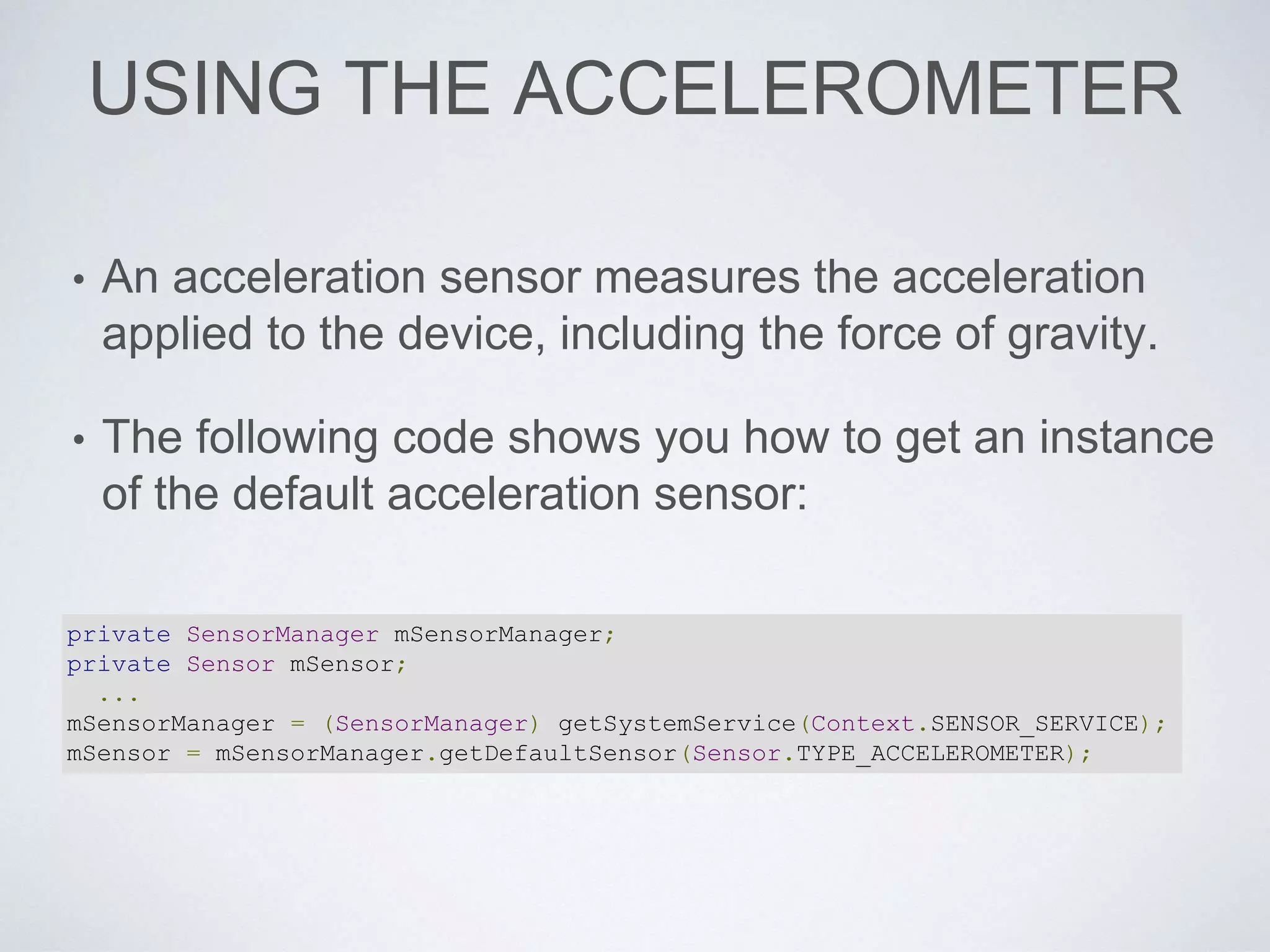
USING THE ACCELEROMETER
• An acceleration sensor measures the acceleration
applied to the device, including the force of gravity.
• The following code shows you how to get an instance
of the default acceleration sensor:
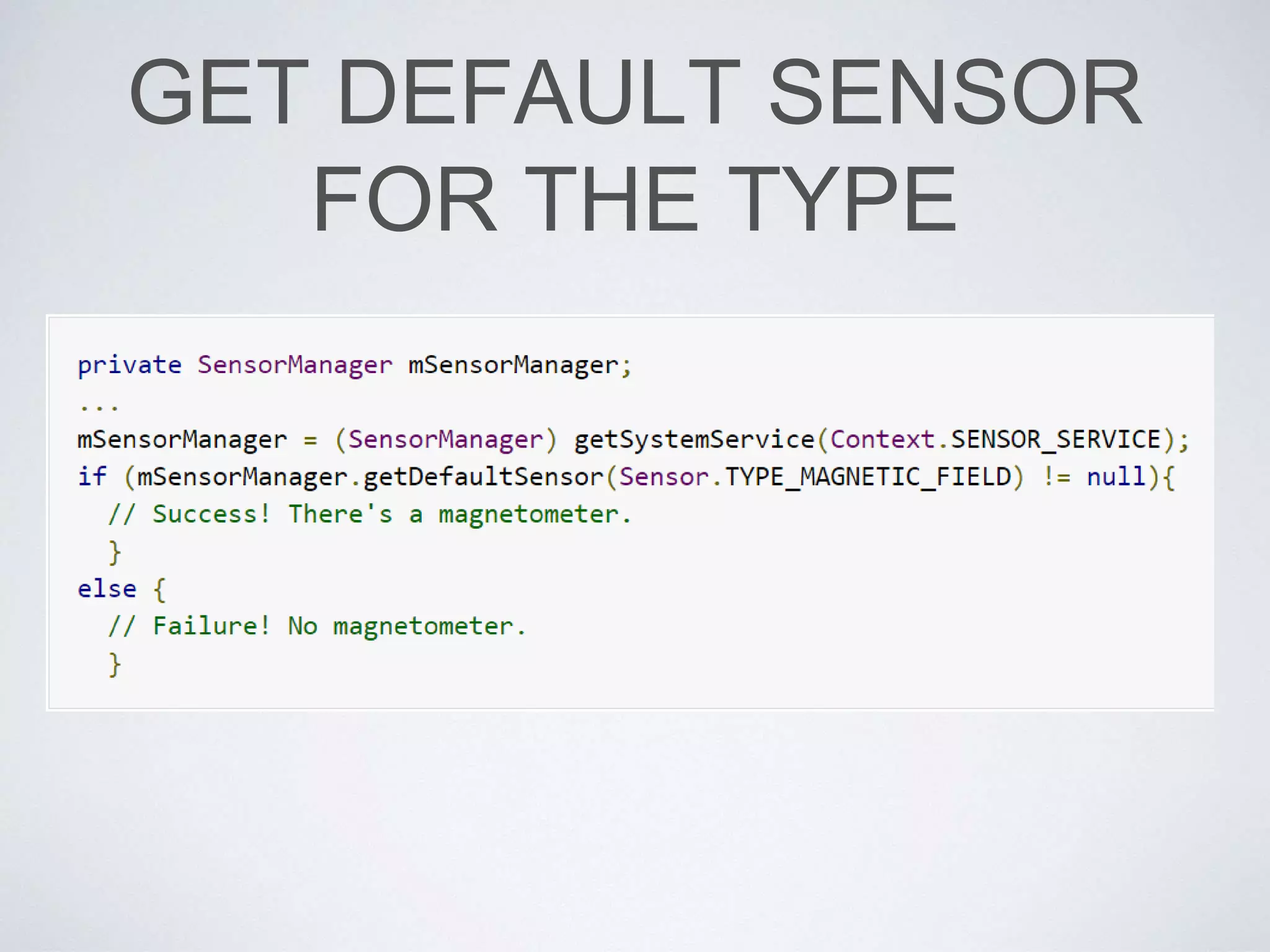
private SensorManager mSensorManager;
private Sensor mSensor;
...
mSensorManager = (SensorManager) getSystemService(Context.SENSOR_SERVICE);
mSensor = mSensorManager.getDefaultSensor(Sensor.TYPE_ACCELEROMETER);
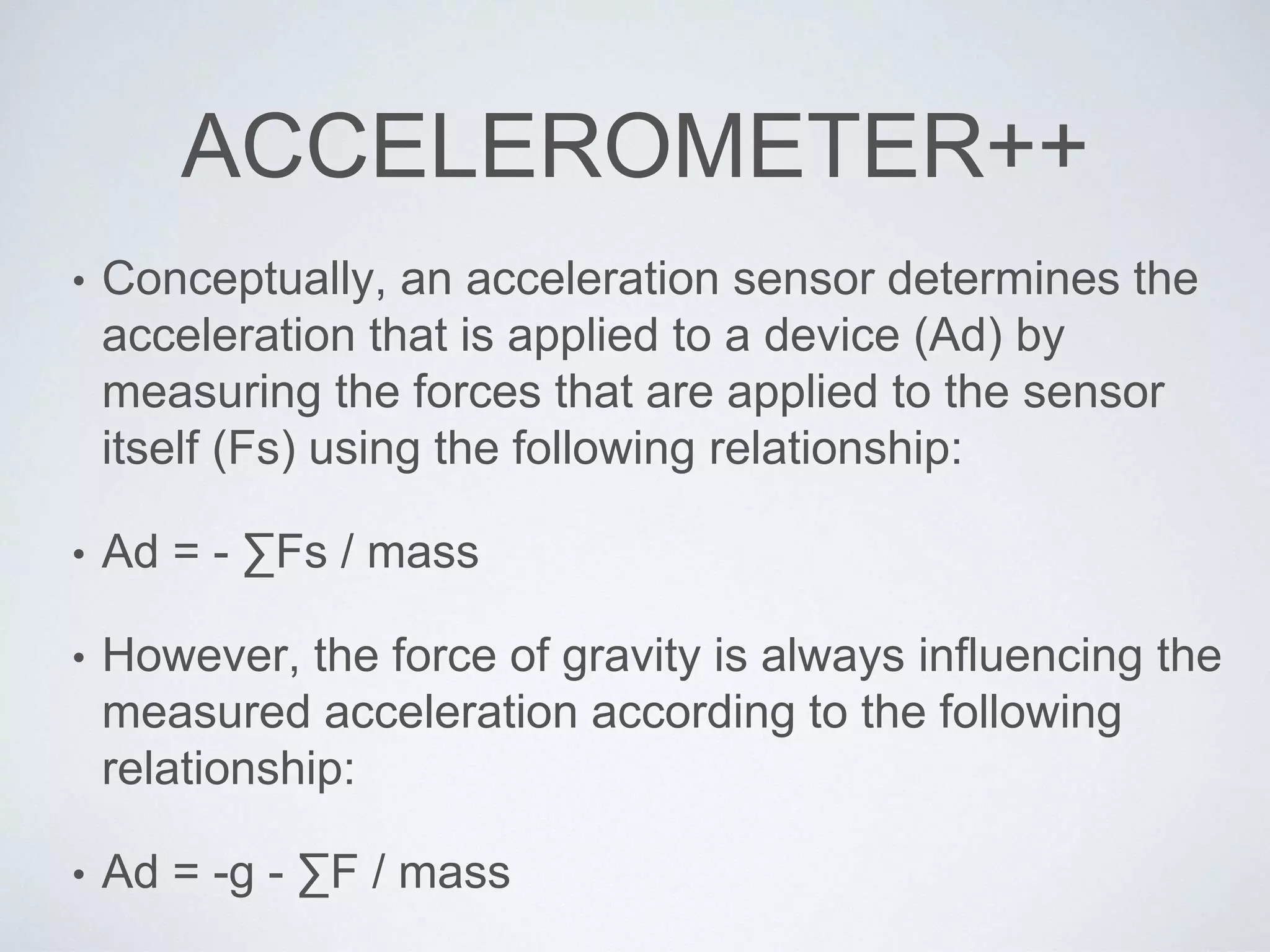
ACCELEROMETER++
• Conceptually, an acceleration sensor determines the
acceleration that is applied to a device (Ad) by
measuring the forces that are applied to the sensor
itself (Fs) using the following relationship:
• Ad = - ∑Fs / mass
• However, the force of gravity is always influencing the
measured acceleration according to the following
relationship:
• Ad = -g - ∑F / mass
ACCELEROMETER += 1
• For this reason, when the device is sitting on a table (and not
accelerating), the accelerometer reads a magnitude of g = 9.81
m/s2.
• Similarly, when the device is in free fall and therefore rapidly
accelerating toward the ground at 9.81 m/s2, its accelerometer
reads a magnitude of g = 0 m/s2.
• Therefore, to measure the real acceleration of the device, the
contribution of the force of gravity must be removed from the
accelerometer data.
• This can be achieved by applying a high-pass filter.
• Conversely, a low-pass filter can be used to isolate the force of
gravity.
LOW PASS FILTER APPLIED
public void onSensorChanged(SensorEvent event){
// In this example, alpha is calculated as t / (t + dT),
// where t is the low-pass filter's time-constant and
// dT is the event delivery rate.
final float alpha = 0.8;
// Isolate the force of gravity with the low-pass filter.
gravity[0] = alpha * gravity[0] + (1 - alpha) * event.values[0];
gravity[1] = alpha * gravity[1] + (1 - alpha) * event.values[1];
gravity[2] = alpha * gravity[2] + (1 - alpha) * event.values[2];
// Remove the gravity contribution with the high-pass filter.
linear_acceleration[0] = event.values[0] - gravity[0];
linear_acceleration[1] = event.values[1] - gravity[1];
linear_acceleration[2] = event.values[2] - gravity[2];
}
ENVIRONMENTAL SENSORS
• The Android platform provides four sensors that let you monitor
various environmental properties.
• You can use these sensors to monitor relative ambient humidity,
illuminance, ambient pressure, and ambient temperature near an
Android-powered device.
• All four environment sensors are hardware-based and are
available only if a device manufacturer has built them into a
device. With the exception of the light sensor, which most device
manufacturers use to control screen brightness, environment
sensors are not always available on devices.
• Because of this, it's particularly important that you verify at
runtime whether an environment sensor exists before you attempt
to acquire data from it
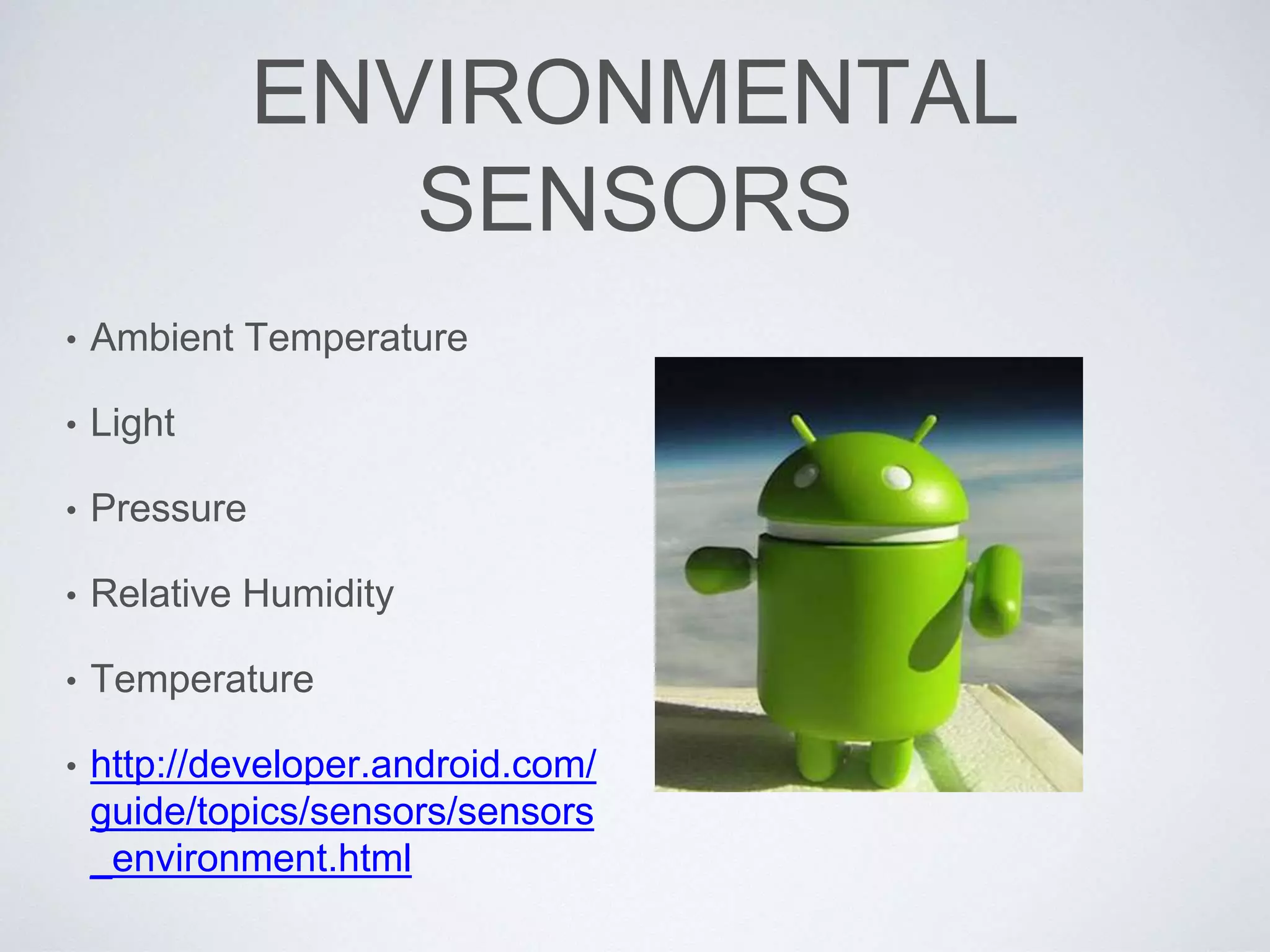
ENVIRONMENTAL
SENSORS
• Ambient Temperature
• Light
• Pressure
• Relative Humidity
• Temperature
• http://developer.android.com/
guide/topics/sensors/sensors
_environment.html
HOW DOES ENVIRONMENTAL
SENSORS DIFFER?
• Unlike most motion sensors and position sensors, which
return a multi-dimensional array of sensor values for each
SensorEvent, environment sensors return a single sensor
value for each data event.
• For example, the temperature in °C or the pressure in hPa.
• Also, unlike motion sensors and position sensors, which
often require high-pass or low-pass filtering, environment
sensors do not typically require any data filtering or data
processing.
POSITION SENSORS
• The Android platform provides two sensors that let you determine the
position of a device: the geomagnetic field sensor and the orientation
sensor.
• The Android platform also provides a sensor that lets you determine how
close the face of a device is to an object (known as the proximity sensor).
• The geomagnetic field sensor and the proximity sensor are hardware-
based.
• Most handset and tablet manufacturers include a geomagnetic field
sensor.
• Likewise, handset manufacturers usually include a proximity sensor to
determine when a handset is being held close to a user's face (for
example, during a phone call).
• The orientation sensor is software-based and derives its data from the
accelerometer and the geomagnetic field sensor.
POSITION SENSORS
• Magnetic Field
• Orientation
• Proximity
• http://developer.android.
com/guide/topics/sensor
s/sensors_position.html
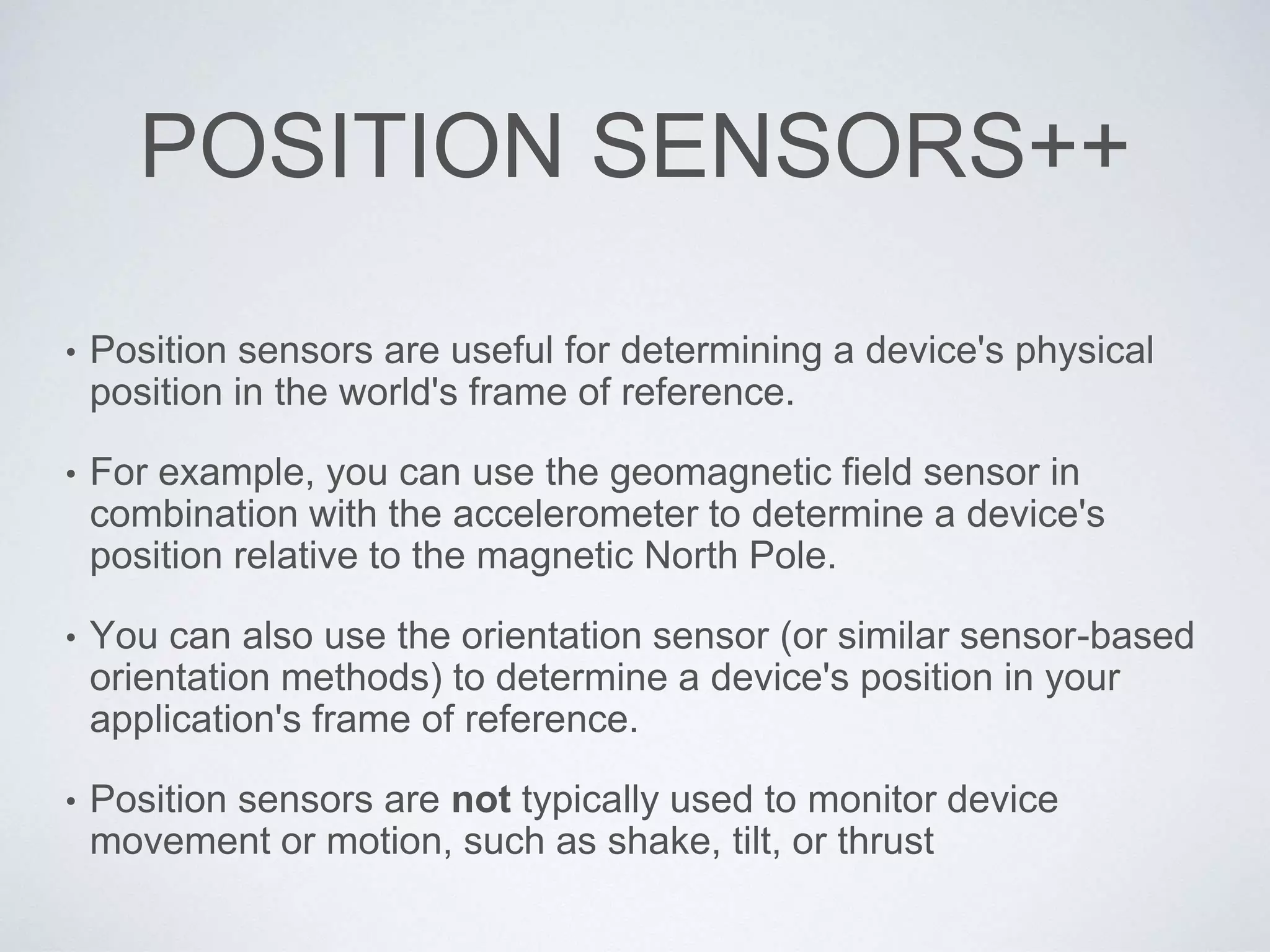
POSITION SENSORS++
• Position sensors are useful for determining a device's physical
position in the world's frame of reference.
• For example, you can use the geomagnetic field sensor in
combination with the accelerometer to determine a device's
position relative to the magnetic North Pole.
• You can also use the orientation sensor (or similar sensor-based
orientation methods) to determine a device's position in your
application's frame of reference.
• Position sensors are not typically used to monitor device
movement or motion, such as shake, tilt, or thrust
EXAMPLES
GET SENSORMANAGER
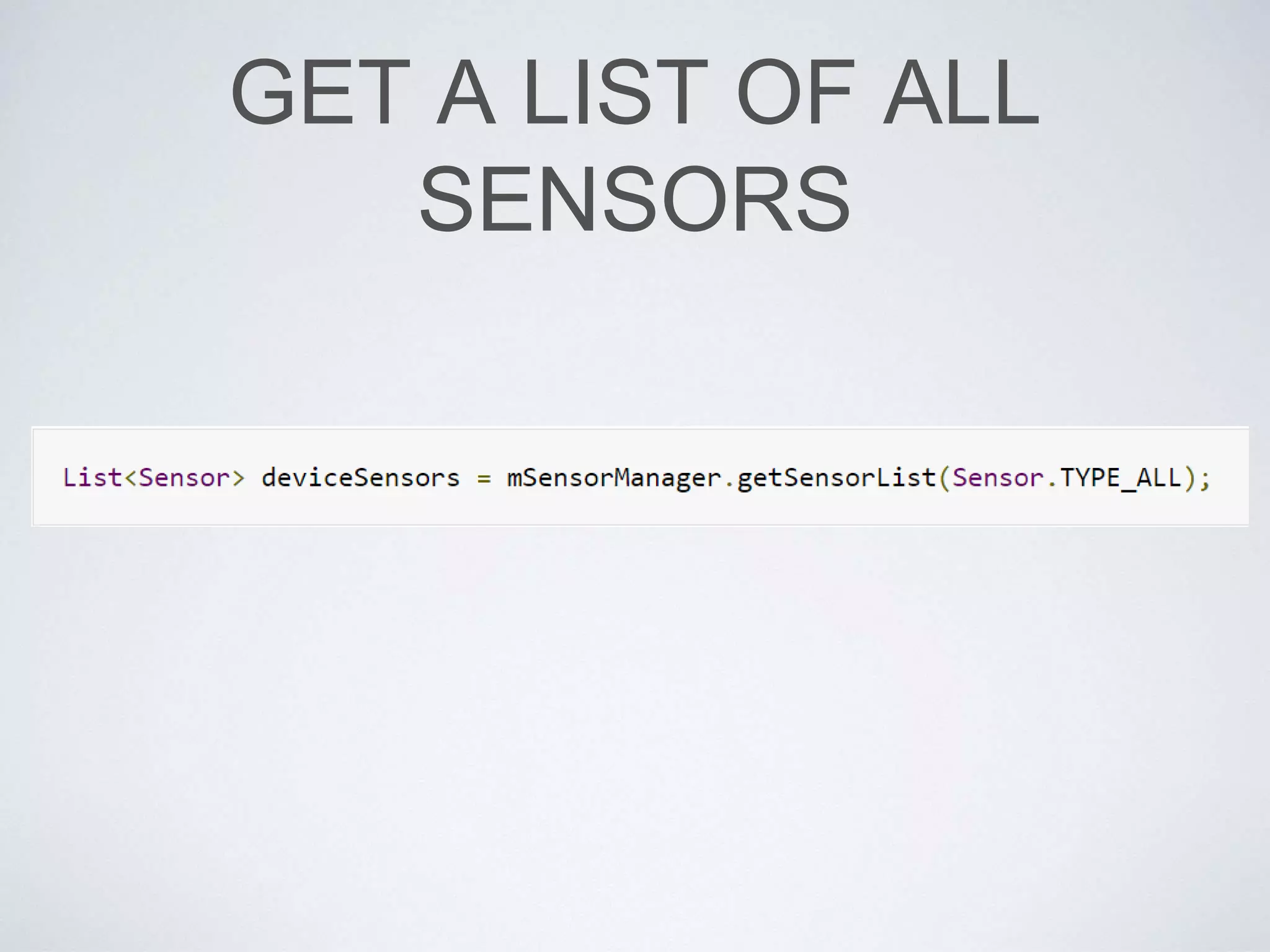
GET A LIST OF ALL
SENSORS
GET DEFAULT SENSOR
FOR THE TYPE
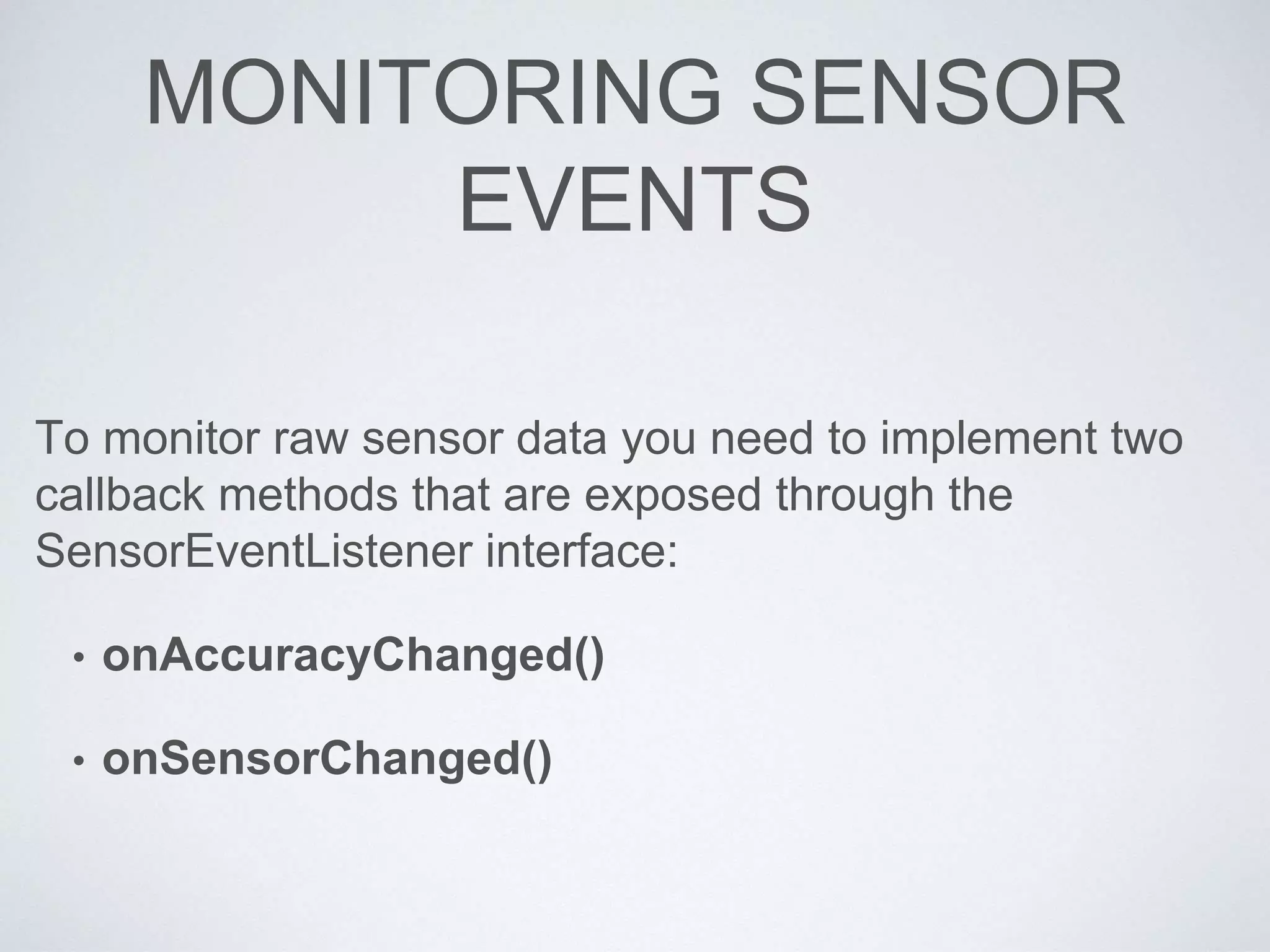
MONITORING SENSOR
EVENTS
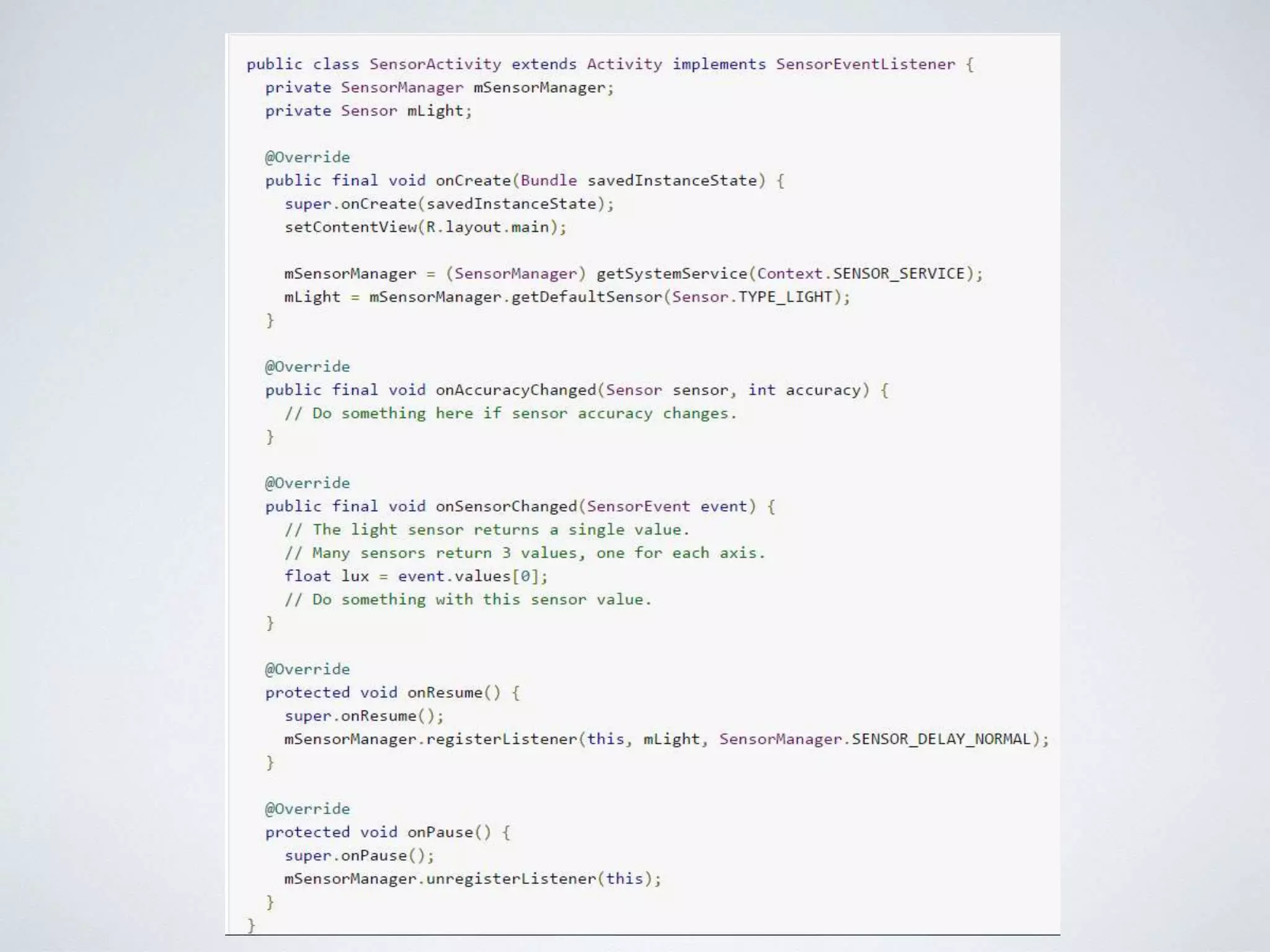
To monitor raw sensor data you need to implement two
callback methods that are exposed through the
SensorEventListener interface:
• onAccuracyChanged()
• onSensorChanged()
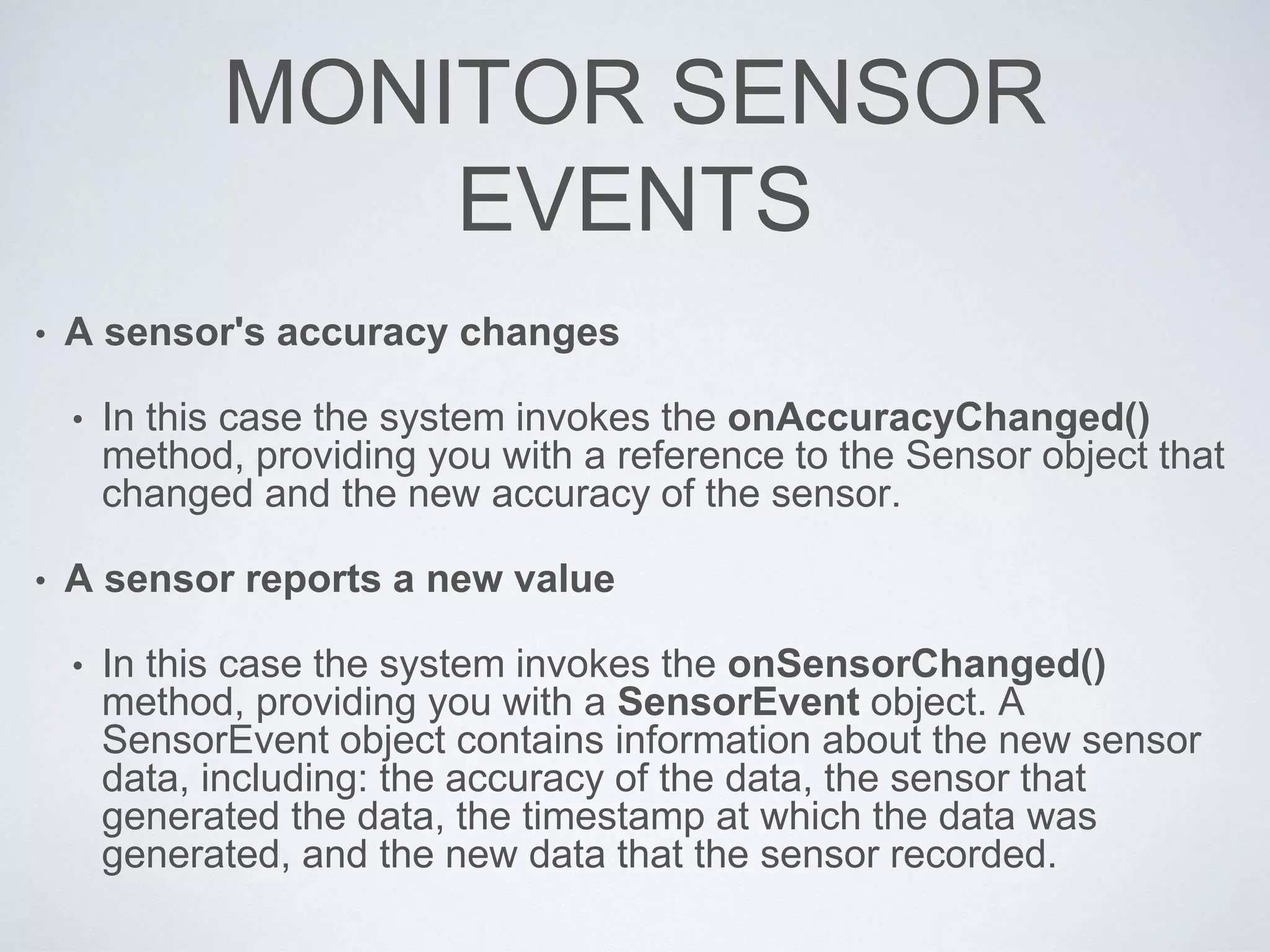
MONITOR SENSOR
EVENTS
• A sensor's accuracy changes
• In this case the system invokes the onAccuracyChanged()
method, providing you with a reference to the Sensor object that
changed and the new accuracy of the sensor.
• A sensor reports a new value
• In this case the system invokes the onSensorChanged()
method, providing you with a SensorEvent object. A
SensorEvent object contains information about the new sensor
data, including: the accuracy of the data, the sensor that
generated the data, the timestamp at which the data was
generated, and the new data that the sensor recorded.
EXAMPLE
QUESTIONS????

Sensors 9

  • 1.
    SENSORS CPE 490/590 –Smartphone Development by: Michael T. Shrove
  • 2.
  • 3.
    CMMOTIONMANAGER • A CMMotionManagerobject is the gateway to the motion services provided by iOS. • These services provide an app with accelerometer data, rotation-rate data, magnetometer data, and other device-motion data such as attitude. • These types of data originate with a device’s accelerometers and (on some models) its magnetometer and gyroscope.
  • 4.
    TYPES OF MOTION SENSORS •Accelerometer • Gyroscope • Magnetometer • Device Motion (Combines all three)
  • 5.
  • 6.
  • 8.
  • 10.
  • 13.
  • 14.
  • 15.
    OVERVIEW • Android SensorsOverview • Types of Sensors • Motion Sensors • Environmental Sensors • Position Sensors • Introduction to Sensor Framework
  • 16.
    SENSORS OVERVIEW • MostAndroid-powered devices have built-in sensors that measure motion, orientation, and various environmental conditions. • These sensors are capable of providing raw data with high precision and accuracy, and are useful if you want to monitor three-dimensional device movement or positioning, or you want to monitor changes in the ambient environment near a device.
  • 17.
    SENSOR EXAMPLES • Forexample, a game might track readings from a device's gravity sensor to infer complex user gestures and motions, such as tilt, shake, rotation, or swing. • Likewise, a weather application might use a device's temperature sensor and humidity sensor to calculate and report the dewpoint, or a travel application might use the geomagnetic field sensor and accelerometer to report a compass bearing.
  • 18.
    TYPES OF SENSORS •Motion Sensors • Environmental Sensors • Position Sensors
  • 19.
    MOTION SENSORS • Thesesensors measure acceleration forces and rotational forces along three axes. • This category includes accelerometers, gravity sensors, gyroscopes, and rotational vector sensors.
  • 20.
    ENVIRONMENT SENSORS • Thesesensors measure various environmental parameters, such as ambient air temperature and pressure, illumination, and humidity. • This category includes barometers, photometers, and thermometers.
  • 21.
    POSITION SENSORS • Thesesensors measure the physical position of a device. • This category includes orientation sensors and magnetometers.
  • 22.
    SENSORS • You canaccess sensors available on the device and acquire raw sensor data by using the Android sensor framework. • For example, you can use the sensor framework to do the following: • Determine which sensors are available on a device. • Determine an individual sensor's capabilities, such as its maximum range, manufacturer, power requirements, and resolution. • Acquire raw sensor data and define the minimum rate at which you acquire sensor data. • Register and unregister sensor event listeners that monitor sensor changes.
  • 23.
    INTRODUCTION TO SENSOR FRAMEWORK •The Android sensor framework lets you access many types of sensors. Some of these sensors are hardware-based and some are software-based. • Hardware-based sensors are physical components built into a handset or tablet device. They derive their data by directly measuring specific environmental properties, such as acceleration, geomagnetic field strength, or angular change. • Software-based sensors are not physical devices, although they mimic hardware-based sensors. Software-based sensors derive their data from one or more of the hardware-based sensors and are sometimes called virtual sensors or synthetic sensors. • The linear acceleration sensor and the gravity sensor are examples of software-based sensors.
  • 24.
    SENSOR MANAGER • Youcan use this class to create an instance of the sensor service. • This class provides various methods for accessing and listing sensors, registering and unregistering sensor event listeners, and acquiring orientation information. • This class also provides several sensor constants that are used to report sensor accuracy, set data acquisition rates, and calibrate sensors.
  • 25.
    SENSOR • You canuse this class to create an instance of a specific sensor. • This class provides various methods that let you determine a sensor's capabilities.
  • 26.
    SENSOR EVENT • Thesystem uses this class to create a sensor event object, which provides information about a sensor event. • A sensor event object includes the following information: • the raw sensor data • the type of sensor that generated the event • the accuracy of the data • the timestamp for the event.
  • 27.
    SENSOR EVENTLISTENER • Youcan use this interface to create two callback methods that receive notifications (sensor events)z; • sensor values change • sensor accuracy changes.
  • 28.
    DEVICES • Few Android-powereddevices have every type of sensor. • For example, most handset devices and tablets have an accelerometer and a magnetometer, but fewer devices have barometers or thermometers. • Also, a device can have more than one sensor of a given type. • For example, a device can have two gravity sensors, each one having a different range.
  • 29.
    MOTION SENSORS • TheAndroid platform provides several sensors that let you monitor the motion of a device. • Two of these sensors are always hardware-based (the accelerometer and gyroscope), and three of these sensors can be either hardware-based or software- based (the gravity, linear acceleration, and rotation vector sensors).
  • 30.
    MOTION SENSORS • Accelerometer •Gravity • Gyroscope • Linear acceleration • Rotation Vector • http://developer.android.com/ guide/topics/sensors/sensors _motion.html
  • 31.
    USING THE ACCELEROMETER •An acceleration sensor measures the acceleration applied to the device, including the force of gravity. • The following code shows you how to get an instance of the default acceleration sensor: private SensorManager mSensorManager; private Sensor mSensor; ... mSensorManager = (SensorManager) getSystemService(Context.SENSOR_SERVICE); mSensor = mSensorManager.getDefaultSensor(Sensor.TYPE_ACCELEROMETER);
  • 32.
    ACCELEROMETER++ • Conceptually, anacceleration sensor determines the acceleration that is applied to a device (Ad) by measuring the forces that are applied to the sensor itself (Fs) using the following relationship: • Ad = - ∑Fs / mass • However, the force of gravity is always influencing the measured acceleration according to the following relationship: • Ad = -g - ∑F / mass
  • 33.
    ACCELEROMETER += 1 •For this reason, when the device is sitting on a table (and not accelerating), the accelerometer reads a magnitude of g = 9.81 m/s2. • Similarly, when the device is in free fall and therefore rapidly accelerating toward the ground at 9.81 m/s2, its accelerometer reads a magnitude of g = 0 m/s2. • Therefore, to measure the real acceleration of the device, the contribution of the force of gravity must be removed from the accelerometer data. • This can be achieved by applying a high-pass filter. • Conversely, a low-pass filter can be used to isolate the force of gravity.
  • 34.
    LOW PASS FILTERAPPLIED public void onSensorChanged(SensorEvent event){ // In this example, alpha is calculated as t / (t + dT), // where t is the low-pass filter's time-constant and // dT is the event delivery rate. final float alpha = 0.8; // Isolate the force of gravity with the low-pass filter. gravity[0] = alpha * gravity[0] + (1 - alpha) * event.values[0]; gravity[1] = alpha * gravity[1] + (1 - alpha) * event.values[1]; gravity[2] = alpha * gravity[2] + (1 - alpha) * event.values[2]; // Remove the gravity contribution with the high-pass filter. linear_acceleration[0] = event.values[0] - gravity[0]; linear_acceleration[1] = event.values[1] - gravity[1]; linear_acceleration[2] = event.values[2] - gravity[2]; }
  • 35.
    ENVIRONMENTAL SENSORS • TheAndroid platform provides four sensors that let you monitor various environmental properties. • You can use these sensors to monitor relative ambient humidity, illuminance, ambient pressure, and ambient temperature near an Android-powered device. • All four environment sensors are hardware-based and are available only if a device manufacturer has built them into a device. With the exception of the light sensor, which most device manufacturers use to control screen brightness, environment sensors are not always available on devices. • Because of this, it's particularly important that you verify at runtime whether an environment sensor exists before you attempt to acquire data from it
  • 36.
    ENVIRONMENTAL SENSORS • Ambient Temperature •Light • Pressure • Relative Humidity • Temperature • http://developer.android.com/ guide/topics/sensors/sensors _environment.html
  • 37.
    HOW DOES ENVIRONMENTAL SENSORSDIFFER? • Unlike most motion sensors and position sensors, which return a multi-dimensional array of sensor values for each SensorEvent, environment sensors return a single sensor value for each data event. • For example, the temperature in °C or the pressure in hPa. • Also, unlike motion sensors and position sensors, which often require high-pass or low-pass filtering, environment sensors do not typically require any data filtering or data processing.
  • 38.
    POSITION SENSORS • TheAndroid platform provides two sensors that let you determine the position of a device: the geomagnetic field sensor and the orientation sensor. • The Android platform also provides a sensor that lets you determine how close the face of a device is to an object (known as the proximity sensor). • The geomagnetic field sensor and the proximity sensor are hardware- based. • Most handset and tablet manufacturers include a geomagnetic field sensor. • Likewise, handset manufacturers usually include a proximity sensor to determine when a handset is being held close to a user's face (for example, during a phone call). • The orientation sensor is software-based and derives its data from the accelerometer and the geomagnetic field sensor.
  • 39.
    POSITION SENSORS • MagneticField • Orientation • Proximity • http://developer.android. com/guide/topics/sensor s/sensors_position.html
  • 40.
    POSITION SENSORS++ • Positionsensors are useful for determining a device's physical position in the world's frame of reference. • For example, you can use the geomagnetic field sensor in combination with the accelerometer to determine a device's position relative to the magnetic North Pole. • You can also use the orientation sensor (or similar sensor-based orientation methods) to determine a device's position in your application's frame of reference. • Position sensors are not typically used to monitor device movement or motion, such as shake, tilt, or thrust
  • 41.
  • 42.
  • 43.
    GET A LISTOF ALL SENSORS
  • 44.
  • 45.
    MONITORING SENSOR EVENTS To monitorraw sensor data you need to implement two callback methods that are exposed through the SensorEventListener interface: • onAccuracyChanged() • onSensorChanged()
  • 46.
    MONITOR SENSOR EVENTS • Asensor's accuracy changes • In this case the system invokes the onAccuracyChanged() method, providing you with a reference to the Sensor object that changed and the new accuracy of the sensor. • A sensor reports a new value • In this case the system invokes the onSensorChanged() method, providing you with a SensorEvent object. A SensorEvent object contains information about the new sensor data, including: the accuracy of the data, the sensor that generated the data, the timestamp at which the data was generated, and the new data that the sensor recorded.
  • 47.
  • 48.