Select query in
JDBC
Subject: Advanced java technology
CE-B
Maulik togadiya
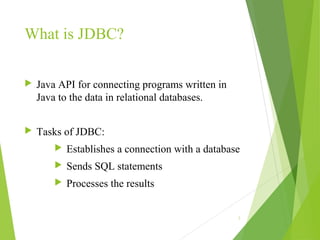
What is JDBC?
 Java API for connecting programs written in
Java to the data in relational databases.
 Tasks of JDBC:
 Establishes a connection with a database
 Sends SQL statements
 Processes the results
2
JDBC
 Store
 Update
 Retrieve
 Delete
 It converts java statements into a SQL
statement.
 For that it uses drivers..
3
JDBC
 There are four type of drivers
JDBC-ODBC bridge
Native API
Network–third party drivers
Pour java(thin drivers)
4
JDBC
 Some class and interfaces :
DriverManager(class)
Connection(interface)
Statement(interface)
SQLException(class)
ResultSet(interface)
5
How to execute SQL query?
 Create statement(using 3 ways)
 Using statement
Statement st=conn.createStastement()
 Using preparedStatement
PreparedStatement pst=conn.prepareStatement(“Sql”)
 Using callablestatement
CallableStatement cs=conn.createCall()
6
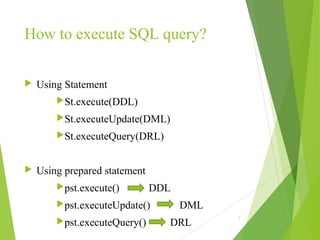
How to execute SQL query?
 Using Statement
St.execute(DDL)
St.executeUpdate(DML)
St.executeQuery(DRL)
 Using prepared statement
pst.execute() DDL
pst.executeUpdate() DML
pst.executeQuery() DRL
7
Program: Fire select query on DB
8
import java.sql.*;
public class SelectDataDemo
{
public static void main(String[] args)
{
Class.forName("com.mysql.jdbc.Driver");
connection
=DriverManager.getConnection("jdbc:mysql://localhost:33
06/JDBCDemo", "root", "password");
9
/*Statement st = conn.createStatement();
st.executeUpdate("INSERT INTO EMPLOYEE
(ID,FIRST_NAME) VALUES (1,'Lokesh','Gupta')");
st.executeUpdate("INSERT INTO EMPLOYEE
(ID,FIRST_NAME) VALUES (2,‘Mahesh',‘Patel')");*/
Statement st = connection.createStatement();
ResultSet rs = st.executeQuery("SELECT
ID,FIRST_NAME,LAST_NAME WHERE ID <= 5");
while(rs.next())
{
System.out.println(rs.getString(1)); //First Column
System.out.println(rs.getString(2)); //Second Column
System.out.println(rs.getString(3)); //Third Column
}
                       
     st.close();
        conn.close();
   } 
 Output:
1
Lokesh
Gupta
2
Mahesh
Patel
Select query in JDBC

Select query in JDBC

  • 1.
    Select query in JDBC Subject:Advanced java technology CE-B Maulik togadiya
  • 2.
    What is JDBC? Java API for connecting programs written in Java to the data in relational databases.  Tasks of JDBC:  Establishes a connection with a database  Sends SQL statements  Processes the results 2
  • 3.
    JDBC  Store  Update Retrieve  Delete  It converts java statements into a SQL statement.  For that it uses drivers.. 3
  • 4.
    JDBC  There arefour type of drivers JDBC-ODBC bridge Native API Network–third party drivers Pour java(thin drivers) 4
  • 5.
    JDBC  Some classand interfaces : DriverManager(class) Connection(interface) Statement(interface) SQLException(class) ResultSet(interface) 5
  • 6.
    How to executeSQL query?  Create statement(using 3 ways)  Using statement Statement st=conn.createStastement()  Using preparedStatement PreparedStatement pst=conn.prepareStatement(“Sql”)  Using callablestatement CallableStatement cs=conn.createCall() 6
  • 7.
    How to executeSQL query?  Using Statement St.execute(DDL) St.executeUpdate(DML) St.executeQuery(DRL)  Using prepared statement pst.execute() DDL pst.executeUpdate() DML pst.executeQuery() DRL 7
  • 8.
    Program: Fire selectquery on DB 8 import java.sql.*; public class SelectDataDemo { public static void main(String[] args) { Class.forName("com.mysql.jdbc.Driver"); connection =DriverManager.getConnection("jdbc:mysql://localhost:33 06/JDBCDemo", "root", "password");
  • 9.
    9 /*Statement st =conn.createStatement(); st.executeUpdate("INSERT INTO EMPLOYEE (ID,FIRST_NAME) VALUES (1,'Lokesh','Gupta')"); st.executeUpdate("INSERT INTO EMPLOYEE (ID,FIRST_NAME) VALUES (2,‘Mahesh',‘Patel')");*/ Statement st = connection.createStatement(); ResultSet rs = st.executeQuery("SELECT ID,FIRST_NAME,LAST_NAME WHERE ID <= 5"); while(rs.next()) { System.out.println(rs.getString(1)); //First Column System.out.println(rs.getString(2)); //Second Column System.out.println(rs.getString(3)); //Third Column }
  • 10.