SESSION ID:
#RSAC
Lance Spitzner
Securing Today’s Online Kids
HUM-WO5F
Director
SANS Securing The Human
@Twitter
lspitzner@sans.org
Presenter’s Company
Logo – replace on
master slide
#RSAC
Goal
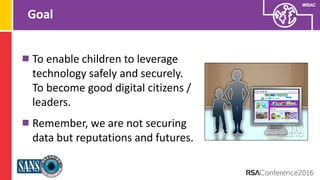
To enable children to leverage
technology safely and securely.
To become good digital citizens /
leaders.
Remember, we are not securing
data but reputations and futures.
Presenter’s Company
Logo – replace on
master slide
#RSAC
Challenges For Parents
No Reference: Kids growing up in a world we never
experienced.
Always Connected: Kids have constant Internet access
through a variety of devices.
Presenter’s Company
Logo – replace on
master slide
#RSAC
Top Three Threats
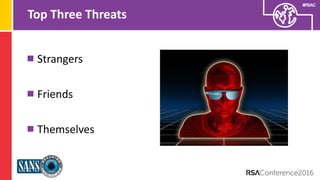
Strangers
Friends
Themselves
Presenter’s Company
Logo – replace on
master slide
#RSAC
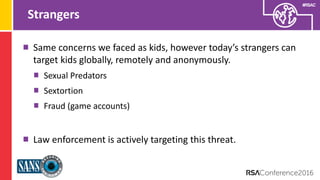
Strangers
Same concerns we faced as kids, however today’s strangers can
target kids globally, remotely and anonymously.
Sexual Predators
Sextortion
Fraud (game accounts)
Law enforcement is actively targeting this threat.
Presenter’s Company
Logo – replace on
master slide
#RSAC
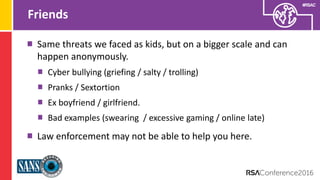
Friends
Same threats we faced as kids, but on a bigger scale and can
happen anonymously.
Cyber bullying (griefing / salty / trolling)
Pranks / Sextortion
Ex boyfriend / girlfriend.
Bad examples (swearing / excessive gaming / online late)
Law enforcement may not be able to help you here.
Presenter’s Company
Logo – replace on
master slide
#RSAC
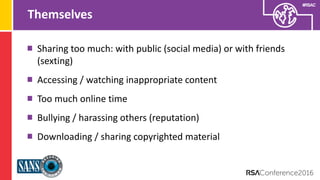
Themselves
Sharing too much: with public (social media) or with friends
(sexting)
Accessing / watching inappropriate content
Too much online time
Bullying / harassing others (reputation)
Downloading / sharing copyrighted material
Presenter’s Company
Logo – replace on
master slide
#RSAC
Common Theme
What is one thing all three of these risks share?
COMMUNICATION
8
#RSAC
What You Can Do
Presenter’s Company
Logo – replace on
master slide
#RSAC
Education / Communication
Talking with kids is THE strongest weapon you have. Technology
cannot keep up, nor can you outsource parenting.
Mentor your kids on how to behave, just like we do in the real
world. Ultimately this is about values.
Ensure your kids feel comfortable talking to you. Ask them to
show the technologies they are using and how they use them.
Explain the “Golden Rule” - no consequences when reporting.
Presenter’s Company
Logo – replace on
master slide
#RSAC
Dedicated Computer
Have a computer dedicated just for the kids.
Keep it updated / patched with AV and firewall.
Make sure each child has their own, non-privileged account.
Have your children be responsible for keeping the computer up to
date and secure (let them rebuild it when it gets slow).
My kids only use computer for gaming and writing reports.
Presenter’s Company
Logo – replace on
master slide
#RSAC
Mobile Devices – Where the Action Is
Have a central, family charging station.
All devices go there when devices are not in use and before kids
go to bed.
When kids leave house, smartphone has to be on, tracking
enabled, and they have to respond to all messages from Mom or
Dad (no phone dying due to too much gaming).
Presenter’s Company
Logo – replace on
master slide
#RSAC
Rules Contract
Agree upon rules before giving kids access to new technology
(smartphone / tablet, etc). Like any Acceptable Use Policy, you will
need to update it as kids get older.
Times kids can or cannot be online.
Tie grades to use of devices, get below an 85 in any class, lose your
mobile device.
What they can and cannot do.
Who to report any questions or concerns to.
www.janellburleyhofmann.com/the-contract
Presenter’s Company
Logo – replace on
master slide
#RSAC
Grandparents / Family
Just like you train your kids, you may need to train other family
members.
When kids are at Grandma’s, what rules apply, does Grandma
know the rules?
What happens at Grandma’s stays at Grandma’s
Presenter’s Company
Logo – replace on
master slide
#RSAC
Technology
Filtering is active, you to control what activity your children can
and cannot do online.
Monitoring is passive, it only logs and reports what your children
were doing.
Presenter’s Company
Logo – replace on
master slide
#RSAC
Filtering
Most effective for younger children, prevents them from
accidently accessing harmful content
As children get older, easier to bypass. In addition, as they get
older they need more access (i.e. homework)
Certain websites are their own ‘ecosystem’ and hard to filter,
such as YouTube, Netflix, Steam, Facebook or Instagram.
Presenter’s Company
Logo – replace on
master slide
#RSAC
OpenDNS
Free service, set-up as your DNS server.
Will block attempts to connect to any server based on settings.
Excellent for filtering website activity and protecting against
malicious sites.
Poor reporting.
www.opendns.org
Presenter’s Company
Logo – replace on
master slide
#RSAC
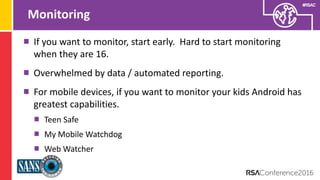
Monitoring
If you want to monitor, start early. Hard to start monitoring
when they are 16.
Overwhelmed by data / automated reporting.
For mobile devices, if you want to monitor your kids Android has
greatest capabilities.
Teen Safe
My Mobile Watchdog
Web Watcher
Presenter’s Company
Logo – replace on
master slide
#RSAC
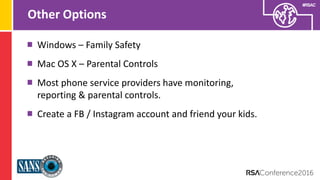
Other Options
Windows – Family Safety
Mac OS X – Parental Controls
Most phone service providers have monitoring,
reporting & parental controls.
Create a FB / Instagram account and friend your kids.
Presenter’s Company
Logo – replace on
master slide
#RSAC
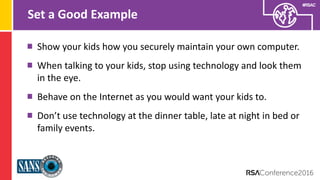
Set a Good Example
Show your kids how you securely maintain your own computer.
When talking to your kids, stop using technology and look them
in the eye.
Behave on the Internet as you would want your kids to.
Don’t use technology at the dinner table, late at night in bed or
family events.
Presenter’s Company
Logo – replace on
master slide
#RSAC
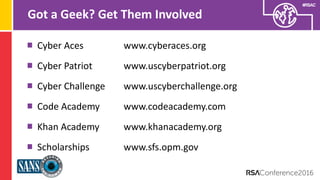
Got a Geek? Get Them Involved
Cyber Aces www.cyberaces.org
Cyber Patriot www.uscyberpatriot.org
Cyber Challenge www.uscyberchallenge.org
Code Academy www.codeacademy.com
Khan Academy www.khanacademy.org
Scholarships www.sfs.opm.gov
Presenter’s Company
Logo – replace on
master slide
#RSAC
When You Get Home
• Communication is key, this is not about technology, it’s about
values. Start the dialogue by asking your kids what are their
favorite apps and have them show you how the apps work.
• Create a dedicated charging station for your kids and keep
devices in an open area.
• Create a contract for you and your kids.
• Stop using technology when they want to talk to you.
Presenter’s Company
Logo – replace on
master slide
#RSAC
Learn More
securingthehuman.sans.org/resources/kids
www.rsaconference.com/safe

Securing Today’s Online Kids

  • 1.
    SESSION ID: #RSAC Lance Spitzner SecuringToday’s Online Kids HUM-WO5F Director SANS Securing The Human @Twitter lspitzner@sans.org
  • 2.
    Presenter’s Company Logo –replace on master slide #RSAC Goal To enable children to leverage technology safely and securely. To become good digital citizens / leaders. Remember, we are not securing data but reputations and futures.
  • 3.
    Presenter’s Company Logo –replace on master slide #RSAC Challenges For Parents No Reference: Kids growing up in a world we never experienced. Always Connected: Kids have constant Internet access through a variety of devices.
  • 4.
    Presenter’s Company Logo –replace on master slide #RSAC Top Three Threats Strangers Friends Themselves
  • 5.
    Presenter’s Company Logo –replace on master slide #RSAC Strangers Same concerns we faced as kids, however today’s strangers can target kids globally, remotely and anonymously. Sexual Predators Sextortion Fraud (game accounts) Law enforcement is actively targeting this threat.
  • 6.
    Presenter’s Company Logo –replace on master slide #RSAC Friends Same threats we faced as kids, but on a bigger scale and can happen anonymously. Cyber bullying (griefing / salty / trolling) Pranks / Sextortion Ex boyfriend / girlfriend. Bad examples (swearing / excessive gaming / online late) Law enforcement may not be able to help you here.
  • 7.
    Presenter’s Company Logo –replace on master slide #RSAC Themselves Sharing too much: with public (social media) or with friends (sexting) Accessing / watching inappropriate content Too much online time Bullying / harassing others (reputation) Downloading / sharing copyrighted material
  • 8.
    Presenter’s Company Logo –replace on master slide #RSAC Common Theme What is one thing all three of these risks share? COMMUNICATION 8
  • 9.
  • 10.
    Presenter’s Company Logo –replace on master slide #RSAC Education / Communication Talking with kids is THE strongest weapon you have. Technology cannot keep up, nor can you outsource parenting. Mentor your kids on how to behave, just like we do in the real world. Ultimately this is about values. Ensure your kids feel comfortable talking to you. Ask them to show the technologies they are using and how they use them. Explain the “Golden Rule” - no consequences when reporting.
  • 11.
    Presenter’s Company Logo –replace on master slide #RSAC Dedicated Computer Have a computer dedicated just for the kids. Keep it updated / patched with AV and firewall. Make sure each child has their own, non-privileged account. Have your children be responsible for keeping the computer up to date and secure (let them rebuild it when it gets slow). My kids only use computer for gaming and writing reports.
  • 12.
    Presenter’s Company Logo –replace on master slide #RSAC Mobile Devices – Where the Action Is Have a central, family charging station. All devices go there when devices are not in use and before kids go to bed. When kids leave house, smartphone has to be on, tracking enabled, and they have to respond to all messages from Mom or Dad (no phone dying due to too much gaming).
  • 13.
    Presenter’s Company Logo –replace on master slide #RSAC Rules Contract Agree upon rules before giving kids access to new technology (smartphone / tablet, etc). Like any Acceptable Use Policy, you will need to update it as kids get older. Times kids can or cannot be online. Tie grades to use of devices, get below an 85 in any class, lose your mobile device. What they can and cannot do. Who to report any questions or concerns to. www.janellburleyhofmann.com/the-contract
  • 14.
    Presenter’s Company Logo –replace on master slide #RSAC Grandparents / Family Just like you train your kids, you may need to train other family members. When kids are at Grandma’s, what rules apply, does Grandma know the rules? What happens at Grandma’s stays at Grandma’s
  • 15.
    Presenter’s Company Logo –replace on master slide #RSAC Technology Filtering is active, you to control what activity your children can and cannot do online. Monitoring is passive, it only logs and reports what your children were doing.
  • 16.
    Presenter’s Company Logo –replace on master slide #RSAC Filtering Most effective for younger children, prevents them from accidently accessing harmful content As children get older, easier to bypass. In addition, as they get older they need more access (i.e. homework) Certain websites are their own ‘ecosystem’ and hard to filter, such as YouTube, Netflix, Steam, Facebook or Instagram.
  • 17.
    Presenter’s Company Logo –replace on master slide #RSAC OpenDNS Free service, set-up as your DNS server. Will block attempts to connect to any server based on settings. Excellent for filtering website activity and protecting against malicious sites. Poor reporting. www.opendns.org
  • 18.
    Presenter’s Company Logo –replace on master slide #RSAC Monitoring If you want to monitor, start early. Hard to start monitoring when they are 16. Overwhelmed by data / automated reporting. For mobile devices, if you want to monitor your kids Android has greatest capabilities. Teen Safe My Mobile Watchdog Web Watcher
  • 19.
    Presenter’s Company Logo –replace on master slide #RSAC Other Options Windows – Family Safety Mac OS X – Parental Controls Most phone service providers have monitoring, reporting & parental controls. Create a FB / Instagram account and friend your kids.
  • 20.
    Presenter’s Company Logo –replace on master slide #RSAC Set a Good Example Show your kids how you securely maintain your own computer. When talking to your kids, stop using technology and look them in the eye. Behave on the Internet as you would want your kids to. Don’t use technology at the dinner table, late at night in bed or family events.
  • 21.
    Presenter’s Company Logo –replace on master slide #RSAC Got a Geek? Get Them Involved Cyber Aces www.cyberaces.org Cyber Patriot www.uscyberpatriot.org Cyber Challenge www.uscyberchallenge.org Code Academy www.codeacademy.com Khan Academy www.khanacademy.org Scholarships www.sfs.opm.gov
  • 22.
    Presenter’s Company Logo –replace on master slide #RSAC When You Get Home • Communication is key, this is not about technology, it’s about values. Start the dialogue by asking your kids what are their favorite apps and have them show you how the apps work. • Create a dedicated charging station for your kids and keep devices in an open area. • Create a contract for you and your kids. • Stop using technology when they want to talk to you.
  • 23.
    Presenter’s Company Logo –replace on master slide #RSAC Learn More securingthehuman.sans.org/resources/kids www.rsaconference.com/safe