DIGITAL CITIZENSHIP Based on a presentation by Sue Loubser Director of Technology  Hebrew Academy of Atlanta  at the Building Learning Communities Conference 2007
Information Kids use internet more at home than at school. Parents “don't get” internet safety. We can only block at school. They figure ways around! Filtering does not teach anything, we provide no skills. "It is about intrinsically integrating acceptable use of all this technology into our children's psyche." Character development!
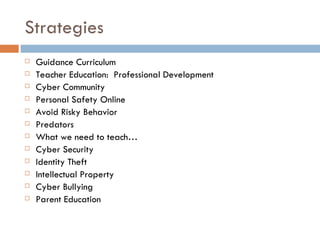
Strategies Guidance Curriculum Teacher Education:  Professional Development Cyber Community Personal Safety Online Avoid Risky Behavior Predators What we need to teach… Cyber Security Identity Theft Intellectual Property Cyber Bullying Parent Education
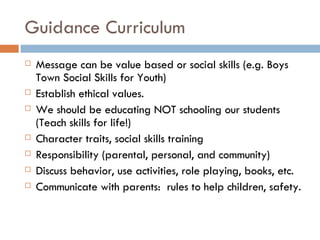
Guidance Curriculum Message can be value based or social skills (e.g. Boys Town Social Skills for Youth) Establish ethical values. We should be educating NOT schooling our students (Teach skills for life!) Character traits, social skills training Responsibility (parental, personal, and community) Discuss behavior, use activities, role playing, books, etc. Communicate with parents:  rules to help children, safety.
Teacher Education:  Professional Development Internet safety training required. Implementation strategies FREE resource for online training!  http://www.isafe.org
Cyber Community Actions, responsibilities, obligations Avoid inappropriate places and actions The digital world is NOT anonymous!
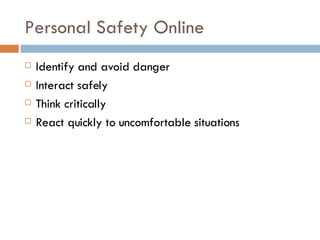
Personal Safety Online Identify and avoid danger Interact safely Think critically React quickly to uncomfortable situations
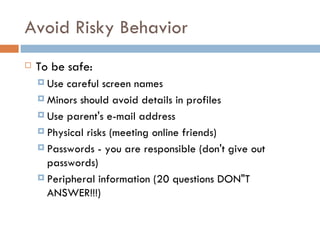
Avoid Risky Behavior To be safe:   Use careful screen names Minors should avoid details in profiles Use parent's e-mail address Physical risks (meeting online friends) Passwords - you are responsible (don't give out passwords) Peripheral information (20 questions DON"T ANSWER!!!)
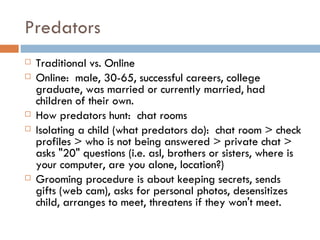
Predators Traditional vs. Online Online:  male, 30-65, successful careers, college graduate, was married or currently married, had children of their own. How predators hunt:  chat rooms Isolating a child (what predators do):  chat room > check profiles > who is not being answered > private chat > asks "20" questions (i.e. asl, brothers or sisters, where is your computer, are you alone, location?) Grooming procedure is about keeping secrets, sends gifts (web cam), asks for personal photos, desensitizes child, arranges to meet, threatens if they won't meet.
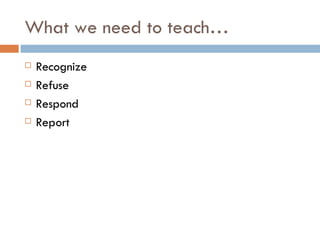
What we need to teach… Recognize Refuse Respond Report
Cyber Security Responsible maintenance Check computers at home Keep track of child’s online activity It is NOT snooping!  It is keeping children safe!
Identity Theft Intercepting commands, phone calls, e-mails Phishing Key logging Firewall Unsolicited e-mails
Intellectual Property mp3s Videos  Stealing is stealing!
Cyber Bullying Tie to bullying program (social skills training) Stop Bullying Now:   http://stopbullyingnow.com Cyber Bullying of Teachers! After interent safety week or skills are taught, inform parents so they can add support. Ryan Halligan Story:   http://www.ryanpatrickhalligan.org/
Parent Education Same topics as kids with a stronger message. Never forget!  Information and resources are all around (law enforcement, community, etc.) Never be afraid to check your child's internet use. Never overreact! Help children to protect themselves. Everything digital can be manipulated (pictures change, etc.) Contact:   http://worldkids.net/schools/safety/internet/ Communication is key! Use every learning opportunity What to do:  contact e-mail provider, contact police, every message has a record of where it came from!
Summary Recognize Refuse Respond Report

Digital Citizenship

  • 1.
    DIGITAL CITIZENSHIP Basedon a presentation by Sue Loubser Director of Technology Hebrew Academy of Atlanta at the Building Learning Communities Conference 2007
  • 2.
    Information Kids useinternet more at home than at school. Parents “don't get” internet safety. We can only block at school. They figure ways around! Filtering does not teach anything, we provide no skills. "It is about intrinsically integrating acceptable use of all this technology into our children's psyche." Character development!
  • 3.
    Strategies Guidance CurriculumTeacher Education:  Professional Development Cyber Community Personal Safety Online Avoid Risky Behavior Predators What we need to teach… Cyber Security Identity Theft Intellectual Property Cyber Bullying Parent Education
  • 4.
    Guidance Curriculum Messagecan be value based or social skills (e.g. Boys Town Social Skills for Youth) Establish ethical values. We should be educating NOT schooling our students (Teach skills for life!) Character traits, social skills training Responsibility (parental, personal, and community) Discuss behavior, use activities, role playing, books, etc. Communicate with parents:  rules to help children, safety.
  • 5.
    Teacher Education:  ProfessionalDevelopment Internet safety training required. Implementation strategies FREE resource for online training! http://www.isafe.org
  • 6.
    Cyber Community Actions,responsibilities, obligations Avoid inappropriate places and actions The digital world is NOT anonymous!
  • 7.
    Personal Safety OnlineIdentify and avoid danger Interact safely Think critically React quickly to uncomfortable situations
  • 8.
    Avoid Risky BehaviorTo be safe:  Use careful screen names Minors should avoid details in profiles Use parent's e-mail address Physical risks (meeting online friends) Passwords - you are responsible (don't give out passwords) Peripheral information (20 questions DON"T ANSWER!!!)
  • 9.
    Predators Traditional vs.Online Online:  male, 30-65, successful careers, college graduate, was married or currently married, had children of their own. How predators hunt:  chat rooms Isolating a child (what predators do):  chat room > check profiles > who is not being answered > private chat > asks "20" questions (i.e. asl, brothers or sisters, where is your computer, are you alone, location?) Grooming procedure is about keeping secrets, sends gifts (web cam), asks for personal photos, desensitizes child, arranges to meet, threatens if they won't meet.
  • 10.
    What we needto teach… Recognize Refuse Respond Report
  • 11.
    Cyber Security Responsiblemaintenance Check computers at home Keep track of child’s online activity It is NOT snooping! It is keeping children safe!
  • 12.
    Identity Theft Interceptingcommands, phone calls, e-mails Phishing Key logging Firewall Unsolicited e-mails
  • 13.
    Intellectual Property mp3sVideos Stealing is stealing!
  • 14.
    Cyber Bullying Tieto bullying program (social skills training) Stop Bullying Now:  http://stopbullyingnow.com Cyber Bullying of Teachers! After interent safety week or skills are taught, inform parents so they can add support. Ryan Halligan Story:  http://www.ryanpatrickhalligan.org/
  • 15.
    Parent Education Sametopics as kids with a stronger message. Never forget! Information and resources are all around (law enforcement, community, etc.) Never be afraid to check your child's internet use. Never overreact! Help children to protect themselves. Everything digital can be manipulated (pictures change, etc.) Contact:  http://worldkids.net/schools/safety/internet/ Communication is key! Use every learning opportunity What to do:  contact e-mail provider, contact police, every message has a record of where it came from!
  • 16.