Secrets to LinkedIn Networking Success
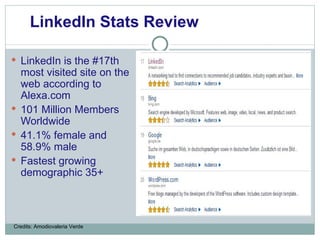
LinkedIn is the #17th most visited site on the web according to Alexa.com 101 Million Members Worldwide 41.1% female and 58.9% male Fastest growing demographic 35+ LinkedIn Stats Review Credits: Amodiovaleria Verde
Officially launched on May 2003 Operates in over 200 countries Over 52% of LinkedIn members are located outside of the US Used by 69 of the Fortune 100 companies More than 1 Million companies have LinkedIn Company Pages Linkedin Facts Credits: Amodiovaleria Verde
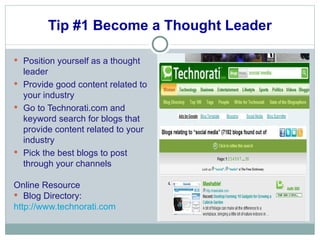
Tip #1 Become a Thought Leader Position yourself as a thought leader  Provide good content related to your industry Go to Technorati.com and keyword search for blogs that provide content related to your industry Pick the best blogs to post through your channels Online Resource Blog Directory: http://www.technorati.com
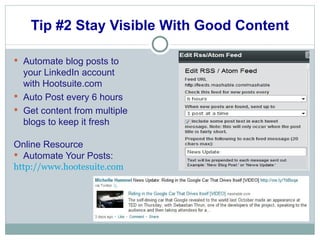
Tip #2 Stay Visible With Good Content Automate blog posts to your LinkedIn account with Hootsuite.com Auto Post every 6 hours Get content from multiple blogs to keep it fresh Online Resource Automate Your Posts: http://www.hootesuite.com
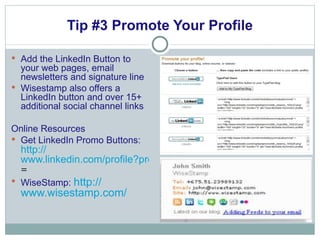
Tip #3 Promote Your Profile Add the LinkedIn Button to your web pages, email newsletters and signature line Wisestamp also offers a LinkedIn button and over 15+ additional social channel links Online Resources Get LinkedIn Promo Buttons:  http:// www.linkedin.com/profile?promoteProfile = WiseStamp:  http:// www.wisestamp.com /
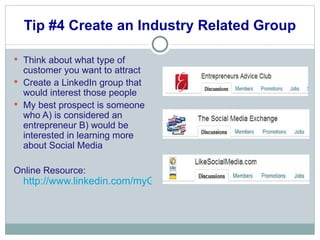
Tip #4 Create an Industry Related Group Think about what type of customer you want to attract Create a LinkedIn group that would interest those people My best prospect is someone who A) is considered an entrepreneur B) would be interested in learning more about Social Media Online Resource:  http://www.linkedin.com/myGroups?trk=hb_side_grps_top
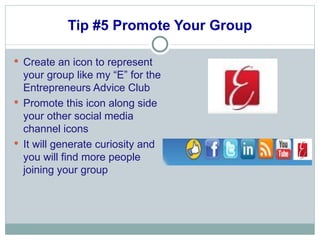
Tip #5 Promote Your Group Create an icon to represent your group like my “E” for the Entrepreneurs Advice Club Promote this icon along side your other social media channel icons It will generate curiosity and you will find more people joining your group
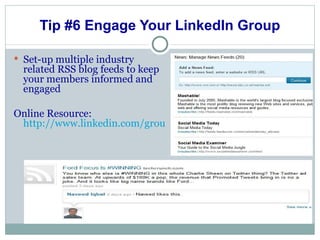
Tip #6 Engage Your LinkedIn Group Set-up multiple industry related RSS blog feeds to keep your members informed and engaged Online Resource:  http://www.linkedin.com/groupNews?dispNewsFeeds=&gid=2882195&trk=grpmgr_newsfds
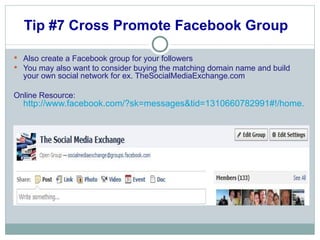
Tip #7 Cross Promote Facebook Group  Also create a Facebook group for your followers You may also want to consider buying the matching domain name and build your own social network for ex. TheSocialMediaExchange.com Online Resource:  http://www.facebook.com/?sk=messages&tid=1310660782991#!/home.php?sk=group_156213454409754&ap=1
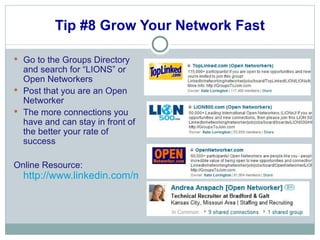
Tip #8 Grow Your Network Fast Go to the Groups Directory and search for “LIONS” or Open Networkers  Post that you are an Open Networker The more connections you have and can stay in front of the better your rate of success Online Resource:  http://www.linkedin.com/myGroups?trk=hb_side_grps_top
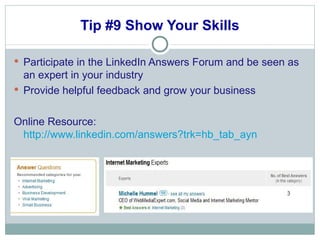
Tip #9 Show Your Skills Participate in the LinkedIn Answers Forum and be seen as an expert in your industry Provide helpful feedback and grow your business Online Resource:  http://www.linkedin.com/answers?trk=hb_tab_ayn
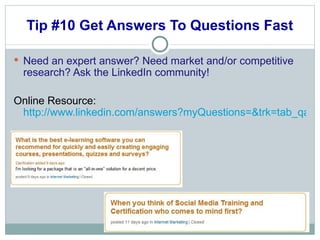
Tip #10 Get Answers To Questions Fast Need an expert answer? Need market and/or competitive research? Ask the LinkedIn community! Online Resource:  http://www.linkedin.com/answers?myQuestions=&trk=tab_qa
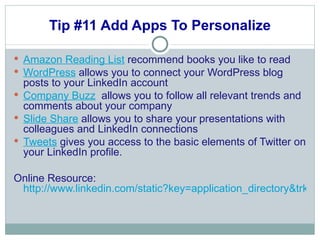
Tip #11 Add Apps To Personalize Amazon Reading List  recommend books you like to read WordPress  allows you to connect your WordPress blog posts to your LinkedIn account  Company Buzz   allows you to follow all relevant trends and comments about your company Slide Share  allows you to share your presentations with colleagues and LinkedIn connections Tweets  gives you access to the basic elements of Twitter on your LinkedIn profile. Online Resource:  http://www.linkedin.com/static?key=application_directory&trk=hb_side_apps
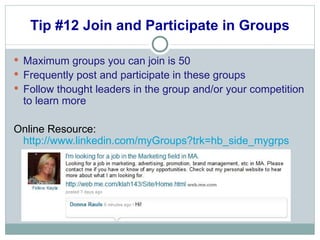
Tip #12 Join and Participate in Groups Maximum groups you can join is 50  Frequently post and participate in these groups Follow thought leaders in the group and/or your competition to learn more Online Resource:  http://www.linkedin.com/myGroups?trk=hb_side_mygrps
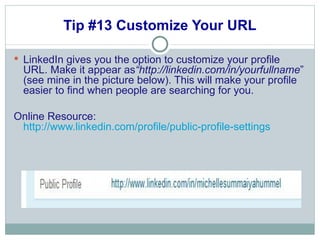
Tip #13 Customize Your URL LinkedIn gives you the option to customize your profile URL. Make it appear as “http://linkedin.com/in/yourfullname ” (see mine in the picture below). This will make your profile easier to find when people are searching for you.  Online Resource:  http://www.linkedin.com/profile/public-profile-settings
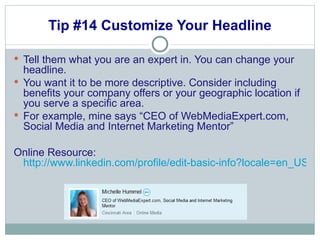
Tip #14 Customize Your Headline Tell them what you are an expert in. You can change your headline. You want it to be more descriptive. Consider including benefits your company offers or your geographic location if you serve a specific area. For example, mine says “CEO of WebMediaExpert.com, Social Media and Internet Marketing Mentor” Online Resource:  http://www.linkedin.com/profile/edit-basic-info?locale=en_US&goback=%2Enpe_*1_*1_*1_*1
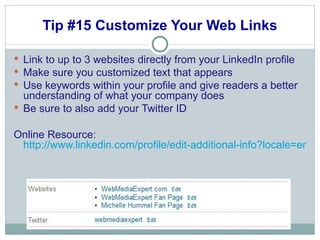
Tip #15 Customize Your Web Links Link to up to 3 websites directly from your LinkedIn profile Make sure you customized text that appears  Use keywords within your profile and give readers a better understanding of what your company does Be sure to also add your Twitter ID Online Resource:  http://www.linkedin.com/profile/edit-additional-info?locale=en_US&goback=%2Enpe_*1_en*4US_*1_*1
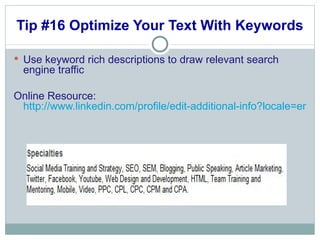
Tip #16 Optimize Your Text With Keywords Use keyword rich descriptions to draw relevant search engine traffic  Online Resource:  http://www.linkedin.com/profile/edit-additional-info?locale=en_US&goback=%2Enpe_*1_en*4US_*1_*1
Tip #17 Use the Maximum Characters Search engines like high word counts and lots of relevant keywords. Use all available characters Headline – 120 Characters Status Field – 140 Characters Summary – 2,000 Characters Specialties – 500 Characters Company Name – 100 Characters Position (Job) Title – 100 Characters Position Description – 2,000 Characters Interests – 1,000 Characters
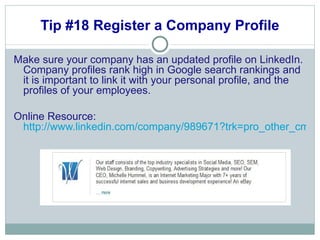
Tip #18 Register a Company Profile Make sure your company has an updated profile on LinkedIn. Company profiles rank high in Google search rankings and it is important to link it with your personal profile, and the profiles of your employees.  Online Resource:  http://www.linkedin.com/company/989671?trk=pro_other_cmpy
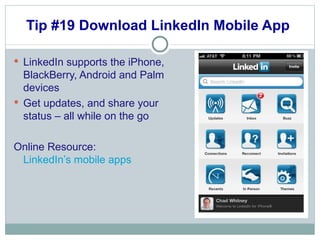
Tip #19 Download LinkedIn Mobile App  LinkedIn supports the iPhone, BlackBerry, Android and Palm devices  Get updates, and share your status – all while on the go Online Resource:  LinkedIn’s mobile apps  
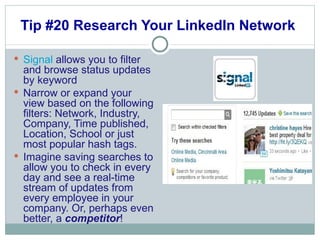
Tip #20 Research Your LinkedIn Network  Signal  allows you to filter and browse status updates by keyword Narrow or expand your view based on the following filters: Network, Industry, Company, Time published, Location, School or just most popular hash tags. Imagine saving searches to allow you to check in every day and see a real-time stream of updates from every employee in your company. Or, perhaps even better, a  competitor !
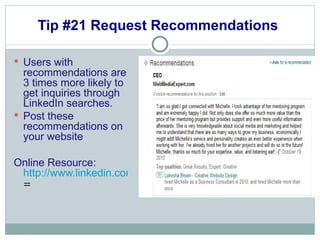
Tip #21 Request Recommendations  Users with recommendations are 3 times more likely to get inquiries through LinkedIn searches.  Post these recommendations on your website Online Resource:  http://www.linkedin.com/references?mrs =
Takeaways What tools will you use to grow your LinkedIn network today? Who can you ask for a recommendation? What industry related LinkedIn groups can you start and/or join today?
How Can Web Media Expert Help? Design, Setup and Manage Social Networks Offer Additional Training for LinkedIn, Hootesuite, etc. Creation of a 12 Month Social Media Marketing Plan Social Media Monthly Community Management – includes design and setup of all social channels, content writing, press releases, weekly contests, monthly reports, guaranteed leads etc.
Questions and Answers What questions can I help answer? Thank you for participating! Michelle Hummel  Web Media Expert LLC http://www.WebMediaExpert.com Phone: 513-204-9324 [email_address]

Secrets to Linkedin Networking Success

  • 1.
    Secrets to LinkedInNetworking Success
  • 2.
    LinkedIn is the#17th most visited site on the web according to Alexa.com 101 Million Members Worldwide 41.1% female and 58.9% male Fastest growing demographic 35+ LinkedIn Stats Review Credits: Amodiovaleria Verde
  • 3.
    Officially launched onMay 2003 Operates in over 200 countries Over 52% of LinkedIn members are located outside of the US Used by 69 of the Fortune 100 companies More than 1 Million companies have LinkedIn Company Pages Linkedin Facts Credits: Amodiovaleria Verde
  • 4.
    Tip #1 Becomea Thought Leader Position yourself as a thought leader Provide good content related to your industry Go to Technorati.com and keyword search for blogs that provide content related to your industry Pick the best blogs to post through your channels Online Resource Blog Directory: http://www.technorati.com
  • 5.
    Tip #2 StayVisible With Good Content Automate blog posts to your LinkedIn account with Hootsuite.com Auto Post every 6 hours Get content from multiple blogs to keep it fresh Online Resource Automate Your Posts: http://www.hootesuite.com
  • 6.
    Tip #3 PromoteYour Profile Add the LinkedIn Button to your web pages, email newsletters and signature line Wisestamp also offers a LinkedIn button and over 15+ additional social channel links Online Resources Get LinkedIn Promo Buttons: http:// www.linkedin.com/profile?promoteProfile = WiseStamp: http:// www.wisestamp.com /
  • 7.
    Tip #4 Createan Industry Related Group Think about what type of customer you want to attract Create a LinkedIn group that would interest those people My best prospect is someone who A) is considered an entrepreneur B) would be interested in learning more about Social Media Online Resource: http://www.linkedin.com/myGroups?trk=hb_side_grps_top
  • 8.
    Tip #5 PromoteYour Group Create an icon to represent your group like my “E” for the Entrepreneurs Advice Club Promote this icon along side your other social media channel icons It will generate curiosity and you will find more people joining your group
  • 9.
    Tip #6 EngageYour LinkedIn Group Set-up multiple industry related RSS blog feeds to keep your members informed and engaged Online Resource: http://www.linkedin.com/groupNews?dispNewsFeeds=&gid=2882195&trk=grpmgr_newsfds
  • 10.
    Tip #7 CrossPromote Facebook Group Also create a Facebook group for your followers You may also want to consider buying the matching domain name and build your own social network for ex. TheSocialMediaExchange.com Online Resource: http://www.facebook.com/?sk=messages&tid=1310660782991#!/home.php?sk=group_156213454409754&ap=1
  • 11.
    Tip #8 GrowYour Network Fast Go to the Groups Directory and search for “LIONS” or Open Networkers Post that you are an Open Networker The more connections you have and can stay in front of the better your rate of success Online Resource: http://www.linkedin.com/myGroups?trk=hb_side_grps_top
  • 12.
    Tip #9 ShowYour Skills Participate in the LinkedIn Answers Forum and be seen as an expert in your industry Provide helpful feedback and grow your business Online Resource: http://www.linkedin.com/answers?trk=hb_tab_ayn
  • 13.
    Tip #10 GetAnswers To Questions Fast Need an expert answer? Need market and/or competitive research? Ask the LinkedIn community! Online Resource: http://www.linkedin.com/answers?myQuestions=&trk=tab_qa
  • 14.
    Tip #11 AddApps To Personalize Amazon Reading List  recommend books you like to read WordPress  allows you to connect your WordPress blog posts to your LinkedIn account  Company Buzz   allows you to follow all relevant trends and comments about your company Slide Share  allows you to share your presentations with colleagues and LinkedIn connections Tweets gives you access to the basic elements of Twitter on your LinkedIn profile. Online Resource: http://www.linkedin.com/static?key=application_directory&trk=hb_side_apps
  • 15.
    Tip #12 Joinand Participate in Groups Maximum groups you can join is 50 Frequently post and participate in these groups Follow thought leaders in the group and/or your competition to learn more Online Resource: http://www.linkedin.com/myGroups?trk=hb_side_mygrps
  • 16.
    Tip #13 CustomizeYour URL LinkedIn gives you the option to customize your profile URL. Make it appear as “http://linkedin.com/in/yourfullname ” (see mine in the picture below). This will make your profile easier to find when people are searching for you. Online Resource: http://www.linkedin.com/profile/public-profile-settings
  • 17.
    Tip #14 CustomizeYour Headline Tell them what you are an expert in. You can change your headline. You want it to be more descriptive. Consider including benefits your company offers or your geographic location if you serve a specific area. For example, mine says “CEO of WebMediaExpert.com, Social Media and Internet Marketing Mentor” Online Resource: http://www.linkedin.com/profile/edit-basic-info?locale=en_US&goback=%2Enpe_*1_*1_*1_*1
  • 18.
    Tip #15 CustomizeYour Web Links Link to up to 3 websites directly from your LinkedIn profile Make sure you customized text that appears Use keywords within your profile and give readers a better understanding of what your company does Be sure to also add your Twitter ID Online Resource: http://www.linkedin.com/profile/edit-additional-info?locale=en_US&goback=%2Enpe_*1_en*4US_*1_*1
  • 19.
    Tip #16 OptimizeYour Text With Keywords Use keyword rich descriptions to draw relevant search engine traffic Online Resource: http://www.linkedin.com/profile/edit-additional-info?locale=en_US&goback=%2Enpe_*1_en*4US_*1_*1
  • 20.
    Tip #17 Usethe Maximum Characters Search engines like high word counts and lots of relevant keywords. Use all available characters Headline – 120 Characters Status Field – 140 Characters Summary – 2,000 Characters Specialties – 500 Characters Company Name – 100 Characters Position (Job) Title – 100 Characters Position Description – 2,000 Characters Interests – 1,000 Characters
  • 21.
    Tip #18 Registera Company Profile Make sure your company has an updated profile on LinkedIn. Company profiles rank high in Google search rankings and it is important to link it with your personal profile, and the profiles of your employees. Online Resource: http://www.linkedin.com/company/989671?trk=pro_other_cmpy
  • 22.
    Tip #19 DownloadLinkedIn Mobile App LinkedIn supports the iPhone, BlackBerry, Android and Palm devices Get updates, and share your status – all while on the go Online Resource: LinkedIn’s mobile apps  
  • 23.
    Tip #20 ResearchYour LinkedIn Network Signal allows you to filter and browse status updates by keyword Narrow or expand your view based on the following filters: Network, Industry, Company, Time published, Location, School or just most popular hash tags. Imagine saving searches to allow you to check in every day and see a real-time stream of updates from every employee in your company. Or, perhaps even better, a  competitor !
  • 24.
    Tip #21 RequestRecommendations Users with recommendations are 3 times more likely to get inquiries through LinkedIn searches. Post these recommendations on your website Online Resource: http://www.linkedin.com/references?mrs =
  • 25.
    Takeaways What toolswill you use to grow your LinkedIn network today? Who can you ask for a recommendation? What industry related LinkedIn groups can you start and/or join today?
  • 26.
    How Can WebMedia Expert Help? Design, Setup and Manage Social Networks Offer Additional Training for LinkedIn, Hootesuite, etc. Creation of a 12 Month Social Media Marketing Plan Social Media Monthly Community Management – includes design and setup of all social channels, content writing, press releases, weekly contests, monthly reports, guaranteed leads etc.
  • 27.
    Questions and AnswersWhat questions can I help answer? Thank you for participating! Michelle Hummel Web Media Expert LLC http://www.WebMediaExpert.com Phone: 513-204-9324 [email_address]