Literature searching
& Finding images
Sarah Robinson
Academic Liaison
Librarian
S.Robinson@uos.ac.uk
@libraryhamster
• Sources of information & using Summon – recap of how to search
Summon
• Searching for Images and using them in your work
• Referencing
Session time
9.30am-11.00am
Session objectives
Create a leaflet for an identified individual in relation to their long term
condition or complex needs
Aim – to improve quality of life and empower the individual to make informed
decisions and choices that reflect NHS core values and evidence based
practice.
Assignment
You need information and evidence that is of a high quality and up-to-date to:
• Underpin your academic studies and course/theory work
To support your practice (EBP) so that you can
• Make the best decisions about treatment and care delivery
• Keep your practice up-to-date and maintain standards
Evidence in Nursing and Healthcare
• Summon – for all journals
• Journal databases (Summon will search these for you)
Cinahl Plus with full text
British Nursing Database
• Nice Evidence search
• Trip – Turning research into practice
Where to find quality information
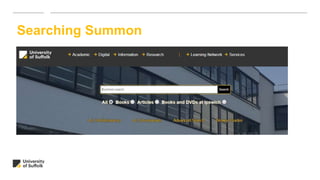
Searching Summon
Searching Summon
Academic (scholarly) journals
• Research articles written by experts, may be peer-reviewed for quality control
• Include abstracts and bibliographies
• Are published monthly or less frequently
• Examples, Nursing Children and Young People, Nursing Ethics
Professional (practice) journals
• Contain shorter articles, are often illustrated, easy to read and understand
• Include more current information, eg. summaries of new research
• May be published weekly or fortnightly
• Example, Nursing Times
Suppose you have found a some information that you would like to use and reference in
your work.
How can you be sure it is trustworthy?
A quick way of judging the quality and relevance of information on the web is to ask:
• Who?
• When?
• Why?
Evaluating information
WHO put the information there (who owns the site)?
• What authority or expertise do they have in this area?
• Have they published anything else on this subject?
WHY did they create the site?
• Is the creator of the site biased and promoting a particular viewpoint?
• Or trying to sell something?
WHEN was the site last updated?
• When was the site last updated? Does it matter if the site has not been updated recently?
Evaluating information on the web
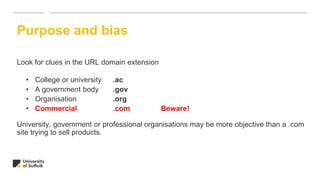
Look for clues in the URL domain extension
• College or university .ac
• A government body .gov
• Organisation .org
• Commercial .com Beware!
University, government or professional organisations may be more objective than a .com
site trying to sell products.
Purpose and bias
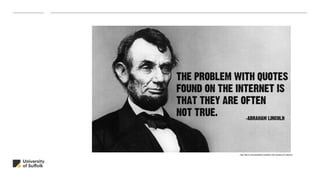
http://9buz.com/media/the-problem-with-quotes-on-internet
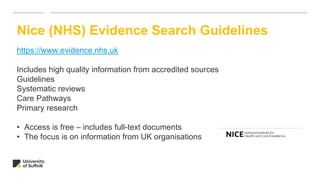
Nice (NHS) Evidence Search Guidelines
https://www.evidence.nhs.uk
Includes high quality information from accredited sources
Guidelines
Systematic reviews
Care Pathways
Primary research
• Access is free – includes full-text documents
• The focus is on information from UK organisations
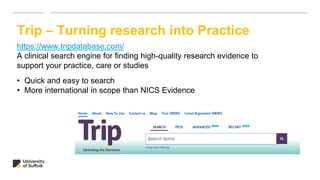
Trip – Turning research into Practice
https://www.tripdatabase.com/
A clinical search engine for finding high-quality research evidence to
support your practice, care or studies
• Quick and easy to search
• More international in scope than NICS Evidence
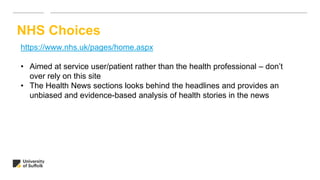
NHS Choices
https://www.nhs.uk/pages/home.aspx
• Aimed at service user/patient rather than the health professional – don’t
over rely on this site
• The Health News sections looks behind the headlines and provides an
unbiased and evidence-based analysis of health stories in the news
Digital images and copyright
• Creating and sharing digital images is easy but using them legally is not so easy
• There are strict rules and regulations regarding their use and you could be fined
if you disregard these
• Copyright owners do not have to make any explicit statements regarding
copyright in their work.
• However, the absence of clear copyright license information attached to an
image does not mean it is free to use
TIP! Always assume an image is protected under copyright unless otherwise stated
Creative Commons
• Creative Commons is a non-profit organisation that
enables the sharing and use of images and other
works.
• It enables creators to give others the right to share,
use and build upon work created while retaining their
copyright.
• There are many different Creative Commons
licenses and each allows the image to be
shared and reused in different ways e.g. the
license may not allow the image to be edited or used
for commercial purposes.
• Watch this short Video for a quick introduction to
copyright and Creative Commons.
Untitled image by Tumisu on Pixabay
Images which are safe to use
Public Domain (CC0) images
•These images are copyright cleared (“no rights reserved”) and are free to use and
edit with no permission required.
•Image creators have chosen to opt out of copyright and database protection and
have waived their exclusive rights, to the fullest extent allowed by law. More
Creative Commons (free to use and share) images (typically CC-BY licence)
•Licensed images free to use and share for education and research purposes
•Some licenses may not permit commercial use or editing of images
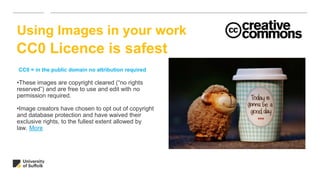
•These images are copyright cleared (“no rights
reserved”) and are free to use and edit with no
permission required.
•Image creators have chosen to opt out of copyright
and database protection and have waived their
exclusive rights, to the fullest extent allowed by
law. More
Using Images in your work
CC0 = in the public domain no attribution required
CC0 Licence is safest
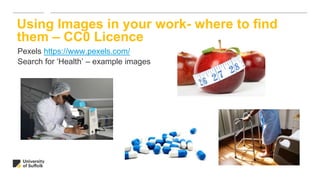
Pexels https://www.pexels.com/
Search for ‘Health’ – example images
Using Images in your work- where to find
them – CC0 Licence
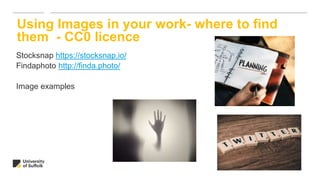
Stocksnap https://stocksnap.io/
Findaphoto http://finda.photo/
Image examples
Using Images in your work- where to find
them - CC0 licence
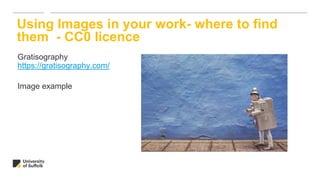
Gratisography
https://gratisography.com/
Image example
Using Images in your work- where to find
them - CC0 licence
Images which are not safe to use
• Copyrighted images (“all rights reserved”)
• These require permission from the owner or you are in breach of copyright and
may be fined.
• If you wish to use the image you need to contact the image owner who may
request a fee for using the image.
©
Using images in your work
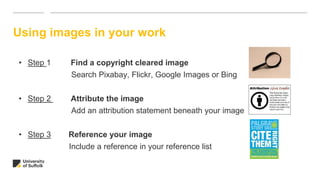
• Step 1 Find a copyright cleared image
Search Pixabay, Flickr, Google Images or Bing
• Step 2 Attribute the image
Add an attribution statement beneath your image
• Step 3 Reference your image
Include a reference in your reference list
Attributing images
• Attribution means acknowledging and giving credit to the creator or owner of an
image.
• You should add an attribution statement directly under each image you use in your
poster including the following (if given):
“Title of the image”
Author name
Source e.g. Flickr, Google Images, Pixabay etc.
Attributing an image with full details
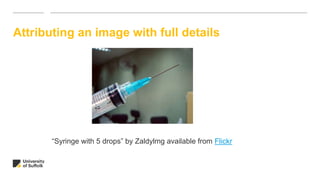
“Syringe with 5 drops” by Zaldylmg available from Flickr
Referencing images
• Referencing is different from attribution and you are required to do both.
• You need to link your attribution statement to your reference list at the end of
your poster.
• Your reference should include full details including how to find the image.
Referencing an image with full details
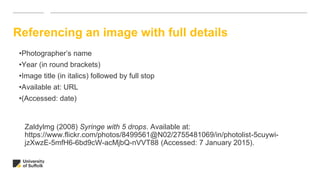
Zaldylmg (2008) Syringe with 5 drops. Available at:
https://www.flickr.com/photos/8499561@N02/2755481069/in/photolist-5cuywi-
jzXwzE-5mfH6-6bd9cW-acMjbQ-nVVT88 (Accessed: 7 January 2015).
•Photographer’s name
•Year (in round brackets)
•Image title (in italics) followed by full stop
•Available at: URL
•(Accessed: date)
Attributing an image with no author
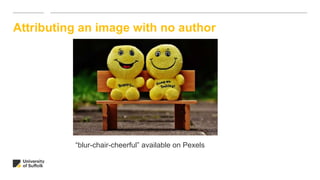
“blur-chair-cheerful” available on Pexels
Referencing an image with no author and no
date
Photo title (in italics)
Year (in round brackets)
Available at: URL
(Accessed: date)
Blur-chair-cheerful. (no date) Available at https://www.pexels.com/photo/yellow-
plush-toy-160739/ (Accessed: 4th June 2018)
The referencing system for Education is UOS Harvard and is based on the advice in this
book:
Pears, R. and Shields, G. (2016) Cite
them right: the essential referencing
guide. 10th ed. Basingstoke: Palgrave
Macmillan.
Cite Them Right is also available online
Harvard referencing
Harvard referencing
• Each reference is made up of a number of elements
• The elements will vary depending on the type of material you are
referencing – for example, print or electronic
• The elements are recorded in a specific order
Harvard referencing – Reference list - books
Order of elements
• Author/Editor – Surname, and initial followed by a full-stop.
• Year of publication (in round brackets)
• Title (in italics) followed by a full-stop.
• Edition – only if it isn’t the first edition
• Place of publication followed by :
• Publisher followed by a full-stop
Jeffrey, I. (2008) How to Read a Photograph:
Understanding, interpreting and enjoying the great
photographers. London: Thames and Hudson.
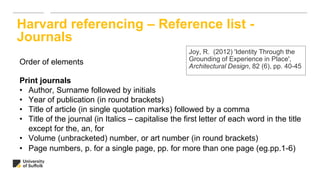
Harvard referencing – Reference list -
Journals
Order of elements
Print journals
• Author, Surname followed by initials
• Year of publication (in round brackets)
• Title of article (in single quotation marks) followed by a comma
• Title of the journal (in Italics – capitalise the first letter of each word in the title
except for the, an, for
• Volume (unbracketed) number, or art number (in round brackets)
• Page numbers, p. for a single page, pp. for more than one page (eg.pp.1-6)
Joy, R. (2012) 'Identity Through the
Grounding of Experience in Place',
Architectural Design, 82 (6), pp. 40-45
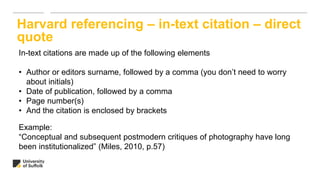
Harvard referencing – in-text citation – direct
quote
In-text citations are made up of the following elements
• Author or editors surname, followed by a comma (you don’t need to worry
about initials)
• Date of publication, followed by a comma
• Page number(s)
• And the citation is enclosed by brackets
Example:
“Conceptual and subsequent postmodern critiques of photography have long
been institutionalized” (Miles, 2010, p.57)
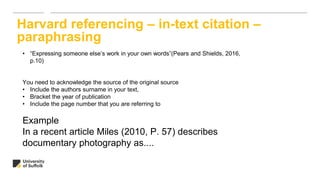
Harvard referencing – in-text citation –
paraphrasing
• “Expressing someone else’s work in your own words”(Pears and Shields, 2016,
p.10)
You need to acknowledge the source of the original source
• Include the authors surname in your text,
• Bracket the year of publication
• Include the page number that you are referring to
Example
In a recent article Miles (2010, P. 57) describes
documentary photography as....
Chapters in edited works
If you have only used a chapter in an edited book then you need to make reference to the
chapter and the book itself.
To do this record information about the chapter
• Author of the chapter (surname followed by initials)
• Year of publication (in round brackets)
• Title of the chapter (in single quotation marks)
• In
Information about the book
• Author of the book (surname followed by initials)
• Title of the book (in italics)
• Place of publication (followed by: )
• Publisher
Carlson, A. (2002) ‘Appreciation
and the natural environment’ in
Neill, A. and Ridley, A. (eds.)
Arguing about art: contemporary
philosophical debates. 2nd edn.
London: Routledge. pp.56-89
Book a one-to-one tutorial
Use the booking page on the learning services website
Small groups can be booked by numbers need to be advised of first if possible
Skype appointments possible
Follow up support for your literature search
Thank you - questions

Searching, images and referencing

  • 1.
    Literature searching & Findingimages Sarah Robinson Academic Liaison Librarian S.Robinson@uos.ac.uk @libraryhamster
  • 2.
    • Sources ofinformation & using Summon – recap of how to search Summon • Searching for Images and using them in your work • Referencing Session time 9.30am-11.00am Session objectives
  • 3.
    Create a leafletfor an identified individual in relation to their long term condition or complex needs Aim – to improve quality of life and empower the individual to make informed decisions and choices that reflect NHS core values and evidence based practice. Assignment
  • 4.
    You need informationand evidence that is of a high quality and up-to-date to: • Underpin your academic studies and course/theory work To support your practice (EBP) so that you can • Make the best decisions about treatment and care delivery • Keep your practice up-to-date and maintain standards Evidence in Nursing and Healthcare
  • 5.
    • Summon –for all journals • Journal databases (Summon will search these for you) Cinahl Plus with full text British Nursing Database • Nice Evidence search • Trip – Turning research into practice Where to find quality information
  • 6.
  • 7.
    Searching Summon Academic (scholarly)journals • Research articles written by experts, may be peer-reviewed for quality control • Include abstracts and bibliographies • Are published monthly or less frequently • Examples, Nursing Children and Young People, Nursing Ethics Professional (practice) journals • Contain shorter articles, are often illustrated, easy to read and understand • Include more current information, eg. summaries of new research • May be published weekly or fortnightly • Example, Nursing Times
  • 8.
    Suppose you havefound a some information that you would like to use and reference in your work. How can you be sure it is trustworthy? A quick way of judging the quality and relevance of information on the web is to ask: • Who? • When? • Why? Evaluating information
  • 9.
    WHO put theinformation there (who owns the site)? • What authority or expertise do they have in this area? • Have they published anything else on this subject? WHY did they create the site? • Is the creator of the site biased and promoting a particular viewpoint? • Or trying to sell something? WHEN was the site last updated? • When was the site last updated? Does it matter if the site has not been updated recently? Evaluating information on the web
  • 10.
    Look for cluesin the URL domain extension • College or university .ac • A government body .gov • Organisation .org • Commercial .com Beware! University, government or professional organisations may be more objective than a .com site trying to sell products. Purpose and bias
  • 11.
  • 12.
    Nice (NHS) EvidenceSearch Guidelines https://www.evidence.nhs.uk Includes high quality information from accredited sources Guidelines Systematic reviews Care Pathways Primary research • Access is free – includes full-text documents • The focus is on information from UK organisations
  • 13.
    Trip – Turningresearch into Practice https://www.tripdatabase.com/ A clinical search engine for finding high-quality research evidence to support your practice, care or studies • Quick and easy to search • More international in scope than NICS Evidence
  • 14.
    NHS Choices https://www.nhs.uk/pages/home.aspx • Aimedat service user/patient rather than the health professional – don’t over rely on this site • The Health News sections looks behind the headlines and provides an unbiased and evidence-based analysis of health stories in the news
  • 15.
    Digital images andcopyright • Creating and sharing digital images is easy but using them legally is not so easy • There are strict rules and regulations regarding their use and you could be fined if you disregard these • Copyright owners do not have to make any explicit statements regarding copyright in their work. • However, the absence of clear copyright license information attached to an image does not mean it is free to use TIP! Always assume an image is protected under copyright unless otherwise stated
  • 16.
    Creative Commons • CreativeCommons is a non-profit organisation that enables the sharing and use of images and other works. • It enables creators to give others the right to share, use and build upon work created while retaining their copyright. • There are many different Creative Commons licenses and each allows the image to be shared and reused in different ways e.g. the license may not allow the image to be edited or used for commercial purposes. • Watch this short Video for a quick introduction to copyright and Creative Commons. Untitled image by Tumisu on Pixabay
  • 17.
    Images which aresafe to use Public Domain (CC0) images •These images are copyright cleared (“no rights reserved”) and are free to use and edit with no permission required. •Image creators have chosen to opt out of copyright and database protection and have waived their exclusive rights, to the fullest extent allowed by law. More Creative Commons (free to use and share) images (typically CC-BY licence) •Licensed images free to use and share for education and research purposes •Some licenses may not permit commercial use or editing of images
  • 18.
    •These images arecopyright cleared (“no rights reserved”) and are free to use and edit with no permission required. •Image creators have chosen to opt out of copyright and database protection and have waived their exclusive rights, to the fullest extent allowed by law. More Using Images in your work CC0 = in the public domain no attribution required CC0 Licence is safest
  • 19.
    Pexels https://www.pexels.com/ Search for‘Health’ – example images Using Images in your work- where to find them – CC0 Licence
  • 20.
    Stocksnap https://stocksnap.io/ Findaphoto http://finda.photo/ Imageexamples Using Images in your work- where to find them - CC0 licence
  • 21.
    Gratisography https://gratisography.com/ Image example Using Imagesin your work- where to find them - CC0 licence
  • 22.
    Images which arenot safe to use • Copyrighted images (“all rights reserved”) • These require permission from the owner or you are in breach of copyright and may be fined. • If you wish to use the image you need to contact the image owner who may request a fee for using the image. ©
  • 23.
    Using images inyour work • Step 1 Find a copyright cleared image Search Pixabay, Flickr, Google Images or Bing • Step 2 Attribute the image Add an attribution statement beneath your image • Step 3 Reference your image Include a reference in your reference list
  • 24.
    Attributing images • Attributionmeans acknowledging and giving credit to the creator or owner of an image. • You should add an attribution statement directly under each image you use in your poster including the following (if given): “Title of the image” Author name Source e.g. Flickr, Google Images, Pixabay etc.
  • 25.
    Attributing an imagewith full details “Syringe with 5 drops” by Zaldylmg available from Flickr
  • 26.
    Referencing images • Referencingis different from attribution and you are required to do both. • You need to link your attribution statement to your reference list at the end of your poster. • Your reference should include full details including how to find the image.
  • 27.
    Referencing an imagewith full details Zaldylmg (2008) Syringe with 5 drops. Available at: https://www.flickr.com/photos/8499561@N02/2755481069/in/photolist-5cuywi- jzXwzE-5mfH6-6bd9cW-acMjbQ-nVVT88 (Accessed: 7 January 2015). •Photographer’s name •Year (in round brackets) •Image title (in italics) followed by full stop •Available at: URL •(Accessed: date)
  • 28.
    Attributing an imagewith no author “blur-chair-cheerful” available on Pexels
  • 29.
    Referencing an imagewith no author and no date Photo title (in italics) Year (in round brackets) Available at: URL (Accessed: date) Blur-chair-cheerful. (no date) Available at https://www.pexels.com/photo/yellow- plush-toy-160739/ (Accessed: 4th June 2018)
  • 30.
    The referencing systemfor Education is UOS Harvard and is based on the advice in this book: Pears, R. and Shields, G. (2016) Cite them right: the essential referencing guide. 10th ed. Basingstoke: Palgrave Macmillan. Cite Them Right is also available online Harvard referencing
  • 31.
    Harvard referencing • Eachreference is made up of a number of elements • The elements will vary depending on the type of material you are referencing – for example, print or electronic • The elements are recorded in a specific order
  • 32.
    Harvard referencing –Reference list - books Order of elements • Author/Editor – Surname, and initial followed by a full-stop. • Year of publication (in round brackets) • Title (in italics) followed by a full-stop. • Edition – only if it isn’t the first edition • Place of publication followed by : • Publisher followed by a full-stop Jeffrey, I. (2008) How to Read a Photograph: Understanding, interpreting and enjoying the great photographers. London: Thames and Hudson.
  • 33.
    Harvard referencing –Reference list - Journals Order of elements Print journals • Author, Surname followed by initials • Year of publication (in round brackets) • Title of article (in single quotation marks) followed by a comma • Title of the journal (in Italics – capitalise the first letter of each word in the title except for the, an, for • Volume (unbracketed) number, or art number (in round brackets) • Page numbers, p. for a single page, pp. for more than one page (eg.pp.1-6) Joy, R. (2012) 'Identity Through the Grounding of Experience in Place', Architectural Design, 82 (6), pp. 40-45
  • 34.
    Harvard referencing –in-text citation – direct quote In-text citations are made up of the following elements • Author or editors surname, followed by a comma (you don’t need to worry about initials) • Date of publication, followed by a comma • Page number(s) • And the citation is enclosed by brackets Example: “Conceptual and subsequent postmodern critiques of photography have long been institutionalized” (Miles, 2010, p.57)
  • 35.
    Harvard referencing –in-text citation – paraphrasing • “Expressing someone else’s work in your own words”(Pears and Shields, 2016, p.10) You need to acknowledge the source of the original source • Include the authors surname in your text, • Bracket the year of publication • Include the page number that you are referring to Example In a recent article Miles (2010, P. 57) describes documentary photography as....
  • 36.
    Chapters in editedworks If you have only used a chapter in an edited book then you need to make reference to the chapter and the book itself. To do this record information about the chapter • Author of the chapter (surname followed by initials) • Year of publication (in round brackets) • Title of the chapter (in single quotation marks) • In Information about the book • Author of the book (surname followed by initials) • Title of the book (in italics) • Place of publication (followed by: ) • Publisher Carlson, A. (2002) ‘Appreciation and the natural environment’ in Neill, A. and Ridley, A. (eds.) Arguing about art: contemporary philosophical debates. 2nd edn. London: Routledge. pp.56-89
  • 37.
    Book a one-to-onetutorial Use the booking page on the learning services website Small groups can be booked by numbers need to be advised of first if possible Skype appointments possible Follow up support for your literature search
  • 38.
    Thank you -questions