Paula Funnell
p.a.funnell@qmul.ac.uk
Senior Academic Liaison Librarian (Medicine and Dentistry)
Searching for Information
Learning outcomes
• To know where to look for good quality
information on the web
• To learn how to use key medical
databases effectively
Search engines
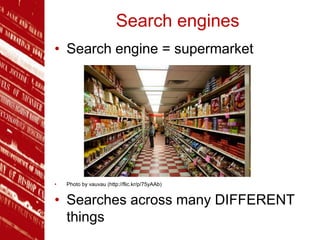
• Search engine = supermarket
• Photo by vauvau (http://flic.kr/p/75yAAb)
• Searches across many DIFFERENT
things
Healthcare specific
search engines
• Search specifically across healthcare
related resources
• Search across good quality internet
resources
• Much more manageable number of
results
• Ability to filter your results
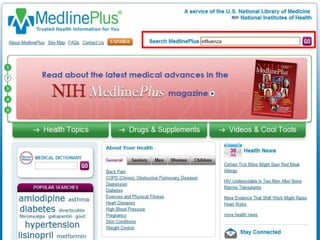
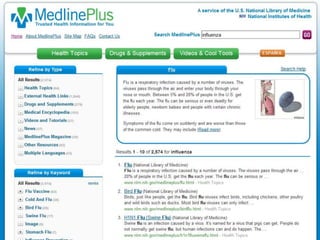
Medline Plus
• US National Institutes of Health's web
site for patients and their families and
friends
• Designed to provide up-to-date
healthcare information in
understandable language
• Also provides links to the latest
medical research
www.nlm.nih.gov/medlineplus
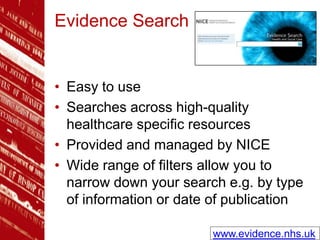
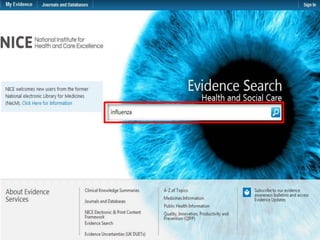
Evidence Search
• Easy to use
• Searches across high-quality
healthcare specific resources
• Provided and managed by NICE
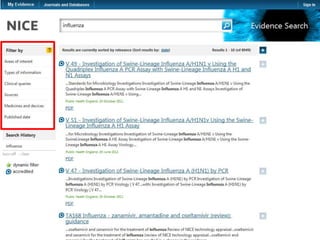
• Wide range of filters allow you to
narrow down your search e.g. by type
of information or date of publication
www.evidence.nhs.uk
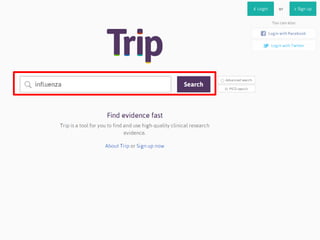
TRIP
• One simple search box
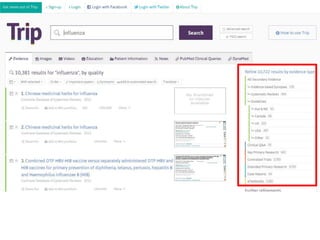
• Results are colour coded giving an at
a glance indication of quality of
information
• Results vary widely - including
primary research, reviews, textbooks
and news
www.tripdatabase.com
Databases
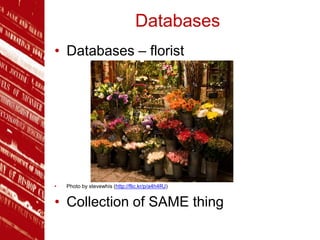
• Databases – florist
• Photo by stevewhis (http://flic.kr/p/a4h4RJ)
• Collection of SAME thing
Databases
• Vast collections of references of
published research
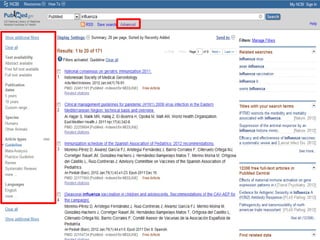
• Filters can be applied to narrow results
down
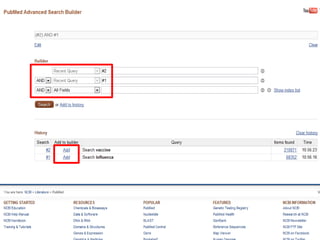
• Searches can be combined and saved
for future use
• References can be imported to
EndNote Web
MEDLINE (PubMed)
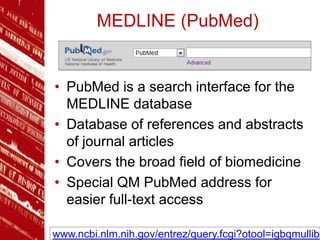
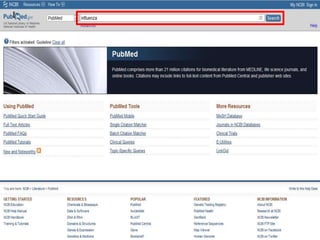
• PubMed is a search interface for the
MEDLINE database
• Database of references and abstracts
of journal articles
• Covers the broad field of biomedicine
• Special QM PubMed address for
easier full-text access
www.ncbi.nlm.nih.gov/entrez/query.fcgi?otool=igbqmullib
Web of Science
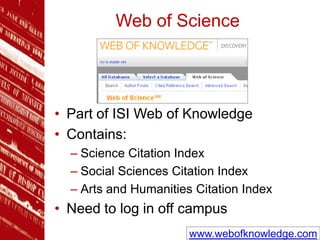
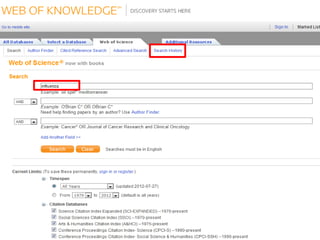
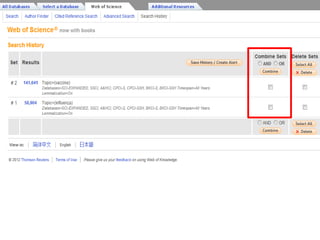
• Part of ISI Web of Knowledge
• Contains:
– Science Citation Index
– Social Sciences Citation Index
– Arts and Humanities Citation Index
• Need to log in off campus
www.webofknowledge.com
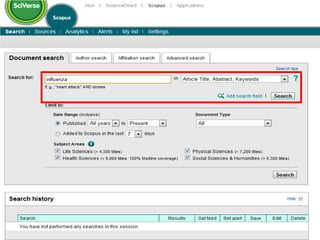
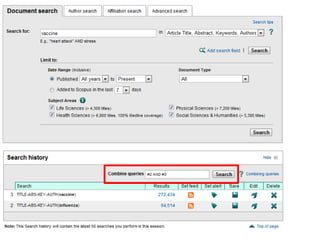
Scopus
• World’s largest abstract and citation
database
• Search across a range of subject
areas
• Includes Medline coverage
• Need to log in off campus
www.scopus.com
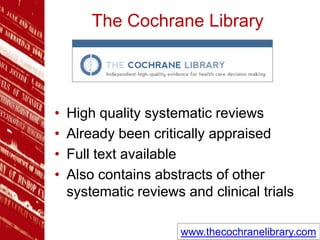
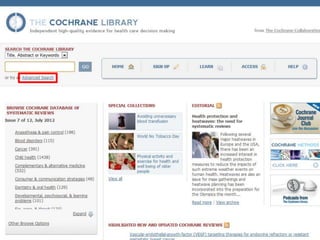
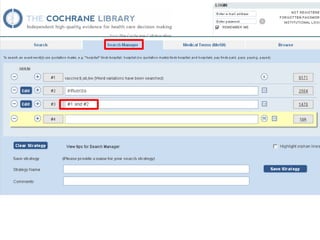
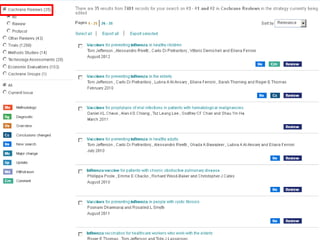
The Cochrane Library
• High quality systematic reviews
• Already been critically appraised
• Full text available
• Also contains abstracts of other
systematic reviews and clinical trials
www.thecochranelibrary.com
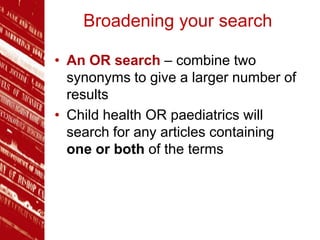
Broadening your search
• An OR search – combine two
synonyms to give a larger number of
results
• Child health OR paediatrics will
search for any articles containing
one or both of the terms
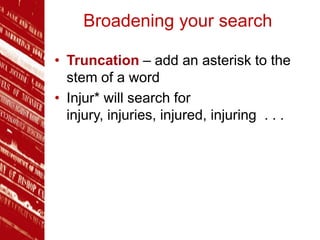
Broadening your search
• Truncation – add an asterisk to the
stem of a word
• Injur* will search for
injury, injuries, injured, injuring . . .
Narrowing your search
• An AND search – combine two
elements of your search question to
give a smaller number of results
• Asthma AND children will search for
any articles containing both of the
terms
Watch this cartoon explaining more
about Boolean operators
http://www.powtoon.com/p/e3vNiOdKt0L/
Narrowing your search
• Phrase searching – enclose phrase
within quotation marks
• “diabetes mellitus” will return results
where diabetes and mellitus appear
side by side in the title or abstract
Subject headings &
thesaurus terms
• E.g. MeSH terms in PubMed
• Alternative to keyword searching
• Fixed set of terms assigned to define
the main focus of an article
• Each article “tagged” with several
headings
• Heading not necessarily a word that
appears in title or abstract
• PubMed automatically searches MeSH
terms. Check the search details box.
Summary
• Use specialist search engines to
search across a wide range of good
quality web resources
• Use databases to find academic
research articles, both primary
research as well as review articles

Searching for information

  • 1.
    Paula Funnell p.a.funnell@qmul.ac.uk Senior AcademicLiaison Librarian (Medicine and Dentistry) Searching for Information
  • 2.
    Learning outcomes • Toknow where to look for good quality information on the web • To learn how to use key medical databases effectively
  • 3.
    Search engines • Searchengine = supermarket • Photo by vauvau (http://flic.kr/p/75yAAb) • Searches across many DIFFERENT things
  • 4.
    Healthcare specific search engines •Search specifically across healthcare related resources • Search across good quality internet resources • Much more manageable number of results • Ability to filter your results
  • 5.
    Medline Plus • USNational Institutes of Health's web site for patients and their families and friends • Designed to provide up-to-date healthcare information in understandable language • Also provides links to the latest medical research www.nlm.nih.gov/medlineplus
  • 8.
    Evidence Search • Easyto use • Searches across high-quality healthcare specific resources • Provided and managed by NICE • Wide range of filters allow you to narrow down your search e.g. by type of information or date of publication www.evidence.nhs.uk
  • 11.
    TRIP • One simplesearch box • Results are colour coded giving an at a glance indication of quality of information • Results vary widely - including primary research, reviews, textbooks and news www.tripdatabase.com
  • 14.
    Databases • Databases –florist • Photo by stevewhis (http://flic.kr/p/a4h4RJ) • Collection of SAME thing
  • 15.
    Databases • Vast collectionsof references of published research • Filters can be applied to narrow results down • Searches can be combined and saved for future use • References can be imported to EndNote Web
  • 16.
    MEDLINE (PubMed) • PubMedis a search interface for the MEDLINE database • Database of references and abstracts of journal articles • Covers the broad field of biomedicine • Special QM PubMed address for easier full-text access www.ncbi.nlm.nih.gov/entrez/query.fcgi?otool=igbqmullib
  • 20.
    Web of Science •Part of ISI Web of Knowledge • Contains: – Science Citation Index – Social Sciences Citation Index – Arts and Humanities Citation Index • Need to log in off campus www.webofknowledge.com
  • 23.
    Scopus • World’s largestabstract and citation database • Search across a range of subject areas • Includes Medline coverage • Need to log in off campus www.scopus.com
  • 26.
    The Cochrane Library •High quality systematic reviews • Already been critically appraised • Full text available • Also contains abstracts of other systematic reviews and clinical trials www.thecochranelibrary.com
  • 30.
    Broadening your search •An OR search – combine two synonyms to give a larger number of results • Child health OR paediatrics will search for any articles containing one or both of the terms
  • 31.
    Broadening your search •Truncation – add an asterisk to the stem of a word • Injur* will search for injury, injuries, injured, injuring . . .
  • 32.
    Narrowing your search •An AND search – combine two elements of your search question to give a smaller number of results • Asthma AND children will search for any articles containing both of the terms Watch this cartoon explaining more about Boolean operators http://www.powtoon.com/p/e3vNiOdKt0L/
  • 33.
    Narrowing your search •Phrase searching – enclose phrase within quotation marks • “diabetes mellitus” will return results where diabetes and mellitus appear side by side in the title or abstract
  • 34.
    Subject headings & thesaurusterms • E.g. MeSH terms in PubMed • Alternative to keyword searching • Fixed set of terms assigned to define the main focus of an article • Each article “tagged” with several headings • Heading not necessarily a word that appears in title or abstract • PubMed automatically searches MeSH terms. Check the search details box.
  • 35.
    Summary • Use specialistsearch engines to search across a wide range of good quality web resources • Use databases to find academic research articles, both primary research as well as review articles