Searching the literature:
CINAHL
Tools for searching the scholarly literature
• A database is a specialised research tool that
identify useful journal articles
• There are a range of allied health databases:
– Medline, Embase, CINAHL, Cochrane Library,
AMED, SportDiscus, PedRO, PsycInfo and
more ..
– Access from Databases tab on Library home
page: www.lib.latrobe.edu.au
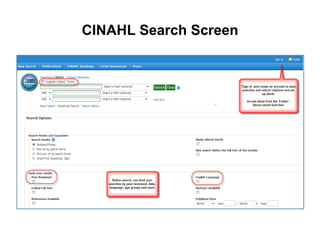
CINAHL Search Screen
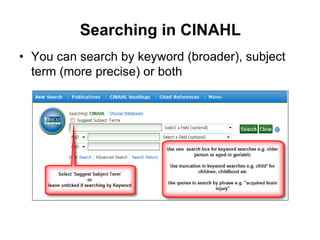
Searching in CINAHL
• You can search by keyword (broader), subject
term (more precise) or both
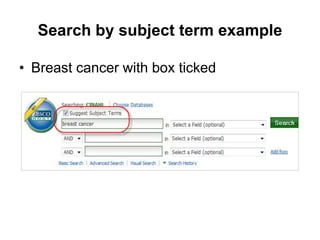
Search by subject term example
• Breast cancer with box ticked
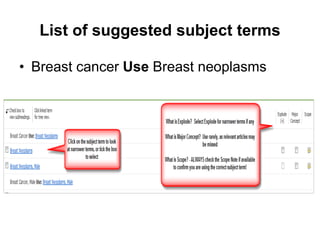
List of suggested subject terms
• Breast cancer Use Breast neoplasms
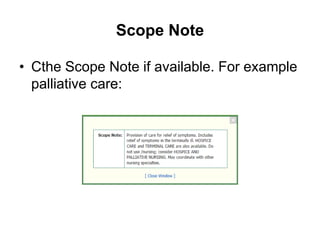
Scope Note
• Cthe Scope Note if available. For example
palliative care:
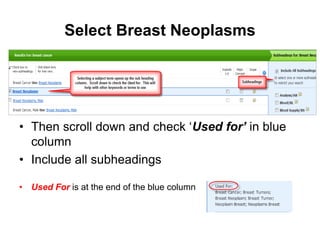
Select Breast Neoplasms
• Then scroll down and check ‘Used for’ in blue
column
• Include all subheadings
• Used For is at the end of the blue column
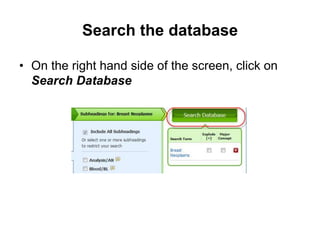
Search the database
• On the right hand side of the screen, click on
Search Database
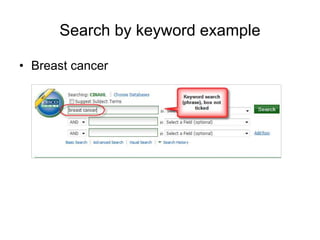
Search by keyword example
• Breast cancer
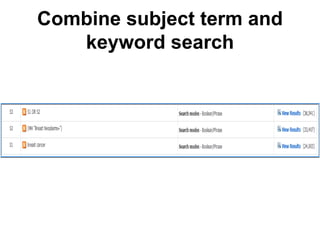
Combine subject term and
keyword search
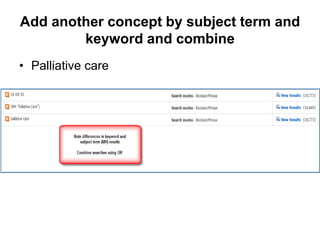
Add another concept by subject term and
keyword and combine
• Palliative care
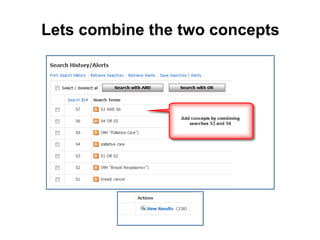
Lets combine the two concepts
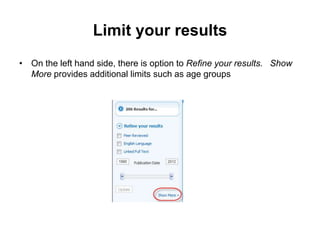
Limit your results
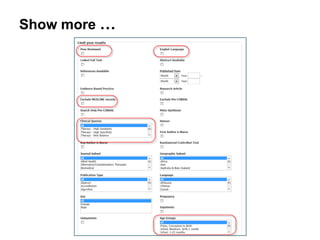
• On the left hand side, there is option to Refine your results. Show
More provides additional limits such as age groups
Show more …
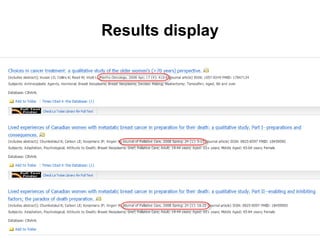
Results display
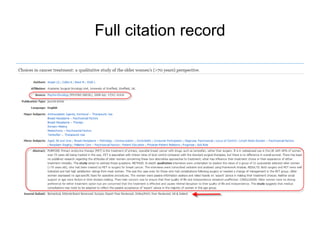
Full citation record
Useful tools
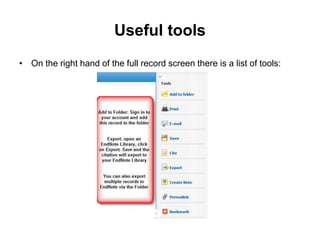
• On the right hand of the full record screen there is a list of tools:
Save Search History
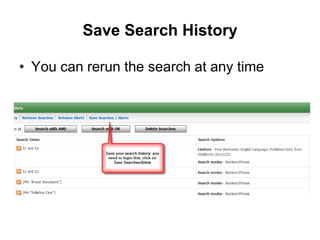
• You can rerun the search at any time
Search Results – Finding the full text
• Select the Full Text Finder to link to your
article:
• If not available, search for the journal title from
Journals tab on the Library homepage
• If the journal is not held, request the article from
Document Delivery Services
latrobe.edu.au/document-delivery/

Searching CINAHL

Editor's Notes