Specialty Cancer/Palliative Care Nursing Searching the databases: CINAHL Sharon Karasmanis [email_address] Faculty Librarian, Health Sciences
3 stages in the search process: Search strategy – preparing your search Using the databases  Understanding which database to use Understanding which search terms to use Understanding the database functionality http://latrobe.libguides.com/CINAHL Finding the full text of the article
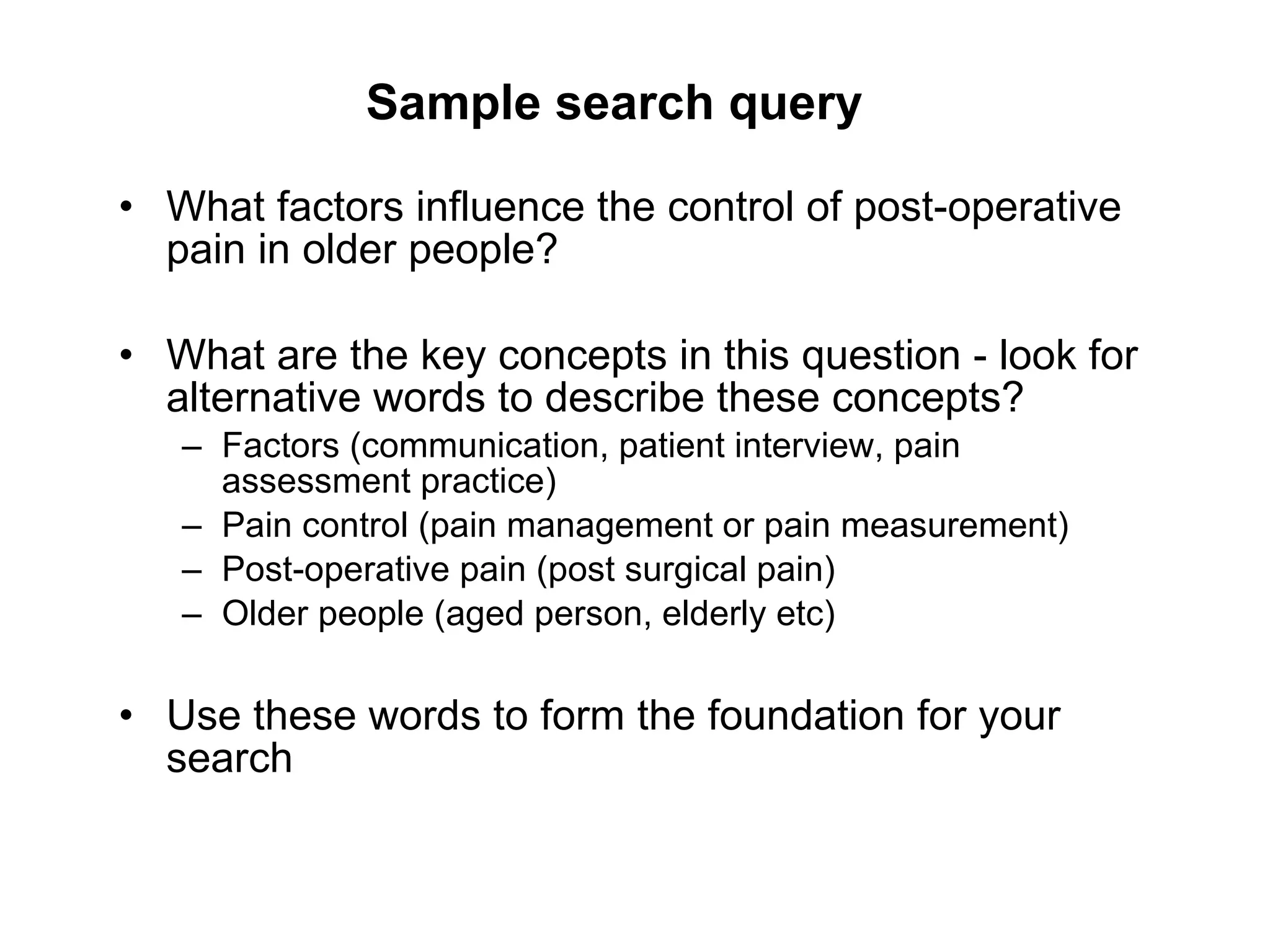
Sample search query What factors influence the control of post-operative pain in older people? What are the key concepts in this question - look for alternative words to describe these concepts? Factors (communication, patient interview, pain assessment practice) Pain control (pain management or pain measurement) Post-operative pain (post surgical pain) Older people (aged person, elderly etc) Use these words to form the foundation for your search
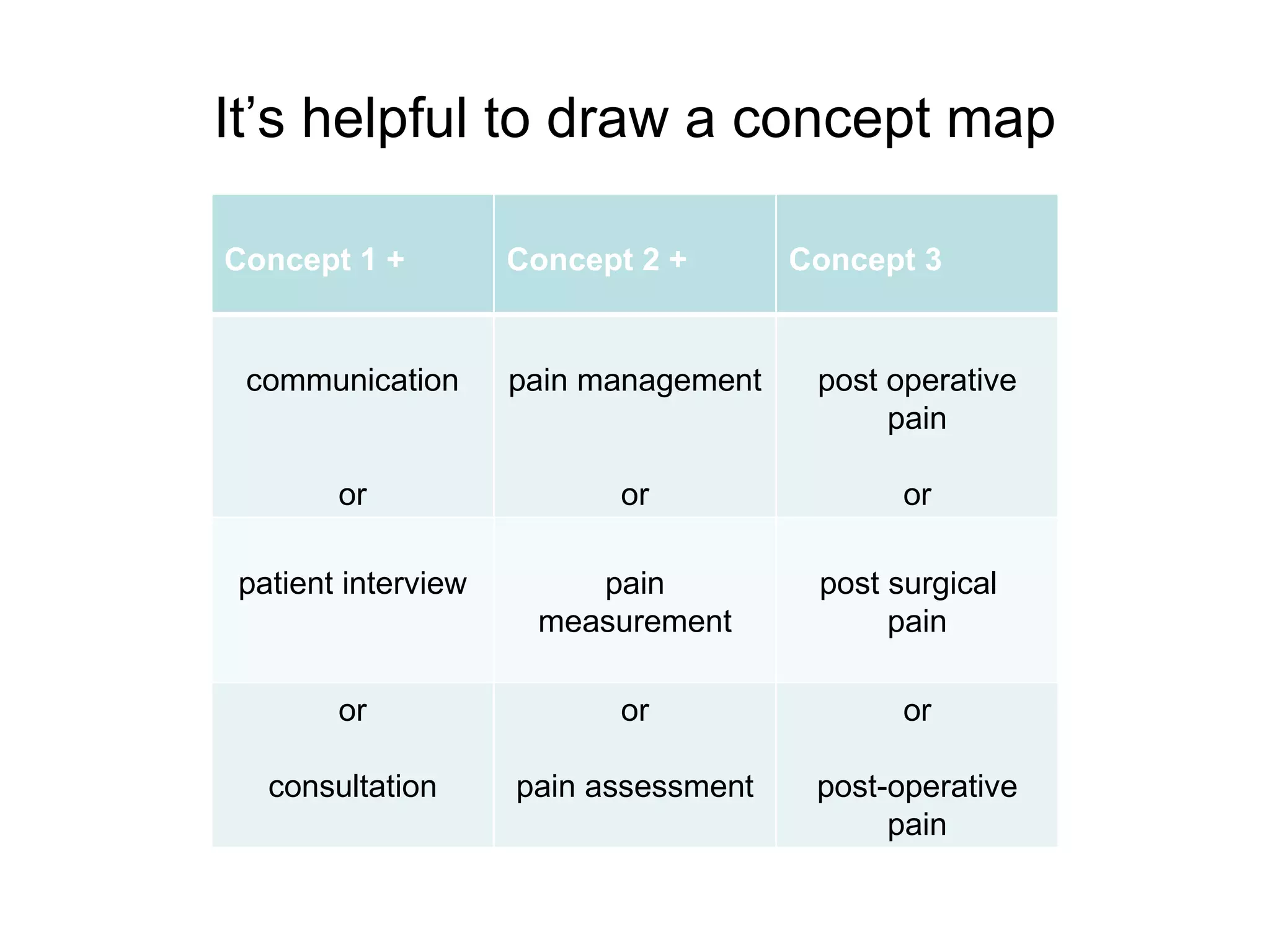
It’s helpful to draw a concept map Concept 1 + Concept 2 + Concept 3 communication or pain management or post operative pain or patient interview pain measurement post surgical  pain or consultation or pain assessment or post-operative pain
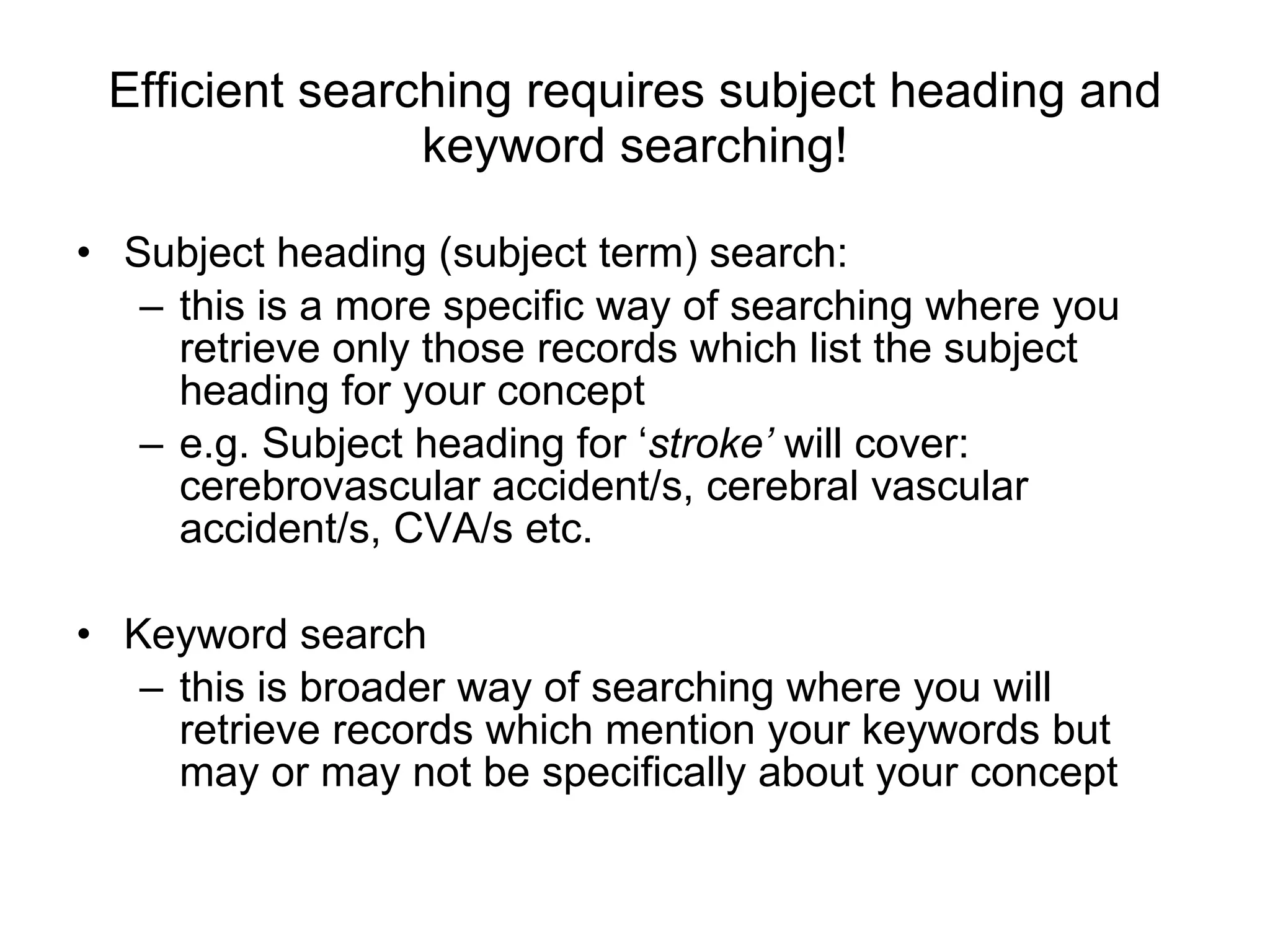
Efficient searching requires subject heading and keyword searching! Subject heading (subject term) search: this is a more specific way of searching where you retrieve only those records which list the subject heading for your concept  e.g. Subject heading for ‘ stroke’  will cover:  cerebrovascular accident/s, cerebral vascular accident/s, CVA/s etc. Keyword search this is broader way of searching where you will retrieve records which mention your keywords but may or may not be specifically about your concept
More on subject headings … Subject Headings  (or controlled vocabulary) overcome variations in the:  use of terminology e.g. back pain, spinal pain or backache  use of spelling e.g. ageing or aging Tick the Subject Heading box, scroll down to the  ‘ used for ’  to look for other relevant keywords Scope   note : describes how the term is used in the database, the “scope” of the term or the history of the indexing
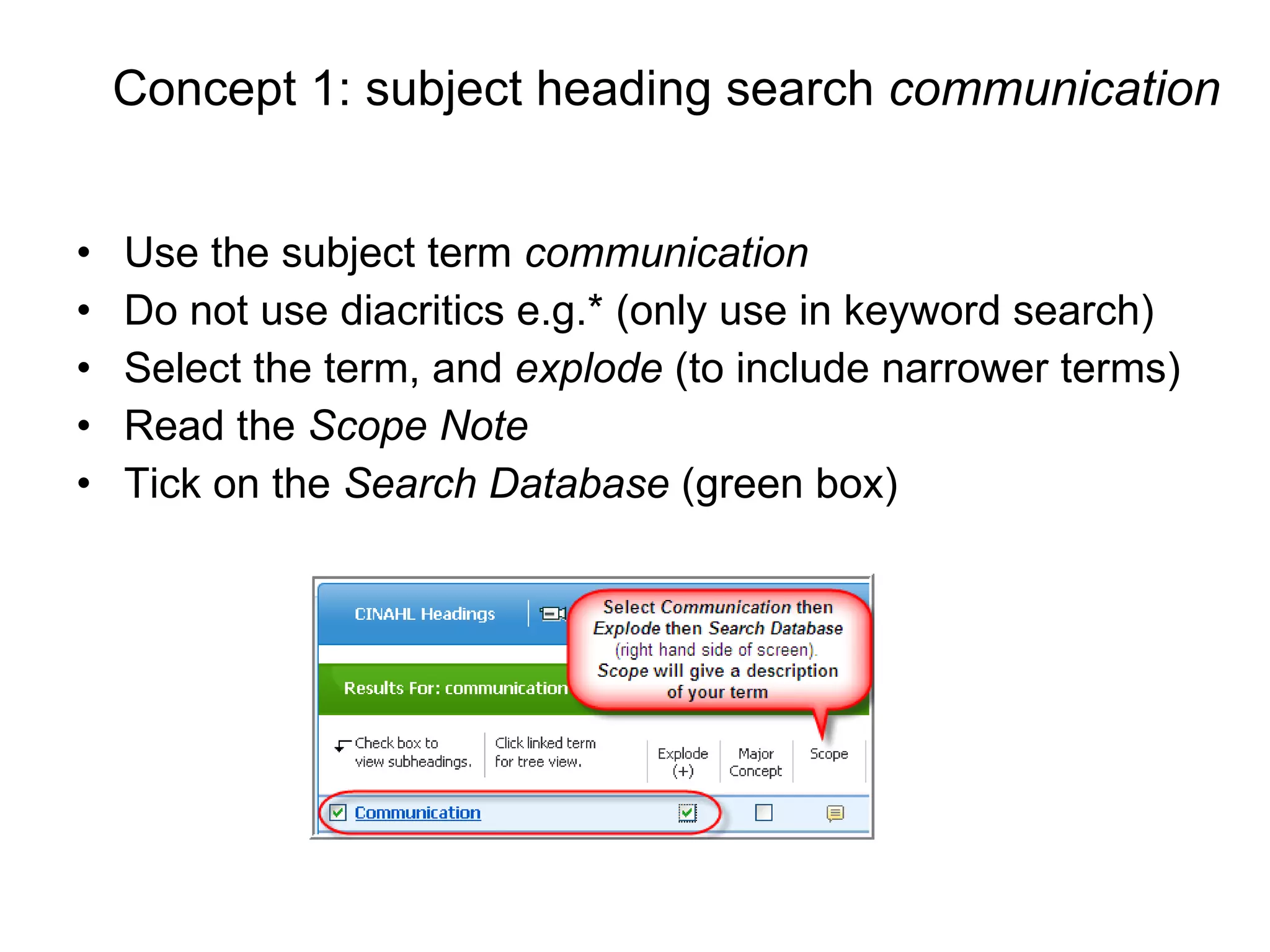
To look for subject terms, login to the CINAHL database: www.lib.latrobe.edu.au   (A-Z Databases/Journals) Click on  Suggest Subject Terms  and enter your query
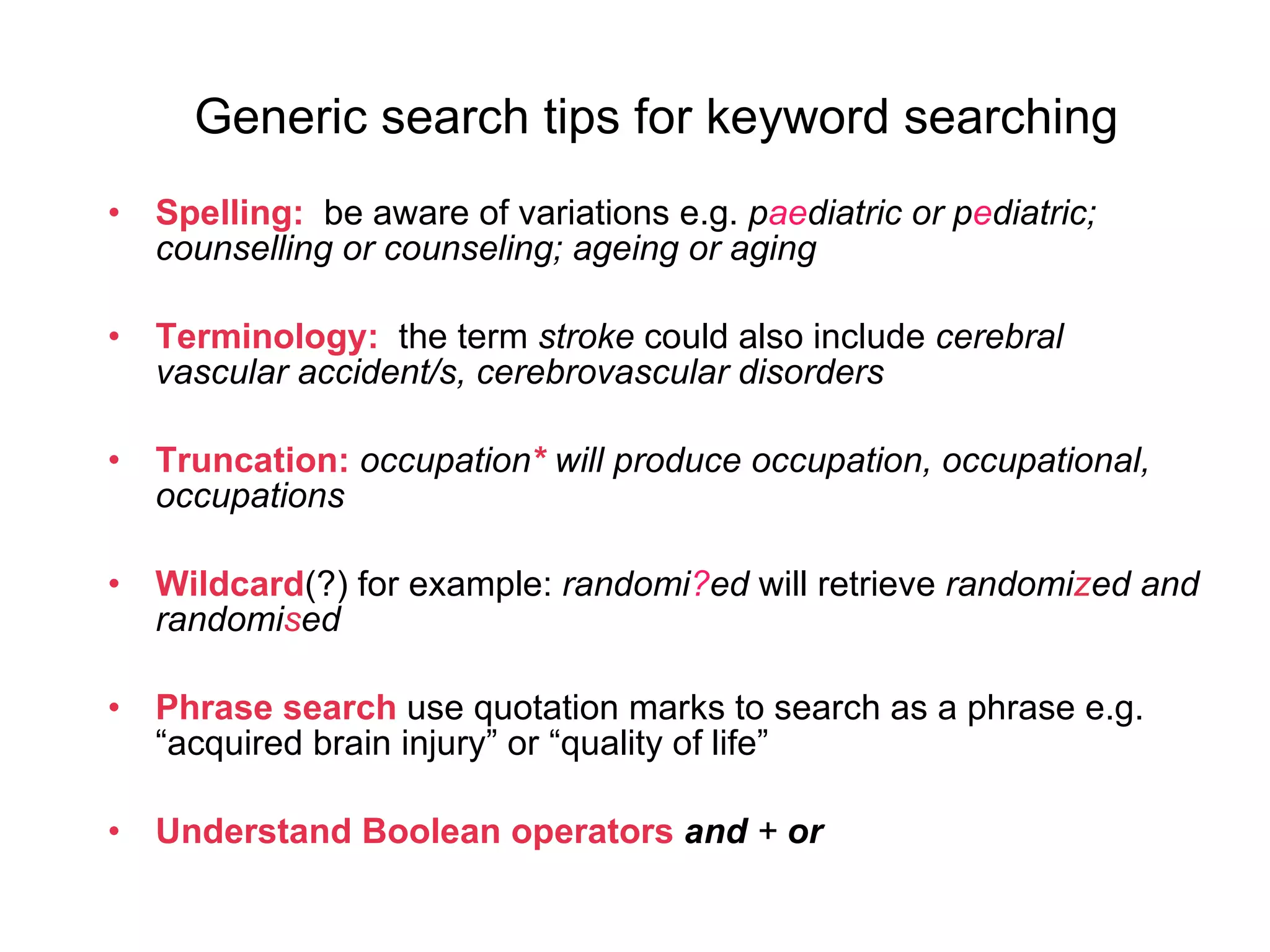
Concept 1: subject heading search  communication   Use the subject term  communication Do not use diacritics e.g.* (only use in keyword search) Select the term, and  explode  (to include narrower terms) Read the  Scope Note Tick on the  Search Database  (green box)
Generic search tips for keyword searching Spelling:  be aware of variations e.g.  p ae diatric or p e diatric; counselling or counseling; ageing or aging Terminology:   the term  stroke  could also include  cerebral vascular accident/s, cerebrovascular disorders  Truncation:   occupation *   will produce occupation, occupational, occupations Wildcard (?) for example:  randomi ? ed  will retrieve  randomi z ed and randomi s ed Phrase search  use quotation marks to search as a phrase e.g. “acquired brain injury” or “quality of life” Understand Boolean   operators   and  +  or
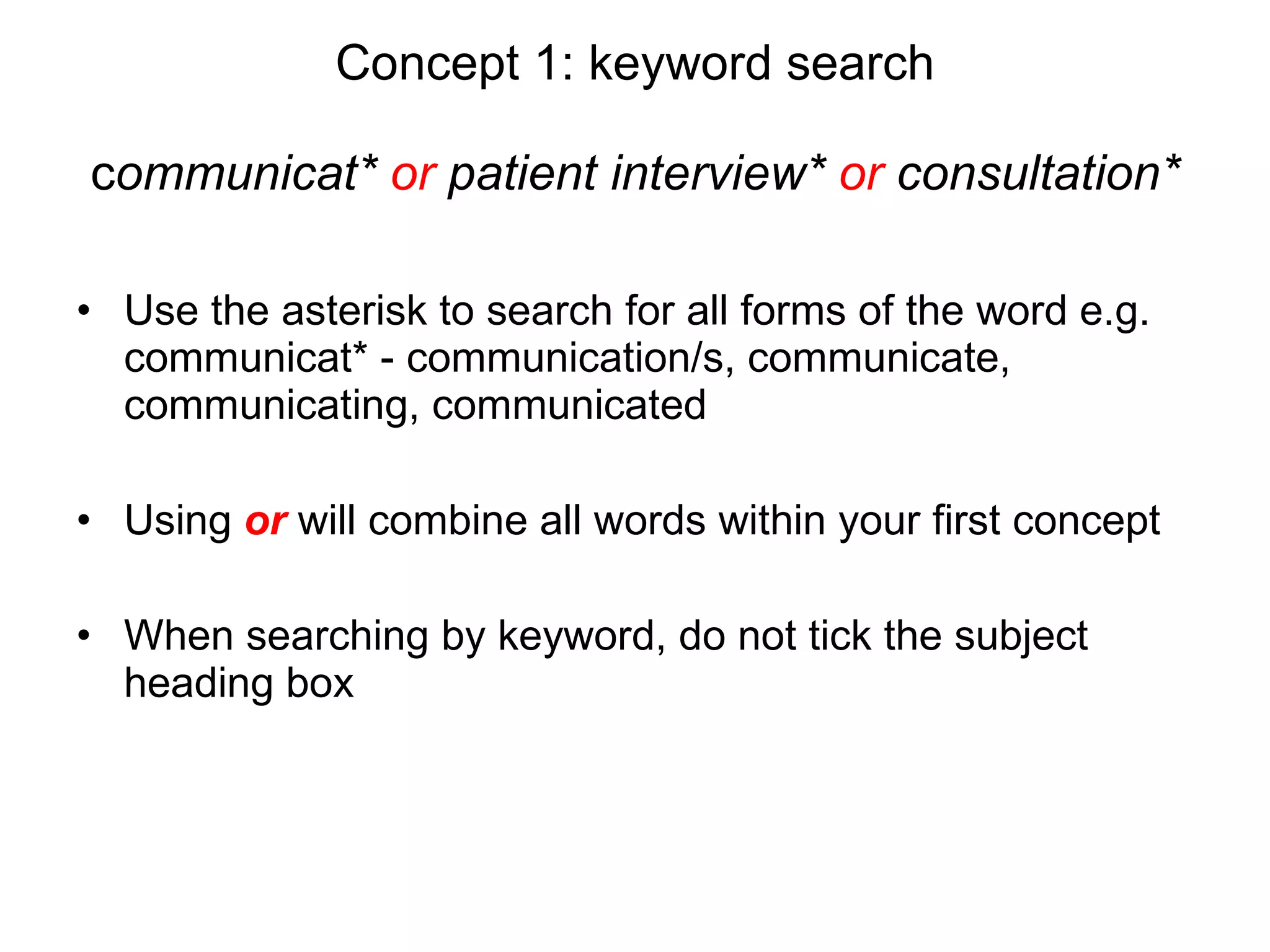
Concept 1: keyword search c ommunicat*  or  patient interview*  or  consultation* Use the asterisk to search for all forms of the word e.g. communicat* - communication/s, communicate, communicating, communicated  Using  or   will combine all words within your first concept When searching by keyword, do not tick the subject heading box
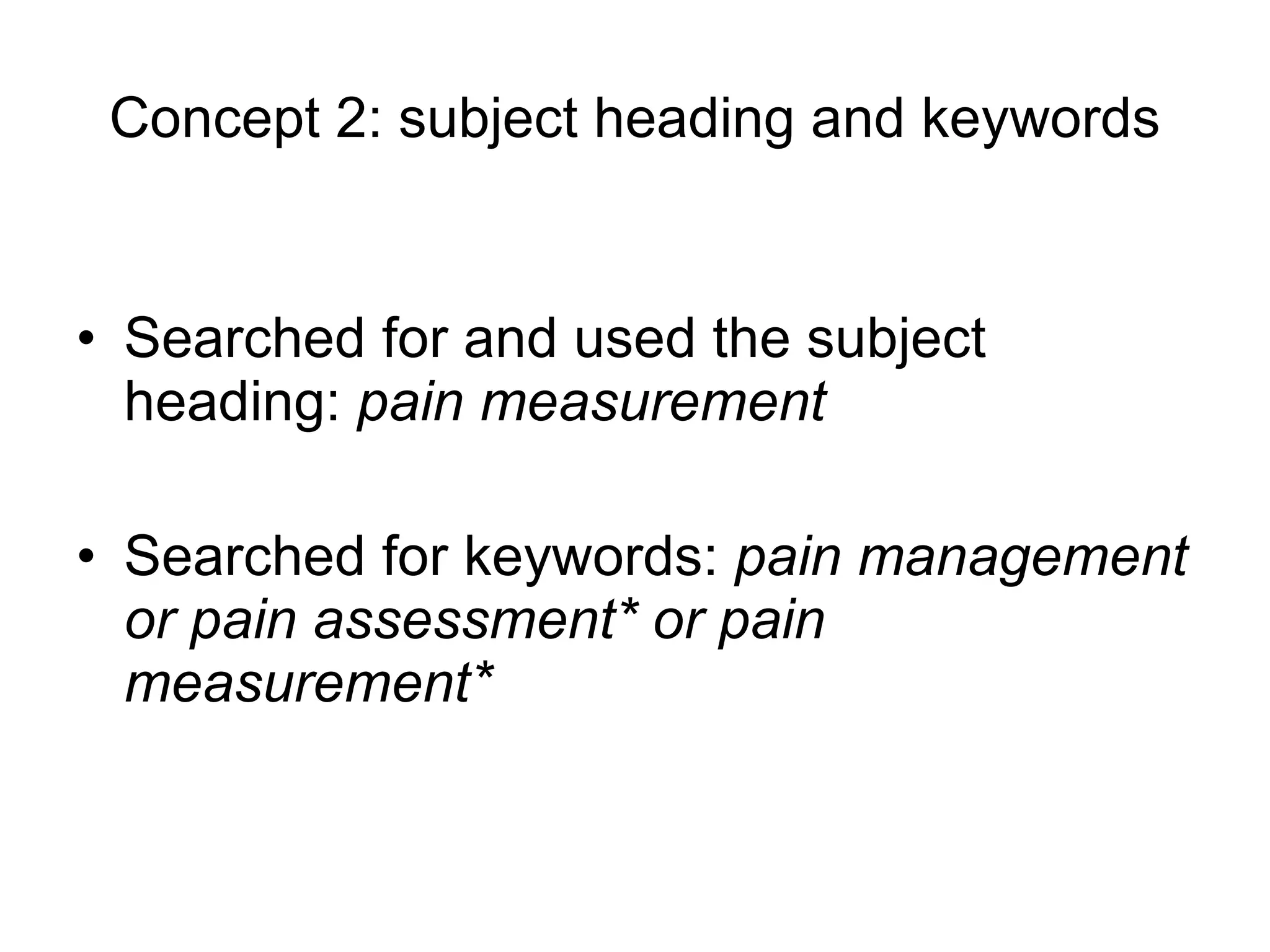
Concept 2: subject heading and keywords Searched for and used the subject heading:  pain measurement Searched for keywords:  pain management or pain assessment* or pain measurement*
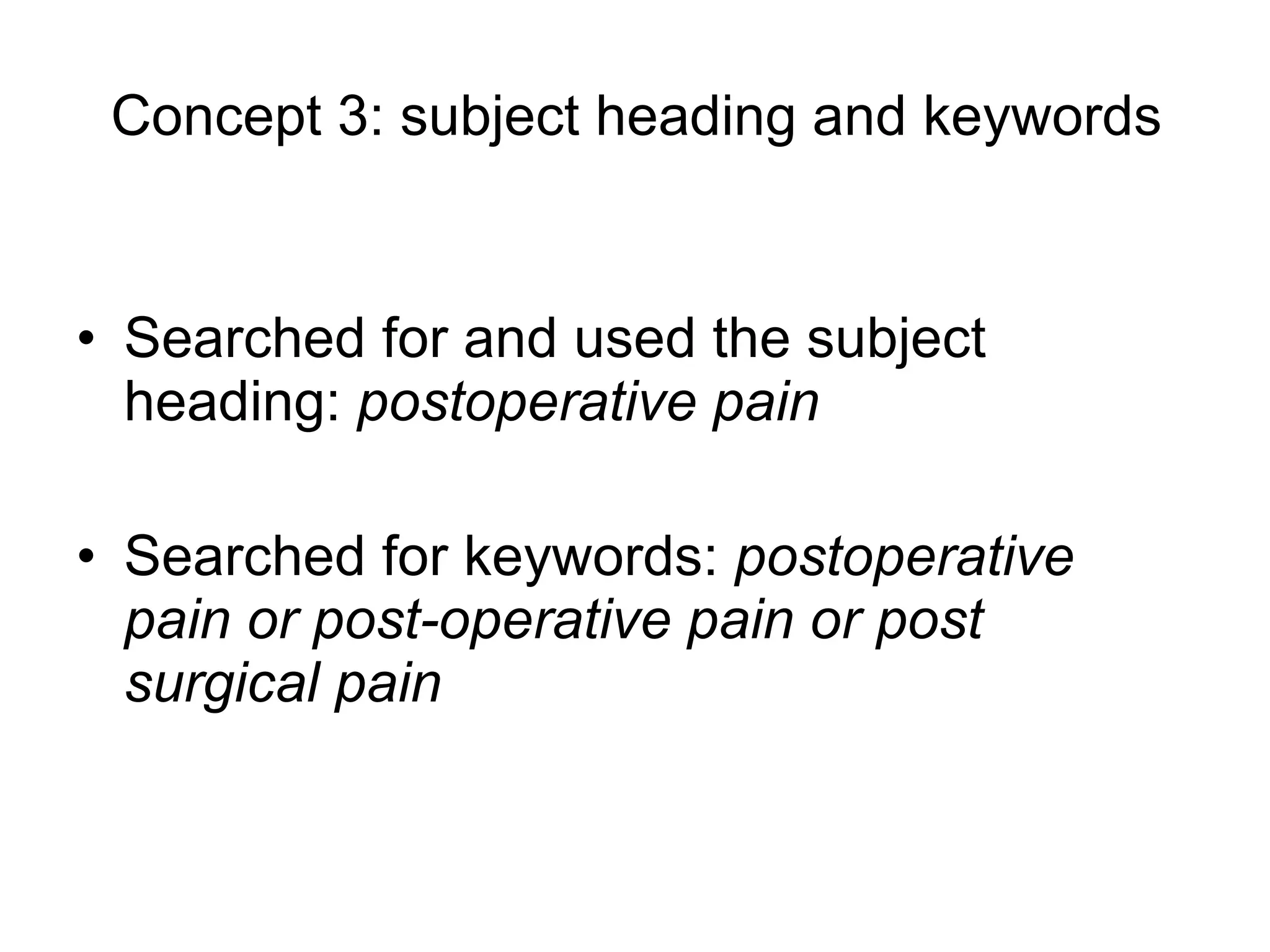
Concept 3: subject heading and keywords Searched for and used the subject heading:  postoperative pain  Searched for keywords:  postoperative pain or post-operative pain or post surgical pain
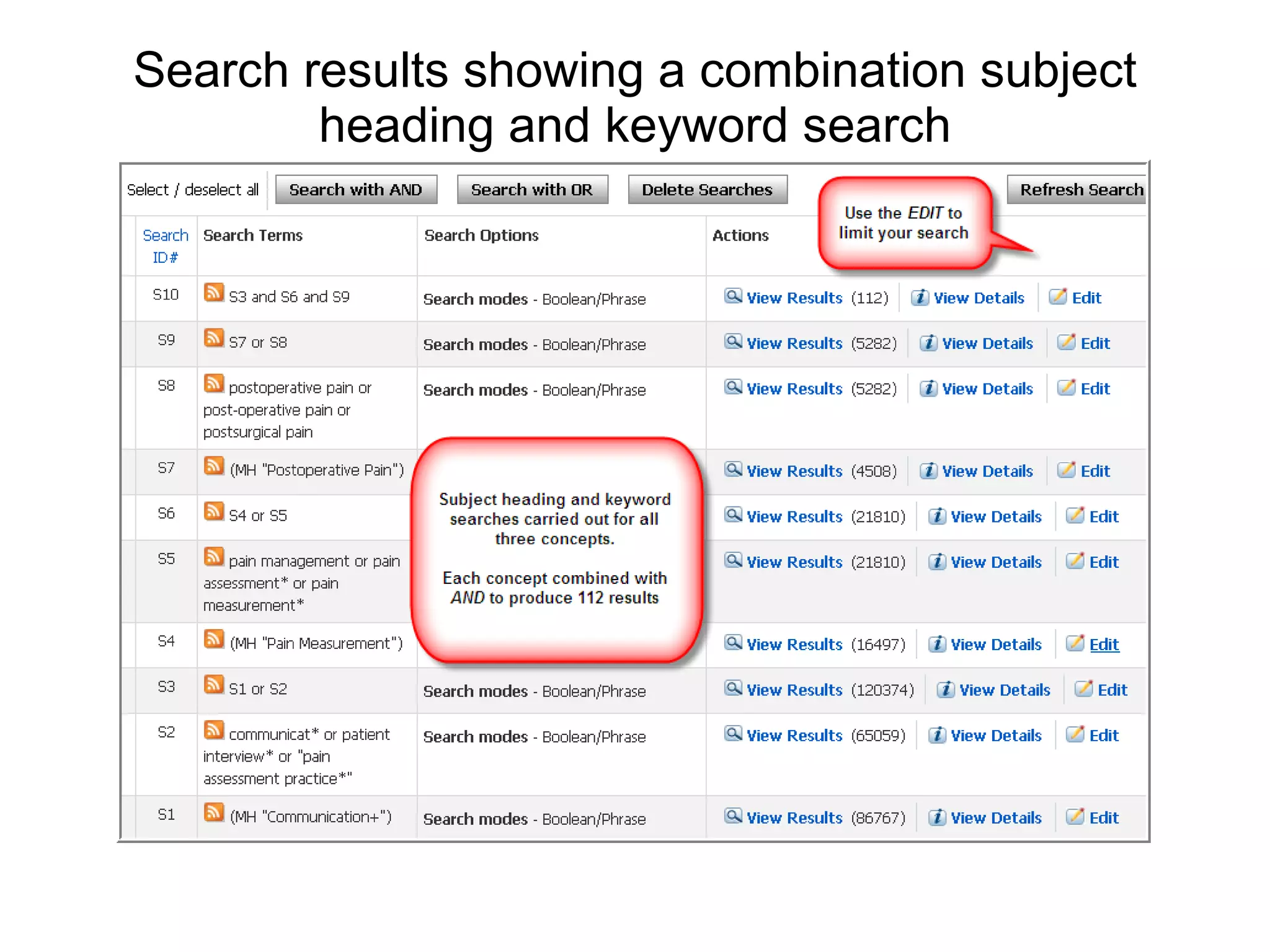
Search results showing a combination subject heading and keyword search
Limit your search Use the  Edit  function to limit your search Useful limits in CINAHL include: Peer-reviewed English language Date  Age groups Important :  Click:  View Results  after editing to see the edited list.
Other considerations:   You can just use subject headings or keywords separately, or as individual searches. There may not always be a subject term or heading for your query, in this case, just use a keyword search Sometimes there may be two subject terms that you can use e.g. maternal-child nursing or community health nursing
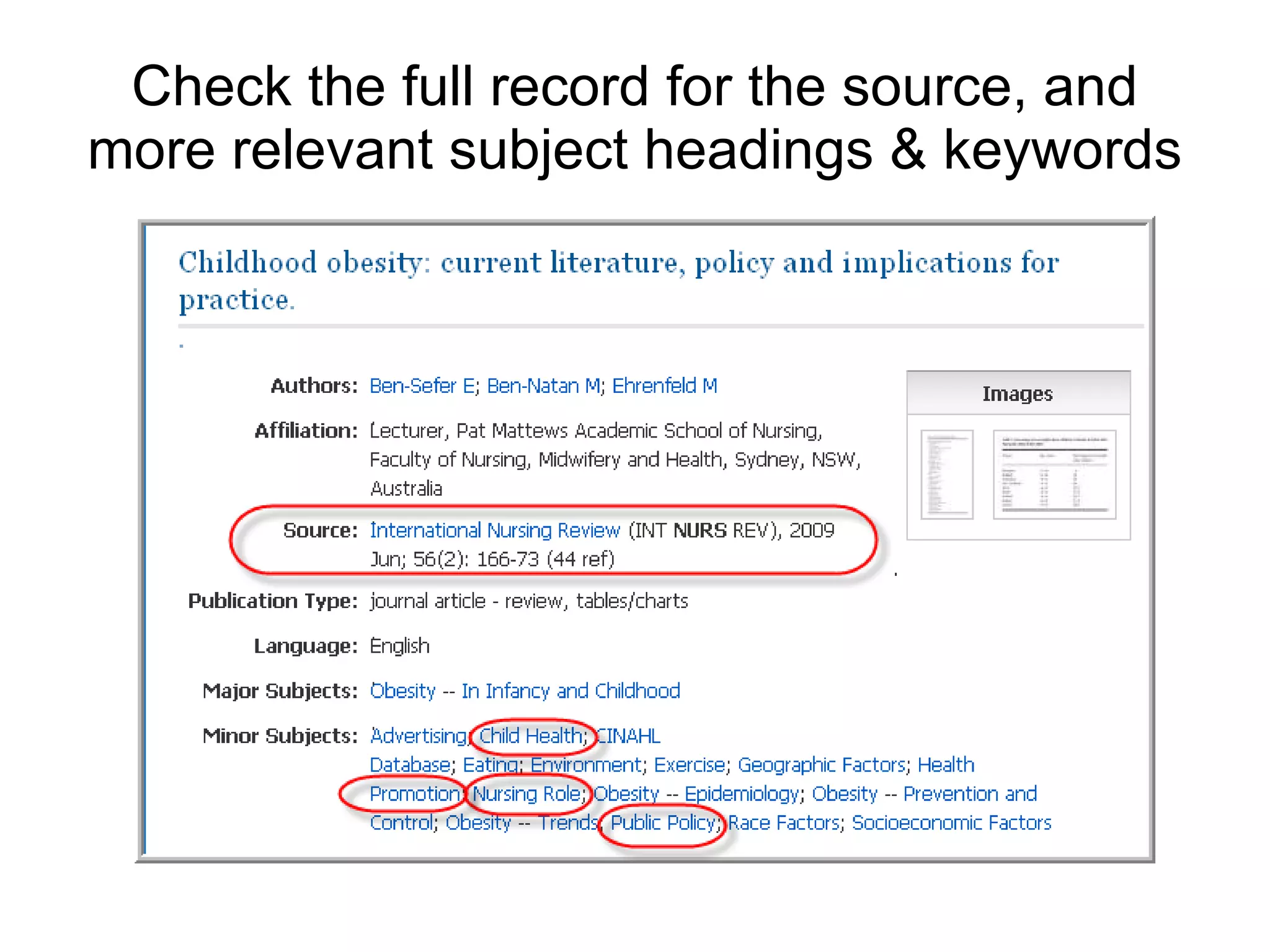
Check the full record for the source, and more relevant subject headings & keywords
Search results – finding the full text! some databases will have the  Full Text Finder  icon to link you to the full text of the article If not, search the Catalogue by the title of the journal via the  Journal titles  tab and follow the links to the full text:  sometimes the article may only be in print copy in the Library If not held by the Library, request the article via Document Delivery Services  www.lib.latrobe.edu.au/document-delivery/   Ensure you have registered for remote delivery, instruction in the guide under off campus services.
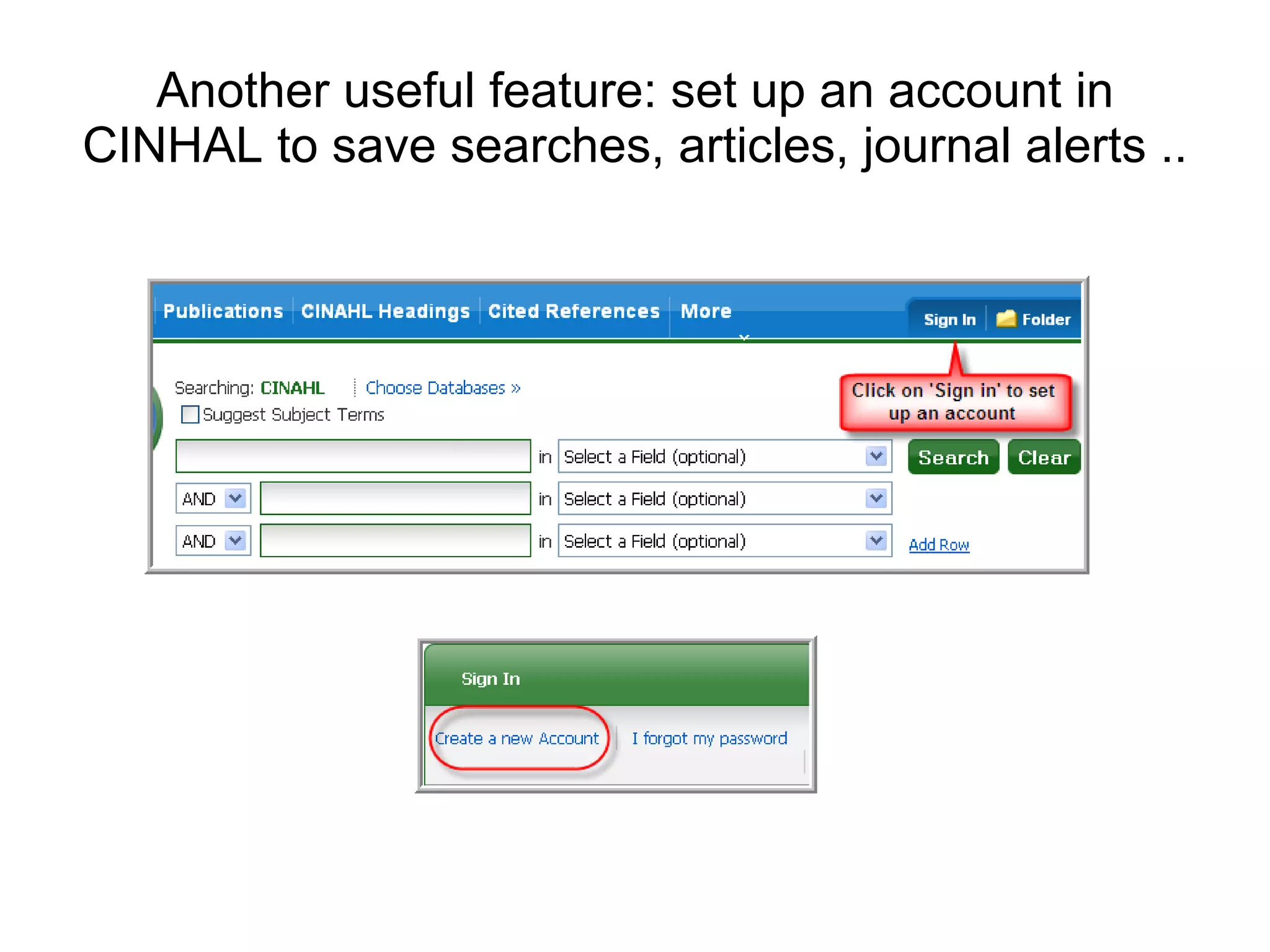
Another useful feature: set up an account in CINHAL to save searches, articles, journal alerts ..
Homework! Search in CINAHL for the following subject terms Check the scope note (if available), search by the term,  view the results, and practice the edit function Look for the full text in the Library’s collection Symptom distress  Palliative care Quality of life Oncologic nursing Cancer pain Cancer fatigue Pleural effusion malignant Breast neoplasms Hormone therapy http://www.lib.latrobe.edu.au http://latrobe.libguides.com/cancernursing http://latrobe.libguides.com/nursing_midwifery

CINAHL Advanced Search Techniques

  • 1.
    Specialty Cancer/Palliative CareNursing Searching the databases: CINAHL Sharon Karasmanis [email_address] Faculty Librarian, Health Sciences
  • 2.
    3 stages inthe search process: Search strategy – preparing your search Using the databases Understanding which database to use Understanding which search terms to use Understanding the database functionality http://latrobe.libguides.com/CINAHL Finding the full text of the article
  • 3.
    Sample search queryWhat factors influence the control of post-operative pain in older people? What are the key concepts in this question - look for alternative words to describe these concepts? Factors (communication, patient interview, pain assessment practice) Pain control (pain management or pain measurement) Post-operative pain (post surgical pain) Older people (aged person, elderly etc) Use these words to form the foundation for your search
  • 4.
    It’s helpful todraw a concept map Concept 1 + Concept 2 + Concept 3 communication or pain management or post operative pain or patient interview pain measurement post surgical pain or consultation or pain assessment or post-operative pain
  • 5.
    Efficient searching requiressubject heading and keyword searching! Subject heading (subject term) search: this is a more specific way of searching where you retrieve only those records which list the subject heading for your concept e.g. Subject heading for ‘ stroke’ will cover: cerebrovascular accident/s, cerebral vascular accident/s, CVA/s etc. Keyword search this is broader way of searching where you will retrieve records which mention your keywords but may or may not be specifically about your concept
  • 6.
    More on subjectheadings … Subject Headings (or controlled vocabulary) overcome variations in the: use of terminology e.g. back pain, spinal pain or backache use of spelling e.g. ageing or aging Tick the Subject Heading box, scroll down to the ‘ used for ’ to look for other relevant keywords Scope note : describes how the term is used in the database, the “scope” of the term or the history of the indexing
  • 7.
    To look forsubject terms, login to the CINAHL database: www.lib.latrobe.edu.au (A-Z Databases/Journals) Click on Suggest Subject Terms and enter your query
  • 8.
    Concept 1: subjectheading search communication Use the subject term communication Do not use diacritics e.g.* (only use in keyword search) Select the term, and explode (to include narrower terms) Read the Scope Note Tick on the Search Database (green box)
  • 9.
    Generic search tipsfor keyword searching Spelling: be aware of variations e.g. p ae diatric or p e diatric; counselling or counseling; ageing or aging Terminology: the term stroke could also include cerebral vascular accident/s, cerebrovascular disorders Truncation: occupation * will produce occupation, occupational, occupations Wildcard (?) for example: randomi ? ed will retrieve randomi z ed and randomi s ed Phrase search use quotation marks to search as a phrase e.g. “acquired brain injury” or “quality of life” Understand Boolean operators and + or
  • 10.
    Concept 1: keywordsearch c ommunicat* or patient interview* or consultation* Use the asterisk to search for all forms of the word e.g. communicat* - communication/s, communicate, communicating, communicated Using or will combine all words within your first concept When searching by keyword, do not tick the subject heading box
  • 11.
    Concept 2: subjectheading and keywords Searched for and used the subject heading: pain measurement Searched for keywords: pain management or pain assessment* or pain measurement*
  • 12.
    Concept 3: subjectheading and keywords Searched for and used the subject heading: postoperative pain Searched for keywords: postoperative pain or post-operative pain or post surgical pain
  • 13.
    Search results showinga combination subject heading and keyword search
  • 14.
    Limit your searchUse the Edit function to limit your search Useful limits in CINAHL include: Peer-reviewed English language Date Age groups Important : Click: View Results after editing to see the edited list.
  • 15.
    Other considerations: You can just use subject headings or keywords separately, or as individual searches. There may not always be a subject term or heading for your query, in this case, just use a keyword search Sometimes there may be two subject terms that you can use e.g. maternal-child nursing or community health nursing
  • 16.
    Check the fullrecord for the source, and more relevant subject headings & keywords
  • 17.
    Search results –finding the full text! some databases will have the Full Text Finder icon to link you to the full text of the article If not, search the Catalogue by the title of the journal via the Journal titles tab and follow the links to the full text: sometimes the article may only be in print copy in the Library If not held by the Library, request the article via Document Delivery Services www.lib.latrobe.edu.au/document-delivery/ Ensure you have registered for remote delivery, instruction in the guide under off campus services.
  • 18.
    Another useful feature:set up an account in CINHAL to save searches, articles, journal alerts ..
  • 19.
    Homework! Search inCINAHL for the following subject terms Check the scope note (if available), search by the term, view the results, and practice the edit function Look for the full text in the Library’s collection Symptom distress Palliative care Quality of life Oncologic nursing Cancer pain Cancer fatigue Pleural effusion malignant Breast neoplasms Hormone therapy http://www.lib.latrobe.edu.au http://latrobe.libguides.com/cancernursing http://latrobe.libguides.com/nursing_midwifery

Editor's Notes

  • #4 Databases are not the same either in content or coverage nor in how much information they will provide
  • #5 NO index covers every journal possible in a subject area
  • #7 Controlled vocabulary and Tools: Thesaurus, Tree, Permuted Index These Advanced Search features make searching more effective.
  • #20 Access the Advanced Scholar Search page (as above) http://scholar.google.com.au/advanced_scholar_search?hl=en&lr=