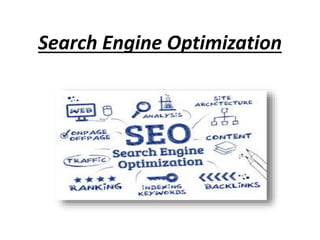
Search Engine Optimization
What Is Seo ?
In simple words, SEO or Search Engine Optimization
denotes to any activity performed for the improvement
of Search Engine rankings of websites, products,
services or other content. It shows unpaid results which
is also referred to as “free”, “organic”, “natural” or
“earned” results.
Types Of Seo
On Page Seo :
On-page SEO is the practice of optimizing individual web pages in
order to rank higher and earn more relevant traffic in search engines.
On-page refers to both the content and HTML source code of a page
that can be optimized
Off Page Seo :
Unlike On- page SEO, Off-page SEO refers to activities you can perform
outside the boundaries of your website. The most important are:
• Link Building
• Social Media Marketing
• Social bookmarking
Tips For On Page Seo
The most important On-Page SEO tips are:
• Having optimized titles and descriptions
• Proper URL Structures
• User friendly navigation (user sitemaps)
• Optimized Internal Links
• Text Formatting (use of h1,h2,bold etc)
• Image optimization (image size, proper image names, use of ALT tag)
• User friendly 404 pages
• Fast loading pages
• Mobile Friendly pages
• Top quality fresh content (This is always the most important SEO
factor!)
• External links (no broken links or links to ‘bad’ sites)
Important Aspects Of On-page Seo
1.Page title
 Page titles are a very important aspect of SEO
 Each page needs to have a unique page title that accurately
describes the page’s content.
 Be brief and descriptive.
 Help the user understand what the page is about
 Attractive to the searcher
2.Keyword
Meaning :-
Keyword means any word serving as a key. Keyword in seo refers to the key
phrase and words include in the web content which helps the users to
relevant search queries over the search engine.
Concepts Related to keyword :-
1.Long Tail Keyword : long tail keyword are phrases containing over 4+ words
that make search result highly specific.
2.Keyword Density : Keyword density is the percentage of times a keyword or
phrase appears on web page .
3.Keyword Proximity : The keyword proximity refers to the distance between
the search term's individual keywords.
4.Keyword Prominence : The keyword prominence refers to the prominent
placement of keywords or phrases within a Web page.
5.LSI Keyword : latent semantic indexing are semantically associated with the
main keyword that users enter over the search engine.
3.Meta Description
The page description meta tag is also very important. It gives users,
Google and other search engines a summary of what the page is
about.
Guidelines :
 Always provide a unique description for all pages, post, products of
your website.
 Keep the size between 140-150 characters.
 Avoid repeating the title in the description
 Don’t add too many keywords
 Try to use the description as a way to ‘advertise’ your page to the
reader so that they click on your title and visit the page.
4.Permalink Structure
The permanent link structure is a term used to describe the format of
URLS for pages (categories/tags) or individual posts of a web site.
It is shown in the browser address bar and in the search results (below the
page title).
SEO Guidelines for URLS :
 Make Urls simple and easy to understand for search engines and users
 Use hyphens ‘ – ‘ to separate the words that make up a url
 Avoid lengthy Urls with unnecessary information
 Use words that describe what the page is about but avoid keyword
stuffing
5. Internal Links
When you click on the link with anchor “increase the intensity” you will be
redirected to a page with-in the website to find out more information on
how to increase the intensity of an exercise.
Rules To Follow For Internal Links Are :
 Link related articles together either by using keyword anchor text or by
using the full article title.
 Make sure that the links are useful both for the user and easy to
understand by search engines.
 Don’t make links for search engines only. An internal link should help the
user navigate the site better.
 Do not use terms like ‘click here’ or ‘[..]’ for internal linking.
 Don’t overdo it. A few internal links per page are enough (create more if
really necessary)
6.External Links
External links (links in your web site pointing to other sites) are
important for SEO. In general ensure that:
 You are not linking to spam web sites or web sites with
inappropriate content
 You have no broken links i.e. links to web sites or pages that
no longer exist (you can use xenu – a free tool to analyze your
external links).
 You are not in any way selling or exchanging links
 Any links in your comments section carry the nofollow
directive
7. HTML Structure
HTML STRUCTURE:
<!DOCTYPE html>
<html>
<head>
<title>Meta Tags Example</title>
<meta name="keywords" content="HTML, Meta Tags, Metadata" />
<meta name="description" content="Learning about Meta Tags." />
</head>
<body>
<p>Hello HTML5!</p>
</body>
</html>
8. Alt Attribute For Image
Images are sometimes necessary to enhance the user experience but care
should be taken not to create other side effects like problems with page
load speed or slow response.
If you decide to use images, mind the following:
 Use Alt Text to describe the image. You can add keywords but don’t
overdo it.
 Use keywords in image filenames (separated with dashes). Avoid using
filenames like image1.jpg or person1.jpg. Instead use meaningful
names with dashes. For example woman-working-out.jpg
 Keep all image files in a dedicated folder in your site i.e.
www.mydomain.com/images/
 Optimize the image size. The smaller the size of the image (in KB) the
faster is your web site. You can use this free tool to make your image
size smaller without losing the quality.
9.Content
Meaning
When people search on Google, Yahoo or Bing they are essentially looking for
answer to a question. Good content is post or page that answers this question.
How to write good content?
 Make sure that your content delivers what promised in the title.
 Check your text for typos, spelling and grammar mistakes.
 Format your text
 Provide links within your content (where appropriate) to other pages on your
site (or other sites) to get more information.
 Include references from established research or studies (where appropriate) to
prove that what you are saying or suggesting is correct.
 Having fresh content is an incentive for visitors to come back and for search
engine bots to visit and crawl your website more often.
10.Do Follow And No Follow
1.What is do follow link ?
A do follow link allows Google link calculator called page rank to
count all the inbound links from other web pages and websites
as link points.
2.What is no follow link ?
A no follow link is exactly opposite of a do follow link such as the
link attributes do not allow the Google bots to follow them.
these links cannot be followed by robots only human can do it.
No follow link attributes are structured in the following manner
<a href= “link” rel=“nofollow”>link text</a>
Google Indexing
How To Submit Url To Google Search Engine For Indexing In Google ?
1.To submit url on google search engine you must have gmail id & first make
login on following url
https://www.google.com/webmasters/tools/submit-url
2.enter your url for example "www.example.com" & click on submit request.
after submission you will get:
Another Methods Of Google Indexing
 Sitemap Xml : The sitemap protocol allows a webmaster to inform
search engines about url’s on a website that are available for crawling. A
sitemap is an xml file that list the url’s for a site .
[Tool : www.xml-sitemap.com/]
 Robots.txt File : Web owners use robots.txt file to give instruction
about their site to web robots . This is called robot exclusion protocol .
the “Disallow/” tells the robot that it should not visit any pages on the site
[Tool : tools.seobooks.com/robots.txt/generator]
 Generate Rss Feed :Rss is a format of delivering regularly changing
web content.rss feeds enable publishers to syndicate data. We use rss feed
to publish frequently updated information such as blog entries, news
headlines, audio, video.
[Tool : www.joydeb.com/tools/rss-feeds-generator.html]
How to submit sitemap to webmaster tool
Follow step by by step how to add property (web address) and verify your
website..
Steps :
1.First make login using your gamil id on following url:
https://www.google.com/webmasters/tools/
2. Enter your Email and clicks on add property
For example you entered url =http://courier-management-system.site50.net/
to ad property box and click on ad property
 Download this HTML verification file. [google913bc7ff52903ed5.html]
 Upload the file to http://courier-management-system.site50.net/
 Confirm successful upload by visiting http://courier-management-
system.site50.net/google913bc7ff52903ed5.html in your browser.
 Click Verify below.
To stay verified, don't remove the HTML file, even after verification succeeds.
3. Then click on continue
Now submit your sitemap.xml file to your webmaster tool
 Step 1:
Go to https://www.xml-sitemaps.com/
enter your website url =" courier-management-system.site50.net“
& note select change frequency "daily"
 Step 2: then download your sitemap.xml file
 Step 3 : upload this file sitemap.xml file to your website using filezilla
ftp..
 Step 4 : Now add your sitemap to your webmaster click on click
on sitemap
 Step 5 : Enter your url for sitemap.xml
 Step 6 : then click on refresh page ...
in this way you have successfully added your sitemap,xml file to google
webmaster.
Robots.txt
http://tools.seobook.com/robots-txt/generator/
Rss Feed Generator
Step 1 :
http://www.joydeepdeb.com/tools/rss-feeds-generator.html
Step 2
Enter your details for rss file:
Step 3
Then click on Generate Rss Feed File and get
following code given in below image :
Favicon
Defination :
An icon associated with a particular website typically displayed in the address
bar of a browsing accessing the site or next to the site name in a users list of
bookmarks.
Tool : www.favicongenerator.org
Step 1 :Choose File
Step 2 :Click on create favicon
Step 3:Download Image file
Canonical tags
Defination :
Canonical url related to the concept of selecting the best url for the webpages
that the visitors want to see. Also known as canonical tags, these url helps in
content syndication when multiple versions of a same page become available
over the internet. Thus it is used to resolve issue related to content
duplication.
For Ex. Most people would consider these the same url’s
www.examples.com
example.com/
www.example.com/index.html/
example.com/home.asp
But technically all of these url’s are different .

Search engine optimization ppt

  • 1.
  • 2.
    What Is Seo? In simple words, SEO or Search Engine Optimization denotes to any activity performed for the improvement of Search Engine rankings of websites, products, services or other content. It shows unpaid results which is also referred to as “free”, “organic”, “natural” or “earned” results.
  • 3.
    Types Of Seo OnPage Seo : On-page SEO is the practice of optimizing individual web pages in order to rank higher and earn more relevant traffic in search engines. On-page refers to both the content and HTML source code of a page that can be optimized Off Page Seo : Unlike On- page SEO, Off-page SEO refers to activities you can perform outside the boundaries of your website. The most important are: • Link Building • Social Media Marketing • Social bookmarking
  • 4.
    Tips For OnPage Seo The most important On-Page SEO tips are: • Having optimized titles and descriptions • Proper URL Structures • User friendly navigation (user sitemaps) • Optimized Internal Links • Text Formatting (use of h1,h2,bold etc) • Image optimization (image size, proper image names, use of ALT tag) • User friendly 404 pages • Fast loading pages • Mobile Friendly pages • Top quality fresh content (This is always the most important SEO factor!) • External links (no broken links or links to ‘bad’ sites)
  • 5.
    Important Aspects OfOn-page Seo 1.Page title  Page titles are a very important aspect of SEO  Each page needs to have a unique page title that accurately describes the page’s content.  Be brief and descriptive.  Help the user understand what the page is about  Attractive to the searcher
  • 6.
    2.Keyword Meaning :- Keyword meansany word serving as a key. Keyword in seo refers to the key phrase and words include in the web content which helps the users to relevant search queries over the search engine. Concepts Related to keyword :- 1.Long Tail Keyword : long tail keyword are phrases containing over 4+ words that make search result highly specific. 2.Keyword Density : Keyword density is the percentage of times a keyword or phrase appears on web page . 3.Keyword Proximity : The keyword proximity refers to the distance between the search term's individual keywords. 4.Keyword Prominence : The keyword prominence refers to the prominent placement of keywords or phrases within a Web page. 5.LSI Keyword : latent semantic indexing are semantically associated with the main keyword that users enter over the search engine.
  • 7.
    3.Meta Description The pagedescription meta tag is also very important. It gives users, Google and other search engines a summary of what the page is about. Guidelines :  Always provide a unique description for all pages, post, products of your website.  Keep the size between 140-150 characters.  Avoid repeating the title in the description  Don’t add too many keywords  Try to use the description as a way to ‘advertise’ your page to the reader so that they click on your title and visit the page.
  • 8.
    4.Permalink Structure The permanentlink structure is a term used to describe the format of URLS for pages (categories/tags) or individual posts of a web site. It is shown in the browser address bar and in the search results (below the page title). SEO Guidelines for URLS :  Make Urls simple and easy to understand for search engines and users  Use hyphens ‘ – ‘ to separate the words that make up a url  Avoid lengthy Urls with unnecessary information  Use words that describe what the page is about but avoid keyword stuffing
  • 9.
    5. Internal Links Whenyou click on the link with anchor “increase the intensity” you will be redirected to a page with-in the website to find out more information on how to increase the intensity of an exercise. Rules To Follow For Internal Links Are :  Link related articles together either by using keyword anchor text or by using the full article title.  Make sure that the links are useful both for the user and easy to understand by search engines.  Don’t make links for search engines only. An internal link should help the user navigate the site better.  Do not use terms like ‘click here’ or ‘[..]’ for internal linking.  Don’t overdo it. A few internal links per page are enough (create more if really necessary)
  • 10.
    6.External Links External links(links in your web site pointing to other sites) are important for SEO. In general ensure that:  You are not linking to spam web sites or web sites with inappropriate content  You have no broken links i.e. links to web sites or pages that no longer exist (you can use xenu – a free tool to analyze your external links).  You are not in any way selling or exchanging links  Any links in your comments section carry the nofollow directive
  • 11.
    7. HTML Structure HTMLSTRUCTURE: <!DOCTYPE html> <html> <head> <title>Meta Tags Example</title> <meta name="keywords" content="HTML, Meta Tags, Metadata" /> <meta name="description" content="Learning about Meta Tags." /> </head> <body> <p>Hello HTML5!</p> </body> </html>
  • 12.
    8. Alt AttributeFor Image Images are sometimes necessary to enhance the user experience but care should be taken not to create other side effects like problems with page load speed or slow response. If you decide to use images, mind the following:  Use Alt Text to describe the image. You can add keywords but don’t overdo it.  Use keywords in image filenames (separated with dashes). Avoid using filenames like image1.jpg or person1.jpg. Instead use meaningful names with dashes. For example woman-working-out.jpg  Keep all image files in a dedicated folder in your site i.e. www.mydomain.com/images/  Optimize the image size. The smaller the size of the image (in KB) the faster is your web site. You can use this free tool to make your image size smaller without losing the quality.
  • 13.
    9.Content Meaning When people searchon Google, Yahoo or Bing they are essentially looking for answer to a question. Good content is post or page that answers this question. How to write good content?  Make sure that your content delivers what promised in the title.  Check your text for typos, spelling and grammar mistakes.  Format your text  Provide links within your content (where appropriate) to other pages on your site (or other sites) to get more information.  Include references from established research or studies (where appropriate) to prove that what you are saying or suggesting is correct.  Having fresh content is an incentive for visitors to come back and for search engine bots to visit and crawl your website more often.
  • 14.
    10.Do Follow AndNo Follow 1.What is do follow link ? A do follow link allows Google link calculator called page rank to count all the inbound links from other web pages and websites as link points. 2.What is no follow link ? A no follow link is exactly opposite of a do follow link such as the link attributes do not allow the Google bots to follow them. these links cannot be followed by robots only human can do it. No follow link attributes are structured in the following manner <a href= “link” rel=“nofollow”>link text</a>
  • 15.
    Google Indexing How ToSubmit Url To Google Search Engine For Indexing In Google ? 1.To submit url on google search engine you must have gmail id & first make login on following url https://www.google.com/webmasters/tools/submit-url 2.enter your url for example "www.example.com" & click on submit request. after submission you will get:
  • 16.
    Another Methods OfGoogle Indexing  Sitemap Xml : The sitemap protocol allows a webmaster to inform search engines about url’s on a website that are available for crawling. A sitemap is an xml file that list the url’s for a site . [Tool : www.xml-sitemap.com/]  Robots.txt File : Web owners use robots.txt file to give instruction about their site to web robots . This is called robot exclusion protocol . the “Disallow/” tells the robot that it should not visit any pages on the site [Tool : tools.seobooks.com/robots.txt/generator]  Generate Rss Feed :Rss is a format of delivering regularly changing web content.rss feeds enable publishers to syndicate data. We use rss feed to publish frequently updated information such as blog entries, news headlines, audio, video. [Tool : www.joydeb.com/tools/rss-feeds-generator.html]
  • 17.
    How to submitsitemap to webmaster tool Follow step by by step how to add property (web address) and verify your website.. Steps : 1.First make login using your gamil id on following url: https://www.google.com/webmasters/tools/ 2. Enter your Email and clicks on add property For example you entered url =http://courier-management-system.site50.net/ to ad property box and click on ad property  Download this HTML verification file. [google913bc7ff52903ed5.html]  Upload the file to http://courier-management-system.site50.net/  Confirm successful upload by visiting http://courier-management- system.site50.net/google913bc7ff52903ed5.html in your browser.  Click Verify below. To stay verified, don't remove the HTML file, even after verification succeeds. 3. Then click on continue
  • 18.
    Now submit yoursitemap.xml file to your webmaster tool  Step 1: Go to https://www.xml-sitemaps.com/ enter your website url =" courier-management-system.site50.net“ & note select change frequency "daily"  Step 2: then download your sitemap.xml file  Step 3 : upload this file sitemap.xml file to your website using filezilla ftp..  Step 4 : Now add your sitemap to your webmaster click on click on sitemap  Step 5 : Enter your url for sitemap.xml  Step 6 : then click on refresh page ... in this way you have successfully added your sitemap,xml file to google webmaster.
  • 19.
  • 20.
    Rss Feed Generator Step1 : http://www.joydeepdeb.com/tools/rss-feeds-generator.html
  • 21.
    Step 2 Enter yourdetails for rss file:
  • 22.
    Step 3 Then clickon Generate Rss Feed File and get following code given in below image :
  • 23.
    Favicon Defination : An iconassociated with a particular website typically displayed in the address bar of a browsing accessing the site or next to the site name in a users list of bookmarks. Tool : www.favicongenerator.org Step 1 :Choose File Step 2 :Click on create favicon Step 3:Download Image file
  • 24.
    Canonical tags Defination : Canonicalurl related to the concept of selecting the best url for the webpages that the visitors want to see. Also known as canonical tags, these url helps in content syndication when multiple versions of a same page become available over the internet. Thus it is used to resolve issue related to content duplication. For Ex. Most people would consider these the same url’s www.examples.com example.com/ www.example.com/index.html/ example.com/home.asp But technically all of these url’s are different .