Call the Requirements Police,
   You’ve Entered Design!
       Alan Bustamante, PMP
            Houston, TX
   alan_bustamante@yahoo.com
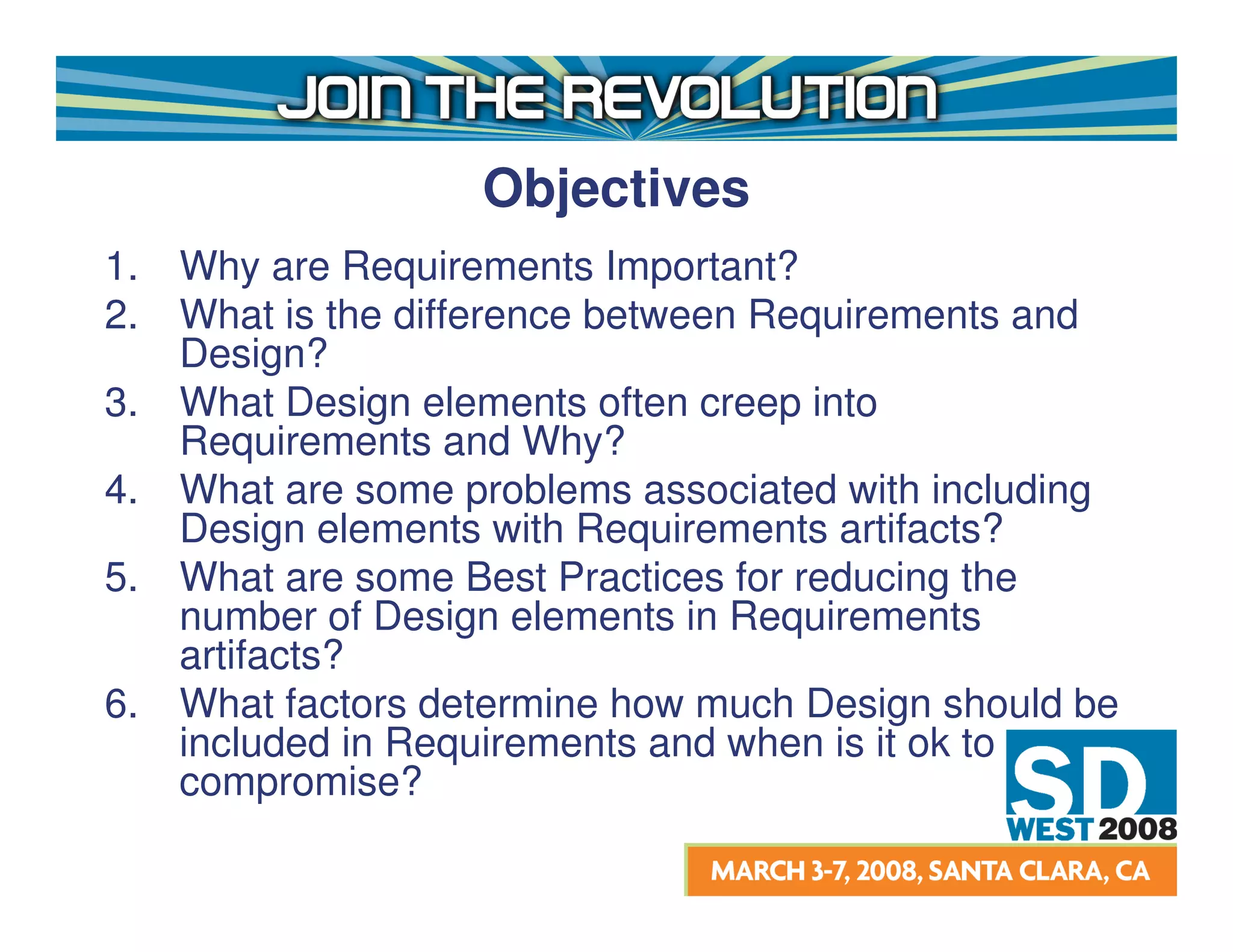
Objectives
1.   Why are Requirements Important?
2.   What is the difference between Requirements and
     Design?
3.   What Design elements often creep into
     Requirements and Why?
4.   What are some problems associated with including
     Design elements with Requirements artifacts?
5.   What are some Best Practices for reducing the
     number of Design elements in Requirements
     artifacts?
6.   What factors determine how much Design should be
     included in Requirements and when is it ok to
     compromise?
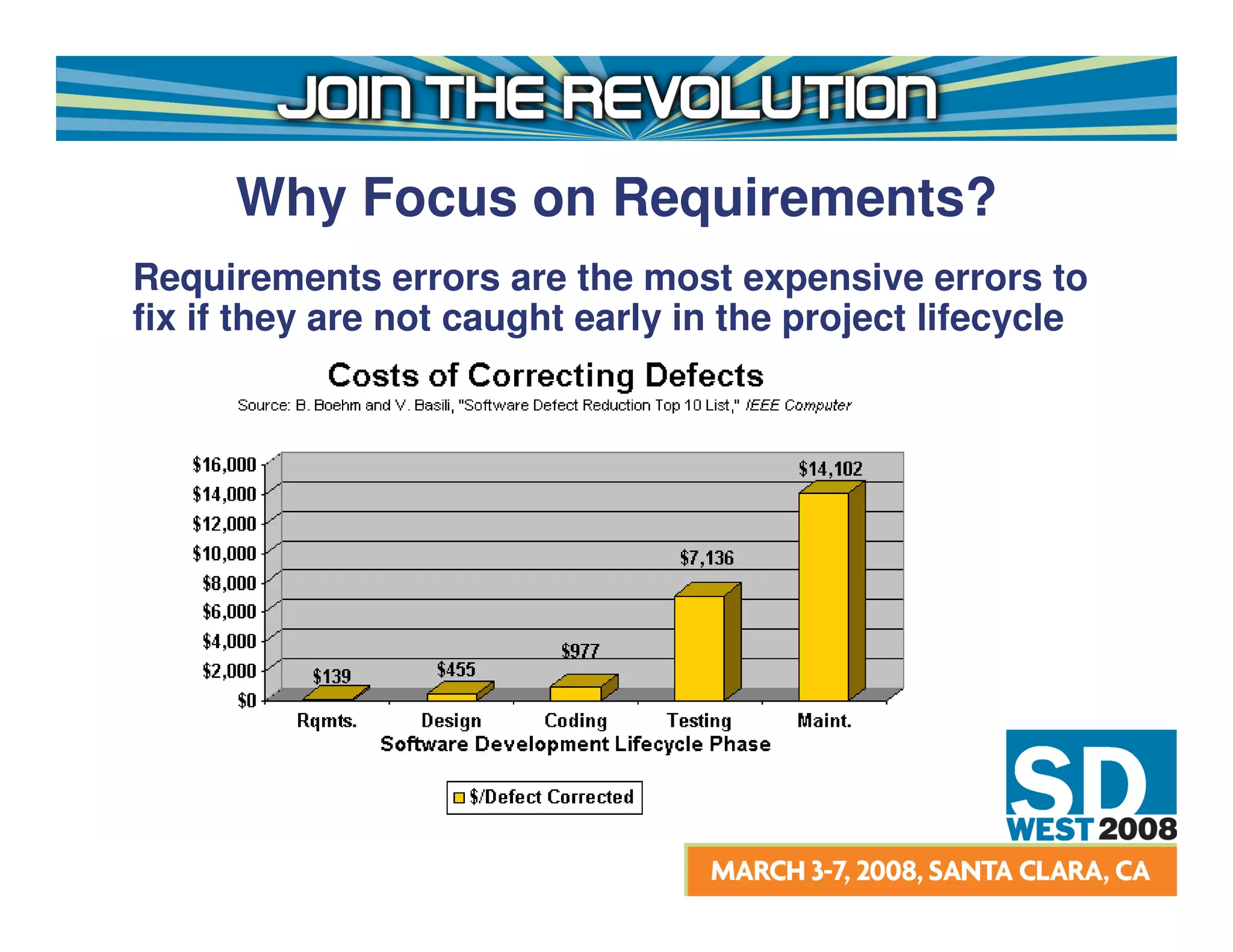
Why Focus on Requirements?
Requirements errors are the most expensive errors to
fix if they are not caught early in the project lifecycle
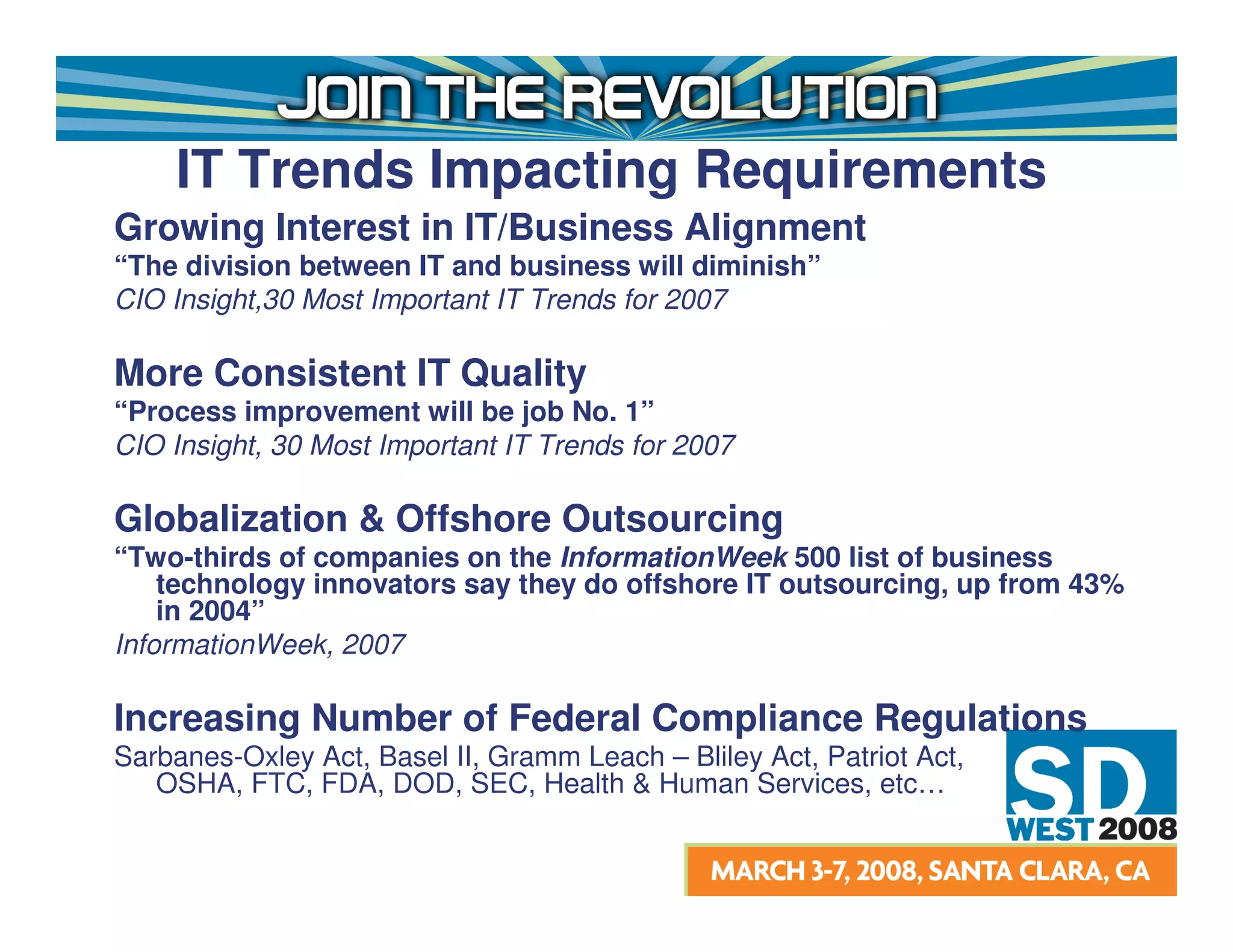
IT Trends Impacting Requirements
Growing Interest in IT/Business Alignment
“The division between IT and business will diminish”
CIO Insight,30 Most Important IT Trends for 2007

More Consistent IT Quality
“Process improvement will be job No. 1”
CIO Insight, 30 Most Important IT Trends for 2007

Globalization & Offshore Outsourcing
“Two-thirds of companies on the InformationWeek 500 list of business
    technology innovators say they do offshore IT outsourcing, up from 43%
    in 2004”
InformationWeek, 2007

Increasing Number of Federal Compliance Regulations
Sarbanes-Oxley Act, Basel II, Gramm Leach – Bliley Act, Patriot Act,
   OSHA, FTC, FDA, DOD, SEC, Health & Human Services, etc…
Requirements
What is Requirements?
• The part of the software development process “whose
  purpose is to define what the system should do.”1

Common Outputs Produced during Requirements:
• Use Case Model (Specifications and Diagrams)
• User Stories
• Backlog Items
• Test Cases
• Software Requirements Specification (SRS)


1   Philippe Kruchten, The RUP an Introduction, 3rd Edition
Design
What is Design?
• “The part of the software development process
  whose primary purpose is to decide how the
  system will be implemented.”1

Common Outputs Produced during Design:
• Design Model
• Data Model
• Software Architecture Document (SAD)
• UI Prototypes
• Builds and Releases for emerging architectures
  (i.e. Agile methods)
1   1 Philippe Kruchten, The RUP an Introduction, 3rd Edition
Design Elements Often
         Included in Requirements
User Interface Design
• Modified Screen Shots of Existing Applications
• Prototypes Built in a Development Environment
• Prototypes Built in a Diagramming Tool
Data Design
• Table and Field References
Constraints
• Programming Language
• Software
• Hardware
What’s the Connection?
40 to 65 percent of Adults are Visual learners, while 10 to 30 percent
are Tactile (Kinesthetic) learners.1

Therefore, by nature we like to jump immediately to the solution Design
without giving full consideration to correcting the business process, which is
dealt with in Requirements.

Other contributing factors which encourage us to include Design
activities with Requirements:
• Business Demands
• Tight Timelines
• Perceived Reduction in Documentation Effort
• Preferred Requirements Documentation Style
• Many Others…..

 1   Suki Reed, Learning Your Way, July 02, 2007
Problems with Too Much
          Design in Requirements
• Increases likelihood of rework
• Customer expectations are inappropriately set
• Documentation effort increases due to redundancy of
  information and the need to keep redundant
  documentation updated
• Wasting customer time with too much unnecessary
  information
• Requirements become tightly coupled to a specific type
  of technology

                   Any Others?
Case Study
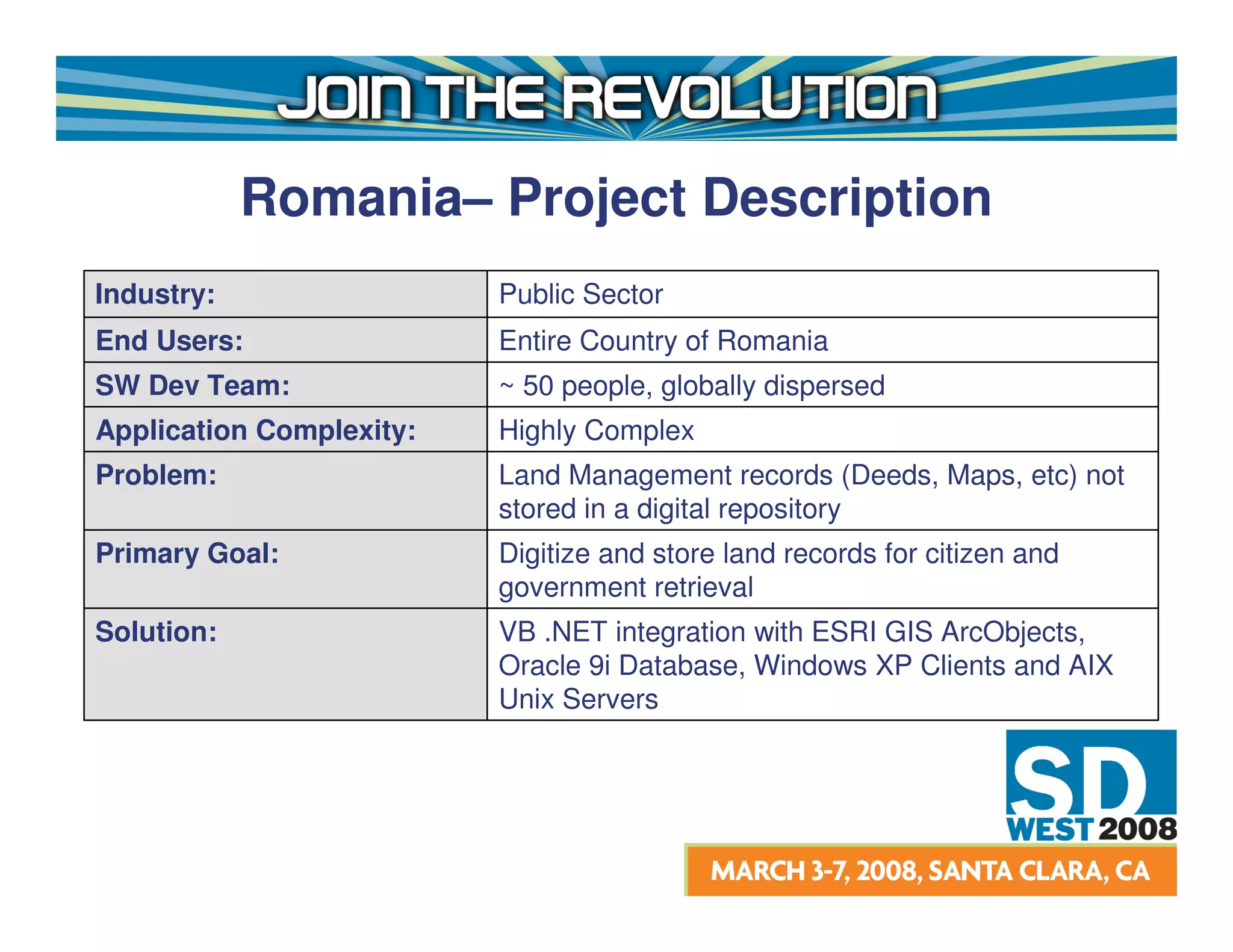
Romania– Project Description
Industry:                 Public Sector
End Users:                Entire Country of Romania
SW Dev Team:              ~ 50 people, globally dispersed
Application Complexity:   Highly Complex
Problem:                  Land Management records (Deeds, Maps, etc) not
                          stored in a digital repository
Primary Goal:             Digitize and store land records for citizen and
                          government retrieval
Solution:                 VB .NET integration with ESRI GIS ArcObjects,
                          Oracle 9i Database, Windows XP Clients and AIX
                          Unix Servers
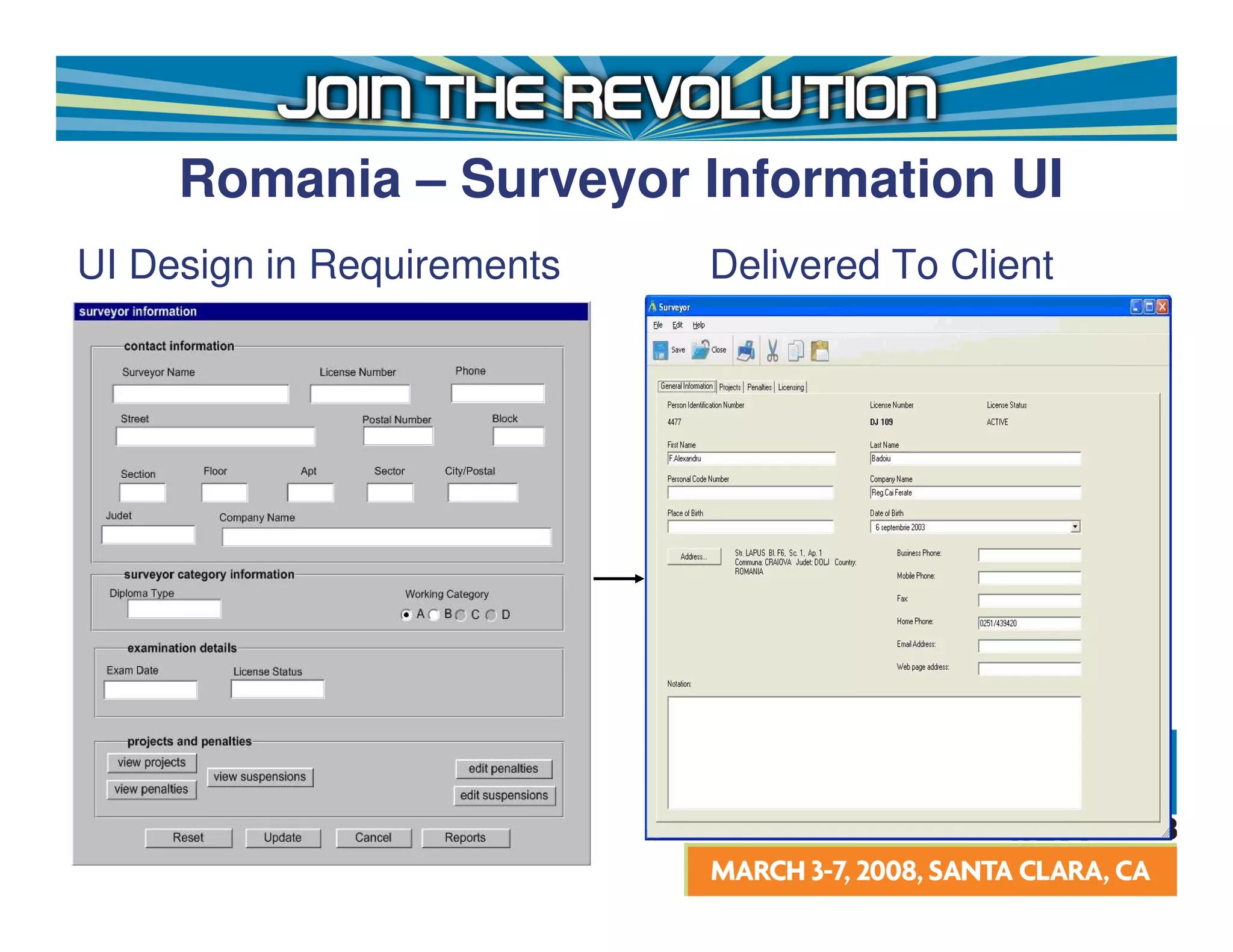
Romania – Surveyor Information UI
UI Design in Requirements   Delivered To Client
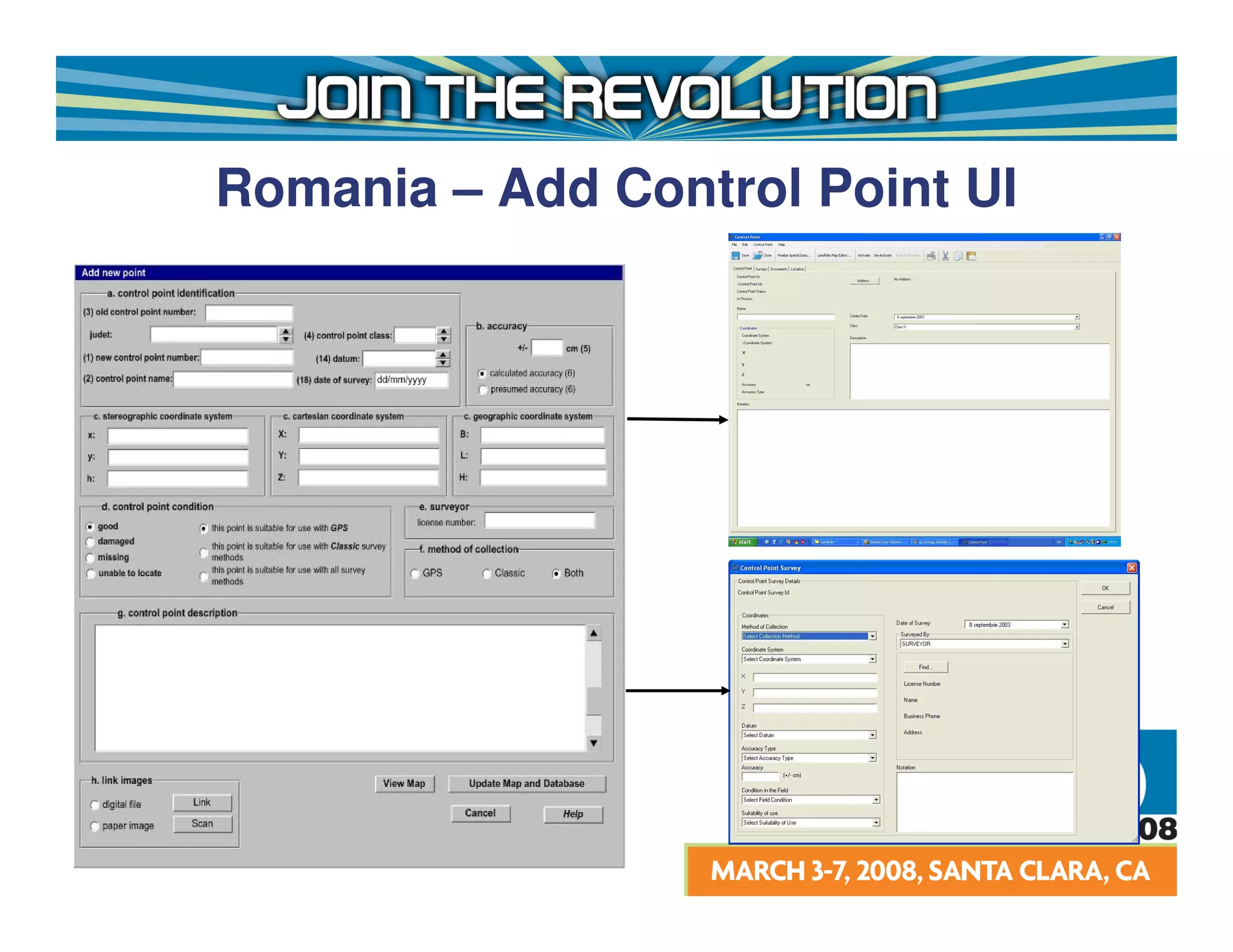
Romania – Add Control Point UI
Romania – Lessons Learned
Designing all application UI’s up front in Visio and
including in the Requirements Specifications
presented the following problems:
• Static controls made the application look antiquated
• Prototypes could not be reused in the Visual Studio
  .NET environment
• Major user interface rework required
• The customer expected one thing, but got another
• Unreasonable and unnecessary design constraints
  were placed on the development team
Traditional Software Requirements
             Specification (SRS)
Use Declarative Statements to Describe Requirements
• System shall provide a function which allows the user to
  manually initiate the upload
• System shall process all records in file which pass
  validation, withholding only those with validation errors
• System shall validate user credentials
Because the customer is focused on WHAT the system
should do, they are less likely to be concerned with
HOW the system should provide the
functionality
Traditional Software Requirements
           Specification (Cont’d)
However, declarative statements make it difficult to
  understand:
• The user’s flow through the system, thereby
  complicating communications with key stakeholders.
• The state the system is in prior to the user using the
  functionality
• The state the system is in at the conclusion of the
  user’s interaction with the system
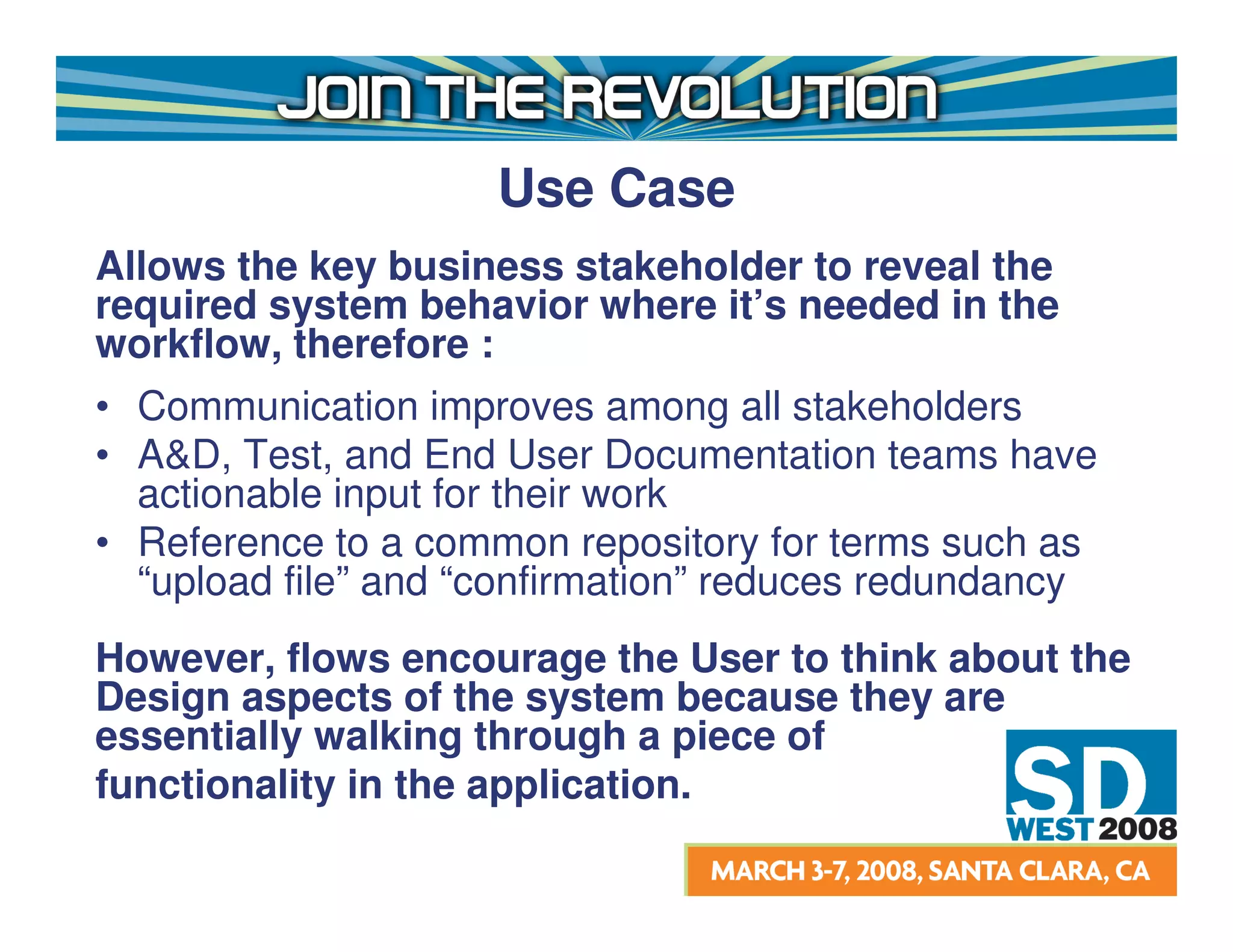
Use Case
Allows the key business stakeholder to reveal the
required system behavior where it’s needed in the
workflow, therefore :
• Communication improves among all stakeholders
• A&D, Test, and End User Documentation teams have
  actionable input for their work
• Reference to a common repository for terms such as
  “upload file” and “confirmation” reduces redundancy
However, flows encourage the User to think about the
Design aspects of the system because they are
essentially walking through a piece of
functionality in the application.
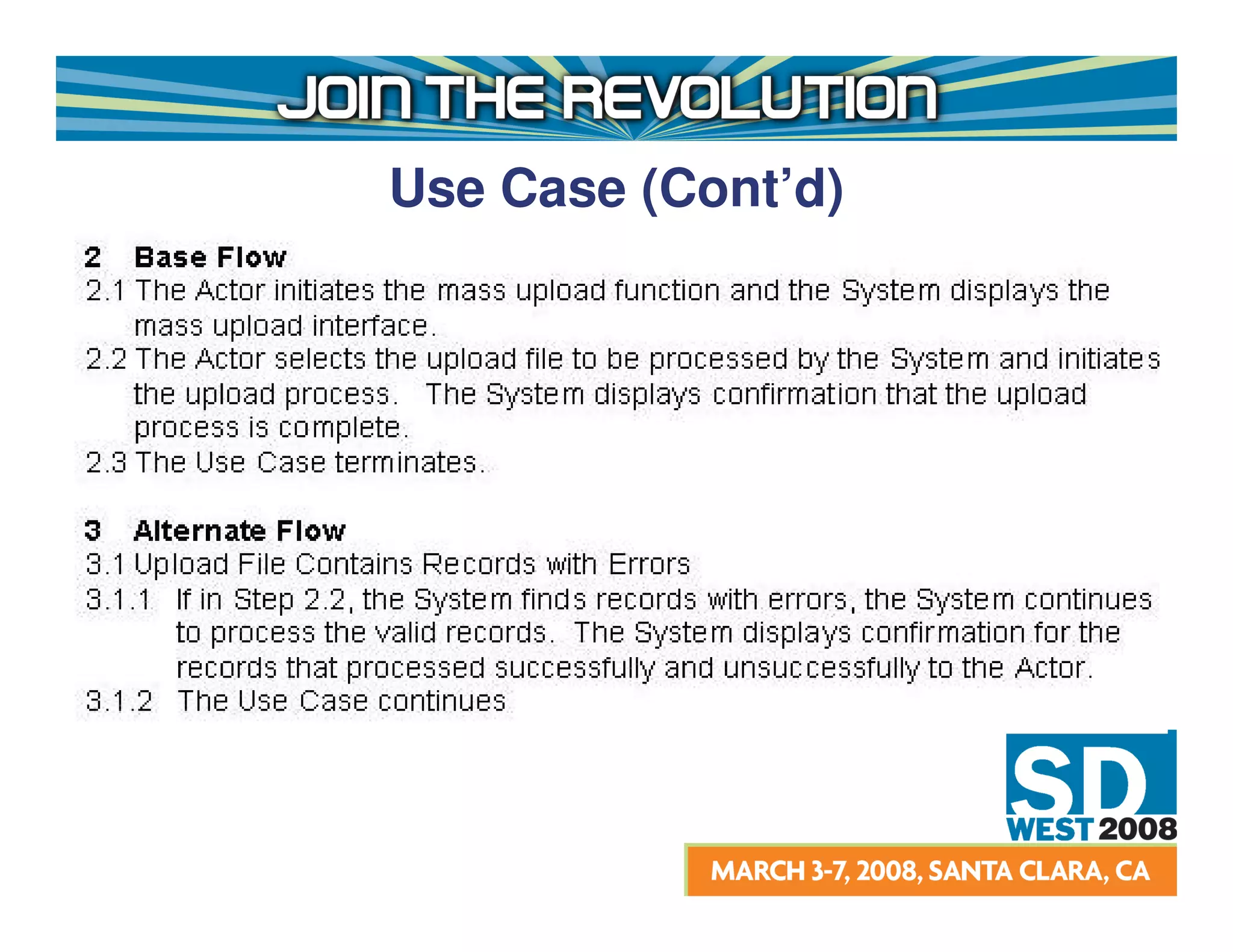
Use Case (Cont’d)
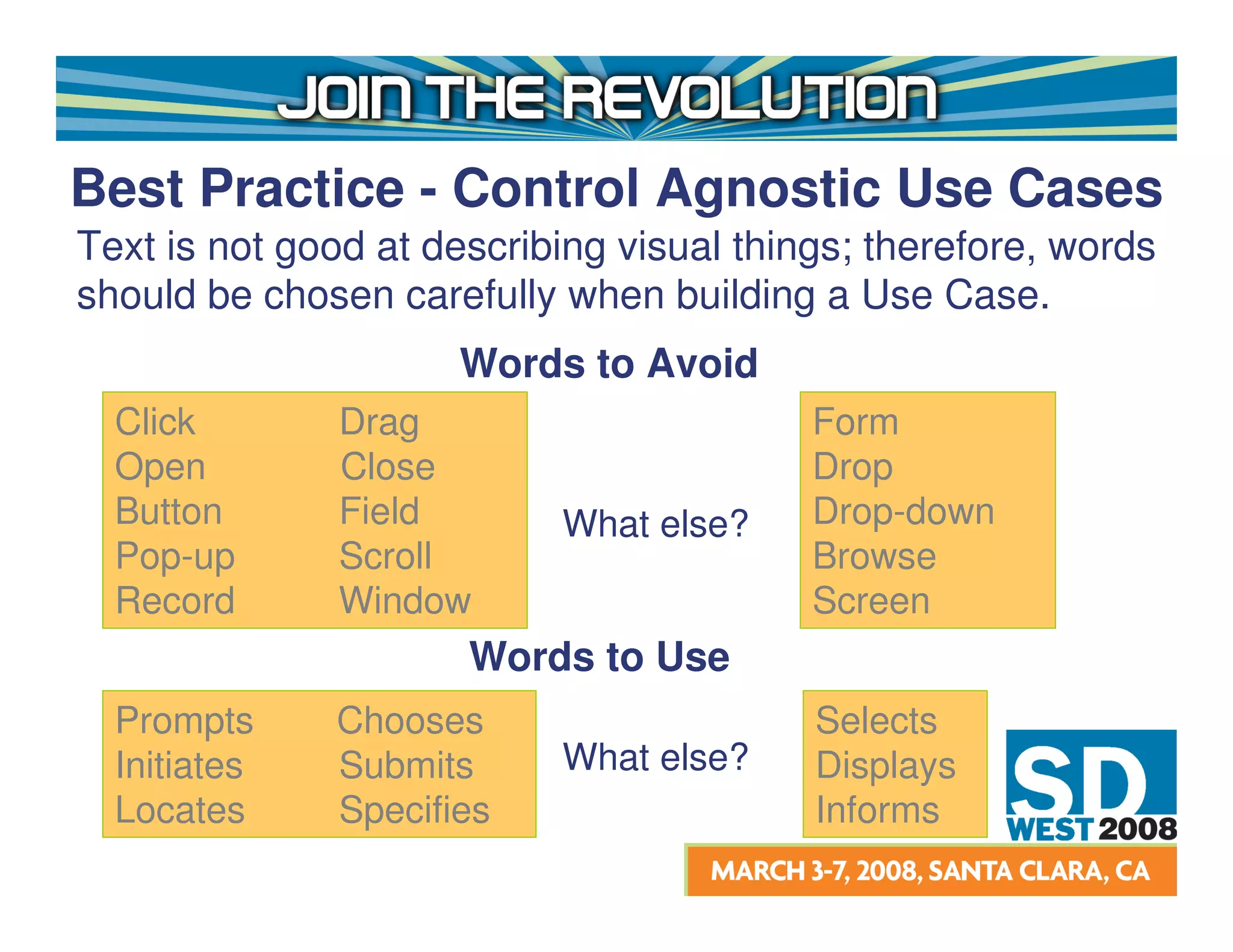
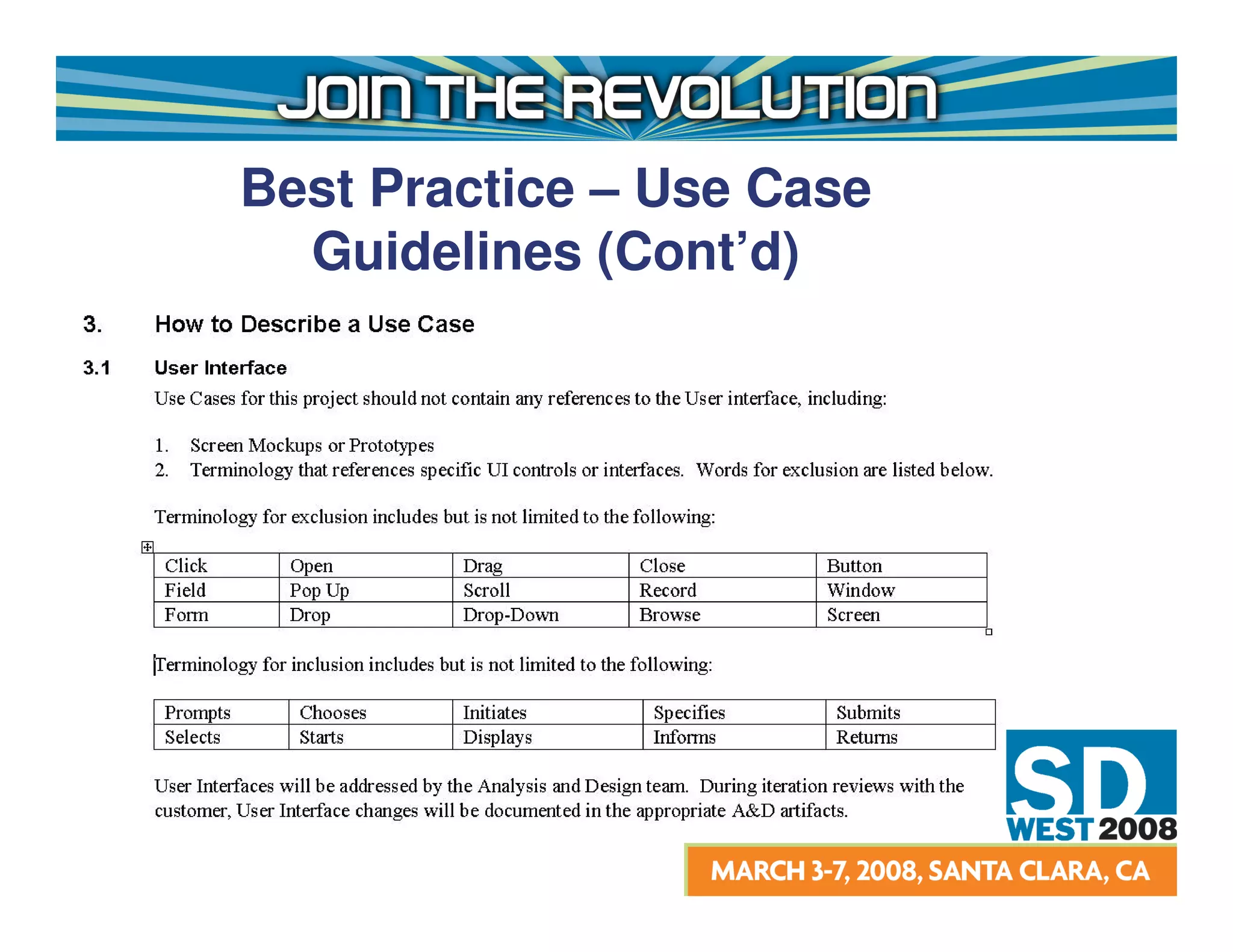
Best Practice - Control Agnostic Use Cases
Text is not good at describing visual things; therefore, words
should be chosen carefully when building a Use Case.
                     Words to Avoid
  Click        Drag                       Form
  Open         Close                      Drop
  Button       Field       What else?     Drop-down
  Pop-up       Scroll                     Browse
  Record       Window                     Screen
                      Words to Use
  Prompts     Chooses                     Selects
  Initiates   Submits      What else?     Displays
  Locates     Specifies                   Informs
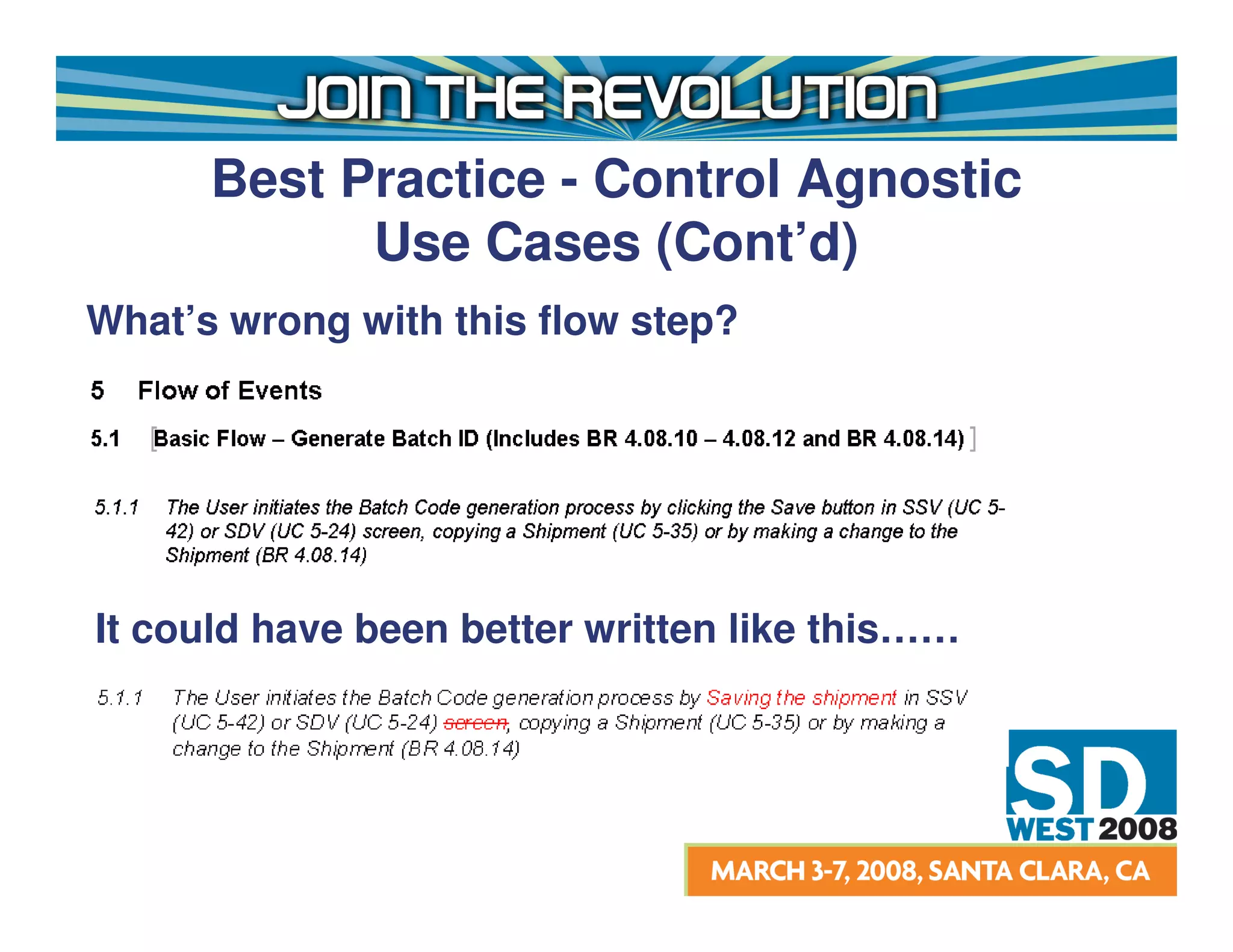
Best Practice - Control Agnostic
            Use Cases (Cont’d)
What’s wrong with this flow step?


It could have been better written like this……
Case Study


 Note: Names have been changed to protect the
 innocent!
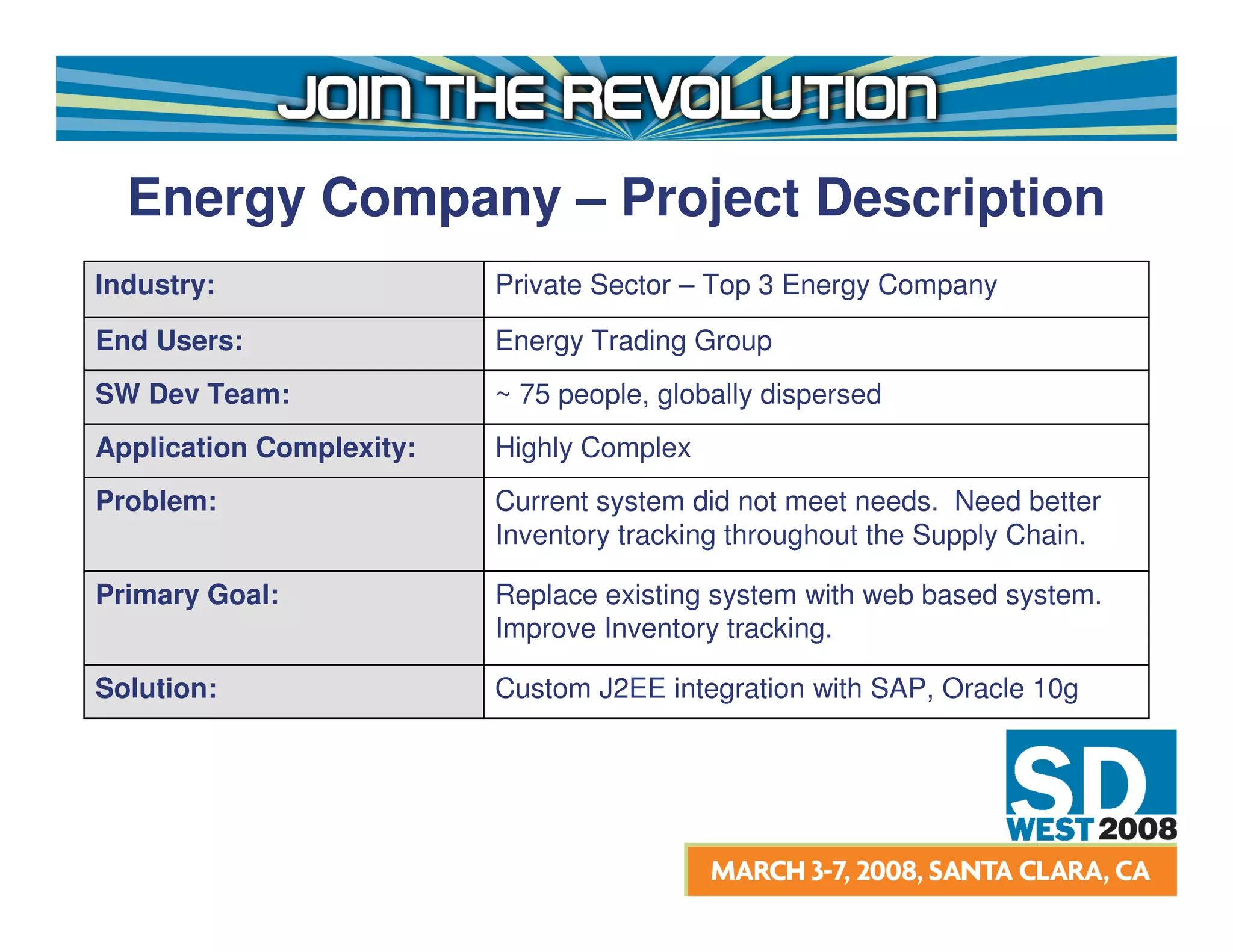
Energy Company – Project Description
Industry:                 Private Sector – Top 3 Energy Company
End Users:                Energy Trading Group
SW Dev Team:              ~ 75 people, globally dispersed
Application Complexity:   Highly Complex
Problem:                  Current system did not meet needs. Need better
                          Inventory tracking throughout the Supply Chain.

Primary Goal:             Replace existing system with web based system.
                          Improve Inventory tracking.

Solution:                 Custom J2EE integration with SAP, Oracle 10g
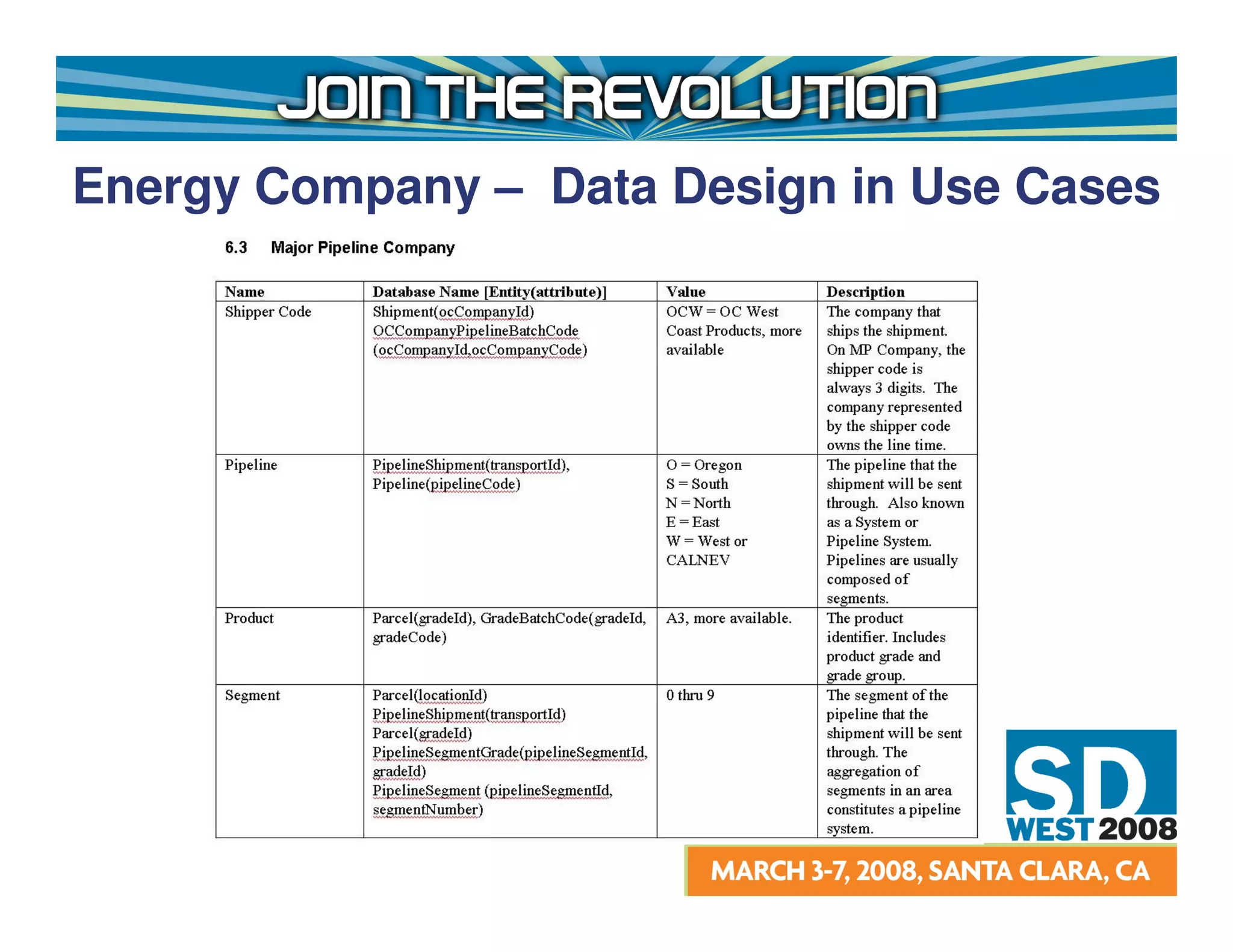
Energy Company – Data Design in Use Cases
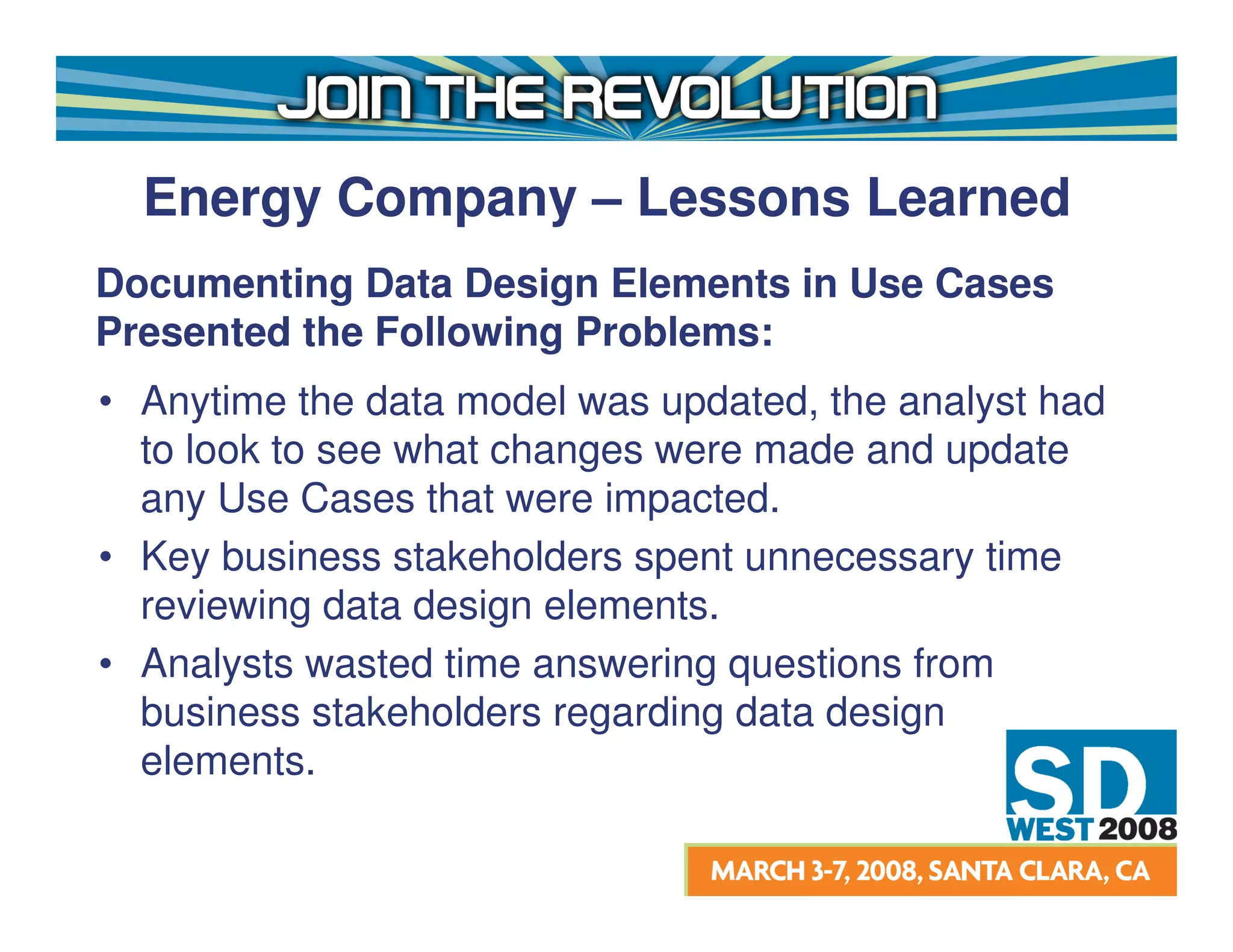
Energy Company – Lessons Learned
Documenting Data Design Elements in Use Cases
Presented the Following Problems:
• Anytime the data model was updated, the analyst had
  to look to see what changes were made and update
  any Use Cases that were impacted.
• Key business stakeholders spent unnecessary time
  reviewing data design elements.
• Analysts wasted time answering questions from
  business stakeholders regarding data design
  elements.
Set the appropriate level of abstraction
in order to understand what the
requirements are!
Best Practice – Glossary
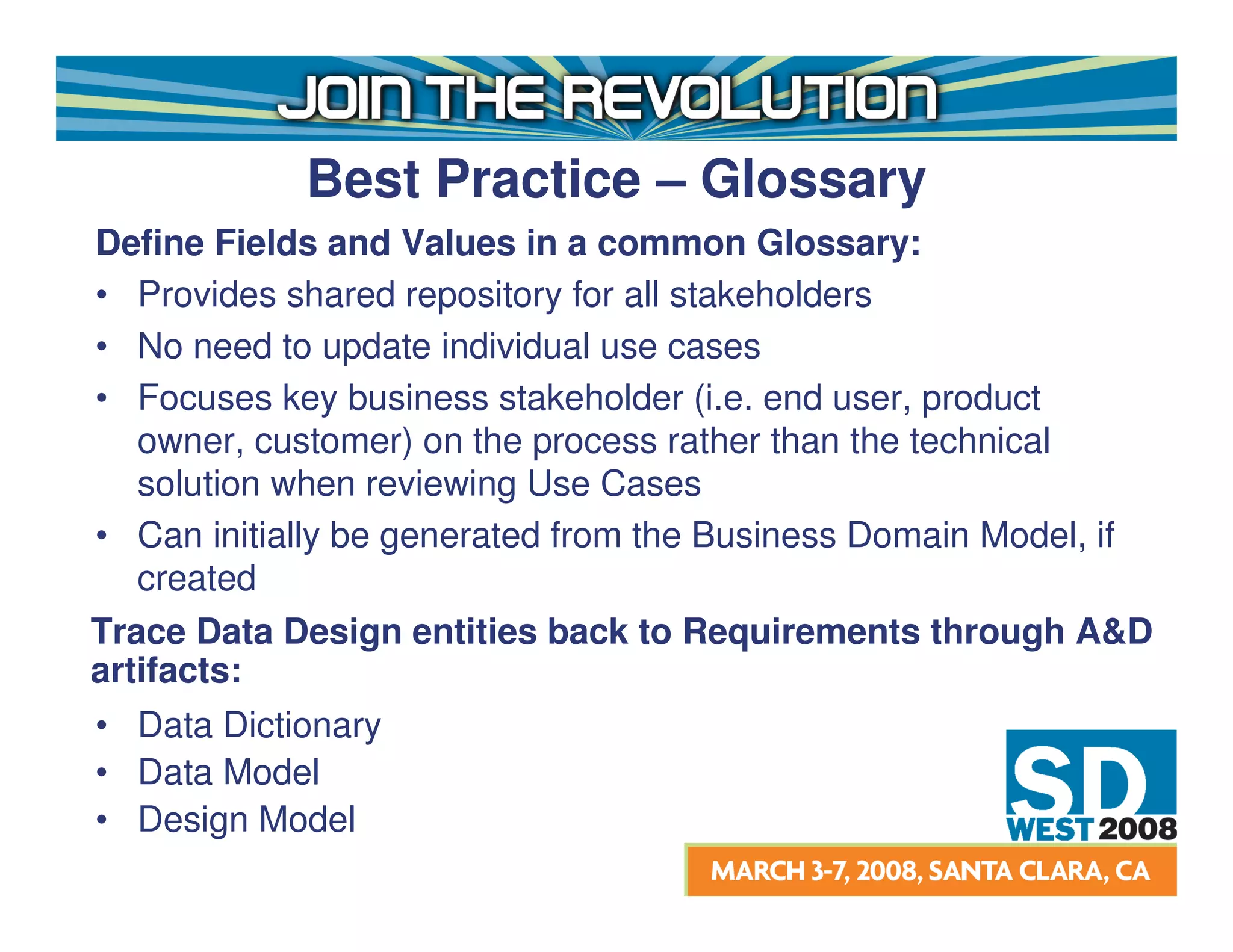
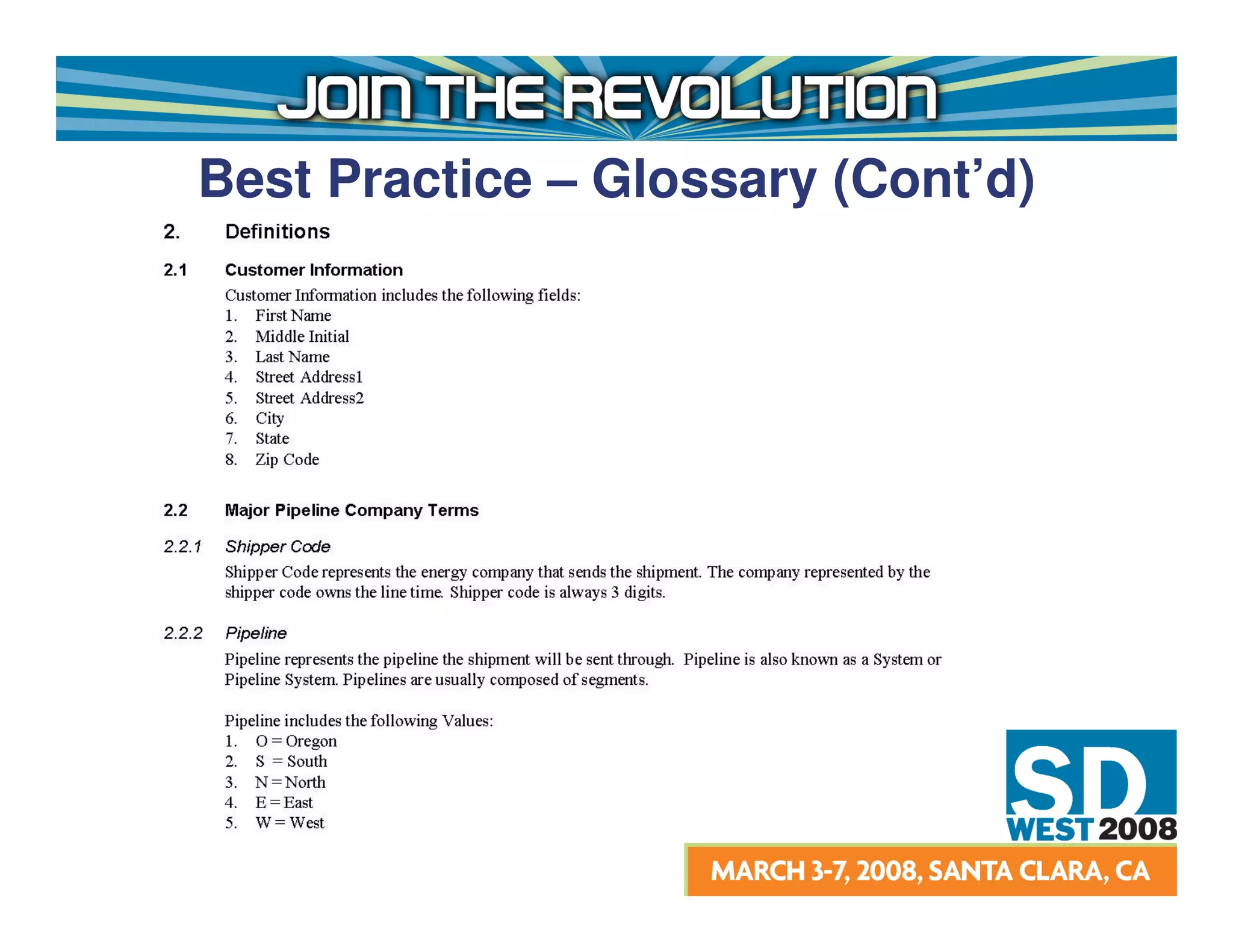
Define Fields and Values in a common Glossary:
• Provides shared repository for all stakeholders
• No need to update individual use cases
• Focuses key business stakeholder (i.e. end user, product
   owner, customer) on the process rather than the technical
   solution when reviewing Use Cases
• Can initially be generated from the Business Domain Model, if
   created
Trace Data Design entities back to Requirements through A&D
artifacts:
• Data Dictionary
• Data Model
• Design Model
Best Practice – Glossary (Cont’d)
What’s the Reality?
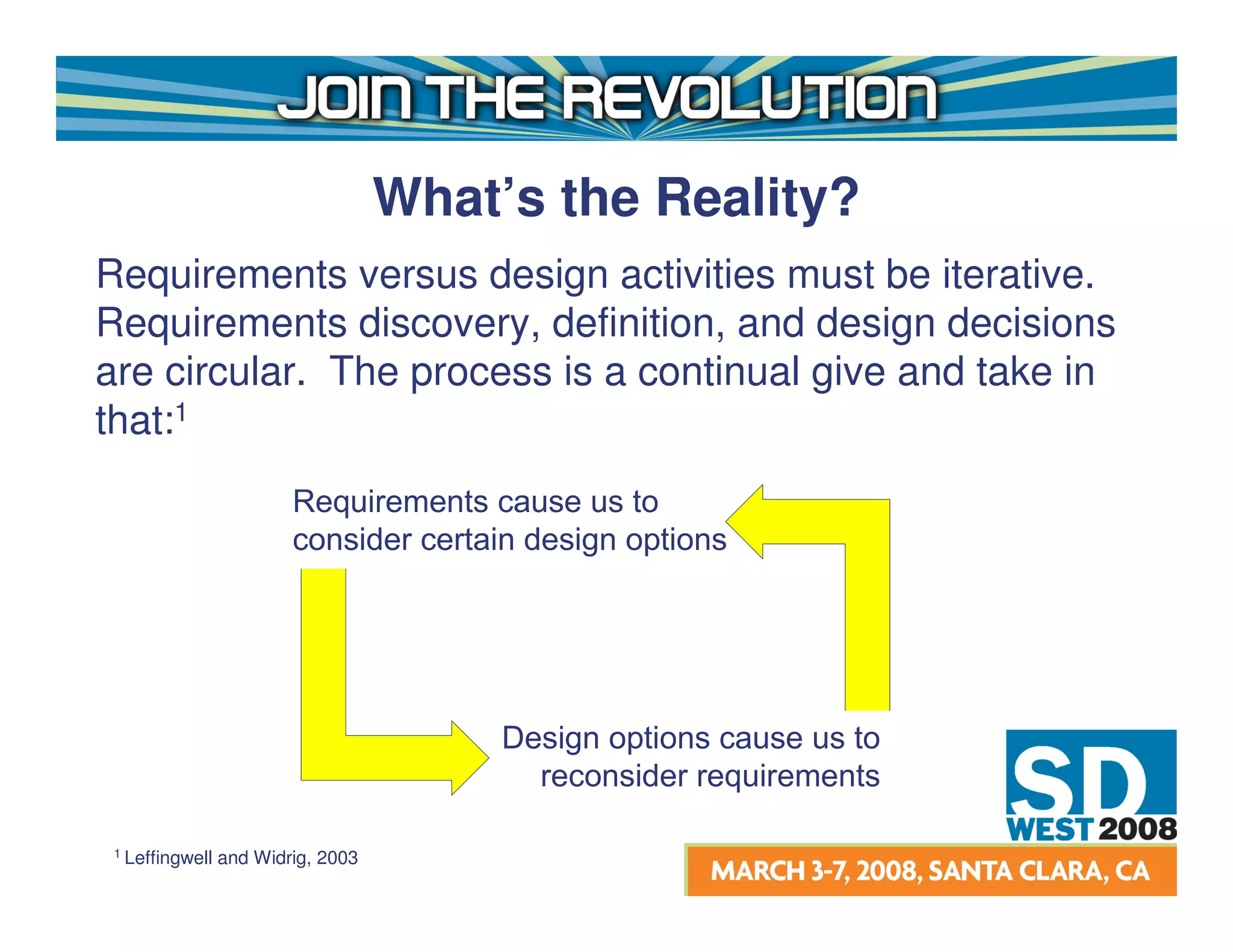
Requirements versus design activities must be iterative.
Requirements discovery, definition, and design decisions
are circular. The process is a continual give and take in
that:1
                         Requirements cause us to
                         consider certain design options


                                         Design options cause us to
                                           reconsider requirements

 1 Leffingwell   and Widrig, 2003
How much Design in
          Requirements is Too Much?
Acceptable Design detail depends on:
• Type of Development Effort
• Performing Organization Culture
• Stakeholder Product Knowledge
• Team Distribution (local, national, global)
• Language and Other Cultural Barriers
• Product lifecycle
• Product maintenance needs
                     Any Others?
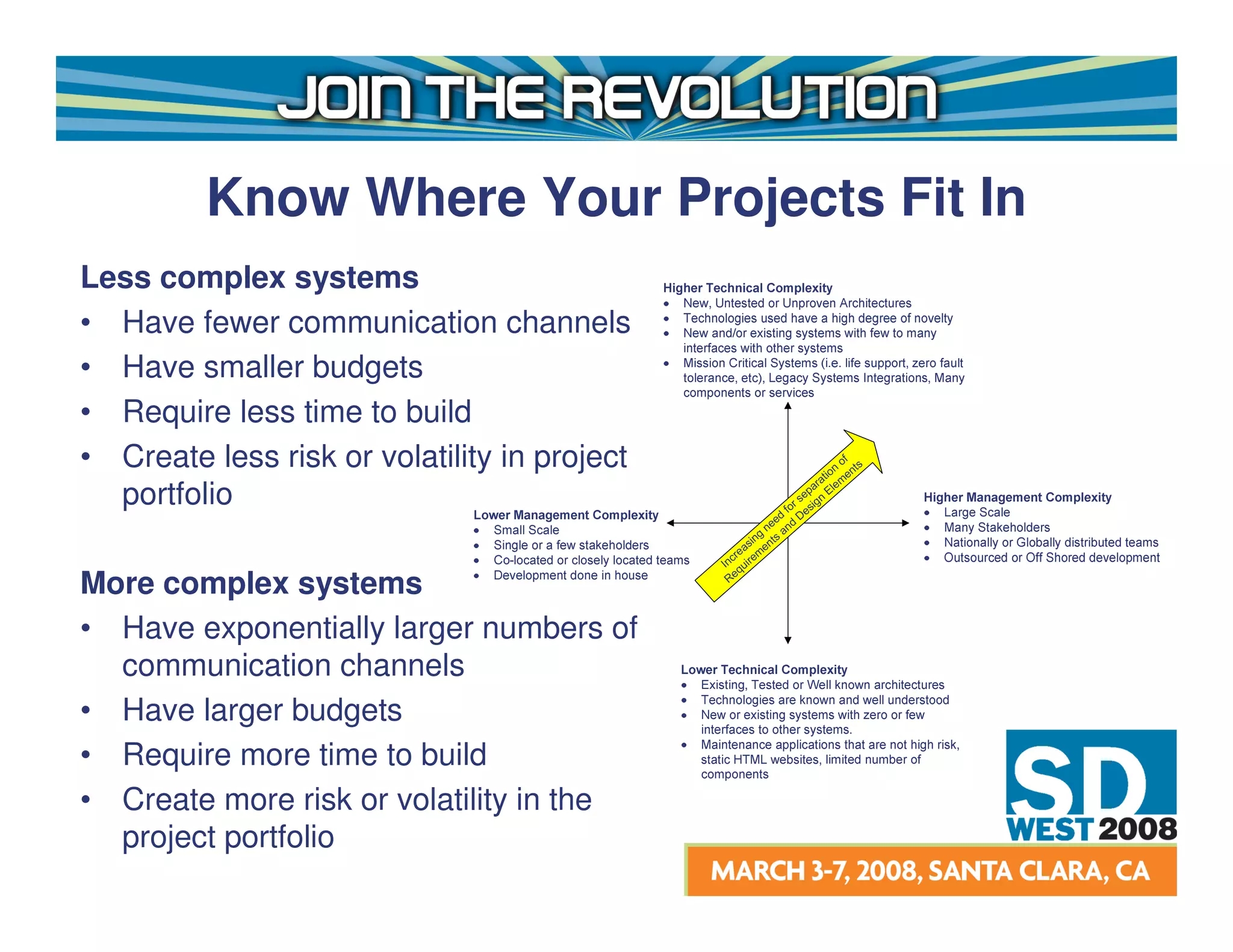
Know Where Your Projects Fit In
Less complex systems
• Have fewer communication channels
• Have smaller budgets
• Require less time to build
• Create less risk or volatility in project                              io
                                                                            of
                                                                           n nts
                                                                       at eme
                                                                     ar l
  portfolio                                                        ep E
                                                                r s sign
                                                              fo e
                                                            ed D
                                                          ne and
                                                        g
                                                      in ts
                                                    as en
                                                cre em
                                              In uir
                                                  q
                                               Re
More complex systems
• Have exponentially larger numbers of
  communication channels
• Have larger budgets
• Require more time to build
• Create more risk or volatility in the
  project portfolio
The overriding goal must be to move the
project forward in a constructive way so
that conflicts among stakeholders do not
impact the delivery timeline and budget
too severely.
How Do I Identify When
           Compromise Is Needed?
Points of Compromise
• Stakeholder is unable to round trip the solution
• UI is stable and snapshots are readily available
• High risk features that are critical to project success

Methods of Control
• Use Case Modeling Guidelines
• Requirements Management Plan
• Feature Team Approval
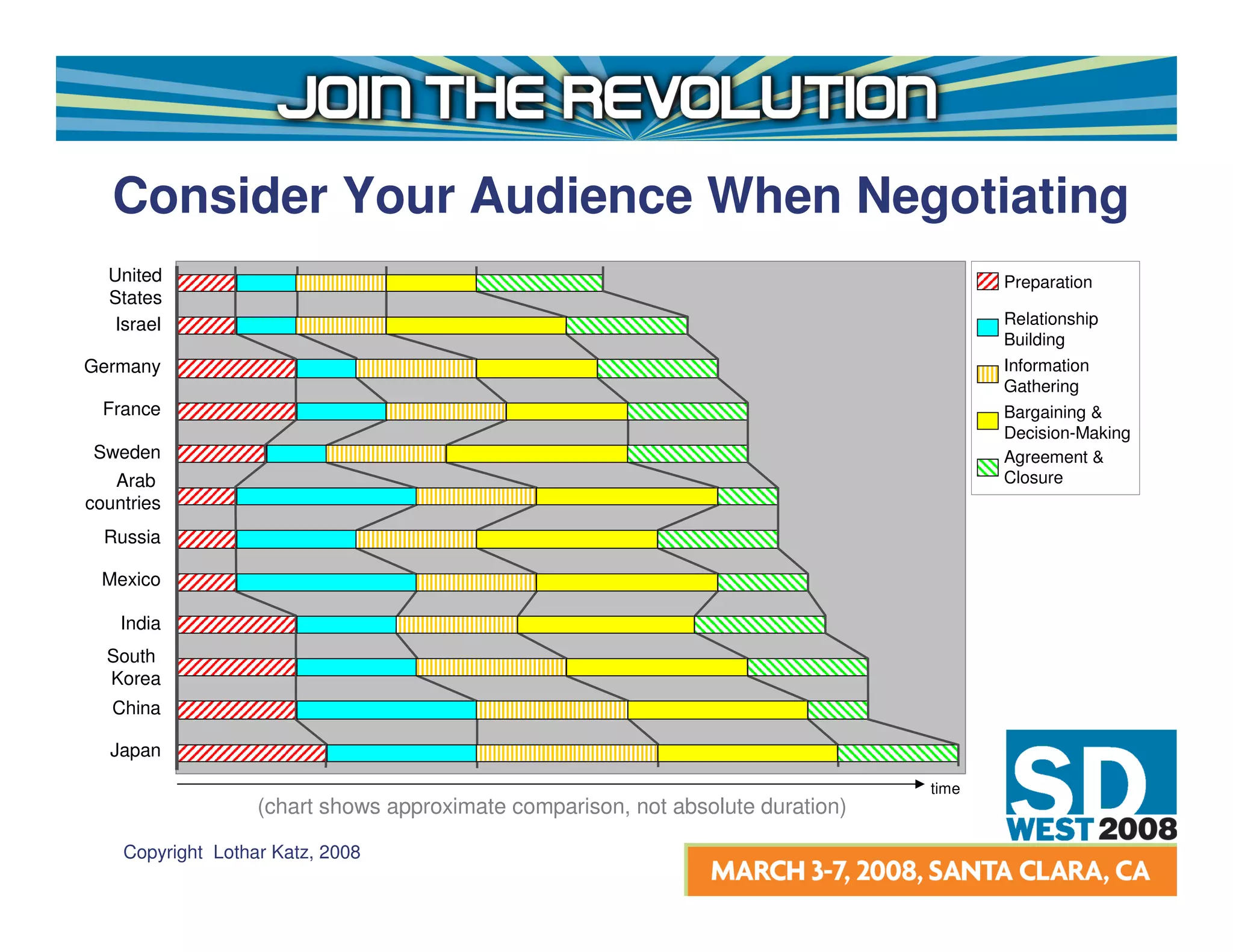
Consider Your Audience When Negotiating
  United                                                                                Preparation
  States
   Israel                                                                               Relationship
                                                                                        Building
Germany                                                                                 Information
                                                                                        Gathering
  France                                                                                Bargaining &
                                                                                        Decision-Making
Sweden                                                                                  Agreement &
   Arab                                                                                 Closure
countries
  Russia

 Mexico

    India
  South
  Korea
   China

  Japan

                                                                                 time
                   (chart shows approximate comparison, not absolute duration)

    Copyright Lothar Katz, 2008
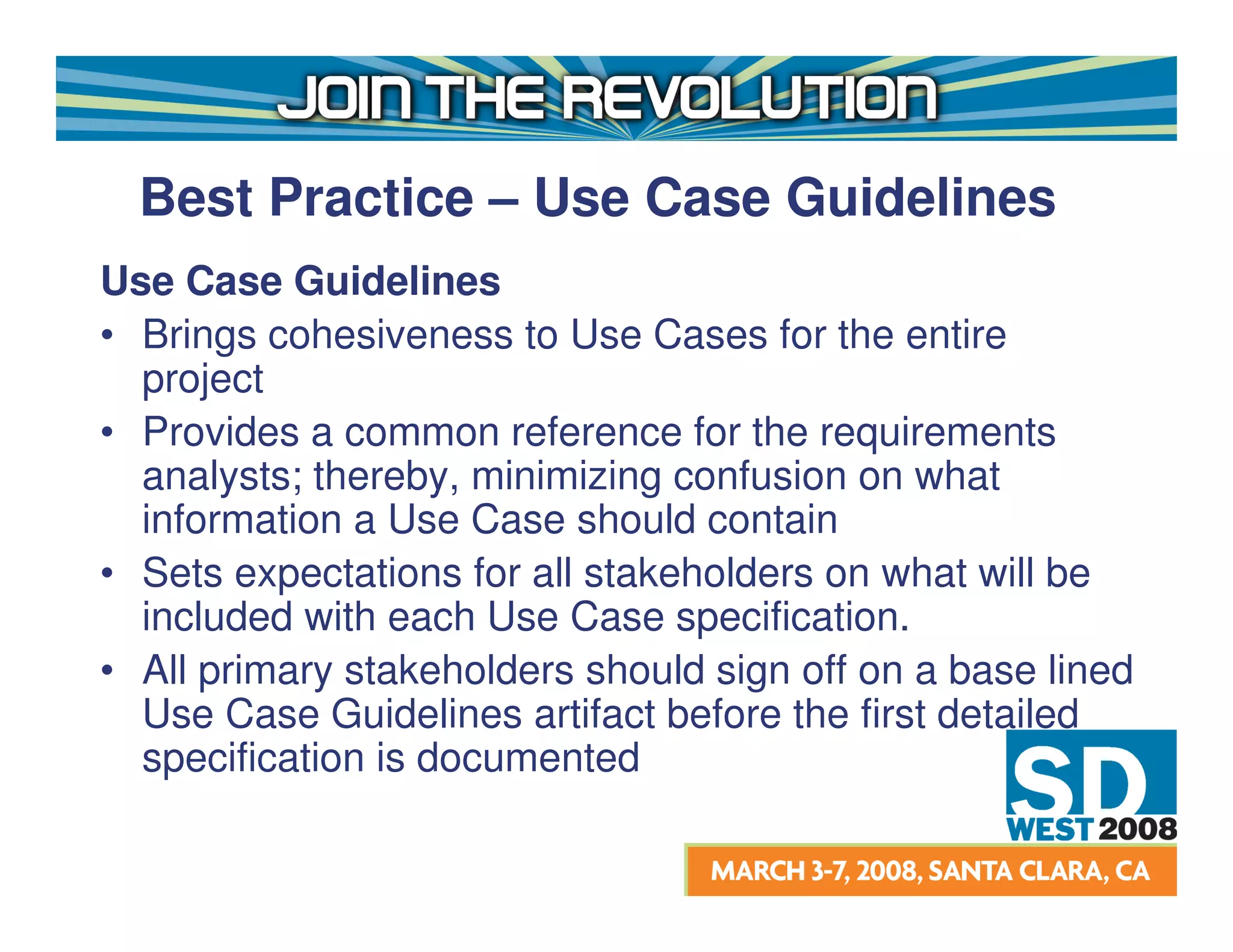
Best Practice – Use Case Guidelines
Use Case Guidelines
• Brings cohesiveness to Use Cases for the entire
  project
• Provides a common reference for the requirements
  analysts; thereby, minimizing confusion on what
  information a Use Case should contain
• Sets expectations for all stakeholders on what will be
  included with each Use Case specification.
• All primary stakeholders should sign off on a base lined
  Use Case Guidelines artifact before the first detailed
  specification is documented
Best Practice – Use Case
  Guidelines (Cont’d)
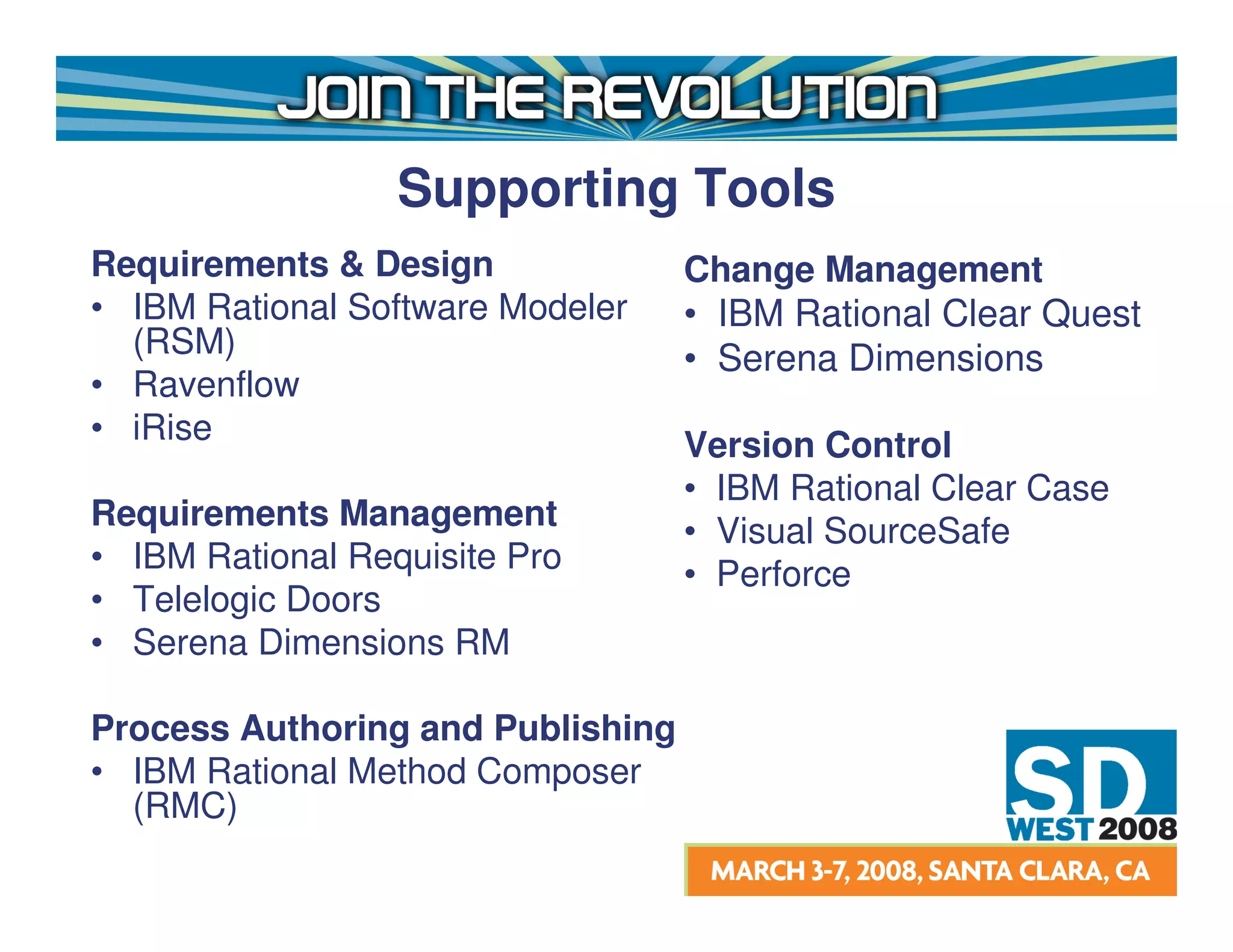
Supporting Tools
Requirements & Design              Change Management
• IBM Rational Software Modeler    • IBM Rational Clear Quest
  (RSM)                            • Serena Dimensions
• Ravenflow
• iRise                            Version Control
                                   • IBM Rational Clear Case
Requirements Management            • Visual SourceSafe
• IBM Rational Requisite Pro       • Perforce
• Telelogic Doors
• Serena Dimensions RM

Process Authoring and Publishing
• IBM Rational Method Composer
  (RMC)
Summary
•   Defined Requirements and Design
•   Looked at a couple of Case Studies to highlight some
    of the problems that can occur when too much Design
    is written into Requirements
•   Identified a few Best Practices for preventing too much
    Design in Requirements
•   Provided actionable evaluation criteria for determining
    how much Design in Requirements is too much
•   Listed some tools that can help with traceability and
    process implementation
Questions & Answers


    Thank You!!

SD West 2008: Call the requirements police, you've entered design!

  • 1.
    Call the RequirementsPolice, You’ve Entered Design! Alan Bustamante, PMP Houston, TX alan_bustamante@yahoo.com
  • 2.
    Objectives 1. Why are Requirements Important? 2. What is the difference between Requirements and Design? 3. What Design elements often creep into Requirements and Why? 4. What are some problems associated with including Design elements with Requirements artifacts? 5. What are some Best Practices for reducing the number of Design elements in Requirements artifacts? 6. What factors determine how much Design should be included in Requirements and when is it ok to compromise?
  • 3.
    Why Focus onRequirements? Requirements errors are the most expensive errors to fix if they are not caught early in the project lifecycle
  • 4.
    IT Trends ImpactingRequirements Growing Interest in IT/Business Alignment “The division between IT and business will diminish” CIO Insight,30 Most Important IT Trends for 2007 More Consistent IT Quality “Process improvement will be job No. 1” CIO Insight, 30 Most Important IT Trends for 2007 Globalization & Offshore Outsourcing “Two-thirds of companies on the InformationWeek 500 list of business technology innovators say they do offshore IT outsourcing, up from 43% in 2004” InformationWeek, 2007 Increasing Number of Federal Compliance Regulations Sarbanes-Oxley Act, Basel II, Gramm Leach – Bliley Act, Patriot Act, OSHA, FTC, FDA, DOD, SEC, Health & Human Services, etc…
  • 5.
    Requirements What is Requirements? •The part of the software development process “whose purpose is to define what the system should do.”1 Common Outputs Produced during Requirements: • Use Case Model (Specifications and Diagrams) • User Stories • Backlog Items • Test Cases • Software Requirements Specification (SRS) 1 Philippe Kruchten, The RUP an Introduction, 3rd Edition
  • 6.
    Design What is Design? •“The part of the software development process whose primary purpose is to decide how the system will be implemented.”1 Common Outputs Produced during Design: • Design Model • Data Model • Software Architecture Document (SAD) • UI Prototypes • Builds and Releases for emerging architectures (i.e. Agile methods) 1 1 Philippe Kruchten, The RUP an Introduction, 3rd Edition
  • 7.
    Design Elements Often Included in Requirements User Interface Design • Modified Screen Shots of Existing Applications • Prototypes Built in a Development Environment • Prototypes Built in a Diagramming Tool Data Design • Table and Field References Constraints • Programming Language • Software • Hardware
  • 8.
    What’s the Connection? 40to 65 percent of Adults are Visual learners, while 10 to 30 percent are Tactile (Kinesthetic) learners.1 Therefore, by nature we like to jump immediately to the solution Design without giving full consideration to correcting the business process, which is dealt with in Requirements. Other contributing factors which encourage us to include Design activities with Requirements: • Business Demands • Tight Timelines • Perceived Reduction in Documentation Effort • Preferred Requirements Documentation Style • Many Others….. 1 Suki Reed, Learning Your Way, July 02, 2007
  • 9.
    Problems with TooMuch Design in Requirements • Increases likelihood of rework • Customer expectations are inappropriately set • Documentation effort increases due to redundancy of information and the need to keep redundant documentation updated • Wasting customer time with too much unnecessary information • Requirements become tightly coupled to a specific type of technology Any Others?
  • 10.
  • 11.
    Romania– Project Description Industry: Public Sector End Users: Entire Country of Romania SW Dev Team: ~ 50 people, globally dispersed Application Complexity: Highly Complex Problem: Land Management records (Deeds, Maps, etc) not stored in a digital repository Primary Goal: Digitize and store land records for citizen and government retrieval Solution: VB .NET integration with ESRI GIS ArcObjects, Oracle 9i Database, Windows XP Clients and AIX Unix Servers
  • 12.
    Romania – SurveyorInformation UI UI Design in Requirements Delivered To Client
  • 13.
    Romania – AddControl Point UI
  • 14.
    Romania – LessonsLearned Designing all application UI’s up front in Visio and including in the Requirements Specifications presented the following problems: • Static controls made the application look antiquated • Prototypes could not be reused in the Visual Studio .NET environment • Major user interface rework required • The customer expected one thing, but got another • Unreasonable and unnecessary design constraints were placed on the development team
  • 15.
    Traditional Software Requirements Specification (SRS) Use Declarative Statements to Describe Requirements • System shall provide a function which allows the user to manually initiate the upload • System shall process all records in file which pass validation, withholding only those with validation errors • System shall validate user credentials Because the customer is focused on WHAT the system should do, they are less likely to be concerned with HOW the system should provide the functionality
  • 16.
    Traditional Software Requirements Specification (Cont’d) However, declarative statements make it difficult to understand: • The user’s flow through the system, thereby complicating communications with key stakeholders. • The state the system is in prior to the user using the functionality • The state the system is in at the conclusion of the user’s interaction with the system
  • 17.
    Use Case Allows thekey business stakeholder to reveal the required system behavior where it’s needed in the workflow, therefore : • Communication improves among all stakeholders • A&D, Test, and End User Documentation teams have actionable input for their work • Reference to a common repository for terms such as “upload file” and “confirmation” reduces redundancy However, flows encourage the User to think about the Design aspects of the system because they are essentially walking through a piece of functionality in the application.
  • 18.
  • 19.
    Best Practice -Control Agnostic Use Cases Text is not good at describing visual things; therefore, words should be chosen carefully when building a Use Case. Words to Avoid Click Drag Form Open Close Drop Button Field What else? Drop-down Pop-up Scroll Browse Record Window Screen Words to Use Prompts Chooses Selects Initiates Submits What else? Displays Locates Specifies Informs
  • 20.
    Best Practice -Control Agnostic Use Cases (Cont’d) What’s wrong with this flow step? It could have been better written like this……
  • 21.
    Case Study Note:Names have been changed to protect the innocent!
  • 22.
    Energy Company –Project Description Industry: Private Sector – Top 3 Energy Company End Users: Energy Trading Group SW Dev Team: ~ 75 people, globally dispersed Application Complexity: Highly Complex Problem: Current system did not meet needs. Need better Inventory tracking throughout the Supply Chain. Primary Goal: Replace existing system with web based system. Improve Inventory tracking. Solution: Custom J2EE integration with SAP, Oracle 10g
  • 23.
    Energy Company –Data Design in Use Cases
  • 24.
    Energy Company –Lessons Learned Documenting Data Design Elements in Use Cases Presented the Following Problems: • Anytime the data model was updated, the analyst had to look to see what changes were made and update any Use Cases that were impacted. • Key business stakeholders spent unnecessary time reviewing data design elements. • Analysts wasted time answering questions from business stakeholders regarding data design elements.
  • 25.
    Set the appropriatelevel of abstraction in order to understand what the requirements are!
  • 26.
    Best Practice –Glossary Define Fields and Values in a common Glossary: • Provides shared repository for all stakeholders • No need to update individual use cases • Focuses key business stakeholder (i.e. end user, product owner, customer) on the process rather than the technical solution when reviewing Use Cases • Can initially be generated from the Business Domain Model, if created Trace Data Design entities back to Requirements through A&D artifacts: • Data Dictionary • Data Model • Design Model
  • 27.
    Best Practice –Glossary (Cont’d)
  • 28.
    What’s the Reality? Requirementsversus design activities must be iterative. Requirements discovery, definition, and design decisions are circular. The process is a continual give and take in that:1 Requirements cause us to consider certain design options Design options cause us to reconsider requirements 1 Leffingwell and Widrig, 2003
  • 29.
    How much Designin Requirements is Too Much? Acceptable Design detail depends on: • Type of Development Effort • Performing Organization Culture • Stakeholder Product Knowledge • Team Distribution (local, national, global) • Language and Other Cultural Barriers • Product lifecycle • Product maintenance needs Any Others?
  • 30.
    Know Where YourProjects Fit In Less complex systems • Have fewer communication channels • Have smaller budgets • Require less time to build • Create less risk or volatility in project io of n nts at eme ar l portfolio ep E r s sign fo e ed D ne and g in ts as en cre em In uir q Re More complex systems • Have exponentially larger numbers of communication channels • Have larger budgets • Require more time to build • Create more risk or volatility in the project portfolio
  • 31.
    The overriding goalmust be to move the project forward in a constructive way so that conflicts among stakeholders do not impact the delivery timeline and budget too severely.
  • 32.
    How Do IIdentify When Compromise Is Needed? Points of Compromise • Stakeholder is unable to round trip the solution • UI is stable and snapshots are readily available • High risk features that are critical to project success Methods of Control • Use Case Modeling Guidelines • Requirements Management Plan • Feature Team Approval
  • 33.
    Consider Your AudienceWhen Negotiating United Preparation States Israel Relationship Building Germany Information Gathering France Bargaining & Decision-Making Sweden Agreement & Arab Closure countries Russia Mexico India South Korea China Japan time (chart shows approximate comparison, not absolute duration) Copyright Lothar Katz, 2008
  • 34.
    Best Practice –Use Case Guidelines Use Case Guidelines • Brings cohesiveness to Use Cases for the entire project • Provides a common reference for the requirements analysts; thereby, minimizing confusion on what information a Use Case should contain • Sets expectations for all stakeholders on what will be included with each Use Case specification. • All primary stakeholders should sign off on a base lined Use Case Guidelines artifact before the first detailed specification is documented
  • 35.
    Best Practice –Use Case Guidelines (Cont’d)
  • 36.
    Supporting Tools Requirements &Design Change Management • IBM Rational Software Modeler • IBM Rational Clear Quest (RSM) • Serena Dimensions • Ravenflow • iRise Version Control • IBM Rational Clear Case Requirements Management • Visual SourceSafe • IBM Rational Requisite Pro • Perforce • Telelogic Doors • Serena Dimensions RM Process Authoring and Publishing • IBM Rational Method Composer (RMC)
  • 37.
    Summary • Defined Requirements and Design • Looked at a couple of Case Studies to highlight some of the problems that can occur when too much Design is written into Requirements • Identified a few Best Practices for preventing too much Design in Requirements • Provided actionable evaluation criteria for determining how much Design in Requirements is too much • Listed some tools that can help with traceability and process implementation
  • 38.