Analyzing Data,
Getting Results
Making it All Make Sense
Jenn Riley
University of North Carolina at Chapel Hill
3/5/13SCELCResearchDay
2
Evidence-driven
decisions are a
powerful guide for
library operations.
“The plural of anecdote
is not data.”
After a quote with the opposite meaning, by Raymond Wolfiger.
3/5/13SCELCResearchDay
3
Sometimes attributed to Frank Kotsonis.
“There are three kinds
of lies – lies, damned
lies, and statistics.”
Mark Twain, perhaps after Benjamin Disraeli.
3/5/13SCELCResearchDay
4
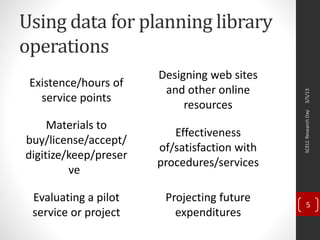
Using data for planning library
operations
3/5/13SCELCResearchDay
5
Existence/hours of
service points
Materials to
buy/license/accept/
digitize/keep/preser
ve
Designing web sites
and other online
resources
Effectiveness
of/satisfaction with
procedures/services
Evaluating a pilot
service or project
Projecting future
expenditures
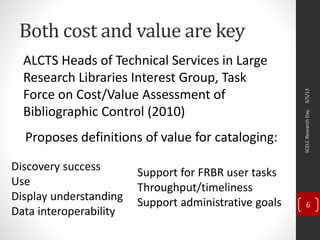
Both cost and value are key
ALCTS Heads of Technical Services in Large
Research Libraries Interest Group, Task
Force on Cost/Value Assessment of
Bibliographic Control (2010)
Proposes definitions of value for cataloging:
3/5/13SCELCResearchDay
6
Discovery success
Use
Display understanding
Data interoperability
Support for FRBR user tasks
Throughput/timeliness
Support administrative goals
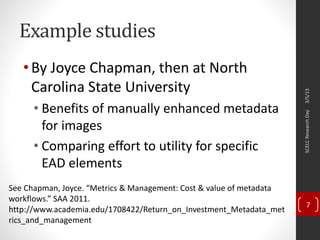
Example studies
•By Joyce Chapman, then at North
Carolina State University
• Benefits of manually enhanced metadata
for images
• Comparing effort to utility for specific
EAD elements
3/5/13SCELCResearchDay
7
See Chapman, Joyce. “Metrics & Management: Cost & value of metadata
workflows.” SAA 2011.
http://www.academia.edu/1708422/Return_on_Investment_Metadata_met
rics_and_management
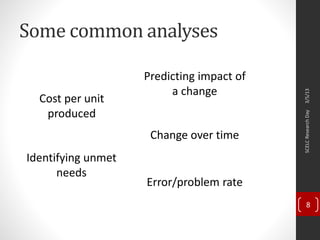
Some common analyses
3/5/13SCELCResearchDay
8
Cost per unit
produced
Change over time
Error/problem rate
Predicting impact of
a change
Identifying unmet
needs
Back to library
scenarios
3/5/13SCELCResearchDay
9
Existence/hours of service
points
• Who is using what and when?
• How can we most effectively staff them?
• Costs
• Staff time
• Facilities management costs
• Benefits
• Number and type of visitors, and how they use it
• Service transactions completed
• Specific services used at the location
• Other data to collect
• Usage by time of day
• Calculate cost per transaction
3/5/13SCELCResearchDay
10
Materials to
buy/license/accept/digitize/
keep/preserve
• Should we acquire, make more accessible, or keep this?
• Costs
• Initial purchase/license
• Ongoing license/maintenance
• Staff for
cataloging/processing/digitizing/ingesting/preserving
• Software
• Hardware/storage
• Benefits
• Current and predicted future use
• Opportunity for transformative use
3/5/13SCELCResearchDay
11
Evaluating a pilot service or
project
• Is the cost/benefit ratio appropriate?
• What is the raw cost?
• But it’s not all about cost/benefit:
• Is the pilot achieving its aims?
• Does this [whatever] do what we thought it
would?
• What collateral effects will it have?
• Were the assumptions we made correct?
• Data collection will be varied for this task
3/5/13SCELCResearchDay
12
Designing web sites and other
online resources
• A/B testing
• User-centered design
• Satisfaction surveys with previous
iterations, similar sites, or prototypes
• Web stats for previous iterations or similar
sites
• Task-based usability testing
• Don’t forget the cost of sustaining it once
you have it up!
3/5/13SCELCResearchDay
13
Effectiveness of/satisfaction
with procedures/services
• What parts of our current service are users most and
least happy about?
• What are the ineffieciences in our procedure for
[whatever]?
• Some data collection ideas
• User surveys
• Ratio of potential to actual users
• Ratio of returning to non-returning users
• Error/failure rates
• Time from request to delivery
• Time tracking during staff activity
3/5/13SCELCResearchDay
14
Projecting future
expenditures
• Equipment
• Define its lifecycle
• Amortize purchase cost
• Add in maintenance costs
• Compare to use as context
• Staff
• Educated guess at raises, turnover, benefit costs
changes
• Consider:
• Inflation
• Past trends
• Upcoming sea changes
3/5/13SCELCResearchDay
15
Strategies for getting
data that can be
analyzed
3/5/13SCELCResearchDay
16
Tracking use
• Circulation
• COUNTER/SUSHI
• Physical visitors
• Web hits
• Social media engagement
• Attendance at events/sessions
3/5/13SCELCResearchDay
17
Tracking time
• Can be effective when collected as a
representative snapshot
• Options for data collection
• Clipboard next to a clock
• Spreadsheet
• Free time tracking apps
• Make it as simple as possible
3/5/13SCELCResearchDay
18
Calculating costs
• Staff time
• 2080 hours per year is full time
• Standard benefit percentages
• Materials (including software)
• Initial purchase
• Maintenance contracts for big-ticket items
• Amortize big costs over time in service
• Overhead
• Universities typically have standard rates
3/5/13SCELCResearchDay
19
Calculating error rates
•Both objective and subjective criteria
•Typically best when done as a sample
•Consider both automated and manual
means to locate errors for study
3/5/13SCELCResearchDay
20
Categorization
• Putting things into like groups
• Compare size of groups to one another
• Compare effort spent on one group to another
• Compare priority/value of one group to
another
• Can be done at time of data collection, or
afterwards
• Good idea to have some sense of
categories at the beginning of the study
3/5/13SCELCResearchDay
21
Calculating benefit
• Change in knowledge or status
• Over time
• After an interaction
• Survey – ask about knowledge level before
and after
• Pre- and post-tests
• Indirect measures
• Number of people reached
• Use
3/5/13SCELCResearchDay
22
Additional data analysis
strategies
3/5/13SCELCResearchDay
23
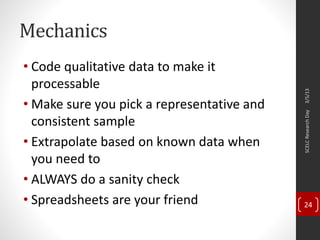
Mechanics
• Code qualitative data to make it
processable
• Make sure you pick a representative and
consistent sample
• Extrapolate based on known data when
you need to
• ALWAYS do a sanity check
• Spreadsheets are your friend
3/5/13SCELCResearchDay
24
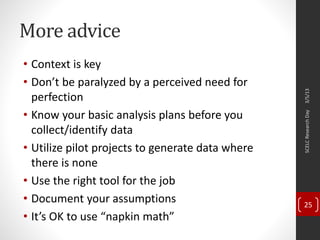
More advice
• Context is key
• Don’t be paralyzed by a perceived need for
perfection
• Know your basic analysis plans before you
collect/identify data
• Utilize pilot projects to generate data where
there is none
• Use the right tool for the job
• Document your assumptions
• It’s OK to use “napkin math”
3/5/13SCELCResearchDay
25
Get in the habit of
collecting data.
It will make your next
decision easier.
3/5/13SCELCResearchDay
26
Thank you!
Questions and
discussion
jennriley@unc.edu
3/5/13SCELCResearchDay
27

Analyzing Data, Getting Results: Making it All Make Sense

  • 1.
    Analyzing Data, Getting Results Makingit All Make Sense Jenn Riley University of North Carolina at Chapel Hill
  • 2.
  • 3.
    “The plural ofanecdote is not data.” After a quote with the opposite meaning, by Raymond Wolfiger. 3/5/13SCELCResearchDay 3 Sometimes attributed to Frank Kotsonis.
  • 4.
    “There are threekinds of lies – lies, damned lies, and statistics.” Mark Twain, perhaps after Benjamin Disraeli. 3/5/13SCELCResearchDay 4
  • 5.
    Using data forplanning library operations 3/5/13SCELCResearchDay 5 Existence/hours of service points Materials to buy/license/accept/ digitize/keep/preser ve Designing web sites and other online resources Effectiveness of/satisfaction with procedures/services Evaluating a pilot service or project Projecting future expenditures
  • 6.
    Both cost andvalue are key ALCTS Heads of Technical Services in Large Research Libraries Interest Group, Task Force on Cost/Value Assessment of Bibliographic Control (2010) Proposes definitions of value for cataloging: 3/5/13SCELCResearchDay 6 Discovery success Use Display understanding Data interoperability Support for FRBR user tasks Throughput/timeliness Support administrative goals
  • 7.
    Example studies •By JoyceChapman, then at North Carolina State University • Benefits of manually enhanced metadata for images • Comparing effort to utility for specific EAD elements 3/5/13SCELCResearchDay 7 See Chapman, Joyce. “Metrics & Management: Cost & value of metadata workflows.” SAA 2011. http://www.academia.edu/1708422/Return_on_Investment_Metadata_met rics_and_management
  • 8.
    Some common analyses 3/5/13SCELCResearchDay 8 Costper unit produced Change over time Error/problem rate Predicting impact of a change Identifying unmet needs
  • 9.
  • 10.
    Existence/hours of service points •Who is using what and when? • How can we most effectively staff them? • Costs • Staff time • Facilities management costs • Benefits • Number and type of visitors, and how they use it • Service transactions completed • Specific services used at the location • Other data to collect • Usage by time of day • Calculate cost per transaction 3/5/13SCELCResearchDay 10
  • 11.
    Materials to buy/license/accept/digitize/ keep/preserve • Shouldwe acquire, make more accessible, or keep this? • Costs • Initial purchase/license • Ongoing license/maintenance • Staff for cataloging/processing/digitizing/ingesting/preserving • Software • Hardware/storage • Benefits • Current and predicted future use • Opportunity for transformative use 3/5/13SCELCResearchDay 11
  • 12.
    Evaluating a pilotservice or project • Is the cost/benefit ratio appropriate? • What is the raw cost? • But it’s not all about cost/benefit: • Is the pilot achieving its aims? • Does this [whatever] do what we thought it would? • What collateral effects will it have? • Were the assumptions we made correct? • Data collection will be varied for this task 3/5/13SCELCResearchDay 12
  • 13.
    Designing web sitesand other online resources • A/B testing • User-centered design • Satisfaction surveys with previous iterations, similar sites, or prototypes • Web stats for previous iterations or similar sites • Task-based usability testing • Don’t forget the cost of sustaining it once you have it up! 3/5/13SCELCResearchDay 13
  • 14.
    Effectiveness of/satisfaction with procedures/services •What parts of our current service are users most and least happy about? • What are the ineffieciences in our procedure for [whatever]? • Some data collection ideas • User surveys • Ratio of potential to actual users • Ratio of returning to non-returning users • Error/failure rates • Time from request to delivery • Time tracking during staff activity 3/5/13SCELCResearchDay 14
  • 15.
    Projecting future expenditures • Equipment •Define its lifecycle • Amortize purchase cost • Add in maintenance costs • Compare to use as context • Staff • Educated guess at raises, turnover, benefit costs changes • Consider: • Inflation • Past trends • Upcoming sea changes 3/5/13SCELCResearchDay 15
  • 16.
    Strategies for getting datathat can be analyzed 3/5/13SCELCResearchDay 16
  • 17.
    Tracking use • Circulation •COUNTER/SUSHI • Physical visitors • Web hits • Social media engagement • Attendance at events/sessions 3/5/13SCELCResearchDay 17
  • 18.
    Tracking time • Canbe effective when collected as a representative snapshot • Options for data collection • Clipboard next to a clock • Spreadsheet • Free time tracking apps • Make it as simple as possible 3/5/13SCELCResearchDay 18
  • 19.
    Calculating costs • Stafftime • 2080 hours per year is full time • Standard benefit percentages • Materials (including software) • Initial purchase • Maintenance contracts for big-ticket items • Amortize big costs over time in service • Overhead • Universities typically have standard rates 3/5/13SCELCResearchDay 19
  • 20.
    Calculating error rates •Bothobjective and subjective criteria •Typically best when done as a sample •Consider both automated and manual means to locate errors for study 3/5/13SCELCResearchDay 20
  • 21.
    Categorization • Putting thingsinto like groups • Compare size of groups to one another • Compare effort spent on one group to another • Compare priority/value of one group to another • Can be done at time of data collection, or afterwards • Good idea to have some sense of categories at the beginning of the study 3/5/13SCELCResearchDay 21
  • 22.
    Calculating benefit • Changein knowledge or status • Over time • After an interaction • Survey – ask about knowledge level before and after • Pre- and post-tests • Indirect measures • Number of people reached • Use 3/5/13SCELCResearchDay 22
  • 23.
  • 24.
    Mechanics • Code qualitativedata to make it processable • Make sure you pick a representative and consistent sample • Extrapolate based on known data when you need to • ALWAYS do a sanity check • Spreadsheets are your friend 3/5/13SCELCResearchDay 24
  • 25.
    More advice • Contextis key • Don’t be paralyzed by a perceived need for perfection • Know your basic analysis plans before you collect/identify data • Utilize pilot projects to generate data where there is none • Use the right tool for the job • Document your assumptions • It’s OK to use “napkin math” 3/5/13SCELCResearchDay 25
  • 26.
    Get in thehabit of collecting data. It will make your next decision easier. 3/5/13SCELCResearchDay 26
  • 27.