SCAMPER Generating New Products and Services
What is  SCAMPER ? checklist that helps you to think of changes you can make to an existing product to create a new one. You can use these changes either as direct suggestions or as starting points for lateral thinking.  Uses a set of directed questions Created by Bob Eberle and based on the ideas of Alex Osborn
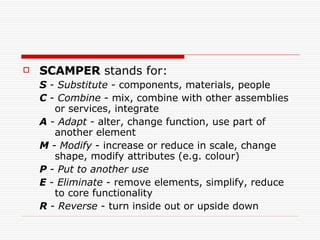
SCAMPER  stands for: S  -  Substitute  - components, materials, people  C  -  Combine  - mix, combine with other assemblies or services, integrate  A  -  Adapt  - alter, change function, use part of another element  M  -  Modify  - increase or reduce in scale, change shape, modify attributes (e.g. colour)  P  -  Put to another use   E  -  Eliminate  - remove elements, simplify, reduce to core functionality  R  -  Reverse  - turn inside out or upside down
When to use  SCAMPER ? Use it to discover more ideas when you are running out. Use it to stimulate new ways of thinking about the problem, perhaps to kick you out of your current rut.
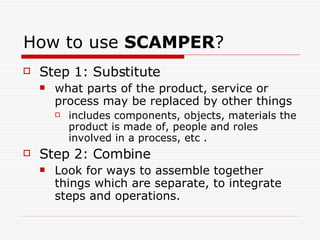
How to use  SCAMPER ? Step 1: Substitute what parts of the product, service or process may be replaced by other things  includes components, objects, materials the product is made of, people and roles involved in a process, etc . Step 2: Combine Look for ways to assemble together things which are separate, to integrate steps and operations.
Step 3: Adapt Make the product or service or part of it better suited to its environment or to things that come in contact with it, or to a specific group of clients.  Step 4: Modify Change the properties of the product or service to make it larger, smaller, of different colors, tastes, etc.
Step 5: Put to another use Find other uses for the product or service, that are different from the original intention.  Step 6: Eliminate Remove a major function or component of the product or service.
Step 7: Rearrange Change the order of operation, turn things upside down, or arrange the components in a new order .
Examples of  SCAMPER Substitute use of high tech materials for   specific markets use high-speed components Combine integrate computer and printer, printer and scanner Adapt put high quality ink in printer, use high quality paper
Modify produce different shape, size and design of printer and computer Put to another use printers as photocopies or fax machines Eliminate eliminate speakers, color screens, color ink etc. Reverse make computer desks as well as computers and printers, or  computer chairs etc

Scamper

  • 1.
    SCAMPER Generating NewProducts and Services
  • 2.
    What is SCAMPER ? checklist that helps you to think of changes you can make to an existing product to create a new one. You can use these changes either as direct suggestions or as starting points for lateral thinking. Uses a set of directed questions Created by Bob Eberle and based on the ideas of Alex Osborn
  • 3.
    SCAMPER standsfor: S - Substitute - components, materials, people C - Combine - mix, combine with other assemblies or services, integrate A - Adapt - alter, change function, use part of another element M - Modify - increase or reduce in scale, change shape, modify attributes (e.g. colour) P - Put to another use E - Eliminate - remove elements, simplify, reduce to core functionality R - Reverse - turn inside out or upside down
  • 4.
    When to use SCAMPER ? Use it to discover more ideas when you are running out. Use it to stimulate new ways of thinking about the problem, perhaps to kick you out of your current rut.
  • 5.
    How to use SCAMPER ? Step 1: Substitute what parts of the product, service or process may be replaced by other things includes components, objects, materials the product is made of, people and roles involved in a process, etc . Step 2: Combine Look for ways to assemble together things which are separate, to integrate steps and operations.
  • 6.
    Step 3: AdaptMake the product or service or part of it better suited to its environment or to things that come in contact with it, or to a specific group of clients. Step 4: Modify Change the properties of the product or service to make it larger, smaller, of different colors, tastes, etc.
  • 7.
    Step 5: Putto another use Find other uses for the product or service, that are different from the original intention. Step 6: Eliminate Remove a major function or component of the product or service.
  • 8.
    Step 7: RearrangeChange the order of operation, turn things upside down, or arrange the components in a new order .
  • 9.
    Examples of SCAMPER Substitute use of high tech materials for specific markets use high-speed components Combine integrate computer and printer, printer and scanner Adapt put high quality ink in printer, use high quality paper
  • 10.
    Modify produce differentshape, size and design of printer and computer Put to another use printers as photocopies or fax machines Eliminate eliminate speakers, color screens, color ink etc. Reverse make computer desks as well as computers and printers, or computer chairs etc