Web based system
designed for primary,
 senior schools and
      colleges
OVERVIEW OF FEATURES


 Student Admissions
              Teacher Management


 Attendance & Timetable

                  Students & Parents
                  Login


Report Card & Grades

                       Fees & Billing
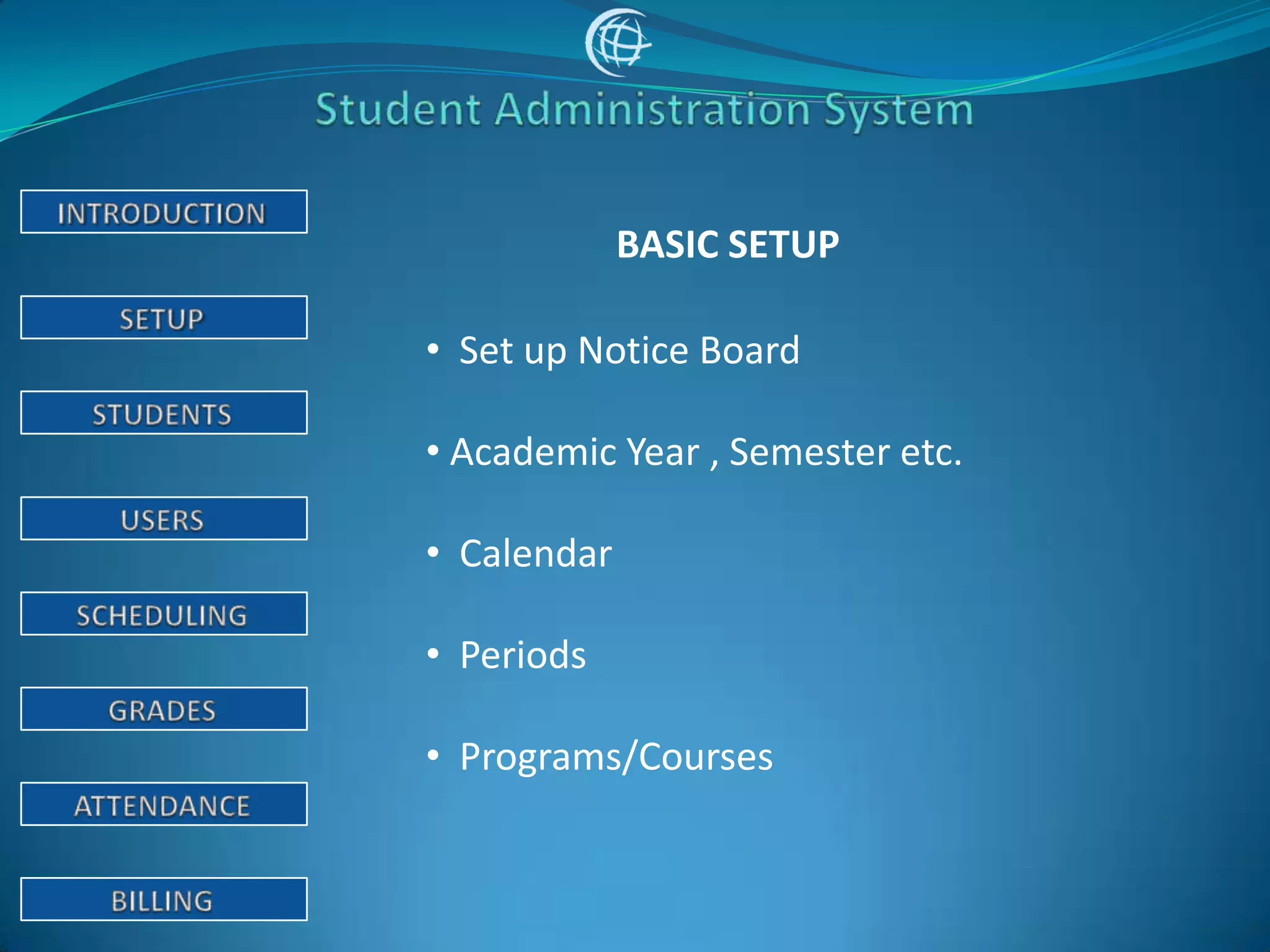
BASIC SETUP

• Set up Notice Board

• Academic Year , Semester etc.

• Calendar

• Periods

• Programs/Courses
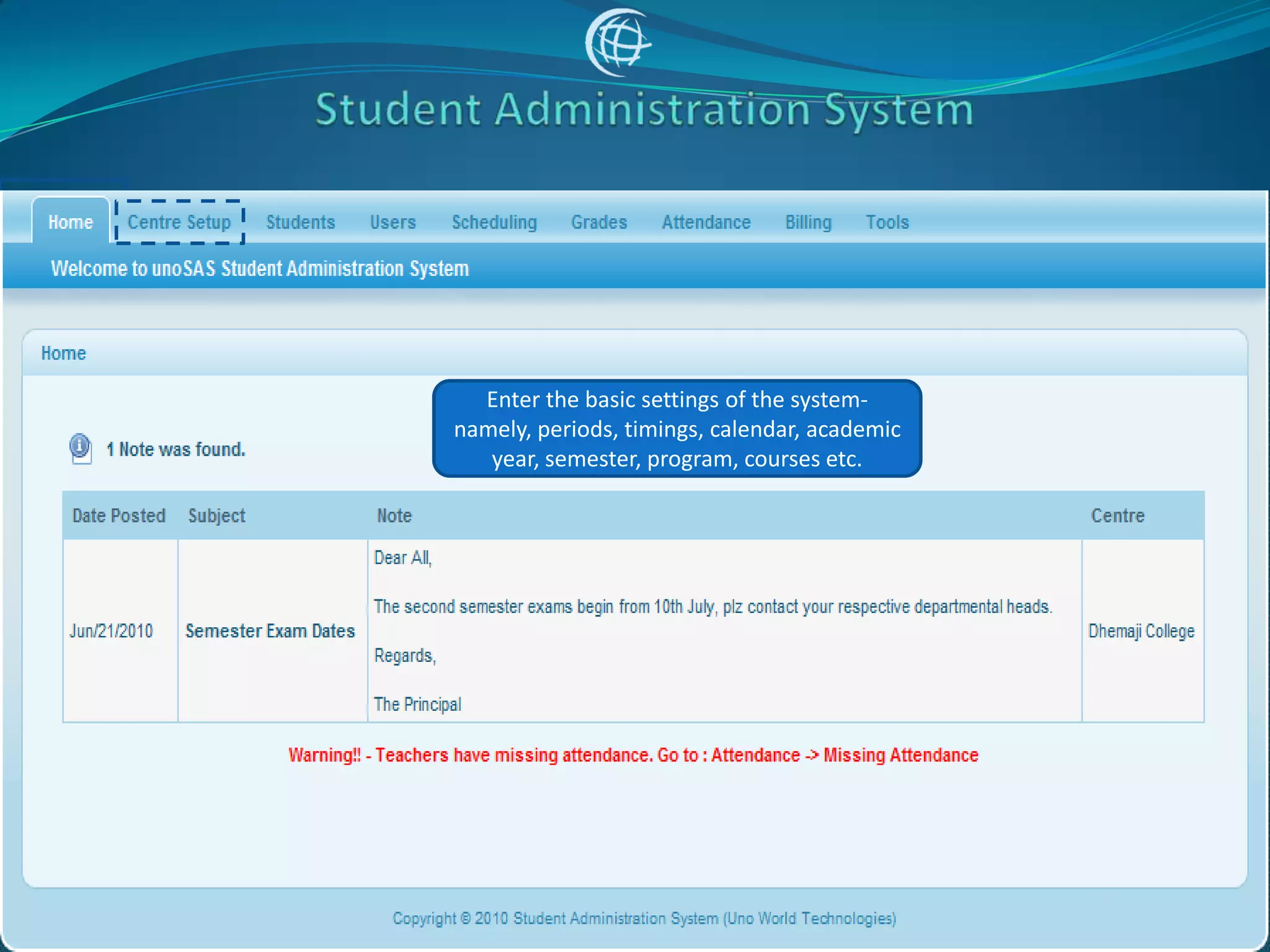
Enter the basic settings of the system-
namely, periods, timings, calendar, academic
   year, semester, program, courses etc.
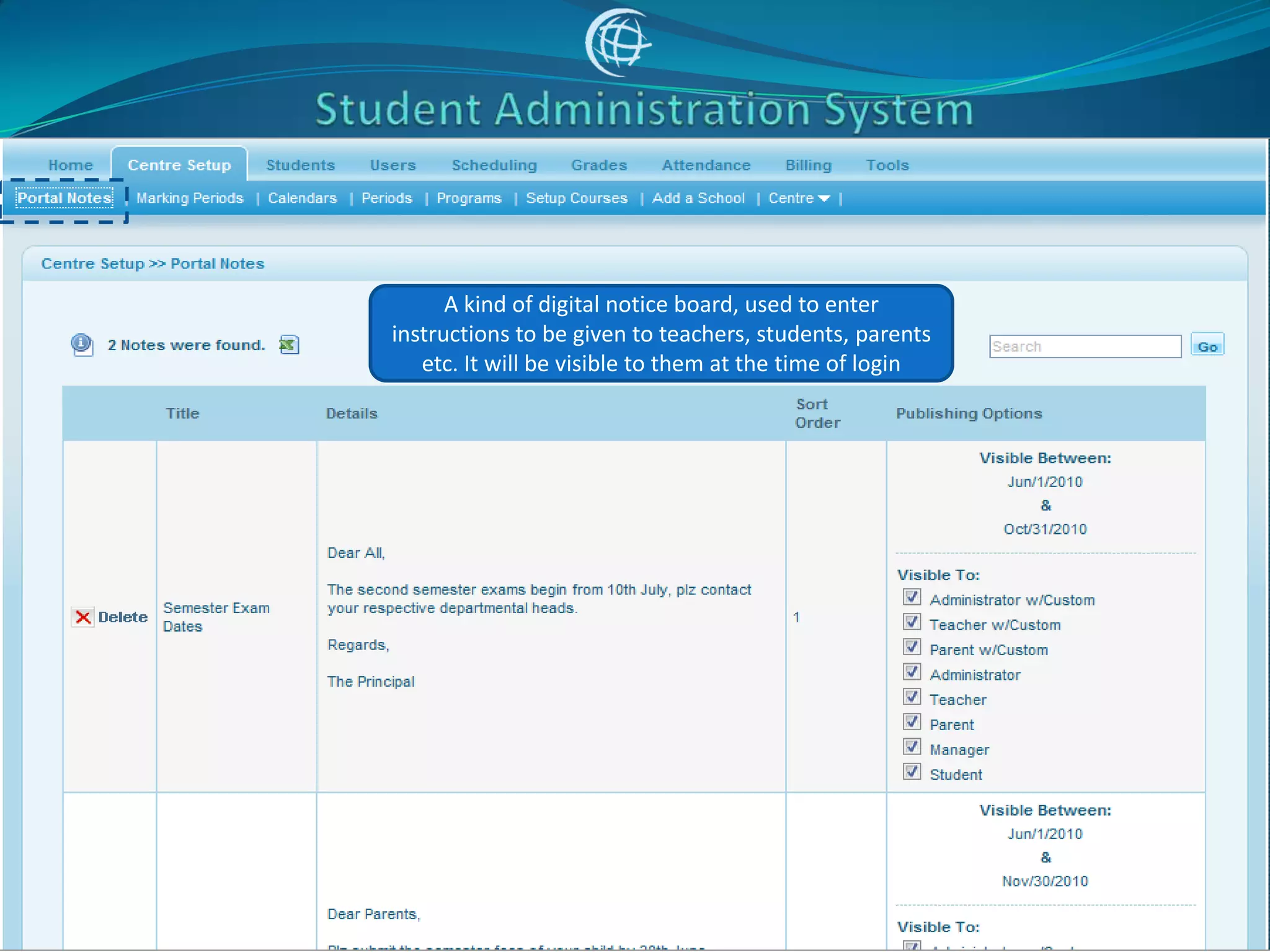
A kind of digital notice board, used to enter
instructions to be given to teachers, students, parents
   etc. It will be visible to them at the time of login
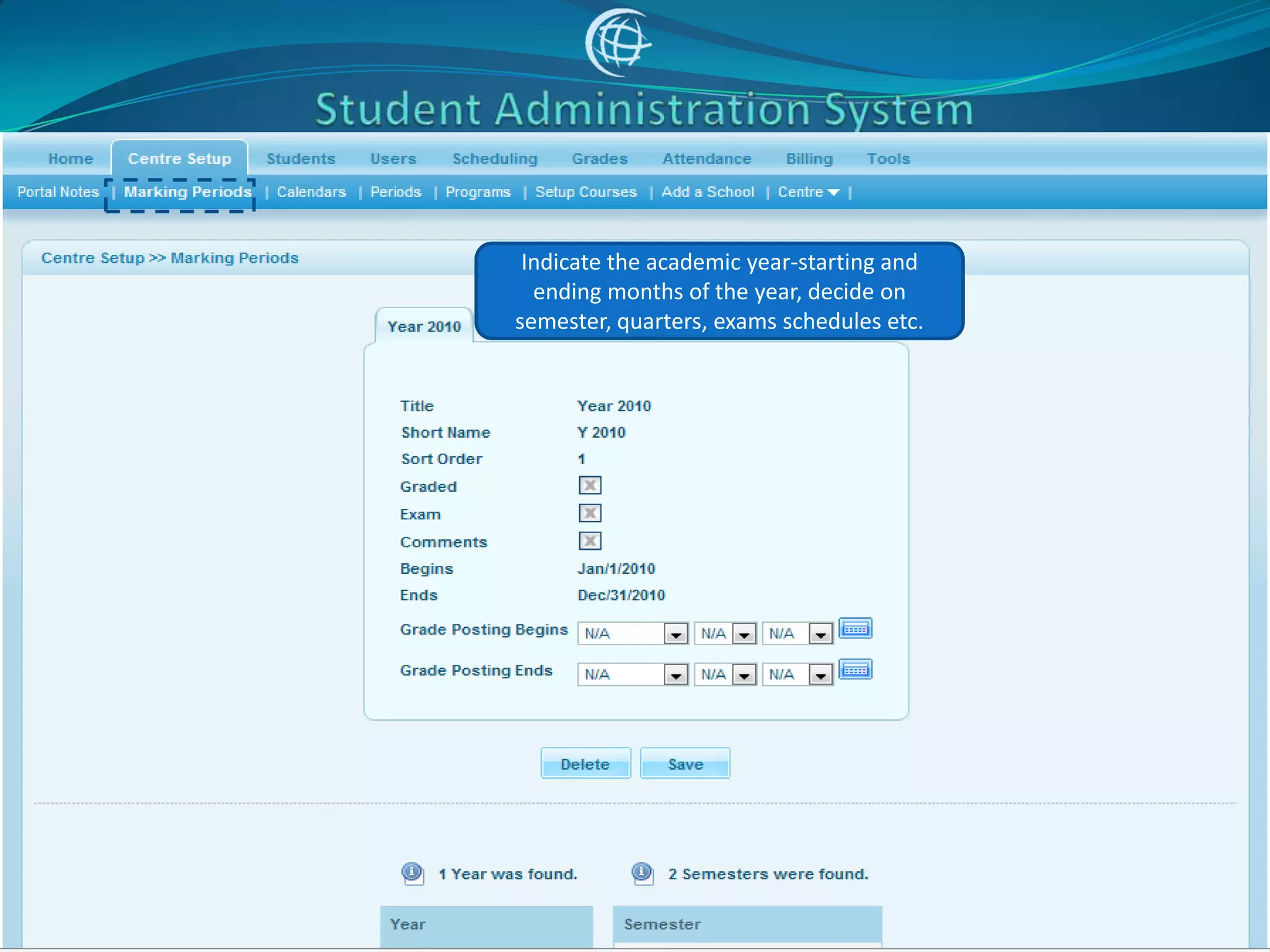
Indicate the academic year-starting and
  ending months of the year, decide on
semester, quarters, exams schedules etc.
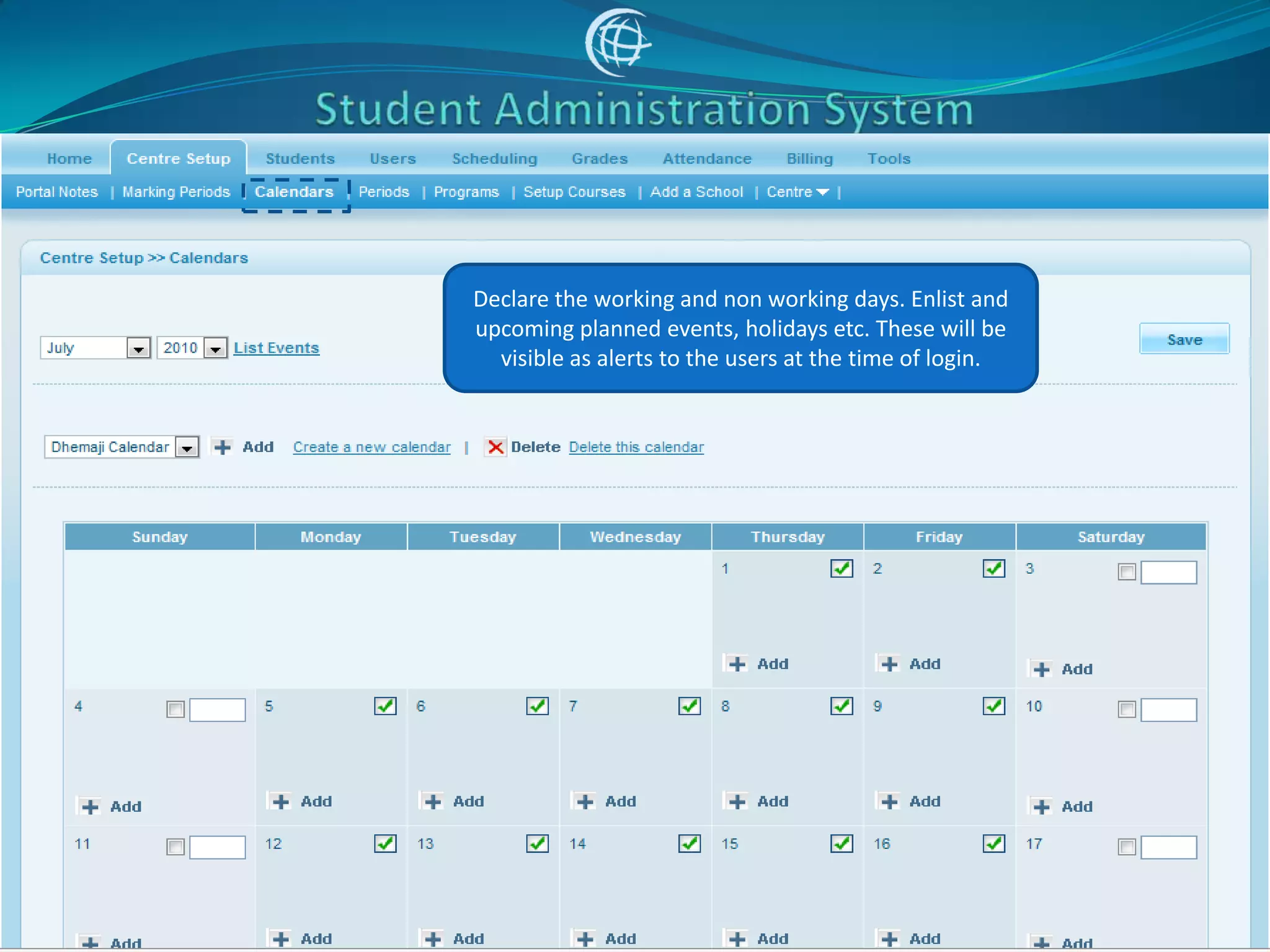
Declare the working and non working days. Enlist and
upcoming planned events, holidays etc. These will be
  visible as alerts to the users at the time of login.
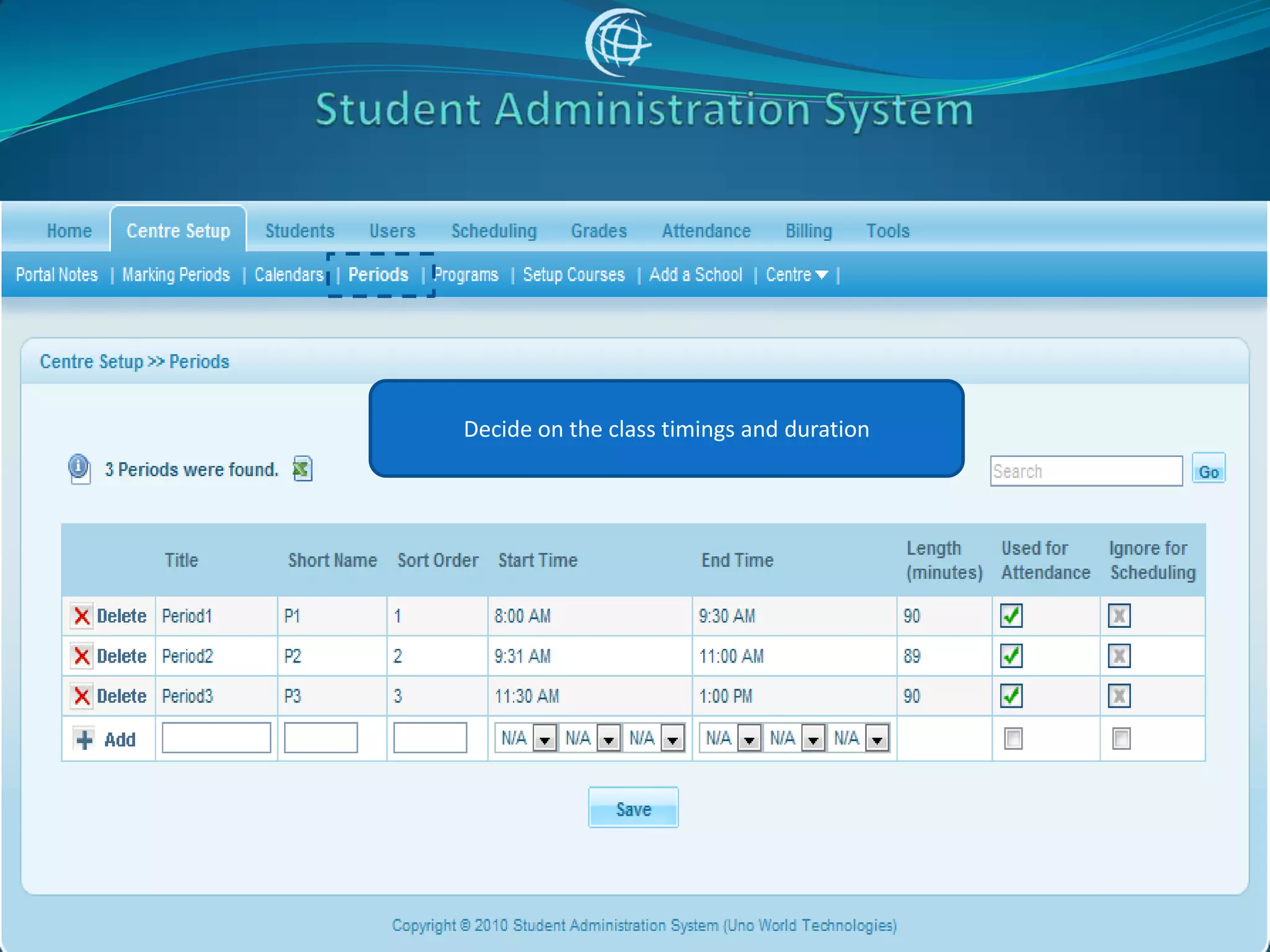
Decide on the class timings and duration
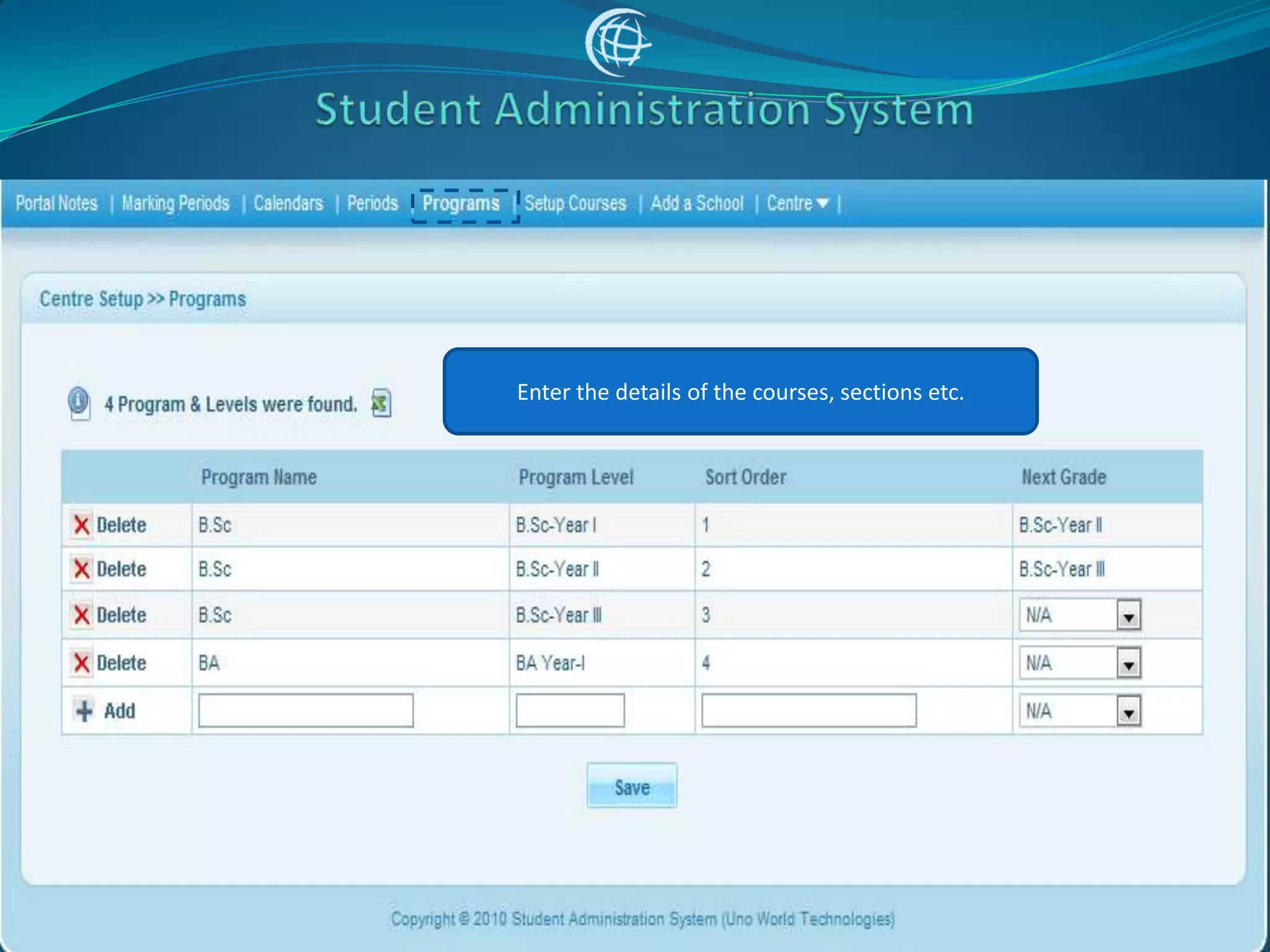
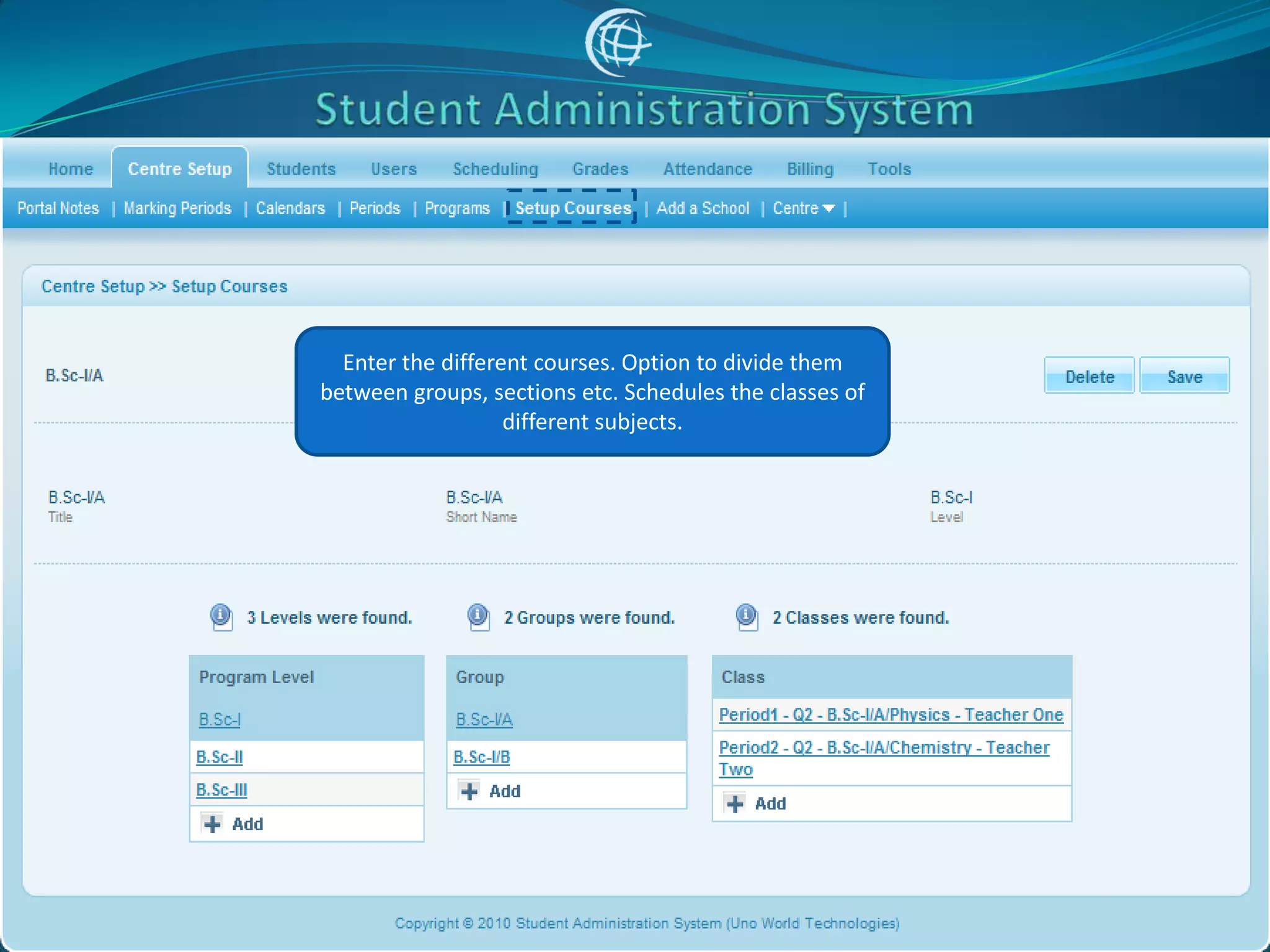
Enter the details of the courses, sections etc.
Enter the different courses. Option to divide them
between groups, sections etc. Schedules the classes of
                   different subjects.
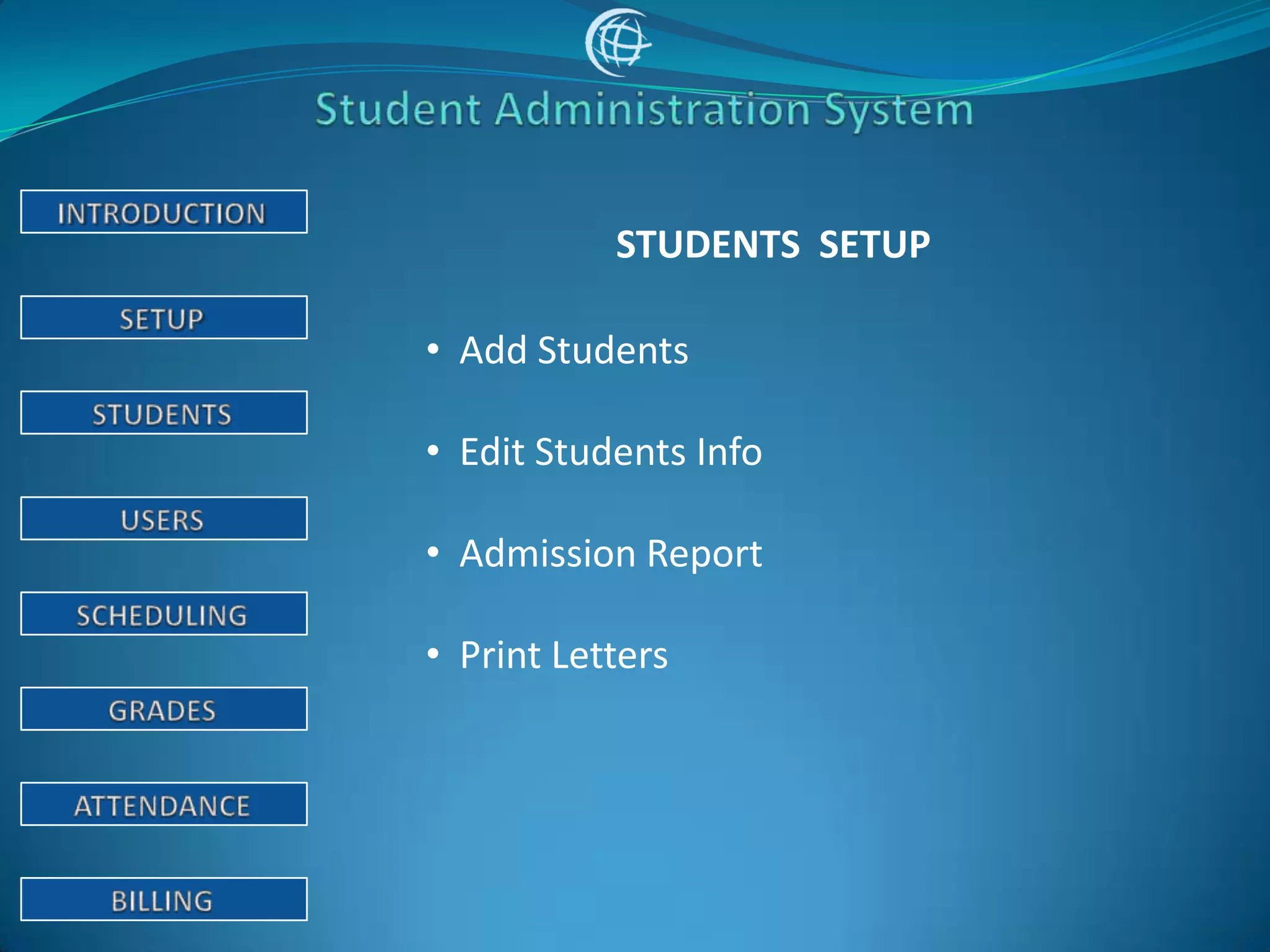
STUDENTS SETUP

• Add Students

• Edit Students Info

• Admission Report

• Print Letters
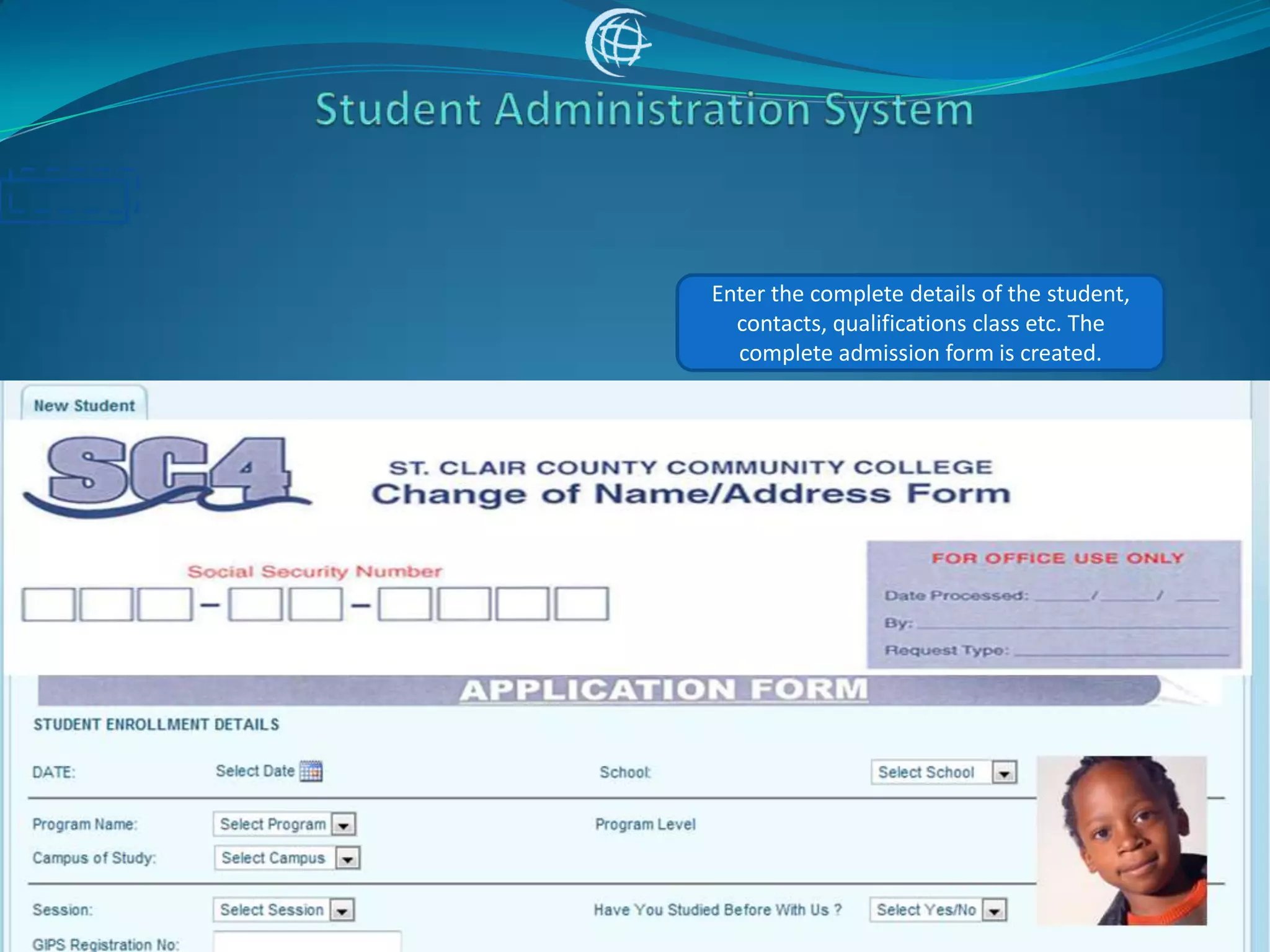
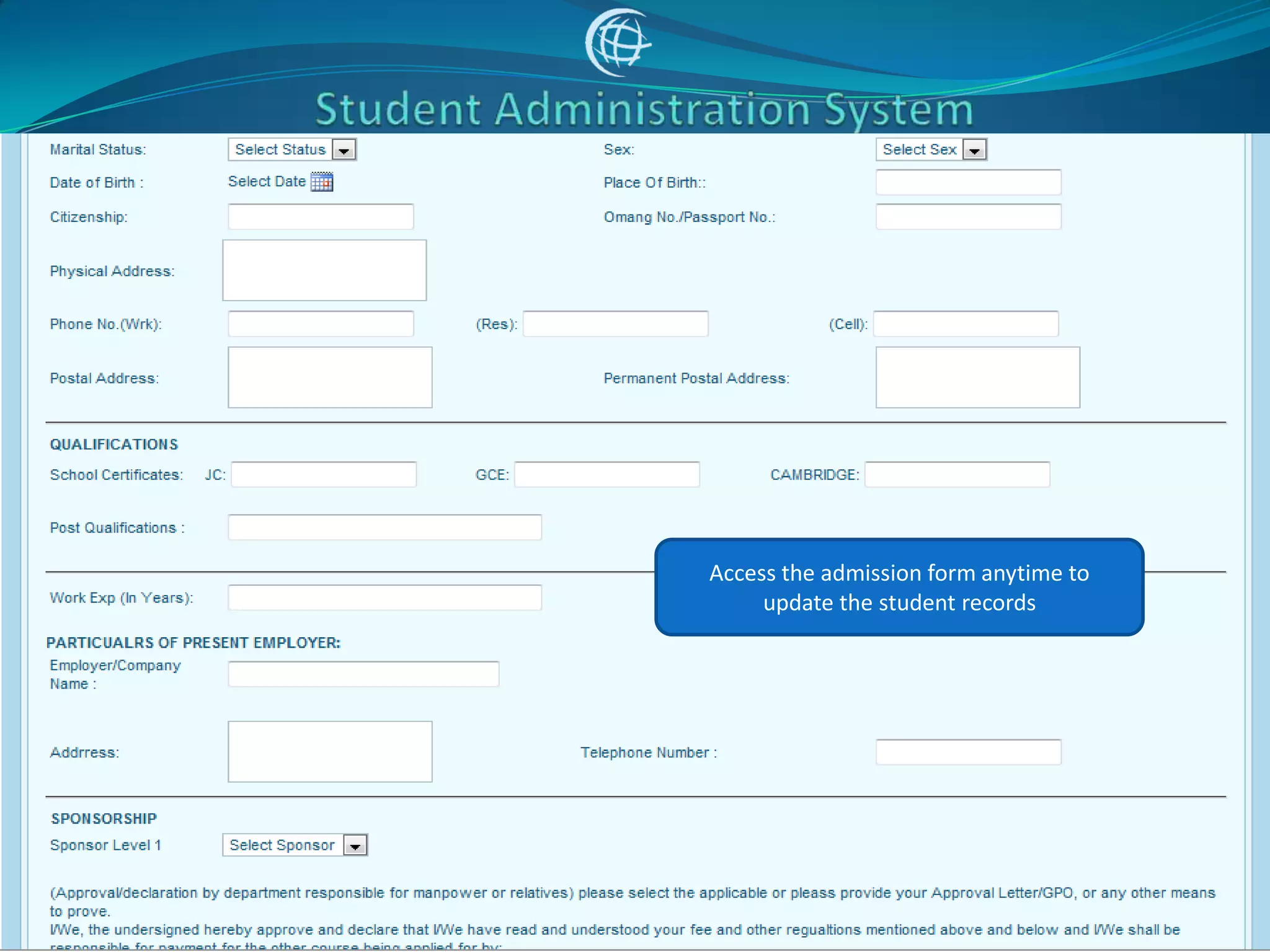
Enter the complete details of the student,
  contacts, qualifications class etc. The
  complete admission form is created.
Access the admission form anytime to
     update the student records
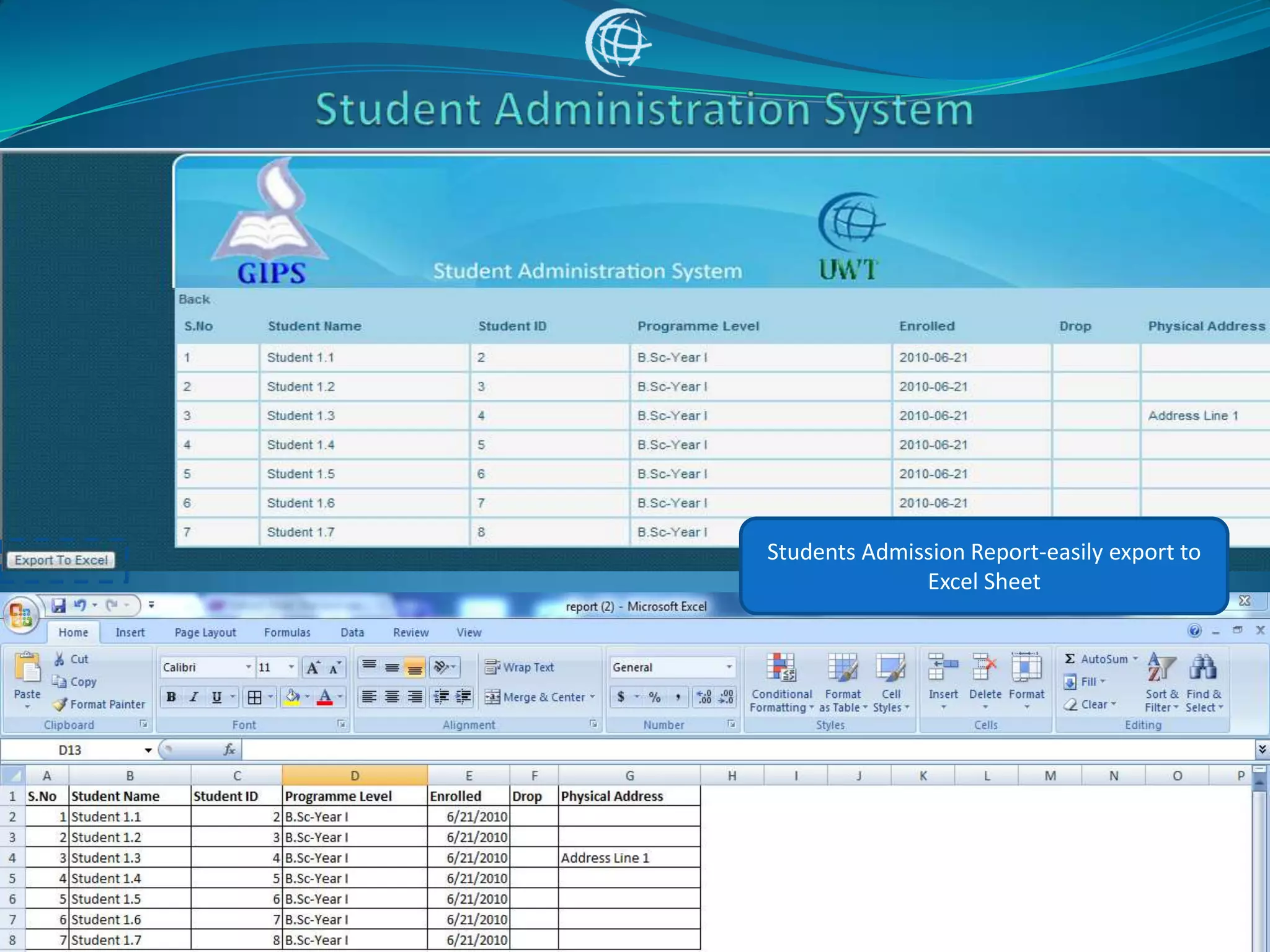
Students Admission Report-easily export to
              Excel Sheet
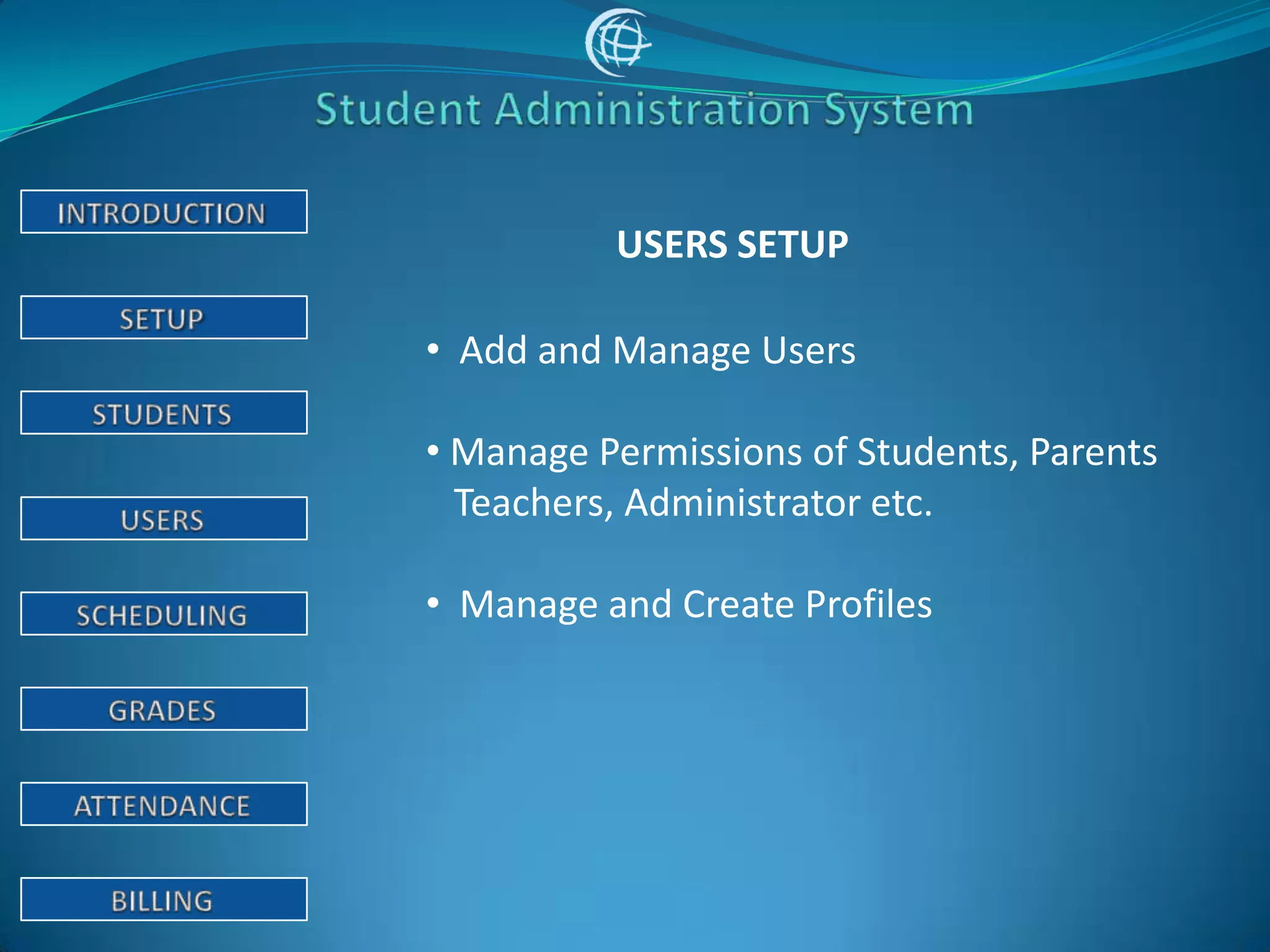
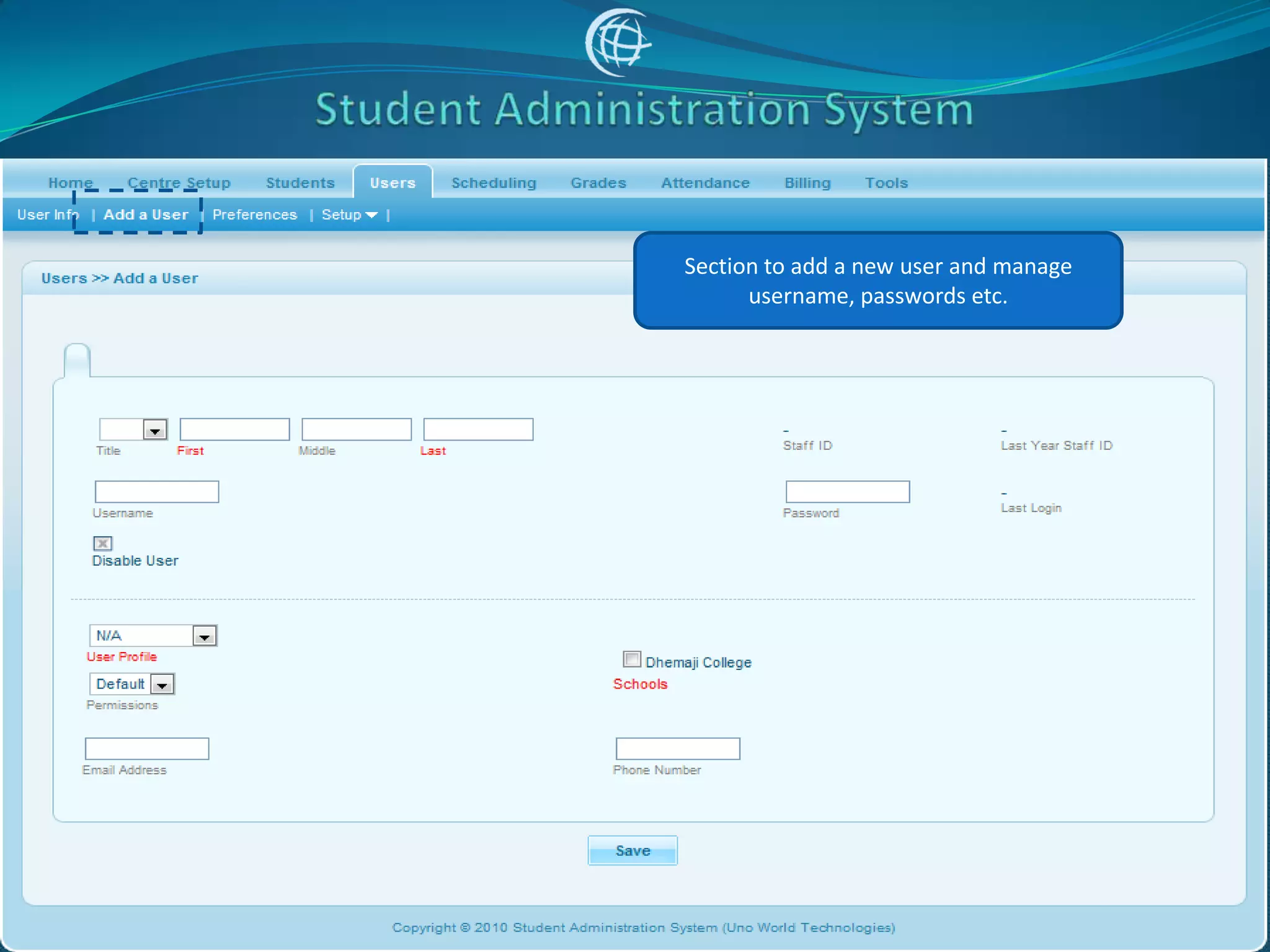
USERS SETUP

• Add and Manage Users

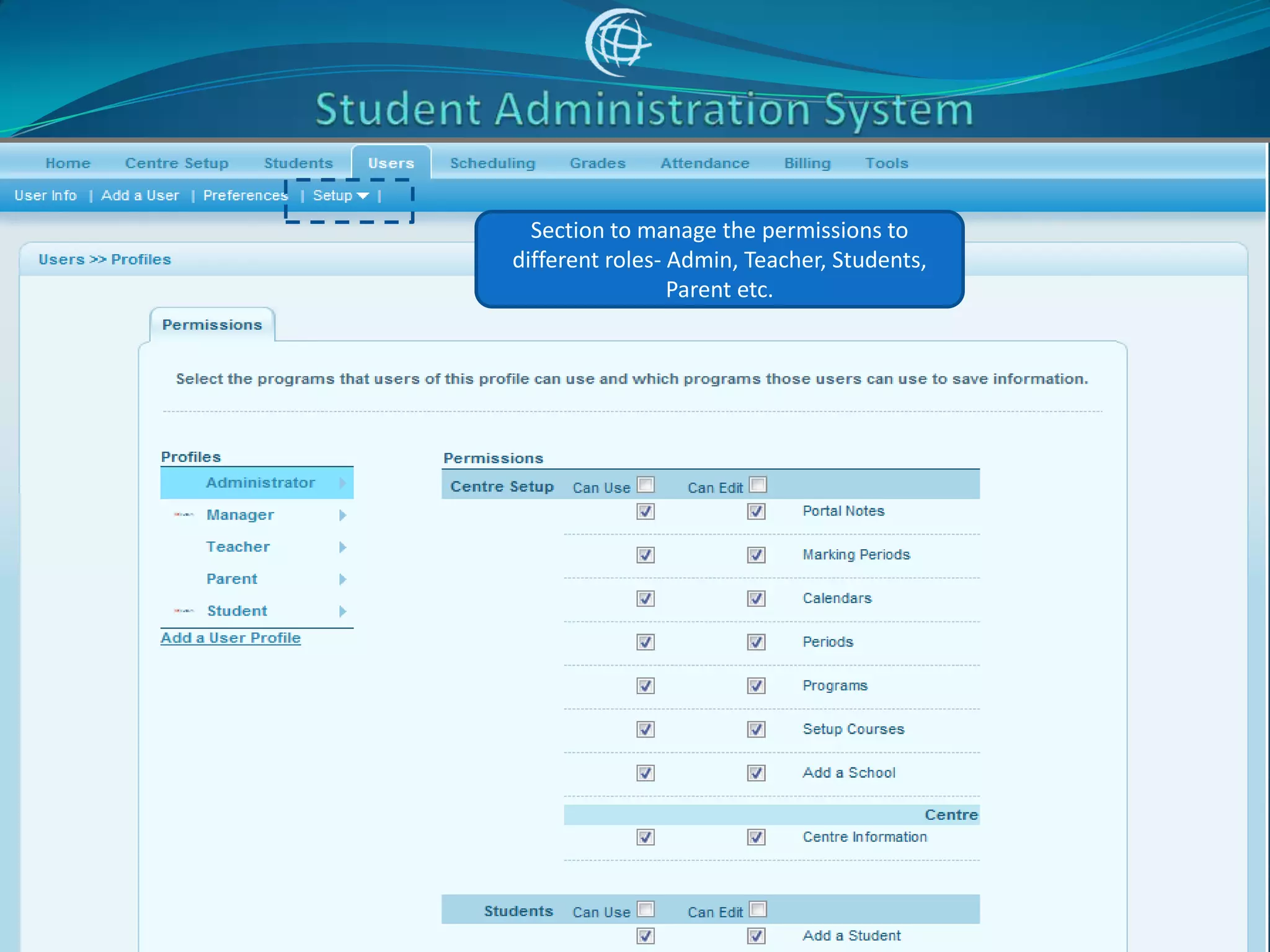
• Manage Permissions of Students, Parents
  Teachers, Administrator etc.

• Manage and Create Profiles
Section to add a new user and manage
      username, passwords etc.
Section to manage the permissions to
different roles- Admin, Teacher, Students,
                 Parent etc.
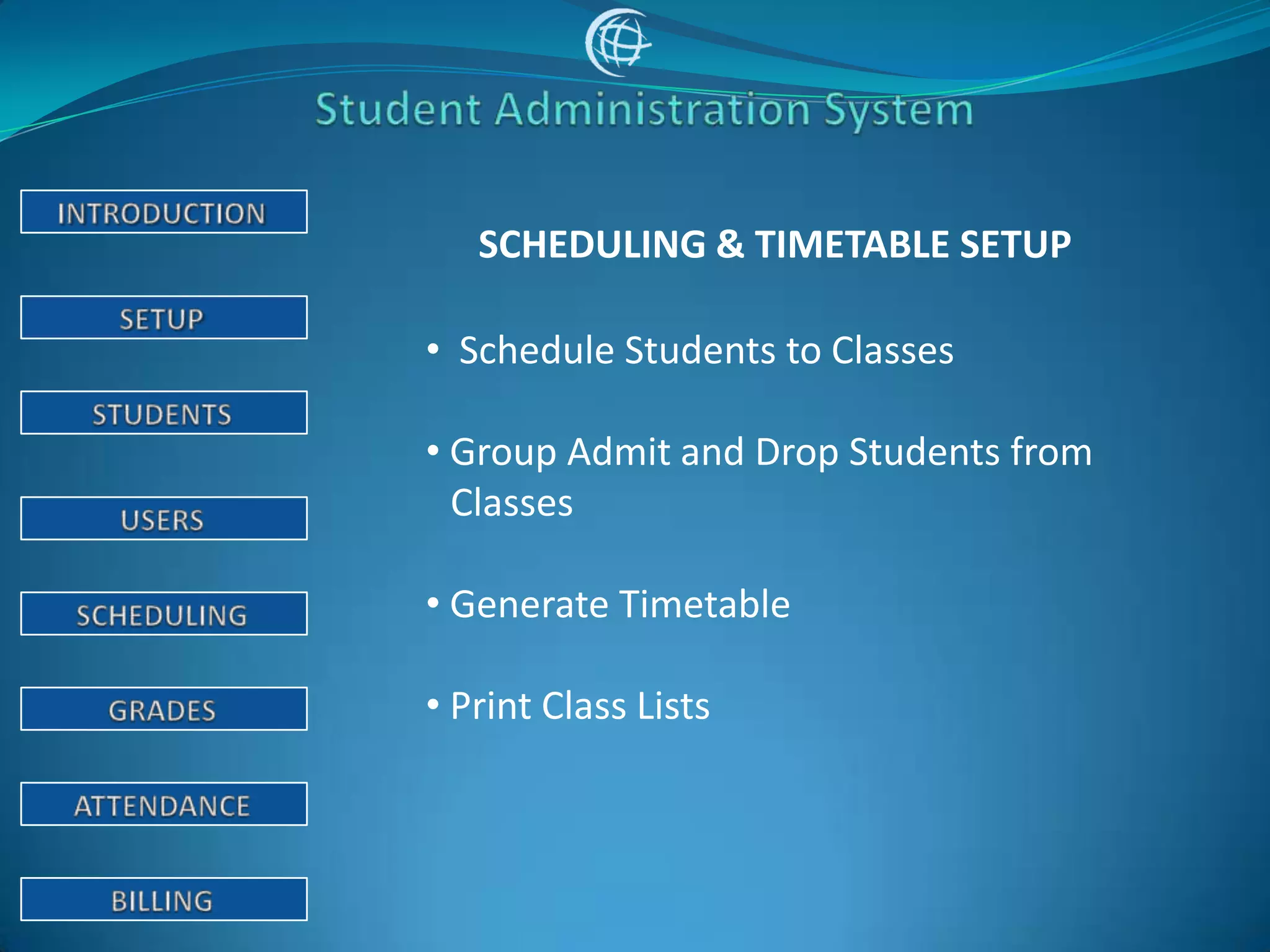
SCHEDULING & TIMETABLE SETUP

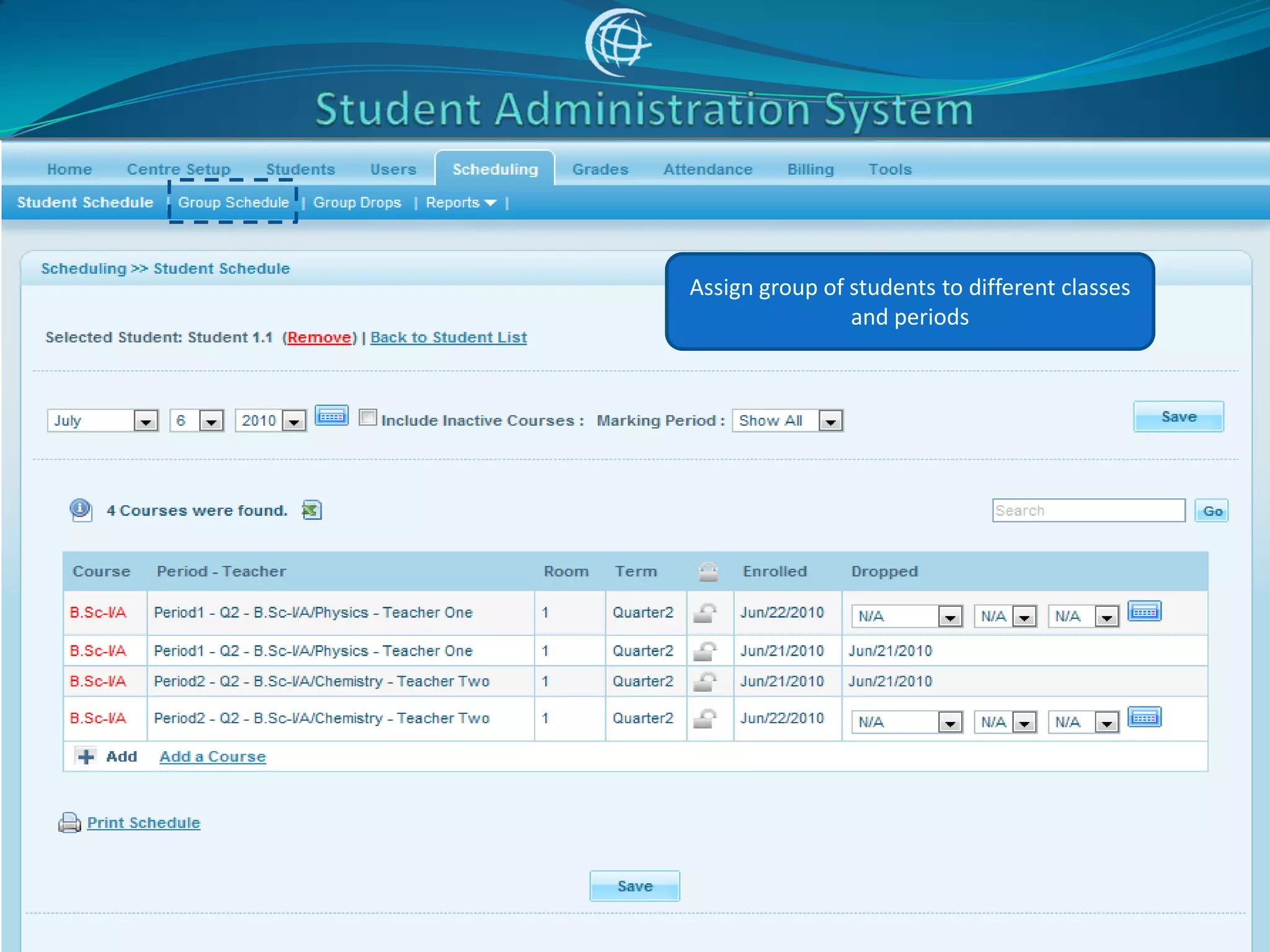
• Schedule Students to Classes

• Group Admit and Drop Students from
  Classes

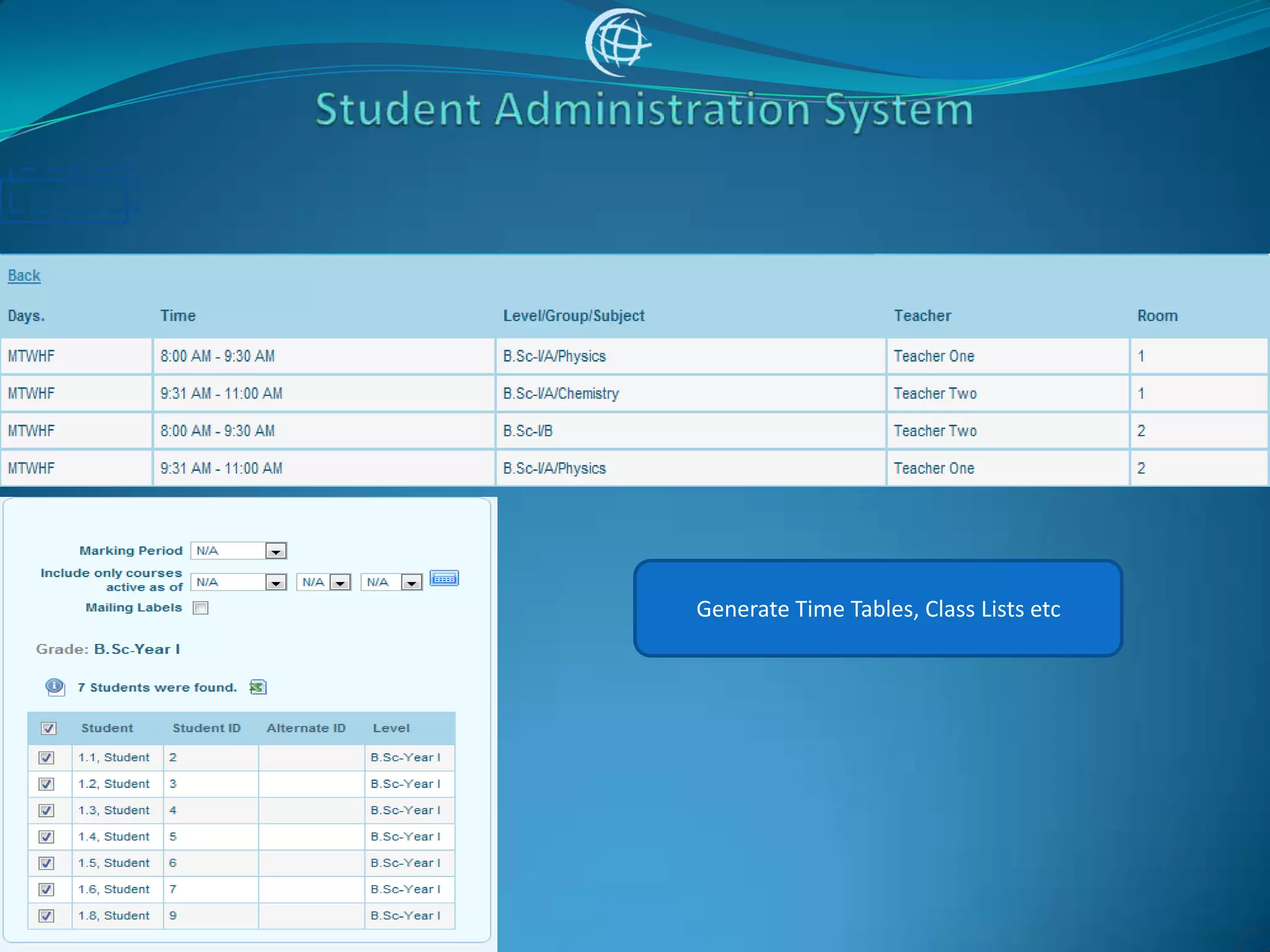
• Generate Timetable

• Print Class Lists
Assign group of students to different classes
                and periods
Generate Time Tables, Class Lists etc
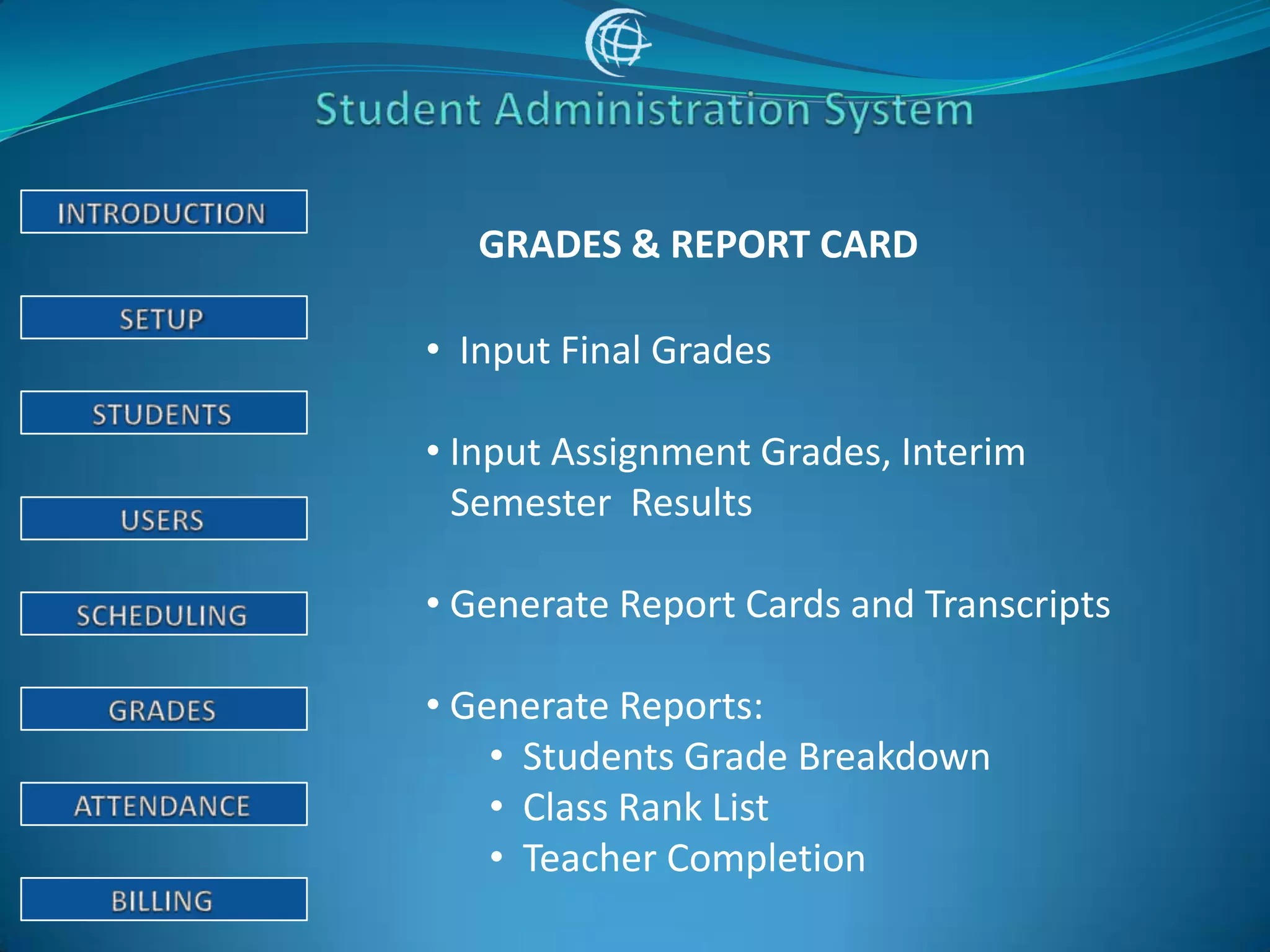
GRADES & REPORT CARD

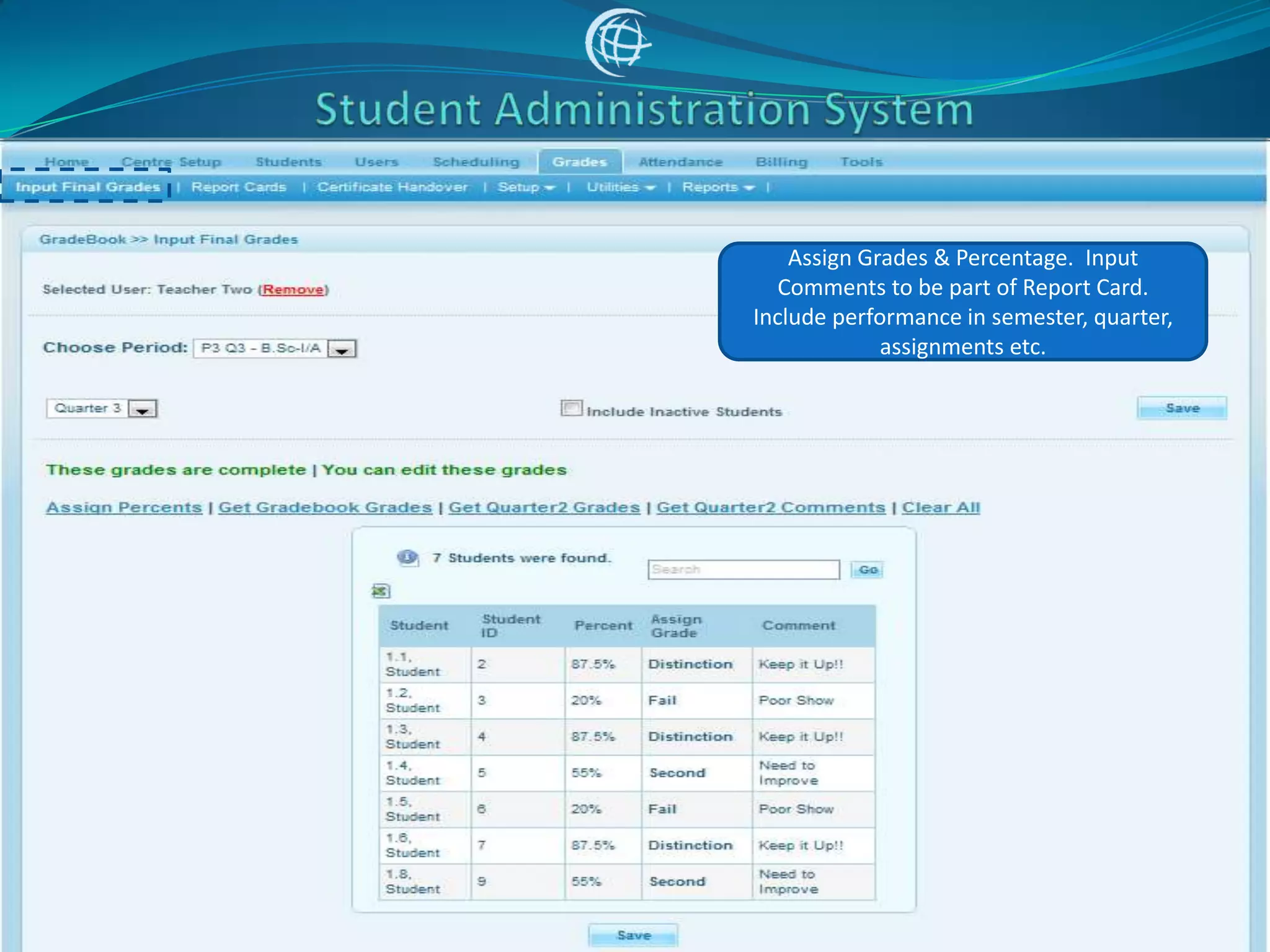
• Input Final Grades

• Input Assignment Grades, Interim
  Semester Results

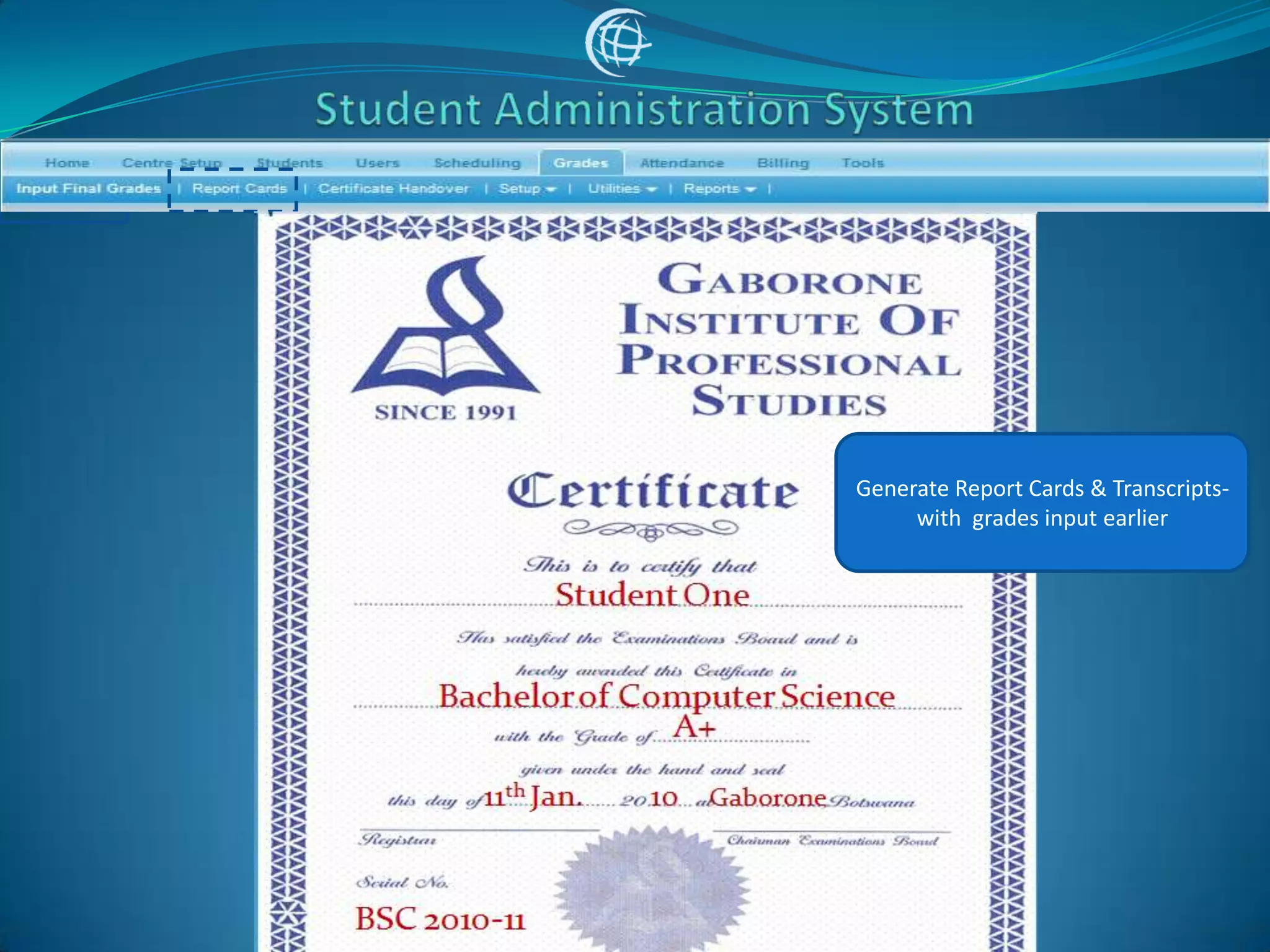
• Generate Report Cards and Transcripts

• Generate Reports:
    • Students Grade Breakdown
    • Class Rank List
    • Teacher Completion
Assign Grades & Percentage. Input
   Comments to be part of Report Card.
Include performance in semester, quarter,
             assignments etc.
Generate Report Cards & Transcripts-
     with grades input earlier
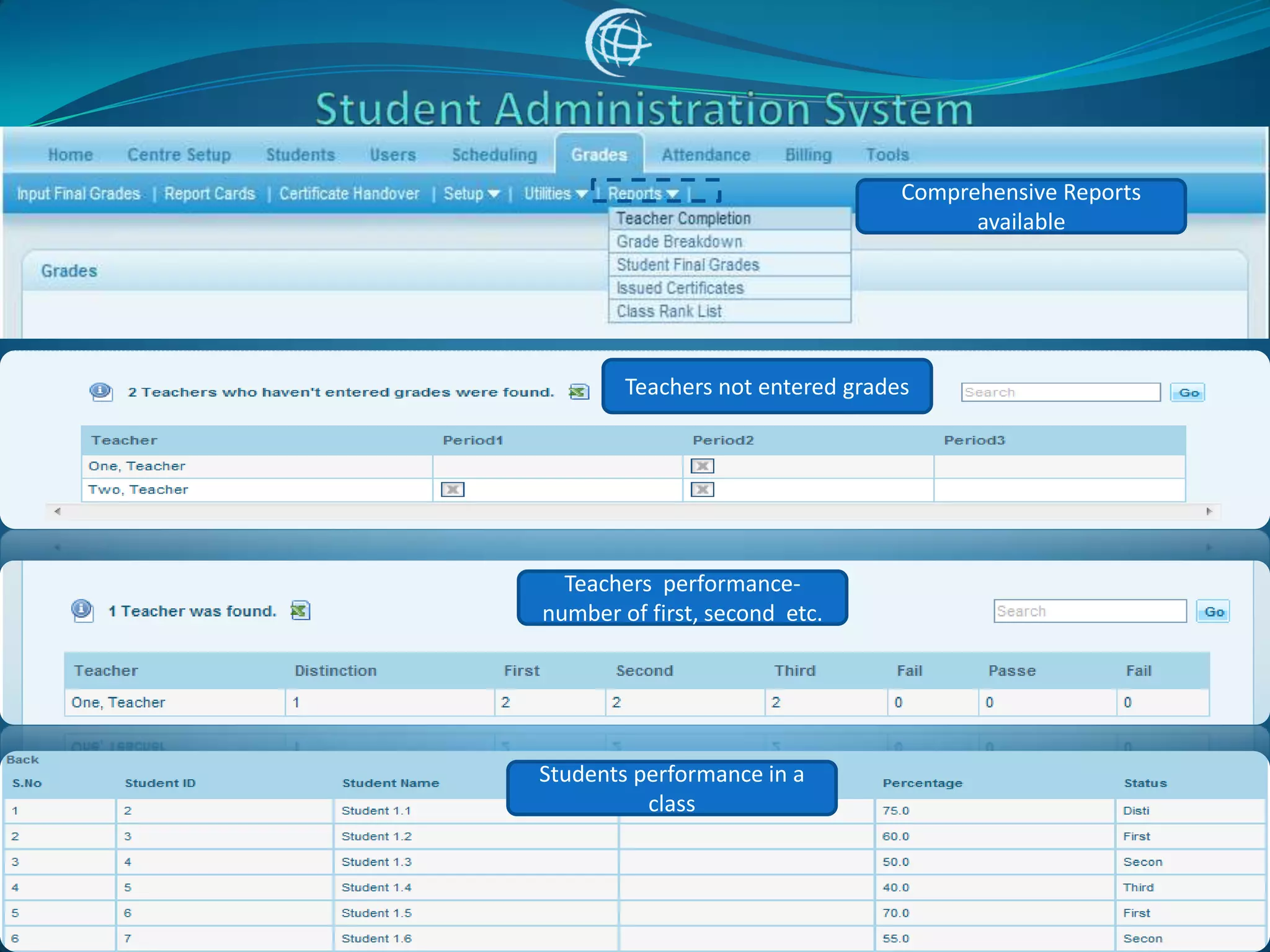
Comprehensive Reports
                                        available


        Teachers not entered grades


  Teachers performance-
number of first, second etc.


Students performance in a
          class
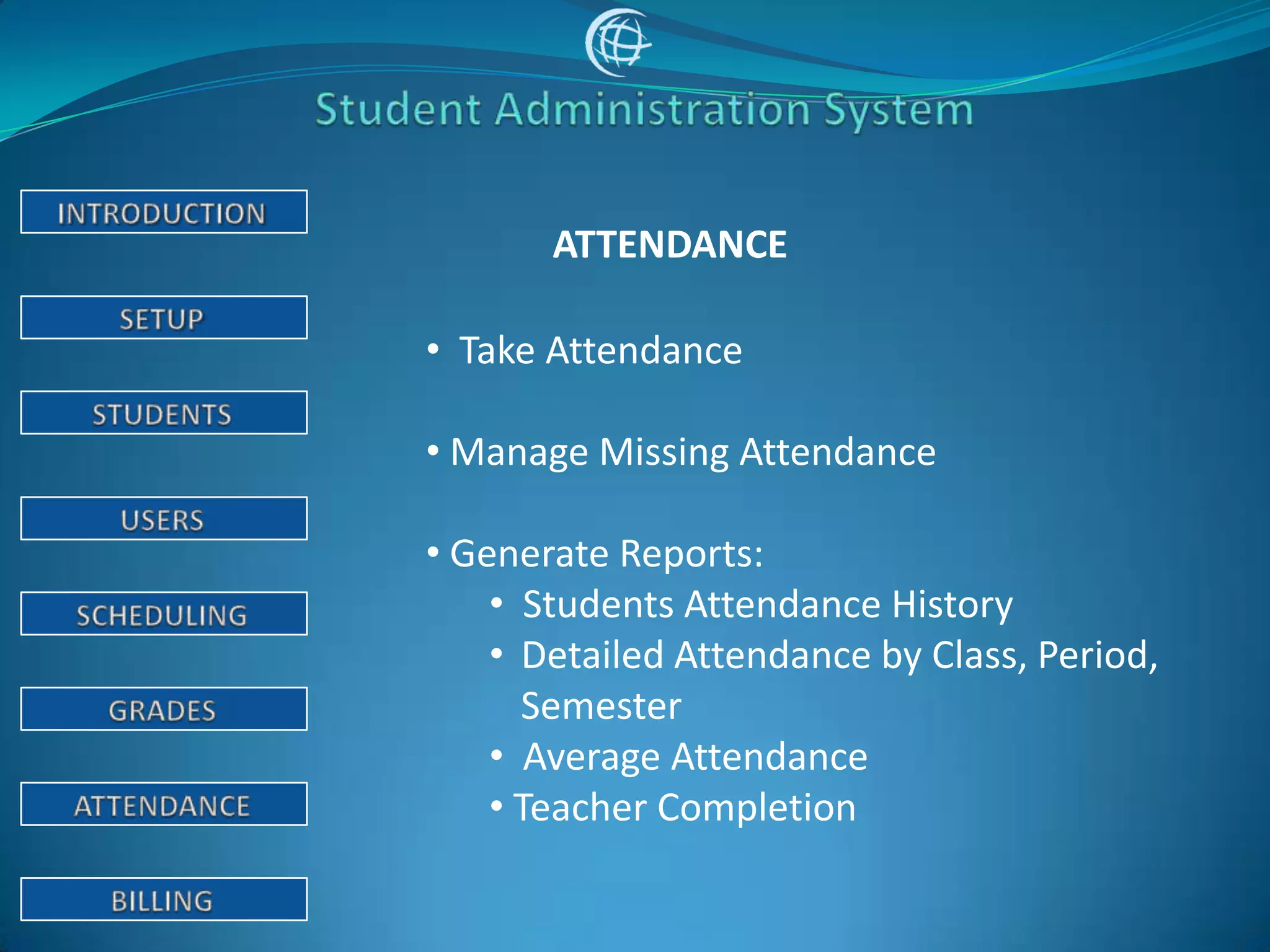
ATTENDANCE

• Take Attendance

• Manage Missing Attendance

• Generate Reports:
    • Students Attendance History
    • Detailed Attendance by Class, Period,
      Semester
    • Average Attendance
    • Teacher Completion
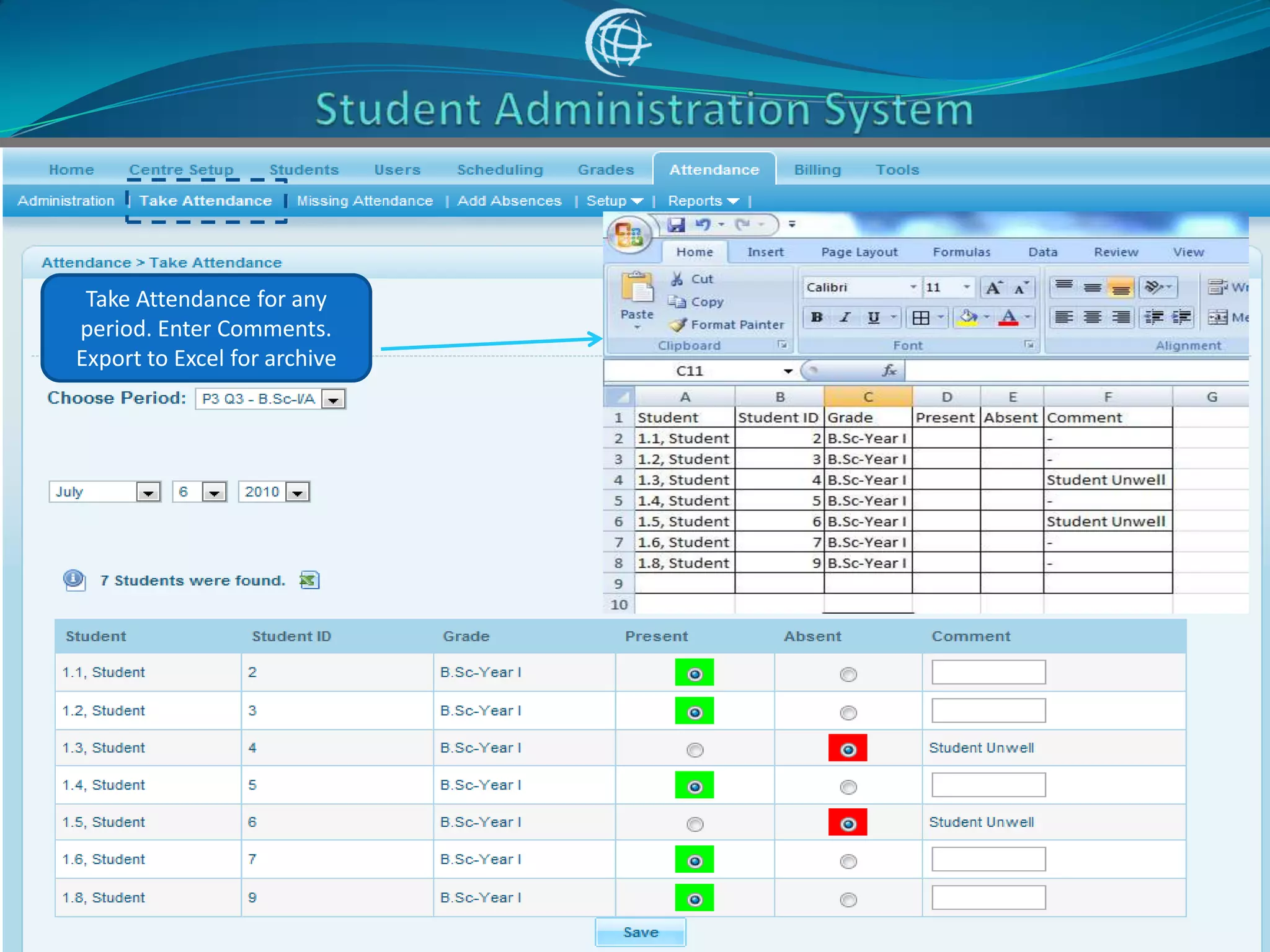
Take Attendance for any
period. Enter Comments.
Export to Excel for archive
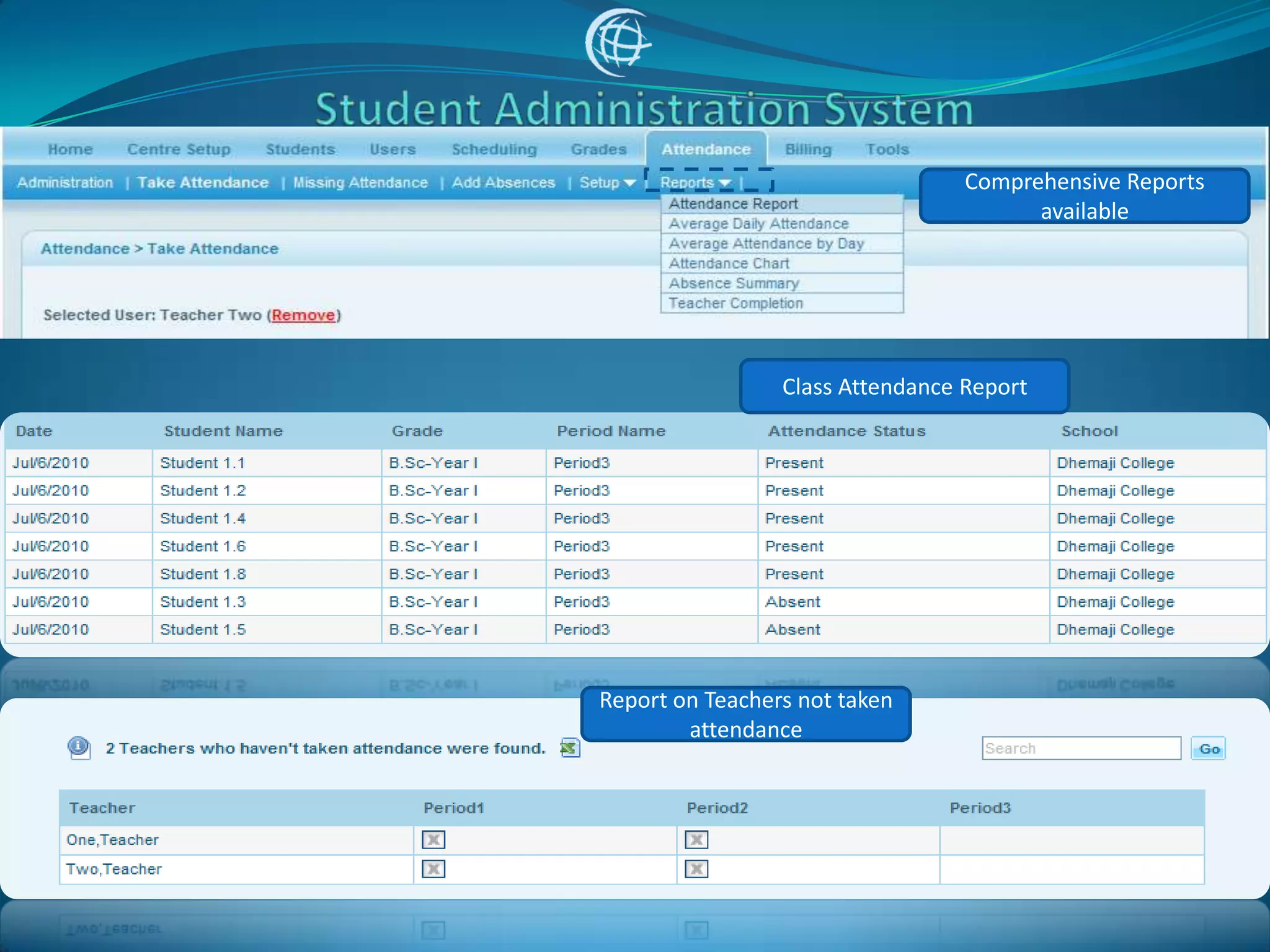
Comprehensive Reports
                                        available


                 Class Attendance Report


Report on Teachers not taken
        attendance
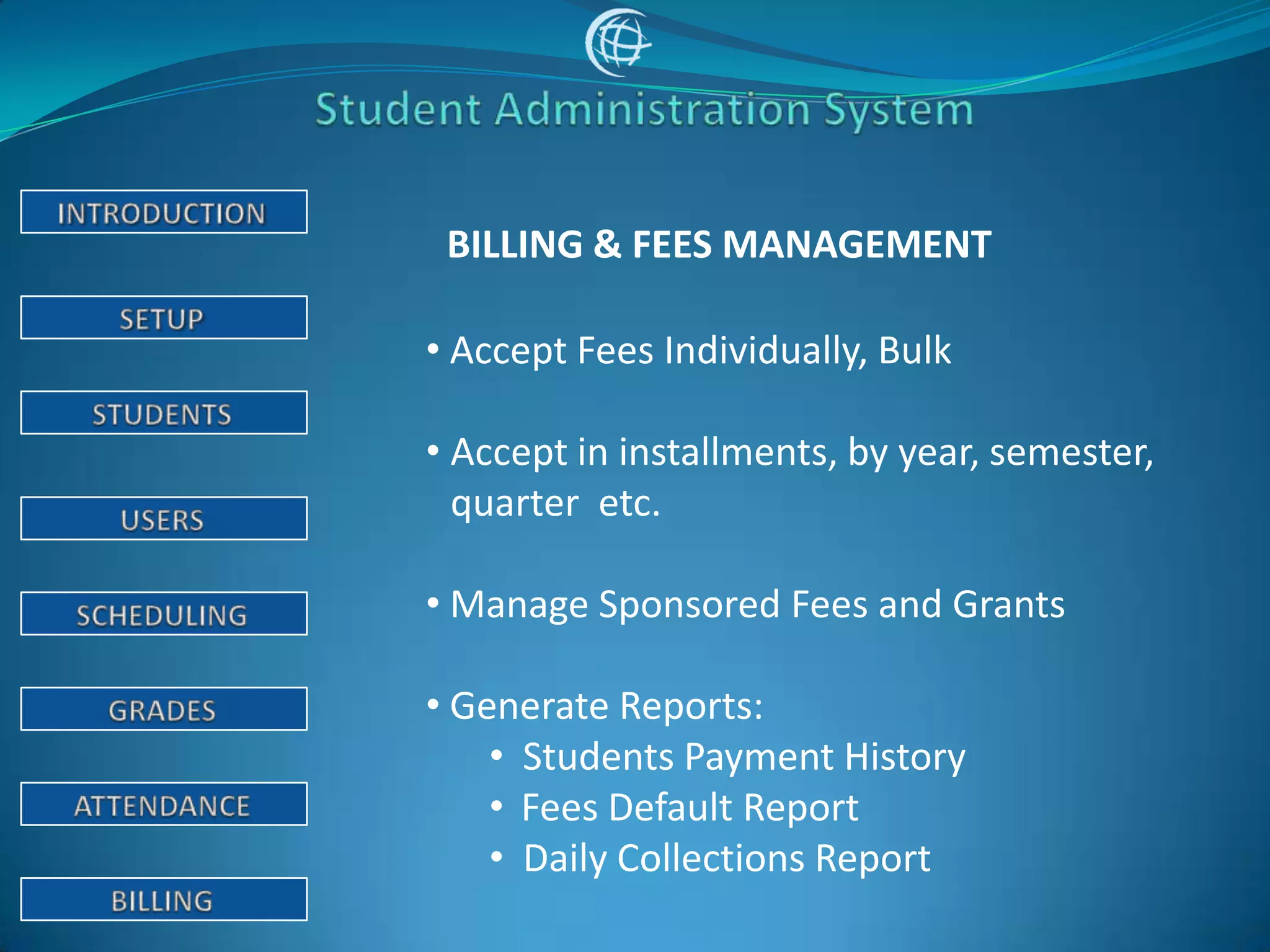
BILLING & FEES MANAGEMENT

• Accept Fees Individually, Bulk

• Accept in installments, by year, semester,
  quarter etc.

• Manage Sponsored Fees and Grants

• Generate Reports:
    • Students Payment History
    • Fees Default Report
    • Daily Collections Report
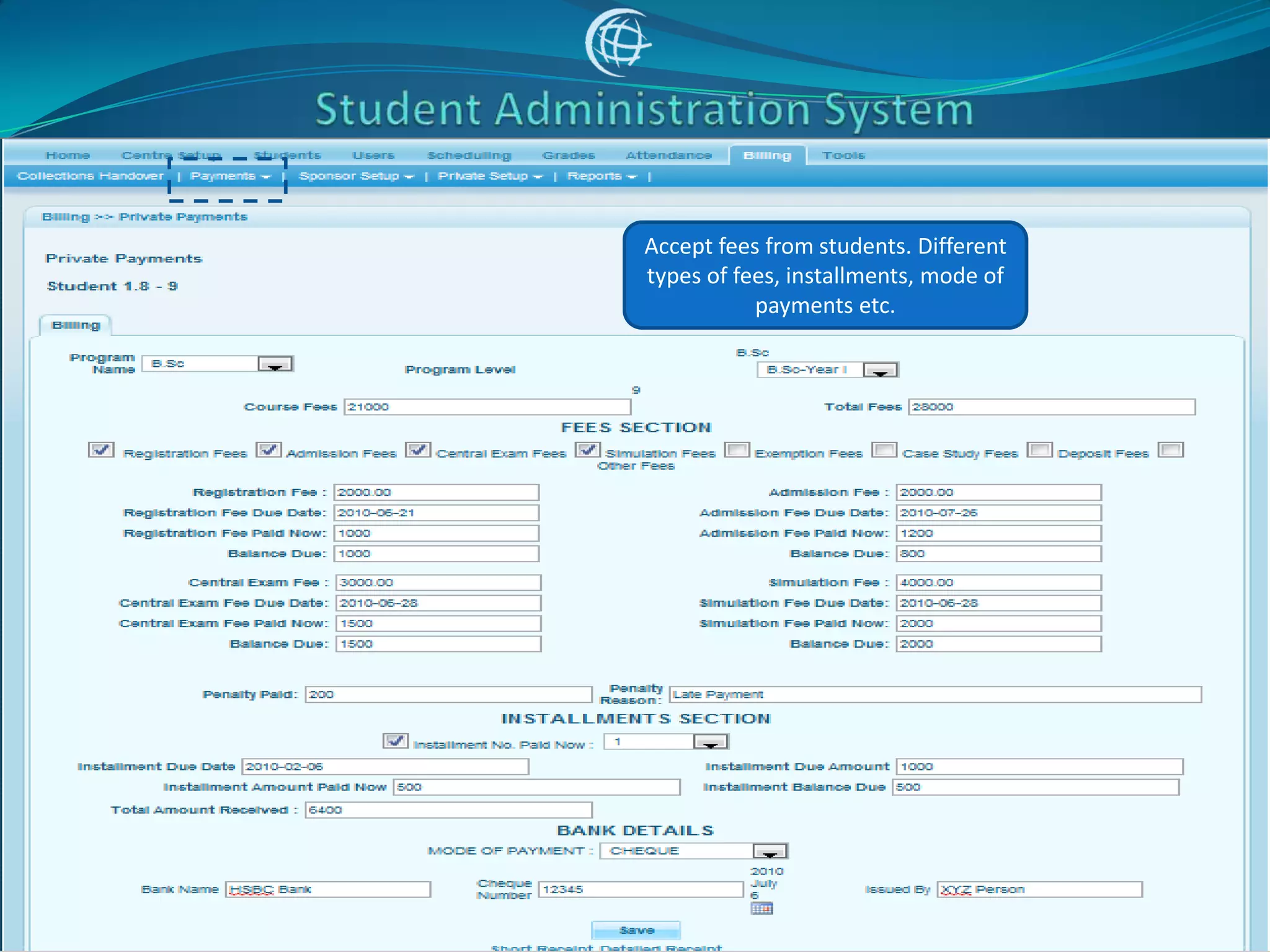
Accept fees from students. Different
types of fees, installments, mode of
           payments etc.
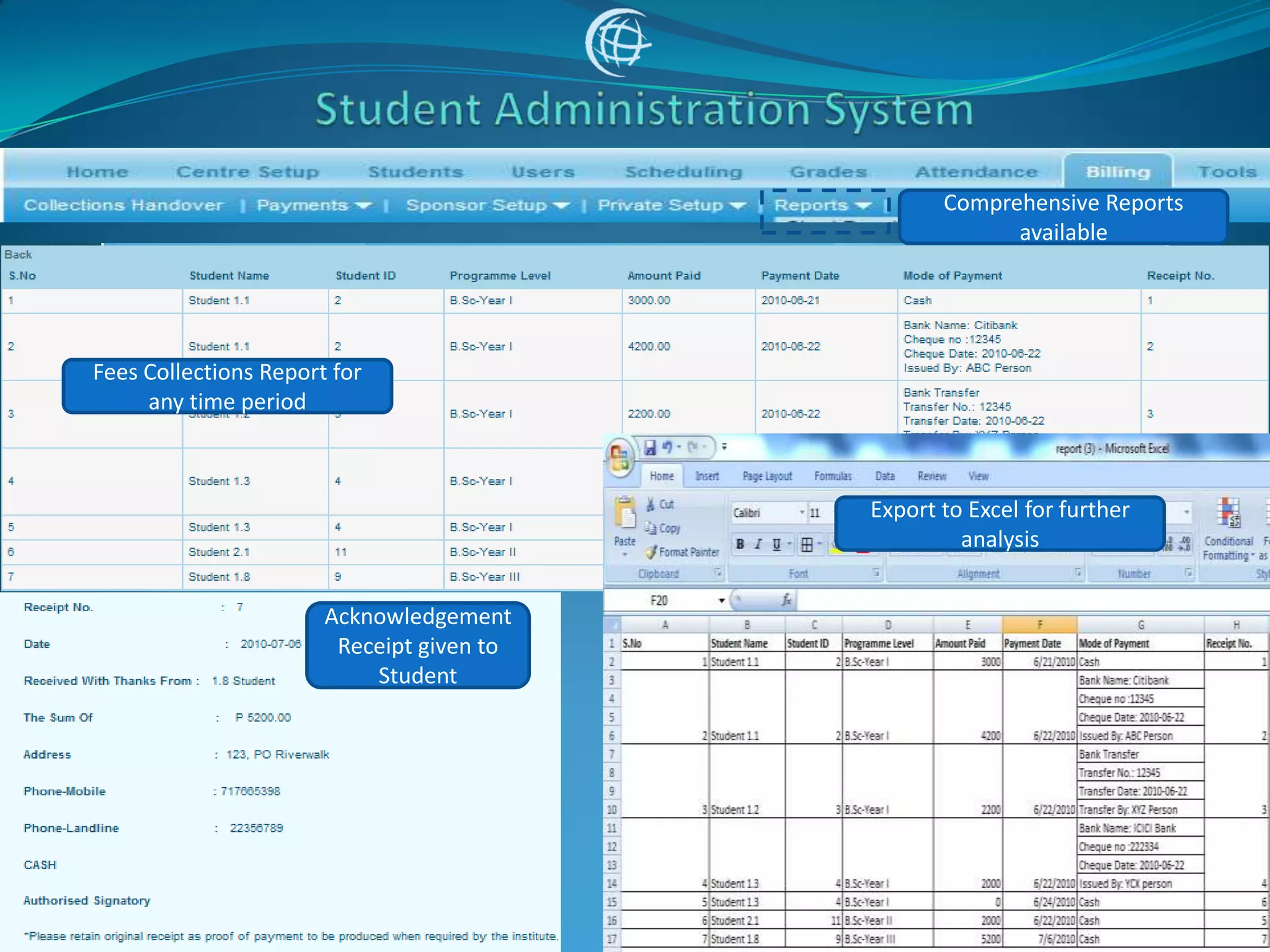
Comprehensive Reports
                                                        available


Fees Collections Report for
     any time period


                                           Export to Excel for further
                                                    analysis


                       Acknowledgement
                        Receipt given to
                           Student
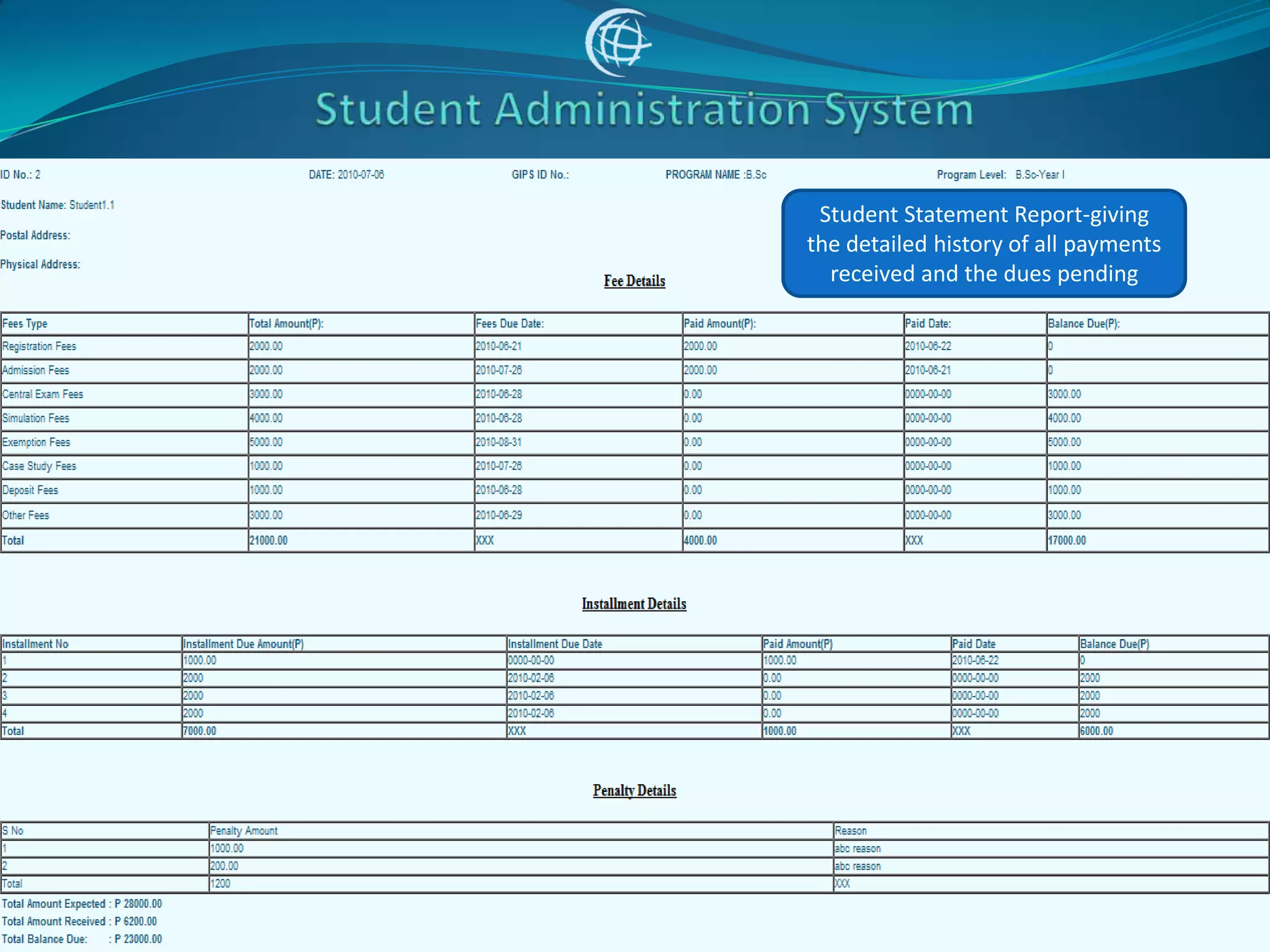
Student Statement Report-giving
the detailed history of all payments
  received and the dues pending
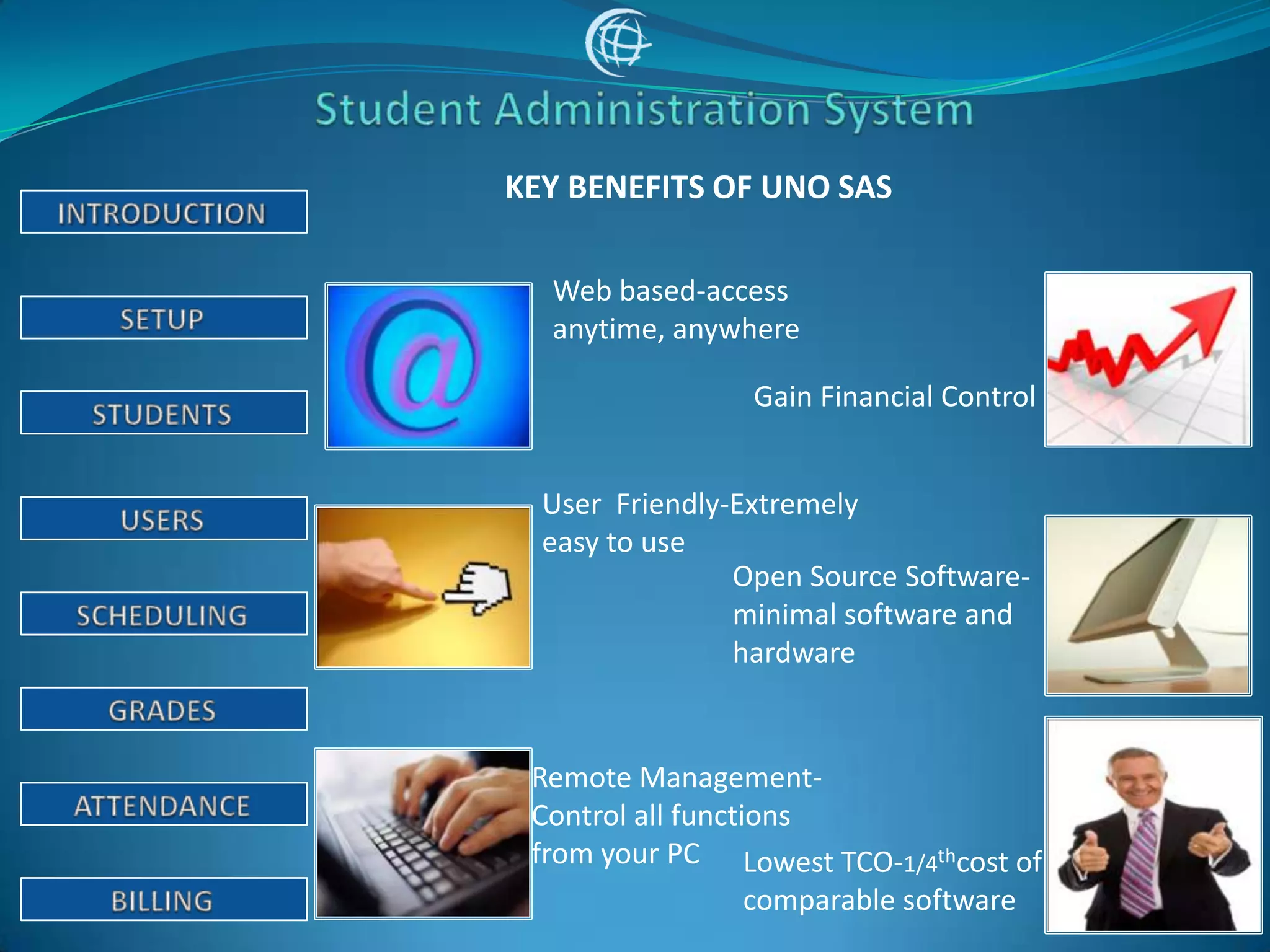
KEY BENEFITS OF UNO SAS

  Web based-access
  anytime, anywhere

                 Gain Financial Control


  User Friendly-Extremely
  easy to use
                Open Source Software-
                minimal software and
                hardware


 Remote Management-
 Control all functions
 from your PC Lowest TCO-1/4thcost of
                   comparable software
THANK YOU!!


For Further Details, Please Contact:

sales@unoworld.in
www.unoworld.in

Sas demo v1.0

  • 3.
    Web based system designedfor primary, senior schools and colleges
  • 4.
    OVERVIEW OF FEATURES Student Admissions Teacher Management Attendance & Timetable Students & Parents Login Report Card & Grades Fees & Billing
  • 6.
    BASIC SETUP • Setup Notice Board • Academic Year , Semester etc. • Calendar • Periods • Programs/Courses
  • 7.
    Enter the basicsettings of the system- namely, periods, timings, calendar, academic year, semester, program, courses etc.
  • 8.
    A kind ofdigital notice board, used to enter instructions to be given to teachers, students, parents etc. It will be visible to them at the time of login
  • 9.
    Indicate the academicyear-starting and ending months of the year, decide on semester, quarters, exams schedules etc.
  • 10.
    Declare the workingand non working days. Enlist and upcoming planned events, holidays etc. These will be visible as alerts to the users at the time of login.
  • 11.
    Decide on theclass timings and duration
  • 12.
    Enter the detailsof the courses, sections etc.
  • 13.
    Enter the differentcourses. Option to divide them between groups, sections etc. Schedules the classes of different subjects.
  • 15.
    STUDENTS SETUP • AddStudents • Edit Students Info • Admission Report • Print Letters
  • 16.
    Enter the completedetails of the student, contacts, qualifications class etc. The complete admission form is created.
  • 17.
    Access the admissionform anytime to update the student records
  • 18.
    Students Admission Report-easilyexport to Excel Sheet
  • 20.
    USERS SETUP • Addand Manage Users • Manage Permissions of Students, Parents Teachers, Administrator etc. • Manage and Create Profiles
  • 21.
    Section to adda new user and manage username, passwords etc.
  • 22.
    Section to managethe permissions to different roles- Admin, Teacher, Students, Parent etc.
  • 24.
    SCHEDULING & TIMETABLESETUP • Schedule Students to Classes • Group Admit and Drop Students from Classes • Generate Timetable • Print Class Lists
  • 25.
    Assign group ofstudents to different classes and periods
  • 26.
    Generate Time Tables,Class Lists etc
  • 28.
    GRADES & REPORTCARD • Input Final Grades • Input Assignment Grades, Interim Semester Results • Generate Report Cards and Transcripts • Generate Reports: • Students Grade Breakdown • Class Rank List • Teacher Completion
  • 29.
    Assign Grades &Percentage. Input Comments to be part of Report Card. Include performance in semester, quarter, assignments etc.
  • 30.
    Generate Report Cards& Transcripts- with grades input earlier
  • 31.
    Comprehensive Reports available Teachers not entered grades Teachers performance- number of first, second etc. Students performance in a class
  • 33.
    ATTENDANCE • Take Attendance •Manage Missing Attendance • Generate Reports: • Students Attendance History • Detailed Attendance by Class, Period, Semester • Average Attendance • Teacher Completion
  • 34.
    Take Attendance forany period. Enter Comments. Export to Excel for archive
  • 35.
    Comprehensive Reports available Class Attendance Report Report on Teachers not taken attendance
  • 37.
    BILLING & FEESMANAGEMENT • Accept Fees Individually, Bulk • Accept in installments, by year, semester, quarter etc. • Manage Sponsored Fees and Grants • Generate Reports: • Students Payment History • Fees Default Report • Daily Collections Report
  • 38.
    Accept fees fromstudents. Different types of fees, installments, mode of payments etc.
  • 39.
    Comprehensive Reports available Fees Collections Report for any time period Export to Excel for further analysis Acknowledgement Receipt given to Student
  • 40.
    Student Statement Report-giving thedetailed history of all payments received and the dues pending
  • 41.
    KEY BENEFITS OFUNO SAS Web based-access anytime, anywhere Gain Financial Control User Friendly-Extremely easy to use Open Source Software- minimal software and hardware Remote Management- Control all functions from your PC Lowest TCO-1/4thcost of comparable software
  • 42.
    THANK YOU!! For FurtherDetails, Please Contact: sales@unoworld.in www.unoworld.in