I want to configure CAR having different types of colours, each colour
have variety of standard feature as well as different CC. while want to
create sales order I want CAR with specific colour, Cc feature. which is not
possible while creating BOM it will only be configure by materiel Variant
Configuration.
Here are the Steps for Variant Configuration:
1. Create a Material of your CAR using Material type KMAT(MM01).
2. Then create a characteristic called ZColour(SAP has a standard
Characteristic for this but it has multiple values-i.e you can select more
than one colour for your CAR. If you do not want that create your own)
with character format and assign single value radio button on the initial
screen. Go to values Tab and give the colours you need. save the
characteristic. Similarly repeat for CC(I figure this CC as 1000cc & 2000cc
kind of thing. If you want these as materials then it is a different story-I
am taking this as feature as well)
3. Create a class called ZCAR with the above 2 characteristics. Save the
class
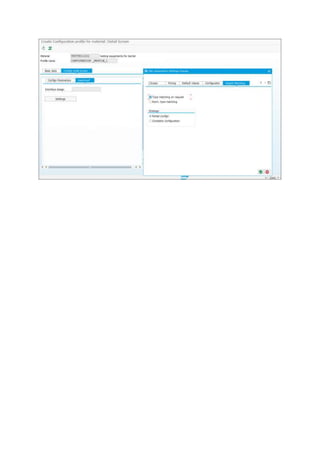
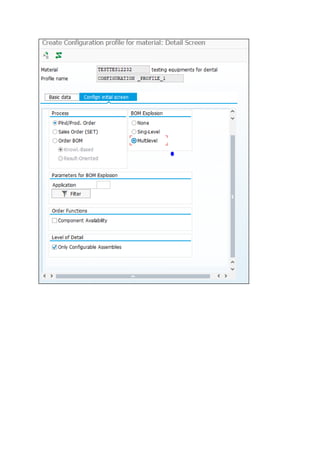
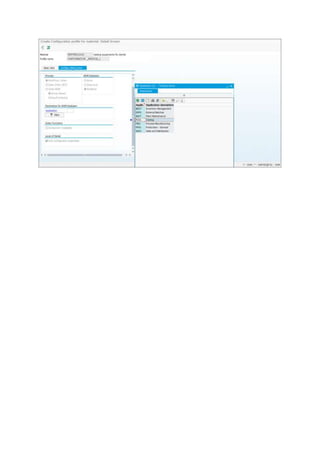
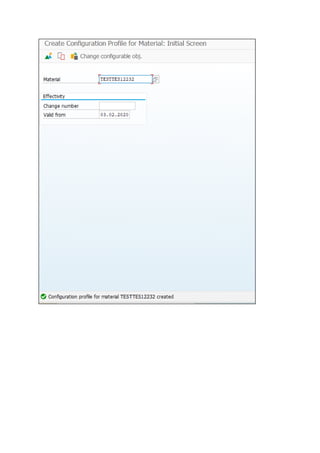
4. Create a configuration profile ZCARprof using Cu41 and assign the
Kmat material to Class ZCAR,
The procedure is as follows:
• Create a Material - KMAT type with Item category (002)
• Create Characteristics in CT04 - ZCAR where in values mention the Color of the
like Red, Blue etc
• Create another characteristics in CT04 - ZPrice, where directly go the
additional data tab and maintain the table SDCOM and field VKOND (ABAP
Dictionary it will ask for)
• Assign these two characteristics to a Class in CL01 - ZCARclass ( Type 300) in
characteristics tab page.
• Then go to CU41 Configuration profile select the material and enter the
description click on the class assignment ie assign ZCARclass.
• Now go back to CT04 - enter ZCAR -go to values- select Red- go to extras -
Other Dependencies - Select Procedure enter in front 10 write -self. Price='Red'
and save
• Now go back go to extras - Other Dependencies - assignments and assign
relationship ( by default it will come just save)
• Now select Blue- go to extras - Other Dependencies - Editor - Select Procedure
enter in front of 10 write - self. Price='Blue' and save
• Now go back go to extras - Other Dependencies - assignments and assign
relationship ( by default it will come just save)
• Now go to VK11 - Enter VA00 (Condition)(For Std RVA001 Pricing Procedure) -
enter variant Red and Blue give the rates accordingly and create the sales order.
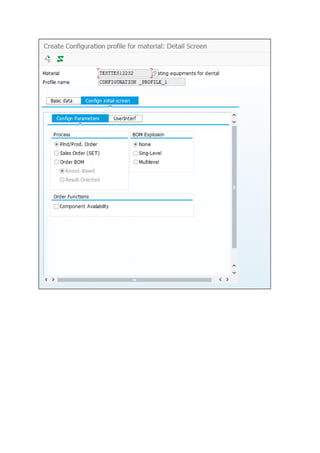
T code: CU41 - Create ConfigurationProfile forMaterial
Assignclasstype – 300
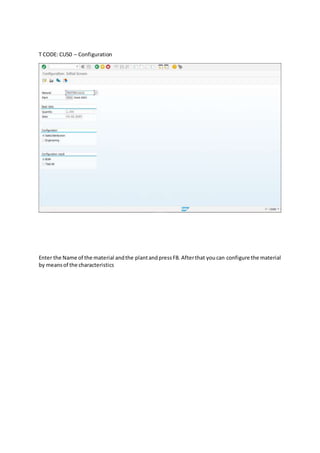
T CODE: CU50 – Configuration
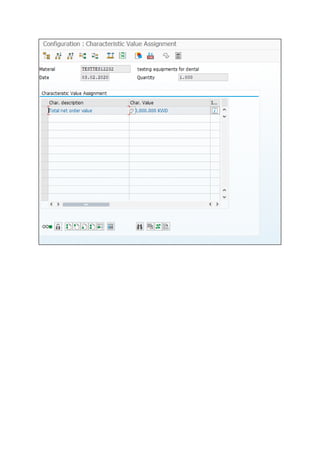
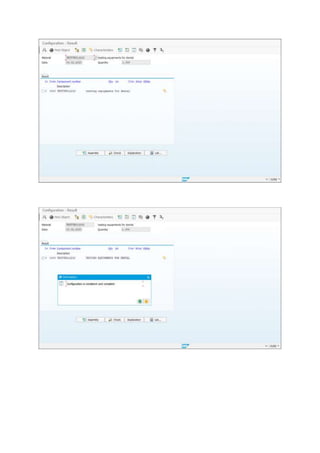
Enter the Name of the material andthe plantandpressF8. Afterthat youcan configure the material
by meansof the characteristics
Variant configuration.docx

Variant configuration.docx

  • 1.
    I want toconfigure CAR having different types of colours, each colour have variety of standard feature as well as different CC. while want to create sales order I want CAR with specific colour, Cc feature. which is not possible while creating BOM it will only be configure by materiel Variant Configuration. Here are the Steps for Variant Configuration: 1. Create a Material of your CAR using Material type KMAT(MM01). 2. Then create a characteristic called ZColour(SAP has a standard Characteristic for this but it has multiple values-i.e you can select more than one colour for your CAR. If you do not want that create your own) with character format and assign single value radio button on the initial screen. Go to values Tab and give the colours you need. save the characteristic. Similarly repeat for CC(I figure this CC as 1000cc & 2000cc kind of thing. If you want these as materials then it is a different story-I am taking this as feature as well) 3. Create a class called ZCAR with the above 2 characteristics. Save the class 4. Create a configuration profile ZCARprof using Cu41 and assign the Kmat material to Class ZCAR, The procedure is as follows: • Create a Material - KMAT type with Item category (002) • Create Characteristics in CT04 - ZCAR where in values mention the Color of the like Red, Blue etc • Create another characteristics in CT04 - ZPrice, where directly go the additional data tab and maintain the table SDCOM and field VKOND (ABAP Dictionary it will ask for) • Assign these two characteristics to a Class in CL01 - ZCARclass ( Type 300) in characteristics tab page. • Then go to CU41 Configuration profile select the material and enter the description click on the class assignment ie assign ZCARclass. • Now go back to CT04 - enter ZCAR -go to values- select Red- go to extras - Other Dependencies - Select Procedure enter in front 10 write -self. Price='Red' and save • Now go back go to extras - Other Dependencies - assignments and assign relationship ( by default it will come just save) • Now select Blue- go to extras - Other Dependencies - Editor - Select Procedure enter in front of 10 write - self. Price='Blue' and save • Now go back go to extras - Other Dependencies - assignments and assign relationship ( by default it will come just save)
  • 2.
    • Now goto VK11 - Enter VA00 (Condition)(For Std RVA001 Pricing Procedure) - enter variant Red and Blue give the rates accordingly and create the sales order. T code: CU41 - Create ConfigurationProfile forMaterial Assignclasstype – 300
  • 8.
    T CODE: CU50– Configuration Enter the Name of the material andthe plantandpressF8. Afterthat youcan configure the material by meansof the characteristics