M.SANDHIYA (MSC INFO TECH)
NADAR SARASWATHI COLLEGE
OF ARTS AND SCIENCE
INTERNET PROTOCAL
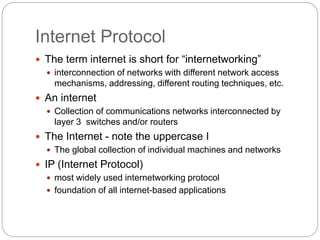
Internet Protocol
 The term internet is short for “internetworking”
 interconnection of networks with different network access
mechanisms, addressing, different routing techniques, etc.
 An internet
 Collection of communications networks interconnected by
layer 3 switches and/or routers
 The Internet - note the uppercase I
 The global collection of individual machines and networks
 IP (Internet Protocol)
 most widely used internetworking protocol
 foundation of all internet-based applications
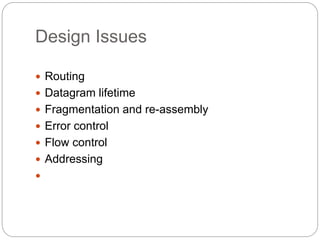
Design Issues
 Routing
 Datagram lifetime
 Fragmentation and re-assembly
 Error control
 Flow control
 Addressing

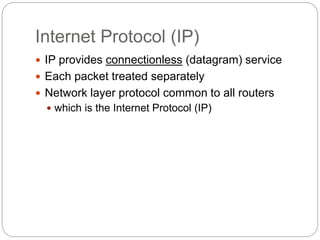
Internet Protocol (IP)
 IP provides connectionless (datagram) service
 Each packet treated separately
 Network layer protocol common to all routers
 which is the Internet Protocol (IP)
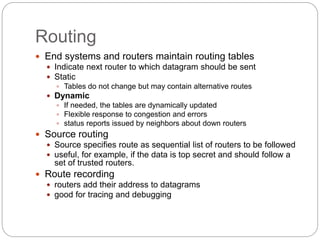
Routing
 End systems and routers maintain routing tables
 Indicate next router to which datagram should be sent
 Static
 Tables do not change but may contain alternative routes
 Dynamic
 If needed, the tables are dynamically updated
 Flexible response to congestion and errors
 status reports issued by neighbors about down routers
 Source routing
 Source specifies route as sequential list of routers to be followed
 useful, for example, if the data is top secret and should follow a
set of trusted routers.
 Route recording
 routers add their address to datagrams
 good for tracing and debugging
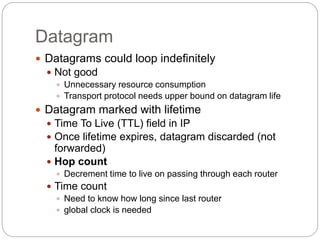
Datagram
 Datagrams could loop indefinitely
 Not good
 Unnecessary resource consumption
 Transport protocol needs upper bound on datagram life
 Datagram marked with lifetime
 Time To Live (TTL) field in IP
 Once lifetime expires, datagram discarded (not
forwarded)
 Hop count
 Decrement time to live on passing through each router
 Time count
 Need to know how long since last router
 global clock is needed
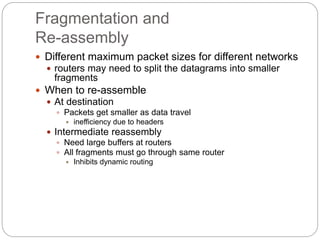
Fragmentation and
Re-assembly
 Different maximum packet sizes for different networks
 routers may need to split the datagrams into smaller
fragments
 When to re-assemble
 At destination
 Packets get smaller as data travel
 inefficiency due to headers
 Intermediate reassembly
 Need large buffers at routers
 All fragments must go through same router
 Inhibits dynamic routing
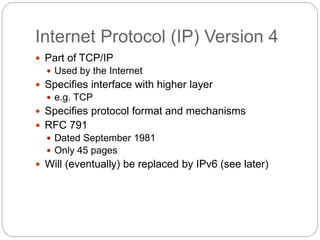
Internet Protocol (IP) Version 4
 Part of TCP/IP
 Used by the Internet
 Specifies interface with higher layer
 e.g. TCP
 Specifies protocol format and mechanisms
 RFC 791
 Dated September 1981
 Only 45 pages
 Will (eventually) be replaced by IPv6 (see later)
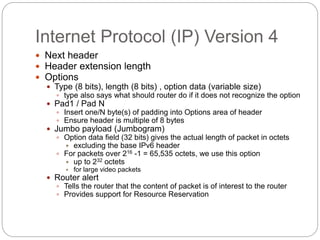
Internet Protocol (IP) Version 4
 Next header
 Header extension length
 Options
 Type (8 bits), length (8 bits) , option data (variable size)
 type also says what should router do if it does not recognize the option
 Pad1 / Pad N
 Insert one/N byte(s) of padding into Options area of header
 Ensure header is multiple of 8 bytes
 Jumbo payload (Jumbogram)
 Option data field (32 bits) gives the actual length of packet in octets
 excluding the base IPv6 header
 For packets over 216 -1 = 65,535 octets, we use this option
 up to 232 octets
 for large video packets
 Router alert
 Tells the router that the content of packet is of interest to the router
 Provides support for Resource Reservation
IP Fragmentation
 In IP, reassembly is at destination only
 Uses fields in header
 Data Unit Identifier – In order to uniquely identify datagram – all
fragments that belong to a datagram share the same identifier
1. Source and destination addresses
2. Upper protocol layer (e.g. TCP)
3. Identification supplied by that layer
 Data length
 Length of user data in octets (if fragment, length of fragment data)
 Actually header contains total length incl. header but data length can
be calculated
 Offset
 Position of fragment of user data in original datagram (position of the
first byte of the fragment)
 In multiples of 64 bits (8 octets)
 More flag
 Indicates that this is not the last fragment (if this flag is 1)

sandhiya

  • 1.
    M.SANDHIYA (MSC INFOTECH) NADAR SARASWATHI COLLEGE OF ARTS AND SCIENCE INTERNET PROTOCAL
  • 2.
    Internet Protocol  Theterm internet is short for “internetworking”  interconnection of networks with different network access mechanisms, addressing, different routing techniques, etc.  An internet  Collection of communications networks interconnected by layer 3 switches and/or routers  The Internet - note the uppercase I  The global collection of individual machines and networks  IP (Internet Protocol)  most widely used internetworking protocol  foundation of all internet-based applications
  • 3.
    Design Issues  Routing Datagram lifetime  Fragmentation and re-assembly  Error control  Flow control  Addressing 
  • 4.
    Internet Protocol (IP) IP provides connectionless (datagram) service  Each packet treated separately  Network layer protocol common to all routers  which is the Internet Protocol (IP)
  • 5.
    Routing  End systemsand routers maintain routing tables  Indicate next router to which datagram should be sent  Static  Tables do not change but may contain alternative routes  Dynamic  If needed, the tables are dynamically updated  Flexible response to congestion and errors  status reports issued by neighbors about down routers  Source routing  Source specifies route as sequential list of routers to be followed  useful, for example, if the data is top secret and should follow a set of trusted routers.  Route recording  routers add their address to datagrams  good for tracing and debugging
  • 6.
    Datagram  Datagrams couldloop indefinitely  Not good  Unnecessary resource consumption  Transport protocol needs upper bound on datagram life  Datagram marked with lifetime  Time To Live (TTL) field in IP  Once lifetime expires, datagram discarded (not forwarded)  Hop count  Decrement time to live on passing through each router  Time count  Need to know how long since last router  global clock is needed
  • 7.
    Fragmentation and Re-assembly  Differentmaximum packet sizes for different networks  routers may need to split the datagrams into smaller fragments  When to re-assemble  At destination  Packets get smaller as data travel  inefficiency due to headers  Intermediate reassembly  Need large buffers at routers  All fragments must go through same router  Inhibits dynamic routing
  • 8.
    Internet Protocol (IP)Version 4  Part of TCP/IP  Used by the Internet  Specifies interface with higher layer  e.g. TCP  Specifies protocol format and mechanisms  RFC 791  Dated September 1981  Only 45 pages  Will (eventually) be replaced by IPv6 (see later)
  • 9.
    Internet Protocol (IP)Version 4  Next header  Header extension length  Options  Type (8 bits), length (8 bits) , option data (variable size)  type also says what should router do if it does not recognize the option  Pad1 / Pad N  Insert one/N byte(s) of padding into Options area of header  Ensure header is multiple of 8 bytes  Jumbo payload (Jumbogram)  Option data field (32 bits) gives the actual length of packet in octets  excluding the base IPv6 header  For packets over 216 -1 = 65,535 octets, we use this option  up to 232 octets  for large video packets  Router alert  Tells the router that the content of packet is of interest to the router  Provides support for Resource Reservation
  • 10.
    IP Fragmentation  InIP, reassembly is at destination only  Uses fields in header  Data Unit Identifier – In order to uniquely identify datagram – all fragments that belong to a datagram share the same identifier 1. Source and destination addresses 2. Upper protocol layer (e.g. TCP) 3. Identification supplied by that layer  Data length  Length of user data in octets (if fragment, length of fragment data)  Actually header contains total length incl. header but data length can be calculated  Offset  Position of fragment of user data in original datagram (position of the first byte of the fragment)  In multiples of 64 bits (8 octets)  More flag  Indicates that this is not the last fragment (if this flag is 1)