

Start Time: 2:00pm EST
Live Webinar
Webinar Audio:
You can dial the telephone numbers located on your webinar panel.
Or listen in using your microphone or computer speakers.
Welcome!
Webinar Details
• Presentation is roughly 1 hour
• All phone lines are muted
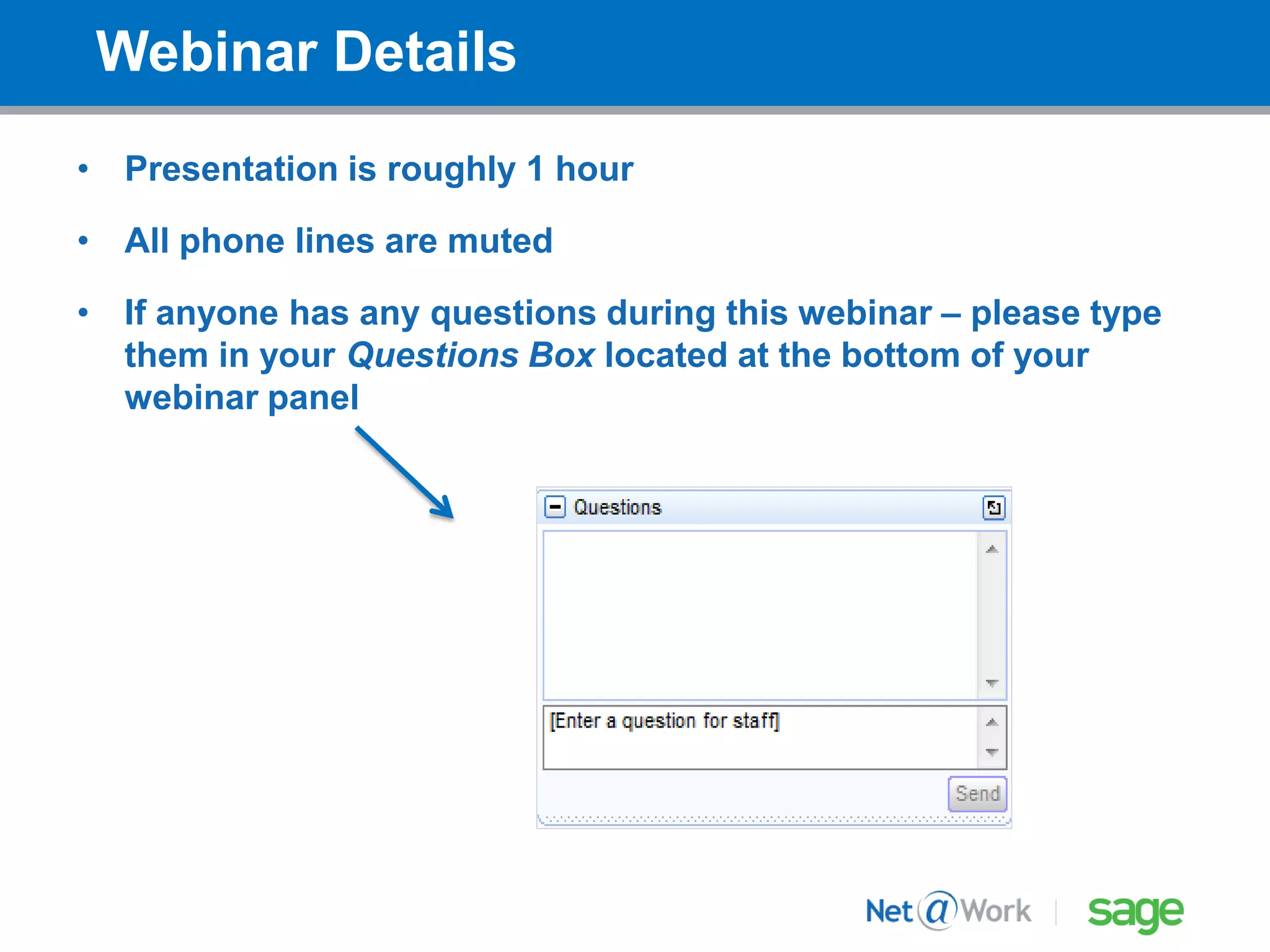
• If anyone has any questions during this webinar – please type
them in your Questions Box located at the bottom of your
webinar panel
Today’s Presenters
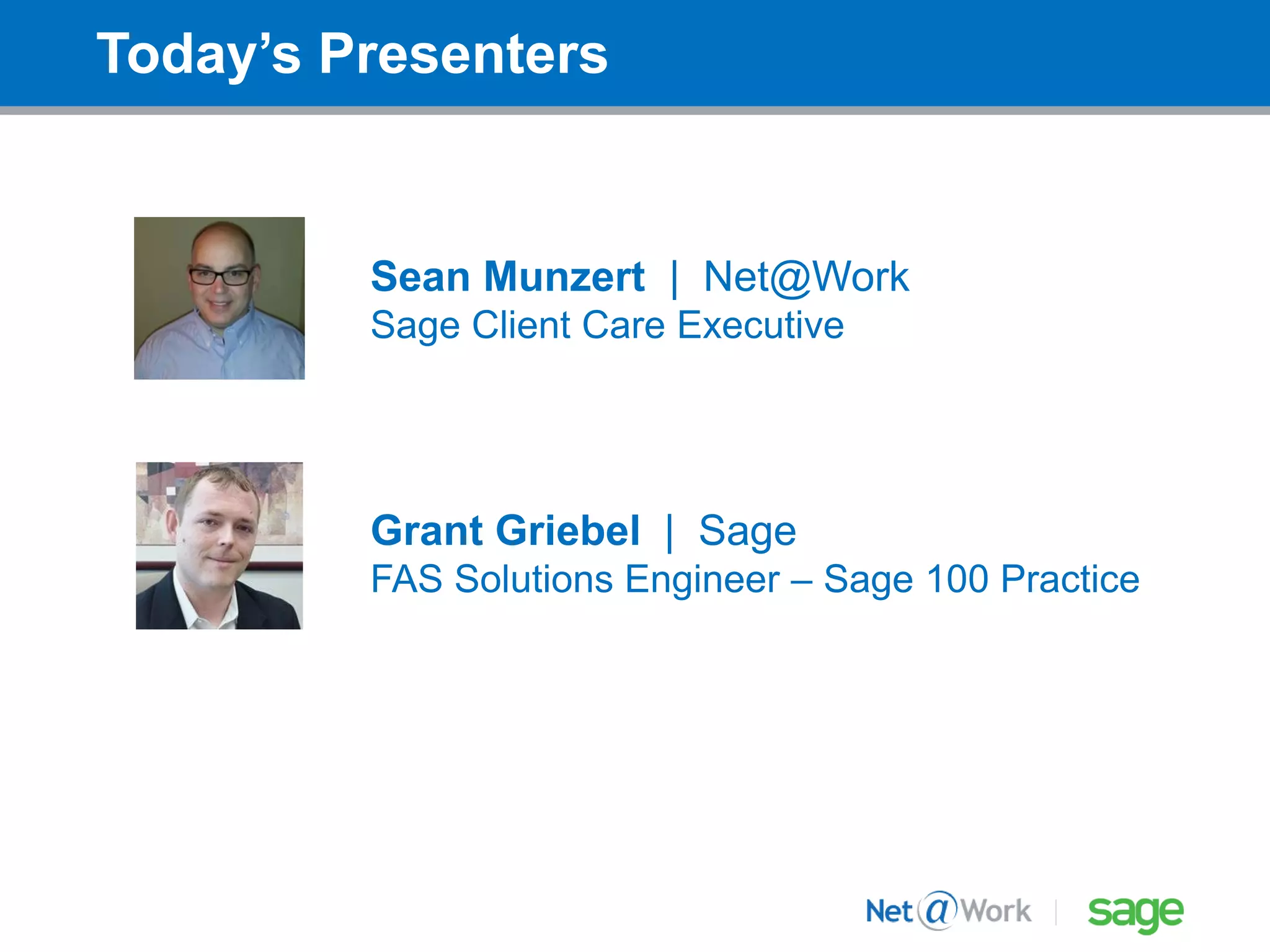
Sean Munzert | Net@Work
Sage Client Care Executive
Grant Griebel | Sage
FAS Solutions Engineer – Sage 100 Practice
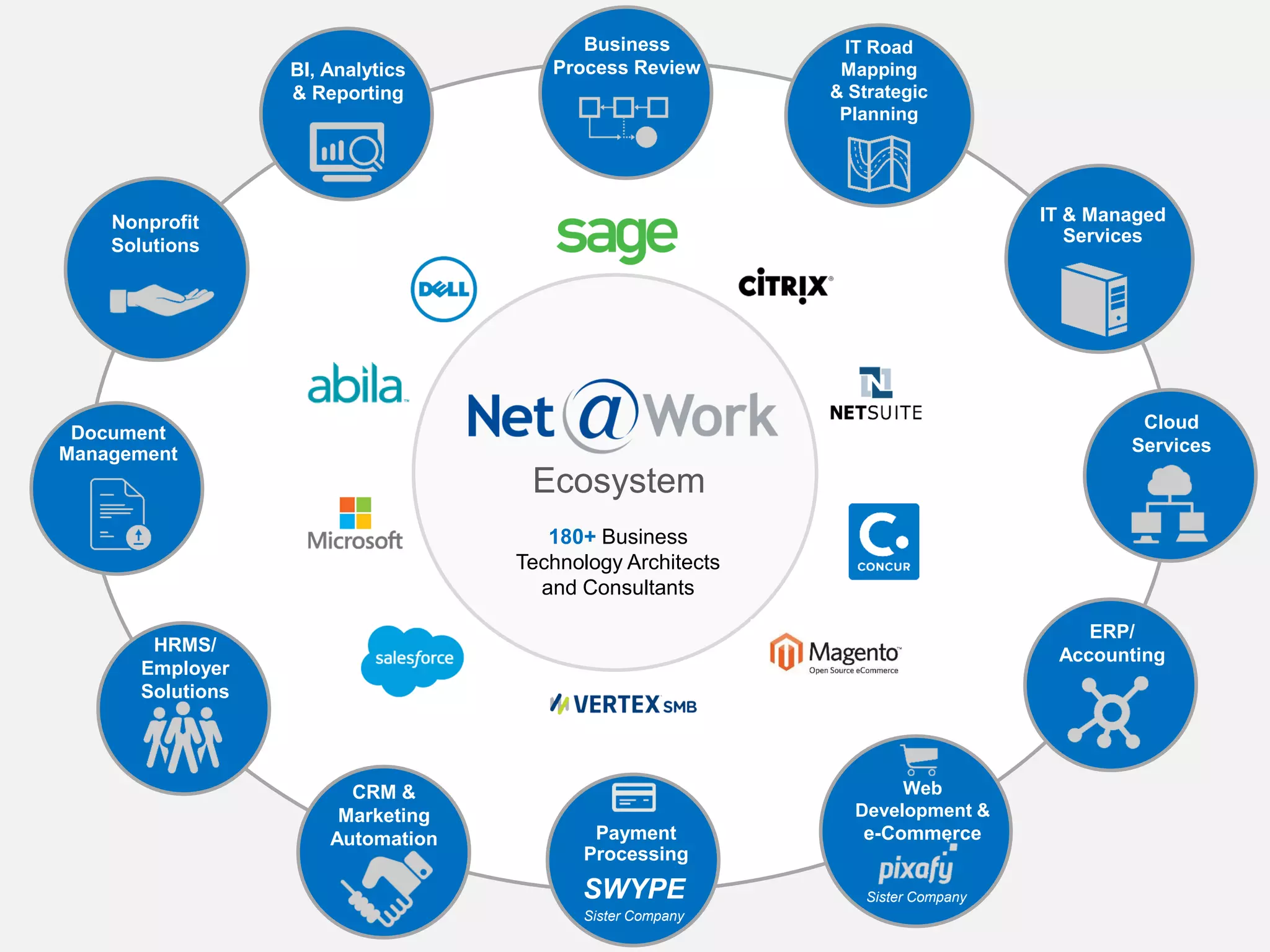
180+ Business
Technology Architects
and Consultants
ERP/
Accounting
CRM &
Marketing
Automation
HRMS/
Employer
Solutions
IT Road
Mapping
& Strategic
Planning
Business
Process Review
IT & Managed
Services
Cloud
Services
Document
Management
Nonprofit
Solutions
Web
Development &
e-Commerce
Sister Company
Payment
Processing
SWYPE
Sister Company
Ecosystem
BI, Analytics
& Reporting
Depreciation: Eliminating the risks of spreadsheets 5
Sage Fixed Assets:
Eliminating the risks
of spreadsheets
Grant Griebel–Sage Fixed Assets Solutions Engineer
May 27, 2016
Depreciation: Eliminating the risks of
spreadsheets
Depreciation: Eliminating the risks of spreadsheets 6
Why shouldn’t I be using spreadsheets to manage my fixed
assets?
What are the risks?
What alternatives are available to me?
What about the rest of the Fixed Asset Process?
Depreciation: Eliminating the risks of
spreadsheets
Depreciation: Eliminating the risks of spreadsheets 7
Agenda:
• Spreadsheet dangers
• Using Sage Fixed Assets Depreciation
• Managing the entire Fixed Asset Process
Depreciation: Eliminating the risks of spreadsheets 8
What do you mean
spreadsheet
dangers?
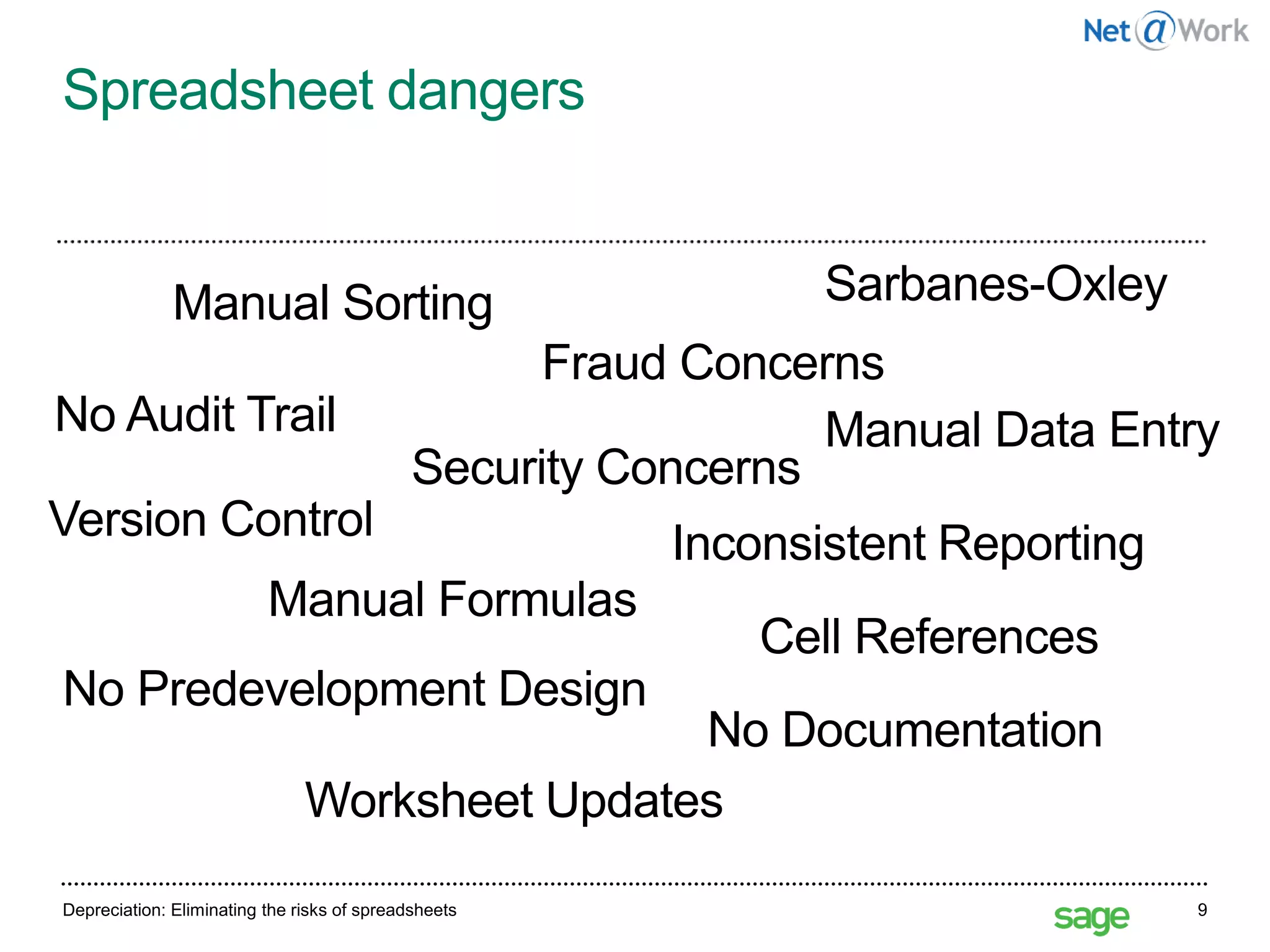
Depreciation: Eliminating the risks of spreadsheets 9
No Predevelopment Design
Spreadsheet dangers
No Documentation
Cell References
Manual Formulas
Manual Sorting
Version Control
No Audit Trail Manual Data Entry
Security Concerns
Fraud Concerns
Inconsistent Reporting
Worksheet Updates
Sarbanes-Oxley
27 May 2016Depreciation: Overcoming the costs of spreadsheets 10
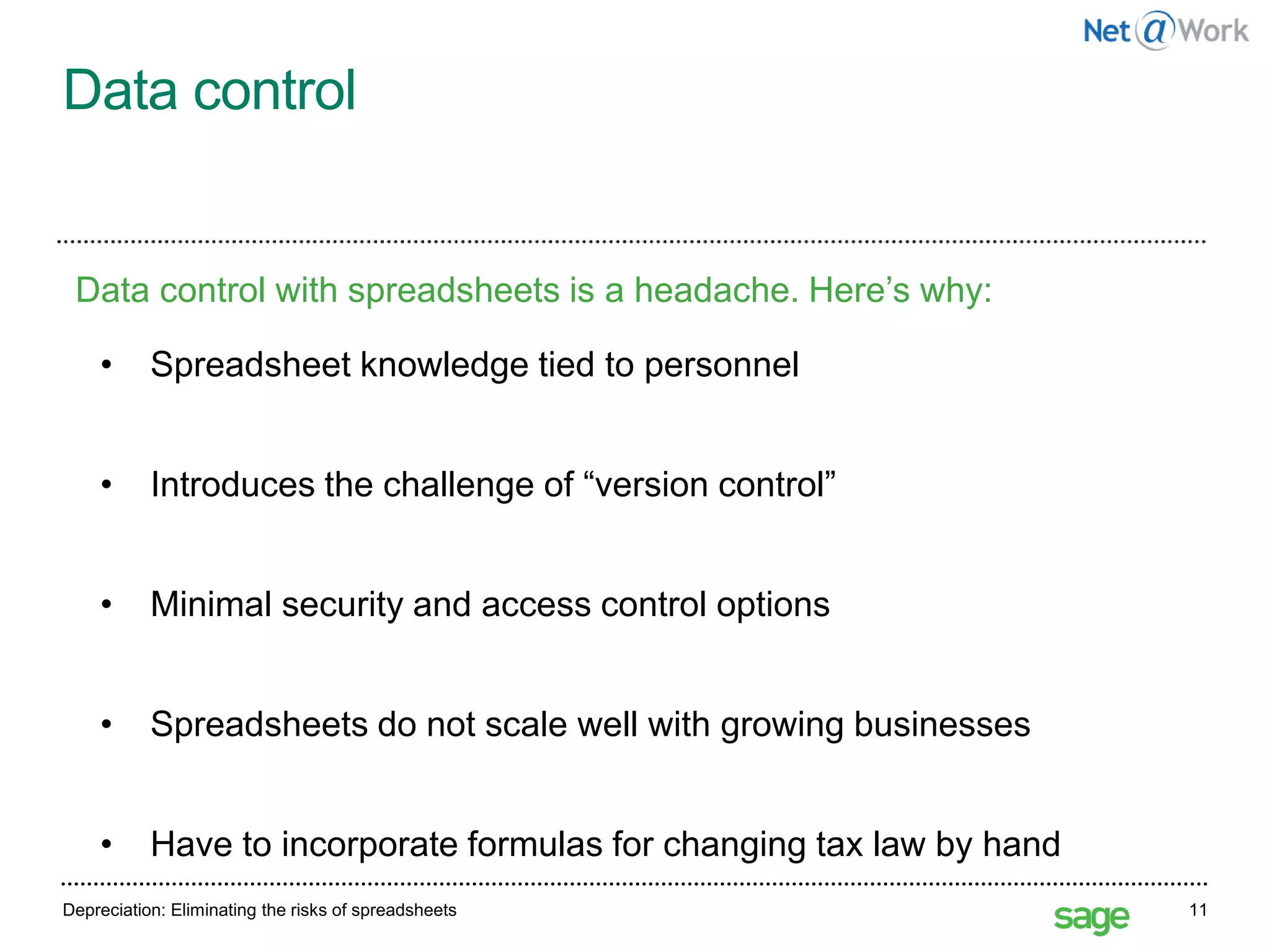
Data control
27 May 2016Depreciation: Eliminating the risks of spreadsheets 11
• Spreadsheet knowledge tied to personnel
• Introduces the challenge of “version control”
• Minimal security and access control options
• Spreadsheets do not scale well with growing businesses
• Have to incorporate formulas for changing tax law by hand
Data control with spreadsheets is a headache. Here’s why:
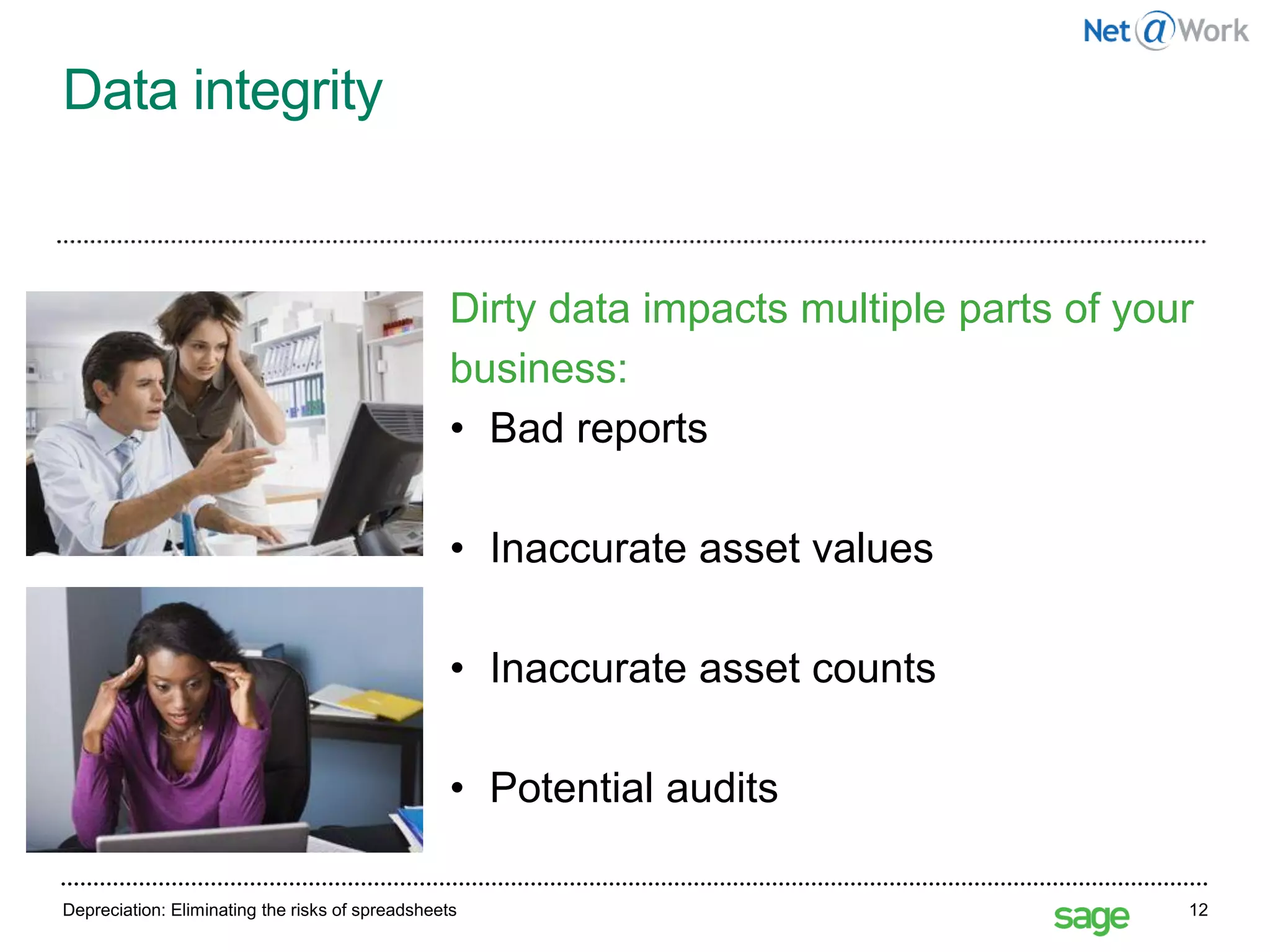
Data integrity
Depreciation: Eliminating the risks of spreadsheets 12
Dirty data impacts multiple parts of your
business:
• Bad reports
• Inaccurate asset values
• Inaccurate asset counts
• Potential audits
Real world examples:
Eastman Kodak Company
“Eastman Kodak Company restated
financial results for the first and second
quarters by $2 million and $13 million,
respectively, due to an erroneous
spreadsheet that calculated severance
and special pension-related termination
benefits.”
13http://www.pcworld.com/article/127189/article.htmlDepreciation: Eliminating the risks of spreadsheets
Real world examples:
RedEnvelope, Inc.
“Shares of RedEnvelope Inc. tumbled more than 25
percent . . . after the online retailer of specialty
gifts drastically reduced its fourth-quarter outlook”
Stanford Group analyst Rebecca Jones Kujawa said
in an interview. “ . . . they were underestimating
the cost of goods sold . . .” RedEnvelope
spokeswoman Jordan Goldstein said the budgeting
error was simply due to a number misrecorded in one
cell of a spreadsheet that then threw
off the cost forecast.
Depreciation: Eliminating the risks of spreadsheets 14http://www.eusprig.org/stories.htm
Real world examples:
CECO
“CECO’s in-house accounting staff has
discovered an accounting error in the
spreadsheet calculations used by the
Company’s construction division for its
‘percentage of completion’ accounting. The net
effect will be a cumulative reduction in revenue
of $1,969,000 over the four year period 2000 to
2003 with an equivalent charge to pretax net
income.”
Depreciation: Eliminating the risks of spreadsheets 15http://www.bizjournals.com/cincinnati/stories/2005/02/07/daily31.html
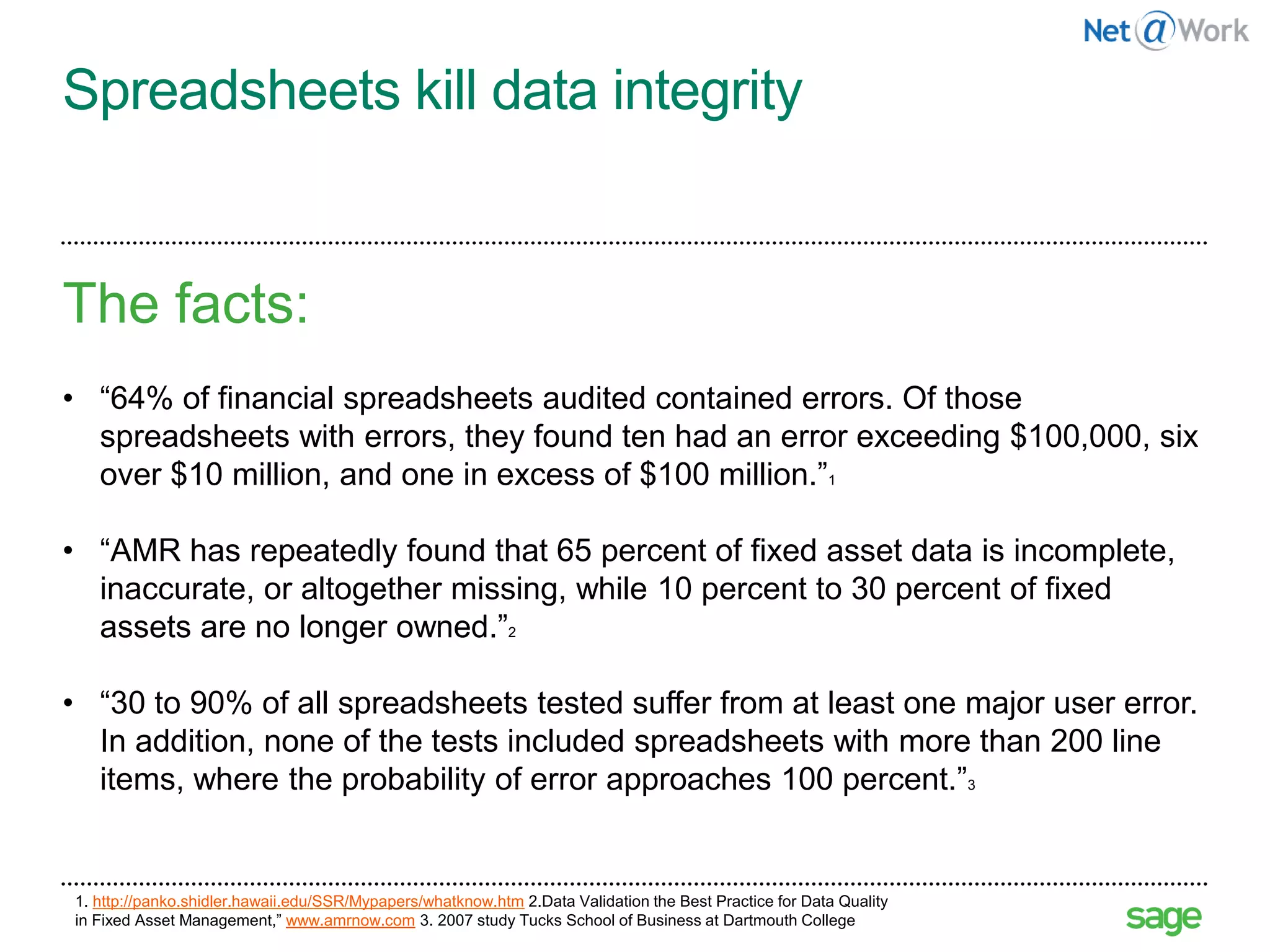
Spreadsheets kill data integrity
The facts:
• “64% of financial spreadsheets audited contained errors. Of those
spreadsheets with errors, they found ten had an error exceeding $100,000, six
over $10 million, and one in excess of $100 million.”1
• “AMR has repeatedly found that 65 percent of fixed asset data is incomplete,
inaccurate, or altogether missing, while 10 percent to 30 percent of fixed
assets are no longer owned.”2
• “30 to 90% of all spreadsheets tested suffer from at least one major user error.
In addition, none of the tests included spreadsheets with more than 200 line
items, where the probability of error approaches 100 percent.”3
16
1. http://panko.shidler.hawaii.edu/SSR/Mypapers/whatknow.htm 2.Data Validation the Best Practice for Data Quality
in Fixed Asset Management,” www.amrnow.com 3. 2007 study Tucks School of Business at Dartmouth College
Depreciation: Eliminating the risks of spreadsheets 17
How can Sage Fixed
Assets eliminate the
risks of
spreadsheets?
Sage Fixed Assets Integrated with your Sage ERP Solution 18
The Benefits of an
Integrated Solution
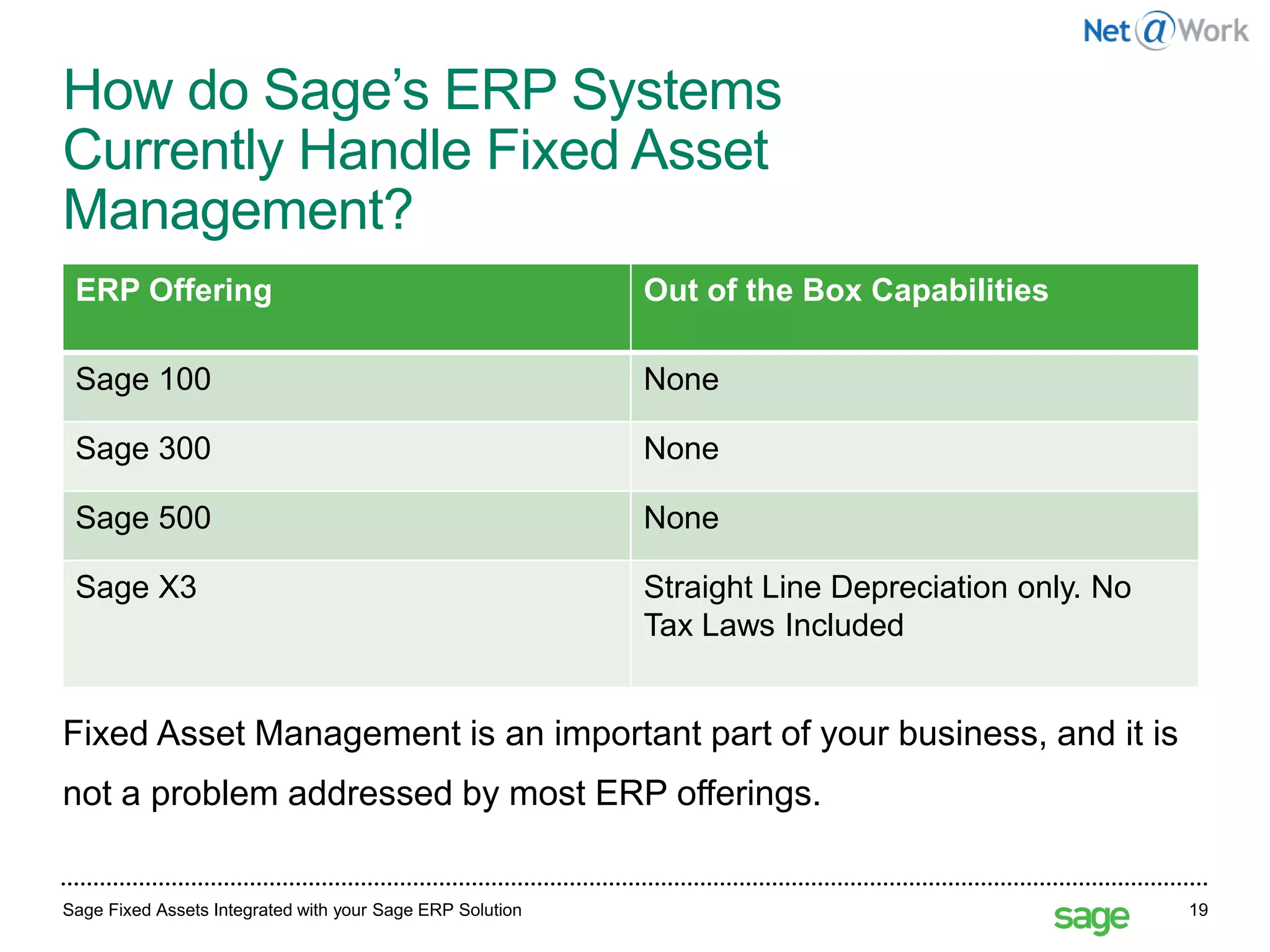
How do Sage’s ERP Systems
Currently Handle Fixed Asset
Management?
Sage Fixed Assets Integrated with your Sage ERP Solution 19
Fixed Asset Management is an important part of your business, and it is
not a problem addressed by most ERP offerings.
ERP Offering Out of the Box Capabilities
Sage 100 None
Sage 300 None
Sage 500 None
Sage X3 Straight Line Depreciation only. No
Tax Laws Included
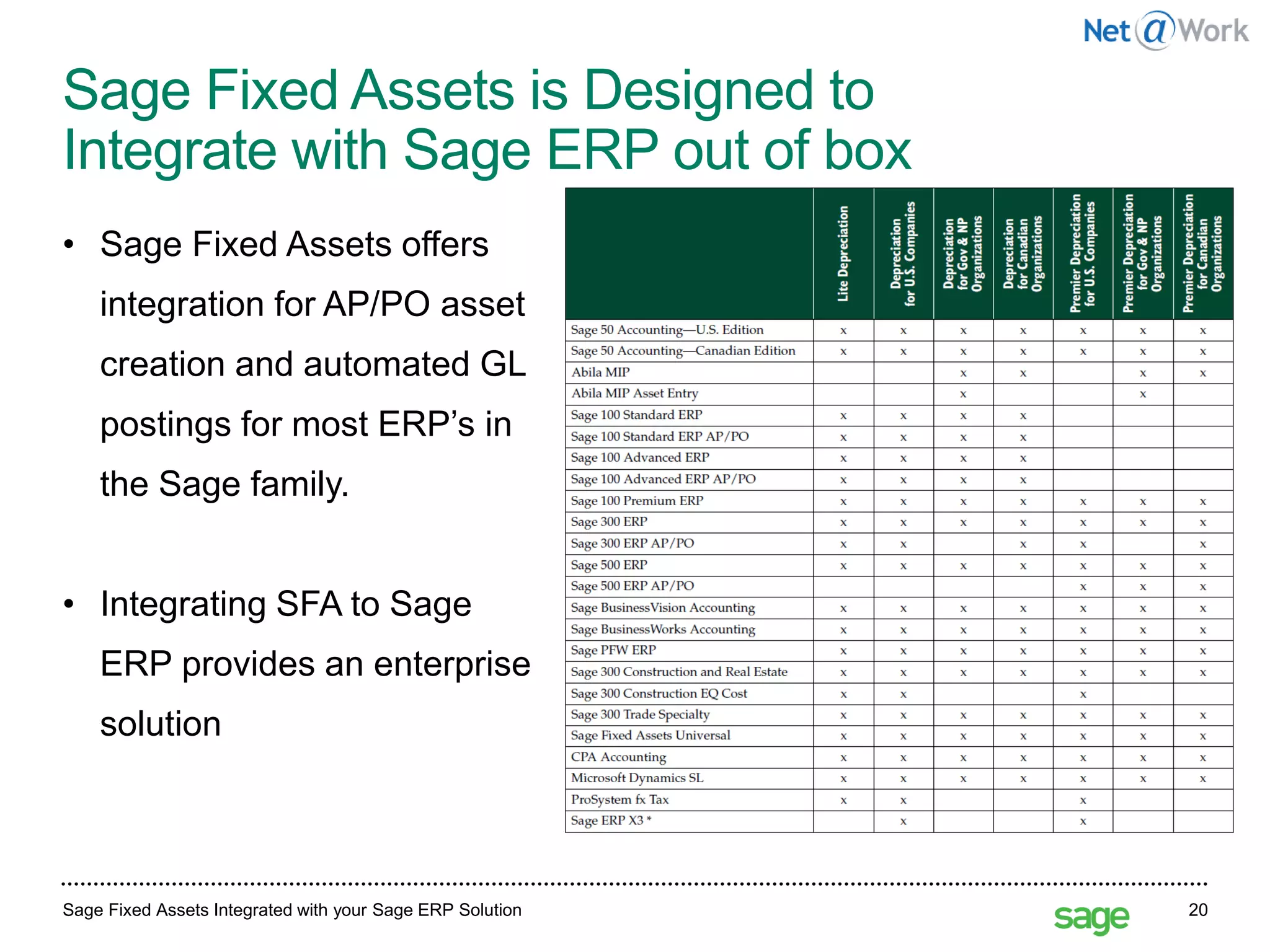
Sage Fixed Assets is Designed to
Integrate with Sage ERP out of box
Sage Fixed Assets Integrated with your Sage ERP Solution 20
• Sage Fixed Assets offers
integration for AP/PO asset
creation and automated GL
postings for most ERP’s in
the Sage family.
• Integrating SFA to Sage
ERP provides an enterprise
solution
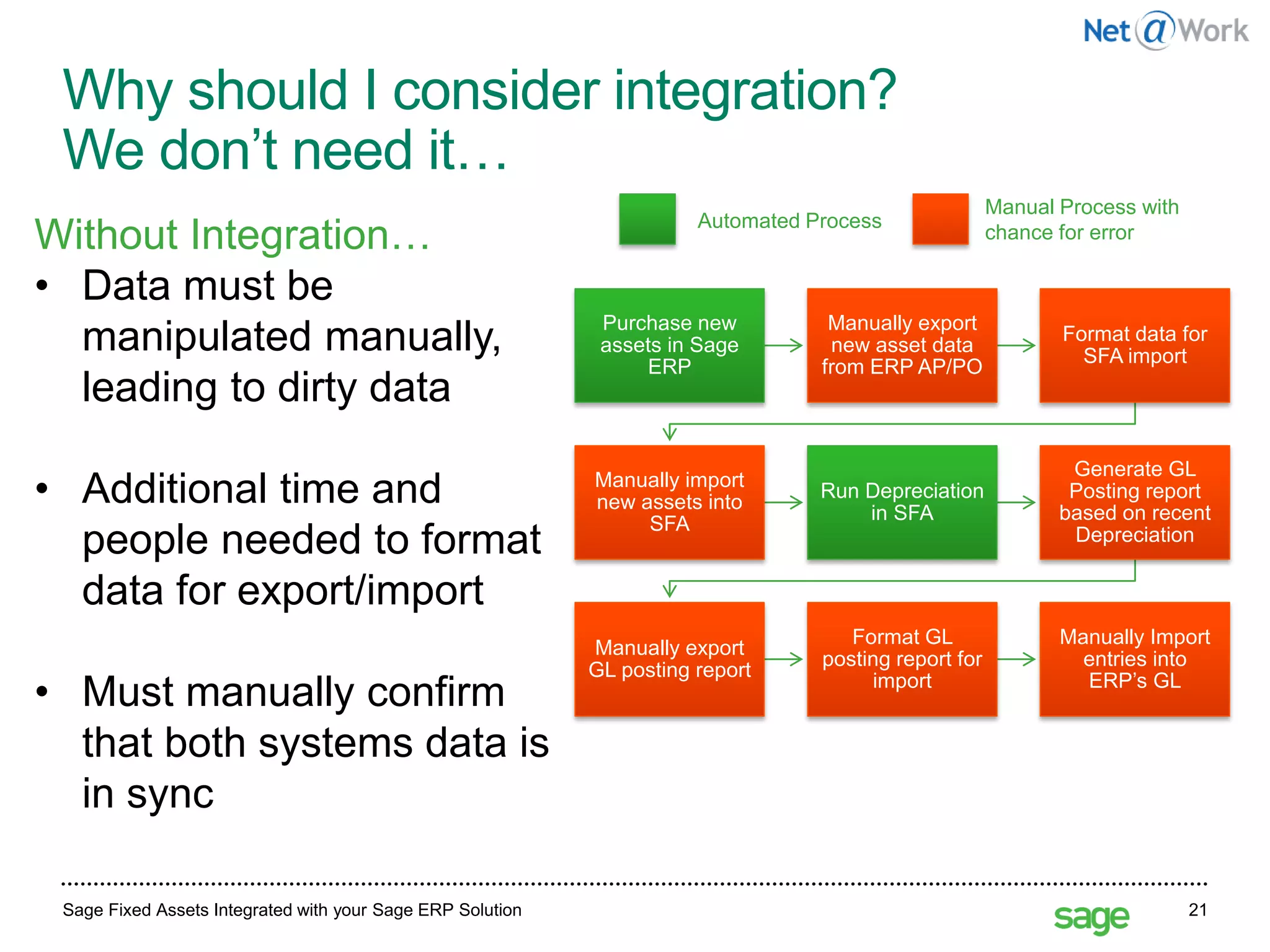
Why should I consider integration?
We don’t need it…
Sage Fixed Assets Integrated with your Sage ERP Solution 21
Purchase new
assets in Sage
ERP
Manually export
new asset data
from ERP AP/PO
Format data for
SFA import
Manually import
new assets into
SFA
Run Depreciation
in SFA
Generate GL
Posting report
based on recent
Depreciation
Manually export
GL posting report
Format GL
posting report for
import
Manually Import
entries into
ERP’s GL
Automated Process
Manual Process with
chance for errorWithout Integration…
• Data must be
manipulated manually,
leading to dirty data
• Additional time and
people needed to format
data for export/import
• Must manually confirm
that both systems data is
in sync
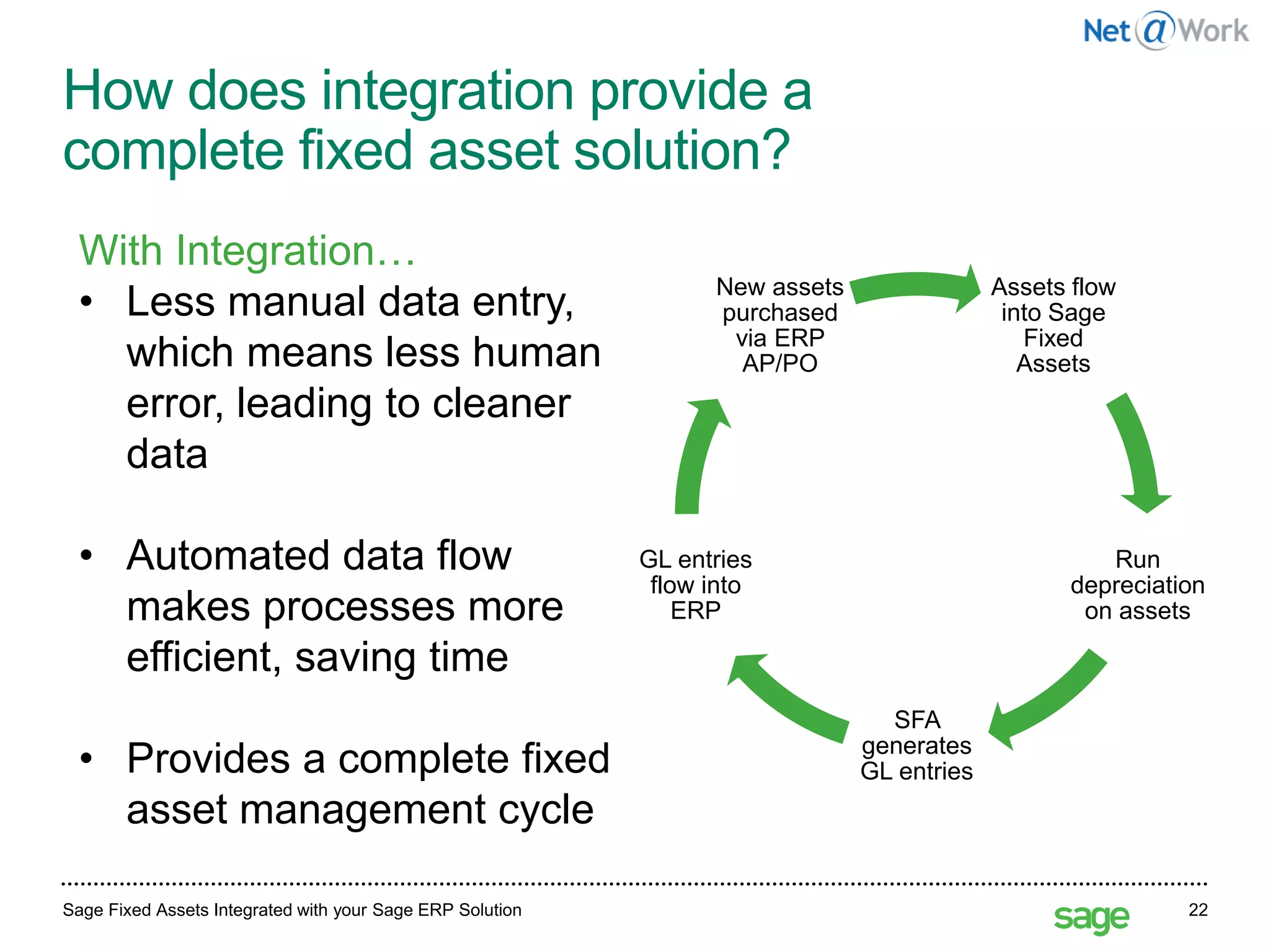
How does integration provide a
complete fixed asset solution?
Sage Fixed Assets Integrated with your Sage ERP Solution 22
Assets flow
into Sage
Fixed
Assets
Run
depreciation
on assets
SFA
generates
GL entries
GL entries
flow into
ERP
New assets
purchased
via ERP
AP/PO
With Integration…
• Less manual data entry,
which means less human
error, leading to cleaner
data
• Automated data flow
makes processes more
efficient, saving time
• Provides a complete fixed
asset management cycle
Depreciation: Eliminating the risks of spreadsheets 23
What about
the rest of the Fixed
Asset Process?
Depreciation: Eliminating the risks of spreadsheets 24
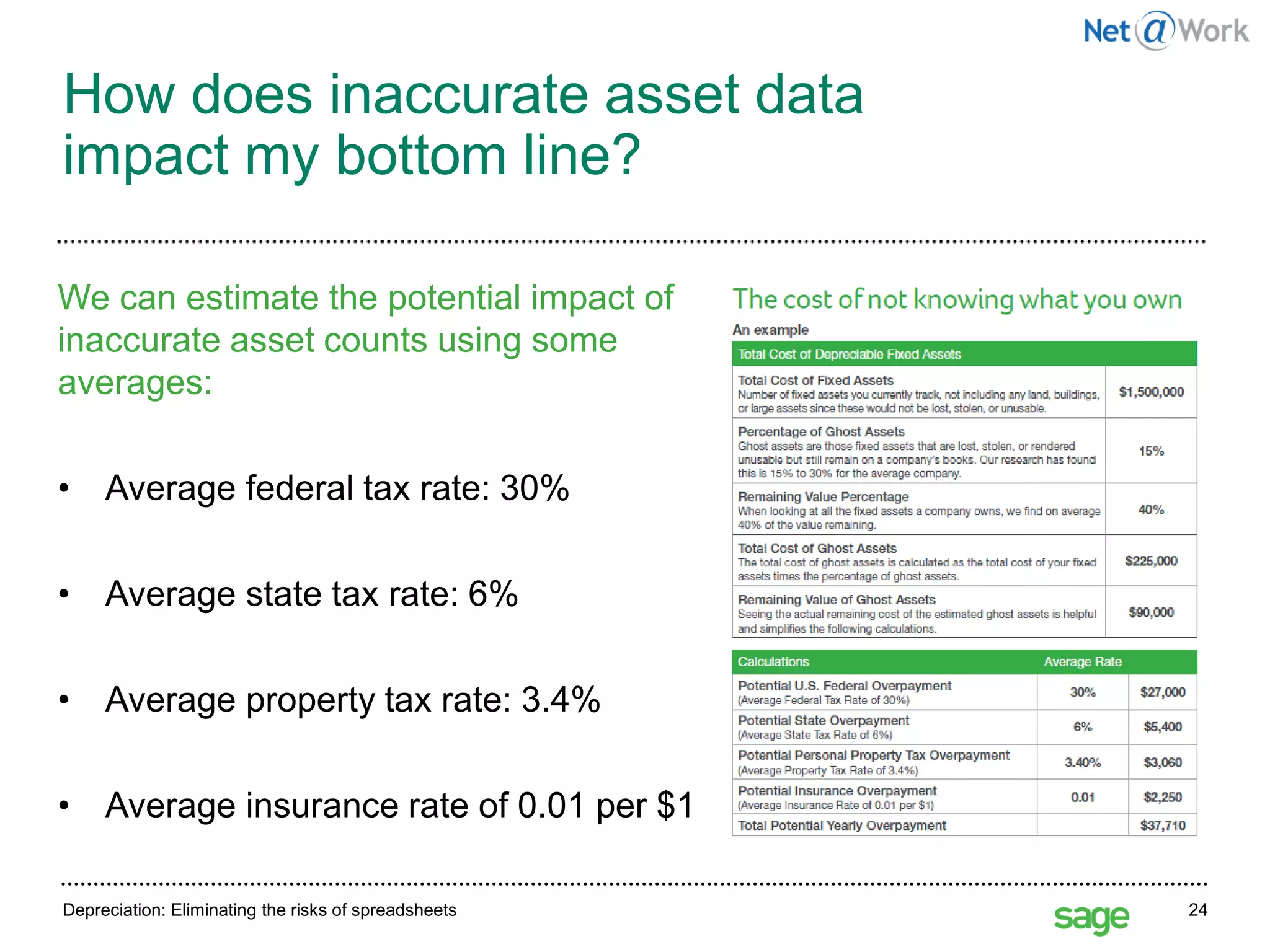
How does inaccurate asset data
impact my bottom line?
We can estimate the potential impact of
inaccurate asset counts using some
averages:
• Average federal tax rate: 30%
• Average state tax rate: 6%
• Average property tax rate: 3.4%
• Average insurance rate of 0.01 per $1
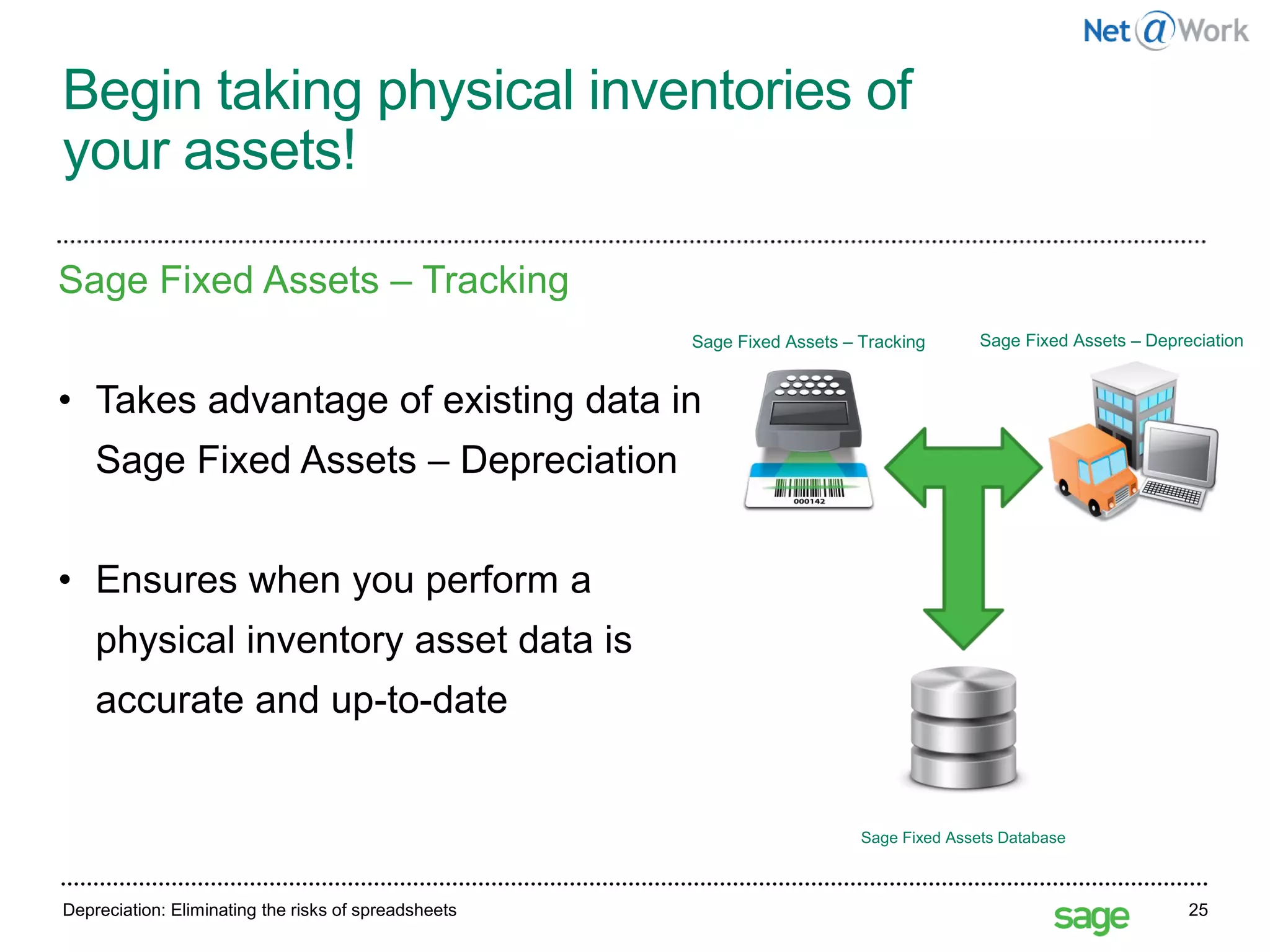
Begin taking physical inventories of
your assets!
Depreciation: Eliminating the risks of spreadsheets 25
Sage Fixed Assets – Tracking
• Takes advantage of existing data in
Sage Fixed Assets – Depreciation
• Ensures when you perform a
physical inventory asset data is
accurate and up-to-date
Sage Fixed Assets Database
Sage Fixed Assets – Tracking Sage Fixed Assets – Depreciation
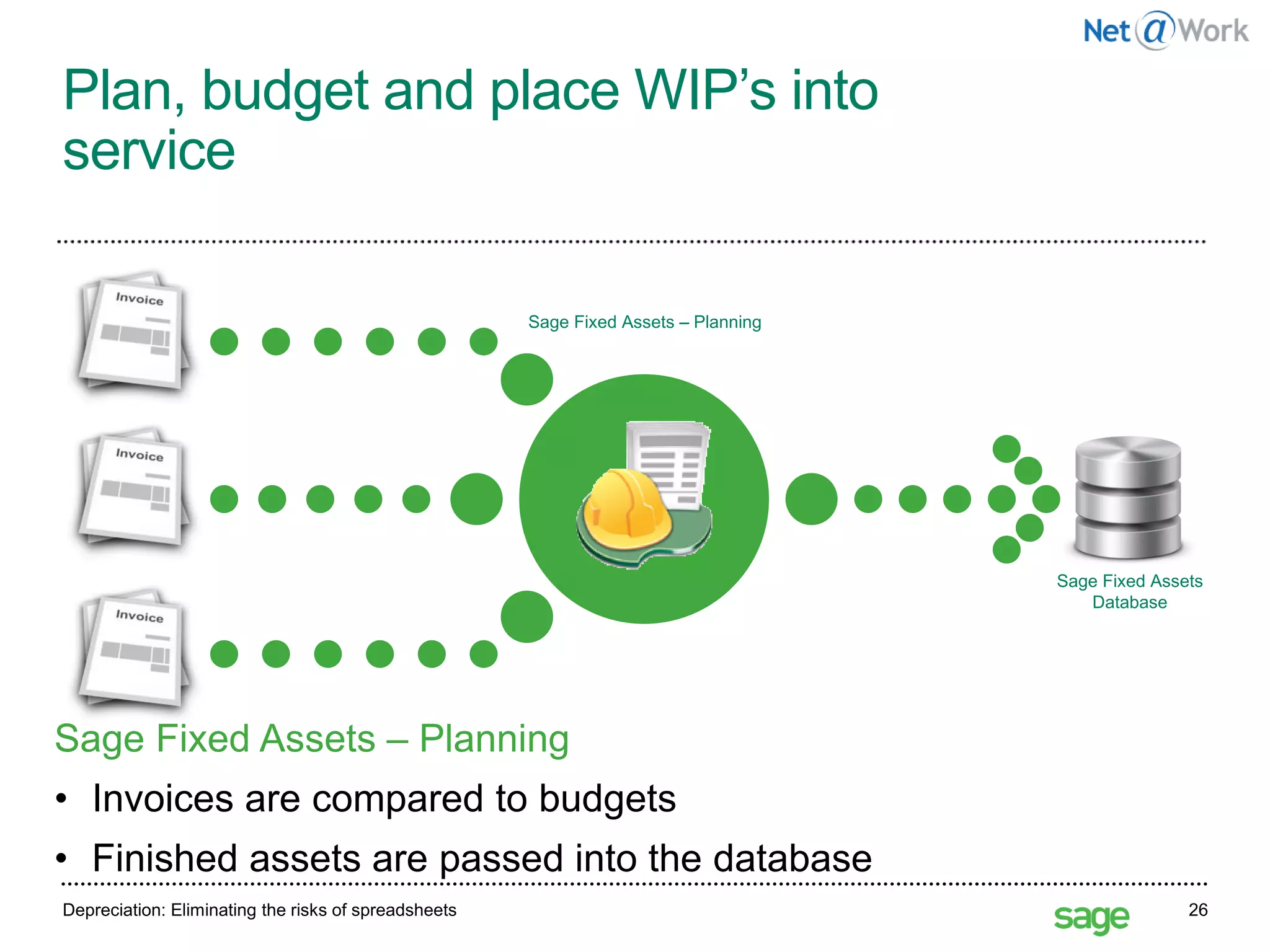
Plan, budget and place WIP’s into
service
Depreciation: Eliminating the risks of spreadsheets 26
Sage Fixed Assets – Planning
• Invoices are compared to budgets
• Finished assets are passed into the database
Sage Fixed Assets – Planning
Sage Fixed Assets
Database
SPECIAL PROMO
Customers who are on a current maintenance plan for any Sage
product will receive 20% off the purchase of Sage Fixed Assets.
• Sage 100
• Sage 300
• Sage 500 ERP
• Sage X3
• Sage 300 Construction and Real Estate
• Sage 100 Contractor
• Sage Estimating
Thru June 30 Sage is offering 20% off.
There's no better time to consider Sage FAS.
Start Time: 2:00pm EST
Please type in
your questions
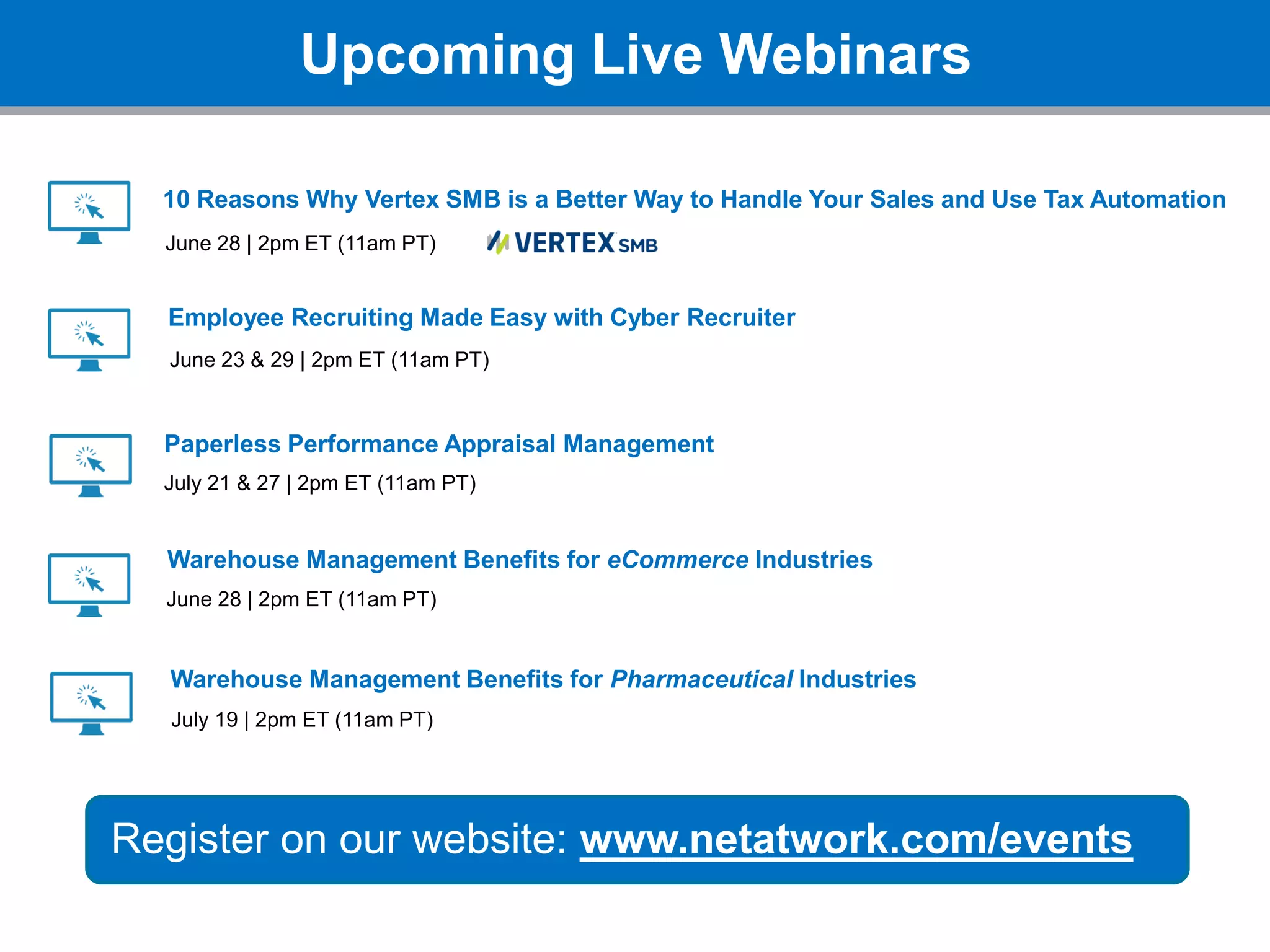
Upcoming Live Webinars
Register on our website: www.netatwork.com/events
10 Reasons Why Vertex SMB is a Better Way to Handle Your Sales and Use Tax Automation
June 28 | 2pm ET (11am PT)
Employee Recruiting Made Easy with Cyber Recruiter
June 23 & 29 | 2pm ET (11am PT)
Paperless Performance Appraisal Management
July 21 & 27 | 2pm ET (11am PT)
Warehouse Management Benefits for eCommerce Industries
July 19 | 2pm ET (11am PT)
Warehouse Management Benefits for Pharmaceutical Industries
June 28 | 2pm ET (11am PT)
Thank You!
800-719-3307
www.netatwork.com
netatwork.com/blog
Net@Work YouTube
Follow us on Twitter: @netatwork_corp
Follow Net@Work on LinkedIn
Follow Net@Work on Google+
Follow Net@Work on Facebook
Connect with
Sean Munzert
Sage 100 Client Care Manager
Phone: 646.293.1781
smunzert@netatwork.com

Sage FAS Fixed Assets - Take Control of your Fixed Assets Process

  • 1.
    Start Time: 2:00pmEST Live Webinar Webinar Audio: You can dial the telephone numbers located on your webinar panel. Or listen in using your microphone or computer speakers. Welcome!
  • 2.
    Webinar Details • Presentationis roughly 1 hour • All phone lines are muted • If anyone has any questions during this webinar – please type them in your Questions Box located at the bottom of your webinar panel
  • 3.
    Today’s Presenters Sean Munzert| Net@Work Sage Client Care Executive Grant Griebel | Sage FAS Solutions Engineer – Sage 100 Practice
  • 4.
    180+ Business Technology Architects andConsultants ERP/ Accounting CRM & Marketing Automation HRMS/ Employer Solutions IT Road Mapping & Strategic Planning Business Process Review IT & Managed Services Cloud Services Document Management Nonprofit Solutions Web Development & e-Commerce Sister Company Payment Processing SWYPE Sister Company Ecosystem BI, Analytics & Reporting
  • 5.
    Depreciation: Eliminating therisks of spreadsheets 5 Sage Fixed Assets: Eliminating the risks of spreadsheets Grant Griebel–Sage Fixed Assets Solutions Engineer May 27, 2016
  • 6.
    Depreciation: Eliminating therisks of spreadsheets Depreciation: Eliminating the risks of spreadsheets 6 Why shouldn’t I be using spreadsheets to manage my fixed assets? What are the risks? What alternatives are available to me? What about the rest of the Fixed Asset Process?
  • 7.
    Depreciation: Eliminating therisks of spreadsheets Depreciation: Eliminating the risks of spreadsheets 7 Agenda: • Spreadsheet dangers • Using Sage Fixed Assets Depreciation • Managing the entire Fixed Asset Process
  • 8.
    Depreciation: Eliminating therisks of spreadsheets 8 What do you mean spreadsheet dangers?
  • 9.
    Depreciation: Eliminating therisks of spreadsheets 9 No Predevelopment Design Spreadsheet dangers No Documentation Cell References Manual Formulas Manual Sorting Version Control No Audit Trail Manual Data Entry Security Concerns Fraud Concerns Inconsistent Reporting Worksheet Updates Sarbanes-Oxley
  • 10.
    27 May 2016Depreciation:Overcoming the costs of spreadsheets 10
  • 11.
    Data control 27 May2016Depreciation: Eliminating the risks of spreadsheets 11 • Spreadsheet knowledge tied to personnel • Introduces the challenge of “version control” • Minimal security and access control options • Spreadsheets do not scale well with growing businesses • Have to incorporate formulas for changing tax law by hand Data control with spreadsheets is a headache. Here’s why:
  • 12.
    Data integrity Depreciation: Eliminatingthe risks of spreadsheets 12 Dirty data impacts multiple parts of your business: • Bad reports • Inaccurate asset values • Inaccurate asset counts • Potential audits
  • 13.
    Real world examples: EastmanKodak Company “Eastman Kodak Company restated financial results for the first and second quarters by $2 million and $13 million, respectively, due to an erroneous spreadsheet that calculated severance and special pension-related termination benefits.” 13http://www.pcworld.com/article/127189/article.htmlDepreciation: Eliminating the risks of spreadsheets
  • 14.
    Real world examples: RedEnvelope,Inc. “Shares of RedEnvelope Inc. tumbled more than 25 percent . . . after the online retailer of specialty gifts drastically reduced its fourth-quarter outlook” Stanford Group analyst Rebecca Jones Kujawa said in an interview. “ . . . they were underestimating the cost of goods sold . . .” RedEnvelope spokeswoman Jordan Goldstein said the budgeting error was simply due to a number misrecorded in one cell of a spreadsheet that then threw off the cost forecast. Depreciation: Eliminating the risks of spreadsheets 14http://www.eusprig.org/stories.htm
  • 15.
    Real world examples: CECO “CECO’sin-house accounting staff has discovered an accounting error in the spreadsheet calculations used by the Company’s construction division for its ‘percentage of completion’ accounting. The net effect will be a cumulative reduction in revenue of $1,969,000 over the four year period 2000 to 2003 with an equivalent charge to pretax net income.” Depreciation: Eliminating the risks of spreadsheets 15http://www.bizjournals.com/cincinnati/stories/2005/02/07/daily31.html
  • 16.
    Spreadsheets kill dataintegrity The facts: • “64% of financial spreadsheets audited contained errors. Of those spreadsheets with errors, they found ten had an error exceeding $100,000, six over $10 million, and one in excess of $100 million.”1 • “AMR has repeatedly found that 65 percent of fixed asset data is incomplete, inaccurate, or altogether missing, while 10 percent to 30 percent of fixed assets are no longer owned.”2 • “30 to 90% of all spreadsheets tested suffer from at least one major user error. In addition, none of the tests included spreadsheets with more than 200 line items, where the probability of error approaches 100 percent.”3 16 1. http://panko.shidler.hawaii.edu/SSR/Mypapers/whatknow.htm 2.Data Validation the Best Practice for Data Quality in Fixed Asset Management,” www.amrnow.com 3. 2007 study Tucks School of Business at Dartmouth College
  • 17.
    Depreciation: Eliminating therisks of spreadsheets 17 How can Sage Fixed Assets eliminate the risks of spreadsheets?
  • 18.
    Sage Fixed AssetsIntegrated with your Sage ERP Solution 18 The Benefits of an Integrated Solution
  • 19.
    How do Sage’sERP Systems Currently Handle Fixed Asset Management? Sage Fixed Assets Integrated with your Sage ERP Solution 19 Fixed Asset Management is an important part of your business, and it is not a problem addressed by most ERP offerings. ERP Offering Out of the Box Capabilities Sage 100 None Sage 300 None Sage 500 None Sage X3 Straight Line Depreciation only. No Tax Laws Included
  • 20.
    Sage Fixed Assetsis Designed to Integrate with Sage ERP out of box Sage Fixed Assets Integrated with your Sage ERP Solution 20 • Sage Fixed Assets offers integration for AP/PO asset creation and automated GL postings for most ERP’s in the Sage family. • Integrating SFA to Sage ERP provides an enterprise solution
  • 21.
    Why should Iconsider integration? We don’t need it… Sage Fixed Assets Integrated with your Sage ERP Solution 21 Purchase new assets in Sage ERP Manually export new asset data from ERP AP/PO Format data for SFA import Manually import new assets into SFA Run Depreciation in SFA Generate GL Posting report based on recent Depreciation Manually export GL posting report Format GL posting report for import Manually Import entries into ERP’s GL Automated Process Manual Process with chance for errorWithout Integration… • Data must be manipulated manually, leading to dirty data • Additional time and people needed to format data for export/import • Must manually confirm that both systems data is in sync
  • 22.
    How does integrationprovide a complete fixed asset solution? Sage Fixed Assets Integrated with your Sage ERP Solution 22 Assets flow into Sage Fixed Assets Run depreciation on assets SFA generates GL entries GL entries flow into ERP New assets purchased via ERP AP/PO With Integration… • Less manual data entry, which means less human error, leading to cleaner data • Automated data flow makes processes more efficient, saving time • Provides a complete fixed asset management cycle
  • 23.
    Depreciation: Eliminating therisks of spreadsheets 23 What about the rest of the Fixed Asset Process?
  • 24.
    Depreciation: Eliminating therisks of spreadsheets 24 How does inaccurate asset data impact my bottom line? We can estimate the potential impact of inaccurate asset counts using some averages: • Average federal tax rate: 30% • Average state tax rate: 6% • Average property tax rate: 3.4% • Average insurance rate of 0.01 per $1
  • 25.
    Begin taking physicalinventories of your assets! Depreciation: Eliminating the risks of spreadsheets 25 Sage Fixed Assets – Tracking • Takes advantage of existing data in Sage Fixed Assets – Depreciation • Ensures when you perform a physical inventory asset data is accurate and up-to-date Sage Fixed Assets Database Sage Fixed Assets – Tracking Sage Fixed Assets – Depreciation
  • 26.
    Plan, budget andplace WIP’s into service Depreciation: Eliminating the risks of spreadsheets 26 Sage Fixed Assets – Planning • Invoices are compared to budgets • Finished assets are passed into the database Sage Fixed Assets – Planning Sage Fixed Assets Database
  • 27.
    SPECIAL PROMO Customers whoare on a current maintenance plan for any Sage product will receive 20% off the purchase of Sage Fixed Assets. • Sage 100 • Sage 300 • Sage 500 ERP • Sage X3 • Sage 300 Construction and Real Estate • Sage 100 Contractor • Sage Estimating Thru June 30 Sage is offering 20% off. There's no better time to consider Sage FAS.
  • 28.
    Start Time: 2:00pmEST Please type in your questions
  • 29.
    Upcoming Live Webinars Registeron our website: www.netatwork.com/events 10 Reasons Why Vertex SMB is a Better Way to Handle Your Sales and Use Tax Automation June 28 | 2pm ET (11am PT) Employee Recruiting Made Easy with Cyber Recruiter June 23 & 29 | 2pm ET (11am PT) Paperless Performance Appraisal Management July 21 & 27 | 2pm ET (11am PT) Warehouse Management Benefits for eCommerce Industries July 19 | 2pm ET (11am PT) Warehouse Management Benefits for Pharmaceutical Industries June 28 | 2pm ET (11am PT)
  • 30.
    Thank You! 800-719-3307 www.netatwork.com netatwork.com/blog Net@Work YouTube Followus on Twitter: @netatwork_corp Follow Net@Work on LinkedIn Follow Net@Work on Google+ Follow Net@Work on Facebook Connect with Sean Munzert Sage 100 Client Care Manager Phone: 646.293.1781 smunzert@netatwork.com