Focus Group Feedback
@RHVSTL
#rvhstm
RVHS TeachMeet
10 February 2015
Differentiation!!!!!
If a man does not keep pace with his
companions, perhaps it is because he
hears a different drummer.
Henry David Thoreau
Key ideas… differentiation
• …is the process of identifying, with each learner, the
most effective strategies for reaching agreed targets”
• “Differentiation should be seen as integral to
learning, not an add-on for when things do not go
as well as planned.”
• “ It is not about troubleshooting but is a concept
which has to be seen in an inclusive way, applying to
everyone”
Differentiation can be aimed at:
• The whole class (setting).
• Groups within the class.
• Individuals.
What are the categories of
differentiation?
• By task (tasks graded in difficulty)
• By outcome (open-ended tasks, allowing pupil response
at different levels)
• By support (perhaps via an LSA)
• By resources (reading comprehension at differing levels
of complexity)
• By interest (choice of title for writing)
• By variety (media/ICT/games/role play)
• By progressive questioning (Planned levels of
questioning)
• By grouping (Different grouping based on prior
attainment, learning style)
• Do you know the SEN, LAC, PP, G&T, RA, Prior Attainment
of the students you teach? It is all about the DATA
• Are they identified on SIMS as having a special need?
• Seating plan- where should they sit? Do they have a
physical/ sensory need? Can they see the board?
• At the beginning of the year have 2 seating plans, to
target different needs within the classroom for the year.
Plan learning partners from data.
• Know your Blooms Taxonomy.
Planning for differentiation
Few people to follow on twitter
• @ASTsupportAAli
• @rj1981
• @TeacherToolkit
• @SENChatUK
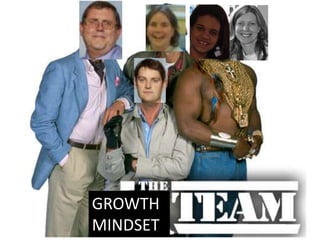
GROWTH
MINDSET
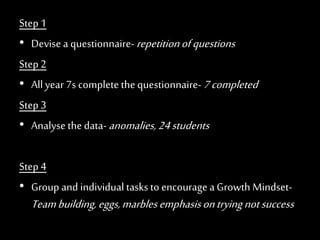
Step 1
• Devise a questionnaire-repetitionofquestions
Step 2
• All year 7s complete the questionnaire-7completed
Step 3
• Analyse the data-anomalies,24students
Step 4
• Group and individual tasks to encourage aGrowth Mindset-
Teambuilding,eggs,marblesemphasisontryingnotsuccess
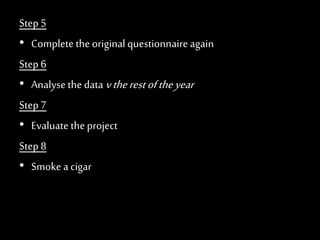
Step 5
• Completethe original questionnaireagain
Step 6
• Analyse the data vtherestoftheyear
Step 7
• Evaluate theproject
Step 8
• Smoke a cigar
Technology and
Home Learning
Google Forms and Self Marking
Homework
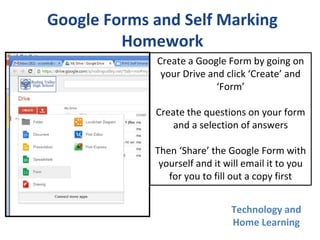
Create a Google Form by going on
your Drive and click ‘Create’ and
‘Form’
Create the questions on your form
and a selection of answers
Then ‘Share’ the Google Form with
yourself and it will email it to you
for you to fill out a copy first
Pros:
• Self Marking
• Instant results
• Easy to view and show
students
Cons:
• Time consuming
• Not all students know their
Google Login/Passwords
• Teacher
Dashboard/Classlist email
not updated
Technology and
Home Learning
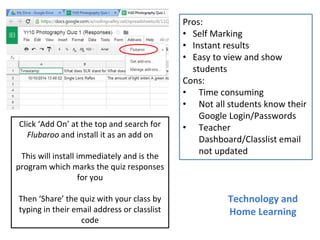
Click ‘Add On’ at the top and search for
Flubaroo and install it as an add on
This will install immediately and is the
program which marks the quiz responses
for you
Then ‘Share’ the quiz with your class by
typing in their email address or classlist
code
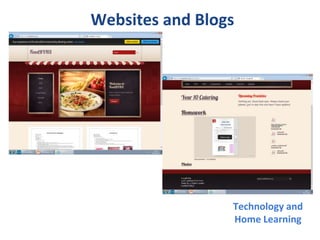
Websites and Blogs
Technology and
Home Learning
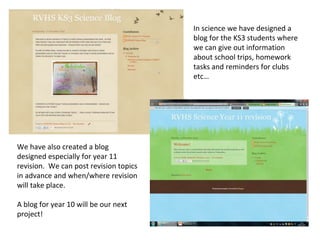
In science we have designed a
blog for the KS3 students where
we can give out information
about school trips, homework
tasks and reminders for clubs
etc…
We have also created a blog
designed especially for year 11
revision. We can post revision topics
in advance and when/where revision
will take place.
A blog for year 10 will be our next
project!
• Pupils have received information about the website and blog. Posters on display
(class room, teaching area and around school).
• Home learning material made available (pdf documents used). If paper copies are
lost there is no excuse for work not completed due to missing sheets.
• Sticker produced for their planner as a reminder of website.
• Digital leaders supported with the designing and input of files. Teacher updates files
regularly.
• Focus group: GCSE (Year 10), very low ability group as a whole.
• Moving forward:
• Maybe pupils can post some of their own examples on the site (of completed tasks)/
examples available of different grades to view.
• Recipes/dishes can be posted by pupils and comments can be given by other
members of the group.
• Setting challenges for each other in the group and identification of skills achieved.
• Support needed:
• Would be useful if admin time could be available to input all resources.
Websites and Blogs
Technology and
Home Learning
Technology and
Home Learning
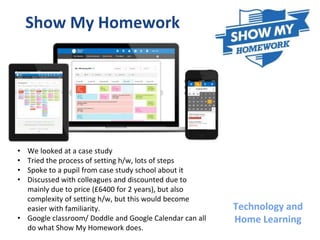
Show My Homework
• We looked at a case study
• Tried the process of setting h/w, lots of steps
• Spoke to a pupil from case study school about it
• Discussed with colleagues and discounted due to
mainly due to price (£6400 for 2 years), but also
complexity of setting h/w, but this would become
easier with familiarity.
• Google classroom/ Doddle and Google Calendar can all
do what Show My Homework does.
Students know how to improve
• Marking policy
• Written feedback through closing the gap
• Oral feedback
• Green pen
• Pair work
• Peer assessment
• Mini plenaries
• Mini whiteboards
• 2 stars and a wish
• MFL forms
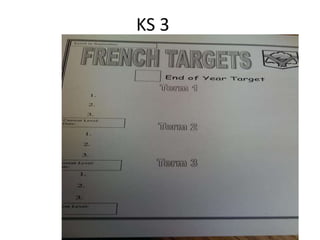
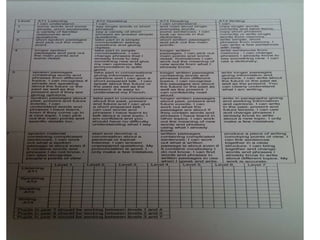
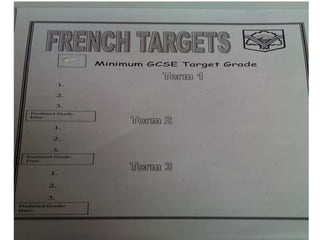
KS 3
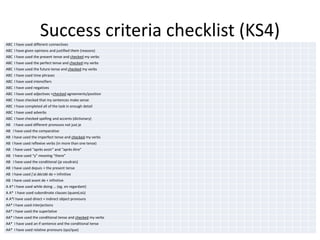
Success criteria checklist (KS4)ABC I have used different connectives
ABC I have given opinions and justified them (reasons)
ABC I have used the present tense and checked my verbs
ABC I have used the perfect tense and checked my verbs
ABC I have used the future tense and checked my verbs
ABC I have used time phrases
ABC I have used intensifiers
ABC I have used negatives
ABC I have used adjectives +checked agreements/position
ABC I have checked that my sentences make sense
ABC I have completed all of the task in enough detail
ABC I have used adverbs
ABC I have checked spelling and accents (dictionary)
AB I have used different pronouns not just je
AB I have used the comparative
AB I have used the imperfect tense and checked my verbs
AB I have used reflexive verbs (in more than one tense)
AB I have used “après avoir” and “après être”
AB I have used “y” meaning “there”
AB I have used the conditional (je voudrais)
AB I have used depuis + the present tense
AB I have used j’ai décidé de + infinitive
AB I have used avant de + infinitive
A A* I have used while doing … (eg. en regardant)
A A* I have used subordinate clauses (quand,où)
A A*I have used direct + indirect object pronouns
AA* I have used interjections
AA* I have used the superlative
AA* I have used the conditional tense and checked my verbs
AA* I have used an if sentence and the conditional tense
AA* I have used relative pronouns (qui/que)
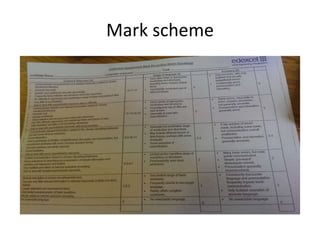
Mark scheme
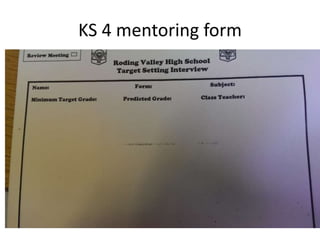
KS 4 mentoring form
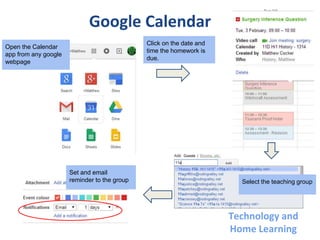
Google Calendar
Click on the date and
time the homework is
due.
Select the teaching group
Set and email
reminder to the group
Open the Calendar
app from any google
webpage
Technology and
Home Learning
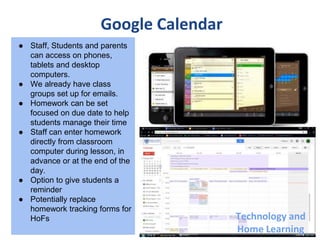
Google Calendar
● Staff, Students and parents
can access on phones,
tablets and desktop
computers.
● We already have class
groups set up for emails.
● Homework can be set
focused on due date to help
students manage their time
● Staff can enter homework
directly from classroom
computer during lesson, in
advance or at the end of the
day.
● Option to give students a
reminder
● Potentially replace
homework tracking forms for
HoFs Technology and
Home Learning
GOOGLE
CLASSROOMS
TECHNOLOGY & HOMEWORK FOCUS GROUP
MR S. RAHMAN
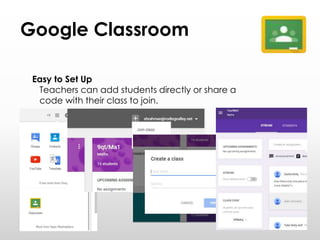
Google Classroom
Easy to Set Up
Teachers can add students directly or share a
code with their class to join.
Google Classroom
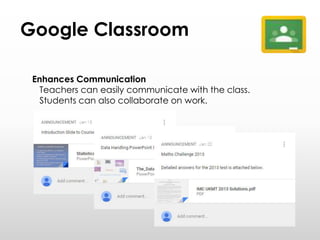
Enhances Communication
Teachers can easily communicate with the class.
Students can also collaborate on work.
Google Classroom
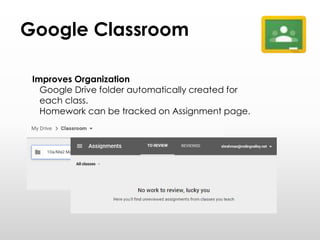
Improves Organization
Google Drive folder automatically created for
each class.
Homework can be tracked on Assignment page.
Google Classroom
Part of Google Apps for Education
Integrated with Google services.
Mobile Phone and
Tablet Access
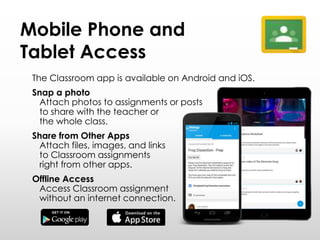
The Classroom app is available on Android and iOS.
Snap a photo
Attach photos to assignments or posts
to share with the teacher or
the whole class.
Share from Other Apps
Attach files, images, and links
to Classroom assignments
right from other apps.
Offline Access
Access Classroom assignment
without an internet connection.
More Information
Introduction
https://www.google.com/edu/products/productivity
-tools/classroom/
Training Link
https://www.google.com/edu/training/get-
trained/classroom/basics.html
20 Things You Can Do With Google Classroom
http://www.alicekeeler.com/teachertech/2014/09/0
7/20-things-you-can-do-with-google-classroom/
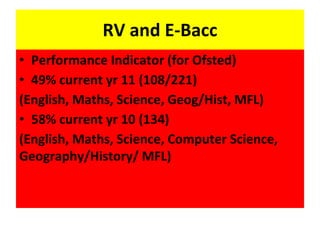
RV and E-Bacc
• Performance Indicator (for Ofsted)
• 49% current yr 11 (108/221)
(English, Maths, Science, Geog/Hist, MFL)
• 58% current yr 10 (134)
(English, Maths, Science, Computer Science,
Geography/History/ MFL)
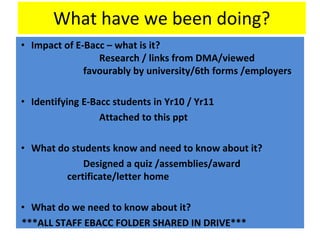
What have we been doing?
• Impact of E-Bacc – what is it?
Research / links from DMA/viewed
favourably by university/6th forms /employers
• Identifying E-Bacc students in Yr10 / Yr11
Attached to this ppt
• What do students know and need to know about it?
Designed a quiz /assemblies/award
certificate/letter home
• What do we need to know about it?
***ALL STAFF EBACC FOLDER SHARED IN DRIVE***
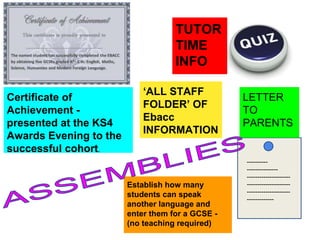
Moving Forwards …..
• Letter home to parents of Year 11 students
• Assembly for Year 10 – after half term
• Assembly for yr 9 – prior to option choices
• Tutor time information
• Quiz for students
• Certificate of Achievement (KS4 Awards Eve)
• Establishing suitable candidates for exam
entries in other MFL
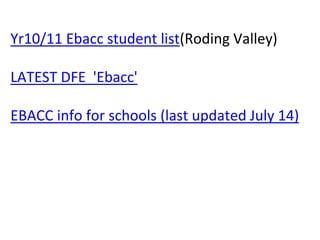
Establish how many
students can speak
another language and
enter them for a GCSE -
(no teaching required)
TUTOR
TIME
INFO
----------
---------------
---------------------
---------------------
---------------------
-------------
LETTER
TO
PARENTS
Certificate of
Achievement -
presented at the KS4
Awards Evening to the
successful cohort.
‘ALL STAFF
FOLDER’ OF
Ebacc
INFORMATION
Yr10/11 Ebacc student list(Roding Valley)
LATEST DFE 'Ebacc'
EBACC info for schools (last updated July 14)
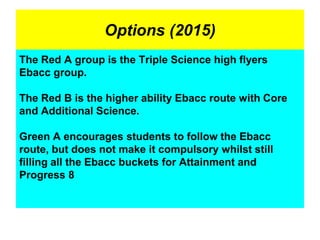
Options (2015)
The Red A group is the Triple Science high flyers
Ebacc group.
The Red B is the higher ability Ebacc route with Core
and Additional Science.
Green A encourages students to follow the Ebacc
route, but does not make it compulsory whilst still
filling all the Ebacc buckets for Attainment and
Progress 8
Positive behaviour and
environment for learning
Think ….
• Gandhi said that in order to see a change in
the world, we must first change ourselves.
• If you want to see a change in your classroom
and the students you teach, the same is true.
Why students don’t do what you want them to
1. They don’t know what to do.
2. They don’t know how to do it.
3. They don’t know why they should do it.
4. They aren’t suited or matched to the task.
5. There isn’t any consequence.
6. There isn’t any relevant feedback.
7. They get more attention by not doing it.
So what ???
• Be assertive, not passive or aggressive.
• Describe the behaviour you want , not what
you don’t.
• Be super CONSISTENT.
• Use positive language.
• Praise on a minimum of 4 to 1.
• Invest time in building student relationship.
The bible
Few people to follow on twitter
• @Sue_Cowley
• @@BehaviourTeach #behaviourChat
• @TeacherTweaks
• @StrictTeacher99
• @tombennett71

RVHS TeachMeet 10 February 2015

  • 1.
  • 2.
    Differentiation!!!!! If a mandoes not keep pace with his companions, perhaps it is because he hears a different drummer. Henry David Thoreau
  • 3.
    Key ideas… differentiation •…is the process of identifying, with each learner, the most effective strategies for reaching agreed targets” • “Differentiation should be seen as integral to learning, not an add-on for when things do not go as well as planned.” • “ It is not about troubleshooting but is a concept which has to be seen in an inclusive way, applying to everyone”
  • 4.
    Differentiation can beaimed at: • The whole class (setting). • Groups within the class. • Individuals.
  • 5.
    What are thecategories of differentiation? • By task (tasks graded in difficulty) • By outcome (open-ended tasks, allowing pupil response at different levels) • By support (perhaps via an LSA) • By resources (reading comprehension at differing levels of complexity) • By interest (choice of title for writing) • By variety (media/ICT/games/role play) • By progressive questioning (Planned levels of questioning) • By grouping (Different grouping based on prior attainment, learning style)
  • 6.
    • Do youknow the SEN, LAC, PP, G&T, RA, Prior Attainment of the students you teach? It is all about the DATA • Are they identified on SIMS as having a special need? • Seating plan- where should they sit? Do they have a physical/ sensory need? Can they see the board? • At the beginning of the year have 2 seating plans, to target different needs within the classroom for the year. Plan learning partners from data. • Know your Blooms Taxonomy. Planning for differentiation
  • 7.
    Few people tofollow on twitter • @ASTsupportAAli • @rj1981 • @TeacherToolkit • @SENChatUK
  • 8.
  • 9.
    Step 1 • Devisea questionnaire-repetitionofquestions Step 2 • All year 7s complete the questionnaire-7completed Step 3 • Analyse the data-anomalies,24students Step 4 • Group and individual tasks to encourage aGrowth Mindset- Teambuilding,eggs,marblesemphasisontryingnotsuccess
  • 10.
    Step 5 • Completetheoriginal questionnaireagain Step 6 • Analyse the data vtherestoftheyear Step 7 • Evaluate theproject Step 8 • Smoke a cigar
  • 11.
    Technology and Home Learning GoogleForms and Self Marking Homework Create a Google Form by going on your Drive and click ‘Create’ and ‘Form’ Create the questions on your form and a selection of answers Then ‘Share’ the Google Form with yourself and it will email it to you for you to fill out a copy first
  • 12.
    Pros: • Self Marking •Instant results • Easy to view and show students Cons: • Time consuming • Not all students know their Google Login/Passwords • Teacher Dashboard/Classlist email not updated Technology and Home Learning Click ‘Add On’ at the top and search for Flubaroo and install it as an add on This will install immediately and is the program which marks the quiz responses for you Then ‘Share’ the quiz with your class by typing in their email address or classlist code
  • 13.
  • 14.
    In science wehave designed a blog for the KS3 students where we can give out information about school trips, homework tasks and reminders for clubs etc… We have also created a blog designed especially for year 11 revision. We can post revision topics in advance and when/where revision will take place. A blog for year 10 will be our next project!
  • 15.
    • Pupils havereceived information about the website and blog. Posters on display (class room, teaching area and around school). • Home learning material made available (pdf documents used). If paper copies are lost there is no excuse for work not completed due to missing sheets. • Sticker produced for their planner as a reminder of website. • Digital leaders supported with the designing and input of files. Teacher updates files regularly. • Focus group: GCSE (Year 10), very low ability group as a whole. • Moving forward: • Maybe pupils can post some of their own examples on the site (of completed tasks)/ examples available of different grades to view. • Recipes/dishes can be posted by pupils and comments can be given by other members of the group. • Setting challenges for each other in the group and identification of skills achieved. • Support needed: • Would be useful if admin time could be available to input all resources. Websites and Blogs Technology and Home Learning
  • 16.
    Technology and Home Learning ShowMy Homework • We looked at a case study • Tried the process of setting h/w, lots of steps • Spoke to a pupil from case study school about it • Discussed with colleagues and discounted due to mainly due to price (£6400 for 2 years), but also complexity of setting h/w, but this would become easier with familiarity. • Google classroom/ Doddle and Google Calendar can all do what Show My Homework does.
  • 17.
    Students know howto improve • Marking policy • Written feedback through closing the gap • Oral feedback • Green pen • Pair work • Peer assessment • Mini plenaries • Mini whiteboards • 2 stars and a wish • MFL forms
  • 18.
  • 21.
    Success criteria checklist(KS4)ABC I have used different connectives ABC I have given opinions and justified them (reasons) ABC I have used the present tense and checked my verbs ABC I have used the perfect tense and checked my verbs ABC I have used the future tense and checked my verbs ABC I have used time phrases ABC I have used intensifiers ABC I have used negatives ABC I have used adjectives +checked agreements/position ABC I have checked that my sentences make sense ABC I have completed all of the task in enough detail ABC I have used adverbs ABC I have checked spelling and accents (dictionary) AB I have used different pronouns not just je AB I have used the comparative AB I have used the imperfect tense and checked my verbs AB I have used reflexive verbs (in more than one tense) AB I have used “après avoir” and “après être” AB I have used “y” meaning “there” AB I have used the conditional (je voudrais) AB I have used depuis + the present tense AB I have used j’ai décidé de + infinitive AB I have used avant de + infinitive A A* I have used while doing … (eg. en regardant) A A* I have used subordinate clauses (quand,où) A A*I have used direct + indirect object pronouns AA* I have used interjections AA* I have used the superlative AA* I have used the conditional tense and checked my verbs AA* I have used an if sentence and the conditional tense AA* I have used relative pronouns (qui/que)
  • 22.
  • 23.
  • 25.
    Google Calendar Click onthe date and time the homework is due. Select the teaching group Set and email reminder to the group Open the Calendar app from any google webpage Technology and Home Learning
  • 26.
    Google Calendar ● Staff,Students and parents can access on phones, tablets and desktop computers. ● We already have class groups set up for emails. ● Homework can be set focused on due date to help students manage their time ● Staff can enter homework directly from classroom computer during lesson, in advance or at the end of the day. ● Option to give students a reminder ● Potentially replace homework tracking forms for HoFs Technology and Home Learning
  • 27.
  • 28.
    Google Classroom Easy toSet Up Teachers can add students directly or share a code with their class to join.
  • 29.
    Google Classroom Enhances Communication Teacherscan easily communicate with the class. Students can also collaborate on work.
  • 30.
    Google Classroom Improves Organization GoogleDrive folder automatically created for each class. Homework can be tracked on Assignment page.
  • 31.
    Google Classroom Part ofGoogle Apps for Education Integrated with Google services.
  • 32.
    Mobile Phone and TabletAccess The Classroom app is available on Android and iOS. Snap a photo Attach photos to assignments or posts to share with the teacher or the whole class. Share from Other Apps Attach files, images, and links to Classroom assignments right from other apps. Offline Access Access Classroom assignment without an internet connection.
  • 33.
    More Information Introduction https://www.google.com/edu/products/productivity -tools/classroom/ Training Link https://www.google.com/edu/training/get- trained/classroom/basics.html 20Things You Can Do With Google Classroom http://www.alicekeeler.com/teachertech/2014/09/0 7/20-things-you-can-do-with-google-classroom/
  • 34.
    RV and E-Bacc •Performance Indicator (for Ofsted) • 49% current yr 11 (108/221) (English, Maths, Science, Geog/Hist, MFL) • 58% current yr 10 (134) (English, Maths, Science, Computer Science, Geography/History/ MFL)
  • 35.
    What have webeen doing? • Impact of E-Bacc – what is it? Research / links from DMA/viewed favourably by university/6th forms /employers • Identifying E-Bacc students in Yr10 / Yr11 Attached to this ppt • What do students know and need to know about it? Designed a quiz /assemblies/award certificate/letter home • What do we need to know about it? ***ALL STAFF EBACC FOLDER SHARED IN DRIVE***
  • 36.
    Moving Forwards ….. •Letter home to parents of Year 11 students • Assembly for Year 10 – after half term • Assembly for yr 9 – prior to option choices • Tutor time information • Quiz for students • Certificate of Achievement (KS4 Awards Eve) • Establishing suitable candidates for exam entries in other MFL
  • 37.
    Establish how many studentscan speak another language and enter them for a GCSE - (no teaching required) TUTOR TIME INFO ---------- --------------- --------------------- --------------------- --------------------- ------------- LETTER TO PARENTS Certificate of Achievement - presented at the KS4 Awards Evening to the successful cohort. ‘ALL STAFF FOLDER’ OF Ebacc INFORMATION
  • 38.
    Yr10/11 Ebacc studentlist(Roding Valley) LATEST DFE 'Ebacc' EBACC info for schools (last updated July 14)
  • 39.
    Options (2015) The RedA group is the Triple Science high flyers Ebacc group. The Red B is the higher ability Ebacc route with Core and Additional Science. Green A encourages students to follow the Ebacc route, but does not make it compulsory whilst still filling all the Ebacc buckets for Attainment and Progress 8
  • 40.
  • 41.
    Think …. • Gandhisaid that in order to see a change in the world, we must first change ourselves. • If you want to see a change in your classroom and the students you teach, the same is true.
  • 42.
    Why students don’tdo what you want them to 1. They don’t know what to do. 2. They don’t know how to do it. 3. They don’t know why they should do it. 4. They aren’t suited or matched to the task. 5. There isn’t any consequence. 6. There isn’t any relevant feedback. 7. They get more attention by not doing it.
  • 43.
    So what ??? •Be assertive, not passive or aggressive. • Describe the behaviour you want , not what you don’t. • Be super CONSISTENT. • Use positive language. • Praise on a minimum of 4 to 1. • Invest time in building student relationship.
  • 44.
  • 45.
    Few people tofollow on twitter • @Sue_Cowley • @@BehaviourTeach #behaviourChat • @TeacherTweaks • @StrictTeacher99 • @tombennett71