Access the PPT Slides here: http://researchguides.smu.edu.sg/rssfeeds
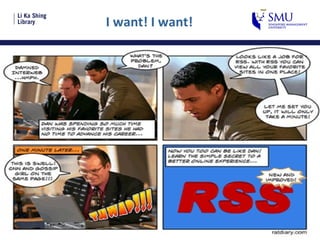
I want! I want!
Using RSS to Stay Current for Professional and Personal Development Presented by: Joan, Joe, Kok Seng, Rajen And Selected Content from Charlotte’s Workshop on RSS to Special Libraries: Law Librarians
Overview of Web 2.0
What is Web 2.0? Development of online services that encourages collaboration, communication and information sharing
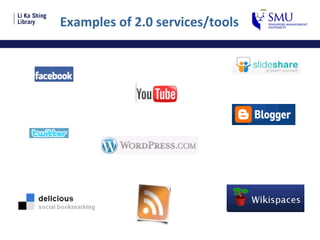
Examples of 2.0 services/tools
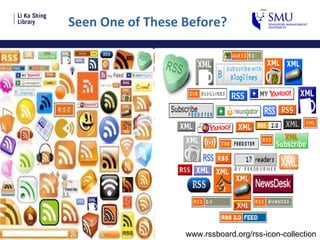
Seen One of These Before?  www.rssboard.org/rss-icon-collection
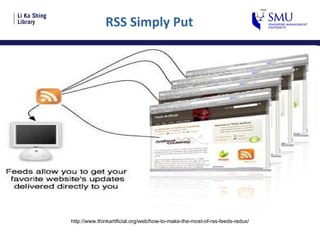
RSS Simply Put http://www.thinkartificial.org/web/how-to-make-the-most-of-rss-feeds-redux/
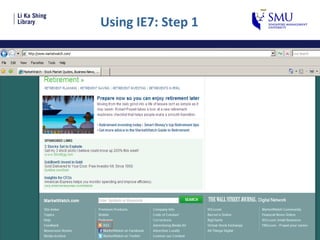
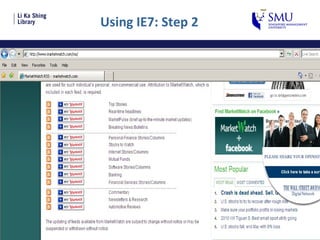
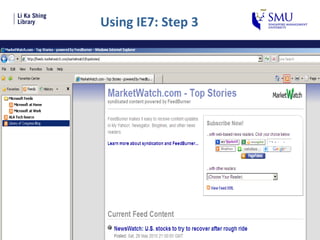
RSS Feed Readers Internet Explorer 7 and above [Demo] RSS Reader [Software] Smart Phone Google Reader [Hands-On]
Using IE7: Step 1
Using IE7: Step 2
Using IE7: Step 3
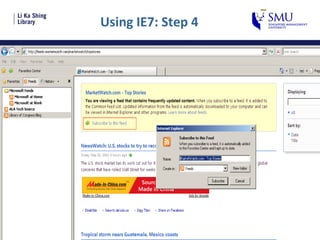
Using IE7: Step 4
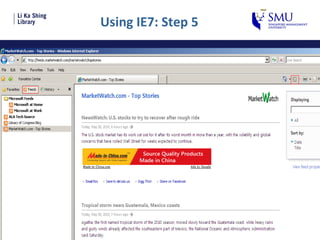
Using IE7: Step 5
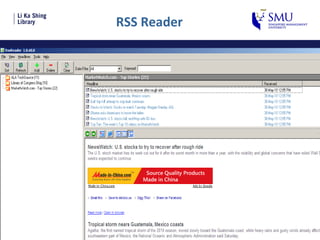
RSS Reader
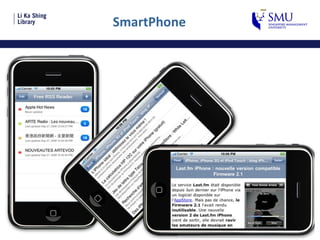
SmartPhone
Library Uses and Applications of RSS
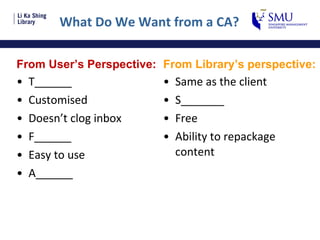
What Do We Want from a CA? From User’s Perspective: T______ Customised  Doesn’t clog inbox F______ Easy to use A______ From Library’s perspective: Same as the client S_______ Free Ability to repackage content
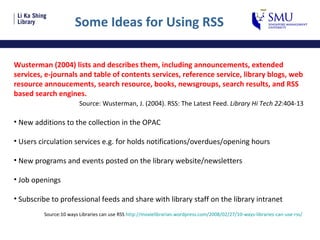
Some Ideas for Using RSS Wusterman (2004) lists and describes them, including announcements, extended services, e-journals and table of contents services, reference service, library blogs, web resource annoucements, search resource, books, newsgroups, search results, and RSS based search engines. Source: Wusterman, J. (2004). RSS: The Latest Feed.  Library Hi Tech 22 :404-13 New additions to the collection in the OPAC Users circulation services e.g. for holds notifications/overdues/opening hours New programs and events posted on the library website/newsletters Job openings Subscribe to professional feeds and share with library staff on the library intranet Source:10 ways Libraries can use RSS  http://moxielibrarian.wordpress.com/2008/02/27/10-ways-libraries-can-use-rss /
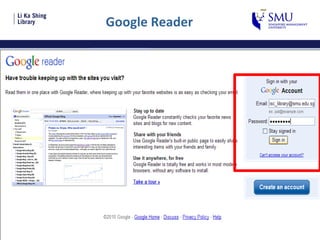
Setting Up a Feed Using Google Reader www.google.com/reader
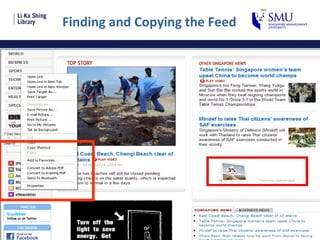
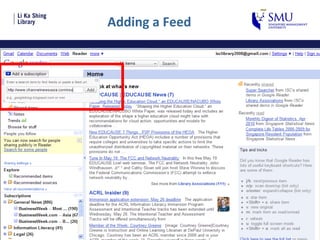
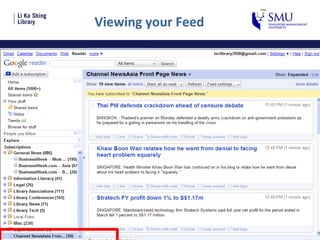
RSS in 3 Easy Steps Step 1: Find a Resource you want to get feeds from Step 2: Right click on the RSS icon and Copy Shortcut Step 3: Add the subscription in your Feed Reader Let’s try out one…
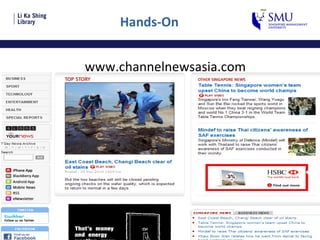
Hands-On www.channelnewsasia.com
Finding and Copying the Feed
Google Reader
Adding a Feed
Viewing your Feed
Research Guide: A Resource for RSS Feeds
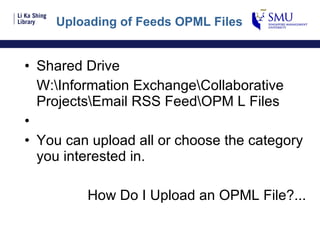
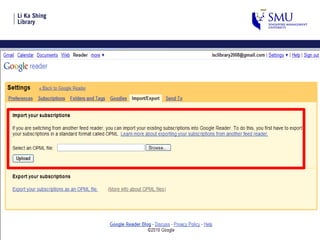
Uploading of Feeds OPML Files Shared Drive W:\Information Exchange\Collaborative Projects\Email RSS Feed\OPM L Files You can upload all or choose the category you interested in. How Do I Upload an OPML File?...
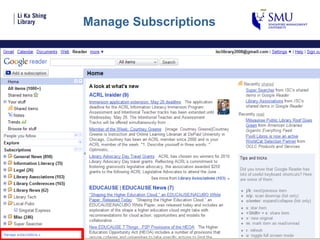
Manage Subscriptions
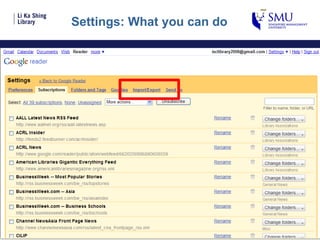
Settings: What you can do
 
Still Need Help? Please talk to anyone of the team members and we will be happy to help you. Thank You

Rss slides final

  • 1.
    Access the PPTSlides here: http://researchguides.smu.edu.sg/rssfeeds
  • 2.
    I want! Iwant!
  • 3.
    Using RSS toStay Current for Professional and Personal Development Presented by: Joan, Joe, Kok Seng, Rajen And Selected Content from Charlotte’s Workshop on RSS to Special Libraries: Law Librarians
  • 4.
  • 5.
    What is Web2.0? Development of online services that encourages collaboration, communication and information sharing
  • 6.
    Examples of 2.0services/tools
  • 7.
    Seen One ofThese Before? www.rssboard.org/rss-icon-collection
  • 8.
    RSS Simply Puthttp://www.thinkartificial.org/web/how-to-make-the-most-of-rss-feeds-redux/
  • 9.
    RSS Feed ReadersInternet Explorer 7 and above [Demo] RSS Reader [Software] Smart Phone Google Reader [Hands-On]
  • 10.
  • 11.
  • 12.
  • 13.
  • 14.
  • 15.
  • 16.
  • 17.
    Library Uses andApplications of RSS
  • 18.
    What Do WeWant from a CA? From User’s Perspective: T______ Customised Doesn’t clog inbox F______ Easy to use A______ From Library’s perspective: Same as the client S_______ Free Ability to repackage content
  • 19.
    Some Ideas forUsing RSS Wusterman (2004) lists and describes them, including announcements, extended services, e-journals and table of contents services, reference service, library blogs, web resource annoucements, search resource, books, newsgroups, search results, and RSS based search engines. Source: Wusterman, J. (2004). RSS: The Latest Feed. Library Hi Tech 22 :404-13 New additions to the collection in the OPAC Users circulation services e.g. for holds notifications/overdues/opening hours New programs and events posted on the library website/newsletters Job openings Subscribe to professional feeds and share with library staff on the library intranet Source:10 ways Libraries can use RSS http://moxielibrarian.wordpress.com/2008/02/27/10-ways-libraries-can-use-rss /
  • 20.
    Setting Up aFeed Using Google Reader www.google.com/reader
  • 21.
    RSS in 3Easy Steps Step 1: Find a Resource you want to get feeds from Step 2: Right click on the RSS icon and Copy Shortcut Step 3: Add the subscription in your Feed Reader Let’s try out one…
  • 22.
  • 23.
  • 24.
  • 25.
  • 26.
  • 27.
    Research Guide: AResource for RSS Feeds
  • 28.
    Uploading of FeedsOPML Files Shared Drive W:\Information Exchange\Collaborative Projects\Email RSS Feed\OPM L Files You can upload all or choose the category you interested in. How Do I Upload an OPML File?...
  • 29.
  • 30.
  • 31.
  • 32.
    Still Need Help?Please talk to anyone of the team members and we will be happy to help you. Thank You