Internet Search Tools
1.01- Understand Internet search
tools and methods.
1.01 Understand Internet search tools and methods. Slide 2
Two Categories of Search Tools
 Search Engines
– Individual search engine
– Meta-search engine
 Subject Directories
1.01 Understand Internet search tools and methods. Slide 3
Individual Search Engines
 Individual search engines use computer
programs called “spiders” to match key
search words with the web pages that
contain them.
– Returns a large volume of results
– Information is not filtered for validity, authenticity,
or adult content
– Results are returned in the form of links to sites
that match terms used in the search
1.01 Understand Internet search tools and methods. Slide 4
Take a look at search engines
 www.Search.yahoo.com
 www.Ask.com
 www.Google.com
1.01 Understand Internet search tools and methods. Slide 5
Meta-search Engines
 Meta-search engines send requests for
information to several search engines
simultaneously and compile the results.
– Duplicates are eliminated, thus yielding fewer
results
 Note: Google Custom Search Engine allows
the user to select which search engines will
be used
1.01 Understand Internet search tools and methods. Slide 6
Take a look at meta-search engines
 http://www.googlecustomsearch.com/
 http://www.mamma.com
 http://www.surfwax.com/
1.01 Understand Internet search tools and methods. Slide 7
Subject Directories
 Developed and maintained by humans
(instead of software robots) to search broad
subject categories and their descriptions.
 More reliable than search engines
 Provide broad categories of information that
allow users to drill down and narrow search
results
1.01 Understand Internet search tools and methods. Slide 8
Subject Directories (Continued)
 Often used in research by government
agencies, medical industries, and
educational institutions
 May be referred to as research database or
searchable database
 Results may include non-HTML formats,
such as PowerPoints, PDF documents,
script, and photographs
1.01 Understand Internet search tools and methods. Slide 9
Take a look at subject directories
 http://www.google.com/dirhp
 www.libraryresearch.com
 http://www.eric.ed.gov/
 http://dir.yahoo.com/
 http://infomine.ucr.edu
 http://www.lii.org/
 http://www.about.com/
Compare
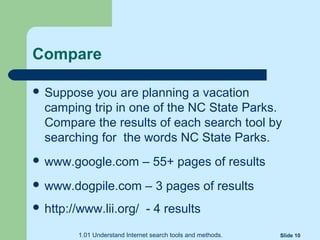
 Suppose you are planning a vacation
camping trip in one of the NC State Parks.
Compare the results of each search tool by
searching for the words NC State Parks.
 www.google.com – 55+ pages of results
 www.dogpile.com – 3 pages of results
 http://www.lii.org/ - 4 results
1.01 Understand Internet search tools and methods. Slide 10

Internet search-tools

  • 1.
    Internet Search Tools 1.01-Understand Internet search tools and methods.
  • 2.
    1.01 Understand Internetsearch tools and methods. Slide 2 Two Categories of Search Tools  Search Engines – Individual search engine – Meta-search engine  Subject Directories
  • 3.
    1.01 Understand Internetsearch tools and methods. Slide 3 Individual Search Engines  Individual search engines use computer programs called “spiders” to match key search words with the web pages that contain them. – Returns a large volume of results – Information is not filtered for validity, authenticity, or adult content – Results are returned in the form of links to sites that match terms used in the search
  • 4.
    1.01 Understand Internetsearch tools and methods. Slide 4 Take a look at search engines  www.Search.yahoo.com  www.Ask.com  www.Google.com
  • 5.
    1.01 Understand Internetsearch tools and methods. Slide 5 Meta-search Engines  Meta-search engines send requests for information to several search engines simultaneously and compile the results. – Duplicates are eliminated, thus yielding fewer results  Note: Google Custom Search Engine allows the user to select which search engines will be used
  • 6.
    1.01 Understand Internetsearch tools and methods. Slide 6 Take a look at meta-search engines  http://www.googlecustomsearch.com/  http://www.mamma.com  http://www.surfwax.com/
  • 7.
    1.01 Understand Internetsearch tools and methods. Slide 7 Subject Directories  Developed and maintained by humans (instead of software robots) to search broad subject categories and their descriptions.  More reliable than search engines  Provide broad categories of information that allow users to drill down and narrow search results
  • 8.
    1.01 Understand Internetsearch tools and methods. Slide 8 Subject Directories (Continued)  Often used in research by government agencies, medical industries, and educational institutions  May be referred to as research database or searchable database  Results may include non-HTML formats, such as PowerPoints, PDF documents, script, and photographs
  • 9.
    1.01 Understand Internetsearch tools and methods. Slide 9 Take a look at subject directories  http://www.google.com/dirhp  www.libraryresearch.com  http://www.eric.ed.gov/  http://dir.yahoo.com/  http://infomine.ucr.edu  http://www.lii.org/  http://www.about.com/
  • 10.
    Compare  Suppose youare planning a vacation camping trip in one of the NC State Parks. Compare the results of each search tool by searching for the words NC State Parks.  www.google.com – 55+ pages of results  www.dogpile.com – 3 pages of results  http://www.lii.org/ - 4 results 1.01 Understand Internet search tools and methods. Slide 10

Editor's Notes

  • #10 Follow the web links
  • #11 Students will record answers on the second page of their graphic organizers