Reproducible Research in R
with Docker
Daniel Nüst | University of Münster | @nordholmen
MünsteR Meetup, Sep 2017
https://www.meetup.com/Munster-R-Users-Group/events/241108949/
Agenda
Motivation
Docker & Rocker
containerit
2
Why should I care about reproducible research?
(an opinionated view)
Improve quality of your work today
Existence of your work tomorrow: journal requirements 2020+
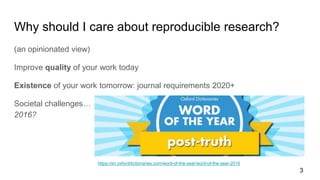
Societal challenges… Who knows the Oxford Dictionaries word of the year
2016?
https://en.oxforddictionaries.com/word-of-the-year/word-of-the-year-2016
3
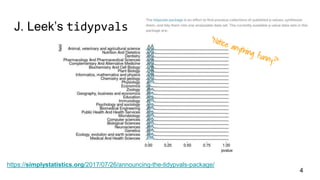
J. Leek’s tidypvals
https://simplystatistics.org/2017/07/26/announcing-the-tidypvals-package/
4
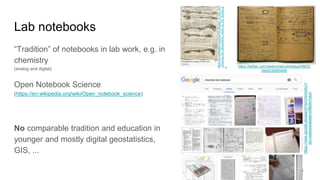
“Tradition” of notebooks in lab work, e.g. in
chemistry
(analog and digital)
Open Notebook Science
(https://en.wikipedia.org/wiki/Open_notebook_science)
No comparable tradition and education in
younger and mostly digital geostatistics,
GIS, ...
https://twitter.com/wellcometrust/status/49632
3565239955456
5
Lab notebooks
https://www.google.de/search?q=chemistry+l
ab+notebook&safe=off&tbm=isch
https://en.wikipedia.org/wiki/File:Studies_of_the_Arm
_showing_the_Movements_made_by_the_Biceps.jp
g
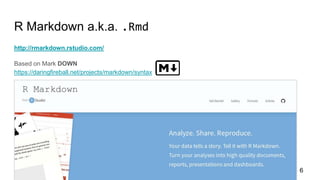
R Markdown a.k.a. .Rmd
http://rmarkdown.rstudio.com/
Based on Mark DOWN
https://daringfireball.net/projects/markdown/syntax
6
7
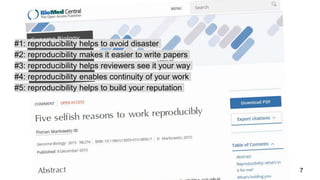
#1: reproducibility helps to avoid disaster
#2: reproducibility makes it easier to write papers
#3: reproducibility helps reviewers see it your way
#4: reproducibility enables continuity of your work
#5: reproducibility helps to build your reputation
8
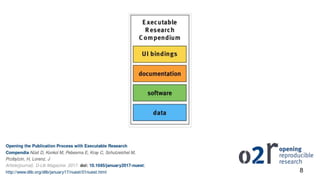
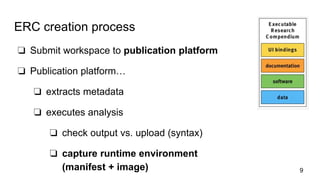
ERC creation process
❏ Submit workspace to publication platform
❏ Publication platform…
❏ extracts metadata
❏ executes analysis
❏ check output vs. upload (syntax)
❏ capture runtime environment
(manifest + image) 9
10
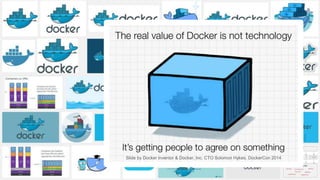
Slide by Docker inventor & Docker, Inc. CTO Solomon Hykes, DockerCon 2014
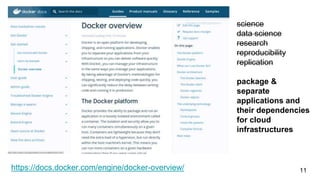
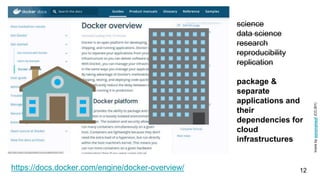
https://docs.docker.com/engine/docker-overview/ 11
science
data science
research
reproducibility
replication
package &
separate
applications and
their dependencies
for cloud
infrastructures
https://docs.docker.com/engine/docker-overview/ 12
science
data science
research
reproducibility
replication
package &
separate
applications and
their
dependencies for
cloud
infrastructures
Iconsbysynonymsof(CC-BY)
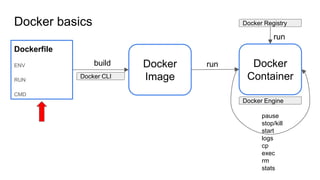
Docker basics
Dockerfile
ENV
RUN
CMD
Docker
Image
pause
stop/kill
start
logs
cp
exec
rm
stats
build
Docker CLI
run Docker
Container
Docker Engine
Docker Registry
run
14
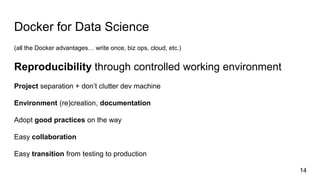
Docker for Data Science
(all the Docker advantages… write once, biz ops, cloud, etc.)
Reproducibility through controlled working environment
Project separation + don’t clutter dev machine
Environment (re)creation, documentation
Adopt good practices on the way
Easy collaboration
Easy transition from testing to production
15
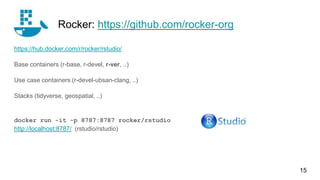
https://hub.docker.com/r/rocker/rstudio/
Base containers (r-base, r-devel, r-ver, ..)
Use case containers (r-devel-ubsan-clang, ..)
Stacks (tidyverse, geospatial, ..)
docker run -it -p 8787:8787 rocker/rstudio
http://localhost:8787/ (rstudio/rstudio)
Rocker: https://github.com/rocker-org
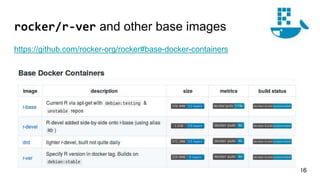
rocker/r-ver and other base images
https://github.com/rocker-org/rocker#base-docker-containers
16
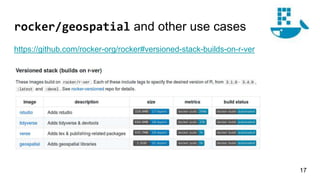
rocker/geospatial and other use cases
https://github.com/rocker-org/rocker#versioned-stack-builds-on-r-ver
17
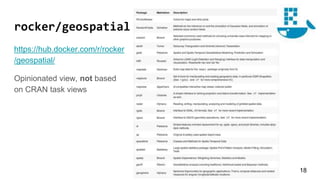
rocker/geospatial
https://hub.docker.com/r/rocker
/geospatial/
Opinionated view, not based
on CRAN task views
18
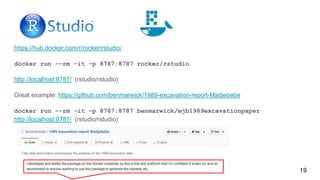
https://hub.docker.com/r/rocker/rstudio/
docker run --rm -it -p 8787:8787 rocker/rstudio
http://localhost:8787/ (rstudio/rstudio)
Great example: https://github.com/benmarwick/1989-excavation-report-Madjebebe
docker run --rm -it -p 8787:8787 benmarwick/mjb1989excavationpaper
http://localhost:8787/ (rstudio/rstudio)
19
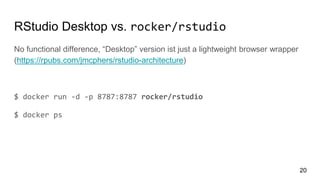
RStudio Desktop vs. rocker/rstudio
No functional difference, “Desktop” version ist just a lightweight browser wrapper
(https://rpubs.com/jmcphers/rstudio-architecture)
$ docker run -d -p 8787:8787 rocker/rstudio
$ docker ps
20
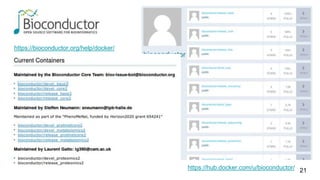
https://bioconductor.org/help/docker/
21https://hub.docker.com/u/bioconductor/
22
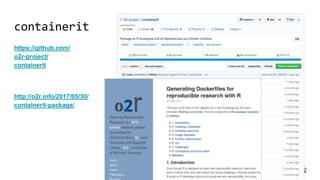
containerit
https://github.com/
o2r-project/
containerit
http://o2r.info/2017/05/30/
containerit-package/
Packaging interactive session
23
> library(containerit); library("gstat"); library("sp")
> data(meuse)
> coordinates(meuse) = ~x+y
> data(meuse.grid)
> gridded(meuse.grid) = ~x+y
> v <- variogram(log(zinc)~1, meuse)
> m <- fit.variogram(v, vgm(1, "Sph", 300, 1))
> plot(v, model = m)
> dockerfile_object <- dockerfile()
INFO [2017-07-05 11:20:54] Trying to determine system
requirements for the package(s) 'sp, gstat, zoo,
futile.logger, xts, lambda.r, spacetime, futile.options,
FNN, intervals, lattice' from sysreq online DB
INFO [2017-07-05 11:21:03] Adding CRAN packages: sp,
gstat, zoo, futile.logger, xts, lambda.r, spacetime,
futile.options, FNN, intervals, lattice
INFO [2017-07-05 11:21:03] Created Dockerfile-Object
based on sessionInfo
> print(dockerfile_object)
FROM rocker/r-ver:3.4.1
LABEL maintainer="daniel"
RUN ["install2.r", "-r 'https://cloud.r-project.org'", "sp",
"gstat", "zoo", "futile.logger", "xts", "lambda.r",
"spacetime", "futile.options", "FNN", "intervals",
"lattice"]
WORKDIR /payload/
CMD ["R"]
> str(dockerfile_object, max.level = 2)
Formal class 'Dockerfile' [..] with 4 slots
..@ image :Formal class 'From' [..] with 2
slots
..@ maintainer :Formal class 'Label' [..] with 2 slots
..@ instructions :List of 2
..@ cmd :Formal class 'Cmd' [..] with 2
slots
Packaging a script w/ sysreqs dependency resolving
library(rgdal); require(maptools)
nc <- rgdal::readOGR(system.file("shapes/",
package="maptools"), "sids", verbose = FALSE)
proj4string(nc) <- CRS("+proj=longlat
+datum=NAD27")
plot(nc)
summary(nc)
> scriptCmd <- CMD_Rscript("demo.R")
> dockerfile_object <- dockerfile(
from = "~/Documents/2017_useR/demo.R",
cmd = scriptCmd)
# curl https://sysreqs.r-hub.io/pkg/
rgdal,sp,lattice/linux-x86_64-debian-gcc
# ["libgdal-dev", "libproj-dev", "gdal-bin"]
> print(dockerfile_object)
FROM rocker/r-ver:3.4.0
LABEL maintainer="daniel"
RUN export DEBIAN_FRONTEND=noninteractive; apt-get
-y update 
&& apt-get install -y gdal-bin 
libgdal-dev 
libproj-dev
RUN ["install2.r", "-r 'https://cloud.r-
project.org'", "rgdal", "sp", "lattice"]
WORKDIR /payload/
COPY [".", "."]
CMD ["R", "--vanilla", "-f",
"containerit_1a977e2dcdea.R"]
24
Running the container
> write(dockerfile_object)
INFO [2017-07-06 10:10:05] Writing dockerfile to
/home/daniel/Documents/2017_useR/Dockerfile
$ docker build -t user2017demo .
Sending build context to Docker daemon 6.054MB
Step 1/7 : FROM rocker/r-ver:3.4.1
3.4.1: Pulling from rocker/r-ver
c75480ad9aaf: Pull complete
[...]
The following additional packages will be installed:
[...]
* installing *source* package ‘foreign’ ...
[...]
Successfully built e30936ac8687
Successfully tagged user2017demo:latest
25
$ docker run -it user2017demo
R version 3.4.1 (2017-06-30) -- "Single Candle"
Copyright (C) 2017 The R Foundation for Statistical
Computing
Platform: x86_64-pc-linux-gnu (64-bit)
[..]
> library(rgdal); require(maptools)
Loading required package: sp
> nc <- rgdal::readOGR(system.file("shapes/",
package="maptools"), "sids", verbose = FALSE)
[...]
> summary(nc)
Object of class SpatialPolygonsDataFrame
Coordinates:
min max
x -84.32385 -75.45698
y 33.88199 36.58965
Is projected: FALSE
[...]
Running container with data in plain R with harbor
https://github.com/nuest/containerit/blob/79f8832975e00c84cdcc665df0c2846d834e27c5/demo/fullstack.R
> write.csv(file = “dataset.csv”, x = cars)
> dataset <- read.csv("dataset.csv")
> model <- lm(log(dist) ~ log(speed),
data = dataset)
> summary(model)
> cmd <- CMD_Rscript("script.R")
> df <- containerit::dockerfile(from = workspace,
cmd = cmd,
r_version = "3.3.3",
copy = "script_dir")
> write(df)
/tmp/Rtmpeachap/
├── dataset.csv
├── Dockerfile
└── script.R
> harbor::docker_cmd(harbor::localhost, "build",
arg = workspace,
docker_opts = c("-t", "fullstack-r-demo")
capture_text = TRUE
)
> harbor::docker_run(image = "fullstack-r-demo")
R version 3.3.3 (2017-03-06) -- "Another Canoe"
Copyright (C) 2017 The R Foundation for Statistical Computing
Platform: x86_64-pc-linux-gnu (64-bit)
[...]
> dataset <- read.csv("dataset.csv")
> model <- lm(log(dist) ~ log(speed), data = dataset)
> summary(model)
Call:
lm(formula = log(dist) ~ log(speed), data = dataset)
Residuals:
Min 1Q Median 3Q Max
-1.00215 -0.24578 -0.02898 0.20717 0.88289
Coefficients:
Estimate Std. Error t value Pr(>|t|)
(Intercept) -0.7297 0.3758 -1.941 0.0581 .
26
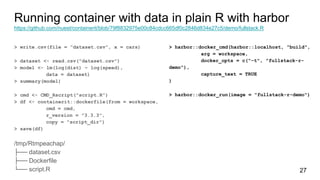
Running container with data in plain R with harbor
https://github.com/nuest/containerit/blob/79f8832975e00c84cdcc665df0c2846d834e27c5/demo/fullstack.R
> write.csv(file = “dataset.csv”, x = cars)
> dataset <- read.csv("dataset.csv")
> model <- lm(log(dist) ~ log(speed),
data = dataset)
> summary(model)
> cmd <- CMD_Rscript("script.R")
> df <- containerit::dockerfile(from = workspace,
cmd = cmd,
r_version = "3.3.3",
copy = "script_dir")
> save(df)
/tmp/Rtmpeachap/
├── dataset.csv
├── Dockerfile
└── script.R
> harbor::docker_cmd(harbor::localhost, "build",
arg = workspace,
docker_opts = c("-t", "fullstack-r-
demo"),
capture_text = TRUE
)
> harbor::docker_run(image = "fullstack-r-demo")
27
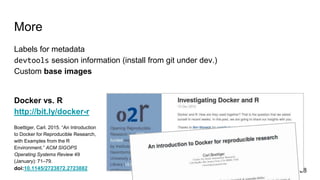
More
Labels for metadata
devtools session information (install from git under dev.)
Custom base images
Docker vs. R
http://bit.ly/docker-r
Boettiger, Carl. 2015. “An Introduction
to Docker for Reproducible Research,
with Examples from the R
Environment.” ACM SIGOPS
Operating Systems Review 49
(January): 71–79.
doi:10.1145/2723872.2723882 28
Limitations
No shell, no fun
Windows :-(
image size
Versioning
How to access files/plots from a container?
29
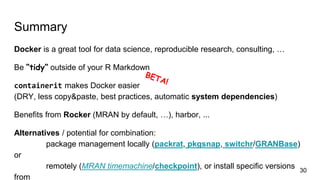
Summary
Docker is a great tool for data science, reproducible research, consulting, …
Be “tidy” outside of your R Markdown
containerit makes Docker easier
(DRY, less copy&paste, best practices, automatic system dependencies)
Benefits from Rocker (MRAN by default, …), harbor, ...
Alternatives / potential for combination:
package management locally (packrat, pkgsnap, switchr/GRANBase)
or
remotely (MRAN timemachine/checkpoint), or install specific versions
from
30
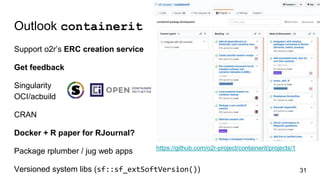
https://github.com/o2r-project/containerit/projects/1
Outlook containerit
Support o2r’s ERC creation service
Get feedback
Singularity
OCI/acbuild
CRAN
Docker + R paper for RJournal?
Package rplumber / jug web apps
Versioned system libs (sf::sf_extSoftVersion()) 31
Thanks!
What are your questions?
32
@o2r_project
github.com/o2r-project
o2r.info

RR & Docker @ MuensteR Meetup (Sep 2017)

  • 1.
    Reproducible Research inR with Docker Daniel Nüst | University of Münster | @nordholmen MünsteR Meetup, Sep 2017 https://www.meetup.com/Munster-R-Users-Group/events/241108949/
  • 2.
  • 3.
    Why should Icare about reproducible research? (an opinionated view) Improve quality of your work today Existence of your work tomorrow: journal requirements 2020+ Societal challenges… Who knows the Oxford Dictionaries word of the year 2016? https://en.oxforddictionaries.com/word-of-the-year/word-of-the-year-2016 3
  • 4.
  • 5.
    “Tradition” of notebooksin lab work, e.g. in chemistry (analog and digital) Open Notebook Science (https://en.wikipedia.org/wiki/Open_notebook_science) No comparable tradition and education in younger and mostly digital geostatistics, GIS, ... https://twitter.com/wellcometrust/status/49632 3565239955456 5 Lab notebooks https://www.google.de/search?q=chemistry+l ab+notebook&safe=off&tbm=isch https://en.wikipedia.org/wiki/File:Studies_of_the_Arm _showing_the_Movements_made_by_the_Biceps.jp g
  • 6.
    R Markdown a.k.a..Rmd http://rmarkdown.rstudio.com/ Based on Mark DOWN https://daringfireball.net/projects/markdown/syntax 6
  • 7.
    7 #1: reproducibility helpsto avoid disaster #2: reproducibility makes it easier to write papers #3: reproducibility helps reviewers see it your way #4: reproducibility enables continuity of your work #5: reproducibility helps to build your reputation
  • 8.
  • 9.
    ERC creation process ❏Submit workspace to publication platform ❏ Publication platform… ❏ extracts metadata ❏ executes analysis ❏ check output vs. upload (syntax) ❏ capture runtime environment (manifest + image) 9
  • 10.
    10 Slide by Dockerinventor & Docker, Inc. CTO Solomon Hykes, DockerCon 2014
  • 11.
  • 12.
    https://docs.docker.com/engine/docker-overview/ 12 science data science research reproducibility replication package& separate applications and their dependencies for cloud infrastructures Iconsbysynonymsof(CC-BY)
  • 13.
  • 14.
    14 Docker for DataScience (all the Docker advantages… write once, biz ops, cloud, etc.) Reproducibility through controlled working environment Project separation + don’t clutter dev machine Environment (re)creation, documentation Adopt good practices on the way Easy collaboration Easy transition from testing to production
  • 15.
    15 https://hub.docker.com/r/rocker/rstudio/ Base containers (r-base,r-devel, r-ver, ..) Use case containers (r-devel-ubsan-clang, ..) Stacks (tidyverse, geospatial, ..) docker run -it -p 8787:8787 rocker/rstudio http://localhost:8787/ (rstudio/rstudio) Rocker: https://github.com/rocker-org
  • 16.
    rocker/r-ver and otherbase images https://github.com/rocker-org/rocker#base-docker-containers 16
  • 17.
    rocker/geospatial and otheruse cases https://github.com/rocker-org/rocker#versioned-stack-builds-on-r-ver 17
  • 18.
  • 19.
    https://hub.docker.com/r/rocker/rstudio/ docker run --rm-it -p 8787:8787 rocker/rstudio http://localhost:8787/ (rstudio/rstudio) Great example: https://github.com/benmarwick/1989-excavation-report-Madjebebe docker run --rm -it -p 8787:8787 benmarwick/mjb1989excavationpaper http://localhost:8787/ (rstudio/rstudio) 19
  • 20.
    RStudio Desktop vs.rocker/rstudio No functional difference, “Desktop” version ist just a lightweight browser wrapper (https://rpubs.com/jmcphers/rstudio-architecture) $ docker run -d -p 8787:8787 rocker/rstudio $ docker ps 20
  • 21.
  • 22.
  • 23.
    Packaging interactive session 23 >library(containerit); library("gstat"); library("sp") > data(meuse) > coordinates(meuse) = ~x+y > data(meuse.grid) > gridded(meuse.grid) = ~x+y > v <- variogram(log(zinc)~1, meuse) > m <- fit.variogram(v, vgm(1, "Sph", 300, 1)) > plot(v, model = m) > dockerfile_object <- dockerfile() INFO [2017-07-05 11:20:54] Trying to determine system requirements for the package(s) 'sp, gstat, zoo, futile.logger, xts, lambda.r, spacetime, futile.options, FNN, intervals, lattice' from sysreq online DB INFO [2017-07-05 11:21:03] Adding CRAN packages: sp, gstat, zoo, futile.logger, xts, lambda.r, spacetime, futile.options, FNN, intervals, lattice INFO [2017-07-05 11:21:03] Created Dockerfile-Object based on sessionInfo > print(dockerfile_object) FROM rocker/r-ver:3.4.1 LABEL maintainer="daniel" RUN ["install2.r", "-r 'https://cloud.r-project.org'", "sp", "gstat", "zoo", "futile.logger", "xts", "lambda.r", "spacetime", "futile.options", "FNN", "intervals", "lattice"] WORKDIR /payload/ CMD ["R"] > str(dockerfile_object, max.level = 2) Formal class 'Dockerfile' [..] with 4 slots ..@ image :Formal class 'From' [..] with 2 slots ..@ maintainer :Formal class 'Label' [..] with 2 slots ..@ instructions :List of 2 ..@ cmd :Formal class 'Cmd' [..] with 2 slots
  • 24.
    Packaging a scriptw/ sysreqs dependency resolving library(rgdal); require(maptools) nc <- rgdal::readOGR(system.file("shapes/", package="maptools"), "sids", verbose = FALSE) proj4string(nc) <- CRS("+proj=longlat +datum=NAD27") plot(nc) summary(nc) > scriptCmd <- CMD_Rscript("demo.R") > dockerfile_object <- dockerfile( from = "~/Documents/2017_useR/demo.R", cmd = scriptCmd) # curl https://sysreqs.r-hub.io/pkg/ rgdal,sp,lattice/linux-x86_64-debian-gcc # ["libgdal-dev", "libproj-dev", "gdal-bin"] > print(dockerfile_object) FROM rocker/r-ver:3.4.0 LABEL maintainer="daniel" RUN export DEBIAN_FRONTEND=noninteractive; apt-get -y update && apt-get install -y gdal-bin libgdal-dev libproj-dev RUN ["install2.r", "-r 'https://cloud.r- project.org'", "rgdal", "sp", "lattice"] WORKDIR /payload/ COPY [".", "."] CMD ["R", "--vanilla", "-f", "containerit_1a977e2dcdea.R"] 24
  • 25.
    Running the container >write(dockerfile_object) INFO [2017-07-06 10:10:05] Writing dockerfile to /home/daniel/Documents/2017_useR/Dockerfile $ docker build -t user2017demo . Sending build context to Docker daemon 6.054MB Step 1/7 : FROM rocker/r-ver:3.4.1 3.4.1: Pulling from rocker/r-ver c75480ad9aaf: Pull complete [...] The following additional packages will be installed: [...] * installing *source* package ‘foreign’ ... [...] Successfully built e30936ac8687 Successfully tagged user2017demo:latest 25 $ docker run -it user2017demo R version 3.4.1 (2017-06-30) -- "Single Candle" Copyright (C) 2017 The R Foundation for Statistical Computing Platform: x86_64-pc-linux-gnu (64-bit) [..] > library(rgdal); require(maptools) Loading required package: sp > nc <- rgdal::readOGR(system.file("shapes/", package="maptools"), "sids", verbose = FALSE) [...] > summary(nc) Object of class SpatialPolygonsDataFrame Coordinates: min max x -84.32385 -75.45698 y 33.88199 36.58965 Is projected: FALSE [...]
  • 26.
    Running container withdata in plain R with harbor https://github.com/nuest/containerit/blob/79f8832975e00c84cdcc665df0c2846d834e27c5/demo/fullstack.R > write.csv(file = “dataset.csv”, x = cars) > dataset <- read.csv("dataset.csv") > model <- lm(log(dist) ~ log(speed), data = dataset) > summary(model) > cmd <- CMD_Rscript("script.R") > df <- containerit::dockerfile(from = workspace, cmd = cmd, r_version = "3.3.3", copy = "script_dir") > write(df) /tmp/Rtmpeachap/ ├── dataset.csv ├── Dockerfile └── script.R > harbor::docker_cmd(harbor::localhost, "build", arg = workspace, docker_opts = c("-t", "fullstack-r-demo") capture_text = TRUE ) > harbor::docker_run(image = "fullstack-r-demo") R version 3.3.3 (2017-03-06) -- "Another Canoe" Copyright (C) 2017 The R Foundation for Statistical Computing Platform: x86_64-pc-linux-gnu (64-bit) [...] > dataset <- read.csv("dataset.csv") > model <- lm(log(dist) ~ log(speed), data = dataset) > summary(model) Call: lm(formula = log(dist) ~ log(speed), data = dataset) Residuals: Min 1Q Median 3Q Max -1.00215 -0.24578 -0.02898 0.20717 0.88289 Coefficients: Estimate Std. Error t value Pr(>|t|) (Intercept) -0.7297 0.3758 -1.941 0.0581 . 26
  • 27.
    Running container withdata in plain R with harbor https://github.com/nuest/containerit/blob/79f8832975e00c84cdcc665df0c2846d834e27c5/demo/fullstack.R > write.csv(file = “dataset.csv”, x = cars) > dataset <- read.csv("dataset.csv") > model <- lm(log(dist) ~ log(speed), data = dataset) > summary(model) > cmd <- CMD_Rscript("script.R") > df <- containerit::dockerfile(from = workspace, cmd = cmd, r_version = "3.3.3", copy = "script_dir") > save(df) /tmp/Rtmpeachap/ ├── dataset.csv ├── Dockerfile └── script.R > harbor::docker_cmd(harbor::localhost, "build", arg = workspace, docker_opts = c("-t", "fullstack-r- demo"), capture_text = TRUE ) > harbor::docker_run(image = "fullstack-r-demo") 27
  • 28.
    More Labels for metadata devtoolssession information (install from git under dev.) Custom base images Docker vs. R http://bit.ly/docker-r Boettiger, Carl. 2015. “An Introduction to Docker for Reproducible Research, with Examples from the R Environment.” ACM SIGOPS Operating Systems Review 49 (January): 71–79. doi:10.1145/2723872.2723882 28
  • 29.
    Limitations No shell, nofun Windows :-( image size Versioning How to access files/plots from a container? 29
  • 30.
    Summary Docker is agreat tool for data science, reproducible research, consulting, … Be “tidy” outside of your R Markdown containerit makes Docker easier (DRY, less copy&paste, best practices, automatic system dependencies) Benefits from Rocker (MRAN by default, …), harbor, ... Alternatives / potential for combination: package management locally (packrat, pkgsnap, switchr/GRANBase) or remotely (MRAN timemachine/checkpoint), or install specific versions from 30
  • 31.
    https://github.com/o2r-project/containerit/projects/1 Outlook containerit Support o2r’sERC creation service Get feedback Singularity OCI/acbuild CRAN Docker + R paper for RJournal? Package rplumber / jug web apps Versioned system libs (sf::sf_extSoftVersion()) 31
  • 32.
    Thanks! What are yourquestions? 32 @o2r_project github.com/o2r-project o2r.info

Editor's Notes

  • #4 Competitive advantage
  • #6 > True @wellcomelibrary? MT @Libroantiguo Marie Curie's experimental notebook - after almost 100yrs, still radioactive. http://www.openculture.com/2015/07/marie-curies-research-papers-are-still-radioactive-100-years-later.html
  • #7 Markdown is a lightweight markup language with plain text formatting syntax. It is designed so that it can be converted to HTML and many other formats using a tool by the same name. Markdown is often used to format readme files, for writing messages in online discussion forums, and to create rich text using a plain text editor.
  • #8 Who is a researcher?
  • #9 The ERC provides a well-structured container for both the needs of journals (ERC as the item under review), archives (suitable metadata and packaging formats), and researchers (literally everything needed to re-do an analysis is there). It relies on Docker to define and store the runtime environment. ERCs should be simple enough to be created manually and absorb best practices for organizing digital workspaces. “Bundle” Nested containers (BagIt, Docker) Librarian-ready Reproducibility range of 5 to 10 years (still worth integrating, target users are not science historians) Desktop-size data and algorithms - closed and complete “Geo-stuff” and R for the “last 10 %” Remain understandable for scientists
  • #12 house vs. appartment
  • #13 house vs. appartment
  • #22 Images including views (protmetcore, etc.)
  • #29 Dockerizing R Dockerizing Research and Development Environments Running Tests Dockerizing Documents Controll Docker Containers from R R and Docker for Complex Web Applications
  • #31 YES, you could do this manually, but the moment that there are other container solutions supported things become more interesting! Also, repetative tasks