Extending lifespan
with R and Hadoop
    Radek Maciaszek
    Founder of DataMine Lab, CTO
    Ad4Game, studying towards
    PhD in Bioinformatics at UCL
Agenda
●   Project background
●   Parallel computing in R
●   Hadoop + R
●   Future work (Storm)
●   Results and summary


                              2
Project background
●   Lifespan extension - project at UCL during MSc in
    Bioinformatics
●   Bioinformatics – computer science in biology (DNA,
    Proteins, Drug discovery, etc.)
●   Institute of Healthy Ageing at UCL – lifespan is a king.
    Dozens of scientists, dedicated journals.
●
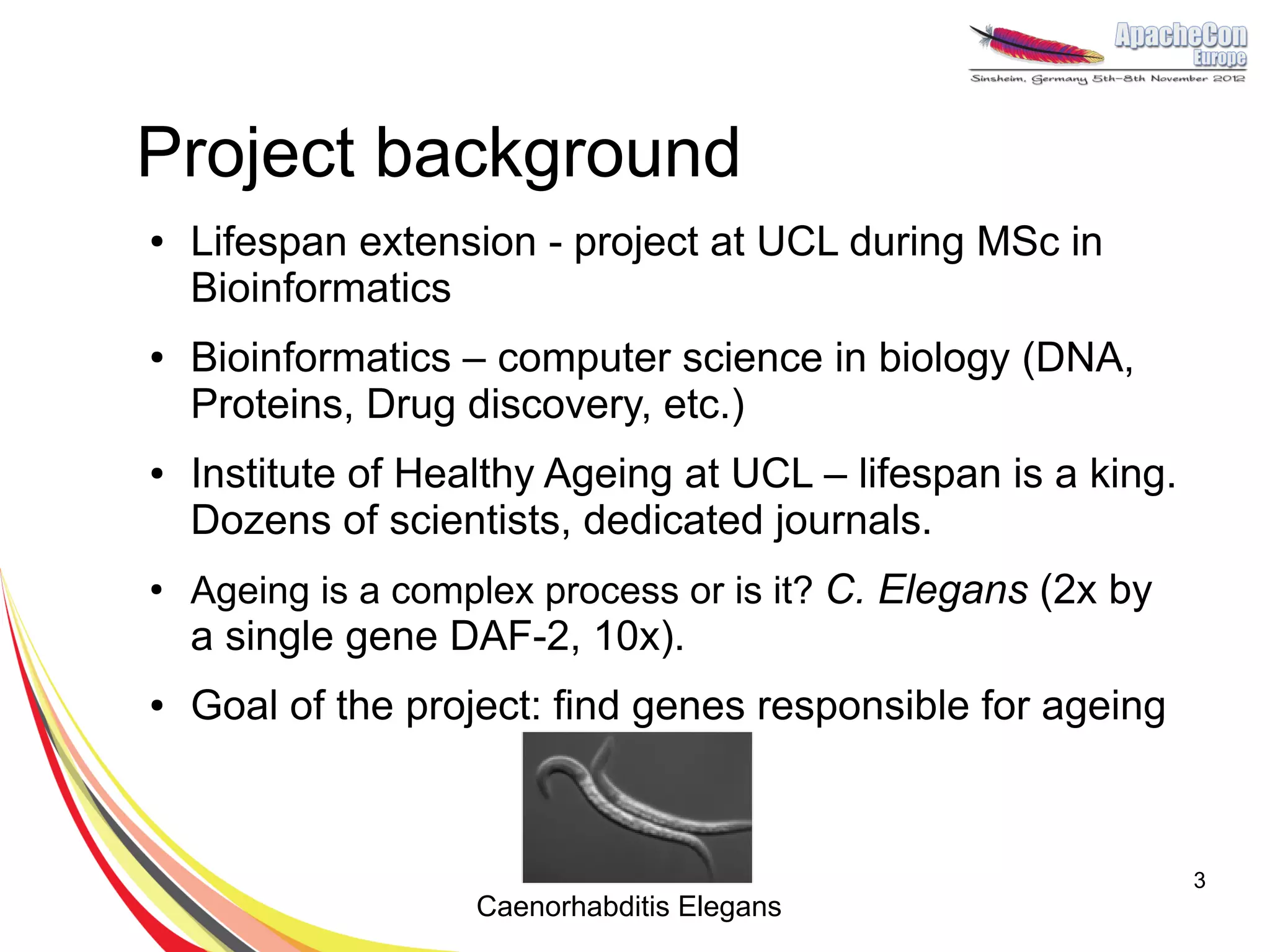
    Ageing is a complex process or is it? C. Elegans (2x by
    a single gene DAF-2, 10x).
●   Goal of the project: find genes responsible for ageing


                                                               3
                    Caenorhabditis Elegans
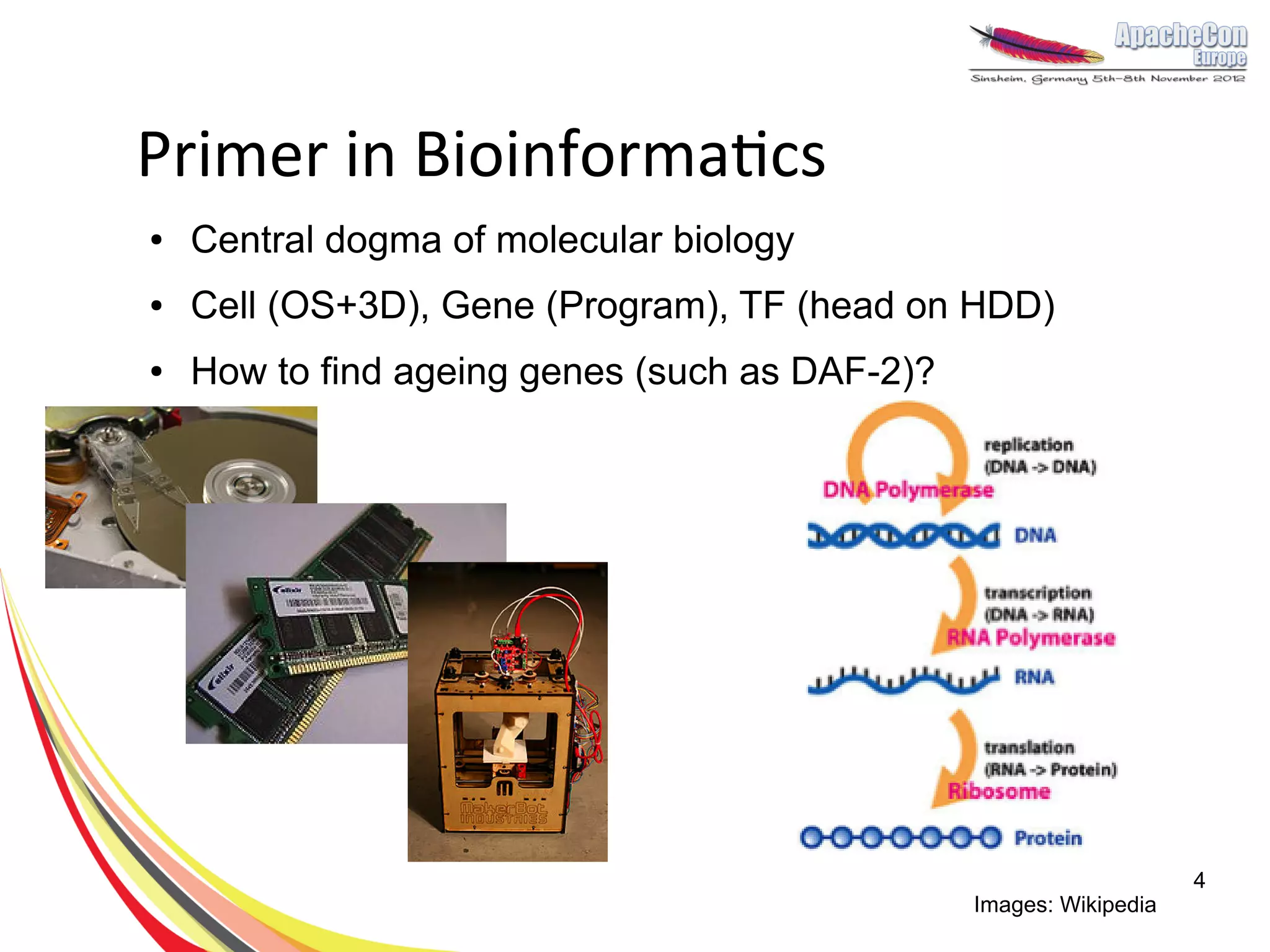
Primer in Bioinformatics
●   Central dogma of molecular biology
●   Cell (OS+3D), Gene (Program), TF (head on HDD)
●   How to find ageing genes (such as DAF-2)?


                                                                    4
                                                Images: Wikipedia
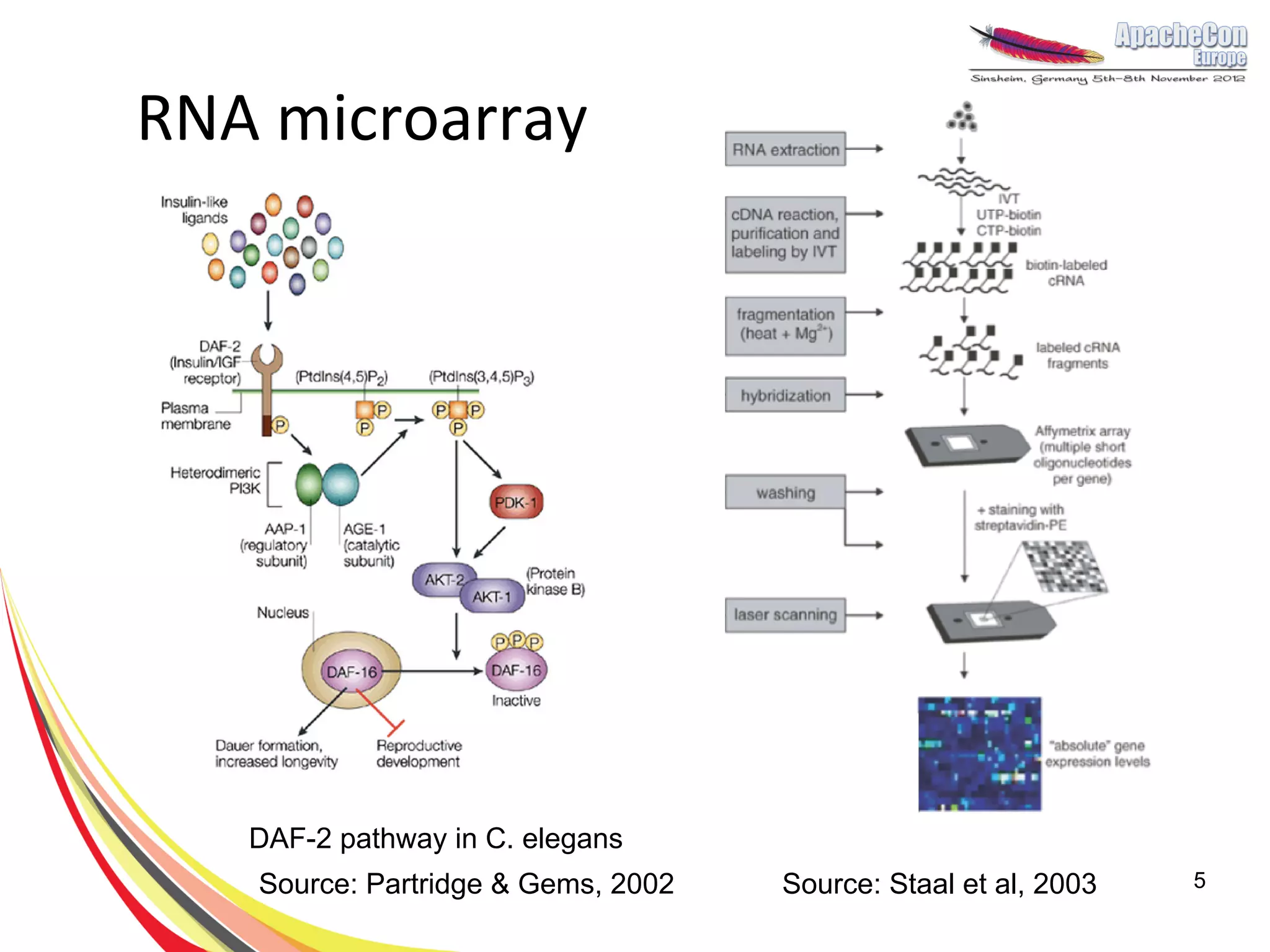
RNA microarray


   DAF-2 pathway in C. elegans
   Source: Partridge & Gems, 2002   Source: Staal et al, 2003   5
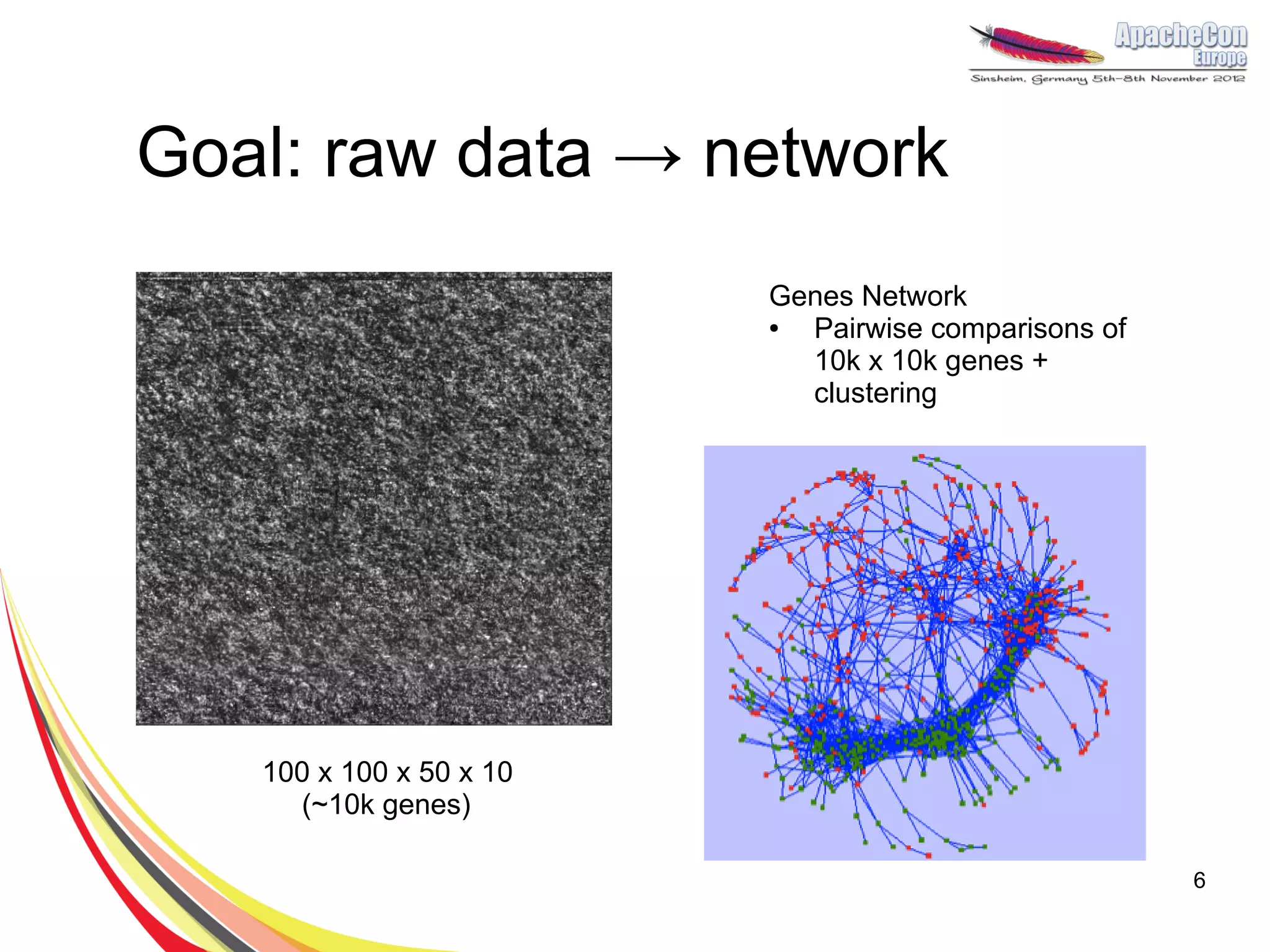
Goal: raw data → network
                         Genes Network
                         ● Pairwise comparisons of
                           10k x 10k genes +
                           clustering


   100 x 100 x 50 x 10
     (~10k genes)

                                                     6
Why R?
●   Incredibly powerful for data science with
    big data
●   Functional, scripting programming
    language with many packages.
●   Popular in mathematics, bioinformatics,
    finance, social science and more.
●   TechCrunch lists R as trendy technology for
    BigData.
●   Designed by statisticians for statisticians
                                                  7
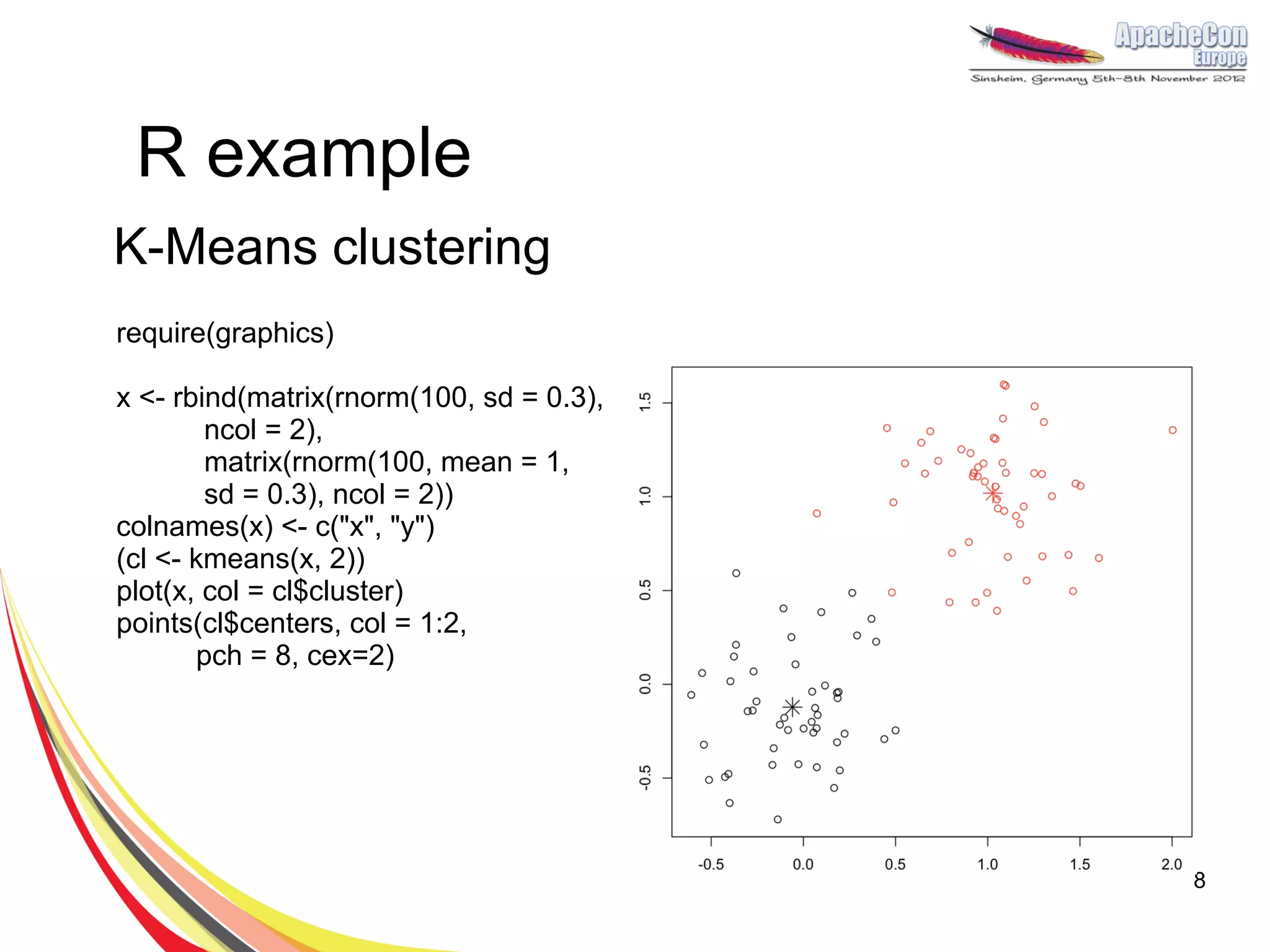
R example
K-Means clustering
require(graphics)

x <- rbind(matrix(rnorm(100, sd = 0.3),
        ncol = 2),
        matrix(rnorm(100, mean = 1,
        sd = 0.3), ncol = 2))
colnames(x) <- c("x", "y")
(cl <- kmeans(x, 2))
plot(x, col = cl$cluster)
points(cl$centers, col = 1:2,
       pch = 8, cex=2)


                                          8
R limitations & Hadoop
●   10k x 10k (100MM) Fisher exact
    correlations is slow
●   Memory allocation is a common problem
●   Single-threaded
●   Hadoop integration:
    –   Hadoop Streaming
    –   Rhipe: http://ml.stat.purdue.edu/rhipe/
    –   Segue: http://code.google.com/p/segue/

                                                  9
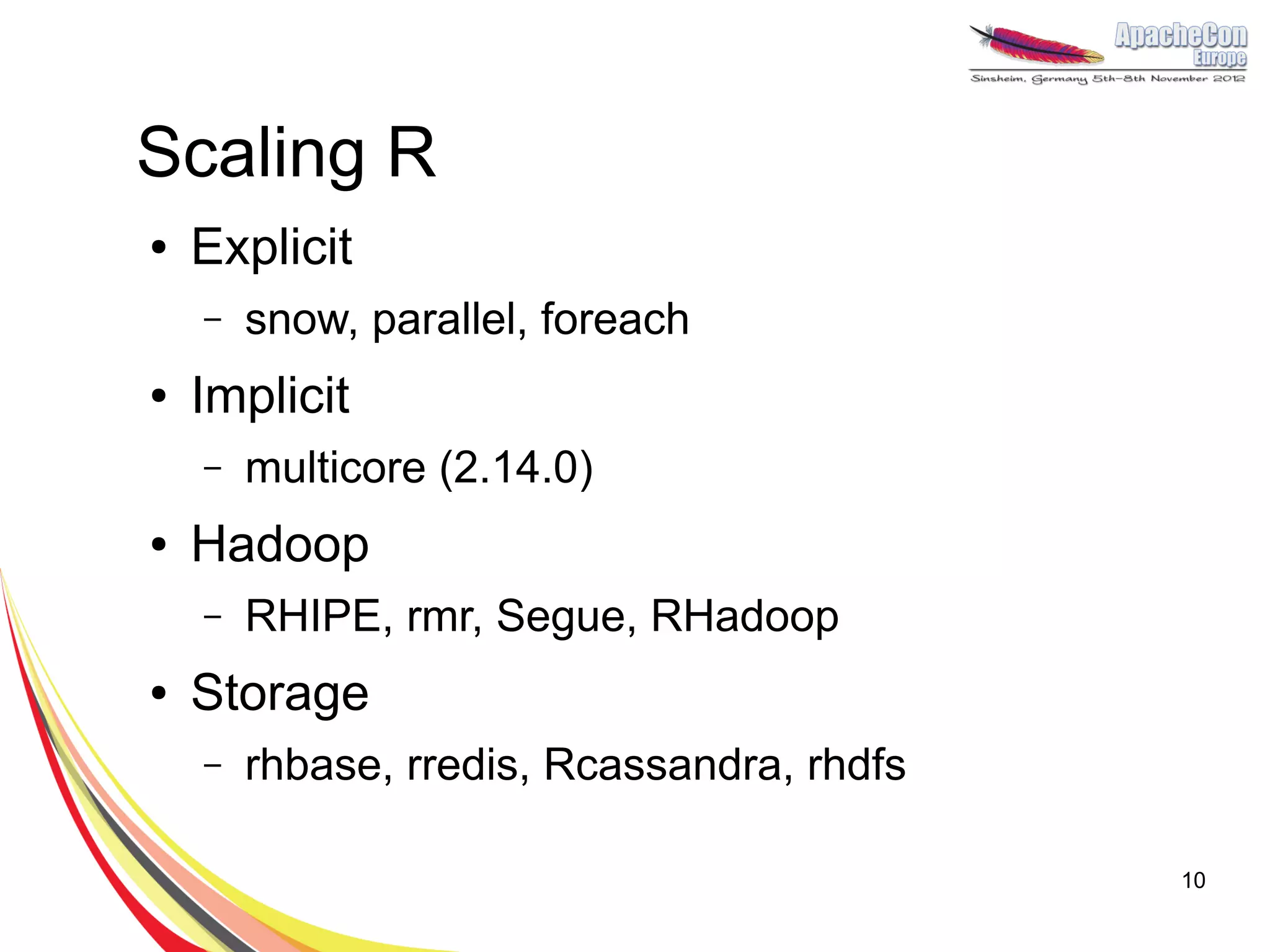
Scaling R
●   Explicit
    –   snow, parallel, foreach
●   Implicit
    –   multicore (2.14.0)
●   Hadoop
    –   RHIPE, rmr, Segue, RHadoop
●   Storage
    –   rhbase, rredis, Rcassandra, rhdfs

                                            10
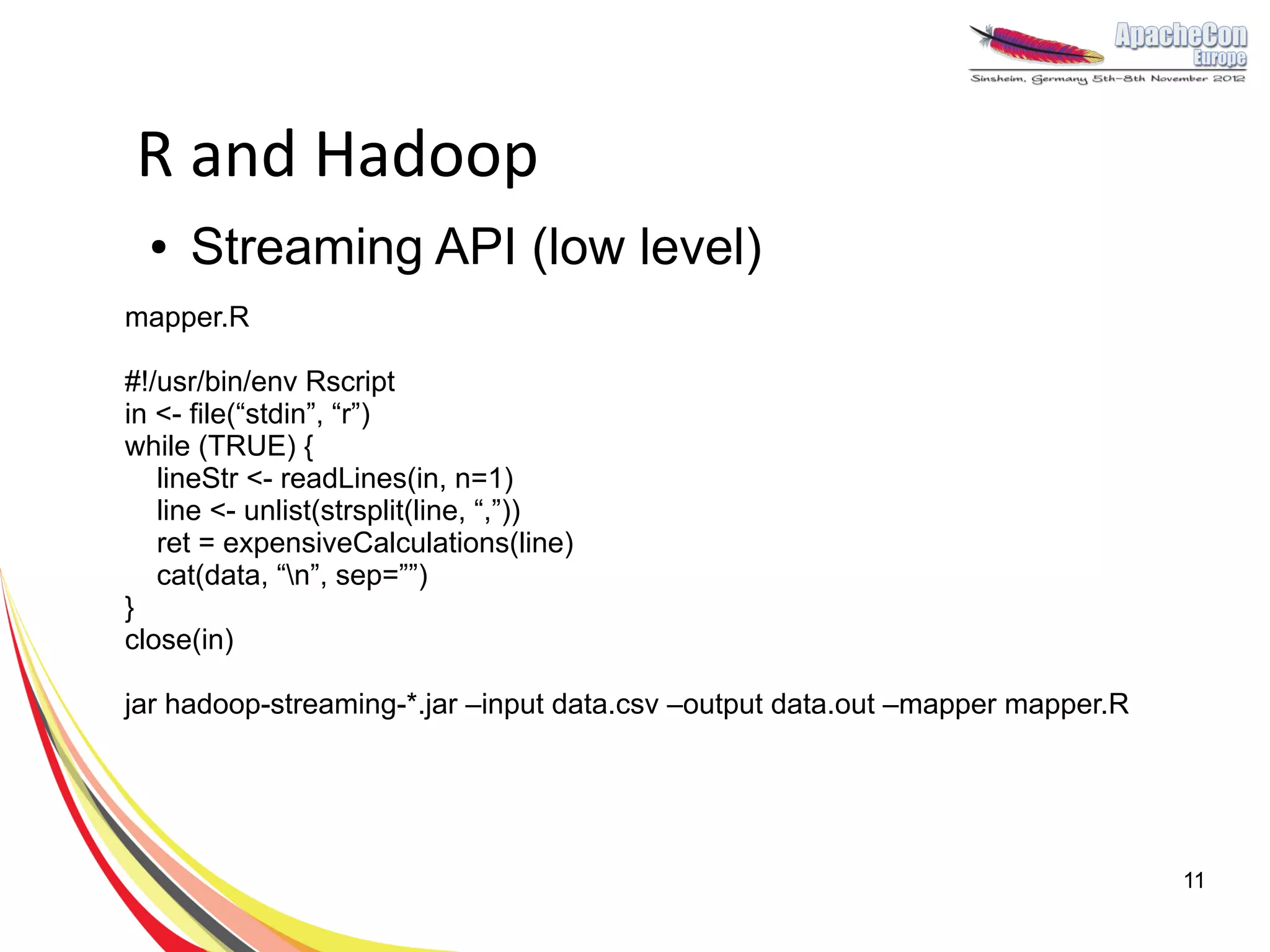
R and Hadoop
  ●   Streaming API (low level)
mapper.R

#!/usr/bin/env Rscript
in <- file(“stdin”, “r”)
while (TRUE) {
   lineStr <- readLines(in, n=1)
   line <- unlist(strsplit(line, “,”))
   ret = expensiveCalculations(line)
   cat(data, “n”, sep=””)
}
close(in)

jar hadoop-streaming-*.jar –input data.csv –output data.out –mapper mapper.R


                                                                               11
RHIPE
●   Can use with your Hadoop cluster
●   Write mappers/reduces using R only
                                    map <- expression({
     z <-                             f <- table(unlist(strsplit(unlist(
     rhmr(map=map,reduce=reduce,           map.values)," ")))
     inout=c("text","sequence")       n <- names(f)
           ,ifolder=filename          p <- as.numeric(f)
           ,ofolder=sprintf("%s-      sapply(seq_along(n),function(r)
            out",filename))                  rhcollect(n[r],p[r]))
                                    })
     job.result <-
     rhstatus(rhex(z,async=TRUE),   reduce <- expression(
              mon.sec=2)               pre={ total <- 0},
                                       reduce = { total <-
                                         total+sum(unlist(reduce.values)) },
                                       post = { rhcollect(reduce.key,total) }
                                     )
                                                                           12
                                      Example from Rhipe Wiki
Segue
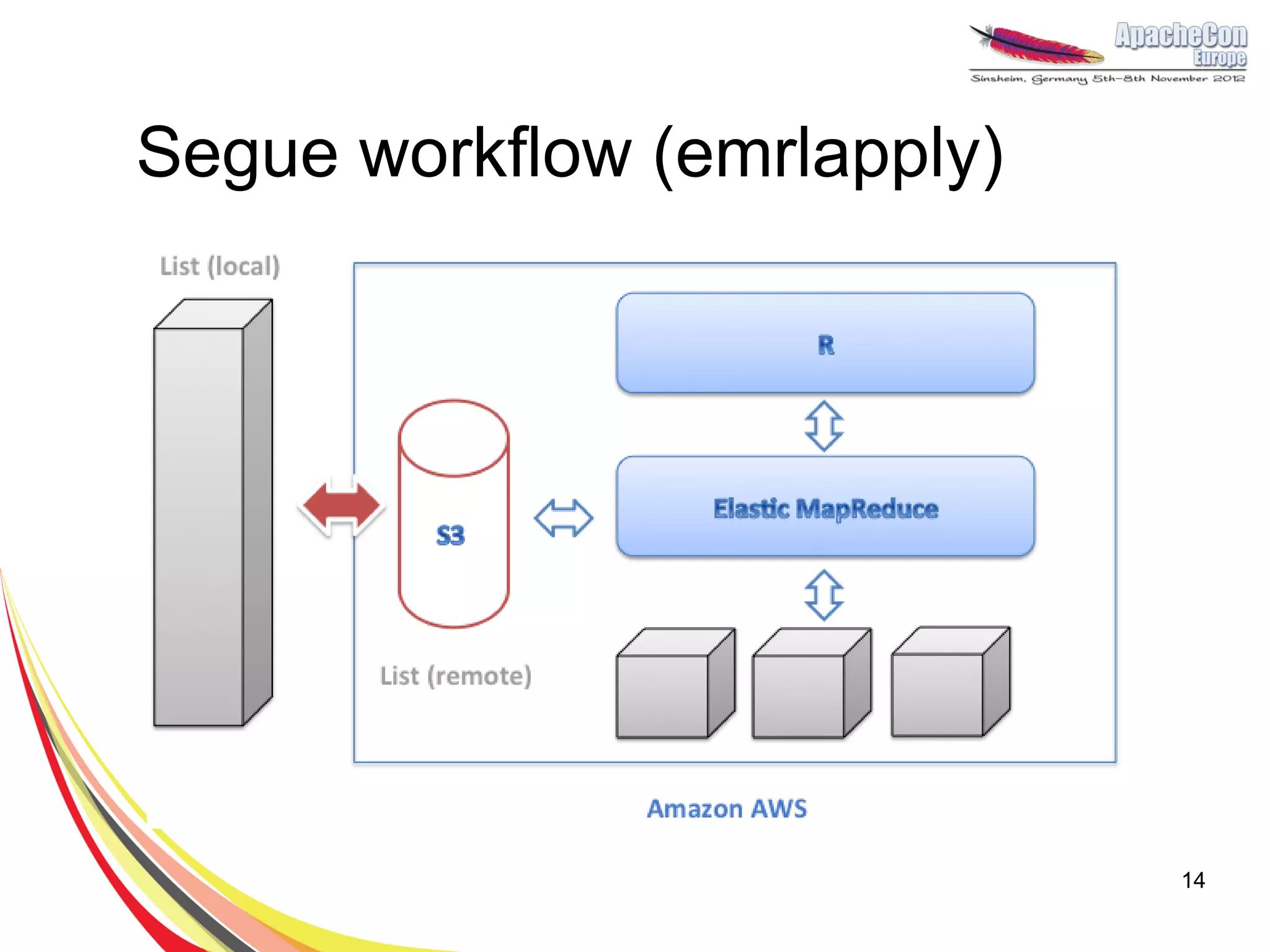
●   Works with Amazon Elastic MapReduce.
●   Creates a cluster for you.
●   Designed for Big Computations (rather than
    Big Data)
●   Implements a cloud version of lapply()
●   Parallelization in 2 lines of code!
●   Allowed us to speed up calculations down
    to 2h with the use of 16 servers

                                                 13
Segue workflow (emrlapply)


                             14
lapply()
m <- list(a = 1:10, b = exp(-3:3))

lapply(m, mean)$a
[1] 5.5
$b
[1] 4.535125

lapply(X, FUN)
returns a list of the same length as X, each element of which is
the result of applying FUN to the corresponding element of X.


                                                                   15
Segue in a cluster
> AnalysePearsonCorelation <- function(probe) {
  A.vector <- experiments.matrix[probe,]
  p.values <- c()
  for(probe.name in rownames(experiments.matrix)) {
     B.vector <- experiments.matrix[probe.name,]
     p.values <- c(p.values, cor.test(A.vector, B.vector)$p.value)
  }
  return (p.values)
}

> # pearson.cor <- lapply(probes, AnalysePearsonCorelation)

Moving to the cloud in 3 lines of code!


                                                                     16
Segue in a cluster
> AnalysePearsonCorelation <- function(probe) {
  A.vector <- experiments.matrix[probe,]
  p.values <- c()
  for(probe.name in rownames(experiments.matrix)) {
     B.vector <- experiments.matrix[probe.name,]
     p.values <- c(p.values, cor.test(A.vector, B.vector)$p.value)
  }
  return (p.values)
}

> # pearson.cor <- lapply(probes, AnalysePearsonCorelation)
> myCluster <- createCluster(numInstances=5,
     masterBidPrice="0.68”, slaveBidPrice="0.68”,
     masterInstanceType=”c1.xlarge”,
     slaveInstanceType=”c1.xlarge”, copy.image=TRUE)
> pearson.cor <- emrlapply(myCluster, probes,
   AnalysePearsonCorelation)
> stopCluster(myCluster)


                                                                     17
R + HBase
library(rhbase)
hb.init(serialize="raw")

#create new table
hb.new.table("mytable", "x","y","z",opts=list(y=list(compression='GZ')))

#insert some values into the table
hb.insert("mytable",list( list(1,c("x","y","z"),list("apple","berry","cherry"))))

rows<-hb.scan.ex("mytable",filterstring="ValueFilter(=,'substring:ber')")
rows$get()


    https://github.com/RevolutionAnalytics/RHadoop/wiki/rhbase


                                                                                    18
Discovering genes
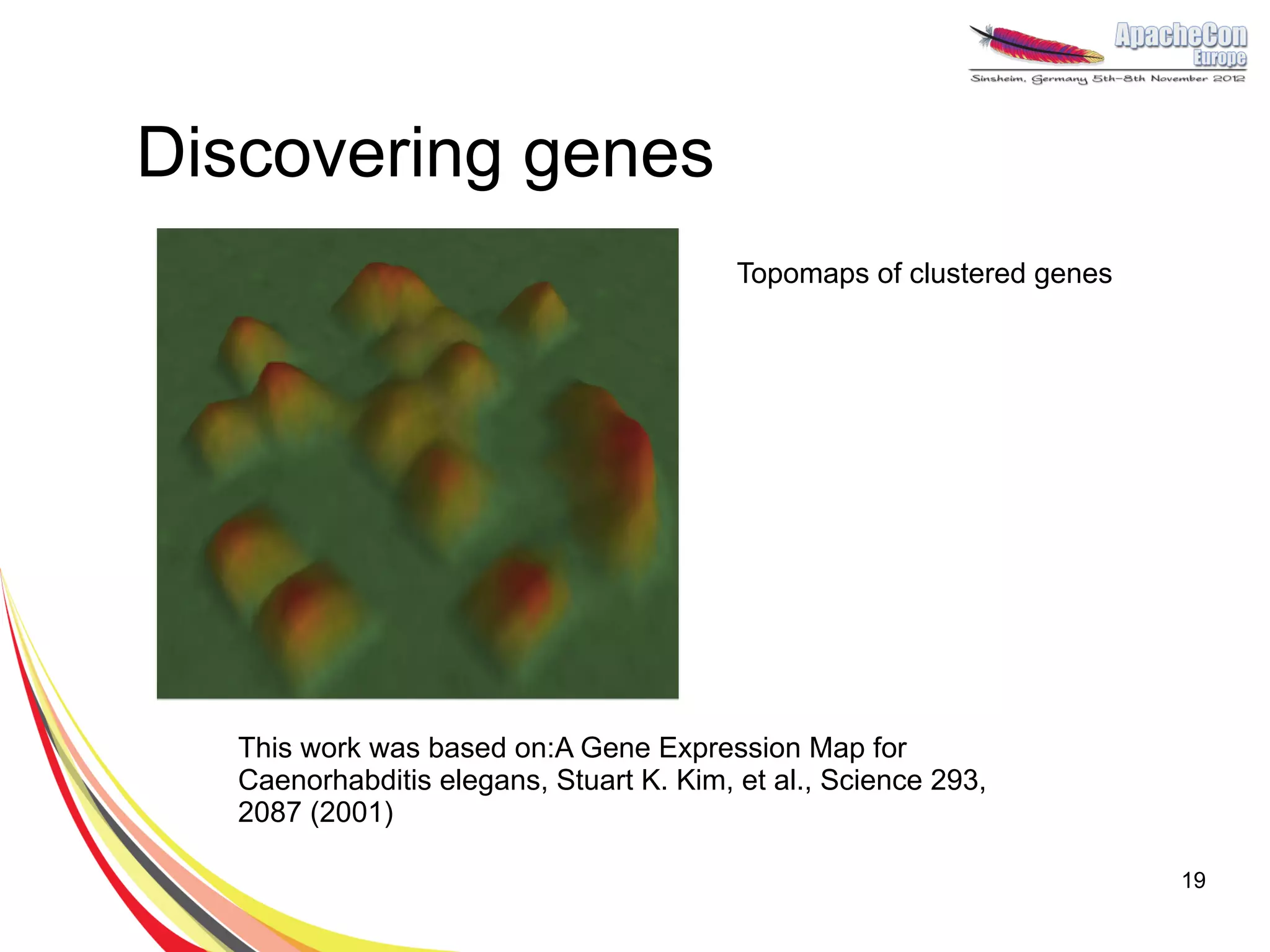
                                         Topomaps of clustered genes


  This work was based on:A Gene Expression Map for
  Caenorhabditis elegans, Stuart K. Kim, et al., Science 293,
  2087 (2001)

                                                                       19
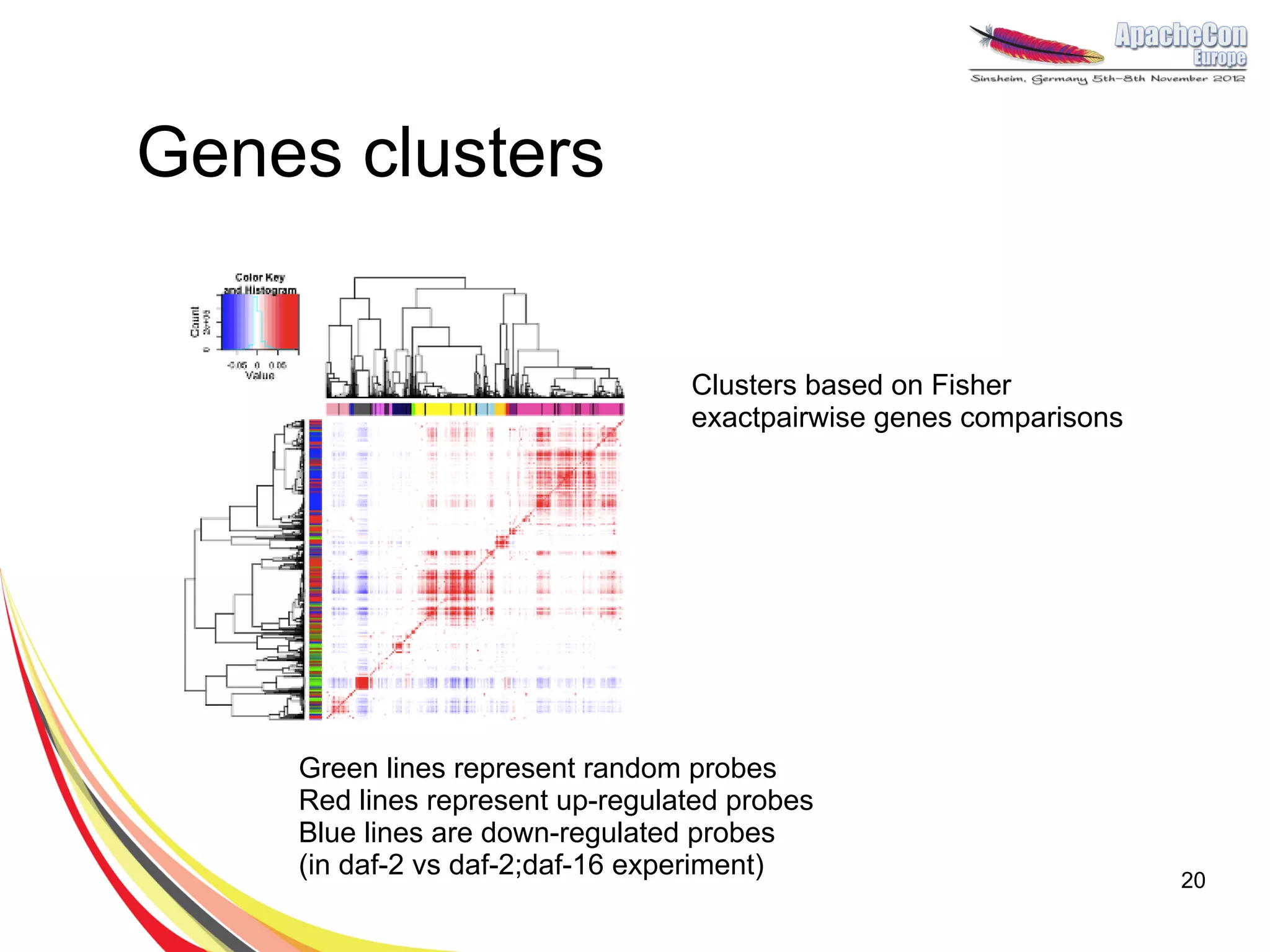
Genes clusters


                                 Clusters based on Fisher
                                 exactpairwise genes comparisons


    Green lines represent random probes
    Red lines represent up-regulated probes
    Blue lines are down-regulated probes
    (in daf-2 vs daf-2;daf-16 experiment)                          20
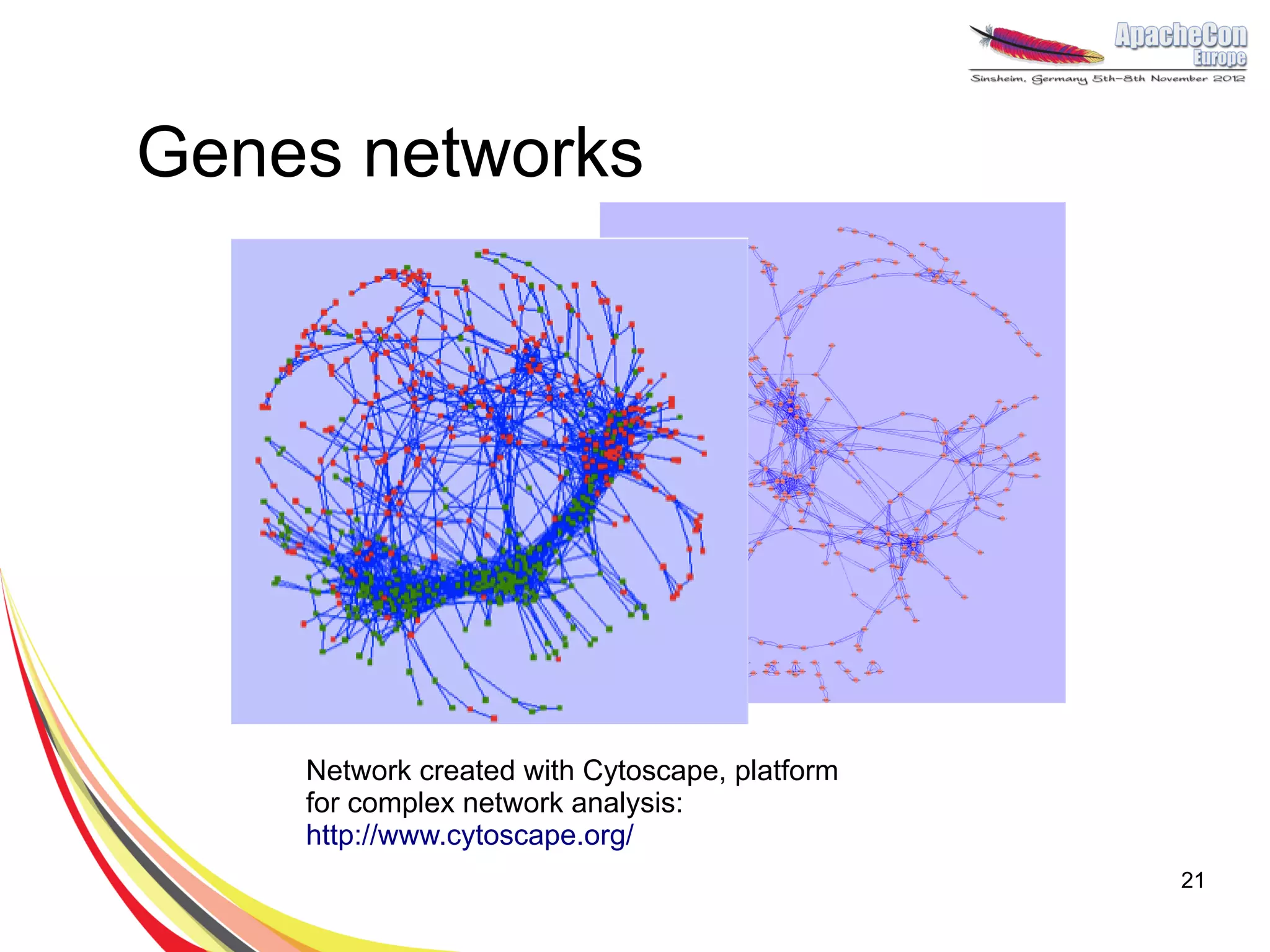
Genes networks


    Network created with Cytoscape, platform
    for complex network analysis:
    http://www.cytoscape.org/
                                               21
Future work - real time R
●   Hadoop has high throughput but for small
    tasks is slow. It is not good for continuous
    calculations.
●   A possible solution is to use Storm
●   Storm multilang can be used with any
    language, including R


                                                   22
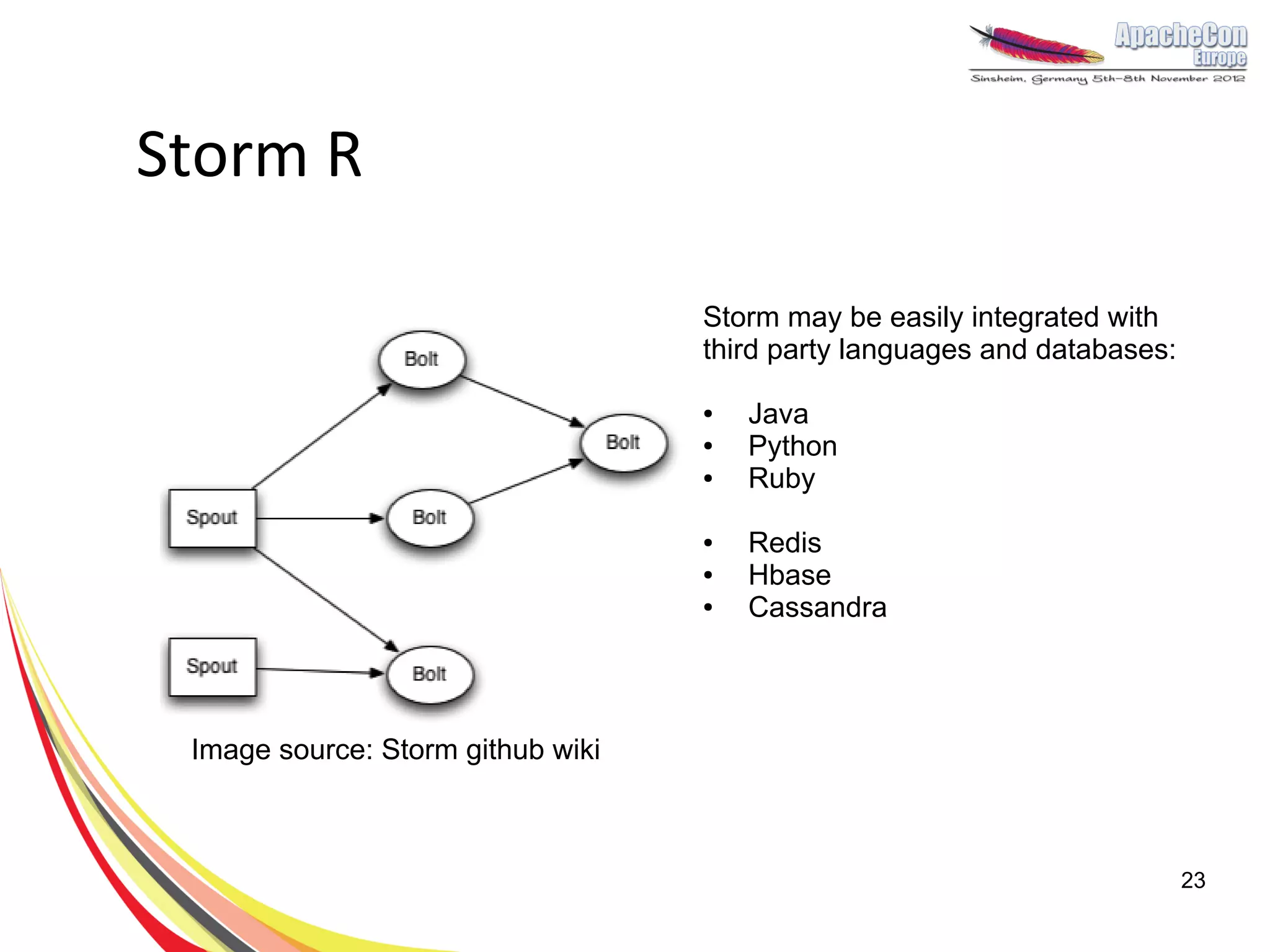
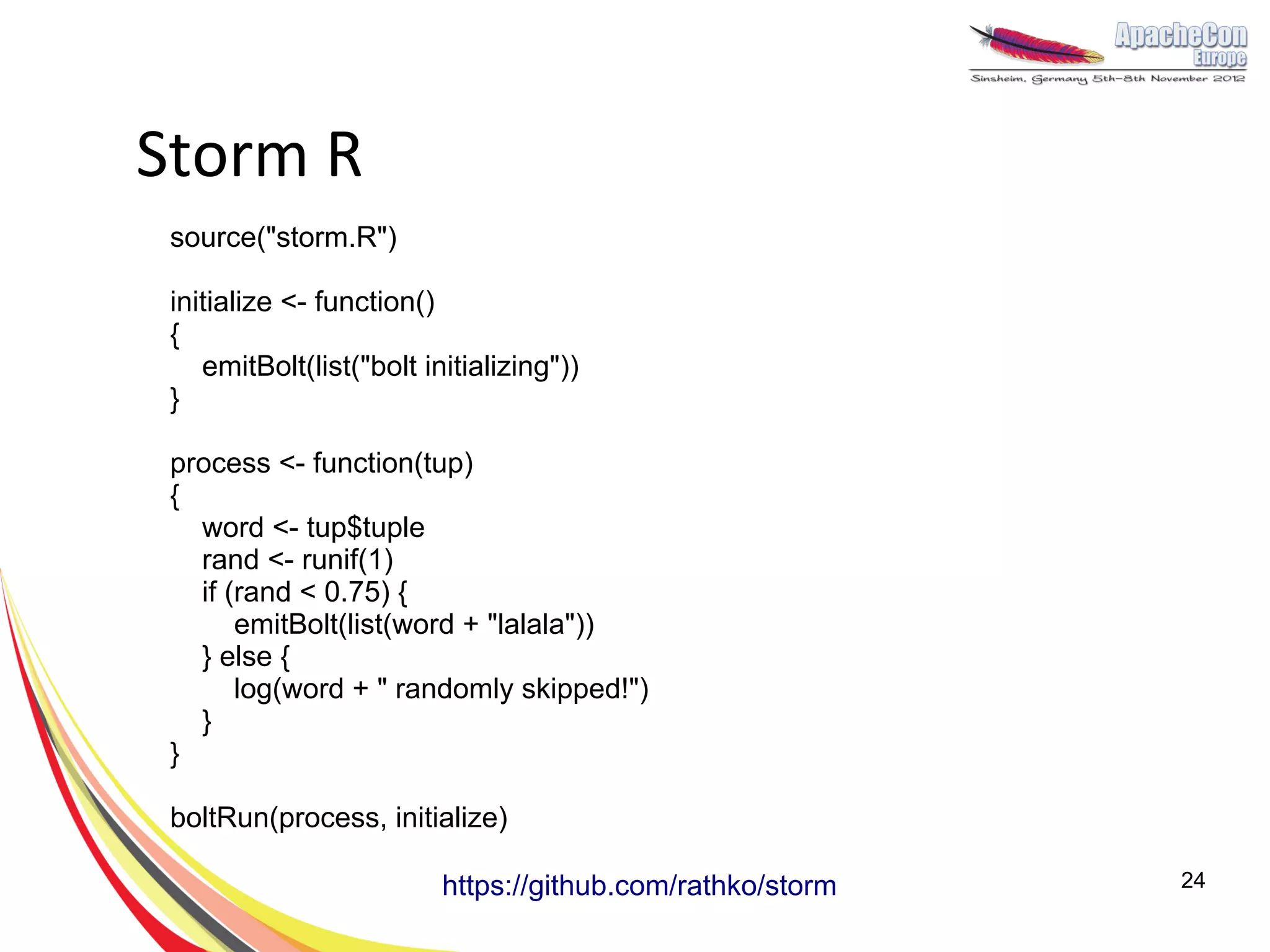
Storm R

                                   Storm may be easily integrated with
                                   third party languages and databases:

                                   ●   Java
                                   ●   Python
                                   ●   Ruby

                                   ●   Redis
                                   ●   Hbase
                                   ●   Cassandra


 Image source: Storm github wiki


                                                                          23
Storm R
 source("storm.R")

 initialize <- function()
 {
    emitBolt(list("bolt initializing"))
 }

 process <- function(tup)
 {
   word <- tup$tuple
   rand <- runif(1)
   if (rand < 0.75) {
       emitBolt(list(word + "lalala"))
   } else {
       log(word + " randomly skipped!")
   }
 }

 boltRun(process, initialize)

                          https://github.com/rathko/storm   24
Summary
●   It’s easy to scale R using Hadoop.
●   R is not only great for statistics, it is a versatile
    programming language.
●   Is ageing a disease? Are we all going to live very long
    lives?


                                                              25
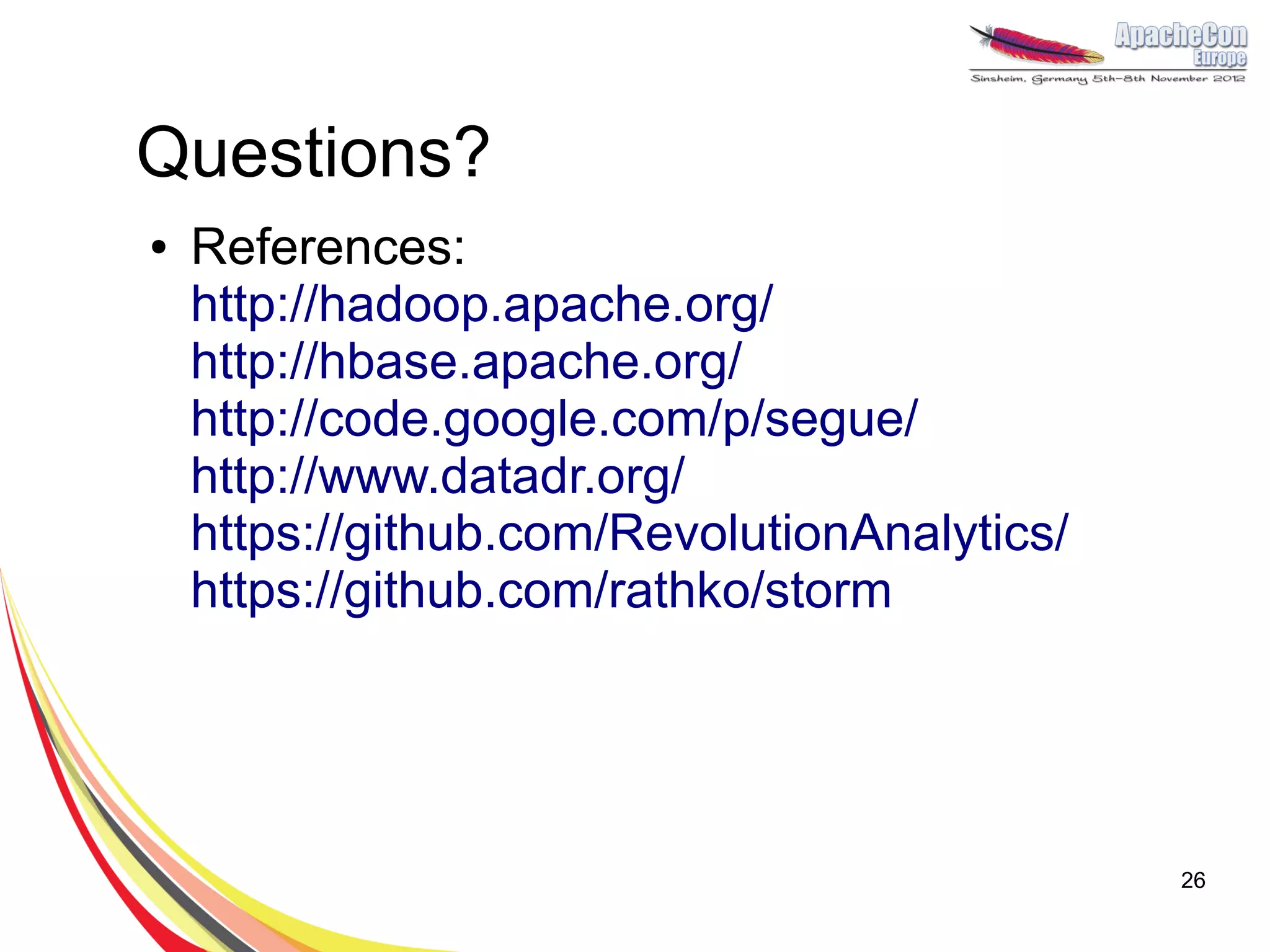
Questions?
●   References:
    http://hadoop.apache.org/
    http://hbase.apache.org/
    http://code.google.com/p/segue/
    http://www.datadr.org/
    https://github.com/RevolutionAnalytics/
    https://github.com/rathko/storm


                                              26

Extending lifespan with Hadoop and R

  • 1.
    Extending lifespan with Rand Hadoop Radek Maciaszek Founder of DataMine Lab, CTO Ad4Game, studying towards PhD in Bioinformatics at UCL
  • 2.
    Agenda ● Project background ● Parallel computing in R ● Hadoop + R ● Future work (Storm) ● Results and summary 2
  • 3.
    Project background ● Lifespan extension - project at UCL during MSc in Bioinformatics ● Bioinformatics – computer science in biology (DNA, Proteins, Drug discovery, etc.) ● Institute of Healthy Ageing at UCL – lifespan is a king. Dozens of scientists, dedicated journals. ● Ageing is a complex process or is it? C. Elegans (2x by a single gene DAF-2, 10x). ● Goal of the project: find genes responsible for ageing 3 Caenorhabditis Elegans
  • 4.
    Primer in Bioinformatics ● Central dogma of molecular biology ● Cell (OS+3D), Gene (Program), TF (head on HDD) ● How to find ageing genes (such as DAF-2)? 4 Images: Wikipedia
  • 5.
    RNA microarray DAF-2 pathway in C. elegans Source: Partridge & Gems, 2002 Source: Staal et al, 2003 5
  • 6.
    Goal: raw data→ network Genes Network ● Pairwise comparisons of 10k x 10k genes + clustering 100 x 100 x 50 x 10 (~10k genes) 6
  • 7.
    Why R? ● Incredibly powerful for data science with big data ● Functional, scripting programming language with many packages. ● Popular in mathematics, bioinformatics, finance, social science and more. ● TechCrunch lists R as trendy technology for BigData. ● Designed by statisticians for statisticians 7
  • 8.
    R example K-Means clustering require(graphics) x<- rbind(matrix(rnorm(100, sd = 0.3), ncol = 2), matrix(rnorm(100, mean = 1, sd = 0.3), ncol = 2)) colnames(x) <- c("x", "y") (cl <- kmeans(x, 2)) plot(x, col = cl$cluster) points(cl$centers, col = 1:2, pch = 8, cex=2) 8
  • 9.
    R limitations &Hadoop ● 10k x 10k (100MM) Fisher exact correlations is slow ● Memory allocation is a common problem ● Single-threaded ● Hadoop integration: – Hadoop Streaming – Rhipe: http://ml.stat.purdue.edu/rhipe/ – Segue: http://code.google.com/p/segue/ 9
  • 10.
    Scaling R ● Explicit – snow, parallel, foreach ● Implicit – multicore (2.14.0) ● Hadoop – RHIPE, rmr, Segue, RHadoop ● Storage – rhbase, rredis, Rcassandra, rhdfs 10
  • 11.
    R and Hadoop ● Streaming API (low level) mapper.R #!/usr/bin/env Rscript in <- file(“stdin”, “r”) while (TRUE) { lineStr <- readLines(in, n=1) line <- unlist(strsplit(line, “,”)) ret = expensiveCalculations(line) cat(data, “n”, sep=””) } close(in) jar hadoop-streaming-*.jar –input data.csv –output data.out –mapper mapper.R 11
  • 12.
    RHIPE ● Can use with your Hadoop cluster ● Write mappers/reduces using R only map <- expression({ z <- f <- table(unlist(strsplit(unlist( rhmr(map=map,reduce=reduce, map.values)," "))) inout=c("text","sequence") n <- names(f) ,ifolder=filename p <- as.numeric(f) ,ofolder=sprintf("%s- sapply(seq_along(n),function(r) out",filename)) rhcollect(n[r],p[r])) }) job.result <- rhstatus(rhex(z,async=TRUE), reduce <- expression( mon.sec=2) pre={ total <- 0}, reduce = { total <- total+sum(unlist(reduce.values)) }, post = { rhcollect(reduce.key,total) } ) 12 Example from Rhipe Wiki
  • 13.
    Segue ● Works with Amazon Elastic MapReduce. ● Creates a cluster for you. ● Designed for Big Computations (rather than Big Data) ● Implements a cloud version of lapply() ● Parallelization in 2 lines of code! ● Allowed us to speed up calculations down to 2h with the use of 16 servers 13
  • 14.
  • 15.
    lapply() m <- list(a= 1:10, b = exp(-3:3)) lapply(m, mean)$a [1] 5.5 $b [1] 4.535125 lapply(X, FUN) returns a list of the same length as X, each element of which is the result of applying FUN to the corresponding element of X. 15
  • 16.
    Segue in acluster > AnalysePearsonCorelation <- function(probe) { A.vector <- experiments.matrix[probe,] p.values <- c() for(probe.name in rownames(experiments.matrix)) { B.vector <- experiments.matrix[probe.name,] p.values <- c(p.values, cor.test(A.vector, B.vector)$p.value) } return (p.values) } > # pearson.cor <- lapply(probes, AnalysePearsonCorelation) Moving to the cloud in 3 lines of code! 16
  • 17.
    Segue in acluster > AnalysePearsonCorelation <- function(probe) { A.vector <- experiments.matrix[probe,] p.values <- c() for(probe.name in rownames(experiments.matrix)) { B.vector <- experiments.matrix[probe.name,] p.values <- c(p.values, cor.test(A.vector, B.vector)$p.value) } return (p.values) } > # pearson.cor <- lapply(probes, AnalysePearsonCorelation) > myCluster <- createCluster(numInstances=5, masterBidPrice="0.68”, slaveBidPrice="0.68”, masterInstanceType=”c1.xlarge”, slaveInstanceType=”c1.xlarge”, copy.image=TRUE) > pearson.cor <- emrlapply(myCluster, probes, AnalysePearsonCorelation) > stopCluster(myCluster) 17
  • 18.
    R + HBase library(rhbase) hb.init(serialize="raw") #createnew table hb.new.table("mytable", "x","y","z",opts=list(y=list(compression='GZ'))) #insert some values into the table hb.insert("mytable",list( list(1,c("x","y","z"),list("apple","berry","cherry")))) rows<-hb.scan.ex("mytable",filterstring="ValueFilter(=,'substring:ber')") rows$get() https://github.com/RevolutionAnalytics/RHadoop/wiki/rhbase 18
  • 19.
    Discovering genes Topomaps of clustered genes This work was based on:A Gene Expression Map for Caenorhabditis elegans, Stuart K. Kim, et al., Science 293, 2087 (2001) 19
  • 20.
    Genes clusters Clusters based on Fisher exactpairwise genes comparisons Green lines represent random probes Red lines represent up-regulated probes Blue lines are down-regulated probes (in daf-2 vs daf-2;daf-16 experiment) 20
  • 21.
    Genes networks Network created with Cytoscape, platform for complex network analysis: http://www.cytoscape.org/ 21
  • 22.
    Future work -real time R ● Hadoop has high throughput but for small tasks is slow. It is not good for continuous calculations. ● A possible solution is to use Storm ● Storm multilang can be used with any language, including R 22
  • 23.
    Storm R Storm may be easily integrated with third party languages and databases: ● Java ● Python ● Ruby ● Redis ● Hbase ● Cassandra Image source: Storm github wiki 23
  • 24.
    Storm R source("storm.R") initialize <- function() { emitBolt(list("bolt initializing")) } process <- function(tup) { word <- tup$tuple rand <- runif(1) if (rand < 0.75) { emitBolt(list(word + "lalala")) } else { log(word + " randomly skipped!") } } boltRun(process, initialize) https://github.com/rathko/storm 24
  • 25.
    Summary ● It’s easy to scale R using Hadoop. ● R is not only great for statistics, it is a versatile programming language. ● Is ageing a disease? Are we all going to live very long lives? 25
  • 26.
    Questions? ● References: http://hadoop.apache.org/ http://hbase.apache.org/ http://code.google.com/p/segue/ http://www.datadr.org/ https://github.com/RevolutionAnalytics/ https://github.com/rathko/storm 26