10
Tools to Personalize
LearningLawrence Public Schools
Blackboard’s
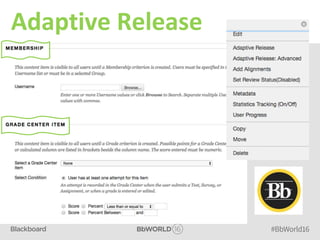
Adaptive Release
Adaptive Release
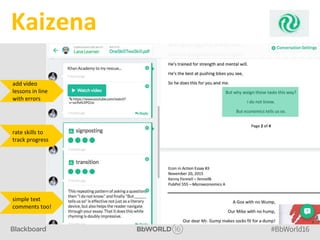
Kaizena
Kaizena
add video
lessons in line
with errors
rate skills to
track progress
simple text
comments too!
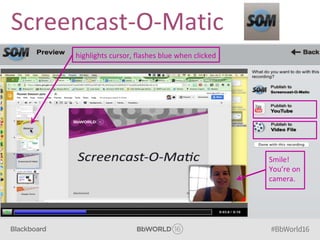
Screencast-O-Matic
Screencast-O-Matic
highlights cursor, flashes blue when clicked
Smile!
You’re on
camera.
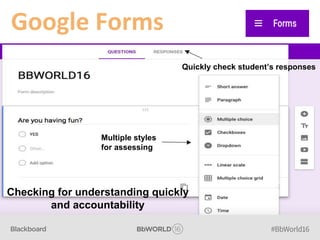
Google Forms
Google Forms
Quickly check student’s responses
Multiple styles
for assessing
Checking for understanding quickly
and accountability
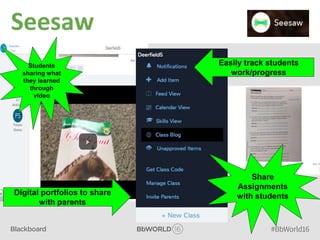
Seesaw
Seesaw
Students
sharing what
they learned
through
video
Easily track students
work/progress
Digital portfolios to share
with parents
Share
Assignments
with students
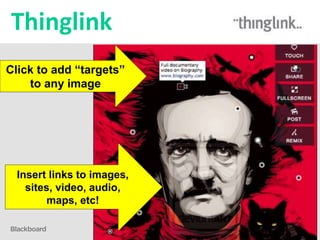
Thinglink
Thinglink
Click to add “targets”
to any image
Insert links to images,
sites, video, audio,
maps, etc!
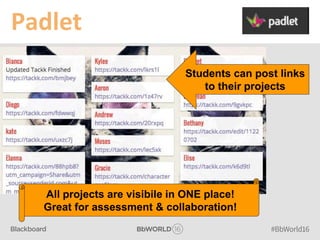
Padlet
Padlet
Students can post links
to their projects
All projects are visibile in ONE place!
Great for assessment & collaboration!
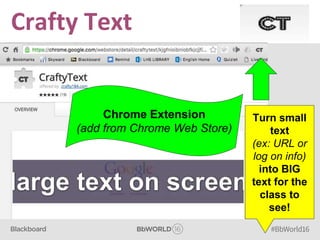
Crafty Text
Crafty Text
Chrome Extension
(add from Chrome Web Store)
Turn small
text
(ex: URL or
log on info)
into BIG
text for the
class to
see!
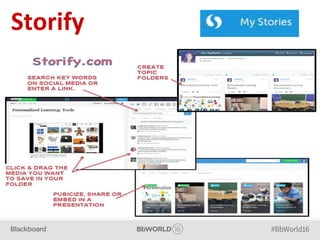
Storify
Storify
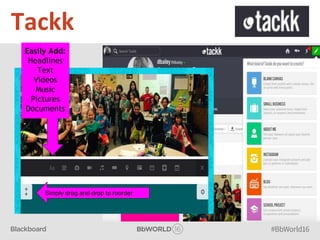
Tackk
Tackk
Easily Add:
Headlines
Text
Videos
Music
Pictures
Documents
Simply drag and drop to reorder
Kelly Hart @MrsHartSMS
Diana Bailey @krizmandiana
Keri Lauxman @lauxmanLHS
Joni Appleman @jolea785

Rocket session