


Using Social Media, Video and New Technology to Creatively Market REO HomesJune 14, 2011, 3:30pm – 5:00pm
Definition of Social Media the purpose of  for today’s presentation “Social media includes the various online technology tools that enable people to communicate easily via the internet to share information and resources.”
Presentation PurposeWe are going to go fast and touch on as many areas as we can in the short time we have together…We’re going to show you some cool Tools, Websites and Apps that you can use in your REO businessSlides:www.slideshare.net/kenblevins/REOexpoThe Real Purpose of the presentation is to get you “thinking”  Thinking of all the possibilities of how YOU can use Social Media to grow your REO/Real Estate  business!!!
Why?... Why do I need to learn this???87% percent of all home buyers now begin their search on the Internet before ever engaging an agent.  9 in 10The role of “transaction management” is dying. You need to engage with the home buyer where they are looking…
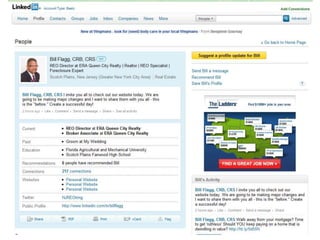
Using social media networks Bill FlaggREO Director - ERA Queen City RealtyJune 14, 2011
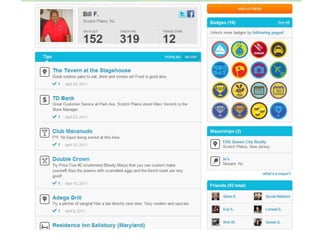
FoursquareOver 8 million users as of April 2011Accessible via computer and Smartphones(GPS enabled)Over 2.5 million “check-ins” per dayCan link directly to Twitter and FacebookFind people checked-in to the same place, discover new places to go in the area, and get special discounts or coupons if available.
LinkedInWorld’s largest professional networkOver 100 million usersConnect with past, present, and near future professional relationshipsUse it to research jobs, people, companies and business opportunitiesJoin groups and discussions with people looking for expert answers to their questions
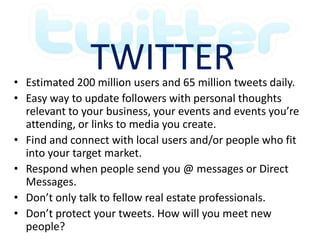
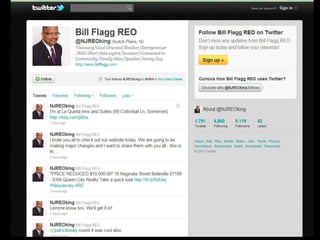
TwitterEstimated 200 million users and 65 million tweets daily.Easy way to update followers with personal thoughts relevant to your business, your events and events you’re attending, or links to media you create.Find and connect with local users and/or people who fit into your target market.Respond when people send you @ messages or Direct Messages.Don’t only talk to fellow real estate professionals.Don’t protect your tweets. How will you meet new people?
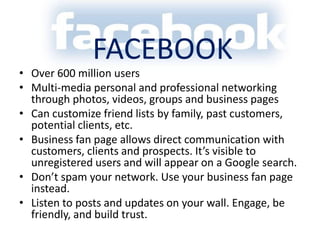
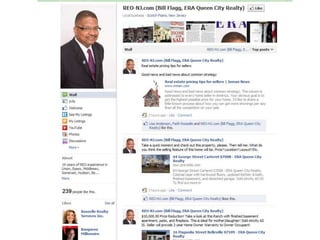
FacebookOver 600 million usersMulti-media personal and professional networking through photos, videos, groups and business pagesCan customize friend lists by family, past customers, potential clients, etc. Business fan page allows direct communication with customers, clients and prospects. It’s visible to unregistered users and will appear on a Google search.Don’t spam your network. Use your business fan page instead.Listen to posts and updates on your wall. Engage, be friendly, and build trust.
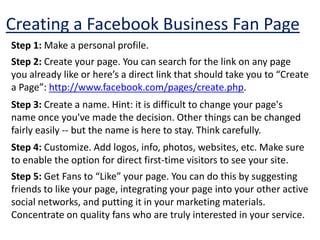
Creating a Facebook Business Fan PageStep 1: Make a personal profile. Step 2: Create your page. You can search for the link on any page you already like or here’s a direct link that should take you to “Create a Page”: http://www.facebook.com/pages/create.php. Step 3: Create a name. Hint: it is difficult to change your page's name once you've made the decision. Other things can be changed fairly easily -- but the name is here to stay. Think carefully.Step 4: Customize. Add logos, info, photos, websites, etc. Make sure to enable the option for direct first-time visitors to see your site.Step 5: Get Fans to “Like” your page. You can do this by suggesting friends to like your page, integrating your page into your other active social networks, and putting it in your marketing materials. Concentrate on quality fans who are truly interested in your service.
Some Tips:Have unique content. Take the time to customize items that meet your target market.Update content frequently. Keep it fresh.Always be professional and adhere to legal requirements and codes of ethics.Remember that even though using social networks effectively is an invaluable marketing tool, it costs time.
Hiring a Virtual AssistantVirtual Assistants are independent contractors who provide administrative, technical, and other business specialized services. Most work from their home office and use the Internet, phone, fax, email, mail, and other technology to communicate with their clients quickly and easily.BenefitsNo cost of workspace or equipment.VA’s are independent contractors. No dealing with taxes, health insurance, holidays, or vacation time.You’re in charge. You can customize things from pay terms to which tasks to assign. Frees up your time to concentrate on your businessIt’s another person to bounce ideas off of. A VA has their own strengths, background, and areas of expertise.
Integration of theiPad and iPhoneinto your REO businessBrian RichardDirector of REORichard Realty Group, IncSan Diego CA
Mobile is here to StayFact: Over 4.6 billion mobile phones in use world wide.  More mobile phones in use than cars on the road.More mobile phones in use than credit cards in use.Fact: Over 45% of mobile phones are internet capable (smart phones)Fact:  Average user spends a minimum of one hour a day on a mobile phone
Useful Websites and AppsDropbox.com HootSuite.comBoltHD(mirroring search engine for web in IE or FIREFOX)ESIGN Control – docusignRealtor.comZillow.comAMP – res.net QR Reader
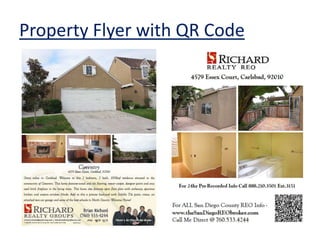
QR Codes (Quick Response Codes)Use throughout all marking platformsOnline Biz Cards
 Flyers
 Property Signs
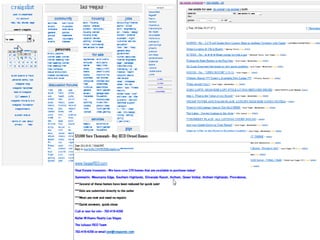
 Craigslist Ad’s Drive traffic to the website and contact info
Property Flyer with QR Code
800 NumbersOn all listings and website infoSpecific 4 digit ext for each propertyAs soon as someone calls – instant text message sent to buyers agent phone as well as instant email with Persons name and phone number.“Instant Call back on 800”I use ARCH telecom – but other companies work as well
Expert Tips for ShootingouTube Videos of Homes for Saleby Mark Shandorw
1.  Plan your Shoot           Nothing gives you a better chance of getting the shots you want than knowing what's going to happen where and when. Be as clear as you can about what you need to get before you arrive and you're far less likely to miss the most important moments.
2.  Stand Securely    Stand squarely with your feet apart and both hands on the camcorder to steady it. When you move the camera, move it smoothly and with purpose. Decide before you move where you're going to stop and really concentrate on steady unhurried movement. Don't overuse the zoom and if in doubt, don't move.
3.  Avoid and zooms and pans    The more you zoom in, the more wobbly your shots will be because at high zoom levels, the slightest movement is magnified. Try to simply get closer to your subject and if you can't do that, brace yourself against a solid object.
4.  Get a mix of Shots     Shoot a mixture of long shots and close-ups. Get panning shots which cover the whole event as well as focusing in close on the main event. If your entire video is made up of the same kind of shots, it will quickly get boring.
5.  Think in Scenes     You're going to be editing your day's filming in iMovie, so think about that when you're shooting. Decide how you're going to edit and make sure you have all the shots you need to tell the story you want to tell. Big wide shots set the scene well while close-ups allow you to focus attention on the main action.
6.  Over-Shoot     Turn on the camera a few seconds early and don't stop filming until a few seconds after you think the shot is over. That way you always have "room" when editing to cut or fade into and out of your shot.
7.  Watch out for Killer Shots     Your camera will automatically adjust its exposure whenever you move between dark and light areas so avoid filming in front of windows and lights or turn off the auto-exposure feature. Likewise, if there's a lot of movement in the shot, turn off autofocus and set the focus manually.
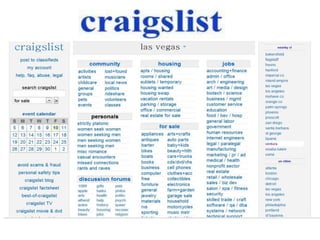
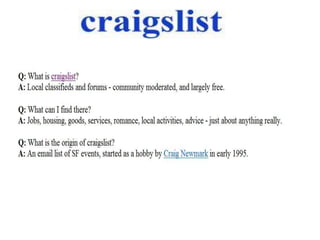
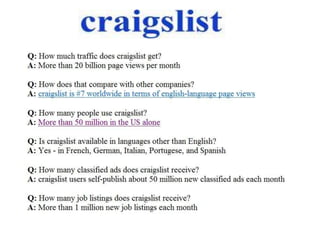
Marketing REO’s with Craigslist
Phone ApsY
Virtual Tours
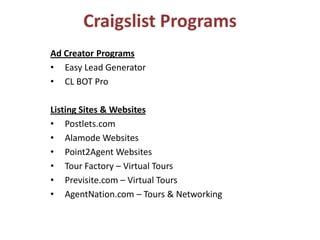
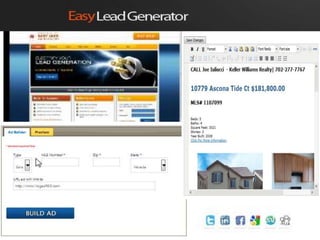
Craigslist ProgramsAd Creator ProgramsEasy Lead Generator
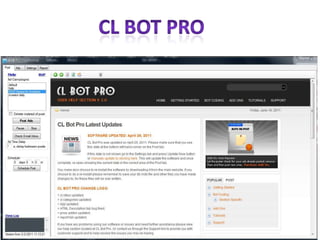
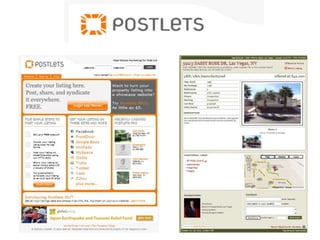
CL BOT ProListing Sites & WebsitesPostlets.com
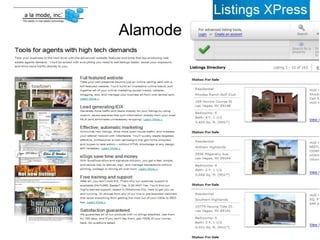
Alamode Websites
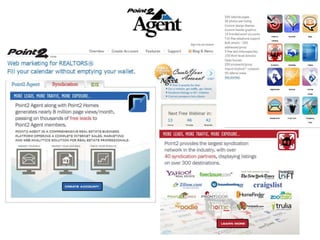
Point2Agent Websites
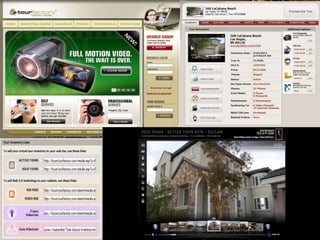
Tour Factory – Virtual Tours
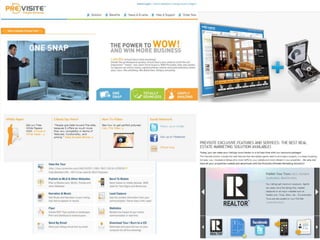
Previsite.com – Virtual Tours
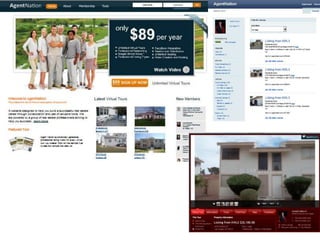
AgentNation.com – Tours & Networking
CL BOT PRO
Direct Syndication
                       Alamode
Virtual Tours
Virtual Tours
Virtual Tours
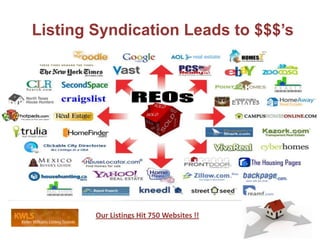
Listing Syndication Leads to $$$’sOur Listings Hit 750 Websites !!
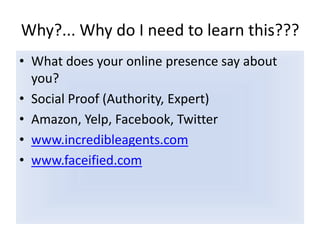
Why?... Why do I need to learn this???What does your online presence say about you?Social Proof (Authority, Expert)Amazon, Yelp, Facebook, Twitterwww.incredibleagents.comwww.faceified.com

REOExpo

  • 1.
    Using Social Media,Video and New Technology to Creatively Market REO HomesJune 14, 2011, 3:30pm – 5:00pm
  • 2.
    Definition of SocialMedia the purpose of for today’s presentation “Social media includes the various online technology tools that enable people to communicate easily via the internet to share information and resources.”
  • 3.
    Presentation PurposeWe aregoing to go fast and touch on as many areas as we can in the short time we have together…We’re going to show you some cool Tools, Websites and Apps that you can use in your REO businessSlides:www.slideshare.net/kenblevins/REOexpoThe Real Purpose of the presentation is to get you “thinking” Thinking of all the possibilities of how YOU can use Social Media to grow your REO/Real Estate business!!!
  • 4.
    Why?... Why doI need to learn this???87% percent of all home buyers now begin their search on the Internet before ever engaging an agent. 9 in 10The role of “transaction management” is dying. You need to engage with the home buyer where they are looking…
  • 5.
    Using social medianetworks Bill FlaggREO Director - ERA Queen City RealtyJune 14, 2011
  • 6.
    FoursquareOver 8 millionusers as of April 2011Accessible via computer and Smartphones(GPS enabled)Over 2.5 million “check-ins” per dayCan link directly to Twitter and FacebookFind people checked-in to the same place, discover new places to go in the area, and get special discounts or coupons if available.
  • 8.
    LinkedInWorld’s largest professionalnetworkOver 100 million usersConnect with past, present, and near future professional relationshipsUse it to research jobs, people, companies and business opportunitiesJoin groups and discussions with people looking for expert answers to their questions
  • 10.
    TwitterEstimated 200 millionusers and 65 million tweets daily.Easy way to update followers with personal thoughts relevant to your business, your events and events you’re attending, or links to media you create.Find and connect with local users and/or people who fit into your target market.Respond when people send you @ messages or Direct Messages.Don’t only talk to fellow real estate professionals.Don’t protect your tweets. How will you meet new people?
  • 12.
    FacebookOver 600 millionusersMulti-media personal and professional networking through photos, videos, groups and business pagesCan customize friend lists by family, past customers, potential clients, etc. Business fan page allows direct communication with customers, clients and prospects. It’s visible to unregistered users and will appear on a Google search.Don’t spam your network. Use your business fan page instead.Listen to posts and updates on your wall. Engage, be friendly, and build trust.
  • 14.
    Creating a FacebookBusiness Fan PageStep 1: Make a personal profile. Step 2: Create your page. You can search for the link on any page you already like or here’s a direct link that should take you to “Create a Page”: http://www.facebook.com/pages/create.php. Step 3: Create a name. Hint: it is difficult to change your page's name once you've made the decision. Other things can be changed fairly easily -- but the name is here to stay. Think carefully.Step 4: Customize. Add logos, info, photos, websites, etc. Make sure to enable the option for direct first-time visitors to see your site.Step 5: Get Fans to “Like” your page. You can do this by suggesting friends to like your page, integrating your page into your other active social networks, and putting it in your marketing materials. Concentrate on quality fans who are truly interested in your service.
  • 15.
    Some Tips:Have uniquecontent. Take the time to customize items that meet your target market.Update content frequently. Keep it fresh.Always be professional and adhere to legal requirements and codes of ethics.Remember that even though using social networks effectively is an invaluable marketing tool, it costs time.
  • 16.
    Hiring a VirtualAssistantVirtual Assistants are independent contractors who provide administrative, technical, and other business specialized services. Most work from their home office and use the Internet, phone, fax, email, mail, and other technology to communicate with their clients quickly and easily.BenefitsNo cost of workspace or equipment.VA’s are independent contractors. No dealing with taxes, health insurance, holidays, or vacation time.You’re in charge. You can customize things from pay terms to which tasks to assign. Frees up your time to concentrate on your businessIt’s another person to bounce ideas off of. A VA has their own strengths, background, and areas of expertise.
  • 17.
    Integration of theiPadand iPhoneinto your REO businessBrian RichardDirector of REORichard Realty Group, IncSan Diego CA
  • 18.
    Mobile is hereto StayFact: Over 4.6 billion mobile phones in use world wide. More mobile phones in use than cars on the road.More mobile phones in use than credit cards in use.Fact: Over 45% of mobile phones are internet capable (smart phones)Fact: Average user spends a minimum of one hour a day on a mobile phone
  • 19.
    Useful Websites andAppsDropbox.com HootSuite.comBoltHD(mirroring search engine for web in IE or FIREFOX)ESIGN Control – docusignRealtor.comZillow.comAMP – res.net QR Reader
  • 20.
    QR Codes (QuickResponse Codes)Use throughout all marking platformsOnline Biz Cards
  • 21.
  • 22.
  • 23.
    Craigslist Ad’sDrive traffic to the website and contact info
  • 24.
  • 25.
    800 NumbersOn alllistings and website infoSpecific 4 digit ext for each propertyAs soon as someone calls – instant text message sent to buyers agent phone as well as instant email with Persons name and phone number.“Instant Call back on 800”I use ARCH telecom – but other companies work as well
  • 26.
    Expert Tips forShootingouTube Videos of Homes for Saleby Mark Shandorw
  • 27.
    1. Planyour Shoot Nothing gives you a better chance of getting the shots you want than knowing what's going to happen where and when. Be as clear as you can about what you need to get before you arrive and you're far less likely to miss the most important moments.
  • 28.
    2. StandSecurely Stand squarely with your feet apart and both hands on the camcorder to steady it. When you move the camera, move it smoothly and with purpose. Decide before you move where you're going to stop and really concentrate on steady unhurried movement. Don't overuse the zoom and if in doubt, don't move.
  • 29.
    3. Avoidand zooms and pans The more you zoom in, the more wobbly your shots will be because at high zoom levels, the slightest movement is magnified. Try to simply get closer to your subject and if you can't do that, brace yourself against a solid object.
  • 30.
    4. Geta mix of Shots Shoot a mixture of long shots and close-ups. Get panning shots which cover the whole event as well as focusing in close on the main event. If your entire video is made up of the same kind of shots, it will quickly get boring.
  • 31.
    5. Thinkin Scenes You're going to be editing your day's filming in iMovie, so think about that when you're shooting. Decide how you're going to edit and make sure you have all the shots you need to tell the story you want to tell. Big wide shots set the scene well while close-ups allow you to focus attention on the main action.
  • 32.
    6. Over-Shoot Turn on the camera a few seconds early and don't stop filming until a few seconds after you think the shot is over. That way you always have "room" when editing to cut or fade into and out of your shot.
  • 33.
    7. Watchout for Killer Shots Your camera will automatically adjust its exposure whenever you move between dark and light areas so avoid filming in front of windows and lights or turn off the auto-exposure feature. Likewise, if there's a lot of movement in the shot, turn off autofocus and set the focus manually.
  • 34.
  • 39.
  • 40.
  • 41.
    Craigslist ProgramsAd CreatorProgramsEasy Lead Generator
  • 42.
    CL BOT ProListingSites & WebsitesPostlets.com
  • 43.
  • 44.
  • 45.
    Tour Factory –Virtual Tours
  • 46.
  • 47.
  • 48.
  • 49.
  • 50.
    Alamode
  • 52.
  • 53.
  • 54.
  • 55.
    Listing Syndication Leadsto $$$’sOur Listings Hit 750 Websites !!
  • 56.
    Why?... Why doI need to learn this???What does your online presence say about you?Social Proof (Authority, Expert)Amazon, Yelp, Facebook, Twitterwww.incredibleagents.comwww.faceified.com