Introduction to Git
Daniel Mann
Senior Software DevelopmentConsultant
InCycle Software
NewYork ▪ Seattle ▪ Montreal
Agenda
What is Git?
Overview of Centralized vs Distributed Version Control
Git in Visual Studio / TFS
Is It Right For Me?
What is Git?
- Distributed version control system
- Designed for the challenges of large-scale open-
source projects
- Supports fast, off-line work
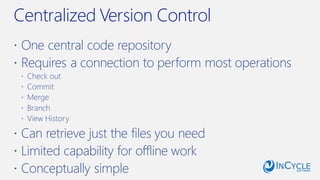
Centralized Version Control
 One central code repository
 Requires a connection to perform most operations
 Check out
 Commit
 Merge
 Branch
 View History
 Can retrieve just the files you need
 Limited capability for offline work
 Conceptually simple
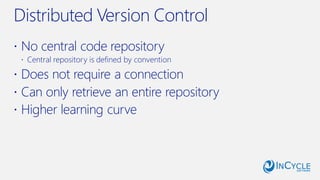
Distributed Version Control
 No central code repository
 Central repository is defined by convention
 Does not require a connection
 Can only retrieve an entire repository
 Higher learning curve
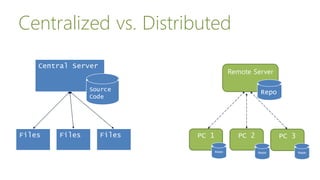
Centralized vs. Distributed
Central Server
Source
Code
Files FilesFiles PC 1 PC 2 PC 3
Repo
Remote Server
Repo
Repo Repo
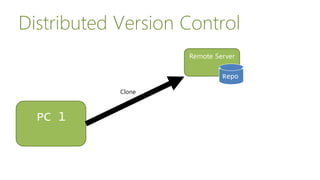
Remote Server
Repo
PC 1
Repo
Distributed Version Control
Clone
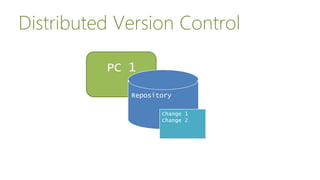
Distributed Version Control
PC 1
Repository
Change 1
Change 2
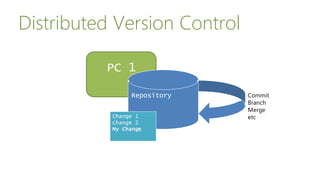
Distributed Version Control
PC 1
Repository Commit
Branch
Merge
etcChange 1
Change 2
My Change
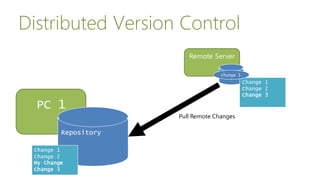
Distributed Version Control
PC 1
Repository
Remote Server
Repo
Pull Remote Changes
Change 1
Change 2
Change 3
Change 1
Change 2
My Change
Change 3
Change 1
Change 2
My Change
Change 3
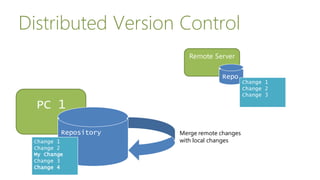
Distributed Version Control
PC 1
Repository
Remote Server
Repo
Merge remote changes
with local changesChange 1
Change 2
My Change
Change 3
Change 1
Change 2
Change 3
Change 1
Change 2
My Change
Change 3
Change 4
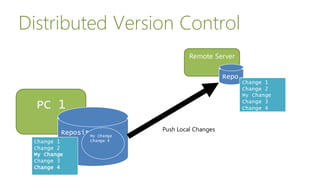
Distributed Version Control
PC 1
Repository
Remote Server
Repo
Change 1
Change 2
Change 3
Change 1
Change 2
My Change
Change 3
Change 4
Push Local Changes
My Change
Change 4
Change 1
Change 2
My Change
Change 3
Change 4
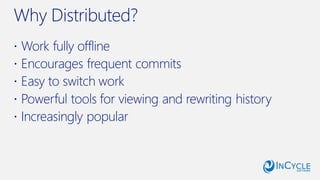
Why Distributed?
 Work fully offline
 Encourages frequent commits
 Easy to switch work
 Powerful tools for viewing and rewriting history
 Increasingly popular
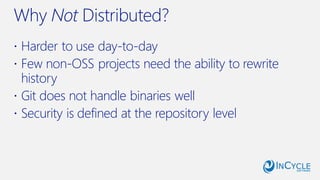
Why Not Distributed?
 Harder to use day-to-day
 Few non-OSS projects need the ability to rewrite
history
 Git does not handle binaries well
 Security is defined at the repository level
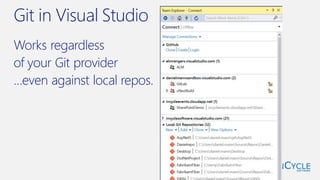
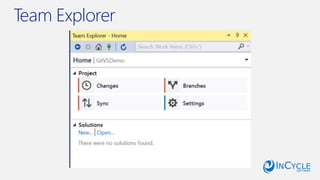
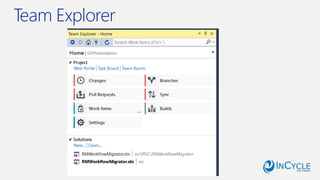
Git in Visual Studio
Works regardless
of your Git provider
…even against local repos.
Team Explorer
Team Explorer
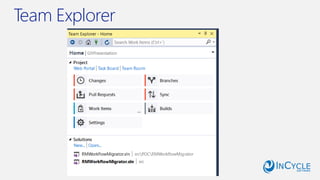
Team Explorer
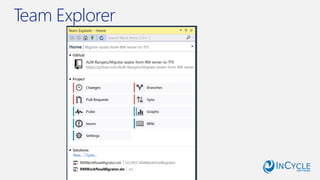
Team Explorer
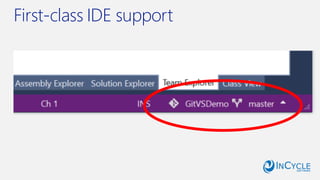
First-class IDE support
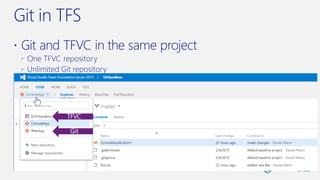
Git in TFS
 Git and TFVC in the same project
 One TFVC repository
 Unlimited Git repository
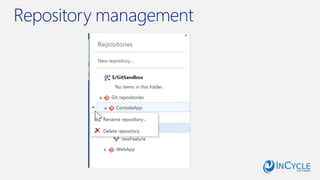
Repository management
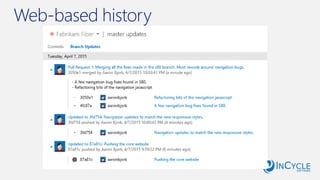
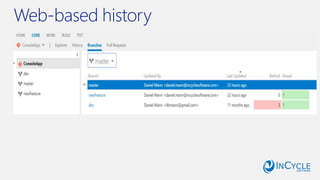
Web-based history
Web-based history
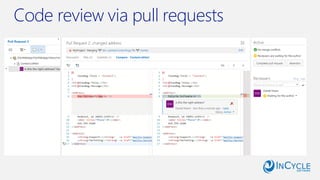
Code review via pull requests
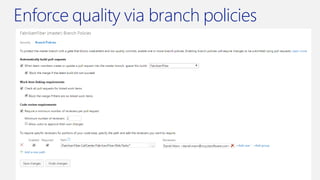
Enforce quality via branch policies
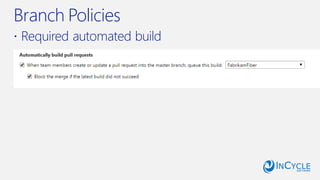
Branch Policies
 Required automated build
Branch Policies
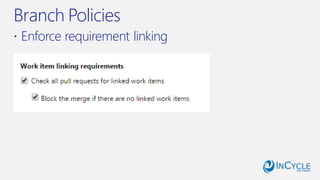
 Enforce requirement linking
Branch Policies
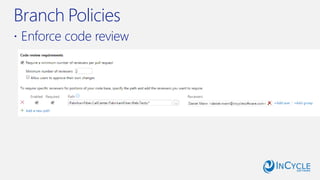
 Enforce code review
Should you make the switch?
Yes, if:
- You work offline frequently
- Your software is open-source
- You want to branch and merge frequently
Should you make the switch?
No, if:
- You never work offline
- Your software is closed-source
- Developers are productive and happy using
something else
- You require stringent code security
Best Practices
 Don’t Panic
 Do not put binaries in Git repositories!
 Manage binary dependencies via a package
manager
 Keep repos small (one repo == one application)
 Branch early, branch often. Don’t work directly on
master.
 Read the Docs!
/InCycleSoftware @InCycleSoftware /company/incycle-software incyclesoftware.com/blog/
Get started with Git!
For course/workshops overviews, see links below:
Course: Git Fundamentals–
http://incyclesoftware.com/course-git-fundamentals/
Course: Git in Team Foundation Server & VisualStudio -
http://incyclesoftware.com/course-git-in-team-foundation-server-visual-studio/
Workshop: Git Migration–
http://incyclesoftware.com/workshop-git-migration/
Toschedule a courseor workshop, emailus atinfo@incyclesoftware.com or call1-800-565-0510

Introduction to Git