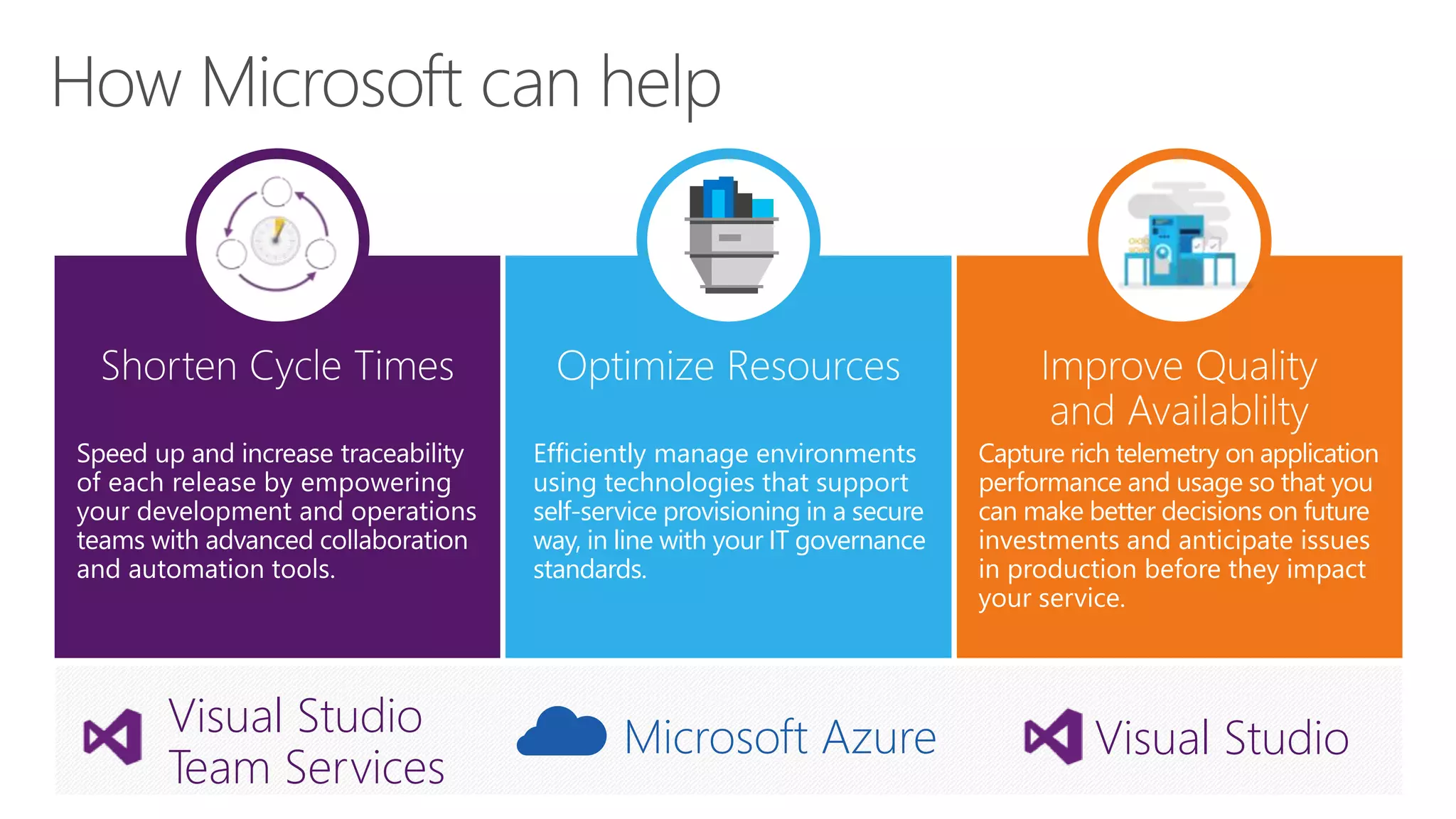
Optimize Resources
Efficiently manage environments
using technologies that support
self-service provisioning in a secure
way, in line with your IT governance
standards.
Microsoft Azure Visual StudioVisual Studio
Team Services
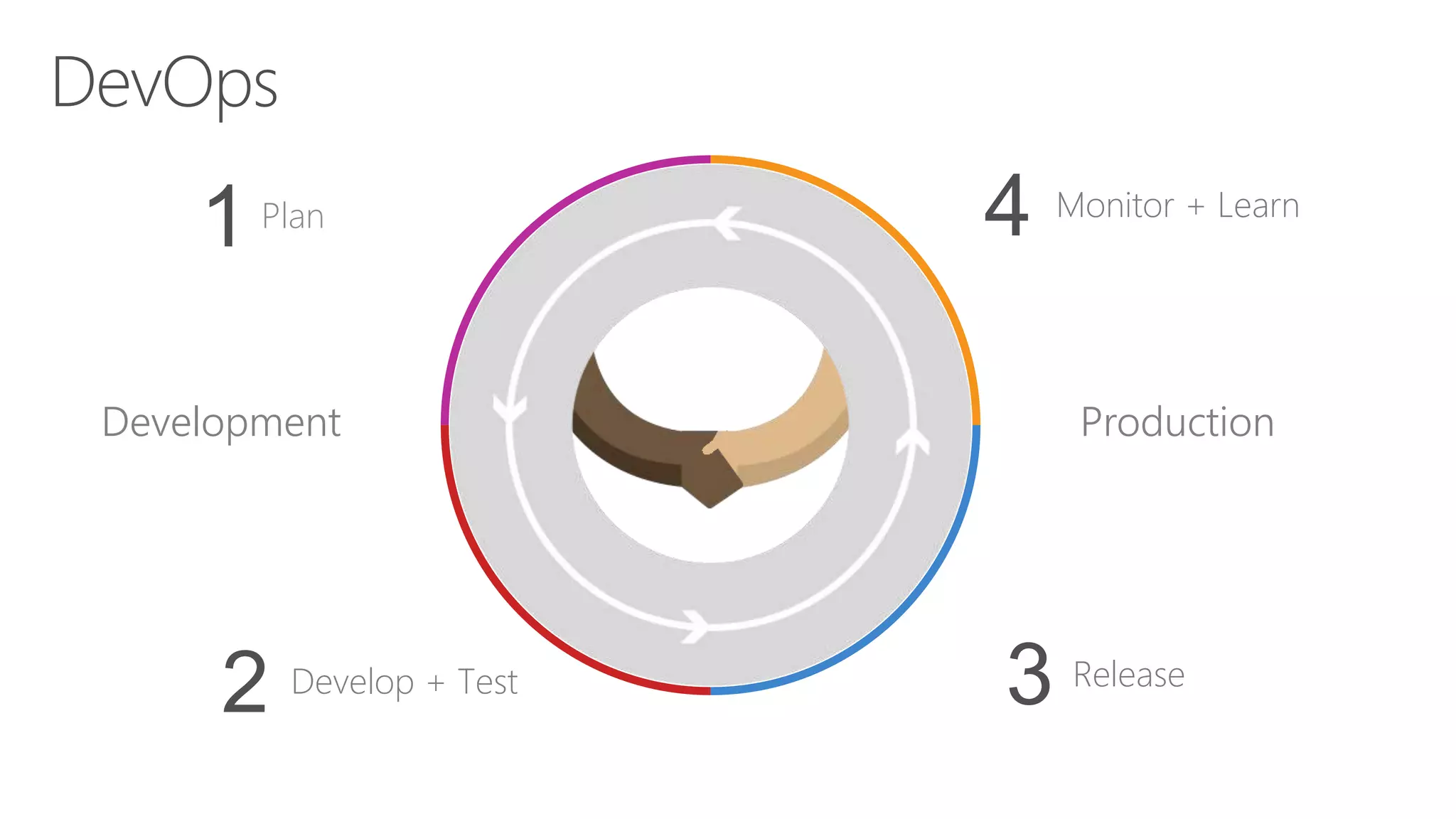
Plan
1 Monitor + Learn
ReleaseDevelop + Test
2
Development Production
4
3
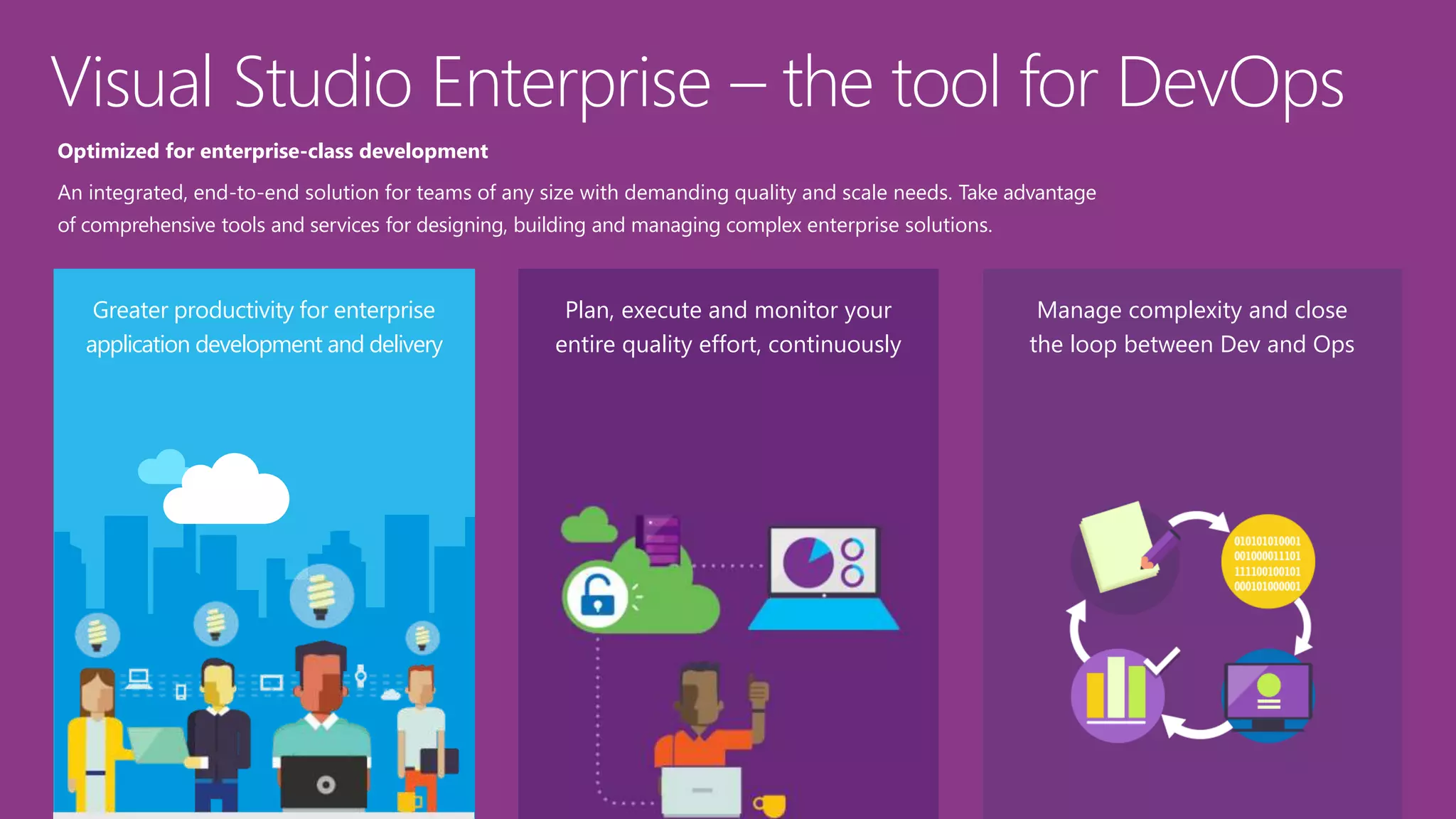
Greater productivity for enterprise
application development and delivery
Plan, execute and monitor your
entire quality effort, continuously
Manage complexity and close
the loop between Dev and Ops
Optimized for enterprise-class development
An integrated, end-to-end solution for teams of any size with demanding quality and scale needs. Take advantage
of comprehensive tools and services for designing, building and managing complex enterprise solutions.
Visual Studio Enterprise – the tool for DevOps
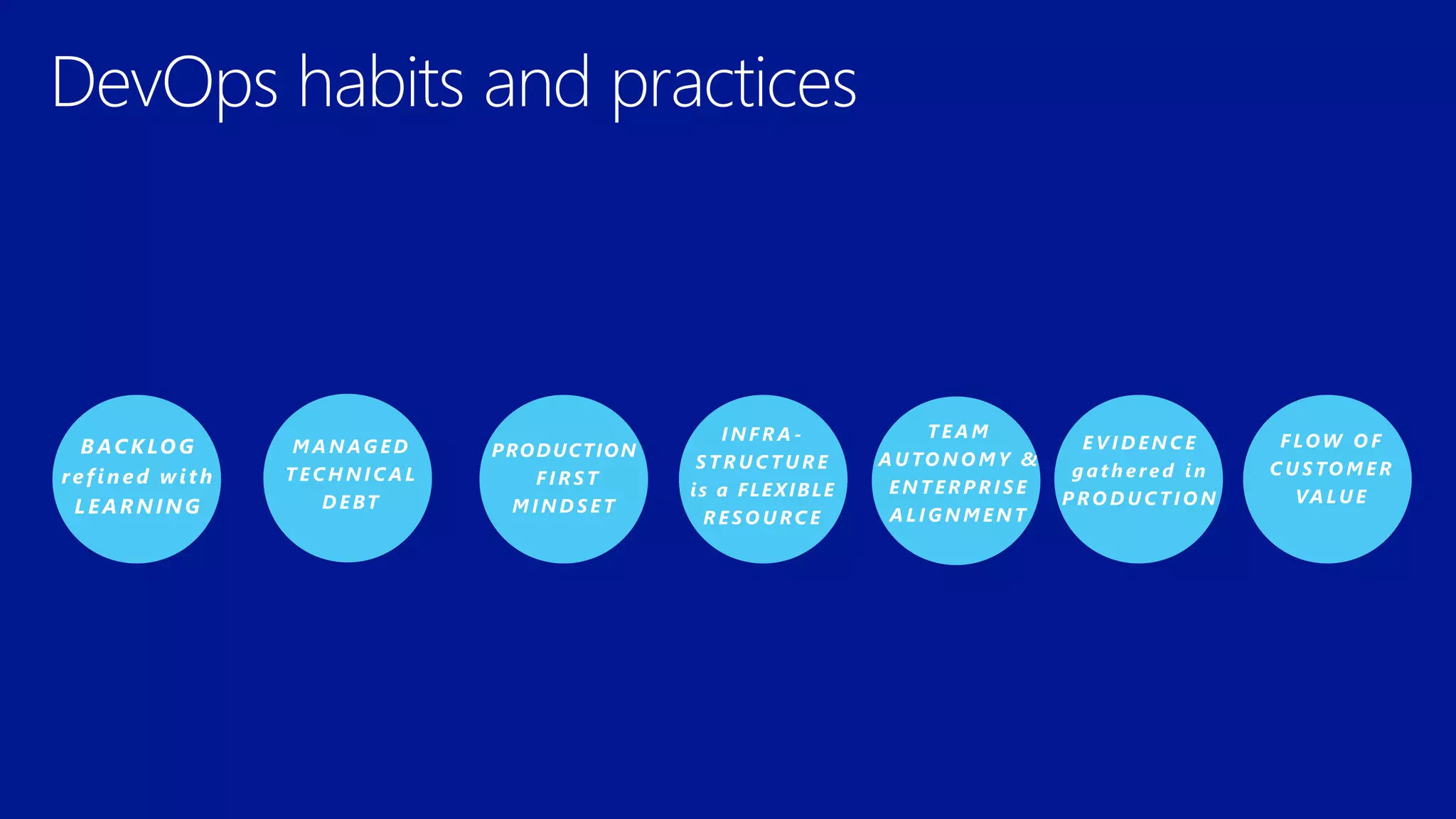
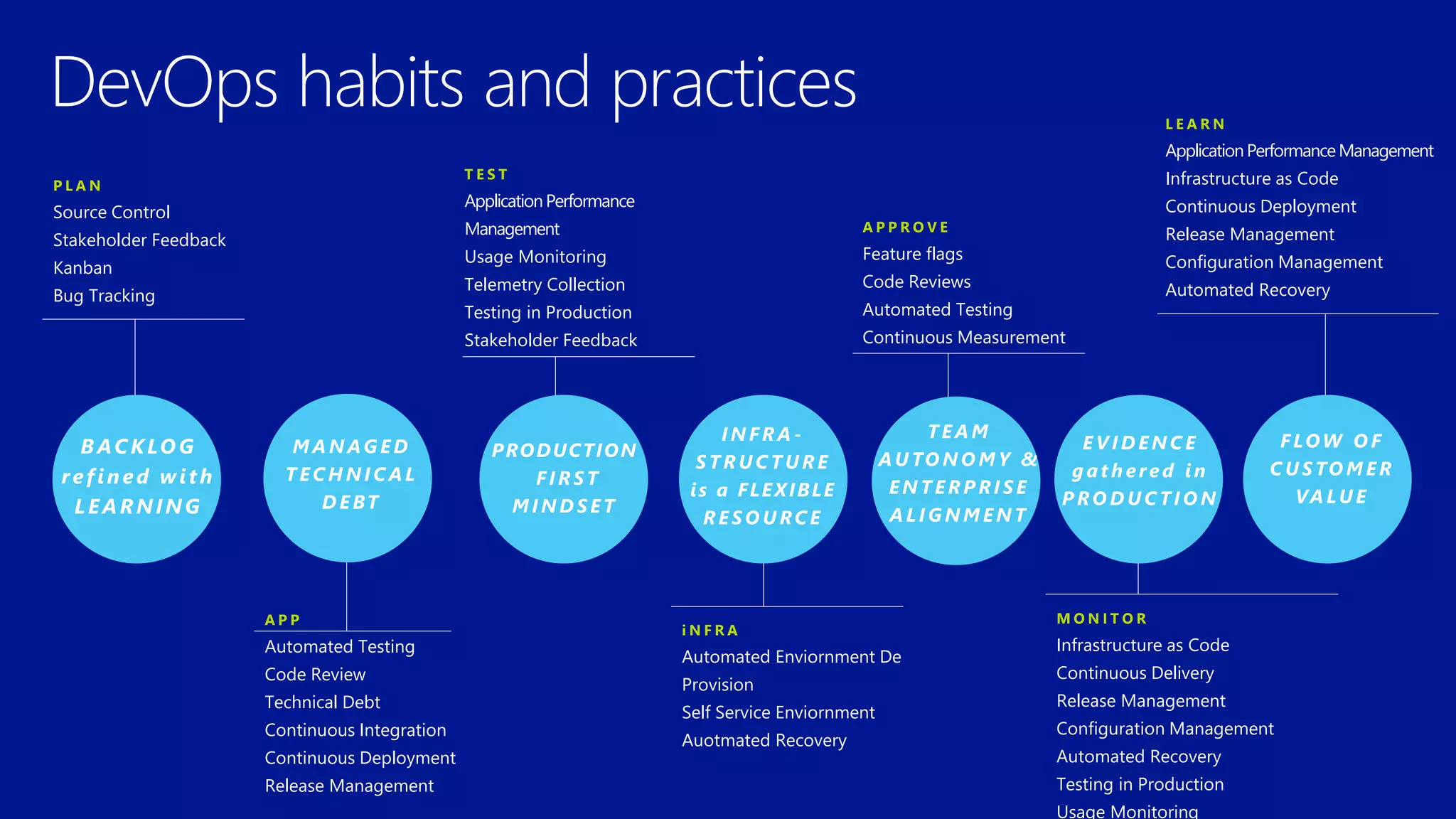
DevOps habits and practices
BACKLOG
refined with
LEARNING
M A N AG E D
T E C H N I C A L
D E BT
PRODUCTION
F I R S T
M I N D S E T
I N F R A -
S T R U C T U R E
is a FLEXIBLE
R E S O U RC E
T E A M
AU TO N O M Y &
E N T E R P R I S E
A L I G N M E N T
E V I D E N C E
g a t h e re d i n
P RO D U C T I O N
F LOW O F
C U S TO M E R
VA LU E
DevOps habits and practices
P L A N
Source Control
Stakeholder Feedback
Kanban
Bug Tracking
T E S T
ApplicationPerformance
Management
Usage Monitoring
Telemetry Collection
Testing in Production
Stakeholder Feedback
L E A R N
ApplicationPerformanceManagement
Infrastructure as Code
Continuous Deployment
Release Management
Configuration Management
Automated Recovery
A P P
Automated Testing
Code Review
Technical Debt
Continuous Integration
Continuous Deployment
Release Management
i N F R A
Automated Enviornment De
Provision
Self Service Enviornment
Auotmated Recovery
A P P R O V E
Feature flags
Code Reviews
Automated Testing
Continuous Measurement
M O N I T O R
Infrastructure as Code
Continuous Delivery
Release Management
Configuration Management
Automated Recovery
Testing in Production
Usage Monitoring
BACKLOG
refined with
LEARNING
M A N AG E D
T E C H N I C A L
D E BT
PRODUCTION
F I R S T
M I N D S E T
I N F R A -
S T R U C T U R E
is a FLEXIBLE
R E S O U RC E
T E A M
AU TO N O M Y &
E N T E R P R I S E
A L I G N M E N T
E V I D E N C E
g a t h e re d i n
P RO D U C T I O N
F LOW O F
C U S TO M E R
VA LU E
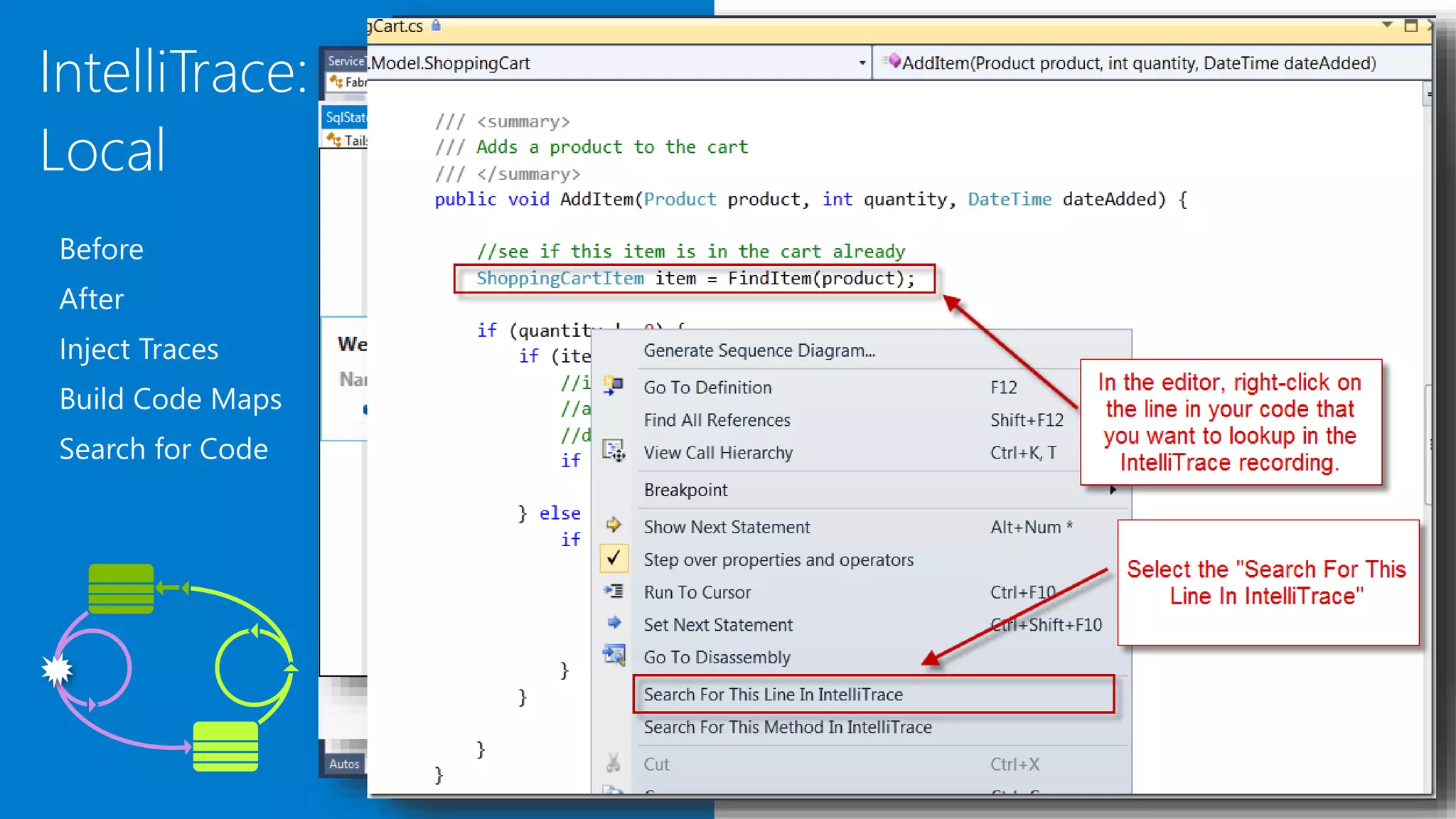
IntelliTrace:
Local
Before
After
Inject Traces
Build Code Maps
Search for Code
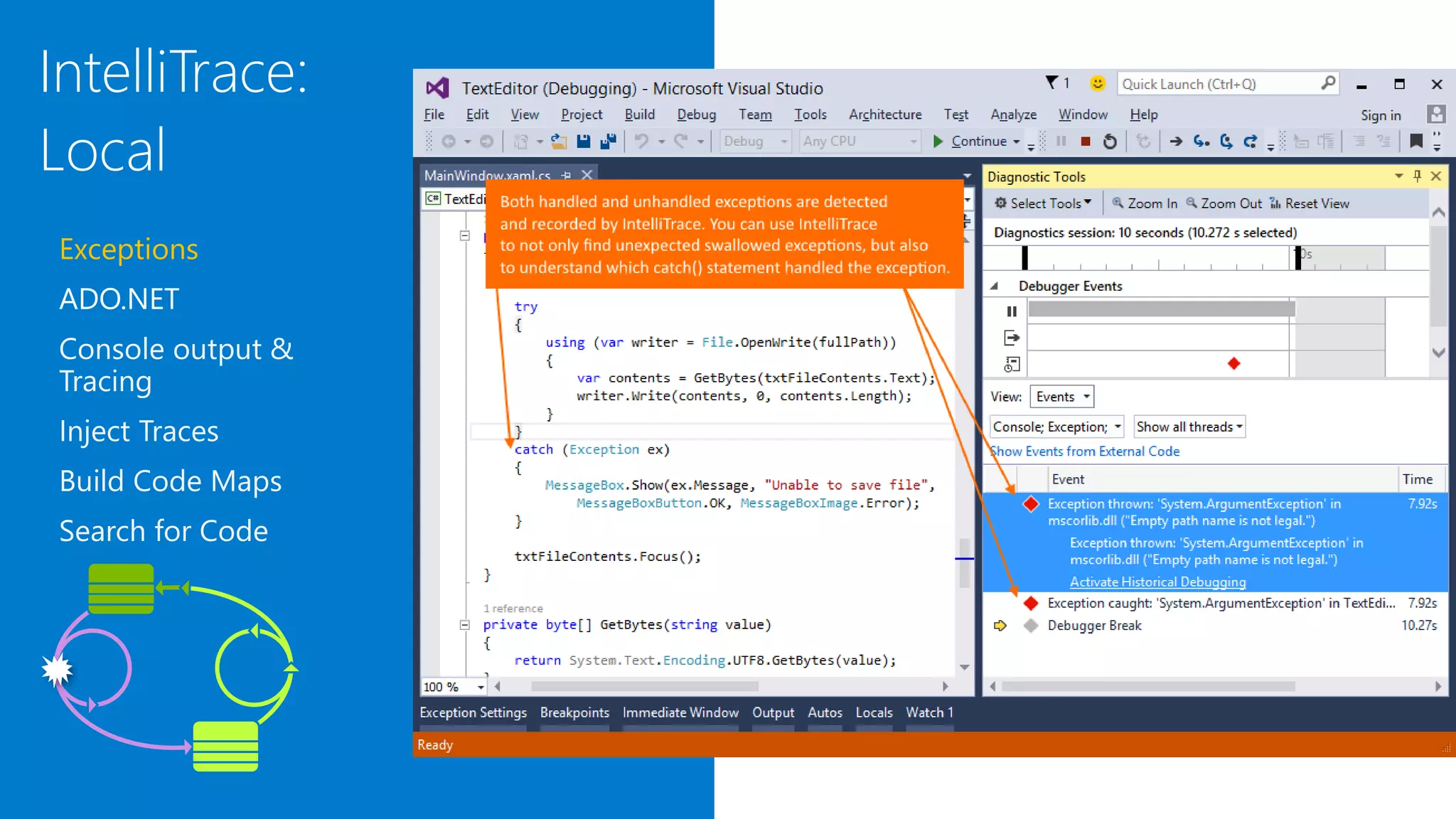
IntelliTrace:
Local
Exceptions
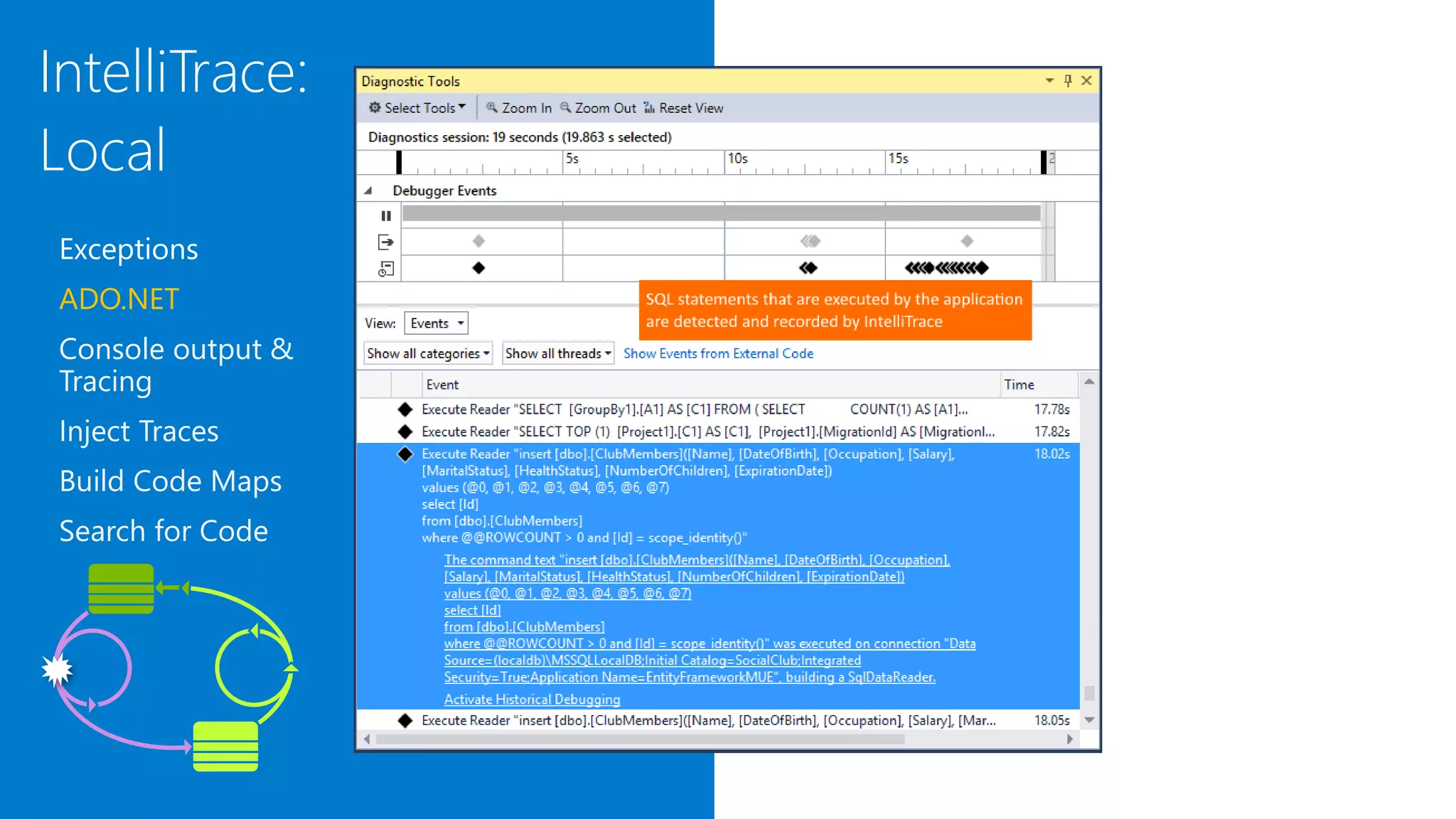
ADO.NET
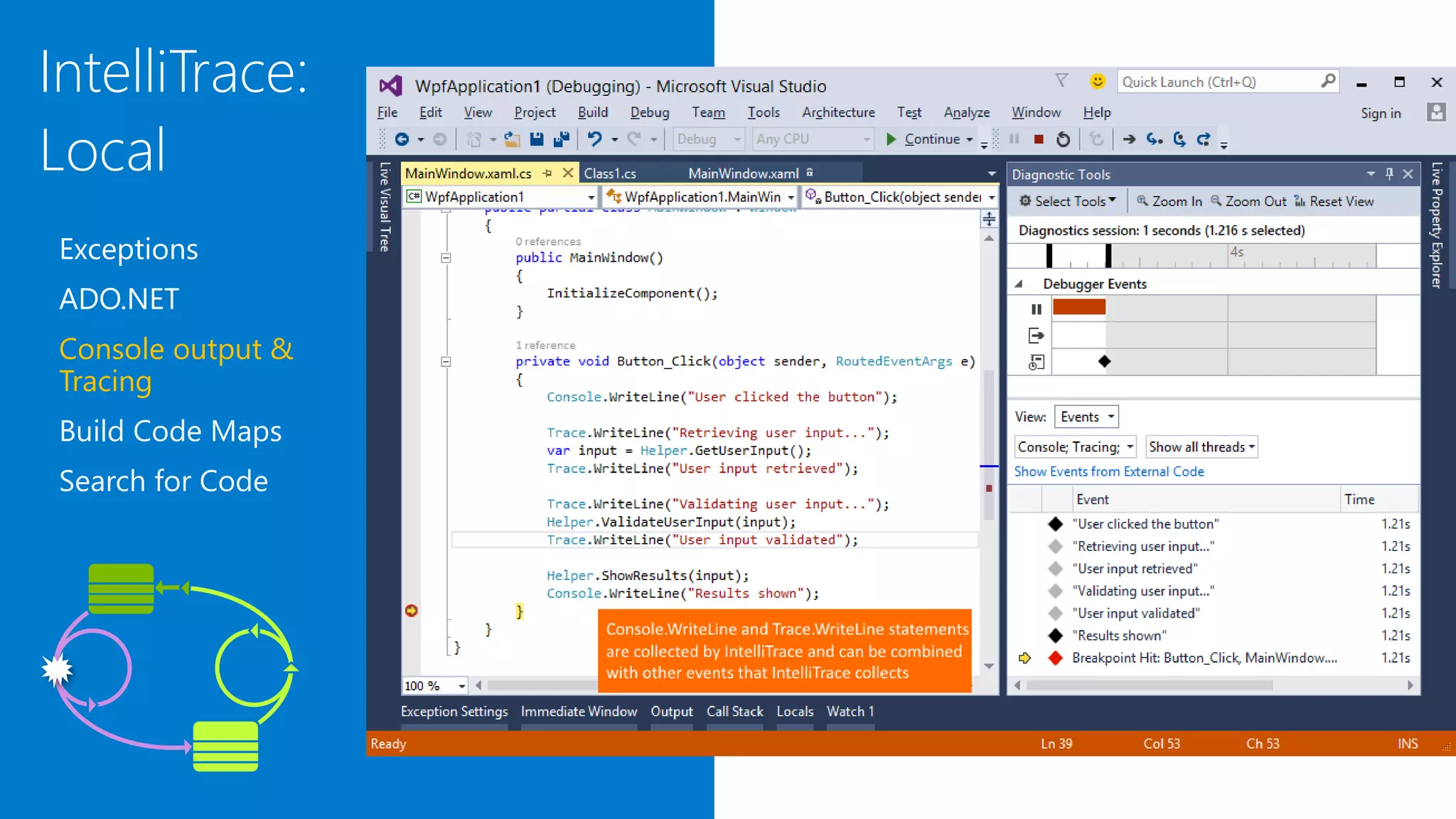
Console output &
Tracing
Inject Traces
Build Code Maps
Search for Code
IntelliTrace:
Local
Exceptions
ADO.NET
Console output &
Tracing
Inject Traces
Build Code Maps
Search for Code
IntelliTrace:
Local
Exceptions
ADO.NET
Console output &
Tracing
Build Code Maps
Search for Code
DevOps Kata Modern Debugging

DevOps Kata Modern Debugging

  • 4.
    Optimize Resources Efficiently manageenvironments using technologies that support self-service provisioning in a secure way, in line with your IT governance standards. Microsoft Azure Visual StudioVisual Studio Team Services
  • 6.
    Plan 1 Monitor +Learn ReleaseDevelop + Test 2 Development Production 4 3
  • 7.
    Greater productivity forenterprise application development and delivery Plan, execute and monitor your entire quality effort, continuously Manage complexity and close the loop between Dev and Ops Optimized for enterprise-class development An integrated, end-to-end solution for teams of any size with demanding quality and scale needs. Take advantage of comprehensive tools and services for designing, building and managing complex enterprise solutions. Visual Studio Enterprise – the tool for DevOps
  • 8.
    DevOps habits andpractices BACKLOG refined with LEARNING M A N AG E D T E C H N I C A L D E BT PRODUCTION F I R S T M I N D S E T I N F R A - S T R U C T U R E is a FLEXIBLE R E S O U RC E T E A M AU TO N O M Y & E N T E R P R I S E A L I G N M E N T E V I D E N C E g a t h e re d i n P RO D U C T I O N F LOW O F C U S TO M E R VA LU E
  • 9.
    DevOps habits andpractices P L A N Source Control Stakeholder Feedback Kanban Bug Tracking T E S T ApplicationPerformance Management Usage Monitoring Telemetry Collection Testing in Production Stakeholder Feedback L E A R N ApplicationPerformanceManagement Infrastructure as Code Continuous Deployment Release Management Configuration Management Automated Recovery A P P Automated Testing Code Review Technical Debt Continuous Integration Continuous Deployment Release Management i N F R A Automated Enviornment De Provision Self Service Enviornment Auotmated Recovery A P P R O V E Feature flags Code Reviews Automated Testing Continuous Measurement M O N I T O R Infrastructure as Code Continuous Delivery Release Management Configuration Management Automated Recovery Testing in Production Usage Monitoring BACKLOG refined with LEARNING M A N AG E D T E C H N I C A L D E BT PRODUCTION F I R S T M I N D S E T I N F R A - S T R U C T U R E is a FLEXIBLE R E S O U RC E T E A M AU TO N O M Y & E N T E R P R I S E A L I G N M E N T E V I D E N C E g a t h e re d i n P RO D U C T I O N F LOW O F C U S TO M E R VA LU E
  • 11.
  • 12.
  • 13.
  • 14.

Editor's Notes

  • #2 a
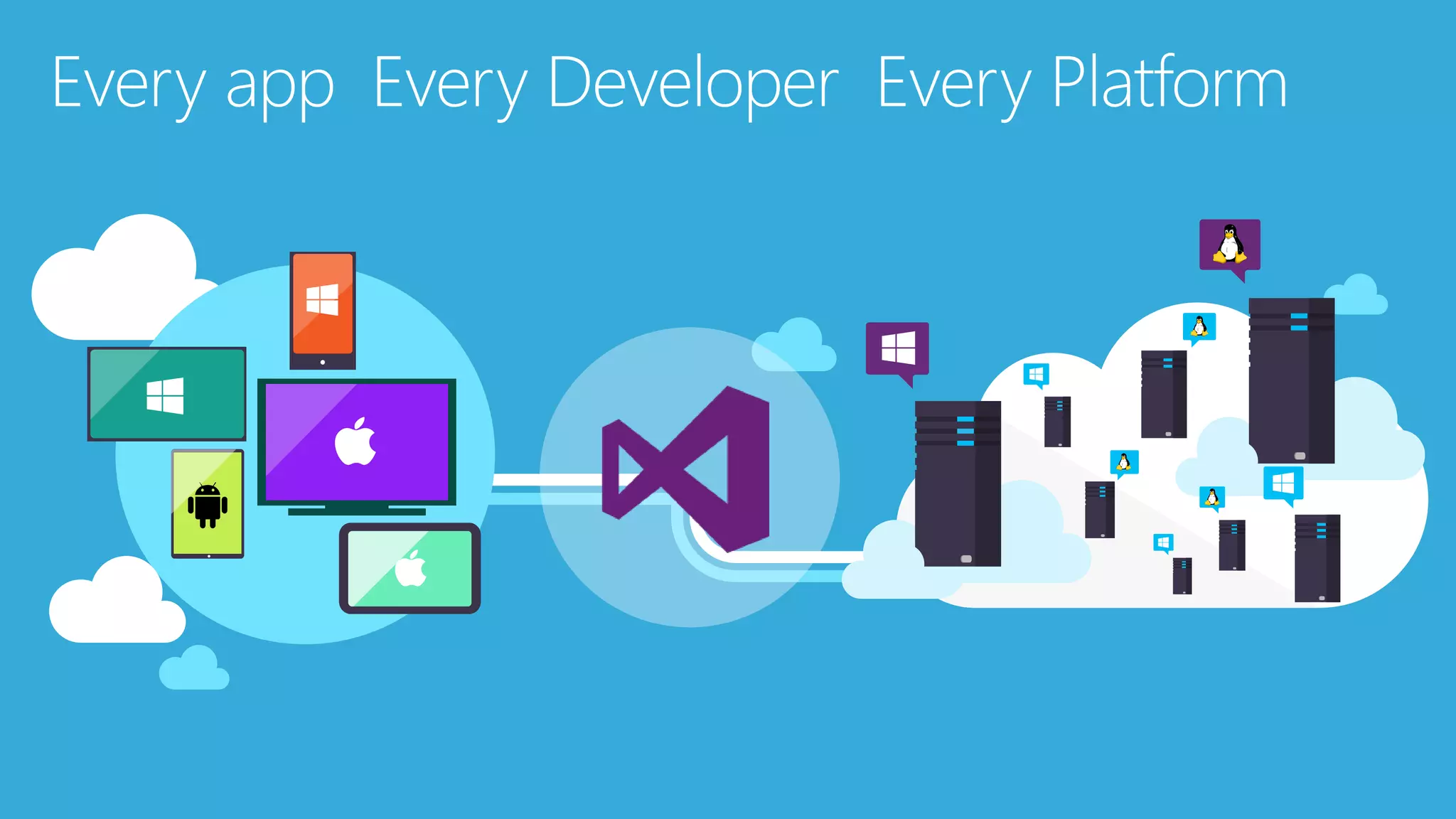
  • #3 The tool for everything. .net, sharepoint – web forms. Mobile development - pokemon Web Developer – notepad – web extensions Javascript – typescript angular. Talking Points With the increase and diversity of devices there is an opportunity for developers to reach users where they are. Also with the power of the cloud, infrastructure and capital expenditures no longer have to be a barrier to creating great applications. Visual Studio 2015 bridges mobile and the cloud by being the first version built to target mobile-first and cloud-first development.
  • #5 The Microsoft DevOps Solution provides a comprehensive set of software, cloud services, and other essential resources that help you deliver higher-quality software faster with less risk. This solution is focused on addressing the most pressing challenges of the modern application lifecycle: Shortening cycle times through advanced release management and automation tools Optimizing resources and eliminating waste, and Increasing quality and availability of your solutions
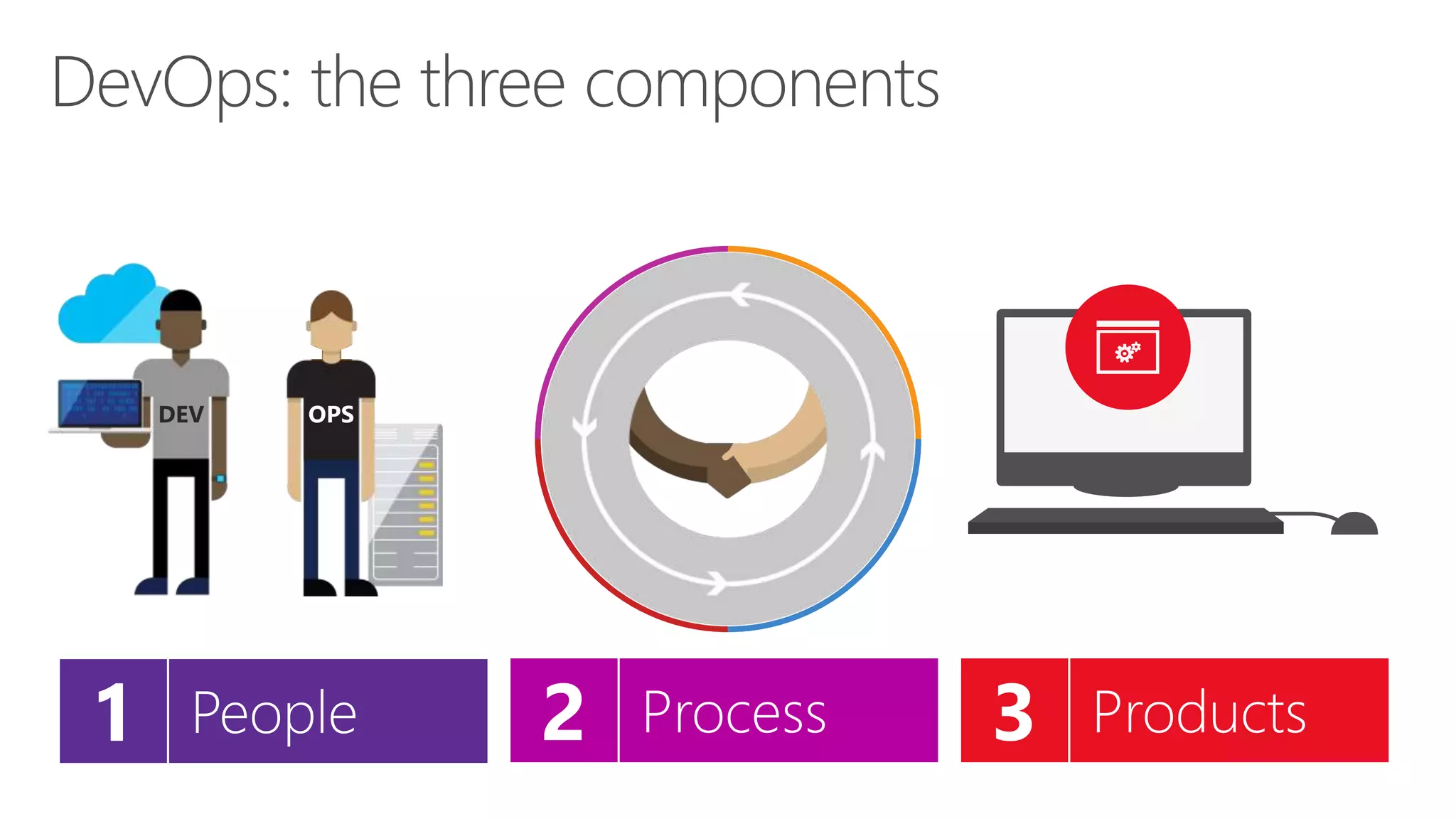
  • #6 DevOps is the union of people, process, and products to enable continuous delivery of value to our end users.”\\ Focus today, from me, is process and products. Will focus on the how. The people is you. Be the change you want to see.
  • #8 The tool for everything. .net, sharepoint – web forms. Web Developer – notepad – web extensions Javascript – typescript angular.
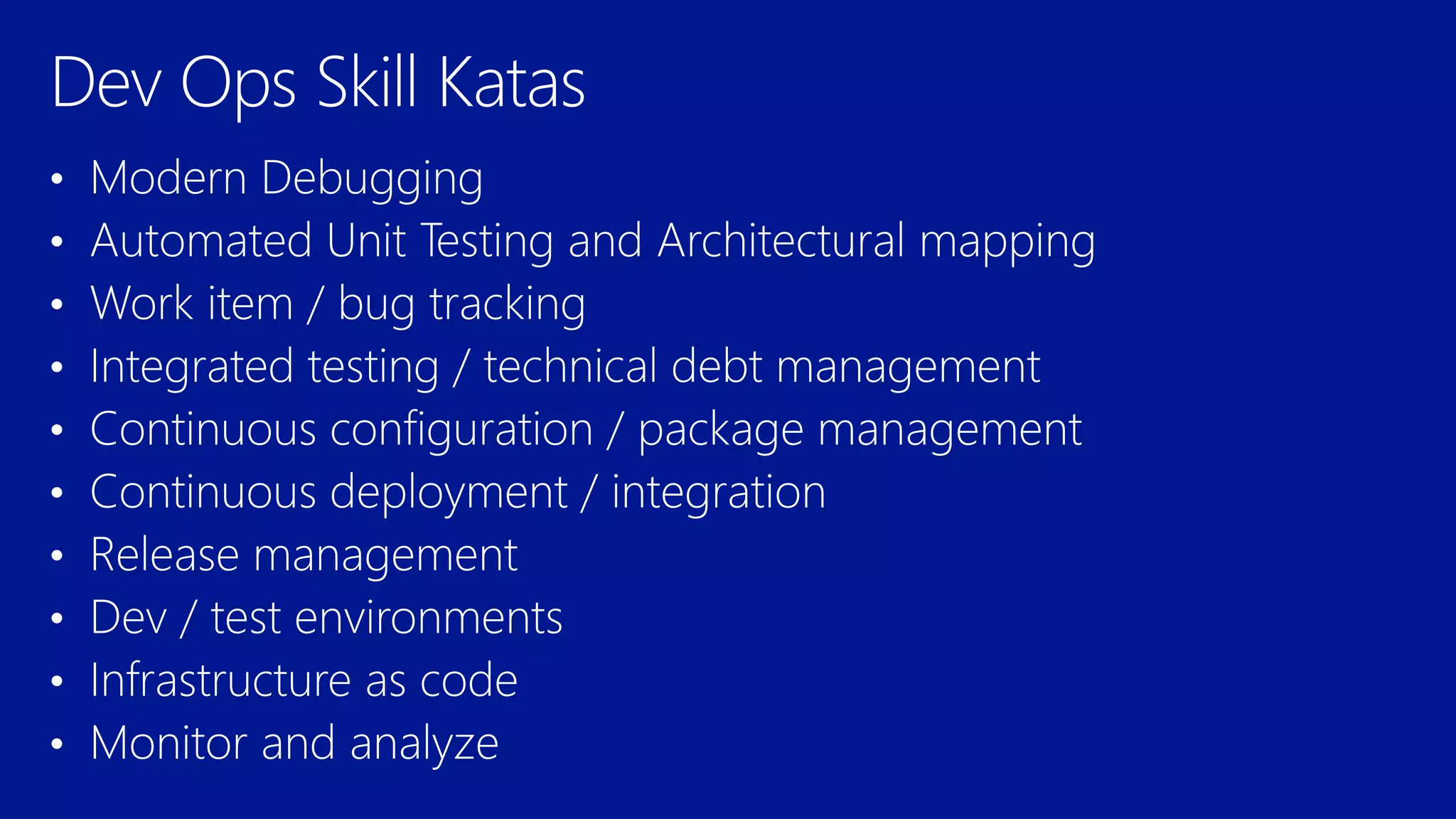
  • #10 Automated Testing Continuous Integration Continuous Deployment Release Management Usage Monitoring Telemetry Collection Testing in Production Application Performance Management Infrastructure as Code Continuous Delivery Release Management Change / Configuration Management Automated Recovery Load Testing Avaialability Monitoring Capactiy Management Automated Enviornment De Provision Self Service Enviornment Auotmated Recovery (roll back / roll forward) Stakeholder Feedback Feature flags Code Reviews / Technical Debt
  • #11 Social club – intellitrace – works on anything .net Taxation – intellitest and code maps Sonar qube – vstsdemo – my shuttle 2 – myshuttle ci https://sonarqube.com/, click rules Package manager – parts unlimited – build – surreal engine – show feeds Continuous integration – click on triggersin a build Continuous deployment – parts unlimited http://partsunlimited.azurewebsites.net/ Show deployment slots Azurejut – dupont welcome - Release – show Aramark azurejt IAC – show github repo Show create a new resource https://github.com/Azure/azure-quickstart-templates Dev test labs – en portal Monitor and analytiz – so java portal or farkacam on my portal
  • #12 Debug it, even when it’s history. IntelliTrace™ enables you to capture application execution—including file and registry access, exceptions, method calls, and other state information—whether debugging locally or inspecting a production issue, so you can fix it and release the fix quickly. Spend less time debugging your app when you record and trace through its execution history with IntelliTrace in Visual Studio Ultimate. This helps you find bugs more easily without setting lots of breakpoints because IntelliTrace lets you: Record specific events that happened in your app. You can examine related code, data that appears in the Locals window during debugger events, and function call information, if you choose to collect it. Reduce restarting your app to recreate bugs or events. Debug errors that are hard to reproduce or that  IntelliTrace: You can configure the diagnostic data adapter for IntelliTrace to collect specific diagnostic trace information to help isolate bugs that are difficult to reproduce. This creates an IntelliTrace file that contains this information. An IntelliTrace file has an extension of .iTrace. When a test fails, you can create a bug. The IntelliTrace file that is saved together with the test results is automatically linked to this bug. The data that is collected in the IntelliTrace file increases debugging productivity by reducing the time that is required to reproduce and diagnose an error in the code. From this IntelliTrace file the local session can be simulated on another computer. This reduces the risk of a bug being non-reproducible. happen in deployment.
  • #13 Debug it, even when it’s history. IntelliTrace™ enables you to capture application execution—including file and registry access, exceptions, method calls, and other state information—whether debugging locally or inspecting a production issue, so you can fix it and release the fix quickly. Spend less time debugging your app when you record and trace through its execution history with IntelliTrace in Visual Studio Enterprise. This helps you find bugs more easily without setting lots of breakpoints because IntelliTrace lets you: Record specific events that happened in your app. You can examine related code, data that appears in the Locals window during debugger events, and function call information, if you choose to collect it. Reduce restarting your app to recreate bugs or events. Debug errors that are hard to reproduce or that  IntelliTrace: You can configure the diagnostic data adapter for IntelliTrace to collect specific diagnostic trace information to help isolate bugs that are difficult to reproduce. This creates an IntelliTrace file that contains this information. An IntelliTrace file has an extension of .iTrace. When a test fails, you can create a bug. The IntelliTrace file that is saved together with the test results is automatically linked to this bug. The data that is collected in the IntelliTrace file increases debugging productivity by reducing the time that is required to reproduce and diagnose an error in the code. From this IntelliTrace file the local session can be simulated on another computer. This reduces the risk of a bug being non-reproducible. happen in deployment.
  • #14 Debug it, even when it’s history. IntelliTrace™ enables you to capture application execution—including file and registry access, exceptions, method calls, and other state information—whether debugging locally or inspecting a production issue, so you can fix it and release the fix quickly. Spend less time debugging your app when you record and trace through its execution history with IntelliTrace in Visual Studio Enterprise. This helps you find bugs more easily without setting lots of breakpoints because IntelliTrace lets you: Record specific events that happened in your app. You can examine related code, data that appears in the Locals window during debugger events, and function call information, if you choose to collect it. Reduce restarting your app to recreate bugs or events. Debug errors that are hard to reproduce or that  IntelliTrace: You can configure the diagnostic data adapter for IntelliTrace to collect specific diagnostic trace information to help isolate bugs that are difficult to reproduce. This creates an IntelliTrace file that contains this information. An IntelliTrace file has an extension of .iTrace. When a test fails, you can create a bug. The IntelliTrace file that is saved together with the test results is automatically linked to this bug. The data that is collected in the IntelliTrace file increases debugging productivity by reducing the time that is required to reproduce and diagnose an error in the code. From this IntelliTrace file the local session can be simulated on another computer. This reduces the risk of a bug being non-reproducible. happen in deployment.
  • #15 Debug it, even when it’s history. IntelliTrace™ enables you to capture application execution—including file and registry access, exceptions, method calls, and other state information—whether debugging locally or inspecting a production issue, so you can fix it and release the fix quickly. Spend less time debugging your app when you record and trace through its execution history with IntelliTrace in Visual Studio Enterprise. This helps you find bugs more easily without setting lots of breakpoints because IntelliTrace lets you: Record specific events that happened in your app. You can examine related code, data that appears in the Locals window during debugger events, and function call information, if you choose to collect it. Reduce restarting your app to recreate bugs or events. Debug errors that are hard to reproduce or that  IntelliTrace: You can configure the diagnostic data adapter for IntelliTrace to collect specific diagnostic trace information to help isolate bugs that are difficult to reproduce. This creates an IntelliTrace file that contains this information. An IntelliTrace file has an extension of .iTrace. When a test fails, you can create a bug. The IntelliTrace file that is saved together with the test results is automatically linked to this bug. The data that is collected in the IntelliTrace file increases debugging productivity by reducing the time that is required to reproduce and diagnose an error in the code. From this IntelliTrace file the local session can be simulated on another computer. This reduces the risk of a bug being non-reproducible. happen in deployment.