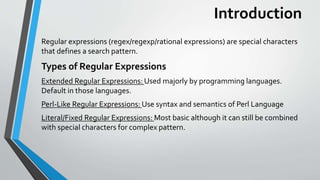
The document provides an overview of regular expressions (regex) in Stata, including key definitions, types, symbols, and commands. It explains the use of various metacharacters, quantifiers, and logic operators within regex patterns, alongside examples of regex commands such as regexm, regexr, and regexs utilized in Stata. Overall, the document serves as a guide to understanding and applying regular expressions for data management tasks.


![Definition ofTerms
Characters(Metacharacters): d = digits while D represents non digits, w
represents word etc.
Quantifiers: + = one or more, ?= once or more, * = zero or more and { } for
specifying minimum, maximum or both.
Logic: | = or, (...)= Group1 2 3 = Contents of group 1,2,3) you can also use
negate a value in group by using (?: ...) e.g. (?:lunalo|John)= John
Character Classes: Denoted by [...] provides ranges of characters.
Anchors: Declare boundaries e.g. ^ for start and $ for end POSIX Classes:
e.g. [:punct:] for punctuations. and [:alpha:] for alphabets.
Look rounds:(?=...)= Positive look ahead (?<=...)= Positive lookbehind
(?!...)= Negative look ahead (?<!..)= Negative look behind.](https://image.slidesharecdn.com/stataregexp-180610120422/85/Regular-Expressions-in-Stata-4-320.jpg)
![Regular Expressions Symbols in Stata
Quantifiers symbols:
Metacharacters
* match zero or more of the preceding expression
+ Match one or more of the preceding expression
? Match either zero or one of the preceding expression
a–z match a range of characters or numbers .The “a” and “z” are an example. It could also be 1-9, etc.
This is used together with square characters. e.g. [1-9].
. match any character
It used for Escaping a metacharacter](https://image.slidesharecdn.com/stataregexp-180610120422/85/Regular-Expressions-in-Stata-5-320.jpg)
![Regular Expressions Symbols in
Stata
Anchors
Groups
Logic
^ Match expression at beginning of string. E.g. “^[hj]” matches hj at the beginning of the
string. Be careful this “[^hj]” will negate hj in a string.
$ Match expression at end of string. E.g. “hj$” will match hj at the end of the string.
( ) Subexpression e.g. (1-9) (a-z) etc.
| The vertical bar /pipe character signifies a logical “or”](https://image.slidesharecdn.com/stataregexp-180610120422/85/Regular-Expressions-in-Stata-6-320.jpg)




![제 23회 보아즈(BOAZ) 빅데이터 컨퍼런스 - [MBOAX] : ABSA를 활용한 소비자 반응 분석 기반 운영 효율화 대시보드 설계](https://cdn.slidesharecdn.com/ss_thumbnails/3-1boaz23rdconferencemboax-260203102709-9d519923-thumbnail.jpg?width=640&height=640&fit=bounds)

![Hacking-Uncovered-How-People-Get-Hacked-and-How-to-Stay-Safe[1].pptx](https://cdn.slidesharecdn.com/ss_thumbnails/hacking-uncovered-how-people-get-hacked-and-how-to-stay-safe1-260130170011-4883a9c7-thumbnail.jpg?width=640&height=640&fit=bounds)

