REGULAR EXPRESSION
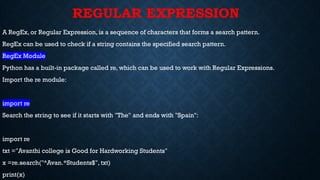
A RegEx,or Regular Expression, is a sequence of characters that forms a search pattern.
RegEx can be used to check if a string contains the specified search pattern.
RegEx Module
Python has a built-in package called re, which can be used to work with Regular Expressions.
Import the re module:
import re
Search the string to see if it starts with "The" and ends with "Spain":
import re
txt ="Avanthi college is Good for Hardworking Students"
x =re.search("^Avan.*Students$", txt)
print(x)
2.
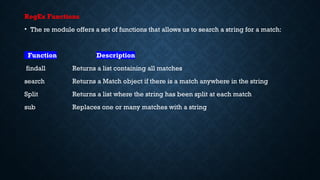
RegEx Functions
• There module offers a set of functions that allows us to search a string for a match:
Function Description
findall Returns a list containing all matches
search Returns a Match object if there is a match anywhere in the string
Split Returns a list where the string has been split at each match
sub Replaces one or many matches with a string
3.
Findall:
The findall() functionreturns a list containing all matches.
import re
txt ="Avanthi college is Good for Hardworking Students"
x = re.findall("ard",txt)
print(x)
import re
txt = "Avanthi college is Good for Hardworking Students" "
x = re.findall(“aurora", txt)
print(x)
4.
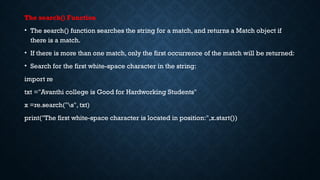
The search() Function
•The search() function searches the string for a match, and returns a Match object if
there is a match.
• If there is more than one match, only the first occurrence of the match will be returned:
• Search for the first white-space character in the string:
import re
txt ="Avanthi college is Good for Hardworking Students"
x =re.search("s", txt)
print("The first white-space character is located in position:",x.start())
5.
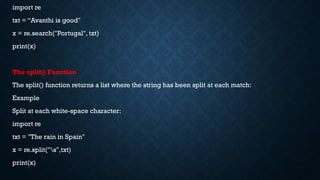
import re
txt =“Avanthi is good"
x = re.search("Portugal", txt)
print(x)
The split() Function
The split() function returns a list where the string has been split at each match:
Example
Split at each white-space character:
import re
txt = "The rain in Spain"
x = re.split("s",txt)
print(x)
6.
sub() Function
The sub()function replaces the matches with the text of your choice:
Example
Replace every white-space character with the number 9:
import re
txt ="Avanthi college is Good for Hardworking Students"
x =re.sub("s", "9",txt)
print(x)
7.
Metacharacters
Metacharacters are characterswith a special meaning:
Character Description Example
[] A set of characters "[a-m]"
Signals a special sequence (can also be used to escape special characters) "d"
. Any character (except newline character) "he..o"
^ Starts with "^hello"
$ Ends with "planet$"
* Zero or more occurrences "he.*o"
+ One or more occurrences "he.+o"
? Zero or one occurrences "he.?o"
{} Exactly the specified number of occurrences "he.{2}o"
| Either or "falls|stays"
() Capture and group
8.
Example: []
import re
txt="Avanthi college is Good for Hardworking Students "
#Find all lower case characters alphabetically between "a" and "m":
x =re.findall("[a-m]",txt)
print(x)
Example:
import re
txt = "That will be 59 dollars"
#Find all digit characters:
x = re.findall("d",txt)
print(x)
9.
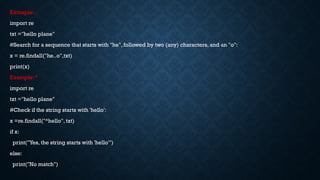
Exmaple: .
import re
txt="hello plane"
#Search for a sequence that starts with "he", followed by two (any) characters, and an "o":
x = re.findall("he..o",txt)
print(x)
Example: ^
import re
txt ="hello plane"
#Check if the string starts with 'hello':
x =re.findall("^hello", txt)
if x:
print("Yes, the string starts with 'hello'")
else:
print("No match")
10.
Exmple: $
import re
txt= "hello planet"
#Check if the string ends with 'planet':
x = re.findall("planet$", txt)
if x:
print("Yes, the string ends with 'planet'")
else:
print("No match")
11.
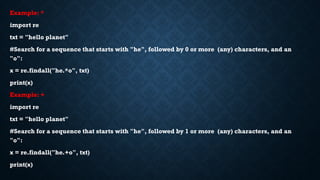
Example: *
import re
txt= "hello planet"
#Search for a sequence that starts with "he", followed by 0 or more (any) characters, and an
"o":
x = re.findall("he.*o", txt)
print(x)
Example: +
import re
txt = "hello planet"
#Search for a sequence that starts with "he", followed by 1 or more (any) characters, and an
"o":
x = re.findall("he.+o", txt)
print(x)
12.
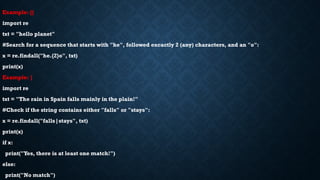
Example: {}
import re
txt= "hello planet"
#Search for a sequence that starts with "he", followed excactly 2 (any) characters, and an "o":
x = re.findall("he.{2}o", txt)
print(x)
Example: |
import re
txt = "The rain in Spain falls mainly in the plain!"
#Check if the string contains either "falls" or "stays":
x = re.findall("falls|stays", txt)
print(x)
if x:
print("Yes, there is at least one match!")
else:
print("No match")
13.
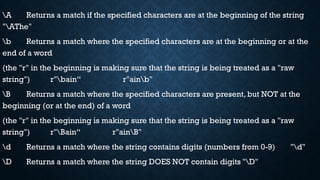
A Returns amatch if the specified characters are at the beginning of the string
"AThe"
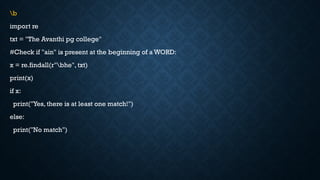
b Returns a match where the specified characters are at the beginning or at the
end of a word
(the "r" in the beginning is making sure that the string is being treated as a "raw
string") r"bain“ r"ainb"
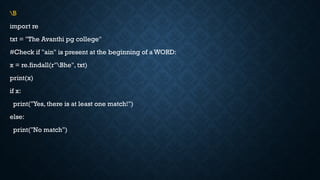
B Returns a match where the specified characters are present, but NOT at the
beginning (or at the end) of a word
(the "r" in the beginning is making sure that the string is being treated as a "raw
string") r"Bain“ r"ainB"
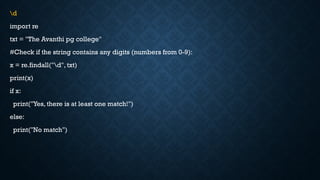
d Returns a match where the string contains digits (numbers from 0-9) "d"
D Returns a match where the string DOES NOT contain digits "D"
14.
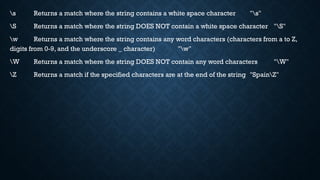
s Returns amatch where the string contains a white space character "s"
S Returns a match where the string DOES NOT contain a white space character "S"
w Returns a match where the string contains any word characters (characters from a to Z,
digits from 0-9, and the underscore _ character) "w"
W Returns a match where the string DOES NOT contain any word characters "W"
Z Returns a match if the specified characters are at the end of the string "SpainZ"
15.
A
import re
txt =“The avanthi college"
#Check if the string starts with "The":
x = re.findall("AThe", txt)
print(x)
if x:
print("Yes, there is a match!")
else:
print("No match")
16.
b
import re
txt ="The Avanthi pg college"
#Check if "ain" is present at the beginning of a WORD:
x = re.findall(r"bhe", txt)
print(x)
if x:
print("Yes, there is at least one match!")
else:
print("No match")
17.
B
import re
txt ="The Avanthi pg college"
#Check if "ain" is present at the beginning of a WORD:
x = re.findall(r"Bhe", txt)
print(x)
if x:
print("Yes, there is at least one match!")
else:
print("No match")
18.
d
import re
txt ="The Avanthi pg college"
#Check if the string contains any digits (numbers from 0-9):
x = re.findall("d", txt)
print(x)
if x:
print("Yes, there is at least one match!")
else:
print("No match")
19.
D
import re
txt =" The Avanthi pg college "
#Return a match at every no-digit character:
x = re.findall("D", txt)
print(x)
if x:
print("Yes, there is at least one match!")
else:
print("No match")
20.
s
import re
txt =" The Avanthi pg college "
#Return a match at every white-space character:
x = re.findall("s", txt)
print(x)
if x:
print("Yes, there is at least one match!")
else:
print("No match")
21.
S
import re
txt =" The Avanthi pg college "
#Return a match at every NON white-space character:
x = re.findall("S", txt)
print(x)
if x:
print("Yes, there is at least one match!")
else:
print("No match")
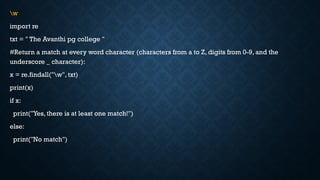
22.
w
import re
txt =" The Avanthi pg college "
#Return a match at every word character (characters from a to Z, digits from 0-9, and the
underscore _ character):
x = re.findall("w", txt)
print(x)
if x:
print("Yes, there is at least one match!")
else:
print("No match")
23.
W
import re
txt =" The Avanthi pg college "
#Return a match at every NON word character (characters NOT between a and Z. Like "!", "?"
white-space etc.):
x = re.findall("W", txt)
print(x)
if x:
print("Yes, there is at least one match!")
else:
print("No match")
24.
Z
import re
txt =" The Avanthi pg college "
#Check if the string ends with “college":
x = re.findall(“collegeZ", txt)
print(x)
if x:
print("Yes, there is a match!")
else:
print("No match")
25.
[0123] Returns amatch where any of the specified digits (0, 1, 2, or 3) are present
import re
txt = "8 times before 11:45 AM"
#Check if the string has any characters from a to z lower case, and A to Z upper case:
x = re.findall("[a-zA-Z]", txt)
print(x)
if x:
print("Yes, there is at least one match!")
else:
print("No match")
26.
[0-9] Returns amatch for any digit between 0 and 9
import re
txt = "8 times before 11:45 AM"
#Check if the string has any digits:
x = re.findall("[0-9]", txt)
print(x)
if x:
print("Yes, there is at least one match!")
else:
print("No match")
27.
[0-5][0-9] Returns amatch for any two-digit numbers from 00 and 59
import re
txt = "8 times before 11:45 AM"
#Check if the string has any two-digit numbers, from 00 to 59:
x = re.findall("[0-5][0-9]", txt)
print(x)
if x:
print("Yes, there is at least one match!")
else:
print("No match")
28.
[a-zA-Z] Returns amatch for any character alphabetically between a and z, lower case
OR upper case
import re
txt = "8 times before 11:45 AM"
#Check if the string has any characters from a to z lower case, and A to Z upper case:
x = re.findall("[a-zA-Z]", txt)
print(x)
if x:
print("Yes, there is at least one match!")
else:
print("No match")
29.
[+] In sets,+, *, ., |, (), $,{} has no special meaning, so [+] means: return a match for any +
character in the string
import re
txt = "8 times before + 11:45 AM"
#Check if the string has any + characters:
x = re.findall("[+]", txt)
print(x)
if x:
print("Yes, there is at least one match!")
else:
print("No match")
import re
def isValid(s):
Pattern= re.compile("(0|91)?[6-9][0-9]{9}")
return Pattern.match(s)
# Driver Code
s = "919966484777"
if (isValid(s)):
print ("Valid Number")
else :
print ("Invalid Number")
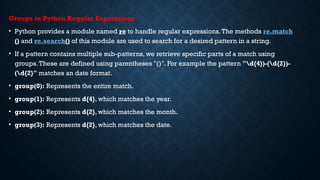
32.
Groups in PythonRegular Expressions
• Python provides a module named re to handle regular expressions.The methods re.match
() and re.search() of this module are used to search for a desired pattern in a string.
• If a pattern contains multiple sub-patterns, we retrieve specific parts of a match using
groups.These are defined using parentheses "()". For example the pattern "d{4})-(d{2})-
(d{2}" matches an date format.
• group(0): Represents the entire match.
• group(1): Represents d{4}, which matches the year.
• group(2): Represents d{2}, which matches the month.
• group(3): Represents d{2}, which matches the date.
33.
import re
input_string ="Avanthi college is established in 1991-05-11"
regexp = r"(d{4})-(d{2})-(d{2})"
match = re.search(regexp, input_string)
if match:
print("Found date in the given text:", match.group(0))
print("Year:", match.group(1))
print("Month:", match.group(2))
print("Day:", match.group(3))
34.
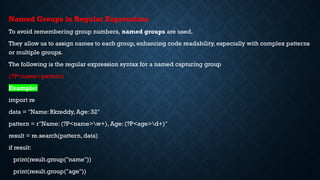
Named Groups inRegular Expressions
To avoid remembering group numbers, named groups are used.
They allow us to assign names to each group, enhancing code readability, especially with complex patterns
or multiple groups.
The following is the regular expression syntax for a named capturing group
(?P<name>pattern)
Example:
import re
data = "Name: Rkreddy, Age: 32"
pattern = r"Name: (?P<name>w+), Age: (?P<age>d+)"
result = re.search(pattern, data)
if result:
print(result.group("name"))
print(result.group("age"))
35.
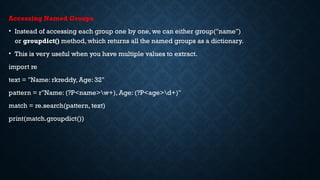
Accessing Named Groups
•Instead of accessing each group one by one, we can either group("name")
or groupdict() method, which returns all the named groups as a dictionary.
• This is very useful when you have multiple values to extract.
import re
text = "Name: rkreddy, Age: 32"
pattern = r"Name: (?P<name>w+), Age: (?P<age>d+)"
match = re.search(pattern, text)
print(match.groupdict())
36.
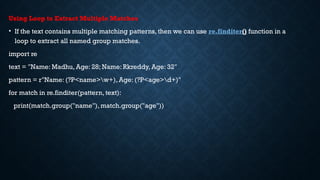
Using Loop toExtract Multiple Matches
• If the text contains multiple matching patterns, then we can use re.finditer() function in a
loop to extract all named group matches.
import re
text = "Name: Madhu, Age: 28; Name: Rkreddy, Age: 32"
pattern = r"Name: (?P<name>w+), Age: (?P<age>d+)"
for match in re.finditer(pattern, text):
print(match.group("name"), match.group("age"))
37.
Glob Module inPython
The glob module in Python is used to search for file path names that match a specific pattern.
It includes the glob.glob() and glob.iglob() functions, and can be helpful when searching
CSV files and for text in files.
We can use glob to search for a specific file pattern, or perhaps more usefully, use wildcard
characters to search for files where the file name matches a certain pattern:
Asterisk (*): Matches zero or more characters.
Question mark (?): Matches exactly one character.
38.
• The globmodule is used to search for files and directories that match a specified pattern
using Unix shell-style wildcards (like *, ?, [abc]).
• While glob itself doesn't support full regular expressions, you can combine it with the re
module to filter results using regular expressions.
import glob
import re
# Step 1: Get all files (using glob)
files = glob.glob("*.txt") # List all .txt files in the current directory
# Step 2: Filter with regular expression
pattern = re.compile(r'^data_d{4}.txt$') # Matches files like data_1234.txt
matched_files = [f for f in files if pattern.match(f)]
print("Matching files:", matched_files)


![Metacharacters
Metacharacters are characters with a special meaning:
Character Description Example
[] A set of characters "[a-m]"
Signals a special sequence (can also be used to escape special characters) "d"
. Any character (except newline character) "he..o"
^ Starts with "^hello"
$ Ends with "planet$"
* Zero or more occurrences "he.*o"
+ One or more occurrences "he.+o"
? Zero or one occurrences "he.?o"
{} Exactly the specified number of occurrences "he.{2}o"
| Either or "falls|stays"
() Capture and group](https://image.slidesharecdn.com/regex-250701100008-136d1e55/85/Regular-expressions-function-and-glob-module-pptx-7-320.jpg)
![Example: []
import re
txt ="Avanthi college is Good for Hardworking Students "
#Find all lower case characters alphabetically between "a" and "m":
x =re.findall("[a-m]",txt)
print(x)
Example:
import re
txt = "That will be 59 dollars"
#Find all digit characters:
x = re.findall("d",txt)
print(x)](https://image.slidesharecdn.com/regex-250701100008-136d1e55/85/Regular-expressions-function-and-glob-module-pptx-8-320.jpg)







![[0123] Returns a match where any of the specified digits (0, 1, 2, or 3) are present
import re
txt = "8 times before 11:45 AM"
#Check if the string has any characters from a to z lower case, and A to Z upper case:
x = re.findall("[a-zA-Z]", txt)
print(x)
if x:
print("Yes, there is at least one match!")
else:
print("No match")](https://image.slidesharecdn.com/regex-250701100008-136d1e55/85/Regular-expressions-function-and-glob-module-pptx-25-320.jpg)
![[0-9] Returns a match for any digit between 0 and 9
import re
txt = "8 times before 11:45 AM"
#Check if the string has any digits:
x = re.findall("[0-9]", txt)
print(x)
if x:
print("Yes, there is at least one match!")
else:
print("No match")](https://image.slidesharecdn.com/regex-250701100008-136d1e55/85/Regular-expressions-function-and-glob-module-pptx-26-320.jpg)
![[0-5][0-9] Returns a match for any two-digit numbers from 00 and 59
import re
txt = "8 times before 11:45 AM"
#Check if the string has any two-digit numbers, from 00 to 59:
x = re.findall("[0-5][0-9]", txt)
print(x)
if x:
print("Yes, there is at least one match!")
else:
print("No match")](https://image.slidesharecdn.com/regex-250701100008-136d1e55/85/Regular-expressions-function-and-glob-module-pptx-27-320.jpg)
![[a-zA-Z] Returns a match for any character alphabetically between a and z, lower case
OR upper case
import re
txt = "8 times before 11:45 AM"
#Check if the string has any characters from a to z lower case, and A to Z upper case:
x = re.findall("[a-zA-Z]", txt)
print(x)
if x:
print("Yes, there is at least one match!")
else:
print("No match")](https://image.slidesharecdn.com/regex-250701100008-136d1e55/85/Regular-expressions-function-and-glob-module-pptx-28-320.jpg)
![[+] In sets, +, *, ., |, (), $,{} has no special meaning, so [+] means: return a match for any +
character in the string
import re
txt = "8 times before + 11:45 AM"
#Check if the string has any + characters:
x = re.findall("[+]", txt)
print(x)
if x:
print("Yes, there is at least one match!")
else:
print("No match")](https://image.slidesharecdn.com/regex-250701100008-136d1e55/85/Regular-expressions-function-and-glob-module-pptx-29-320.jpg)
![import re
lower_case=re.compile(r'[a-z]')
upper_case=re.compile(r'[A-Z]')
number=re.compile(r'd')
special_chars=re.compile(r'[@#$]')
password=input("Enter password")
if len(password)<6 or len(password)>12:
print("invalid password")
elif not lower_case.search(password):
print("Invalid , Nolowercase letters")
elif not upper_case.search(password):
print("Invalid, No uppercase")
elif not special_chars.search(password):
print("invalid, No special chars")
elif not number.search(password):
print("Invalid, Must have one number")
else:
print("Valid password")](https://image.slidesharecdn.com/regex-250701100008-136d1e55/85/Regular-expressions-function-and-glob-module-pptx-30-320.jpg)
![import re
def isValid(s):
Pattern = re.compile("(0|91)?[6-9][0-9]{9}")
return Pattern.match(s)
# Driver Code
s = "919966484777"
if (isValid(s)):
print ("Valid Number")
else :
print ("Invalid Number")](https://image.slidesharecdn.com/regex-250701100008-136d1e55/85/Regular-expressions-function-and-glob-module-pptx-31-320.jpg)


![• The glob module is used to search for files and directories that match a specified pattern
using Unix shell-style wildcards (like *, ?, [abc]).
• While glob itself doesn't support full regular expressions, you can combine it with the re
module to filter results using regular expressions.
import glob
import re
# Step 1: Get all files (using glob)
files = glob.glob("*.txt") # List all .txt files in the current directory
# Step 2: Filter with regular expression
pattern = re.compile(r'^data_d{4}.txt$') # Matches files like data_1234.txt
matched_files = [f for f in files if pattern.match(f)]
print("Matching files:", matched_files)](https://image.slidesharecdn.com/regex-250701100008-136d1e55/85/Regular-expressions-function-and-glob-module-pptx-38-320.jpg)