Boolean Object
Boolean values are typically produced by relational operators, equality operators, and
logical NOT (!).
They can also be produced by functions that represent conditions, such as Array.isArray().
Note that binary logical operators such as && and || return the values of the operands,
which may or may not be boolean values.
Boolean values are typically used in conditional testing, such as the condition for if...else
and while statements, the conditional operator (? :)
JavaScript Number Methods
These number methods can be used on all JavaScript numbers:
Method Description
toString() Returns a number as a string
toExponential() Returns a number written in exponential notation
toFixed() Returns a number written with a number of decimals
toPrecision()Returns a number written with a specified length
valueOf() Returns a number as a number
• The toString() Method
• The toString() method returns a number as a string.
• All number methods can be used on any type of numbers (literals, variables, or expressions):
<!DOCTYPE html>
<html>
<body>
<h2>JavaScript Number Methods</h2>
<p>The toString() method converts a number to a string.</p>
<p id="demo"></p>
<script>
let x = 123;
document.getElementById("demo").innerHTML =
x.toString() + "<br>" +
(123).toString() + "<br>" +
(100 + 23).toString();
</script>
</body>
</html>
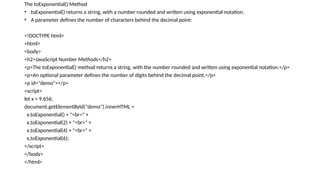
The toExponential() Method
• toExponential() returns a string, with a number rounded and written using exponential notation.
• A parameter defines the number of characters behind the decimal point:
<!DOCTYPE html>
<html>
<body>
<h2>JavaScript Number Methods</h2>
<p>The toExponential() method returns a string, with the number rounded and written using exponential notation.</p>
<p>An optional parameter defines the number of digits behind the decimal point.</p>
<p id="demo"></p>
<script>
let x = 9.656;
document.getElementById("demo").innerHTML =
x.toExponential() + "<br>" +
x.toExponential(2) + "<br>" +
x.toExponential(4) + "<br>" +
x.toExponential(6);
</script>
</body>
</html>
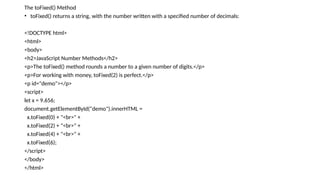
The toFixed() Method
• toFixed() returns a string, with the number written with a specified number of decimals:
<!DOCTYPE html>
<html>
<body>
<h2>JavaScript Number Methods</h2>
<p>The toFixed() method rounds a number to a given number of digits.</p>
<p>For working with money, toFixed(2) is perfect.</p>
<p id="demo"></p>
<script>
let x = 9.656;
document.getElementById("demo").innerHTML =
x.toFixed(0) + "<br>" +
x.toFixed(2) + "<br>" +
x.toFixed(4) + "<br>" +
x.toFixed(6);
</script>
</body>
</html>
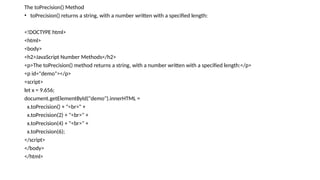
The toPrecision() Method
• toPrecision() returns a string, with a number written with a specified length:
<!DOCTYPE html>
<html>
<body>
<h2>JavaScript Number Methods</h2>
<p>The toPrecision() method returns a string, with a number written with a specified length:</p>
<p id="demo"></p>
<script>
let x = 9.656;
document.getElementById("demo").innerHTML =
x.toPrecision() + "<br>" +
x.toPrecision(2) + "<br>" +
x.toPrecision(4) + "<br>" +
x.toPrecision(6);
</script>
</body>
</html>
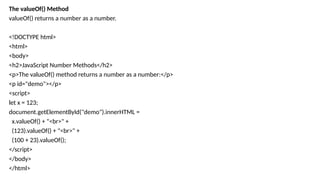
The valueOf() Method
valueOf() returns a number as a number.
<!DOCTYPE html>
<html>
<body>
<h2>JavaScript Number Methods</h2>
<p>The valueOf() method returns a number as a number:</p>
<p id="demo"></p>
<script>
let x = 123;
document.getElementById("demo").innerHTML =
x.valueOf() + "<br>" +
(123).valueOf() + "<br>" +
(100 + 23).valueOf();
</script>
</body>
</html>
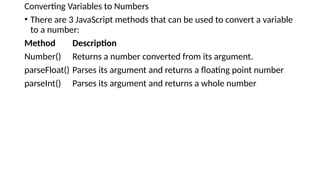
Converting Variables to Numbers
• There are 3 JavaScript methods that can be used to convert a variable
to a number:
Method Description
Number() Returns a number converted from its argument.
parseFloat() Parses its argument and returns a floating point number
parseInt() Parses its argument and returns a whole number
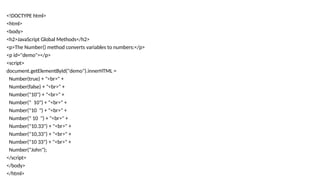
<!DOCTYPE html>
<html>
<body>
<h2>JavaScript Global Methods</h2>
<p>The Number() method converts variables to numbers:</p>
<p id="demo"></p>
<script>
document.getElementById("demo").innerHTML =
Number(true) + "<br>" +
Number(false) + "<br>" +
Number("10") + "<br>" +
Number(" 10") + "<br>" +
Number("10 ") + "<br>" +
Number(" 10 ") + "<br>" +
Number("10.33") + "<br>" +
Number("10,33") + "<br>" +
Number("10 33") + "<br>" +
Number("John");
</script>
</body>
</html>

Numbers and global functions conversions .pptx

  • 1.
    Boolean Object Boolean valuesare typically produced by relational operators, equality operators, and logical NOT (!). They can also be produced by functions that represent conditions, such as Array.isArray(). Note that binary logical operators such as && and || return the values of the operands, which may or may not be boolean values. Boolean values are typically used in conditional testing, such as the condition for if...else and while statements, the conditional operator (? :)
  • 2.
    JavaScript Number Methods Thesenumber methods can be used on all JavaScript numbers: Method Description toString() Returns a number as a string toExponential() Returns a number written in exponential notation toFixed() Returns a number written with a number of decimals toPrecision()Returns a number written with a specified length valueOf() Returns a number as a number
  • 3.
    • The toString()Method • The toString() method returns a number as a string. • All number methods can be used on any type of numbers (literals, variables, or expressions): <!DOCTYPE html> <html> <body> <h2>JavaScript Number Methods</h2> <p>The toString() method converts a number to a string.</p> <p id="demo"></p> <script> let x = 123; document.getElementById("demo").innerHTML = x.toString() + "<br>" + (123).toString() + "<br>" + (100 + 23).toString(); </script> </body> </html>
  • 4.
    The toExponential() Method •toExponential() returns a string, with a number rounded and written using exponential notation. • A parameter defines the number of characters behind the decimal point: <!DOCTYPE html> <html> <body> <h2>JavaScript Number Methods</h2> <p>The toExponential() method returns a string, with the number rounded and written using exponential notation.</p> <p>An optional parameter defines the number of digits behind the decimal point.</p> <p id="demo"></p> <script> let x = 9.656; document.getElementById("demo").innerHTML = x.toExponential() + "<br>" + x.toExponential(2) + "<br>" + x.toExponential(4) + "<br>" + x.toExponential(6); </script> </body> </html>
  • 5.
    The toFixed() Method •toFixed() returns a string, with the number written with a specified number of decimals: <!DOCTYPE html> <html> <body> <h2>JavaScript Number Methods</h2> <p>The toFixed() method rounds a number to a given number of digits.</p> <p>For working with money, toFixed(2) is perfect.</p> <p id="demo"></p> <script> let x = 9.656; document.getElementById("demo").innerHTML = x.toFixed(0) + "<br>" + x.toFixed(2) + "<br>" + x.toFixed(4) + "<br>" + x.toFixed(6); </script> </body> </html>
  • 6.
    The toPrecision() Method •toPrecision() returns a string, with a number written with a specified length: <!DOCTYPE html> <html> <body> <h2>JavaScript Number Methods</h2> <p>The toPrecision() method returns a string, with a number written with a specified length:</p> <p id="demo"></p> <script> let x = 9.656; document.getElementById("demo").innerHTML = x.toPrecision() + "<br>" + x.toPrecision(2) + "<br>" + x.toPrecision(4) + "<br>" + x.toPrecision(6); </script> </body> </html>
  • 7.
    The valueOf() Method valueOf()returns a number as a number. <!DOCTYPE html> <html> <body> <h2>JavaScript Number Methods</h2> <p>The valueOf() method returns a number as a number:</p> <p id="demo"></p> <script> let x = 123; document.getElementById("demo").innerHTML = x.valueOf() + "<br>" + (123).valueOf() + "<br>" + (100 + 23).valueOf(); </script> </body> </html>
  • 8.
    Converting Variables toNumbers • There are 3 JavaScript methods that can be used to convert a variable to a number: Method Description Number() Returns a number converted from its argument. parseFloat() Parses its argument and returns a floating point number parseInt() Parses its argument and returns a whole number
  • 9.
    <!DOCTYPE html> <html> <body> <h2>JavaScript GlobalMethods</h2> <p>The Number() method converts variables to numbers:</p> <p id="demo"></p> <script> document.getElementById("demo").innerHTML = Number(true) + "<br>" + Number(false) + "<br>" + Number("10") + "<br>" + Number(" 10") + "<br>" + Number("10 ") + "<br>" + Number(" 10 ") + "<br>" + Number("10.33") + "<br>" + Number("10,33") + "<br>" + Number("10 33") + "<br>" + Number("John"); </script> </body> </html>