By : Venus Angelica Derecho, CPA
(Inventory Management)
Refresher Training
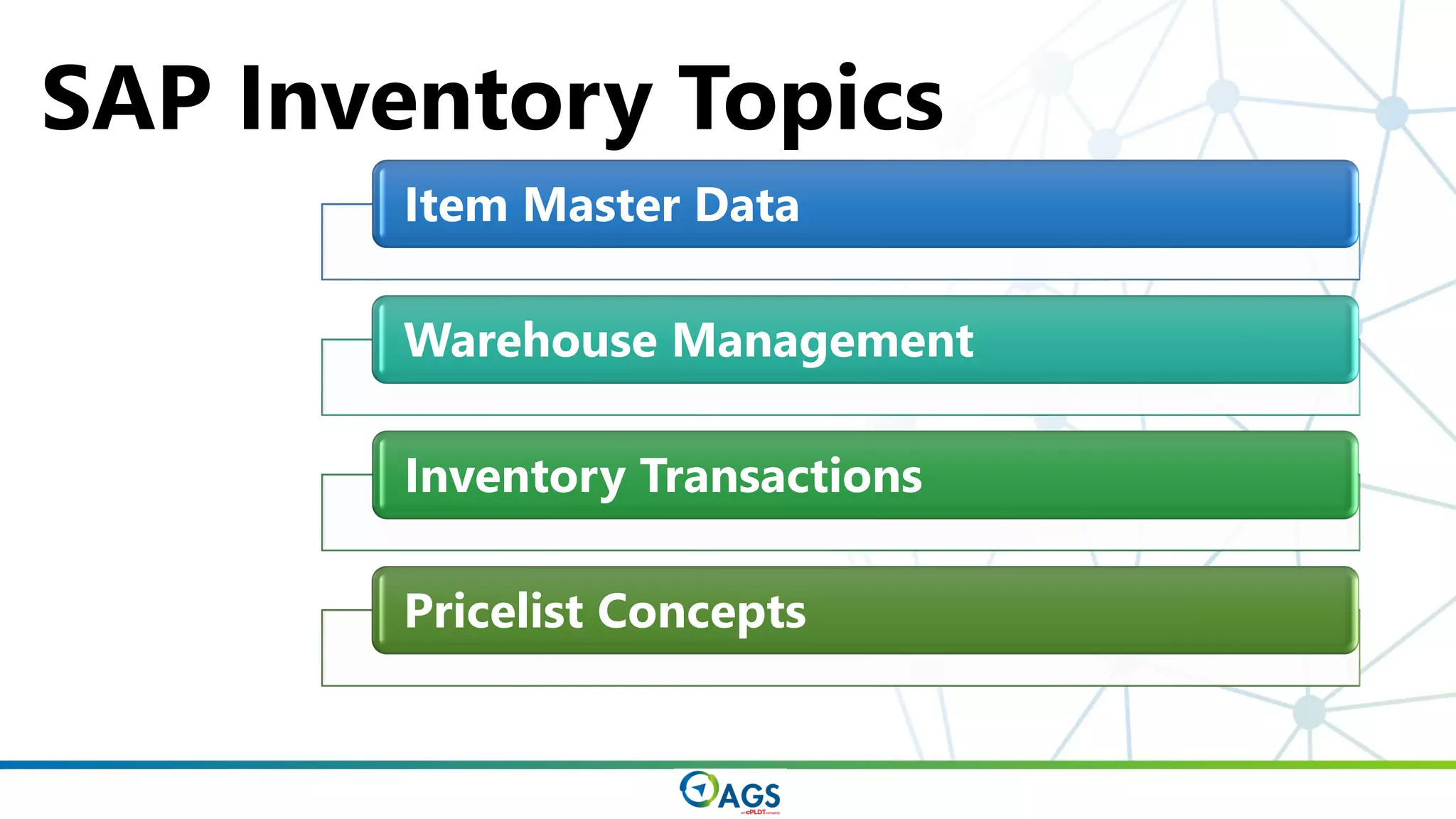
Item Master Data
Warehouse Management
Inventory Transactions
Pricelist Concepts
SAP Inventory Topics
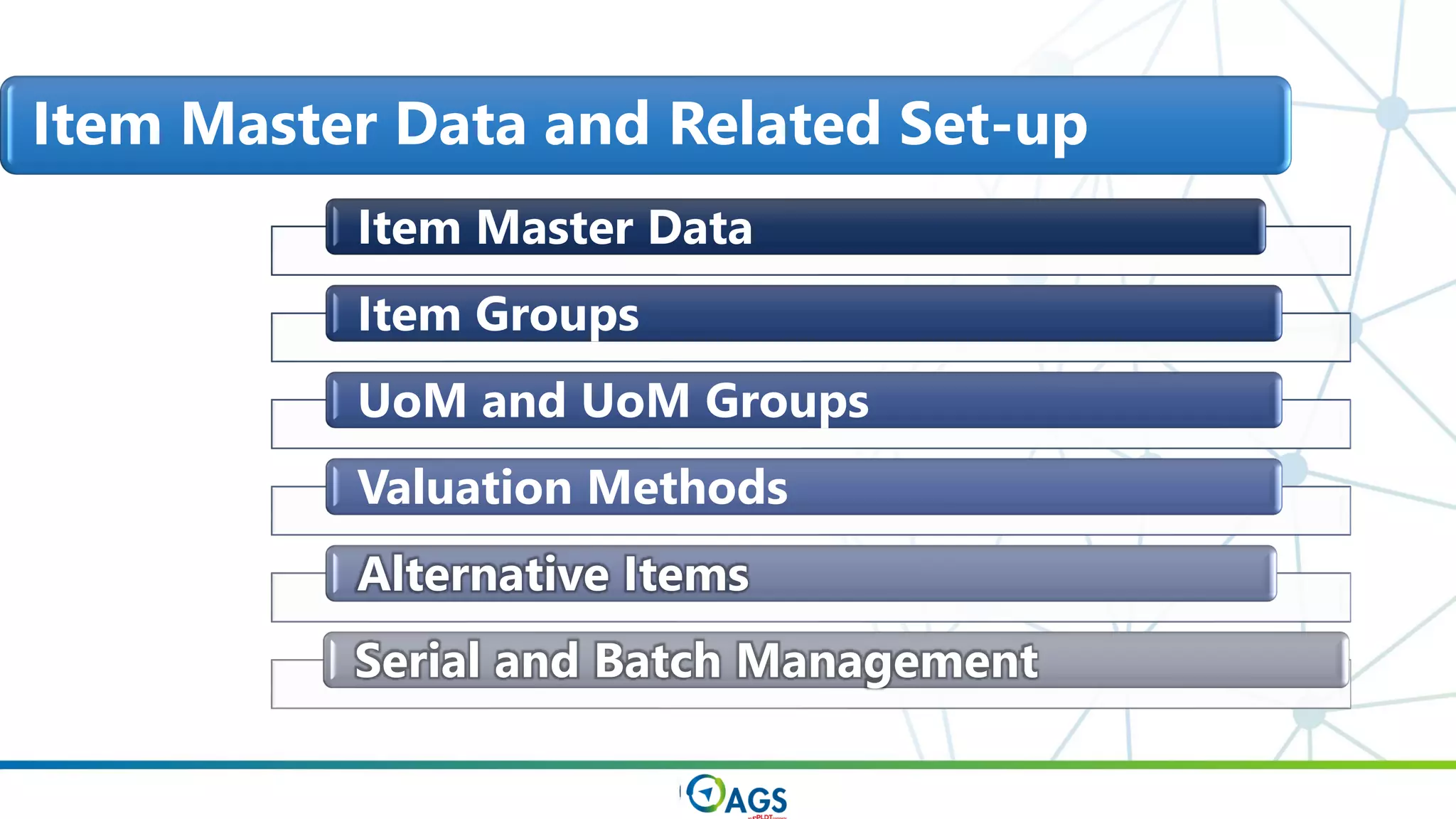
Item Master Data
Item Groups
UoM and UoM Groups
Valuation Methods
Alternative Items
Serial and Batch Management
Item Master Data and Related Set-up
ITEM
MASTER
DATA
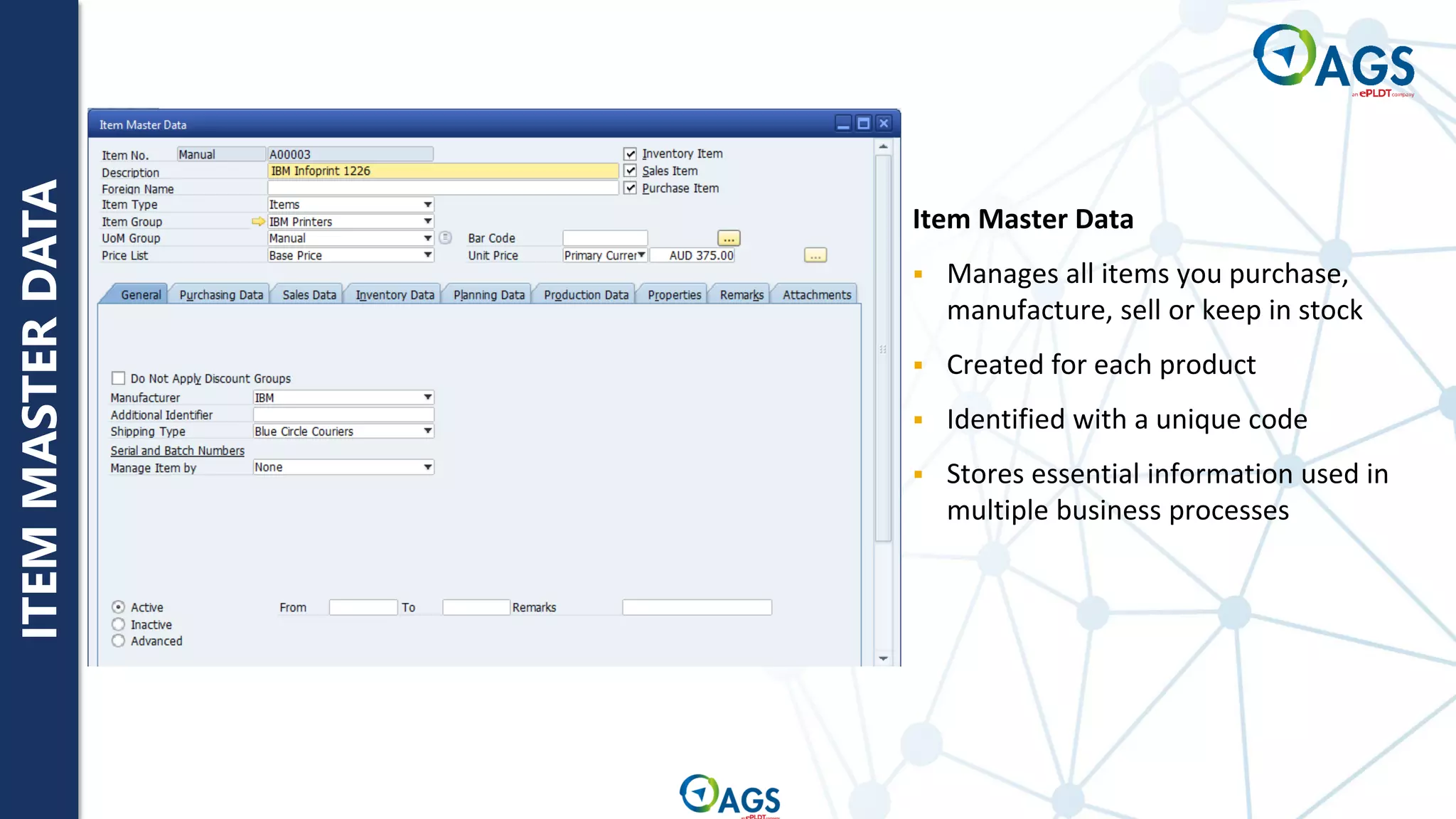
Item Master Data
▪ Manages all items you purchase,
manufacture, sell or keep in stock
▪ Created for each product
▪ Identified with a unique code
▪ Stores essential information used in
multiple business processes
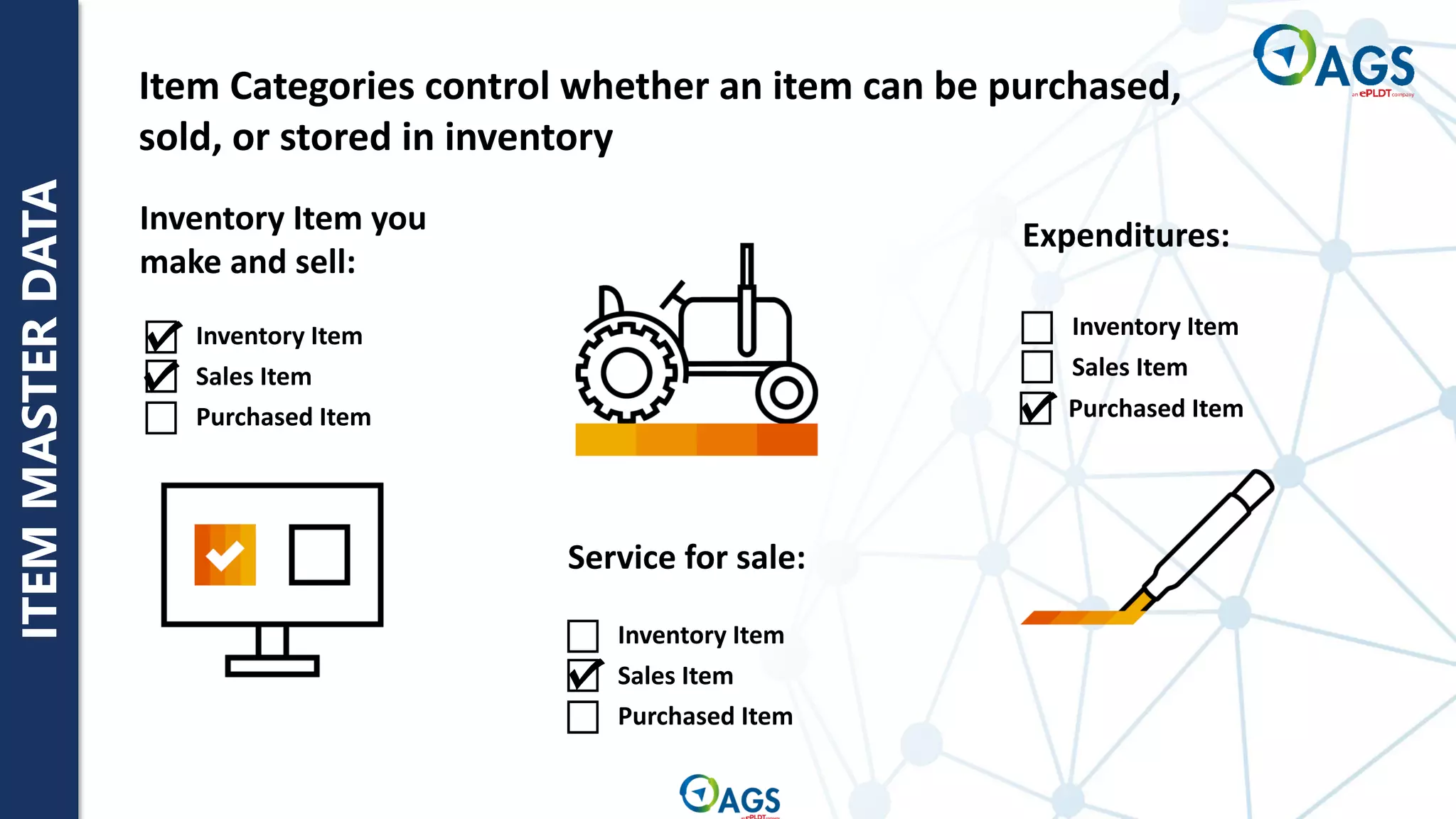
Purchased Item
Purchased Item
Inventory Item
Sales Item
Inventory Item
Sales Item
Purchased Item
Inventory Item
Sales Item
Service for sale:
Expenditures:
Inventory Item you
make and sell:
Item Categories control whether an item can be purchased,
sold, or stored in inventory
ITEM
MASTER
DATA
ITEM
MASTER
DATA
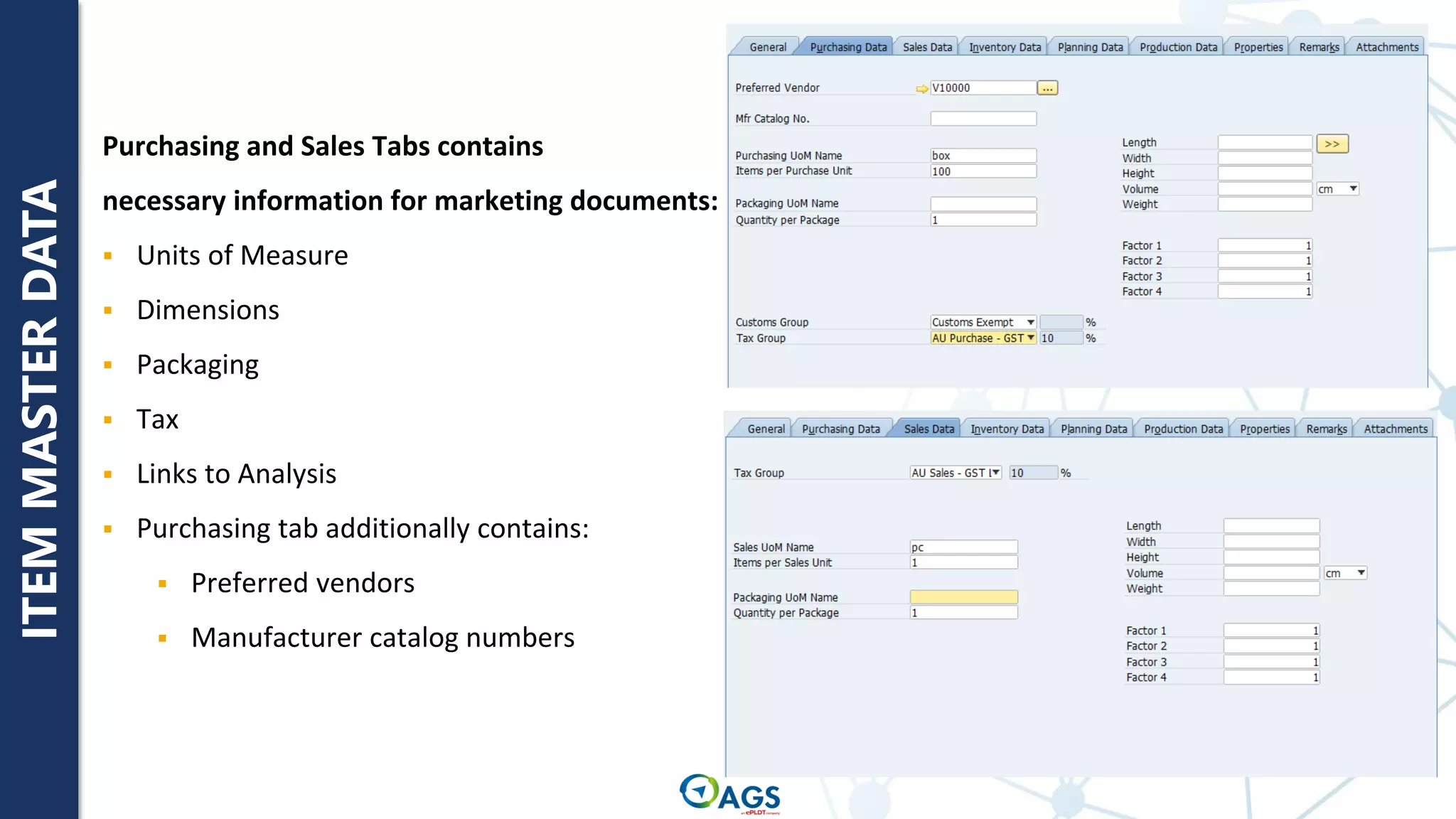
Purchasing and Sales Tabs contains
necessary information for marketing documents:
▪ Units of Measure
▪ Dimensions
▪ Packaging
▪ Tax
▪ Links to Analysis
▪ Purchasing tab additionally contains:
▪ Preferred vendors
▪ Manufacturer catalog numbers
ITEM
MASTER
DATA
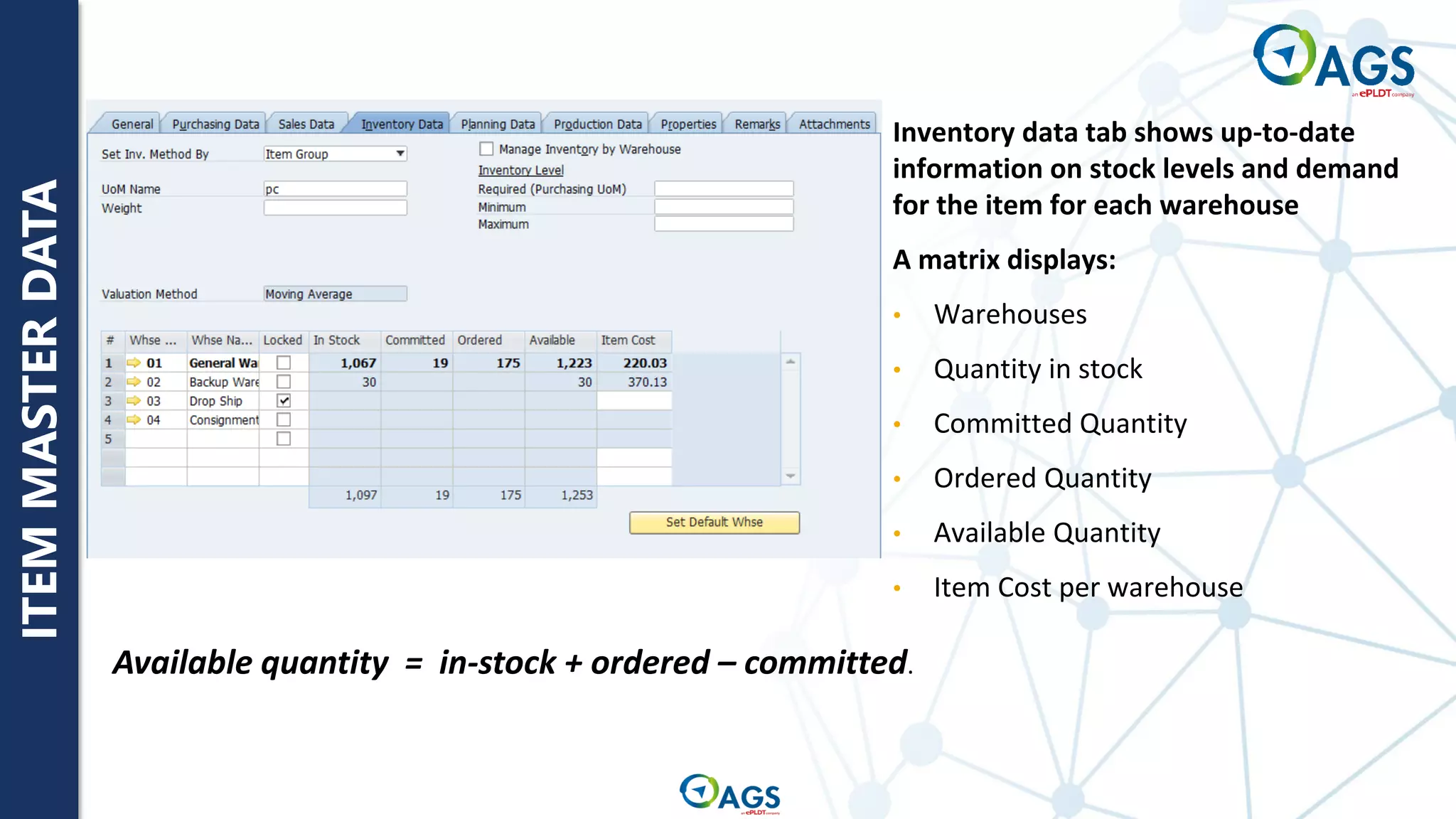
Inventory data tab shows up-to-date
information on stock levels and demand
for the item for each warehouse
A matrix displays:
• Warehouses
• Quantity in stock
• Committed Quantity
• Ordered Quantity
• Available Quantity
• Item Cost per warehouse
Available quantity = in-stock + ordered – committed.
ITEM
GROUPS
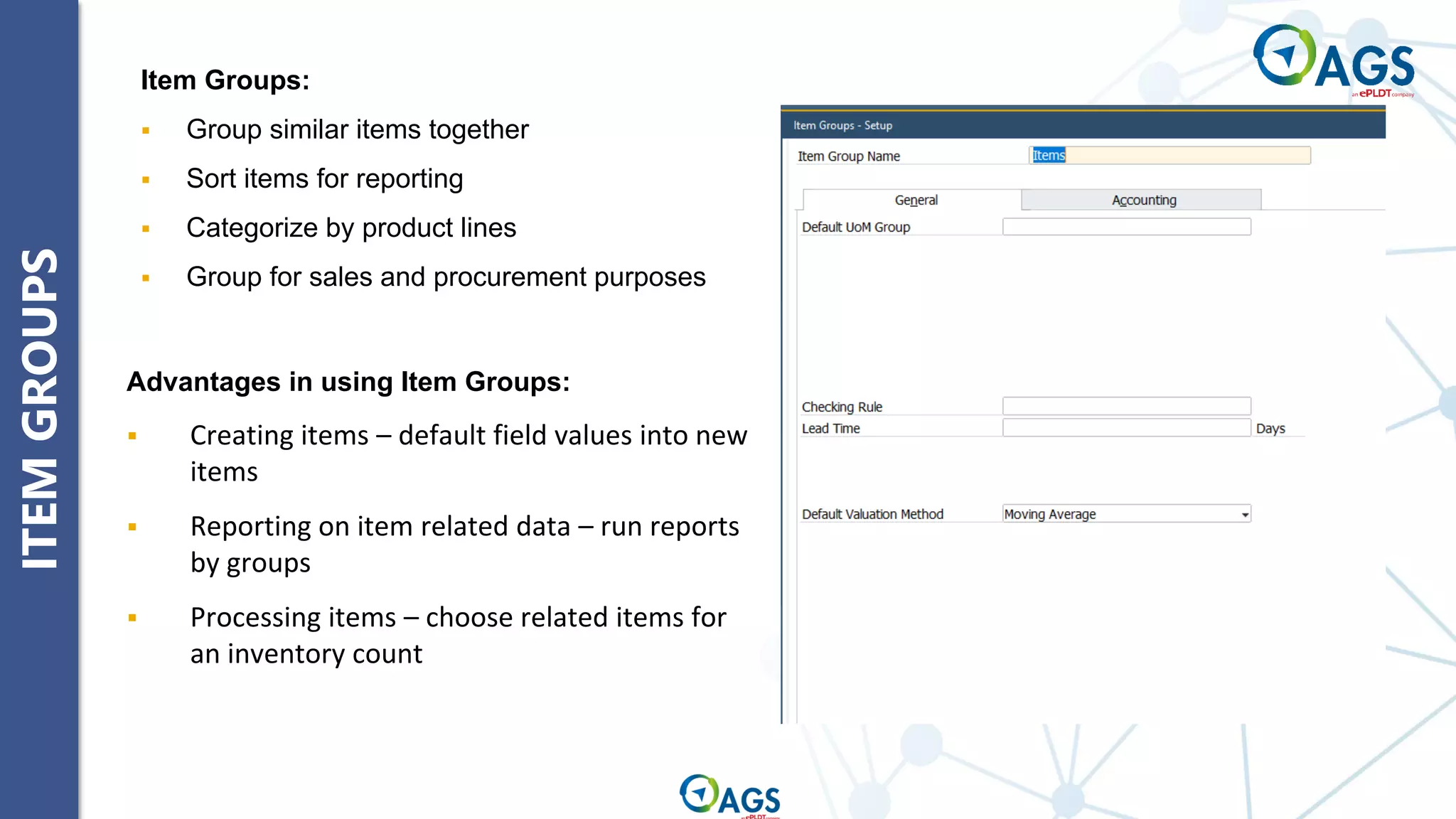
Item Groups:
▪ Group similar items together
▪ Sort items for reporting
▪ Categorize by product lines
▪ Group for sales and procurement purposes
Advantages in using Item Groups:
▪ Creating items – default field values into new
items
▪ Reporting on item related data – run reports
by groups
▪ Processing items – choose related items for
an inventory count
UOM
AND
UOM
GROUPS
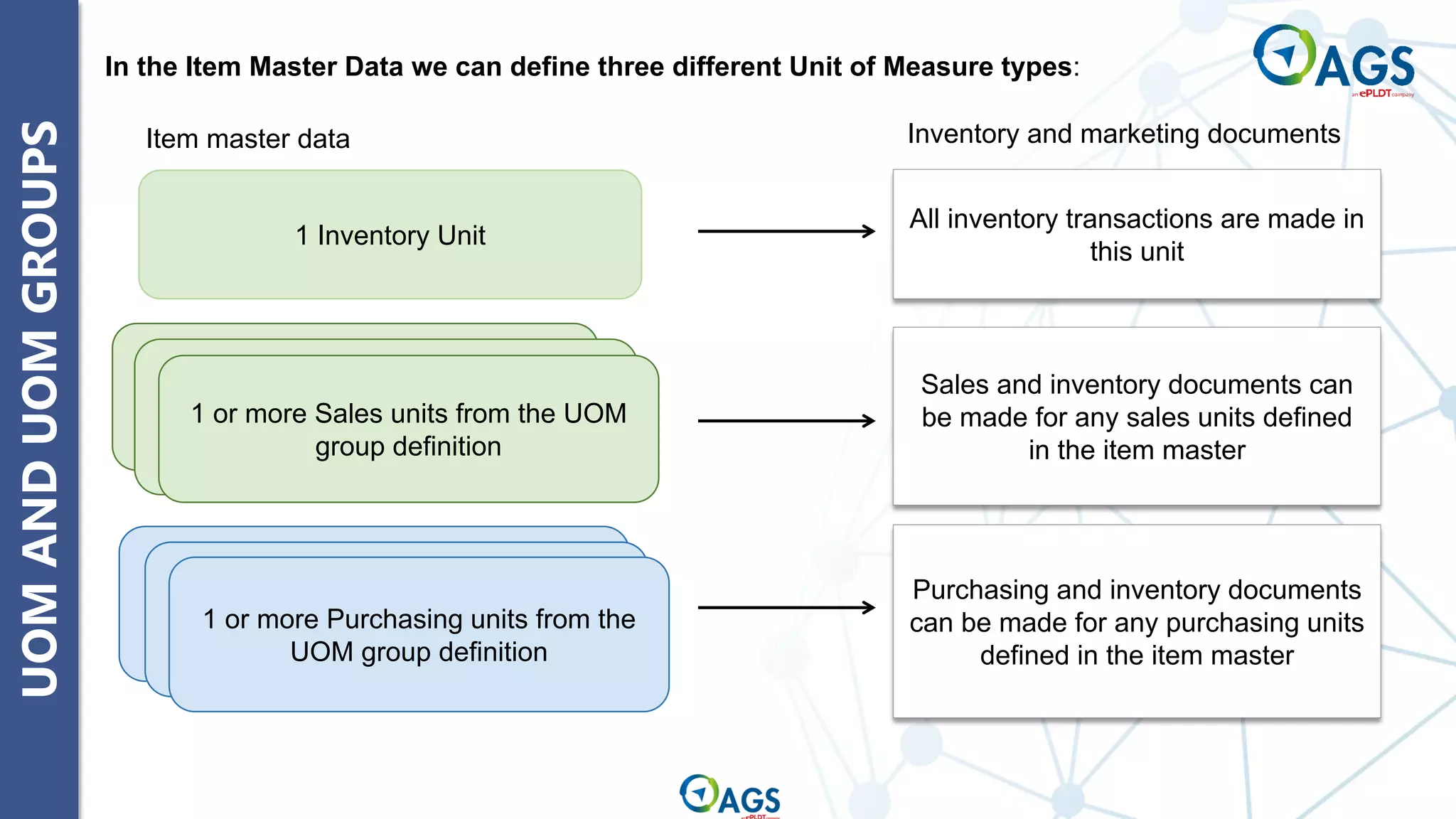
All inventory transactions are made in
this unit
Sales and inventory documents can
be made for any sales units defined
in the item master
In the Item Master Data we can define three different Unit of Measure types:
Purchasing and inventory documents
can be made for any purchasing units
defined in the item master
1 Inventory Unit
1 or more Sales units from the UOM
group definition
1 or more Purchasing units from the
UOM group definition
Item master data Inventory and marketing documents
UOM
AND
UOM
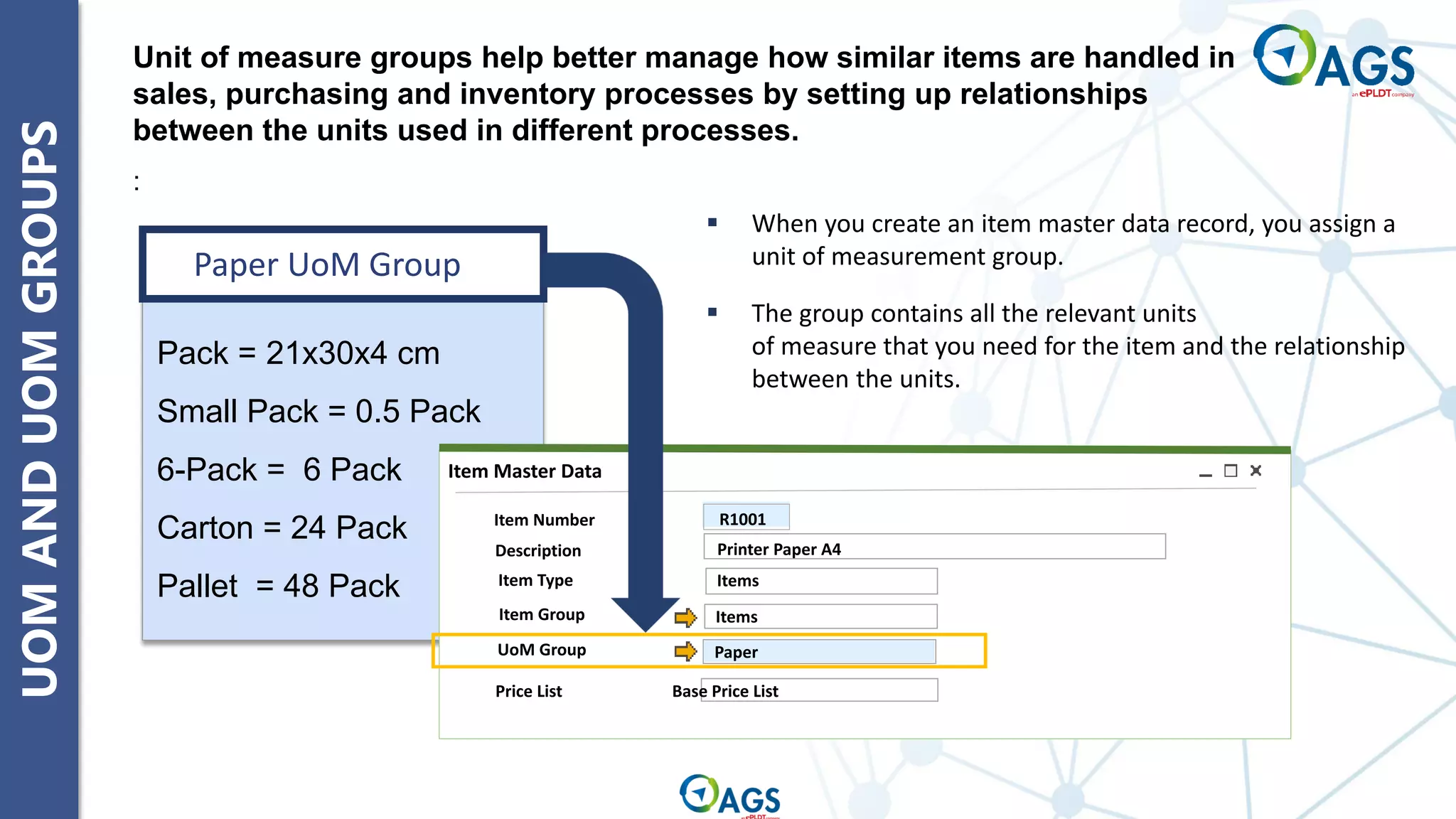
GROUPS Unit of measure groups help better manage how similar items are handled in
sales, purchasing and inventory processes by setting up relationships
between the units used in different processes.
:
Paper UoM Group
Pack = 21x30x4 cm
Small Pack = 0.5 Pack
6-Pack = 6 Pack
Carton = 24 Pack
Pallet = 48 Pack
▪ When you create an item master data record, you assign a
unit of measurement group.
▪ The group contains all the relevant units
of measure that you need for the item and the relationship
between the units.
Item Number
Description
Item Type
Item Master Data
R1001
Items
Price List Base Price List
Items
Printer Paper A4
Paper
Item Group
UoM Group
UOM
AND
UOM
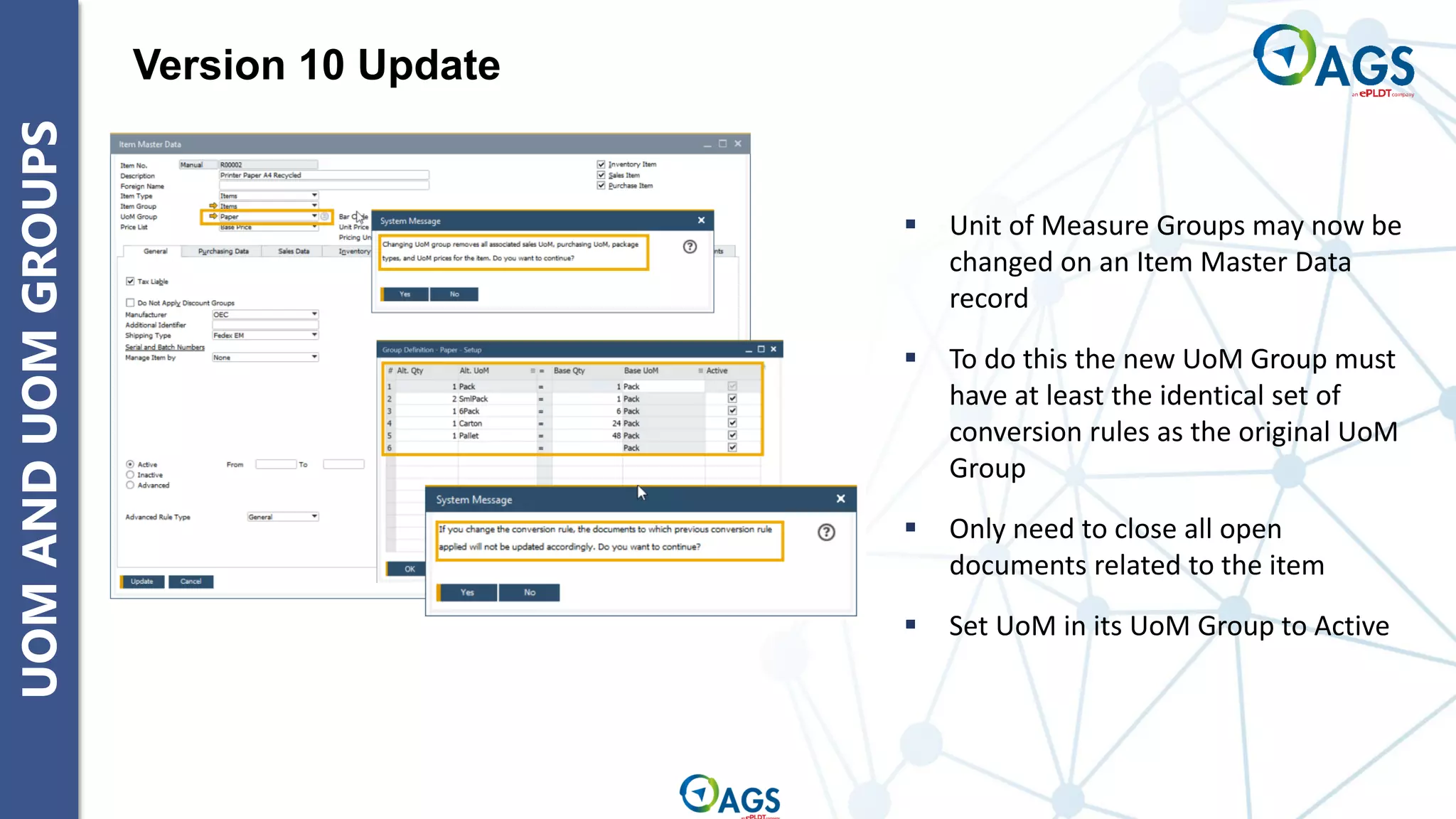
GROUPS Version 10 Update
▪ Unit of Measure Groups may now be
changed on an Item Master Data
record
▪ To do this the new UoM Group must
have at least the identical set of
conversion rules as the original UoM
Group
▪ Only need to close all open
documents related to the item
▪ Set UoM in its UoM Group to Active
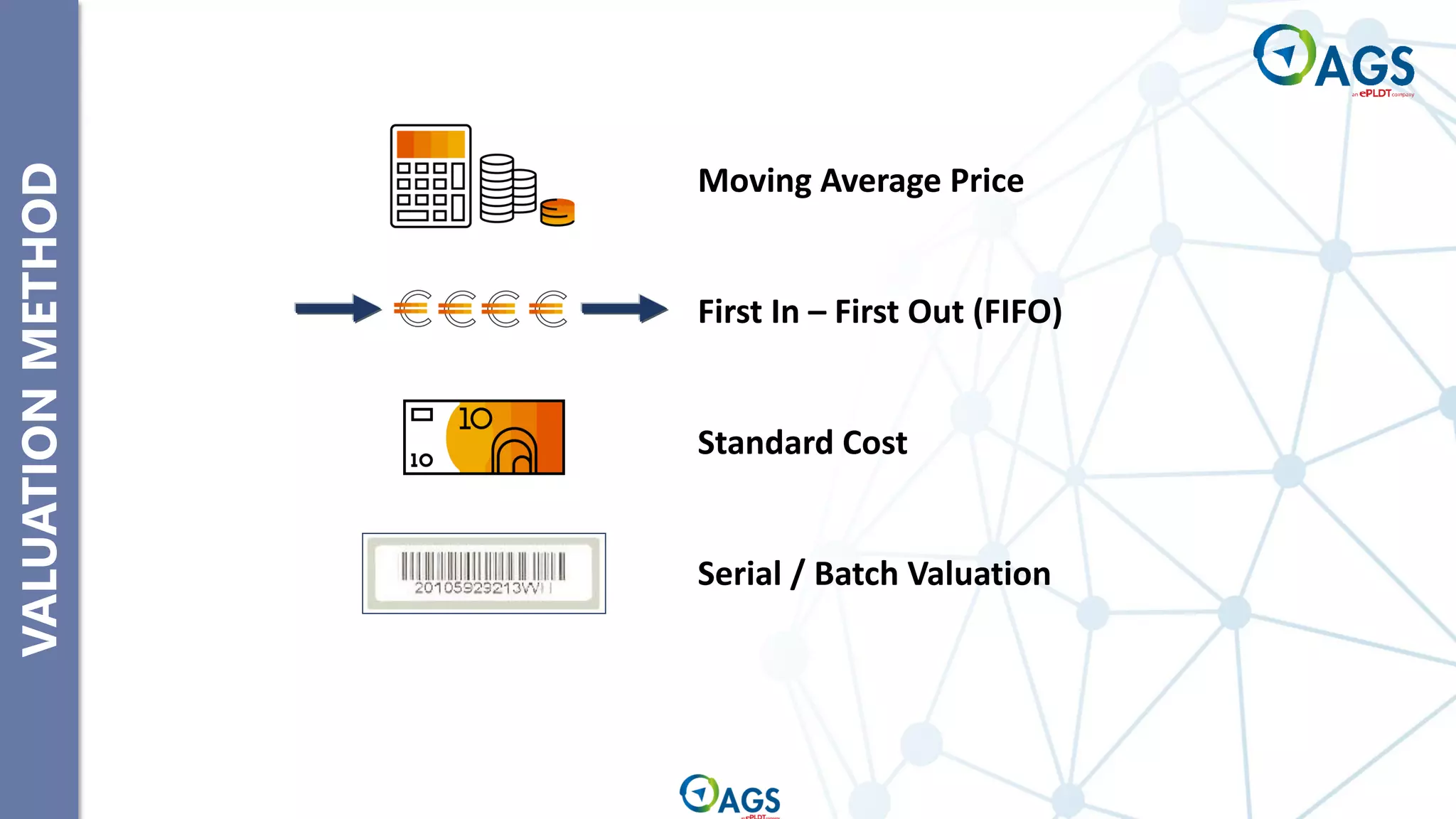
VALUATION
METHOD
Moving Average Price
First In – First Out (FIFO)
Standard Cost
Serial / Batch Valuation
VALUATION
METHOD
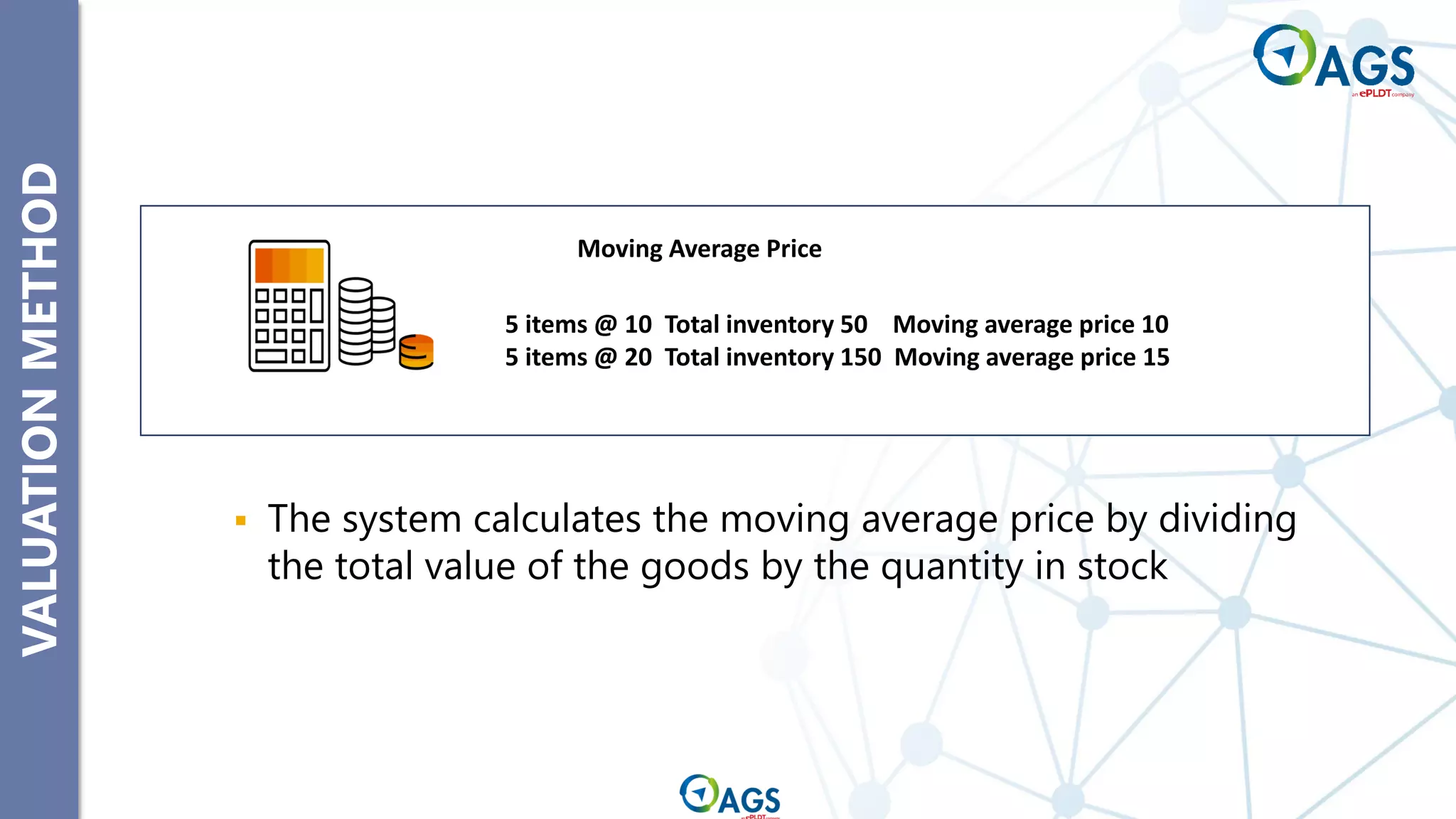
▪ The system calculates the moving average price by dividing
the total value of the goods by the quantity in stock
5 items @ 10 Total inventory 50 Moving average price 10
5 items @ 20 Total inventory 150 Moving average price 15
Moving Average Price
VALUATION
METHOD
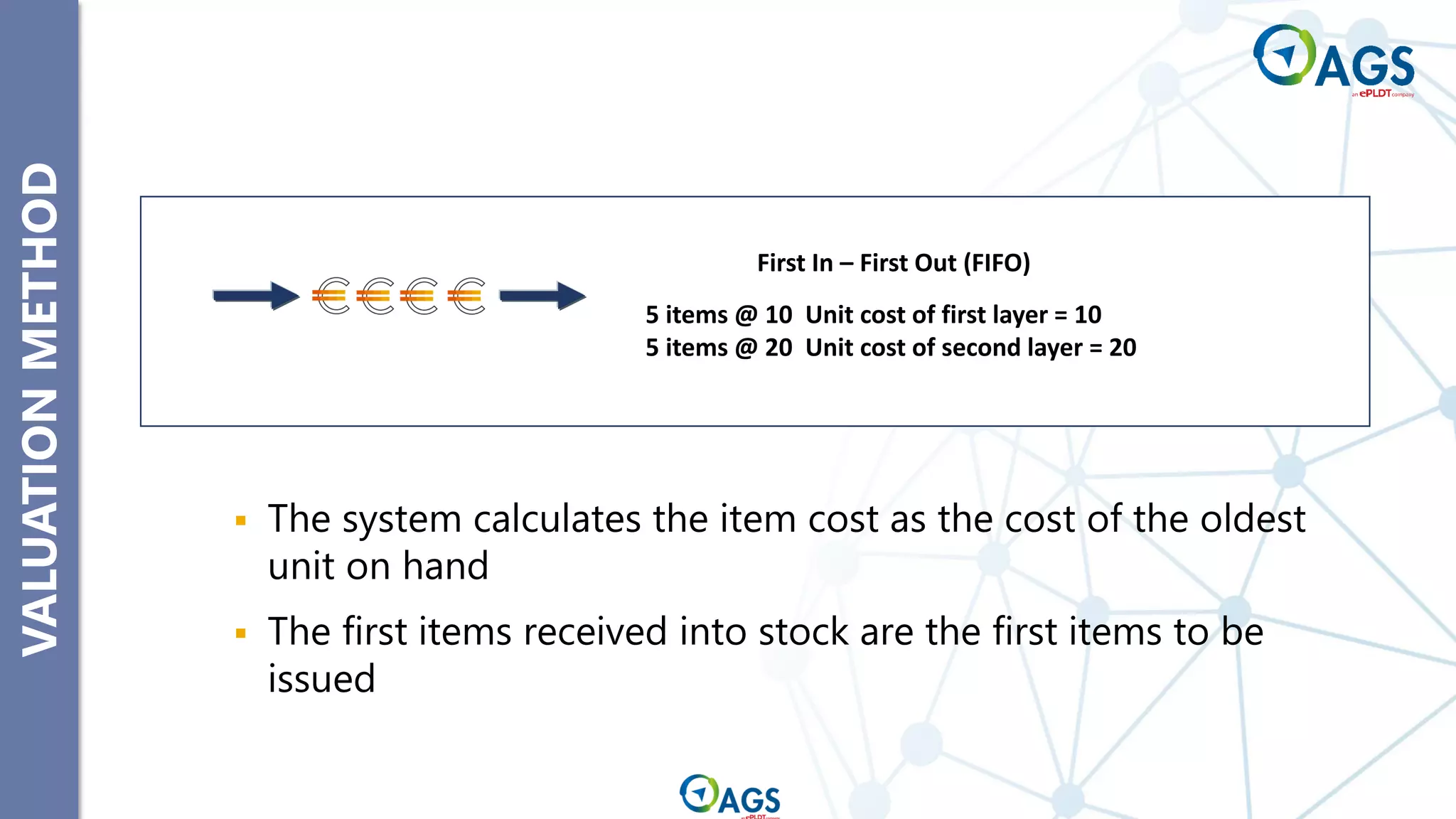
▪ The system calculates the item cost as the cost of the oldest
unit on hand
▪ The first items received into stock are the first items to be
issued
First In – First Out (FIFO)
5 items @ 10 Unit cost of first layer = 10
5 items @ 20 Unit cost of second layer = 20
VALUATION
METHOD
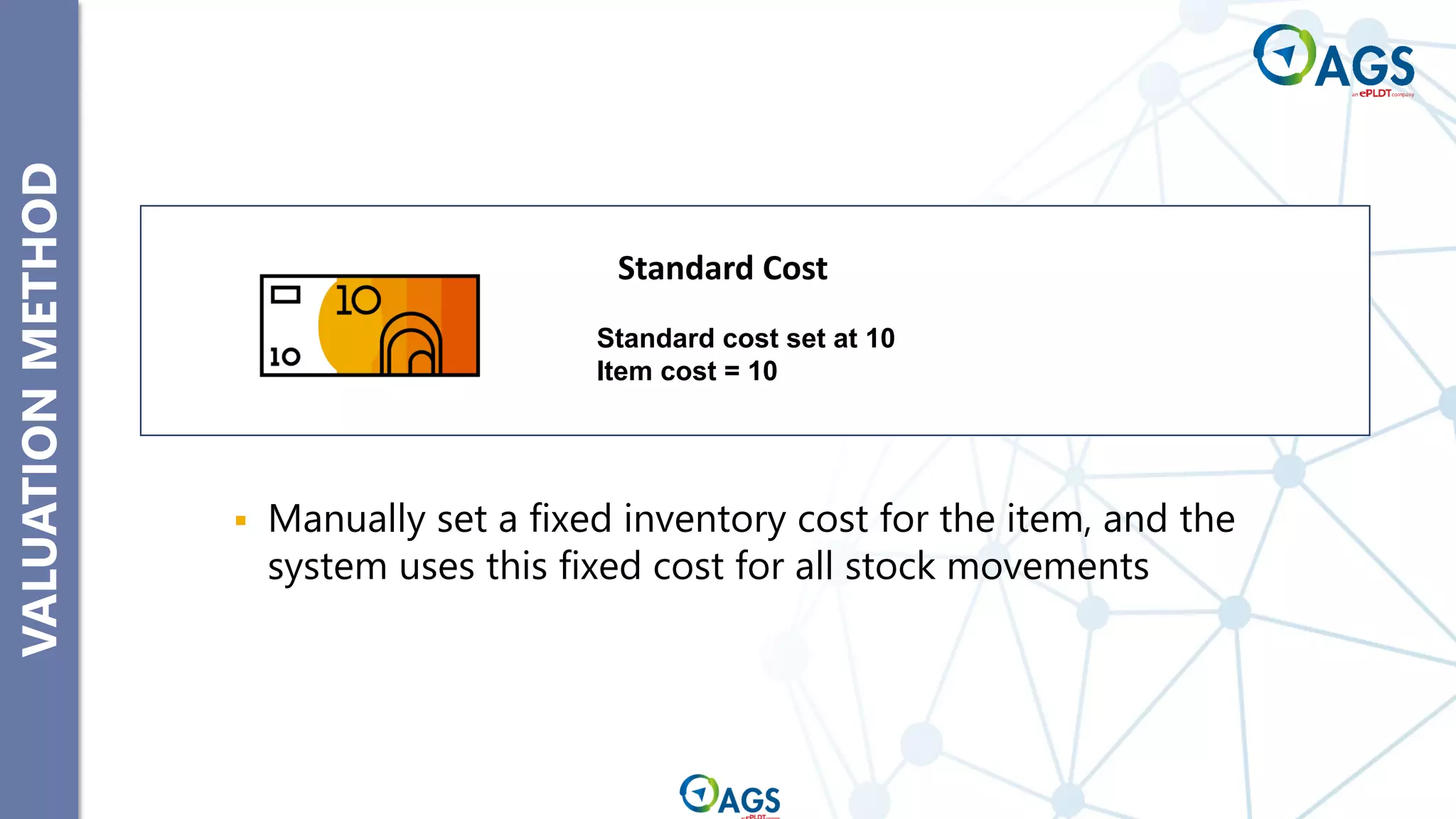
▪ Manually set a fixed inventory cost for the item, and the
system uses this fixed cost for all stock movements
Standard cost set at 10
Item cost = 10
Standard Cost
VALUATION
METHOD
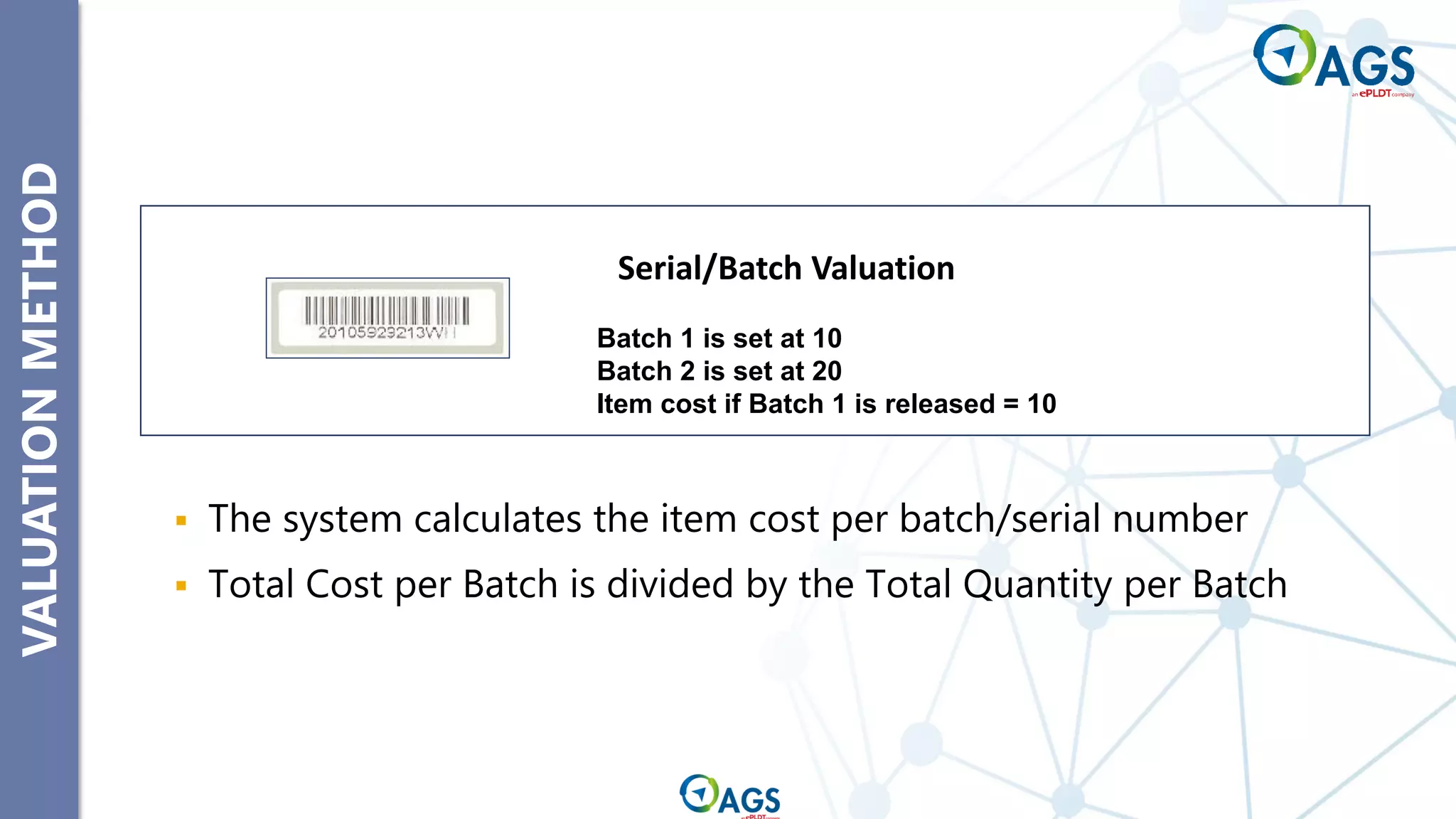
▪ The system calculates the item cost per batch/serial number
▪ Total Cost per Batch is divided by the Total Quantity per Batch
Batch 1 is set at 10
Batch 2 is set at 20
Item cost if Batch 1 is released = 10
Serial/Batch Valuation
SERIAL
AND
BATCH
MGT
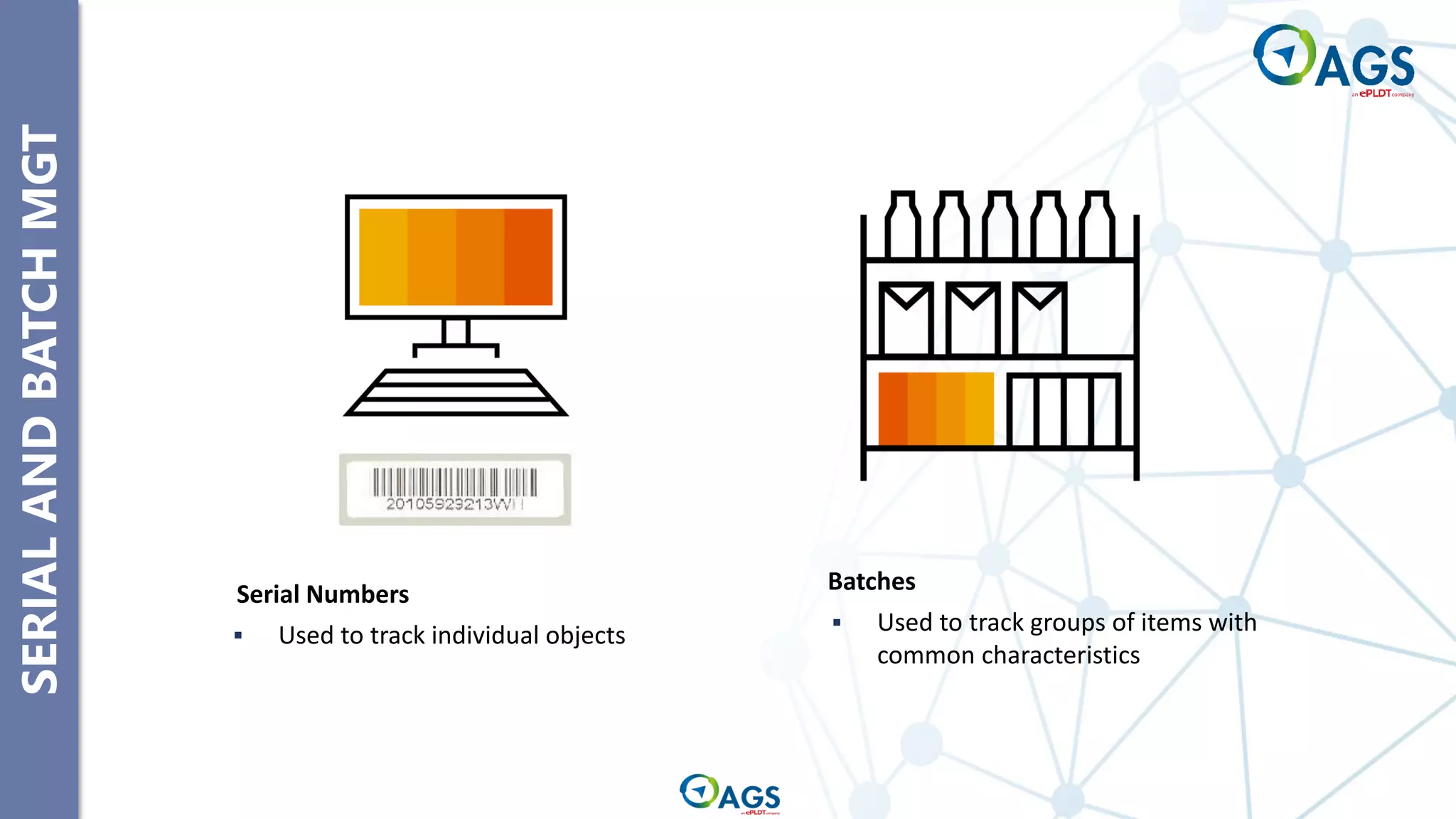
Serial Numbers
▪ Used to track individual objects
Batches
▪ Used to track groups of items with
common characteristics
SERIAL
AND
BATCH
MGT
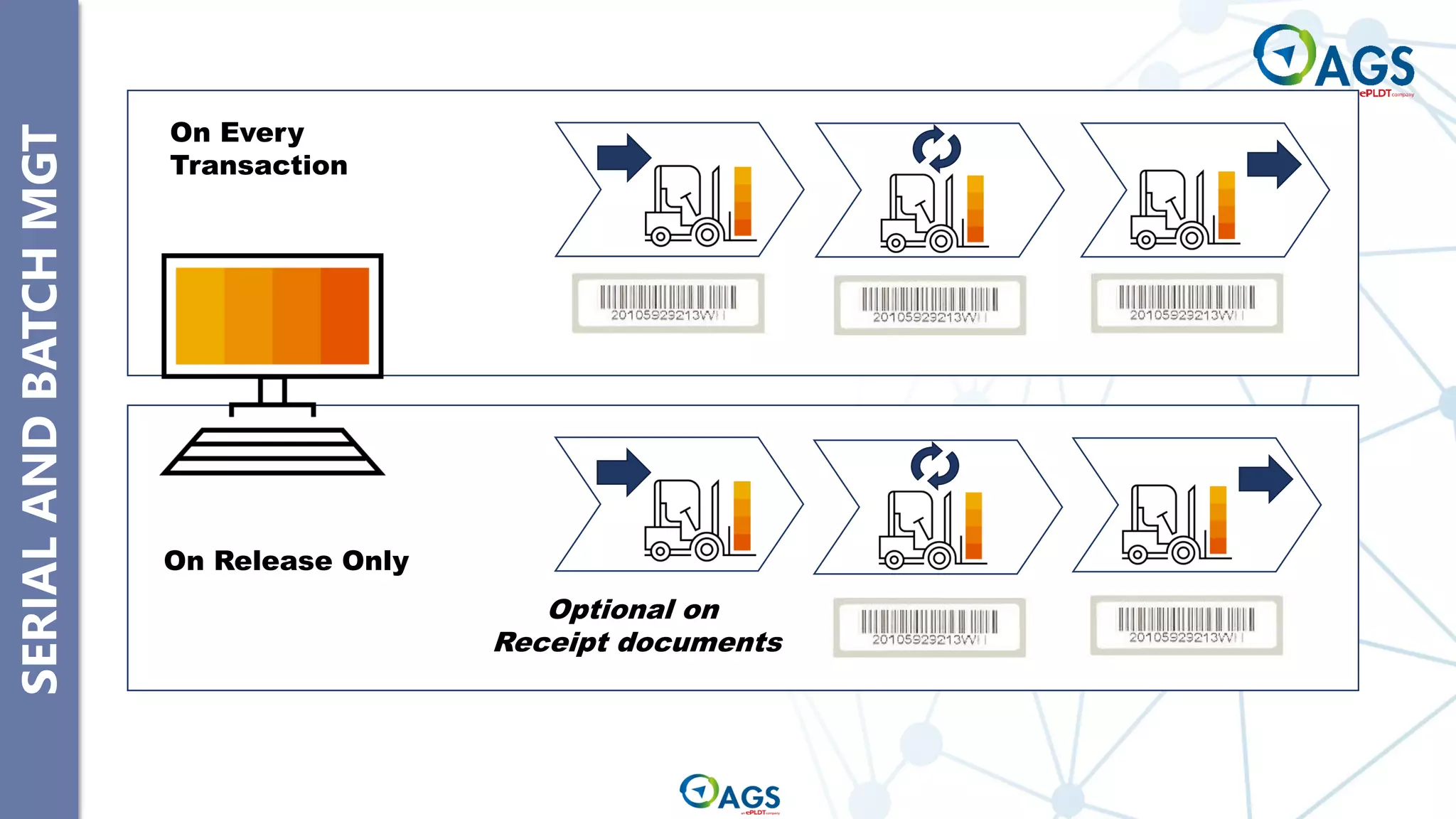
On Release Only
Optional on
Receipt documents
On Every
Transaction
SERIAL
AND
BATCH
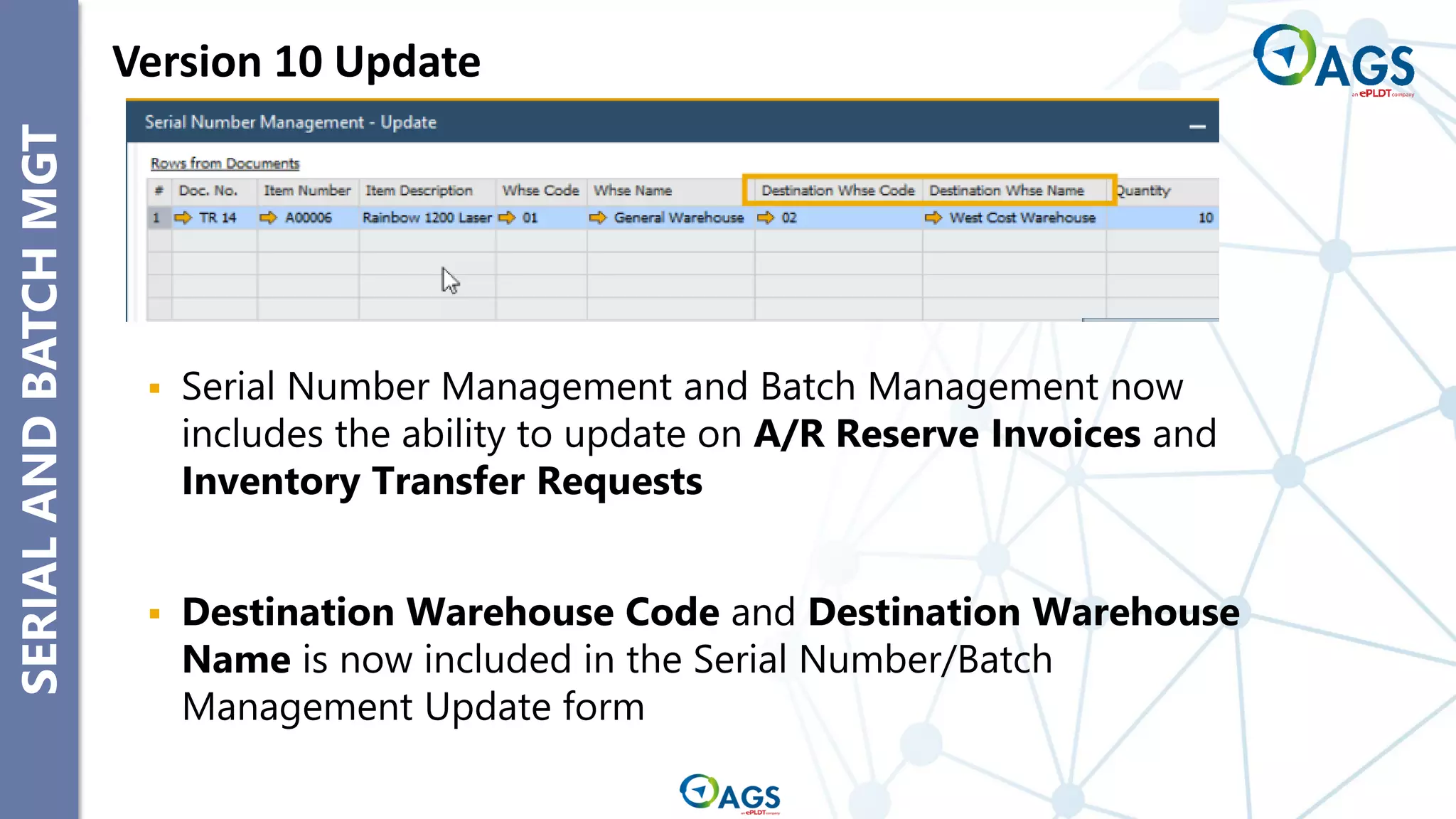
MGT Version 10 Update
▪ Serial Number Management and Batch Management now
includes the ability to update on A/R Reserve Invoices and
Inventory Transfer Requests
▪ Destination Warehouse Code and Destination Warehouse
Name is now included in the Serial Number/Batch
Management Update form
ALTERNATIVE
ITEMS
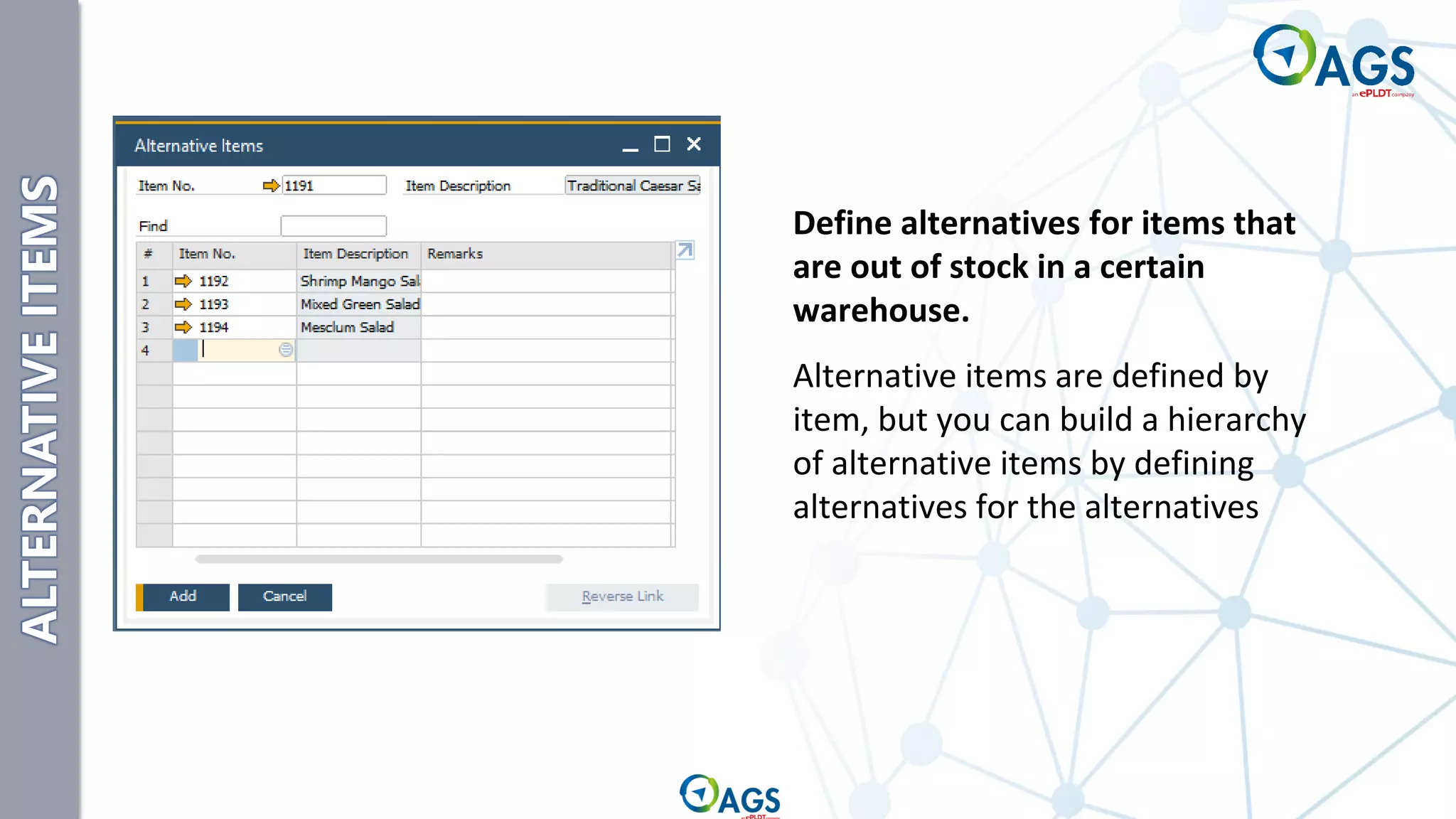
Define alternatives for items that
are out of stock in a certain
warehouse.
Alternative items are defined by
item, but you can build a hierarchy
of alternative items by defining
alternatives for the alternatives
Item Master Data and Related Set-up
Warehouses and Bin Locations
Inventory Transactions
Pricelist Concepts
SAP Inventory Topics
Warehouse Management
Bin Locations
Warehouses and Bin Location
WAREHOUSE
MANAGEMENT
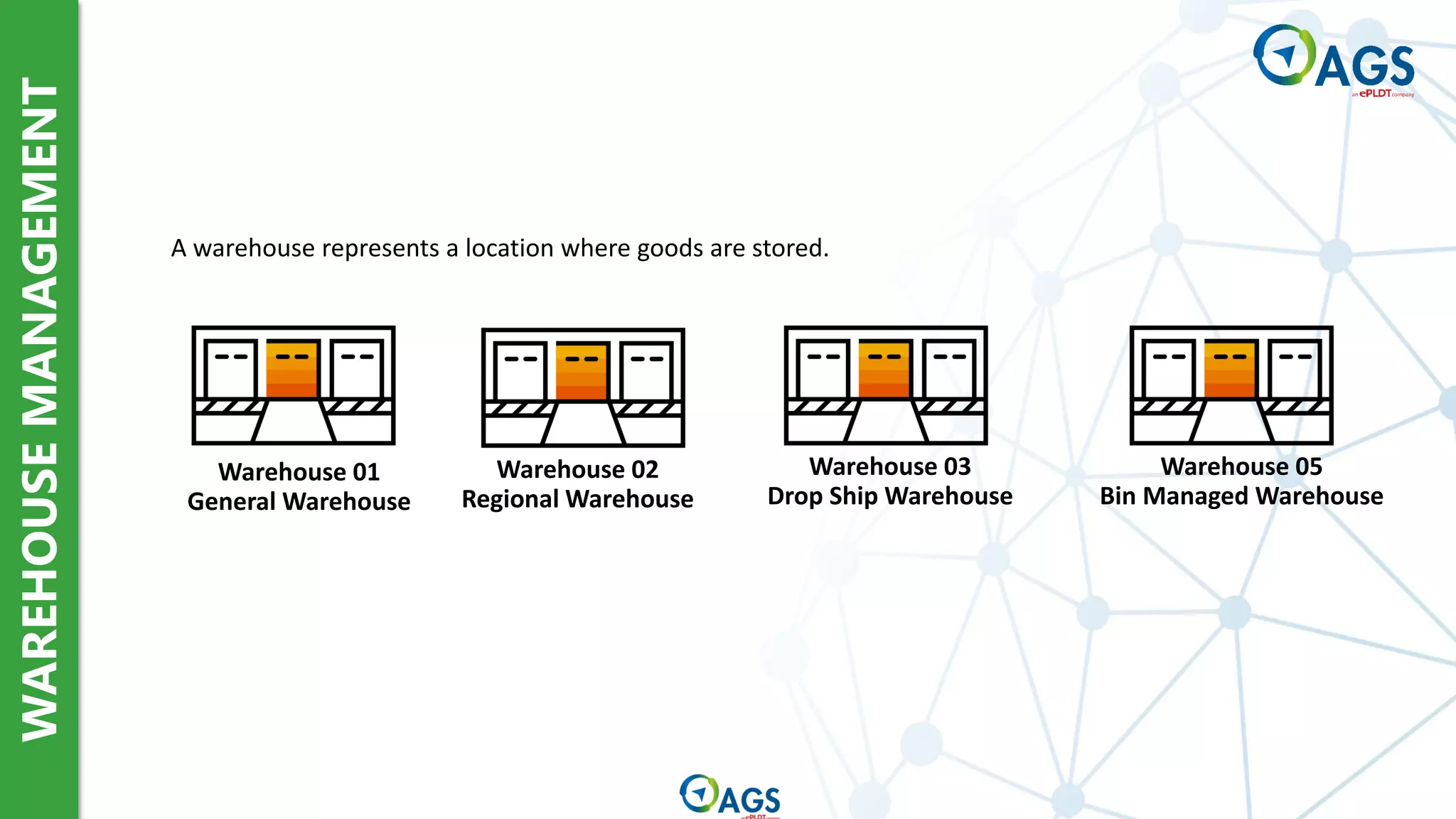
Warehouse 02
Regional Warehouse
Warehouse 03
Drop Ship Warehouse
Warehouse 05
Bin Managed Warehouse
A warehouse represents a location where goods are stored.
Warehouse 01
General Warehouse
WAREHOUSE
MANAGEMENT
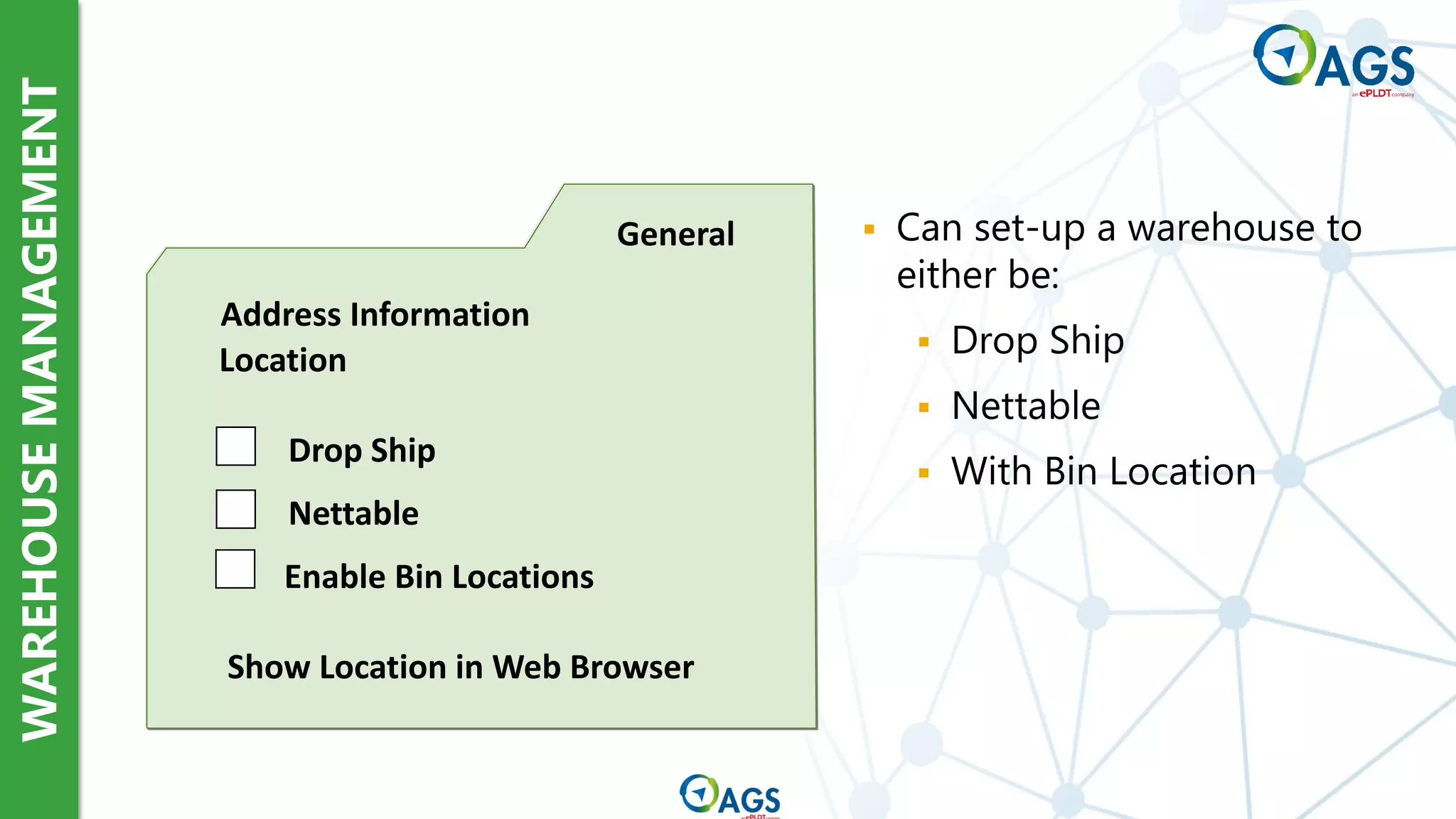
General
Address Information
Location
Drop Ship
Nettable
Enable Bin Locations
Show Location in Web Browser
▪ Can set-up a warehouse to
either be:
▪ Drop Ship
▪ Nettable
▪ With Bin Location
BIN
LOCATIONS
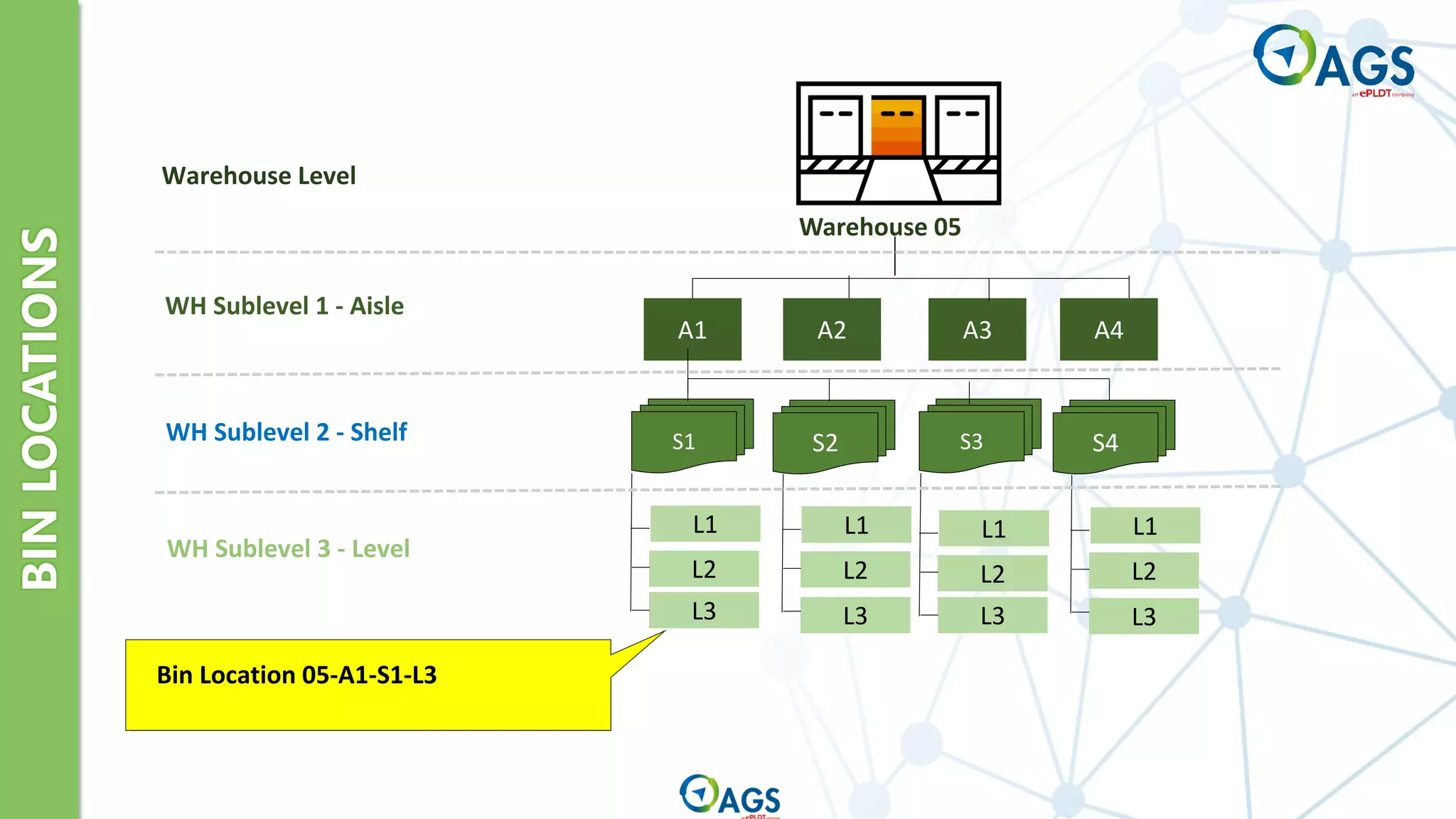
S1 S2 S3
A1 A2 A3 A4
L1
L2
L3
L1
L2
L3
L1
L2
L3
L1
L2
L3
S4
Warehouse 05
Warehouse Level
WH Sublevel 1 - Aisle
WH Sublevel 2 - Shelf
WH Sublevel 3 - Level
Bin Location 05-A1-S1-L3
BIN
LOCATIONS
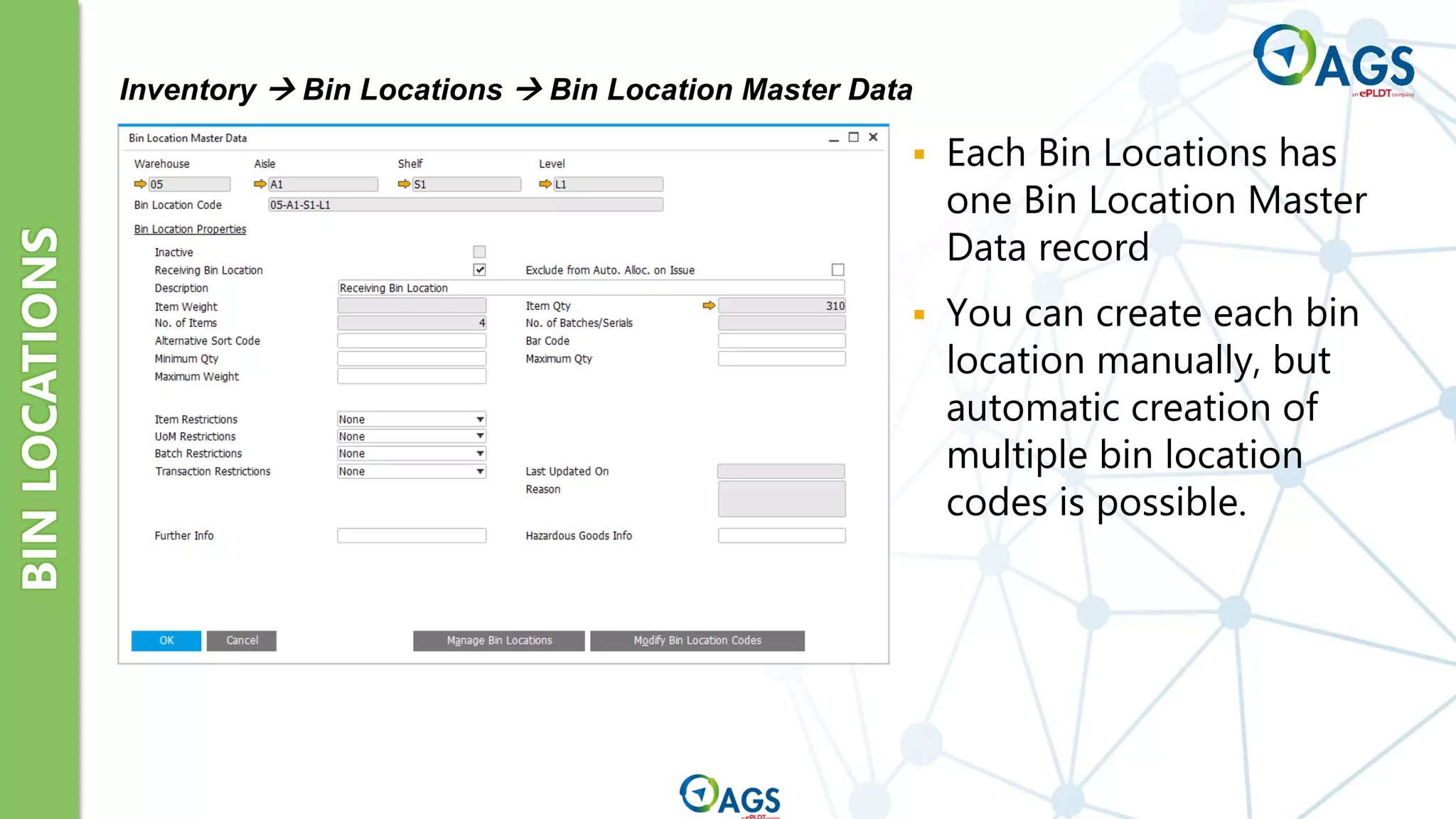
Inventory → Bin Locations → Bin Location Master Data
▪ Each Bin Locations has
one Bin Location Master
Data record
▪ You can create each bin
location manually, but
automatic creation of
multiple bin location
codes is possible.
BIN
LOCATIONS
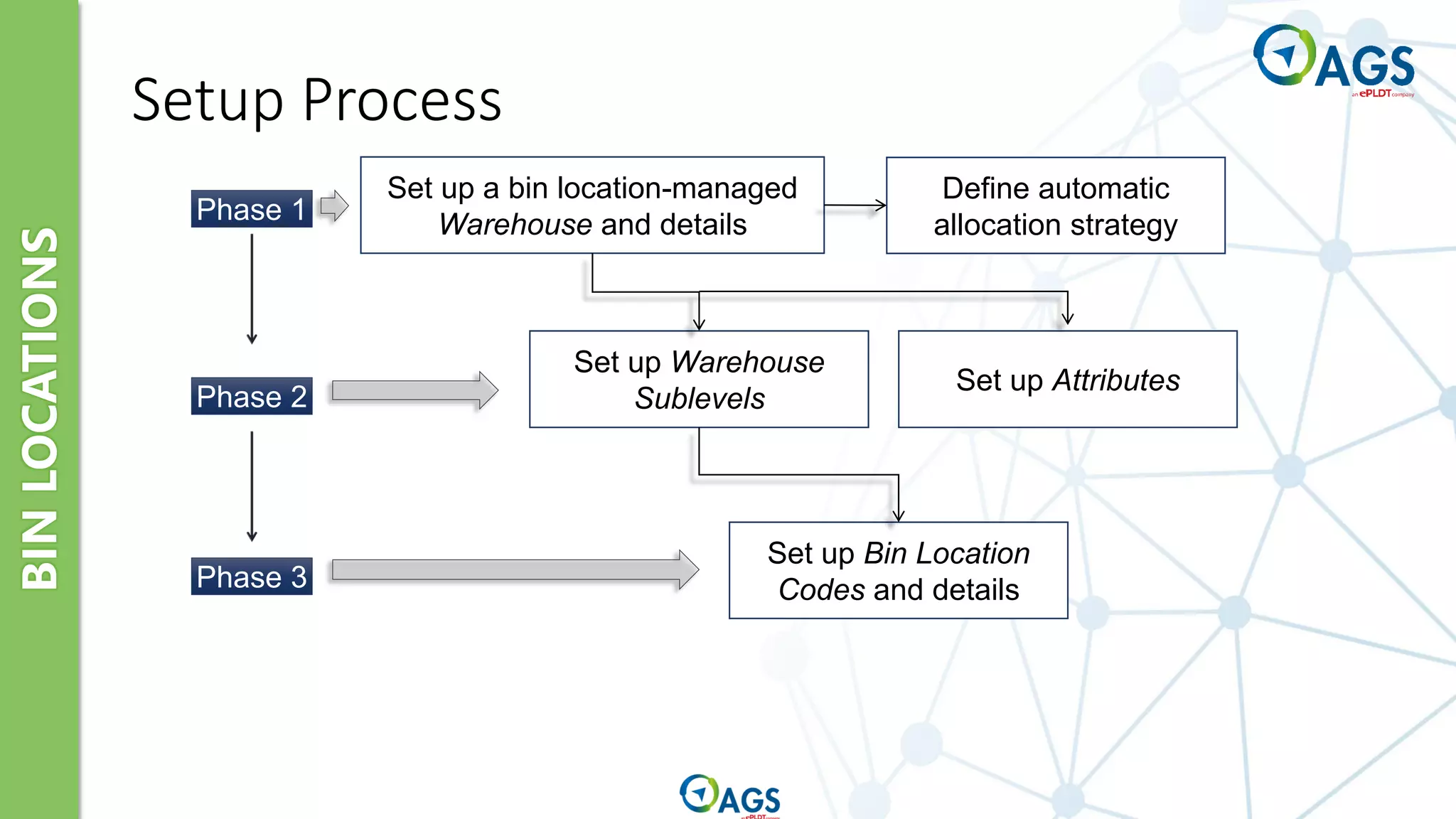
Set up a bin location-managed
Warehouse and details
Set up Warehouse
Sublevels
Set up Attributes
Phase 1
Phase 2
Phase 3
Set up Bin Location
Codes and details
Define automatic
allocation strategy
Setup Process
BIN
LOCATIONS
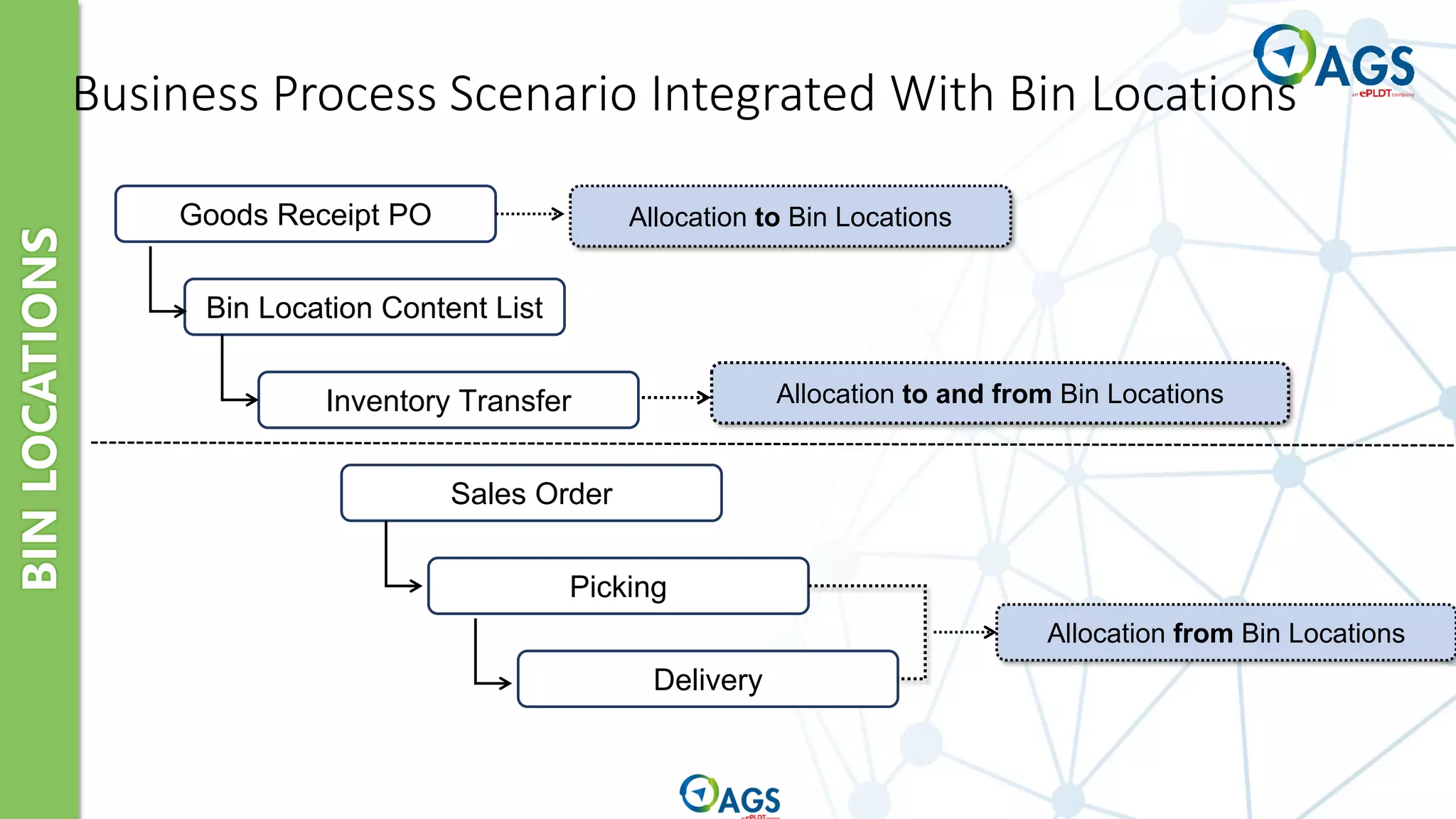
Business Process Scenario Integrated With Bin Locations
Goods Receipt PO
Bin Location Content List
Inventory Transfer
Sales Order
Picking
Delivery
Allocation to Bin Locations
Allocation from Bin Locations
Allocation to and from Bin Locations
BIN
LOCATIONS
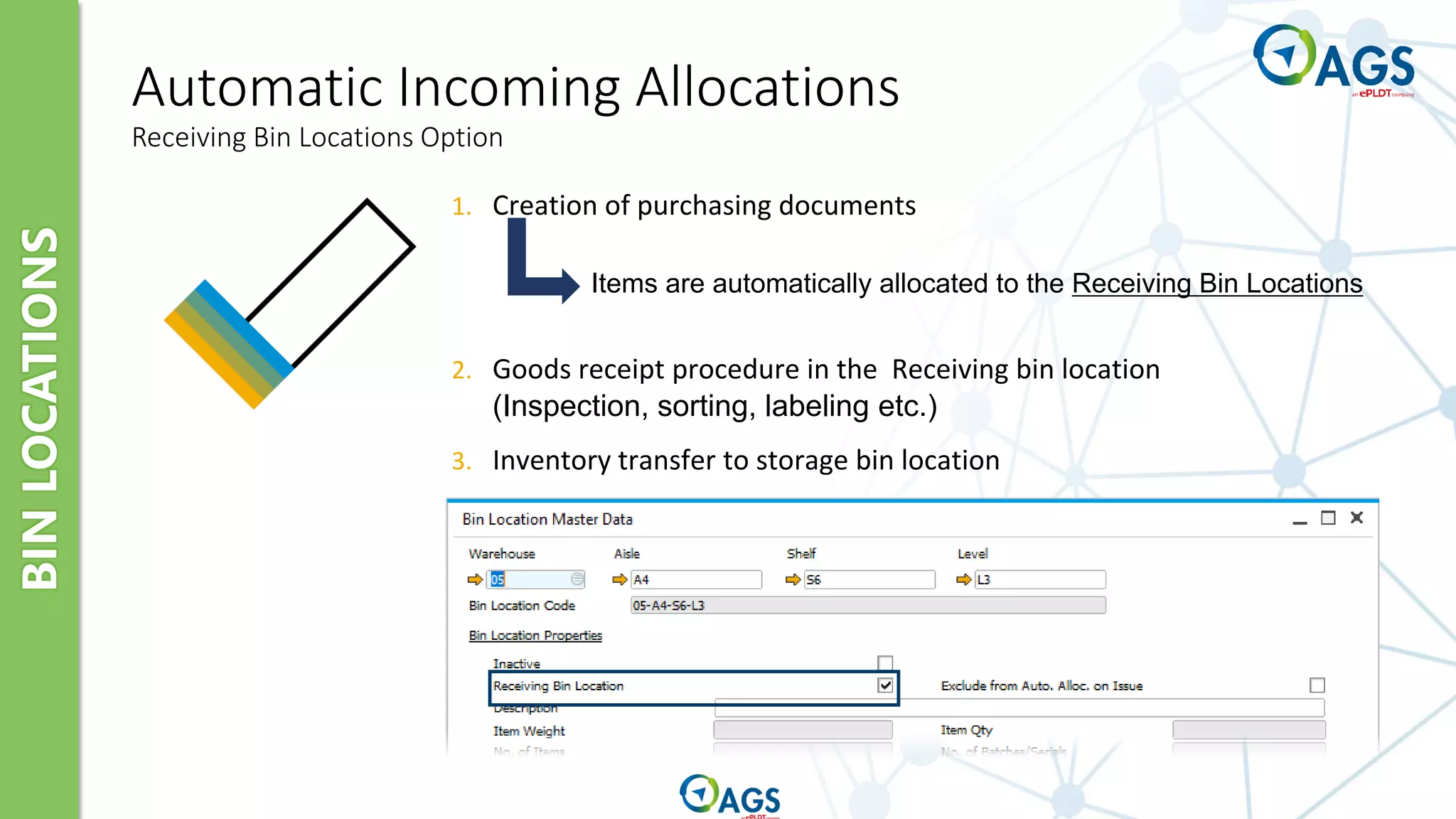
Automatic Incoming Allocations
Receiving Bin Locations Option
1. Creation of purchasing documents
2. Goods receipt procedure in the Receiving bin location
(Inspection, sorting, labeling etc.)
3. Inventory transfer to storage bin location
Items are automatically allocated to the Receiving Bin Locations
BIN
LOCATIONS
Automatic Incoming Allocations
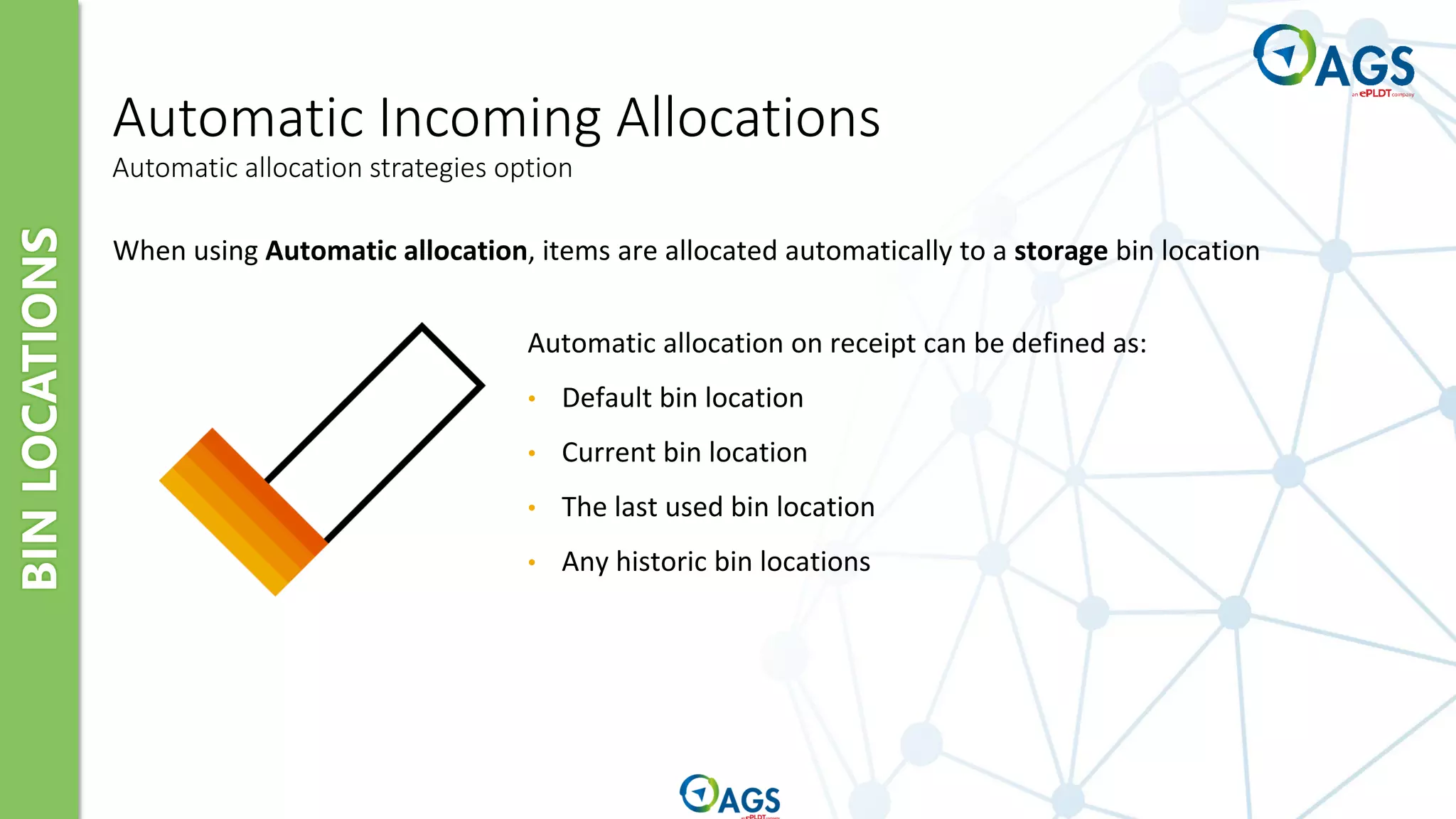
Automatic allocation strategies option
When using Automatic allocation, items are allocated automatically to a storage bin location
Automatic allocation on receipt can be defined as:
• Default bin location
• Current bin location
• The last used bin location
• Any historic bin locations
Item Master Data and Related Set-up
Warehouses and Bin Locations
Inventory Transactions
Pricelist Concepts
SAP Inventory Topics
Goods Receipt
Goods Issue
Inventory Transfer
Inventory Counting and Posting
Inventory Revaluation
Pick and Pack Manager
Inventory Transactions
OVERVIEW
Warehouse Management Overview
Goods Receipts PO/
Goods Returns
from Purchasing
Functions
Delivery/
Returns
from Sales
Functions
Goods Receipts
Remove Components
for Production
Goods Receipts for Final
Product
Inventory Transfer
between Warehouses
Goods Issues
Beginning
Quantities
Warehouse
GOODS
RECEIPT
Goods Receipts
Warehouse
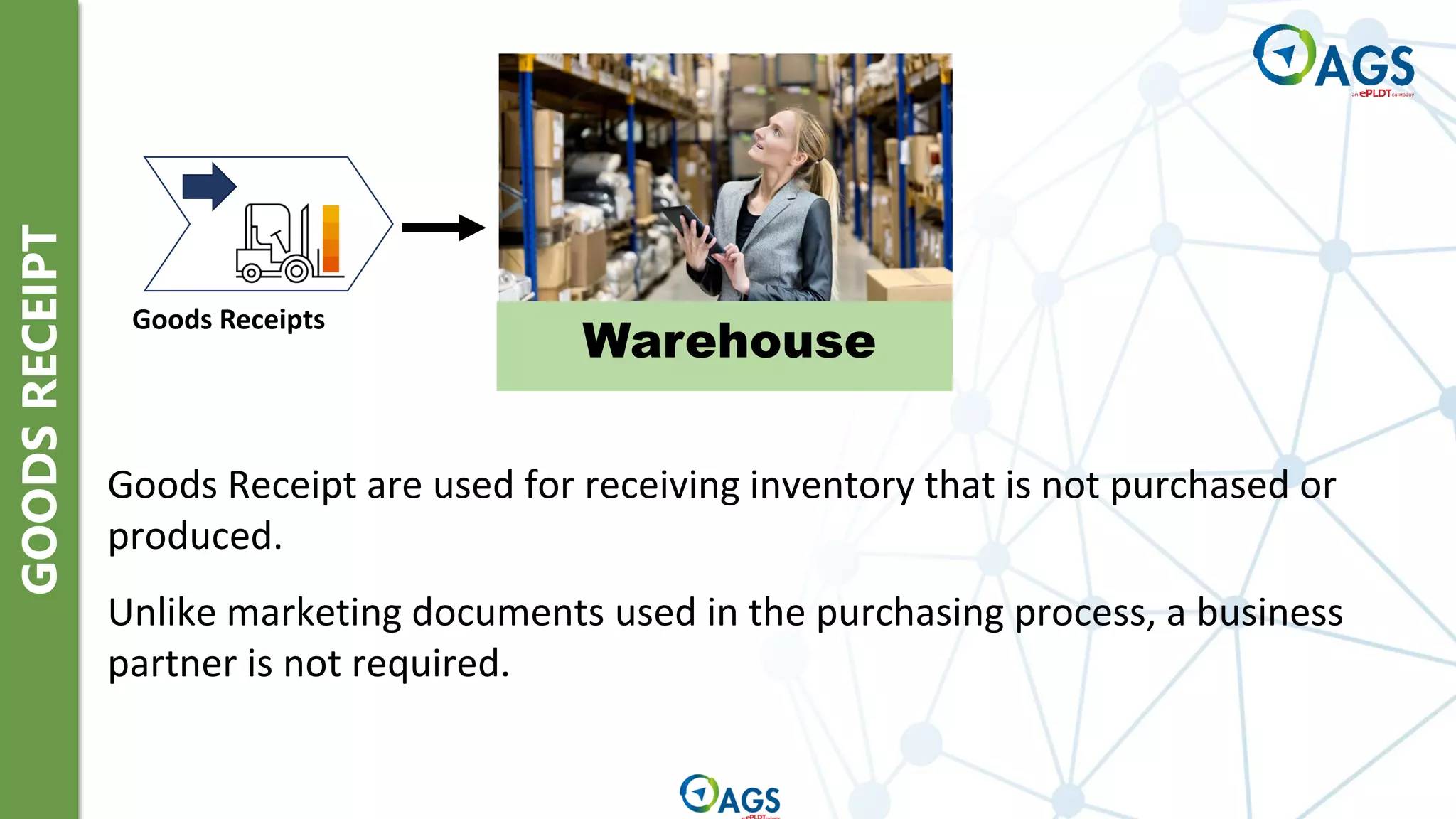
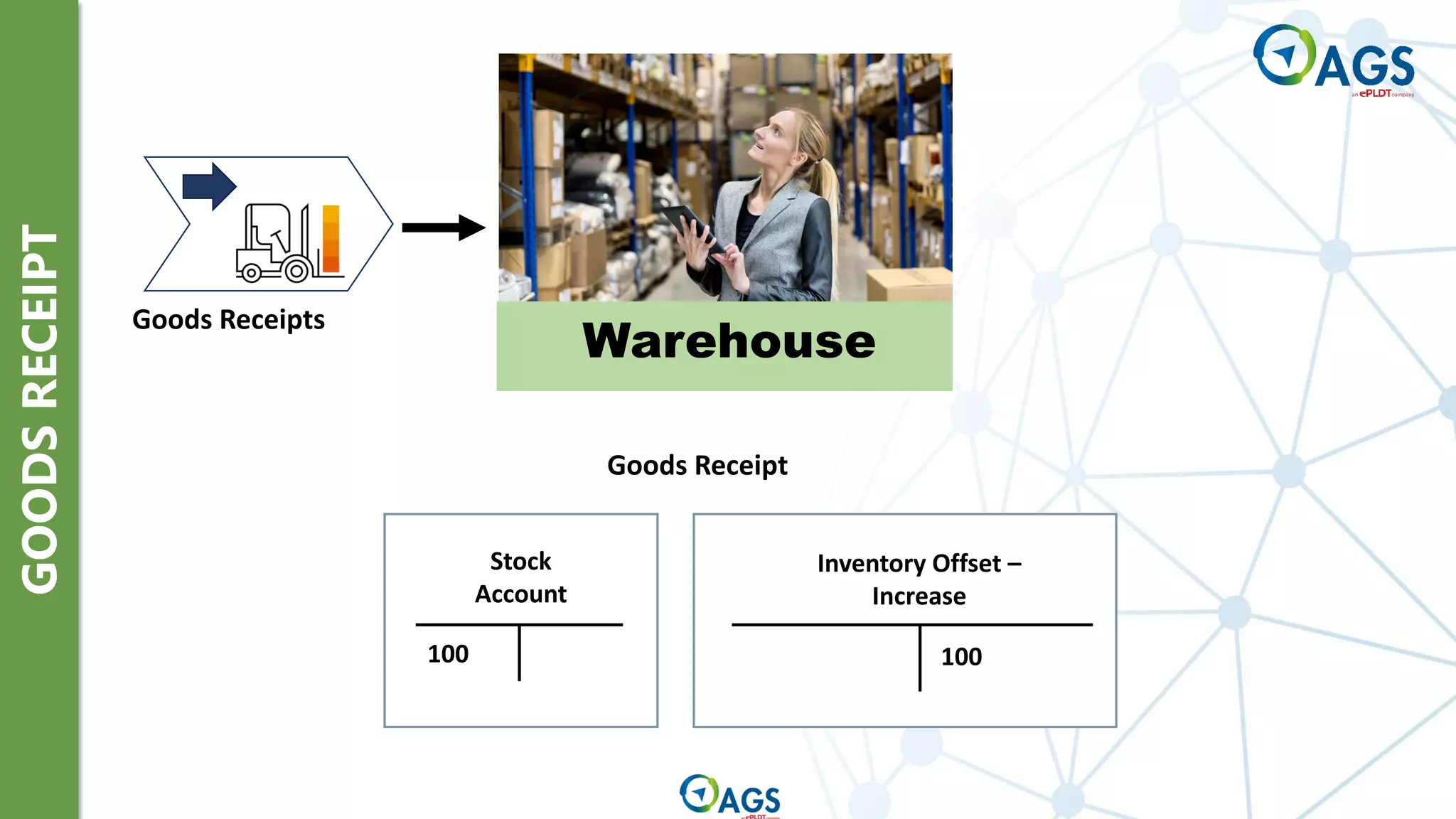
Goods Receipt are used for receiving inventory that is not purchased or
produced.
Unlike marketing documents used in the purchasing process, a business
partner is not required.
GOODS
RECEIPT
Goods Receipts
Warehouse
100 100
Stock
Account
Inventory Offset –
Increase
Goods Receipt
GOODS
ISSUE
Warehouse
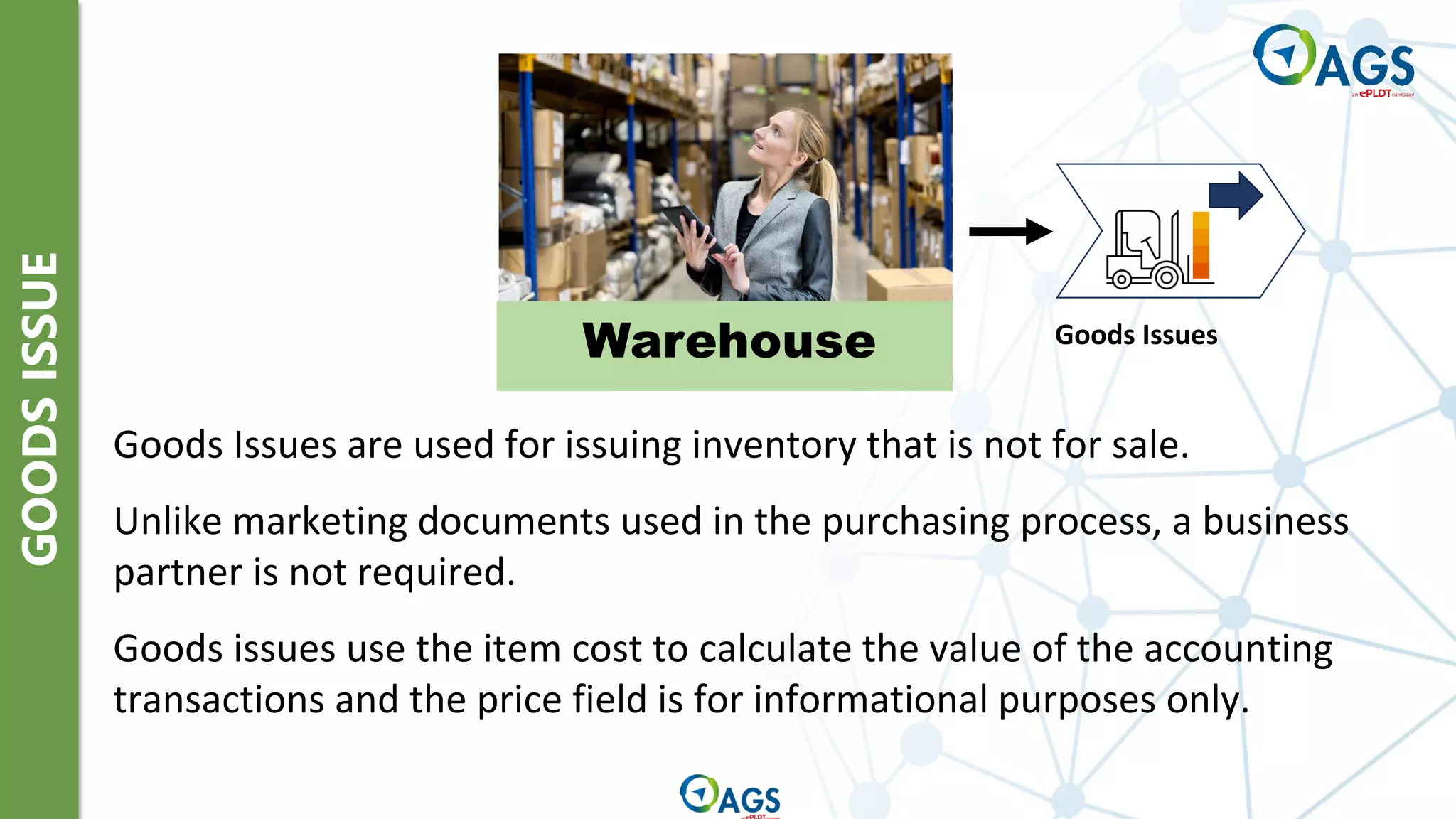
Goods Issues are used for issuing inventory that is not for sale.
Unlike marketing documents used in the purchasing process, a business
partner is not required.
Goods issues use the item cost to calculate the value of the accounting
transactions and the price field is for informational purposes only.
Goods Issues
GOODS
ISSUE
Warehouse Goods Issues
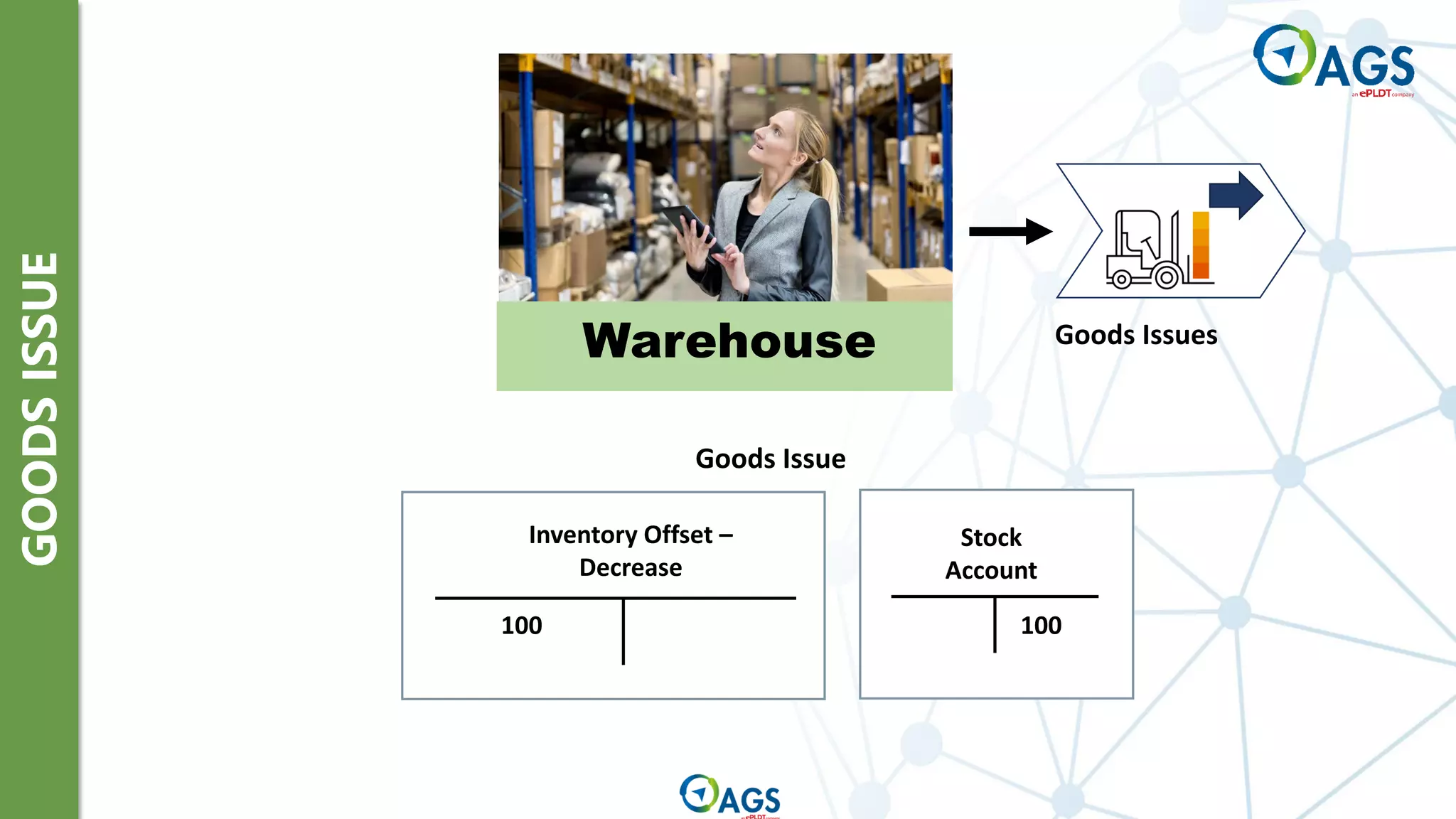
100
Stock
Account
Inventory Offset –
Decrease
100
Goods Issue
INVENTORY
TRANSFER
REQUEST
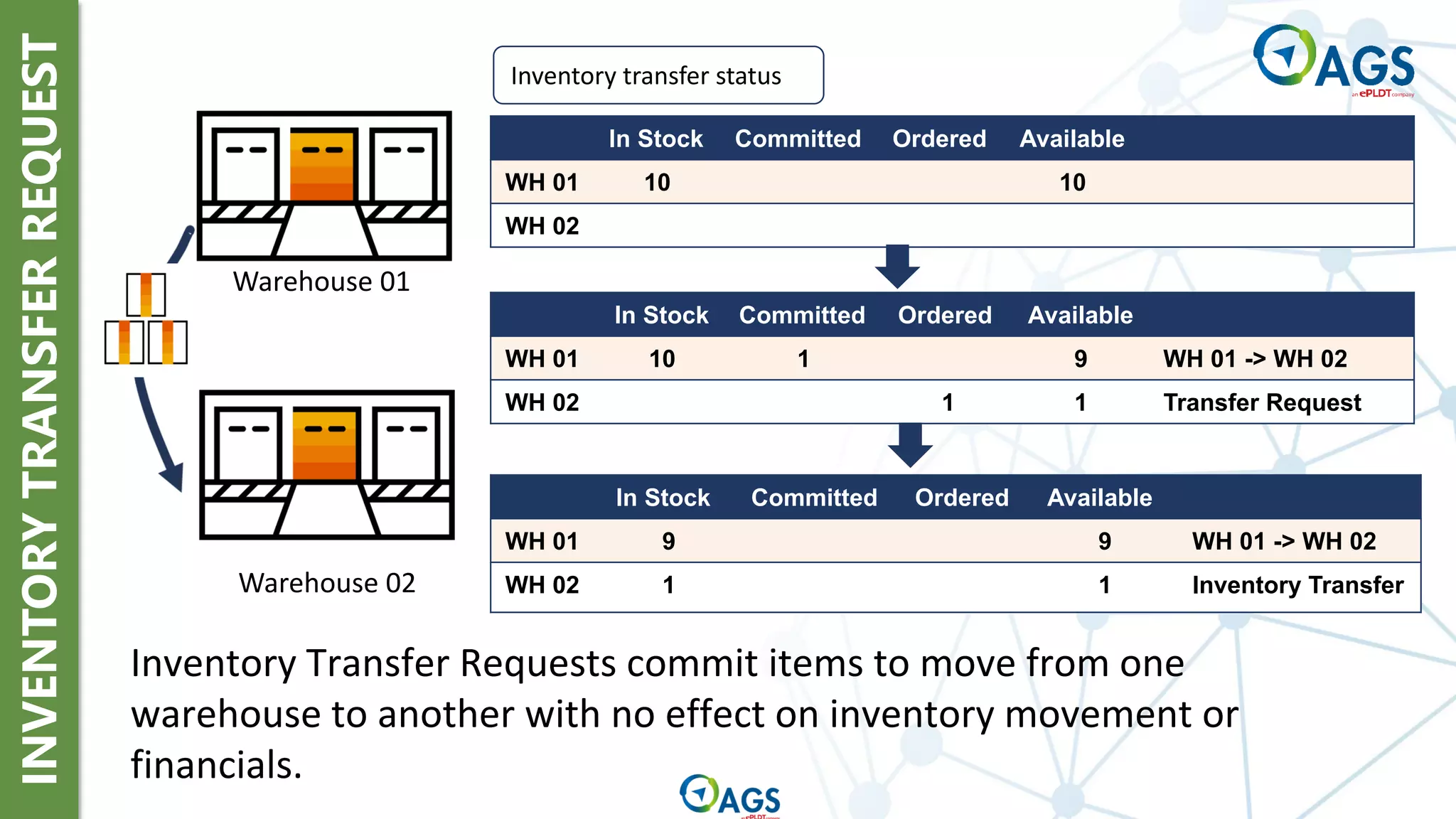
Inventory transfer status
In Stock Committed Ordered Available
WH 01 10 10
WH 02
In Stock Committed Ordered Available
WH 01 10 1 9 WH 01 -> WH 02
WH 02 1 1 Transfer Request
In Stock Committed Ordered Available
WH 01 9 9 WH 01 -> WH 02
WH 02 1 1 Inventory Transfer
Warehouse 01
Warehouse 02
Inventory Transfer Requests commit items to move from one
warehouse to another with no effect on inventory movement or
financials.
INVENTORY
TRANSFER
Warehouse
Inventory Transfer
between Warehouses
Inventory Transfer
between Warehouses
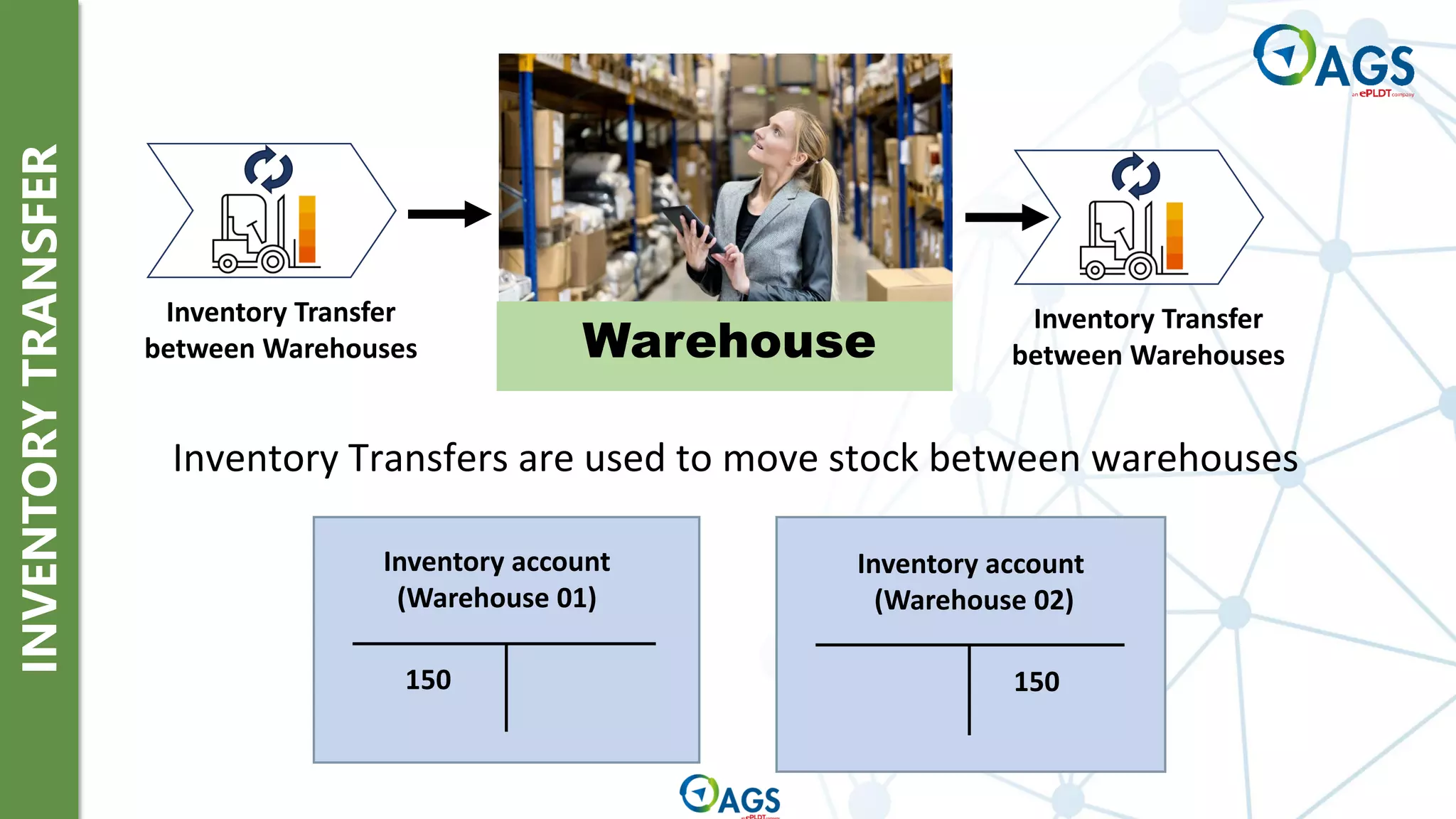
Inventory Transfers are used to move stock between warehouses
Inventory account
(Warehouse 01)
150
Inventory account
(Warehouse 02)
150
INVENTORY
COUNTING
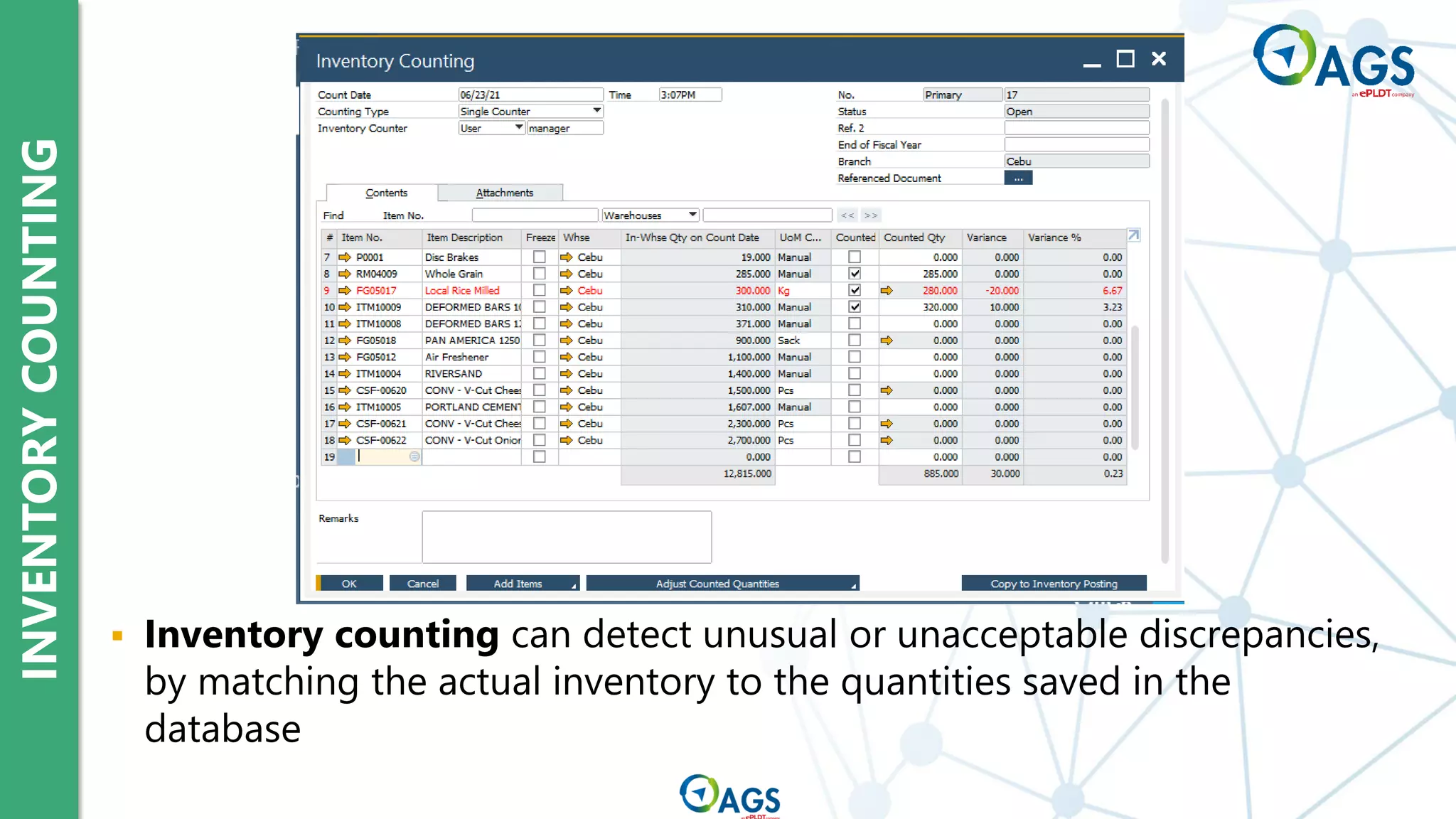
▪ Inventory counting can detect unusual or unacceptable discrepancies,
by matching the actual inventory to the quantities saved in the
database
INVENTORY
COUNTING
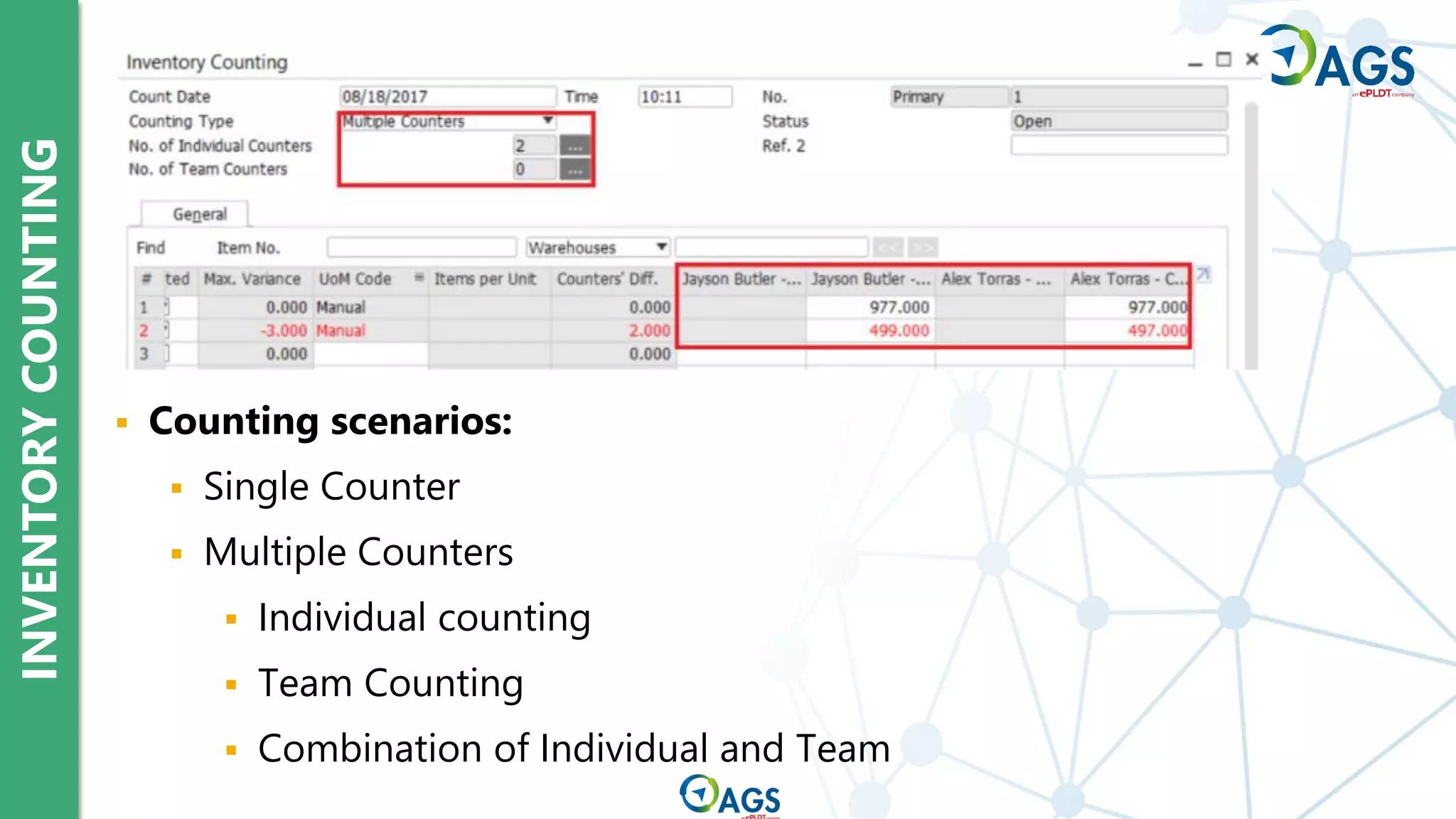
▪ Counting scenarios:
▪ Single Counter
▪ Multiple Counters
▪ Individual counting
▪ Team Counting
▪ Combination of Individual and Team
INVENTORY
POSTING
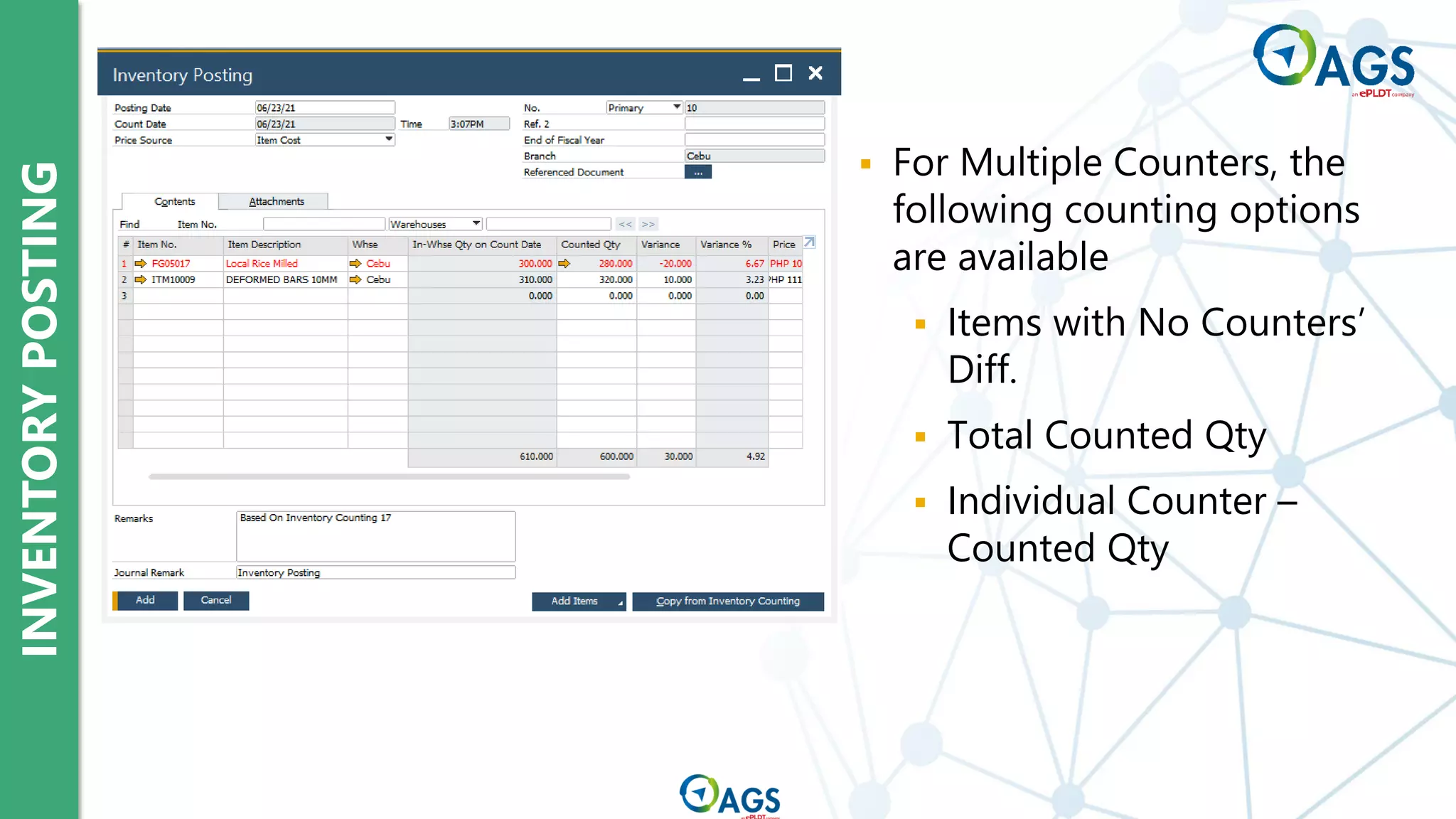
▪ Inventory Posting
reconciles item
quantities with the
results of inventory
counting
INVENTORY
POSTING
▪ For Multiple Counters, the
following counting options
are available
▪ Items with No Counters’
Diff.
▪ Total Counted Qty
▪ Individual Counter –
Counted Qty
INVENTORY
CYCLE
COUNT
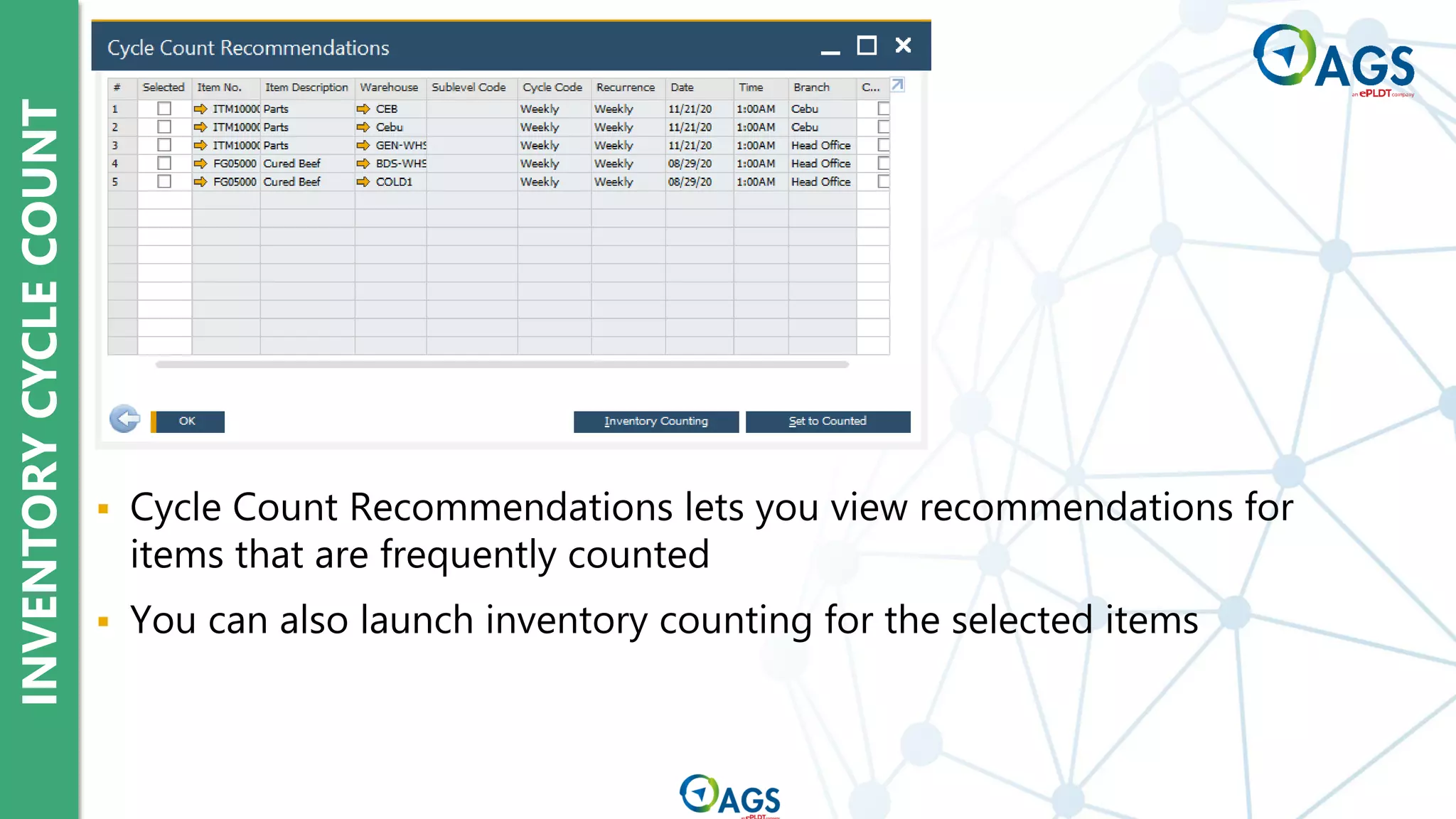
▪ Cycle Count Recommendations lets you view recommendations for
items that are frequently counted
▪ You can also launch inventory counting for the selected items
INVENTORY
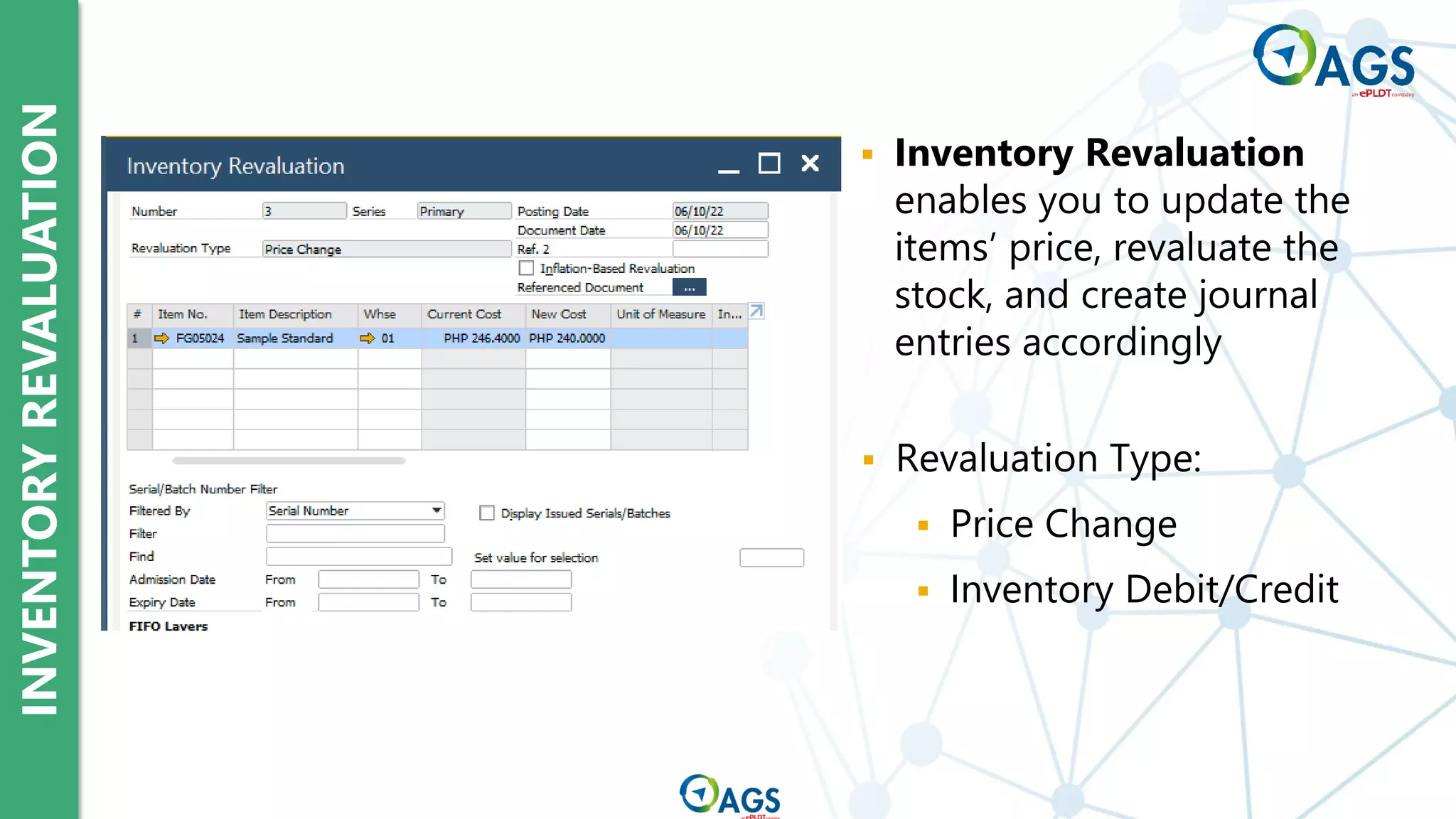
REVALUATION
▪ Inventory Revaluation
enables you to update the
items’ price, revaluate the
stock, and create journal
entries accordingly
▪ Revaluation Type:
▪ Price Change
▪ Inventory Debit/Credit
PICK
AND
PACK
MANAGER
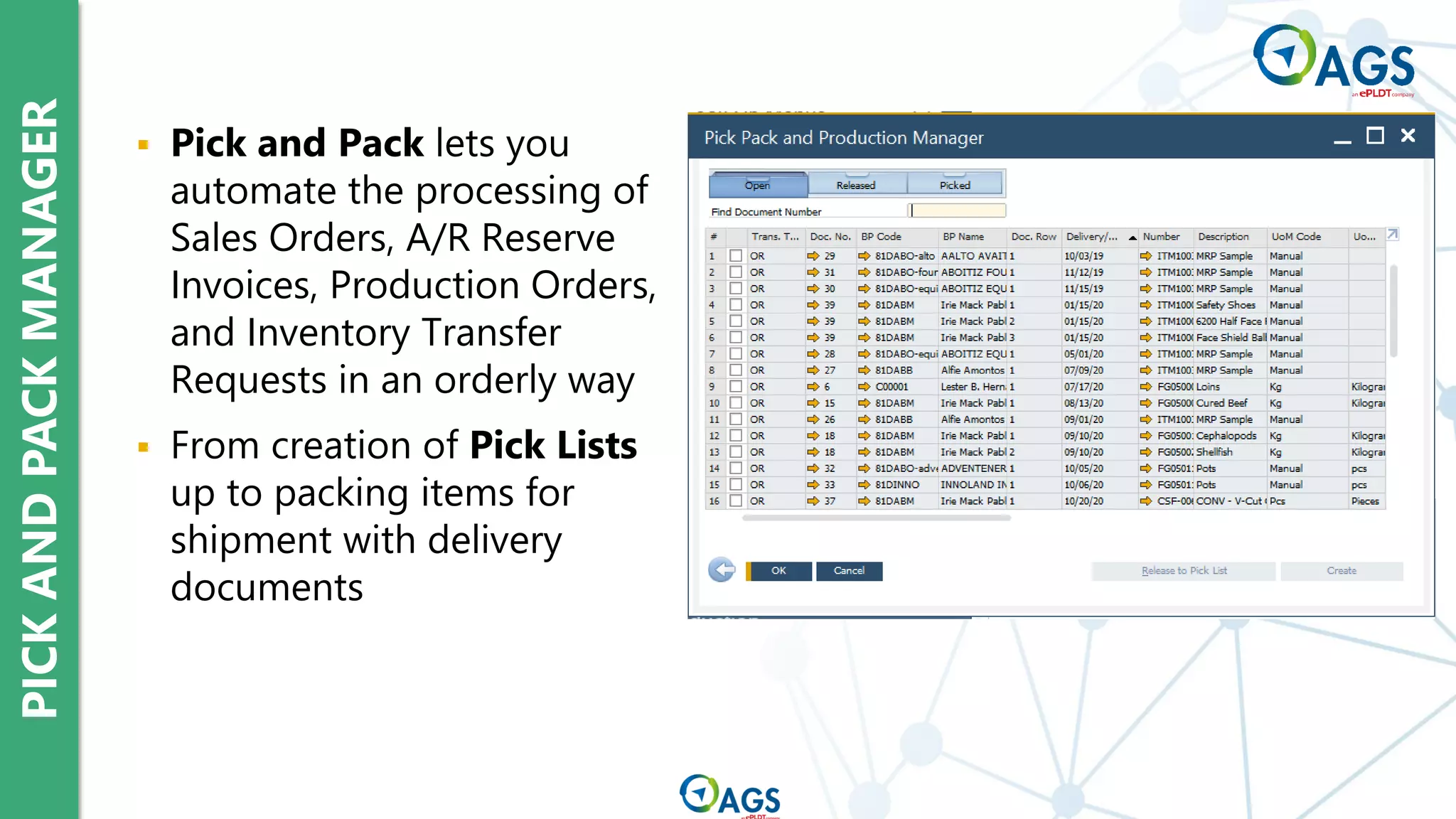
▪ Pick and Pack lets you
automate the processing of
Sales Orders, A/R Reserve
Invoices, Production Orders,
and Inventory Transfer
Requests in an orderly way
▪ From creation of Pick Lists
up to packing items for
shipment with delivery
documents
PICK
AND
PACK
MANAGER
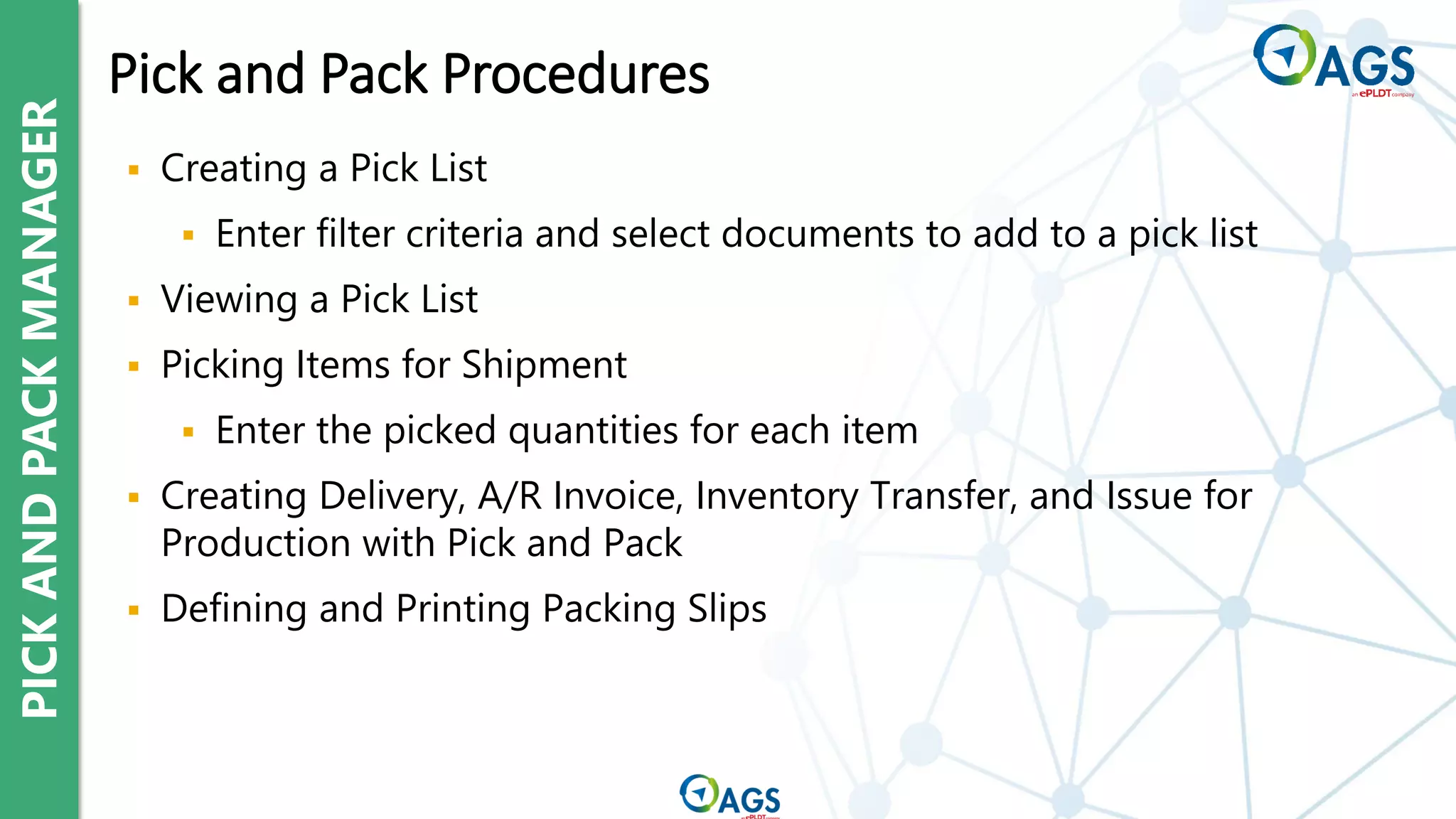
▪ Creating a Pick List
▪ Enter filter criteria and select documents to add to a pick list
▪ Viewing a Pick List
▪ Picking Items for Shipment
▪ Enter the picked quantities for each item
▪ Creating Delivery, A/R Invoice, Inventory Transfer, and Issue for
Production with Pick and Pack
▪ Defining and Printing Packing Slips
Pick and Pack Procedures
Item Master Data and Related Set-up
Warehouses and Bin Locations
Inventory Transactions
Pricelist Concepts
SAP Inventory Topics
Price Lists
Item Prices
Best Price Option
Pricelist Concepts
PRICE
LISTS
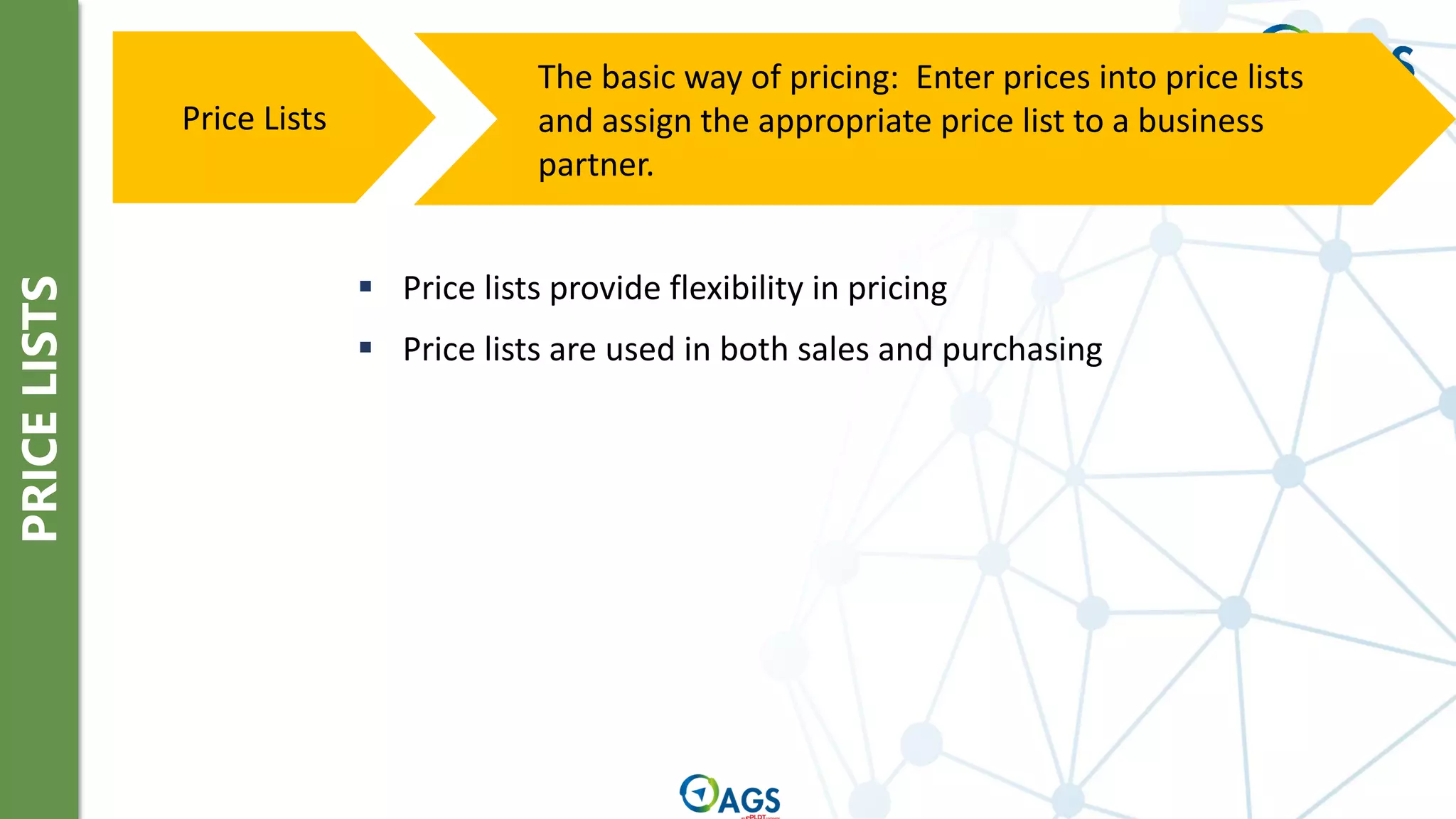
The basic way of pricing: Enter prices into price lists
and assign the appropriate price list to a business
partner.
Price Lists
▪ Price lists provide flexibility in pricing
▪ Price lists are used in both sales and purchasing
PRICE
LISTS
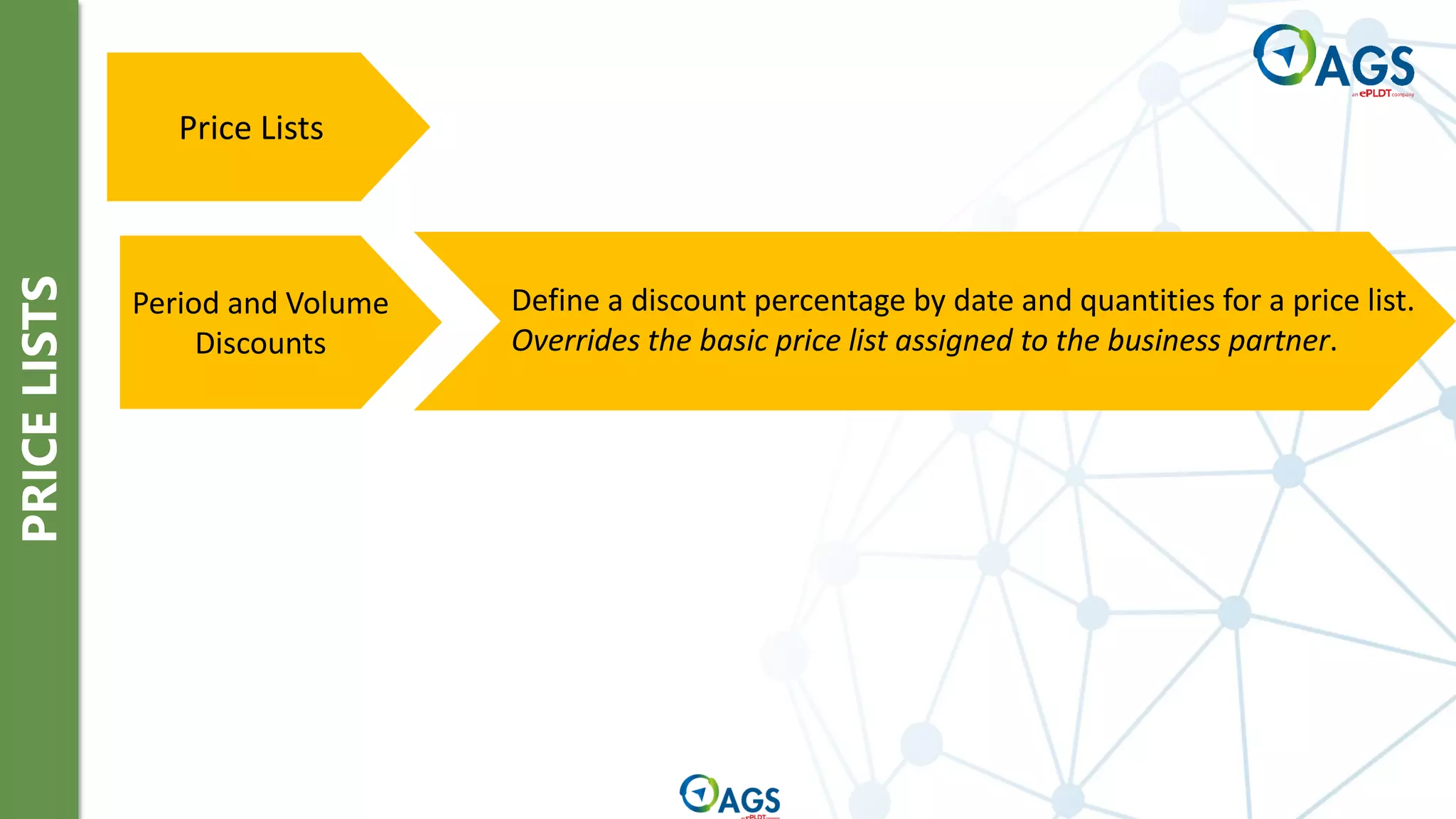
Price Lists
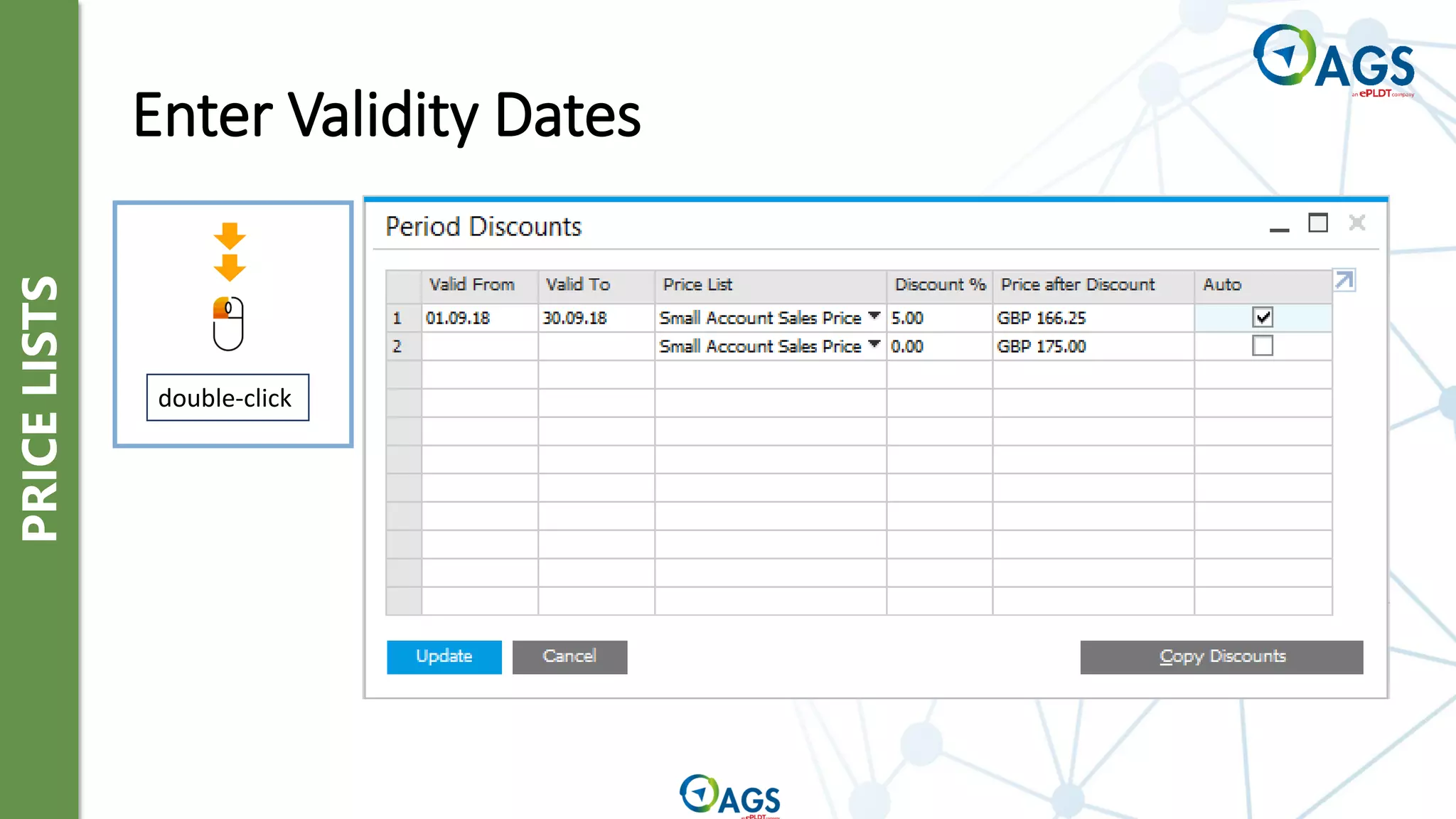
Define a discount percentage by date and quantities for a price list.
Overrides the basic price list assigned to the business partner.
Period and Volume
Discounts
PRICE
LISTS
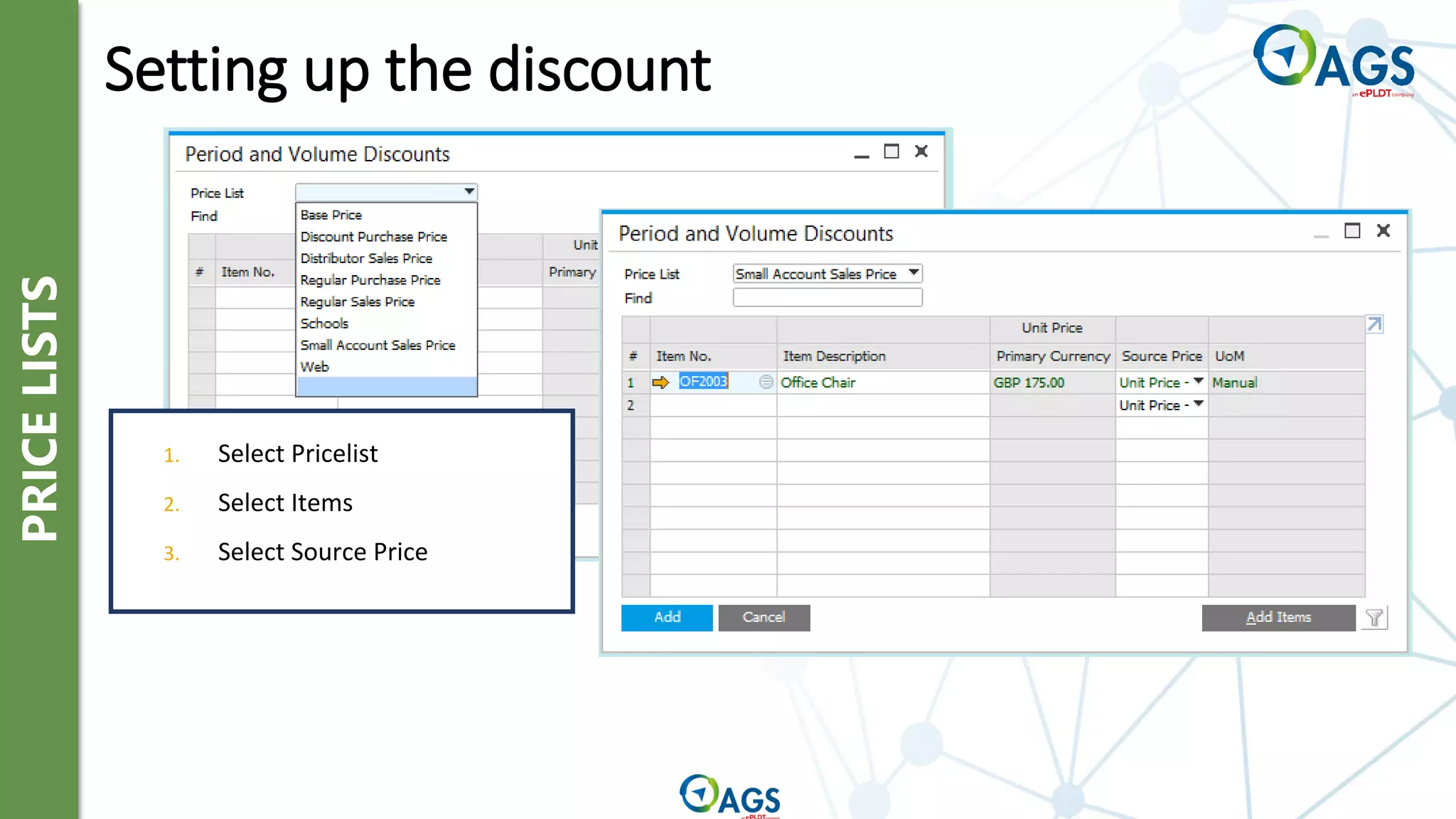
1. Select Pricelist
2. Select Items
3. Select Source Price
Setting up the discount
PRICE
LISTS
Enter Validity Dates
double-click
PRICE
LISTS
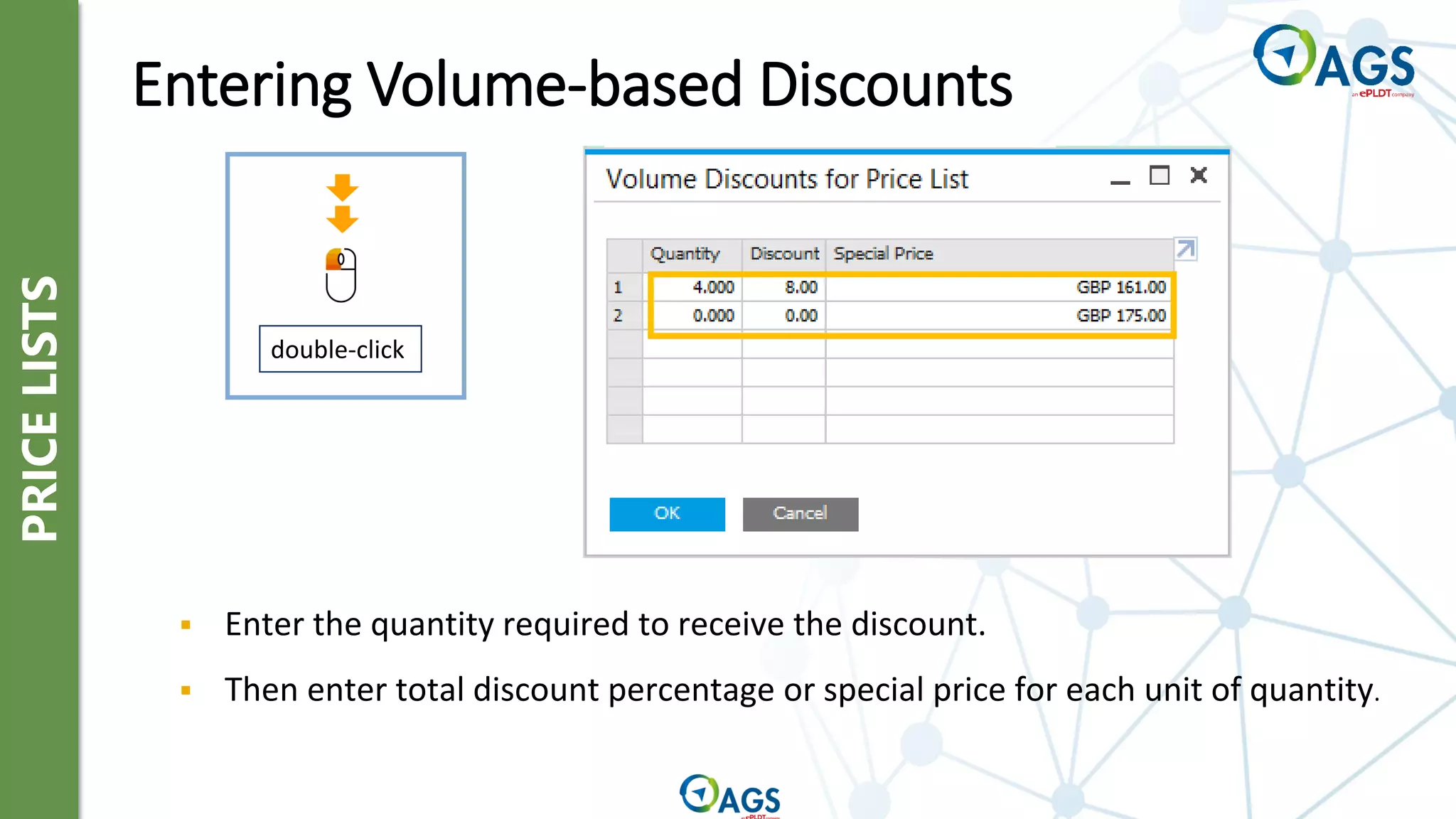
double-click
▪ Enter the quantity required to receive the discount.
▪ Then enter total discount percentage or special price for each unit of quantity.
Entering Volume-based Discounts
PRICE
LISTS
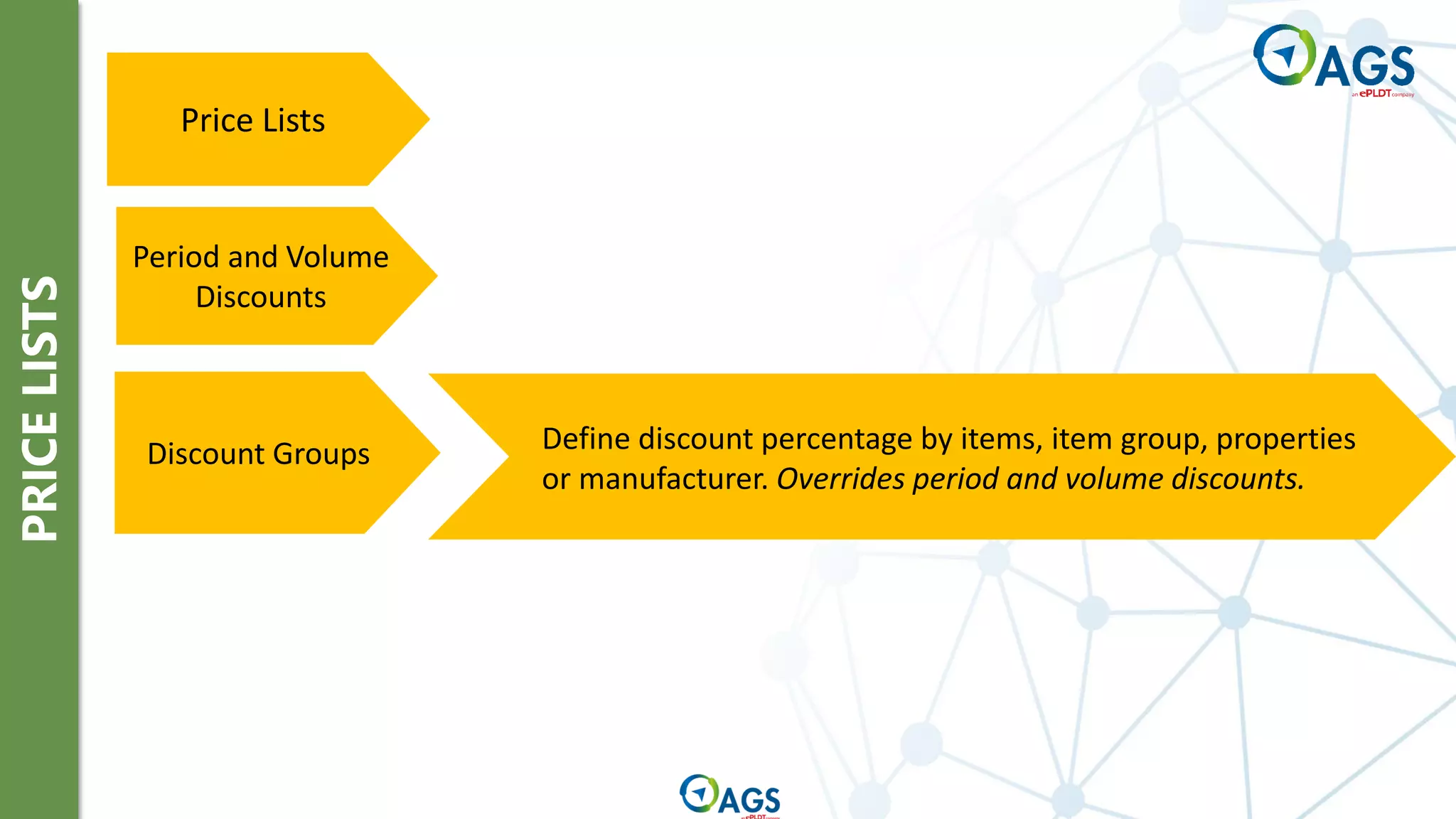
Price Lists
Period and Volume
Discounts
Define discount percentage by items, item group, properties
or manufacturer. Overrides period and volume discounts.
Discount Groups
PRICE
LISTS
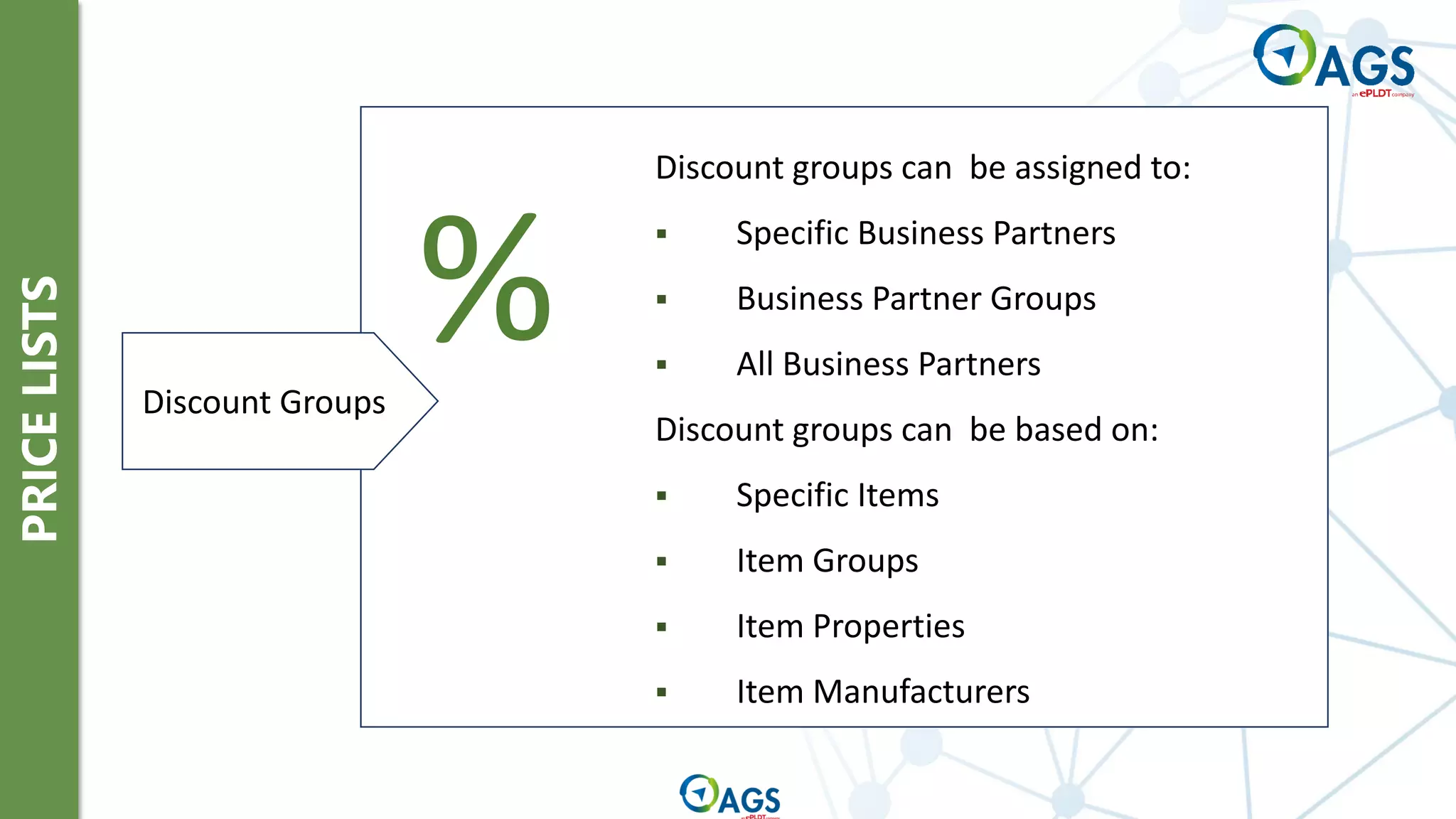
Discount groups can be assigned to:
▪ Specific Business Partners
▪ Business Partner Groups
▪ All Business Partners
Discount groups can be based on:
▪ Specific Items
▪ Item Groups
▪ Item Properties
▪ Item Manufacturers
%
Discount Groups
PRICE
LISTS
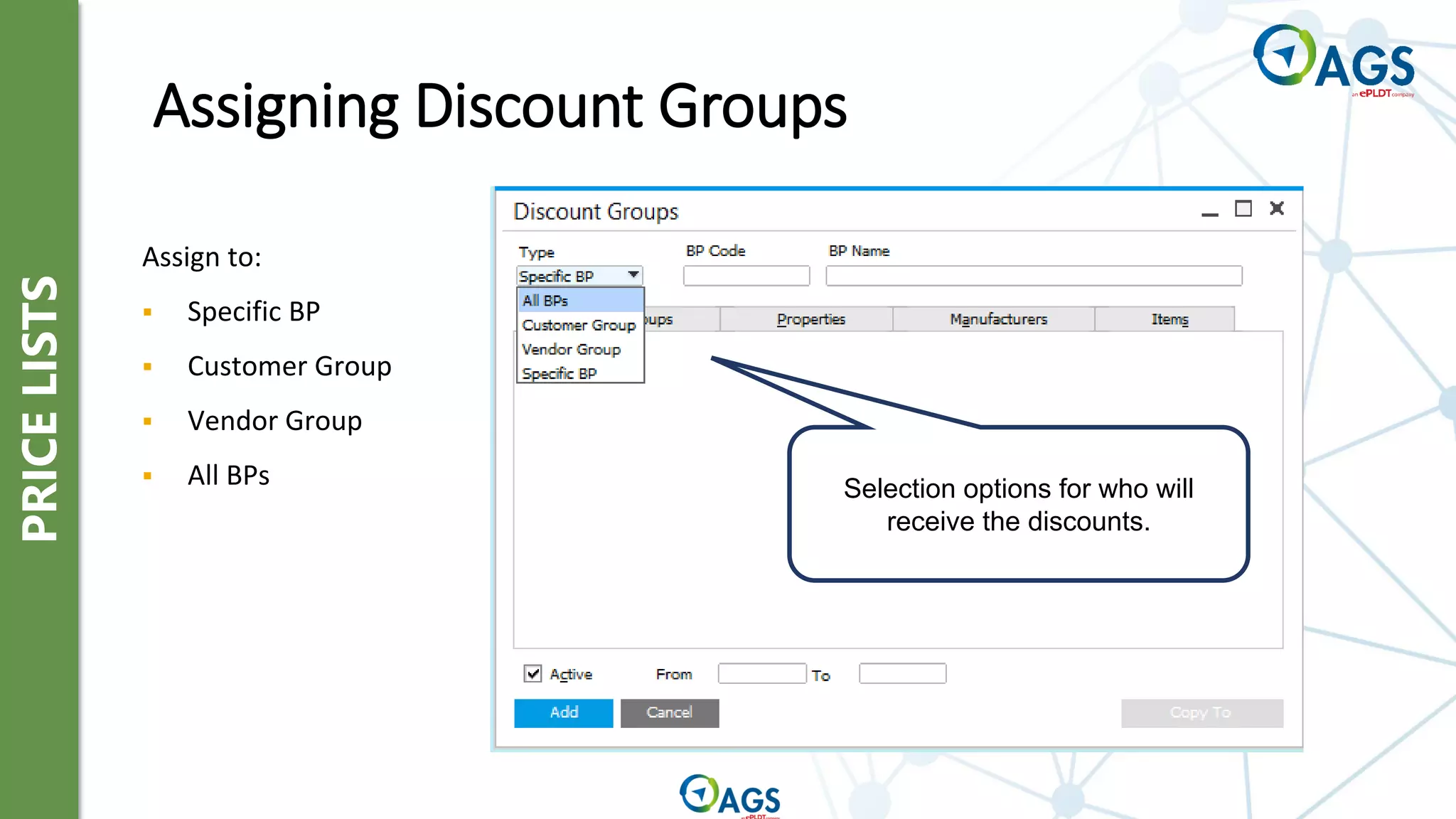
Assigning Discount Groups
Selection options for who will
receive the discounts.
Assign to:
▪ Specific BP
▪ Customer Group
▪ Vendor Group
▪ All BPs
PRICE
LISTS
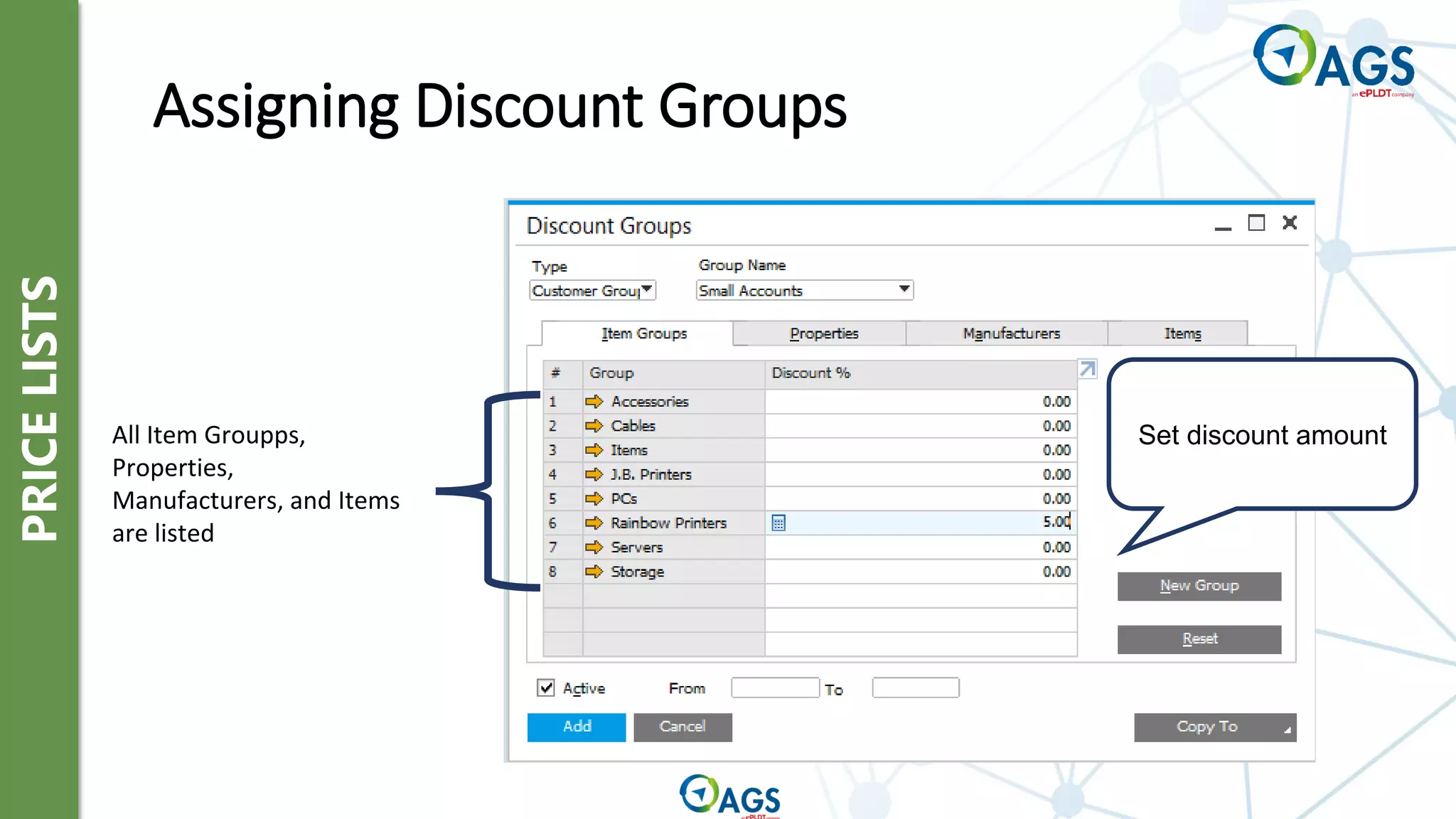
Assigning Discount Groups
All Item Groupps,
Properties,
Manufacturers, and Items
are listed
Set discount amount
PRICE
LISTS
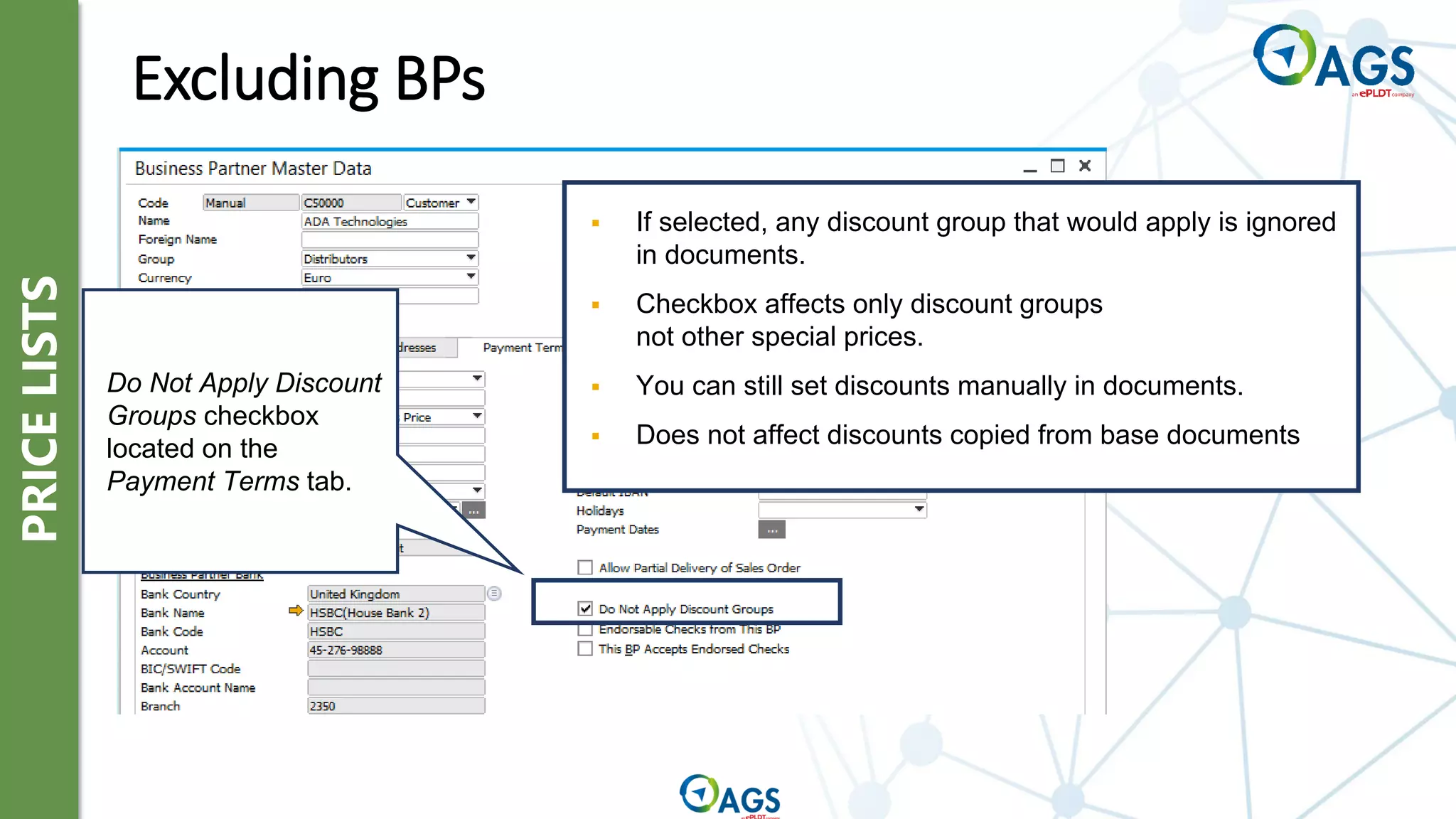
Excluding BPs
▪ If selected, any discount group that would apply is ignored
in documents.
▪ Checkbox affects only discount groups
not other special prices.
▪ You can still set discounts manually in documents.
▪ Does not affect discounts copied from base documents
Do Not Apply Discount
Groups checkbox
located on the
Payment Terms tab.
PRICE
LISTS
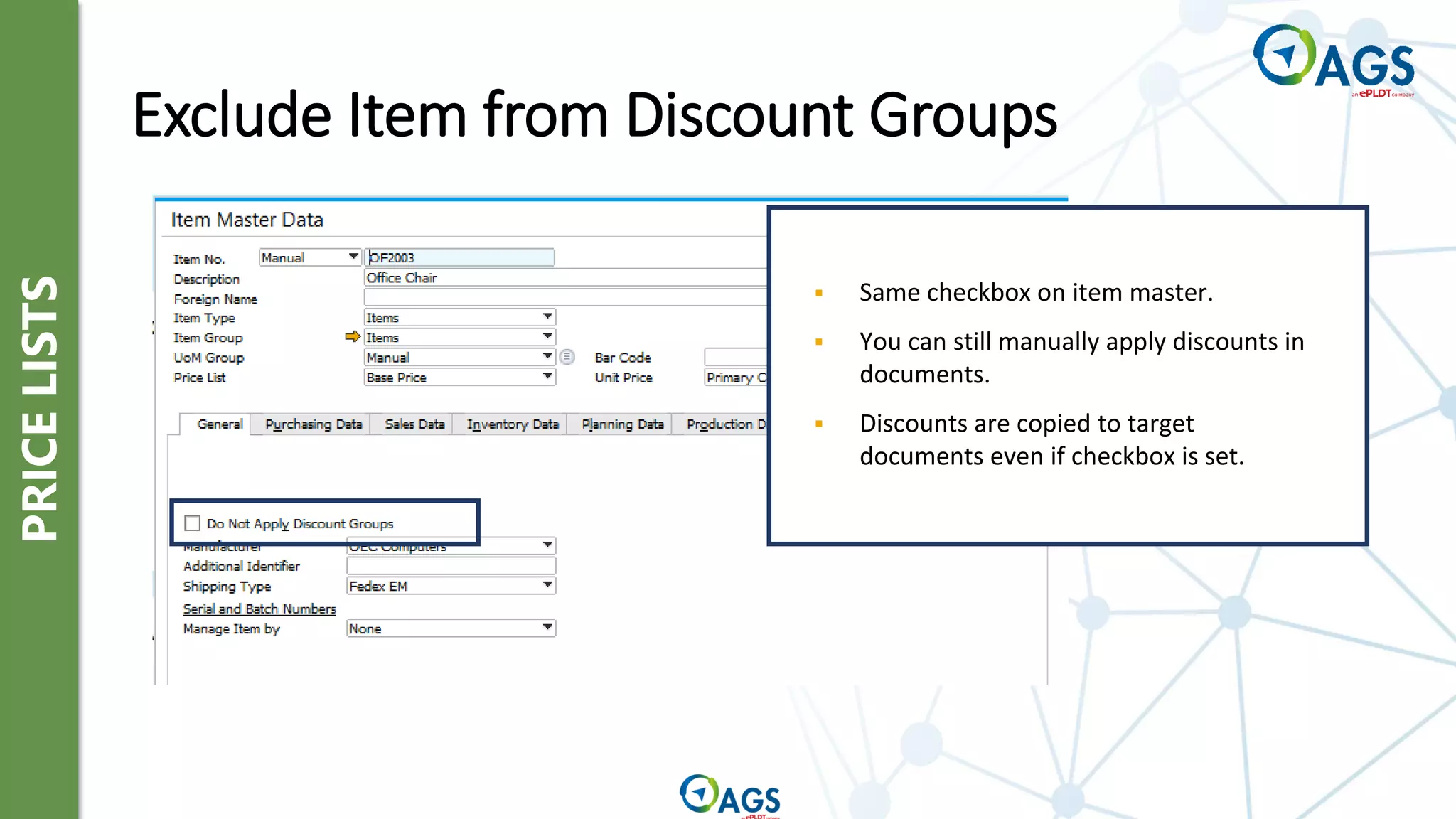
Exclude Item from Discount Groups
▪ Same checkbox on item master.
▪ You can still manually apply discounts in
documents.
▪ Discounts are copied to target
documents even if checkbox is set.
PRICE
LISTS
Price Lists
Period and Volume
Discounts
Discount Groups
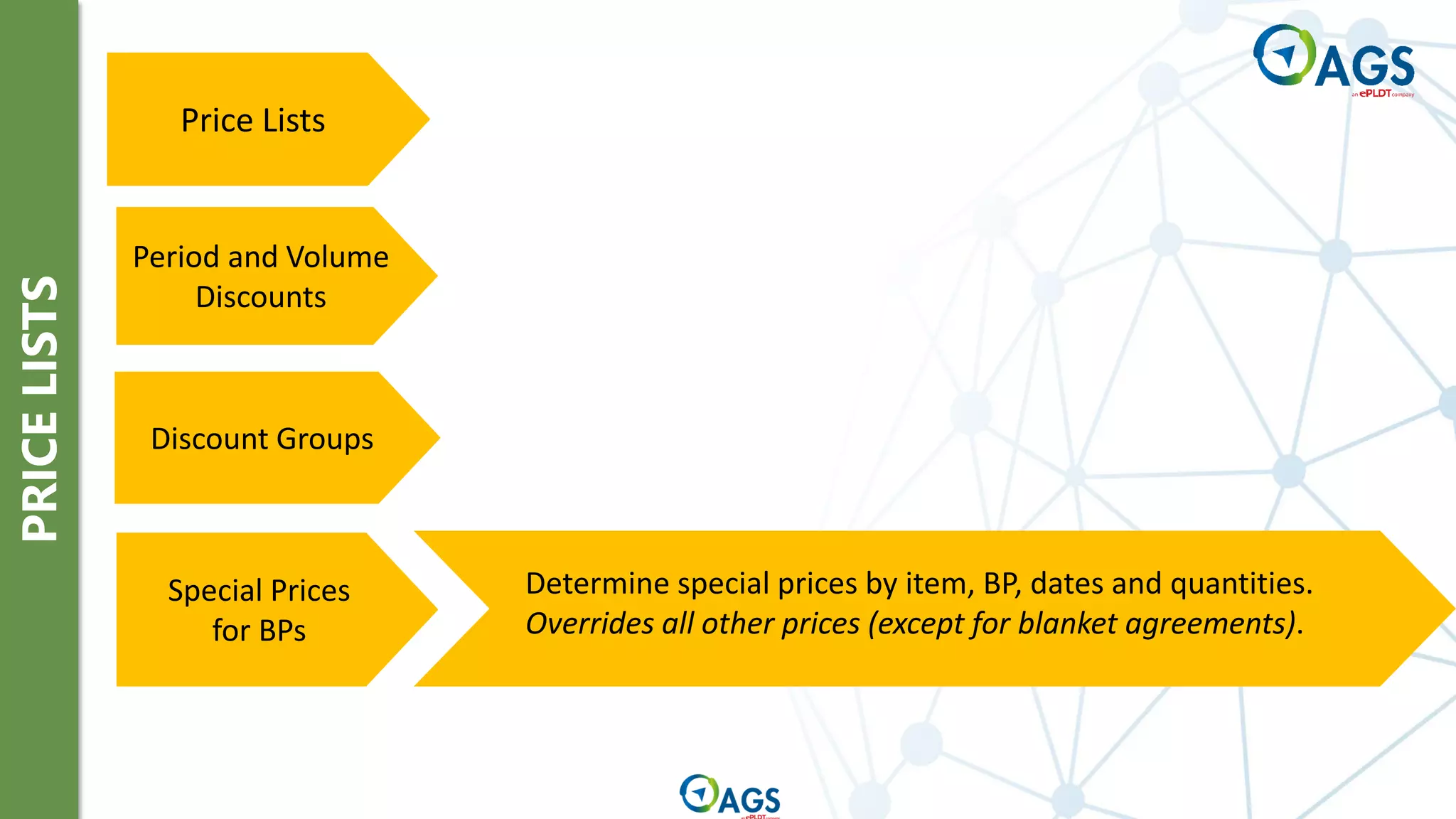
Determine special prices by item, BP, dates and quantities.
Overrides all other prices (except for blanket agreements).
Special Prices
for BPs
PRICE
LISTS
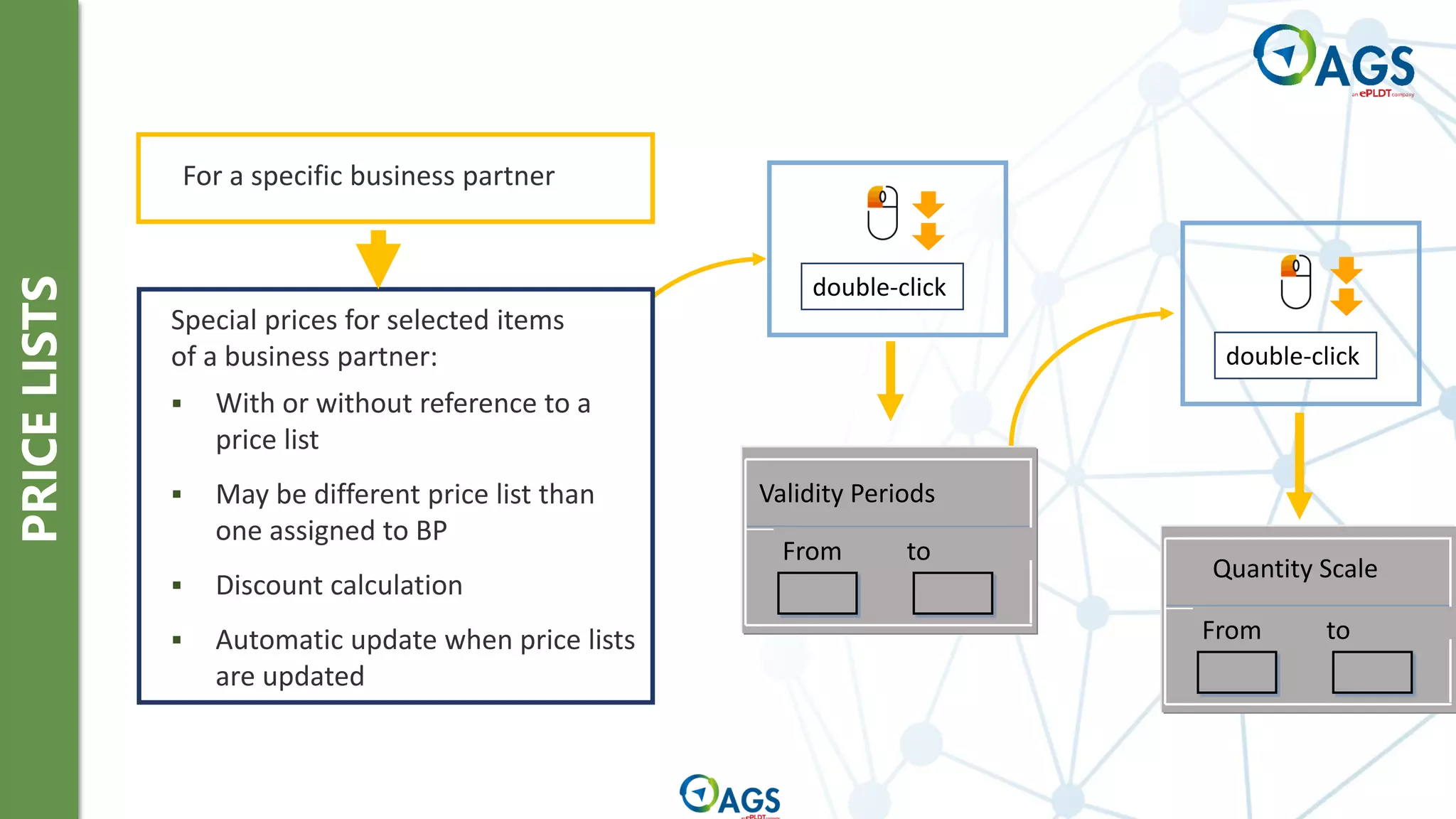
double-click
double-click
Validity Periods
From to
From to
Quantity Scale
▪ With or without reference to a
price list
▪ May be different price list than
one assigned to BP
▪ Discount calculation
▪ Automatic update when price lists
are updated
Special prices for selected items
of a business partner:
For a specific business partner
PRICE
LISTS
Price Lists
Period and Volume
Discounts
Discount Groups
Special Prices
for BPs
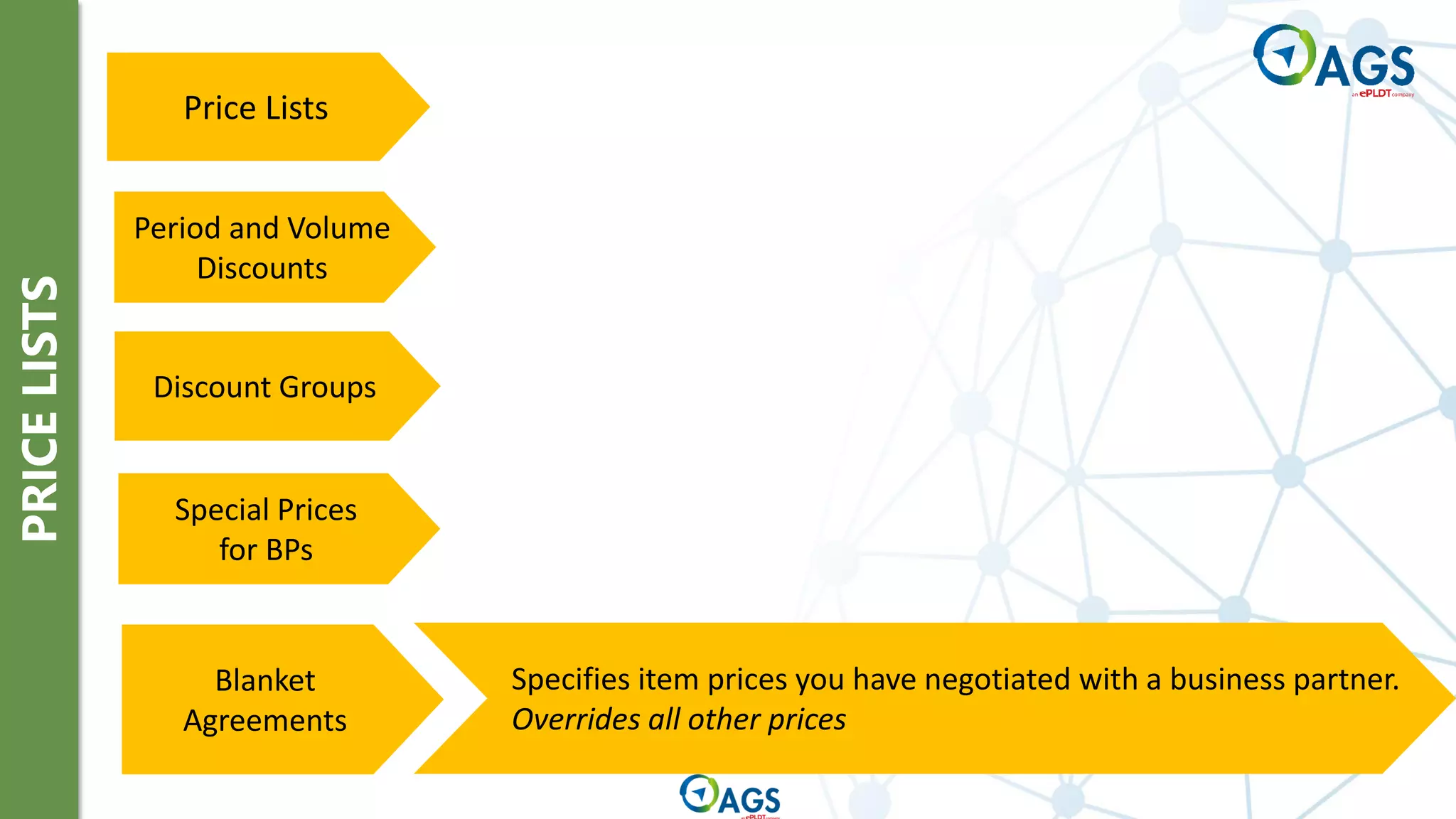
Specifies item prices you have negotiated with a business partner.
Overrides all other prices
Blanket
Agreements
PRICING
OVERVIEW
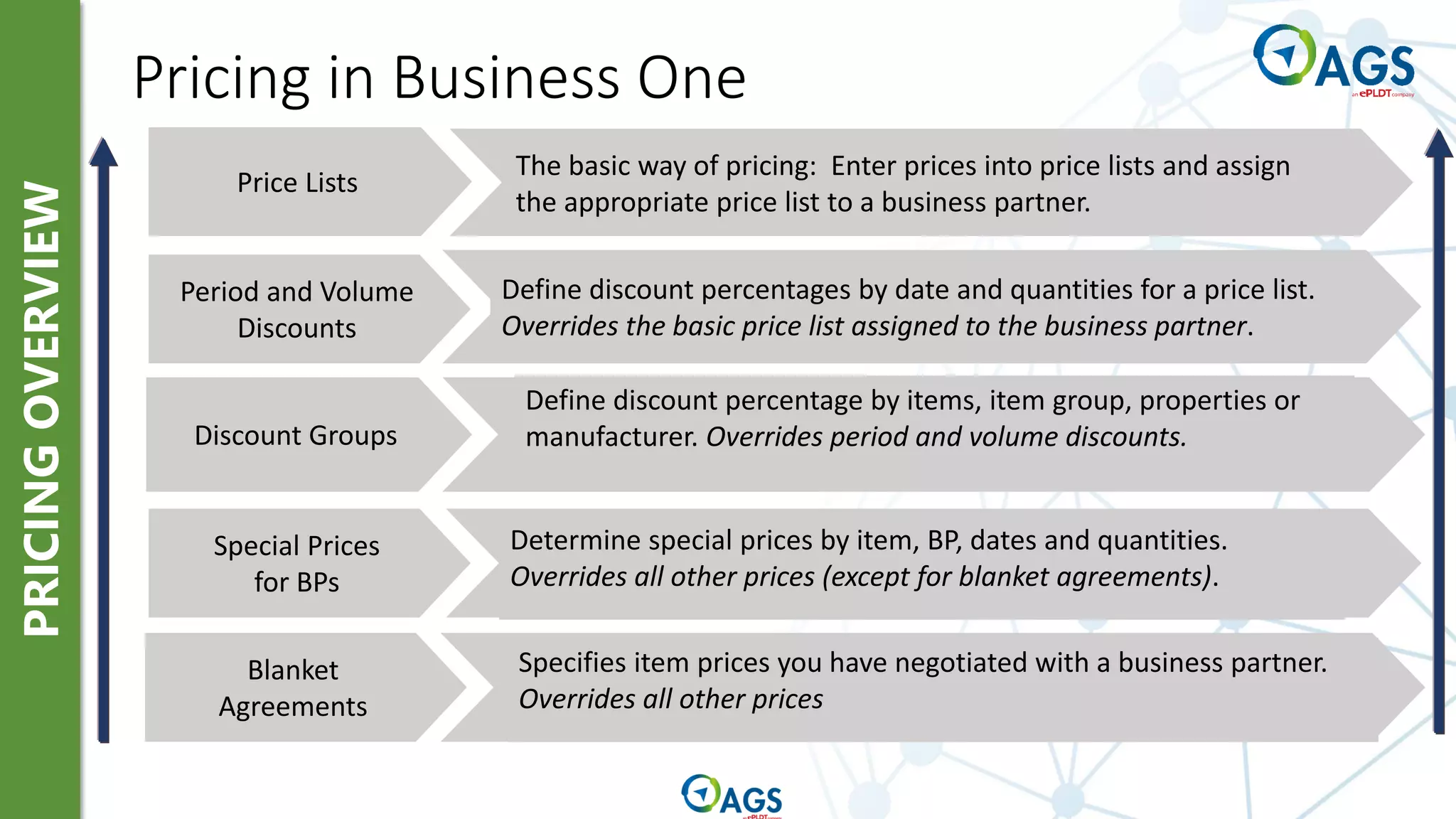
Pricing in Business One
Special Prices
for BPs
Discount Groups
Period and Volume
Discounts
Price Lists
Blanket
Agreements
Specifies item prices you have negotiated with a business partner.
Overrides all other prices
Determine special prices by item, BP, dates and quantities.
Overrides all other prices (except for blanket agreements).
Define discount percentage by items, item group, properties or
manufacturer. Overrides period and volume discounts.
Define discount percentages by date and quantities for a price list.
Overrides the basic price list assigned to the business partner.
The basic way of pricing: Enter prices into price lists and assign
the appropriate price list to a business partner.
Item Prices
Price List
Item Master
299.00
Purchase Price List
599.00
499.00
799.00
349.00
299.00
Price List Low Volume
Price List High Volume
Price List 04
Price List 05
Price List 06
…
Item Number A1001
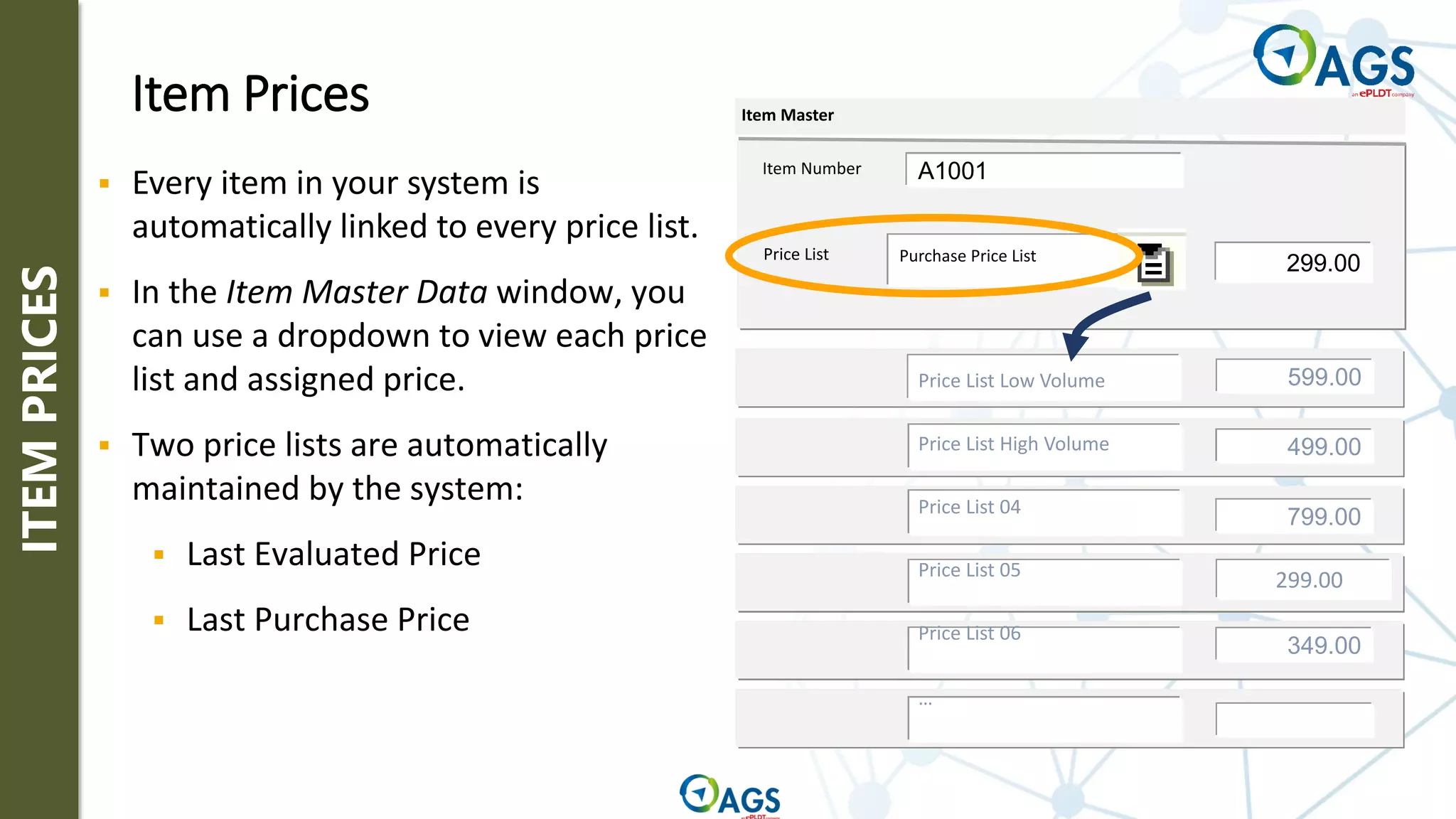
▪ Every item in your system is
automatically linked to every price list.
▪ In the Item Master Data window, you
can use a dropdown to view each price
list and assigned price.
▪ Two price lists are automatically
maintained by the system:
▪ Last Evaluated Price
▪ Last Purchase Price
ITEM
PRICES
Business Partner Master Data
Price List Price List High Volume
C1001
Payment
Terms
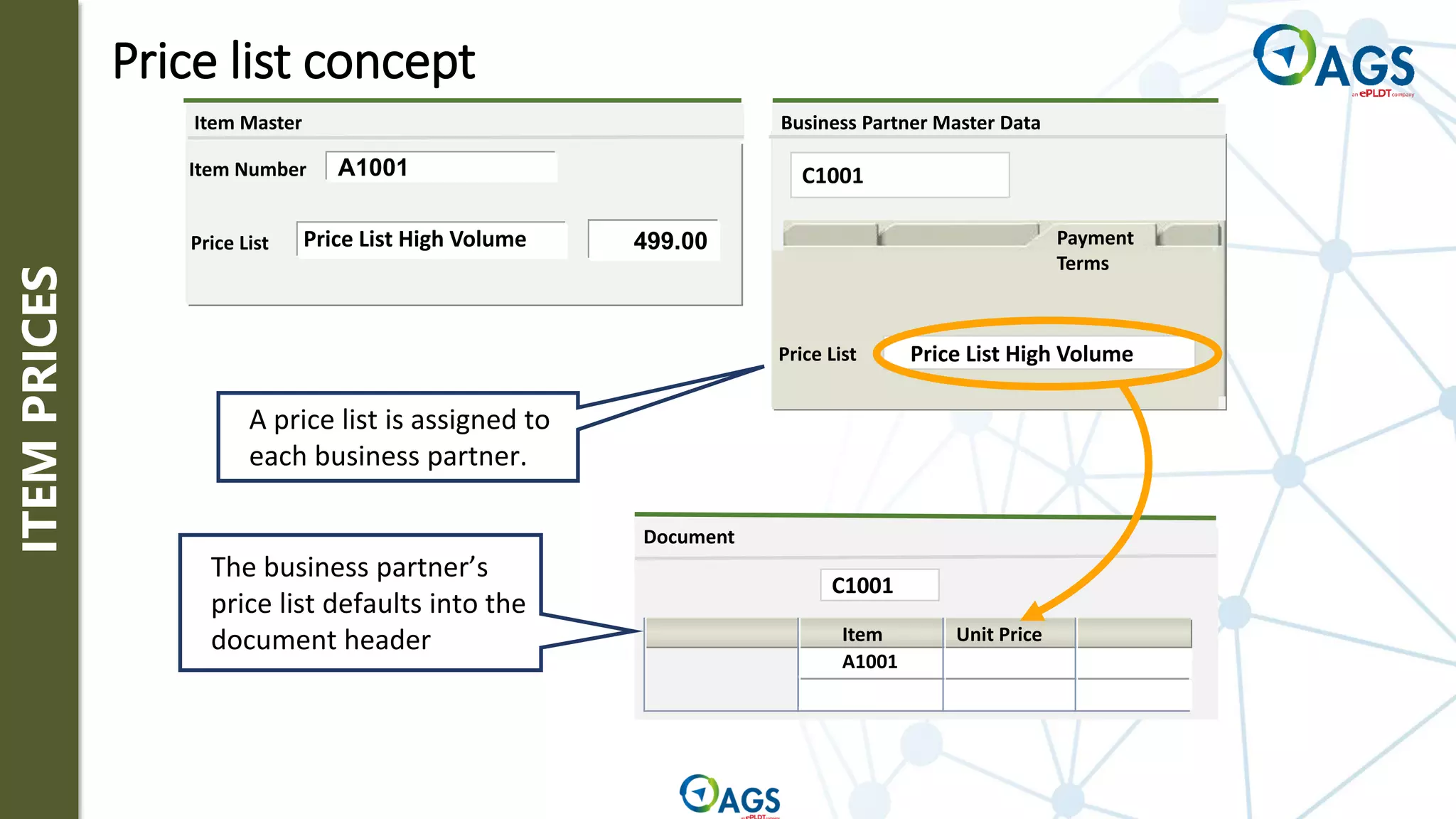
A price list is assigned to
each business partner.
Price List
Item Master
Price List High Volume 499.00
Item Number A1001
Price list concept
Document
Item Unit Price
C1001
A1001
The business partner’s
price list defaults into the
document header
ITEM
PRICES
ITEM
PRICES
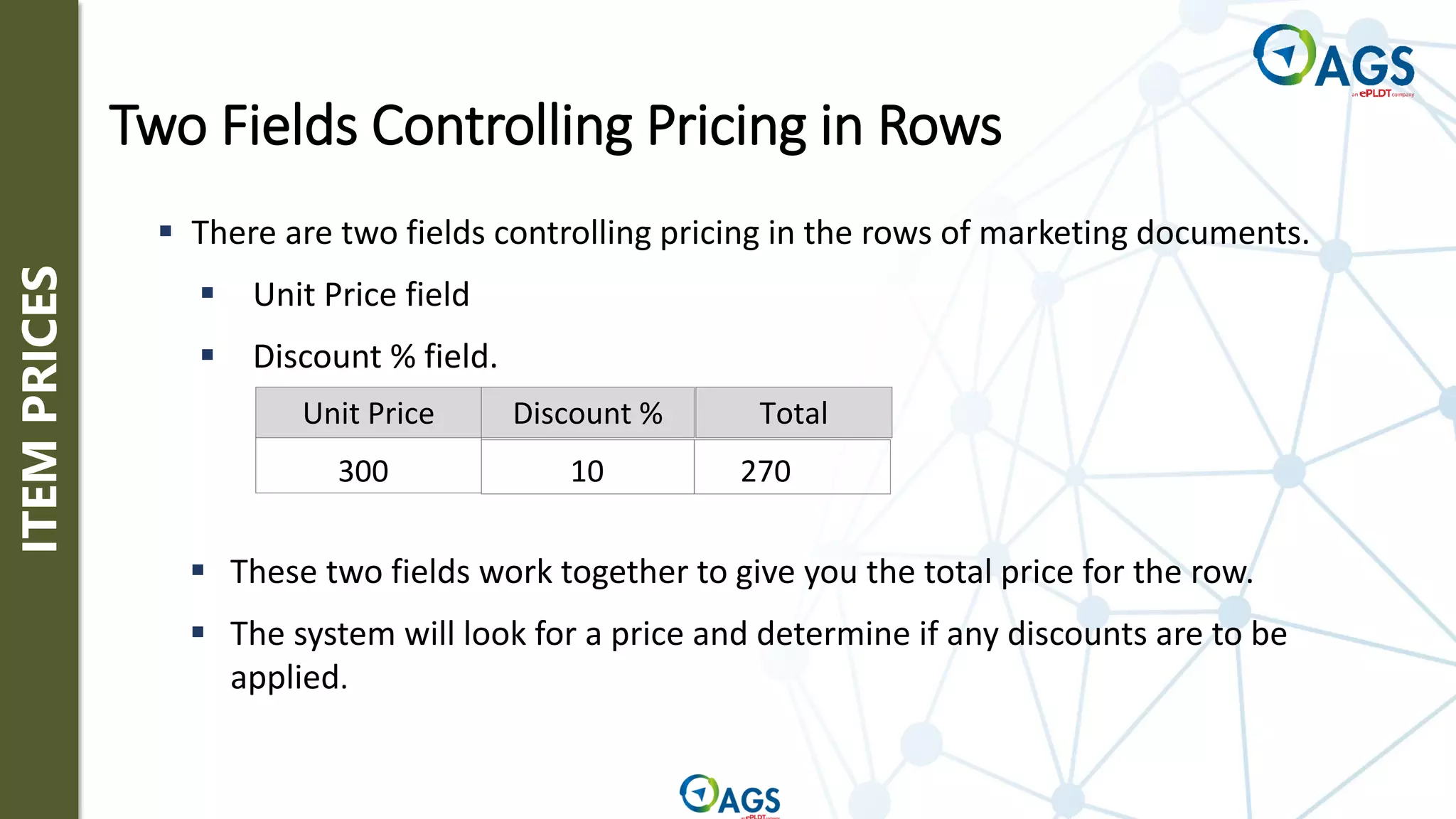
Unit Price Discount % Total
300 10 270
▪ These two fields work together to give you the total price for the row.
▪ The system will look for a price and determine if any discounts are to be
applied.
▪ There are two fields controlling pricing in the rows of marketing documents.
▪ Unit Price field
▪ Discount % field.
Two Fields Controlling Pricing in Rows
PRICE
DETERMINATION
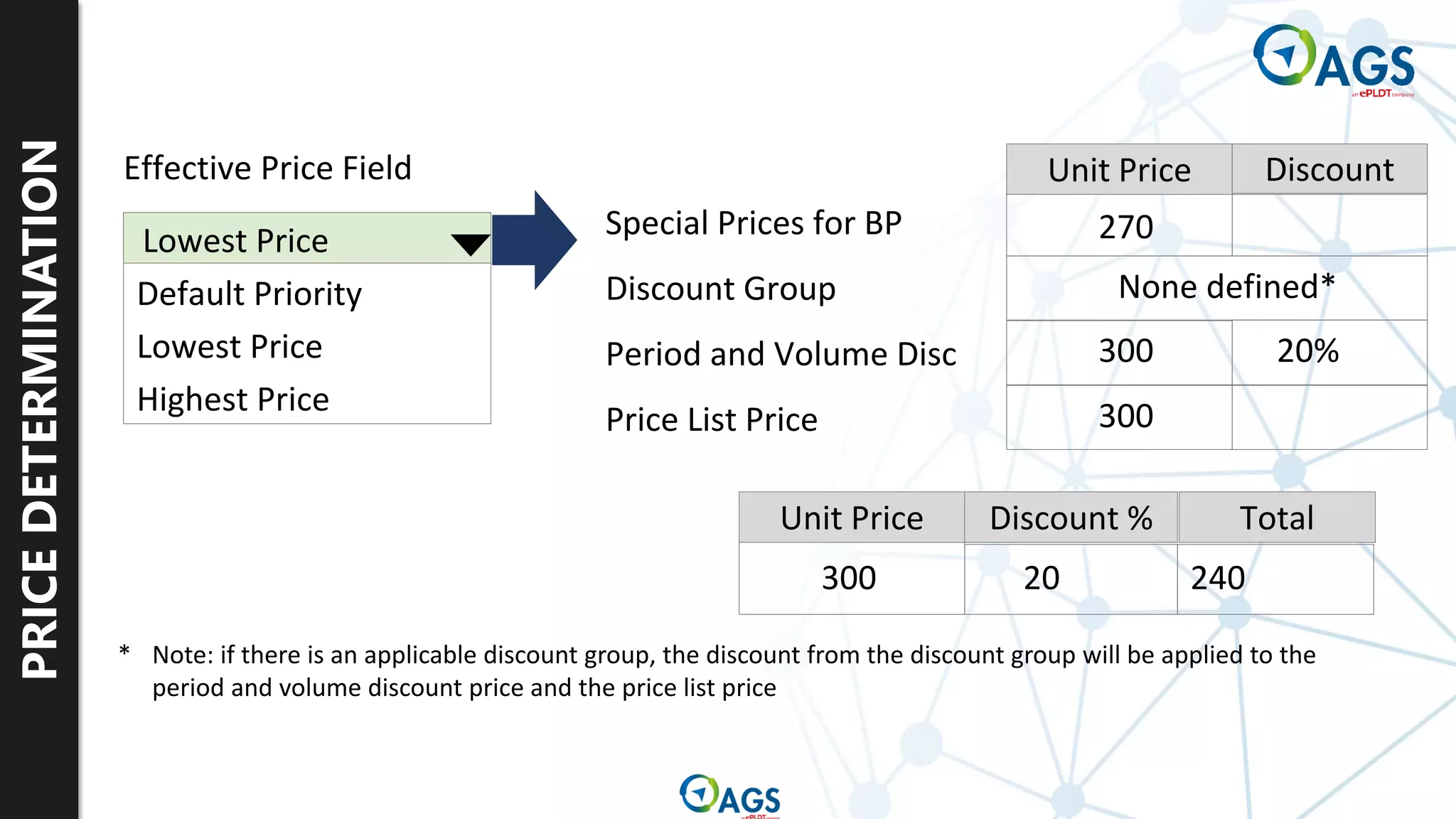
Effective Price Field
Default Priority
Lowest Price
Highest Price
Lowest Price Special Prices for BP
Discount Group
Period and Volume Disc
Price List Price
Unit Price Discount % Total
Unit Price Discount
270
None defined*
300 20%
300
300 20 240
* Note: if there is an applicable discount group, the discount from the discount group will be applied to the
period and volume discount price and the price list price
PRICE
DETERMINATION
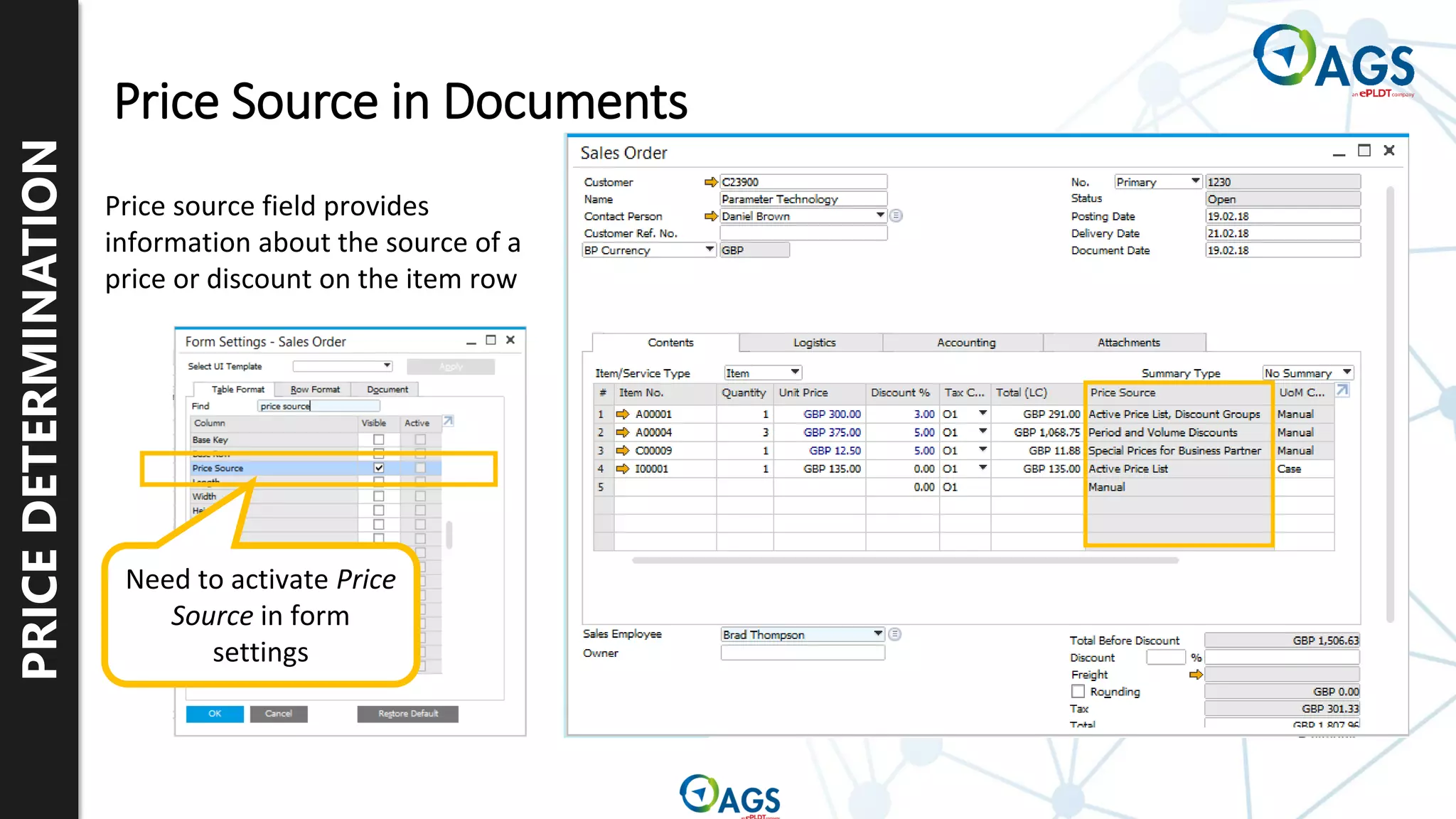
Price Source in Documents
Price source field provides
information about the source of a
price or discount on the item row
Need to activate Price
Source in form
settings
Thank you.

Refresher Training_Inventory Management.pdf

  • 1.
    By : VenusAngelica Derecho, CPA (Inventory Management) Refresher Training
  • 2.
    Item Master Data WarehouseManagement Inventory Transactions Pricelist Concepts SAP Inventory Topics
  • 3.
    Item Master Data ItemGroups UoM and UoM Groups Valuation Methods Alternative Items Serial and Batch Management Item Master Data and Related Set-up
  • 4.
    ITEM MASTER DATA Item Master Data ▪Manages all items you purchase, manufacture, sell or keep in stock ▪ Created for each product ▪ Identified with a unique code ▪ Stores essential information used in multiple business processes
  • 5.
    Purchased Item Purchased Item InventoryItem Sales Item Inventory Item Sales Item Purchased Item Inventory Item Sales Item Service for sale: Expenditures: Inventory Item you make and sell: Item Categories control whether an item can be purchased, sold, or stored in inventory ITEM MASTER DATA
  • 6.
    ITEM MASTER DATA Purchasing and SalesTabs contains necessary information for marketing documents: ▪ Units of Measure ▪ Dimensions ▪ Packaging ▪ Tax ▪ Links to Analysis ▪ Purchasing tab additionally contains: ▪ Preferred vendors ▪ Manufacturer catalog numbers
  • 7.
    ITEM MASTER DATA Inventory data tabshows up-to-date information on stock levels and demand for the item for each warehouse A matrix displays: • Warehouses • Quantity in stock • Committed Quantity • Ordered Quantity • Available Quantity • Item Cost per warehouse Available quantity = in-stock + ordered – committed.
  • 8.
    ITEM GROUPS Item Groups: ▪ Groupsimilar items together ▪ Sort items for reporting ▪ Categorize by product lines ▪ Group for sales and procurement purposes Advantages in using Item Groups: ▪ Creating items – default field values into new items ▪ Reporting on item related data – run reports by groups ▪ Processing items – choose related items for an inventory count
  • 9.
    UOM AND UOM GROUPS All inventory transactionsare made in this unit Sales and inventory documents can be made for any sales units defined in the item master In the Item Master Data we can define three different Unit of Measure types: Purchasing and inventory documents can be made for any purchasing units defined in the item master 1 Inventory Unit 1 or more Sales units from the UOM group definition 1 or more Purchasing units from the UOM group definition Item master data Inventory and marketing documents
  • 10.
    UOM AND UOM GROUPS Unit ofmeasure groups help better manage how similar items are handled in sales, purchasing and inventory processes by setting up relationships between the units used in different processes. : Paper UoM Group Pack = 21x30x4 cm Small Pack = 0.5 Pack 6-Pack = 6 Pack Carton = 24 Pack Pallet = 48 Pack ▪ When you create an item master data record, you assign a unit of measurement group. ▪ The group contains all the relevant units of measure that you need for the item and the relationship between the units. Item Number Description Item Type Item Master Data R1001 Items Price List Base Price List Items Printer Paper A4 Paper Item Group UoM Group
  • 11.
    UOM AND UOM GROUPS Version 10Update ▪ Unit of Measure Groups may now be changed on an Item Master Data record ▪ To do this the new UoM Group must have at least the identical set of conversion rules as the original UoM Group ▪ Only need to close all open documents related to the item ▪ Set UoM in its UoM Group to Active
  • 12.
    VALUATION METHOD Moving Average Price FirstIn – First Out (FIFO) Standard Cost Serial / Batch Valuation
  • 13.
    VALUATION METHOD ▪ The systemcalculates the moving average price by dividing the total value of the goods by the quantity in stock 5 items @ 10 Total inventory 50 Moving average price 10 5 items @ 20 Total inventory 150 Moving average price 15 Moving Average Price
  • 14.
    VALUATION METHOD ▪ The systemcalculates the item cost as the cost of the oldest unit on hand ▪ The first items received into stock are the first items to be issued First In – First Out (FIFO) 5 items @ 10 Unit cost of first layer = 10 5 items @ 20 Unit cost of second layer = 20
  • 15.
    VALUATION METHOD ▪ Manually seta fixed inventory cost for the item, and the system uses this fixed cost for all stock movements Standard cost set at 10 Item cost = 10 Standard Cost
  • 16.
    VALUATION METHOD ▪ The systemcalculates the item cost per batch/serial number ▪ Total Cost per Batch is divided by the Total Quantity per Batch Batch 1 is set at 10 Batch 2 is set at 20 Item cost if Batch 1 is released = 10 Serial/Batch Valuation
  • 17.
    SERIAL AND BATCH MGT Serial Numbers ▪ Usedto track individual objects Batches ▪ Used to track groups of items with common characteristics
  • 18.
    SERIAL AND BATCH MGT On Release Only Optionalon Receipt documents On Every Transaction
  • 19.
    SERIAL AND BATCH MGT Version 10Update ▪ Serial Number Management and Batch Management now includes the ability to update on A/R Reserve Invoices and Inventory Transfer Requests ▪ Destination Warehouse Code and Destination Warehouse Name is now included in the Serial Number/Batch Management Update form
  • 20.
    ALTERNATIVE ITEMS Define alternatives foritems that are out of stock in a certain warehouse. Alternative items are defined by item, but you can build a hierarchy of alternative items by defining alternatives for the alternatives
  • 21.
    Item Master Dataand Related Set-up Warehouses and Bin Locations Inventory Transactions Pricelist Concepts SAP Inventory Topics
  • 22.
  • 23.
    WAREHOUSE MANAGEMENT Warehouse 02 Regional Warehouse Warehouse03 Drop Ship Warehouse Warehouse 05 Bin Managed Warehouse A warehouse represents a location where goods are stored. Warehouse 01 General Warehouse
  • 24.
    WAREHOUSE MANAGEMENT General Address Information Location Drop Ship Nettable EnableBin Locations Show Location in Web Browser ▪ Can set-up a warehouse to either be: ▪ Drop Ship ▪ Nettable ▪ With Bin Location
  • 25.
    BIN LOCATIONS S1 S2 S3 A1A2 A3 A4 L1 L2 L3 L1 L2 L3 L1 L2 L3 L1 L2 L3 S4 Warehouse 05 Warehouse Level WH Sublevel 1 - Aisle WH Sublevel 2 - Shelf WH Sublevel 3 - Level Bin Location 05-A1-S1-L3
  • 26.
    BIN LOCATIONS Inventory → BinLocations → Bin Location Master Data ▪ Each Bin Locations has one Bin Location Master Data record ▪ You can create each bin location manually, but automatic creation of multiple bin location codes is possible.
  • 27.
    BIN LOCATIONS Set up abin location-managed Warehouse and details Set up Warehouse Sublevels Set up Attributes Phase 1 Phase 2 Phase 3 Set up Bin Location Codes and details Define automatic allocation strategy Setup Process
  • 28.
    BIN LOCATIONS Business Process ScenarioIntegrated With Bin Locations Goods Receipt PO Bin Location Content List Inventory Transfer Sales Order Picking Delivery Allocation to Bin Locations Allocation from Bin Locations Allocation to and from Bin Locations
  • 29.
    BIN LOCATIONS Automatic Incoming Allocations ReceivingBin Locations Option 1. Creation of purchasing documents 2. Goods receipt procedure in the Receiving bin location (Inspection, sorting, labeling etc.) 3. Inventory transfer to storage bin location Items are automatically allocated to the Receiving Bin Locations
  • 30.
    BIN LOCATIONS Automatic Incoming Allocations Automaticallocation strategies option When using Automatic allocation, items are allocated automatically to a storage bin location Automatic allocation on receipt can be defined as: • Default bin location • Current bin location • The last used bin location • Any historic bin locations
  • 31.
    Item Master Dataand Related Set-up Warehouses and Bin Locations Inventory Transactions Pricelist Concepts SAP Inventory Topics
  • 32.
    Goods Receipt Goods Issue InventoryTransfer Inventory Counting and Posting Inventory Revaluation Pick and Pack Manager Inventory Transactions
  • 33.
    OVERVIEW Warehouse Management Overview GoodsReceipts PO/ Goods Returns from Purchasing Functions Delivery/ Returns from Sales Functions Goods Receipts Remove Components for Production Goods Receipts for Final Product Inventory Transfer between Warehouses Goods Issues Beginning Quantities Warehouse
  • 34.
    GOODS RECEIPT Goods Receipts Warehouse Goods Receiptare used for receiving inventory that is not purchased or produced. Unlike marketing documents used in the purchasing process, a business partner is not required.
  • 35.
  • 36.
    GOODS ISSUE Warehouse Goods Issues areused for issuing inventory that is not for sale. Unlike marketing documents used in the purchasing process, a business partner is not required. Goods issues use the item cost to calculate the value of the accounting transactions and the price field is for informational purposes only. Goods Issues
  • 37.
  • 38.
    INVENTORY TRANSFER REQUEST Inventory transfer status InStock Committed Ordered Available WH 01 10 10 WH 02 In Stock Committed Ordered Available WH 01 10 1 9 WH 01 -> WH 02 WH 02 1 1 Transfer Request In Stock Committed Ordered Available WH 01 9 9 WH 01 -> WH 02 WH 02 1 1 Inventory Transfer Warehouse 01 Warehouse 02 Inventory Transfer Requests commit items to move from one warehouse to another with no effect on inventory movement or financials.
  • 39.
    INVENTORY TRANSFER Warehouse Inventory Transfer between Warehouses InventoryTransfer between Warehouses Inventory Transfers are used to move stock between warehouses Inventory account (Warehouse 01) 150 Inventory account (Warehouse 02) 150
  • 40.
    INVENTORY COUNTING ▪ Inventory countingcan detect unusual or unacceptable discrepancies, by matching the actual inventory to the quantities saved in the database
  • 41.
    INVENTORY COUNTING ▪ Counting scenarios: ▪Single Counter ▪ Multiple Counters ▪ Individual counting ▪ Team Counting ▪ Combination of Individual and Team
  • 42.
    INVENTORY POSTING ▪ Inventory Posting reconcilesitem quantities with the results of inventory counting
  • 43.
    INVENTORY POSTING ▪ For MultipleCounters, the following counting options are available ▪ Items with No Counters’ Diff. ▪ Total Counted Qty ▪ Individual Counter – Counted Qty
  • 44.
    INVENTORY CYCLE COUNT ▪ Cycle CountRecommendations lets you view recommendations for items that are frequently counted ▪ You can also launch inventory counting for the selected items
  • 45.
    INVENTORY REVALUATION ▪ Inventory Revaluation enablesyou to update the items’ price, revaluate the stock, and create journal entries accordingly ▪ Revaluation Type: ▪ Price Change ▪ Inventory Debit/Credit
  • 46.
    PICK AND PACK MANAGER ▪ Pick andPack lets you automate the processing of Sales Orders, A/R Reserve Invoices, Production Orders, and Inventory Transfer Requests in an orderly way ▪ From creation of Pick Lists up to packing items for shipment with delivery documents
  • 47.
    PICK AND PACK MANAGER ▪ Creating aPick List ▪ Enter filter criteria and select documents to add to a pick list ▪ Viewing a Pick List ▪ Picking Items for Shipment ▪ Enter the picked quantities for each item ▪ Creating Delivery, A/R Invoice, Inventory Transfer, and Issue for Production with Pick and Pack ▪ Defining and Printing Packing Slips Pick and Pack Procedures
  • 48.
    Item Master Dataand Related Set-up Warehouses and Bin Locations Inventory Transactions Pricelist Concepts SAP Inventory Topics
  • 49.
    Price Lists Item Prices BestPrice Option Pricelist Concepts
  • 50.
    PRICE LISTS The basic wayof pricing: Enter prices into price lists and assign the appropriate price list to a business partner. Price Lists ▪ Price lists provide flexibility in pricing ▪ Price lists are used in both sales and purchasing
  • 51.
    PRICE LISTS Price Lists Define adiscount percentage by date and quantities for a price list. Overrides the basic price list assigned to the business partner. Period and Volume Discounts
  • 52.
    PRICE LISTS 1. Select Pricelist 2.Select Items 3. Select Source Price Setting up the discount
  • 53.
  • 54.
    PRICE LISTS double-click ▪ Enter thequantity required to receive the discount. ▪ Then enter total discount percentage or special price for each unit of quantity. Entering Volume-based Discounts
  • 55.
    PRICE LISTS Price Lists Period andVolume Discounts Define discount percentage by items, item group, properties or manufacturer. Overrides period and volume discounts. Discount Groups
  • 56.
    PRICE LISTS Discount groups canbe assigned to: ▪ Specific Business Partners ▪ Business Partner Groups ▪ All Business Partners Discount groups can be based on: ▪ Specific Items ▪ Item Groups ▪ Item Properties ▪ Item Manufacturers % Discount Groups
  • 57.
    PRICE LISTS Assigning Discount Groups Selectionoptions for who will receive the discounts. Assign to: ▪ Specific BP ▪ Customer Group ▪ Vendor Group ▪ All BPs
  • 58.
    PRICE LISTS Assigning Discount Groups AllItem Groupps, Properties, Manufacturers, and Items are listed Set discount amount
  • 59.
    PRICE LISTS Excluding BPs ▪ Ifselected, any discount group that would apply is ignored in documents. ▪ Checkbox affects only discount groups not other special prices. ▪ You can still set discounts manually in documents. ▪ Does not affect discounts copied from base documents Do Not Apply Discount Groups checkbox located on the Payment Terms tab.
  • 60.
    PRICE LISTS Exclude Item fromDiscount Groups ▪ Same checkbox on item master. ▪ You can still manually apply discounts in documents. ▪ Discounts are copied to target documents even if checkbox is set.
  • 61.
    PRICE LISTS Price Lists Period andVolume Discounts Discount Groups Determine special prices by item, BP, dates and quantities. Overrides all other prices (except for blanket agreements). Special Prices for BPs
  • 62.
    PRICE LISTS double-click double-click Validity Periods From to Fromto Quantity Scale ▪ With or without reference to a price list ▪ May be different price list than one assigned to BP ▪ Discount calculation ▪ Automatic update when price lists are updated Special prices for selected items of a business partner: For a specific business partner
  • 63.
    PRICE LISTS Price Lists Period andVolume Discounts Discount Groups Special Prices for BPs Specifies item prices you have negotiated with a business partner. Overrides all other prices Blanket Agreements
  • 64.
    PRICING OVERVIEW Pricing in BusinessOne Special Prices for BPs Discount Groups Period and Volume Discounts Price Lists Blanket Agreements Specifies item prices you have negotiated with a business partner. Overrides all other prices Determine special prices by item, BP, dates and quantities. Overrides all other prices (except for blanket agreements). Define discount percentage by items, item group, properties or manufacturer. Overrides period and volume discounts. Define discount percentages by date and quantities for a price list. Overrides the basic price list assigned to the business partner. The basic way of pricing: Enter prices into price lists and assign the appropriate price list to a business partner.
  • 65.
    Item Prices Price List ItemMaster 299.00 Purchase Price List 599.00 499.00 799.00 349.00 299.00 Price List Low Volume Price List High Volume Price List 04 Price List 05 Price List 06 … Item Number A1001 ▪ Every item in your system is automatically linked to every price list. ▪ In the Item Master Data window, you can use a dropdown to view each price list and assigned price. ▪ Two price lists are automatically maintained by the system: ▪ Last Evaluated Price ▪ Last Purchase Price ITEM PRICES
  • 66.
    Business Partner MasterData Price List Price List High Volume C1001 Payment Terms A price list is assigned to each business partner. Price List Item Master Price List High Volume 499.00 Item Number A1001 Price list concept Document Item Unit Price C1001 A1001 The business partner’s price list defaults into the document header ITEM PRICES
  • 67.
    ITEM PRICES Unit Price Discount% Total 300 10 270 ▪ These two fields work together to give you the total price for the row. ▪ The system will look for a price and determine if any discounts are to be applied. ▪ There are two fields controlling pricing in the rows of marketing documents. ▪ Unit Price field ▪ Discount % field. Two Fields Controlling Pricing in Rows
  • 68.
    PRICE DETERMINATION Effective Price Field DefaultPriority Lowest Price Highest Price Lowest Price Special Prices for BP Discount Group Period and Volume Disc Price List Price Unit Price Discount % Total Unit Price Discount 270 None defined* 300 20% 300 300 20 240 * Note: if there is an applicable discount group, the discount from the discount group will be applied to the period and volume discount price and the price list price
  • 69.
    PRICE DETERMINATION Price Source inDocuments Price source field provides information about the source of a price or discount on the item row Need to activate Price Source in form settings
  • 70.