ADVISORY ON LOG4J VULNERABILITY:
IMPACTS AND WORK AROUNDS
What is LOG4J
Vulnerability and how
does this impact you?
Source: https://www.washingtonpost.com/technology/2021/12/20/log4j-hack-vulnerability-java/
What is LOG4J and where did it come from?
Log4j is a chunk of code that helps software
applications keep track of their past activities.
Instead of reinventing a “logging” — or record-
keeping — component each time developers build
new software, they often use existing code like log4j
instead.
It’s free on the Internet and very widely used,
appearing in a “big chunk” of Internet services,
according to Asaf Ashkenazi, chief operating officer
of security company Verimatrix.
How was the vulnerability discovered?
Each time log4j is asked to log something new, it
tries to make sense of that new entry and add it to
the record.
A few weeks ago, the cybersecurity community
realized that by simply asking the program to log a
line of malicious code, it would execute that code in
the process, effectively letting bad actors grab
control of servers that are running log4j.
Software bugs crop up all the time. Why is
this one different?
The fact that log4j is such a ubiquitous piece of
software is what makes this such a big deal.
Imagine if a common type of lock used by millions of
people to keep their doors shut was suddenly
discovered to be ineffective. Switching a single lock
for a new one is easy, but finding all the millions of
buildings that have that defective lock would take
time and an immense amount of work.
Why act urgently on this?
Huge swaths of the computer code that modern life runs on
use Java and contain log4j. Cloud storage companies such
as Google, Amazon and Microsoft, which provide the digital
backbone for millions of other apps, are affected. So are
giant software sellers whose programs are used by millions,
such as IBM, Oracle and Salesforce. Devices that connect to
the Internet such as TVs and security cameras are at risk as
well.
Hackers who try to break into digital spaces to steal
information or plant malicious software suddenly have
a massive new opportunity to try to get into nearly
anywhere they want.
What versions are
affected?
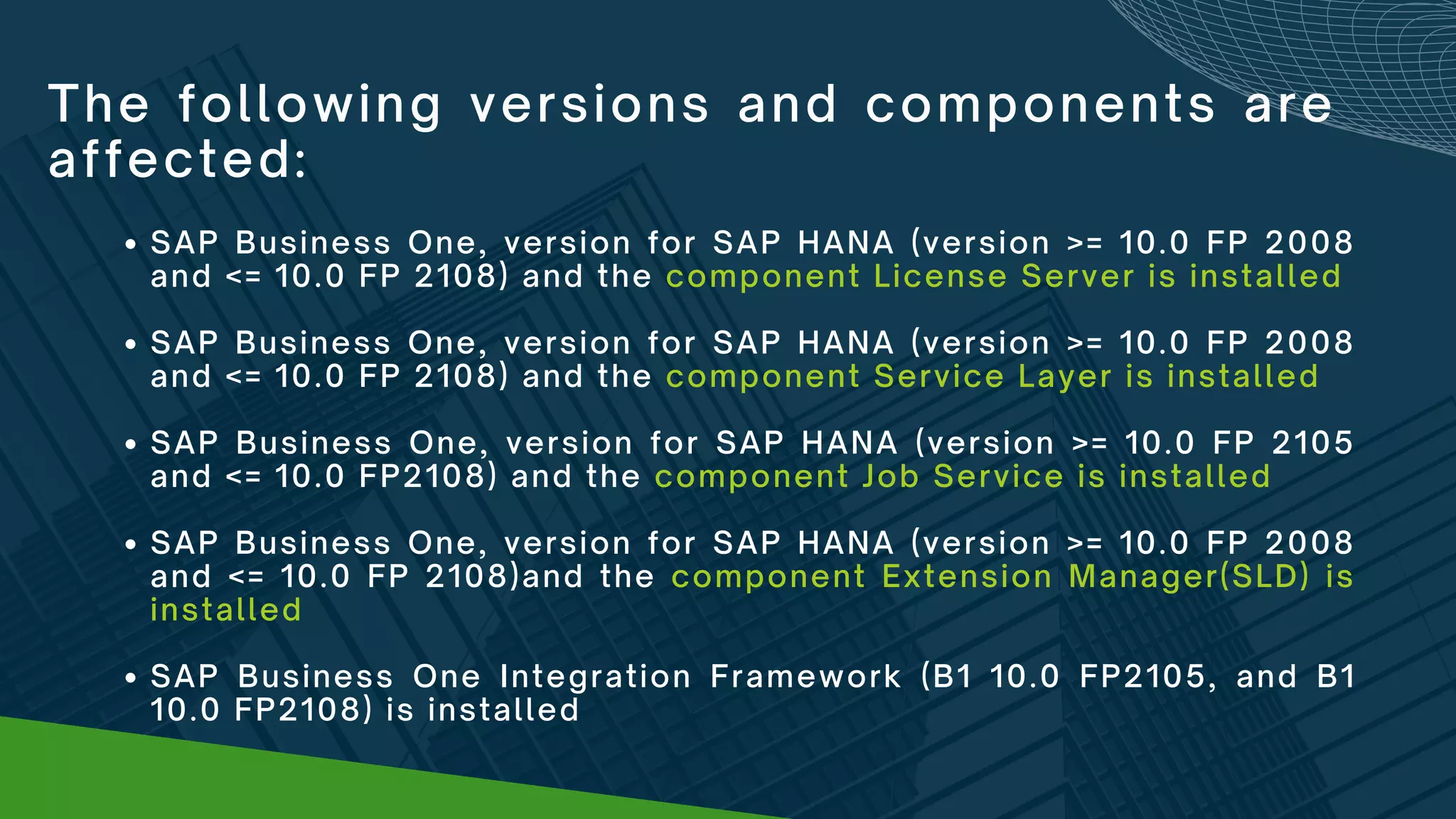
The following versions and components are
affected:
SAP Business One or SAP Business One, version for SAP HANA
(version >= 9.3 PL07 and <= 10.0 FP2108) and the component
Workflow is installed
SAP Business One (version >= 10.0 FP 2008 and <= 10.0 FP 2108)
and the component License Server is installed
SAP Business One (version >= 10.0 FP 2008 and <= 10.0 FP 2108)
and the component Service Layer is installed
SAP Business One (version >= 10.0 FP 2105 and <= 10.0 FP2108) and
the component JobService is installed


SAP Business One (version >= 10.0 FP 2008 and <= 10.0 FP 2108)
and the component Extension Manager(SLD) is installed
The following versions and components are
affected:
SAP Business One, version for SAP HANA (version >= 10.0 FP 2008
and <= 10.0 FP 2108) and the component License Server is installed
SAP Business One, version for SAP HANA (version >= 10.0 FP 2008
and <= 10.0 FP 2108) and the component Service Layer is installed
SAP Business One, version for SAP HANA (version >= 10.0 FP 2105
and <= 10.0 FP2108) and the component Job Service is installed
SAP Business One, version for SAP HANA (version >= 10.0 FP 2008
and <= 10.0 FP 2108)and the component Extension Manager(SLD) is
installed
SAP Business One Integration Framework (B1 10.0 FP2105, and B1
10.0 FP2108) is installed
What workarounds
are available?
DISCLAIMER:
Please assess the workaround applicability for
your SAP landscape prior to implementation.
Note that this workaround is a temporary fix but
not a permanent solution.
The content of the workaround may be updated
over time. We strongly recommend to regularly
check with AGS for updates.
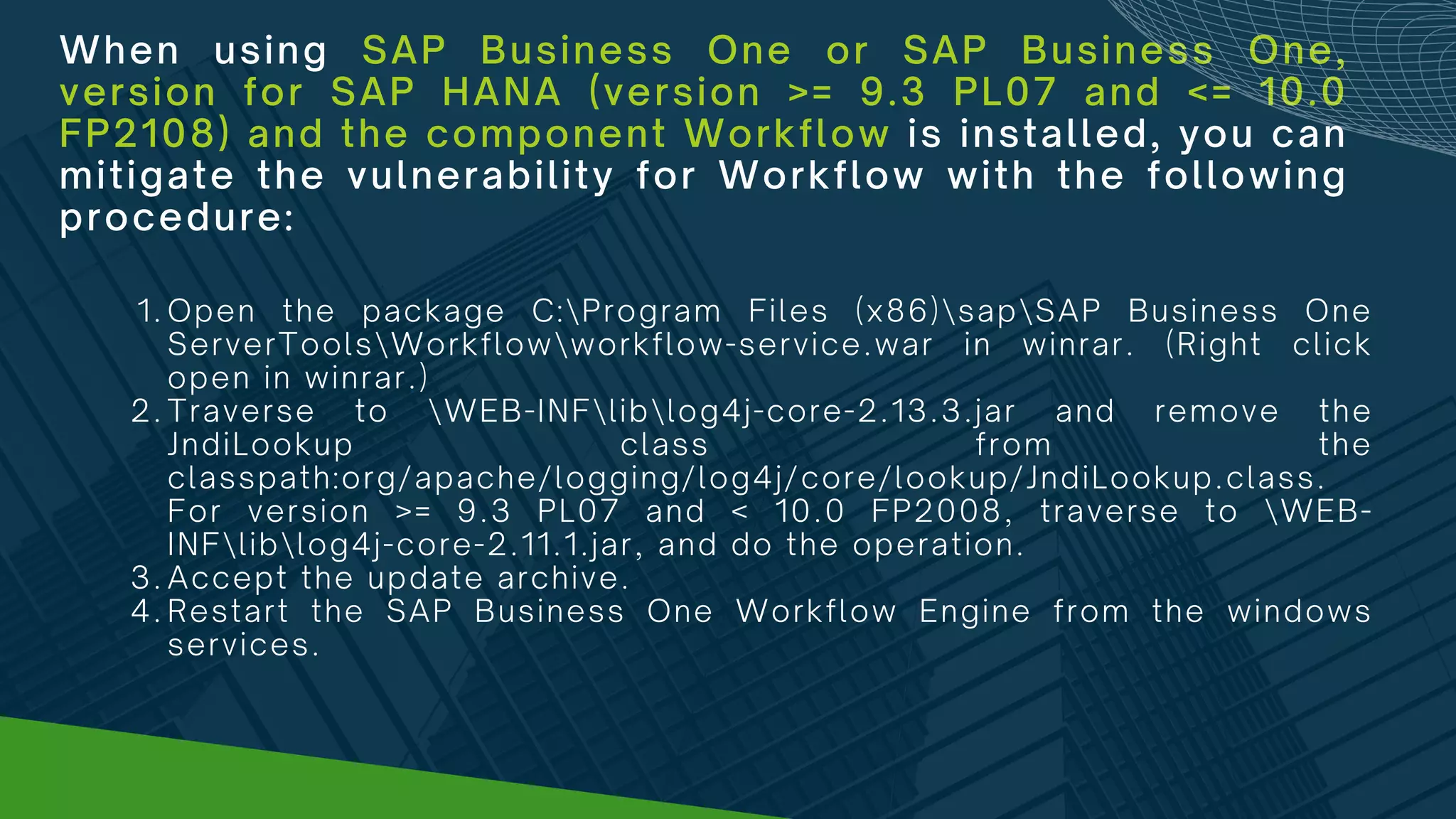
When using SAP Business One or SAP Business One,
version for SAP HANA (version >= 9.3 PL07 and <= 10.0
FP2108) and the component Workflow is installed, you can
mitigate the vulnerability for Workflow with the following
procedure:
Open the package C:Program Files (x86)sapSAP Business One
ServerToolsWorkflowworkflow-service.war in winrar. (Right click
open in winrar.)
Traverse to WEB-INFliblog4j-core-2.13.3.jar and remove the
JndiLookup class from the
classpath:org/apache/logging/log4j/core/lookup/JndiLookup.class.
For version >= 9.3 PL07 and < 10.0 FP2008, traverse to WEB-
INFliblog4j-core-2.11.1.jar, and do the operation.
Accept the update archive.
Restart the SAP Business One Workflow Engine from the windows
services.
1.
2.
3.
4.
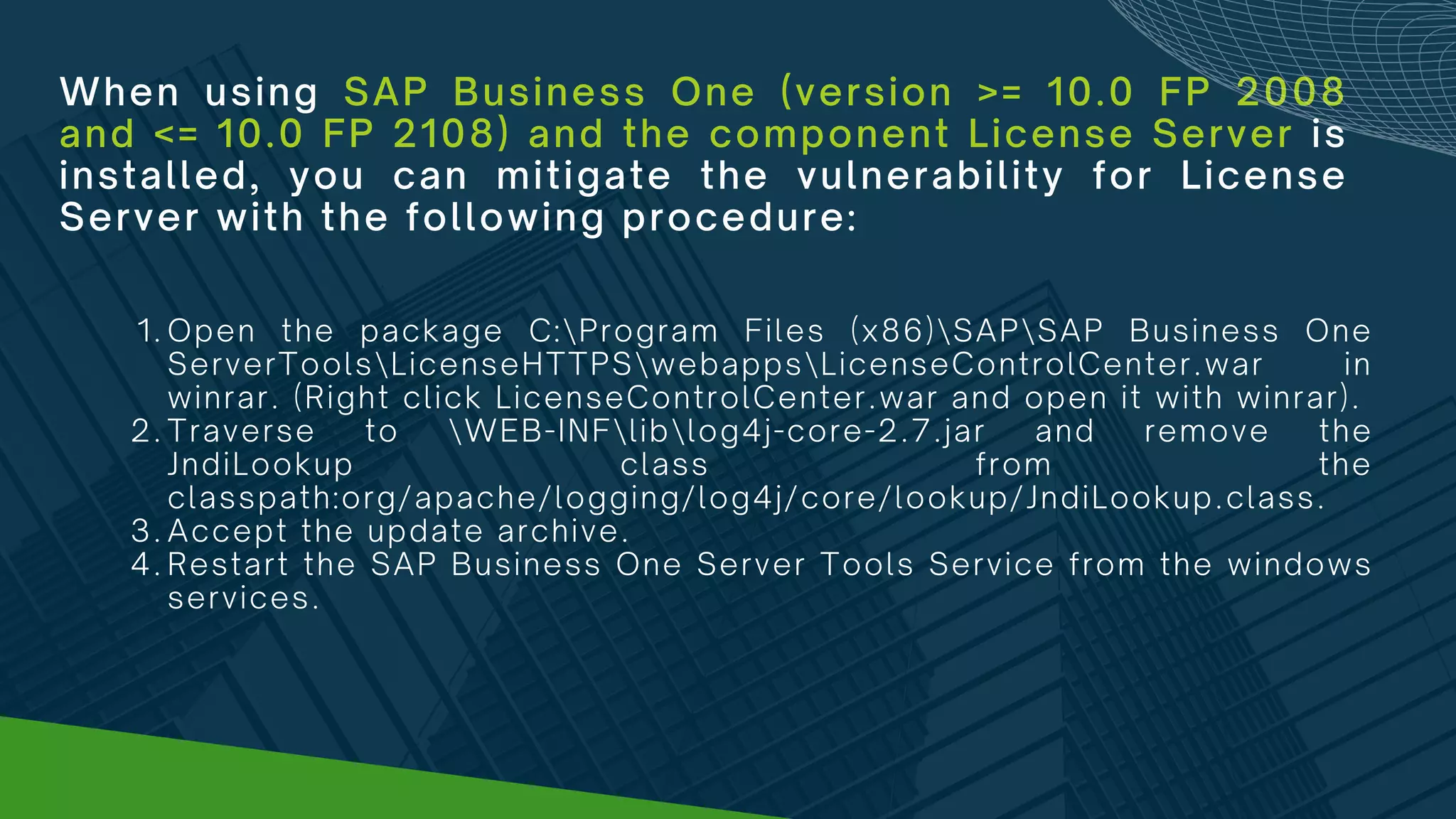
When using SAP Business One (version >= 10.0 FP 2008
and <= 10.0 FP 2108) and the component License Server is
installed, you can mitigate the vulnerability for License
Server with the following procedure:
Open the package C:Program Files (x86)SAPSAP Business One
ServerToolsLicenseHTTPSwebappsLicenseControlCenter.war in
winrar. (Right click LicenseControlCenter.war and open it with winrar).
Traverse to WEB-INFliblog4j-core-2.7.jar and remove the
JndiLookup class from the
classpath:org/apache/logging/log4j/core/lookup/JndiLookup.class.
Accept the update archive.
Restart the SAP Business One Server Tools Service from the windows
services.
1.
2.
3.
4.
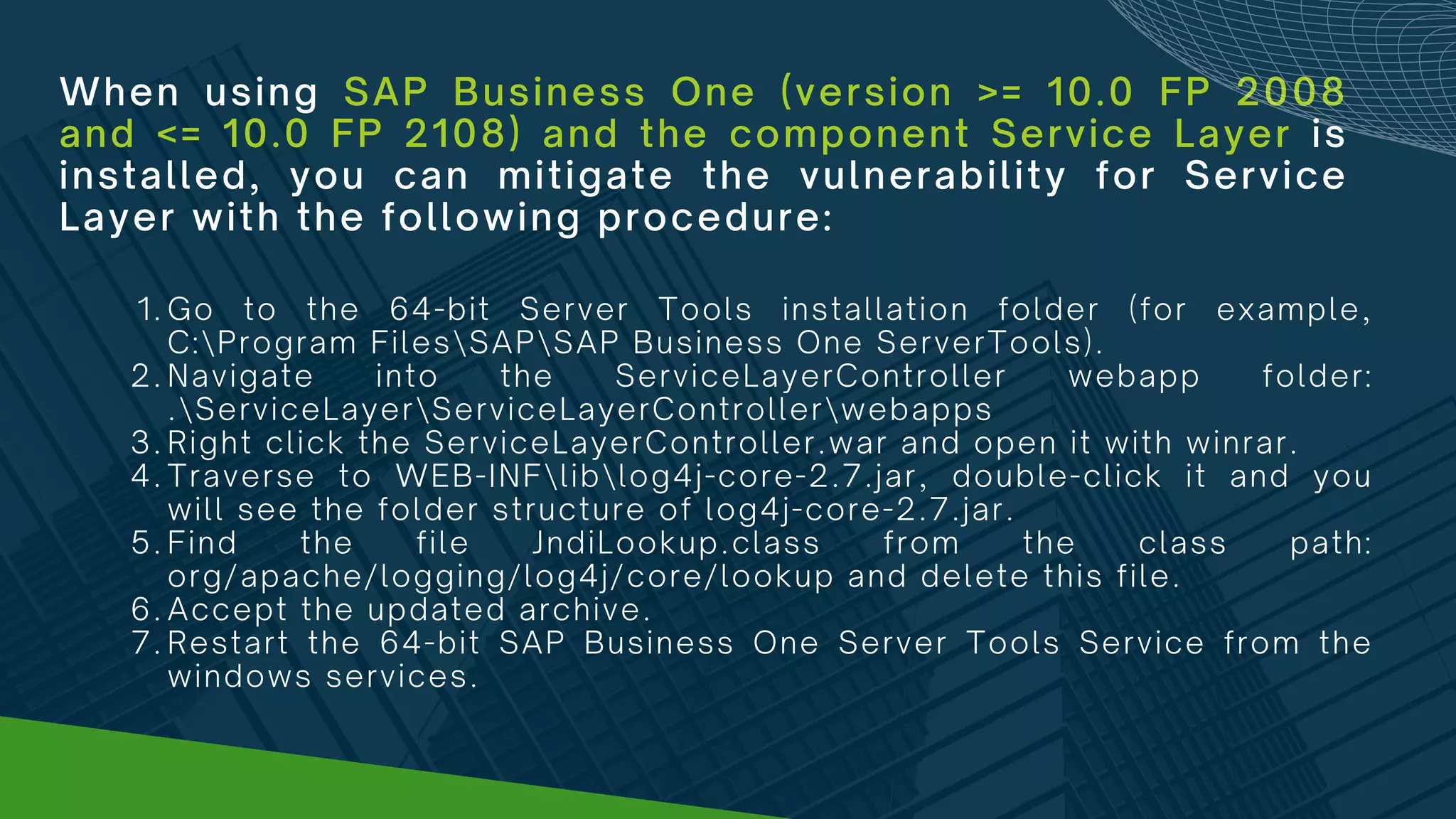
When using SAP Business One (version >= 10.0 FP 2008
and <= 10.0 FP 2108) and the component Service Layer is
installed, you can mitigate the vulnerability for Service
Layer with the following procedure:
Go to the 64-bit Server Tools installation folder (for example,
C:Program FilesSAPSAP Business One ServerTools).
Navigate into the ServiceLayerController webapp folder:
.ServiceLayerServiceLayerControllerwebapps
Right click the ServiceLayerController.war and open it with winrar.
Traverse to WEB-INFliblog4j-core-2.7.jar, double-click it and you
will see the folder structure of log4j-core-2.7.jar.
Find the file JndiLookup.class from the class path:
org/apache/logging/log4j/core/lookup and delete this file.
Accept the updated archive.
Restart the 64-bit SAP Business One Server Tools Service from the
windows services.
1.
2.
3.
4.
5.
6.
7.
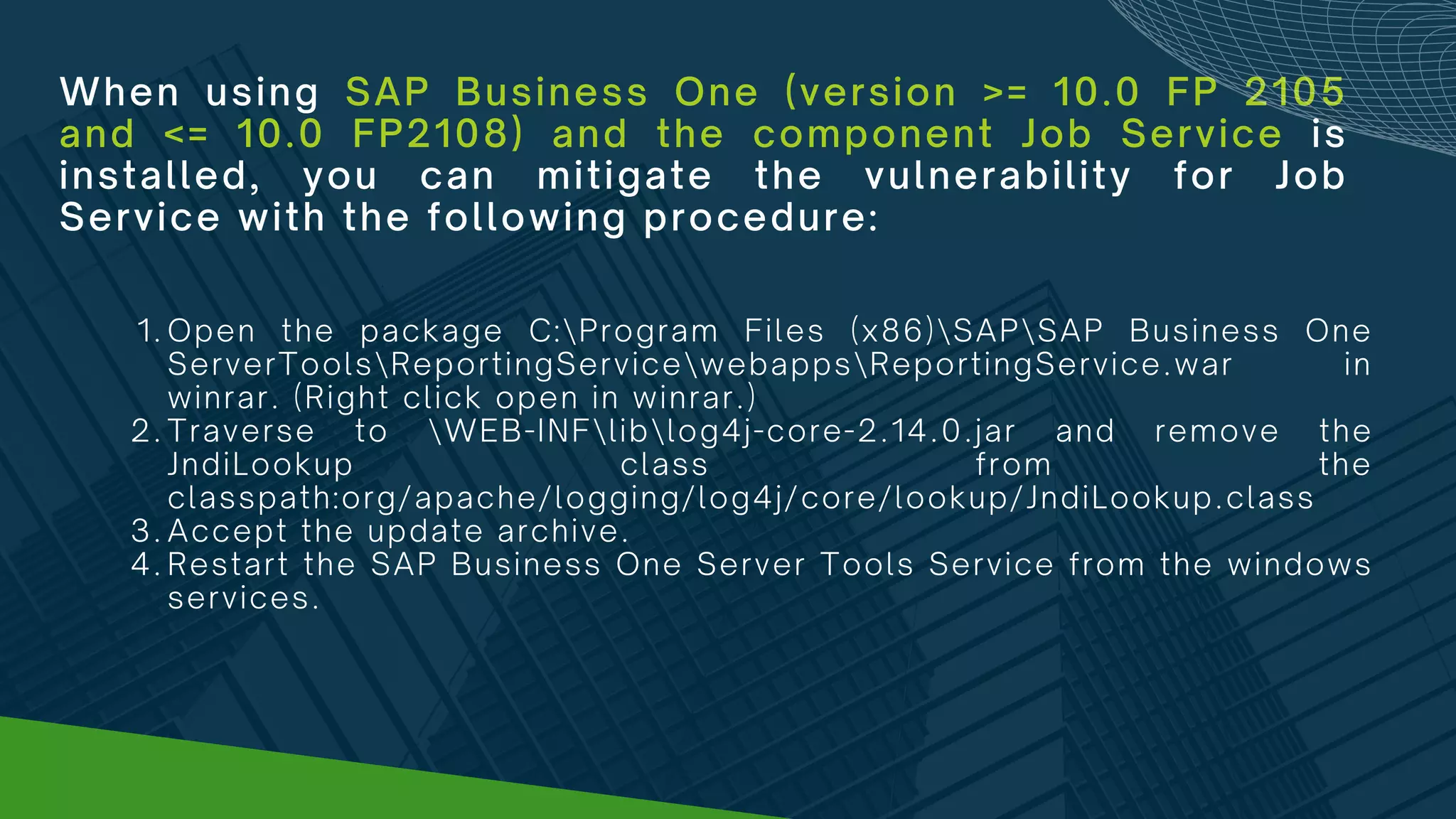
When using SAP Business One (version >= 10.0 FP 2105
and <= 10.0 FP2108) and the component Job Service is
installed, you can mitigate the vulnerability for Job
Service with the following procedure:
Open the package C:Program Files (x86)SAPSAP Business One
ServerToolsReportingServicewebappsReportingService.war in
winrar. (Right click open in winrar.)
Traverse to WEB-INFliblog4j-core-2.14.0.jar and remove the
JndiLookup class from the
classpath:org/apache/logging/log4j/core/lookup/JndiLookup.class
Accept the update archive.
Restart the SAP Business One Server Tools Service from the windows
services.
1.
2.
3.
4.
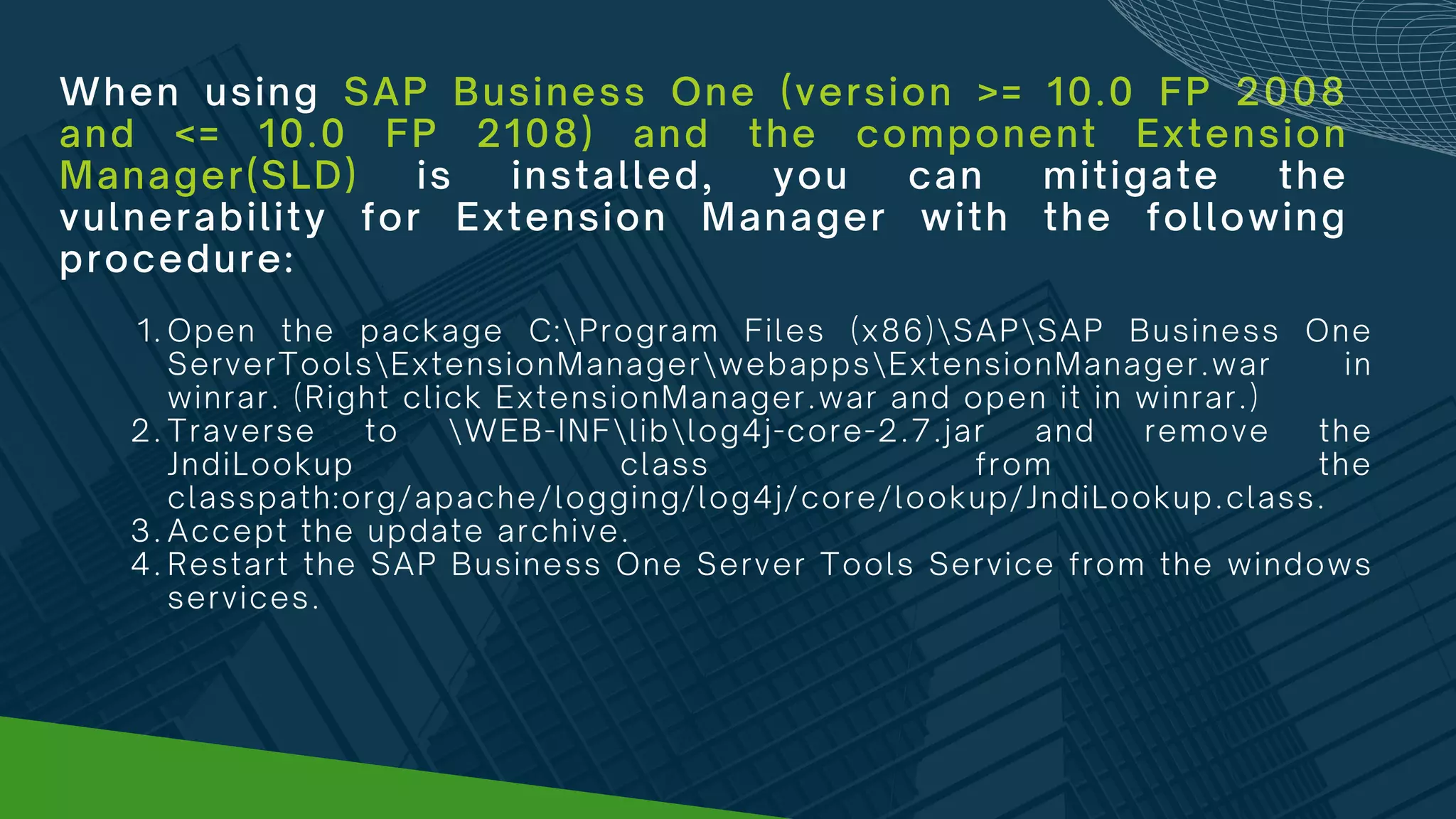
When using SAP Business One (version >= 10.0 FP 2008
and <= 10.0 FP 2108) and the component Extension
Manager(SLD) is installed, you can mitigate the
vulnerability for Extension Manager with the following
procedure:
Open the package C:Program Files (x86)SAPSAP Business One
ServerToolsExtensionManagerwebappsExtensionManager.war in
winrar. (Right click ExtensionManager.war and open it in winrar.)
Traverse to WEB-INFliblog4j-core-2.7.jar and remove the
JndiLookup class from the
classpath:org/apache/logging/log4j/core/lookup/JndiLookup.class.
Accept the update archive.
Restart the SAP Business One Server Tools Service from the windows
services.
1.
2.
3.
4.
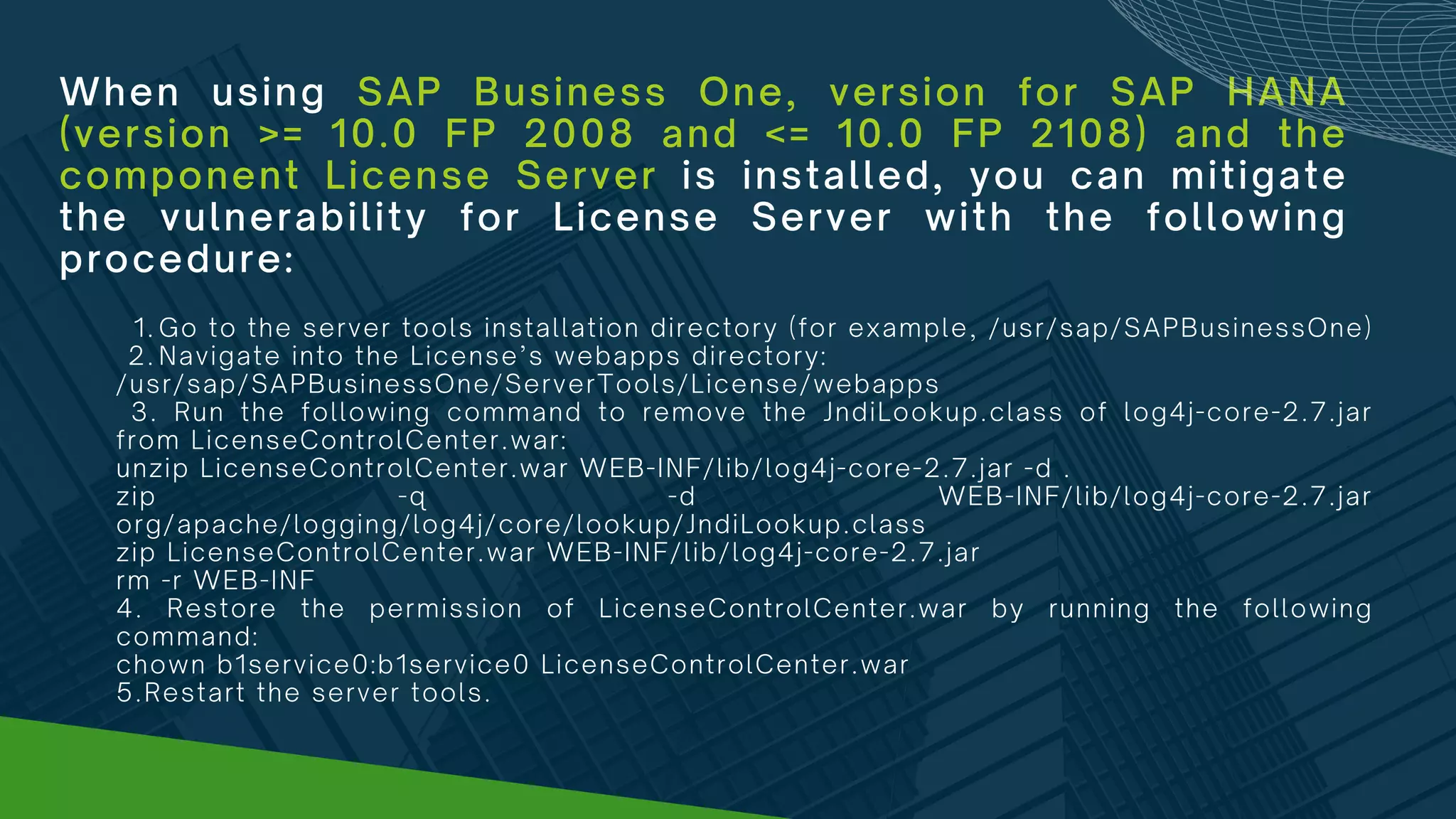
When using SAP Business One, version for SAP HANA
(version >= 10.0 FP 2008 and <= 10.0 FP 2108) and the
component License Server is installed, you can mitigate
the vulnerability for License Server with the following
procedure:
Go to the server tools installation directory (for example, /usr/sap/SAPBusinessOne)
Navigate into the License’s webapps directory:
1.
2.
/usr/sap/SAPBusinessOne/ServerTools/License/webapps
3. Run the following command to remove the JndiLookup.class of log4j-core-2.7.jar
from LicenseControlCenter.war:
unzip LicenseControlCenter.war WEB-INF/lib/log4j-core-2.7.jar -d .
zip -q -d WEB-INF/lib/log4j-core-2.7.jar
org/apache/logging/log4j/core/lookup/JndiLookup.class
zip LicenseControlCenter.war WEB-INF/lib/log4j-core-2.7.jar
rm -r WEB-INF
4. Restore the permission of LicenseControlCenter.war by running the following
command:
chown b1service0:b1service0 LicenseControlCenter.war
5.Restart the server tools.
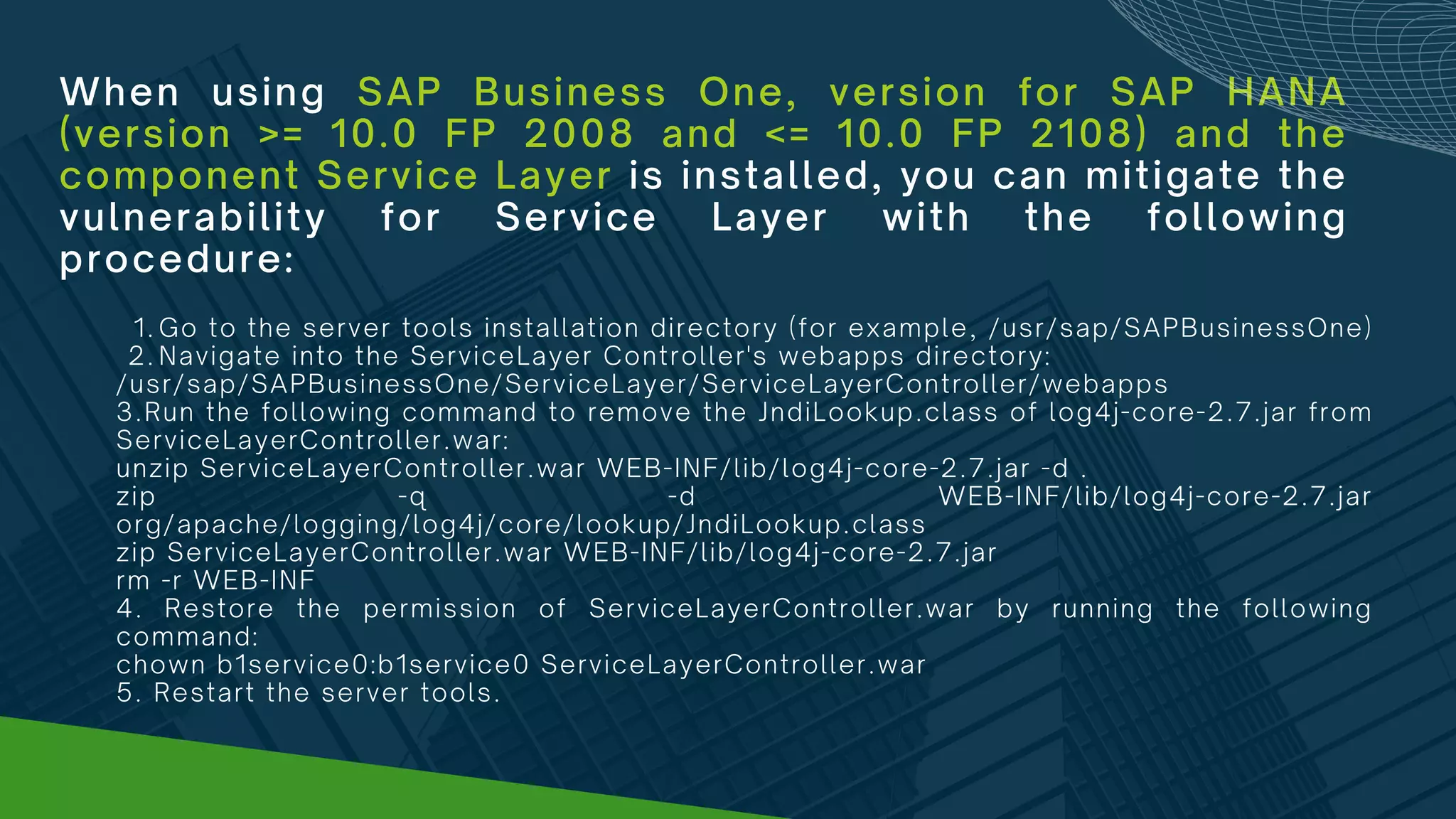
When using SAP Business One, version for SAP HANA
(version >= 10.0 FP 2008 and <= 10.0 FP 2108) and the
component Service Layer is installed, you can mitigate the
vulnerability for Service Layer with the following
procedure:
Go to the server tools installation directory (for example, /usr/sap/SAPBusinessOne)
Navigate into the ServiceLayer Controller's webapps directory:
1.
2.
/usr/sap/SAPBusinessOne/ServiceLayer/ServiceLayerController/webapps
3.Run the following command to remove the JndiLookup.class of log4j-core-2.7.jar from
ServiceLayerController.war:
unzip ServiceLayerController.war WEB-INF/lib/log4j-core-2.7.jar -d .
zip -q -d WEB-INF/lib/log4j-core-2.7.jar
org/apache/logging/log4j/core/lookup/JndiLookup.class
zip ServiceLayerController.war WEB-INF/lib/log4j-core-2.7.jar
rm -r WEB-INF
4. Restore the permission of ServiceLayerController.war by running the following
command:
chown b1service0:b1service0 ServiceLayerController.war
5. Restart the server tools.
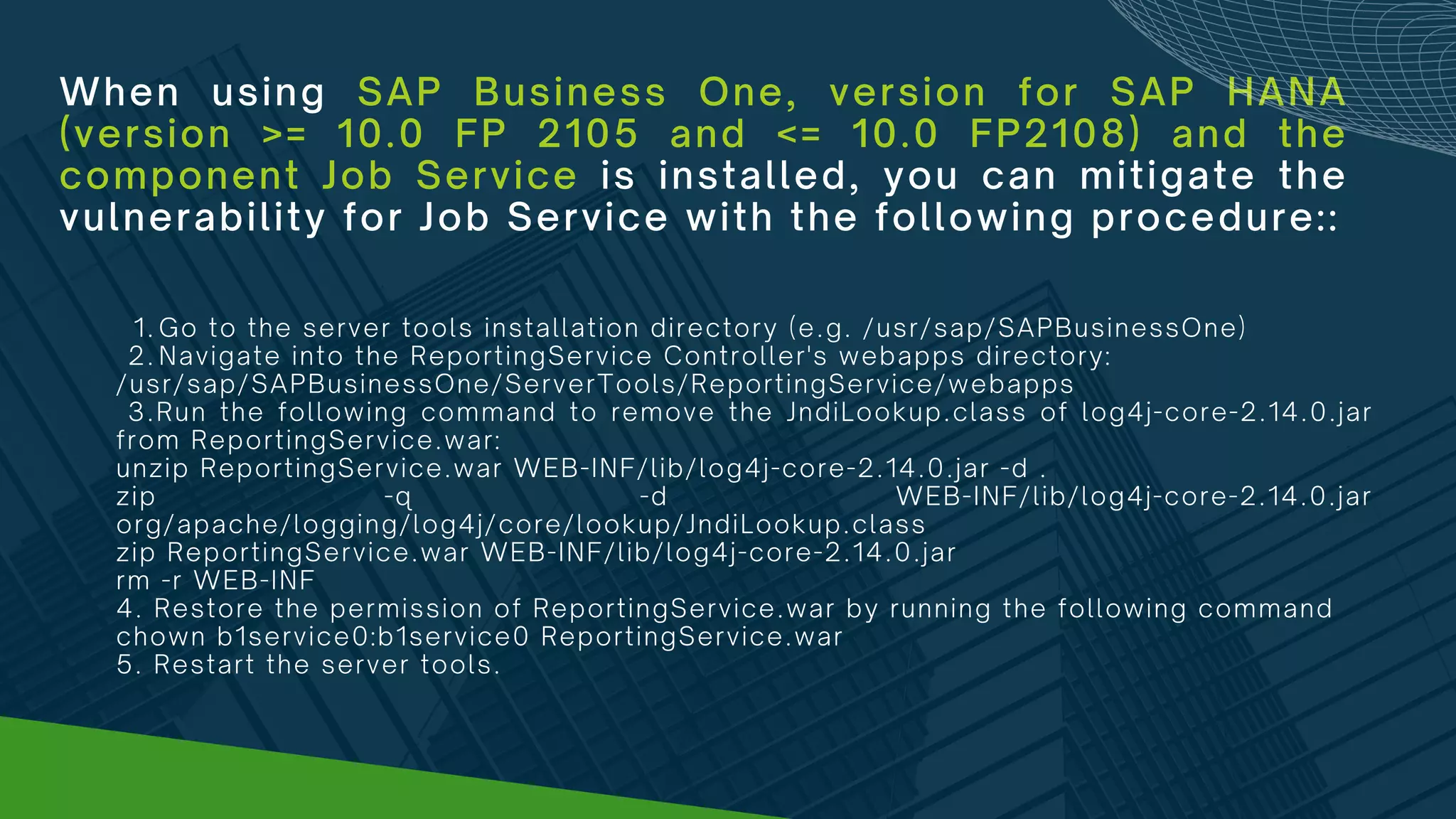
When using SAP Business One, version for SAP HANA
(version >= 10.0 FP 2105 and <= 10.0 FP2108) and the
component Job Service is installed, you can mitigate the
vulnerability for Job Service with the following procedure::
Go to the server tools installation directory (e.g. /usr/sap/SAPBusinessOne)
Navigate into the ReportingService Controller's webapps directory:
1.
2.
/usr/sap/SAPBusinessOne/ServerTools/ReportingService/webapps
3.Run the following command to remove the JndiLookup.class of log4j-core-2.14.0.jar
from ReportingService.war:
unzip ReportingService.war WEB-INF/lib/log4j-core-2.14.0.jar -d .
zip -q -d WEB-INF/lib/log4j-core-2.14.0.jar
org/apache/logging/log4j/core/lookup/JndiLookup.class
zip ReportingService.war WEB-INF/lib/log4j-core-2.14.0.jar
rm -r WEB-INF
4. Restore the permission of ReportingService.war by running the following command
chown b1service0:b1service0 ReportingService.war
5. Restart the server tools.
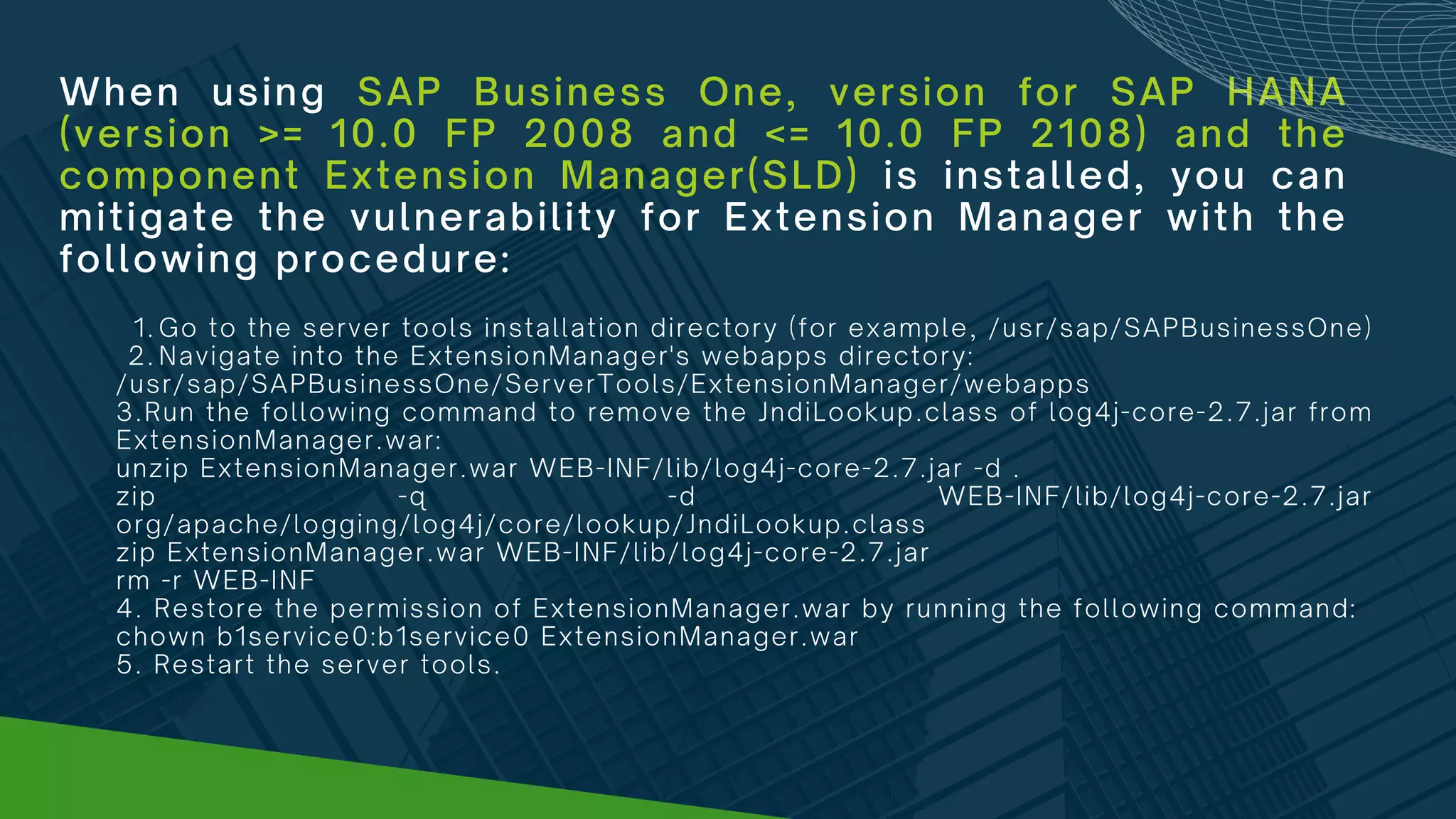
When using SAP Business One, version for SAP HANA
(version >= 10.0 FP 2008 and <= 10.0 FP 2108) and the
component Extension Manager(SLD) is installed, you can
mitigate the vulnerability for Extension Manager with the
following procedure:
Go to the server tools installation directory (for example, /usr/sap/SAPBusinessOne)
Navigate into the ExtensionManager's webapps directory:
1.
2.
/usr/sap/SAPBusinessOne/ServerTools/ExtensionManager/webapps
3.Run the following command to remove the JndiLookup.class of log4j-core-2.7.jar from
ExtensionManager.war:
unzip ExtensionManager.war WEB-INF/lib/log4j-core-2.7.jar -d .
zip -q -d WEB-INF/lib/log4j-core-2.7.jar
org/apache/logging/log4j/core/lookup/JndiLookup.class
zip ExtensionManager.war WEB-INF/lib/log4j-core-2.7.jar
rm -r WEB-INF
4. Restore the permission of ExtensionManager.war by running the following command:
chown b1service0:b1service0 ExtensionManager.war
5. Restart the server tools.
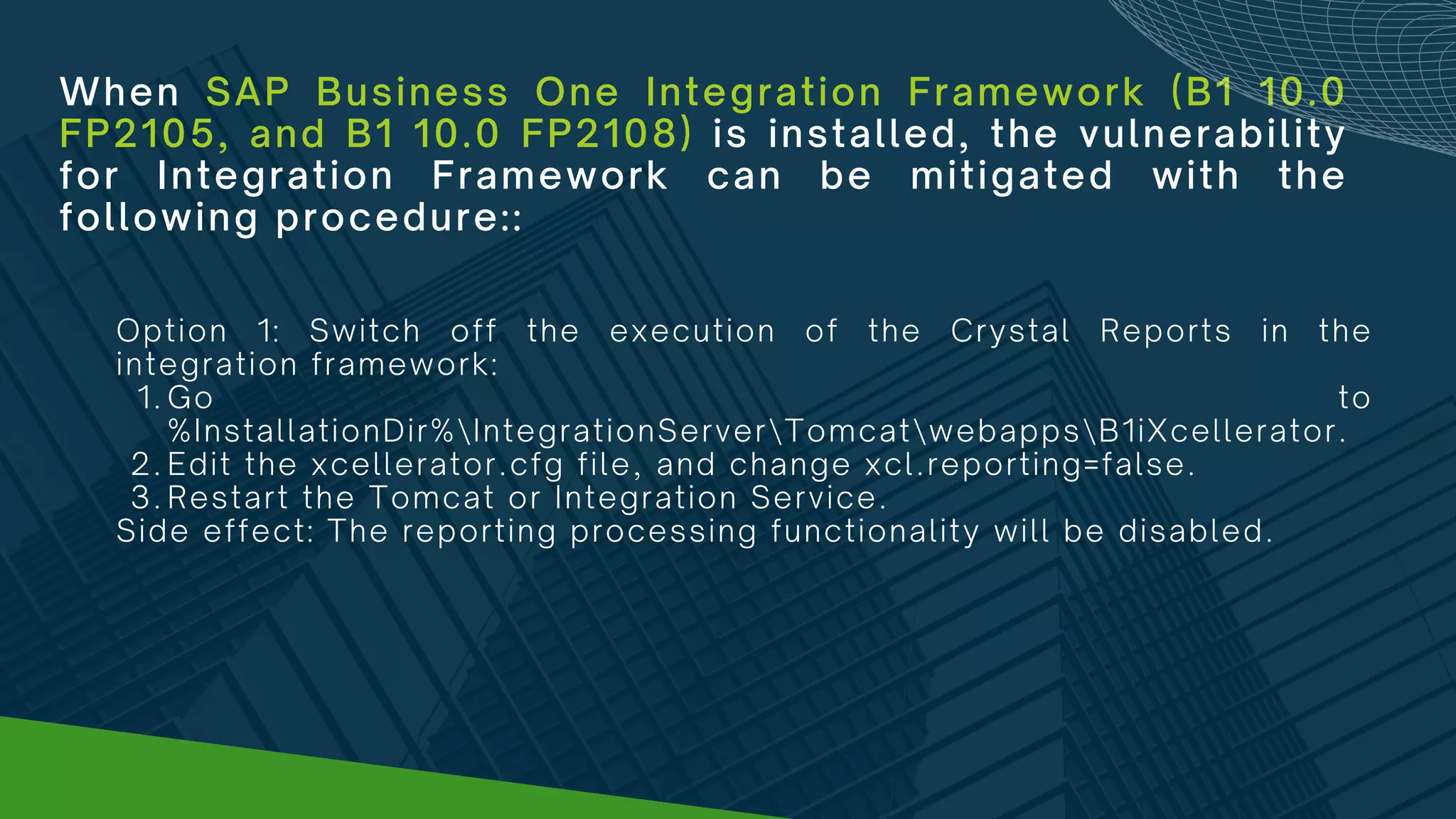
When SAP Business One Integration Framework (B1 10.0
FP2105, and B1 10.0 FP2108) is installed, the vulnerability
for Integration Framework can be mitigated with the
following procedure::
Go to
%InstallationDir%IntegrationServerTomcatwebappsB1iXcellerator.
Edit the xcellerator.cfg file, and change xcl.reporting=false.
Restart the Tomcat or Integration Service.
Option 1: Switch off the execution of the Crystal Reports in the
integration framework:
1.
2.
3.
Side effect: The reporting processing functionality will be disabled.
When SAP Business One Integration Framework (B1 10.0
FP2105, and B1 10.0 FP2108) is installed, the vulnerability
for Integration Framework can be mitigated with the
following procedure::
Copy %InstallationDir%IntegrationServerTomcatwebappsB1iXcelleratorWEB-
INFliblog4j-core.jar to a temp directory, named as %TempDir%
Use command line, and cd to temp dir %TempDir%
Run > jar -xvf log4j-core.jar and move the temp log4j-core.jar to another dir
Go %TempDir%orgapachelogginglog4jcorelookup and Delete JndiLookup.class
Use command line, and cd to %TempDir% again
Run > jar -cvf log4j-core.jar.
Stop B1i Tomcat / Integration Service
Copy the log4j-core.jar from temp dir and overwrite the jar file in
%InstallationDir%IntegrationServerTomcatwebappsB1iXcelleratorWEB-
INFliblog4j-core.jar
Restart B1i Tomcat / Integration Service
Option 2:
1.
2.
3.
4.
5.
6.
7.
8.
9.
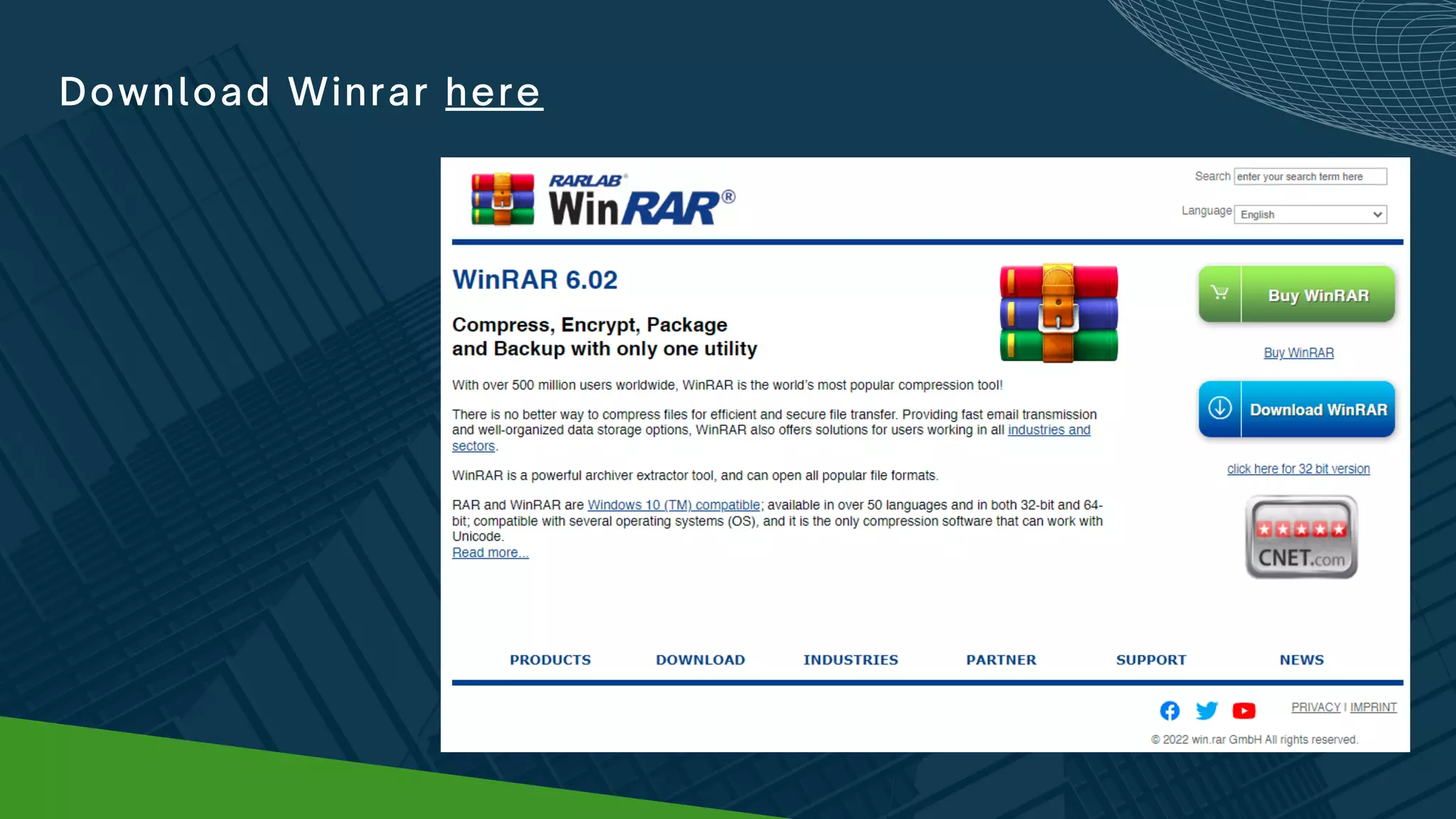
Download Winrar here

LOG4J VULNERABILITY SAP BUSINESS ONE IMPACT AND WORK AROUNDS

  • 1.
    ADVISORY ON LOG4JVULNERABILITY: IMPACTS AND WORK AROUNDS
  • 2.
    What is LOG4J Vulnerabilityand how does this impact you? Source: https://www.washingtonpost.com/technology/2021/12/20/log4j-hack-vulnerability-java/
  • 3.
    What is LOG4Jand where did it come from? Log4j is a chunk of code that helps software applications keep track of their past activities. Instead of reinventing a “logging” — or record- keeping — component each time developers build new software, they often use existing code like log4j instead. It’s free on the Internet and very widely used, appearing in a “big chunk” of Internet services, according to Asaf Ashkenazi, chief operating officer of security company Verimatrix.
  • 4.
    How was thevulnerability discovered? Each time log4j is asked to log something new, it tries to make sense of that new entry and add it to the record. A few weeks ago, the cybersecurity community realized that by simply asking the program to log a line of malicious code, it would execute that code in the process, effectively letting bad actors grab control of servers that are running log4j.
  • 5.
    Software bugs cropup all the time. Why is this one different? The fact that log4j is such a ubiquitous piece of software is what makes this such a big deal. Imagine if a common type of lock used by millions of people to keep their doors shut was suddenly discovered to be ineffective. Switching a single lock for a new one is easy, but finding all the millions of buildings that have that defective lock would take time and an immense amount of work.
  • 6.
    Why act urgentlyon this? Huge swaths of the computer code that modern life runs on use Java and contain log4j. Cloud storage companies such as Google, Amazon and Microsoft, which provide the digital backbone for millions of other apps, are affected. So are giant software sellers whose programs are used by millions, such as IBM, Oracle and Salesforce. Devices that connect to the Internet such as TVs and security cameras are at risk as well. Hackers who try to break into digital spaces to steal information or plant malicious software suddenly have a massive new opportunity to try to get into nearly anywhere they want.
  • 7.
  • 8.
    The following versionsand components are affected: SAP Business One or SAP Business One, version for SAP HANA (version >= 9.3 PL07 and <= 10.0 FP2108) and the component Workflow is installed SAP Business One (version >= 10.0 FP 2008 and <= 10.0 FP 2108) and the component License Server is installed SAP Business One (version >= 10.0 FP 2008 and <= 10.0 FP 2108) and the component Service Layer is installed SAP Business One (version >= 10.0 FP 2105 and <= 10.0 FP2108) and the component JobService is installed SAP Business One (version >= 10.0 FP 2008 and <= 10.0 FP 2108) and the component Extension Manager(SLD) is installed
  • 9.
    The following versionsand components are affected: SAP Business One, version for SAP HANA (version >= 10.0 FP 2008 and <= 10.0 FP 2108) and the component License Server is installed SAP Business One, version for SAP HANA (version >= 10.0 FP 2008 and <= 10.0 FP 2108) and the component Service Layer is installed SAP Business One, version for SAP HANA (version >= 10.0 FP 2105 and <= 10.0 FP2108) and the component Job Service is installed SAP Business One, version for SAP HANA (version >= 10.0 FP 2008 and <= 10.0 FP 2108)and the component Extension Manager(SLD) is installed SAP Business One Integration Framework (B1 10.0 FP2105, and B1 10.0 FP2108) is installed
  • 10.
  • 11.
    DISCLAIMER: Please assess theworkaround applicability for your SAP landscape prior to implementation. Note that this workaround is a temporary fix but not a permanent solution. The content of the workaround may be updated over time. We strongly recommend to regularly check with AGS for updates.
  • 12.
    When using SAPBusiness One or SAP Business One, version for SAP HANA (version >= 9.3 PL07 and <= 10.0 FP2108) and the component Workflow is installed, you can mitigate the vulnerability for Workflow with the following procedure: Open the package C:Program Files (x86)sapSAP Business One ServerToolsWorkflowworkflow-service.war in winrar. (Right click open in winrar.) Traverse to WEB-INFliblog4j-core-2.13.3.jar and remove the JndiLookup class from the classpath:org/apache/logging/log4j/core/lookup/JndiLookup.class. For version >= 9.3 PL07 and < 10.0 FP2008, traverse to WEB- INFliblog4j-core-2.11.1.jar, and do the operation. Accept the update archive. Restart the SAP Business One Workflow Engine from the windows services. 1. 2. 3. 4.
  • 13.
    When using SAPBusiness One (version >= 10.0 FP 2008 and <= 10.0 FP 2108) and the component License Server is installed, you can mitigate the vulnerability for License Server with the following procedure: Open the package C:Program Files (x86)SAPSAP Business One ServerToolsLicenseHTTPSwebappsLicenseControlCenter.war in winrar. (Right click LicenseControlCenter.war and open it with winrar). Traverse to WEB-INFliblog4j-core-2.7.jar and remove the JndiLookup class from the classpath:org/apache/logging/log4j/core/lookup/JndiLookup.class. Accept the update archive. Restart the SAP Business One Server Tools Service from the windows services. 1. 2. 3. 4.
  • 14.
    When using SAPBusiness One (version >= 10.0 FP 2008 and <= 10.0 FP 2108) and the component Service Layer is installed, you can mitigate the vulnerability for Service Layer with the following procedure: Go to the 64-bit Server Tools installation folder (for example, C:Program FilesSAPSAP Business One ServerTools). Navigate into the ServiceLayerController webapp folder: .ServiceLayerServiceLayerControllerwebapps Right click the ServiceLayerController.war and open it with winrar. Traverse to WEB-INFliblog4j-core-2.7.jar, double-click it and you will see the folder structure of log4j-core-2.7.jar. Find the file JndiLookup.class from the class path: org/apache/logging/log4j/core/lookup and delete this file. Accept the updated archive. Restart the 64-bit SAP Business One Server Tools Service from the windows services. 1. 2. 3. 4. 5. 6. 7.
  • 15.
    When using SAPBusiness One (version >= 10.0 FP 2105 and <= 10.0 FP2108) and the component Job Service is installed, you can mitigate the vulnerability for Job Service with the following procedure: Open the package C:Program Files (x86)SAPSAP Business One ServerToolsReportingServicewebappsReportingService.war in winrar. (Right click open in winrar.) Traverse to WEB-INFliblog4j-core-2.14.0.jar and remove the JndiLookup class from the classpath:org/apache/logging/log4j/core/lookup/JndiLookup.class Accept the update archive. Restart the SAP Business One Server Tools Service from the windows services. 1. 2. 3. 4.
  • 16.
    When using SAPBusiness One (version >= 10.0 FP 2008 and <= 10.0 FP 2108) and the component Extension Manager(SLD) is installed, you can mitigate the vulnerability for Extension Manager with the following procedure: Open the package C:Program Files (x86)SAPSAP Business One ServerToolsExtensionManagerwebappsExtensionManager.war in winrar. (Right click ExtensionManager.war and open it in winrar.) Traverse to WEB-INFliblog4j-core-2.7.jar and remove the JndiLookup class from the classpath:org/apache/logging/log4j/core/lookup/JndiLookup.class. Accept the update archive. Restart the SAP Business One Server Tools Service from the windows services. 1. 2. 3. 4.
  • 17.
    When using SAPBusiness One, version for SAP HANA (version >= 10.0 FP 2008 and <= 10.0 FP 2108) and the component License Server is installed, you can mitigate the vulnerability for License Server with the following procedure: Go to the server tools installation directory (for example, /usr/sap/SAPBusinessOne) Navigate into the License’s webapps directory: 1. 2. /usr/sap/SAPBusinessOne/ServerTools/License/webapps 3. Run the following command to remove the JndiLookup.class of log4j-core-2.7.jar from LicenseControlCenter.war: unzip LicenseControlCenter.war WEB-INF/lib/log4j-core-2.7.jar -d . zip -q -d WEB-INF/lib/log4j-core-2.7.jar org/apache/logging/log4j/core/lookup/JndiLookup.class zip LicenseControlCenter.war WEB-INF/lib/log4j-core-2.7.jar rm -r WEB-INF 4. Restore the permission of LicenseControlCenter.war by running the following command: chown b1service0:b1service0 LicenseControlCenter.war 5.Restart the server tools.
  • 18.
    When using SAPBusiness One, version for SAP HANA (version >= 10.0 FP 2008 and <= 10.0 FP 2108) and the component Service Layer is installed, you can mitigate the vulnerability for Service Layer with the following procedure: Go to the server tools installation directory (for example, /usr/sap/SAPBusinessOne) Navigate into the ServiceLayer Controller's webapps directory: 1. 2. /usr/sap/SAPBusinessOne/ServiceLayer/ServiceLayerController/webapps 3.Run the following command to remove the JndiLookup.class of log4j-core-2.7.jar from ServiceLayerController.war: unzip ServiceLayerController.war WEB-INF/lib/log4j-core-2.7.jar -d . zip -q -d WEB-INF/lib/log4j-core-2.7.jar org/apache/logging/log4j/core/lookup/JndiLookup.class zip ServiceLayerController.war WEB-INF/lib/log4j-core-2.7.jar rm -r WEB-INF 4. Restore the permission of ServiceLayerController.war by running the following command: chown b1service0:b1service0 ServiceLayerController.war 5. Restart the server tools.
  • 19.
    When using SAPBusiness One, version for SAP HANA (version >= 10.0 FP 2105 and <= 10.0 FP2108) and the component Job Service is installed, you can mitigate the vulnerability for Job Service with the following procedure:: Go to the server tools installation directory (e.g. /usr/sap/SAPBusinessOne) Navigate into the ReportingService Controller's webapps directory: 1. 2. /usr/sap/SAPBusinessOne/ServerTools/ReportingService/webapps 3.Run the following command to remove the JndiLookup.class of log4j-core-2.14.0.jar from ReportingService.war: unzip ReportingService.war WEB-INF/lib/log4j-core-2.14.0.jar -d . zip -q -d WEB-INF/lib/log4j-core-2.14.0.jar org/apache/logging/log4j/core/lookup/JndiLookup.class zip ReportingService.war WEB-INF/lib/log4j-core-2.14.0.jar rm -r WEB-INF 4. Restore the permission of ReportingService.war by running the following command chown b1service0:b1service0 ReportingService.war 5. Restart the server tools.
  • 20.
    When using SAPBusiness One, version for SAP HANA (version >= 10.0 FP 2008 and <= 10.0 FP 2108) and the component Extension Manager(SLD) is installed, you can mitigate the vulnerability for Extension Manager with the following procedure: Go to the server tools installation directory (for example, /usr/sap/SAPBusinessOne) Navigate into the ExtensionManager's webapps directory: 1. 2. /usr/sap/SAPBusinessOne/ServerTools/ExtensionManager/webapps 3.Run the following command to remove the JndiLookup.class of log4j-core-2.7.jar from ExtensionManager.war: unzip ExtensionManager.war WEB-INF/lib/log4j-core-2.7.jar -d . zip -q -d WEB-INF/lib/log4j-core-2.7.jar org/apache/logging/log4j/core/lookup/JndiLookup.class zip ExtensionManager.war WEB-INF/lib/log4j-core-2.7.jar rm -r WEB-INF 4. Restore the permission of ExtensionManager.war by running the following command: chown b1service0:b1service0 ExtensionManager.war 5. Restart the server tools.
  • 21.
    When SAP BusinessOne Integration Framework (B1 10.0 FP2105, and B1 10.0 FP2108) is installed, the vulnerability for Integration Framework can be mitigated with the following procedure:: Go to %InstallationDir%IntegrationServerTomcatwebappsB1iXcellerator. Edit the xcellerator.cfg file, and change xcl.reporting=false. Restart the Tomcat or Integration Service. Option 1: Switch off the execution of the Crystal Reports in the integration framework: 1. 2. 3. Side effect: The reporting processing functionality will be disabled.
  • 22.
    When SAP BusinessOne Integration Framework (B1 10.0 FP2105, and B1 10.0 FP2108) is installed, the vulnerability for Integration Framework can be mitigated with the following procedure:: Copy %InstallationDir%IntegrationServerTomcatwebappsB1iXcelleratorWEB- INFliblog4j-core.jar to a temp directory, named as %TempDir% Use command line, and cd to temp dir %TempDir% Run > jar -xvf log4j-core.jar and move the temp log4j-core.jar to another dir Go %TempDir%orgapachelogginglog4jcorelookup and Delete JndiLookup.class Use command line, and cd to %TempDir% again Run > jar -cvf log4j-core.jar. Stop B1i Tomcat / Integration Service Copy the log4j-core.jar from temp dir and overwrite the jar file in %InstallationDir%IntegrationServerTomcatwebappsB1iXcelleratorWEB- INFliblog4j-core.jar Restart B1i Tomcat / Integration Service Option 2: 1. 2. 3. 4. 5. 6. 7. 8. 9.
  • 23.