IO Java
CST200 – Week 1: Basic Reading and Writing in
Java
Instructor: Andreea Molnar
Outline
• Aims
• Writing to the display
• Reading from the keyboard
Introduction
• Input/Ouput (IO) operations in Java are
more complex than described here.
• You will need the information presented
here to complete your assignments and
for the exams
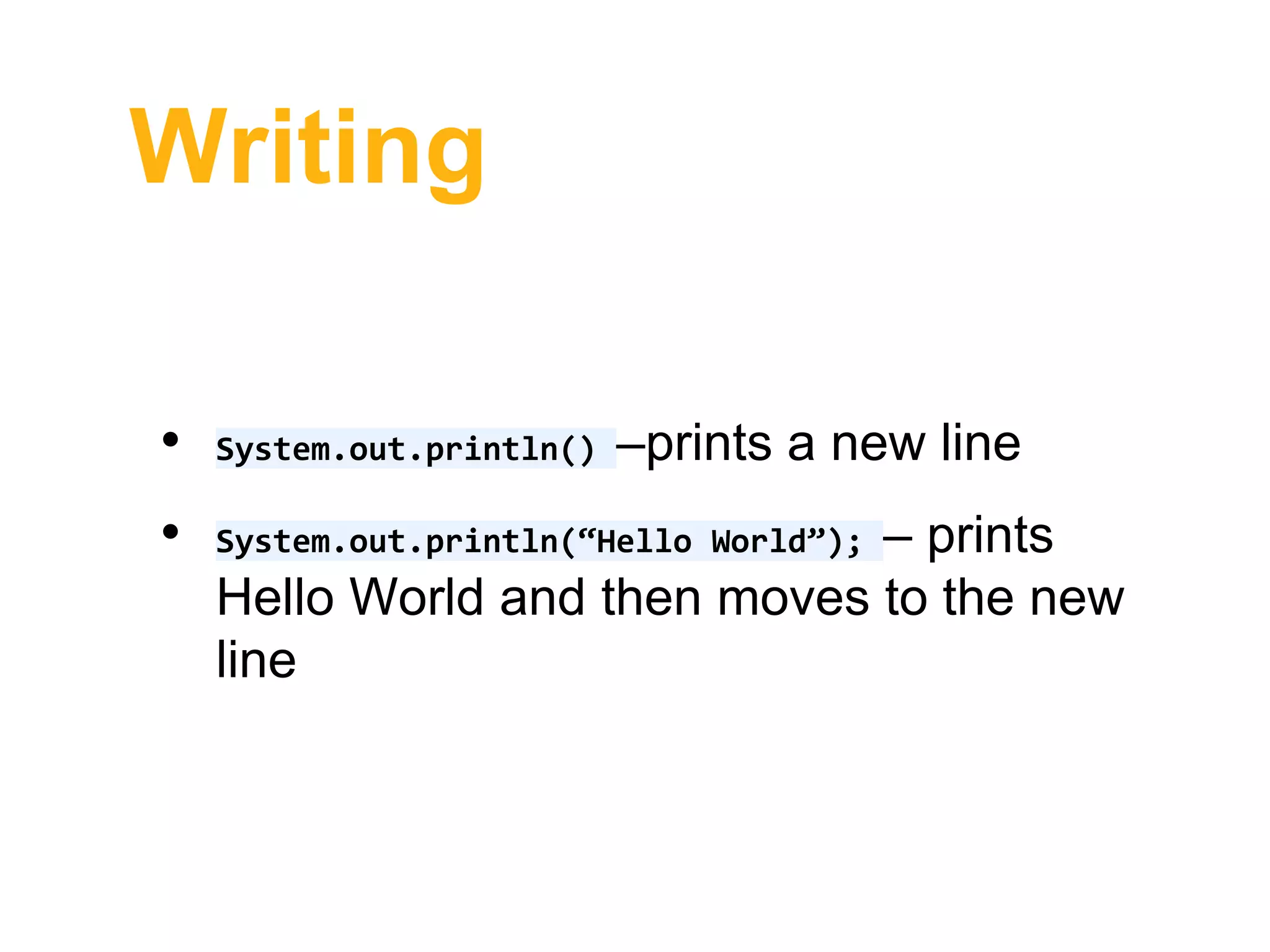
Writing
• System.out.println() –prints a new line
• System.out.println(“Hello World”); – prints
Hello World and then moves to the new
line
Writing
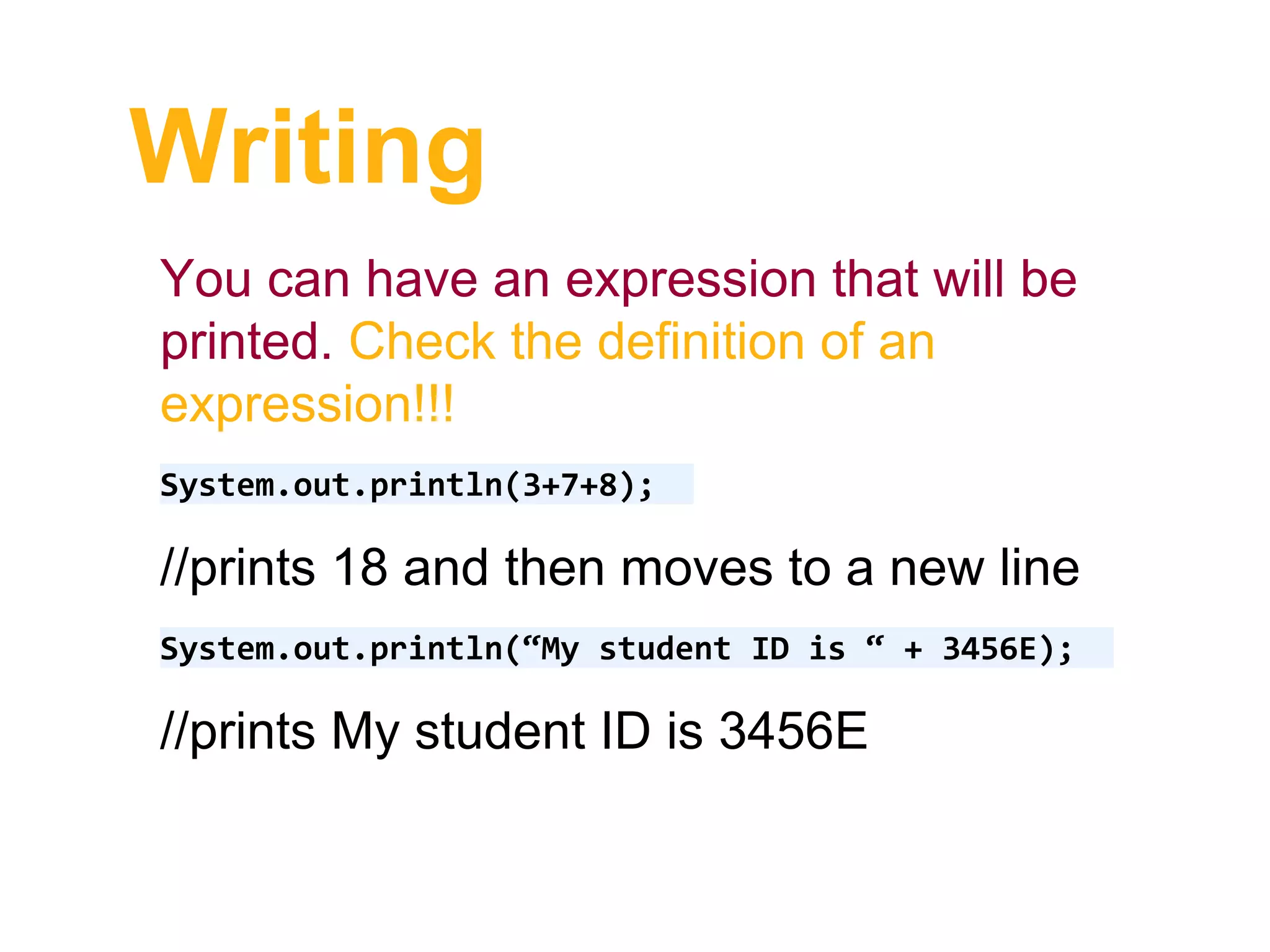
You can have an expression that will be
printed. Check the definition of an
expression!!!
System.out.println(3+7+8);
//prints 18 and then moves to a new line
System.out.println(“My student ID is “ + 3456E);
//prints My student ID is 3456E
Writing
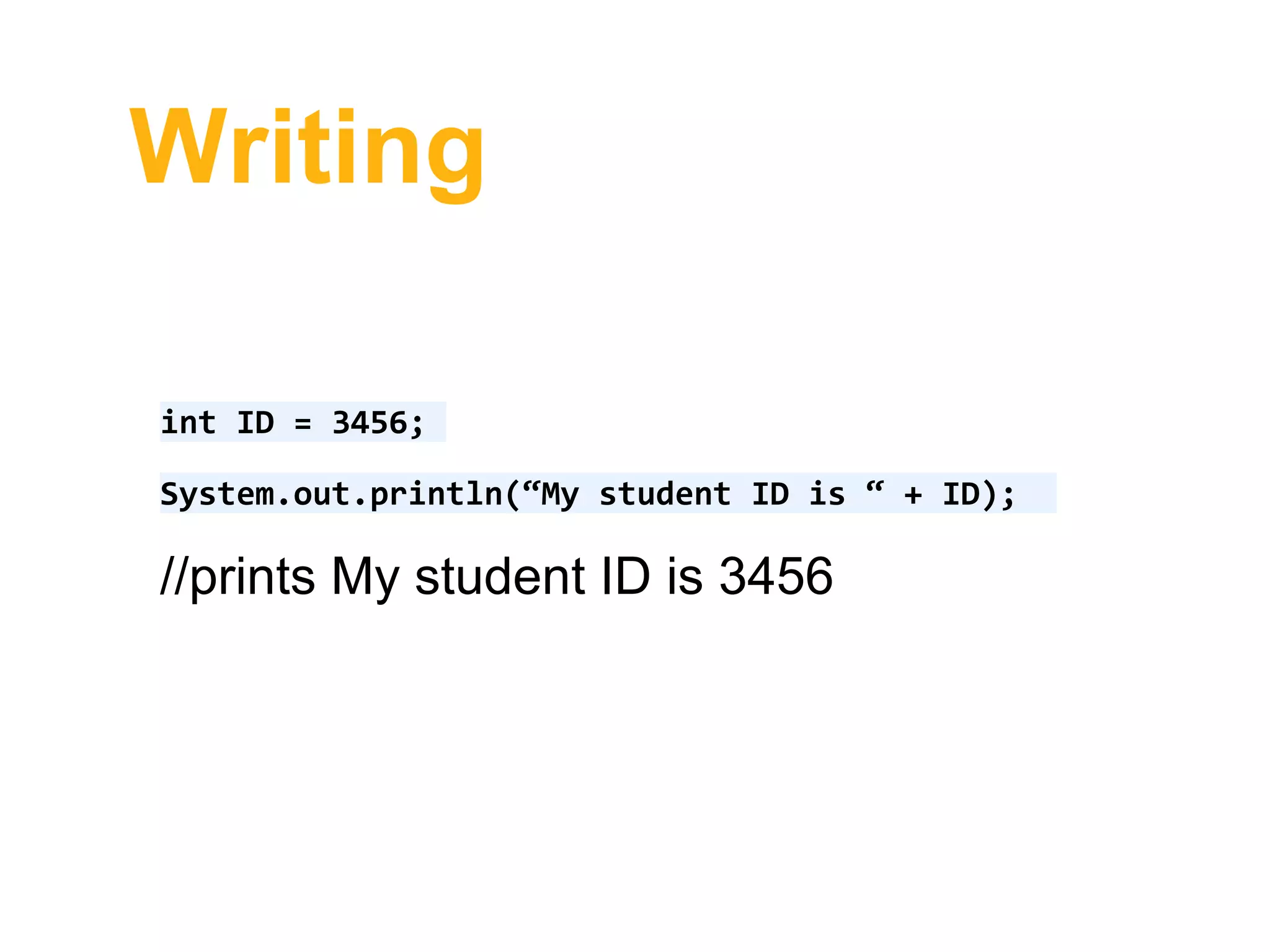
int ID = 3456;
System.out.println(“My student ID is “ + ID);
//prints My student ID is 3456
Writing
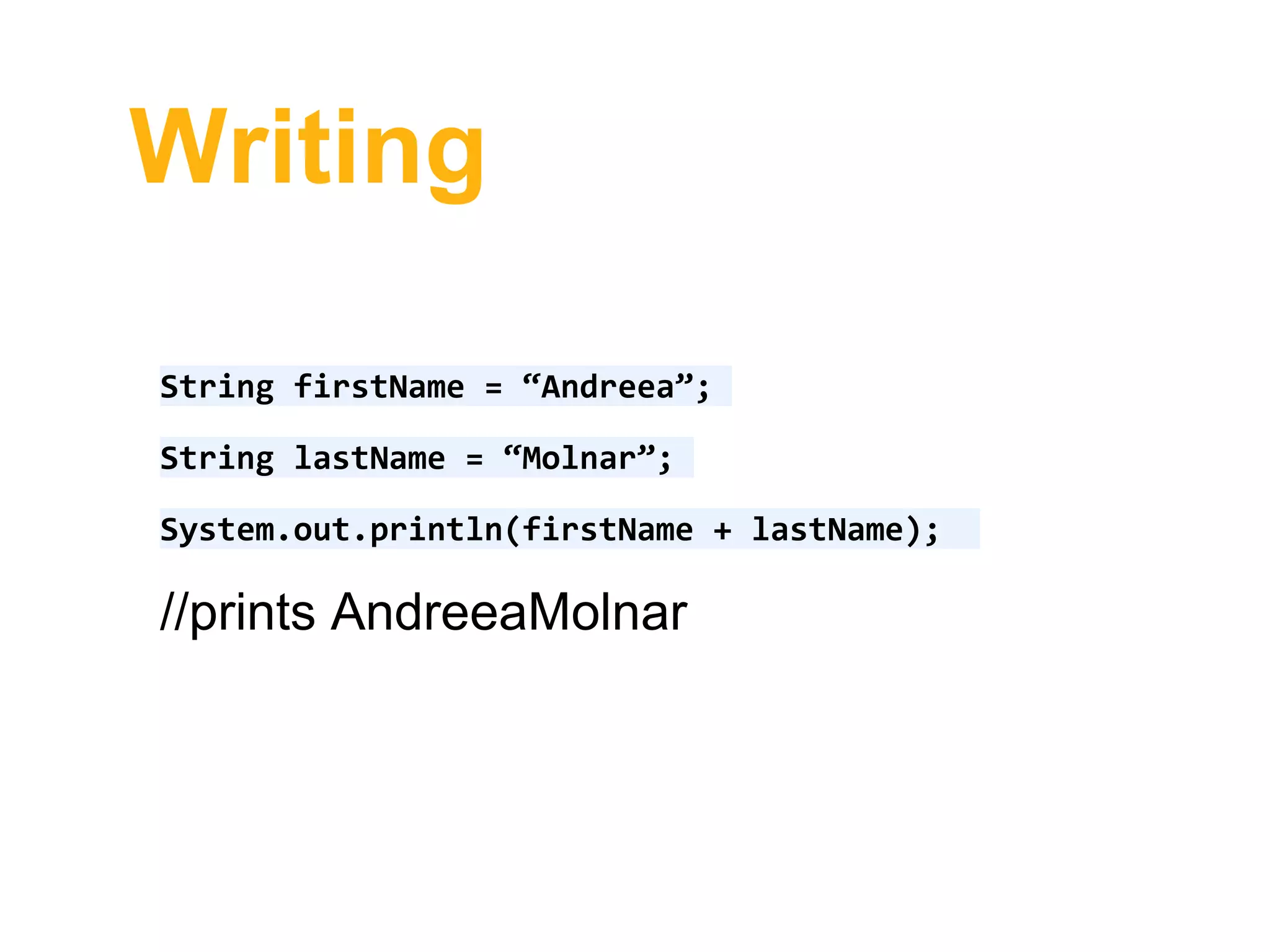
String firstName = “Andreea”;
String lastName = “Molnar”;
System.out.println(firstName + lastName);
//prints AndreeaMolnar
Writing
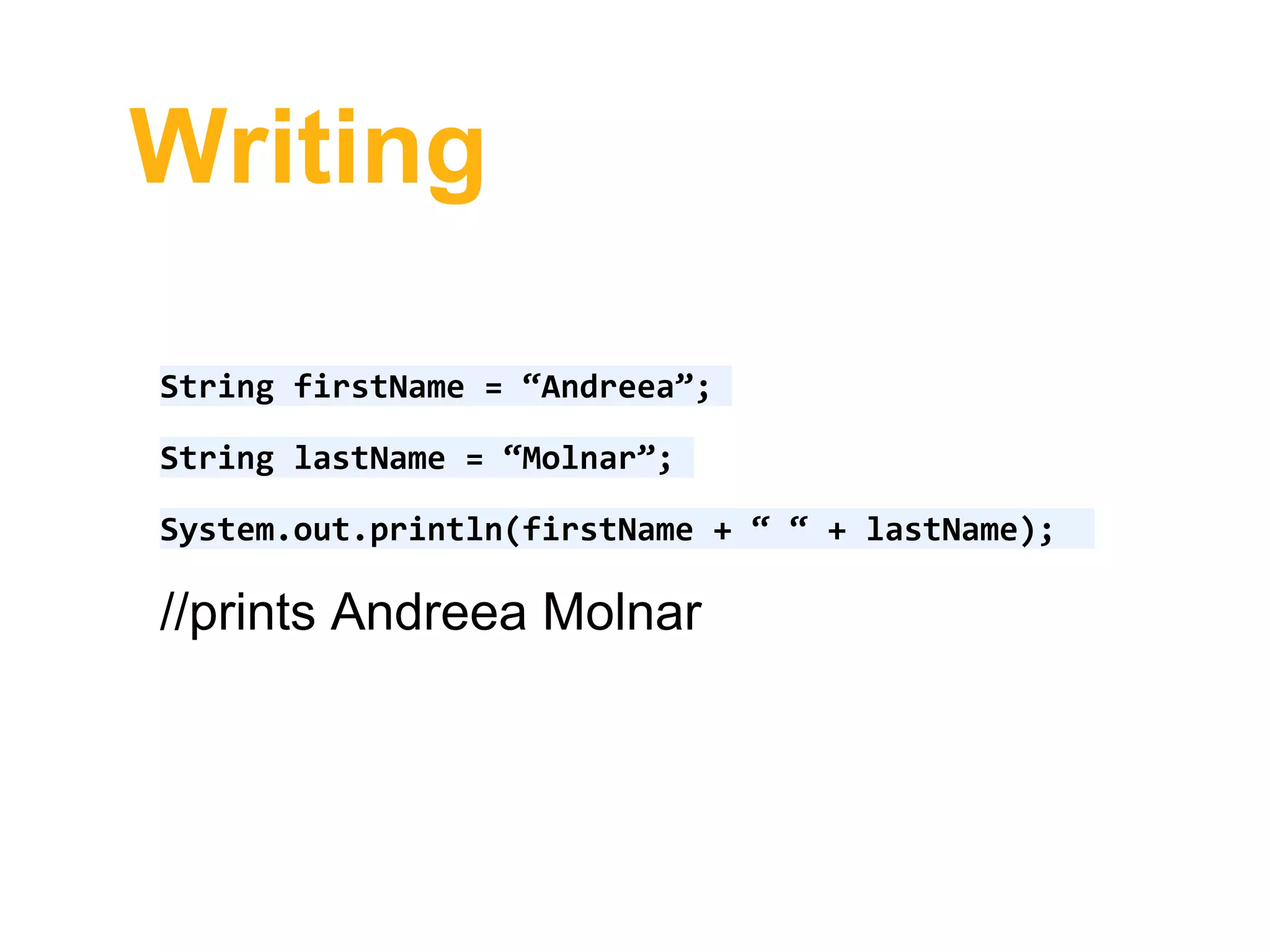
String firstName = “Andreea”;
String lastName = “Molnar”;
System.out.println(firstName + “ “ + lastName);
//prints Andreea Molnar
Writing
String firstName = “Andreea”;
String lastName = “Molnar”;
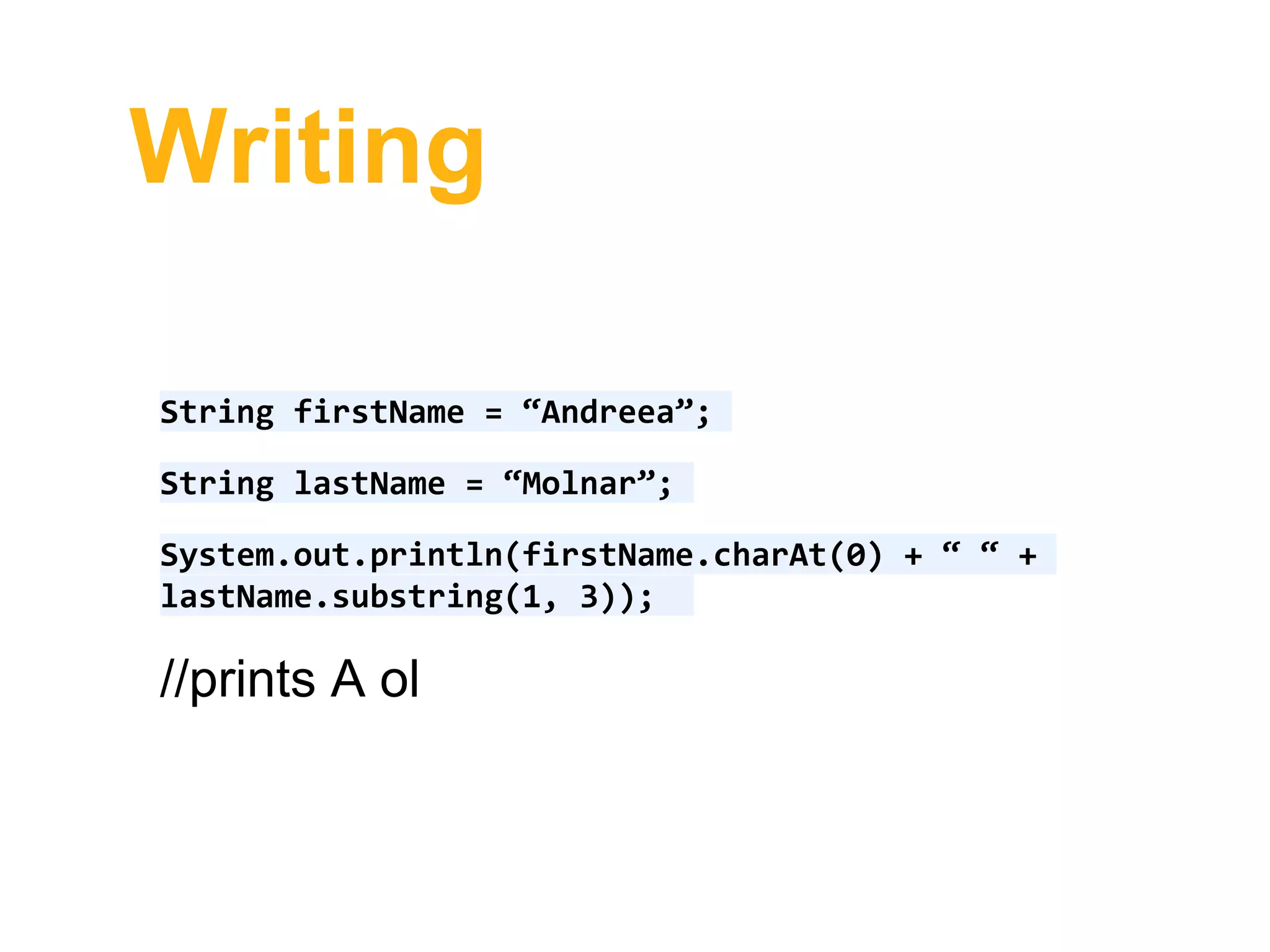
System.out.println(firstName.charAt(0) + “ “ +
lastName.substring(1, 3));
//prints A ol
Writing
String firstName = “Andreea”;
String lastName = “Molnar”;
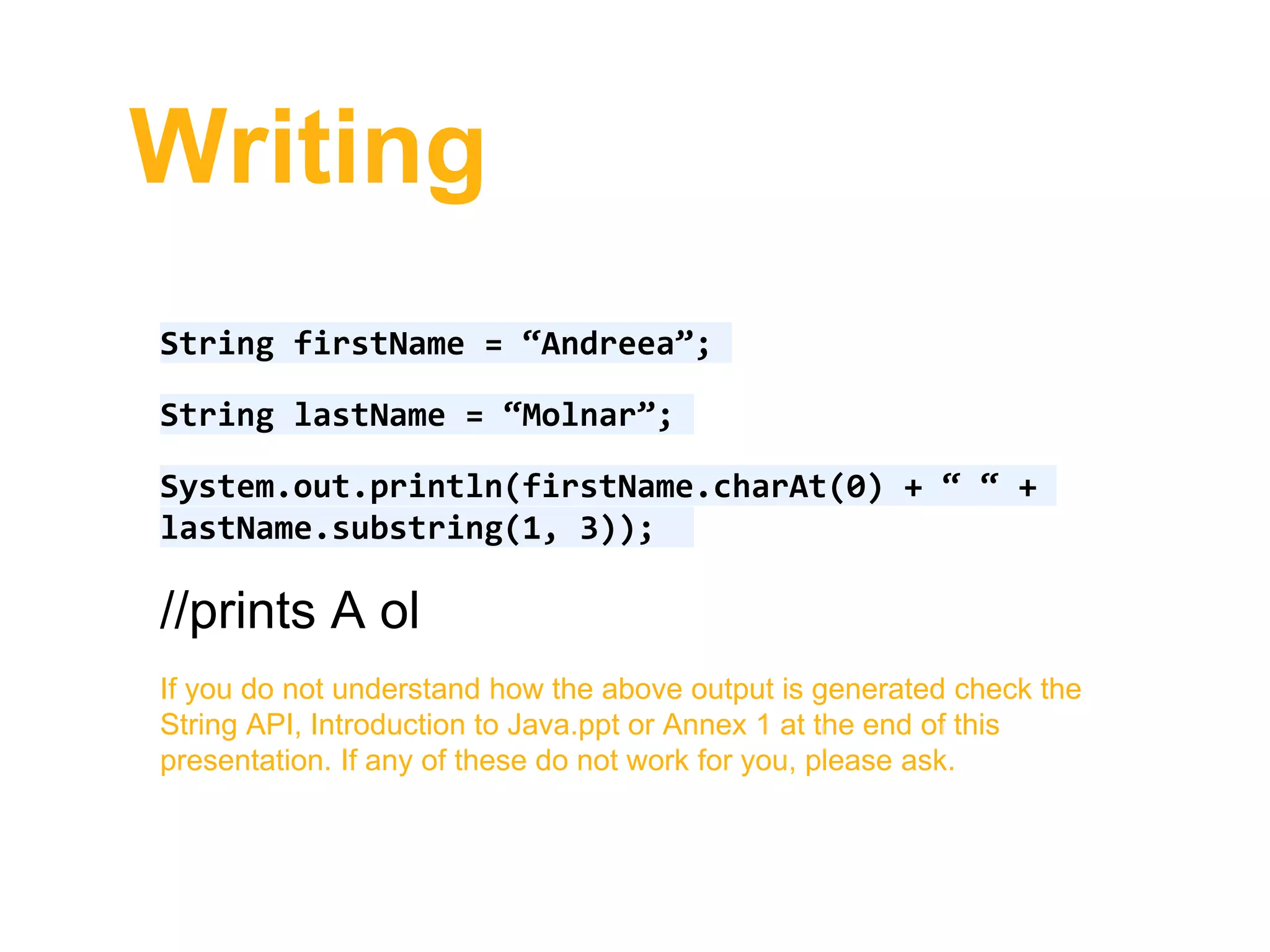
System.out.println(firstName.charAt(0) + “ “ +
lastName.substring(1, 3));
//prints A ol
If you do not understand how the above output is generated check the
String API, Introduction to Java.ppt or Annex 1 at the end of this
presentation. If any of these do not work for you, please ask.
Writing
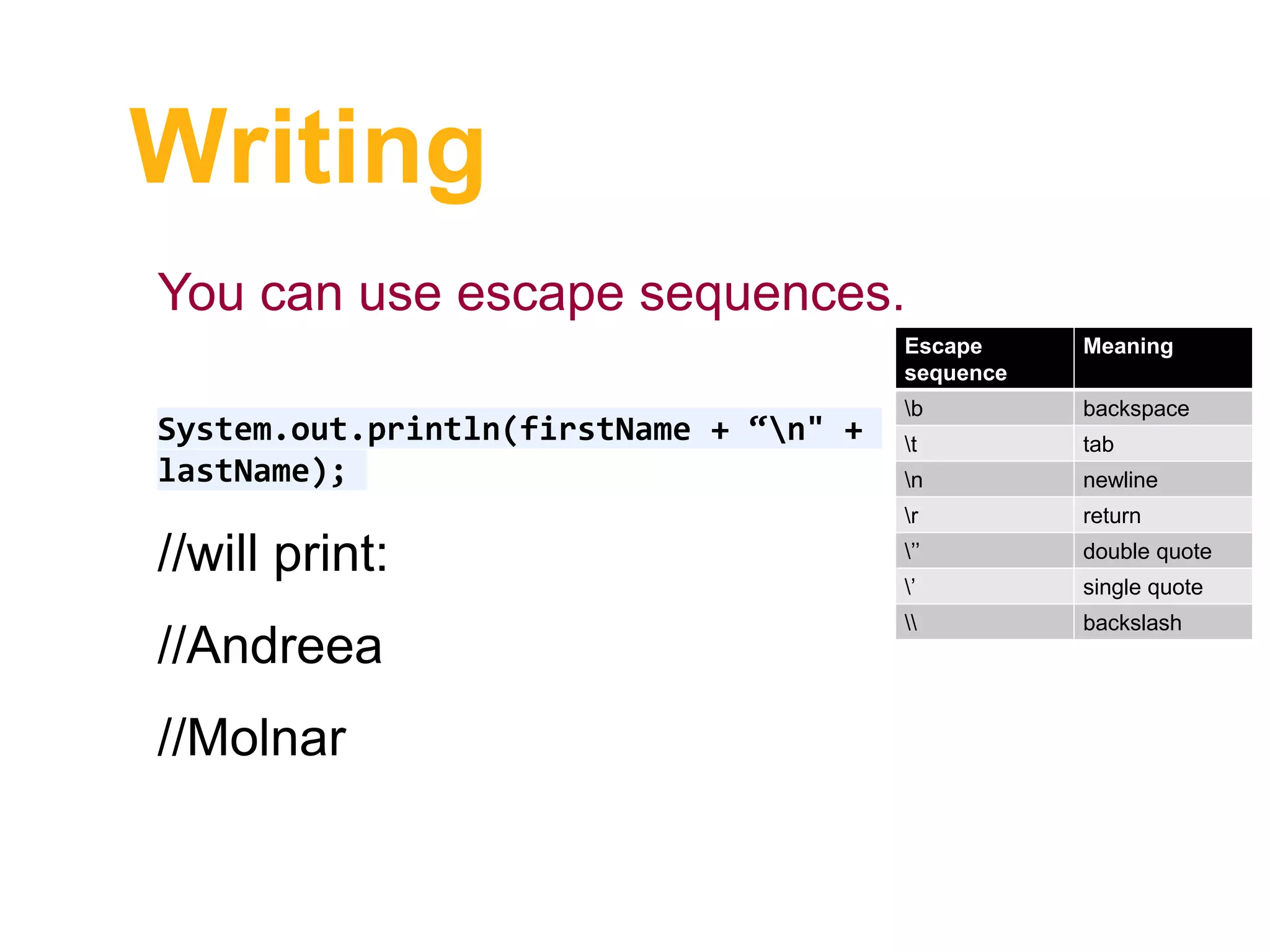
System.out.println(firstName + “n" +
lastName);
//will print:
//Andreea
//Molnar
Escape
sequence
Meaning
b backspace
t tab
n newline
r return
’’ double quote
’ single quote
 backslash
You can use escape sequences.
Writing
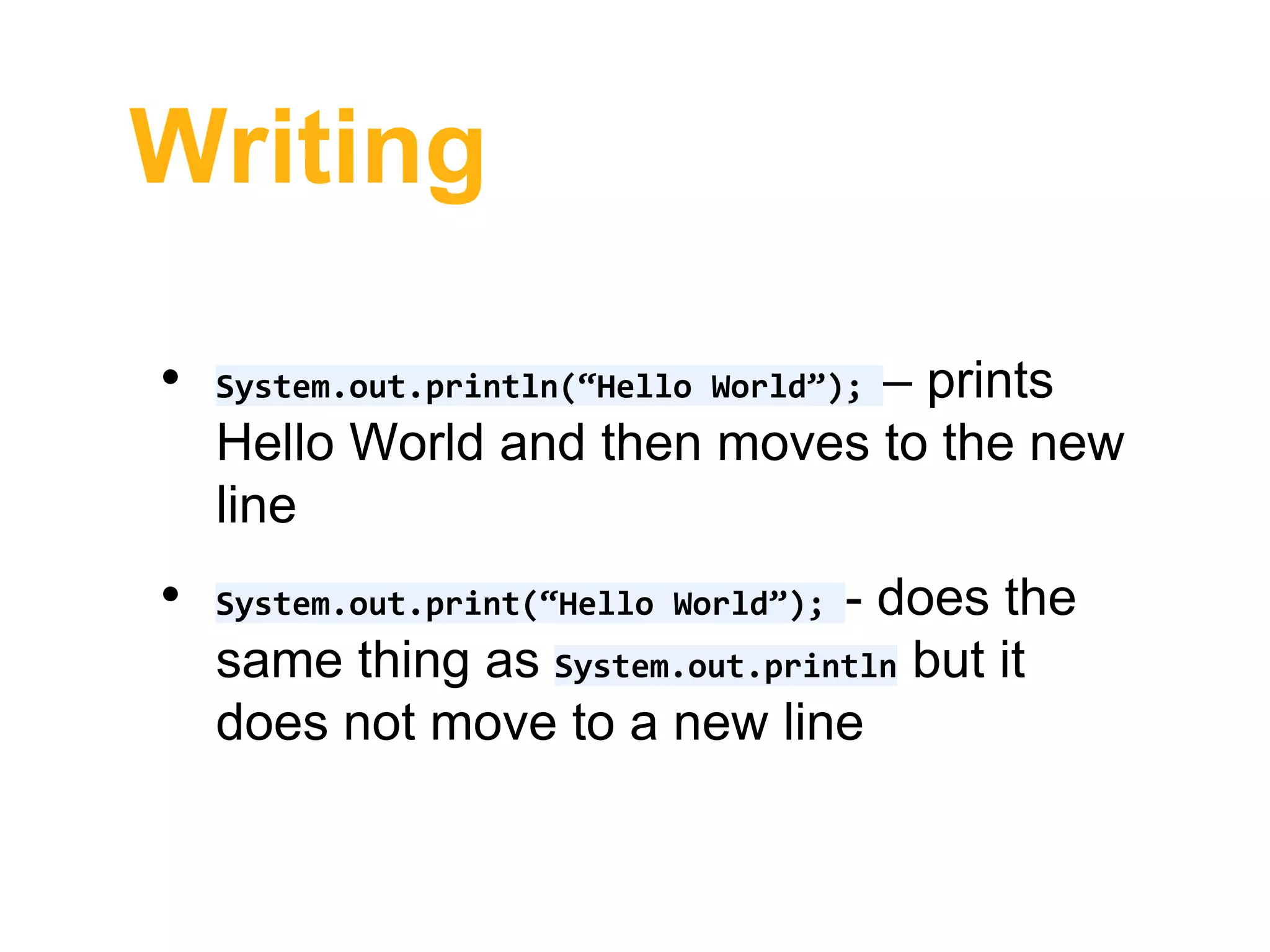
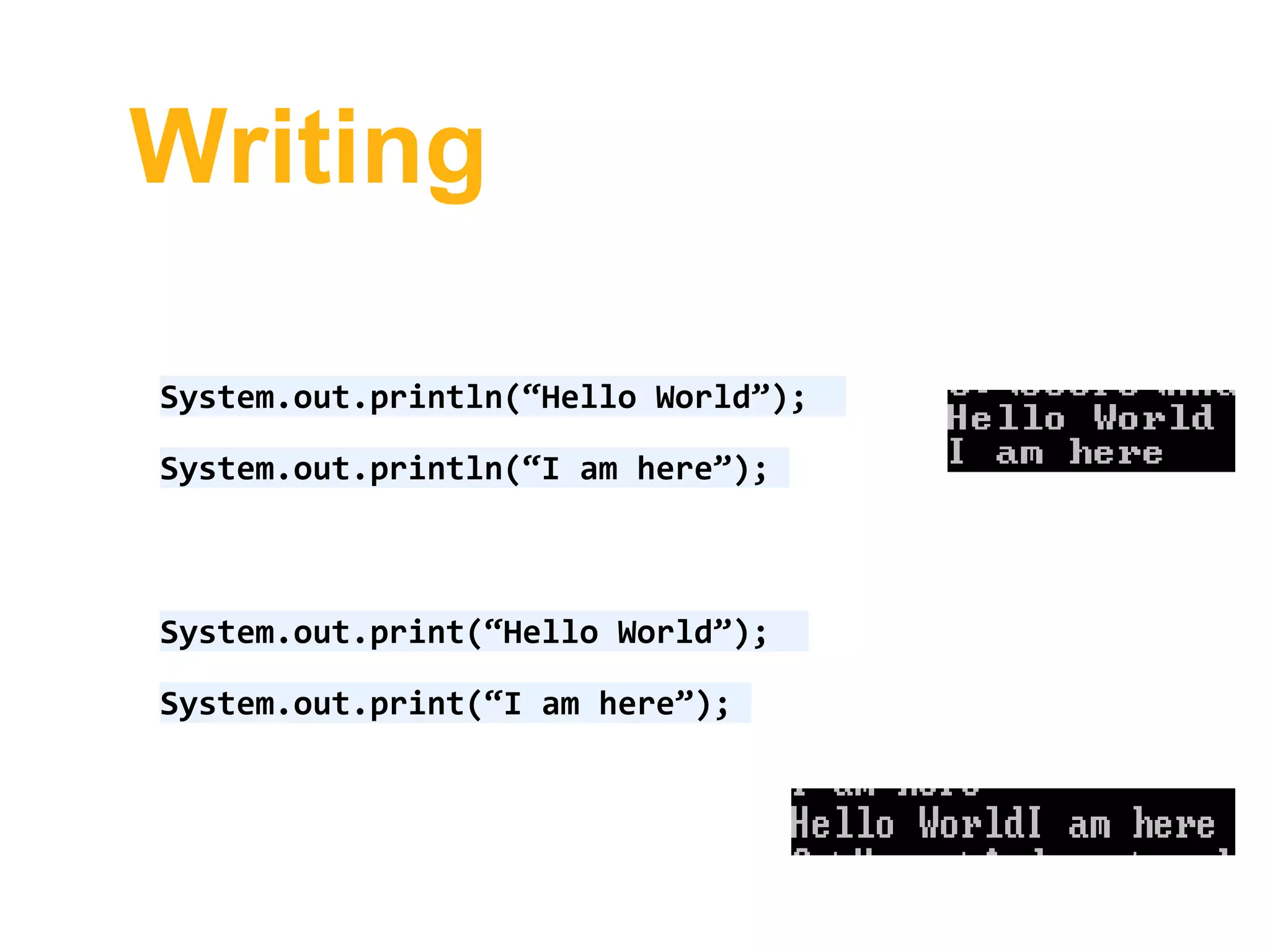
• System.out.println(“Hello World”); – prints
Hello World and then moves to the new
line
• System.out.print(“Hello World”); - does the
same thing as System.out.println but it
does not move to a new line
Writing
System.out.println(“Hello World”);
System.out.println(“I am here”);
System.out.print(“Hello World”);
System.out.print(“I am here”);
Reading
This section will provide you with an
example on how to read from the
keyboard using BufferedReader.
You should find the code used attached
under this presentation.
Reading
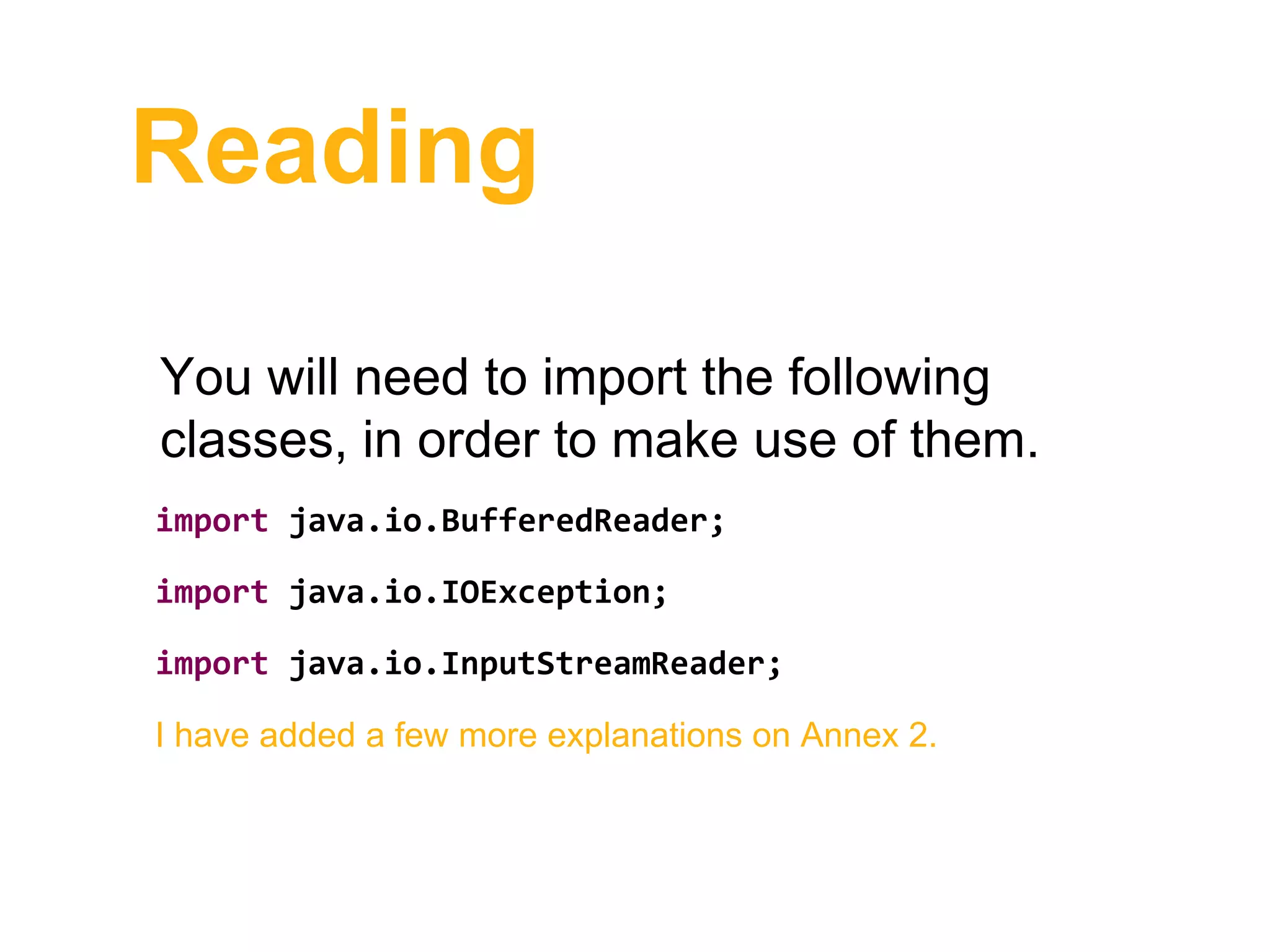
You will need to import the following
classes, in order to make use of them.
import java.io.BufferedReader;
import java.io.IOException;
import java.io.InputStreamReader;
I have added a few more explanations on Annex 2.
Reading
Change the main method to throw an
exception:
public static void main(String[] args) throws
IOException {
}
Exception handling is also not covered by this course. You can
find more details at: http://math.hws.edu/javanotes/c3/s7.html
Reading
Change the main method to throw an
exception:
public static void main(String[] args) throws
IOException {
}
Exception handling are also not covered by this course.
Reading
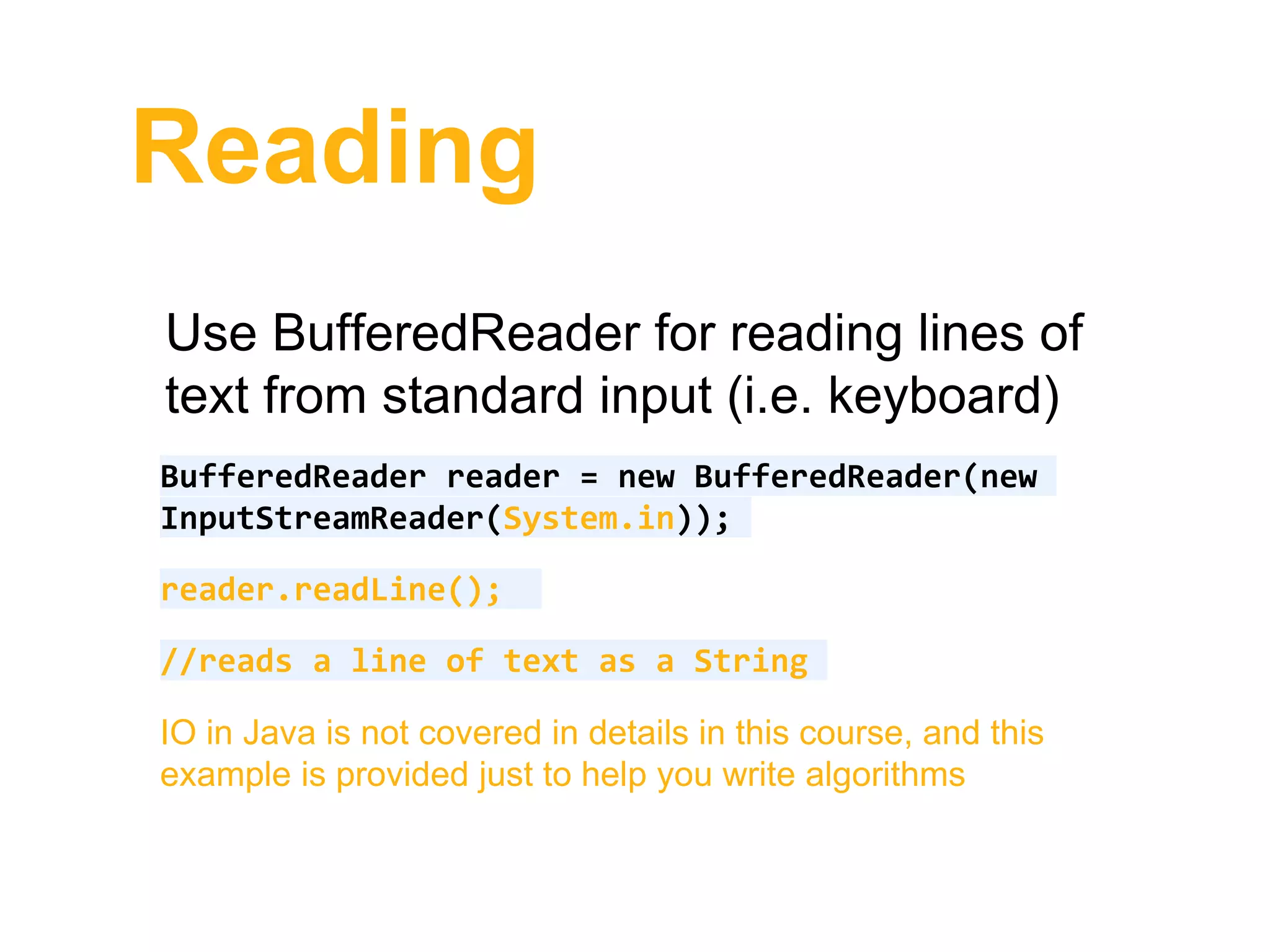
Use BufferedReader for reading lines of
text from standard input (i.e. keyboard)
BufferedReader reader = new BufferedReader(new
InputStreamReader(System.in));
reader.readLine();
//reads a line of text as a String
IO in Java is not covered in details in this course, and this
example is provided just to help you write algorithms
Reading
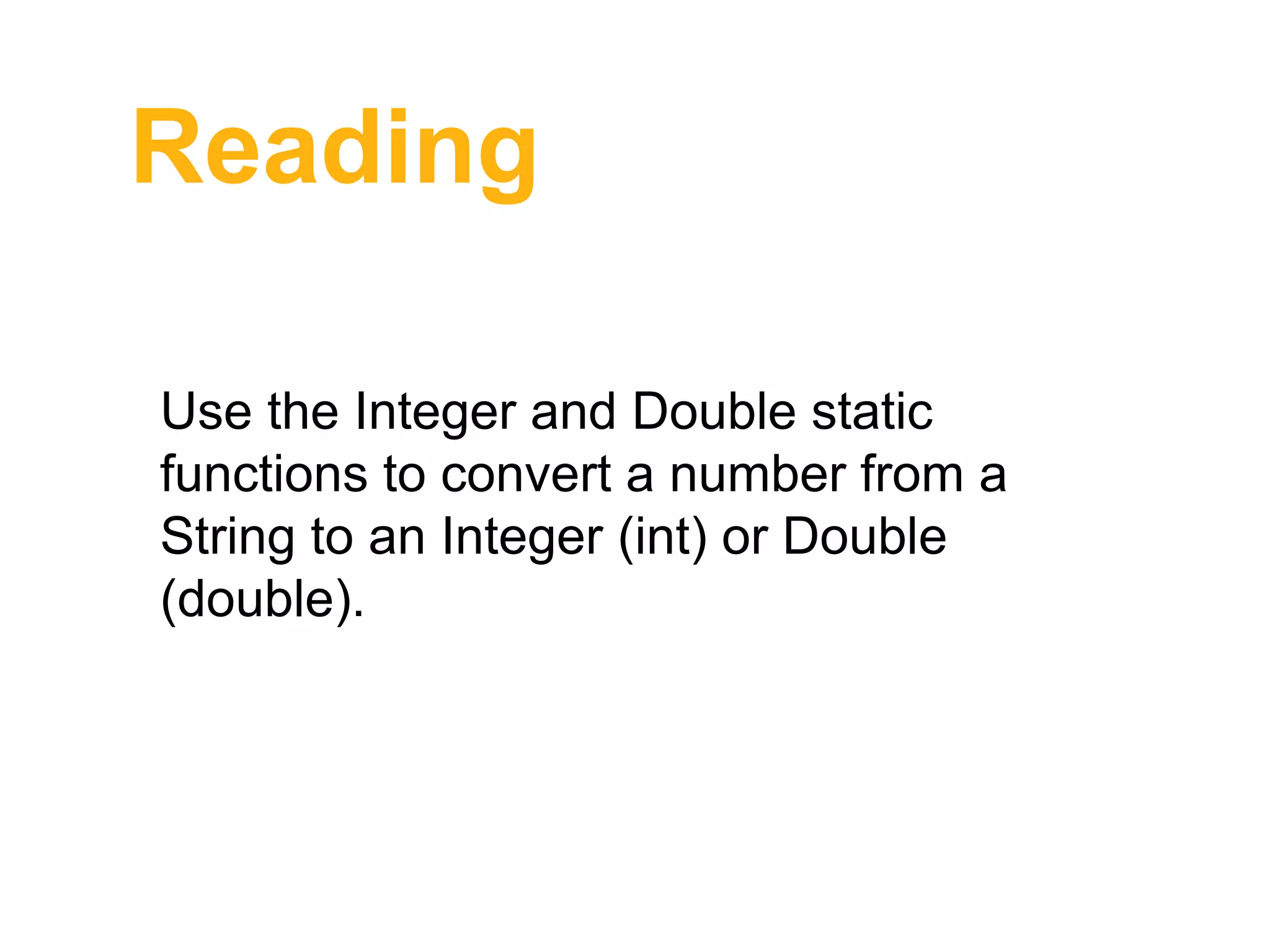
Use the Integer and Double static
functions to convert a number from a
String to an Integer (int) or Double
(double).
Reading
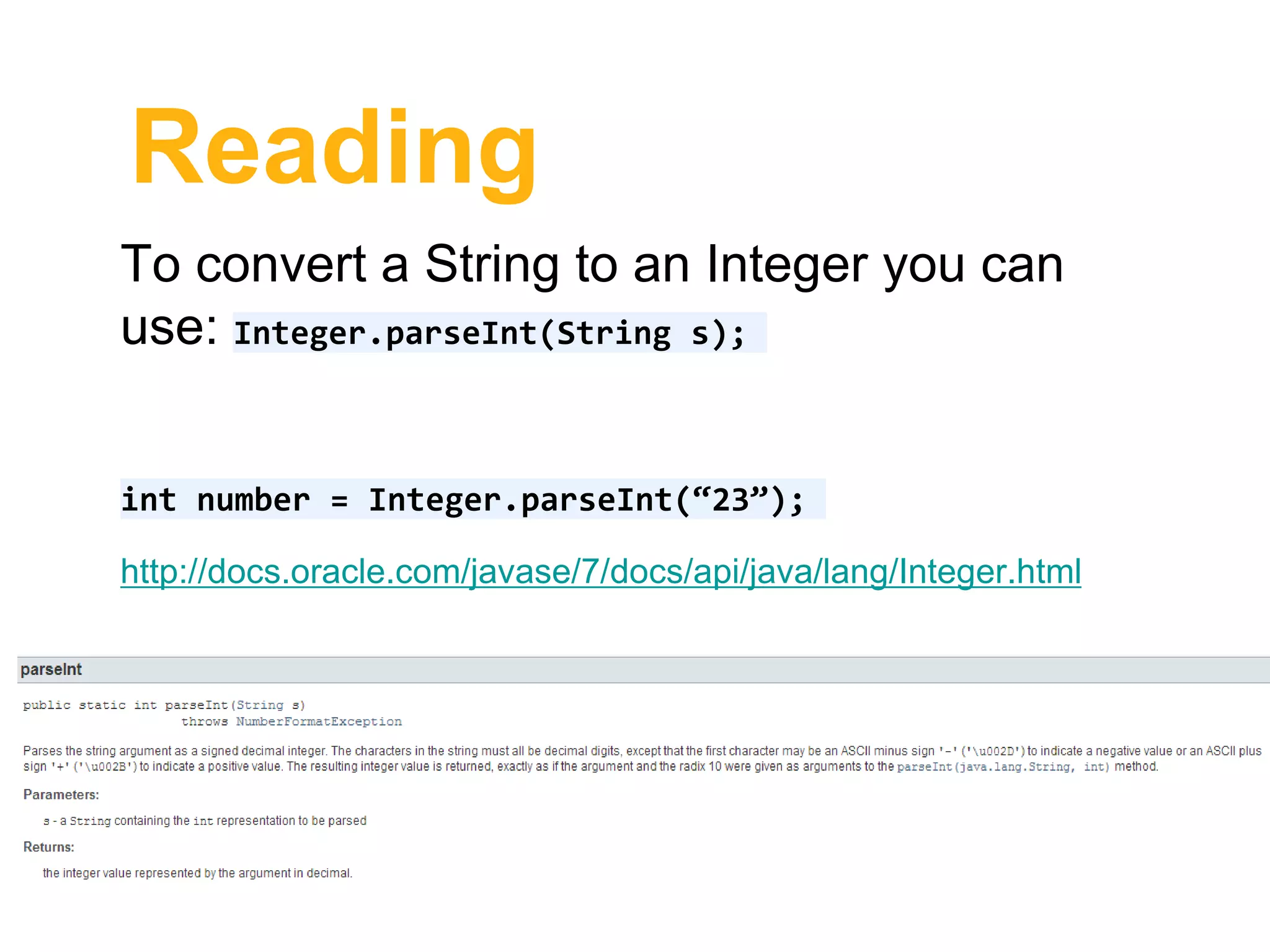
To convert a String to an Integer you can
use: Integer.parseInt(String s);
int number = Integer.parseInt(“23”);
http://docs.oracle.com/javase/7/docs/api/java/lang/Integer.html
Reading
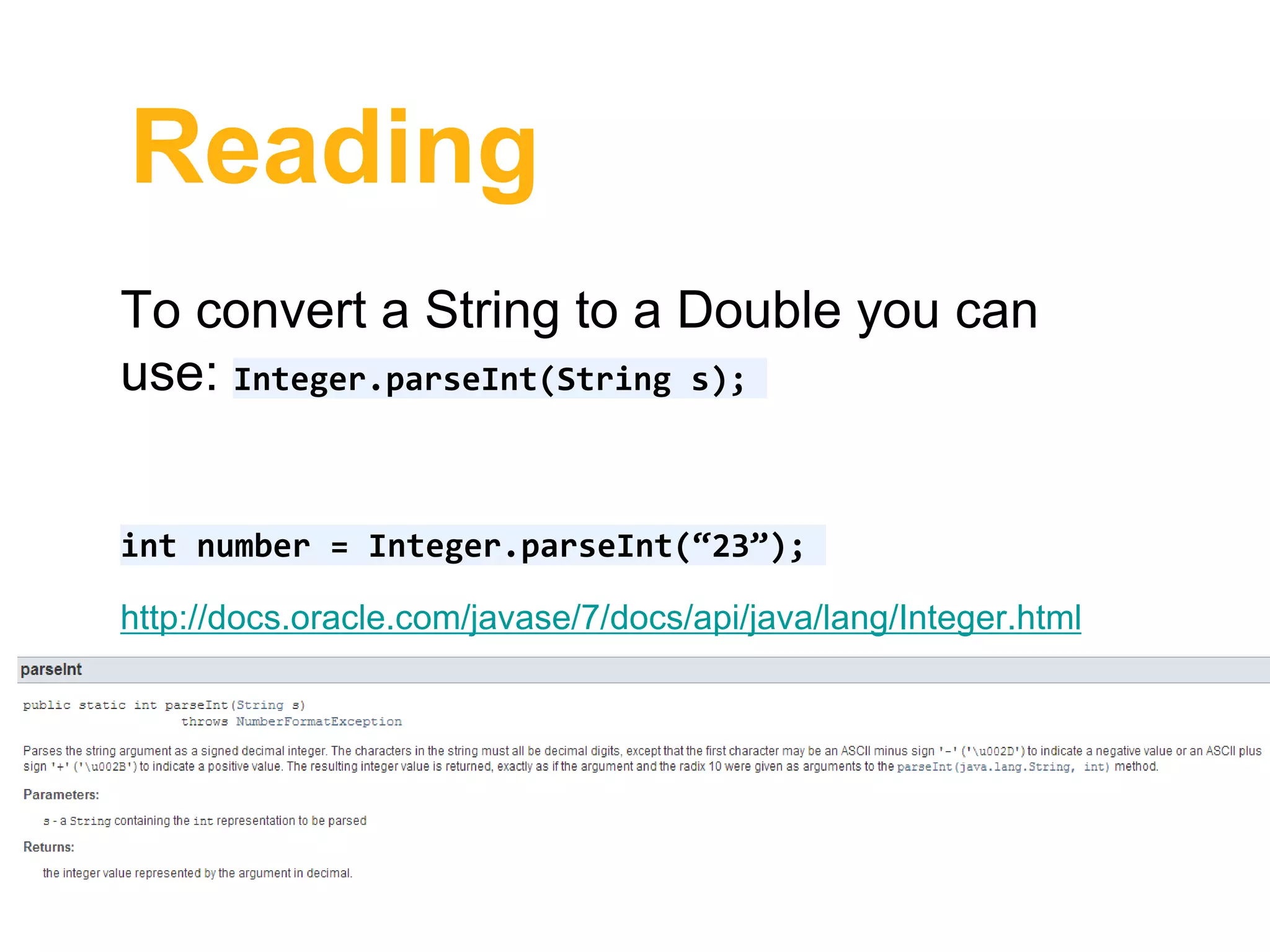
To convert a String to a Double you can
use: Integer.parseInt(String s);
int number = Integer.parseInt(“23”);
http://docs.oracle.com/javase/7/docs/api/java/lang/Integer.html
Reading
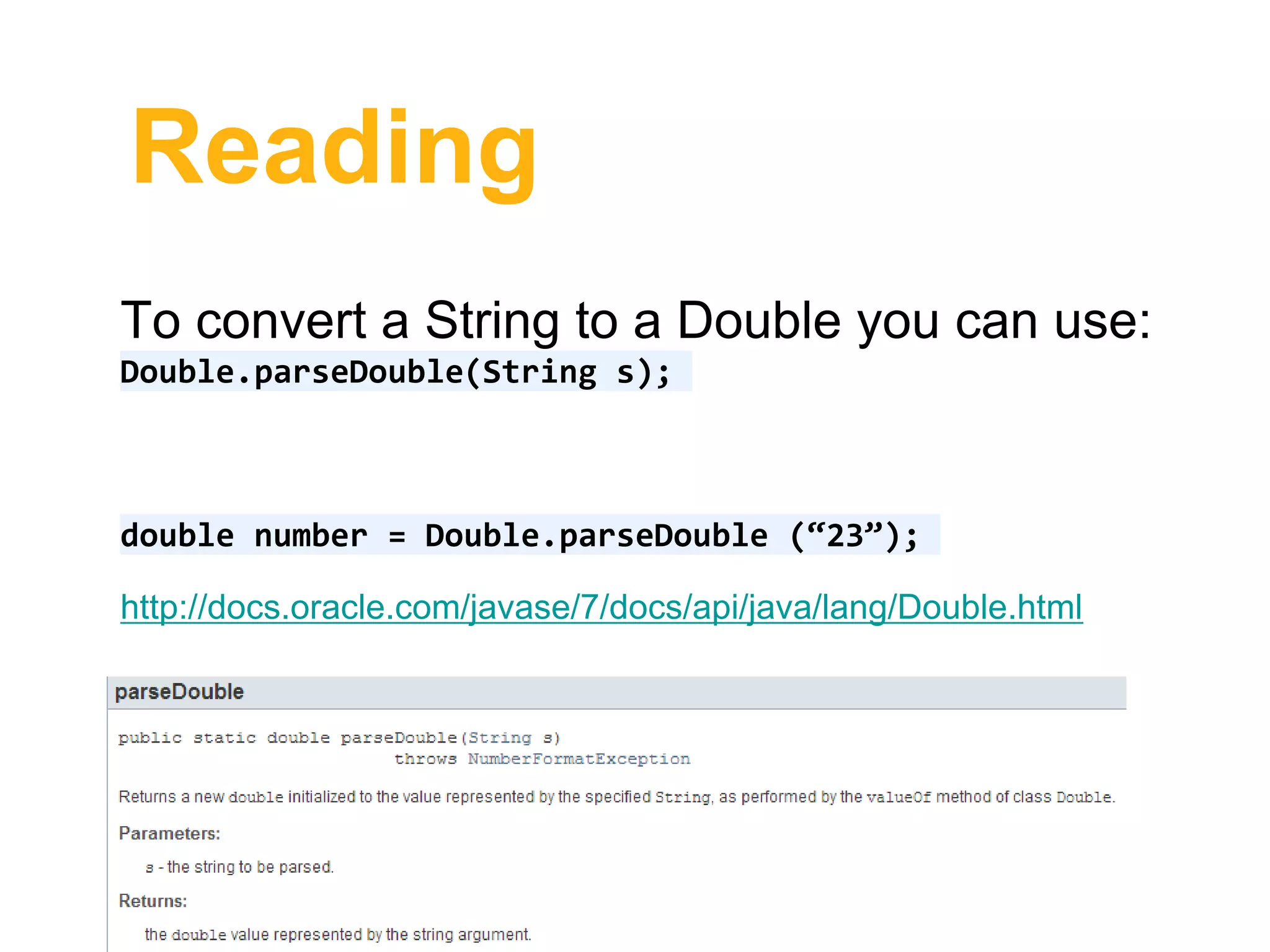
To convert a String to a Double you can use:
Double.parseDouble(String s);
double number = Double.parseDouble (“23”);
http://docs.oracle.com/javase/7/docs/api/java/lang/Double.html
Reading
If you want to read multiple numbers or strings
on the same line, you can use regular
expressions to extract the numbers.
Reading
String line = reader.readLine();
//assuming that the read line provides strings
or numbers or characters separated by space
String [] input = line.split(“ “);
http://docs.oracle.com/javase/7/docs/api/java/lang/String.html#split(ja
va.lang.String)
Reading
//+ is used as a separator
String [] line = line.split(“+“);
//* is used as a separator
String [] line = line.split(“*“);
Reading
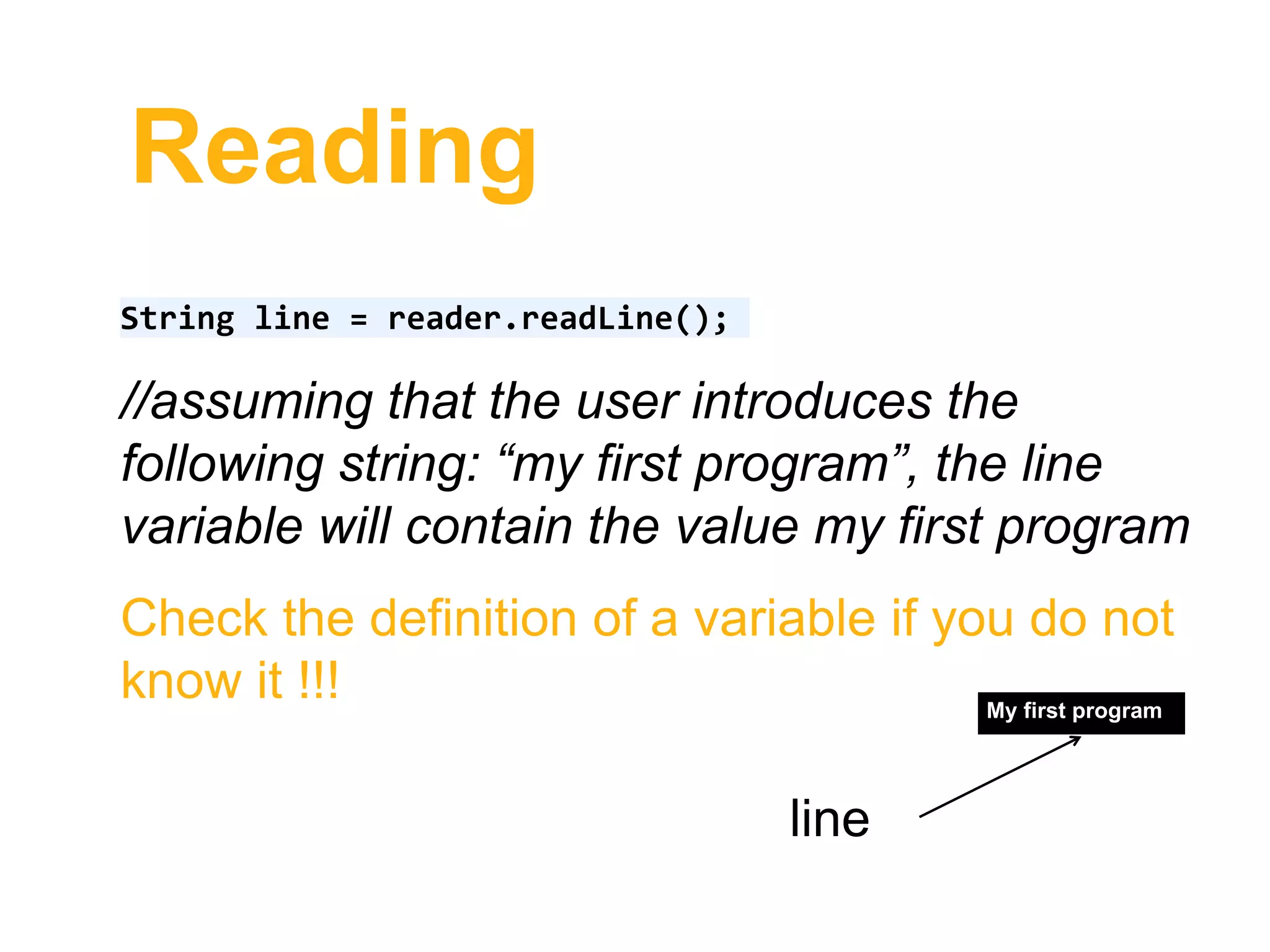
String line = reader.readLine();
//assuming that the user introduces the
following string: “my first program”, the line
variable will contain the value my first program
Check the definition of a variable if you do not
know it !!! My first program
line
Reading
String line = reader.readLine();
String [] input = line.split(“ “);
First value in an array starts at index 0!!!
my first program
line
my first program
0 1 2input
index
Reading
String line = reader.readLine();
String [] input = line.split(“ “);
String firstString = input[0];
my first program
line
my first program
0 1 2input
index
my
firstString
Reading
String line = reader.readLine();
String [] input = line.split(“ “);
String secondString= input[1];
my first program
line
my first program
0 1 2input
index
first
secondString
Reading
String line = reader.readLine();
String [] input = line.split(“ “);
String thirdString= input[2];
my first program
line
my first program
0 1 2input
index
program
thirdString
Reading
String line = reader.readLine();
//assuming now that the user introduces the
following string: “45*90*78”
String [] input = line.split(“*“);
45*90*78
line
45 90 78
0 1 2input
index
Reading
String line = reader.readLine();
String [] input = line.split(“*“);
int no1 = Integer.parseInt(input[0]);
Although input looks like it contains numbers, the numbers are in fact
represented as strings, therefore they need to be converted to int.
45*90*78
line
45 90 78
0 1 2input
index
Reading
String line = reader.readLine();
String [] input = line.split(“*“);
int no1 = Integer.parseInt(input[0]);
45*90*78
line
45 90 78
0 1 2input
index
45
no1
Reading
String line = reader.readLine();
String [] input = line.split(“*“);
int no1 = Integer.parseInt(input[1]);
45*90*78
line
45 90 78
0 1 2input
index
90
no2
Reading
String line = reader.readLine();
String [] input = line.split(“*“);
int no1 = Integer.parseInt(input[2]);
45*90*78
line
45 90 78
0 1 2input
index
78
no3
Summary
• Writing: use System.out.println() and
System.out.print();
• Reading: use BufferedReader class
Annex 1
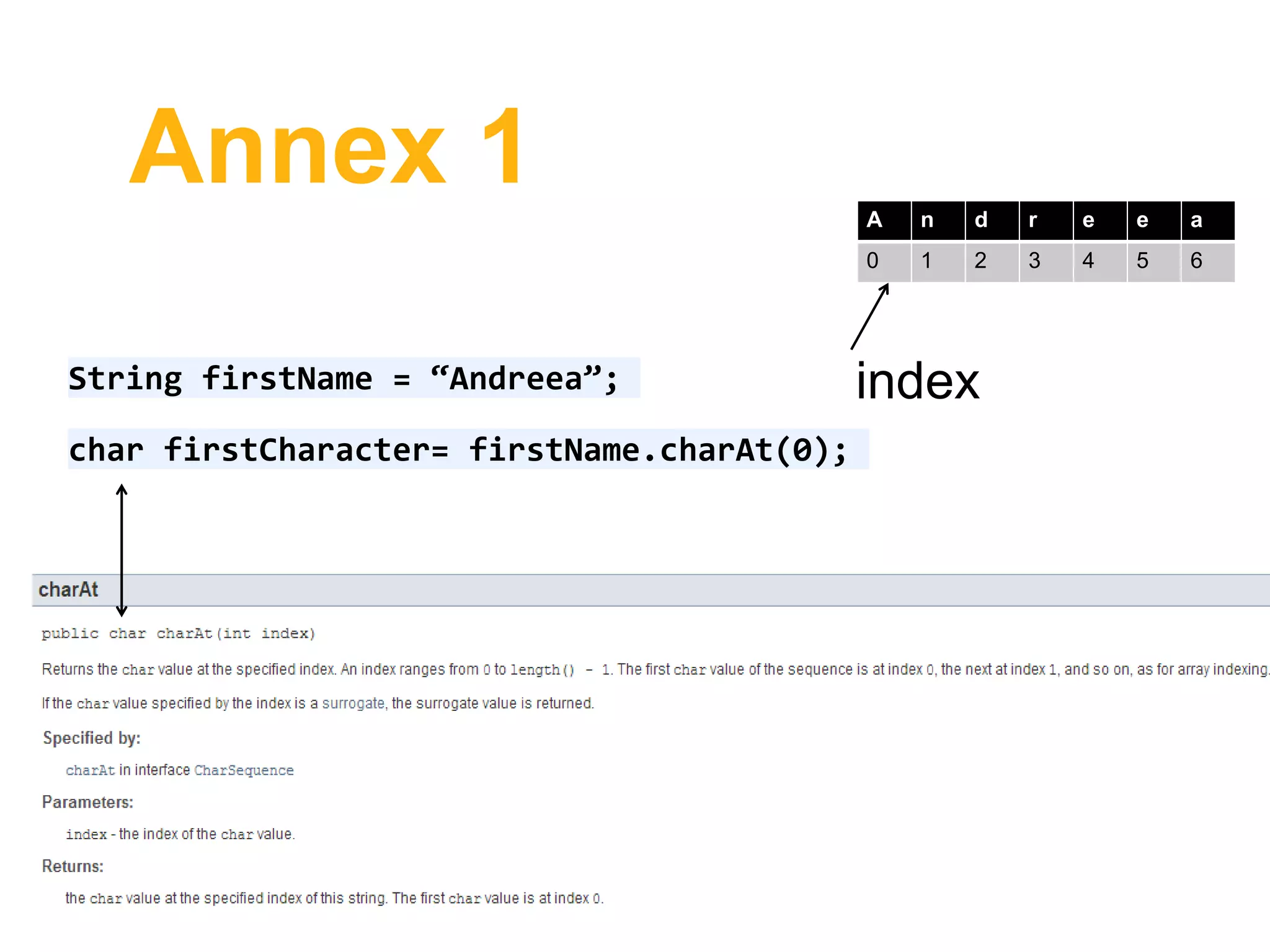
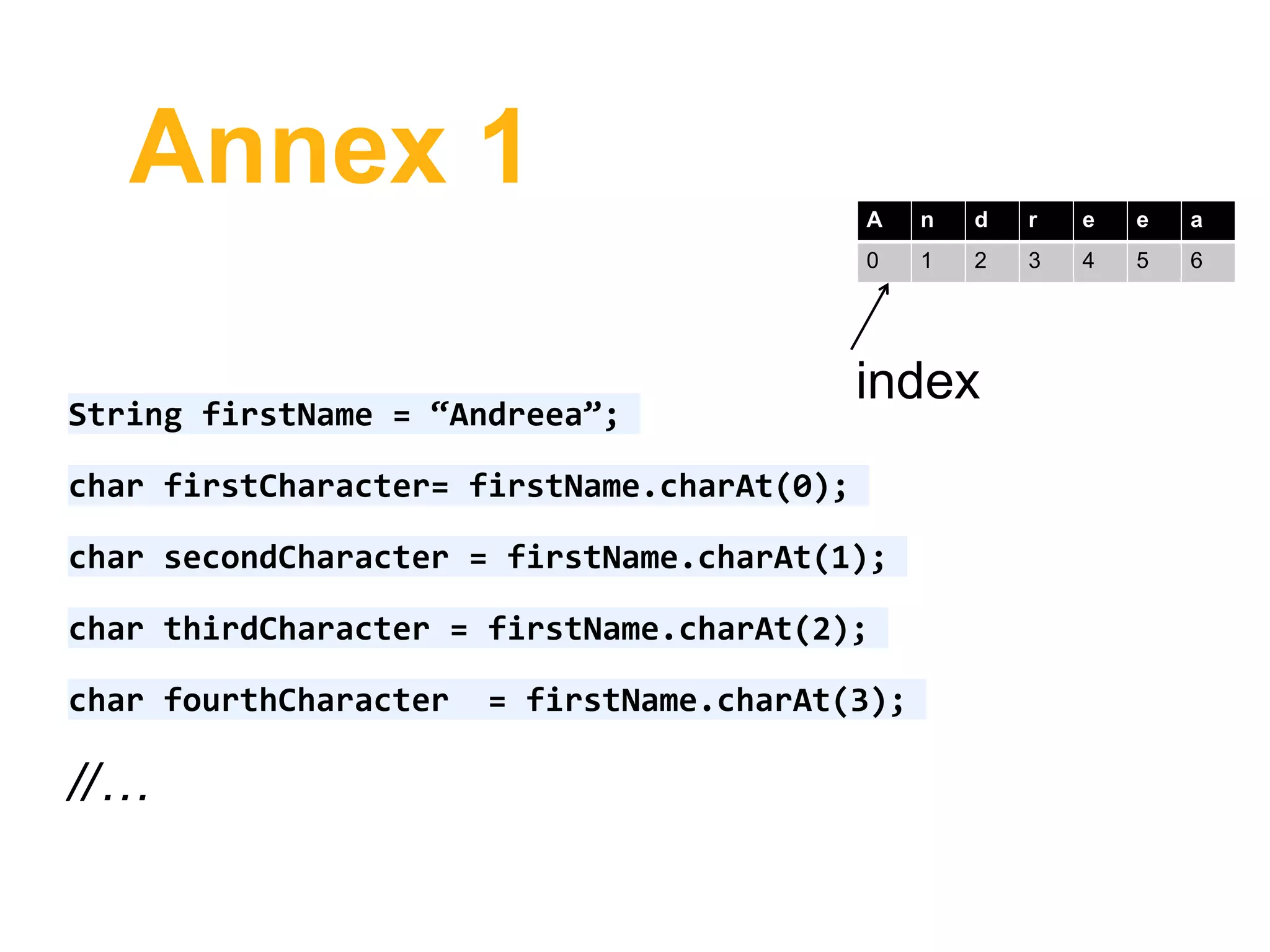
String firstName = “Andreea”;
char firstCharacter= firstName.charAt(0);
A n d r e e a
0 1 2 3 4 5 6
index
Annex 1
String firstName = “Andreea”;
char firstCharacter= firstName.charAt(0);
char secondCharacter = firstName.charAt(1);
char thirdCharacter = firstName.charAt(2);
char fourthCharacter = firstName.charAt(3);
//…
A n d r e e a
0 1 2 3 4 5 6
index
Annex 1
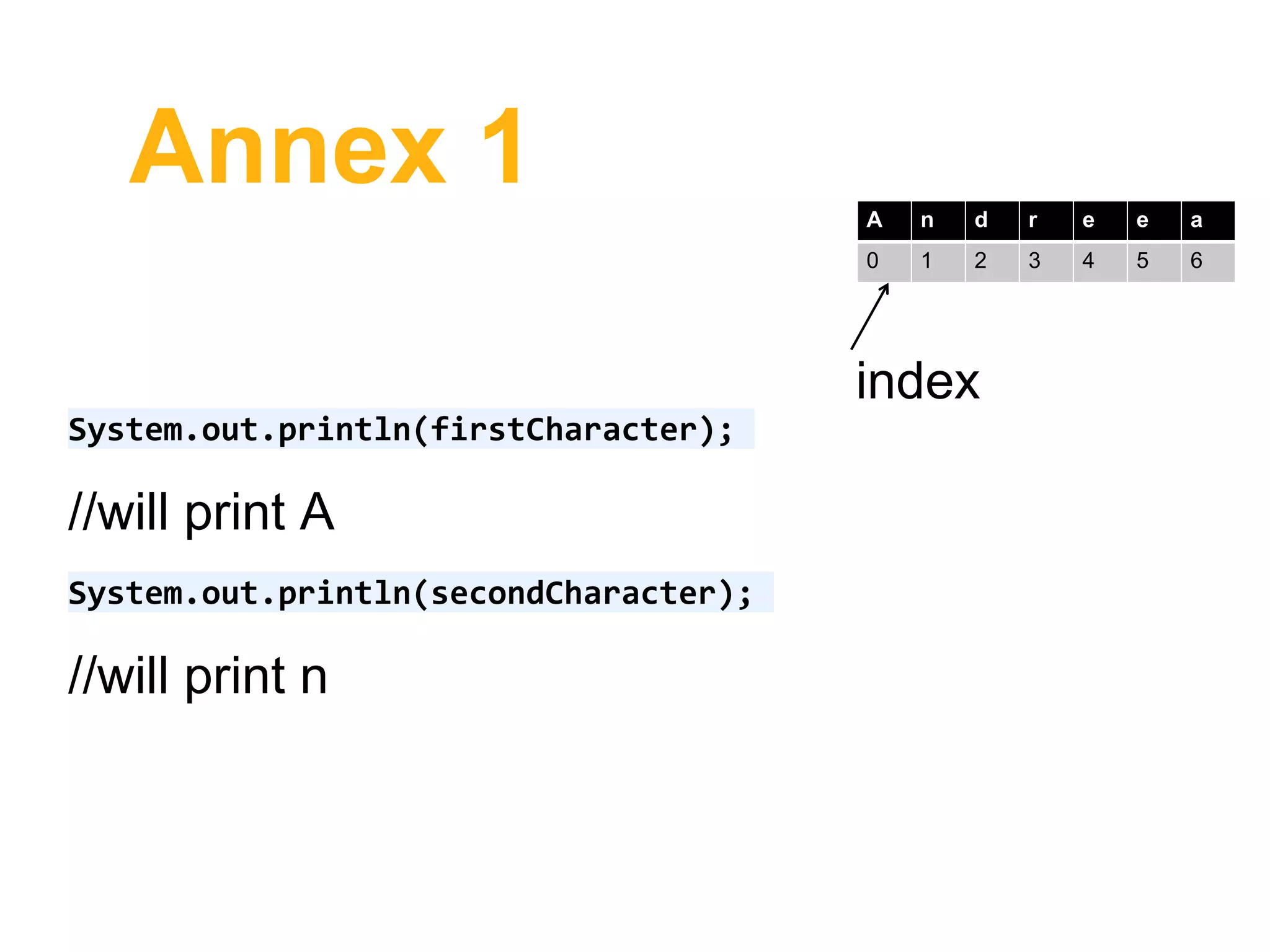
System.out.println(firstCharacter);
//will print A
System.out.println(secondCharacter);
//will print n
A n d r e e a
0 1 2 3 4 5 6
index
Annex 1
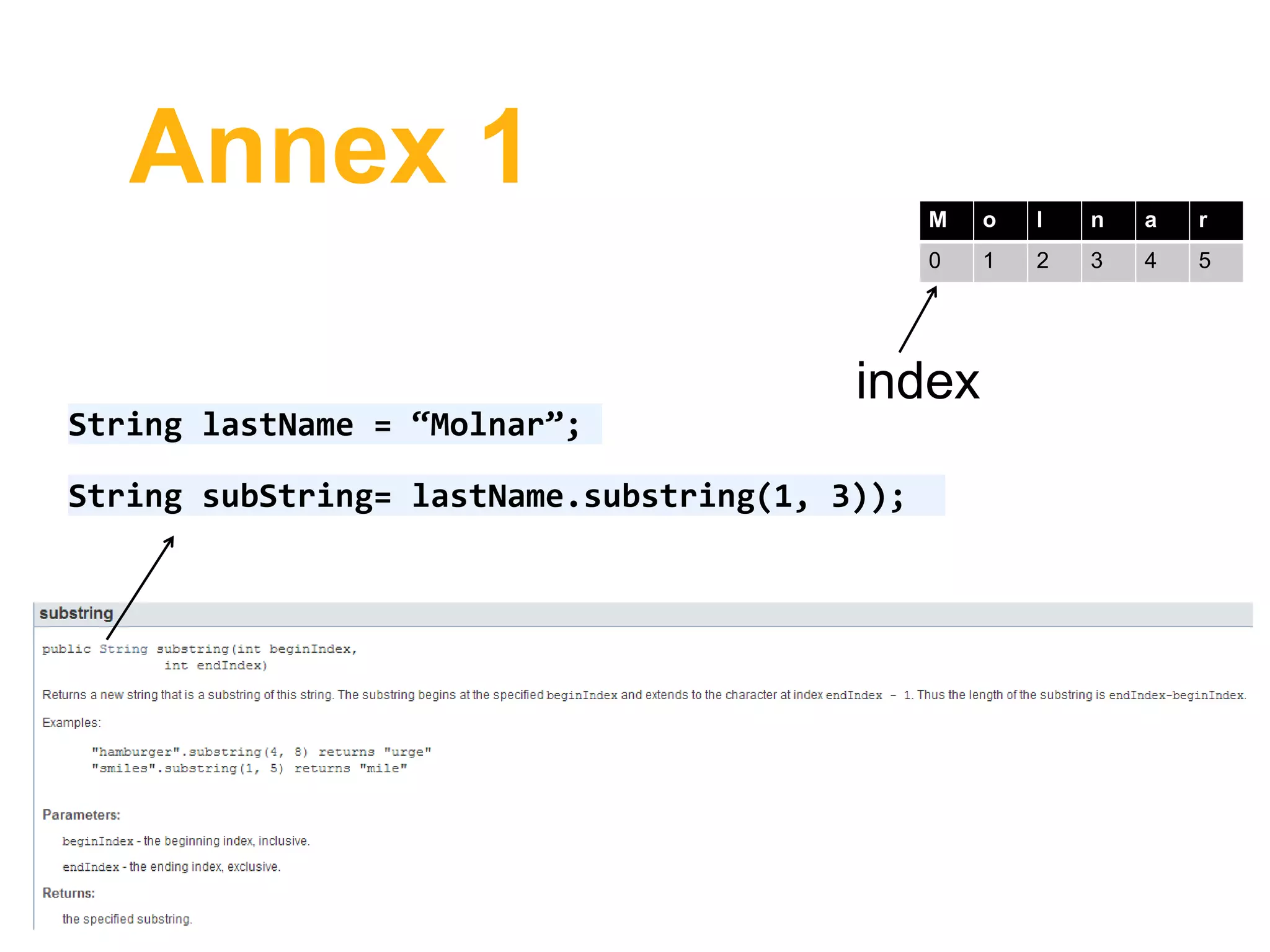
String lastName = “Molnar”;
String subString= lastName.substring(1, 3));
M o l n a r
0 1 2 3 4 5
index
Annex 1
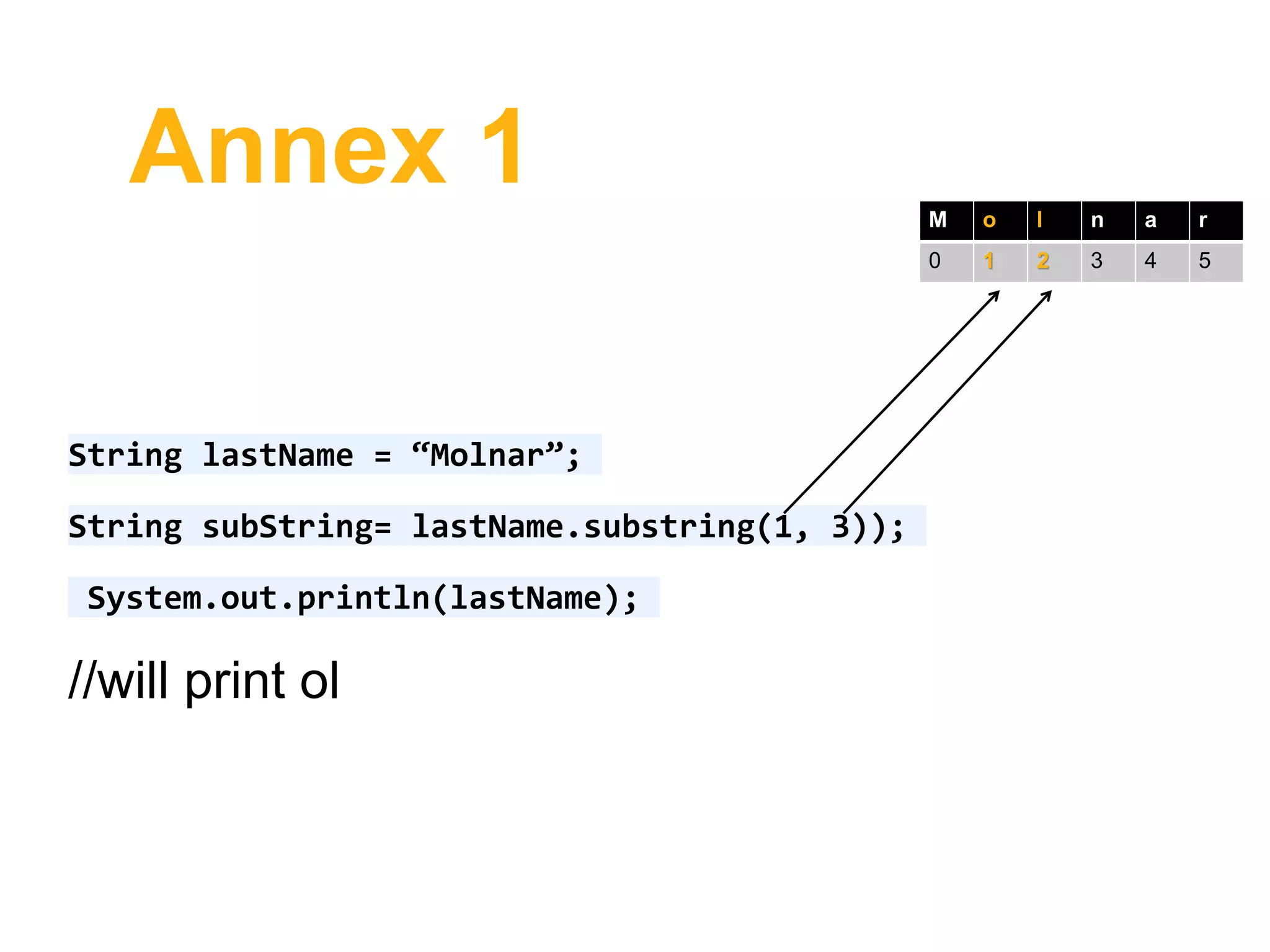
String lastName = “Molnar”;
String subString= lastName.substring(1, 3));
System.out.println(lastName);
//will print ol
M o l n a r
0 1 2 3 4 5
Annex 2
• When you use an already implemented class from the Java
framework, you are basically using a class from a package.
• java.lang package is automatically imported this is why for the
HelloWorld program you didn’t need to import anything.
• To import an entire package you can write import package.*. For
example: import java.util.*;
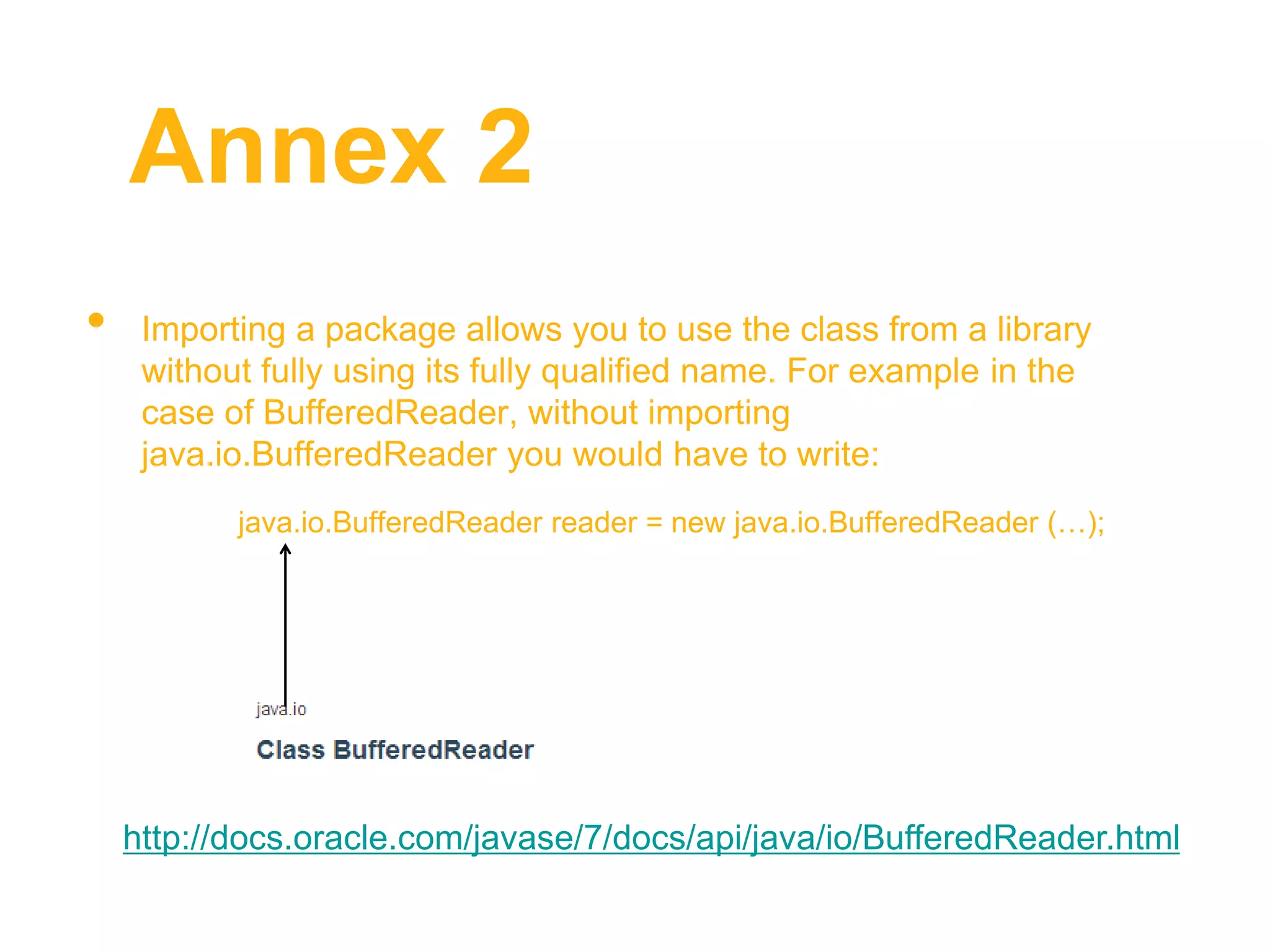
Annex 2
• Importing a package allows you to use the class from a library
without fully using its fully qualified name. For example in the
case of BufferedReader, without importing
java.io.BufferedReader you would have to write:
java.io.BufferedReader reader = new java.io.BufferedReader (…);
http://docs.oracle.com/javase/7/docs/api/java/io/BufferedReader.html

Reading and writting

  • 1.
    IO Java CST200 –Week 1: Basic Reading and Writing in Java Instructor: Andreea Molnar
  • 2.
    Outline • Aims • Writingto the display • Reading from the keyboard
  • 3.
    Introduction • Input/Ouput (IO)operations in Java are more complex than described here. • You will need the information presented here to complete your assignments and for the exams
  • 4.
    Writing • System.out.println() –printsa new line • System.out.println(“Hello World”); – prints Hello World and then moves to the new line
  • 5.
    Writing You can havean expression that will be printed. Check the definition of an expression!!! System.out.println(3+7+8); //prints 18 and then moves to a new line System.out.println(“My student ID is “ + 3456E); //prints My student ID is 3456E
  • 6.
    Writing int ID =3456; System.out.println(“My student ID is “ + ID); //prints My student ID is 3456
  • 7.
    Writing String firstName =“Andreea”; String lastName = “Molnar”; System.out.println(firstName + lastName); //prints AndreeaMolnar
  • 8.
    Writing String firstName =“Andreea”; String lastName = “Molnar”; System.out.println(firstName + “ “ + lastName); //prints Andreea Molnar
  • 9.
    Writing String firstName =“Andreea”; String lastName = “Molnar”; System.out.println(firstName.charAt(0) + “ “ + lastName.substring(1, 3)); //prints A ol
  • 10.
    Writing String firstName =“Andreea”; String lastName = “Molnar”; System.out.println(firstName.charAt(0) + “ “ + lastName.substring(1, 3)); //prints A ol If you do not understand how the above output is generated check the String API, Introduction to Java.ppt or Annex 1 at the end of this presentation. If any of these do not work for you, please ask.
  • 11.
    Writing System.out.println(firstName + “n"+ lastName); //will print: //Andreea //Molnar Escape sequence Meaning b backspace t tab n newline r return ’’ double quote ’ single quote backslash You can use escape sequences.
  • 12.
    Writing • System.out.println(“Hello World”);– prints Hello World and then moves to the new line • System.out.print(“Hello World”); - does the same thing as System.out.println but it does not move to a new line
  • 13.
    Writing System.out.println(“Hello World”); System.out.println(“I amhere”); System.out.print(“Hello World”); System.out.print(“I am here”);
  • 14.
    Reading This section willprovide you with an example on how to read from the keyboard using BufferedReader. You should find the code used attached under this presentation.
  • 15.
    Reading You will needto import the following classes, in order to make use of them. import java.io.BufferedReader; import java.io.IOException; import java.io.InputStreamReader; I have added a few more explanations on Annex 2.
  • 16.
    Reading Change the mainmethod to throw an exception: public static void main(String[] args) throws IOException { } Exception handling is also not covered by this course. You can find more details at: http://math.hws.edu/javanotes/c3/s7.html
  • 17.
    Reading Change the mainmethod to throw an exception: public static void main(String[] args) throws IOException { } Exception handling are also not covered by this course.
  • 18.
    Reading Use BufferedReader forreading lines of text from standard input (i.e. keyboard) BufferedReader reader = new BufferedReader(new InputStreamReader(System.in)); reader.readLine(); //reads a line of text as a String IO in Java is not covered in details in this course, and this example is provided just to help you write algorithms
  • 19.
    Reading Use the Integerand Double static functions to convert a number from a String to an Integer (int) or Double (double).
  • 20.
    Reading To convert aString to an Integer you can use: Integer.parseInt(String s); int number = Integer.parseInt(“23”); http://docs.oracle.com/javase/7/docs/api/java/lang/Integer.html
  • 21.
    Reading To convert aString to a Double you can use: Integer.parseInt(String s); int number = Integer.parseInt(“23”); http://docs.oracle.com/javase/7/docs/api/java/lang/Integer.html
  • 22.
    Reading To convert aString to a Double you can use: Double.parseDouble(String s); double number = Double.parseDouble (“23”); http://docs.oracle.com/javase/7/docs/api/java/lang/Double.html
  • 23.
    Reading If you wantto read multiple numbers or strings on the same line, you can use regular expressions to extract the numbers.
  • 24.
    Reading String line =reader.readLine(); //assuming that the read line provides strings or numbers or characters separated by space String [] input = line.split(“ “); http://docs.oracle.com/javase/7/docs/api/java/lang/String.html#split(ja va.lang.String)
  • 25.
    Reading //+ is usedas a separator String [] line = line.split(“+“); //* is used as a separator String [] line = line.split(“*“);
  • 26.
    Reading String line =reader.readLine(); //assuming that the user introduces the following string: “my first program”, the line variable will contain the value my first program Check the definition of a variable if you do not know it !!! My first program line
  • 27.
    Reading String line =reader.readLine(); String [] input = line.split(“ “); First value in an array starts at index 0!!! my first program line my first program 0 1 2input index
  • 28.
    Reading String line =reader.readLine(); String [] input = line.split(“ “); String firstString = input[0]; my first program line my first program 0 1 2input index my firstString
  • 29.
    Reading String line =reader.readLine(); String [] input = line.split(“ “); String secondString= input[1]; my first program line my first program 0 1 2input index first secondString
  • 30.
    Reading String line =reader.readLine(); String [] input = line.split(“ “); String thirdString= input[2]; my first program line my first program 0 1 2input index program thirdString
  • 31.
    Reading String line =reader.readLine(); //assuming now that the user introduces the following string: “45*90*78” String [] input = line.split(“*“); 45*90*78 line 45 90 78 0 1 2input index
  • 32.
    Reading String line =reader.readLine(); String [] input = line.split(“*“); int no1 = Integer.parseInt(input[0]); Although input looks like it contains numbers, the numbers are in fact represented as strings, therefore they need to be converted to int. 45*90*78 line 45 90 78 0 1 2input index
  • 33.
    Reading String line =reader.readLine(); String [] input = line.split(“*“); int no1 = Integer.parseInt(input[0]); 45*90*78 line 45 90 78 0 1 2input index 45 no1
  • 34.
    Reading String line =reader.readLine(); String [] input = line.split(“*“); int no1 = Integer.parseInt(input[1]); 45*90*78 line 45 90 78 0 1 2input index 90 no2
  • 35.
    Reading String line =reader.readLine(); String [] input = line.split(“*“); int no1 = Integer.parseInt(input[2]); 45*90*78 line 45 90 78 0 1 2input index 78 no3
  • 36.
    Summary • Writing: useSystem.out.println() and System.out.print(); • Reading: use BufferedReader class
  • 37.
    Annex 1 String firstName= “Andreea”; char firstCharacter= firstName.charAt(0); A n d r e e a 0 1 2 3 4 5 6 index
  • 38.
    Annex 1 String firstName= “Andreea”; char firstCharacter= firstName.charAt(0); char secondCharacter = firstName.charAt(1); char thirdCharacter = firstName.charAt(2); char fourthCharacter = firstName.charAt(3); //… A n d r e e a 0 1 2 3 4 5 6 index
  • 39.
    Annex 1 System.out.println(firstCharacter); //will printA System.out.println(secondCharacter); //will print n A n d r e e a 0 1 2 3 4 5 6 index
  • 40.
    Annex 1 String lastName= “Molnar”; String subString= lastName.substring(1, 3)); M o l n a r 0 1 2 3 4 5 index
  • 41.
    Annex 1 String lastName= “Molnar”; String subString= lastName.substring(1, 3)); System.out.println(lastName); //will print ol M o l n a r 0 1 2 3 4 5
  • 42.
    Annex 2 • Whenyou use an already implemented class from the Java framework, you are basically using a class from a package. • java.lang package is automatically imported this is why for the HelloWorld program you didn’t need to import anything. • To import an entire package you can write import package.*. For example: import java.util.*;
  • 43.
    Annex 2 • Importinga package allows you to use the class from a library without fully using its fully qualified name. For example in the case of BufferedReader, without importing java.io.BufferedReader you would have to write: java.io.BufferedReader reader = new java.io.BufferedReader (…); http://docs.oracle.com/javase/7/docs/api/java/io/BufferedReader.html