Amazon Redshift 
Saturday, December 6, 2014
Agenda 
08:30 AM Breakfast 
09:00 AM Introduction and Strengths of Technologies 
10:00 AM break + set up query tool 
10:20 AM Hadoop hands-on 
10:55 AM break 
11:10 AM Redshift hands-on 
11:40 AM Operationalizing your code 
12:00 PM adjourn 
12/6/2014 2
Session Goals 
• Understand: 
• Why an Analytic Database? 
• What is Amazon Redshift 
• Do: 
• ‘Fire Up’ an Redshift Database 
• Load Data 
• Do a few queries 
• Shut it down 
• Have fun! 
12/6/2014 3
Why an Analytic Database? 
Why use one? 
• It a database optimized for read-only queries. 
• It’s fast 
• It can handle a lot of data 
Why not to use one? 
• Poor Transaction processing (aka OLTP) 
• Rollback, multi-phase commits, etc 
12/6/2014 4
Under the hood. 
Analytic Database typically have features like: 
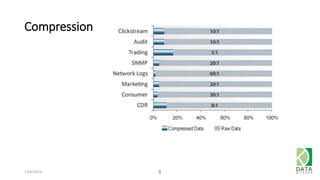
• Compression 
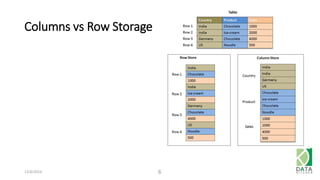
• Column (as opposed to row) storage 
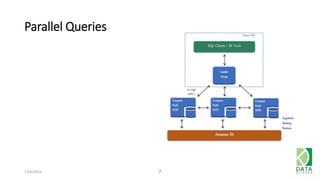
• Parallel queries across clusters of machines 
• Support for partitioning 
• Other cool stuff to make your queries fast 
12/6/2014 5
Columns vs Row Storage 
12/6/2014 6
Parallel Queries 
12/6/2014 7
Compression 
12/6/2014 8
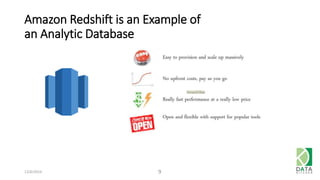
Amazon Redshift is an Example of 
an Analytic Database 
12/6/2014 9
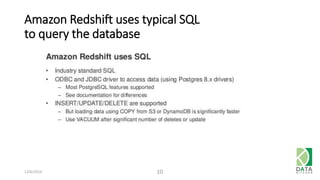
Amazon Redshift uses typical SQL 
to query the database 
12/6/2014 10
Let’s Get Stared! 
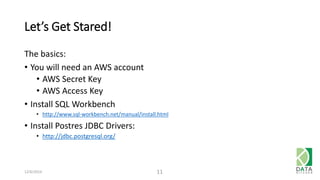
The basics: 
• You will need an AWS account 
• AWS Secret Key 
• AWS Access Key 
• Install SQL Workbench 
• http://www.sql-workbench.net/manual/install.html 
• Install Postres JDBC Drivers: 
• http://jdbc.postgresql.org/ 
12/6/2014 11
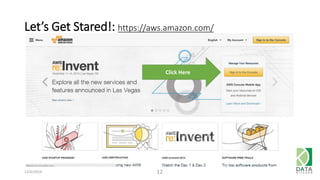
Let’s Get Stared!: https://aws.amazon.com/ 
12/6/2014 12 
Click Here
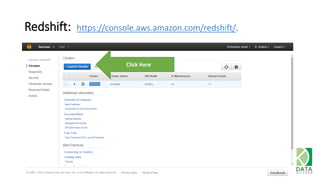
Redshift: https://console.aws.amazon.com/redshift/. 
Click Here 
12/6/2014 13
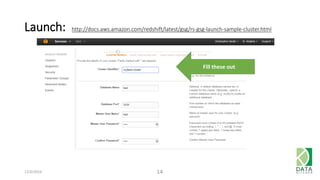
Launch: http://docs.aws.amazon.com/redshift/latest/gsg/rs-gsg-launch-sample-cluster.html 
12/6/2014 14 
Fill these out
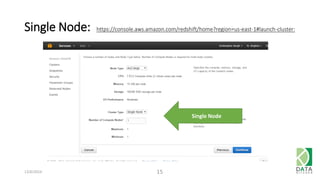
Single Node: https://console.aws.amazon.com/redshift/home?region=us-east-1#launch-cluster: 
12/6/2014 15 
Single Node
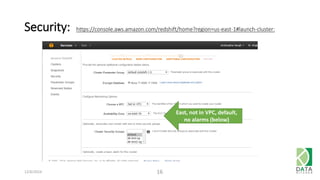
Security: https://console.aws.amazon.com/redshift/home?region=us-east-1#launch-cluster: 
12/6/2014 16 
East, not in VPC, default, 
no alarms (below)
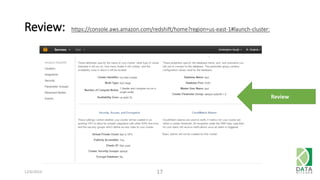
Review: https://console.aws.amazon.com/redshift/home?region=us-east-1#launch-cluster: 
12/6/2014 17 
Review
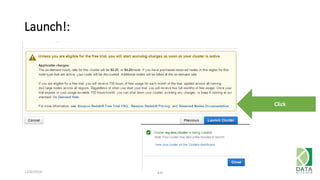
Launch!: 
12/6/2014 18 
Click
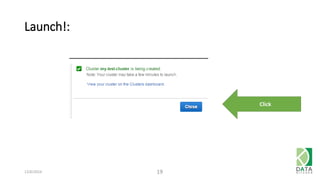
Launch!: 
12/6/2014 19 
Click
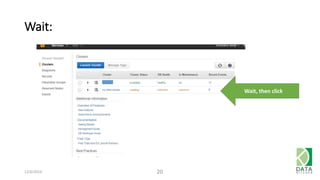
Wait: 
12/6/2014 20 
Wait, then click
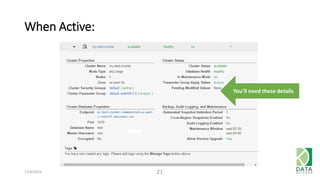
When Active: 
12/6/2014 21 
You’ll need these details
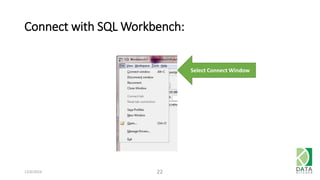
Connect with SQL Workbench: 
12/6/2014 22 
Select Connect Window
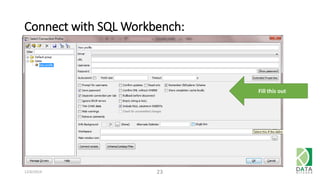
Connect with SQL Workbench: 
12/6/2014 23 
Fill this out
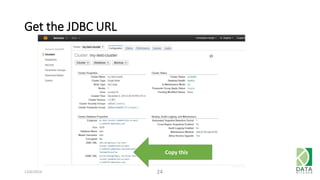
Get the JDBC URL 
12/6/2014 24 
Copy this
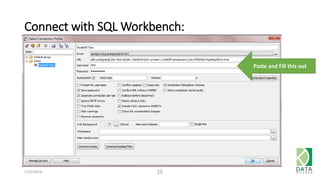
Connect with SQL Workbench: 
12/6/2014 25 
Paste and Fill this out
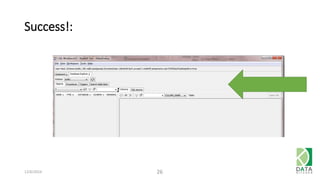
Success!: 
12/6/2014 26
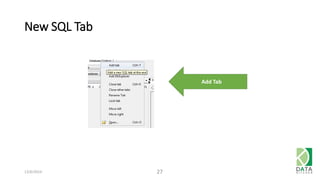
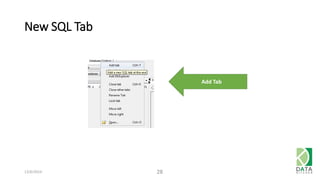
New SQL Tab 
12/6/2014 27 
Add Tab
New SQL Tab 
12/6/2014 28 
Add Tab
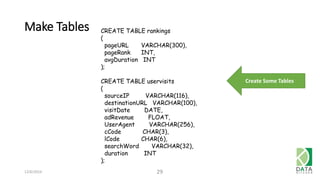
Make Tables 
12/6/2014 29 
Create Some Tables 
CREATE TABLE rankings 
( 
pageURL VARCHAR(300), 
pageRank INT, 
avgDuration INT 
); 
CREATE TABLE uservisits 
( 
sourceIP VARCHAR(116), 
destinationURL VARCHAR(100), 
visitDate DATE, 
adRevenue FLOAT, 
UserAgent VARCHAR(256), 
cCode CHAR(3), 
lCode CHAR(6), 
searchWord VARCHAR(32), 
duration INT 
);
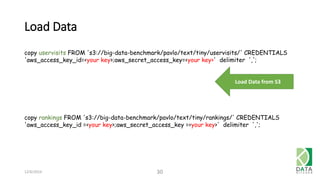
Load Data 
copy uservisits FROM 's3://big-data-benchmark/pavlo/text/tiny/uservisits/' CREDENTIALS 
'aws_access_key_id=<your key>;aws_secret_access_key=<your key>' delimiter ','; 
12/6/2014 30 
Load Data from S3 
copy rankings FROM 's3://big-data-benchmark/pavlo/text/tiny/rankings/' CREDENTIALS 
'aws_access_key_id =<your key>;aws_secret_access_key =<your key>' delimiter ',';
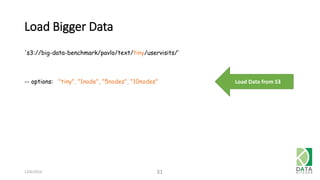
Load Bigger Data 
12/6/2014 31 
Load Data from S3 
's3://big-data-benchmark/pavlo/text/tiny/uservisits/‘ 
-- options: "tiny", "1node", "5nodes", "10nodes"
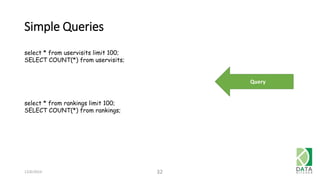
Simple Queries 
12/6/2014 32 
Query 
select * from uservisits limit 100; 
SELECT COUNT(*) from uservisits; 
select * from rankings limit 100; 
SELECT COUNT(*) from rankings;
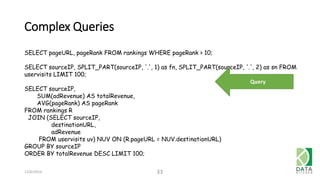
Complex Queries 
12/6/2014 33 
Query 
SELECT pageURL, pageRank FROM rankings WHERE pageRank > 10; 
SELECT sourceIP, SPLIT_PART(sourceIP, '.', 1) as fn, SPLIT_PART(sourceIP, '.', 2) as sn FROM 
uservisits LIMIT 100; 
SELECT sourceIP, 
SUM(adRevenue) AS totalRevenue, 
AVG(pageRank) AS pageRank 
FROM rankings R 
JOIN (SELECT sourceIP, 
destinationURL, 
adRevenue 
FROM uservisits uv) NUV ON (R.pageURL = NUV.destinationURL) 
GROUP BY sourceIP 
ORDER BY totalRevenue DESC LIMIT 100;
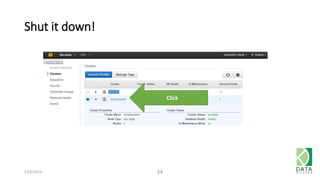
Shut it down! 
12/6/2014 34 
Click
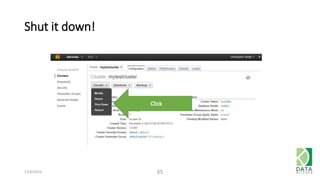
Shut it down! 
Click 
12/6/2014 35
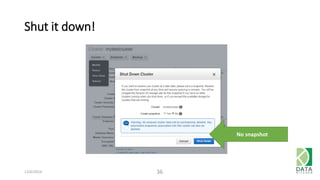
Shut it down! 
12/6/2014 36 
No snapshot
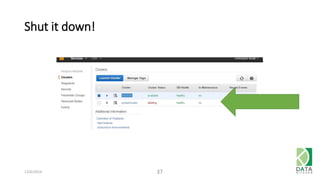
Shut it down! 
12/6/2014 37
Thanks … happy querying! 
See also 
• http://docs.aws.amazon.com/redshift/latest/gsg/getting-started.html 
12/6/2014 38

Redshift Introduction

Editor's Notes

  • #15 ‘test’ ‘Test3141’
  • #16 ‘test’ ‘Test3141’
  • #17 ‘test’ ‘Test3141’
  • #18 ‘test’ ‘Test3141’
  • #19 ‘test’ ‘Test3141’
  • #20 ‘test’ ‘Test3141’
  • #21 ‘test’ ‘Test3141’
  • #22 ‘test’ ‘Test3141’
  • #23 ‘test’ ‘Test3141’
  • #24 ‘test’ ‘Test3141’
  • #25 ‘test’ ‘Test3141’
  • #26 ‘test’ ‘Test3141’
  • #27 ‘test’ ‘Test3141’
  • #28 ‘test’ ‘Test3141’
  • #29 ‘test’ ‘Test3141’
  • #30 ‘test’ ‘Test3141’
  • #31 ‘test’ ‘Test3141’
  • #32 ‘test’ ‘Test3141’
  • #33 ‘test’ ‘Test3141’
  • #34 ‘test’ ‘Test3141’
  • #35 ‘test’ ‘Test3141’
  • #36 ‘test’ ‘Test3141’
  • #37 ‘test’ ‘Test3141’
  • #38 ‘test’ ‘Test3141’