



-Achal Kagwad
4th Jan 2015
 This Reconciliation tool helps you to compare
any flat file which could be used for wide
spread financial attribute reconciliations.
 Used to test and validate the “data Integrity”
of Data in the same system or the flow of
data between systems.
 Internally has support to set of configurations
that are needed for comparisons and
reconciliations of files.
Broadly classified under 2 Categories
 Excel Recon Output features.
 Configuration files and its validation
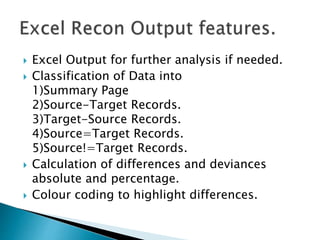
 Excel Output for further analysis if needed.
 Classification of Data into
1)Summary Page
2)Source-Target Records.
3)Target-Source Records.
4)Source=Target Records.
5)Source!=Target Records.
 Calculation of differences and deviances
absolute and percentage.
 Colour coding to highlight differences.
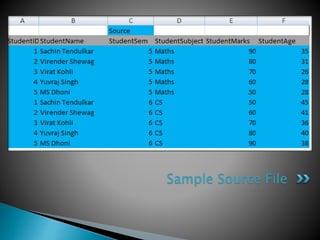
Sample Source File
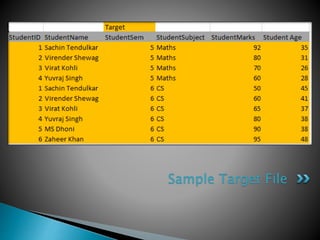
Sample Target File
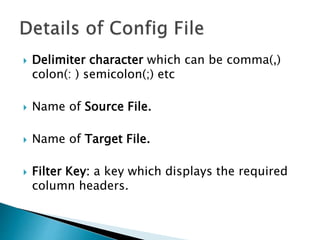
 Delimiter character which can be comma(,)
colon(: ) semicolon(;) etc
 Name of Source File.
 Name of Target File.
 Filter Key: a key which displays the required
column headers.
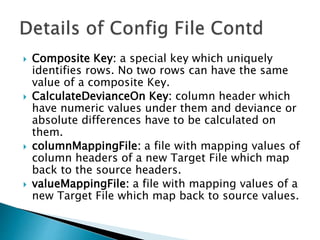
 Composite Key: a special key which uniquely
identifies rows. No two rows can have the same
value of a composite Key.
 CalculateDevianceOn Key: column header which
have numeric values under them and deviance or
absolute differences have to be calculated on
them.
 columnMappingFile: a file with mapping values of
column headers of a new Target File which map
back to the source headers.
 valueMappingFile: a file with mapping values of a
new Target File which map back to source values.
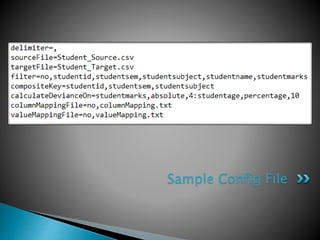
Sample Config File
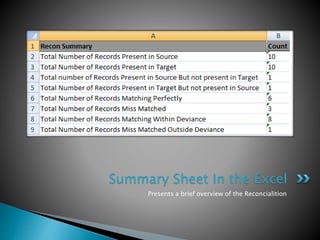
Presents a brief overview of the Reconcialition
Summary Sheet In the Excel
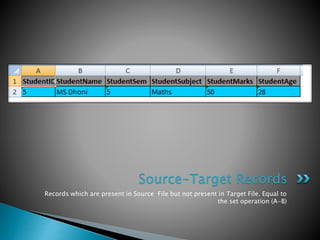
Records which are present in Source File but not present in Target File. Equal to
the set operation (A-B)
Source-Target Records
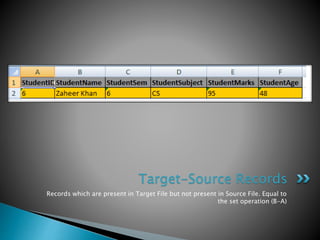
Records which are present in Target File but not present in Source File. Equal to
the set operation (B-A)
Target-Source Records
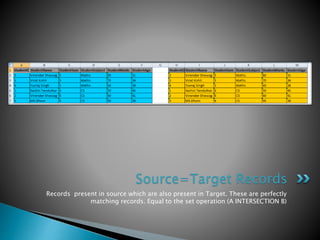
Records present in source which are also present in Target. These are perfectly
matching records. Equal to the set operation (A INTERSECTION B)
Source=Target Records
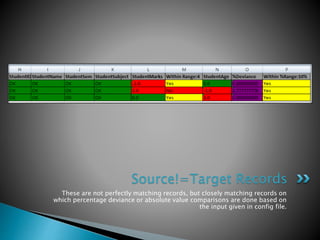
These are not perfectly matching records, but closely matching records on
which percentage deviance or absolute value comparisons are done based on
the input given in config file.
Source!=Target Records
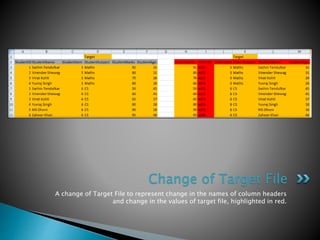
A change of Target File to represent change in the names of column headers
and change in the values of target file, highlighted in red.
Change of Target File
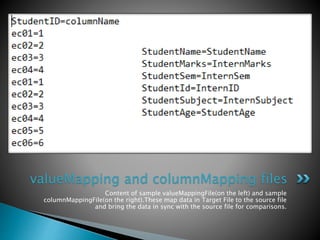
Content of sample valueMappingFile(on the left) and sample
columnMappingFile(on the right).These map data in Target File to the source file
and bring the data in sync with the source file for comparisons.
valueMapping and columnMapping files
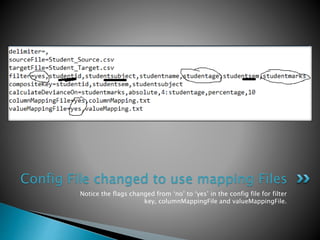
Notice the flags changed from ‘no’ to ‘yes’ in the config file for filter
key, columnMappingFile and valueMappingFile.
Config File changed to use mapping Files
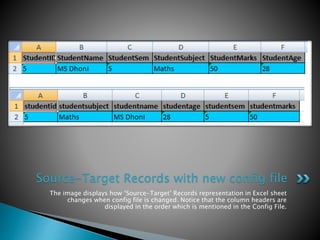
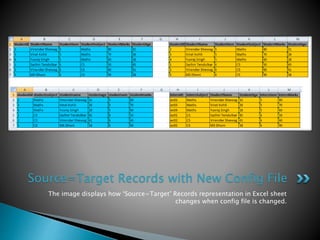
The image displays how ‘Source-Target’ Records representation in Excel sheet
changes when config file is changed. Notice that the column headers are
displayed in the order which is mentioned in the Config File.
Source-Target Records with new config file
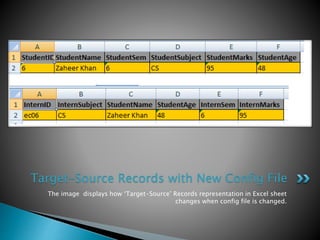
The image displays how ‘Target-Source’ Records representation in Excel sheet
changes when config file is changed.
Target-Source Records with New Config File
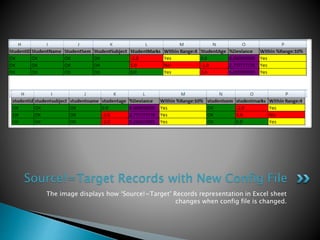
The image displays how ‘Source=Target’ Records representation in Excel sheet
changes when config file is changed.
Source=Target Records with New Config File
The image displays how ‘Source!=Target’ Records representation in Excel sheet
changes when config file is changed.
Source!=Target Records with New Config File
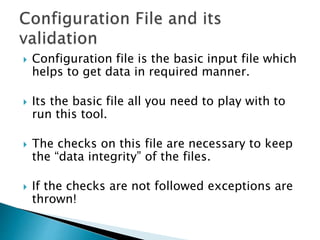
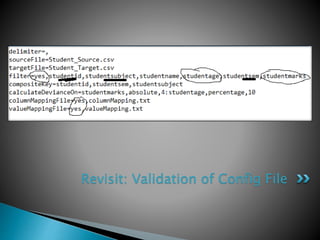
 Configuration file is the basic input file which
helps to get data in required manner.
 Its the basic file all you need to play with to
run this tool.
 The checks on this file are necessary to keep
the “data integrity” of the files.
 If the checks are not followed exceptions are
thrown!
Revisit: Validation of Config File
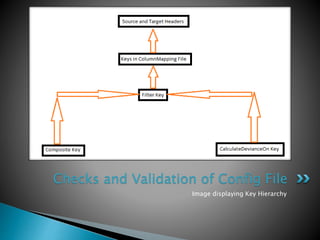
Image displaying Key Hierarchy
Checks and Validation of Config File
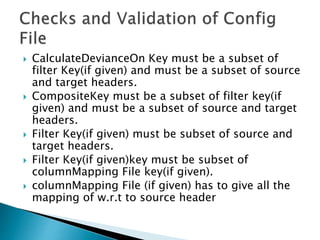
 CalculateDevianceOn Key must be a subset of
filter Key(if given) and must be a subset of source
and target headers.
 CompositeKey must be a subset of filter key(if
given) and must be a subset of source and target
headers.
 Filter Key(if given) must be subset of source and
target headers.
 Filter Key(if given)key must be subset of
columnMapping File key(if given).
 columnMapping File (if given) has to give all the
mapping of w.r.t to source header
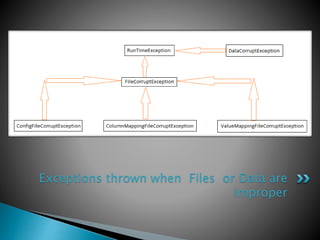
Exceptions thrown when Files or Data are
improper
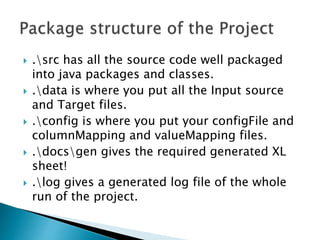
 .src has all the source code well packaged
into java packages and classes.
 .data is where you put all the Input source
and Target files.
 .config is where you put your configFile and
columnMapping and valueMapping files.
 .docsgen gives the required generated XL
sheet!
 .log gives a generated log file of the whole
run of the project.
 Database and XML comparisons.
Data Base, XML reading and connectivity could be
added on top of this with ease.
 Interactive UI
Basic Back End algorithms ready, could be ported on
different UI systems like SWT,Swing even Android and
IOS Tabs!
Reconciliation Tool
Reconciliation Tool

Reconciliation Tool

  • 1.
  • 2.
     This Reconciliationtool helps you to compare any flat file which could be used for wide spread financial attribute reconciliations.  Used to test and validate the “data Integrity” of Data in the same system or the flow of data between systems.  Internally has support to set of configurations that are needed for comparisons and reconciliations of files.
  • 3.
    Broadly classified under2 Categories  Excel Recon Output features.  Configuration files and its validation
  • 4.
     Excel Outputfor further analysis if needed.  Classification of Data into 1)Summary Page 2)Source-Target Records. 3)Target-Source Records. 4)Source=Target Records. 5)Source!=Target Records.  Calculation of differences and deviances absolute and percentage.  Colour coding to highlight differences.
  • 5.
  • 6.
  • 7.
     Delimiter characterwhich can be comma(,) colon(: ) semicolon(;) etc  Name of Source File.  Name of Target File.  Filter Key: a key which displays the required column headers.
  • 8.
     Composite Key:a special key which uniquely identifies rows. No two rows can have the same value of a composite Key.  CalculateDevianceOn Key: column header which have numeric values under them and deviance or absolute differences have to be calculated on them.  columnMappingFile: a file with mapping values of column headers of a new Target File which map back to the source headers.  valueMappingFile: a file with mapping values of a new Target File which map back to source values.
  • 9.
  • 10.
    Presents a briefoverview of the Reconcialition Summary Sheet In the Excel
  • 11.
    Records which arepresent in Source File but not present in Target File. Equal to the set operation (A-B) Source-Target Records
  • 12.
    Records which arepresent in Target File but not present in Source File. Equal to the set operation (B-A) Target-Source Records
  • 13.
    Records present insource which are also present in Target. These are perfectly matching records. Equal to the set operation (A INTERSECTION B) Source=Target Records
  • 14.
    These are notperfectly matching records, but closely matching records on which percentage deviance or absolute value comparisons are done based on the input given in config file. Source!=Target Records
  • 15.
    A change ofTarget File to represent change in the names of column headers and change in the values of target file, highlighted in red. Change of Target File
  • 16.
    Content of samplevalueMappingFile(on the left) and sample columnMappingFile(on the right).These map data in Target File to the source file and bring the data in sync with the source file for comparisons. valueMapping and columnMapping files
  • 17.
    Notice the flagschanged from ‘no’ to ‘yes’ in the config file for filter key, columnMappingFile and valueMappingFile. Config File changed to use mapping Files
  • 18.
    The image displayshow ‘Source-Target’ Records representation in Excel sheet changes when config file is changed. Notice that the column headers are displayed in the order which is mentioned in the Config File. Source-Target Records with new config file
  • 19.
    The image displayshow ‘Target-Source’ Records representation in Excel sheet changes when config file is changed. Target-Source Records with New Config File
  • 20.
    The image displayshow ‘Source=Target’ Records representation in Excel sheet changes when config file is changed. Source=Target Records with New Config File
  • 21.
    The image displayshow ‘Source!=Target’ Records representation in Excel sheet changes when config file is changed. Source!=Target Records with New Config File
  • 22.
     Configuration fileis the basic input file which helps to get data in required manner.  Its the basic file all you need to play with to run this tool.  The checks on this file are necessary to keep the “data integrity” of the files.  If the checks are not followed exceptions are thrown!
  • 23.
  • 24.
    Image displaying KeyHierarchy Checks and Validation of Config File
  • 25.
     CalculateDevianceOn Keymust be a subset of filter Key(if given) and must be a subset of source and target headers.  CompositeKey must be a subset of filter key(if given) and must be a subset of source and target headers.  Filter Key(if given) must be subset of source and target headers.  Filter Key(if given)key must be subset of columnMapping File key(if given).  columnMapping File (if given) has to give all the mapping of w.r.t to source header
  • 26.
    Exceptions thrown whenFiles or Data are improper
  • 27.
     .src hasall the source code well packaged into java packages and classes.  .data is where you put all the Input source and Target files.  .config is where you put your configFile and columnMapping and valueMapping files.  .docsgen gives the required generated XL sheet!  .log gives a generated log file of the whole run of the project.
  • 28.
     Database andXML comparisons. Data Base, XML reading and connectivity could be added on top of this with ease.  Interactive UI Basic Back End algorithms ready, could be ported on different UI systems like SWT,Swing even Android and IOS Tabs!