Real World
Ionic Development
@chrisgriffith
Ionic Generator
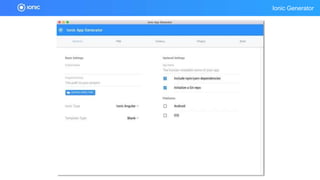
Ionic Generator
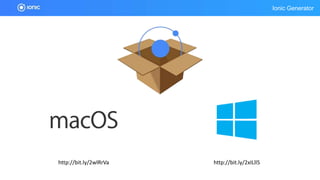
Ionic Generator
http://bit.ly/2wlRrVa http://bit.ly/2xILll5
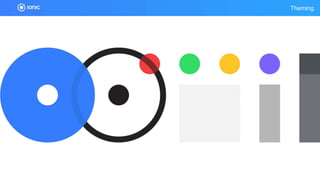
Theming
Theming
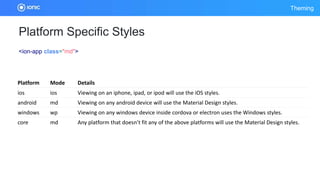
Platform Specific Styles
<ion-app class="md">
Platform Mode Details
ios ios Viewing on an iphone, ipad, or ipod will use the iOS styles.
android md Viewing on any android device will use the Material Design styles.
windows wp Viewing on any windows device inside cordova or electron uses the Windows styles.
core md Any platform that doesn’t fit any of the above platforms will use the Material Design styles.
Theming
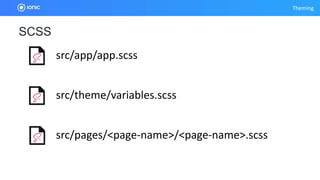
src/pages/<page-name>/<page-name>.scss
src/app/app.scss
src/theme/variables.scss
SCSS
Theming
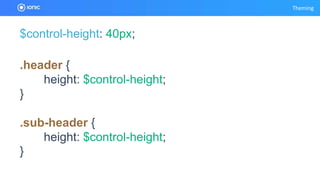
$control-height: 40px;
.header {
height: $control-height;
}
.sub-header {
height: $control-height;
}
Theming
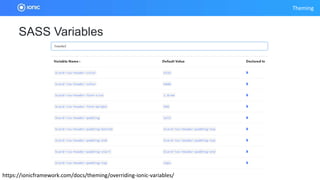
https://ionicframework.com/docs/theming/overriding-ionic-variables/
SASS Variables
Theming
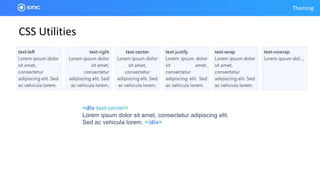
CSS Utilities
<div text-center>
Lorem ipsum dolor sit amet, consectetur adipiscing elit.
Sed ac vehicula lorem. </div>
Theming
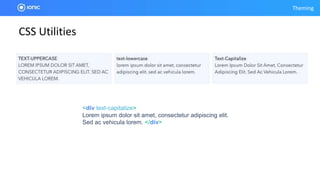
CSS Utilities
<div text-capitalize>
Lorem ipsum dolor sit amet, consectetur adipiscing elit.
Sed ac vehicula lorem. </div>
Theming
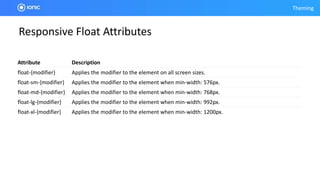
Responsive Float Attributes
Attribute Description
float-{modifier} Applies the modifier to the element on all screen sizes.
float-sm-{modifier} Applies the modifier to the element when min-width: 576px.
float-md-{modifier} Applies the modifier to the element when min-width: 768px.
float-lg-{modifier} Applies the modifier to the element when min-width: 992px.
float-xl-{modifier} Applies the modifier to the element when min-width: 1200px.
Theming
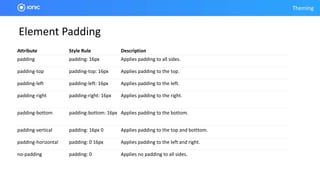
Element Padding
Attribute Style Rule Description
padding padding: 16px Applies padding to all sides.
padding-top padding-top: 16px Applies padding to the top.
padding-left padding-left: 16px Applies padding to the left.
padding-right padding-right: 16px Applies padding to the right.
padding-bottom padding-bottom: 16px Applies padding to the bottom.
padding-vertical padding: 16px 0 Applies padding to the top and botttom.
padding-horizontal padding: 0 16px Applies padding to the left and right.
no-padding padding: 0 Applies no padding to all sides.
Theming
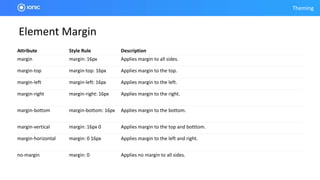
Element Margin
Attribute Style Rule Description
margin margin: 16px Applies margin to all sides.
margin-top margin-top: 16px Applies margin to the top.
margin-left margin-left: 16px Applies margin to the left.
margin-right margin-right: 16px Applies margin to the right.
margin-bottom margin-bottom: 16px Applies margin to the bottom.
margin-vertical margin: 16px 0 Applies margin to the top and botttom.
margin-horizontal margin: 0 16px Applies margin to the left and right.
no-margin margin: 0 Applies no margin to all sides.
Theming
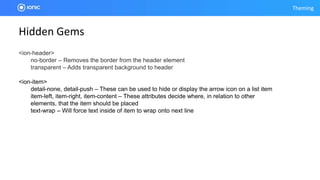
Hidden Gems
<ion-header>
no-border – Removes the border from the header element
transparent – Adds transparent background to header
<ion-item>
detail-none, detail-push – These can be used to hide or display the arrow icon on a list item
item-left, item-right, item-content – These attributes decide where, in relation to other
elements, that the item should be placed
text-wrap – Will force text inside of item to wrap onto next line
Ionic Native Mocks
IONIC NATIVE MOCKS
https://github.com/chrisgriffith/ionic-native-mocks
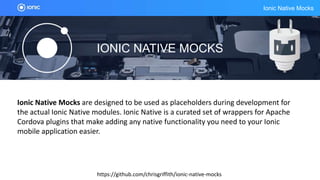
Ionic Native Mocks are designed to be used as placeholders during development for
the actual Ionic Native modules. Ionic Native is a curated set of wrappers for Apache
Cordova plugins that make adding any native functionality you need to your Ionic
mobile application easier.
Ionic Native Mocks
$ npm install @ionic-native-mocks/[plug-in] --save
// app.module.ts
import { Camera } from '@ionic-native/camera';
import { CameraMock } from '@ionic-native-mocks/camera';
...
@NgModule({
...
providers: [
...
{ provide: Camera, useClass: CameraMock }
...
]
...
})
export class AppModule { }
Testing
https://github.com/ionic-team/ionic-unit-testing-example
This repository is an example project that gives guidance on setting up your Ionic application
for unit testing and end-to-end (E2E) testing.
Progressive Web Apps
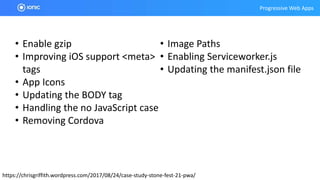
https://chrisgriffith.wordpress.com/2017/08/24/case-study-stone-fest-21-pwa/
• Enable gzip
• Improving iOS support <meta>
tags
• App Icons
• Updating the BODY tag
• Handling the no JavaScript case
• Removing Cordova
• Image Paths
• Enabling Serviceworker.js
• Updating the manifest.json file
Stencil
Stencil
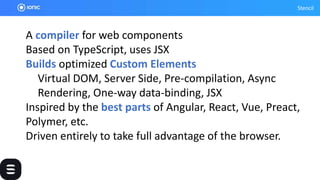
A compiler for web components
Based on TypeScript, uses JSX
Builds optimized Custom Elements
Virtual DOM, Server Side, Pre-compilation, Async
Rendering, One-way data-binding, JSX
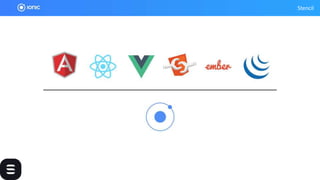
Inspired by the best parts of Angular, React, Vue, Preact,
Polymer, etc.
Driven entirely to take full advantage of the browser.
Stencil
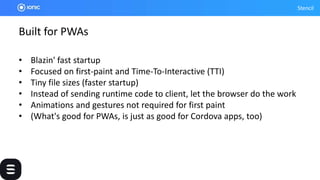
Built for PWAs
• Blazin' fast startup
• Focused on first-paint and Time-To-Interactive (TTI)
• Tiny file sizes (faster startup)
• Instead of sending runtime code to client, let the browser do the work
• Animations and gestures not required for first paint
• (What's good for PWAs, is just as good for Cordova apps, too)
Stencil
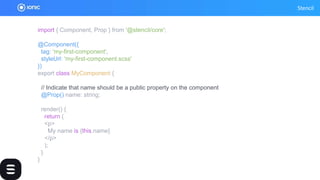
import { Component, Prop } from '@stencil/core';
@Component({
tag: 'my-first-component',
styleUrl: 'my-first-component.scss'
})
export class MyComponent {
// Indicate that name should be a public property on the component
@Prop() name: string;
render() {
return (
<p>
My name is {this.name}
</p>
);
}
}
Stencil
Dev App
Dev App
Creator
Creator
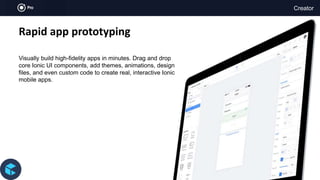
Rapid app prototyping
Visually build high-fidelity apps in minutes. Drag and drop
core Ionic UI components, add themes, animations, design
files, and even custom code to create real, interactive Ionic
mobile apps.
Deploy
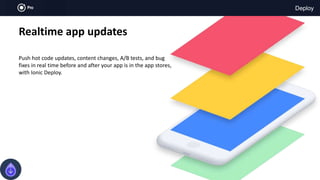
Realtime app updates
Push hot code updates, content changes, A/B tests, and bug
fixes in real time before and after your app is in the app stores,
with Ionic Deploy.
Deploy
Live updates
Push live app updates directly to
users and testers in realtime. No
approvals, no delays.
Automatic updating
Keep users on the latest version,
with updates that works
seamlessly in the background.
Split testing
Run A/B tests and target the
distribution of new changes using
multiple update channels.
App store compliant
Safely update your Ionic apps while
staying compliant with Apple and
Android requirements.
Package
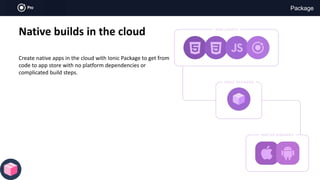
Native builds in the cloud
Create native apps in the cloud with Ionic Package to get from
code to app store with no platform dependencies or
complicated build steps.
Package
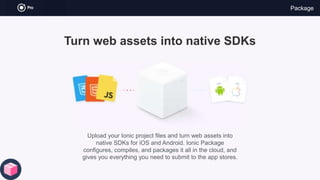
Turn web assets into native SDKs
Upload your Ionic project files and turn web assets into
native SDKs for iOS and Android. Ionic Package
configures, compiles, and packages it all in the cloud, and
gives you everything you need to submit to the app stores.
Monitor
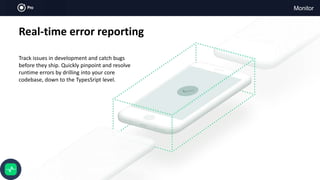
Real-time error reporting
Track issues in development and catch bugs
before they ship. Quickly pinpoint and resolve
runtime errors by drilling into your core
codebase, down to the TypesSript level.
Monitor
Realtime alerts & notifications
Be the first to know whenever and wherever your app
crashes, or when unexpected errors occur.
Built for Ionic apps
Track runtime errors in your Ionic apps with full web layer visibility
and JavaScript stack traces. No setup. It will Just Work.
TypeScript sourcemaps
Know exactly where to push fixes by identifying offending
code in your app’s original TypeScript.
Resources
Real World ionic Development

Real World ionic Development

  • 1.
  • 3.
  • 4.
  • 5.
  • 6.
  • 7.
    Theming Platform Specific Styles <ion-appclass="md"> Platform Mode Details ios ios Viewing on an iphone, ipad, or ipod will use the iOS styles. android md Viewing on any android device will use the Material Design styles. windows wp Viewing on any windows device inside cordova or electron uses the Windows styles. core md Any platform that doesn’t fit any of the above platforms will use the Material Design styles.
  • 8.
  • 9.
    Theming $control-height: 40px; .header { height:$control-height; } .sub-header { height: $control-height; }
  • 10.
  • 11.
    Theming CSS Utilities <div text-center> Loremipsum dolor sit amet, consectetur adipiscing elit. Sed ac vehicula lorem. </div>
  • 12.
    Theming CSS Utilities <div text-capitalize> Loremipsum dolor sit amet, consectetur adipiscing elit. Sed ac vehicula lorem. </div>
  • 13.
    Theming Responsive Float Attributes AttributeDescription float-{modifier} Applies the modifier to the element on all screen sizes. float-sm-{modifier} Applies the modifier to the element when min-width: 576px. float-md-{modifier} Applies the modifier to the element when min-width: 768px. float-lg-{modifier} Applies the modifier to the element when min-width: 992px. float-xl-{modifier} Applies the modifier to the element when min-width: 1200px.
  • 14.
    Theming Element Padding Attribute StyleRule Description padding padding: 16px Applies padding to all sides. padding-top padding-top: 16px Applies padding to the top. padding-left padding-left: 16px Applies padding to the left. padding-right padding-right: 16px Applies padding to the right. padding-bottom padding-bottom: 16px Applies padding to the bottom. padding-vertical padding: 16px 0 Applies padding to the top and botttom. padding-horizontal padding: 0 16px Applies padding to the left and right. no-padding padding: 0 Applies no padding to all sides.
  • 15.
    Theming Element Margin Attribute StyleRule Description margin margin: 16px Applies margin to all sides. margin-top margin-top: 16px Applies margin to the top. margin-left margin-left: 16px Applies margin to the left. margin-right margin-right: 16px Applies margin to the right. margin-bottom margin-bottom: 16px Applies margin to the bottom. margin-vertical margin: 16px 0 Applies margin to the top and botttom. margin-horizontal margin: 0 16px Applies margin to the left and right. no-margin margin: 0 Applies no margin to all sides.
  • 16.
    Theming Hidden Gems <ion-header> no-border –Removes the border from the header element transparent – Adds transparent background to header <ion-item> detail-none, detail-push – These can be used to hide or display the arrow icon on a list item item-left, item-right, item-content – These attributes decide where, in relation to other elements, that the item should be placed text-wrap – Will force text inside of item to wrap onto next line
  • 17.
    Ionic Native Mocks IONICNATIVE MOCKS https://github.com/chrisgriffith/ionic-native-mocks Ionic Native Mocks are designed to be used as placeholders during development for the actual Ionic Native modules. Ionic Native is a curated set of wrappers for Apache Cordova plugins that make adding any native functionality you need to your Ionic mobile application easier.
  • 18.
    Ionic Native Mocks $npm install @ionic-native-mocks/[plug-in] --save // app.module.ts import { Camera } from '@ionic-native/camera'; import { CameraMock } from '@ionic-native-mocks/camera'; ... @NgModule({ ... providers: [ ... { provide: Camera, useClass: CameraMock } ... ] ... }) export class AppModule { }
  • 19.
    Testing https://github.com/ionic-team/ionic-unit-testing-example This repository isan example project that gives guidance on setting up your Ionic application for unit testing and end-to-end (E2E) testing.
  • 20.
  • 21.
    Progressive Web Apps https://chrisgriffith.wordpress.com/2017/08/24/case-study-stone-fest-21-pwa/ •Enable gzip • Improving iOS support <meta> tags • App Icons • Updating the BODY tag • Handling the no JavaScript case • Removing Cordova • Image Paths • Enabling Serviceworker.js • Updating the manifest.json file
  • 22.
  • 23.
    Stencil A compiler forweb components Based on TypeScript, uses JSX Builds optimized Custom Elements Virtual DOM, Server Side, Pre-compilation, Async Rendering, One-way data-binding, JSX Inspired by the best parts of Angular, React, Vue, Preact, Polymer, etc. Driven entirely to take full advantage of the browser.
  • 24.
    Stencil Built for PWAs •Blazin' fast startup • Focused on first-paint and Time-To-Interactive (TTI) • Tiny file sizes (faster startup) • Instead of sending runtime code to client, let the browser do the work • Animations and gestures not required for first paint • (What's good for PWAs, is just as good for Cordova apps, too)
  • 25.
    Stencil import { Component,Prop } from '@stencil/core'; @Component({ tag: 'my-first-component', styleUrl: 'my-first-component.scss' }) export class MyComponent { // Indicate that name should be a public property on the component @Prop() name: string; render() { return ( <p> My name is {this.name} </p> ); } }
  • 27.
  • 28.
  • 29.
  • 30.
  • 31.
    Creator Rapid app prototyping Visuallybuild high-fidelity apps in minutes. Drag and drop core Ionic UI components, add themes, animations, design files, and even custom code to create real, interactive Ionic mobile apps.
  • 32.
    Deploy Realtime app updates Pushhot code updates, content changes, A/B tests, and bug fixes in real time before and after your app is in the app stores, with Ionic Deploy.
  • 33.
    Deploy Live updates Push liveapp updates directly to users and testers in realtime. No approvals, no delays. Automatic updating Keep users on the latest version, with updates that works seamlessly in the background. Split testing Run A/B tests and target the distribution of new changes using multiple update channels. App store compliant Safely update your Ionic apps while staying compliant with Apple and Android requirements.
  • 34.
    Package Native builds inthe cloud Create native apps in the cloud with Ionic Package to get from code to app store with no platform dependencies or complicated build steps.
  • 35.
    Package Turn web assetsinto native SDKs Upload your Ionic project files and turn web assets into native SDKs for iOS and Android. Ionic Package configures, compiles, and packages it all in the cloud, and gives you everything you need to submit to the app stores.
  • 36.
    Monitor Real-time error reporting Trackissues in development and catch bugs before they ship. Quickly pinpoint and resolve runtime errors by drilling into your core codebase, down to the TypesSript level.
  • 37.
    Monitor Realtime alerts &notifications Be the first to know whenever and wherever your app crashes, or when unexpected errors occur. Built for Ionic apps Track runtime errors in your Ionic apps with full web layer visibility and JavaScript stack traces. No setup. It will Just Work. TypeScript sourcemaps Know exactly where to push fixes by identifying offending code in your app’s original TypeScript.
  • 38.