ELECTRON:
BEGINNER TO PRO
BUILD CROSS PLATFORM DESKTOP APPS USING
GITHUB’S ELECTRON
@chrisgriffith
WHAT IS ELECTRON?
Released in July 2013 by Cheng Zhao
Foundation for GitHub Atom Editor
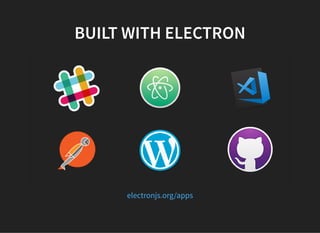
BUILT WITH ELECTRON
electronjs.org/apps
ELECTRON'S FEATURES
Automatic updates
Native menus & notifications
Crash reporting
Debugging & profiling
Windows installers
just a partial list…
PLATFORM SUPPORT
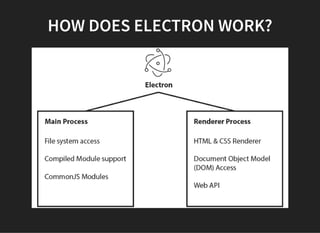
HOW DOES ELECTRON WORK?
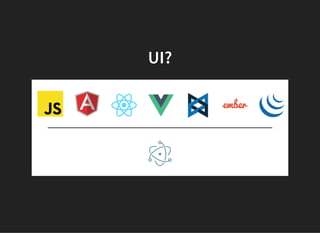
UI?
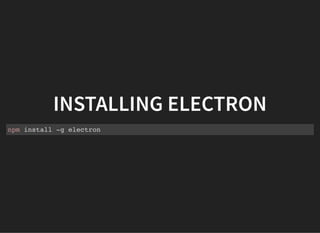
INSTALLING ELECTRON
npm install -g electron
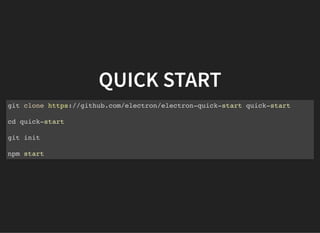
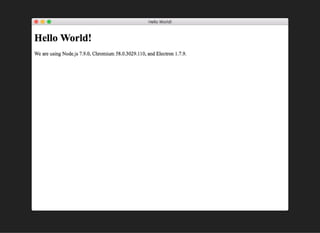
QUICK START
git clone https://github.com/electron/electron-quick-start quick-start
cd quick-start
git init
npm start
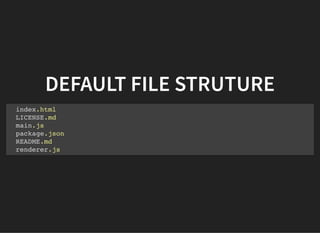
DEFAULT FILE STRUTURE
index.html
LICENSE.md
main.js
package.json
README.md
renderer.js
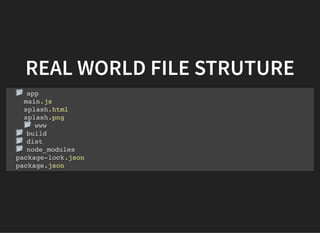
REAL WORLD FILE STRUTURE
app
main.js
splash.html
splash.png
www
build
dist
node_modules
package-lock.json
package.json
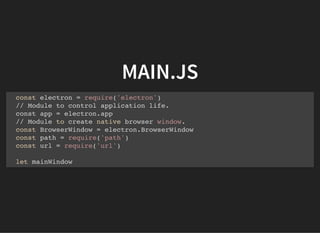
MAIN.JS
const electron = require('electron')
// Module to control application life.
const app = electron.app
// Module to create native browser window.
const BrowserWindow = electron.BrowserWindow
const path = require('path')
const url = require('url')
let mainWindow
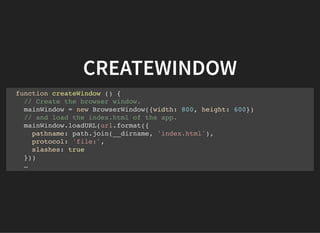
CREATEWINDOW
function createWindow () {
// Create the browser window.
mainWindow = new BrowserWindow({width: 800, height: 600})
// and load the index.html of the app.
mainWindow.loadURL(url.format({
pathname: path.join(__dirname, 'index.html'),
protocol: 'file:',
slashes: true
}))
…
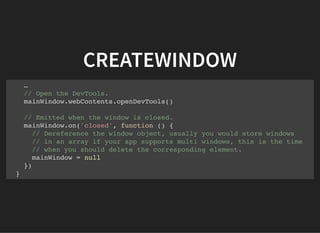
CREATEWINDOW
…
// Open the DevTools.
mainWindow.webContents.openDevTools()
// Emitted when the window is closed.
mainWindow.on('closed', function () {
// Dereference the window object, usually you would store windows
// in an array if your app supports multi windows, this is the time
// when you should delete the corresponding element.
mainWindow = null
})
}
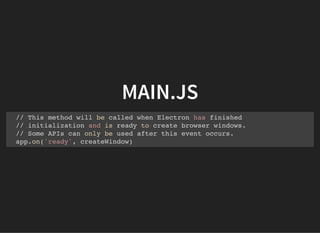
MAIN.JS
// This method will be called when Electron has finished
// initialization and is ready to create browser windows.
// Some APIs can only be used after this event occurs.
app.on('ready', createWindow)
INDEX.HTML
…
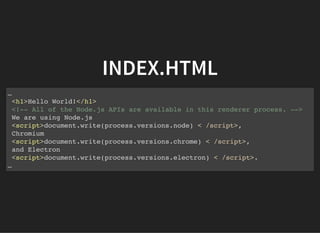
<h1>Hello World!</h1>
<!-- All of the Node.js APIs are available in this renderer process. -->
We are using Node.js
<script>document.write(process.versions.node) < /script>,
Chromium
<script>document.write(process.versions.chrome) < /script>,
and Electron
<script>document.write(process.versions.electron) < /script>.
…
INDEX.HTML
…
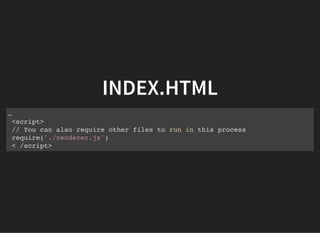
<script>
// You can also require other files to run in this process
require('./renderer.js')
< /script>
WINDOWS
BROWSERWINDOW
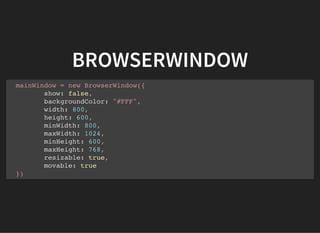
mainWindow = new BrowserWindow({
show: false,
backgroundColor: "#FFF",
width: 800,
height: 600,
minWidth: 800,
maxWidth: 1024,
minHeight: 600,
maxHeight: 768,
resizable: true,
movable: true
})
BROWSERWINDOW
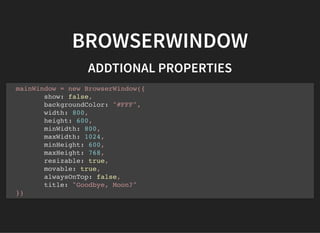
ADDTIONAL PROPERTIES
mainWindow = new BrowserWindow({
show: false,
backgroundColor: "#FFF",
width: 800,
height: 600,
minWidth: 800,
maxWidth: 1024,
minHeight: 600,
maxHeight: 768,
resizable: true,
movable: true,
alwaysOnTop: false,
title: "Goodbye, Moon?"
})
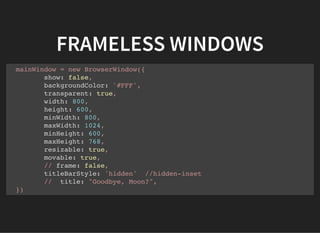
FRAMELESS WINDOWS
mainWindow = new BrowserWindow({
show: false,
backgroundColor: '#FFF',
transparent: true,
width: 800,
height: 600,
minWidth: 800,
maxWidth: 1024,
minHeight: 600,
maxHeight: 768,
resizable: true,
movable: true,
// frame: false,
titleBarStyle: 'hidden' //hidden-inset
// title: "Goodbye, Moon?",
})
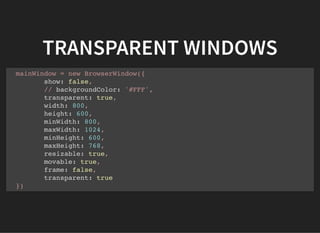
TRANSPARENT WINDOWS
mainWindow = new BrowserWindow({
show: false,
// backgroundColor: '#FFF',
transparent: true,
width: 800,
height: 600,
minWidth: 800,
maxWidth: 1024,
minHeight: 600,
maxHeight: 768,
resizable: true,
movable: true,
frame: false,
transparent: true
})
APPLICATION MENU
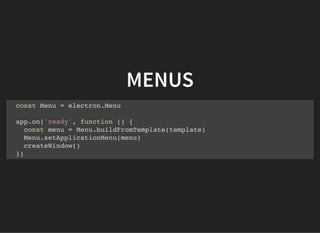
MENUS
const Menu = electron.Menu
app.on('ready', function () {
const menu = Menu.buildFromTemplate(template)
Menu.setApplicationMenu(menu)
createWindow()
})
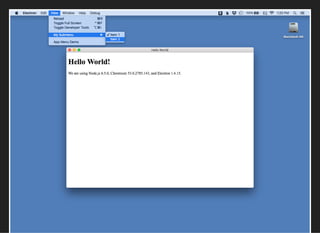
MENU TEMPLATES
let template = [{
label: 'Menu 1',
submenu: [{
label: 'Menu item 1'
}]
}, {
label: 'Menu 2',
submenu: [{
label: 'Another Menu item'
}, {
label: 'One More Menu Item'
}]
}]
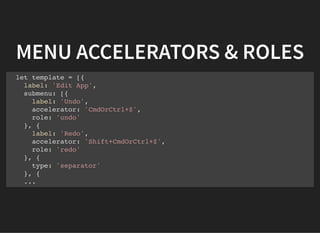
MENU ACCELERATORS & ROLES
let template = [{
label: 'Edit App',
submenu: [{
label: 'Undo',
accelerator: 'CmdOrCtrl+Z',
role: 'undo'
}, {
label: 'Redo',
accelerator: 'Shift+CmdOrCtrl+Z',
role: 'redo'
}, {
type: 'separator'
}, {
...
CONTEXTUAL MENUS
CONTEXTUAL MENU -
RENDERER.JS
const { remote } = require('electron')
const { Menu } = remote
const myContextMenu = Menu.buildFromTemplate ([
{ label: 'Cut', role: 'cut' },
{ label: 'Copy', role: 'copy' },
{ label: 'Paste', role: 'paste' },
{ label: 'Select All', role: 'selectall' },
{ type: 'separator' },
{ label: 'Custom', click() { console.log('Custom Menu') } }
])
window.addEventListener('contextmenu', (event) => {
event.preventDefault()
myContextMenu.popup()
})
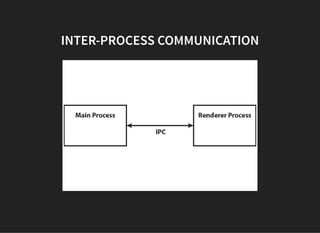
INTER-PROCESS
COMMUNICATION
INTER-PROCESS COMMUNICATION
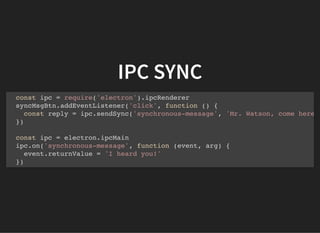
IPC SYNC
const ipc = require('electron').ipcRenderer
syncMsgBtn.addEventListener('click', function () {
const reply = ipc.sendSync('synchronous-message', 'Mr. Watson, come here
})
const ipc = electron.ipcMain
ipc.on('synchronous-message', function (event, arg) {
event.returnValue = 'I heard you!'
})
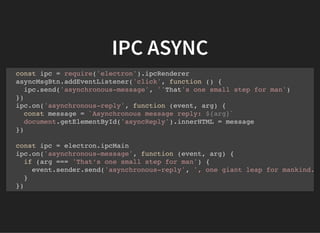
IPC ASYNC
const ipc = require('electron').ipcRenderer
asyncMsgBtn.addEventListener('click', function () {
ipc.send('asynchronous-message', ''That's one small step for man')
})
ipc.on('asynchronous-reply', function (event, arg) {
const message = `Asynchronous message reply: ${arg}`
document.getElementById('asyncReply').innerHTML = message
})
const ipc = electron.ipcMain
ipc.on('asynchronous-message', function (event, arg) {
if (arg === 'That’s one small step for man') {
event.sender.send('asynchronous-reply', ', one giant leap for mankind.
}
})
NATIVE DIALOGS
DIALOG TYPES
File Open
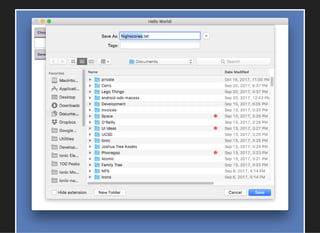
File Save
Message Box
Error Box
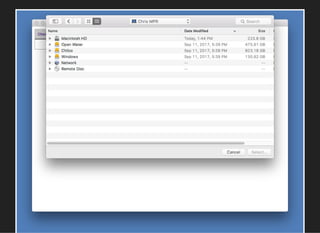
FILE OPEN
const dialog = electron.dialog
ipc.on('open-directory-dialog', function (event) {
dialog.showOpenDialog({
properties: ['openDirectory']
}, function (files) {
if (files) event.sender.send('selectedItem, files)
})
})
DIALOG PROPERTIES
openFile
openDirectory
multiSelections
createDirectory
showHiddenFiles
promptToCreate (Windows Only)
MESSAGE BOXES
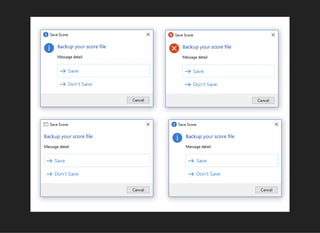
MESSAGE BOX
dialog.showMessageBox({
type: info,
buttons: ['Save', 'Cancel', 'Don't Save'],
defaultId: 0,
cancelId: 1,
title: 'Save Score',
message: 'Backup your score file?',
detail: 'Message detail'
})
DIALOG TYPES
info
error
question
none
CUSTOM ICONS
const nativeImage = electron.nativeImage
let warningIcon= nativeImage.createFromPath('images/warning.png')
dialog.showMessageBox({
type: info,
buttons: ['Save', 'Cancel', 'Don't Save'],
defaultId: 0,
cancelId: 1,
title: 'Save Score',
message: 'Backup your score file?',
detail: 'Message detail',
icon: warningIcon
})
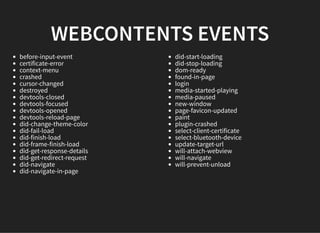
WEBCONTENTS EVENTS
before-input-event
certificate-error
context-menu
crashed
cursor-changed
destroyed
devtools-closed
devtools-focused
devtools-opened
devtools-reload-page
did-change-theme-color
did-fail-load
did-finish-load
did-frame-finish-load
did-get-response-details
did-get-redirect-request
did-navigate
did-navigate-in-page
did-start-loading
did-stop-loading
dom-ready
found-in-page
login
media-started-playing
media-paused
new-window
page-favicon-updated
paint
plugin-crashed
select-client-certificate
select-bluetooth-device
update-target-url
will-attach-webview
will-navigate
will-prevent-unload
DEBUGGING YOUR ELECTRON
APPLICATION
Chromium’s Dev Tools
DEBUGGING RENDERER
PROCESS
Chromium’s Dev Tools
DEBUGGING MAIN PROCESS
VS Code's Tools
node-inspector
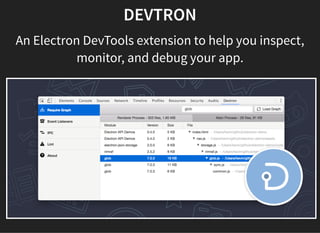
DEVTRON
An Electron DevTools extension to help you inspect,
monitor, and debug your app.
TESTING WITH SPECTRON
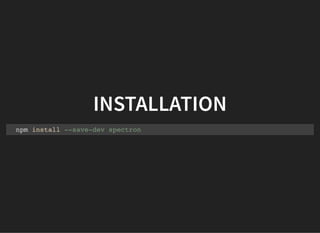
INSTALLATION
npm install --save-dev spectron
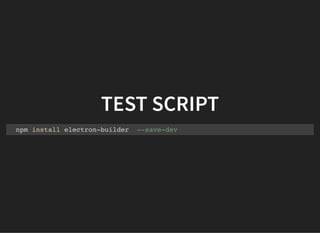
TEST SCRIPT
npm install electron-builder --save-dev
BUILDING YOUR APPLICATION
INSTALLATION
npm install electron-builder --save-dev
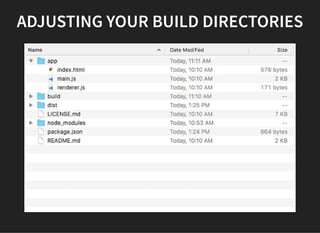
ADJUSTING YOUR BUILD DIRECTORIES
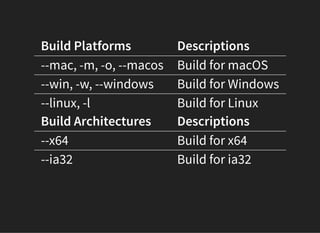
Build Platforms Descriptions
--mac, -m, -o, --macos Build for macOS
--win, -w, --windows Build for Windows
--linux, -l Build for Linux
Build Architectures Descriptions
--x64 Build for x64
--ia32 Build for ia32
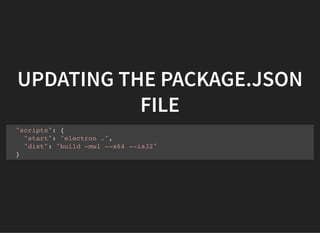
UPDATING THE PACKAGE.JSON
FILE
"scripts": {
"start": "electron .",
"dist": "build -mwl --x64 --ia32"
}
UPDATING THE PACKAGE.JSON
FILE
"build": {
"appId": "com.your-company.electron-app-name",
"copyright": "Copyright © 2017 YOUR-NAME",
"productName": "My Electron App",
"electronVersion": "1.4.1",
"mac": {
"category": "public.app-category.developer-tools"
},
"win": {
"target": [ "nsis" ]
},
"linux": {
"target": [ "AppImage", "deb"]
}
}
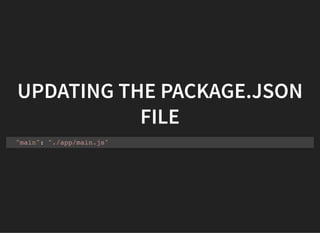
UPDATING THE PACKAGE.JSON
FILE
"main": "./app/main.js"
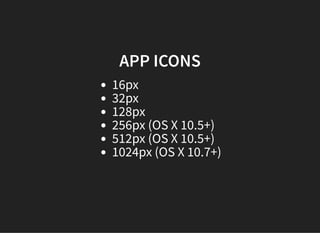
APP ICONS
16px
32px
128px
256px (OS X 10.5+)
512px (OS X 10.5+)
1024px (OS X 10.7+)
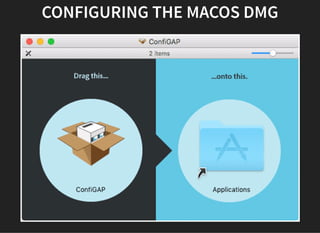
CONFIGURING THE MACOS DMG
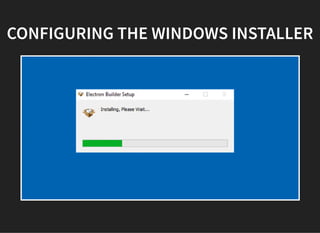
CONFIGURING THE WINDOWS INSTALLER
AUTO-UPDATING
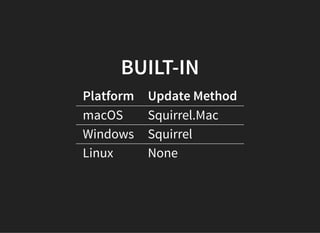
BUILT-IN
Platform Update Method
macOS Squirrel.Mac
Windows Squirrel
Linux None
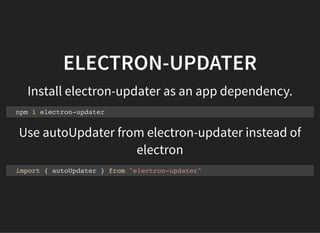
ELECTRON-UPDATER
Install electron-updater as an app dependency.
Use autoUpdater from electron-updater instead of
electron
npm i electron-updater
import { autoUpdater } from "electron-updater"
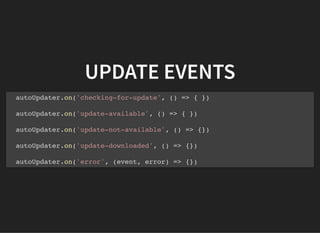
UPDATE EVENTS
autoUpdater.on('checking-for-update', () => { })
autoUpdater.on('update-available', () => { })
autoUpdater.on('update-not-available', () => {})
autoUpdater.on('update-downloaded', () => {})
autoUpdater.on('error', (event, error) => {})
ELECTRON FORGE
A complete tool for building modern Electron
applications.
https://github.com/electron-userland/electron-forge
THANK YOU!
Chris Griffith
San Diego, CA
@chrisgriffith
http://chrisgriffith.wordpress.com
https://github.com/chrisgriffith

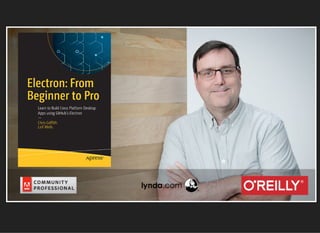
Electron: From Beginner to Pro